
Sakai Technical Update and Futures Charles Severance Sakai
![Sakai Web Services Client require_once('SOAP/Client. php'); if ( ! $_POST['url'] ) $_POST['url'] = "http:](https://slidetodoc.com/presentation_image_h/0e98d55da6bd8d7cbb59689d9e7bf9ff/image-16.jpg "Sakai Web Services Client require_once('SOAP/Client. php'); if ( ! $_POST['url'] ) $_POST['url'] = \"http:")


- Slides: 78
Sakai Technical Update and Futures Charles Severance Sakai Chief Architect September 15, 2005
Release 2. 0 • • New kernel in place New learning-oriented tools Legacy tools internationalized Legacy tools improved to be partially compliant with the style guide. In summary, just about every end-user GUI element has been touched or is new. Web services The storage and services are still very 1. 5 -like New skin
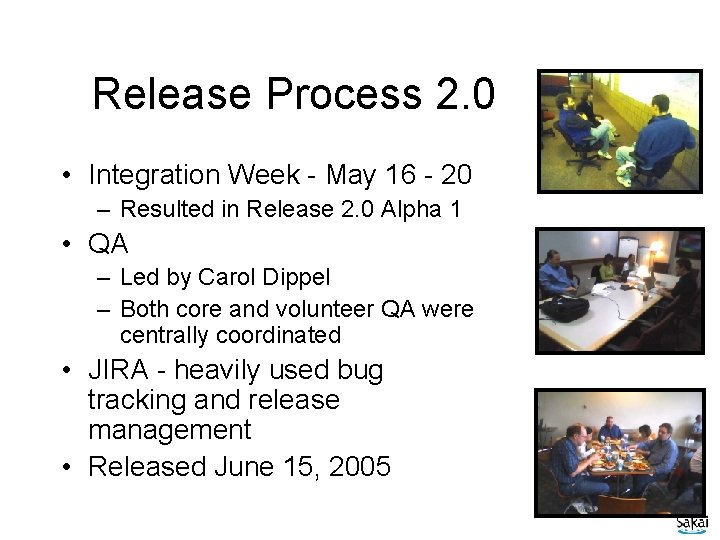
Release Process 2. 0 • Integration Week - May 16 - 20 – Resulted in Release 2. 0 Alpha 1 • QA – Led by Carol Dippel – Both core and volunteer QA were centrally coordinated • JIRA - heavily used bug tracking and release management • Released June 15, 2005
Release 2. 0 Packaging • Demo – – Unpack and start - one command Use Case: “show your boss” Includes everything else: 60 MB + Zip for Windows and tar. gz for UNIX • Source – Intended to configure and install for production - providers, skins, database connection, etc. – Does not include pre-requisites • Binary – Pre-compiled version of source ready to drop into your Tomcat and configure
Sakai 2. 0 Framework Changes
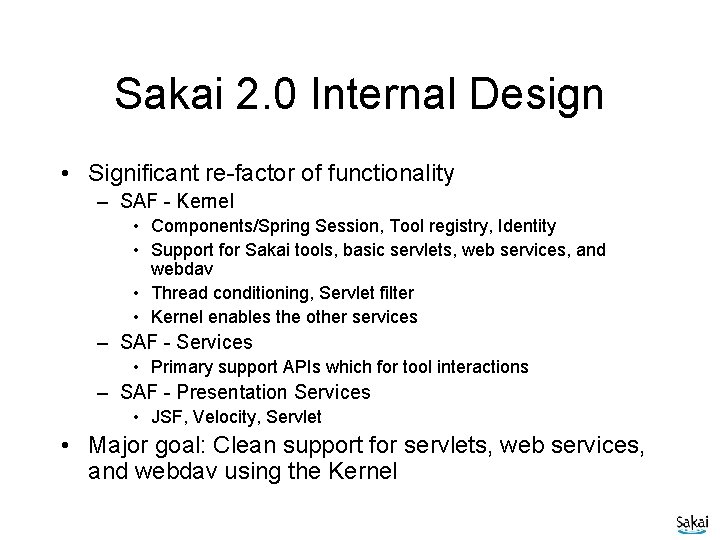
Sakai 2. 0 Internal Design • Significant re-factor of functionality – SAF - Kernel • Components/Spring Session, Tool registry, Identity • Support for Sakai tools, basic servlets, web services, and webdav • Thread conditioning, Servlet filter • Kernel enables the other services – SAF - Services • Primary support APIs which for tool interactions – SAF - Presentation Services • JSF, Velocity, Servlet • Major goal: Clean support for servlets, web services, and webdav using the Kernel
SAF Design Documents • • • Sakai Tool Model Sakai Sessions Sakai Request Flow Sakai Mercury Portal Sakai Use of Maven • Sakai Configuration • Sakai Charon Portal • Sakai Component Model • Sakai Authentication • others These documents on collab. sakaiproject. org “Sakai Development”
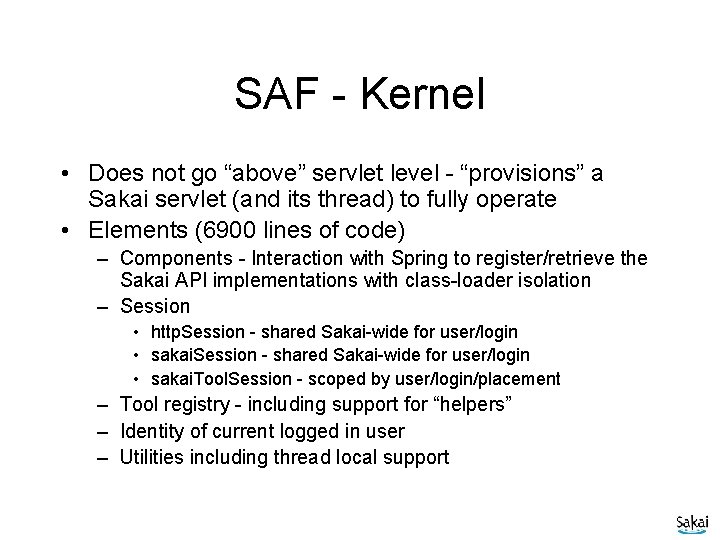
SAF - Kernel • Does not go “above” servlet level - “provisions” a Sakai servlet (and its thread) to fully operate • Elements (6900 lines of code) – Components - Interaction with Spring to register/retrieve the Sakai API implementations with class-loader isolation – Session • http. Session - shared Sakai-wide for user/login • sakai. Tool. Session - scoped by user/login/placement – Tool registry - including support for “helpers” – Identity of current logged in user – Utilities including thread local support
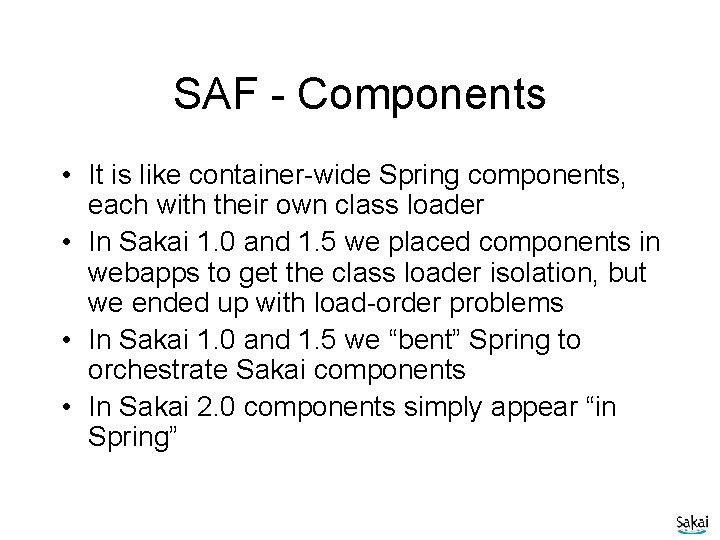
SAF - Components • It is like container-wide Spring components, each with their own class loader • In Sakai 1. 0 and 1. 5 we placed components in webapps to get the class loader isolation, but we ended up with load-order problems • In Sakai 1. 0 and 1. 5 we “bent” Spring to orchestrate Sakai components • In Sakai 2. 0 components simply appear “in Spring”
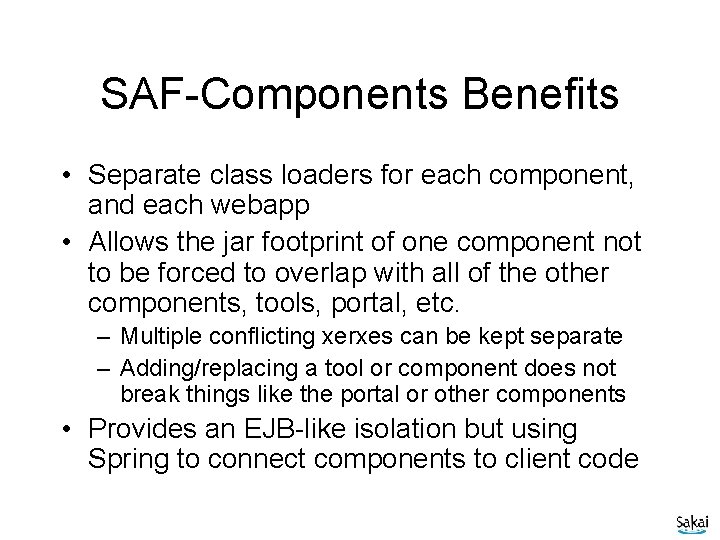
SAF-Components Benefits • Separate class loaders for each component, and each webapp • Allows the jar footprint of one component not to be forced to overlap with all of the other components, tools, portal, etc. – Multiple conflicting xerxes can be kept separate – Adding/replacing a tool or component does not break things like the portal or other components • Provides an EJB-like isolation but using Spring to connect components to client code
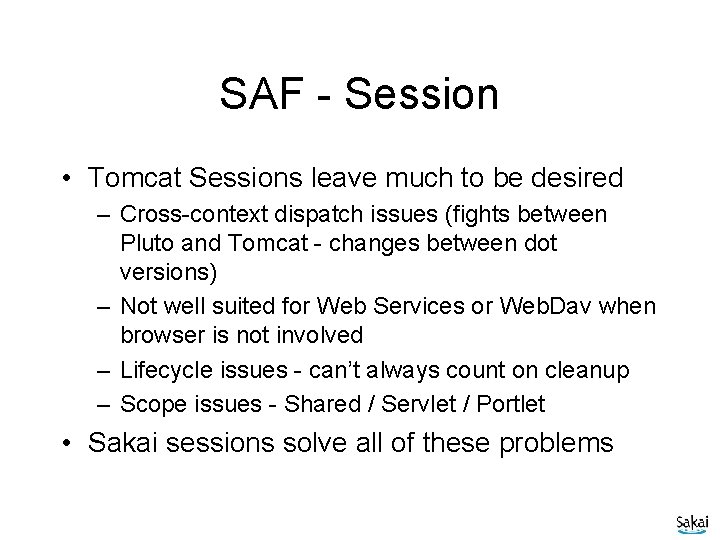
SAF - Session • Tomcat Sessions leave much to be desired – Cross-context dispatch issues (fights between Pluto and Tomcat - changes between dot versions) – Not well suited for Web Services or Web. Dav when browser is not involved – Lifecycle issues - can’t always count on cleanup – Scope issues - Shared / Servlet / Portlet • Sakai sessions solve all of these problems
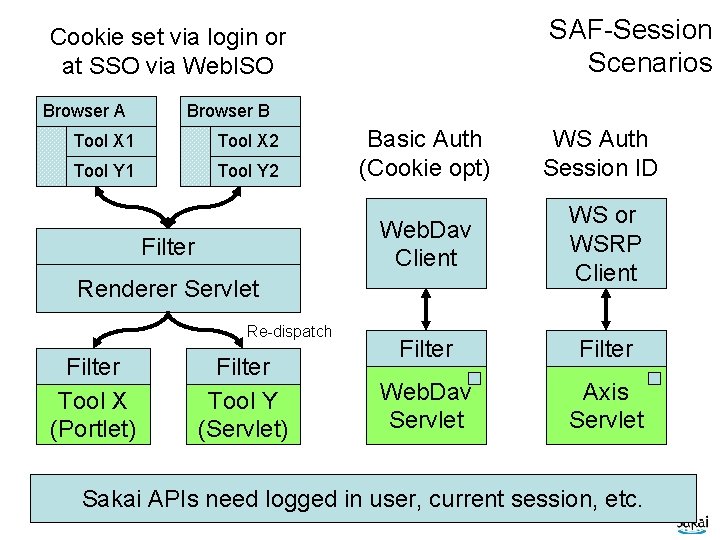
SAF-Session Scenarios Cookie set via login or at SSO via Web. ISO Browser A Browser B Tool X 1 Tool X 2 Tool Y 1 Tool Y 2 Filter Basic Auth (Cookie opt) WS Auth Session ID Web. Dav Client WS or WSRP Client Filter Web. Dav Servlet Axis Servlet Renderer Servlet Re-dispatch Filter Tool X (Portlet) Filter Tool Y (Servlet) Sakai APIs need logged in user, current session, etc.
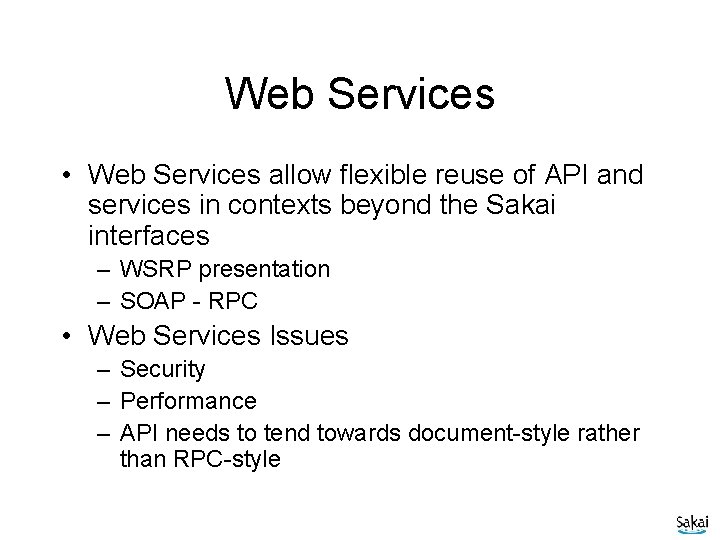
Web Services • Web Services allow flexible reuse of API and services in contexts beyond the Sakai interfaces – WSRP presentation – SOAP - RPC • Web Services Issues – Security – Performance – API needs to tend towards document-style rather than RPC-style
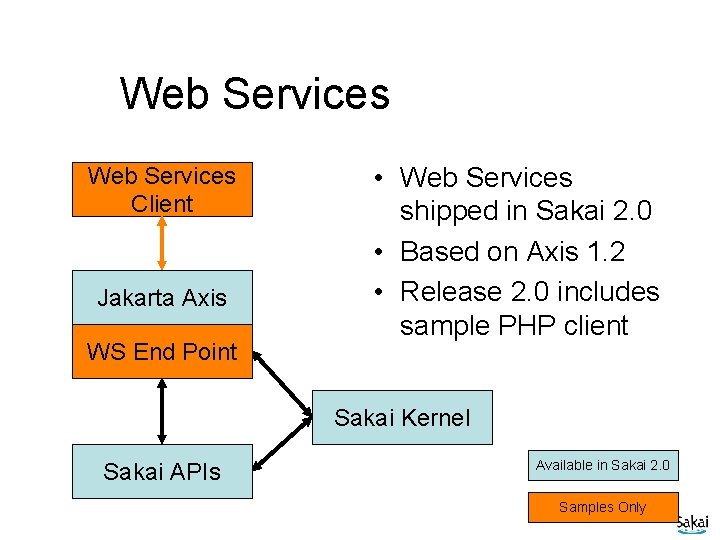
Web Services Client Jakarta Axis WS End Point • Web Services shipped in Sakai 2. 0 • Based on Axis 1. 2 • Release 2. 0 includes sample PHP client Sakai Kernel Sakai APIs Available in Sakai 2. 0 Samples Only
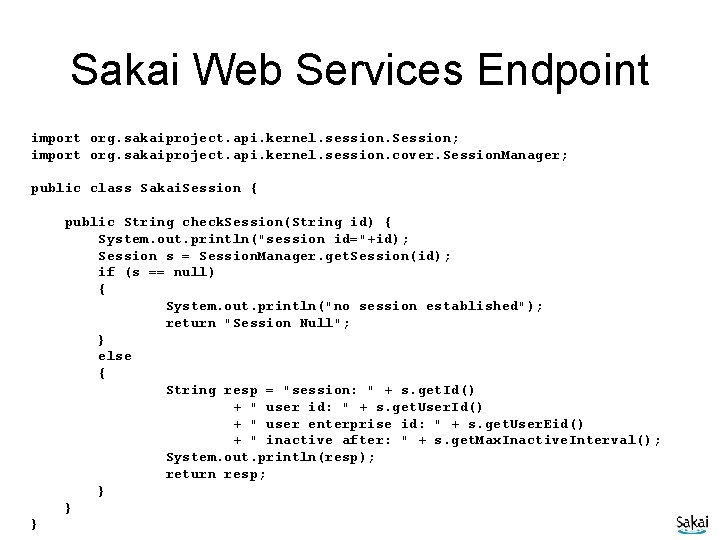
Sakai Web Services Endpoint import org. sakaiproject. api. kernel. session. Session; import org. sakaiproject. api. kernel. session. cover. Session. Manager; public class Sakai. Session { public String check. Session(String id) { System. out. println("session id="+id); Session s = Session. Manager. get. Session(id); if (s == null) { System. out. println("no session established"); return "Session Null"; } else { String resp = "session: " + s. get. Id() + " user id: " + s. get. User. Id() + " user enterprise id: " + s. get. User. Eid() + " inactive after: " + s. get. Max. Inactive. Interval(); System. out. println(resp); return resp; } } }
Sakai Web Services Client require_once('SOAP/Client. php'); if ( ! $_POST['url'] ) $_POST['url'] = "http: //nightly 2. sakaiproject. org/sakai-axis/"; if ( $_POST['login'] ) { $site_url = $_POST['url']. 'Sakai. Login. jws? wsdl'; echo ("Loggging in to Sakai Web Services at ". $site_url); $wsdl=new SOAP_WSDL($site_url); // Create an object directly from the proxy code $my. Proxy=$wsdl->get. Proxy(); $session=$my. Proxy->login("admin", "admin"); echo ("Session: "); print_r ($session ); $_POST['session'] = $session; }
Sakai 2. 0 New Elements
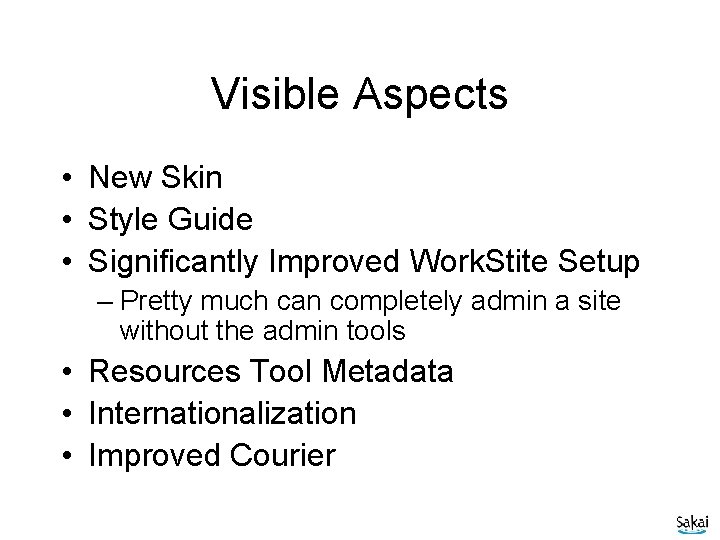
Visible Aspects • New Skin • Style Guide • Significantly Improved Work. Stite Setup – Pretty much can completely admin a site without the admin tools • Resources Tool Metadata • Internationalization • Improved Courier
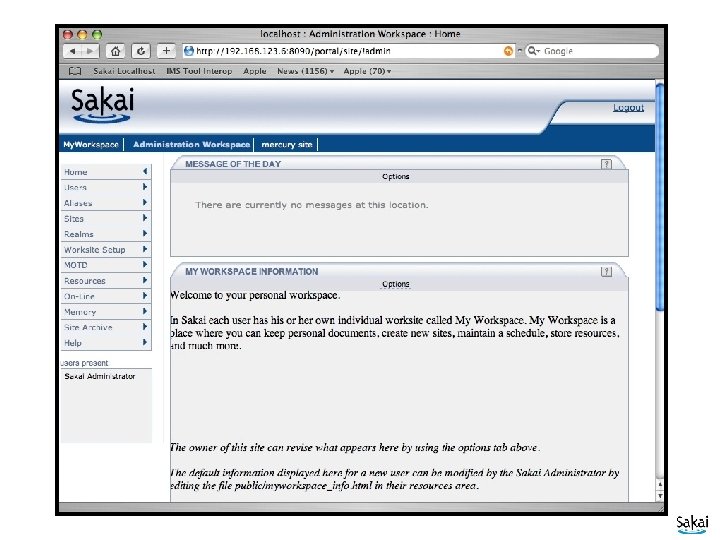
New Skin
Style Guide
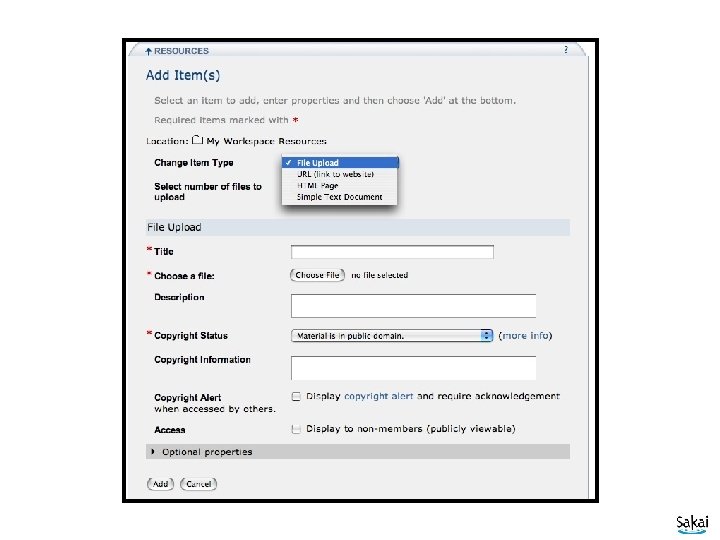
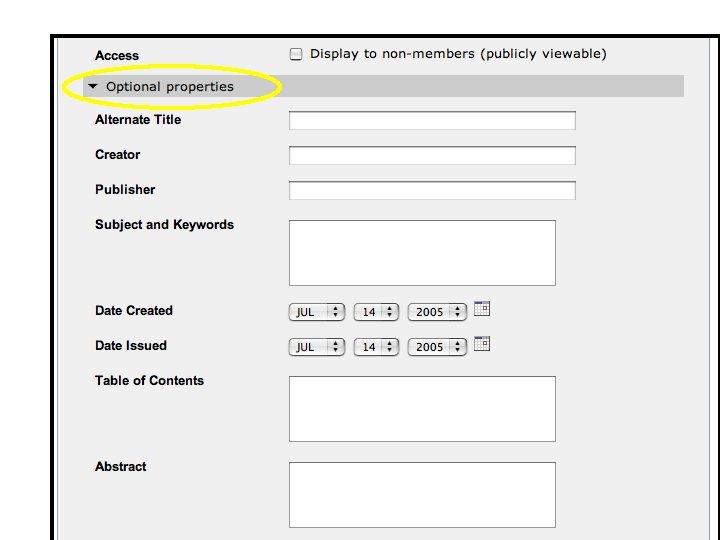
Metadata on all Resources
Courier - Event Delivery • Based on XMLHttp. Request • No more clicks! No more spinning browser icons. • Not part of the portal - part of each tool • Flexible in terms of timing - 60 seconds for presence - 10 seconds for chat • Login timeout now 30 minutes • Acessibility improved
I 18 N and L 10 N • JSF tools are bundle based • University de Ledia - Added bundles to legacy tools • This is just a start – Need preferences and configuration – L 10 N will identify flaws in the I 18 N • Several languages are starting right away • Discussion Group - Beth Kirshner and Alex Batiste
Sakai Beyond 2. 0 - Features
Accessiblity • Build i. Frame free portal – Portal part is relatively straightforward – Tool use of frames (Chat, Discussion) needs to be handled • Also investigating ways to make i. Frames friendly (I. e. within Charon) • Accessible notification • Flexible presentation (like TILE)
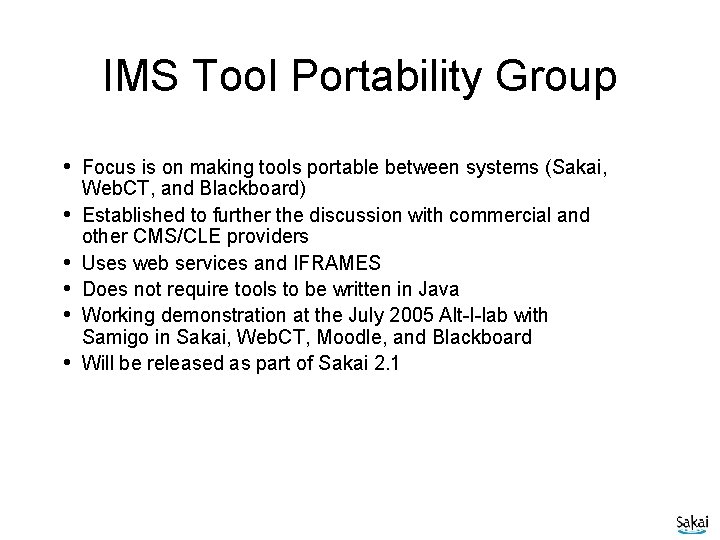
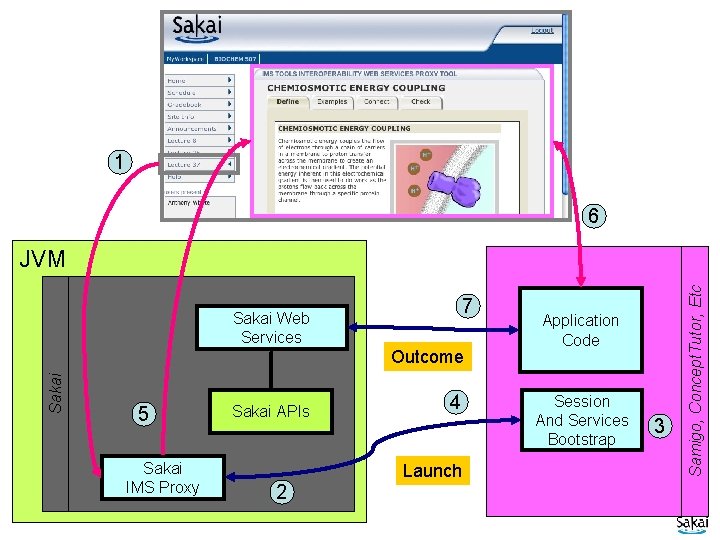
IMS Tool Portability Group • Focus is on making tools portable between systems (Sakai, • • • Web. CT, and Blackboard) Established to further the discussion with commercial and other CMS/CLE providers Uses web services and IFRAMES Does not require tools to be written in Java Working demonstration at the July 2005 Alt-I-lab with Samigo in Sakai, Web. CT, Moodle, and Blackboard Will be released as part of Sakai 2. 1
1 6 7 Sakai Web Services Sakai Outcome 5 Sakai IMS Proxy Sakai APIs 4 Launch 2 Application Code Session And Services Bootstrap 3 Samigo, Concept. Tutor, Etc JVM
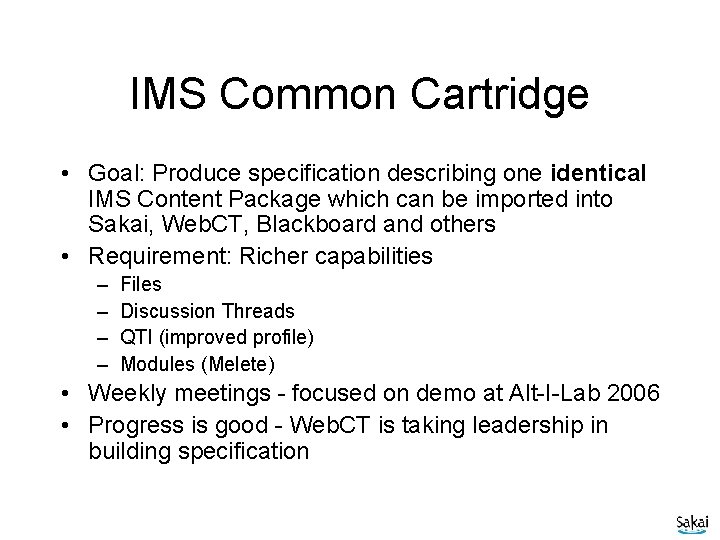
IMS Common Cartridge • Goal: Produce specification describing one identical IMS Content Package which can be imported into Sakai, Web. CT, Blackboard and others • Requirement: Richer capabilities – – Files Discussion Threads QTI (improved profile) Modules (Melete) • Weekly meetings - focused on demo at Alt-I-Lab 2006 • Progress is good - Web. CT is taking leadership in building specification
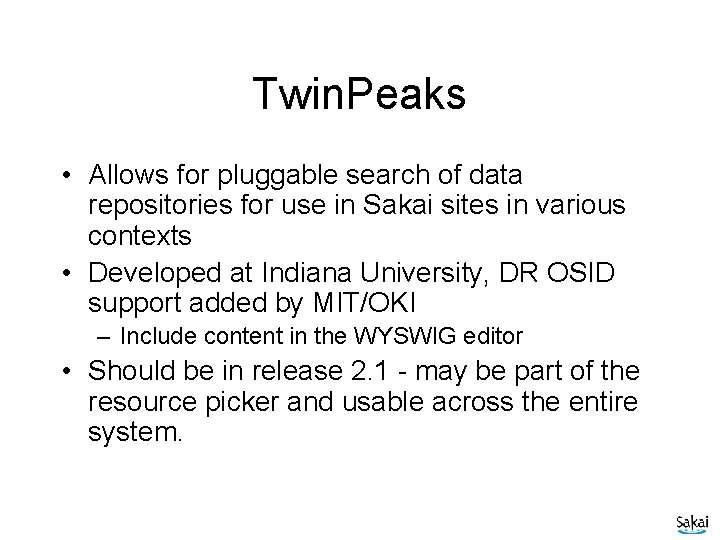
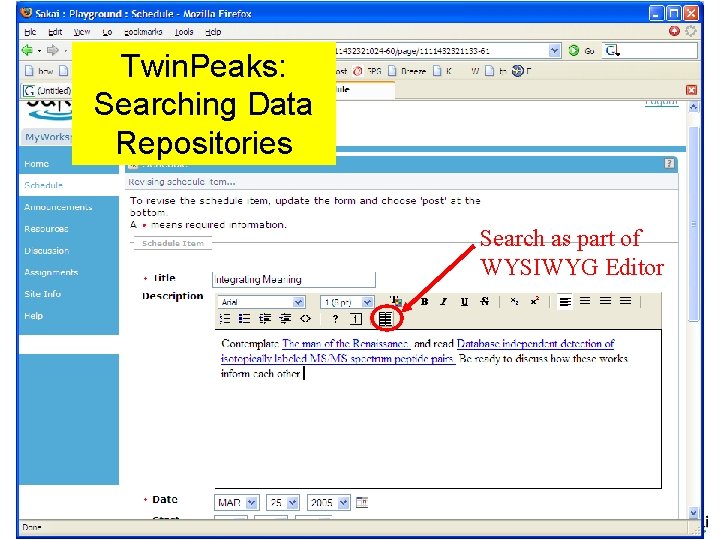
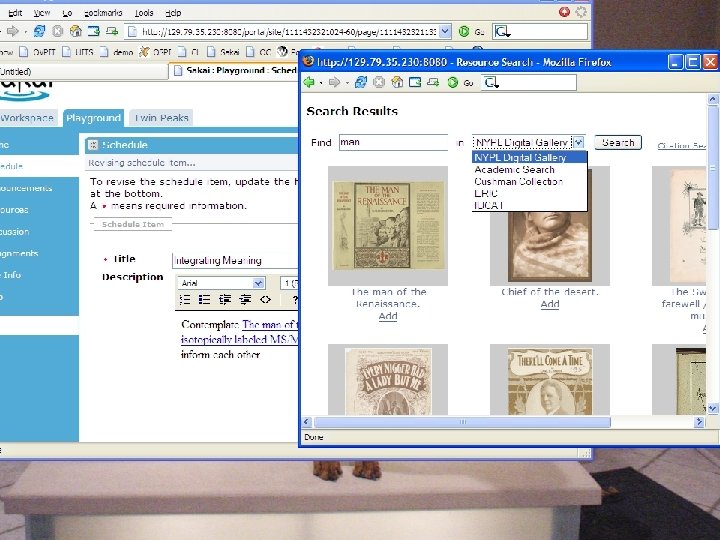
Twin. Peaks • Allows for pluggable search of data repositories for use in Sakai sites in various contexts • Developed at Indiana University, DR OSID support added by MIT/OKI – Include content in the WYSWIG editor • Should be in release 2. 1 - may be part of the resource picker and usable across the entire system.
Twin. Peaks: Searching Data Repositories Search as part of WYSIWYG Editor
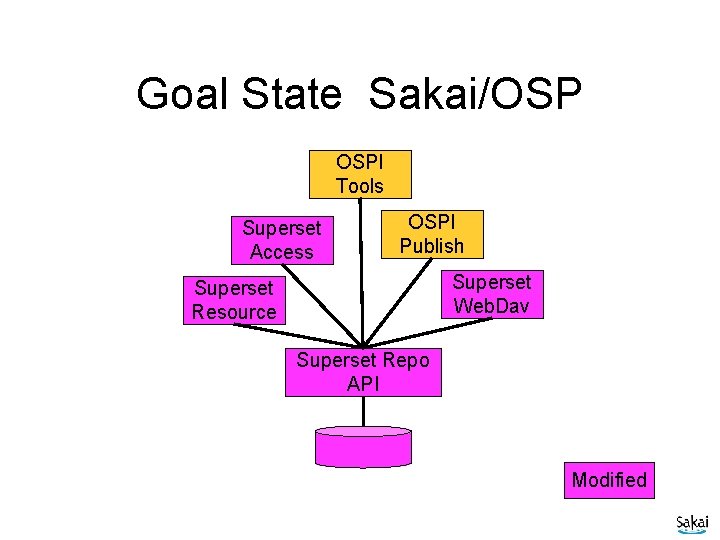
Open Source Portfolio (OSP) • In Sakai 1. 0 and Sakai 1. 5, the related OSP release was a “permanent” fork – Separate QA effort – Each new OSP release starts from “scratch” • After Sakai 2. 0, OSP needed framework changes are added to the Sakai 2. 1 SVN • Future OSP releases will not be “fork-style” releases
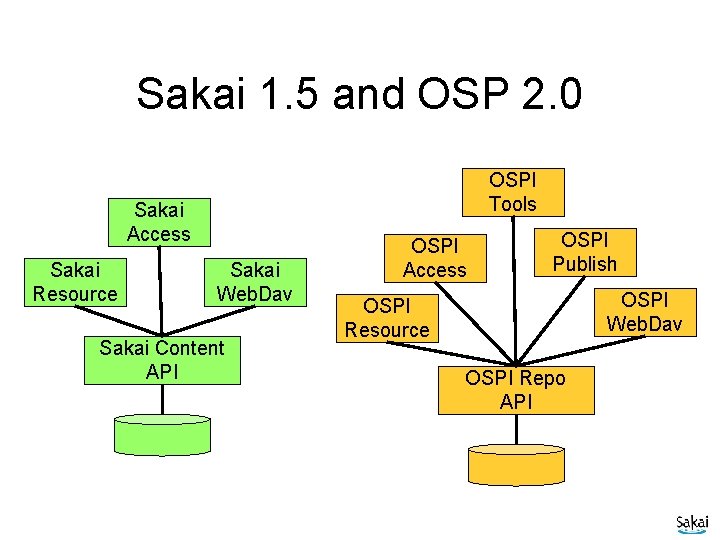
Sakai 1. 5 and OSP 2. 0 OSPI Tools Sakai Access Sakai Resource Sakai Web. Dav Sakai Content API OSPI Access OSPI Publish OSPI Web. Dav OSPI Resource OSPI Repo API
Goal State Sakai/OSP OSPI Tools Superset Access OSPI Publish Superset Web. Dav Superset Resource Superset Repo API Modified
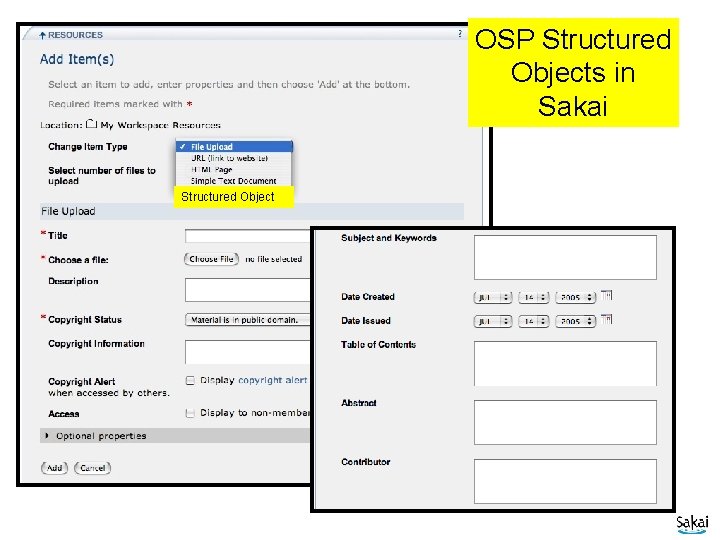
Structured Objects Structured Object OSP Structured Objects in Sakai
Sakai Portal and Repository Integration Approach
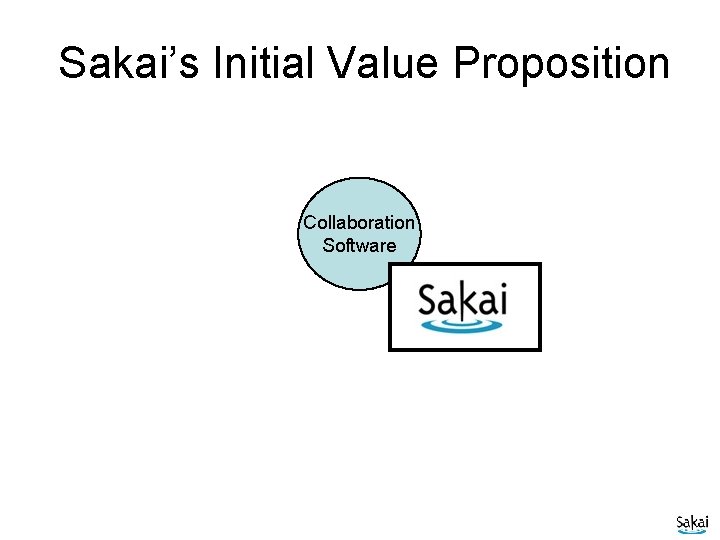
Sakai’s Initial Value Proposition Collaboration Software
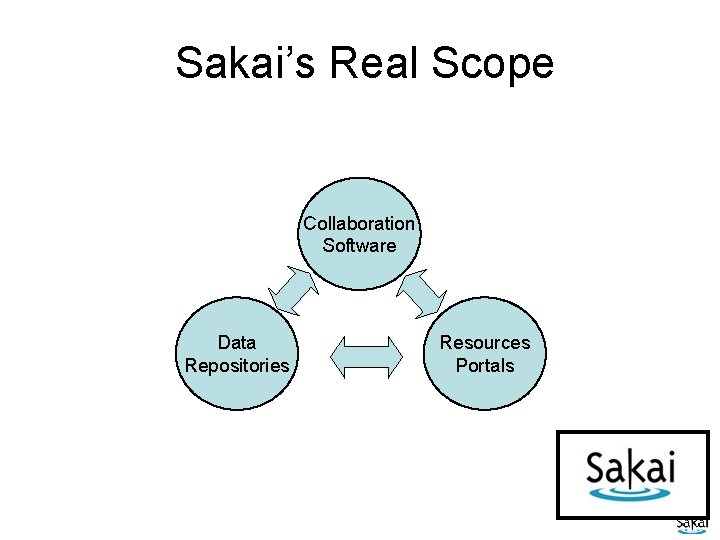
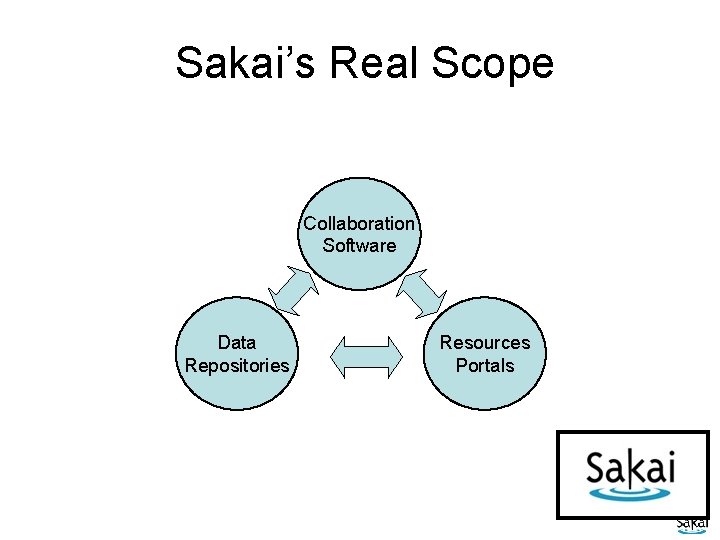
Sakai’s Real Scope Collaboration Software Data Repositories Resources Portals
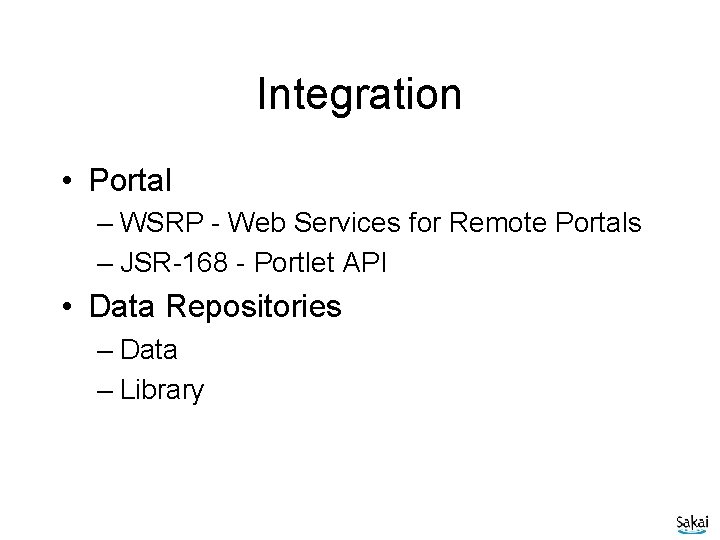
Integration • Portal – WSRP - Web Services for Remote Portals – JSR-168 - Portlet API • Data Repositories – Data – Library
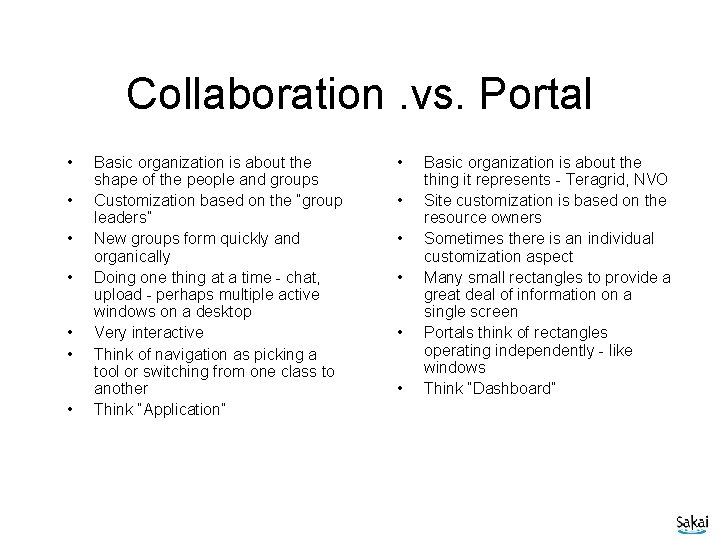
Collaboration. vs. Portal • • Basic organization is about the shape of the people and groups Customization based on the “group leaders” New groups form quickly and organically Doing one thing at a time - chat, upload - perhaps multiple active windows on a desktop Very interactive Think of navigation as picking a tool or switching from one class to another Think “Application” • • • Basic organization is about the thing it represents - Teragrid, NVO Site customization is based on the resource owners Sometimes there is an individual customization aspect Many small rectangles to provide a great deal of information on a single screen Portals think of rectangles operating independently - like windows Think “Dashboard”
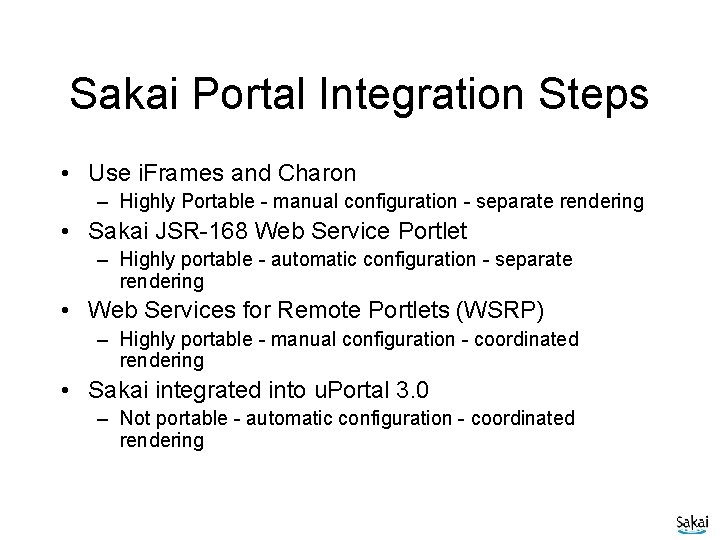
Sakai Portal Integration Steps • Use i. Frames and Charon – Highly Portable - manual configuration - separate rendering • Sakai JSR-168 Web Service Portlet – Highly portable - automatic configuration - separate rendering • Web Services for Remote Portlets (WSRP) – Highly portable - manual configuration - coordinated rendering • Sakai integrated into u. Portal 3. 0 – Not portable - automatic configuration - coordinated rendering
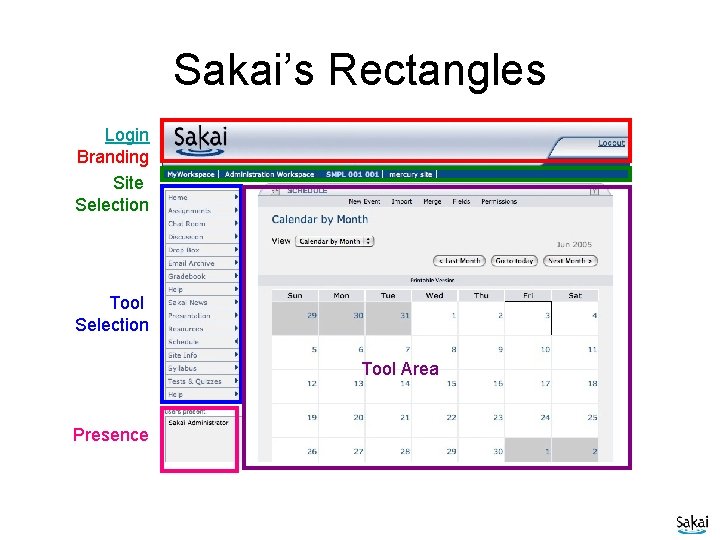
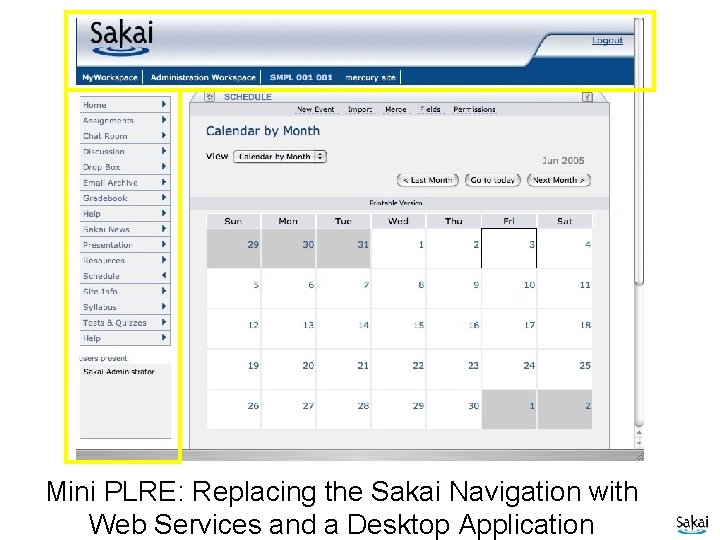
Sakai’s Rectangles Login Branding Site Selection Tool Area Presence
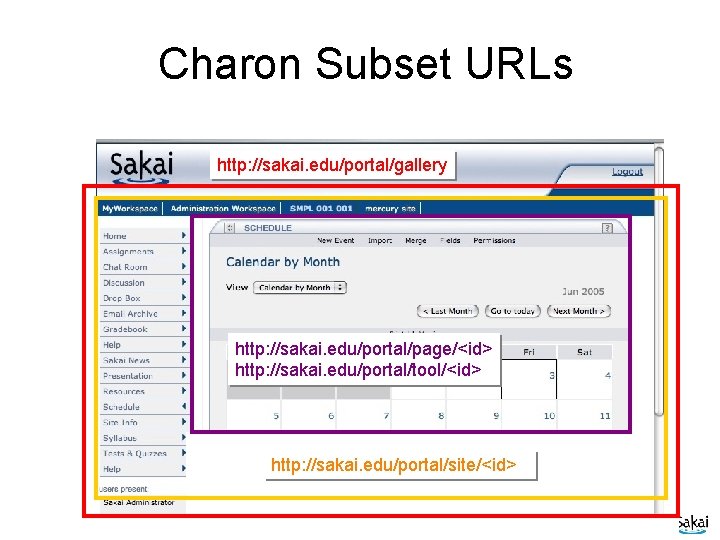
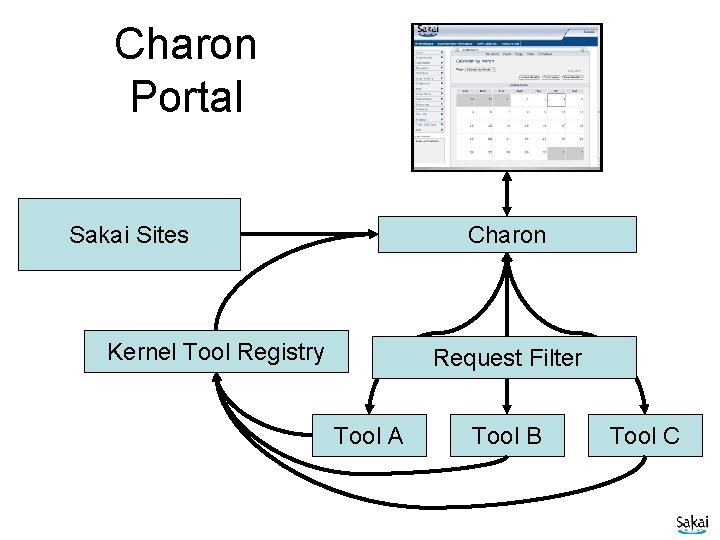
Charon Subset URLs http: //sakai. edu/portal/gallery http: //sakai. edu/portal/page/<id> http: //sakai. edu/portal/tool/<id> http: //sakai. edu/portal/site/<id>
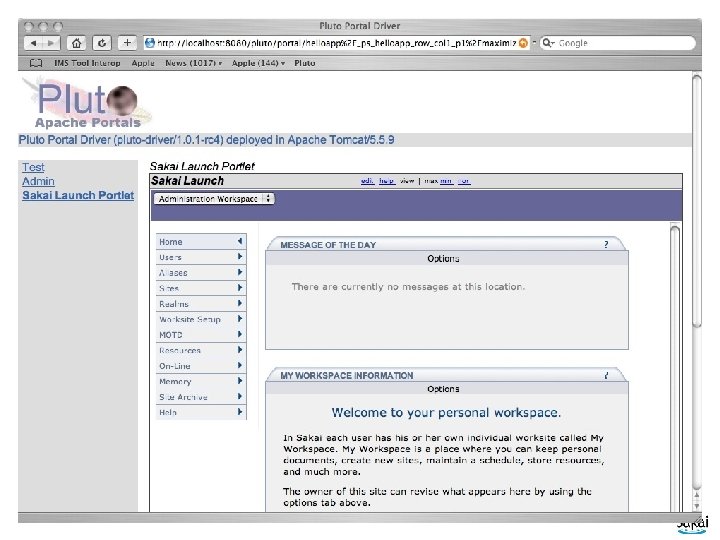
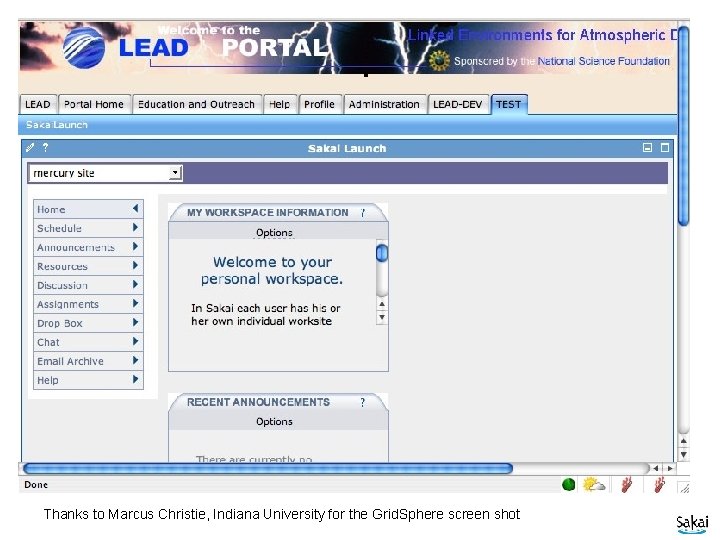
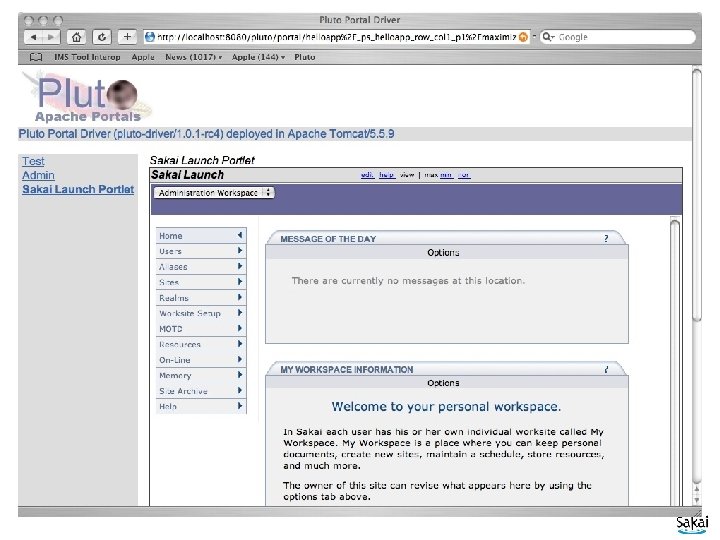
Sakai JSR-168 Portlet • Very similar to the Sakai Desktop I wrote in Visual Basic • Web Services are used to login to Sakai establish a session and retrieve a list of Sakai Sites and IDs. • These are presented in the Portlet and as the user navigates between sites, an embedded iframe is used to show the site. • The portlet is 100% stock JSR-168 – Works in Pluto, u. Portal, and Grid. Sphere
Sakai Portlet
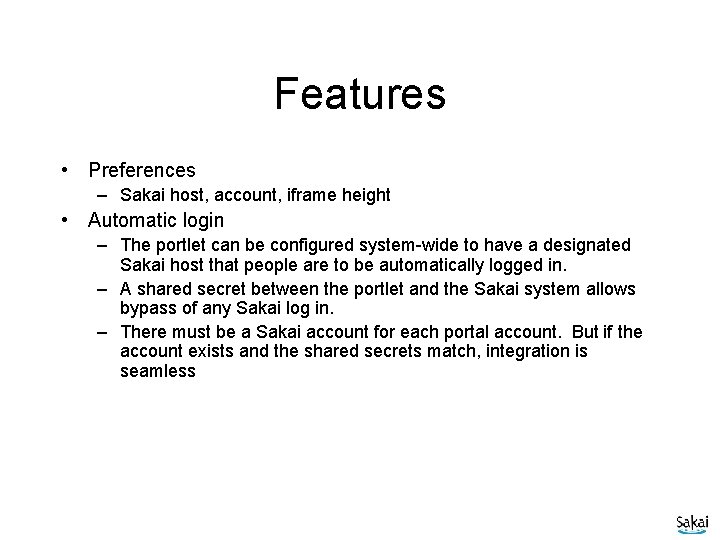
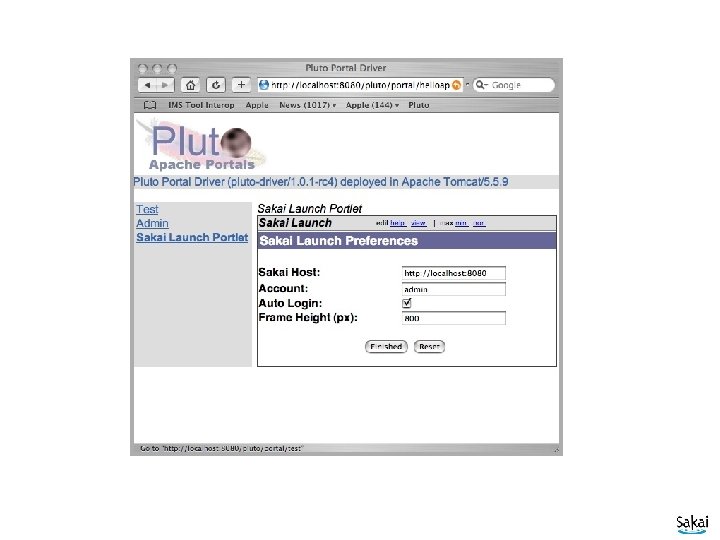
Features • Preferences – Sakai host, account, iframe height • Automatic login – The portlet can be configured system-wide to have a designated Sakai host that people are to be automatically logged in. – A shared secret between the portlet and the Sakai system allows bypass of any Sakai log in. – There must be a Sakai account for each portal account. But if the account exists and the shared secrets match, integration is seamless
Preferences
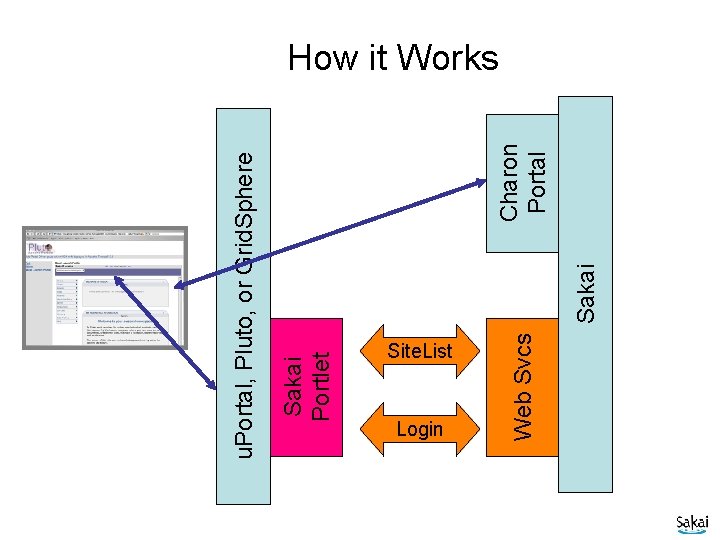
Sakai Portlet Site. List Login Web Svcs Sakai Charon Portal u. Portal, Pluto, or Grid. Sphere How it Works
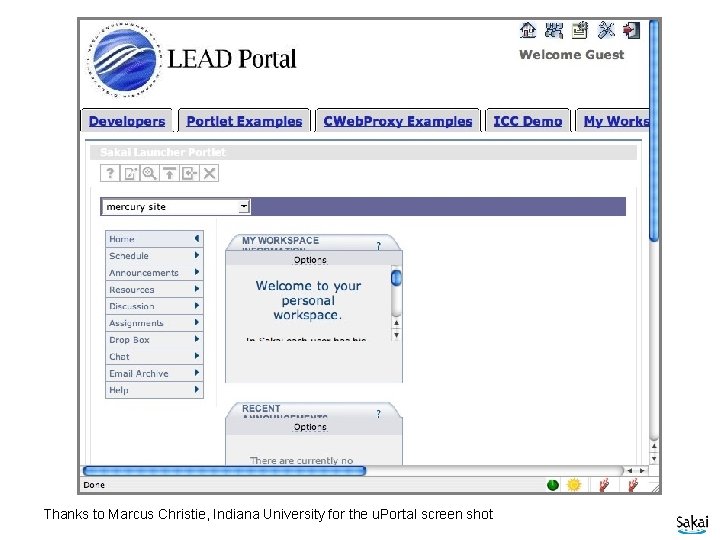
u. Portal Thanks to Marcus Christie, Indiana University for the u. Portal screen shot
Grid. Sphere Thanks to Marcus Christie, Indiana University for the Grid. Sphere screen shot
Pluto
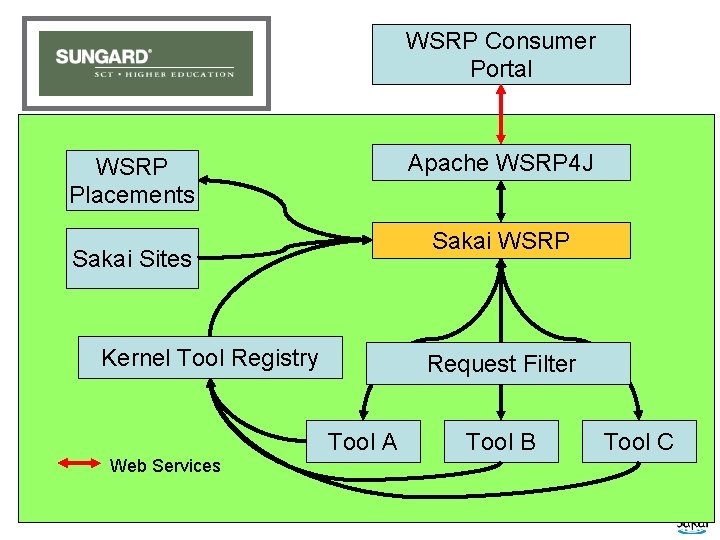
WSRP Activities • Sun. Gard-led and funded: Vishal Goenka • Working with u. Portal in their WSRP 3. 0 effort • As we really try to use WSRP, we identify issues in the standard and WSRP 4 J implementation • Sakai and u. Portal are becoming involved in WSRP standards activities and WSRP 4 J
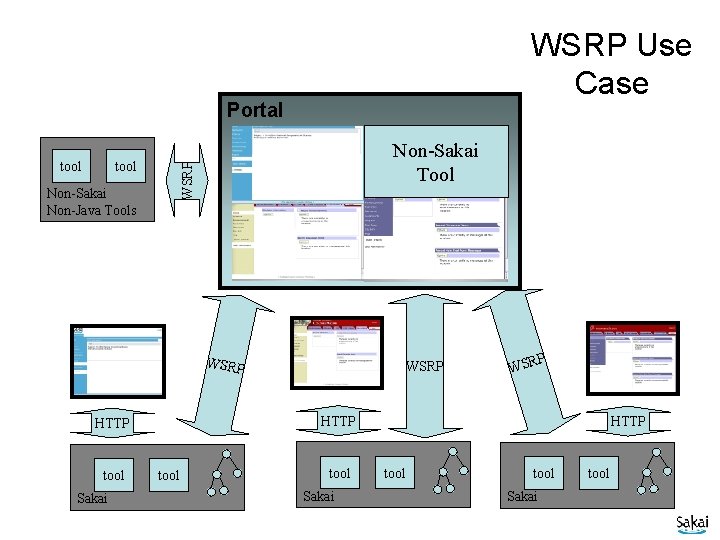
WSRP Use Case Portal tool Non-Sakai Tool WSRP tool Non-Sakai Non-Java Tools WSRP Sakai P WSR HTTP tool WSRP tool Sakai HTTP tool Sakai tool
WSRP “Portal” WSRP Consumer Portal Apache WSRP 4 J WSRP Placements Sakai WSRP Sakai Sites Kernel Tool Registry Request Filter Tool A Web Services Tool B Tool C
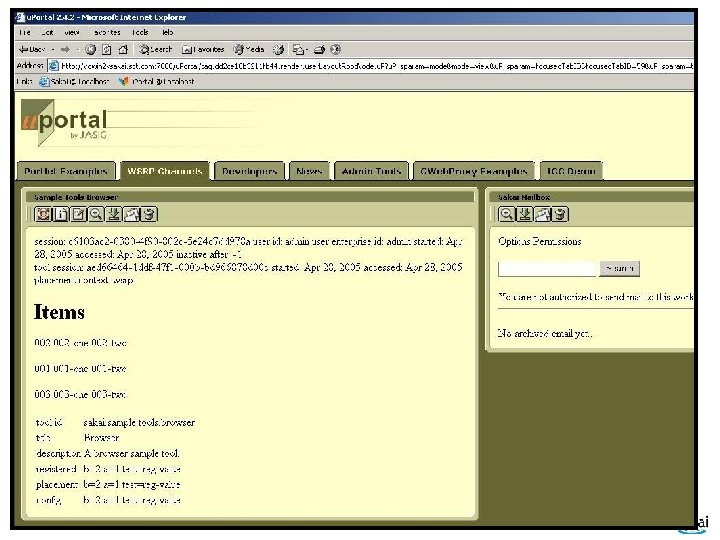
WSRP Image
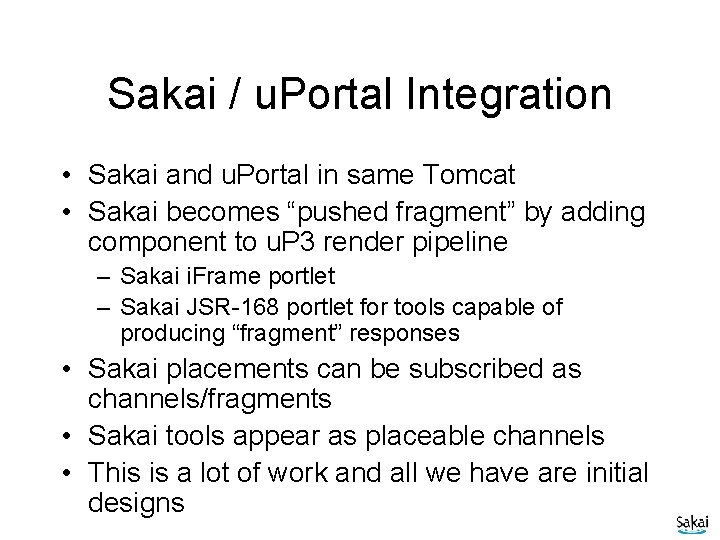
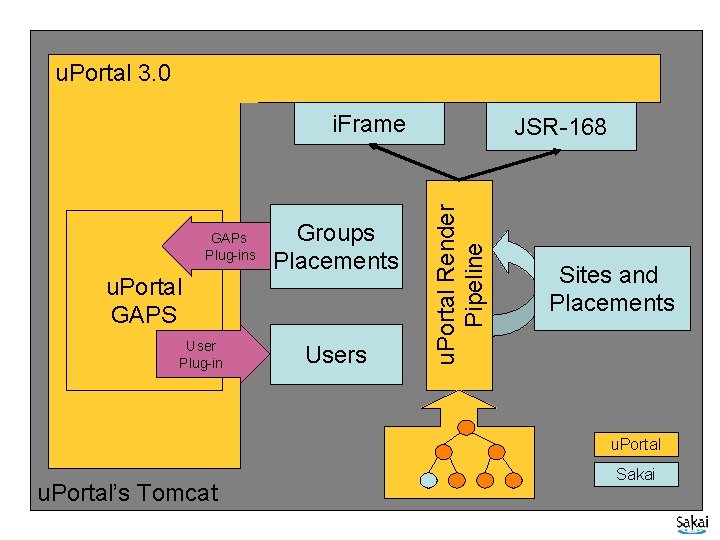
Sakai / u. Portal Integration • Sakai and u. Portal in same Tomcat • Sakai becomes “pushed fragment” by adding component to u. P 3 render pipeline – Sakai i. Frame portlet – Sakai JSR-168 portlet for tools capable of producing “fragment” responses • Sakai placements can be subscribed as channels/fragments • Sakai tools appear as placeable channels • This is a lot of work and all we have are initial designs
u. Portal 3. 0 u. Portal/Sakai GAPs Plug-ins u. Portal GAPS User Plug-in Groups Placements Users u. Portal Render Pipeline i. Frame JSR-168 Sites and Placements u. Portal’s Tomcat Sakai
Sakai Repository Integration Approach
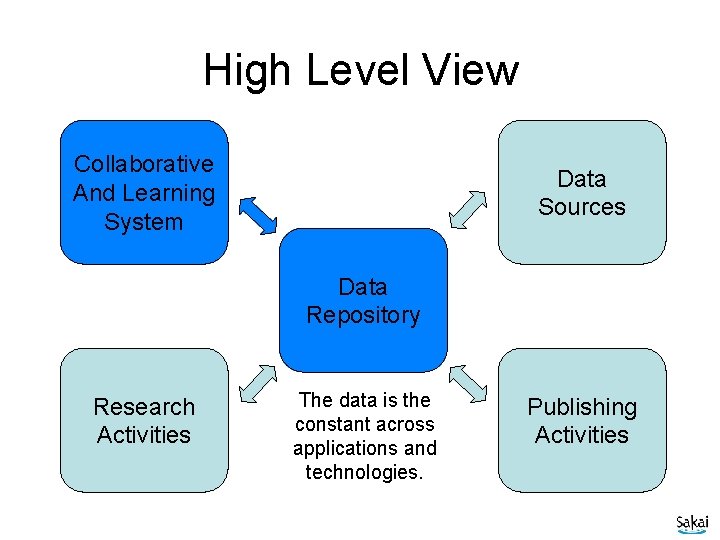
High Level View Collaborative And Learning System Data Sources Data Repository Research Activities The data is the constant across applications and technologies. Publishing Activities
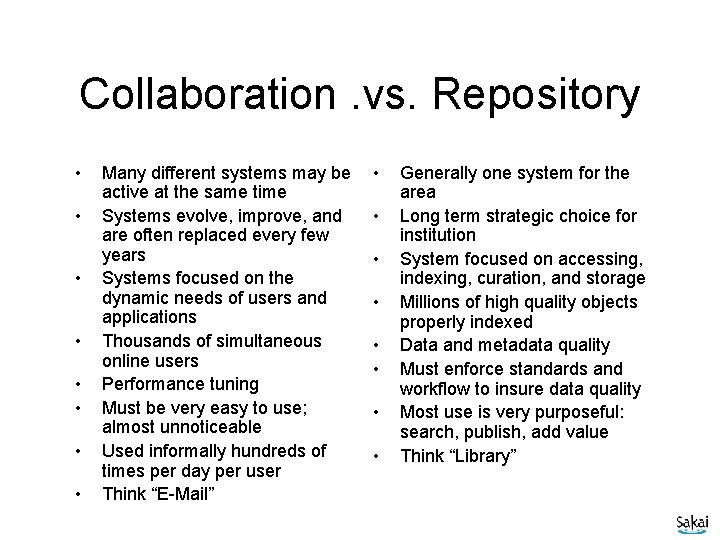
Collaboration. vs. Repository • • Many different systems may be active at the same time Systems evolve, improve, and are often replaced every few years Systems focused on the dynamic needs of users and applications Thousands of simultaneous online users Performance tuning Must be very easy to use; almost unnoticeable Used informally hundreds of times per day per user Think “E-Mail” • • Generally one system for the area Long term strategic choice for institution System focused on accessing, indexing, curation, and storage Millions of high quality objects properly indexed Data and metadata quality Must enforce standards and workflow to insure data quality Most use is very purposeful: search, publish, add value Think “Library”
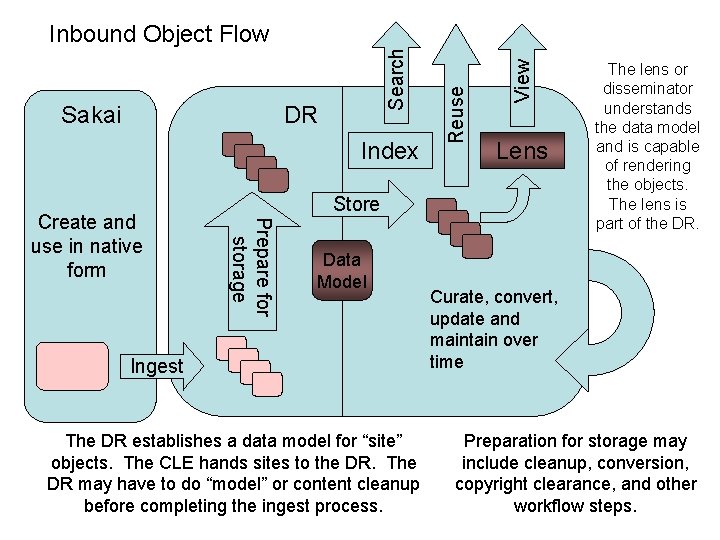
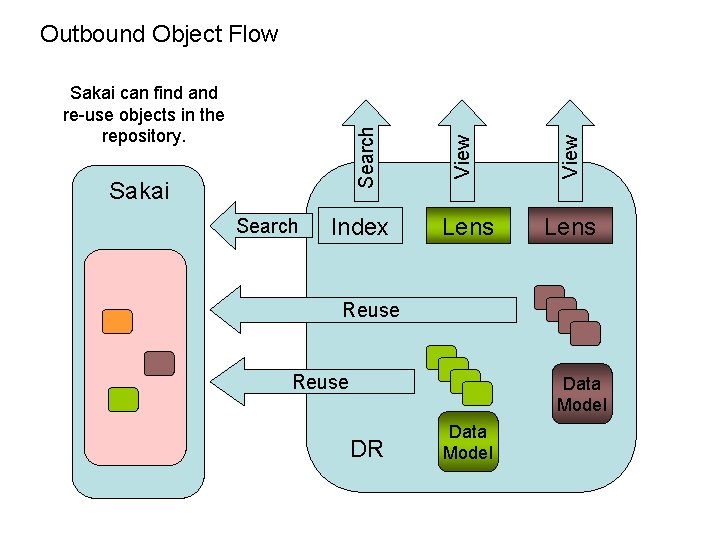
Index Lens Store Prepare for storage Create and use in native form View DR Reuse Sakai Search Inbound Object Flow Data Model Ingest The DR establishes a data model for “site” objects. The CLE hands sites to the DR. The DR may have to do “model” or content cleanup before completing the ingest process. The lens or disseminator understands the data model and is capable of rendering the objects. The lens is part of the DR. Curate, convert, update and maintain over time Preparation for storage may include cleanup, conversion, copyright clearance, and other workflow steps.
Sakai Search Index View Search Sakai can find and re-use objects in the repository. View Outbound Object Flow Lens Reuse Data Model DR Data Model
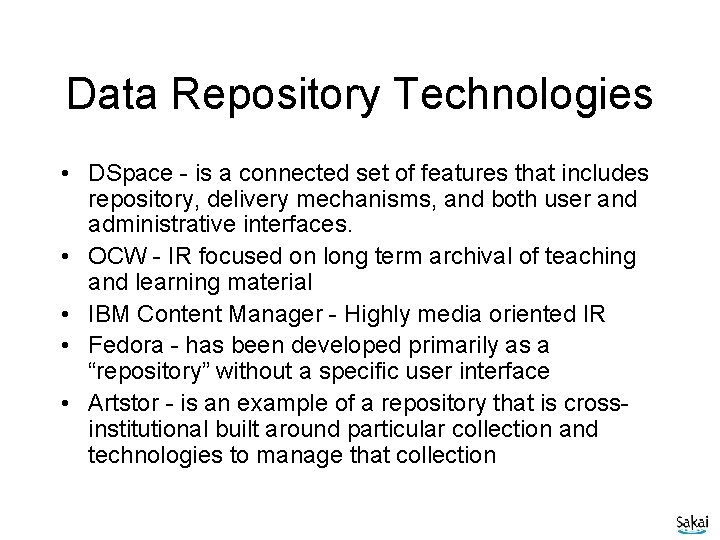
Data Repository Technologies • DSpace - is a connected set of features that includes repository, delivery mechanisms, and both user and administrative interfaces. • OCW - IR focused on long term archival of teaching and learning material • IBM Content Manager - Highly media oriented IR • Fedora - has been developed primarily as a “repository” without a specific user interface • Artstor - is an example of a repository that is crossinstitutional built around particular collection and technologies to manage that collection
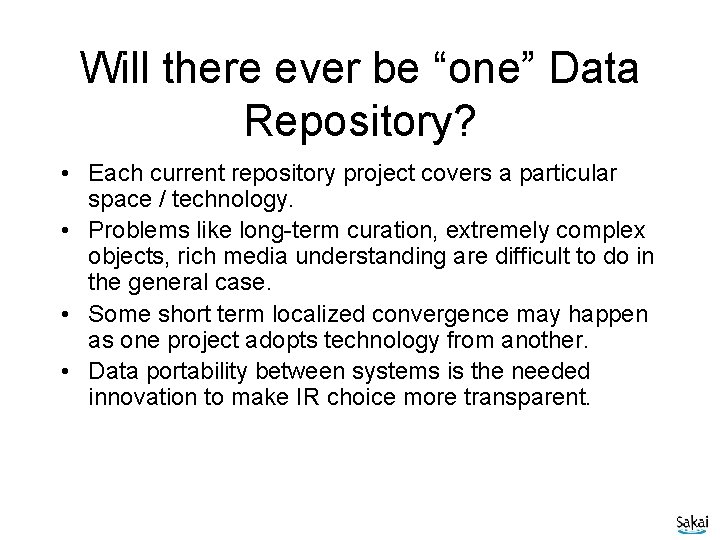
Will there ever be “one” Data Repository? • Each current repository project covers a particular space / technology. • Problems like long-term curation, extremely complex objects, rich media understanding are difficult to do in the general case. • Some short term localized convergence may happen as one project adopts technology from another. • Data portability between systems is the needed innovation to make IR choice more transparent.
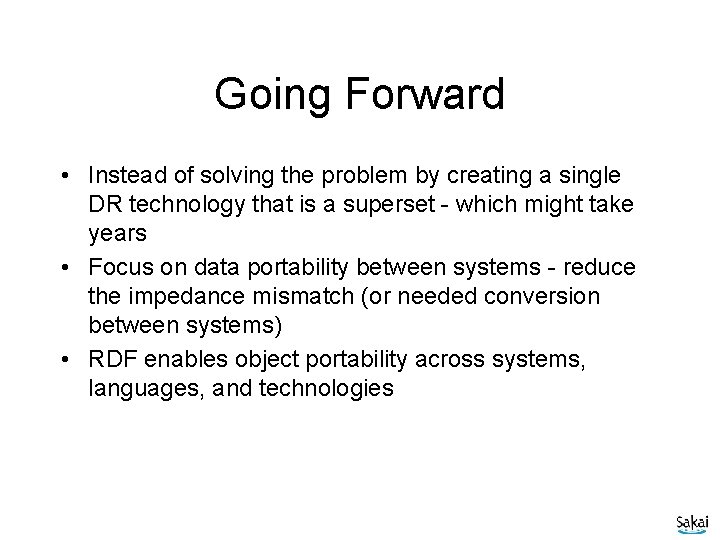
Going Forward • Instead of solving the problem by creating a single DR technology that is a superset - which might take years • Focus on data portability between systems - reduce the impedance mismatch (or needed conversion between systems) • RDF enables object portability across systems, languages, and technologies
Tangible Steps for Sakai • Move Sakai and other Collaboration systems toward RDF – Experiment with using RDF as native storage format instead of relational or file-system – RDF has yet to demonstrate scalable performance needed for >100 K active users - this is a research area • Move data repositories toward RDF – Move from schema-based stovepipe objects to OWL/RDF based objects with referential integrity – Explore dimensions of portability of disseminator / lenses - this is an important research area
Sakai: Inverted The Personal Learning and Research Environment
Sakai: Inverted The Personal Learning and Research Environment
Sakai’s Real Scope Collaboration Software Data Repositories Resources Portals
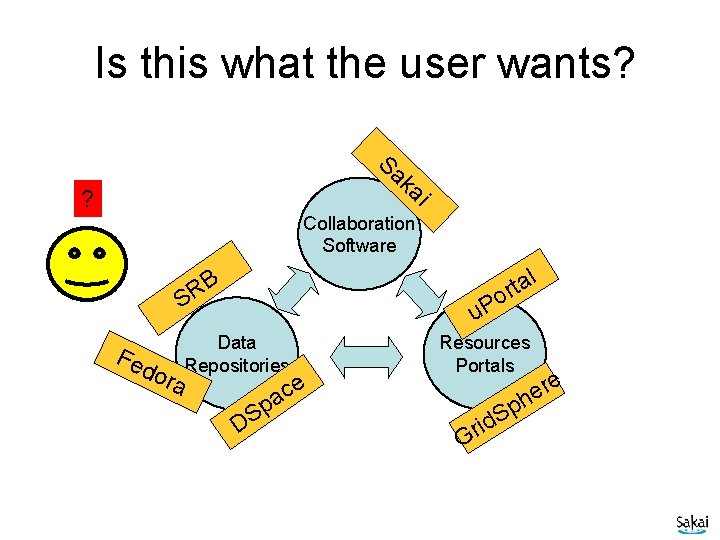
Is this what the user wants? Sa ka i ? Collaboration Software l B R S Fe do ra a t r o u. P Data Repositories p S D e ac Resources Portals re e h Gr p S id
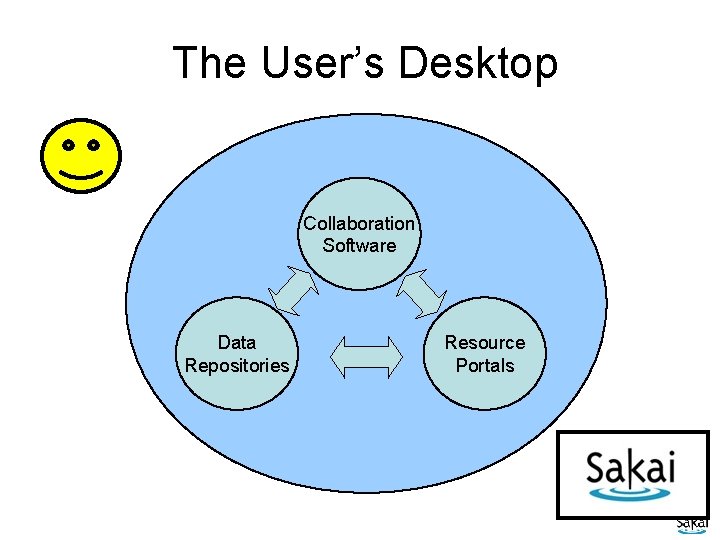
The User’s Desktop Collaboration Software Data Repositories Resource Portals
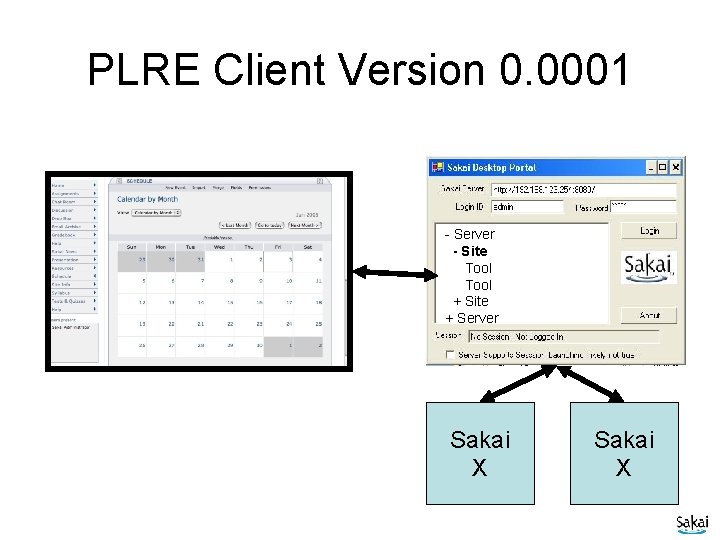
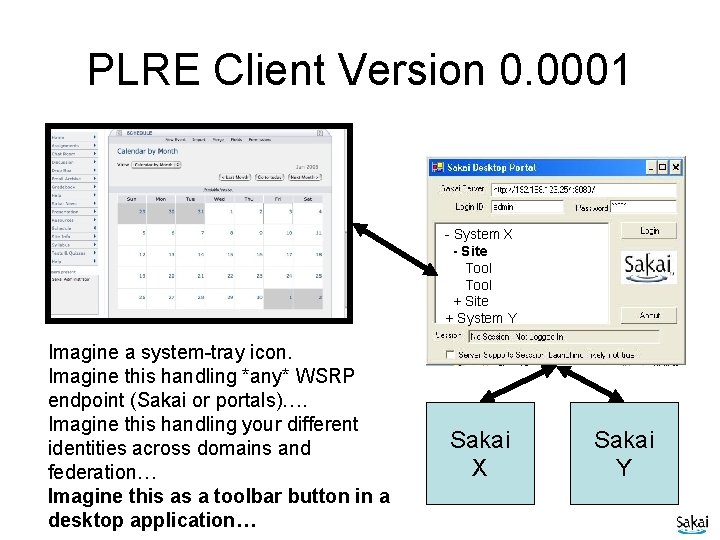
PLRE Client Version 0. 0001 - Server - Site Tool + Site + Server Sakai X
Charon Portal Charon Sakai Sites Kernel Tool Registry Request Filter Tool A Tool B Tool C
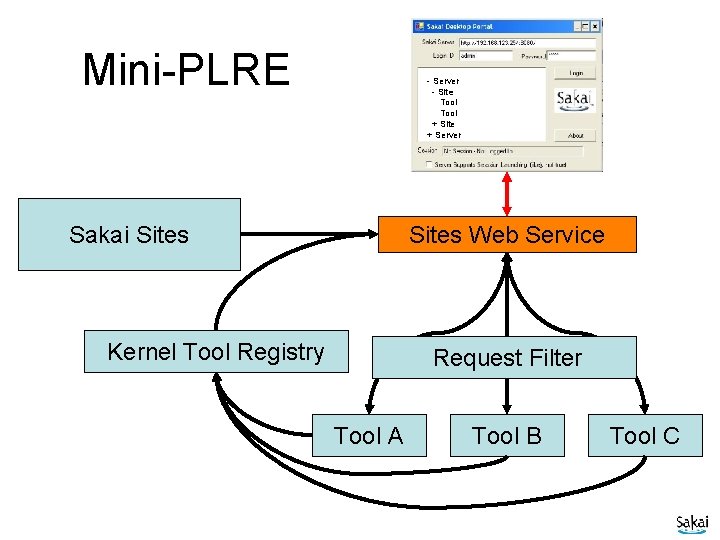
Mini PLRE: Replacing the Sakai Navigation with Web Services and a Desktop Application
Mini-PLRE - Server - Site Tool + Site + Server Sites Web Service Sakai Sites Kernel Tool Registry Request Filter Tool A Tool B Tool C
PLRE Client Version 0. 0001 - System X - Site Tool + Site + System Y Imagine a system-tray icon. Imagine this handling *any* WSRP endpoint (Sakai or portals)…. Imagine this handling your different identities across domains and federation… Imagine this as a toolbar button in a desktop application… Sakai X Sakai Y
Questions and Summary