
Sakai Persistence and Intro to Hibernate Aaron Zeckoski

Sakai Persistence and Intro to Hibernate • Aaron Zeckoski • aaronz@vt. edu Sakai Oxford Tetra ELF Workshop Creative Commons Attribution. Share. Alike 2. 5 License Sakai Programmer's Café
What is persistence? • “Persistent” data typically implies that it is “durable” – will survive a crash of the process, usually with some guarantee of integrity • Persistence generally implies use of a database, but need not (could use the filesystem, with suitably careful procedures) 2
How do we persist data in Sakai? • Sakai has a single central database configured • Virtually every tool/component uses this • Sakai in production is typically a clustered environment, and the clustering implementation is largely based around the database • Tools that will not cluster will not be supported • File system storage can be appropriate for “bulky” resources (Blobs) so data is accessible via Web. Dav • You should use the database in pretty much every case 3
Databases and Sakai • Settings to control the database that is used are stored in sakai. properties • This is a standard format Java. properties file • The sakai. properties file is located in your sakai home (this is configurable but is normally your Tomcat home) in the subdirectory named sakai • Look for the following line in the file # DATABASE CONFIGURATION 4
Supported databases • Only 3 databases are supported for use in Sakai 1. HSQLDB (*very* lightweight, pure-Java database, largely for testing and dev. Terrible performance characteristics – storage either in memory, or a flat text file) 2. My. SQL (Open source, pretty good performance, used widely in production, some very unfortunate locking issues) 3. Oracle ($$$, pretty rock solid, for those that can/are prepared to afford it) • Since there is much (actually the majority) code using raw SQL in some form, adding a new database would be an almost impossible effort 5
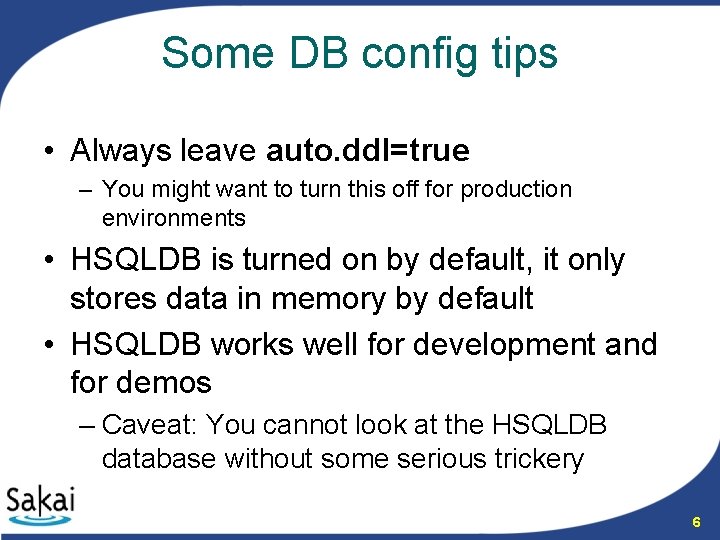
Some DB config tips • Always leave auto. ddl=true – You might want to turn this off for production environments • HSQLDB is turned on by default, it only stores data in memory by default • HSQLDB works well for development and for demos – Caveat: You cannot look at the HSQLDB database without some serious trickery 6
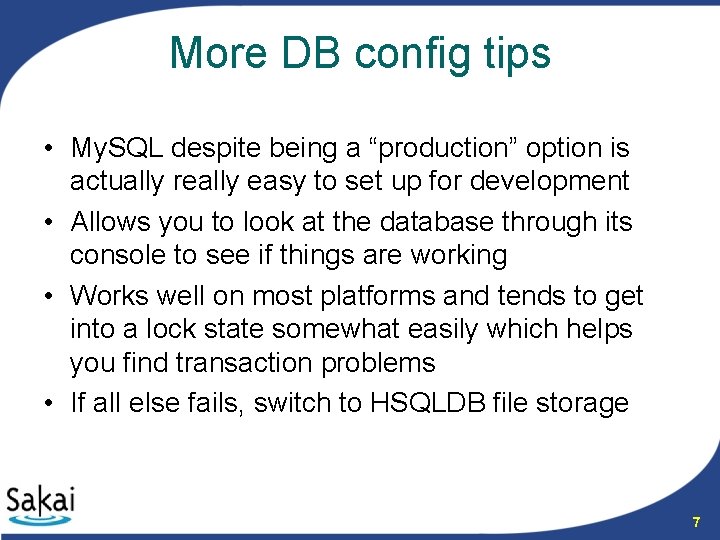
More DB config tips • My. SQL despite being a “production” option is actually really easy to set up for development • Allows you to look at the database through its console to see if things are working • Works well on most platforms and tends to get into a lock state somewhat easily which helps you find transaction problems • If all else fails, switch to HSQLDB file storage 7
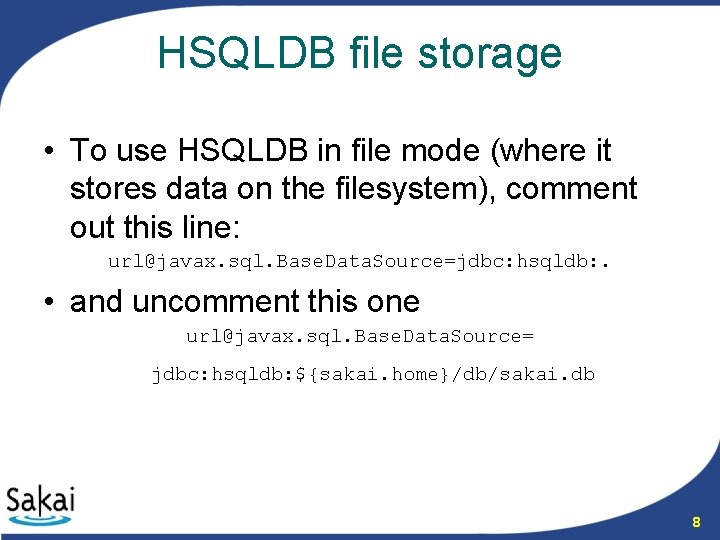
HSQLDB file storage • To use HSQLDB in file mode (where it stores data on the filesystem), comment out this line: url@javax. sql. Base. Data. Source=jdbc: hsqldb: . • and uncomment this one url@javax. sql. Base. Data. Source= jdbc: hsqldb: ${sakai. home}/db/sakai. db 8
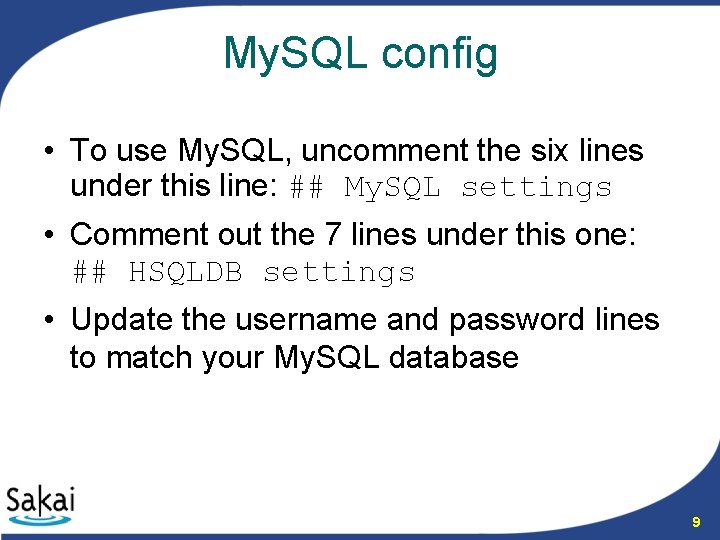
My. SQL config • To use My. SQL, uncomment the six lines under this line: ## My. SQL settings • Comment out the 7 lines under this one: ## HSQLDB settings • Update the username and password lines to match your My. SQL database 9
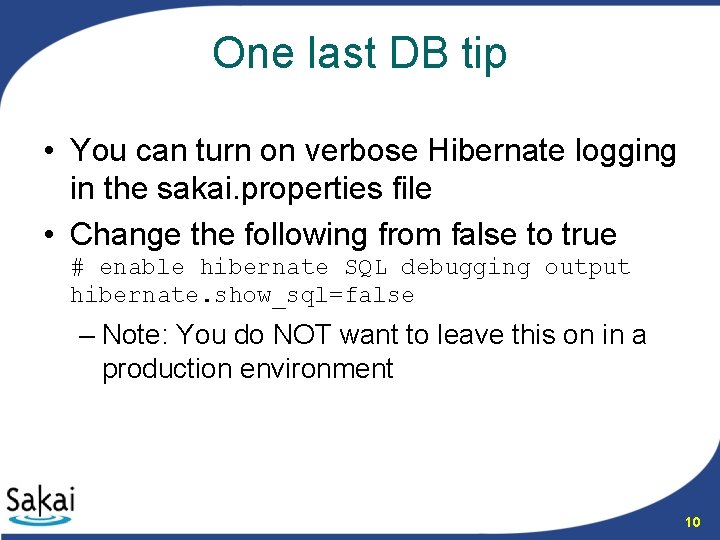
One last DB tip • You can turn on verbose Hibernate logging in the sakai. properties file • Change the following from false to true # enable hibernate SQL debugging output hibernate. show_sql=false – Note: You do NOT want to leave this on in a production environment 10
3 ways to persist data to the DB JDBC http: //java. sun. com/products/jdbc/ Spring JDBC http: //www. springframework. org/docs/refere nce/jdbc. html Hibernate http: //www. hibernate. org/ 11
JDBC Info • Java Database Connectivity • Industry standard but has some issues: – The developer needs to deal with lot of plumbing and infrastructure, such as endless try-catch-finally-try-catch blocks. – Applications need complex error handling to ensure that connections are properly closed after they're used, which makes the code verbose, bloated, and repetitive. – JDBC uses the rather uninformative SQLException. – JDBC has no exception hierarchy • Bottom Line: Don’t use this! From: http: //java. sun. com/products/jdbc/ 12
Spring JDBC Info • Abstraction framework for JDBC – i. e. It does lots of stuff for you! • Some features of Spring JDBC – Jdbc. Dao. Support – superclass, provides Jdbc. Template access – Spring provides an abstract exception layer, moving verbose and error-prone exception handling out of application code into the framework. The framework takes care of all exception handling; application code can concentrate on using appropriate SQL. – Spring provides a significant exception hierarchy for your application code to work with in place of SQLException. – For creating instances of oracle. sql. BLOB (binary large object) and oracle. sql. CLOB(character large object), Spring provides the class org. springframework. jdbc. support. lob. Oracle. Lob. Handler. • Bottom Line: If you love writing SQL, use this! From: http: //www. springframework. org/docs/reference/jdbc. html 13
Hibernate Info • Object / Relational mapping (ORM) and persistence / query framework – i. e. It does even more stuff for you! • Some features of Hibernate – Hibernate. Dao. Support – superclass, easy Hibernate. Template access – Database independence - sits between the database and your java code, easy database switch without changing any code – Object / Relational Mapping (ORM) - Allows a developer to treat a database like a collection of Java objects – Object oriented query language (HQL) - *Portable* query language, supports polymorphic queries etc. – You can also still issue native SQL, and also queries by “Criteria” (specified using “parse tree” of Java objects) – Hibernate Mapping - Uses HBM XML files to map value objects (POJOs) to database tables – Transparent persistence - Allows easy saves/delete/retrieve for simple value objects – Very high performance “in general” due to intelligent (2 -level) caching, although in a few cases hand-written SQL might beat it From: http: //www. hibernate. org/ 14
Hibernate Commentary • Beyond the hype: – Hibernate *is* the best ORM persistence framework out there (probably in any language) – Not to say it is without numerous issues (ORM is a *very* tricky problem and cannot actually be solved “in general”) – Many aspects of the Hibernate framework are “over-eager” (lazy Collections, cascade options, long transactions) – Many aspects of Hibernate are overly rigid (proxy behaviour, initial configuration sets rock-hard and cannot be changed, poor cross-Class. Loader behaviour) • Advice – Use it cautiously! – Avoid lazy Collections, be very conservative with “cascade” options – In general just use it on “one entity at a time”, with explicit save/load on for each database operation – In some (extreme) cases you may still actually want to fall back to SQL (ask Ian!) 15
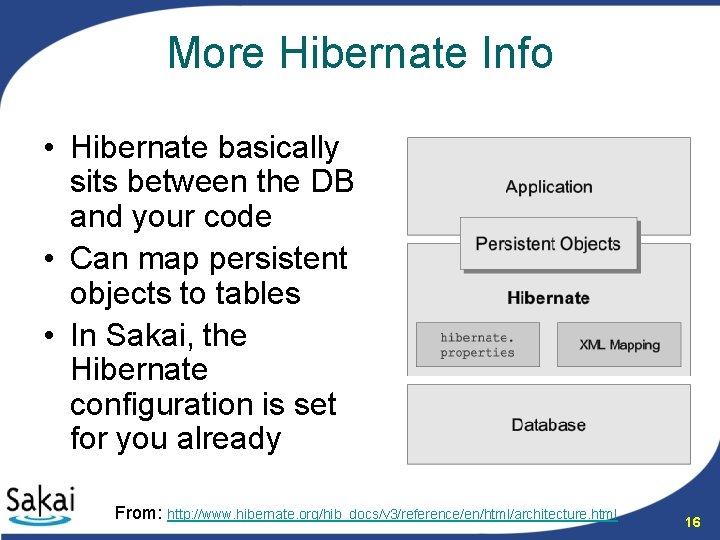
More Hibernate Info • Hibernate basically sits between the DB and your code • Can map persistent objects to tables • In Sakai, the Hibernate configuration is set for you already From: http: //www. hibernate. org/hib_docs/v 3/reference/en/html/architecture. html 16
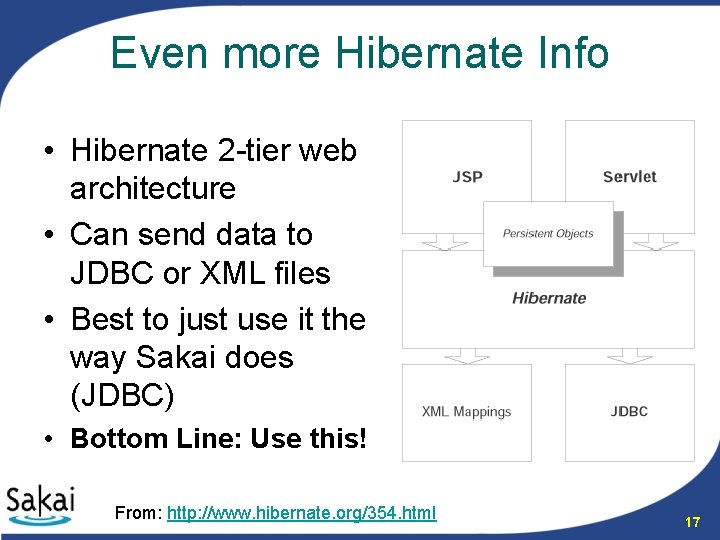
Even more Hibernate Info • Hibernate 2 -tier web architecture • Can send data to JDBC or XML files • Best to just use it the way Sakai does (JDBC) • Bottom Line: Use this! From: http: //www. hibernate. org/354. html 17
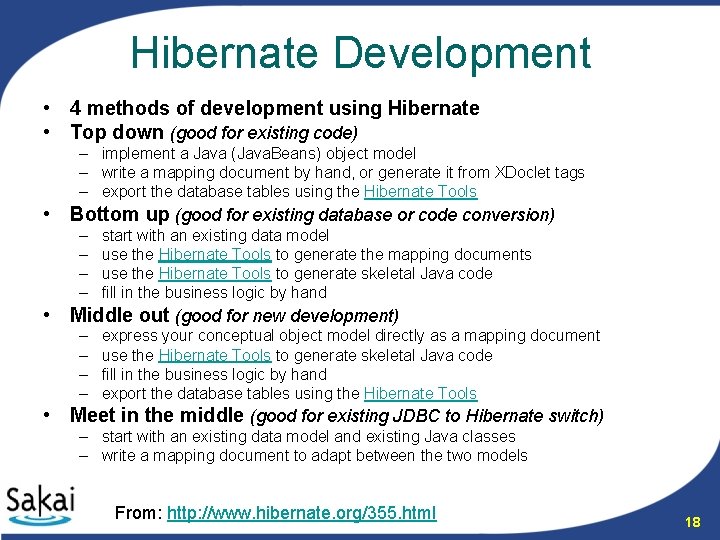
Hibernate Development • 4 methods of development using Hibernate • Top down (good for existing code) – implement a Java (Java. Beans) object model – write a mapping document by hand, or generate it from XDoclet tags – export the database tables using the Hibernate Tools • Bottom up (good for existing database or code conversion) – – start with an existing data model use the Hibernate Tools to generate the mapping documents use the Hibernate Tools to generate skeletal Java code fill in the business logic by hand • Middle out (good for new development) – – express your conceptual object model directly as a mapping document use the Hibernate Tools to generate skeletal Java code fill in the business logic by hand export the database tables using the Hibernate Tools • Meet in the middle (good for existing JDBC to Hibernate switch) – start with an existing data model and existing Java classes – write a mapping document to adapt between the two models From: http: //www. hibernate. org/355. html 18
Hibernate Tips Avoid primitives • Don’t use primitives for properties on persistent objects – This works fine in general but it does not work if you are doing a find. By. Properties • If you do decide to use primitives, you cannot leave them null/unset when doing a find. By. Properties or they will be set to the default value for that primitive – Things seem to work better when not using primitives sometimes (e. g. Boolean) 19
Hibernate Tips don’t preset values • Don’t set the values of persistent objects in the POJO – This can cause problems with frameworks that expect to be able to instantiate the POJO with all properties unset – It may be more work to set the properties for all non-null attributes but it is worth it 20
Hibernate Tips save dependent objects first • If you have any dependent entities as properties of a persistent object you *must* save them before saving the parent class – Hibernate has numerous “cascade” options that claim to do this automatically, but it is best to start simple – The same thing goes for deleting 21
Hibernate Tips non-primitive generated ids • Use non-primitive generated ids for the primary key of persistent objects – It is more efficient and is a good idea in most databases anyway – Use java. lang. Long or java. lang. String for best results • More best practices here: http: //www. hibernate. org/hib_docs/reference/en/html/best-practices. html 22
Hibernate Tools • Hibernate provides a set of Eclipse tools http: //www. hibernate. org/255. html – Mapping Editor: An editor for Hibernate XML mapping files, supporting auto-completion and syntax highlighting – Console: a view in Eclipse. Provides a tree overview of console configurations and interactive view of persistent classes and relationships. Also allows the execution of HQL queries against your database and browsing of results in Eclipse. – Development Wizards: Includes the Hibernate configuration (cfg. xml) files wizard and reverse engineering wizard for turning an existing database schema into POJO source files and HBM files. From: http: //www. hibernate. org/255. html 23
Hibernate in Sakai • 3 ways of using Hibernate in Sakai 1. Create a Session. Factory using settings inside your tool 2. Create a session factory from the global Sakai session. Factory. Base 3. Add our HBMs to the global Sakai session. Factory • Sakai 2. 2+ use Hibernate 3 § Previous versions used Hibernate 2 From: http: //bugs. sakaiproject. org/confluence/display/BOOT/Hibernate+in+Sakai 24
Method 1 • Create a Hibernate Session. Factory using config settings in your tool – You should use this when connecting to an external database – Do not use this method to connect to the internal Sakai database! – More info on session configuration: http: //www. hibernate. org/hib_docs/reference/en/html/session-configuration. html 25
Method 2 • Create a session factory from the global Sakai Session. Factory. Base – This is not the recommended method but if you are using a single Maven project for your app then you have to use it • This method works well for simple tools – Demonstrated in tasklist-simple – More complex tools should use method 3 From: http: //bugs. sakaiproject. org/confluence/display/BOOT/Creating+sessions+from+the+Sakai+Session. Factory. Base 26
Method 3 • Add our HBMs to the global Sakai Session. Factory – This is the preferred method – Works best for all but the simplest apps – Requires the tool to deploy portions to shared and components so it cannot be used for simple tools • Demonstrated in tasklist From: http: //bugs. sakaiproject. org/confluence/display/BOOT/Using+the+Sakai+global+session. Factory 27
Use the Generic Dao package • The Generic. Dao is an abstraction layer that will allow you to use Hibernate with your persistent objects without needing to write a DAO at all • It has usage information in the Javadocs • Highly configurable and extendable • Has no Hibernate dependencies in the interfaces (*any* DAO should be like this) 28
More on Generic. Dao • Get the code and Javadocs from the VT Maven repository: – http: //source. edtech. vt. edu/maven/generic-dao/ • Usage is demonstrated in the tasklist code here: – https: //source. sakaiproject. org/contrib/programmer scafe/trunk/tasklist/ 29
Let’s look at some code! • Use the Sakai RAD tool in eclipse to create a simple CRUD app • You can also look at the tasklist code here if you like: – https: //source. sakaiproject. org/contrib/progr ammerscafe/trunk/tasklist/ • Let’s see what it takes to use Hibernate in Sakai… 30
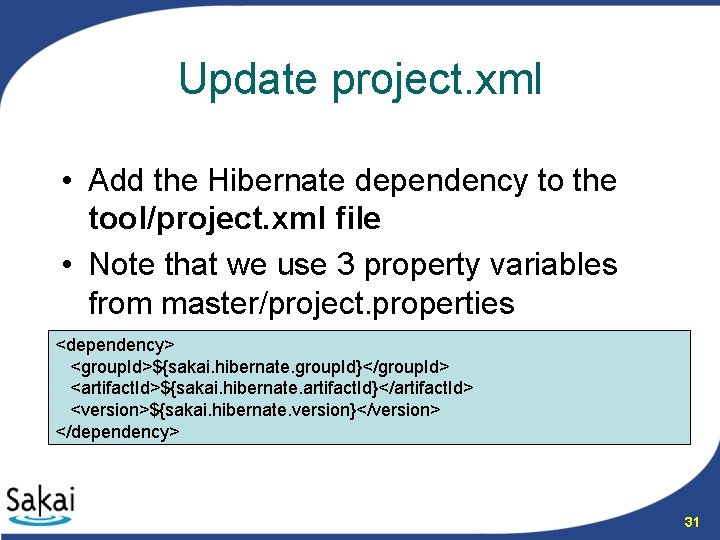
Update project. xml • Add the Hibernate dependency to the tool/project. xml file • Note that we use 3 property variables from master/project. properties <dependency> <group. Id>${sakai. hibernate. group. Id}</group. Id> <artifact. Id>${sakai. hibernate. artifact. Id}</artifact. Id> <version>${sakai. hibernate. version}</version> </dependency> 31
Hibernate Mapping Files • Hibernate uses an XML file to map Java objects onto database columns • We will create our mapping file from a simple template attached to the persistence page • For applications with many tables, use a tool to help generate the HBM files 32
Package for the HBM • Create a new Java package for the HBM (mapping file) – org. sakaiproject. toolname. hbm • Create a new file in this package – My. Object. hbm. xml 33
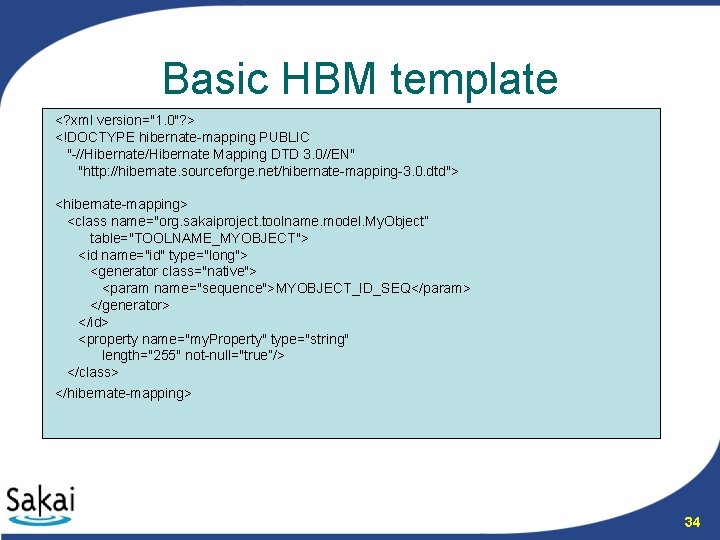
Basic HBM template <? xml version="1. 0"? > <!DOCTYPE hibernate-mapping PUBLIC "-//Hibernate Mapping DTD 3. 0//EN" "http: //hibernate. sourceforge. net/hibernate-mapping-3. 0. dtd"> <hibernate-mapping> <class name="org. sakaiproject. toolname. model. My. Object” table="TOOLNAME_MYOBJECT"> <id name="id" type="long"> <generator class="native"> <param name="sequence">MYOBJECT_ID_SEQ</param> </generator> </id> <property name="my. Property" type="string" length="255" not-null="true”/> </class> </hibernate-mapping> 34
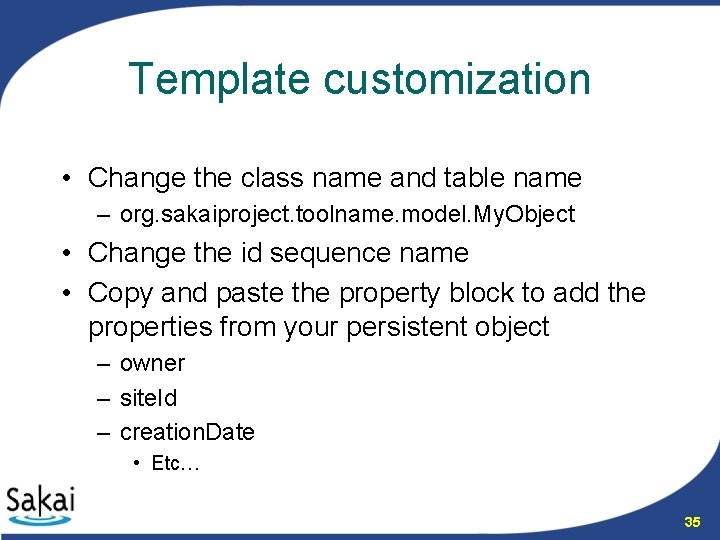
Template customization • Change the class name and table name – org. sakaiproject. toolname. model. My. Object • Change the id sequence name • Copy and paste the property block to add the properties from your persistent object – owner – site. Id – creation. Date • Etc… 35
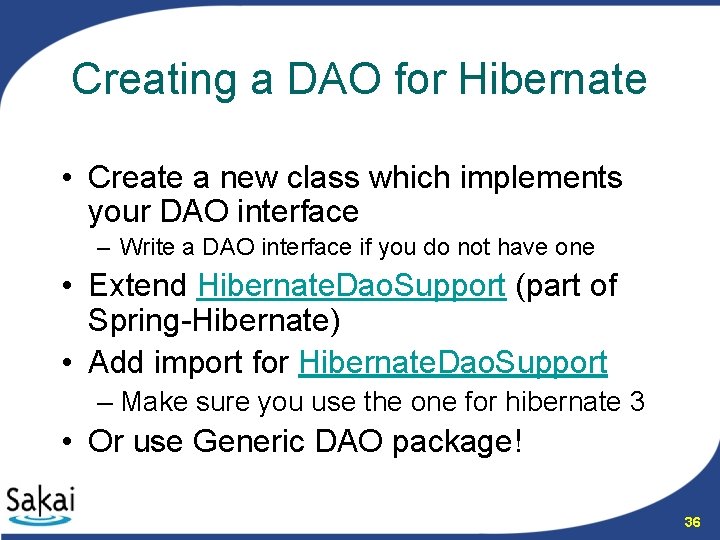
Creating a DAO for Hibernate • Create a new class which implements your DAO interface – Write a DAO interface if you do not have one • Extend Hibernate. Dao. Support (part of Spring-Hibernate) • Add import for Hibernate. Dao. Support – Make sure you use the one for hibernate 3 • Or use Generic DAO package! 36
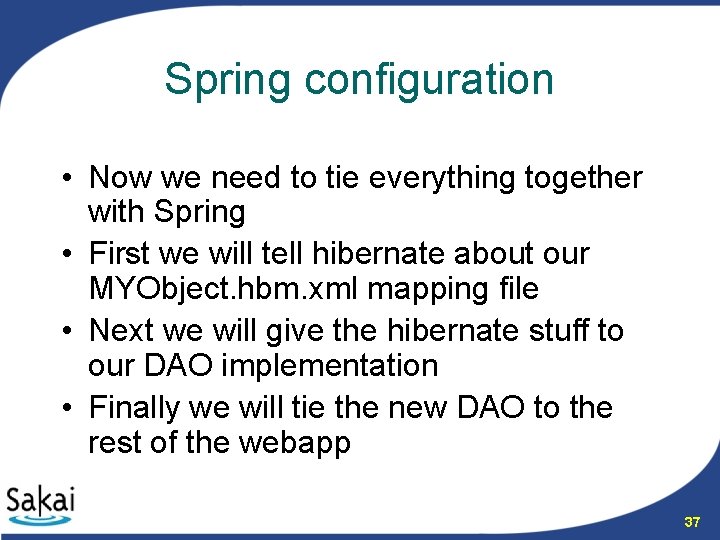
Spring configuration • Now we need to tie everything together with Spring • First we will tell hibernate about our MYObject. hbm. xml mapping file • Next we will give the hibernate stuff to our DAO implementation • Finally we will tie the new DAO to the rest of the webapp 37
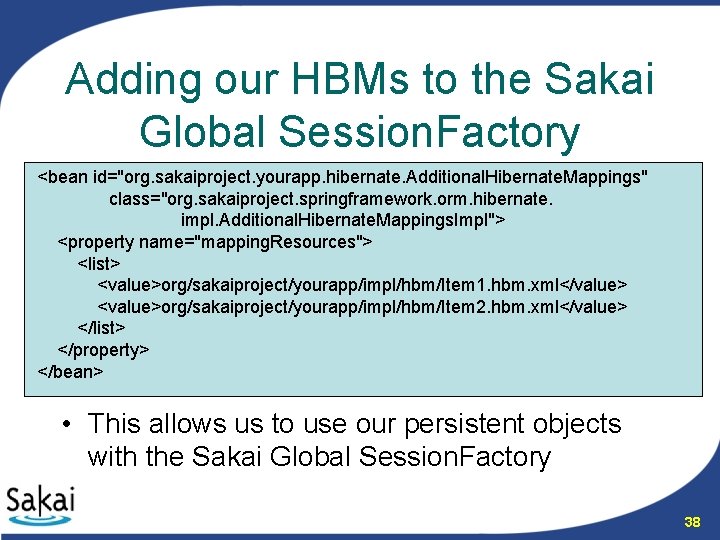
Adding our HBMs to the Sakai Global Session. Factory <bean id="org. sakaiproject. yourapp. hibernate. Additional. Hibernate. Mappings" class="org. sakaiproject. springframework. orm. hibernate. impl. Additional. Hibernate. Mappings. Impl"> <property name="mapping. Resources"> <list> <value>org/sakaiproject/yourapp/impl/hbm/Item 1. hbm. xml</value> <value>org/sakaiproject/yourapp/impl/hbm/Item 2. hbm. xml</value> </list> </property> </bean> • This allows us to use our persistent objects with the Sakai Global Session. Factory 38
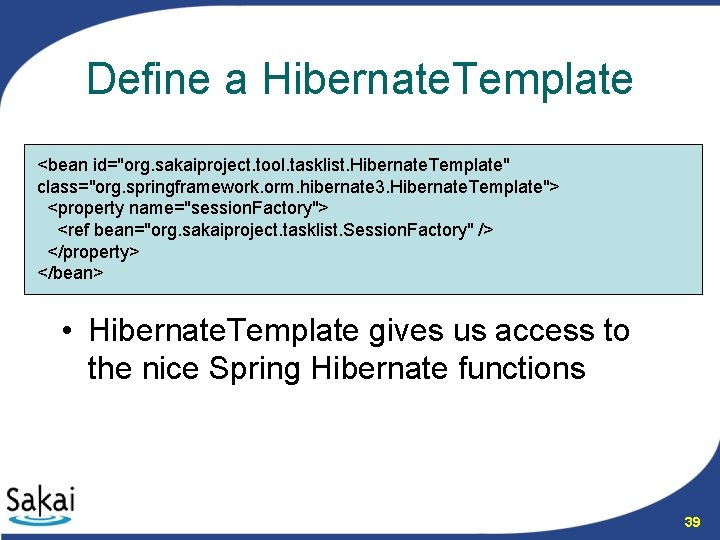
Define a Hibernate. Template <bean id="org. sakaiproject. tool. tasklist. Hibernate. Template" class="org. springframework. orm. hibernate 3. Hibernate. Template"> <property name="session. Factory"> <ref bean="org. sakaiproject. tasklist. Session. Factory" /> </property> </bean> • Hibernate. Template gives us access to the nice Spring Hibernate functions 39
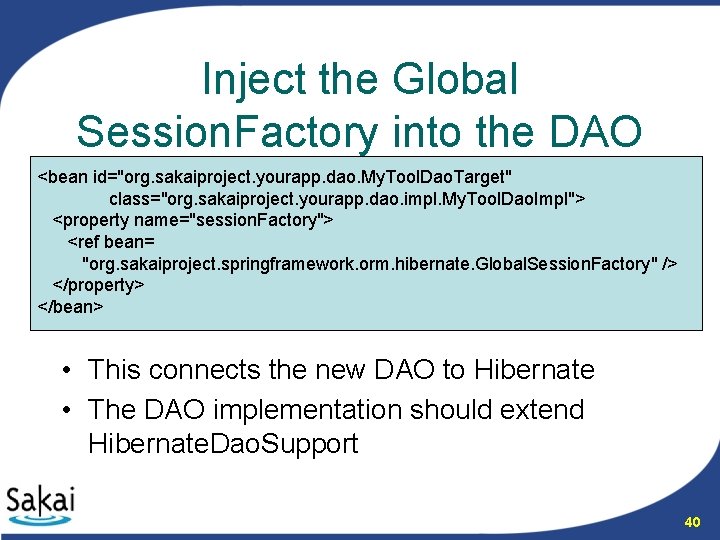
Inject the Global Session. Factory into the DAO <bean id="org. sakaiproject. yourapp. dao. My. Tool. Dao. Target" class="org. sakaiproject. yourapp. dao. impl. My. Tool. Dao. Impl"> <property name="session. Factory"> <ref bean= "org. sakaiproject. springframework. orm. hibernate. Global. Session. Factory" /> </property> </bean> • This connects the new DAO to Hibernate • The DAO implementation should extend Hibernate. Dao. Support 40
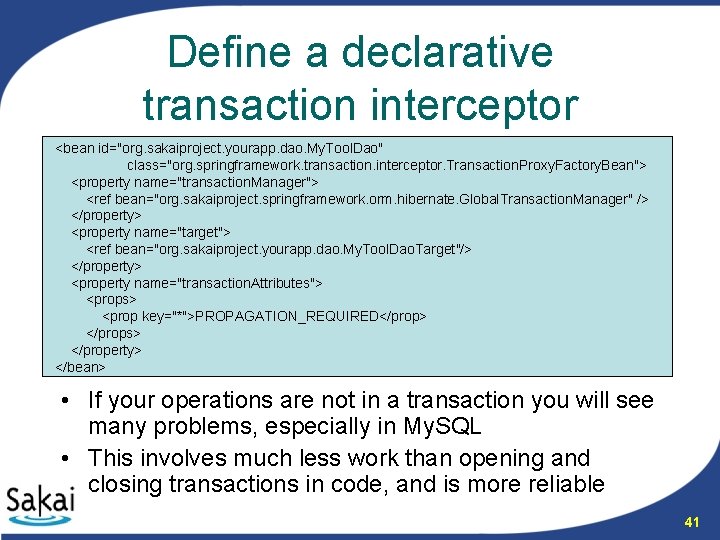
Define a declarative transaction interceptor <bean id="org. sakaiproject. yourapp. dao. My. Tool. Dao" class="org. springframework. transaction. interceptor. Transaction. Proxy. Factory. Bean"> <property name="transaction. Manager"> <ref bean="org. sakaiproject. springframework. orm. hibernate. Global. Transaction. Manager" /> </property> <property name="target"> <ref bean="org. sakaiproject. yourapp. dao. My. Tool. Dao. Target"/> </property> <property name="transaction. Attributes"> <props> <prop key="*">PROPAGATION_REQUIRED</prop> </props> </property> </bean> • If your operations are not in a transaction you will see many problems, especially in My. SQL • This involves much less work than opening and closing transactions in code, and is more reliable 41
Any questions? • Check out the section on persistence in the Programmers’ Café for more information • http: //bugs. sakaiproject. org/confluence/display/BOOT/Persistence • Hibernate: http: //www. hibernate. org/ 42
- Slides: 42