Programming Fundamentals I COSC 1336 Lecture 3 prepared
- Slides: 77
Programming Fundamentals I (COSC 1336), Lecture 3 (prepared after Chapter 3 of Liang’s 2011 textbook) Stefan Andrei 10/29/2020 COSC-1336, Lecture 3 1
Overview of Previous Lecture n n n n n To write Java programs to perform simple calculations (§ 2. 2). To obtain input from the console using the Scanner class (§ 2. 3). To use identifiers to name variables, constants, methods, and classes (§ 2. 4). To use variables to store data (§§ 2. 5 -2. 6). To program with assignment statements and assignment expressions (§ 2. 6). To use constants to store permanent data (§ 2. 7). To declare Java primitive data types: byte, short, int, long, float, double, and char (§§ 2. 8. 1). To use Java operators to write numeric expressions (§§ 2. 8. 2– 2. 8. 3). To display current time (§ 2. 9). 10/29/2020 COSC-1336, Lecture 3 2
Overview of Previous Lecture n To use short hand operators (§ 2. 10). (cont) n To cast value of one type to another type (§ 2. 11). n n n n To compute loan payment (§ 2. 12). To represent characters using the char type (§ 2. 13). To compute monetary changes (§ 2. 14). To represent a string using the String type (§ 2. 15). To become familiar with Java documentation, programming style, and naming conventions (§ 2. 16). To distinguish syntax errors, runtime errors, and logic errors and debug errors (§ 2. 17). (GUI) To obtain input using the JOption. Pane input dialog boxes (§ 2. 18). 10/29/2020 COSC-1336, Lecture 3 3
Motivation of the current lecture n n In the preceding chapter, you learned how to solve practical problems programmatically, namely Java primitive data types and related subjects, such as variables, constants, data types, operators, expressions, and input and output. Considering the Java program that obtains hours and minutes from seconds (calculating time and display it), the number of seconds read from the input has to be positive – hence selected. 10/29/2020 COSC-1336, Lecture 3 4
Overview of This Lecture F To declare boolean type and write Boolean expressions using comparison operators (§ 3. 2). F To program Addition. Quiz using Boolean expressions (§ 3. 3). F To implement selection control using one-way if statements (§ 3. 4) F To program the Guess. Birthday game using one-way if statements (§ 3. 5). F To implement selection control using two-way if statements (§ 3. 6). F To implement selection control using nested if statements (§ 3. 7). F To avoid common errors in if statements (§ 3. 8). F To program using selection statements for a variety of examples (BMI, Compute. Tax, Subtraction. Quiz) (§ 3. 9 -3. 11). 10/29/2020 COSC-1336, Lecture 3 5
Overview of This Lecture (cont. ) FTo combine conditions using logical operators (&&, ||, and !) (§ 3. 12). FTo program using selection statements with combined conditions (Leap. Year, Lottery) (§§ 3. 13 -3. 14). F To implement selection control using switch statements (§ 3. 15). FTo write expressions using the conditional operator (§ 3. 16). FTo format output using the System. out. printf() method and to format strings using the String. format() method (§ 3. 17). FTo examine the rules governing operator precedence and associativity (§ 3. 18). F(GUI) To get user confirmation using confirmation dialogs (§ 3. 19). 10/29/2020 COSC-1336, Lecture 3 6
The boolean Type and Operators n Often in a program you need to compare two values, such as whether i is greater than j. n Java provides six comparison operators (also known as relational operators) that can be used to compare two values. n The result of the comparison is a Boolean value: true or false. boolean b = (1 > 2); 10/29/2020 COSC-1336, Lecture 3 7
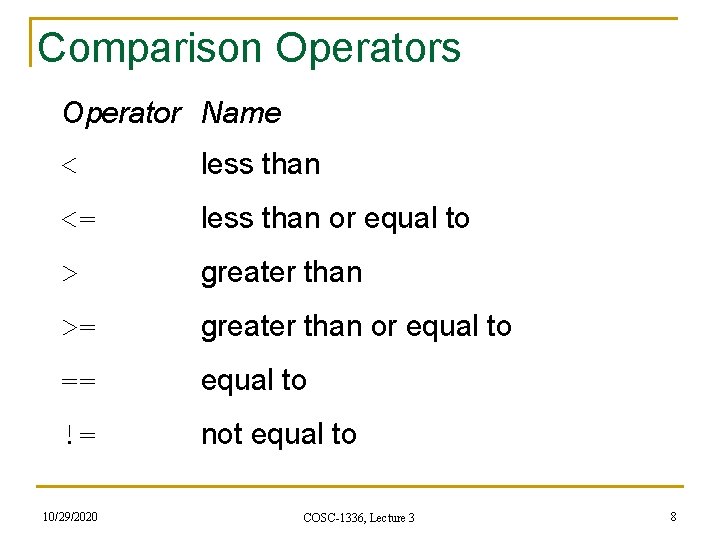
Comparison Operators Operator Name < less than <= less than or equal to > greater than >= greater than or equal to == equal to != not equal to 10/29/2020 COSC-1336, Lecture 3 8
Problem: A Simple Math Learning Tool § This example creates a program to let a first grader practice additions. § The program randomly generates two single-digit integers number 1 and number 2 and displays a question such as “What is 7 + 9? ” to the student. § After the student types the answer, the program displays a message to indicate whether the answer is true or false. 10/29/2020 COSC-1336, Lecture 3 9
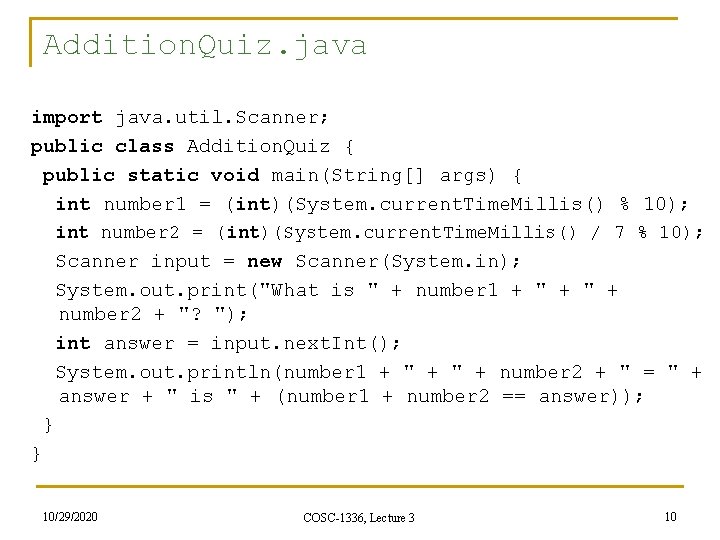
Addition. Quiz. java import java. util. Scanner; public class Addition. Quiz { public static void main(String[] args) { int number 1 = (int)(System. current. Time. Millis() % 10); int number 2 = (int)(System. current. Time. Millis() / 7 % 10); Scanner input = new Scanner(System. in); System. out. print("What is " + number 1 + " + number 2 + "? "); int answer = input. next. Int(); System. out. println(number 1 + " + number 2 + " = " + answer + " is " + (number 1 + number 2 == answer)); } } 10/29/2020 COSC-1336, Lecture 3 10
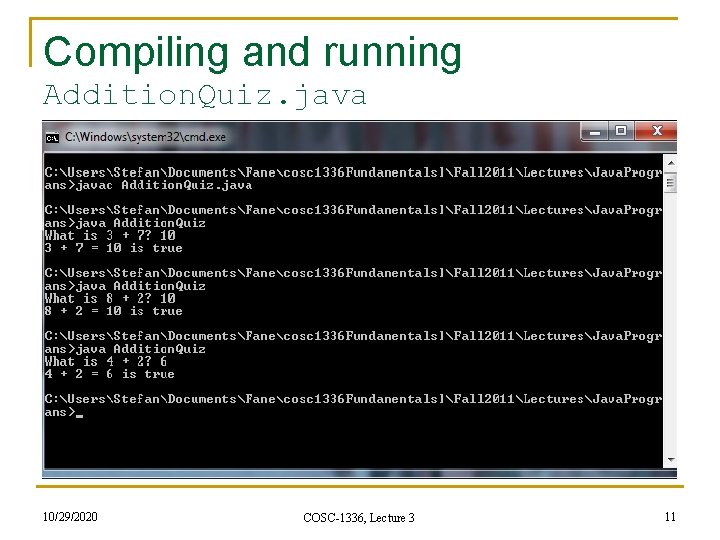
Compiling and running Addition. Quiz. java 10/29/2020 COSC-1336, Lecture 3 11
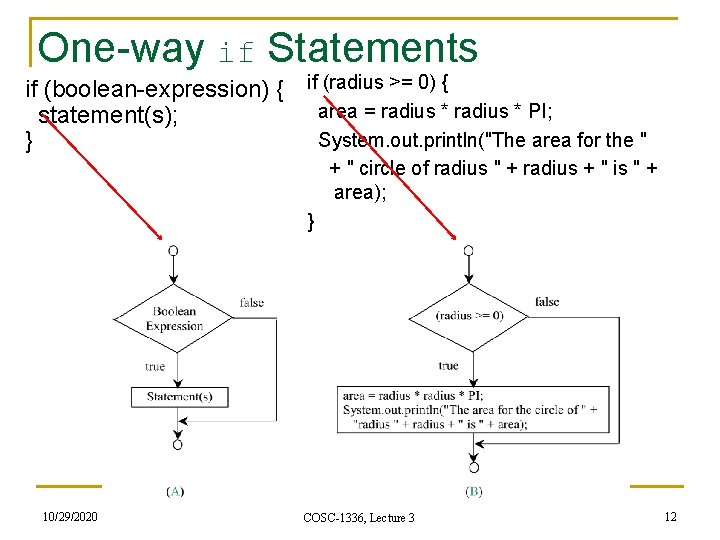
One-way if Statements if (boolean-expression) { if (radius >= 0) { area = radius * PI; statement(s); System. out. println("The area for the " } + " circle of radius " + radius + " is " + area); } 10/29/2020 COSC-1336, Lecture 3 12
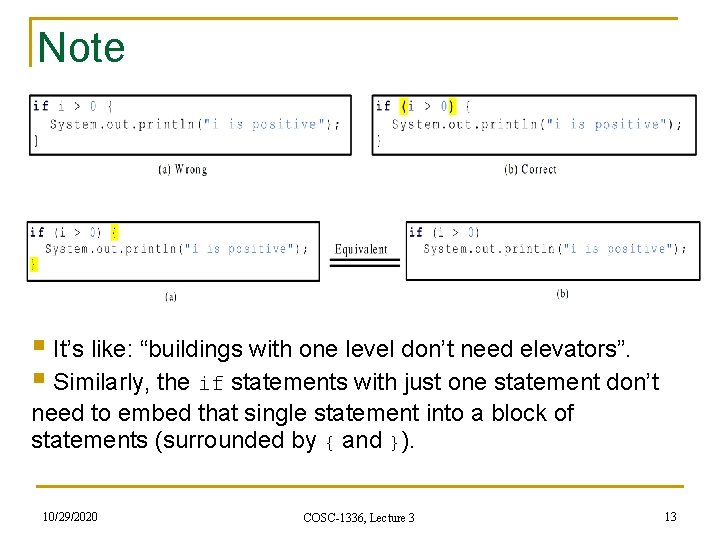
Note § It’s like: “buildings with one level don’t need elevators”. § Similarly, the if statements with just one statement don’t need to embed that single statement into a block of statements (surrounded by { and }). 10/29/2020 COSC-1336, Lecture 3 13
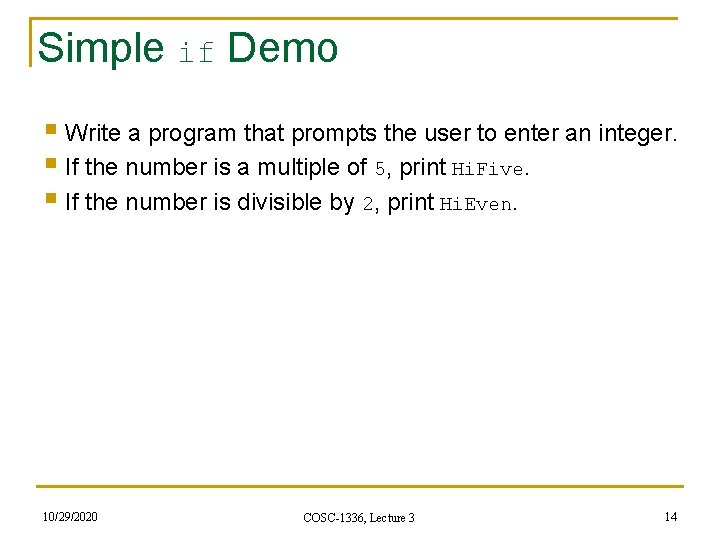
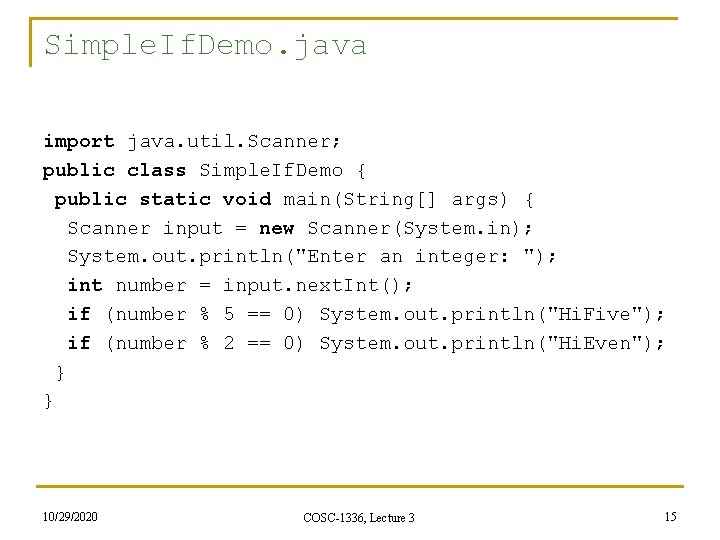
Simple if Demo § Write a program that prompts the user to enter an integer. § If the number is a multiple of 5, print Hi. Five. § If the number is divisible by 2, print Hi. Even. 10/29/2020 COSC-1336, Lecture 3 14
Simple. If. Demo. java import java. util. Scanner; public class Simple. If. Demo { public static void main(String[] args) { Scanner input = new Scanner(System. in); System. out. println("Enter an integer: "); int number = input. next. Int(); if (number % 5 == 0) System. out. println("Hi. Five"); if (number % 2 == 0) System. out. println("Hi. Even"); } } 10/29/2020 COSC-1336, Lecture 3 15
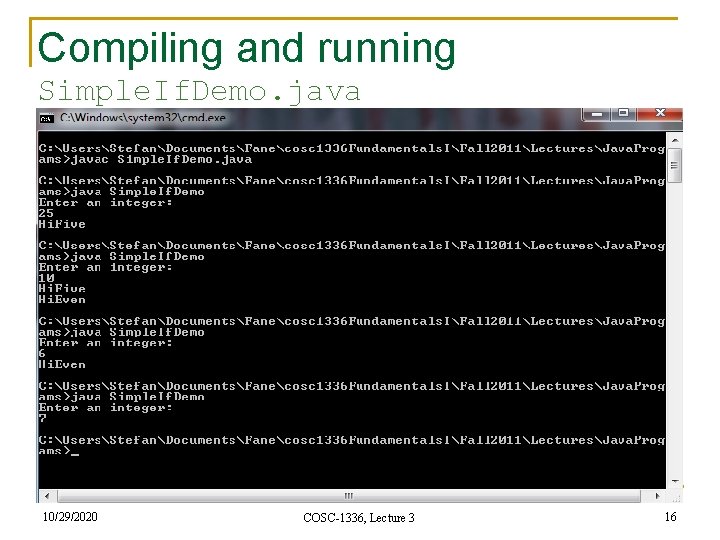
Compiling and running Simple. If. Demo. java 10/29/2020 COSC-1336, Lecture 3 16
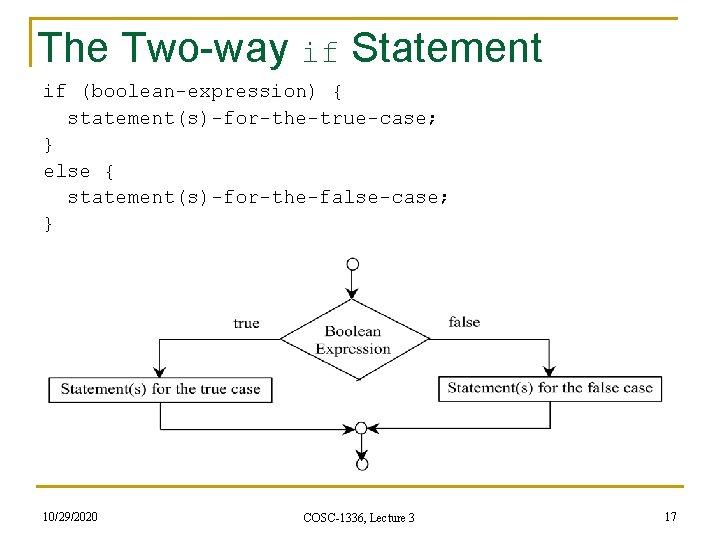
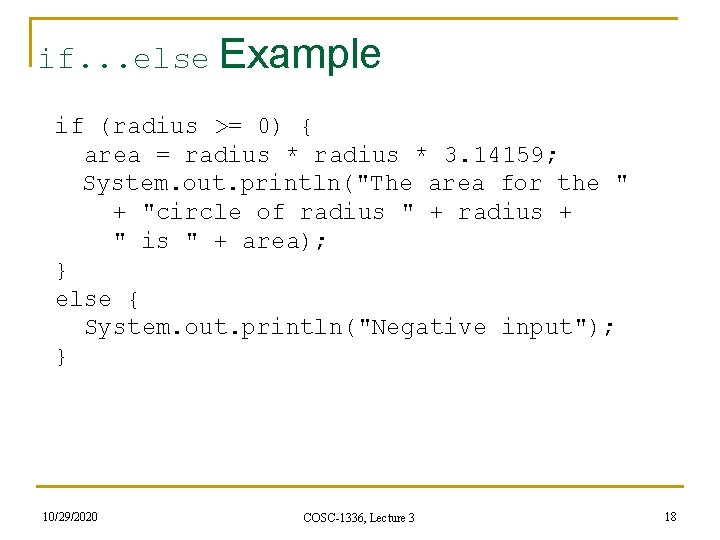
The Two-way if Statement if (boolean-expression) { statement(s)-for-the-true-case; } else { statement(s)-for-the-false-case; } 10/29/2020 COSC-1336, Lecture 3 17
if. . . else Example if (radius >= 0) { area = radius * 3. 14159; System. out. println("The area for the " + "circle of radius " + radius + " is " + area); } else { System. out. println("Negative input"); } 10/29/2020 COSC-1336, Lecture 3 18
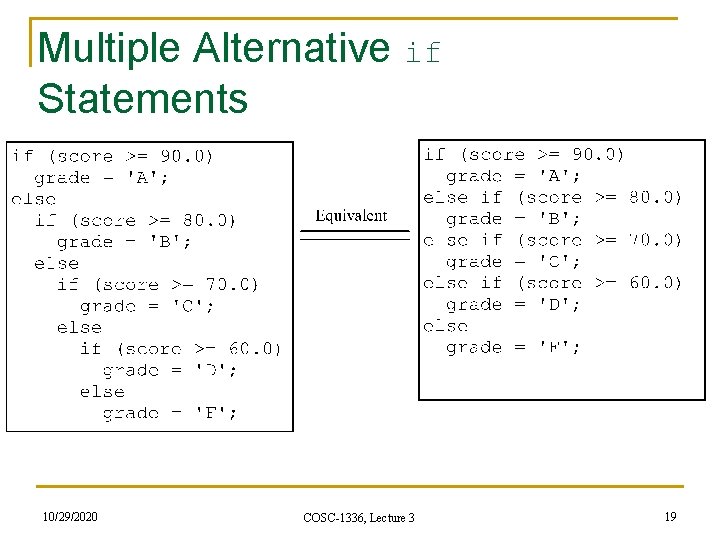
Multiple Alternative if Statements 10/29/2020 COSC-1336, Lecture 3 19
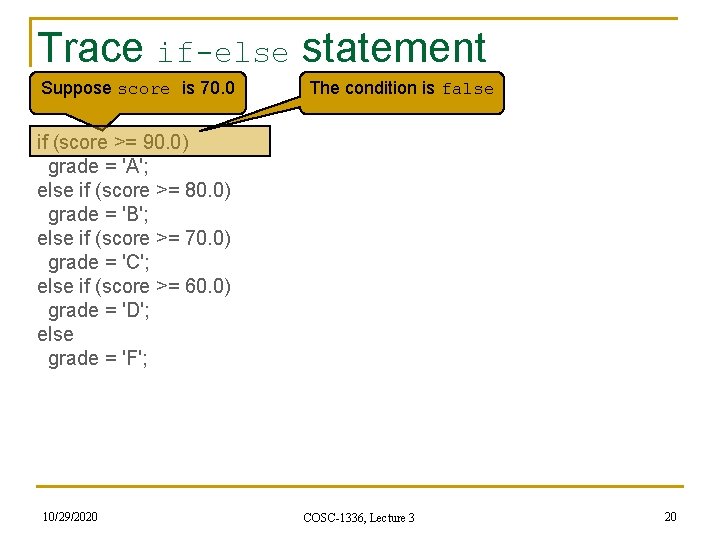
Trace if-else statement Suppose score is 70. 0 The condition is false if (score >= 90. 0) grade = 'A'; else if (score >= 80. 0) grade = 'B'; else if (score >= 70. 0) grade = 'C'; else if (score >= 60. 0) grade = 'D'; else grade = 'F'; 10/29/2020 COSC-1336, Lecture 3 20
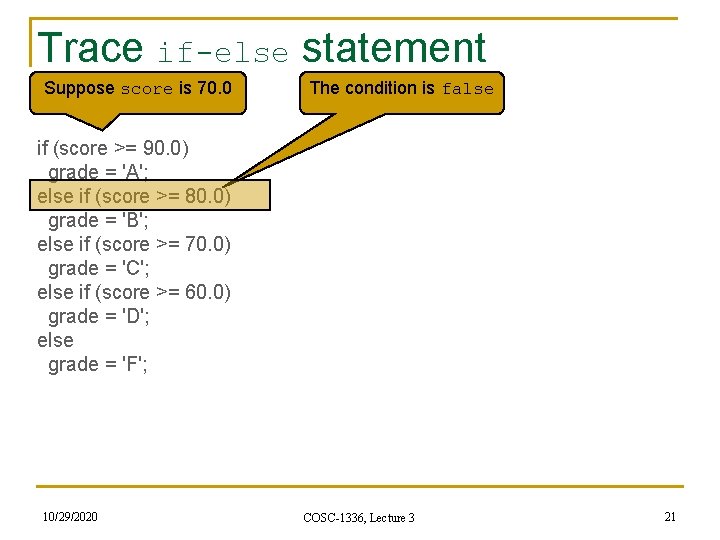
Trace if-else statement Suppose score is 70. 0 The condition is false if (score >= 90. 0) grade = 'A'; else if (score >= 80. 0) grade = 'B'; else if (score >= 70. 0) grade = 'C'; else if (score >= 60. 0) grade = 'D'; else grade = 'F'; 10/29/2020 COSC-1336, Lecture 3 21
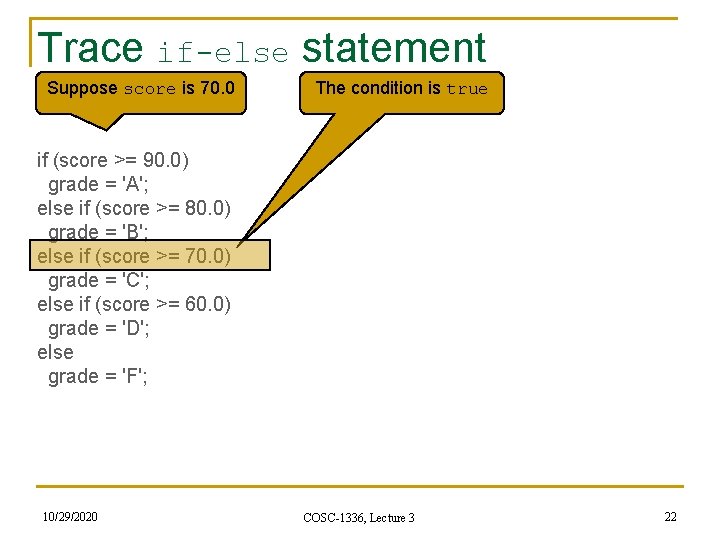
Trace if-else statement Suppose score is 70. 0 The condition is true if (score >= 90. 0) grade = 'A'; else if (score >= 80. 0) grade = 'B'; else if (score >= 70. 0) grade = 'C'; else if (score >= 60. 0) grade = 'D'; else grade = 'F'; 10/29/2020 COSC-1336, Lecture 3 22
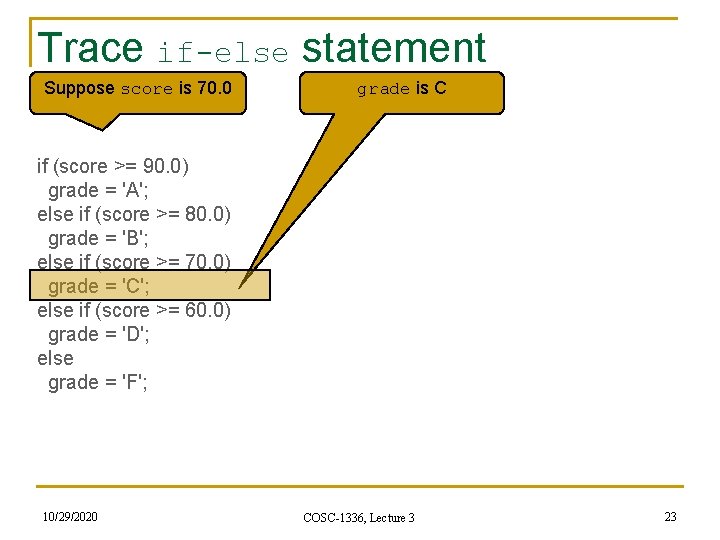
Trace if-else statement Suppose score is 70. 0 grade is C if (score >= 90. 0) grade = 'A'; else if (score >= 80. 0) grade = 'B'; else if (score >= 70. 0) grade = 'C'; else if (score >= 60. 0) grade = 'D'; else grade = 'F'; 10/29/2020 COSC-1336, Lecture 3 23
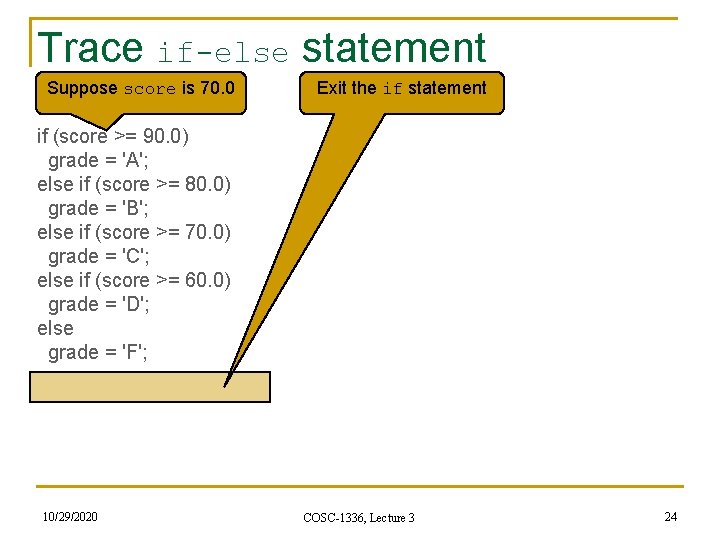
Trace if-else statement Suppose score is 70. 0 Exit the if statement if (score >= 90. 0) grade = 'A'; else if (score >= 80. 0) grade = 'B'; else if (score >= 70. 0) grade = 'C'; else if (score >= 60. 0) grade = 'D'; else grade = 'F'; 10/29/2020 COSC-1336, Lecture 3 24
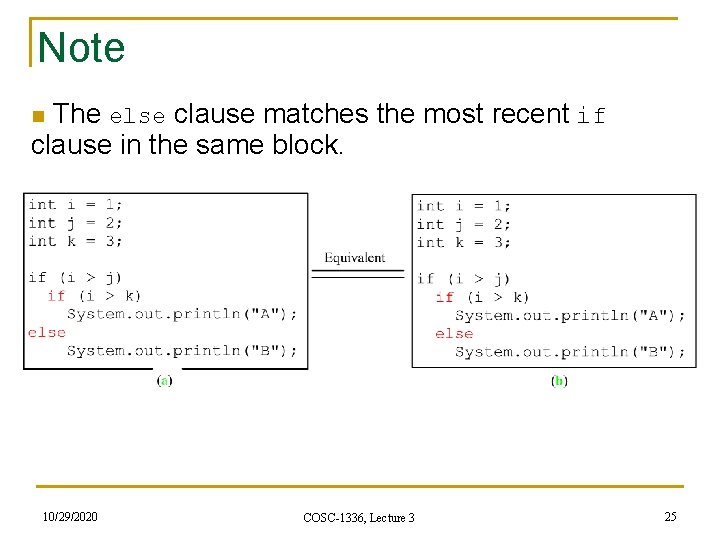
Note n The else clause matches the most recent if clause in the same block. 10/29/2020 COSC-1336, Lecture 3 25
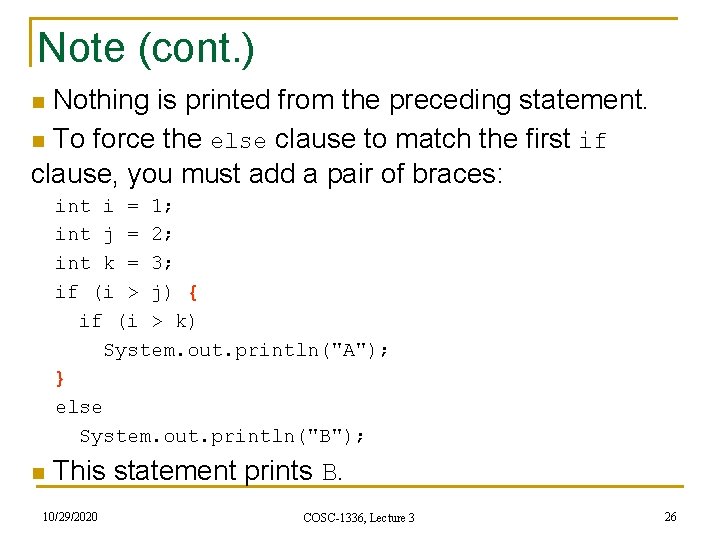
Note (cont. ) n Nothing is printed from the preceding statement. n To force the else clause to match the first if clause, you must add a pair of braces: int i = 1; int j = 2; int k = 3; if (i > j) { if (i > k) System. out. println("A"); } else System. out. println("B"); n This statement prints B. 10/29/2020 COSC-1336, Lecture 3 26
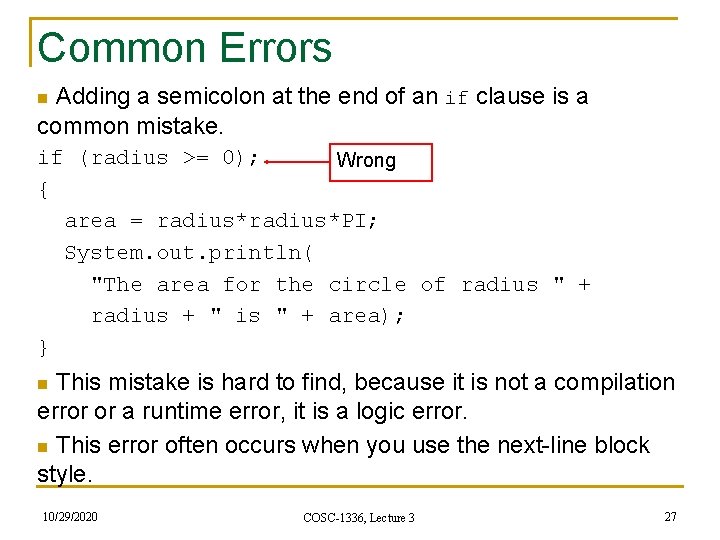
Common Errors n Adding a semicolon at the end of an if clause is a common mistake. if (radius >= 0); Wrong { area = radius*PI; System. out. println( "The area for the circle of radius " + radius + " is " + area); } n This mistake is hard to find, because it is not a compilation error or a runtime error, it is a logic error. n This error often occurs when you use the next-line block style. 10/29/2020 COSC-1336, Lecture 3 27
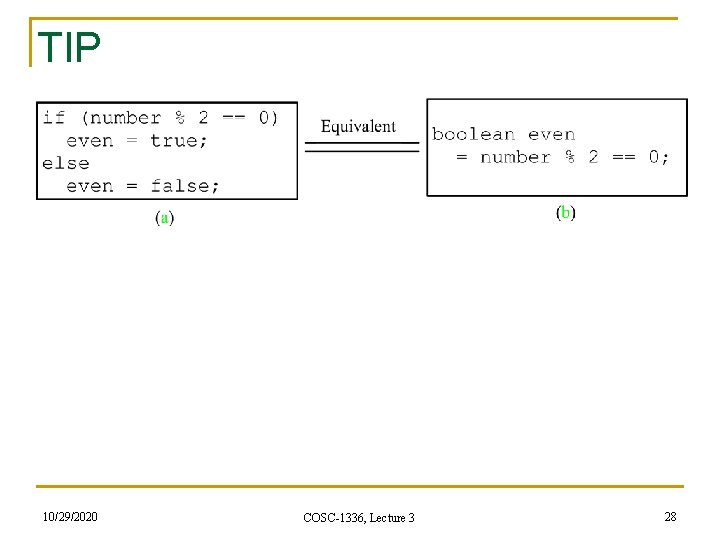
TIP 10/29/2020 COSC-1336, Lecture 3 28
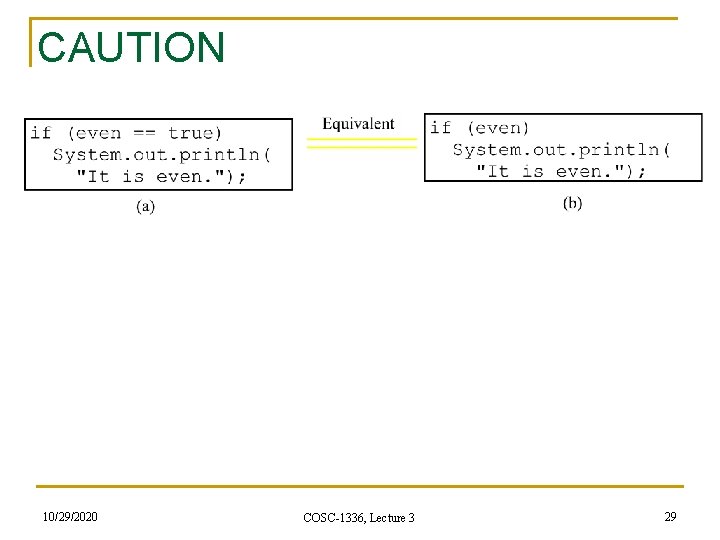
CAUTION 10/29/2020 COSC-1336, Lecture 3 29
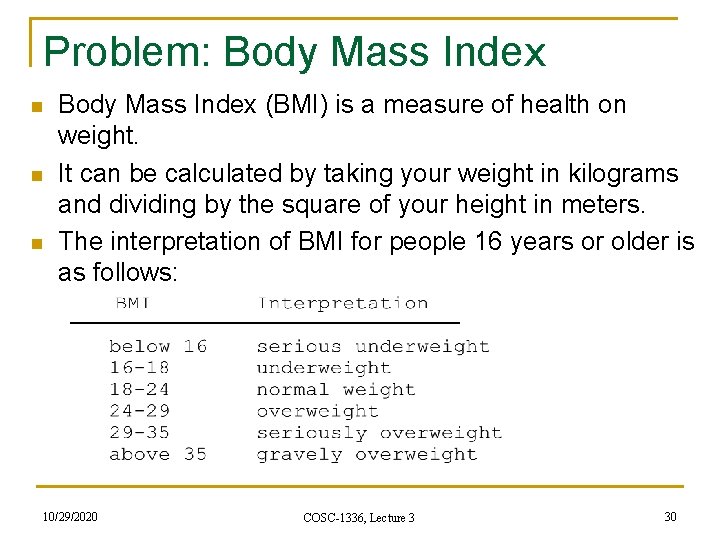
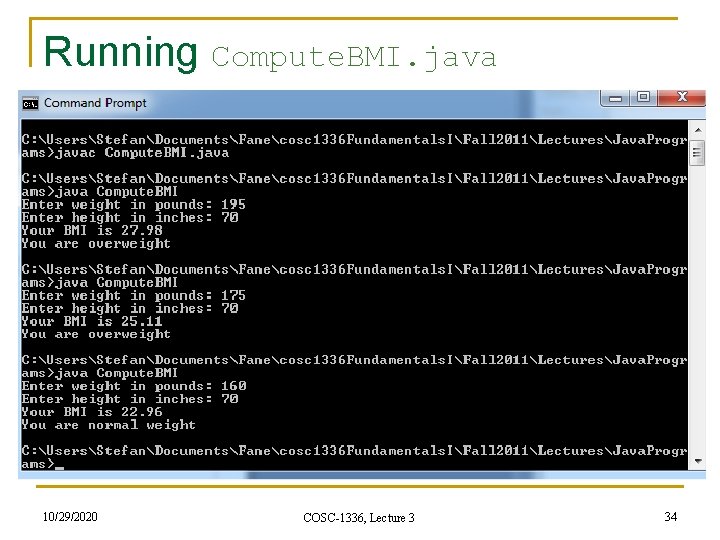
Problem: Body Mass Index n n n Body Mass Index (BMI) is a measure of health on weight. It can be calculated by taking your weight in kilograms and dividing by the square of your height in meters. The interpretation of BMI for people 16 years or older is as follows: 10/29/2020 COSC-1336, Lecture 3 30
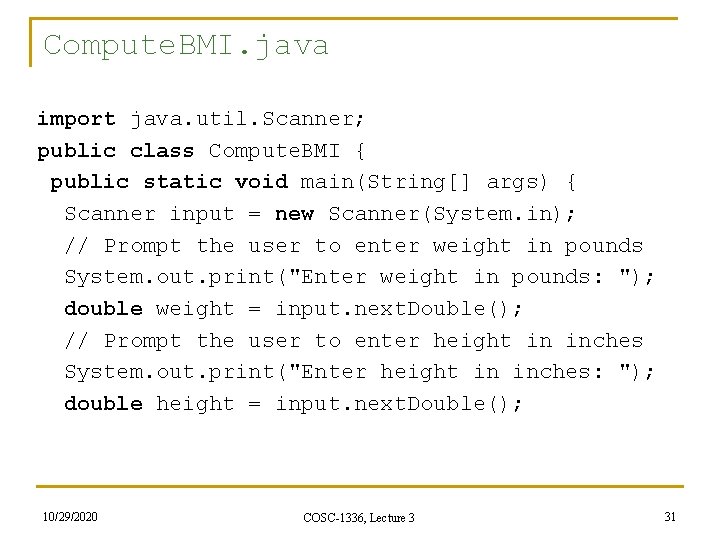
Compute. BMI. java import java. util. Scanner; public class Compute. BMI { public static void main(String[] args) { Scanner input = new Scanner(System. in); // Prompt the user to enter weight in pounds System. out. print("Enter weight in pounds: "); double weight = input. next. Double(); // Prompt the user to enter height in inches System. out. print("Enter height in inches: "); double height = input. next. Double(); 10/29/2020 COSC-1336, Lecture 3 31
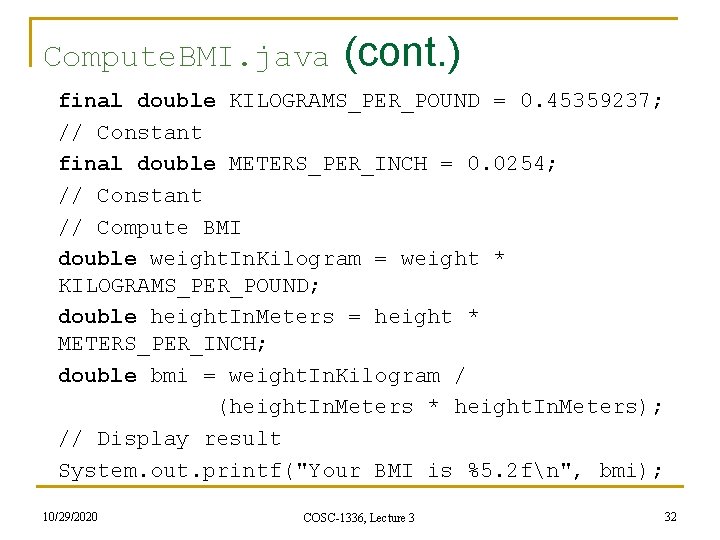
Compute. BMI. java (cont. ) final double KILOGRAMS_PER_POUND = 0. 45359237; // Constant final double METERS_PER_INCH = 0. 0254; // Constant // Compute BMI double weight. In. Kilogram = weight * KILOGRAMS_PER_POUND; double height. In. Meters = height * METERS_PER_INCH; double bmi = weight. In. Kilogram / (height. In. Meters * height. In. Meters); // Display result System. out. printf("Your BMI is %5. 2 fn", bmi); 10/29/2020 COSC-1336, Lecture 3 32
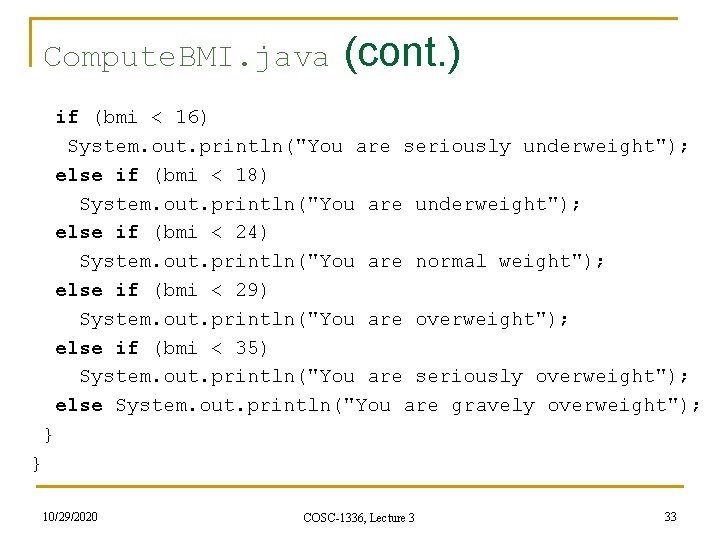
Compute. BMI. java (cont. ) if (bmi < 16) System. out. println("You are seriously underweight"); else if (bmi < 18) System. out. println("You are underweight"); else if (bmi < 24) System. out. println("You are normal weight"); else if (bmi < 29) System. out. println("You are overweight"); else if (bmi < 35) System. out. println("You are seriously overweight"); else System. out. println("You are gravely overweight"); } } 10/29/2020 COSC-1336, Lecture 3 33
Running Compute. BMI. java 10/29/2020 COSC-1336, Lecture 3 34
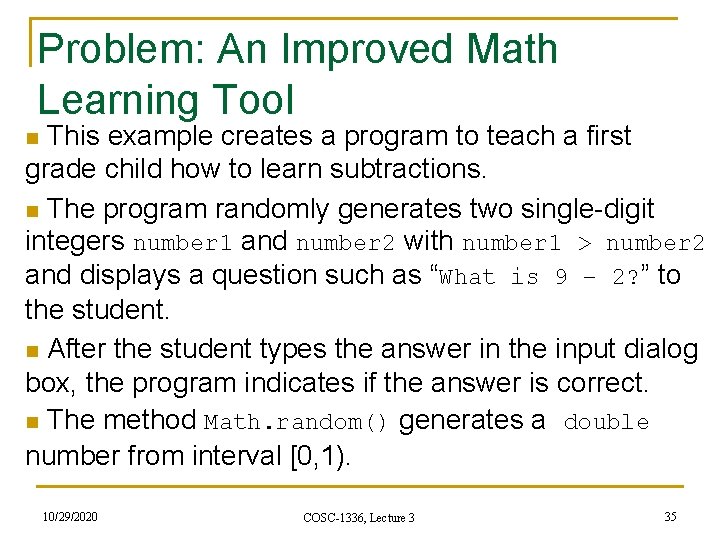
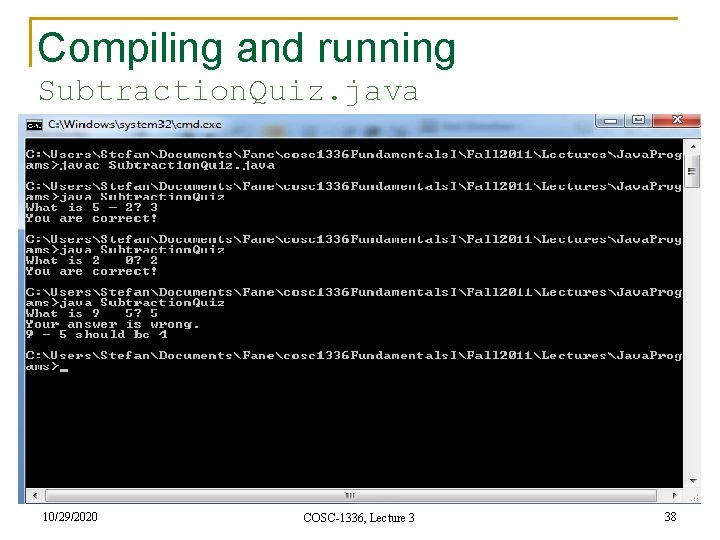
Problem: An Improved Math Learning Tool n This example creates a program to teach a first grade child how to learn subtractions. n The program randomly generates two single-digit integers number 1 and number 2 with number 1 > number 2 and displays a question such as “What is 9 – 2? ” to the student. n After the student types the answer in the input dialog box, the program indicates if the answer is correct. n The method Math. random() generates a double number from interval [0, 1). 10/29/2020 COSC-1336, Lecture 3 35
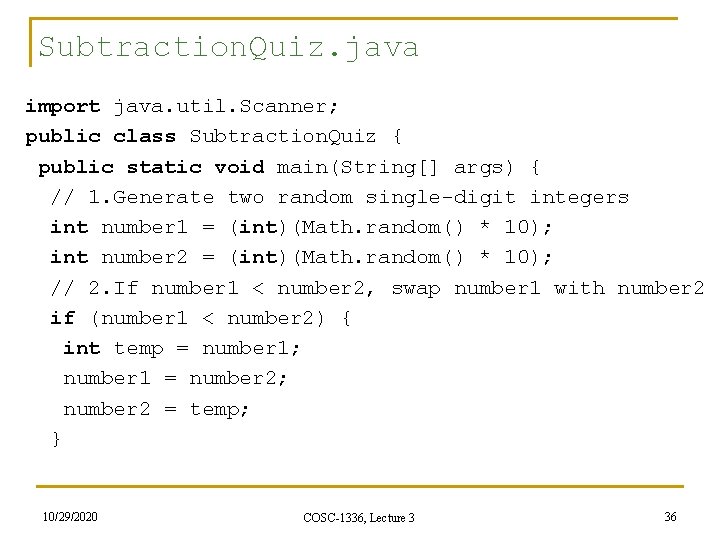
Subtraction. Quiz. java import java. util. Scanner; public class Subtraction. Quiz { public static void main(String[] args) { // 1. Generate two random single-digit integers int number 1 = (int)(Math. random() * 10); int number 2 = (int)(Math. random() * 10); // 2. If number 1 < number 2, swap number 1 with number 2 if (number 1 < number 2) { int temp = number 1; number 1 = number 2; number 2 = temp; } 10/29/2020 COSC-1336, Lecture 3 36
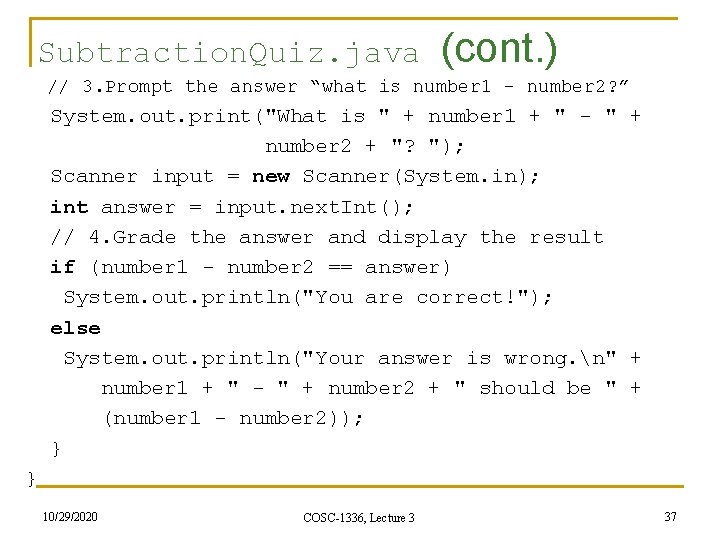
Subtraction. Quiz. java (cont. ) // 3. Prompt the answer “what is number 1 – number 2? ” System. out. print("What is " + number 1 + " - " + number 2 + "? "); Scanner input = new Scanner(System. in); int answer = input. next. Int(); // 4. Grade the answer and display the result if (number 1 - number 2 == answer) System. out. println("You are correct!"); else System. out. println("Your answer is wrong. n" + number 1 + " - " + number 2 + " should be " + (number 1 - number 2)); } } 10/29/2020 COSC-1336, Lecture 3 37
Compiling and running Subtraction. Quiz. java 10/29/2020 COSC-1336, Lecture 3 38
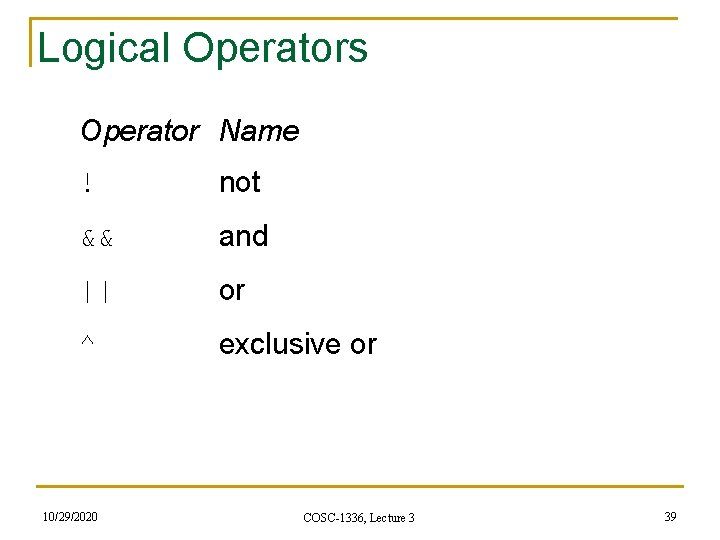
Logical Operators Operator Name ! not && and || or ^ exclusive or 10/29/2020 COSC-1336, Lecture 3 39
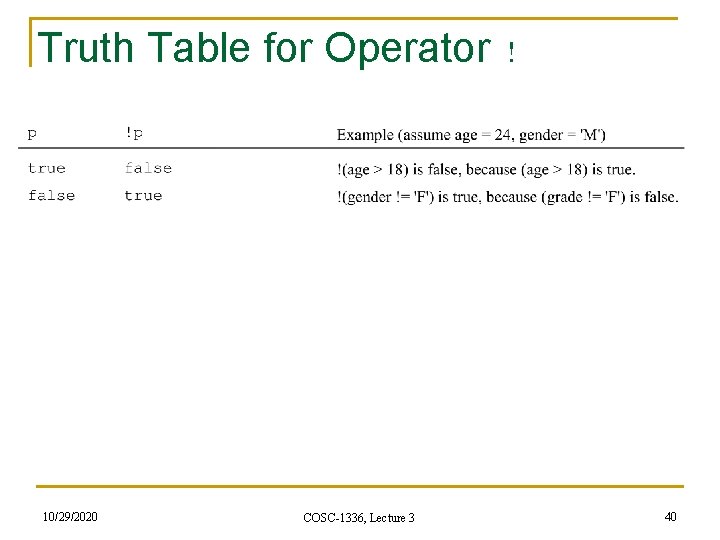
Truth Table for Operator ! 10/29/2020 COSC-1336, Lecture 3 40
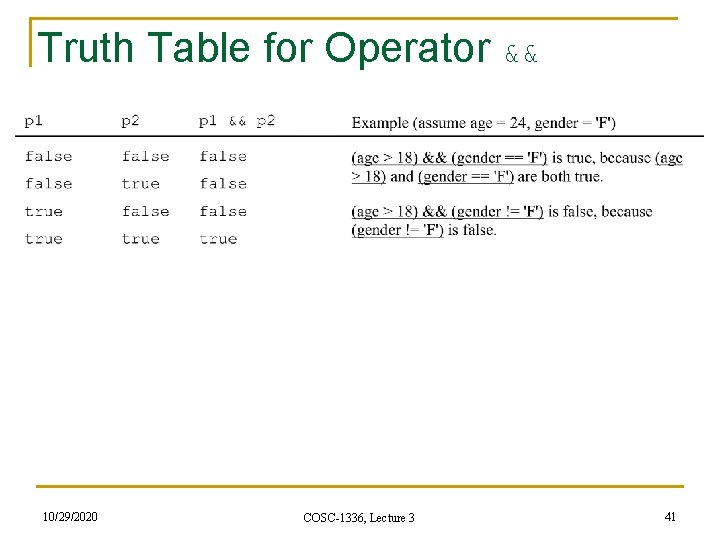
Truth Table for Operator && 10/29/2020 COSC-1336, Lecture 3 41
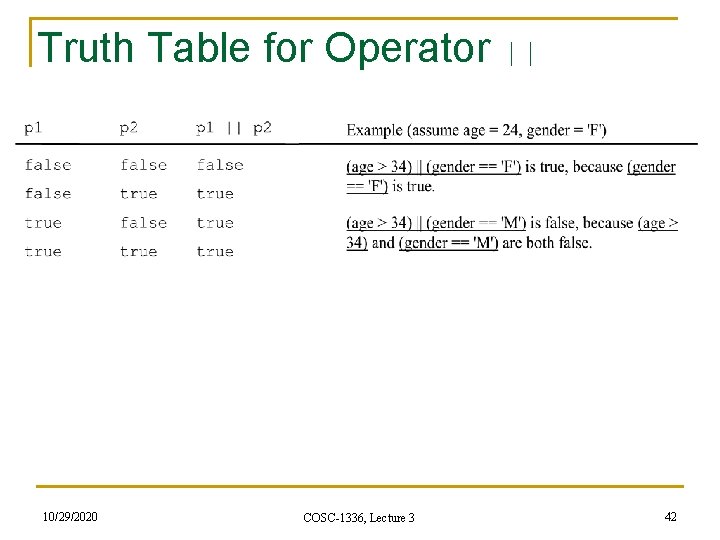
Truth Table for Operator || 10/29/2020 COSC-1336, Lecture 3 42
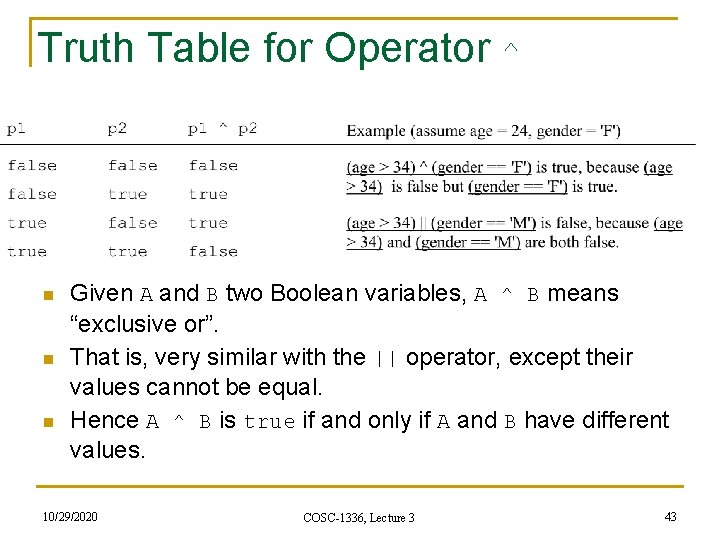
Truth Table for Operator ^ n n n Given A and B two Boolean variables, A ^ B means “exclusive or”. That is, very similar with the || operator, except their values cannot be equal. Hence A ^ B is true if and only if A and B have different values. 10/29/2020 COSC-1336, Lecture 3 43
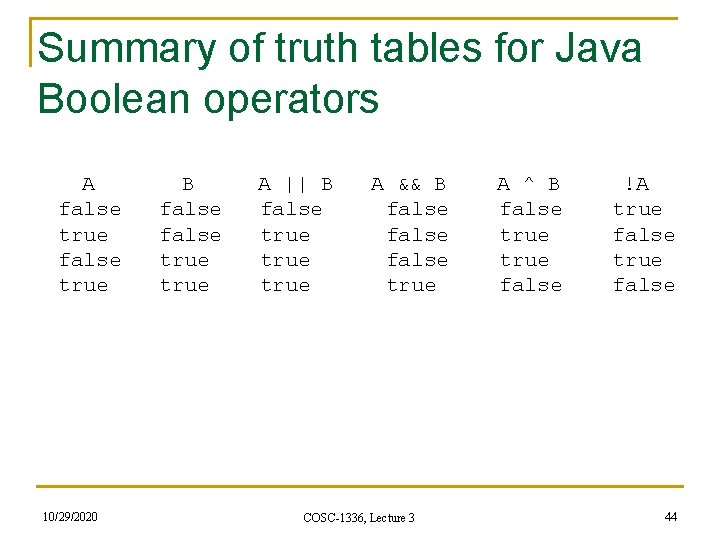
Summary of truth tables for Java Boolean operators A B A || B A && B A ^ B !A false false true false true true false 10/29/2020 COSC-1336, Lecture 3 44
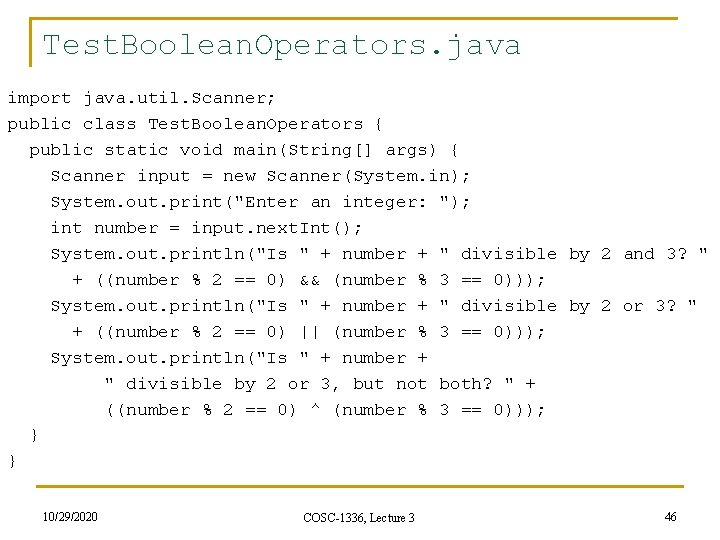
Example § Here is a program that checks whether a number is divisible by 2 and 3, whether a number is divisible by 2 or 3, and whether a number is divisible by 2 or 3, but not both. 10/29/2020 COSC-1336, Lecture 3 45
Test. Boolean. Operators. java import java. util. Scanner; public class Test. Boolean. Operators { public static void main(String[] args) { Scanner input = new Scanner(System. in); System. out. print("Enter an integer: "); int number = input. next. Int(); System. out. println("Is " + number + " divisible by 2 and 3? " + ((number % 2 == 0) && (number % 3 == 0))); System. out. println("Is " + number + " divisible by 2 or 3? " + ((number % 2 == 0) || (number % 3 == 0))); System. out. println("Is " + number + " divisible by 2 or 3, but not both? " + ((number % 2 == 0) ^ (number % 3 == 0))); } } 10/29/2020 COSC-1336, Lecture 3 46
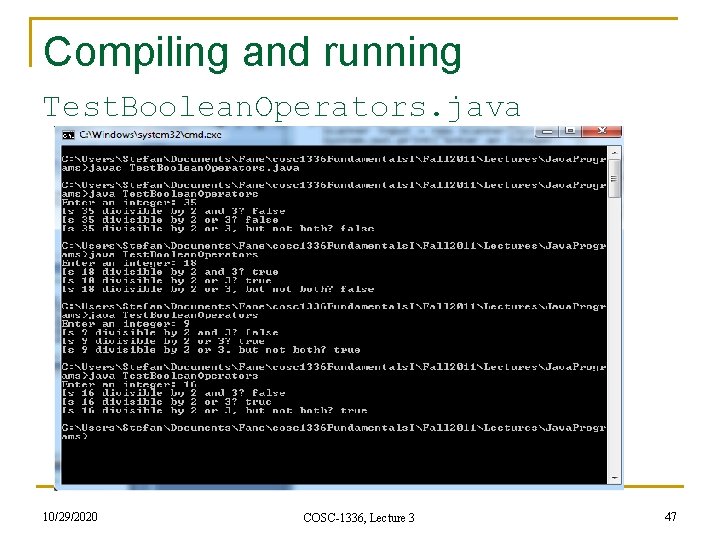
Compiling and running Test. Boolean. Operators. java 10/29/2020 COSC-1336, Lecture 3 47
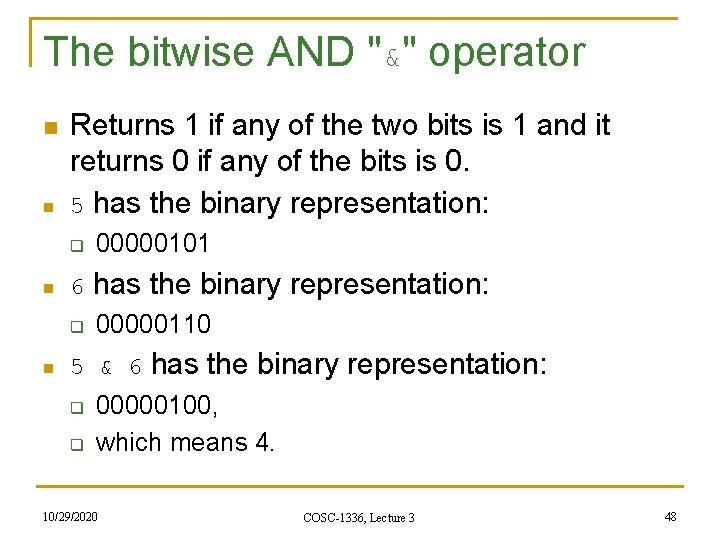
The bitwise AND "&" operator n n Returns 1 if any of the two bits is 1 and it returns 0 if any of the bits is 0. 5 has the binary representation: q n 6 has the binary representation: q n 00000101 00000110 5 & 6 has the binary representation: q q 00000100, which means 4. 10/29/2020 COSC-1336, Lecture 3 48
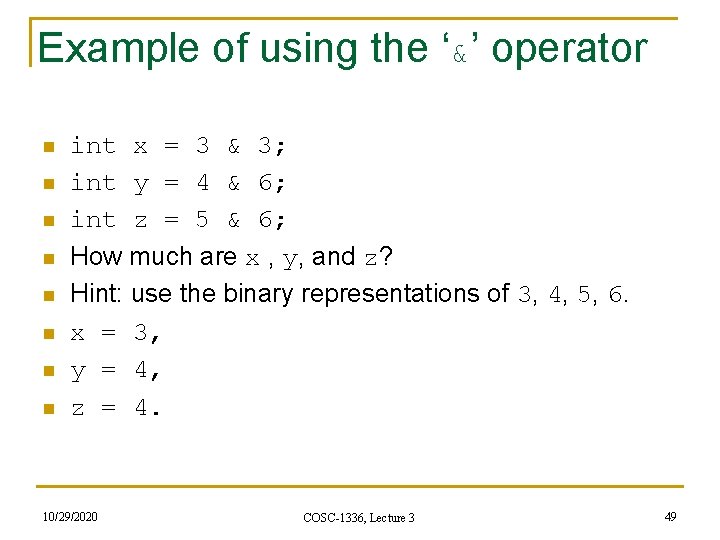
Example of using the ‘&’ operator n n n n int x = 3 & 3; int y = 4 & 6; int z = 5 & 6; How much are x , y, and z? Hint: use the binary representations of 3, 4, 5, 6. x = 3, y = 4, z = 4. 10/29/2020 COSC-1336, Lecture 3 49
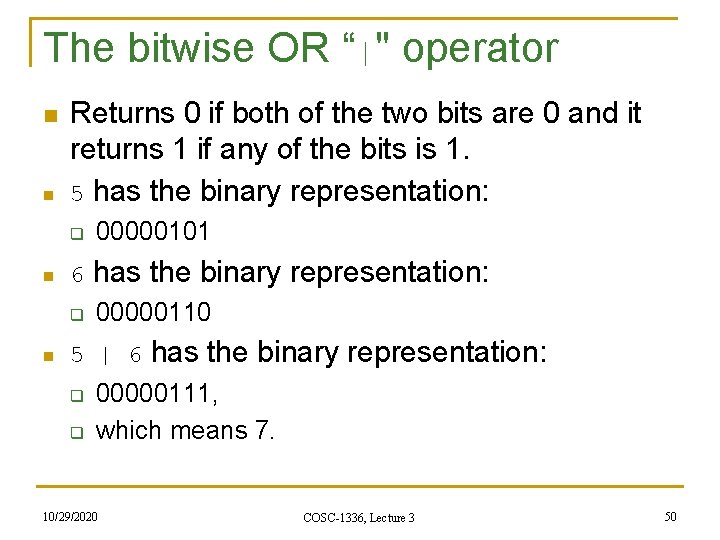
The bitwise OR “|" operator n n Returns 0 if both of the two bits are 0 and it returns 1 if any of the bits is 1. 5 has the binary representation: q n 6 has the binary representation: q n 00000101 00000110 5 | 6 has the binary representation: q q 00000111, which means 7. 10/29/2020 COSC-1336, Lecture 3 50
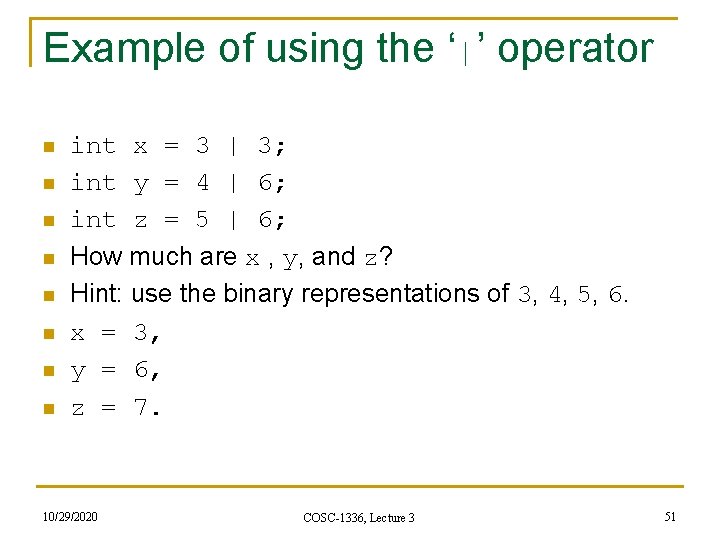
Example of using the ‘|’ operator n n n n int x = 3 | 3; int y = 4 | 6; int z = 5 | 6; How much are x , y, and z? Hint: use the binary representations of 3, 4, 5, 6. x = 3, y = 6, z = 7. 10/29/2020 COSC-1336, Lecture 3 51
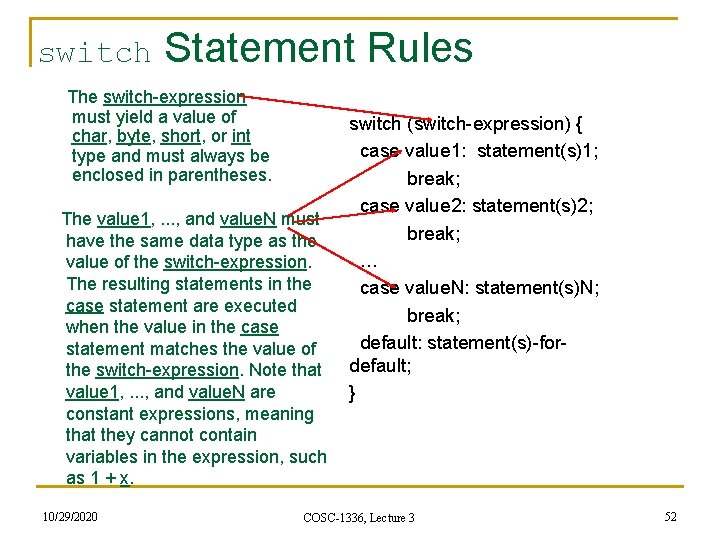
switch Statement Rules The switch-expression must yield a value of char, byte, short, or int type and must always be enclosed in parentheses. The value 1, . . . , and value. N must have the same data type as the value of the switch-expression. The resulting statements in the case statement are executed when the value in the case statement matches the value of the switch-expression. Note that value 1, . . . , and value. N are constant expressions, meaning that they cannot contain variables in the expression, such as 1 + x. 10/29/2020 switch (switch-expression) { case value 1: statement(s)1; break; case value 2: statement(s)2; break; … case value. N: statement(s)N; break; default: statement(s)-fordefault; } COSC-1336, Lecture 3 52
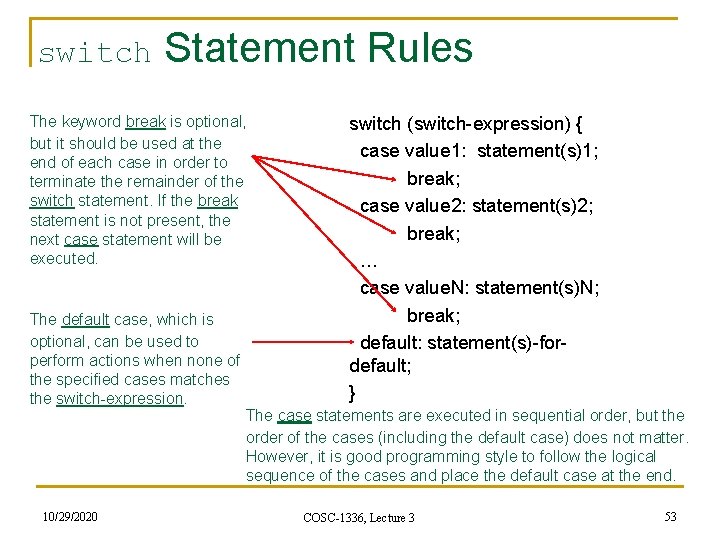
switch Statement Rules The keyword break is optional, but it should be used at the end of each case in order to terminate the remainder of the switch statement. If the break statement is not present, the next case statement will be executed. The default case, which is optional, can be used to perform actions when none of the specified cases matches the switch-expression. 10/29/2020 switch (switch-expression) { case value 1: statement(s)1; break; case value 2: statement(s)2; break; … case value. N: statement(s)N; break; default: statement(s)-fordefault; } The case statements are executed in sequential order, but the order of the cases (including the default case) does not matter. However, it is good programming style to follow the logical sequence of the cases and place the default case at the end. COSC-1336, Lecture 3 53
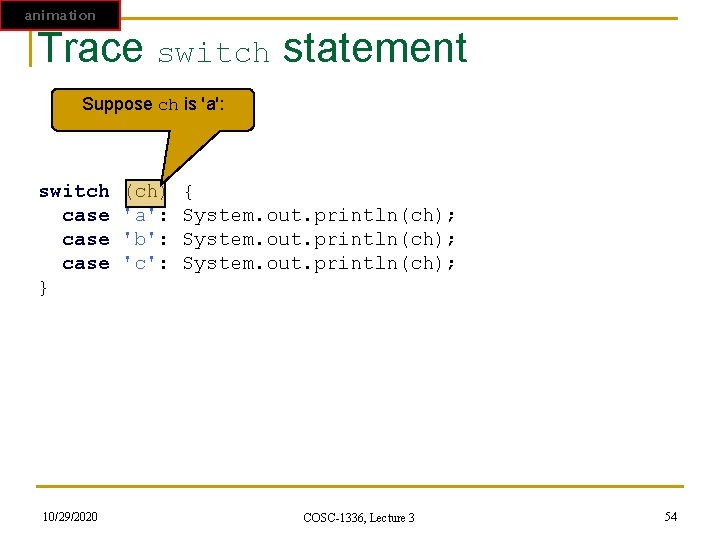
animation Trace switch statement Suppose ch is 'a': switch (ch) { case 'a': System. out. println(ch); case 'b': System. out. println(ch); case 'c': System. out. println(ch); } 10/29/2020 COSC-1336, Lecture 3 54
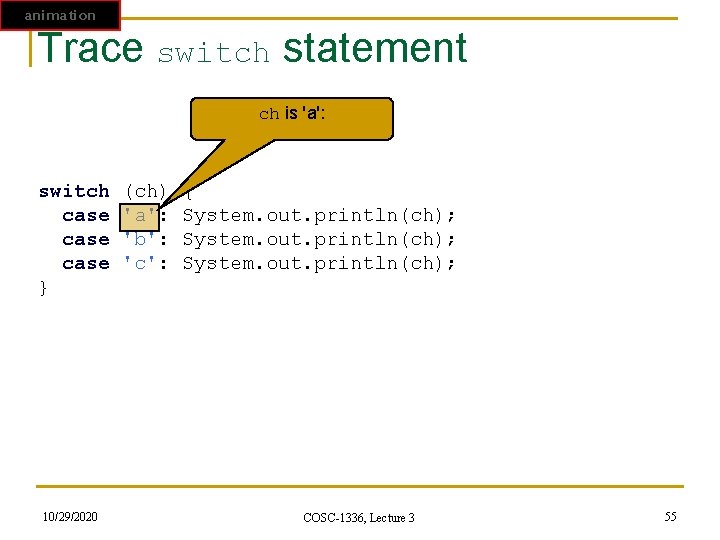
animation Trace switch statement ch is 'a': switch (ch) { case 'a': System. out. println(ch); case 'b': System. out. println(ch); case 'c': System. out. println(ch); } 10/29/2020 COSC-1336, Lecture 3 55
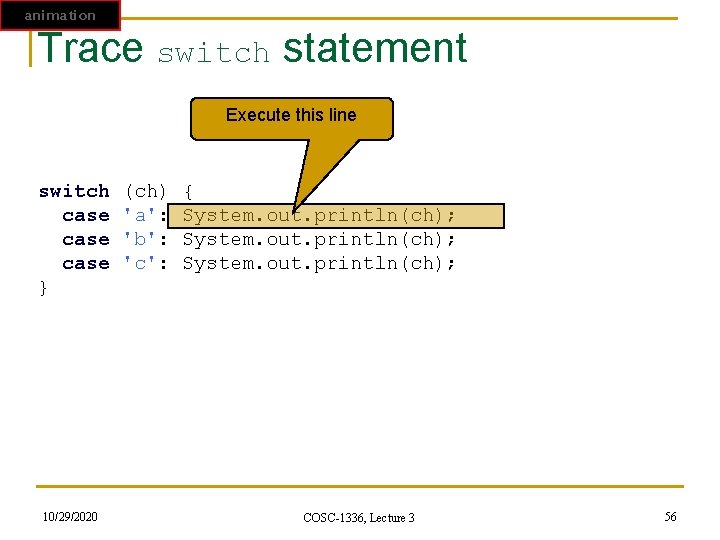
animation Trace switch statement Execute this line switch (ch) { case 'a': System. out. println(ch); case 'b': System. out. println(ch); case 'c': System. out. println(ch); } 10/29/2020 COSC-1336, Lecture 3 56
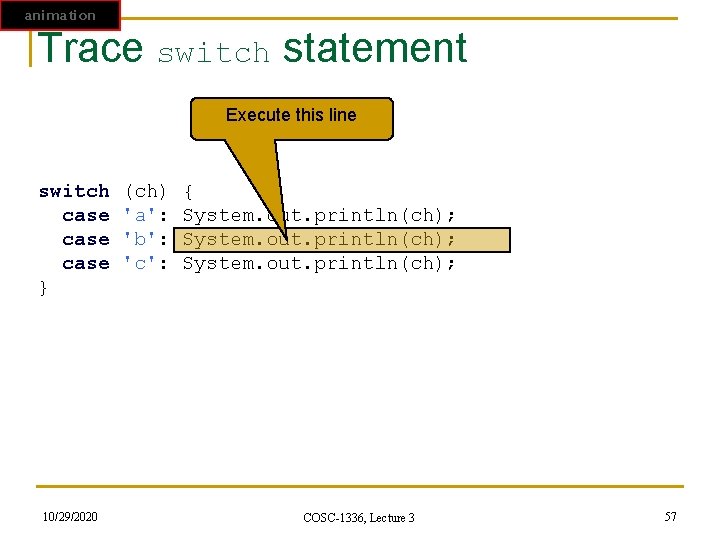
animation Trace switch statement Execute this line switch (ch) { case 'a': System. out. println(ch); case 'b': System. out. println(ch); case 'c': System. out. println(ch); } 10/29/2020 COSC-1336, Lecture 3 57
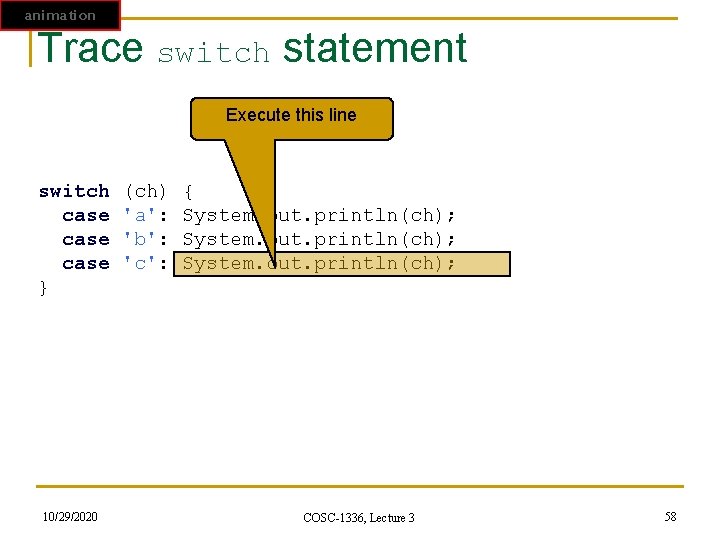
animation Trace switch statement Execute this line switch (ch) { case 'a': System. out. println(ch); case 'b': System. out. println(ch); case 'c': System. out. println(ch); } 10/29/2020 COSC-1336, Lecture 3 58
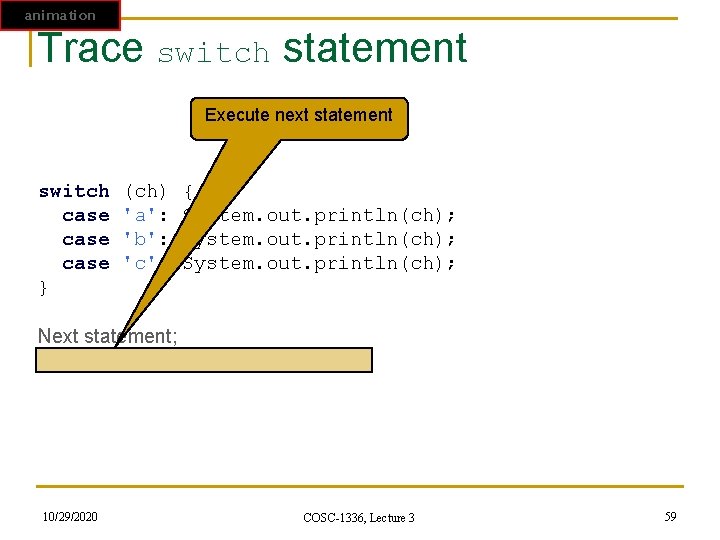
animation Trace switch statement Execute next statement switch (ch) { case 'a': System. out. println(ch); case 'b': System. out. println(ch); case 'c': System. out. println(ch); } Next statement; 10/29/2020 COSC-1336, Lecture 3 59
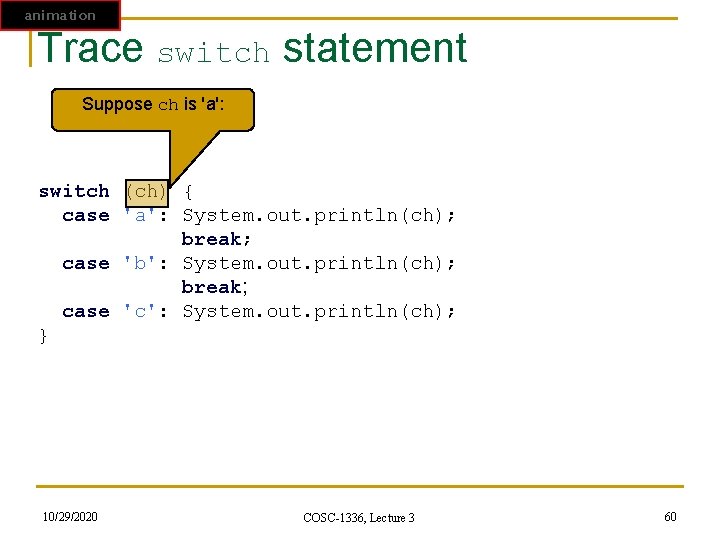
animation Trace switch statement Suppose ch is 'a': switch (ch) { case 'a': System. out. println(ch); break; case 'b': System. out. println(ch); break; case 'c': System. out. println(ch); } 10/29/2020 COSC-1336, Lecture 3 60
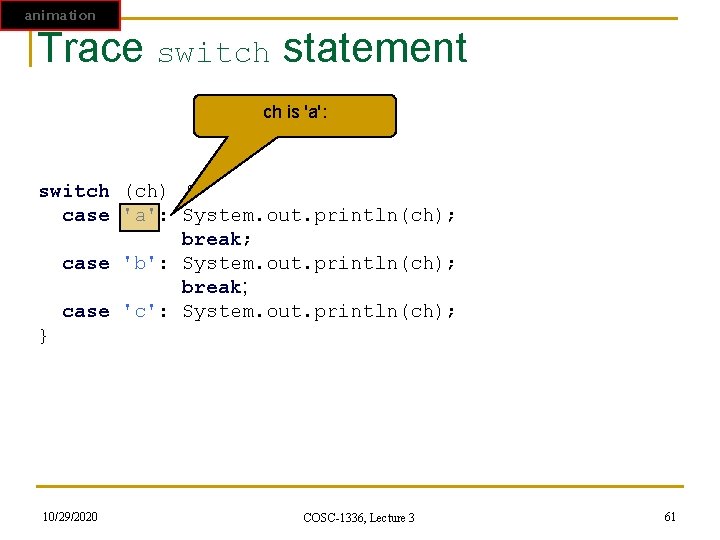
animation Trace switch statement ch is 'a': switch (ch) { case 'a': System. out. println(ch); break; case 'b': System. out. println(ch); break; case 'c': System. out. println(ch); } 10/29/2020 COSC-1336, Lecture 3 61
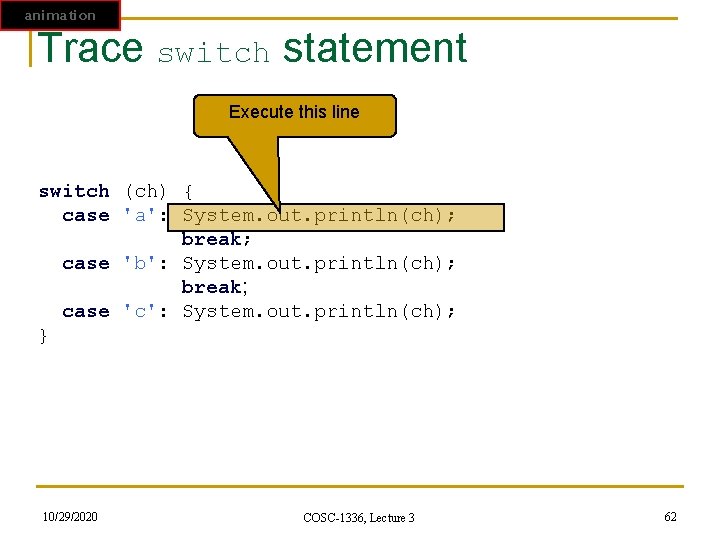
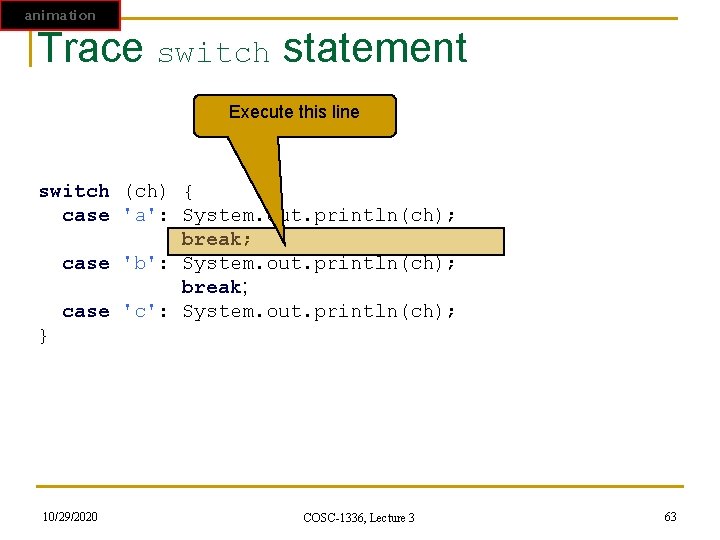
animation Trace switch statement Execute this line switch (ch) { case 'a': System. out. println(ch); break; case 'b': System. out. println(ch); break; case 'c': System. out. println(ch); } 10/29/2020 COSC-1336, Lecture 3 62
animation Trace switch statement Execute this line switch (ch) { case 'a': System. out. println(ch); break; case 'b': System. out. println(ch); break; case 'c': System. out. println(ch); } 10/29/2020 COSC-1336, Lecture 3 63
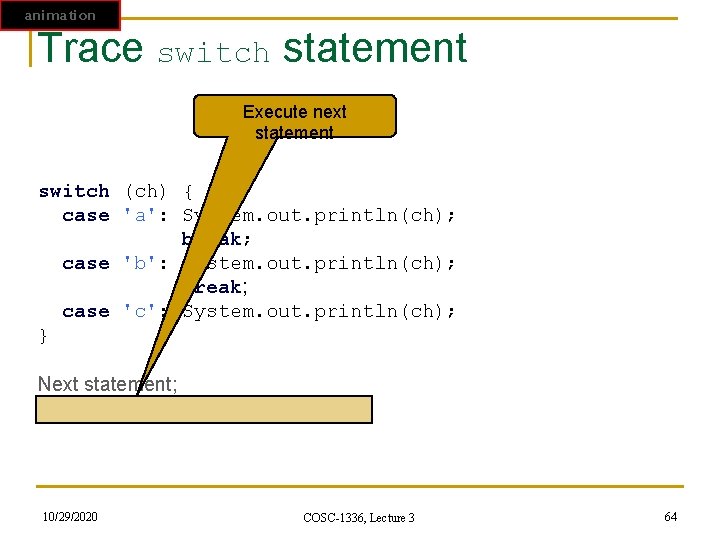
animation Trace switch statement Execute next statement switch (ch) { case 'a': System. out. println(ch); break; case 'b': System. out. println(ch); break; case 'c': System. out. println(ch); } Next statement; 10/29/2020 COSC-1336, Lecture 3 64
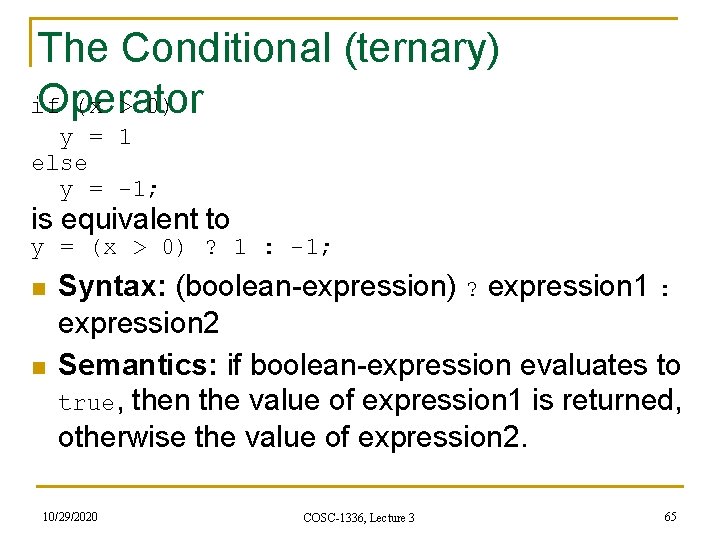
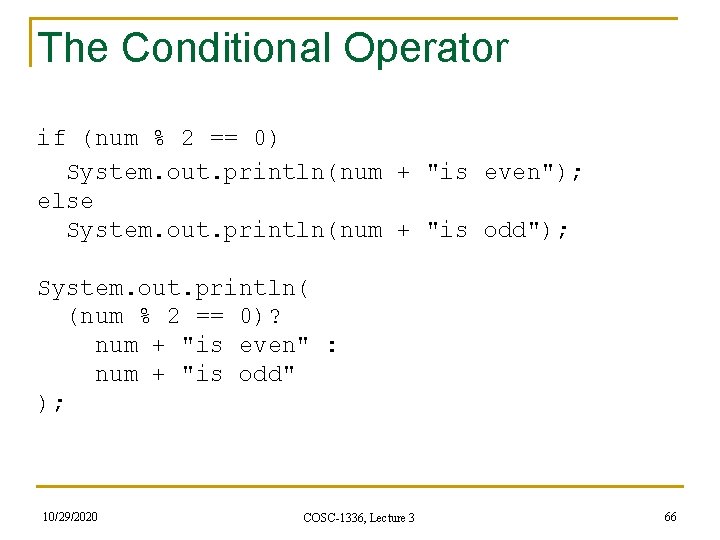
The Conditional (ternary) if (x > 0) Operator y = 1 else y = -1; is equivalent to y = (x > 0) ? 1 : -1; n n Syntax: (boolean-expression) ? expression 1 : expression 2 Semantics: if boolean-expression evaluates to true, then the value of expression 1 is returned, otherwise the value of expression 2. 10/29/2020 COSC-1336, Lecture 3 65
The Conditional Operator if (num % 2 == 0) System. out. println(num + "is even"); else System. out. println(num + "is odd"); System. out. println( (num % 2 == 0)? num + "is even" : num + "is odd" ); 10/29/2020 COSC-1336, Lecture 3 66
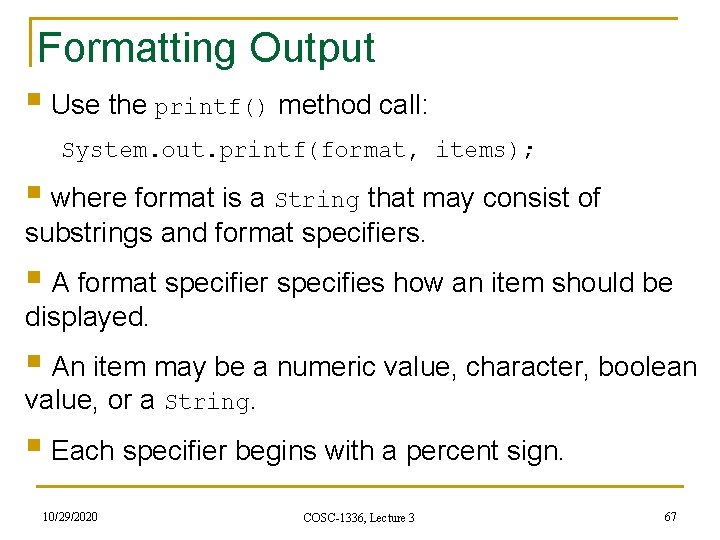
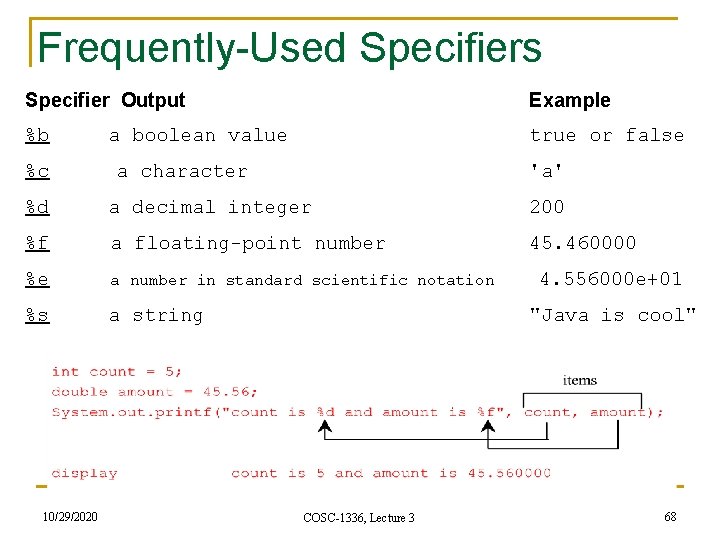
Formatting Output § Use the printf() method call: System. out. printf(format, items); § where format is a String that may consist of substrings and format specifiers. § A format specifier specifies how an item should be displayed. § An item may be a numeric value, character, boolean value, or a String. § Each specifier begins with a percent sign. 10/29/2020 COSC-1336, Lecture 3 67
Frequently-Used Specifiers Specifier Output %b Example a boolean value true or false %c a character %d 'a' a decimal integer %f a floating-point number 200 45. 460000 %e a number in standard scientific notation 4. 556000 e+01 %s a string 10/29/2020 "Java is cool" COSC-1336, Lecture 3 68
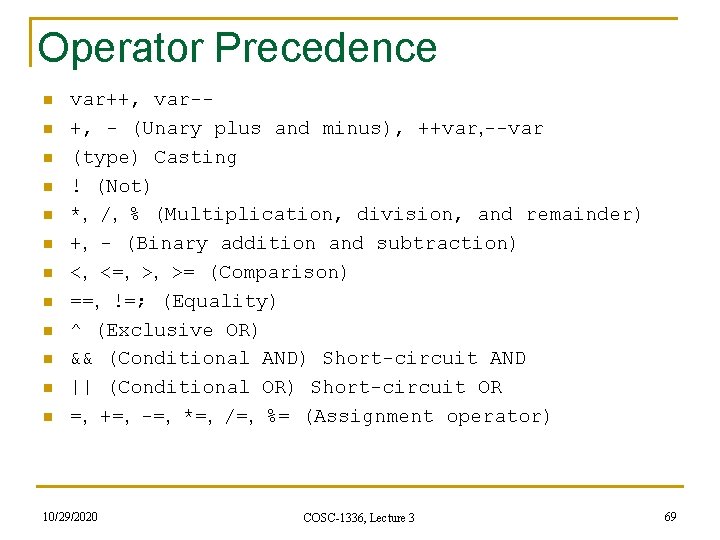
Operator Precedence n n n var++, var-+, - (Unary plus and minus), ++var, --var (type) Casting ! (Not) *, /, % (Multiplication, division, and remainder) +, - (Binary addition and subtraction) <, <=, >, >= (Comparison) ==, !=; (Equality) ^ (Exclusive OR) && (Conditional AND) Short-circuit AND || (Conditional OR) Short-circuit OR =, +=, -=, *=, /=, %= (Assignment operator) 10/29/2020 COSC-1336, Lecture 3 69
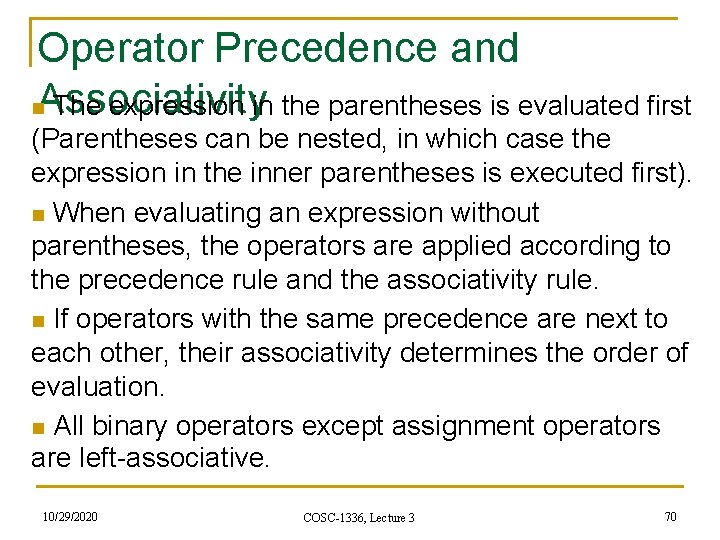
Operator Precedence and n. Associativity The expression in the parentheses is evaluated first (Parentheses can be nested, in which case the expression in the inner parentheses is executed first). n When evaluating an expression without parentheses, the operators are applied according to the precedence rule and the associativity rule. n If operators with the same precedence are next to each other, their associativity determines the order of evaluation. n All binary operators except assignment operators are left-associative. 10/29/2020 COSC-1336, Lecture 3 70
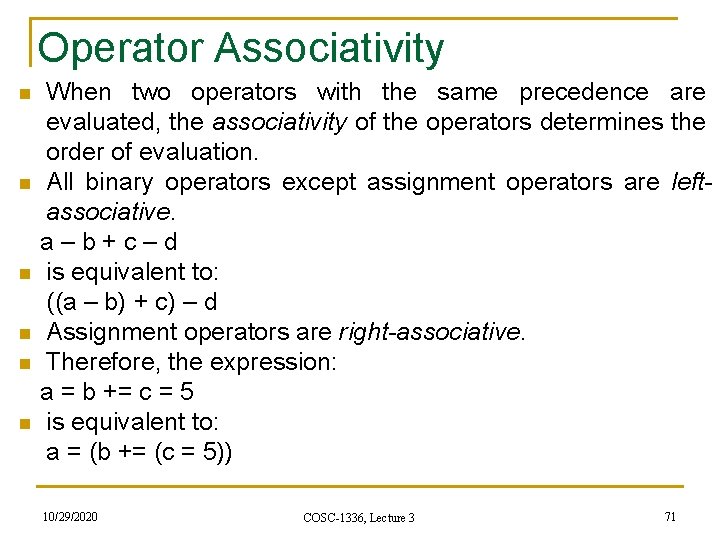
Operator Associativity When two operators with the same precedence are evaluated, the associativity of the operators determines the order of evaluation. n All binary operators except assignment operators are leftassociative. a – b + c – d n is equivalent to: ((a – b) + c) – d n Assignment operators are right-associative. n Therefore, the expression: a = b += c = 5 n is equivalent to: a = (b += (c = 5)) n 10/29/2020 COSC-1336, Lecture 3 71
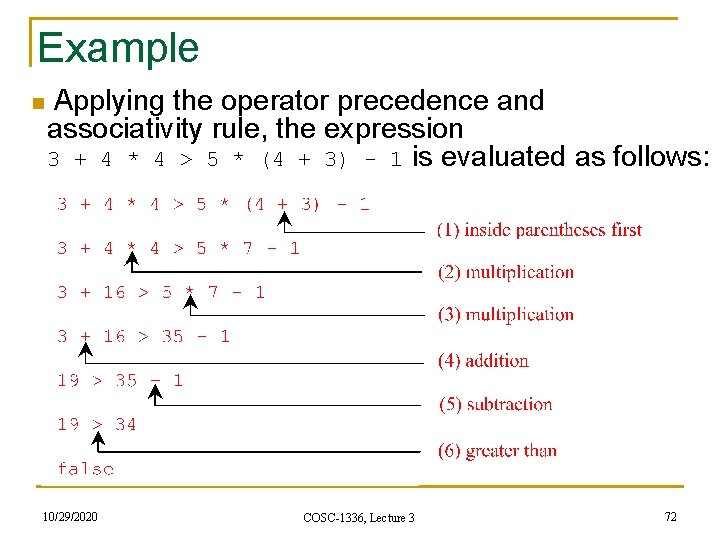
Example n Applying the operator precedence and associativity rule, the expression 3 + 4 * 4 > 5 * (4 + 3) - 1 is evaluated as follows: 10/29/2020 COSC-1336, Lecture 3 72
Summary F To declare boolean type and write Boolean expressions using comparison operators (§ 3. 2). F To program Addition. Quiz using Boolean expressions (§ 3. 3). F To implement selection control using one-way if statements (§ 3. 4) F To program the Guess. Birthday game using one-way if statements (§ 3. 5). F To implement selection control using two-way if statements (§ 3. 6). F To implement selection control using nested if statements (§ 3. 7). F To avoid common errors in if statements (§ 3. 8). F To program using selection statements for a variety of examples (BMI, Compute. Tax, Subtraction. Quiz) (§ 3. 9 -3. 11). 10/29/2020 COSC-1336, Lecture 3 73
Summary (cont. ) FTo combine conditions using logical operators (&&, ||, and !) (§ 3. 12). FTo program using selection statements with combined conditions (Leap. Year, Lottery) (§§ 3. 13 -3. 14). F To implement selection control using switch statements (§ 3. 15). FTo write expressions using the conditional operator (§ 3. 16). FTo format output using the System. out. printf() method and to format strings using the String. format() method (§ 3. 17). FTo examine the rules governing operator precedence and associativity (§ 3. 18). F(GUI) To get user confirmation using confirmation dialogs (§ 3. 19). 10/29/2020 COSC-1336, Lecture 3 74
Reading suggestions n From [Liang: Introduction to Java programming: Eight Edition, 2011 Pearson Education, 0132130807] q Chapter 3 (Selections) 10/29/2020 COSC-1336, Lecture 3 75
Coming up next n From [Liang: Introduction to Java programming: Eight Edition, 2011 Pearson Education, 0132130807] q Chapter 4 (Loops) 10/29/2020 COSC-1336, Lecture 3 76
Thank you for your attention! Questions? 10/29/2020 COSC-1336, Lecture 3 77