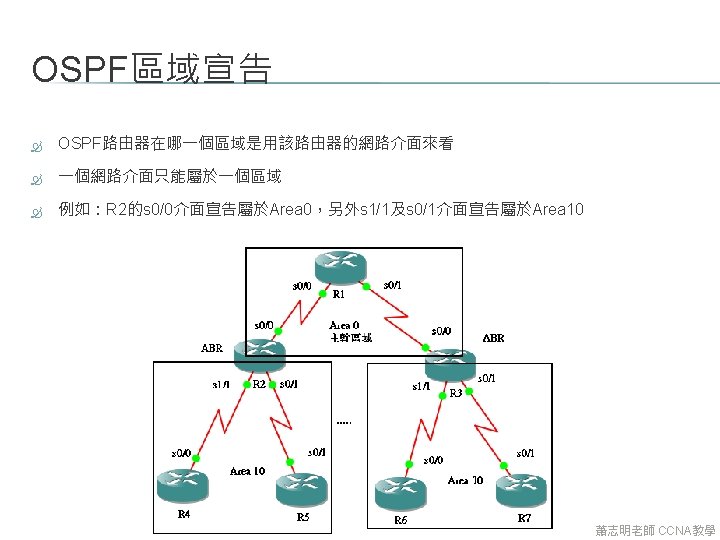
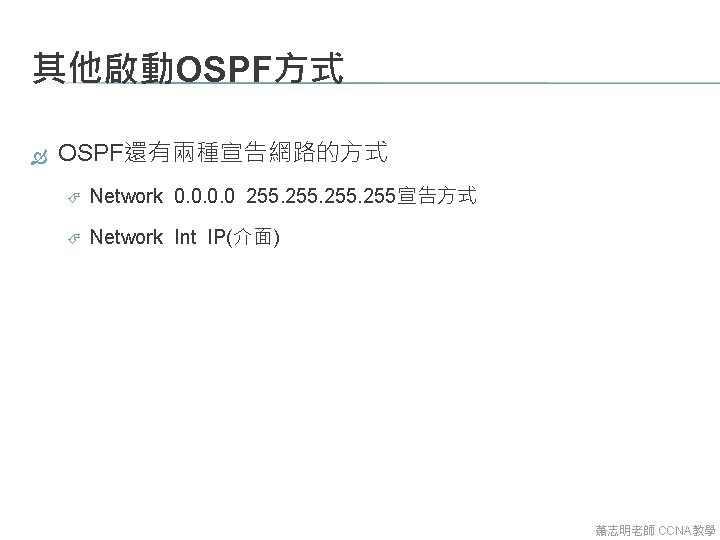
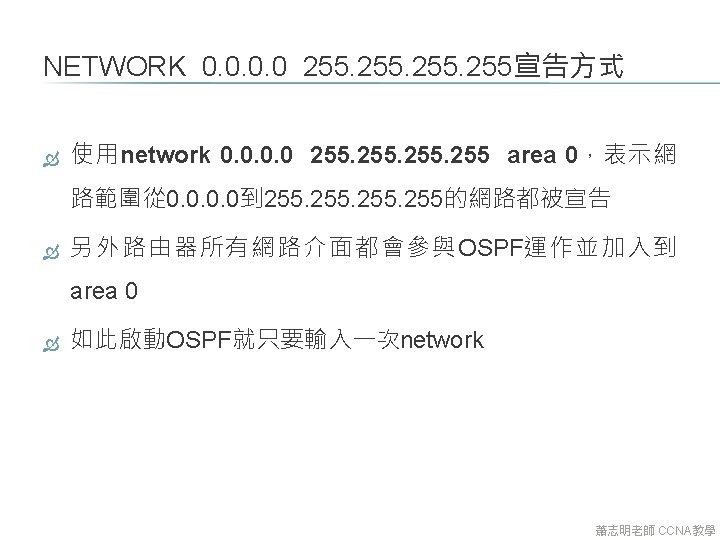
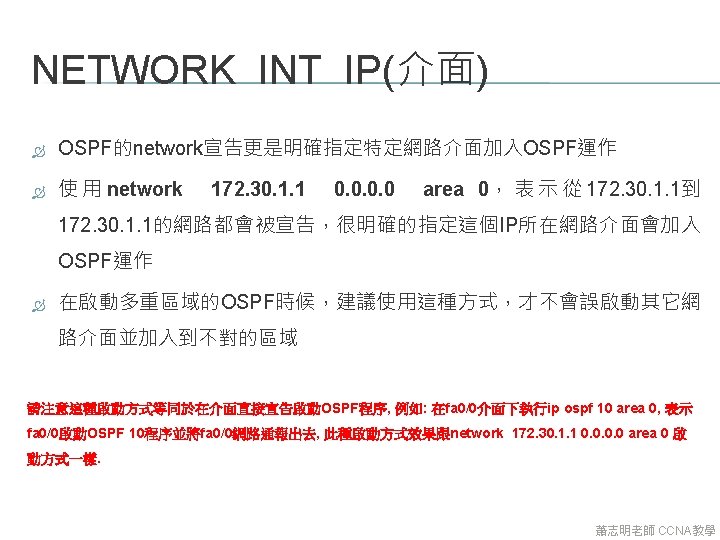
OSPF OSPF 10 Rconfigrouter ospf 10 Rconfigrouternetwork 172


- Slides: 156
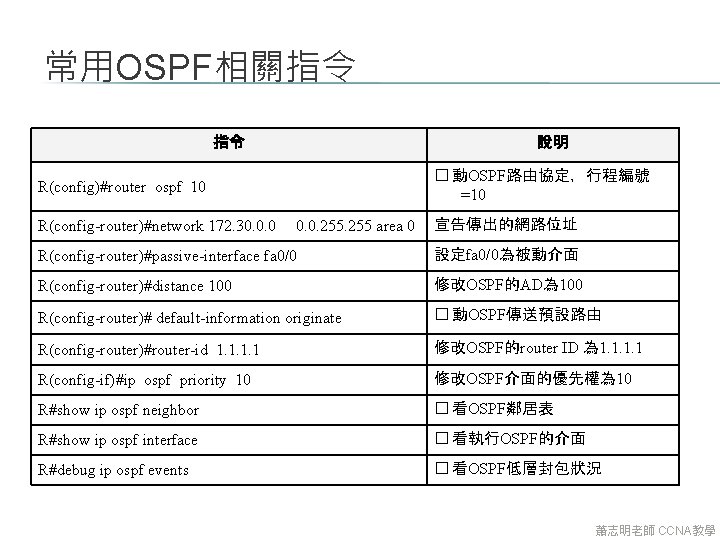
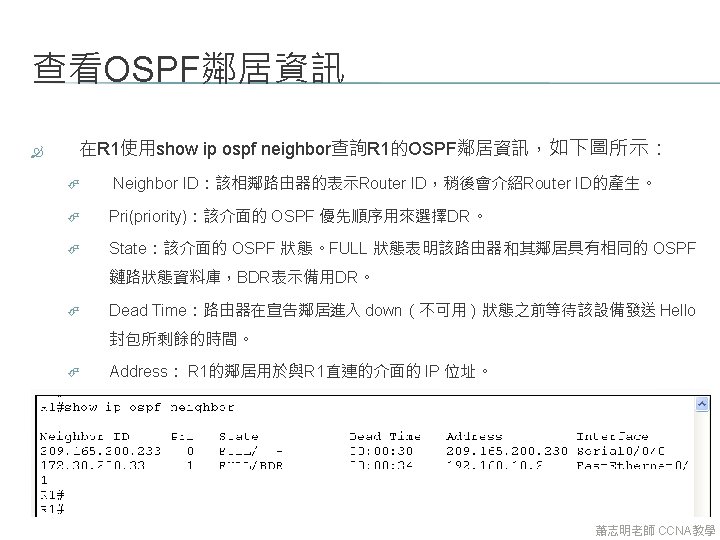
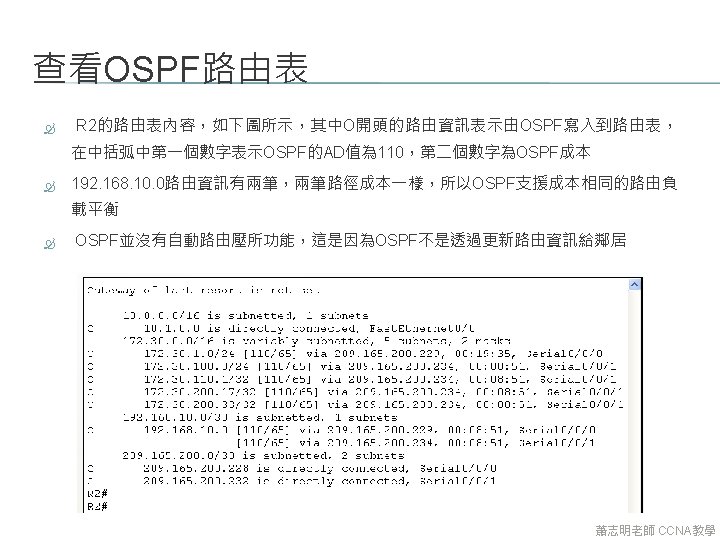
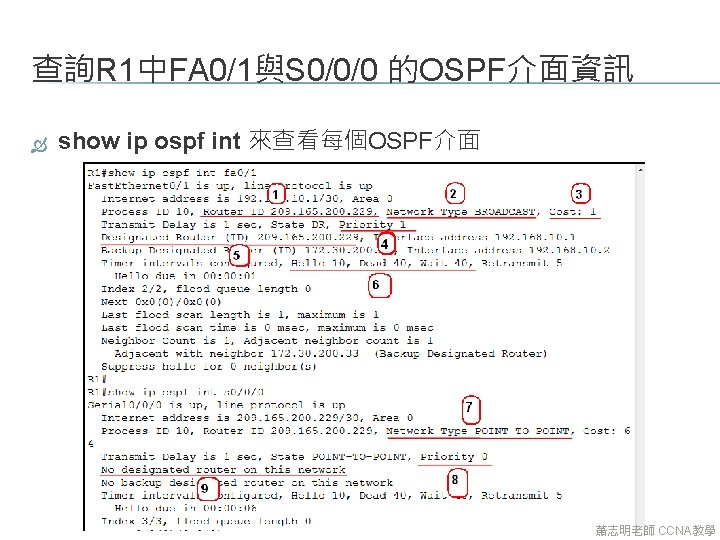
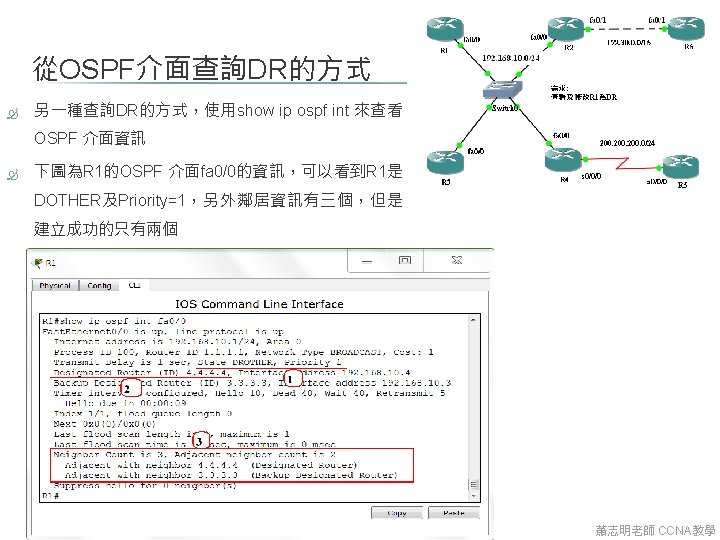
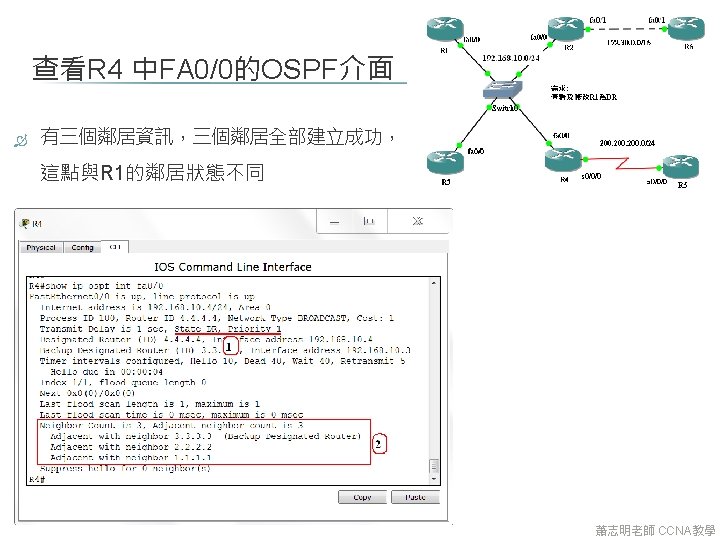
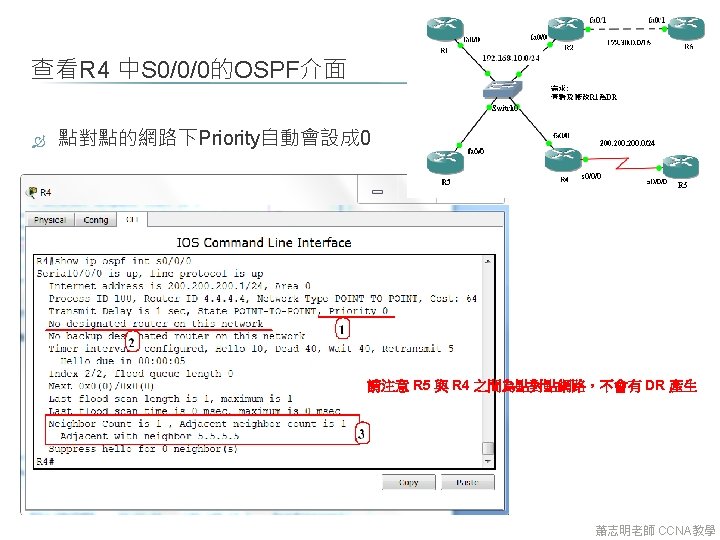
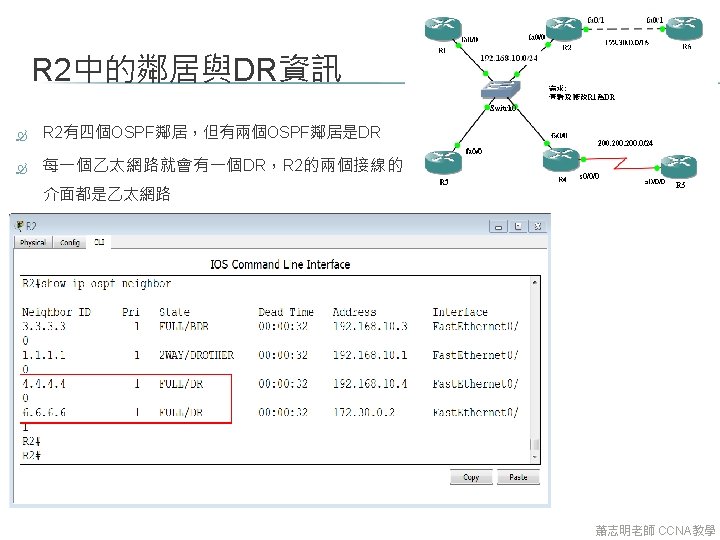
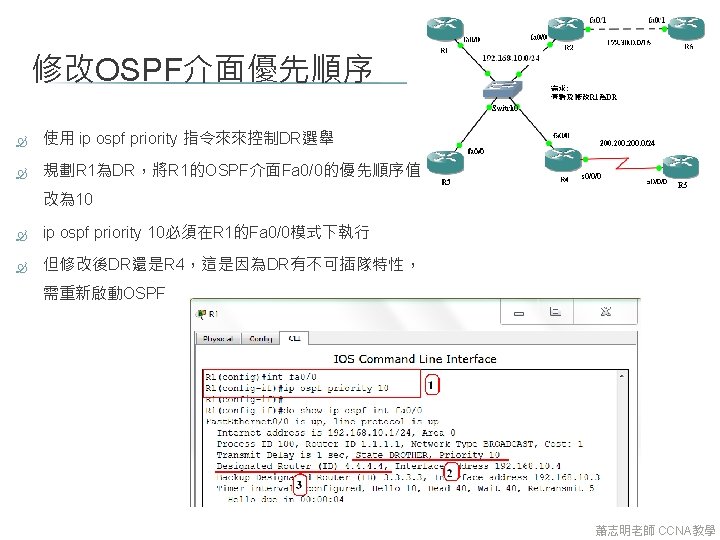
常用OSPF相關指令 指令 說明 � 動OSPF路由協定,行程編號 =10 R(config)#router ospf 10 R(config-router)#network 172. 30. 0. 0. 255 area 0 宣告傳出的網路位址 R(config-router)#passive-interface fa 0/0 設定fa 0/0為被動介面 R(config-router)#distance 100 修改OSPF的AD為 100 R(config-router)# default-information originate � 動OSPF傳送預設路由 R(config-router)#router-id 1. 1 修改OSPF的router ID 為 1. 1 R(config-if)#ip ospf priority 10 修改OSPF介面的優先權為 10 R#show ip ospf neighbor � 看OSPF鄰居表 R#show ip ospf interface � 看執行OSPF的介面 R#debug ip ospf events � 看OSPF低層封包狀況 蕭志明老師 CCNA教學
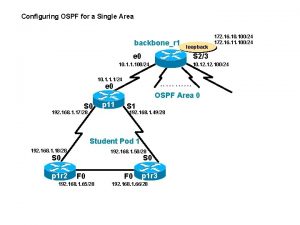
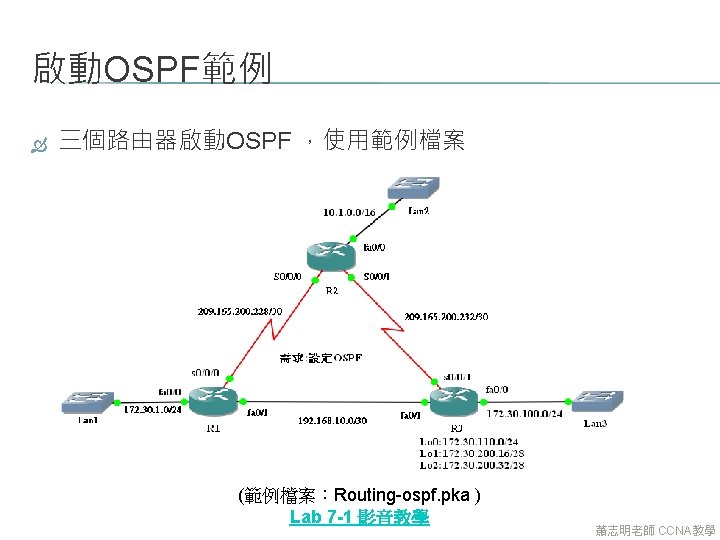
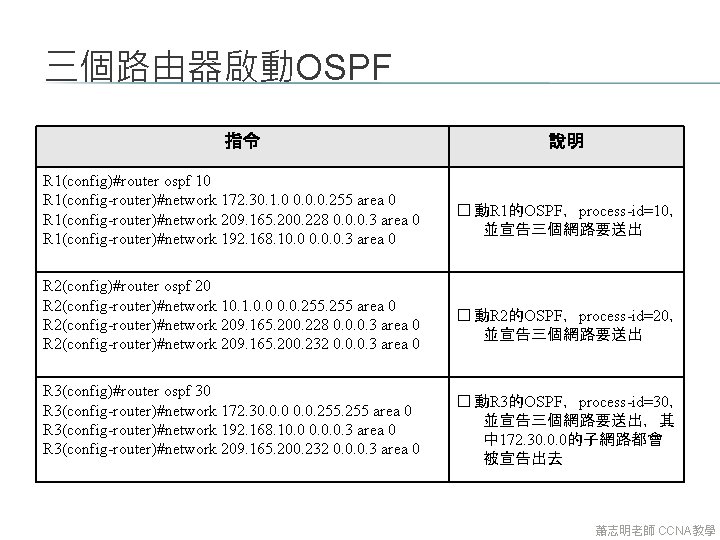
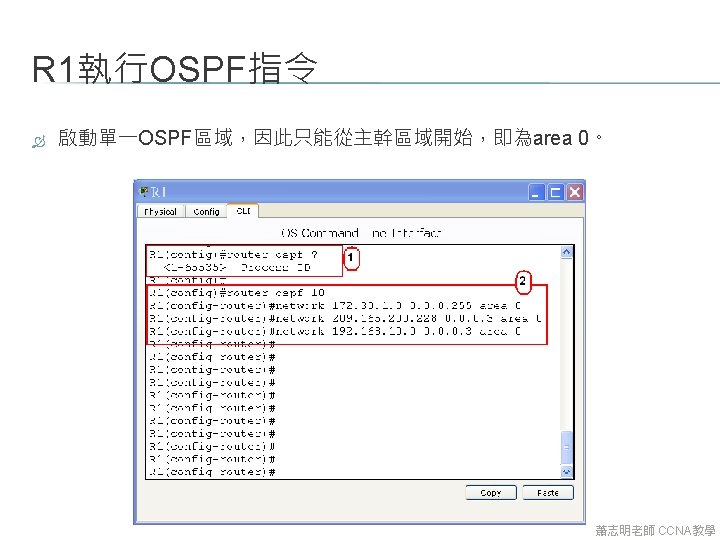
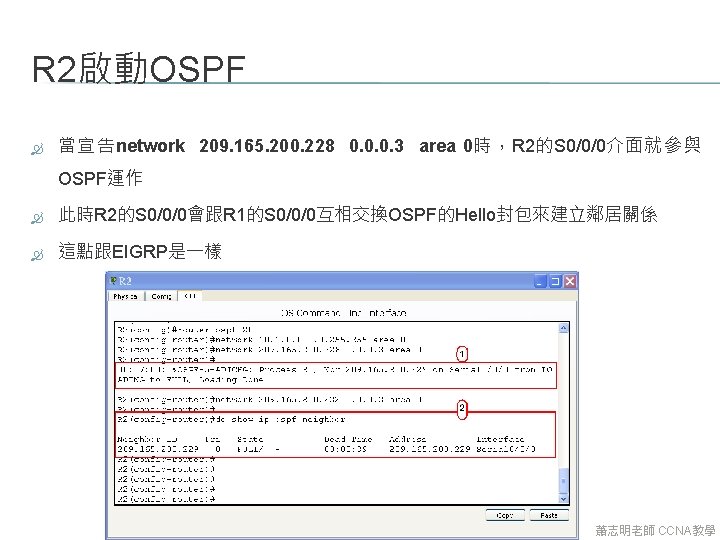
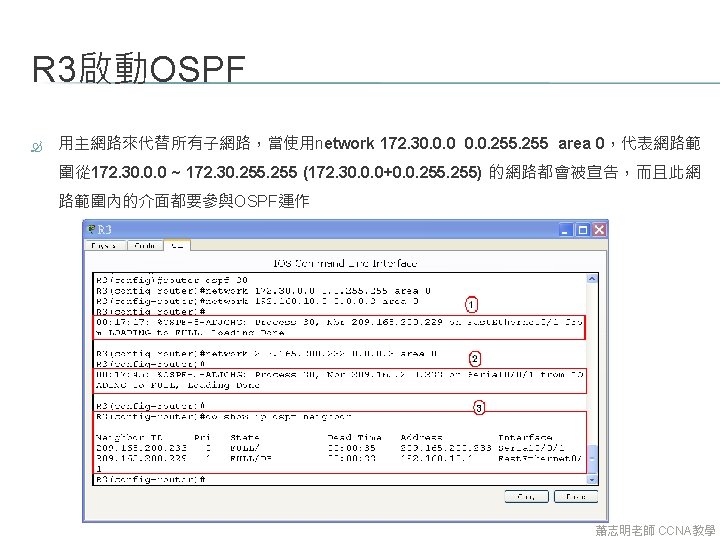
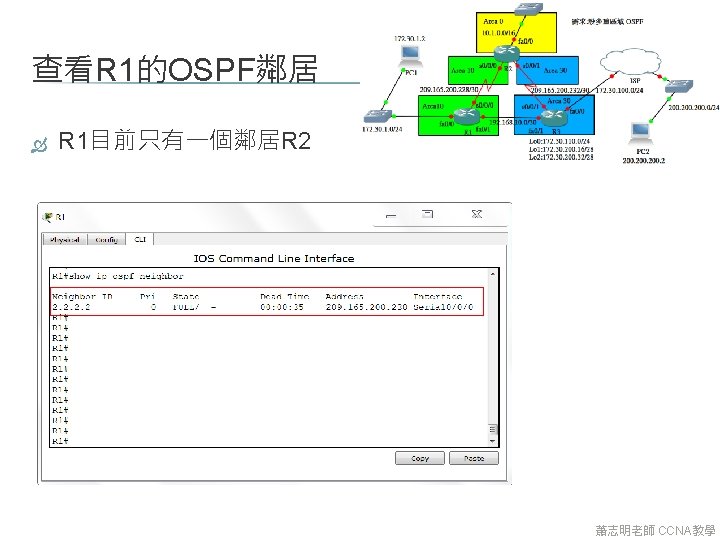
三個路由器啟動OSPF 指令 R 1(config)#router ospf 10 R 1(config-router)#network 172. 30. 1. 0 0. 0. 0. 255 area 0 R 1(config-router)#network 209. 165. 200. 228 0. 0. 0. 3 area 0 R 1(config-router)#network 192. 168. 10. 0. 0. 3 area 0 R 2(config)#router ospf 20 R 2(config-router)#network 10. 1. 0. 0. 255 area 0 R 2(config-router)#network 209. 165. 200. 228 0. 0. 0. 3 area 0 R 2(config-router)#network 209. 165. 200. 232 0. 0. 0. 3 area 0 R 3(config)#router ospf 30 R 3(config-router)#network 172. 30. 0. 0. 255 area 0 R 3(config-router)#network 192. 168. 10. 0. 0. 3 area 0 R 3(config-router)#network 209. 165. 200. 232 0. 0. 0. 3 area 0 說明 � 動R 1的OSPF,process-id=10, 並宣告三個網路要送出 � 動R 2的OSPF,process-id=20, 並宣告三個網路要送出 � 動R 3的OSPF,process-id=30, 並宣告三個網路要送出,其 中 172. 30. 0. 0的子網路都會 被宣告出去 蕭志明老師 CCNA教學
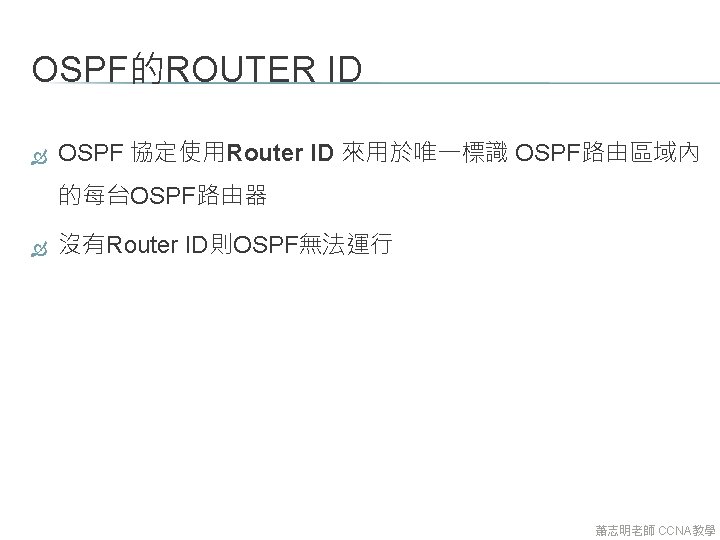
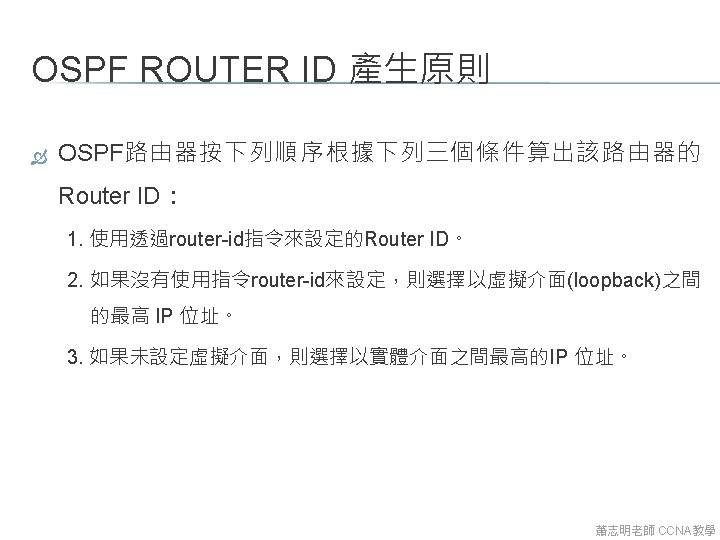
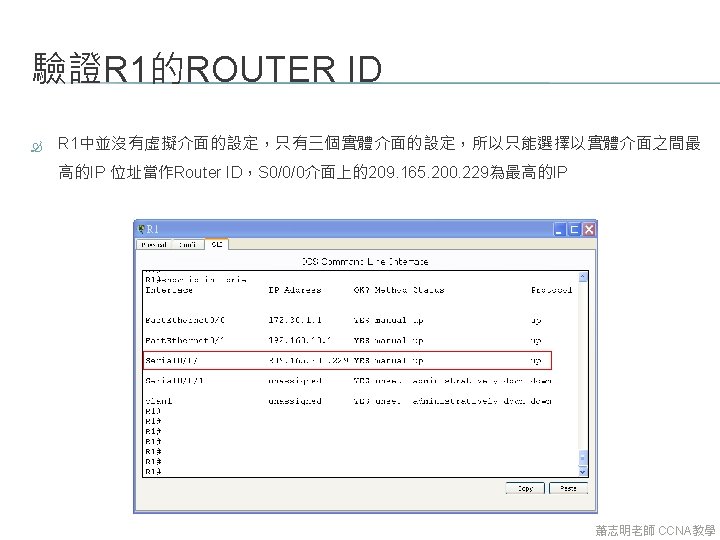
7. 3 OSPF的ROUTER ID 蕭志明老師 CCNA教學
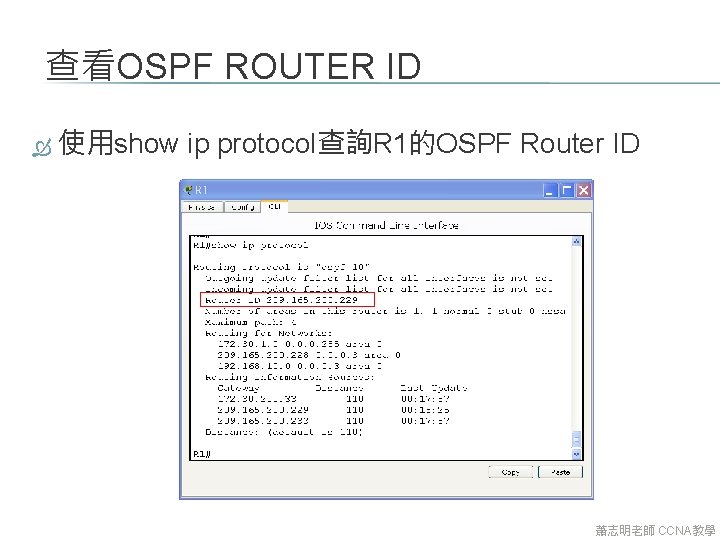
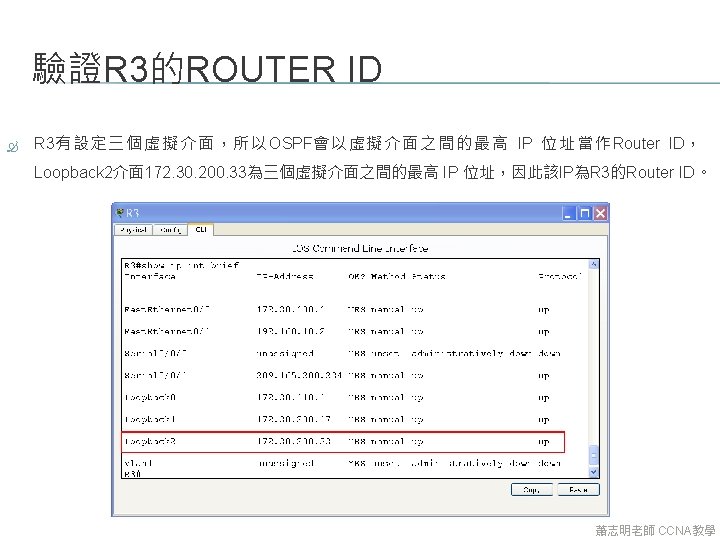
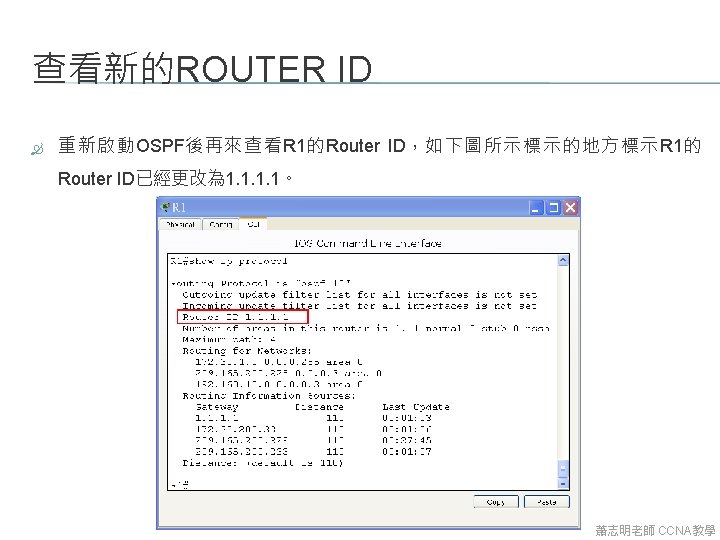
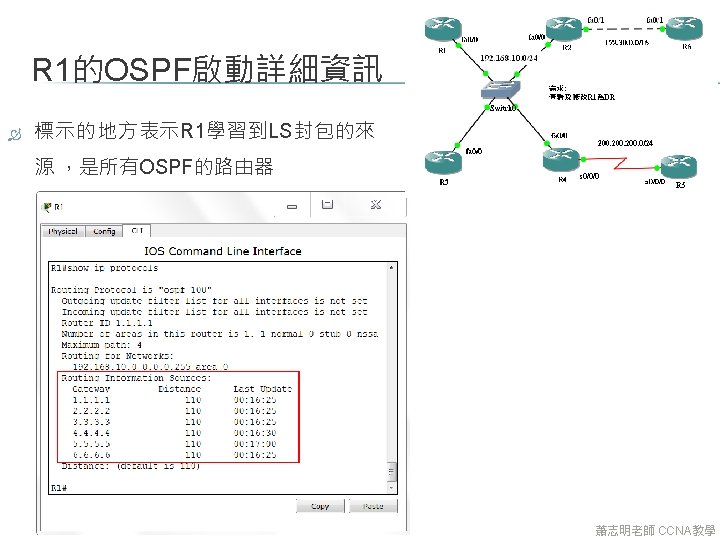
查看OSPF ROUTER ID 使用show ip protocol查詢R 1的OSPF Router ID 蕭志明老師 CCNA教學
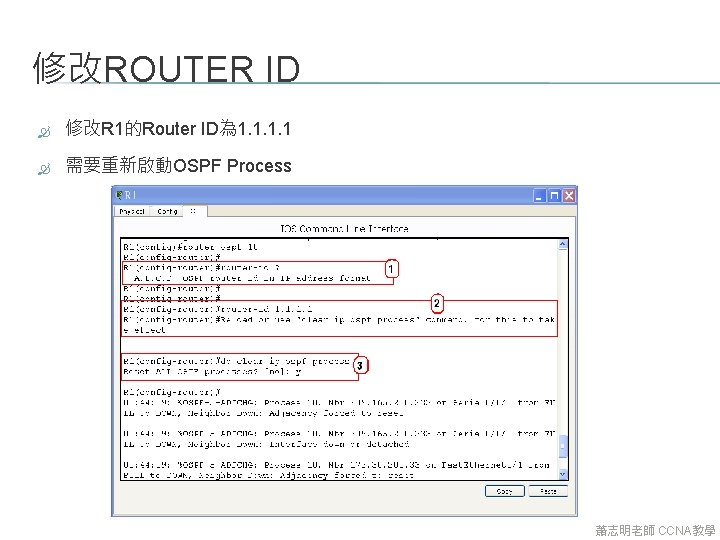
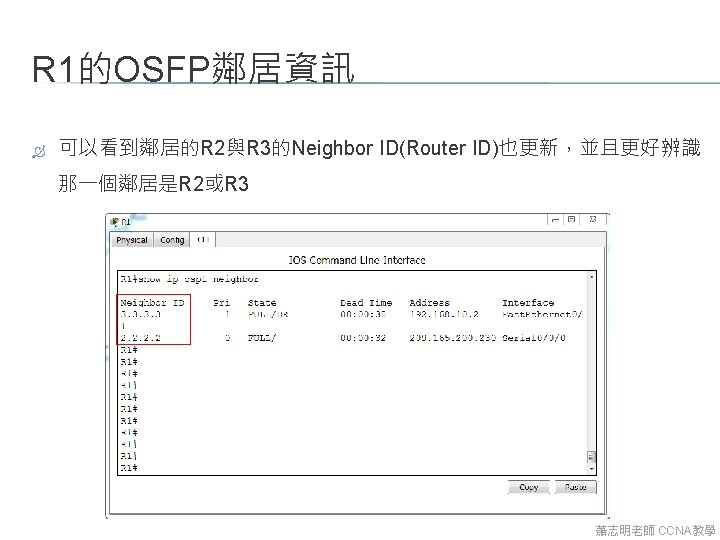
修改ROUTER ID 修改R 1的Router ID為 1. 1 需要重新啟動OSPF Process 蕭志明老師 CCNA教學
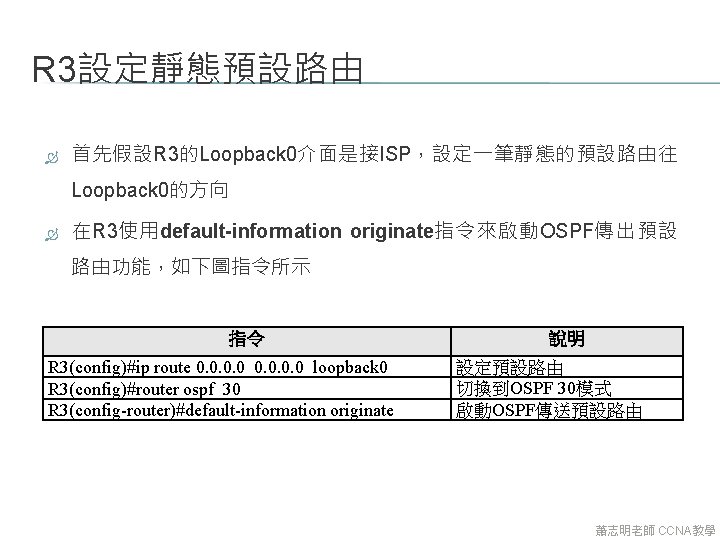
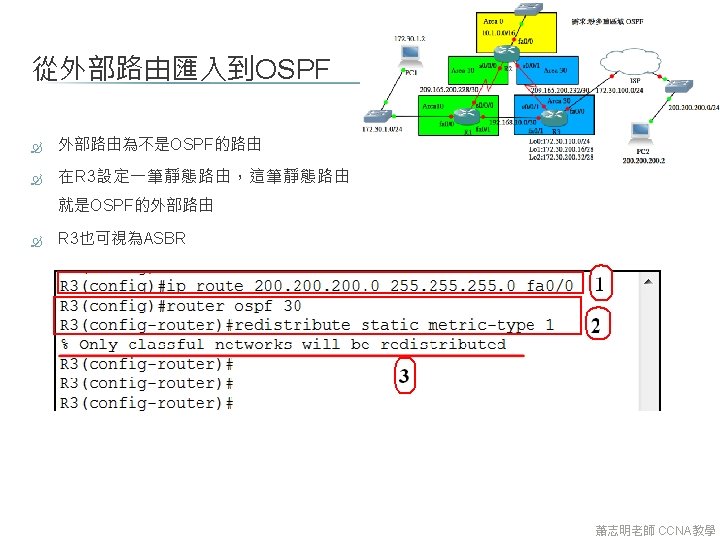
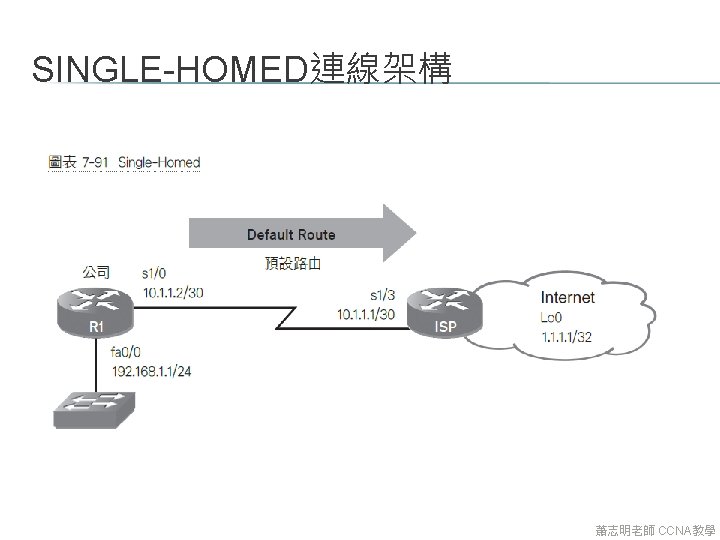
R 3設定靜態預設路由 首先假設R 3的Loopback 0介面是接ISP,設定一筆靜態的預設路由往 Loopback 0的方向 在R 3使用default-information originate指令來啟動OSPF傳出預設 路由功能,如下圖指令所示 指令 R 3(config)#ip route 0. 0 loopback 0 R 3(config)#router ospf 30 R 3(config-router)#default-information originate 說明 設定預設路由 切換到OSPF 30模式 啟動OSPF傳送預設路由 蕭志明老師 CCNA教學
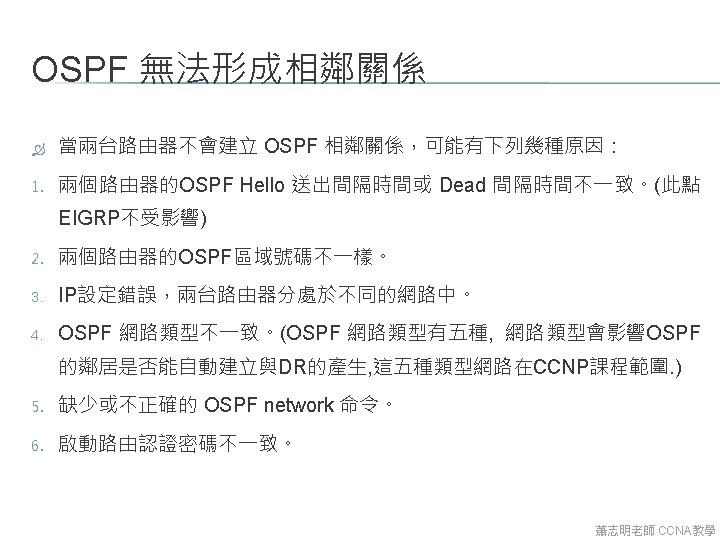
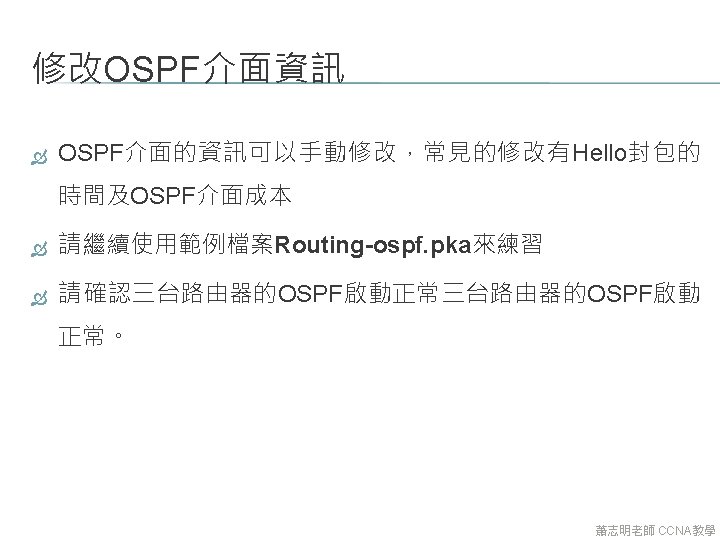
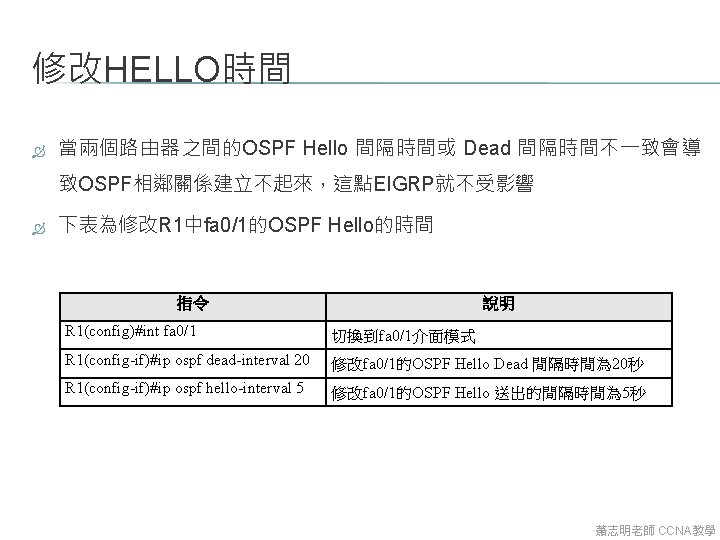
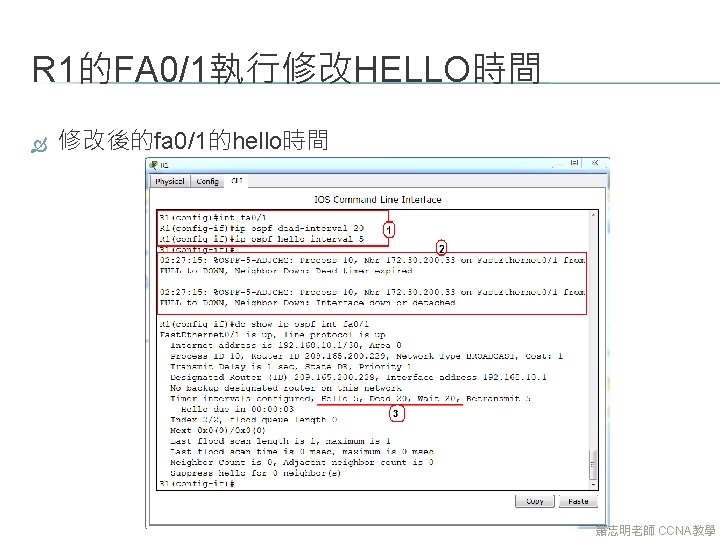
修改HELLO時間 當兩個路由器之間的OSPF Hello 間隔時間或 Dead 間隔時間不一致會導 致OSPF相鄰關係建立不起來,這點EIGRP就不受影響 下表為修改R 1中fa 0/1的OSPF Hello的時間 指令 說明 R 1(config)#int fa 0/1 切換到fa 0/1介面模式 R 1(config-if)#ip ospf dead-interval 20 修改fa 0/1的OSPF Hello Dead 間隔時間為 20秒 R 1(config-if)#ip ospf hello-interval 5 修改fa 0/1的OSPF Hello 送出的間隔時間為 5秒 蕭志明老師 CCNA教學
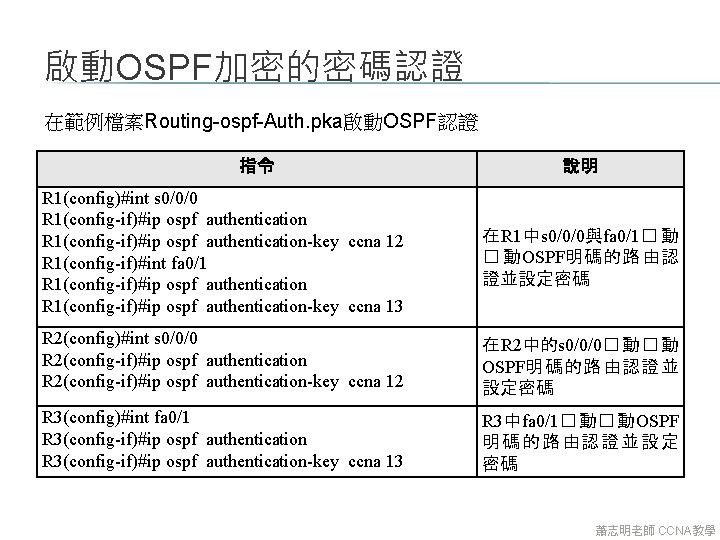
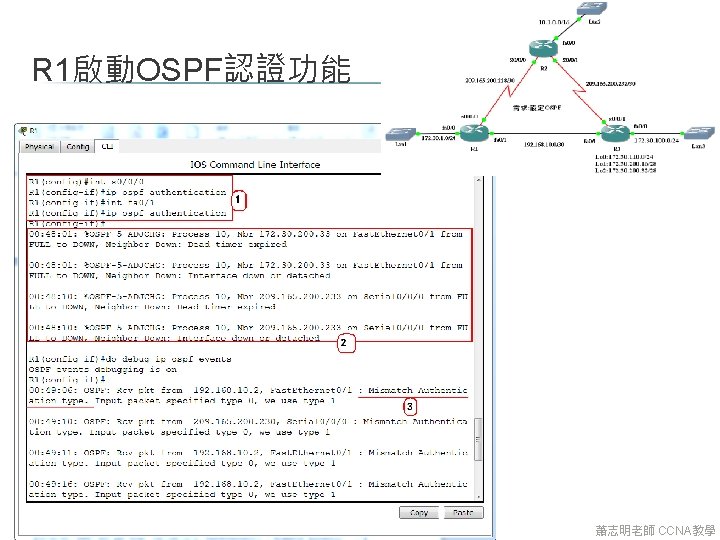
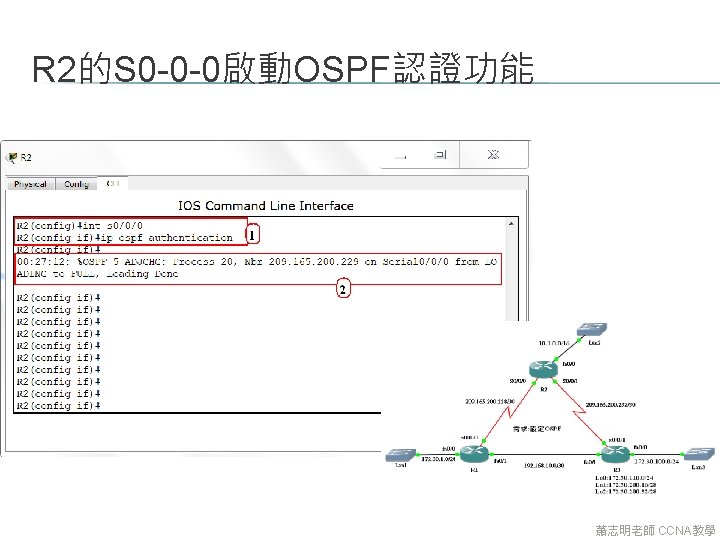
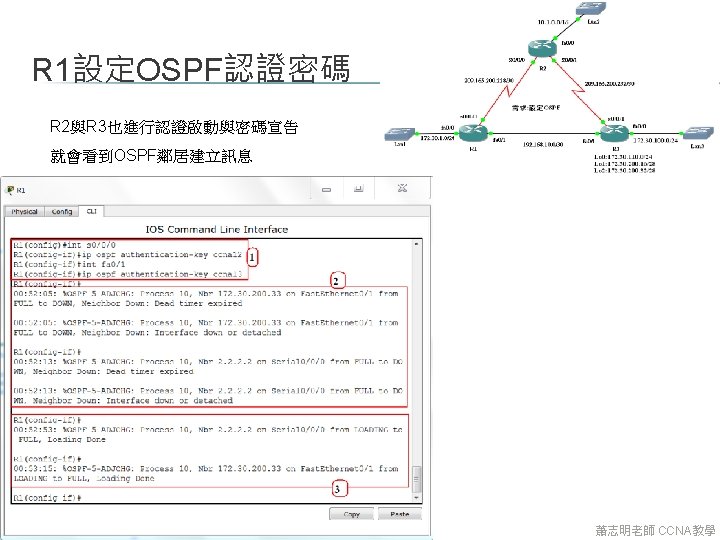
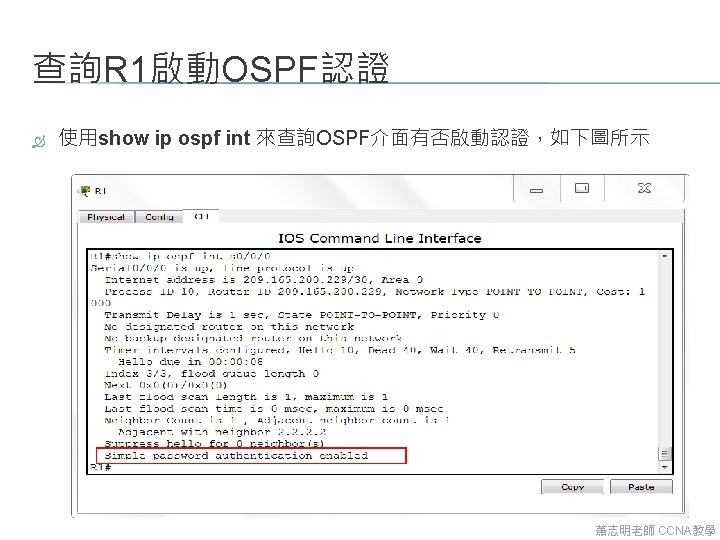
啟動OSPF加密的密碼認證 在範例檔案Routing-ospf-Auth. pka啟動OSPF認證 指令 說明 R 1(config)#int s 0/0/0 R 1(config-if)#ip ospf authentication-key ccna 12 R 1(config-if)#int fa 0/1 R 1(config-if)#ip ospf authentication-key ccna 13 在R 1中s 0/0/0與fa 0/1� 動 � 動OSPF明碼的路由認 證並設定密碼 R 2(config)#int s 0/0/0 R 2(config-if)#ip ospf authentication-key ccna 12 在R 2中的s 0/0/0� 動� 動 OSPF明碼的路由認證並 設定密碼 R 3(config)#int fa 0/1 R 3(config-if)#ip ospf authentication-key ccna 13 R 3中fa 0/1� 動� 動OSPF 明碼的路由 認 證 並設 定 密碼 蕭志明老師 CCNA教學
五種網路類型 在OSPF定義了五種網路類型: 1. 點對點(P 2 P,Point to Point) 2. 廣播多重存取(BMA,Broadcast Multiple Access) 3. 非廣播多重存取 (NBMA,Non-Broadcast Multiple Access) 4. 點對多點(P 2 M,Point to Many) 5. 虛擬連結(Virtual Link) 蕭志明老師 CCNA教學
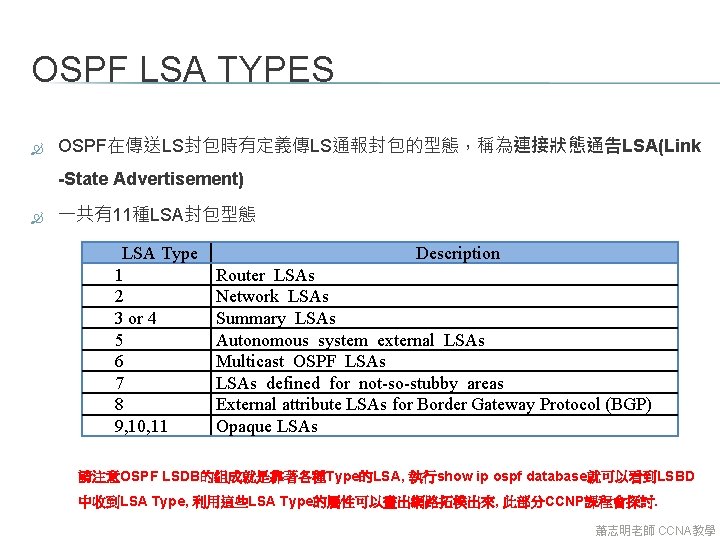
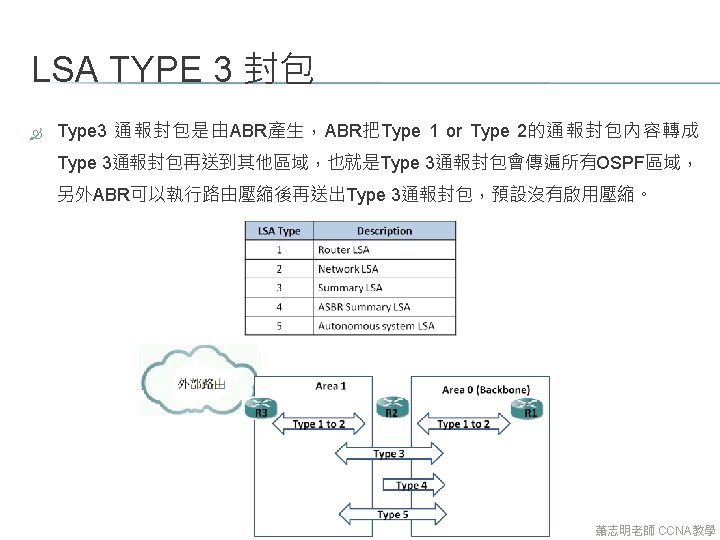
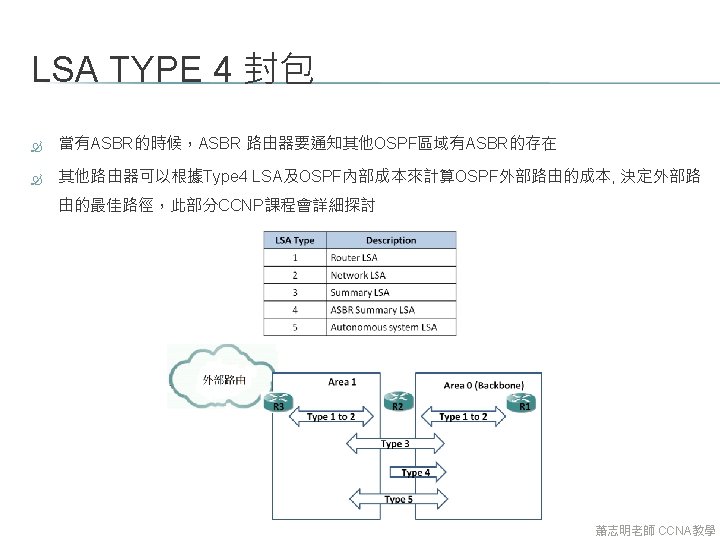
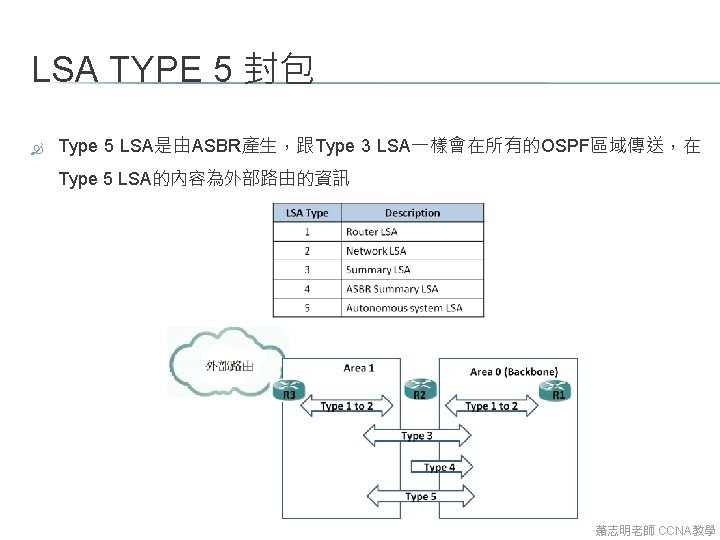
OSPF LSA TYPES OSPF在傳送LS封包時有定義傳LS通報封包的型態,稱為連接狀態通告LSA(Link -State Advertisement) 一共有11種LSA封包型態 LSA Type 1 2 3 or 4 5 6 7 8 9, 10, 11 Description Router LSAs Network LSAs Summary LSAs Autonomous system external LSAs Multicast OSPF LSAs defined for not-so-stubby areas External attribute LSAs for Border Gateway Protocol (BGP) Opaque LSAs 請注意OSPF LSDB的組成就是靠著各種Type的LSA, 執行show ip ospf database就可以看到LSBD 中收到LSA Type, 利用這些LSA Type的屬性可以畫出網路拓樸出來, 此部分CCNP課程會探討. 蕭志明老師 CCNA教學
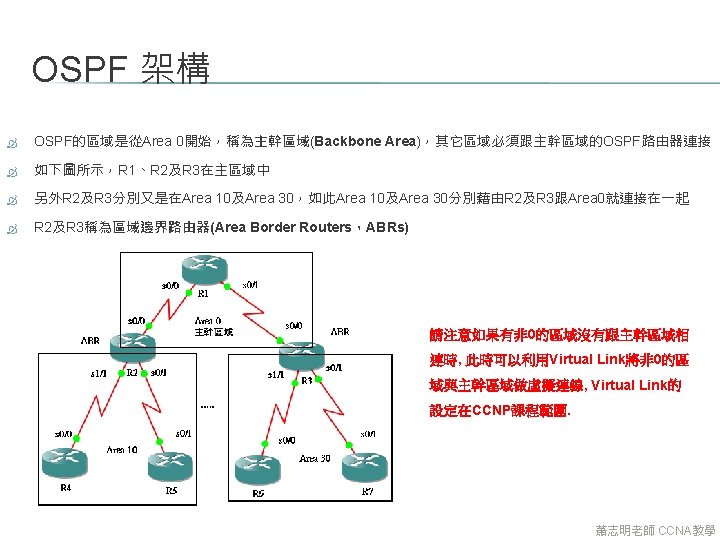
7. 11 啟動 MULTIAREA OSPF 蕭志明老師 CCNA教學
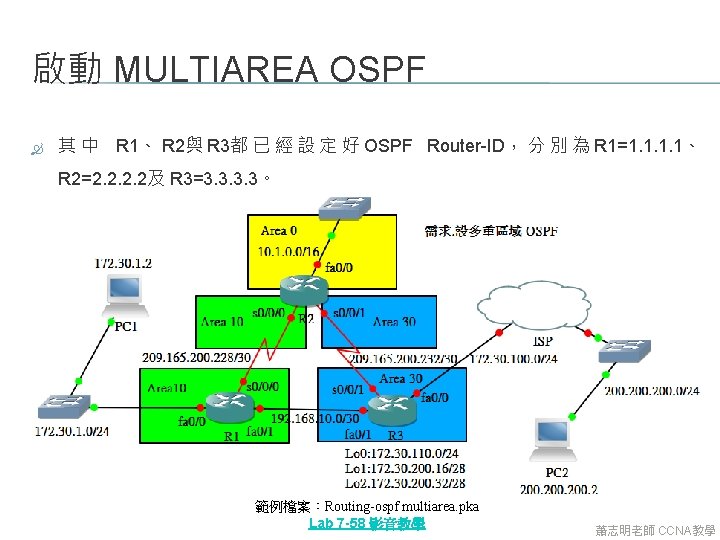
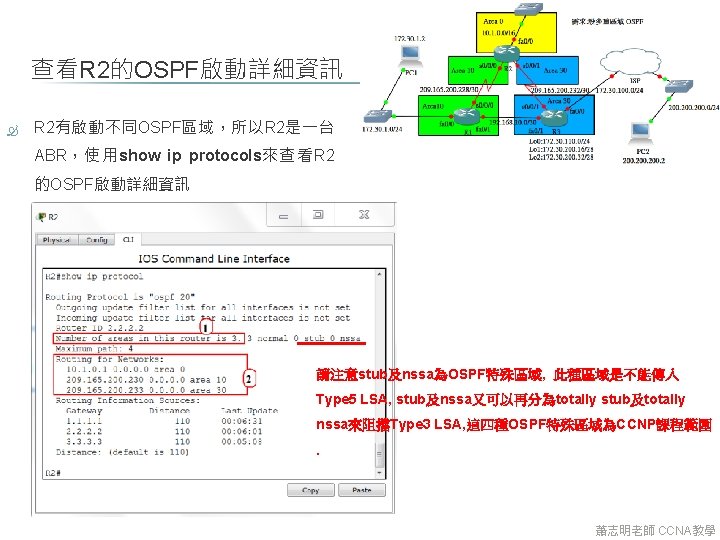
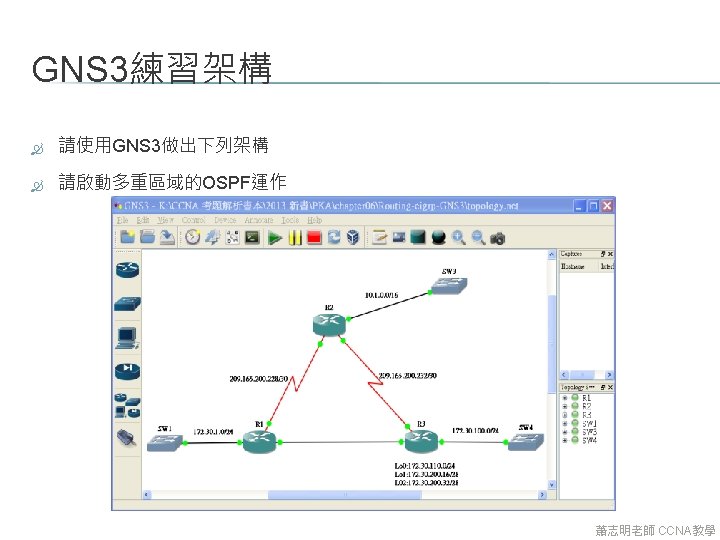
啟動 MULTIAREA OSPF 其 中 R 1、 R 2與 R 3都 已 經 設 定 好 OSPF Router-ID, 分 別 為 R 1=1. 1、 R 2=2. 2及 R 3=3. 3。 範例檔案:Routing-ospf multiarea. pka Lab 7 -58 影音教學 蕭志明老師 CCNA教學
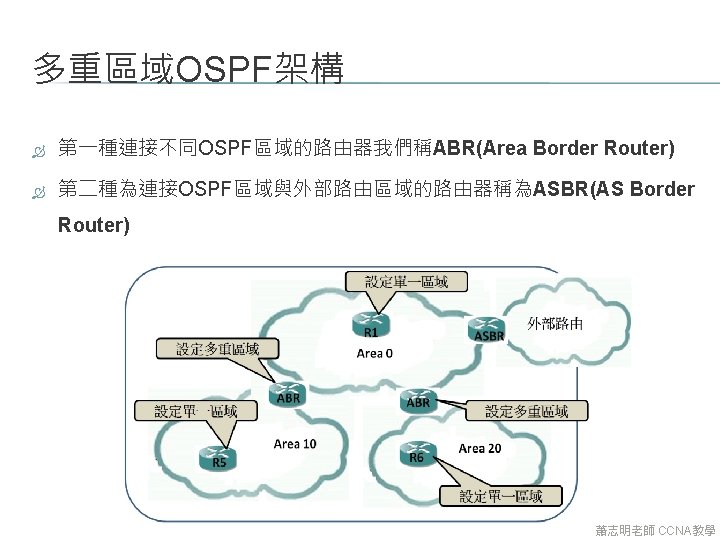
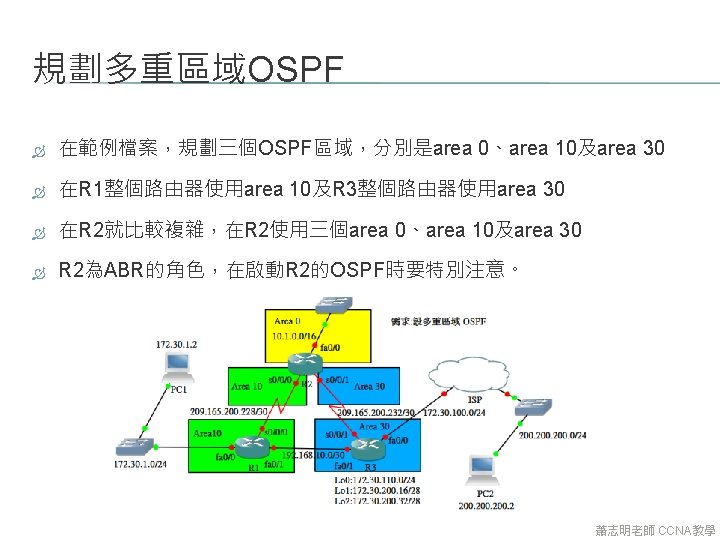
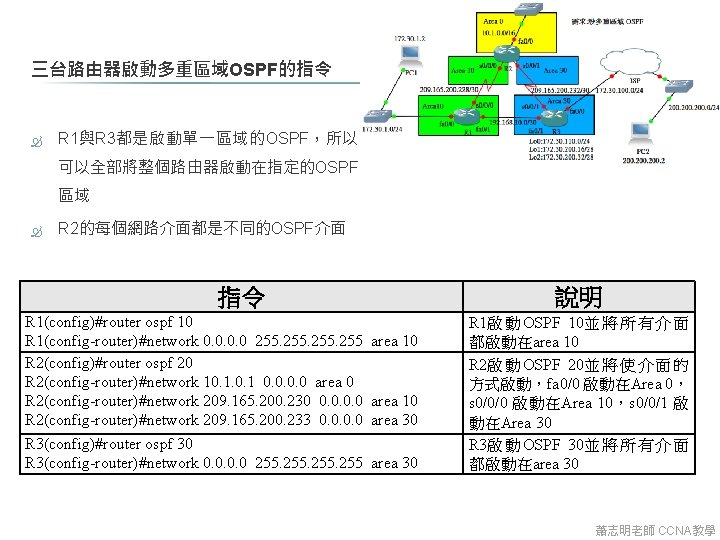
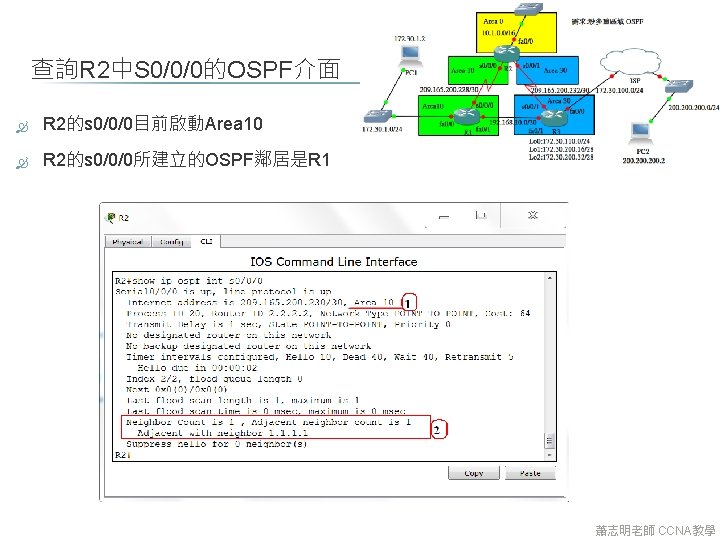
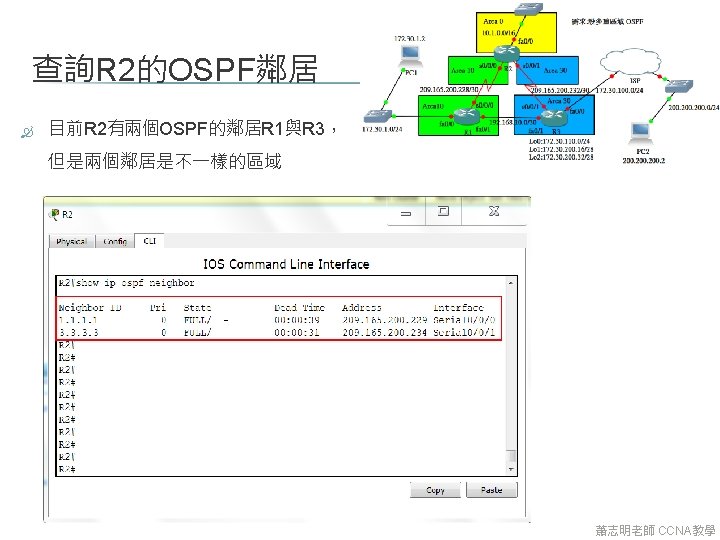
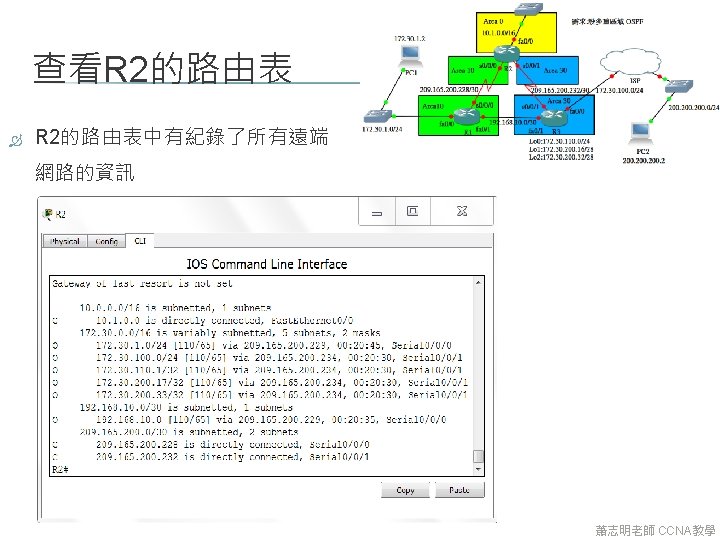
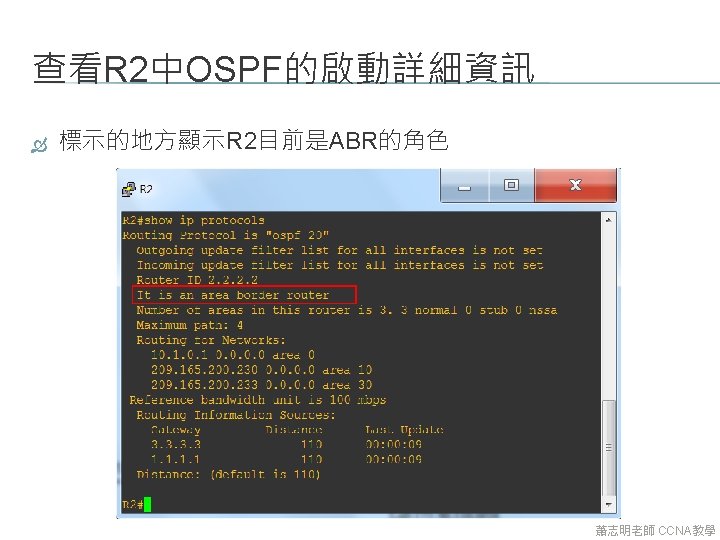
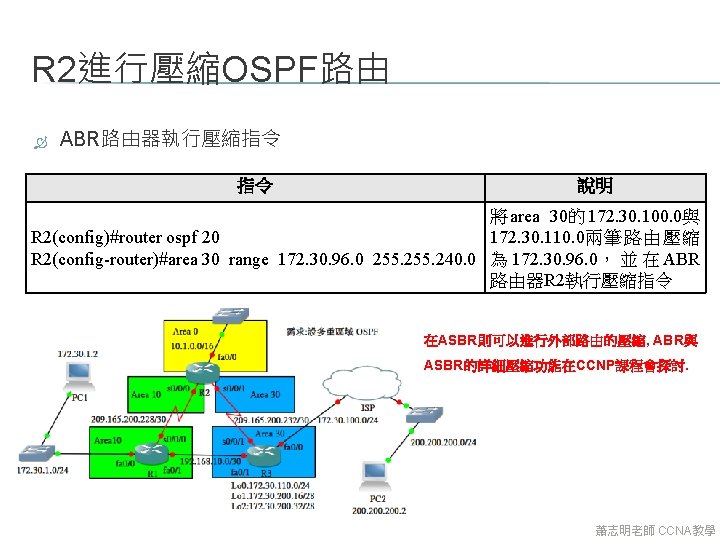
三台路由器啟動多重區域OSPF的指令 R 1與R 3都是啟動單一區域的OSPF,所以 可以全部將整個路由器啟動在指定的OSPF 區域 R 2的每個網路介面都是不同的OSPF介面 指令 R 1(config)#router ospf 10 R 1(config-router)#network 0. 0 255 R 2(config)#router ospf 20 R 2(config-router)#network 10. 1 0. 0 area 0 R 2(config-router)#network 209. 165. 200. 230 0. 0 R 2(config-router)#network 209. 165. 200. 233 0. 0 R 3(config)#router ospf 30 R 3(config-router)#network 0. 0 255 說明 area 10 area 30 R 1啟 動 OSPF 10並 將 所 有 介 面 都啟動在area 10 R 2啟 動 OSPF 20並 將 使 介 面 的 方式啟動,fa 0/0 啟動在Area 0, s 0/0/0 啟動在Area 10,s 0/0/1 啟 動在Area 30 R 3啟 動 OSPF 30並 將 所 有 介 面 都啟動在area 30 蕭志明老師 CCNA教學
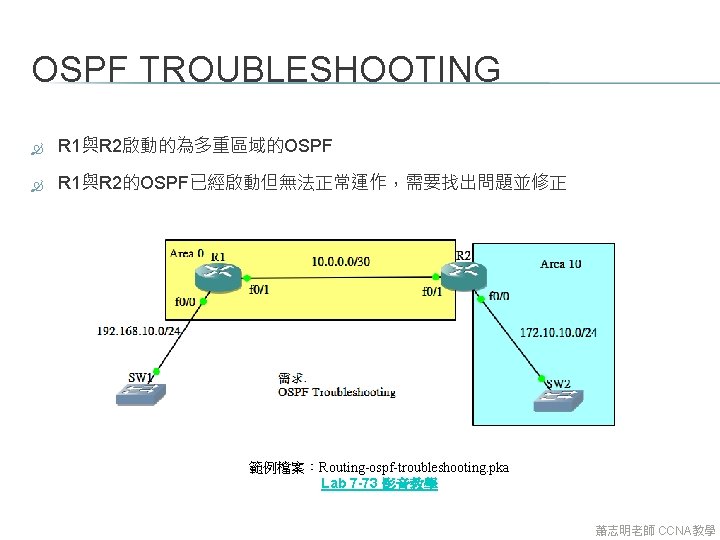
7. 13 OSPF 故障排除(TROUBLESHOOTING) 蕭志明老師 CCNA教學
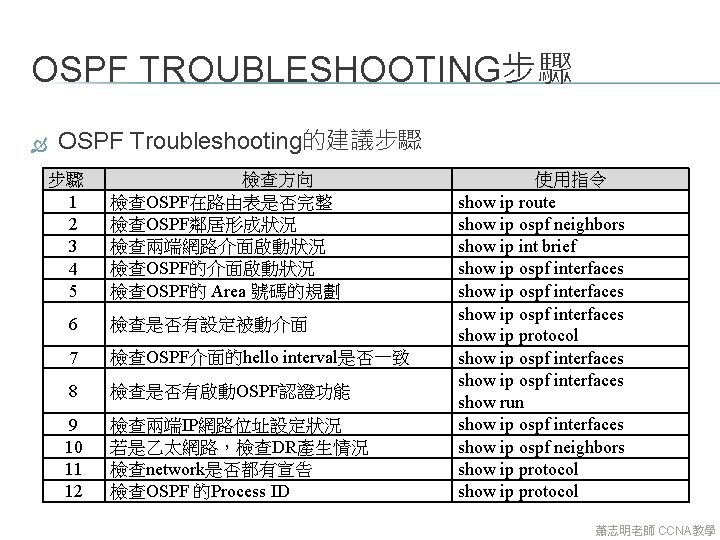
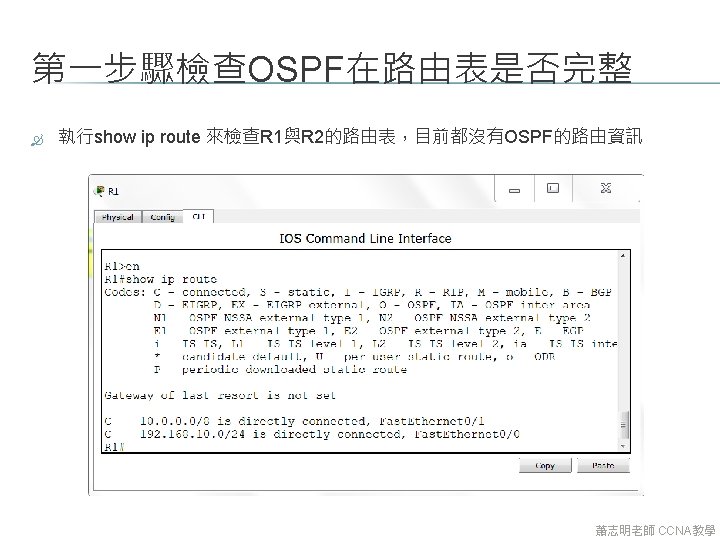
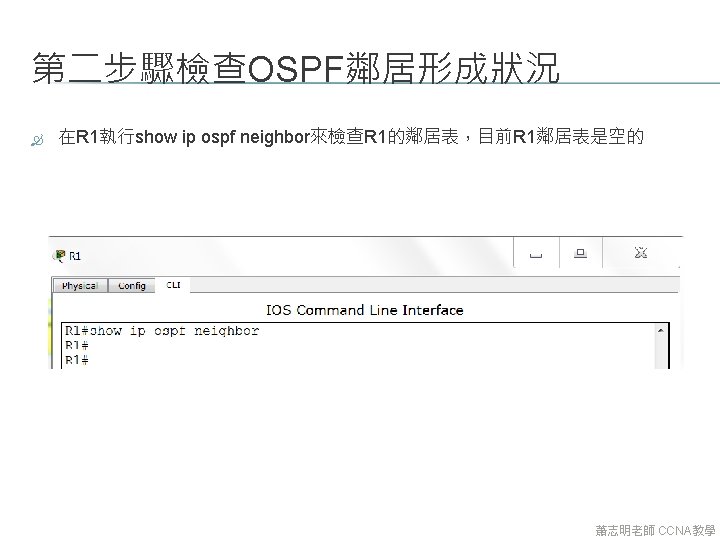
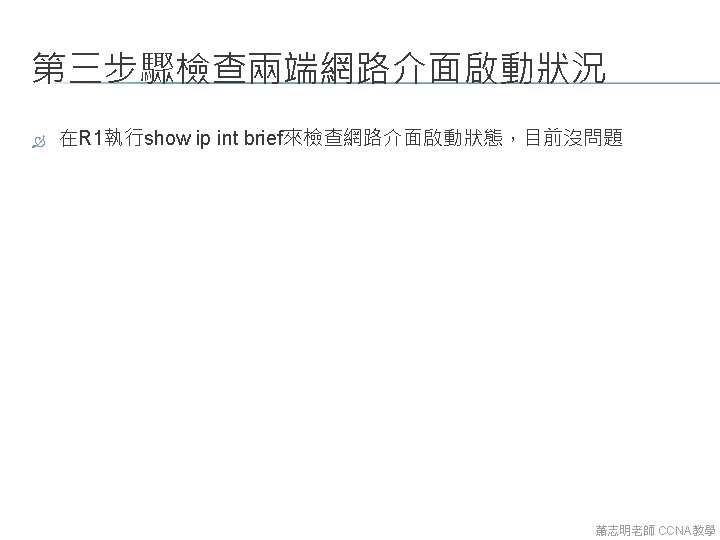
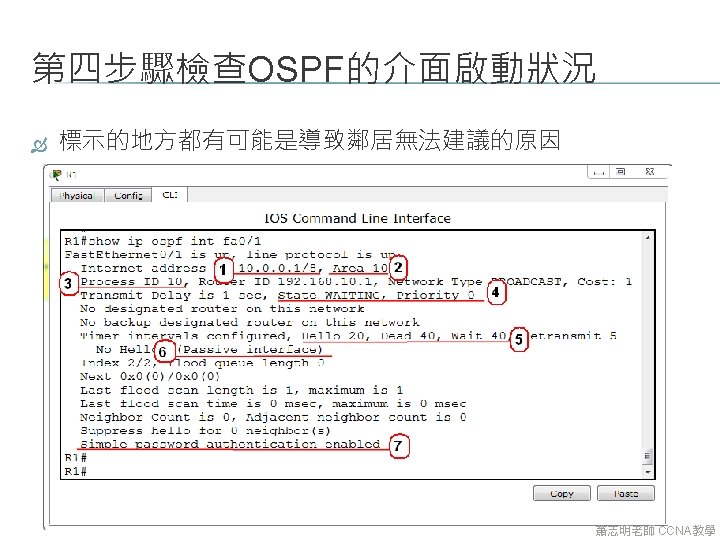
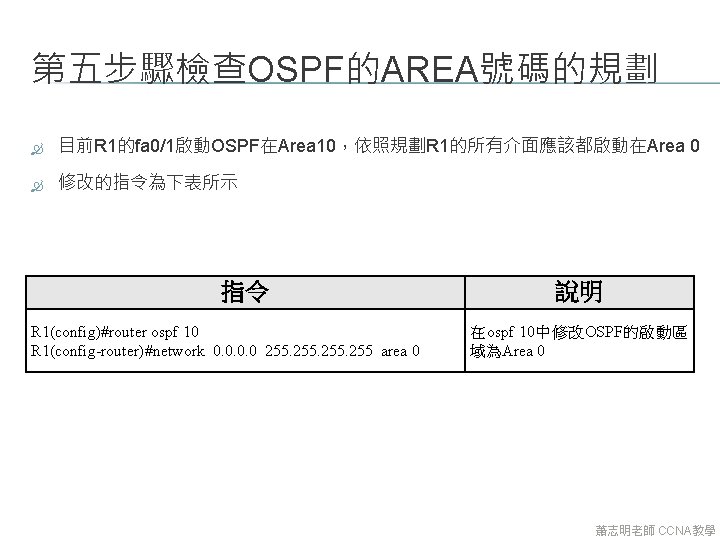
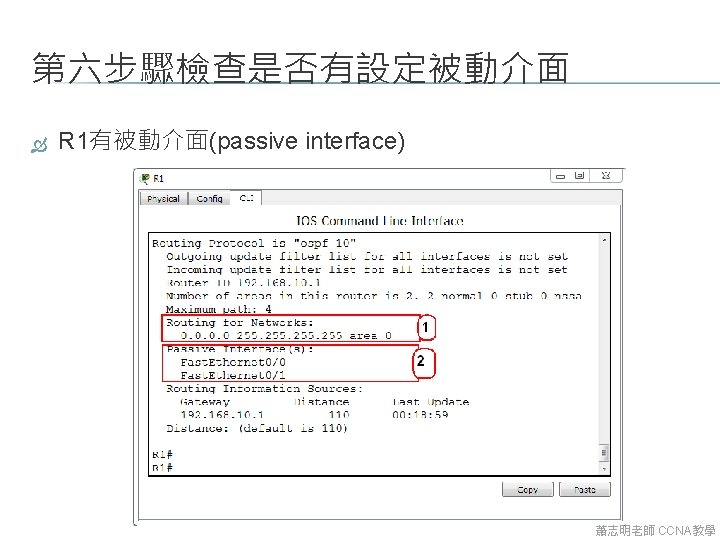
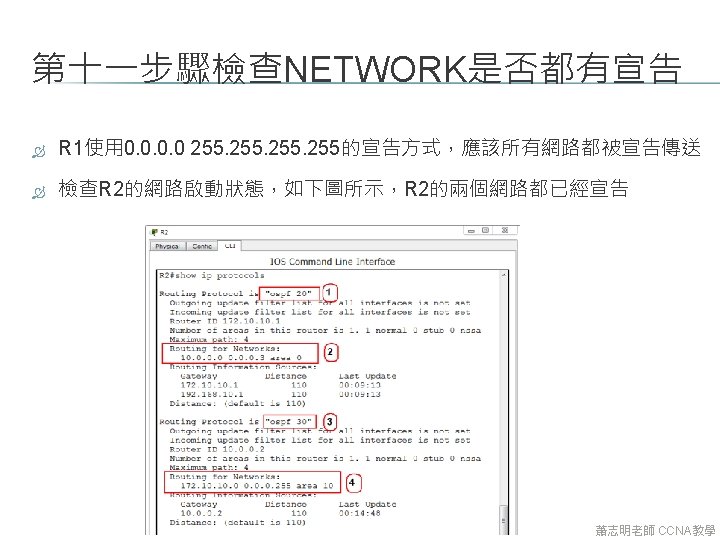
OSPF TROUBLESHOOTING步驟 OSPF Troubleshooting的建議步驟 步驟 1 2 3 4 5 檢查方向 檢查OSPF在路由表是否完整 檢查OSPF鄰居形成狀況 檢查兩端網路介面啟動狀況 檢查OSPF的 Area 號碼的規劃 6 檢查是否有設定被動介面 7 檢查OSPF介面的hello interval是否一致 8 檢查是否有啟動OSPF認證功能 9 10 11 12 檢查兩端IP網路位址設定狀況 若是乙太網路,檢查DR產生情況 檢查network是否都有宣告 檢查OSPF 的Process ID 使用指令 show ip route show ip ospf neighbors show ip int brief show ip ospf interfaces show ip protocol show ip ospf interfaces show run show ip ospf interfaces show ip ospf neighbors show ip protocol 蕭志明老師 CCNA教學
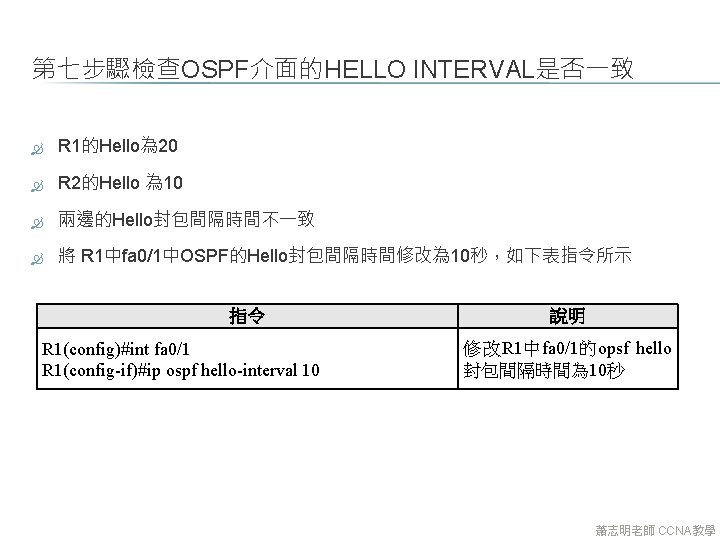
第七步驟檢查OSPF介面的HELLO INTERVAL是否一致 R 1的Hello為 20 R 2的Hello 為 10 兩邊的Hello封包間隔時間不一致 將 R 1中fa 0/1中OSPF的Hello封包間隔時間修改為 10秒,如下表指令所示 指令 R 1(config)#int fa 0/1 R 1(config-if)#ip ospf hello-interval 10 說明 修改R 1中fa 0/1的opsf hello 封包間隔時間為 10秒 蕭志明老師 CCNA教學
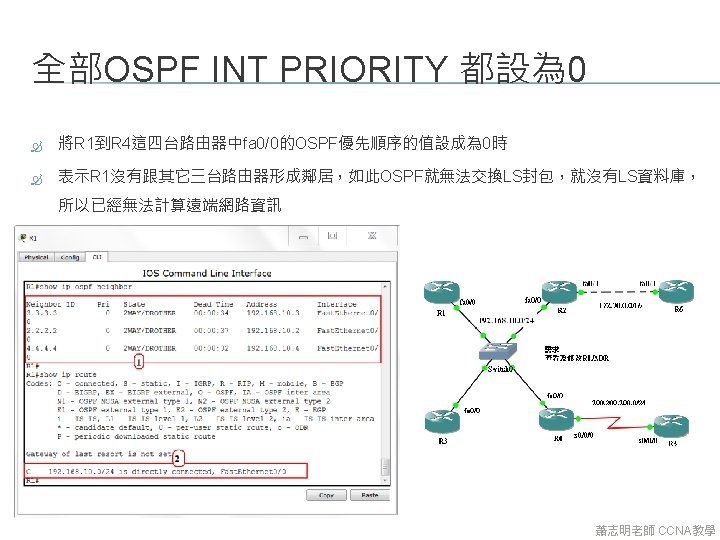
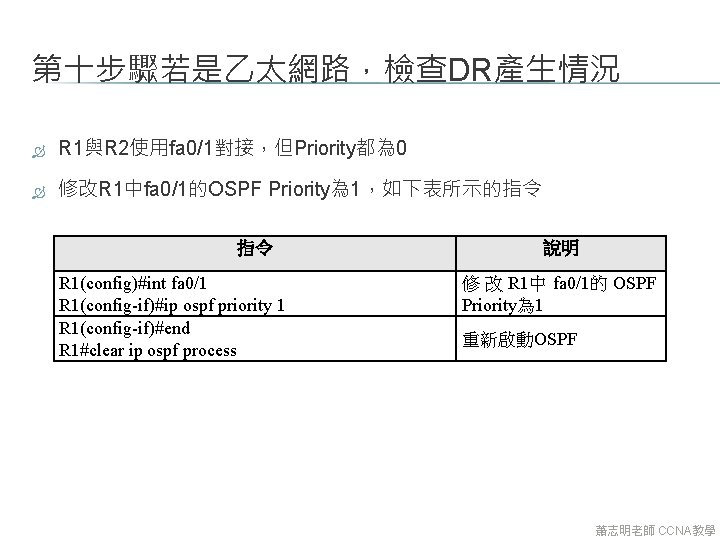
第十步驟若是乙太網路,檢查DR產生情況 R 1與R 2使用fa 0/1對接,但Priority都為 0 修改R 1中fa 0/1的OSPF Priority為 1,如下表所示的指令 指令 R 1(config)#int fa 0/1 R 1(config-if)#ip ospf priority 1 R 1(config-if)#end R 1#clear ip ospf process 說明 修 改 R 1中 fa 0/1的 OSPF Priority為 1 重新啟動OSPF 蕭志明老師 CCNA教學
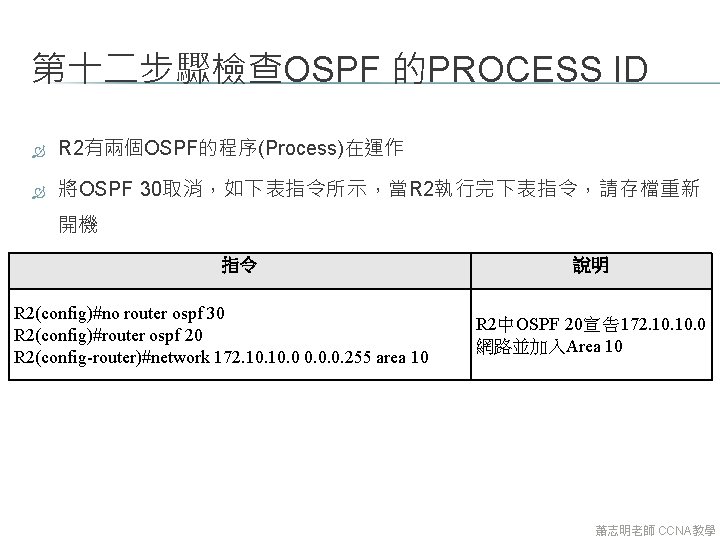
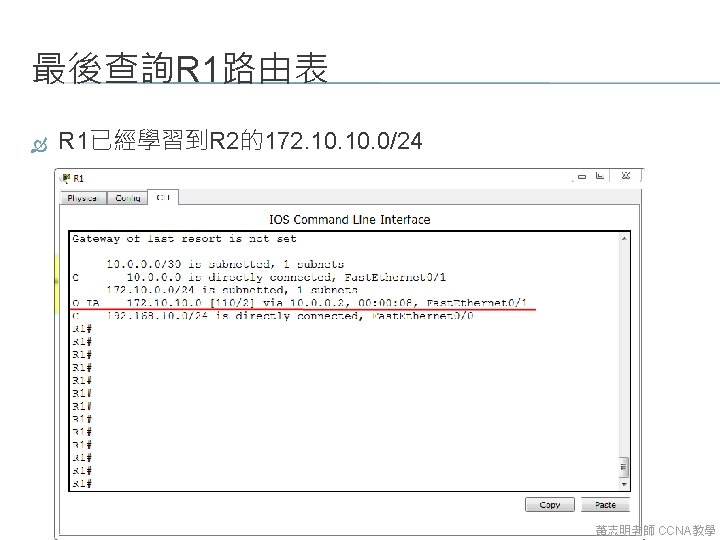
第十二步驟檢查OSPF 的PROCESS ID R 2有兩個OSPF的程序(Process)在運作 將OSPF 30取消,如下表指令所示,當R 2執行完下表指令,請存檔重新 開機 指令 R 2(config)#no router ospf 30 R 2(config)#router ospf 20 R 2(config-router)#network 172. 10. 0. 0. 255 area 10 說明 R 2中OSPF 20宣告172. 10. 0 網路並加入Area 10 蕭志明老師 CCNA教學
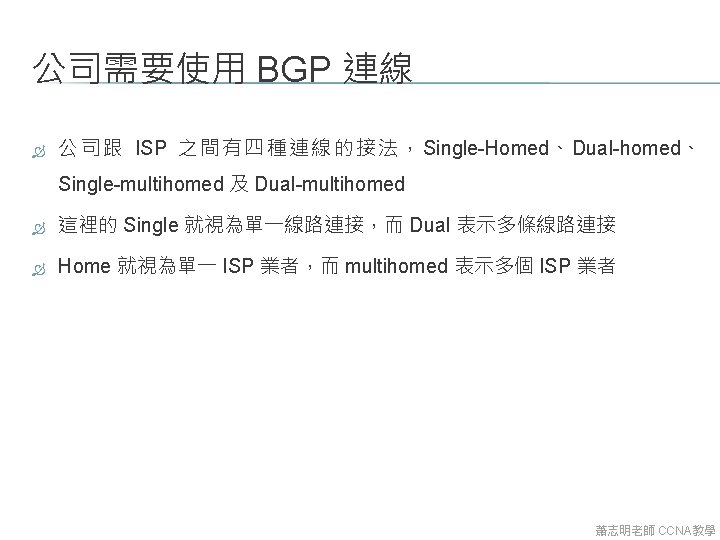
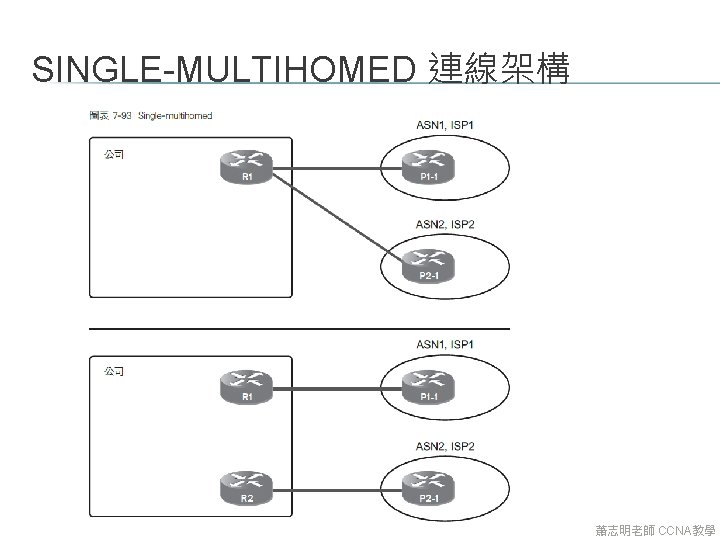
SINGLE-MULTIHOMED 連線架構 蕭志明老師 CCNA教學
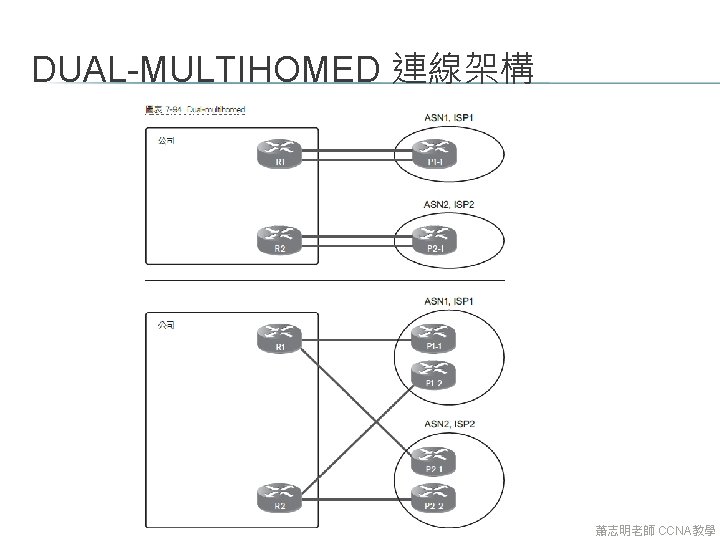
DUAL-MULTIHOMED 連線架構 蕭志明老師 CCNA教學