Introduction to OSPF Af NOG Routing and Forwarding
![Configuration modes in OSPFv 3 � Entering router mode [no] ipv 6 router ospf](https://slidetodoc.com/presentation_image/335e2714eb39ac70cf68cc95d78b6536/image-35.jpg "Configuration modes in OSPFv 3 � Entering router mode [no] ipv 6 router ospf")
![OSPFv 3 Specific Attributes – IOS � Configuring area range [no] area <area ID>](https://slidetodoc.com/presentation_image/335e2714eb39ac70cf68cc95d78b6536/image-36.jpg "OSPFv 3 Specific Attributes – IOS � Configuring area range [no] area <area ID>")
- Slides: 40
Introduction to OSPF Af. NOG
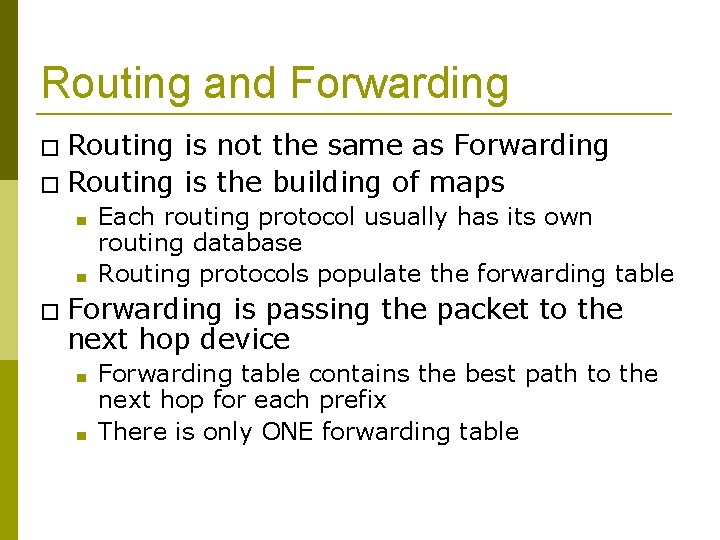
Routing and Forwarding � Routing is not the same as Forwarding � Routing is the building of maps ■ ■ Each routing protocol usually has its own routing database Routing protocols populate the forwarding table � Forwarding is passing the packet to the next hop device ■ ■ Forwarding table contains the best path to the next hop for each prefix There is only ONE forwarding table
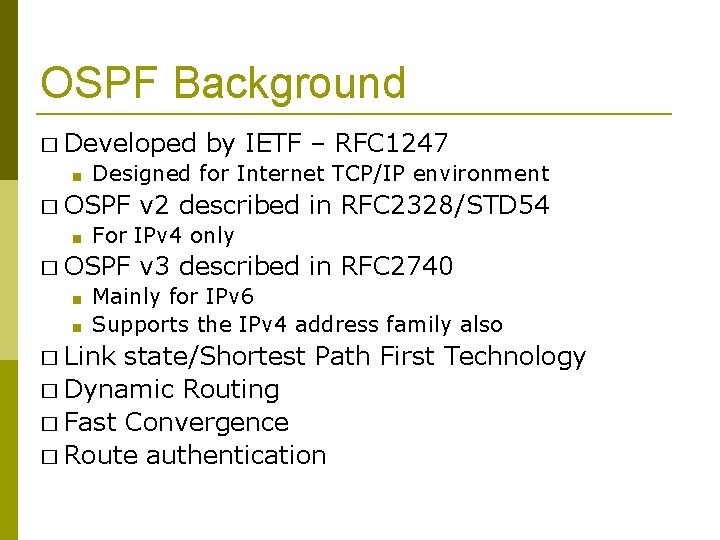
OSPF Background � Developed ■ Designed for Internet TCP/IP environment � OSPF ■ ■ v 2 described in RFC 2328/STD 54 For IPv 4 only � OSPF ■ by IETF – RFC 1247 v 3 described in RFC 2740 Mainly for IPv 6 Supports the IPv 4 address family also � Link state/Shortest Path First Technology � Dynamic Routing � Fast Convergence � Route authentication
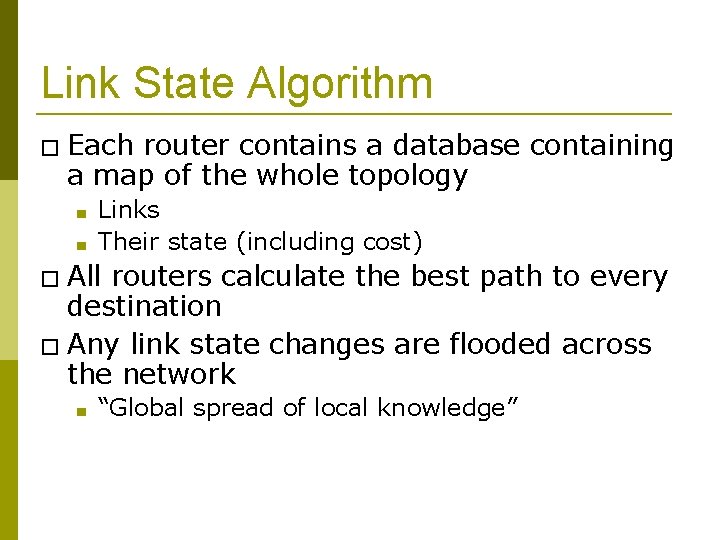
Link State Algorithm � Each router contains a database containing a map of the whole topology ■ ■ Links Their state (including cost) � All routers calculate the best path to every destination � Any link state changes are flooded across the network ■ “Global spread of local knowledge”
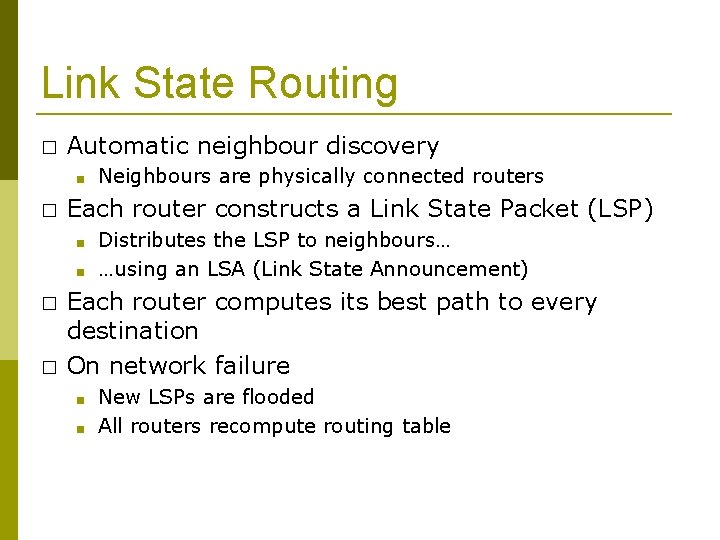
Link State Routing � Automatic neighbour discovery ■ � Each router constructs a Link State Packet (LSP) ■ ■ � � Neighbours are physically connected routers Distributes the LSP to neighbours… …using an LSA (Link State Announcement) Each router computes its best path to every destination On network failure ■ ■ New LSPs are flooded All routers recompute routing table
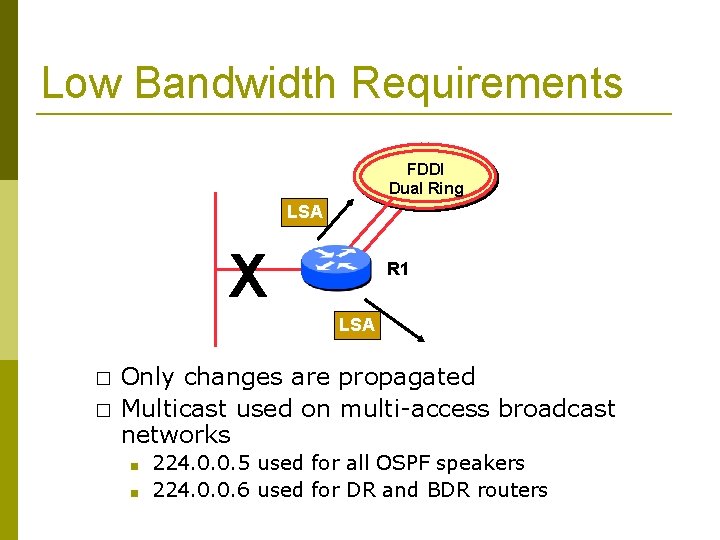
Low Bandwidth Requirements FDDI Dual Ring LSA X R 1 LSA � � Only changes are propagated Multicast used on multi-access broadcast networks ■ ■ 224. 0. 0. 5 used for all OSPF speakers 224. 0. 0. 6 used for DR and BDR routers
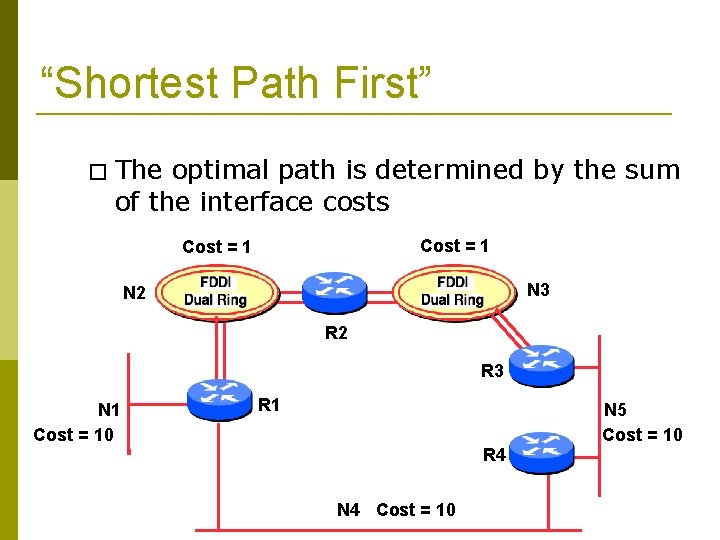
“Shortest Path First” � The optimal path is determined by the sum of the interface costs Cost = 1 N 3 N 2 R 3 N 1 Cost = 10 R 1 R 4 N 4 Cost = 10 N 5 Cost = 10
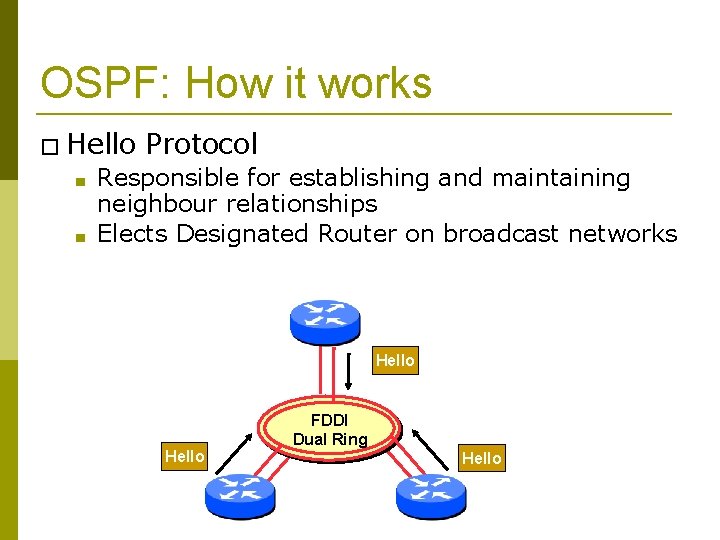
OSPF: How it works � Hello ■ ■ Protocol Responsible for establishing and maintaining neighbour relationships Elects Designated Router on broadcast networks Hello FDDI Dual Ring Hello
OSPF: How it works � Hello ■ ■ Hello Packets sent periodically on all OSPF enabled interfaces Adjacencies formed between some neighbours � Hello ■ Protocol Packet Contains information like Router Priority, Hello Interval, a list of known neighbours, Router Dead Interval, and the network mask
OSPF: How it works � Trade ■ ■ Information using LSAs are added to the OSPF database LSAs are passed on to OSPF neighbours � Each router builds an identical link state database � SPF algorithm run on the database � Forwarding table built from the SPF tree
OSPF: How it works � When ■ ■ ■ change occurs: Announce the change to all OSPF neighbours All routers run the SPF algorithm on the revised database Install any change in the forwarding table
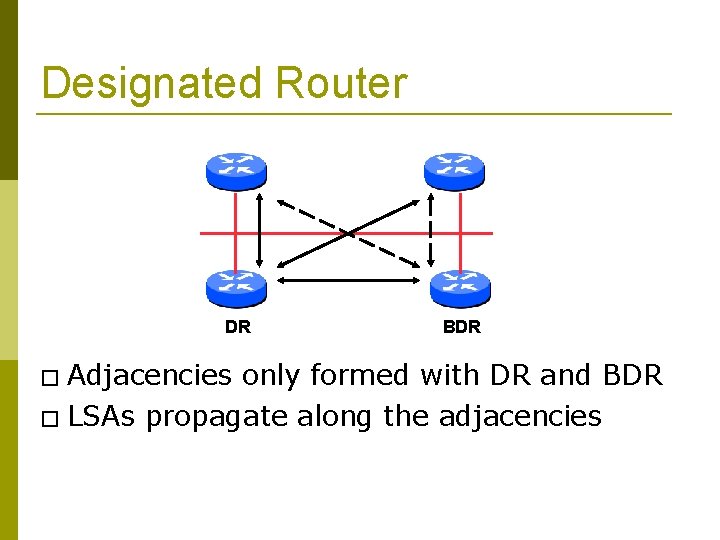
Broadcast Networks � These are network technologies such as Ethernet and FDDI � Introduces Designated and Backup Designated routers (DR and BDR) ■ ■ Only DR and BDR form full adjacencies with other routers The remaining routers remain in a “ 2 -way” state with each other � ■ If they were adjacent, we’d have n-squared scaling problem If DR or BDR “disappear”, re-election of missing router takes place
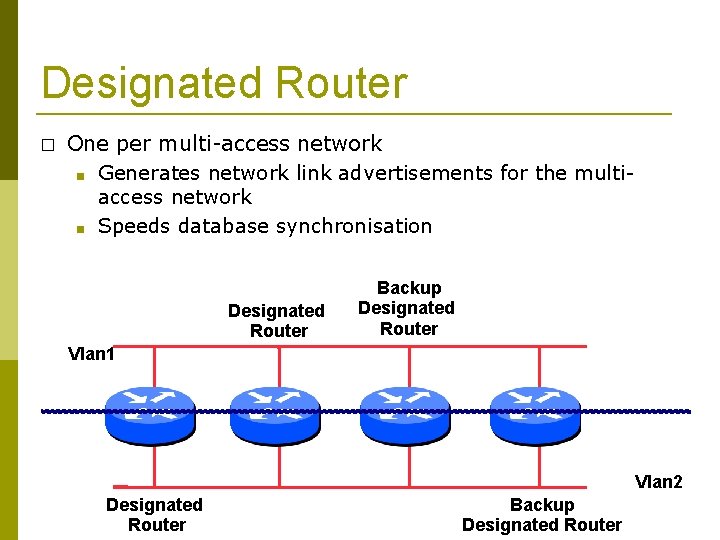
Designated Router � One per multi-access network ■ Generates network link advertisements for the multiaccess network ■ Speeds database synchronisation Designated Router Backup Designated Router Vlan 1 Vlan 2 Designated Router Backup Designated Router
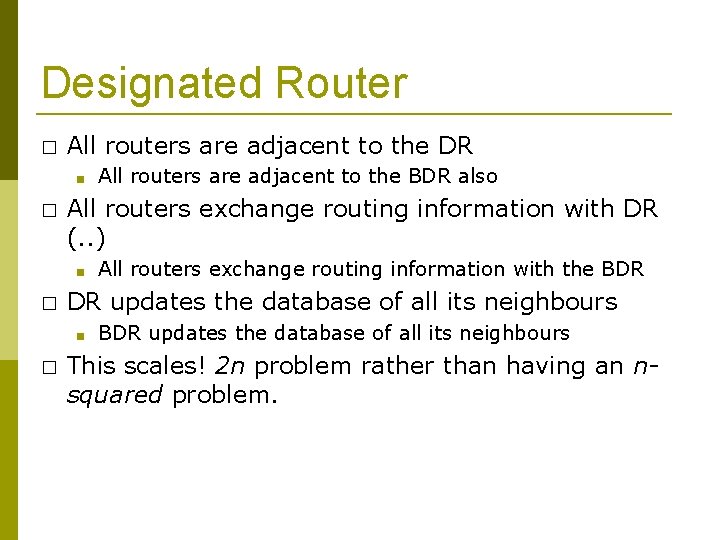
Designated Router � All routers are adjacent to the DR ■ � All routers exchange routing information with DR (. . ) ■ � All routers exchange routing information with the BDR DR updates the database of all its neighbours ■ � All routers are adjacent to the BDR also BDR updates the database of all its neighbours This scales! 2 n problem rather than having an nsquared problem.
Designated Router DR � Adjacencies BDR only formed with DR and BDR � LSAs propagate along the adjacencies
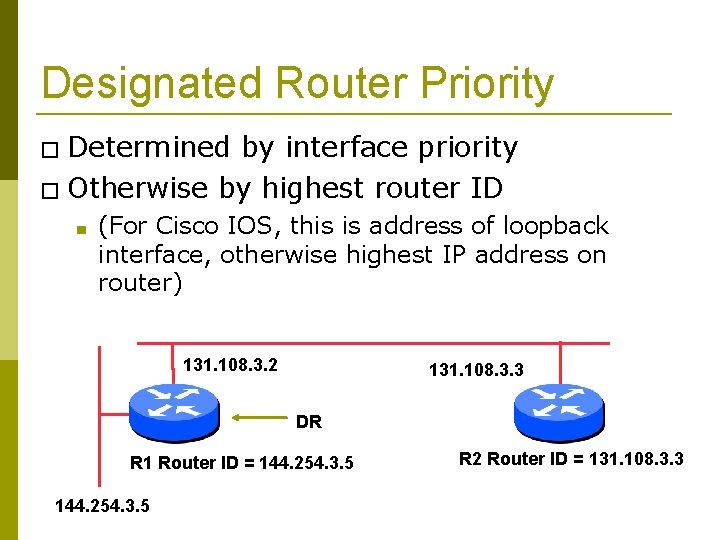
Designated Router Priority � Determined by interface priority � Otherwise by highest router ID ■ (For Cisco IOS, this is address of loopback interface, otherwise highest IP address on router) 131. 108. 3. 2 131. 108. 3. 3 DR R 1 Router ID = 144. 254. 3. 5 R 2 Router ID = 131. 108. 3. 3
More Advanced OSPF � OSPF Areas � Router Classification � OSPF route types � Route authentication � Equal cost multipath
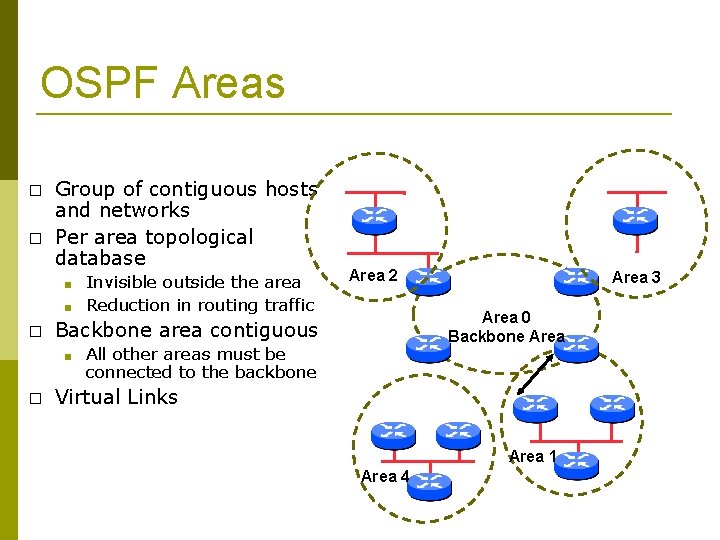
OSPF Areas � � Group of contiguous hosts and networks Per area topological database ■ ■ � Area 2 Area 3 Area 0 Backbone Area Backbone area contiguous ■ � Invisible outside the area Reduction in routing traffic All other areas must be connected to the backbone Virtual Links Area 1 Area 4
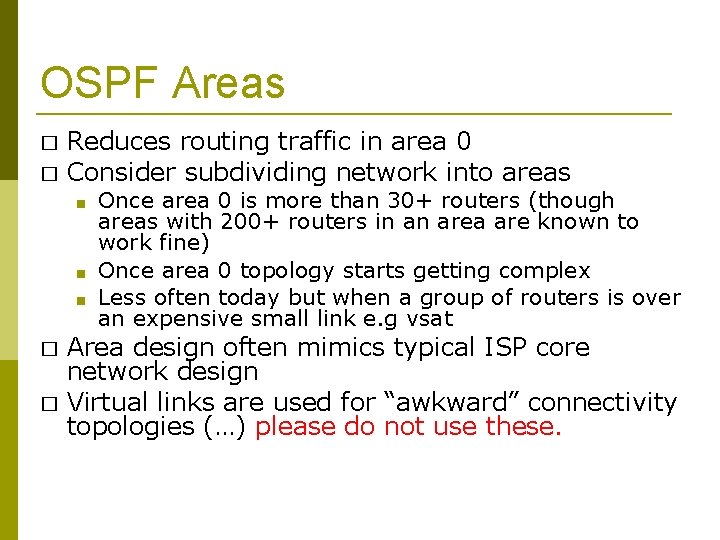
OSPF Areas � � Reduces routing traffic in area 0 Consider subdividing network into areas ■ ■ ■ � � Once area 0 is more than 30+ routers (though areas with 200+ routers in an area are known to work fine) Once area 0 topology starts getting complex Less often today but when a group of routers is over an expensive small link e. g vsat Area design often mimics typical ISP core network design Virtual links are used for “awkward” connectivity topologies (…) please do not use these.
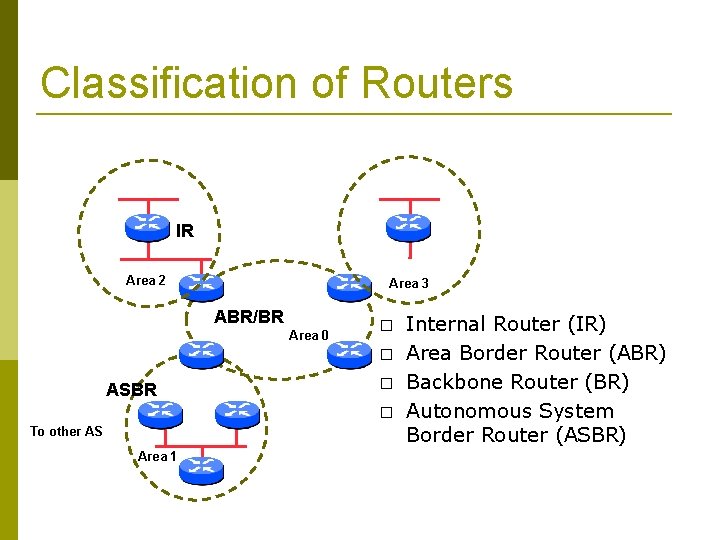
Classification of Routers IR Area 2 Area 3 ABR/BR Area 0 � � ASBR � � To other AS Area 1 Internal Router (IR) Area Border Router (ABR) Backbone Router (BR) Autonomous System Border Router (ASBR)
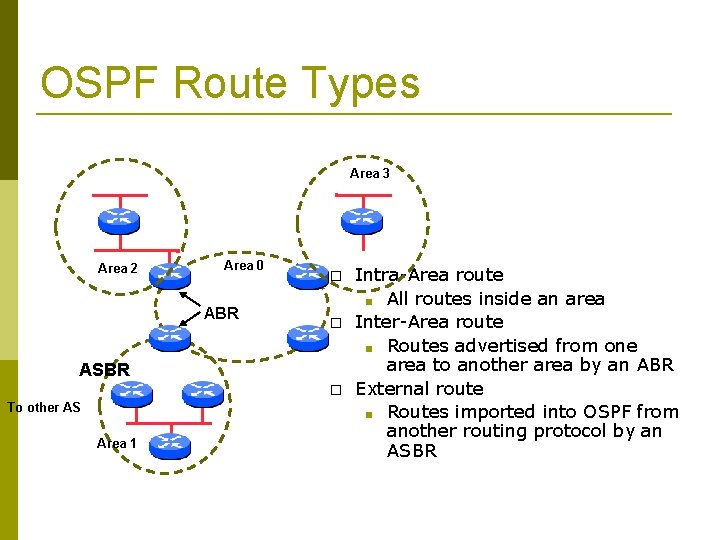
OSPF Route Types Area 3 Area 2 Area 0 ABR � � ASBR � To other AS Area 1 Intra-Area route ■ All routes inside an area Inter-Area route ■ Routes advertised from one area to another area by an ABR External route ■ Routes imported into OSPF from another routing protocol by an ASBR
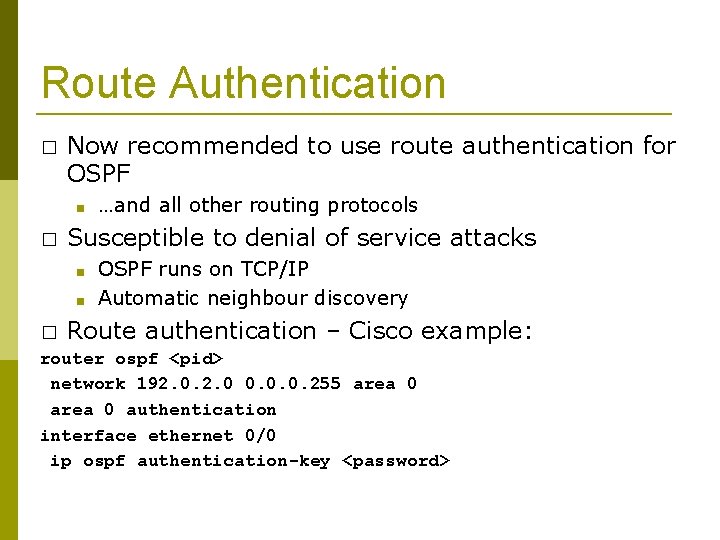
Route Authentication � Now recommended to use route authentication for OSPF ■ � …and all other routing protocols Susceptible to denial of service attacks ■ ■ OSPF runs on TCP/IP Automatic neighbour discovery � Route authentication – Cisco example: router ospf <pid> network 192. 0 0. 0. 0. 255 area 0 authentication interface ethernet 0/0 ip ospf authentication-key <password>
Equal Cost Multipath � If n paths to same destination have equal cost, OSPF will install n entries in the forwarding table ■ ■ Loadsharing over the n paths Useful for expanding links across an ISP backbone Don’t need to use hardware multiplexors � Don’t need to use static routing �
Summary � Link State Protocol � Shortest Path First � OSPF operation � Broadcast networks ■ Designated and Backup Designated Router � Advanced ■ Topics Areas, router classification, external networks, authentication, multipath
OSPFv 3
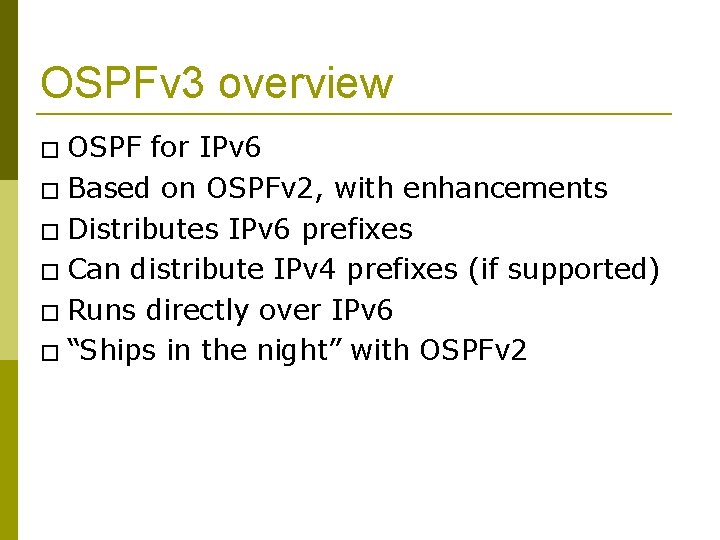
OSPFv 3 overview � OSPF for IPv 6 � Based on OSPFv 2, with enhancements � Distributes IPv 6 prefixes � Can distribute IPv 4 prefixes (if supported) � Runs directly over IPv 6 � “Ships in the night” with OSPFv 2
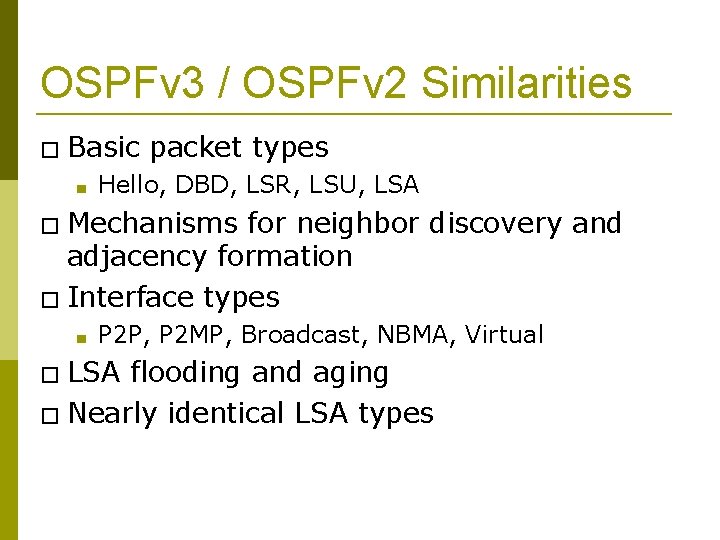
OSPFv 3 / OSPFv 2 Similarities � Basic ■ packet types Hello, DBD, LSR, LSU, LSA � Mechanisms for neighbor discovery and adjacency formation � Interface types ■ P 2 P, P 2 MP, Broadcast, NBMA, Virtual � LSA flooding and aging � Nearly identical LSA types
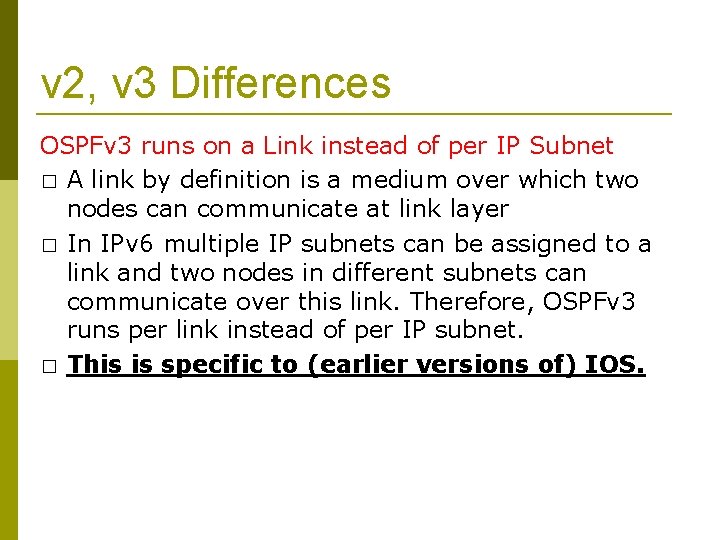
v 2, v 3 Differences OSPFv 3 runs on a Link instead of per IP Subnet � A link by definition is a medium over which two nodes can communicate at link layer � In IPv 6 multiple IP subnets can be assigned to a link and two nodes in different subnets can communicate over this link. Therefore, OSPFv 3 runs per link instead of per IP subnet. � This is specific to (earlier versions of) IOS.
v 2, v 3 Differences (Cont. ) Separation of prefix & topology information � OSPFv 2 carries IP address information in Type 1 & Type 2 LSA’s. � Makes routers announce both their IP addresses and topology information in the same LSA’s. � A change in an IP address means a Type 1 LSA is originated. But because Type 1 LSA’s also carry topology information, a full SPF is run in the local OSPF area – unnecessary; only IP address is affected. � So only Type 3, 4, 5 and 7 LSA’s trigger PRC in OSPFv 2, as their only purpose is to signal prefix information (external areas).
v 2, v 3 Differences (Cont. ) Generalization of Flooding Scope � In OSPFv 3 there are three flooding scope for LSAs (link-local scope, area scope, AS scope) and they are coded in LS type explicitly � In OSPFv 2 initially only area and AS wide flooding was defined; later opaque LSAs introduced link local scope as well
v 2, v 3 Differences (Cont. ) Explicit Handling of Unknown LSA � The handling of unknown LSA is coded via U-bit in LS type � When U bit is set, the LSA is flooded with the corresponding flooding scope, as if it was understood � When U bit is clear, the LSA is flooded with link local scope � In v 2 unknown LSA were discarded
v 2, v 3 Differences (Cont. ) Authentication is Removed from OSPF � Authentication in OSPFv 3 has been removed ■ � � � OSPFv 3 relies on IPv 6 authentication header since OSPFv 3 runs over IPv 6 Auth. Type and Authentication field in the OSPF packet header have been suppressed AH (Authentication Header) provides authentication ESP (Encapsulating Security Payload) provides encryption & integrity ESP, if used alone, provides both authentication and encryption AH supported from 12. 3 T ESP supported from 12. 4 T
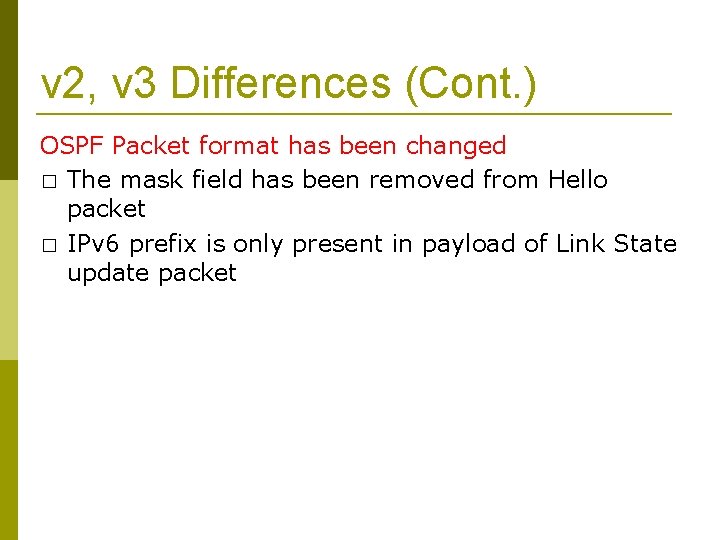
v 2, v 3 Differences (Cont. ) OSPF Packet format has been changed � The mask field has been removed from Hello packet � IPv 6 prefix is only present in payload of Link State update packet
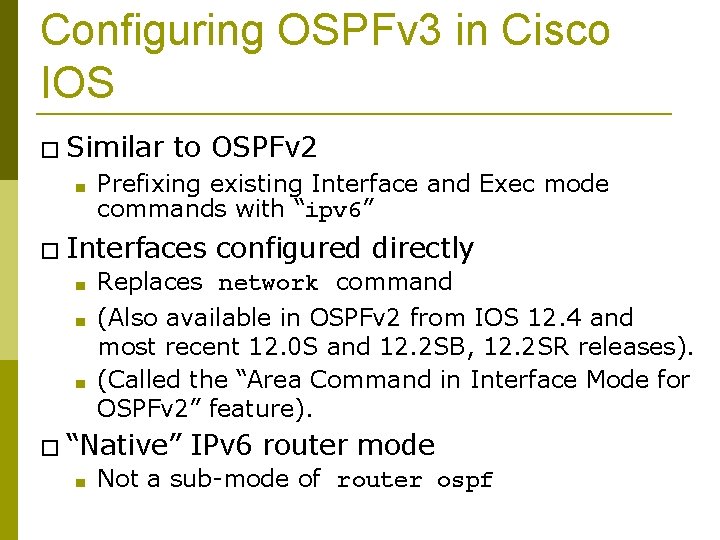
Configuring OSPFv 3 in Cisco IOS � Similar ■ to OSPFv 2 Prefixing existing Interface and Exec mode commands with “ipv 6” � Interfaces configured directly ■ Replaces network command ■ (Also available in OSPFv 2 from IOS 12. 4 and most recent 12. 0 S and 12. 2 SB, 12. 2 SR releases). (Called the “Area Command in Interface Mode for OSPFv 2” feature). ■ � “Native” ■ IPv 6 router mode Not a sub-mode of router ospf
Configuration modes in OSPFv 3 � Entering router mode [no] ipv 6 router ospf <process ID> � Entering interface mode [no] ipv 6 ospf <process ID> area <area ID> � Exec mode show ipv 6 ospf [<process ID>] clear ipv 6 ospf [<process ID>]
OSPFv 3 Specific Attributes – IOS � Configuring area range [no] area <area ID> range <prefix>/<prefix length> � Showing new LSA show ipv 6 ospf [<process ID>] database link show ipv 6 ospf [<process ID>] database prefix � Configuring authentication ■ Under ipv 6 router ospf: area 0 authentication ipsec spi 256 md 5 <passwd> ■ Under interface: ipv 6 ospf authentication ipsec spi 256 md 5 <passwd>
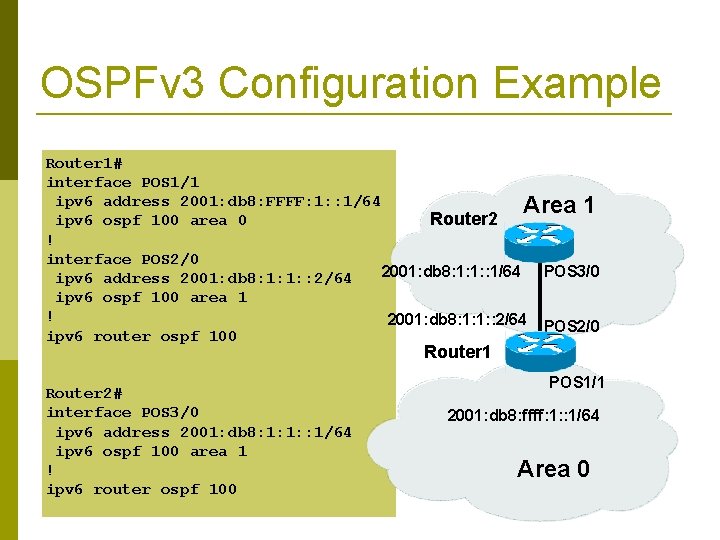
OSPFv 3 Configuration Example Router 1# interface POS 1/1 ipv 6 address 2001: db 8: FFFF: 1: : 1/64 Area 1 Router 2 ipv 6 ospf 100 area 0 ! interface POS 2/0 2001: db 8: 1: 1: : 1/64 POS 3/0 ipv 6 address 2001: db 8: 1: 1: : 2/64 ipv 6 ospf 100 area 1 ! 2001: db 8: 1: 1: : 2/64 POS 2/0 ipv 6 router ospf 100 Router 1 Router 2# interface POS 3/0 ipv 6 address 2001: db 8: 1: 1: : 1/64 ipv 6 ospf 100 area 1 ! ipv 6 router ospf 100 POS 1/1 2001: db 8: ffff: 1: : 1/64 Area 0
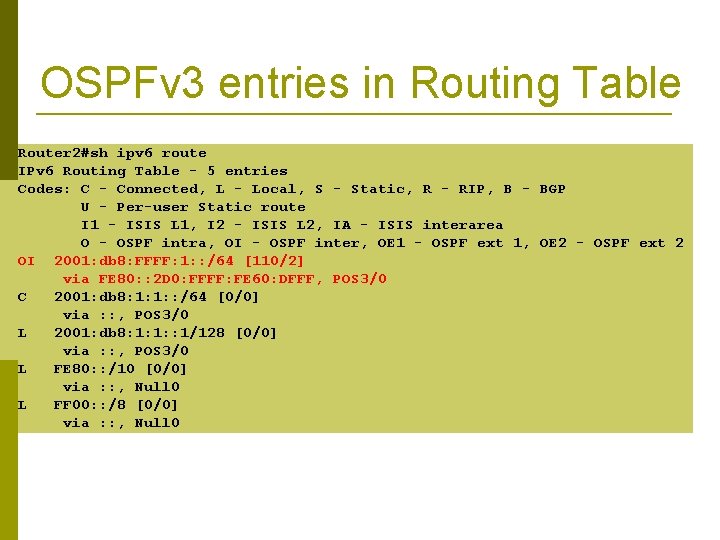
OSPFv 3 entries in Routing Table Router 2#sh ipv 6 route IPv 6 Routing Table - 5 entries Codes: C - Connected, L - Local, S - Static, R - RIP, B - BGP U - Per-user Static route I 1 - ISIS L 1, I 2 - ISIS L 2, IA - ISIS interarea O - OSPF intra, OI - OSPF inter, OE 1 - OSPF ext 1, OE 2 - OSPF ext 2 OI 2001: db 8: FFFF: 1: : /64 [110/2] via FE 80: : 2 D 0: FFFF: FE 60: DFFF, POS 3/0 C 2001: db 8: 1: 1: : /64 [0/0] via : : , POS 3/0 L 2001: db 8: 1: 1: : 1/128 [0/0] via : : , POS 3/0 L FE 80: : /10 [0/0] via : : , Null 0 L FF 00: : /8 [0/0] via : : , Null 0
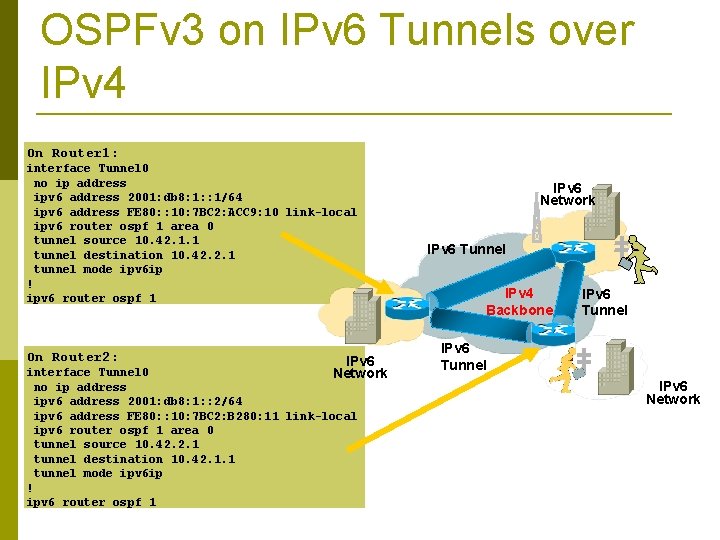
OSPFv 3 on IPv 6 Tunnels over IPv 4 On Router 1: interface Tunnel 0 no ip address ipv 6 address 2001: db 8: 1: : 1/64 ipv 6 address FE 80: : 10: 7 BC 2: ACC 9: 10 link-local ipv 6 router ospf 1 area 0 tunnel source 10. 42. 1. 1 tunnel destination 10. 42. 2. 1 tunnel mode ipv 6 ip ! ipv 6 router ospf 1 On Router 2: IPv 6 Network interface Tunnel 0 no ip address ipv 6 address 2001: db 8: 1: : 2/64 ipv 6 address FE 80: : 10: 7 BC 2: B 280: 11 link-local ipv 6 router ospf 1 area 0 tunnel source 10. 42. 2. 1 tunnel destination 10. 42. 1. 1 tunnel mode ipv 6 ip ! ipv 6 router ospf 1 IPv 6 Network IPv 6 Tunnel IPv 4 Backbone IPv 6 Tunnel IPv 6 Network
Introduction to OSPF Questions?