Instructor Materials Chapter 8 SingleArea OSPF CCNA Routing
- Slides: 26
Instructor Materials Chapter 8: Single-Area OSPF CCNA Routing and Switching Scaling Networks Presentation_ID © 2017 Cisco Systems, Inc. All rights reserved. Cisco Confidential 1
Chapter 8 - Sections & Objectives § 8. 1 OSPF Characteristics § Explain how single-area OSPF operates. § 8. 2 Single-Area OSPFv 2 § Implement single-area OSPFv 2. § 8. 3 Single-Area OSPFv 3 § Implement single-area OSPFv 3. Presentation_ID © 2017 Cisco Systems, Inc. All rights reserved. Cisco Confidential ‹#›
8. 1 OSPF Characteristics Presentation_ID © 2017 Cisco Systems, Inc. All rights reserved. Cisco Confidential 3
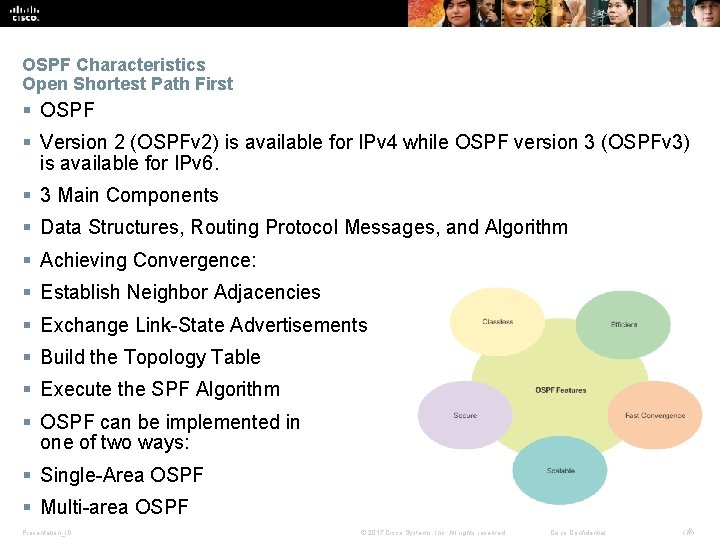
OSPF Characteristics Open Shortest Path First § OSPF § Version 2 (OSPFv 2) is available for IPv 4 while OSPF version 3 (OSPFv 3) is available for IPv 6. § 3 Main Components § Data Structures, Routing Protocol Messages, and Algorithm § Achieving Convergence: § Establish Neighbor Adjacencies § Exchange Link-State Advertisements § Build the Topology Table § Execute the SPF Algorithm § OSPF can be implemented in one of two ways: § Single-Area OSPF § Multi-area OSPF Presentation_ID © 2017 Cisco Systems, Inc. All rights reserved. Cisco Confidential ‹#›
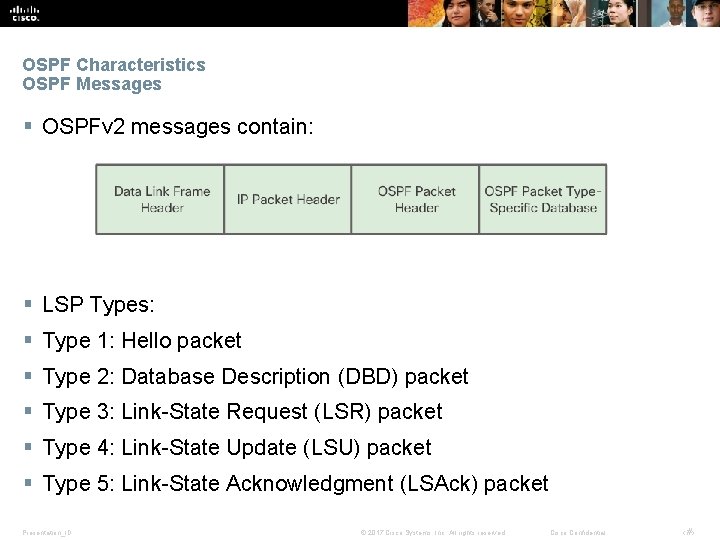
OSPF Characteristics OSPF Messages § OSPFv 2 messages contain: § LSP Types: § Type 1: Hello packet § Type 2: Database Description (DBD) packet § Type 3: Link-State Request (LSR) packet § Type 4: Link-State Update (LSU) packet § Type 5: Link-State Acknowledgment (LSAck) packet Presentation_ID © 2017 Cisco Systems, Inc. All rights reserved. Cisco Confidential ‹#›
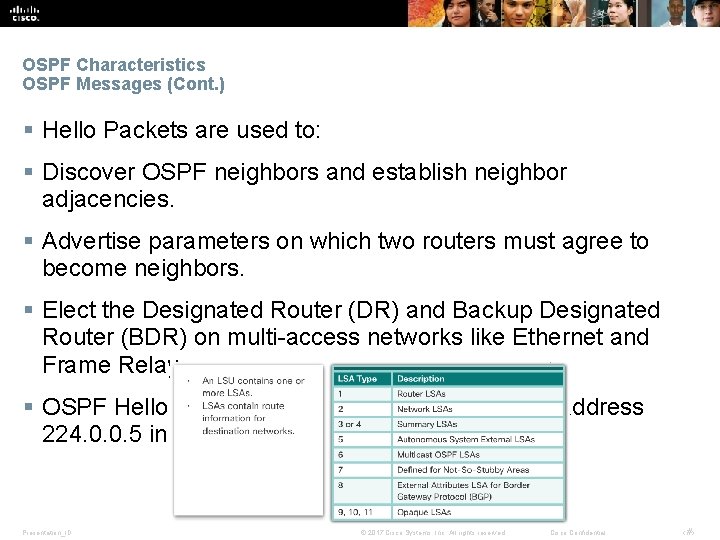
OSPF Characteristics OSPF Messages (Cont. ) § Hello Packets are used to: § Discover OSPF neighbors and establish neighbor adjacencies. § Advertise parameters on which two routers must agree to become neighbors. § Elect the Designated Router (DR) and Backup Designated Router (BDR) on multi-access networks like Ethernet and Frame Relay. § OSPF Hello packets are transmitted to multicast address 224. 0. 0. 5 in IPv 4 and FF 02: : 5 in IPv 6 Presentation_ID © 2017 Cisco Systems, Inc. All rights reserved. Cisco Confidential ‹#›
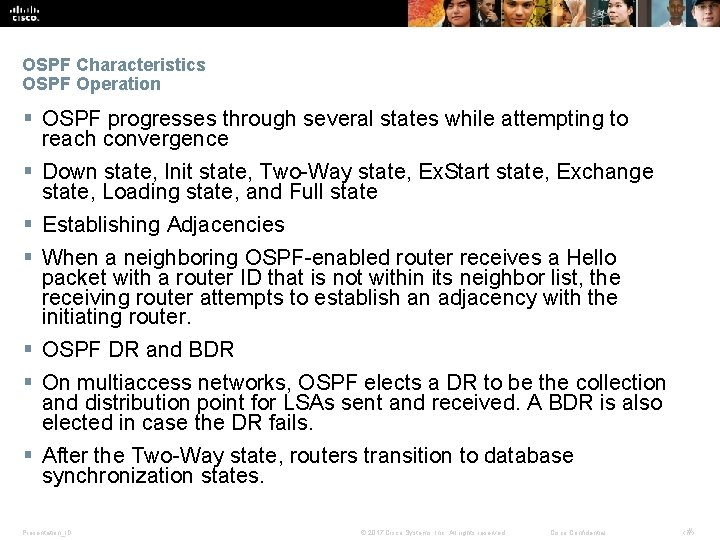
OSPF Characteristics OSPF Operation § OSPF progresses through several states while attempting to reach convergence § Down state, Init state, Two-Way state, Ex. Start state, Exchange state, Loading state, and Full state § Establishing Adjacencies § When a neighboring OSPF-enabled router receives a Hello packet with a router ID that is not within its neighbor list, the receiving router attempts to establish an adjacency with the initiating router. § OSPF DR and BDR § On multiaccess networks, OSPF elects a DR to be the collection and distribution point for LSAs sent and received. A BDR is also elected in case the DR fails. § After the Two-Way state, routers transition to database synchronization states. Presentation_ID © 2017 Cisco Systems, Inc. All rights reserved. Cisco Confidential ‹#›
8. 2 Single-Area OSPFv 2 Presentation_ID © 2017 Cisco Systems, Inc. All rights reserved. Cisco Confidential 8
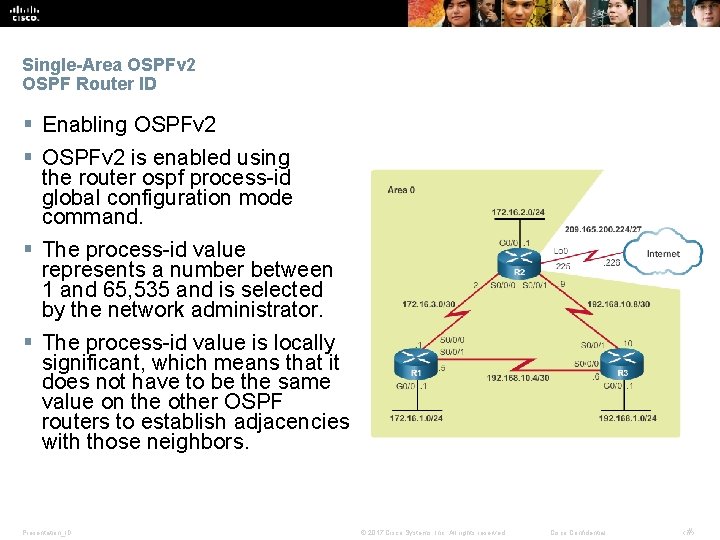
Single-Area OSPFv 2 OSPF Router ID § Enabling OSPFv 2 § OSPFv 2 is enabled using the router ospf process-id global configuration mode command. § The process-id value represents a number between 1 and 65, 535 and is selected by the network administrator. § The process-id value is locally significant, which means that it does not have to be the same value on the other OSPF routers to establish adjacencies with those neighbors. Presentation_ID © 2017 Cisco Systems, Inc. All rights reserved. Cisco Confidential ‹#›
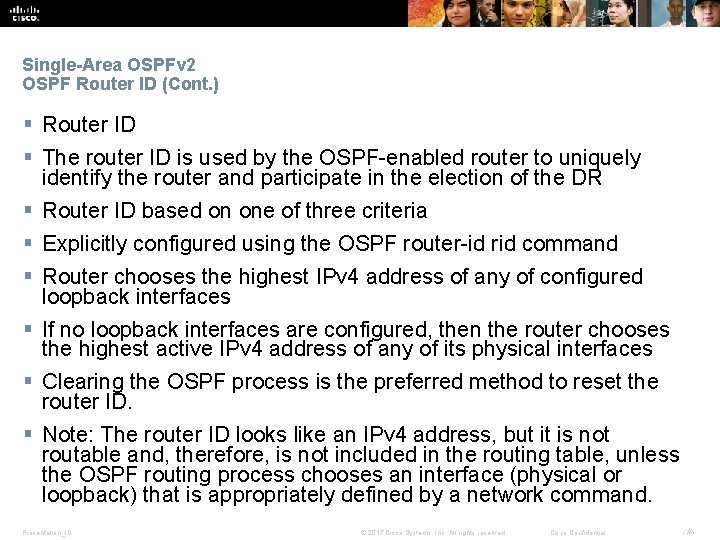
Single-Area OSPFv 2 OSPF Router ID (Cont. ) § Router ID § The router ID is used by the OSPF-enabled router to uniquely identify the router and participate in the election of the DR § Router ID based on one of three criteria § Explicitly configured using the OSPF router-id rid command § Router chooses the highest IPv 4 address of any of configured loopback interfaces § If no loopback interfaces are configured, then the router chooses the highest active IPv 4 address of any of its physical interfaces § Clearing the OSPF process is the preferred method to reset the router ID. § Note: The router ID looks like an IPv 4 address, but it is not routable and, therefore, is not included in the routing table, unless the OSPF routing process chooses an interface (physical or loopback) that is appropriately defined by a network command. Presentation_ID © 2017 Cisco Systems, Inc. All rights reserved. Cisco Confidential ‹#›
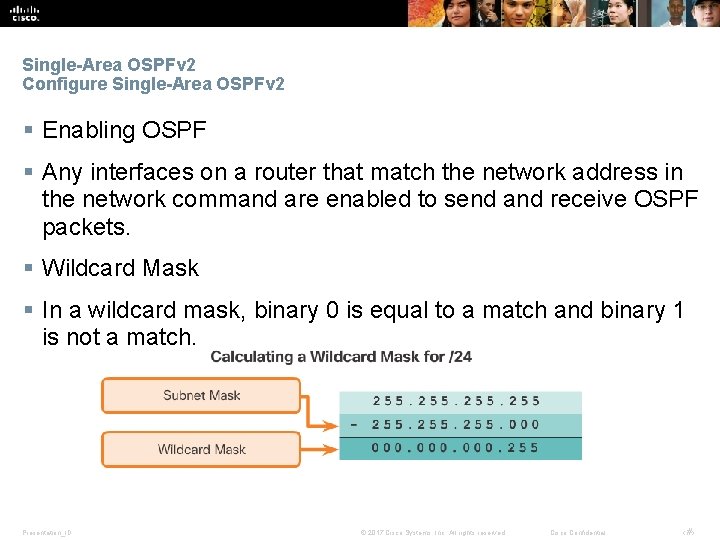
Single-Area OSPFv 2 Configure Single-Area OSPFv 2 § Enabling OSPF § Any interfaces on a router that match the network address in the network command are enabled to send and receive OSPF packets. § Wildcard Mask § In a wildcard mask, binary 0 is equal to a match and binary 1 is not a match. Presentation_ID © 2017 Cisco Systems, Inc. All rights reserved. Cisco Confidential ‹#›
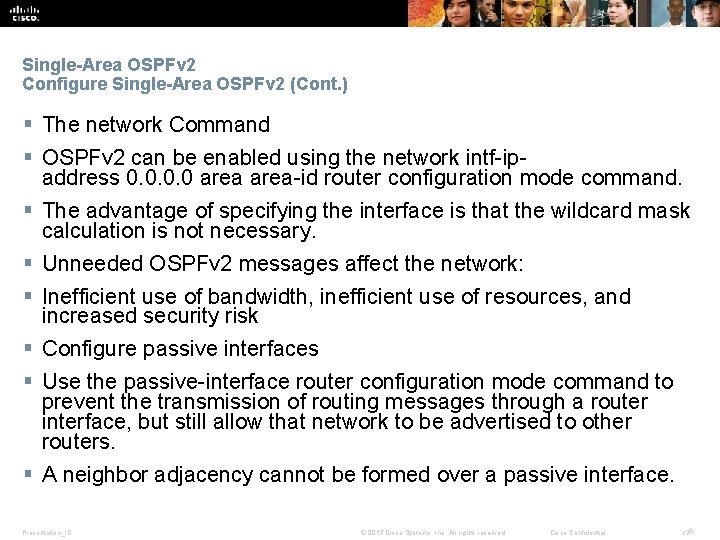
Single-Area OSPFv 2 Configure Single-Area OSPFv 2 (Cont. ) § The network Command § OSPFv 2 can be enabled using the network intf-ipaddress 0. 0 area-id router configuration mode command. § The advantage of specifying the interface is that the wildcard mask calculation is not necessary. § Unneeded OSPFv 2 messages affect the network: § Inefficient use of bandwidth, inefficient use of resources, and increased security risk § Configure passive interfaces § Use the passive-interface router configuration mode command to prevent the transmission of routing messages through a router interface, but still allow that network to be advertised to other routers. § A neighbor adjacency cannot be formed over a passive interface. Presentation_ID © 2017 Cisco Systems, Inc. All rights reserved. Cisco Confidential ‹#›
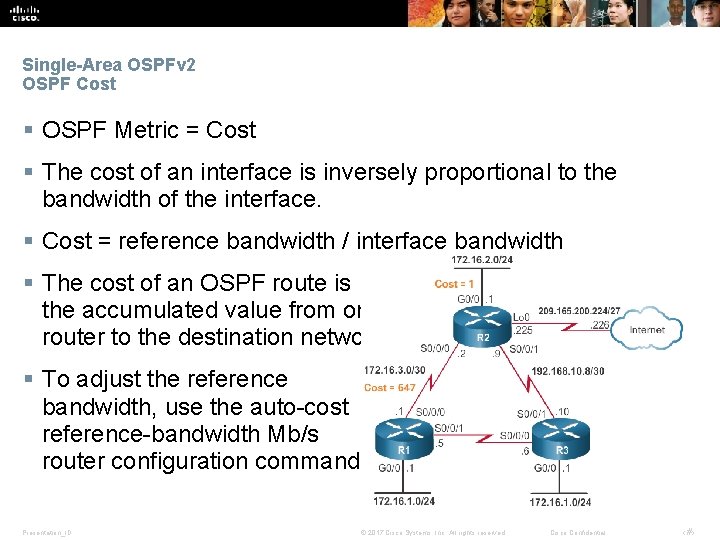
Single-Area OSPFv 2 OSPF Cost § OSPF Metric = Cost § The cost of an interface is inversely proportional to the bandwidth of the interface. § Cost = reference bandwidth / interface bandwidth § The cost of an OSPF route is the accumulated value from one router to the destination network. § To adjust the reference bandwidth, use the auto-cost reference-bandwidth Mb/s router configuration command. Presentation_ID © 2017 Cisco Systems, Inc. All rights reserved. Cisco Confidential ‹#›
Single-Area OSPFv 2 OSPF Cost (Cont. ) § Default Interface Bandwidths § As with reference bandwidth, interface bandwidth values do not actually affect the speed or capacity of the link. § Use the show interfaces command to view the interface bandwidth setting. § Adjust Interface Bandwidth § To adjust the interface bandwidth use the bandwidth kilobits interface configuration command. § Use the no bandwidth command to restore the default value. § Set OSPF Cost Manually § The cost can be manually configured on an interface using the ip ospf cost value interface configuration command. Presentation_ID © 2017 Cisco Systems, Inc. All rights reserved. Cisco Confidential ‹#›
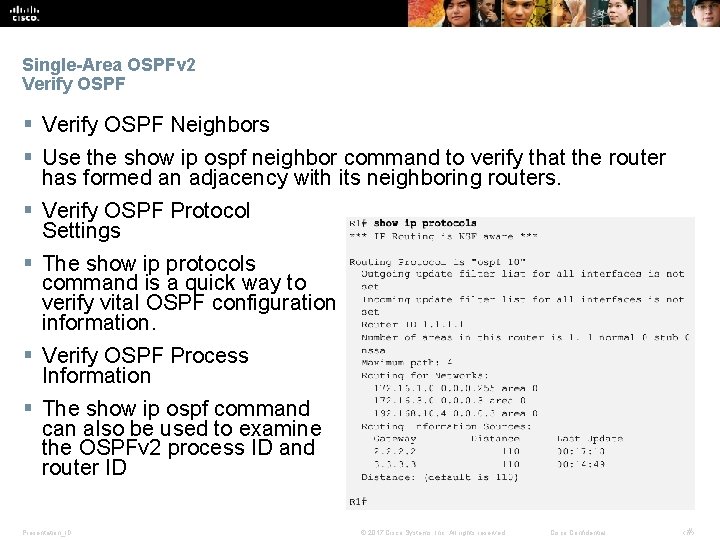
Single-Area OSPFv 2 Verify OSPF § Verify OSPF Neighbors § Use the show ip ospf neighbor command to verify that the router has formed an adjacency with its neighboring routers. § Verify OSPF Protocol Settings § The show ip protocols command is a quick way to verify vital OSPF configuration information. § Verify OSPF Process Information § The show ip ospf command can also be used to examine the OSPFv 2 process ID and router ID Presentation_ID © 2017 Cisco Systems, Inc. All rights reserved. Cisco Confidential ‹#›
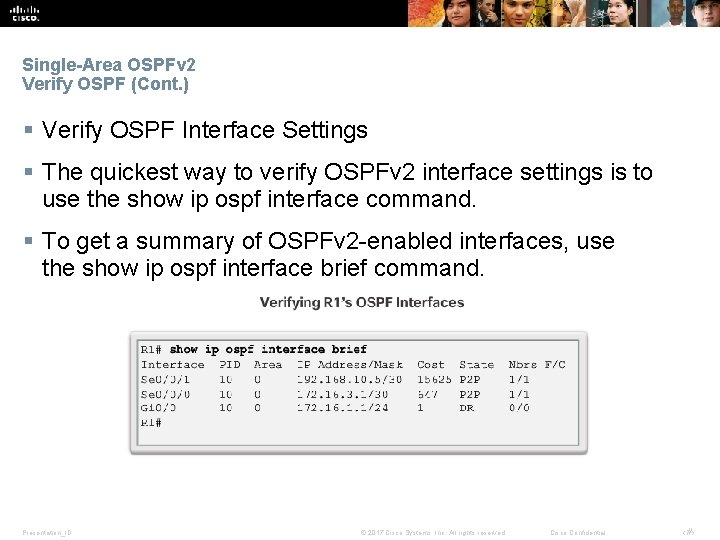
Single-Area OSPFv 2 Verify OSPF (Cont. ) § Verify OSPF Interface Settings § The quickest way to verify OSPFv 2 interface settings is to use the show ip ospf interface command. § To get a summary of OSPFv 2 -enabled interfaces, use the show ip ospf interface brief command. Presentation_ID © 2017 Cisco Systems, Inc. All rights reserved. Cisco Confidential ‹#›
8. 3 Single-Area OSPFv 3 Presentation_ID © 2017 Cisco Systems, Inc. All rights reserved. Cisco Confidential 17
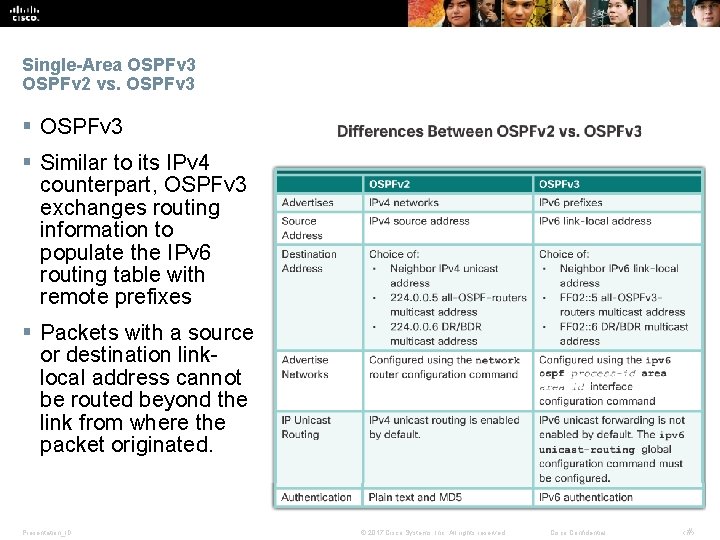
Single-Area OSPFv 3 OSPFv 2 vs. OSPFv 3 § Similar to its IPv 4 counterpart, OSPFv 3 exchanges routing information to populate the IPv 6 routing table with remote prefixes § Packets with a source or destination linklocal address cannot be routed beyond the link from where the packet originated. Presentation_ID © 2017 Cisco Systems, Inc. All rights reserved. Cisco Confidential ‹#›
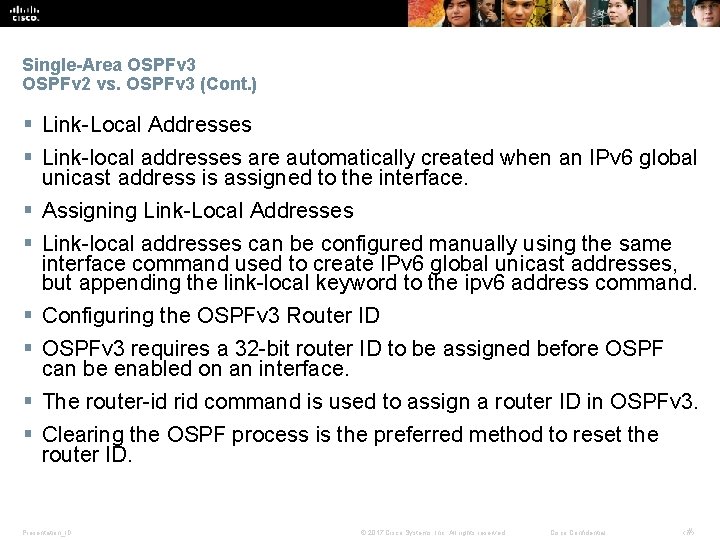
Single-Area OSPFv 3 OSPFv 2 vs. OSPFv 3 (Cont. ) § Link-Local Addresses § Link-local addresses are automatically created when an IPv 6 global unicast address is assigned to the interface. § Assigning Link-Local Addresses § Link-local addresses can be configured manually using the same interface command used to create IPv 6 global unicast addresses, but appending the link-local keyword to the ipv 6 address command. § Configuring the OSPFv 3 Router ID § OSPFv 3 requires a 32 -bit router ID to be assigned before OSPF can be enabled on an interface. § The router-id rid command is used to assign a router ID in OSPFv 3. § Clearing the OSPF process is the preferred method to reset the router ID. Presentation_ID © 2017 Cisco Systems, Inc. All rights reserved. Cisco Confidential ‹#›
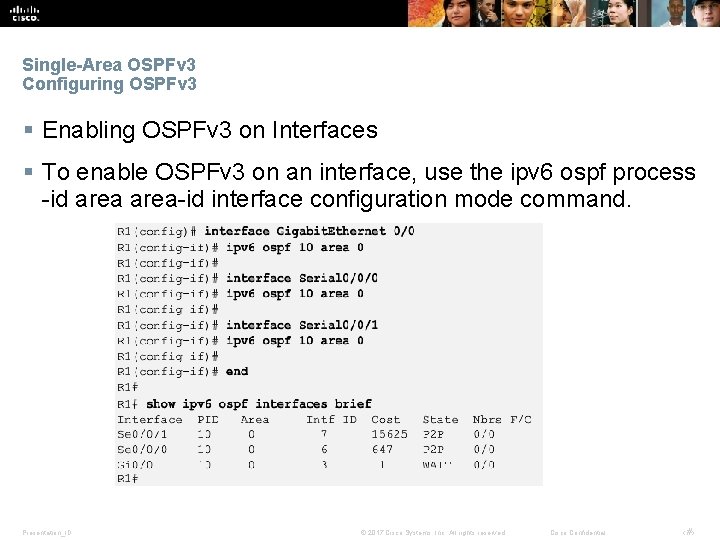
Single-Area OSPFv 3 Configuring OSPFv 3 § Enabling OSPFv 3 on Interfaces § To enable OSPFv 3 on an interface, use the ipv 6 ospf process -id area-id interface configuration mode command. Presentation_ID © 2017 Cisco Systems, Inc. All rights reserved. Cisco Confidential ‹#›
Single-Area OSPFv 3 Verify OSPFv 3 § Verify OSPFv 3 Neighbors § Use the show ipv 6 ospf neighbor command to verify that the router has formed an adjacency with its neighboring routers. § Verify OSPFv 3 Protocol Settings § The show ipv 6 protocols command is a quick way to verify vital OSPFv 3 configuration information, including the OSPFv 3 process ID, the router ID, and the interfaces enabled for OSPFv 3. § Verify OSPFv 3 Interfaces § The quickest way to verify OSPFv 3 interface settings is to use the show ipv 6 ospf interface command. § To retrieve and view a summary of OSPFv 3 -enabled interfaces on R 1, use the show ipv 6 ospf interface brief command Presentation_ID © 2017 Cisco Systems, Inc. All rights reserved. Cisco Confidential ‹#›
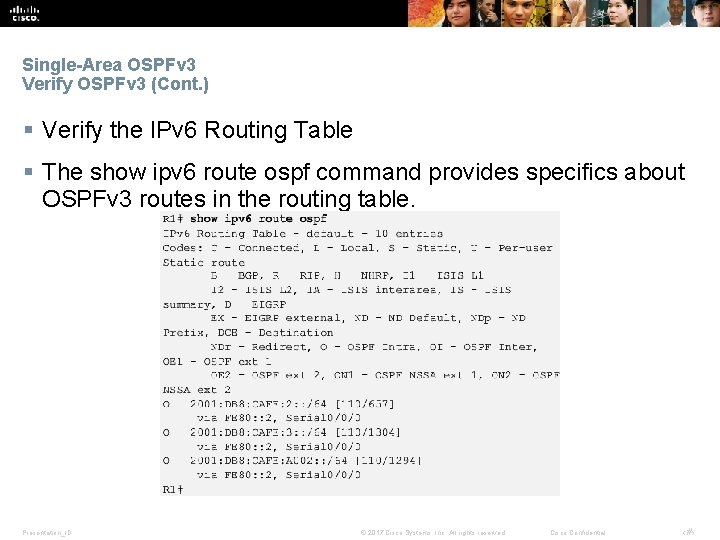
Single-Area OSPFv 3 Verify OSPFv 3 (Cont. ) § Verify the IPv 6 Routing Table § The show ipv 6 route ospf command provides specifics about OSPFv 3 routes in the routing table. Presentation_ID © 2017 Cisco Systems, Inc. All rights reserved. Cisco Confidential ‹#›
8. 4 Chapter Summary Presentation_ID © 2017 Cisco Systems, Inc. All rights reserved. Cisco Confidential 23
Chapter Summary § The current version of OSPF for IPv 4 is OSPFv 2 introduced in RFC 1247 and updated in RFC 2328 by John Moy. In 1999, OSPFv 3 for IPv 6 was published in RFC 2740. § OSPF is a link-state routing protocol with a default administrative distance of 110, and is denoted in the routing table with a route source code of O. § OSPFv 2 is enabled with the router ospf process-id global configuration mode command. The process-id value is locally significant, which means that it does not need to match other OSPFv 2 routers to establish adjacencies with those neighbors. § The network command used with OSPFv 2 has the same function as when used with other IGP routing protocols, but with slightly different syntax. The wildcard-mask value is the inverse of the subnet mask, and the area-id value should be set to 0. § By default, OSPF Hello packets are sent every 10 seconds on multi-access and point-to-point segments and every 30 seconds on NBMA segments (Frame Relay, X. 25, ATM), and are used by OSPF to establish neighbor adjacencies. The Dead interval is four times the Hello interval, by default. § For routers to become adjacent, their Hello interval, Dead interval, network types, and subnet masks must match. Use the show ip ospf neighbors command to verify OSPFv 2 adjacencies. § OSPF elects a DR to act as collection and distribution point for LSAs sent and received in the multi-access network. A BDR is elected to assume the role of the DR should the DR fail. All other routers are known as DROTHERs. All routers send their LSAs to the DR, which then floods the LSA to all other routers in the multiaccess network. § The show ip protocols command is used to verify important OSPFv 2 configuration information, including the OSPF process ID, the router ID, and the networks the router is advertising. § OSPFv 3 is enabled on an interface and not under router configuration mode. OSPFv 3 needs link-local addresses to be configured. IPv 6 Unicast routing must be enabled for OSPFv 3. A 32 -bit router-ID is required before an interface can be enabled for OSPFv 3. Similar verification commands used for OSPFv 2 are used for OSPFv 3. Presentation_ID © 2017 Cisco Systems, Inc. All rights reserved. Cisco Confidential ‹#›
Presentation_ID © 2017 Cisco Systems, Inc. All rights reserved. Cisco Confidential ‹#›
Presentation_ID © 2017 Cisco Systems, Inc. All rights reserved. Cisco Confidential ‹#›