
Introduction to OSPF OSPF Message Encapsulation OSPF packet
- Slides: 44
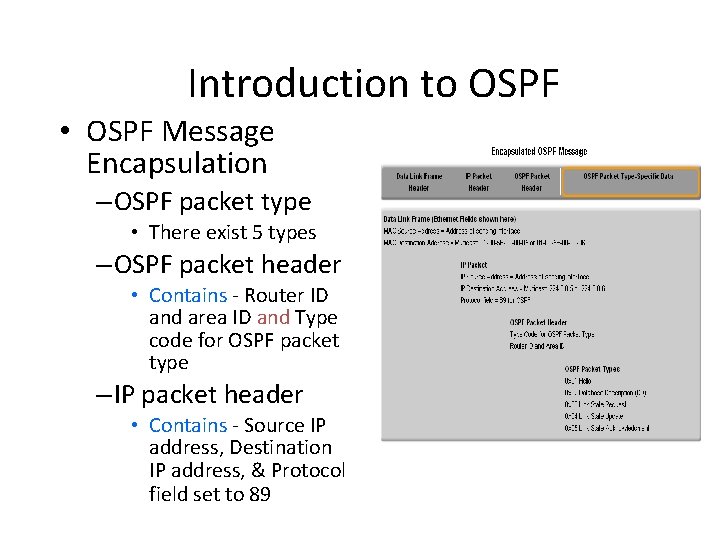
Introduction to OSPF • OSPF Message Encapsulation – OSPF packet type • There exist 5 types – OSPF packet header • Contains - Router ID and area ID and Type code for OSPF packet type – IP packet header • Contains - Source IP address, Destination IP address, & Protocol field set to 89
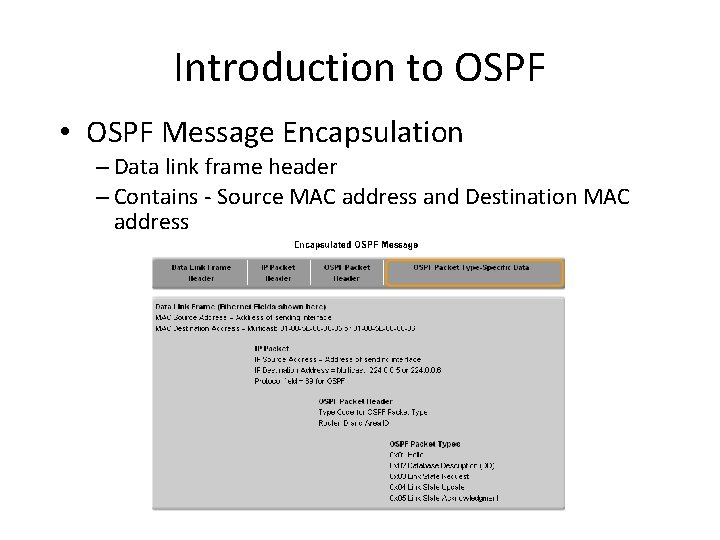
Introduction to OSPF • OSPF Message Encapsulation – Data link frame header – Contains - Source MAC address and Destination MAC address
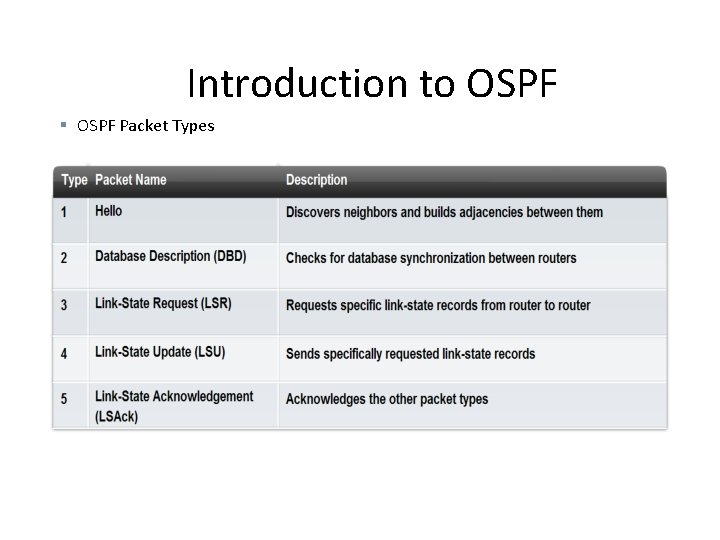
Introduction to OSPF § OSPF Packet Types
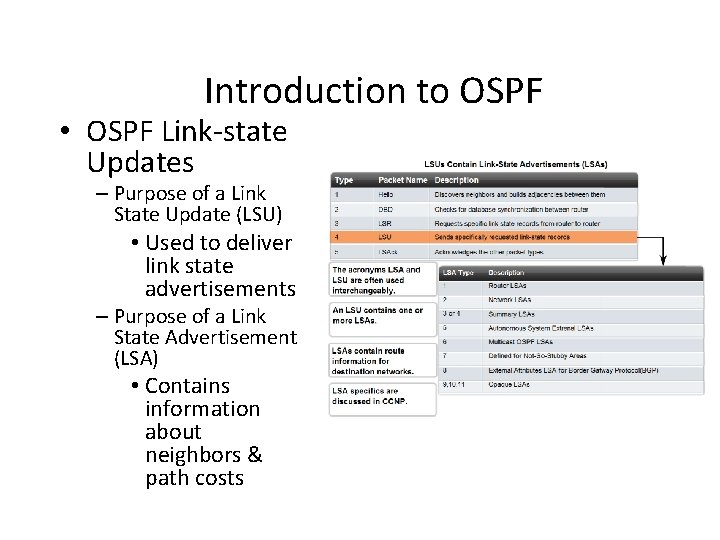
Introduction to OSPF • OSPF Link-state Updates – Purpose of a Link State Update (LSU) • Used to deliver link state advertisements – Purpose of a Link State Advertisement (LSA) • Contains information about neighbors & path costs
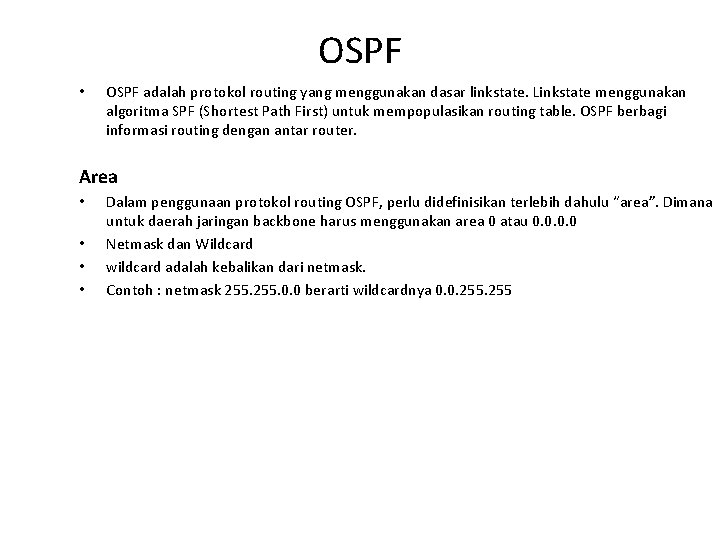
OSPF • • • Open Shortest Path First (OSPF) adalah link-state routing protokol yang dikembangkan sebagai pengganti untuk distance vector routing protocol RIP merupakan routing protocol yang digunakan pada awal perkembangan jaringan dan Internet, tetapi ketergantungan pada hop sebagai satu-satunya ukuran untuk memilih rute terbaik dan cepat menjadi tidak dapat diterima dalam jaringan yang lebih besar yang membutuhkan solusi routing lebih kuat. OSPF adalah protokol routing tanpa kelas (classless) yang menggunakan konsep area untuk skalabilitas. Keunggulan utama OSPF setelah berakhirnya RIP adalah konvergensi yang cepat dan skalabilitas untuk implementasi jaringan yang jauh lebih besar. OSPF adalah protokol routing yang menggunakan dasar linkstate. Linkstate menggunakan algoritma SPF (Shortest Path First) untuk mempopulasikan routing table. OSPF berbagi informasi routing dengan antar router. Dalam penggunaan protokol routing OSPF, perlu didefinisikan terlebih dahulu “area”.
OSPF • OSPF (Open Shortest Path First) adalah sebuah routing protokol standard terbuka yang telah diimplementasikan oleh sejumlah besar vendor jaringan, termasuk Cisco. • Jika kita memiliki banyak router dan tidak semuanya adalah Cisco, maka kita tidak dapat menggunakan EIGRP. Jadi pilihan kita tinggal RIPv 1, RIPv 2, atau OSPF. • Jika network kita adalah network besar, maka pilihan kita satunya hanya OSPF atau sesuatu yang disebut Route Redistribution-sebuah layanan penerjemahan antar-routing protocol.
Dasar-Dasar OSPF �OSPF bekerja dengan sebuah algoritma yang disebut Algoritma Dijkstra Pertama, sebuah pohon jalur terpendek akan dibangun, kemudian Routing table akan diisi dengan jalur-2 terbaik yang dihasilkan oleh pohon tersebut. �OSPF melakukan converge dengan cepat, meskipun tidak sesepat EIGRP dan OSPF mendukung multiple route dengan cost yang sama, ke tujuan yang sama. �OSPF hanya mendukung routing IP �OSPF adalah routing protocol jenis link-state pertama yang diperkenalkan. �OSPF seharusnya dirancang dengan cara hirarkis (memisahkan internetwork yang besar menjadi internetwork-2 kecil yang disebut area). Ini adalah rancangan terbaik untuk OSPF. Alasannya: - Untuk mengurangi overhead (waktu pemrosesan) routing - Untuk mempercepat convergence - Untuk membatasi ketidakstabilan network di sebuah area dari network saja
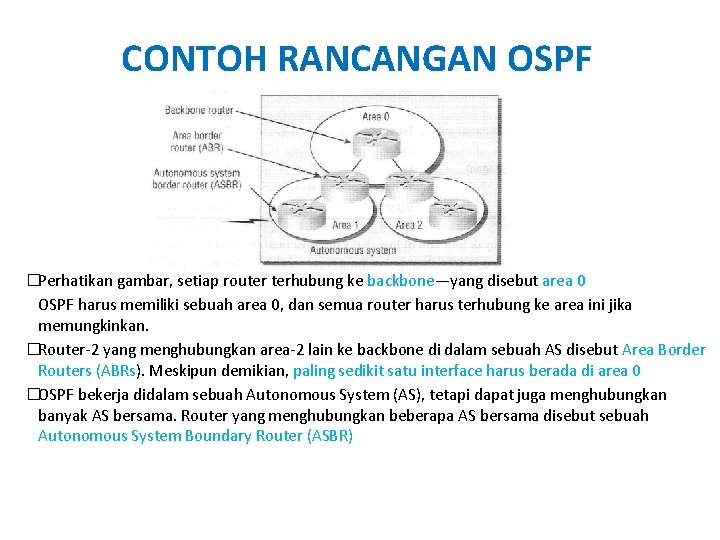
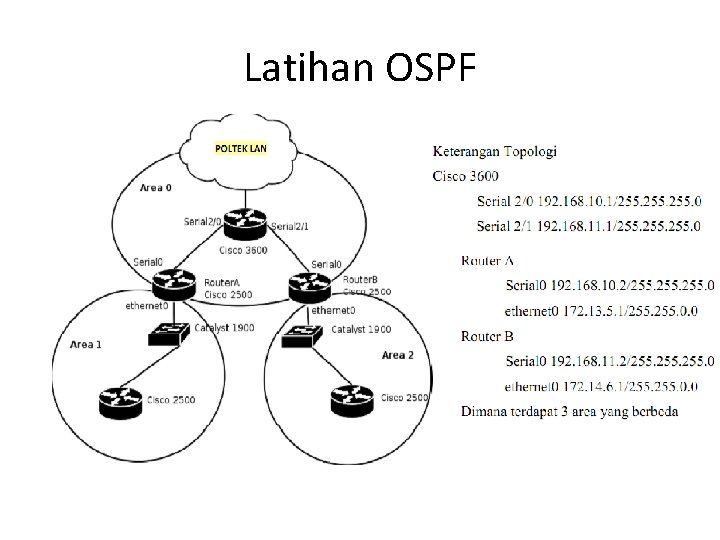
CONTOH RANCANGAN OSPF �Perhatikan gambar, setiap router terhubung ke backbone—yang disebut area 0 OSPF harus memiliki sebuah area 0, dan semua router harus terhubung ke area ini jika memungkinkan. �Router-2 yang menghubungkan area-2 lain ke backbone di dalam sebuah AS disebut Area Border Routers (ABRs). Meskipun demikian, paling sedikit satu interface harus berada di area 0 �OSPF bekerja didalam sebuah Autonomous System (AS), tetapi dapat juga menghubungkan banyak AS bersama. Router yang menghubungkan beberapa AS bersama disebut sebuah Autonomous System Boundary Router (ASBR)
PERHITUNGAN POHON SPF (SPF TREE) �Dalam sebuah area, setiap router menghitung jalur terbaik/terpendek ke semua network di area yang sama. Perhitungan ini didasarkan pada informasi yang dikumpulkan di topology database dan sebuah algoritma yang disebut Algoritma Shortest Path First (SPF) �Jika sebuah router memiliki interface-2 dibanyak area, maka pohon-2 yang terpisah akan dibuat untuk setiap area. �Satu dari kriteria utama yang diperhitungkan selama proses pemilihan route dari algoritma SPF adalah metric atau cost dari setiap jalur yang potensial ke sebuah network. Tetapi perhitungan SPF ini tidak berlaku untuk route-2 yang berasal dari area lain. �OSPF menggunakan sebuah metric yang disebut sebagai cost (biaya). - Sebuah cost dihitung untuk semua outgoing interface (interface yang mengirimkan data) yang termasuk dalam sebuah pohon SPF. - Cost dari keseluruhan jalur adalah penjumlahan dari cost-cost yang dimiliki oleh interface 2 outgoing disepanjang jalur tersebut. - Cisco menghitung Cost dgn rumus = 108 / bandwidth interface. - Nilai cost dapat dimanipulasi dalam range 1 s/d 65. 535, perintahnya: ip ospf cost
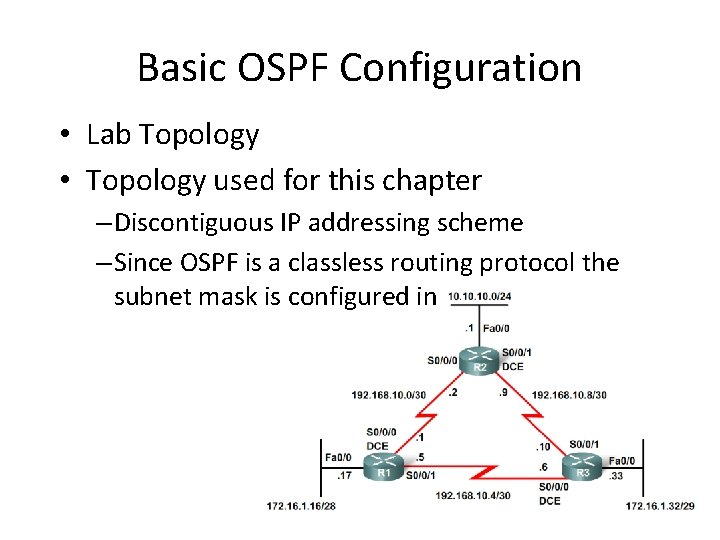
Basic OSPF Configuration • Lab Topology • Topology used for this chapter – Discontiguous IP addressing scheme – Since OSPF is a classless routing protocol the subnet mask is configured in
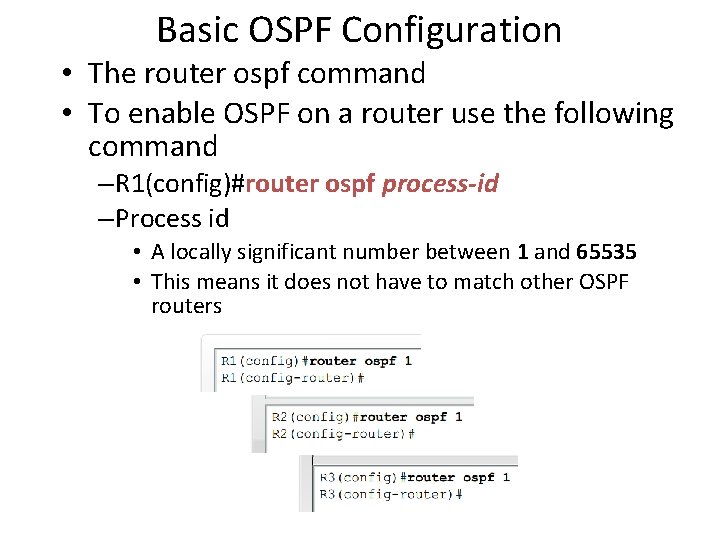
Basic OSPF Configuration • The router ospf command • To enable OSPF on a router use the following command – R 1(config)#router ospf process-id – Process id • A locally significant number between 1 and 65535 • This means it does not have to match other OSPF routers
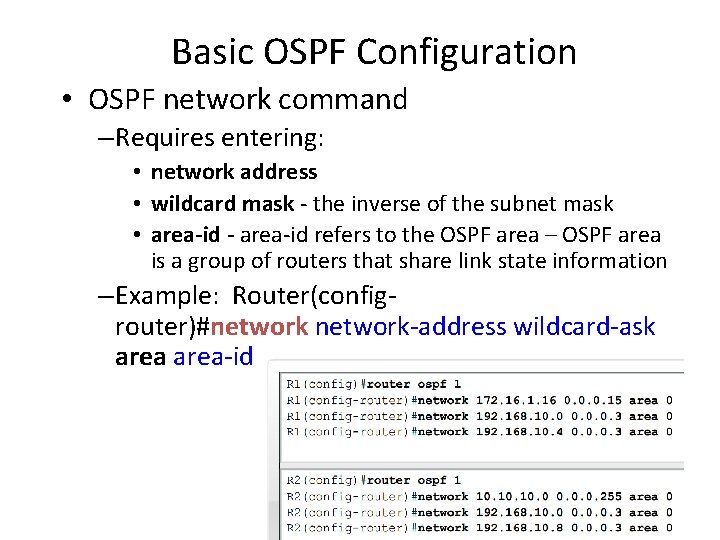
Basic OSPF Configuration • OSPF network command – Requires entering: • network address • wildcard mask - the inverse of the subnet mask • area-id - area-id refers to the OSPF area – OSPF area is a group of routers that share link state information – Example: Router(configrouter)#network-address wildcard-ask area-id
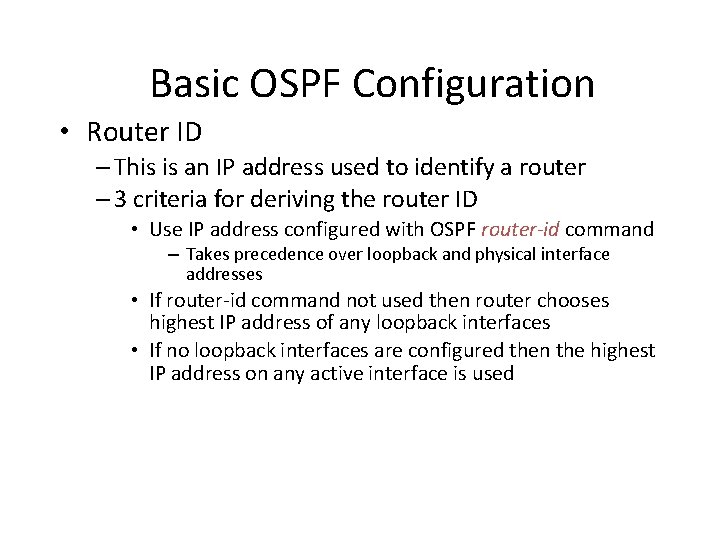
Basic OSPF Configuration • Router ID – This is an IP address used to identify a router – 3 criteria for deriving the router ID • Use IP address configured with OSPF router-id command – Takes precedence over loopback and physical interface addresses • If router-id command not used then router chooses highest IP address of any loopback interfaces • If no loopback interfaces are configured then the highest IP address on any active interface is used
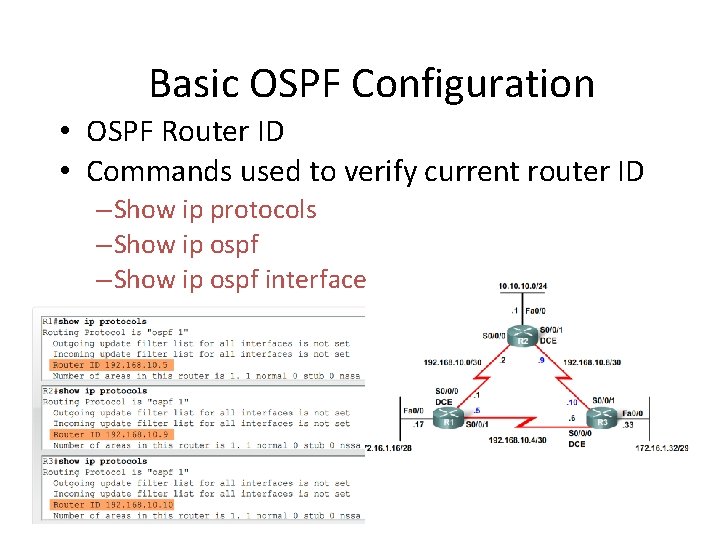
Basic OSPF Configuration • OSPF Router ID • Commands used to verify current router ID – Show ip protocols – Show ip ospf interface
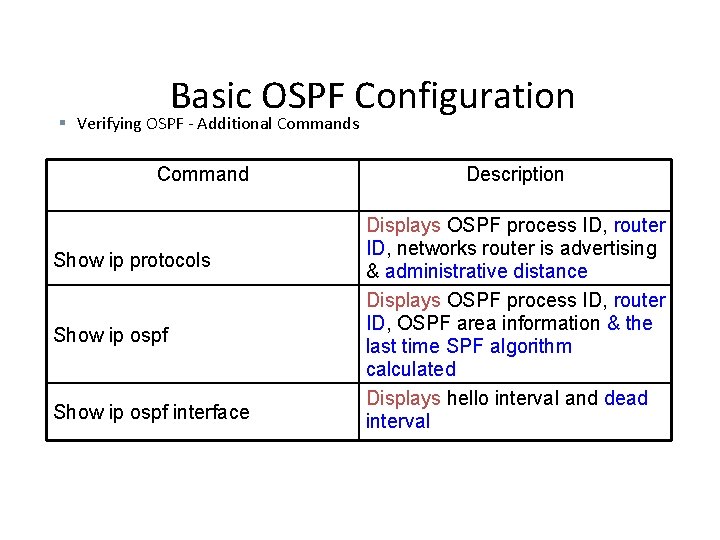
Basic OSPF Configuration § Verifying OSPF - Additional Commands Command Show ip protocols Show ip ospf interface Description Displays OSPF process ID, router ID, networks router is advertising & administrative distance Displays OSPF process ID, router ID, OSPF area information & the last time SPF algorithm calculated Displays hello interval and dead interval
OSPF • OSPF adalah protokol routing yang menggunakan dasar linkstate. Linkstate menggunakan algoritma SPF (Shortest Path First) untuk mempopulasikan routing table. OSPF berbagi informasi routing dengan antar router. Area • • Dalam penggunaan protokol routing OSPF, perlu didefinisikan terlebih dahulu “area”. Dimana untuk daerah jaringan backbone harus menggunakan area 0 atau 0. 0 Netmask dan Wildcard wildcard adalah kebalikan dari netmask. Contoh : netmask 255. 0. 0 berarti wildcardnya 0. 0. 255
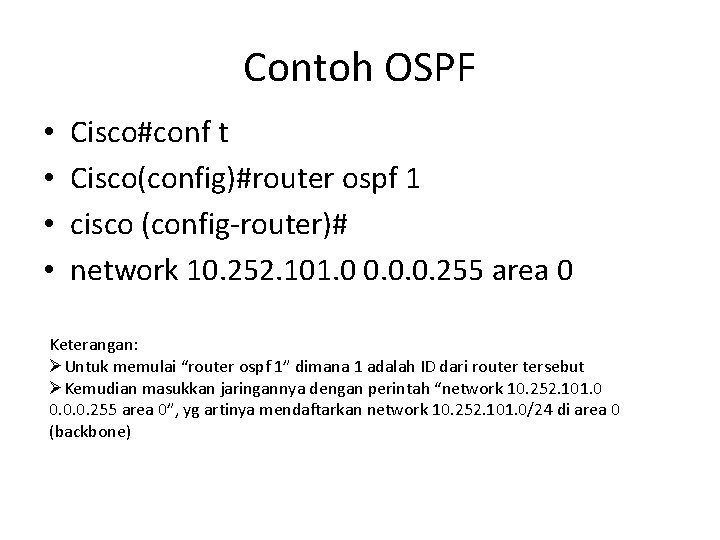
Contoh OSPF • • Cisco#conf t Cisco(config)#router ospf 1 cisco (config-router)# network 10. 252. 101. 0 0. 0. 0. 255 area 0 Keterangan: ØUntuk memulai “router ospf 1” dimana 1 adalah ID dari router tersebut ØKemudian masukkan jaringannya dengan perintah “network 10. 252. 101. 0 0. 0. 0. 255 area 0”, yg artinya mendaftarkan network 10. 252. 101. 0/24 di area 0 (backbone)
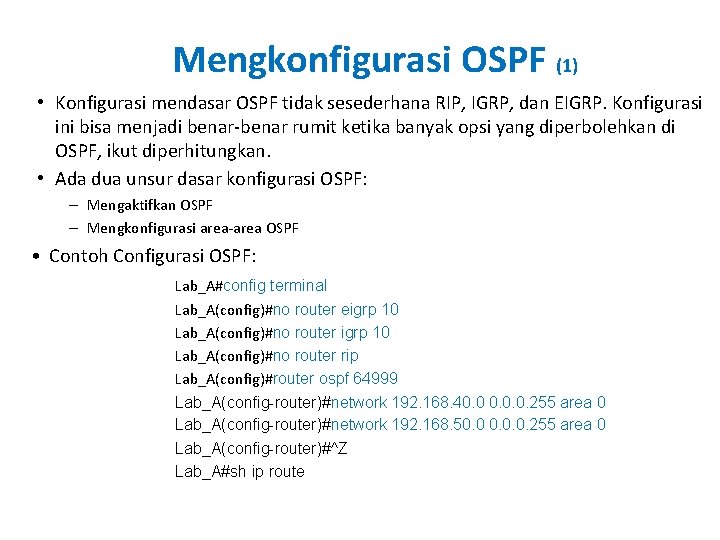
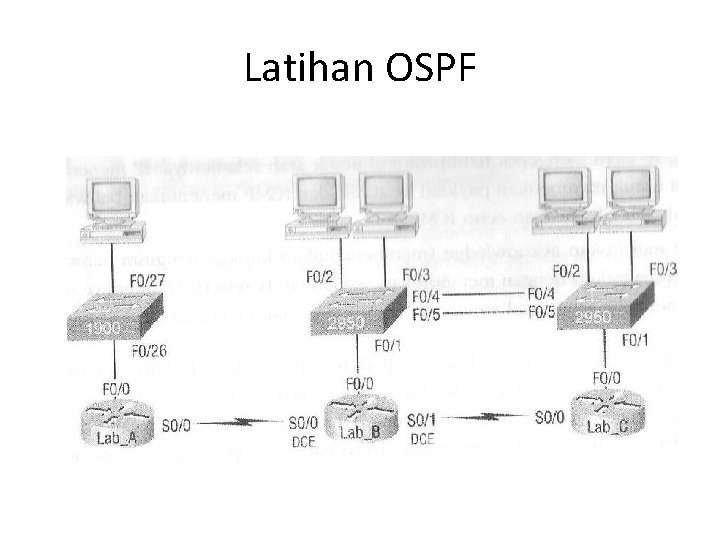
Mengkonfigurasi OSPF (1) • Konfigurasi mendasar OSPF tidak sesederhana RIP, IGRP, dan EIGRP. Konfigurasi ini bisa menjadi benar-benar rumit ketika banyak opsi yang diperbolehkan di OSPF, ikut diperhitungkan. • Ada dua unsur dasar konfigurasi OSPF: – Mengaktifkan OSPF – Mengkonfigurasi area-area OSPF • Contoh Configurasi OSPF: Lab_A#config terminal Lab_A(config)#no router eigrp 10 Lab_A(config)#no router rip Lab_A(config)#router ospf 64999 Lab_A(config-router)#network 192. 168. 40. 0. 0. 255 area 0 Lab_A(config-router)#network 192. 168. 50. 0. 0. 255 area 0 Lab_A(config-router)#^Z Lab_A#sh ip route
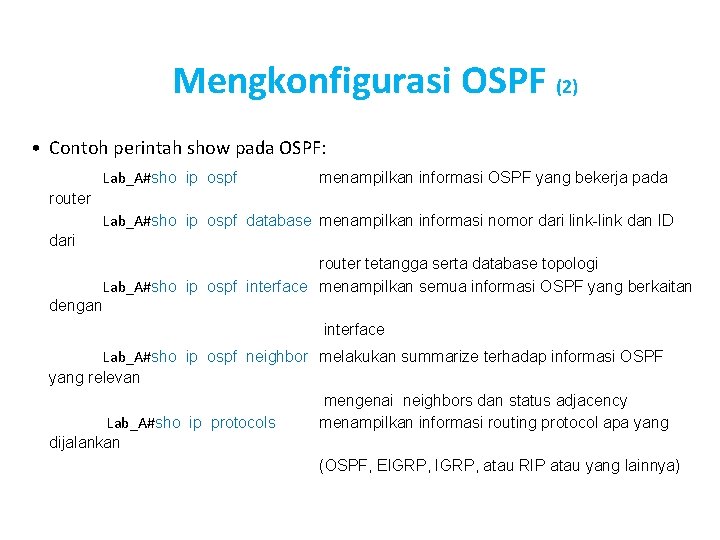
Mengkonfigurasi OSPF (2) • Contoh perintah show pada OSPF: Lab_A#sho ip ospf menampilkan informasi OSPF yang bekerja pada router Lab_A#sho ip ospf database menampilkan informasi nomor dari link-link dan ID dari router tetangga serta database topologi Lab_A#sho ip ospf interface menampilkan semua informasi OSPF yang berkaitan dengan interface Lab_A#sho ip ospf neighbor melakukan summarize terhadap informasi OSPF yang relevan mengenai neighbors dan status adjacency Lab_A#sho ip protocols menampilkan informasi routing protocol apa yang dijalankan (OSPF, EIGRP, atau RIP atau yang lainnya)
Latihan OSPF
Latihan OSPF
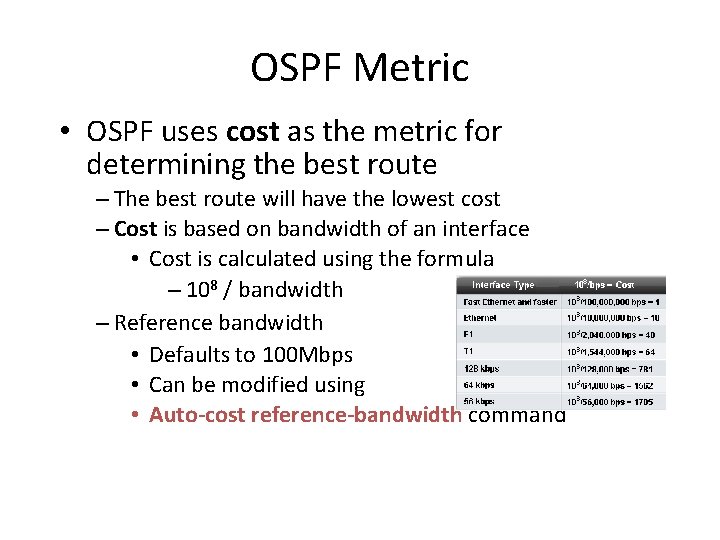
OSPF Metric • OSPF uses cost as the metric for determining the best route – The best route will have the lowest cost – Cost is based on bandwidth of an interface • Cost is calculated using the formula – 108 / bandwidth – Reference bandwidth • Defaults to 100 Mbps • Can be modified using • Auto-cost reference-bandwidth command
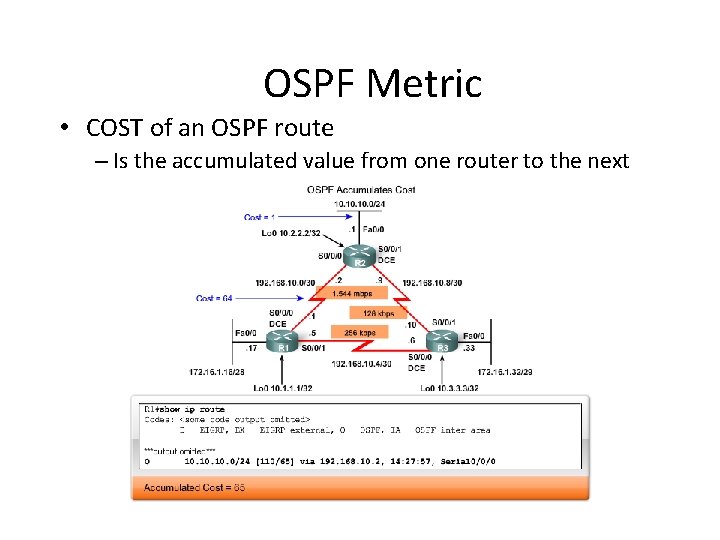
OSPF Metric • COST of an OSPF route – Is the accumulated value from one router to the next
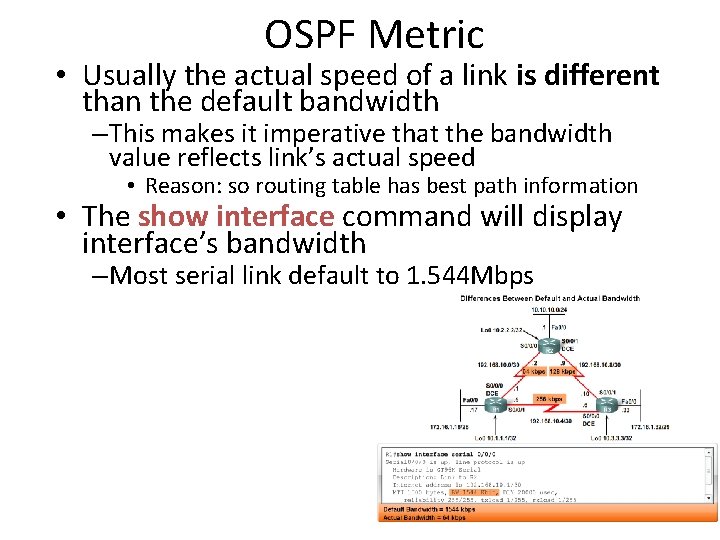
OSPF Metric • Usually the actual speed of a link is different than the default bandwidth – This makes it imperative that the bandwidth value reflects link’s actual speed • Reason: so routing table has best path information • The show interface command will display interface’s bandwidth – Most serial link default to 1. 544 Mbps
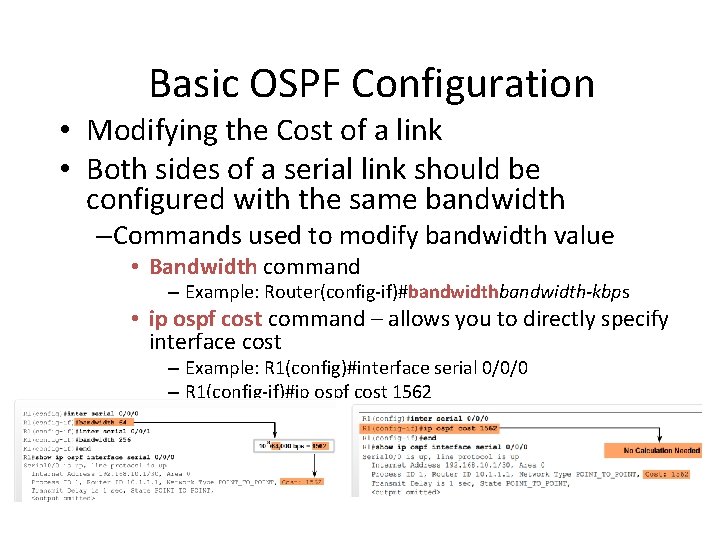
Basic OSPF Configuration • Modifying the Cost of a link • Both sides of a serial link should be configured with the same bandwidth – Commands used to modify bandwidth value • Bandwidth command – Example: Router(config-if)#bandwidth-kbps • ip ospf cost command – allows you to directly specify interface cost – Example: R 1(config)#interface serial 0/0/0 – R 1(config-if)#ip ospf cost 1562
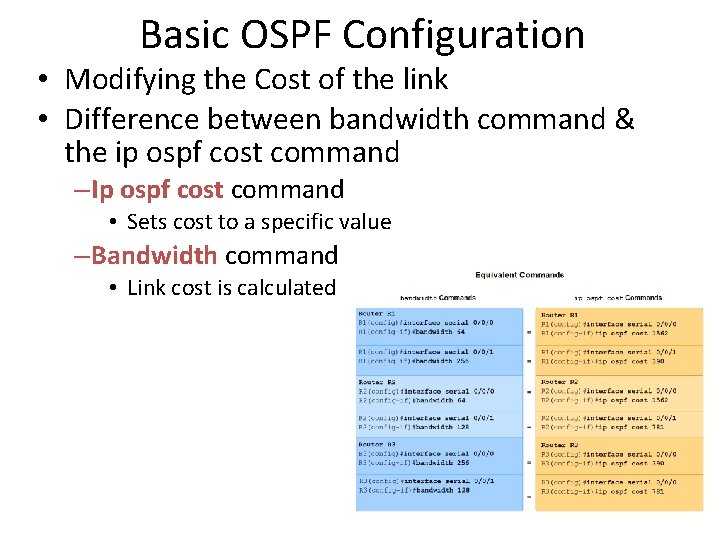
Basic OSPF Configuration • Modifying the Cost of the link • Difference between bandwidth command & the ip ospf cost command – Ip ospf cost command • Sets cost to a specific value – Bandwidth command • Link cost is calculated
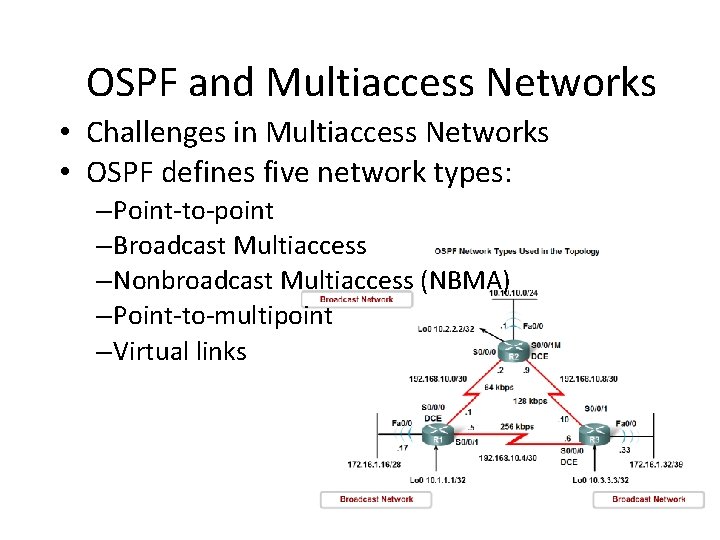
OSPF and Multiaccess Networks • Challenges in Multiaccess Networks • OSPF defines five network types: – Point-to-point – Broadcast Multiaccess – Nonbroadcast Multiaccess (NBMA) – Point-to-multipoint – Virtual links
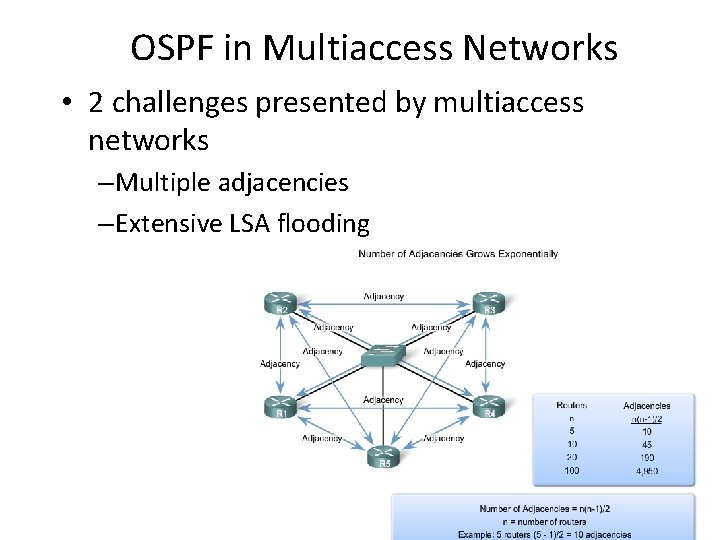
OSPF in Multiaccess Networks • 2 challenges presented by multiaccess networks – Multiple adjacencies – Extensive LSA flooding
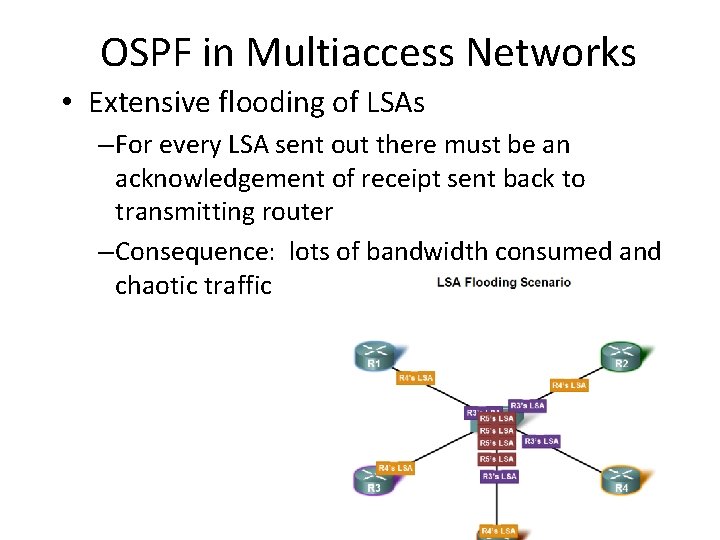
OSPF in Multiaccess Networks • Extensive flooding of LSAs – For every LSA sent out there must be an acknowledgement of receipt sent back to transmitting router – Consequence: lots of bandwidth consumed and chaotic traffic
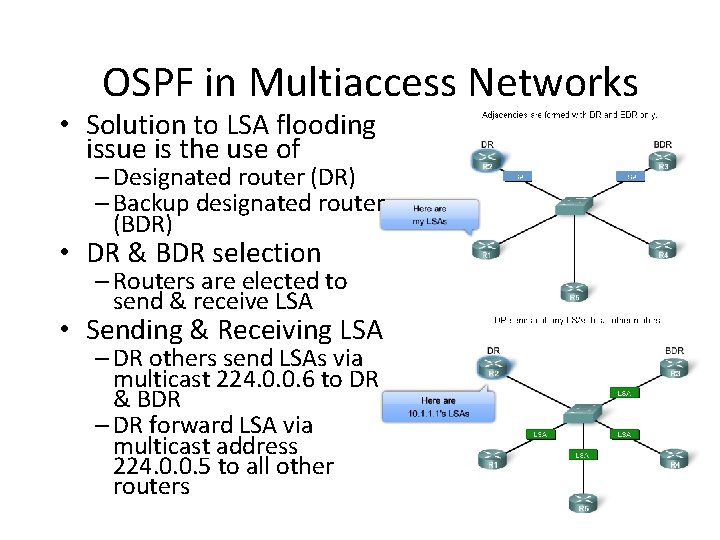
OSPF in Multiaccess Networks • Solution to LSA flooding issue is the use of – Designated router (DR) – Backup designated router (BDR) • DR & BDR selection – Routers are elected to send & receive LSA • Sending & Receiving LSA – DR others send LSAs via multicast 224. 0. 0. 6 to DR & BDR – DR forward LSA via multicast address 224. 0. 0. 5 to all other routers
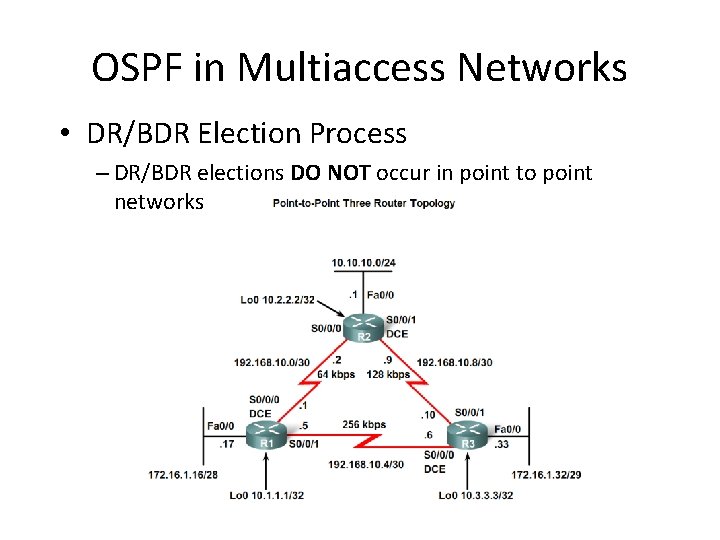
OSPF in Multiaccess Networks • DR/BDR Election Process – DR/BDR elections DO NOT occur in point to point networks
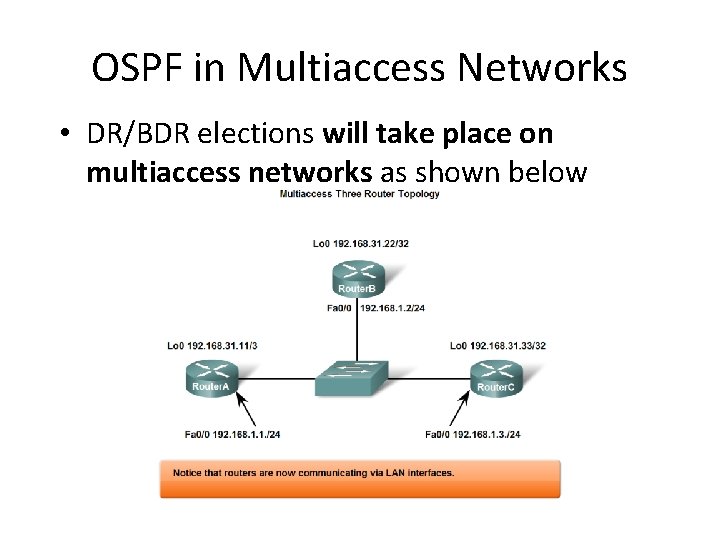
OSPF in Multiaccess Networks • DR/BDR elections will take place on multiaccess networks as shown below
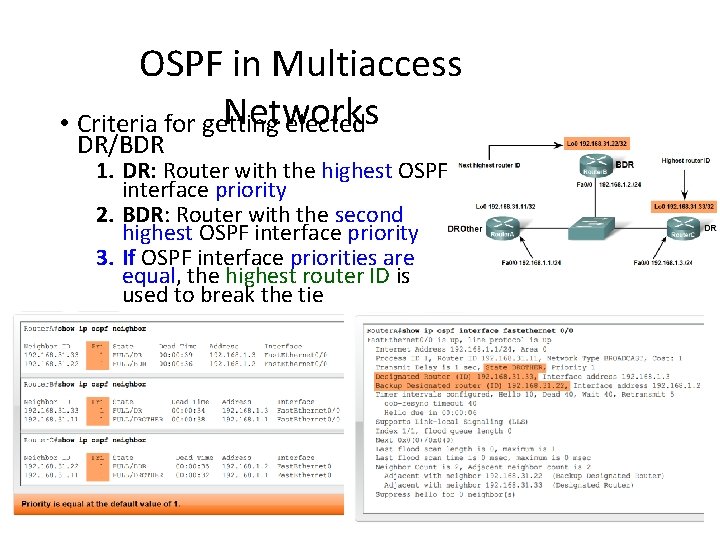
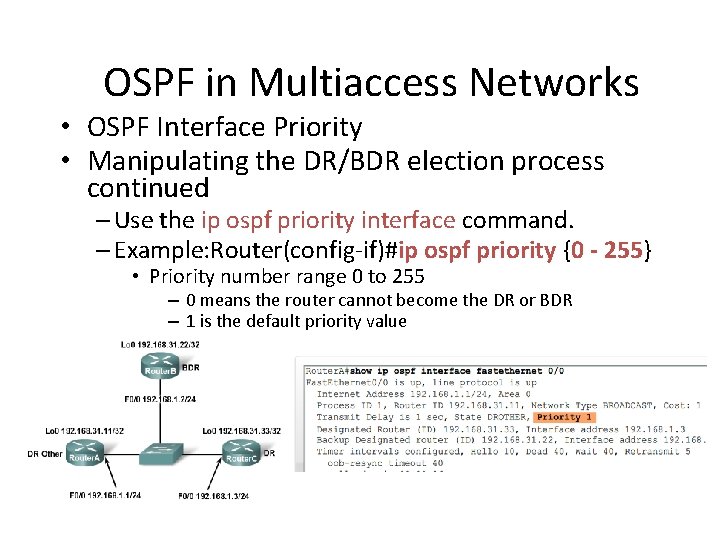
OSPF in Multiaccess Networks • Criteria for getting elected DR/BDR 1. DR: Router with the highest OSPF interface priority 2. BDR: Router with the second highest OSPF interface priority 3. If OSPF interface priorities are equal, the highest router ID is used to break the tie
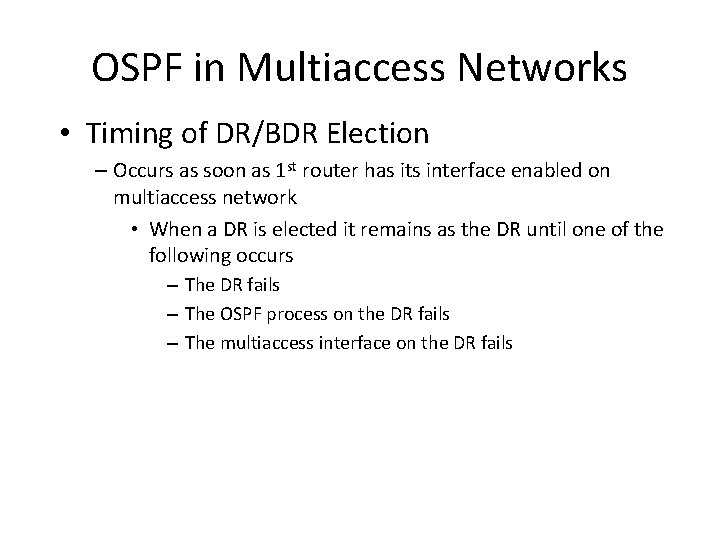
OSPF in Multiaccess Networks • Timing of DR/BDR Election – Occurs as soon as 1 st router has its interface enabled on multiaccess network • When a DR is elected it remains as the DR until one of the following occurs – The DR fails – The OSPF process on the DR fails – The multiaccess interface on the DR fails
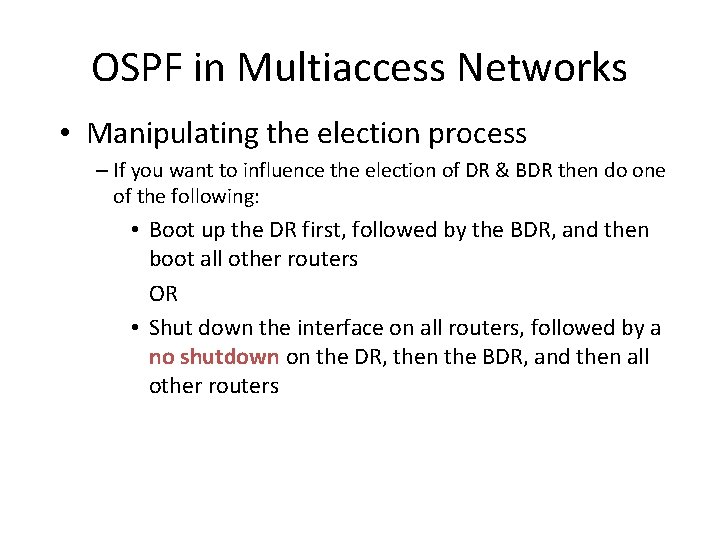
OSPF in Multiaccess Networks • Manipulating the election process – If you want to influence the election of DR & BDR then do one of the following: • Boot up the DR first, followed by the BDR, and then boot all other routers OR • Shut down the interface on all routers, followed by a no shutdown on the DR, then the BDR, and then all other routers
OSPF in Multiaccess Networks • OSPF Interface Priority • Manipulating the DR/BDR election process continued – Use the ip ospf priority interface command. – Example: Router(config-if)#ip ospf priority {0 - 255} • Priority number range 0 to 255 – 0 means the router cannot become the DR or BDR – 1 is the default priority value
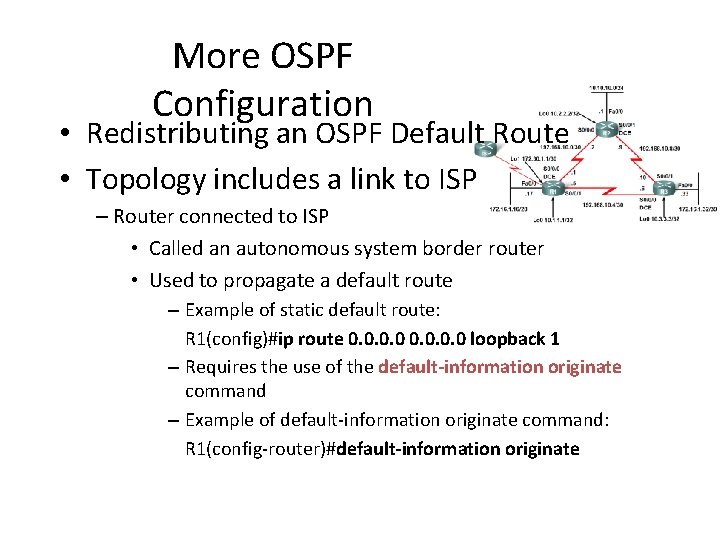
More OSPF Configuration • Redistributing an OSPF Default Route • Topology includes a link to ISP – Router connected to ISP • Called an autonomous system border router • Used to propagate a default route – Example of static default route: R 1(config)#ip route 0. 0 loopback 1 – Requires the use of the default-information originate command – Example of default-information originate command: R 1(config-router)#default-information originate
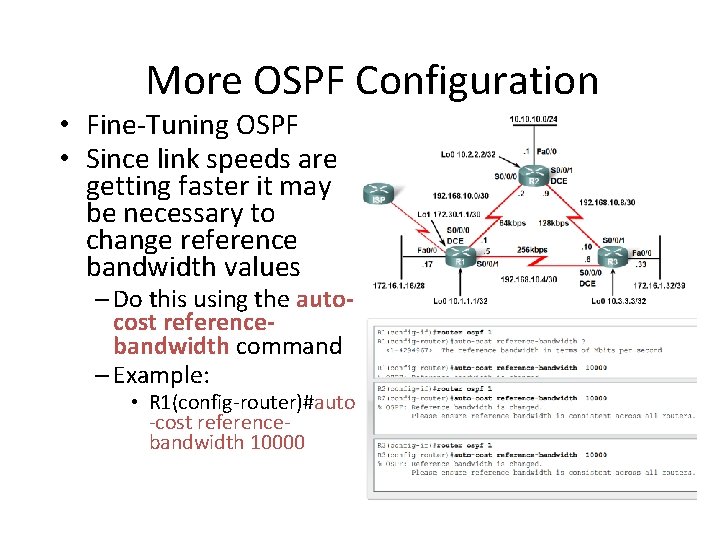
More OSPF Configuration • Fine-Tuning OSPF • Since link speeds are getting faster it may be necessary to change reference bandwidth values – Do this using the autocost referencebandwidth command – Example: • R 1(config-router)#auto -cost referencebandwidth 10000
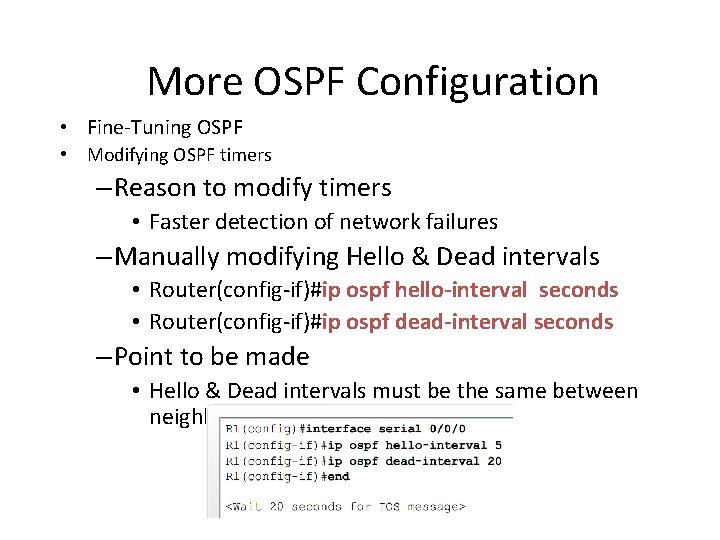
More OSPF Configuration • Fine-Tuning OSPF • Modifying OSPF timers – Reason to modify timers • Faster detection of network failures – Manually modifying Hello & Dead intervals • Router(config-if)#ip ospf hello-interval seconds • Router(config-if)#ip ospf dead-interval seconds – Point to be made • Hello & Dead intervals must be the same between neighbors
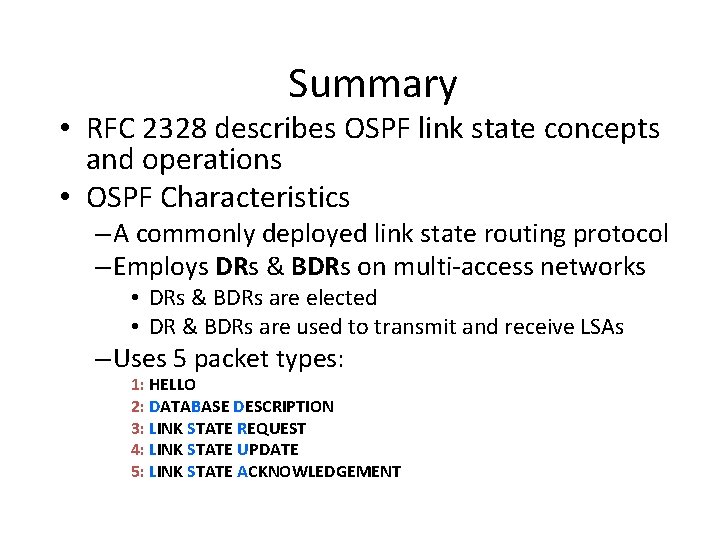
Summary • RFC 2328 describes OSPF link state concepts and operations • OSPF Characteristics – A commonly deployed link state routing protocol – Employs DRs & BDRs on multi-access networks • DRs & BDRs are elected • DR & BDRs are used to transmit and receive LSAs – Uses 5 packet types: 1: HELLO 2: DATABASE DESCRIPTION 3: LINK STATE REQUEST 4: LINK STATE UPDATE 5: LINK STATE ACKNOWLEDGEMENT
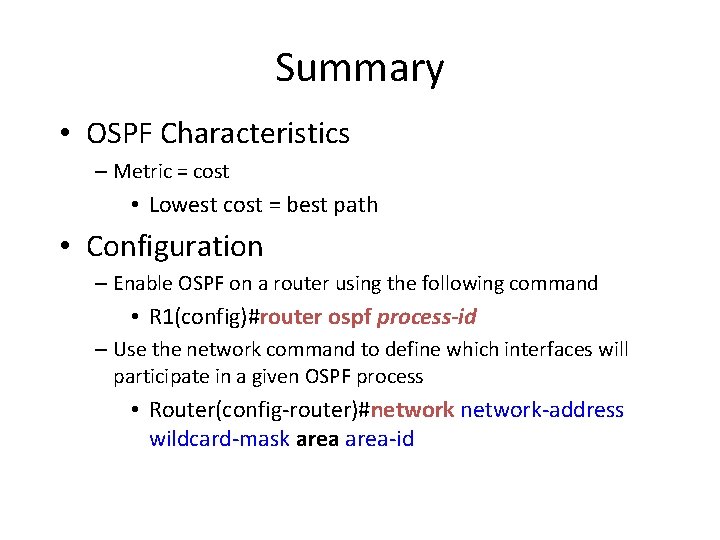
Summary • OSPF Characteristics – Metric = cost • Lowest cost = best path • Configuration – Enable OSPF on a router using the following command • R 1(config)#router ospf process-id – Use the network command to define which interfaces will participate in a given OSPF process • Router(config-router)#network-address wildcard-mask area-id
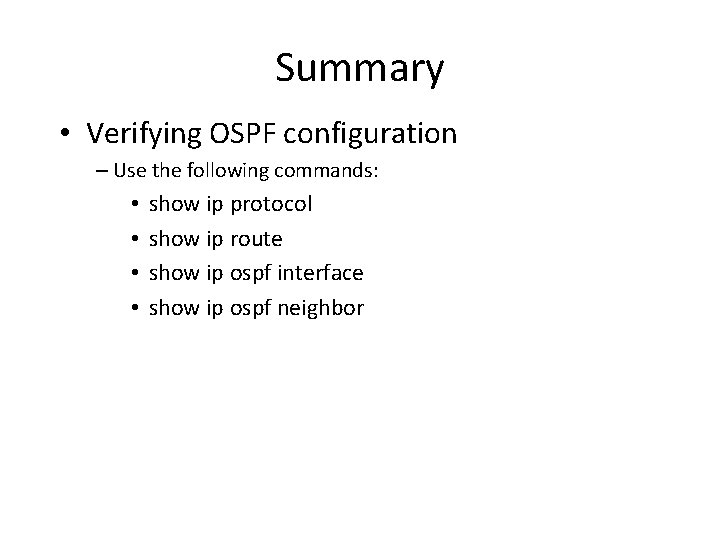
Summary • Verifying OSPF configuration – Use the following commands: • • show ip protocol show ip route show ip ospf interface show ip ospf neighbor