The Neverwinter Nights 2 Toolset A Case Study
- Slides: 45
The Neverwinter Nights 2 Toolset: A Case Study in Tools Development Erik Novales > Obsidian Entertainment >
Overview
Tool Expectations WYSIWYG > Make it easier to build and modify densely-populated areas > Reduce modal UI, and the length of the change cycle > Try and catch problems before the game is run >
Tool Expectations > Answer community/licensee needs where possible
Rendering Use your game’s engine… > …but you also have to have enough flexibility to do things that you would never do in the game! > Visualization of debug information > “Actual” lighting versus “work” lighting > Use of “scratch” data like temp lightmaps >
Rendering > Client-server model Render to PC windows > Render to console/TV > Render to nothing – for testing purposes > > Shorten the feedback cycle > Things like color selection benefit greatly from rapid feedback.
(Object) Population Explosion Game world population, much like the real world, is steadily increasing. > This rate of increase is probably outstripping the growth rate of your design/art department. >
(Object) Population Explosion > Need to be able to quickly inspect large numbers of objects. > > The fewer clicks, the better. Need to be able to quickly add and modify large numbers of objects. > The fewer clicks…you get the idea.
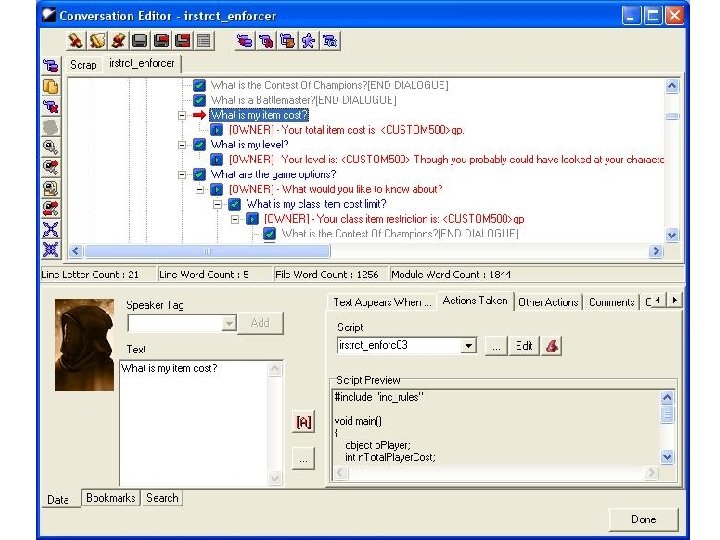
Modal UI is a productivity drain. > At the bare minimum, it adds one click or key press to an operation. > If it’s a common operation, this adds up really fast. > NWN 1 conversation/script/area editors were effectively modal. >
Verification/Data Analysis Games in production tend to take a long time to start up. > Unless you can fix scripts/game logic at run-time, this becomes a big time sink. > Catching a bug at edit-time = $$$ >
The Neverwinter Nights 2 Experience
Early Experiments > Using old toolchain Written with Borland C++Builder > Uncertainty of continued support > Large amount of effort needed to make even simple changes (C++) >
Rewrite It? > Why? Cost of rewrite competitive with update. > Opportunity to fix designer pet peeves/productivity drains. > Avoid becoming reliant on products that are no longer supported. > > Only write what’s necessary
C#/. NET Used for the majority of the code in NWN 2’s toolset > Compiles really, really fast > Tight visual designer integration >
Oh, and Managed C++ Useful for integration with existing engine or game code > NOT recommended for anything other than glue code > Callbacks from unmanaged into managed code > C++/CLI? >
Managed C++ Usage Renderer interface > Script compiler > Some macro tricks to share game enums with the toolset > “It (pretty much) Just Works” >
Where to start? > Programs are ephemeral – file formats are forever > > Nail down code to deal with your existing file formats > > Targa Use testing tools like NUnit to check your code Start by replacing infrequently used tools or offline tools
Rendering Get your communications and resource interfaces working first. > Render on another thread, not in another process. > Managed C++ or C++/CLI can allow you to call your renderer directly > > Alternative: use tools like SWIG
User Interface The user interface is the application. > If a feature is awkward or difficult to use…people will be reluctant to use it. > It’s no longer acceptable to say, “Just deal with it. ” >
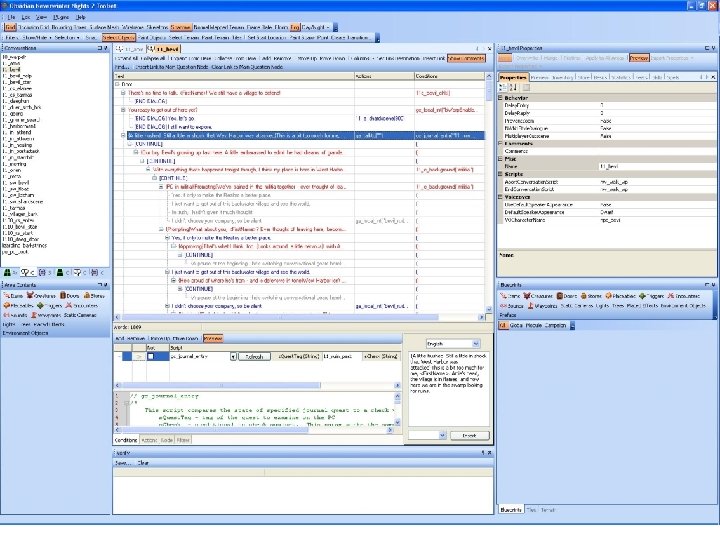
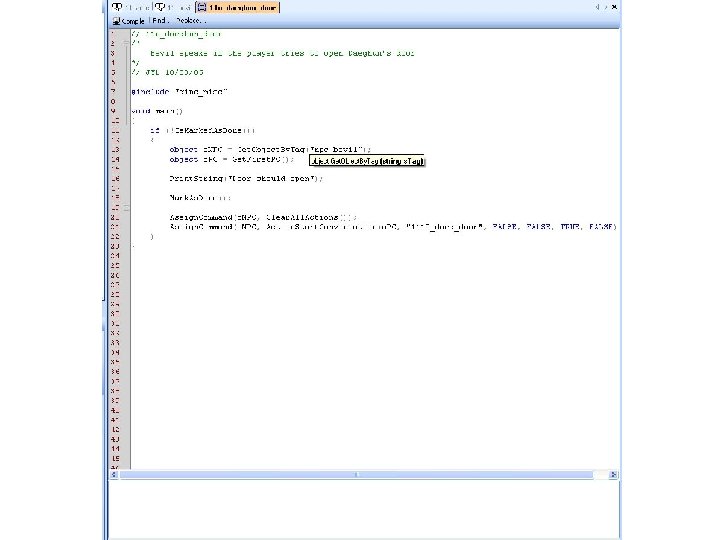
User Interface > You can buy a lot of nice UI features nowadays: UI/docking managers > Syntax-highlighting editors > Toolbars > Tree/grid views > > This is exactly what we did.
Why buy UI? > Because we’re supposed to be making a game, not making fancy UI widgets.
But money can’t buy you… Modeless UI > A UI that makes it easier to deal with huge worlds > An intuitive UI >
Modeless UI It’s really a data-dependency problem. > If you have a deep understanding of your data, you will understand where these dependencies exist. > Model-view (observer pattern) > Unfortunately, it’s sometimes easy to miss something in a big engine… >
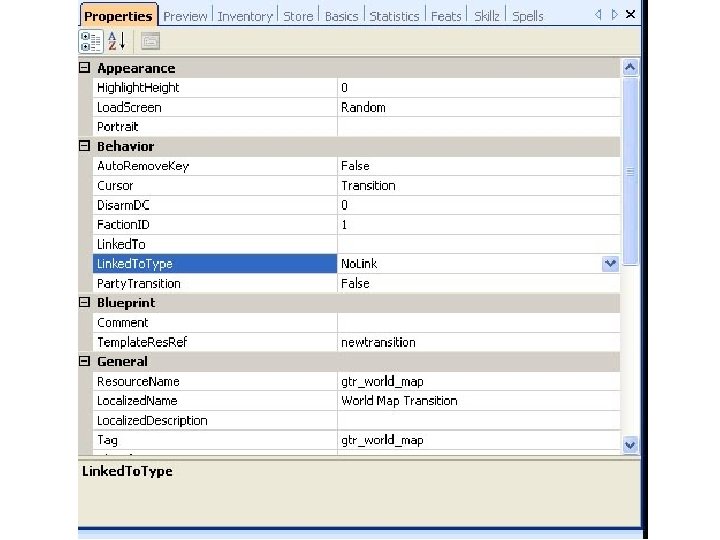
Multiple Selection and Editing The property grid > Simple properties – piece of cake > Composite properties – not a piece of cake > Try and define “normal behavior, ” to cover the most common cases. You may have to punt on the rest. > Example: creature inventory >
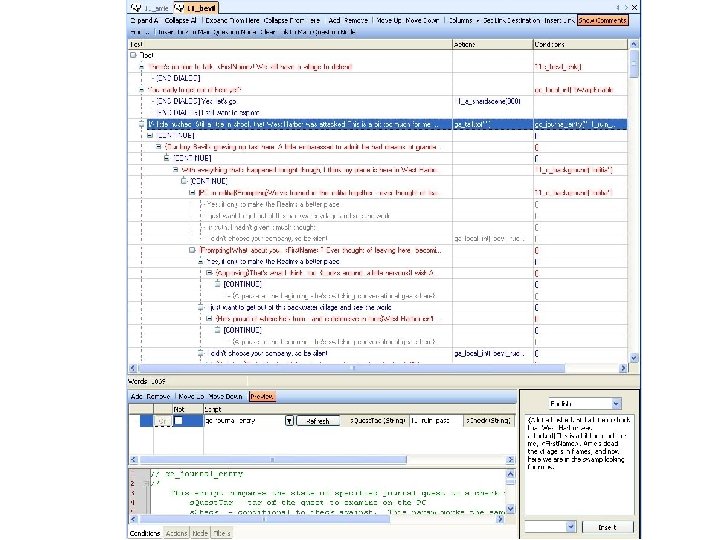
Data Visibility > Try and show related data together. > Trees and tables. Reduce time spent cycling through items. > Better search capabilities >
Other User Interface Tidbits > Type reflection > > Have a standard notion of “processing” a generic object, and build it into your UI. > > Useful for enumerated types Handy for batch or one-off changes. Ubiquitous preferences > Users expect it now anyway…
Other User Interface Tidbits > Plug-ins Users are already familiar with the concept. > This is an easy way to remove functionality on ship, or for certain builds. >
The All-Plugin Editor? Project dependencies may start getting out of control > If you want to change things at that basic of a level…maybe it’s time to write another editor. >
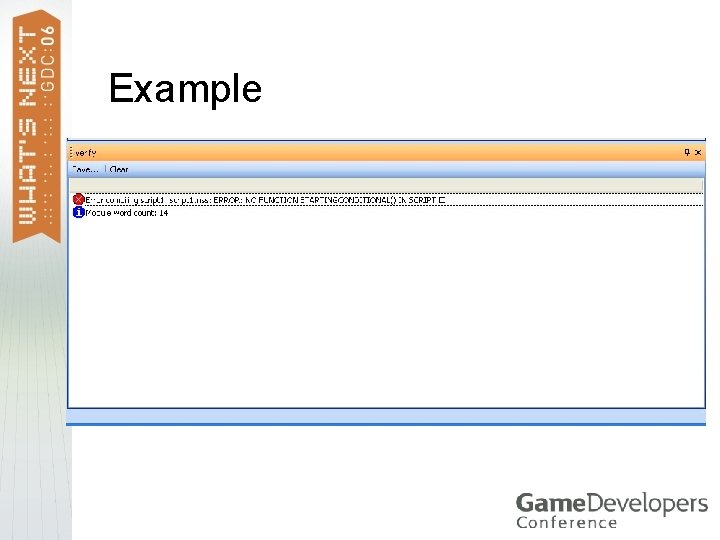
Verification Can encompass a wide variety of checks > Golden rule: always state what is wrong (in a “non-programmer friendly” way), and, more importantly, how to try and fix it. > When there’s a bug, ask: can this be automatically detected? >
Example
Verification > Scriptable tool? > > Technical designers can write their own rules. Not limited to just preventing game errors Check style/consistency > Spell check! > > Use plug-ins, so you can take out game specific stuff.
Tools for Data Analysis Visualization > Metrics > Export to common file formats (Office) > Crunch numbers in external tools. > Game statistics, asset information, dialogue information, etc. >
Multithreading Games are moving to ubiquitous multithreading > Tools should, as well >
Multithreading > Simple stuff: progress dialogs Little stuff like this makes people happy. > Never underestimate the power of trickery like this. > > More useful stuff: background tasks > Word counter
Multithreading > Even more useful stuff: Rendering thread > Running the game in the background > Faster data munging (path tables, visibility) > Automatic verification >
Perils of Multithreading > On Windows…UI updates VS 2005 is great for helping to catch thread bugs > Understand how Control. Invoke works > Use an alternate communication mechanism > > “Regular” multithreading bugs Same type that you’ll see in the game > Hyperthreading != Multi-core >
Future Possibilities > Inductive UI (Web-like, task-oriented) > > Studies have shown that inductive UI is more productive than deductive (menu-oriented) UI. Better support for “tool languages” on consoles
Questions?
Thank you! > Contact information: > enovales@obsidianent. com