SOFTWARE ENGINEERING 191 CSC 301 T UNIT 3
![Designing Class-Based Components Basic Design Principles 1. The Open-Closed Principle (OCP). “A module [component]](https://slidetodoc.com/presentation_image/3dc8bd958bf6b4070a570980c3771637/image-91.jpg "Designing Class-Based Components Basic Design Principles 1. The Open-Closed Principle (OCP). “A module [component]")
![Designing Class-Based Components Basic Design Principles 1. The Open-Closed Principle (OCP). “A module [component]](https://slidetodoc.com/presentation_image/3dc8bd958bf6b4070a570980c3771637/image-92.jpg "Designing Class-Based Components Basic Design Principles 1. The Open-Closed Principle (OCP). “A module [component]")
- Slides: 94
SOFTWARE ENGINEERING 191 CSC 301 T
UNIT - 3 SOFTWARE DESIGN Design process – Design Concepts - Design Model– Design Heuristic – Architectural Design –Architectural styles, Architectural Design, Architectural Mapping using Data Flow- User Interface Design: Interface analysis, Interface Design –Component level Design: Designing Class based components, traditional Components.
Design • Software design encompasses the 1. Set of Principles, 2. Concepts, and 3. Practices that lead to the development of a high-quality system or product • The goal of design is to produce a model or representation that exhibits Firmness, Commodity and Delight.
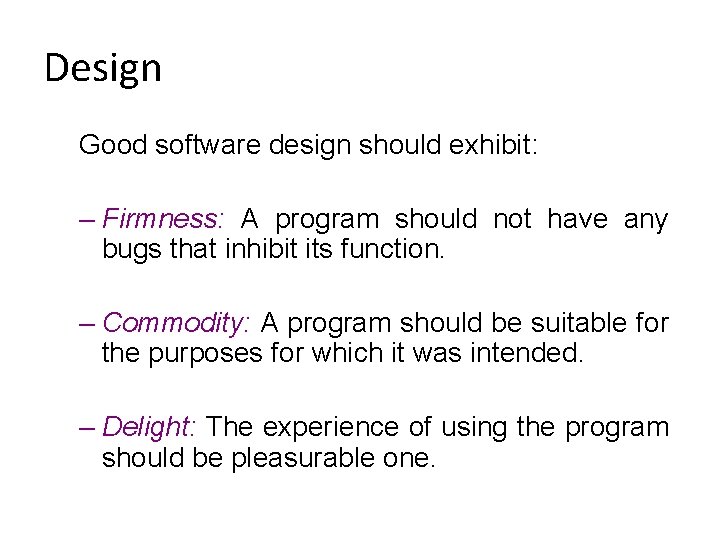
Design Good software design should exhibit: – Firmness: A program should not have any bugs that inhibit its function. – Commodity: A program should be suitable for the purposes for which it was intended. – Delight: The experience of using the program should be pleasurable one.
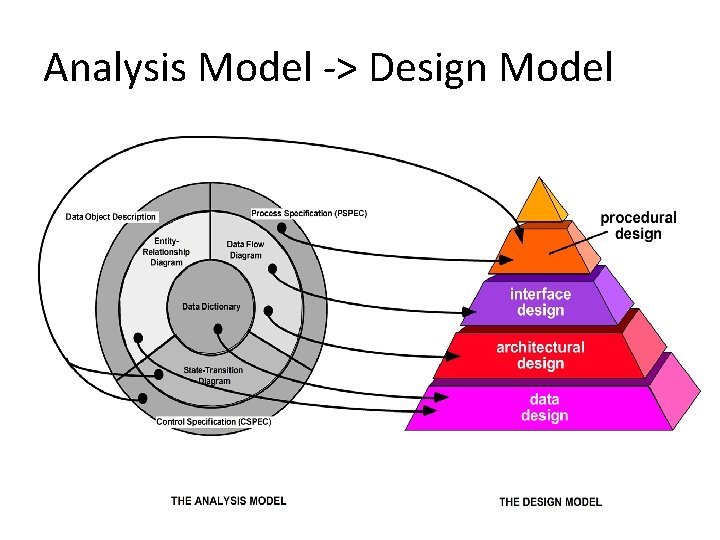
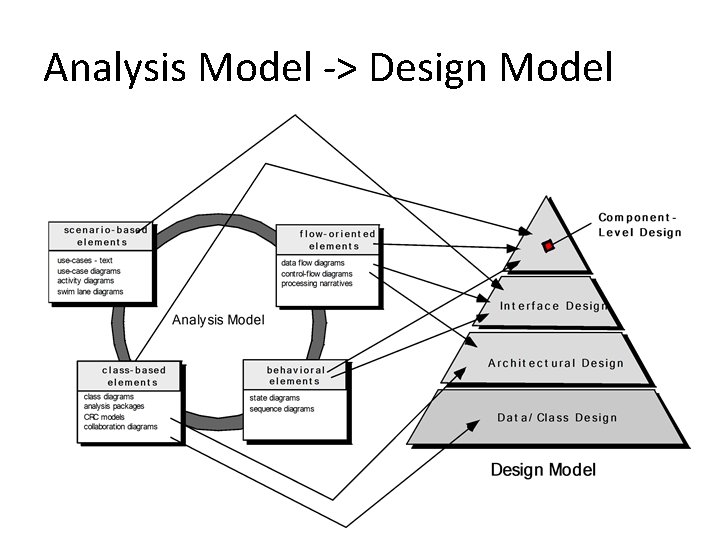
Analysis Model -> Design Model • Each of the elements of the requirements model provides information that is necessary to create the four design models required for a complete specification of design
Analysis Model -> Design Model
Analysis Model -> Design Model
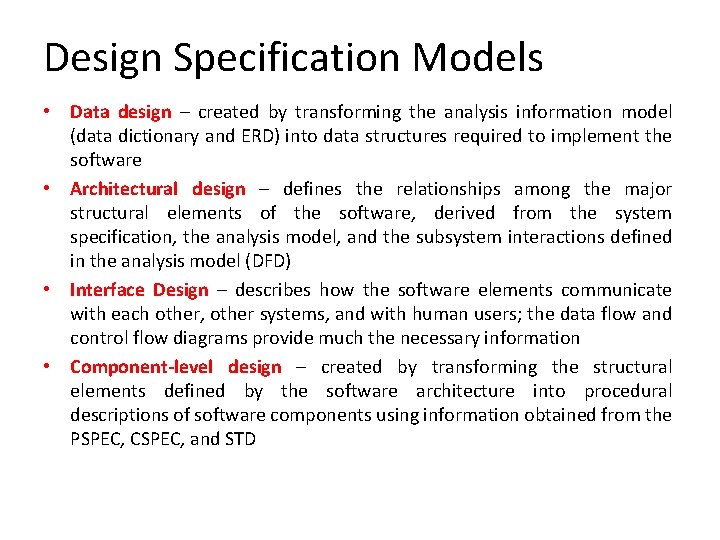
Design Specification Models • Data design – created by transforming the analysis information model (data dictionary and ERD) into data structures required to implement the software • Architectural design – defines the relationships among the major structural elements of the software, derived from the system specification, the analysis model, and the subsystem interactions defined in the analysis model (DFD) • Interface Design – describes how the software elements communicate with each other, other systems, and with human users; the data flow and control flow diagrams provide much the necessary information • Component-level design – created by transforming the structural elements defined by the software architecture into procedural descriptions of software components using information obtained from the PSPEC, CSPEC, and STD
What is design? Software design is an iterative process through which requirements are translated into a “blueprint” for constructing the software.
Software quality guidelines and attributes • Guide for the evaluation of a good design 1. The design must implement all of the explicit requirements contained in the analysis model, and it must accommodate all of the implicit requirements desired by the customer. 2. The design must be a readable, understandable guide for those who generate code and for those who test and subsequently support the software. 3. The design should provide a complete picture of the software, addressing the data, functional, and behavioral domains from an implementation perspective.
Quality Guidelines 1. A design should exhibit an architecture that (1) has been created using recognizable architectural styles or patterns, (2) is composed of components that exhibit good design characteristics and (3) can be implemented in an evolutionary fashion (For smaller systems, design can sometimes be developed linearly. ) 2. A design should be modular; that is, the software should be logically partitioned into elements or subsystems 3. A design should contain distinct representations of data, architecture, interfaces, and components. 4. A design should lead to data structures that are appropriate for the classes to be implemented and are drawn from recognizable data patterns.
Quality Guidelines A design should lead to components that exhibit independent functional characteristics. 6. A design should lead to interfaces that reduce the complexity of connections between components and with 5. the external environment. 7. A design should be derived using a repeatable method that is driven by information obtained during software requirements analysis. 8. A design should be represented using a notation that effectively communicates its meaning.
Quality Attributes • Usability is assessed by considering human factors, overall aesthetics, consistency, and documentation. • Reliability is evaluated by measuring the frequency and severity of failure, the accuracy of output results, the mean-time-to-failure (MTTF), the ability to recover from failure, and the predictability of the program. • Performance is measured by considering processing speed, response time, resource consumption, throughput, and efficiency. • Supportability combines the ability to extend the program (extensibility), adaptability, serviceability—these three attributes represent a more common term, maintainability—and in addition, testability, compatibility, configurability
Design Principles • • • The design process should not suffer from ‘tunnel vision. ’ The design should be traceable to the analysis model. The design should not reinvent the wheel. The design should “minimize the intellectual distance” [DAV 95] between the software and the problem as it exists in the real world. The design should exhibit uniformity and integration. The design should be structured to accommodate change. The design should be structured to degrade gently, even when aberrant data, events, or operating conditions are encountered. Design is not coding, coding is not design. The design should be assessed for quality as it is being created, not after the fact. The design should be reviewed to minimize conceptual (semantic) errors.
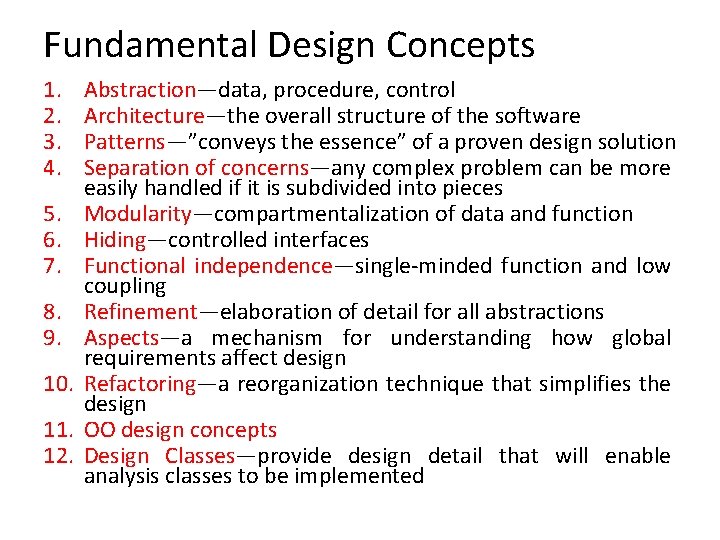
Fundamental Design Concepts 1. 2. 3. 4. 5. 6. 7. 8. 9. 10. 11. 12. Abstraction—data, procedure, control Architecture—the overall structure of the software Patterns—”conveys the essence” of a proven design solution Separation of concerns—any complex problem can be more easily handled if it is subdivided into pieces Modularity—compartmentalization of data and function Hiding—controlled interfaces Functional independence—single-minded function and low coupling Refinement—elaboration of detail for all abstractions Aspects—a mechanism for understanding how global requirements affect design Refactoring—a reorganization technique that simplifies the design OO design concepts Design Classes—provide design detail that will enable analysis classes to be implemented
1. Abstraction • At the highest level of abstraction, a solution is stated in broad terms using the language of the problem environment. • At lower levels of abstraction, a more detailed description of the solution is provided.
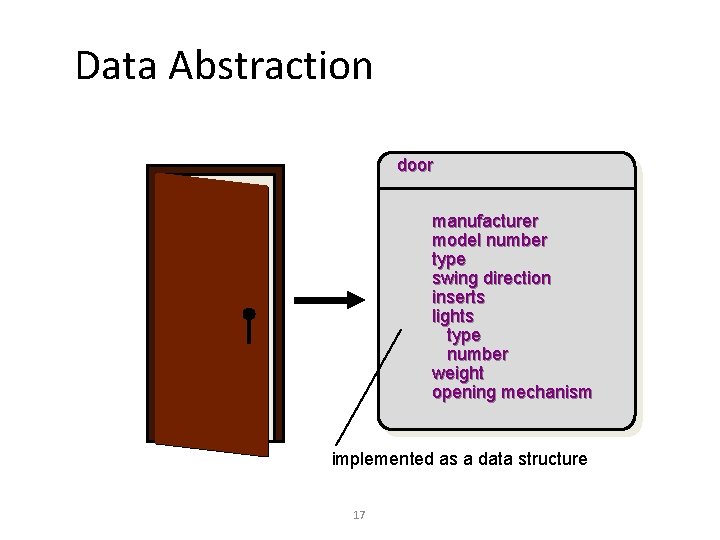
Data Abstraction door manufacturer model number type swing direction inserts lights type number weight opening mechanism implemented as a data structure 17
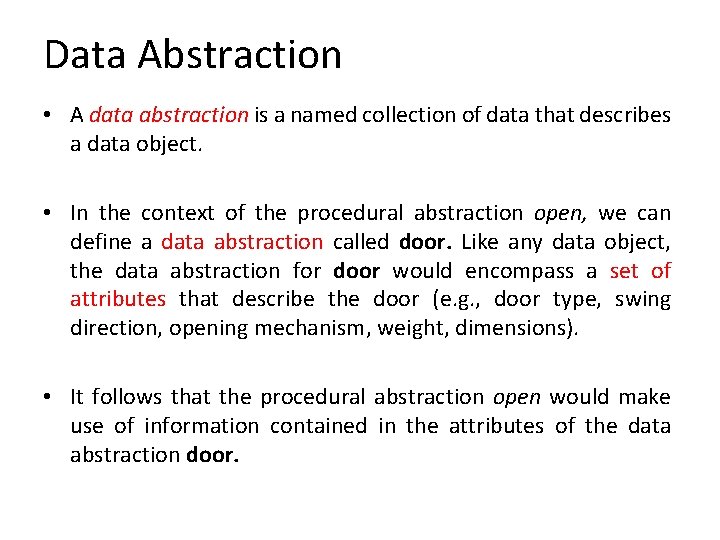
Data Abstraction • A data abstraction is a named collection of data that describes a data object. • In the context of the procedural abstraction open, we can define a data abstraction called door. Like any data object, the data abstraction for door would encompass a set of attributes that describe the door (e. g. , door type, swing direction, opening mechanism, weight, dimensions). • It follows that the procedural abstraction open would make use of information contained in the attributes of the data abstraction door.
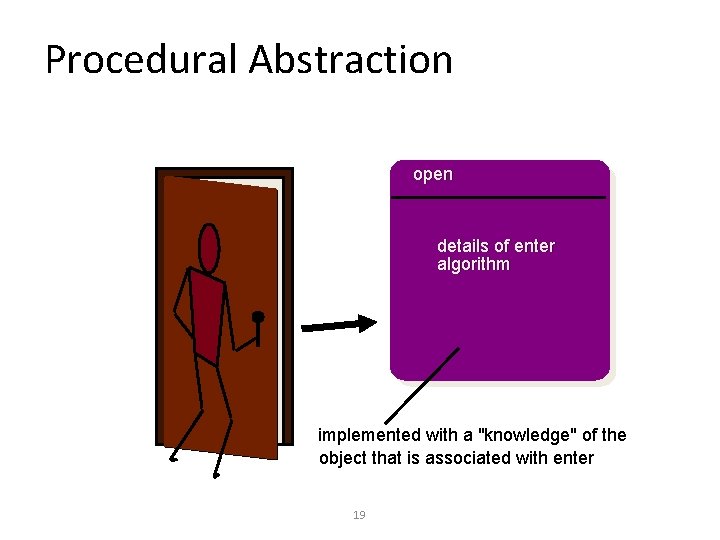
Procedural Abstraction open details of enter algorithm implemented with a "knowledge" of the object that is associated with enter 19
Procedural Abstraction • A procedural abstraction refers to a sequence of instructions that have a specific and limited function. • The name of a procedural abstraction implies these functions, but specific details are suppressed. • An example of a procedural abstraction would be the word open for a door. • Open implies a long sequence of procedural steps (e. g. , walk to the door, reach out and grasp knob, turn knob and pull door, step away from moving door, etc. ).
2. Architecture • The overall structure of the software and the ways in which that structure provides conceptual integrity for a system. ” • Structural properties. This aspect of the architectural design representation defines the components of a system (e. g. , modules, objects, filters) and the manner in which those components are packaged and interact with one another. • Extra-functional properties. The architectural design description should address how the design architecture achieves requirements for performance, capacity, reliability, security, adaptability, and other system characteristics. • Families of related systems. The architectural design should draw upon repeatable patterns that are commonly encountered in the design of families of similar systems. In essence, the design should have the ability to reuse architectural building blocks.
3. Patterns A pattern is a named nugget of insight which conveys the essence of a proven solution to a recurring problem within a certain context amidst competing concerns” • The intent of each design pattern is to provide a description that enables a designer to determine (1) whether the pattern is applicable to the current work, (2) whether the pattern can be reused (hence, saving design time), and (3) whether the pattern can serve as a guide for developing a similar, but functionally or structurally different pattern.
4. Separation of Concerns • Any complex problem can be more easily handled if it is subdivided into pieces that can each be solved and/or optimized independently • A concern is a feature or behavior that is specified as part of the requirements model for the software • By separating concerns into smaller, and therefore manageable pieces, a problem takes less effort and time to solve • Divide-and-Conquer strategy
5. Modularity • Modularity is the most common manifestation of separation of concerns. Software is divided into separately named and addressable components, sometimes called MODULES, that are integrated to satisfy problem requirements. • “Modularity is the single attribute of software that allows a program to be intellectually manageable"
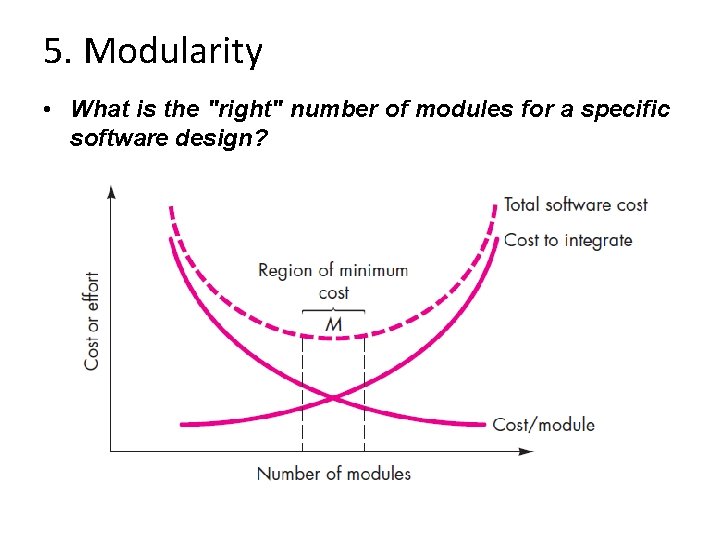
5. Modularity • What is the "right" number of modules for a specific software design?
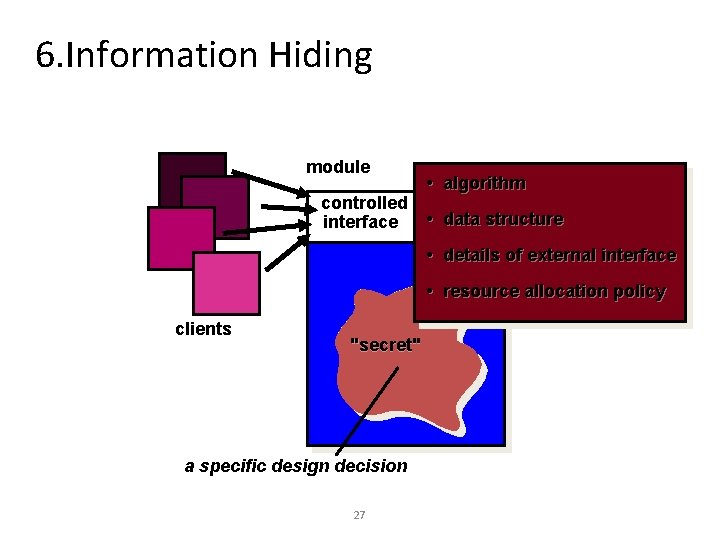
6. Information Hiding • The principle of information hiding suggests that modules be “characterized by design decisions that (each) hides from all others. • Modules should be specified and designed so that information (algorithms and data) contained within a module is inaccessible to other modules that have no need for such information. • Hiding implies that effective modularity can be achieved by defining a set of independent modules that communicate with one another only that information necessary to achieve software function.
6. Information Hiding module controlled interface • algorithm • data structure • details of external interface • resource allocation policy clients "secret" a specific design decision 27
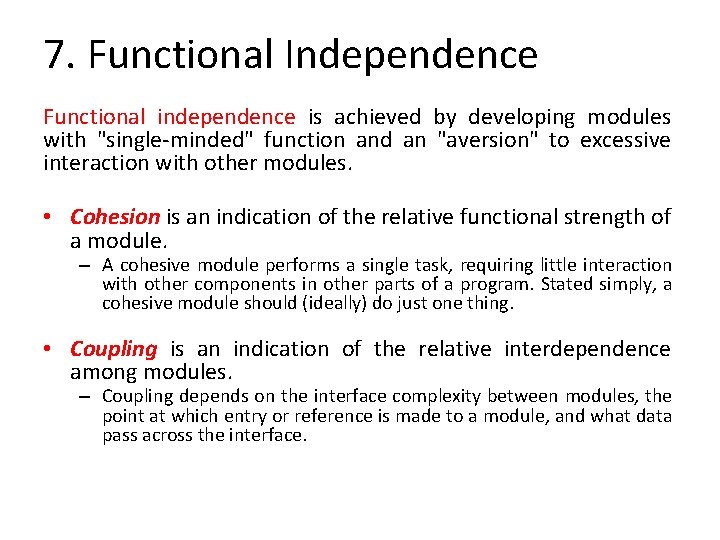
7. Functional Independence Functional independence is achieved by developing modules with "single-minded" function and an "aversion" to excessive interaction with other modules. • Cohesion is an indication of the relative functional strength of a module. – A cohesive module performs a single task, requiring little interaction with other components in other parts of a program. Stated simply, a cohesive module should (ideally) do just one thing. • Coupling is an indication of the relative interdependence among modules. – Coupling depends on the interface complexity between modules, the point at which entry or reference is made to a module, and what data pass across the interface.
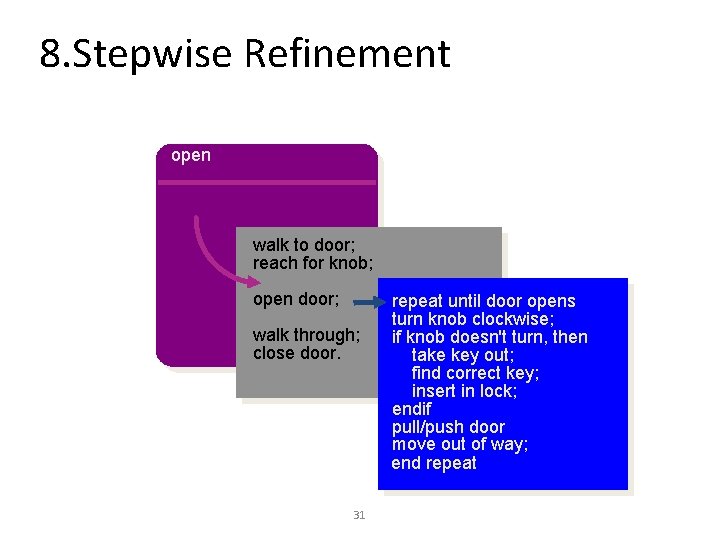
8. Refinement • Stepwise refinement is a top-down design strategy • A program is developed by successively refining levels of procedural detail. • A hierarchy is developed by decomposing a macroscopic statement of function (a procedural abstraction) in a stepwise fashion until programming language statements are reached. • Refinement is actually a process of elaboration.
8. Refinement • It begin with a statement of function (or description of information) that is defined at a high level of abstraction. • That is, the statement describes function or information conceptually but provides no information about the internal workings of the function or the internal structure of the information. You then elaborate on the original statement, providing more and more detail as each successive refinement (elaboration) occurs. • Abstraction and refinement are complementary concepts. Abstraction enables you to specify procedure and data internally but suppress the need for “outsiders” to have knowledge of low-level details. Refinement helps you to reveal low-level details as design progresses. Both concepts allow you to create a complete design model as the design evolves.
8. Stepwise Refinement open walk to door; reach for knob; open door; walk through; close door. 31 repeat until door opens turn knob clockwise; if knob doesn't turn, then take key out; find correct key; insert in lock; endif pull/push door move out of way; end repeat
9. Aspects • Consider two requirements, A and B. Requirement A crosscuts requirement B “if a software decomposition [refinement] has been chosen in which B cannot be satisfied without taking A into account. • An aspect is a representation of a cross-cutting concern.
9. Aspects – Example • Consider two requirements for the Safe. Home. Assured. com Web. App. Requirement A is described via the use-case Access camera surveillance via the Internet. A design refinement would focus on those modules that would enable a registered user to access video from cameras placed throughout a space. Requirement B is a generic security requirement that states that a registered user must be validated prior to using Safe. Home. Assured. com. This requirement is applicable for all functions that are available to registered Safe. Home users. As design refinement occurs, A* is a design representation for requirement A and B* is a design representation for requirement B. Therefore, A* and B* are representations of concerns, and B* cross-cuts A*. • An aspect is a representation of a cross-cutting concern. Therefore, the design representation, B*, of the requirement, a registered user must be validated prior to using Safe. Home. Assured. com, is an aspect of the Safe. Home Web. App.
10. Refactoring – Refactoring is the process of changing a software system in such a way that it does not alter the external behavior of the code [design] yet improves its internal structure. • When software is refactored, the existing design is examined for – – – redundancy unused design elements inefficient or unnecessary algorithms poorly constructed or inappropriate data structures or any other design failure that can be corrected to yield a better design.
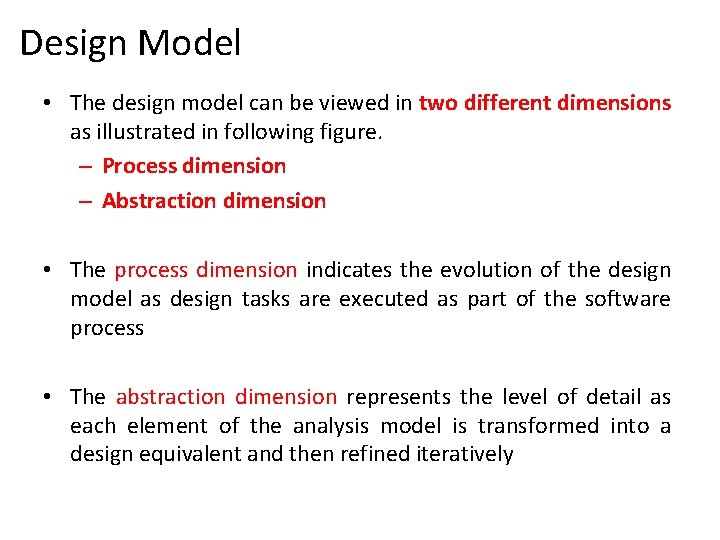
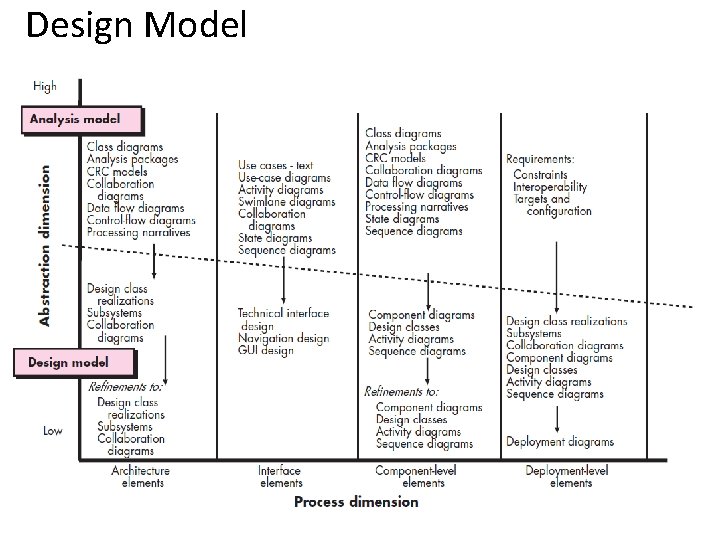
Design Model • The design model can be viewed in two different dimensions as illustrated in following figure. – Process dimension – Abstraction dimension • The process dimension indicates the evolution of the design model as design tasks are executed as part of the software process • The abstraction dimension represents the level of detail as each element of the analysis model is transformed into a design equivalent and then refined iteratively
Design Model
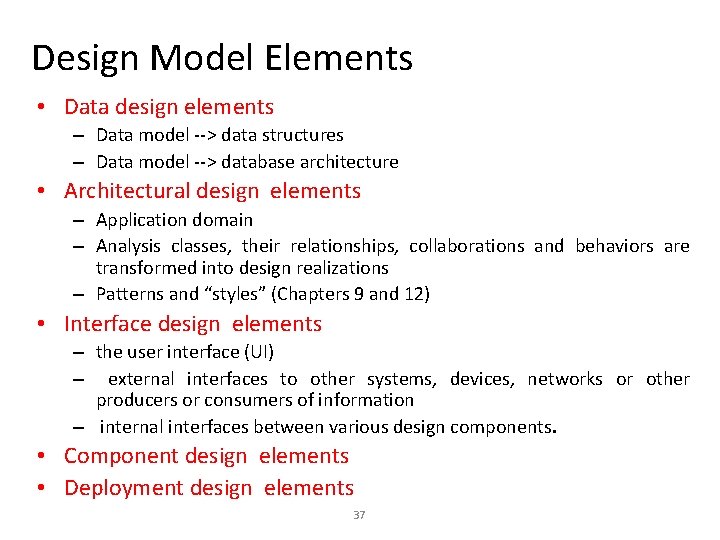
Design Model Elements • Data design elements – Data model --> data structures – Data model --> database architecture • Architectural design elements – Application domain – Analysis classes, their relationships, collaborations and behaviors are transformed into design realizations – Patterns and “styles” (Chapters 9 and 12) • Interface design elements – the user interface (UI) – external interfaces to other systems, devices, networks or other producers or consumers of information – internal interfaces between various design components. • Component design elements • Deployment design elements 37
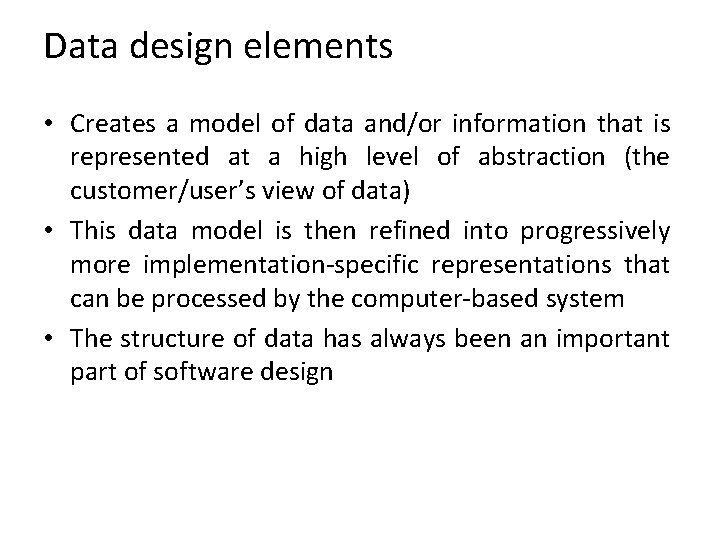
Data design elements • Creates a model of data and/or information that is represented at a high level of abstraction (the customer/user’s view of data) • This data model is then refined into progressively more implementation-specific representations that can be processed by the computer-based system • The structure of data has always been an important part of software design
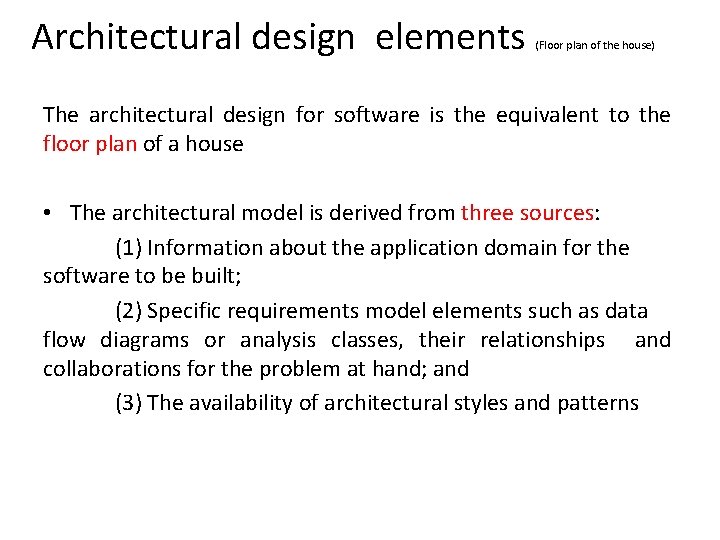
Architectural design elements (Floor plan of the house) The architectural design for software is the equivalent to the floor plan of a house • The architectural model is derived from three sources: (1) Information about the application domain for the software to be built; (2) Specific requirements model elements such as data flow diagrams or analysis classes, their relationships and collaborations for the problem at hand; and (3) The availability of architectural styles and patterns
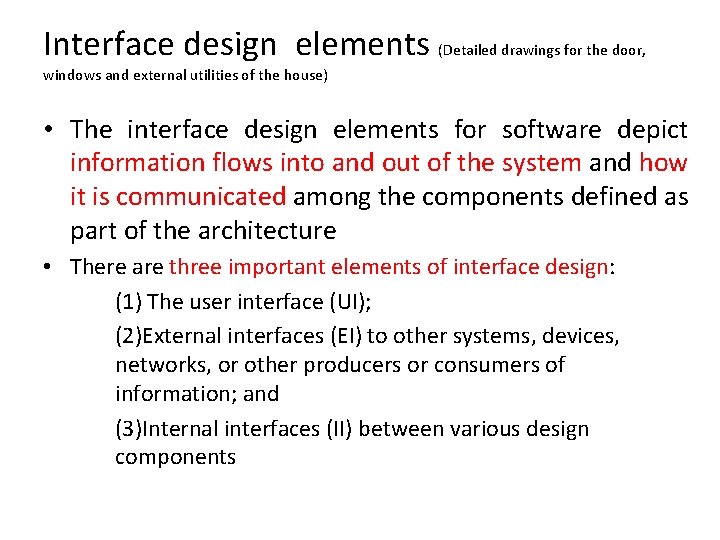
Interface design elements (Detailed drawings for the door, windows and external utilities of the house) • The interface design elements for software depict information flows into and out of the system and how it is communicated among the components defined as part of the architecture • There are three important elements of interface design: (1) The user interface (UI); (2)External interfaces (EI) to other systems, devices, networks, or other producers or consumers of information; and (3)Internal interfaces (II) between various design components
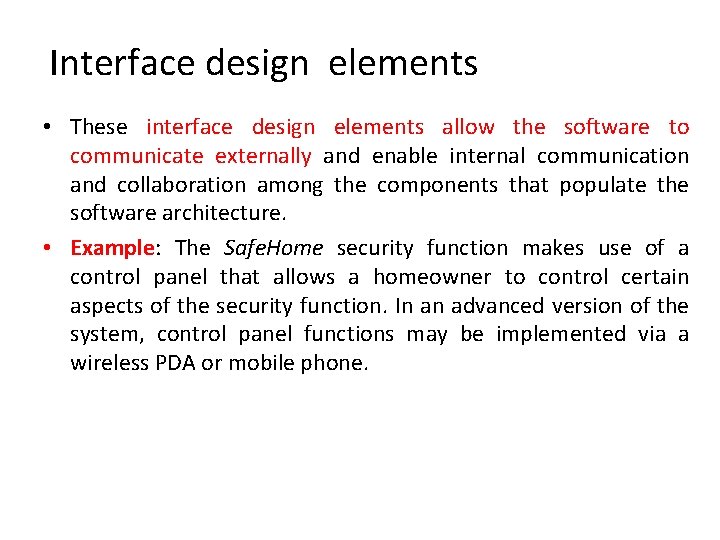
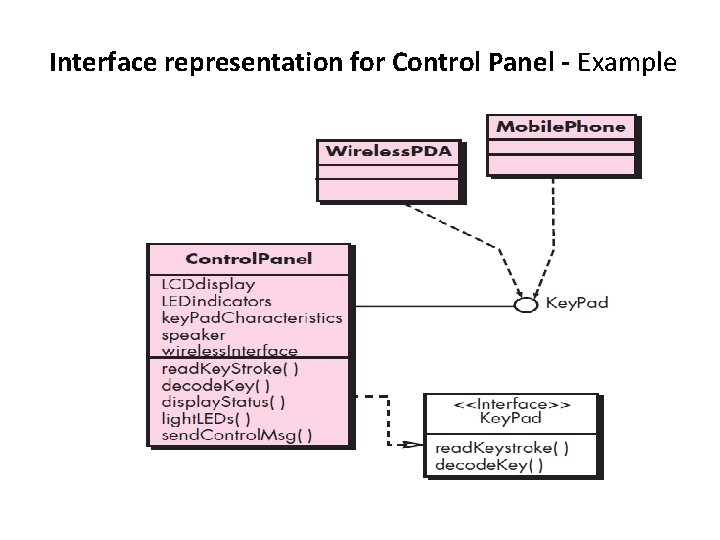
Interface design elements • These interface design elements allow the software to communicate externally and enable internal communication and collaboration among the components that populate the software architecture. • Example: The Safe. Home security function makes use of a control panel that allows a homeowner to control certain aspects of the security function. In an advanced version of the system, control panel functions may be implemented via a wireless PDA or mobile phone.
Interface representation for Control Panel - Example
Interface representation for Control Panel • The Control Panel class (Previous Figure provides the behavior associated with a keypad, and therefore, it must implement the operations read Key. Stroke () and decode Key (). • If these operations are to be provided to other classes (in this case, Wireless PDA and Mobile. Phone), it is useful to define an interface as shown in the figure. The interface, named Key. Pad, is shown as an <<interface>> stereotype or as a small, labeled circle connected to the class with a line. The interface is defined with no attributes and the set of operations that are necessary to achieve the behavior of a keypad. • The dashed line with an open triangle at its end (Figure 8. 5) indicates that the Control Panel class provide is characterized as a realization. That is, part of the behavior of Control. Panel will be implemented by realizing Key. Pad operations. These operations will be provided to other classes that access the interface. es Key. Pad operations as part of its behavior. In UML, this
Component Level Design Elements (Detailed drawings for each room, the location of electrical receptacles, switches, sinks, tubs, cabinets and etc. ) • The component-level design for software fully describes the internal detail of each software component • To accomplish this, the component-level design defines data structures for all local data objects and algorithmic detail for all processing that occurs within a component and an interface that allows access to all component operations (behaviors)
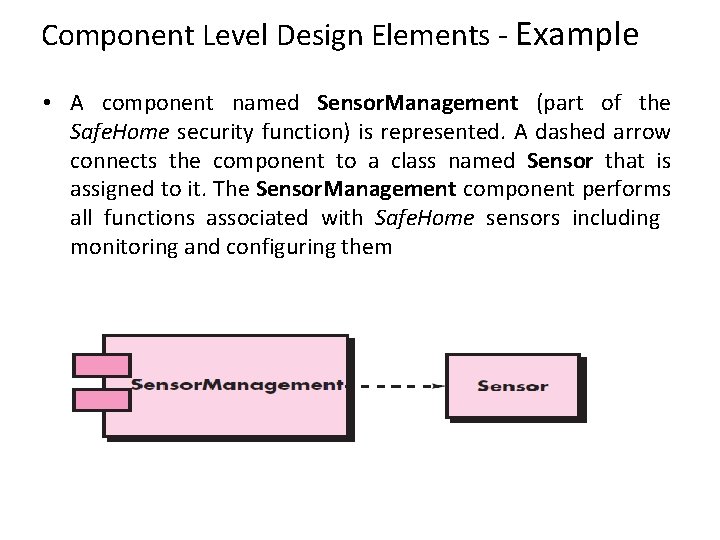
Component Level Design Elements - Example • A component named Sensor. Management (part of the Safe. Home security function) is represented. A dashed arrow connects the component to a class named Sensor that is assigned to it. The Sensor. Management component performs all functions associated with Safe. Home sensors including monitoring and configuring them
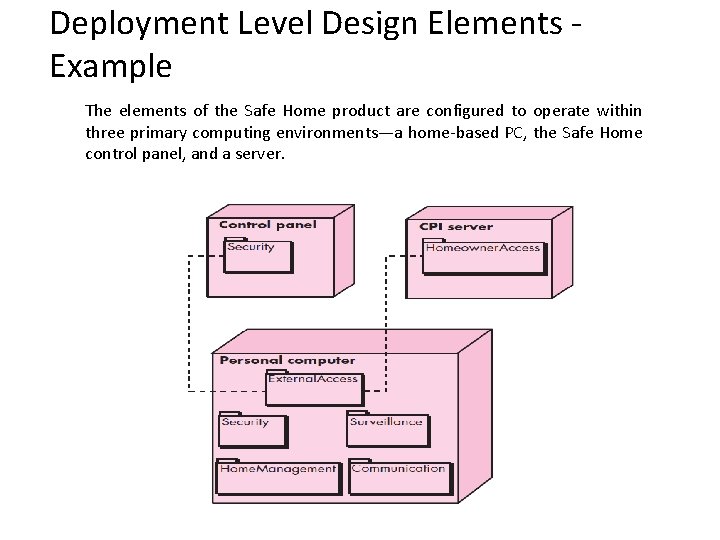
Deployment Level Design Elements • Deployment-level design elements indicate how software functionality and subsystems will be allocated within the physical computing environment that will support the software • The deployment diagram shows the computing environment but does not explicitly indicate configuration details. For example, the “personal computer” is not further identified. It could be a Mac or a Windows-based PC, a Sun workstation, or a Linux-box. • These details are provided when the deployment diagram is revisited in instance form during the latter stages of design or as construction begins
Deployment Level Design Elements Example The elements of the Safe Home product are configured to operate within three primary computing environments—a home-based PC, the Safe Home control panel, and a server.
Design Heuristics • Evaluate 1 st iteration to reduce coupling & improve cohesion • Minimize structures with high fan-out; strive for depth • Keep scope of effect of a module within scope of control of that module • Evaluate interfaces to reduce complexity and improve consistency
Design Heuristics • Define modules with predictable function & avoid being overly restrictive – Avoid static memory between calls where possible • Strive for controlled entry -- no jumps into the middle of things • Package software based on design constraints and portability requirements
Architectural Design
What is Software Architecture? • The software architecture of a program or computing system is the structure or structures of the system, which comprise software components, the externally visible properties of those components, and the relationships among them. 52
Architectural Design - Why Architecture? The architecture is not the operational software. Rather, it is a representation that enables a software engineer to: (1) Analyze the effectiveness of the design in meeting its stated requirements, (2) Consider architectural alternatives at a stage when making design changes is still relatively easy, and (3) Reduce the risks associated with the construction of the software. 53
Why is Architecture Important? • Representations of software architecture an enabler for communication between all parties (stakeholders) interested in the development of a computer-based system. • The architecture highlights early design decisions that will have a profound impact on all software engineering work that follows and, as important, on the ultimate success of the system as an operational entity. • Architecture “constitutes a relatively small, intellectually graspable mode of how the system is structured and how its components work together”. 54
Architectural Descriptions • The IEEE Computer Society has proposed IEEE-Std-1471 -2000, Recommended Practice for Architectural Description of Software-Intensive System, [IEE 00] – to establish a conceptual framework and vocabulary for use during the design of software architecture, – to provide detailed guidelines for representing an architectural description, and – to encourage sound architectural design practices. • The IEEE Standard defines an architectural description (AD) as a “a collection of products to document an architecture. ” – The description itself is represented using multiple views, where each view is “a representation of a whole system from the perspective of a related set of [stakeholder] concerns. ” 55
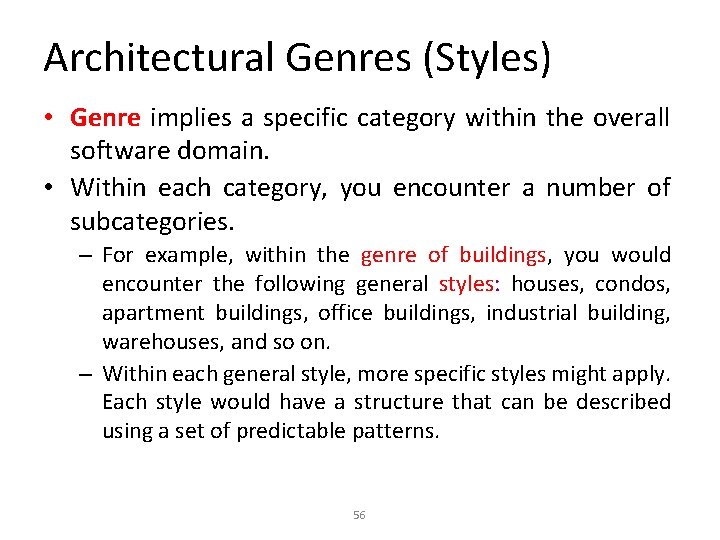
Architectural Genres (Styles) • Genre implies a specific category within the overall software domain. • Within each category, you encounter a number of subcategories. – For example, within the genre of buildings, you would encounter the following general styles: houses, condos, apartment buildings, office buildings, industrial building, warehouses, and so on. – Within each general style, more specific styles might apply. Each style would have a structure that can be described using a set of predictable patterns. 56
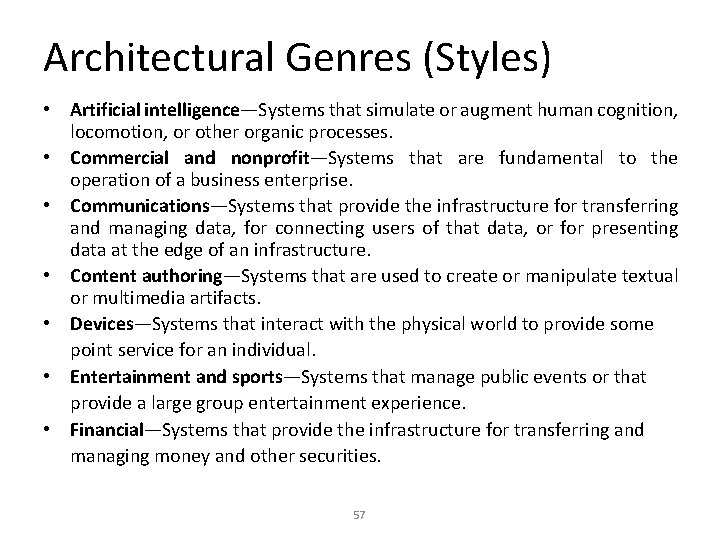
Architectural Genres (Styles) • Artificial intelligence—Systems that simulate or augment human cognition, locomotion, or other organic processes. • Commercial and nonprofit—Systems that are fundamental to the operation of a business enterprise. • Communications—Systems that provide the infrastructure for transferring and managing data, for connecting users of that data, or for presenting data at the edge of an infrastructure. • Content authoring—Systems that are used to create or manipulate textual or multimedia artifacts. • Devices—Systems that interact with the physical world to provide some point service for an individual. • Entertainment and sports—Systems that manage public events or that provide a large group entertainment experience. • Financial—Systems that provide the infrastructure for transferring and managing money and other securities. 57
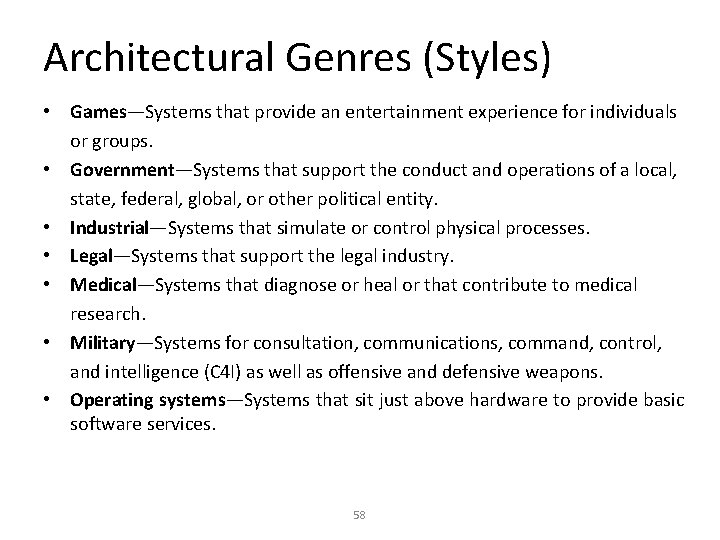
Architectural Genres (Styles) • Games—Systems that provide an entertainment experience for individuals or groups. • Government—Systems that support the conduct and operations of a local, state, federal, global, or other political entity. • Industrial—Systems that simulate or control physical processes. • Legal—Systems that support the legal industry. • Medical—Systems that diagnose or heal or that contribute to medical research. • Military—Systems for consultation, communications, command, control, and intelligence (C 4 I) as well as offensive and defensive weapons. • Operating systems—Systems that sit just above hardware to provide basic software services. 58
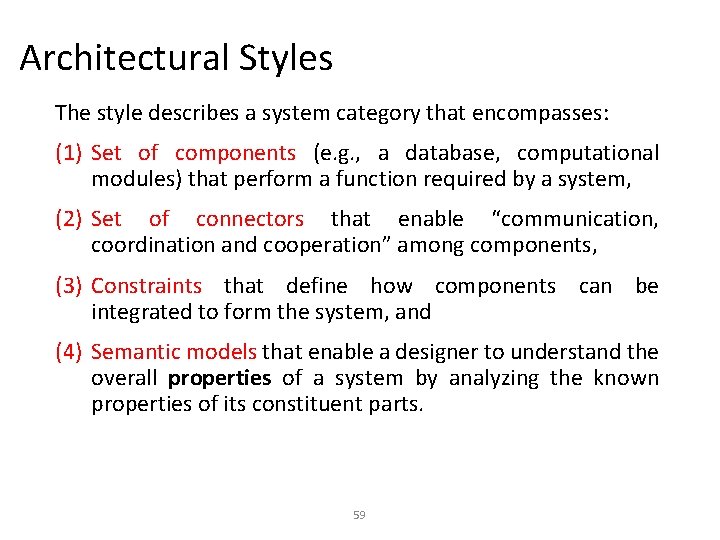
Architectural Styles The style describes a system category that encompasses: (1) Set of components (e. g. , a database, computational modules) that perform a function required by a system, (2) Set of connectors that enable “communication, coordination and cooperation” among components, (3) Constraints that define how components can be integrated to form the system, and (4) Semantic models that enable a designer to understand the overall properties of a system by analyzing the known properties of its constituent parts. 59
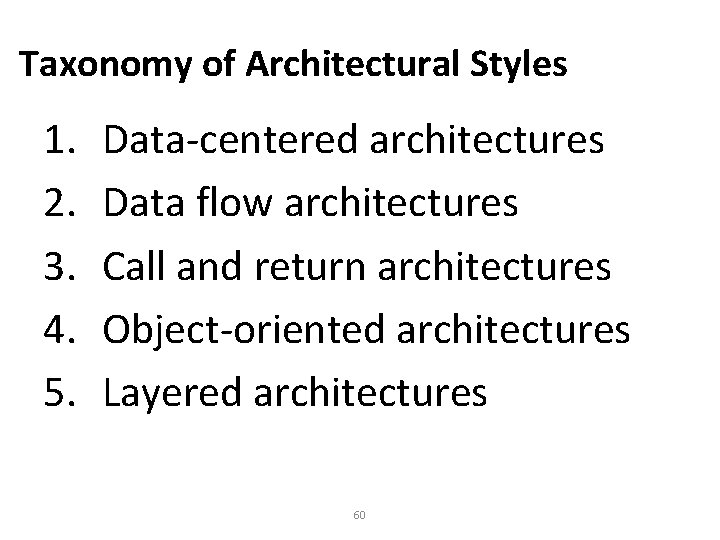
Taxonomy of Architectural Styles 1. 2. 3. 4. 5. Data-centered architectures Data flow architectures Call and return architectures Object-oriented architectures Layered architectures 60
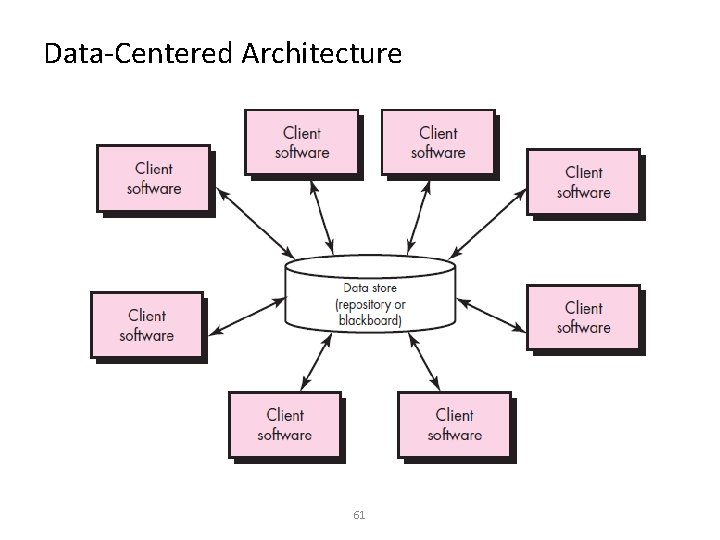
Data-Centered Architecture 61
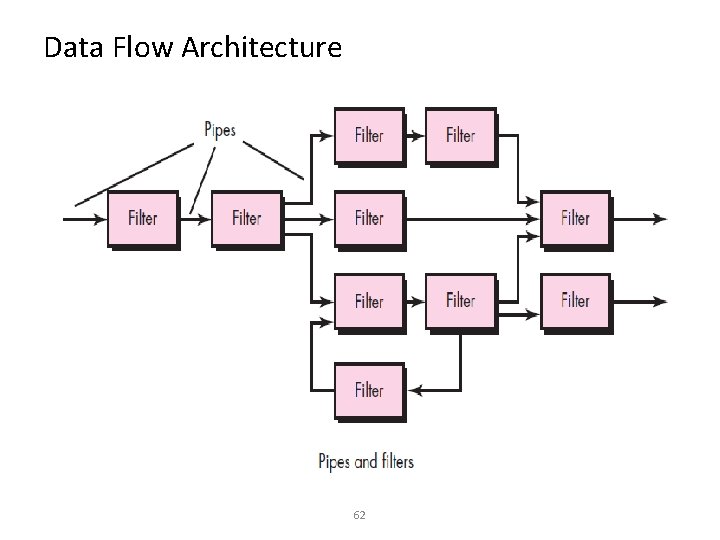
Data Flow Architecture 62
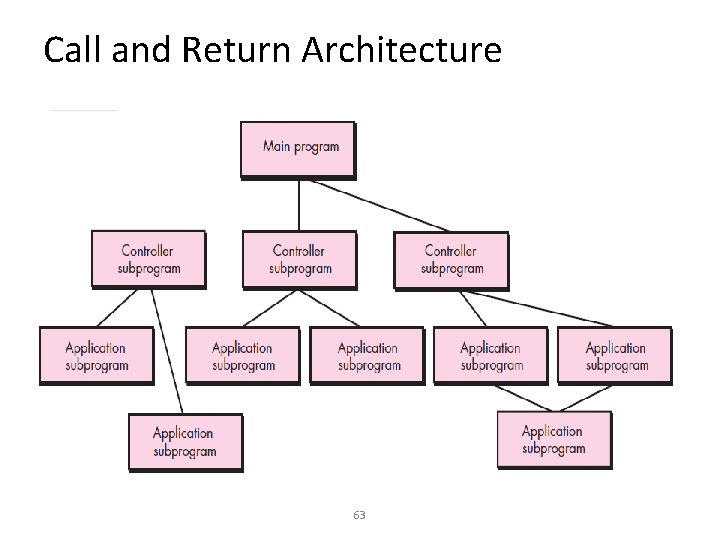
Call and Return Architecture 63
Object Oriented Architectures • The components of a system encapsulate data and the operations that must be applied to manipulate the data. Communication and coordination between components are accomplished via message passing
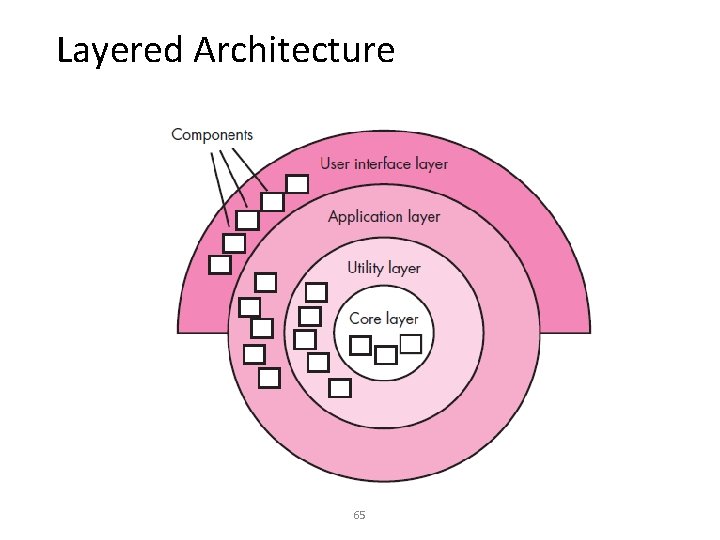
Layered Architecture 65
Architectural Patterns • Concurrency—applications must handle multiple tasks in a manner that simulates parallelism – operating system process management pattern – task scheduler pattern • Persistence—Data persists if it survives past the execution of the process that created it. Two patterns are common: – a database management system pattern that applies the storage and retrieval capability of a DBMS to the application architecture – an application level persistence pattern that builds persistence features into the application architecture • Distribution— the manner in which systems or components within systems communicate with one another in a distributed environment – A broker acts as a ‘middle-man’ between the client component and a server component. 66
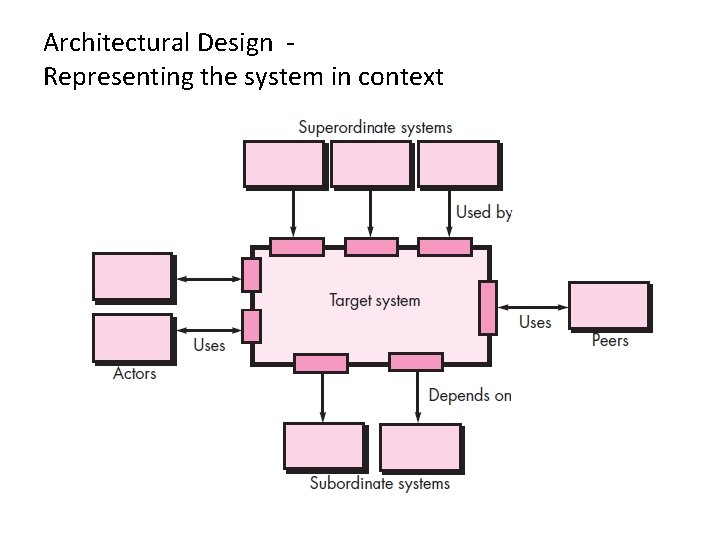
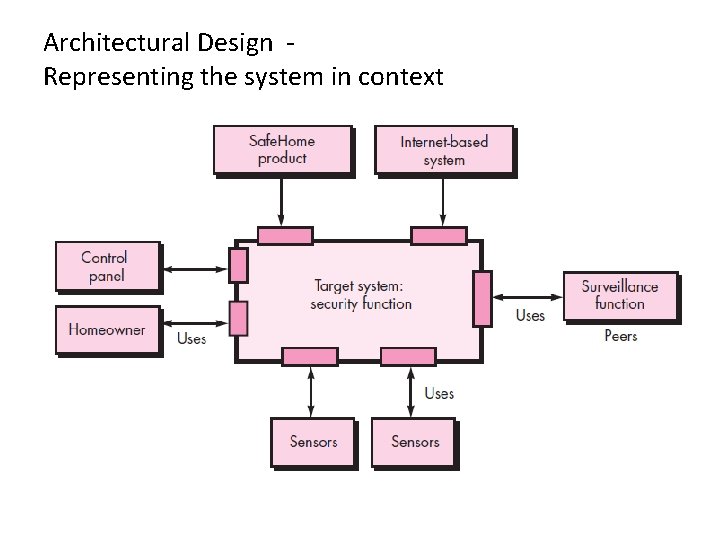
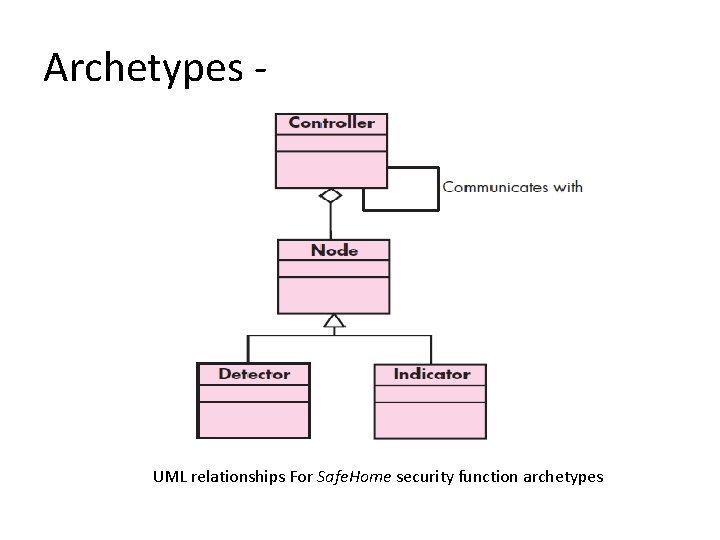
Architectural Design • The software must be placed into context – the design should define the external entities (other systems, devices, people) that the software interacts with and the nature of the interaction • A set of architectural archetypes should be identified – An archetype is an abstraction (similar to a class) that represents one element of system behavior – An archetype is a class or pattern that represents a core abstraction that is critical to the design of an architecture for the target system
Architectural Design Representing the system in context
Architectural Design Representing the system in context
Architectural Description Language (ADL) • At the architectural design level, a software architect uses an architectural context diagram (ACD) to model the manner in which software interacts with entities external to its boundaries
Archetypes - UML relationships For Safe. Home security function archetypes
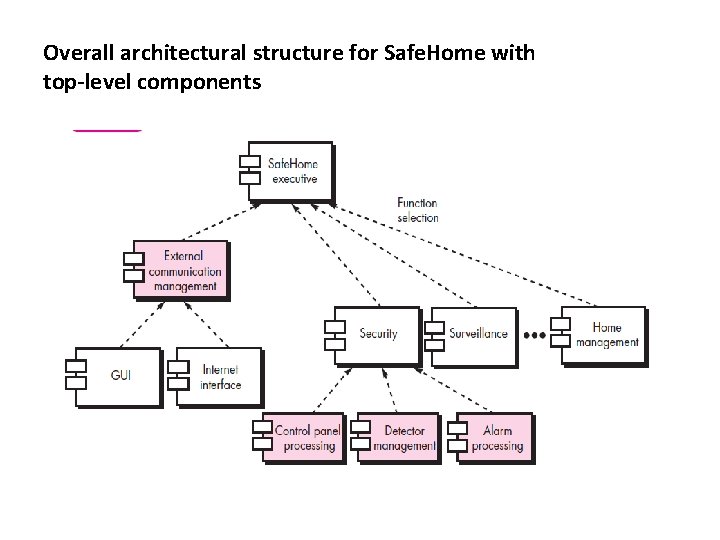
Overall architectural structure for Safe. Home with top-level components
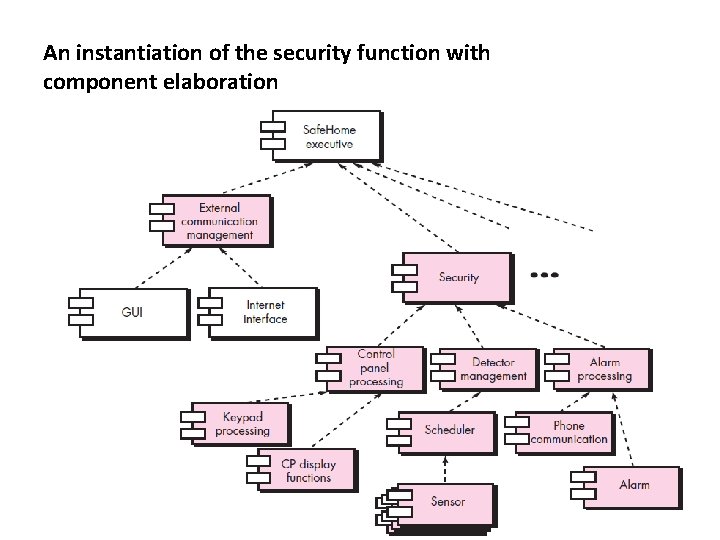
An instantiation of the security function with component elaboration
Architectural Mapping using Data Flow • There is no practical mapping for some architectural styles, and the designer must approach the translation of requirements to design for these styles in using ARCHTYPES • A mapping technique, called structured design, is often characterized as a data flow-oriented design method because it provides a convenient transition from a data flow diagram to software architecture
Architectural Mapping using Data Flow The transition from information flow (represented as a DFD) to program structure is accomplished as part of a six step process: (1) the type of information flow is established, (2) flow boundaries are indicated, (3) the DFD is mapped into the program structure, (4) control hierarchy is defined, (5) the resultant structure is refined using design measures and heuristics, and (6) the architectural description is refined and elaborated
Transform Mapping • Transform mapping is a set of design steps that allows a DFD with transform flow characteristics to be mapped into a specific architectural style • Consider the Safe Home security function • To map these data flow diagrams into a software architecture, you would initiate the following design steps
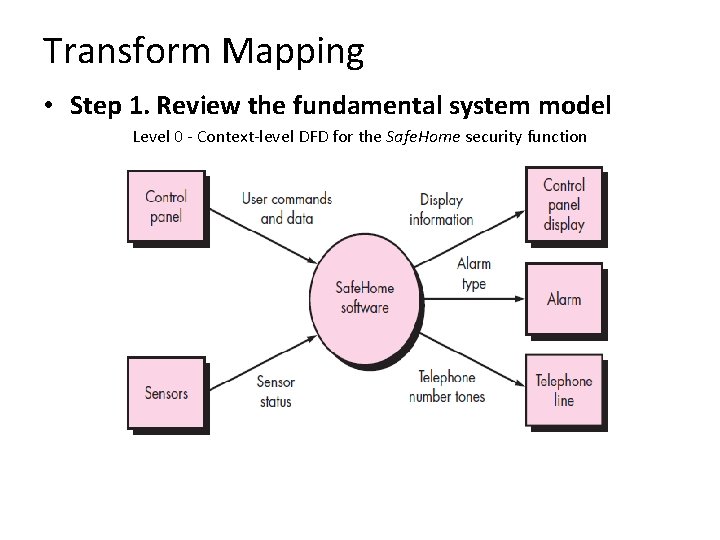
Transform Mapping • Step 1. Review the fundamental system model Level 0 - Context-level DFD for the Safe. Home security function
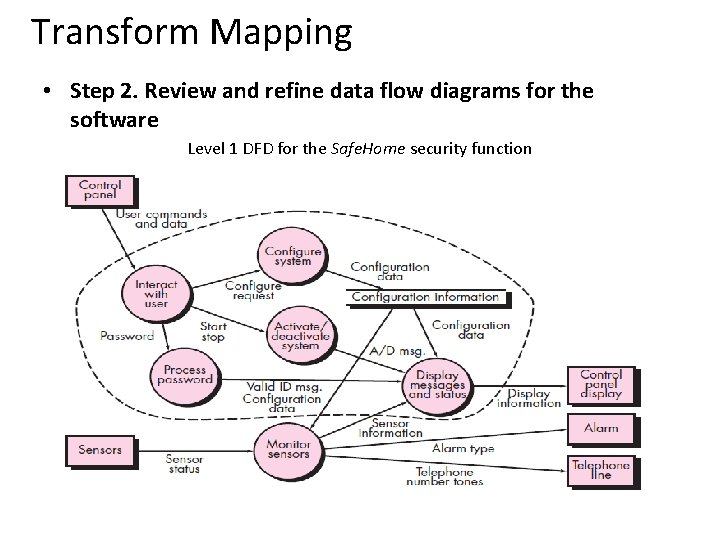
Transform Mapping • Step 2. Review and refine data flow diagrams for the software Level 1 DFD for the Safe. Home security function
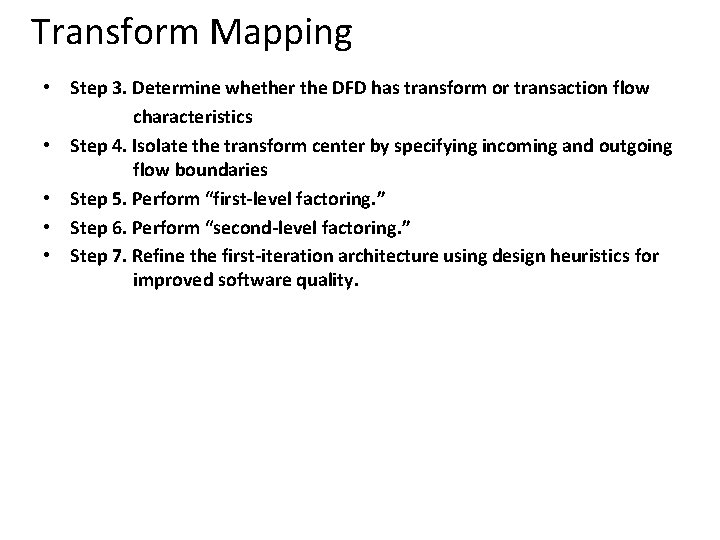
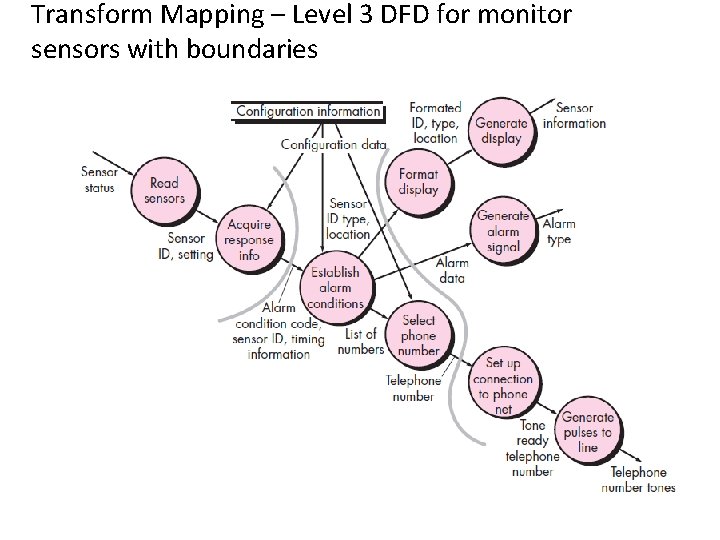
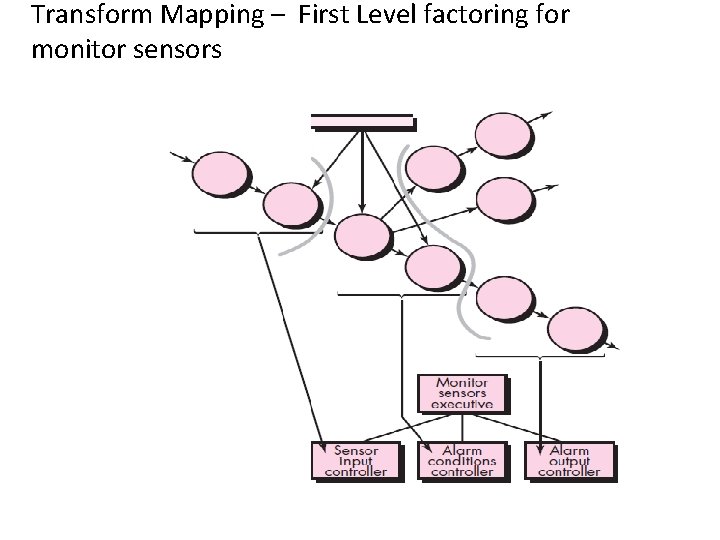
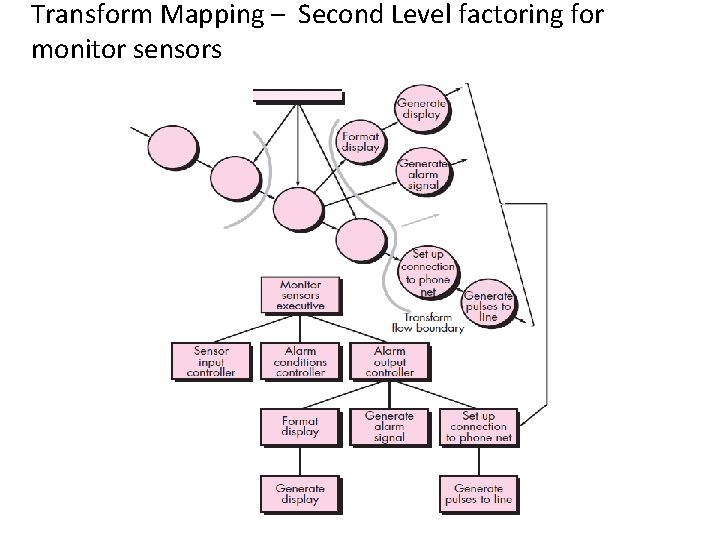
Transform Mapping • Step 3. Determine whether the DFD has transform or transaction flow characteristics • Step 4. Isolate the transform center by specifying incoming and outgoing flow boundaries • Step 5. Perform “first-level factoring. ” • Step 6. Perform “second-level factoring. ” • Step 7. Refine the first-iteration architecture using design heuristics for improved software quality.
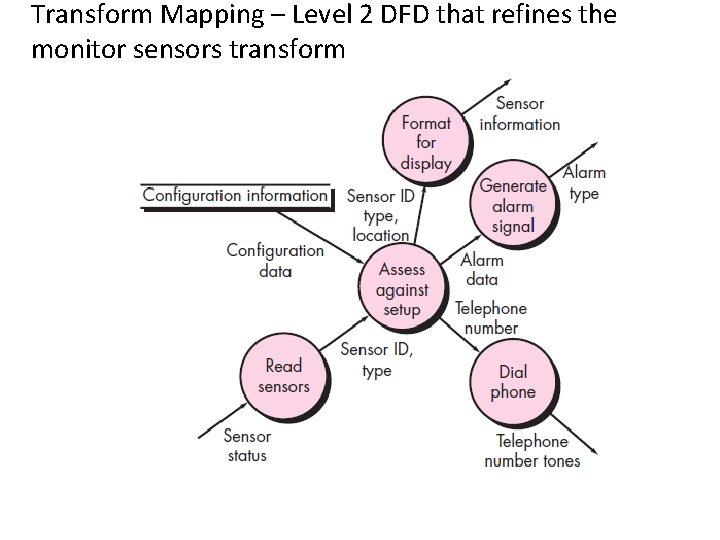
Transform Mapping – Level 2 DFD that refines the monitor sensors transform
Transform Mapping – Level 3 DFD for monitor sensors with boundaries
Transform Mapping – First Level factoring for monitor sensors
Transform Mapping – Second Level factoring for monitor sensors
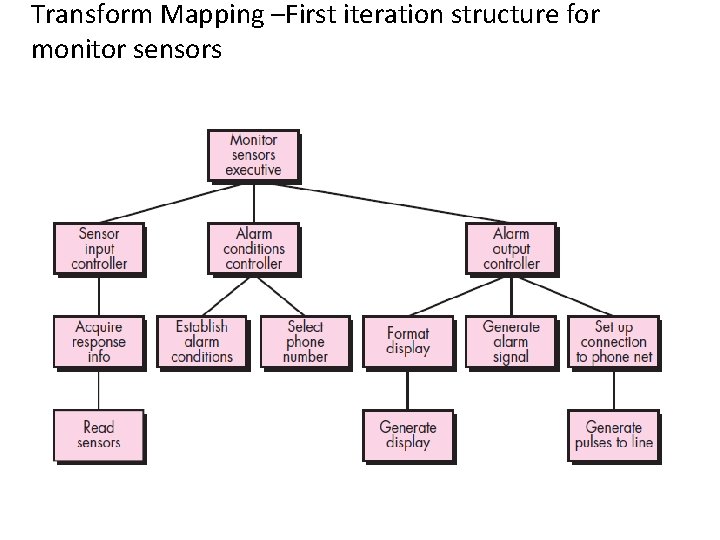
Transform Mapping –First iteration structure for monitor sensors
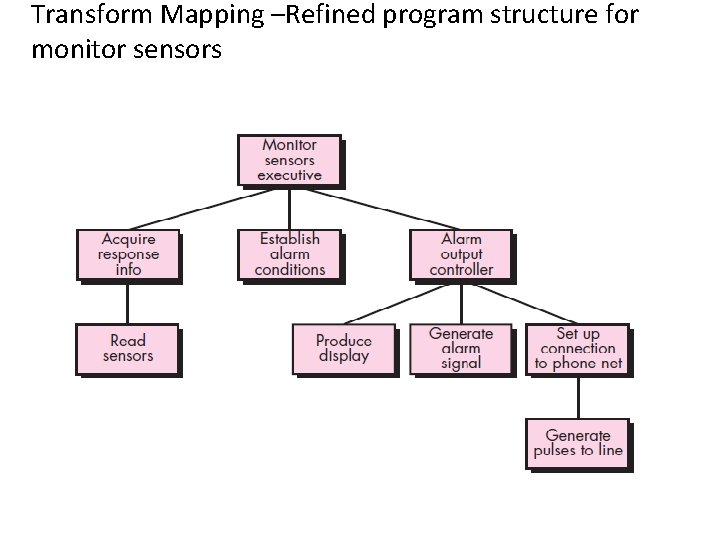
Transform Mapping –Refined program structure for monitor sensors
Refining the Architectural Design • You should be concerned with developing a representation of software that will meet all functional and performance requirements and merit acceptance based on design measures and heuristics • Refinement of software architecture during early stages of design is to be encouraged • Alternative architectural styles may be derived, refined, and evaluated for the “best” approach
Component-Level Design
What it is? • Component-level design occurs after the first iteration of architectural design has been completed. • At this stage, the overall data and program structure of the software has been established. • The intent is to translate the design model into operational software
What is Component? • A component is a modular building block for computer software • It is a modular, deployable, and replaceable part of a system that encapsulates implementation and exposes a set of interfaces • The true meaning of the term component will differ depending on the point of view of the software engineer who uses it
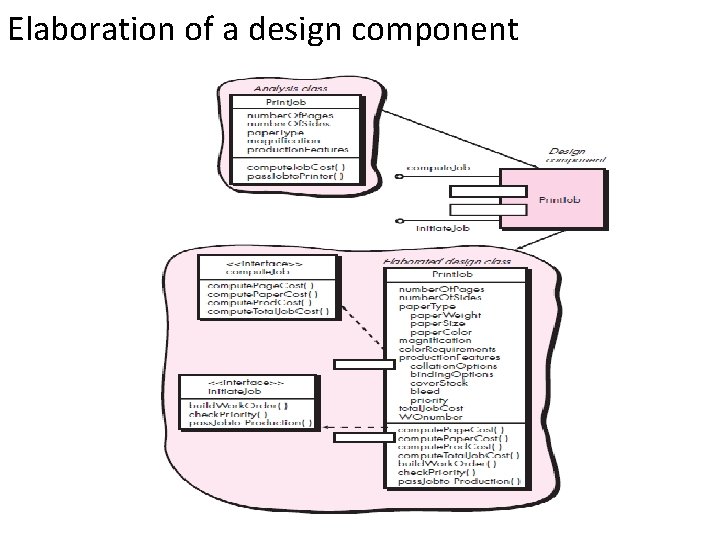
Elaboration of a design component
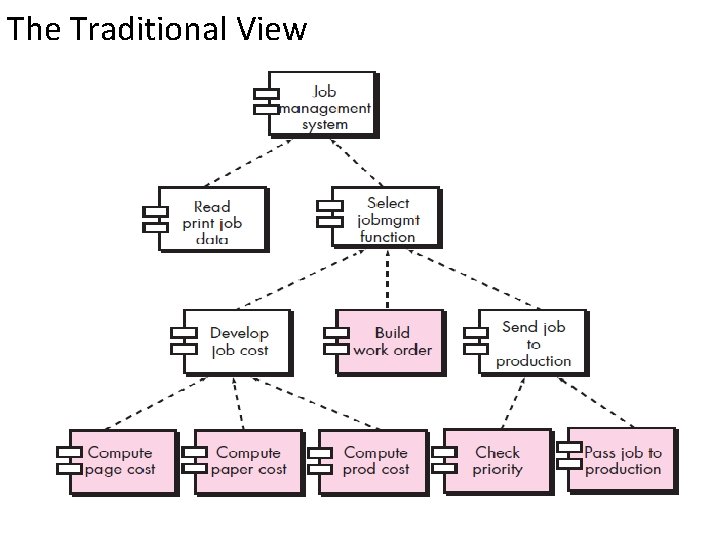
The Traditional View
Designing Class-Based Components Basic Design Principles 1. The Open-Closed Principle (OCP). “A module [component] should be open for extension but closed for modification. 2. The Liskov Substitution Principle (LSP). “Subclasses should be substitutable for their base classes. 3. Dependency Inversion Principle (DIP). “Depend on abstractions. Do not depend on concretions. ” 4. The Interface Segregation Principle (ISP). “Many clientspecific interfaces are better than one general purpose interface. 5. The Release Reuse Equivalency Principle (REP). “The granule of reuse is the granule of release. ” 6. The Common Closure Principle (CCP). “Classes that change together belong together. ” 7. The Common Reuse Principle (CRP). “Classes that aren’t reused together should not be grouped together. ”
Designing Class-Based Components Basic Design Principles 1. The Open-Closed Principle (OCP). “A module [component] should be open for extension but closed for modification.
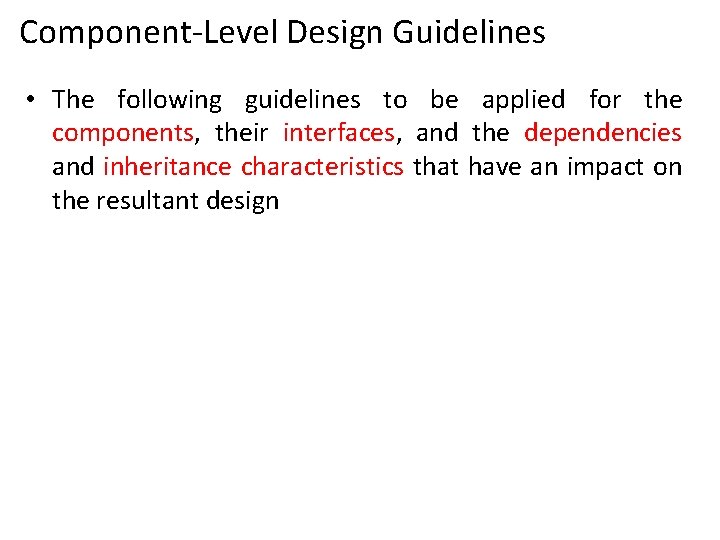
Component-Level Design Guidelines • The following guidelines to be applied for the components, their interfaces, and the dependencies and inheritance characteristics that have an impact on the resultant design
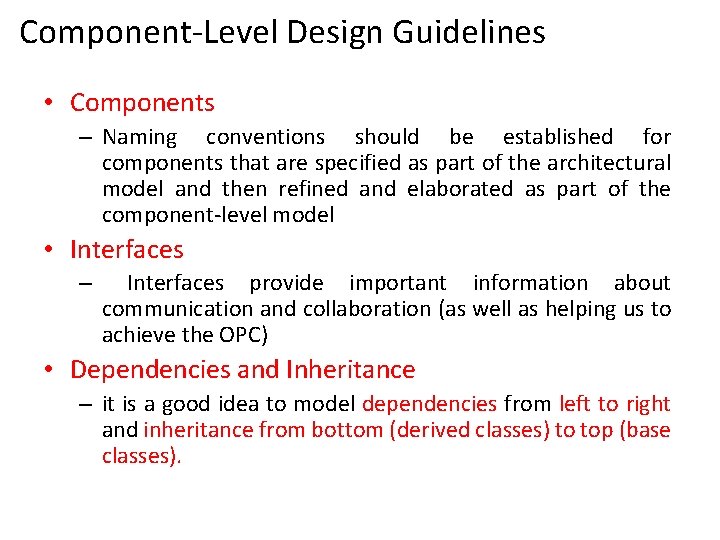
Component-Level Design Guidelines • Components – Naming conventions should be established for components that are specified as part of the architectural model and then refined and elaborated as part of the component-level model • Interfaces – Interfaces provide important information about communication and collaboration (as well as helping us to achieve the OPC) • Dependencies and Inheritance – it is a good idea to model dependencies from left to right and inheritance from bottom (derived classes) to top (base classes).