
Digitizing CSIT 301 Blum 1 Digitizing Consider for
Digitizing CSIT 301 (Blum) 1
Digitizing • Consider for example an analog voltage signal. It can be continuous in two senses: 1. the voltage varies continuously in time 2. At a given instance, the voltage can take on any value from a continuum • To digitize the signal, the time continuum and the voltage continuum have to be converted into discrete sets of values. CSIT 301 (Blum) 2
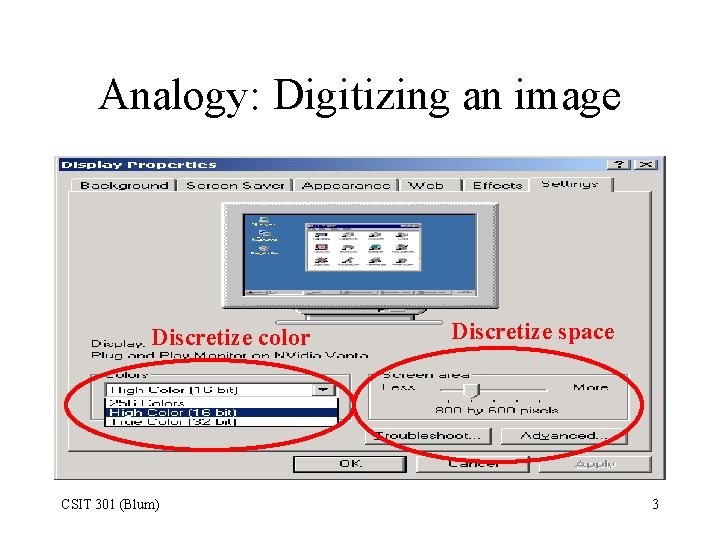
Analogy: Digitizing an image Discretize color CSIT 301 (Blum) Discretize space 3
Sampling • Breaking up the time continuum is known as “sampling. ” • Motion pictures are an example of sampling: a rapid succession of snapshots (still pictures) are taken, if the sampling frequency (the number of pictures (frames) per second) is sufficiently high, the brain perceives the playback as continuous motion. • Muybridge demo CSIT 301 (Blum) 4
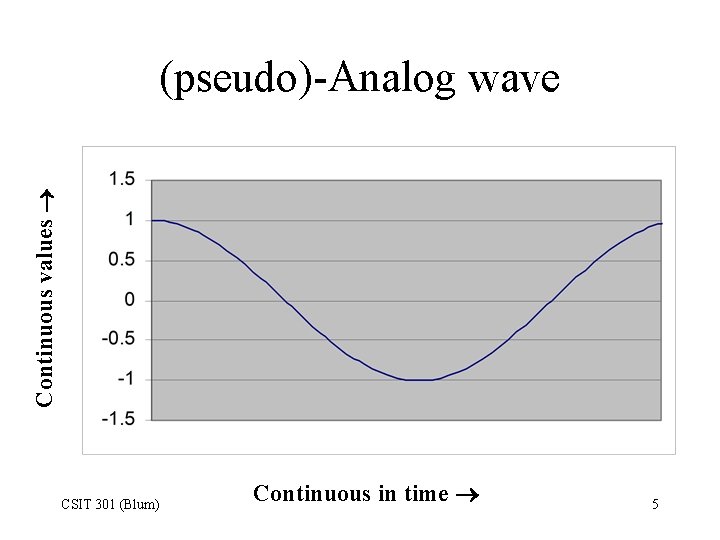
Continuous values (pseudo)-Analog wave CSIT 301 (Blum) Continuous in time 5
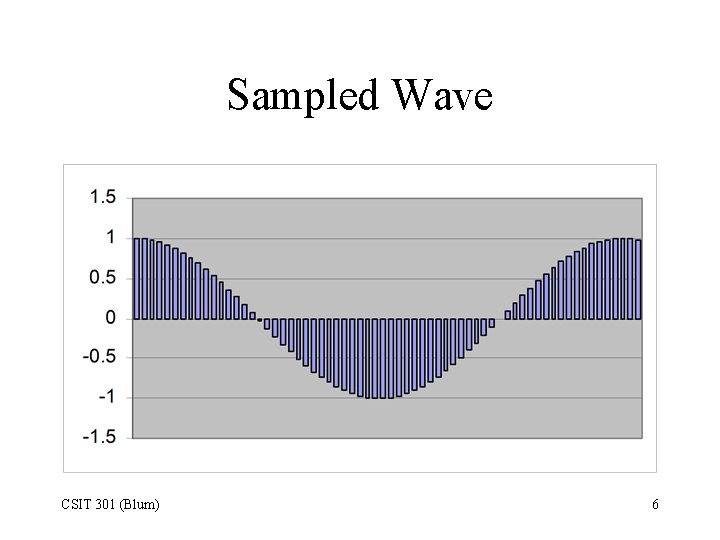
Sampled Wave CSIT 301 (Blum) 6
One of Nyquist’s Theorems • Signals can be thought of as being comprised of sine waves of various frequencies (Fourier). – Demo • Nyquist says that to accurately represent a signal, one’s sampling frequency must be at least double its highest constituent frequency. – For example, in the phone system the choice was made to sample at a frequency of 8000 Hz. CSIT 301 (Blum) 7
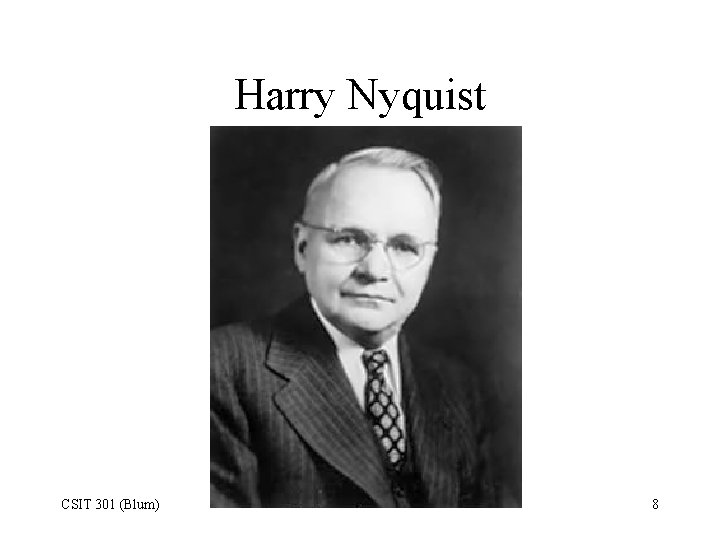
Harry Nyquist CSIT 301 (Blum) 8
Nyquist Sampling Example • In the following sequence of graphs, a sine wave is sampled. • The frequency of the sine wave is doubled each time, while the sampling frequency is kept fixed. – Case E does not resemble a sine wave but alternates up and down with the correct frequency – Case F oscillates very quickly (alternating up and down), but its amplitude seems to vary at a much lower frequency. This was not a feature of the actual wave being sampled. – Case G only has the slowly varying feature when the actual wave sampled varying quite rapidly. CSIT 301 (Blum) 9
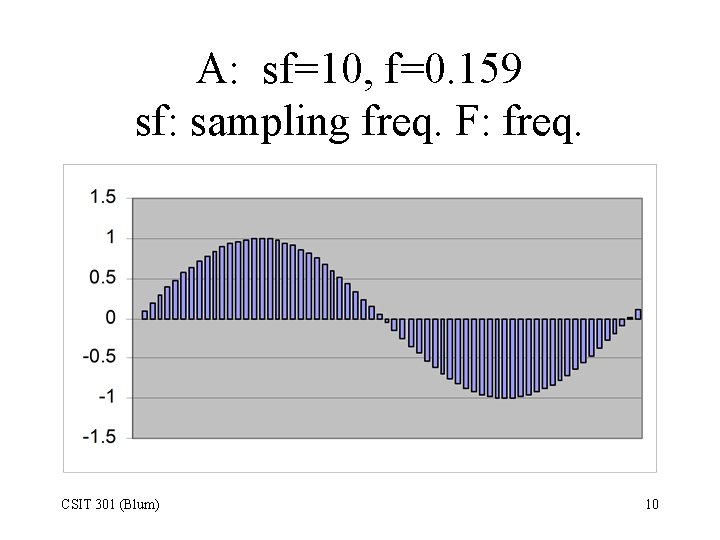
A: sf=10, f=0. 159 sf: sampling freq. F: freq. CSIT 301 (Blum) 10
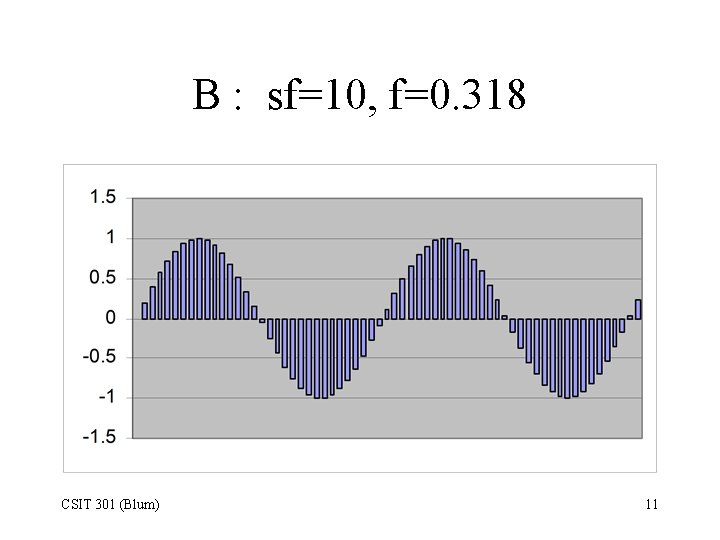
B : sf=10, f=0. 318 CSIT 301 (Blum) 11
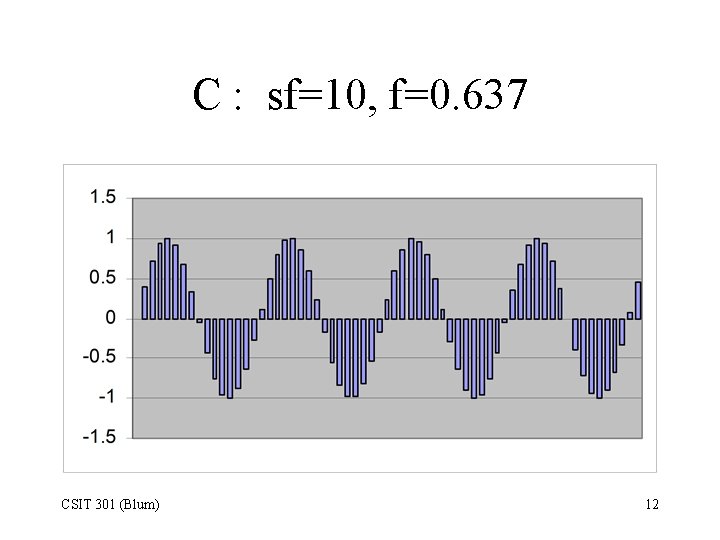
C : sf=10, f=0. 637 CSIT 301 (Blum) 12
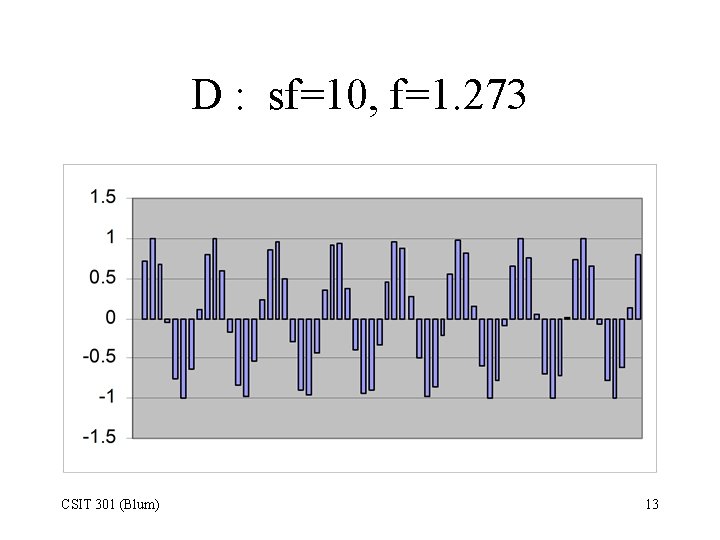
D : sf=10, f=1. 273 CSIT 301 (Blum) 13
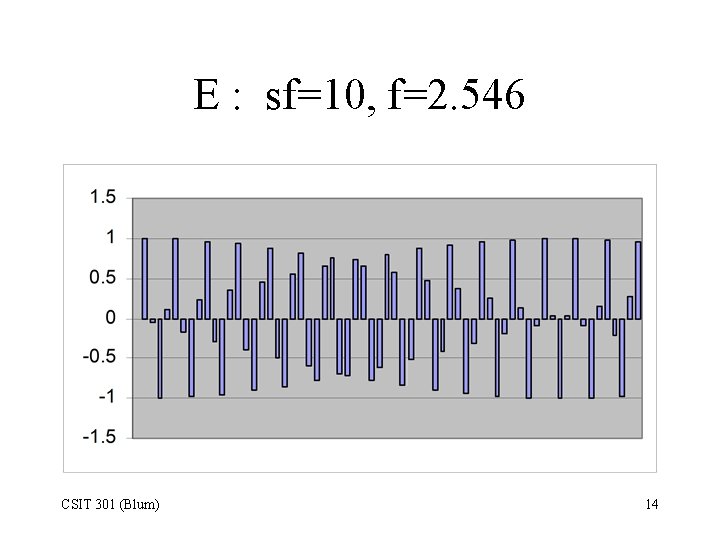
E : sf=10, f=2. 546 CSIT 301 (Blum) 14
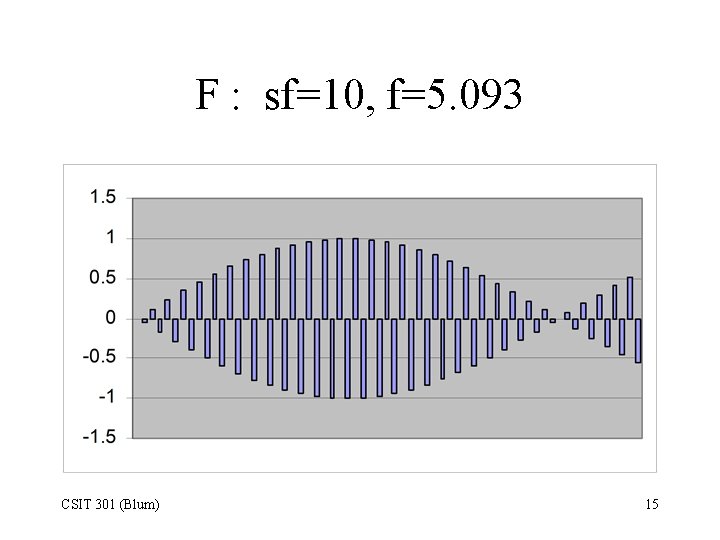
F : sf=10, f=5. 093 CSIT 301 (Blum) 15
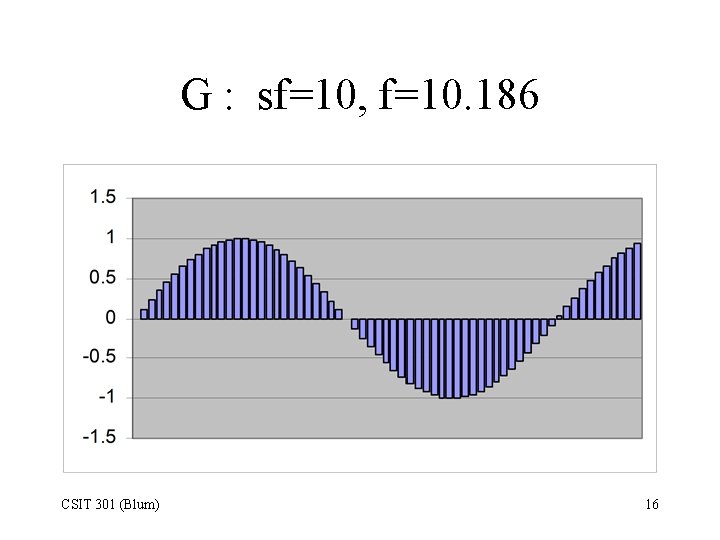
G : sf=10, f=10. 186 CSIT 301 (Blum) 16
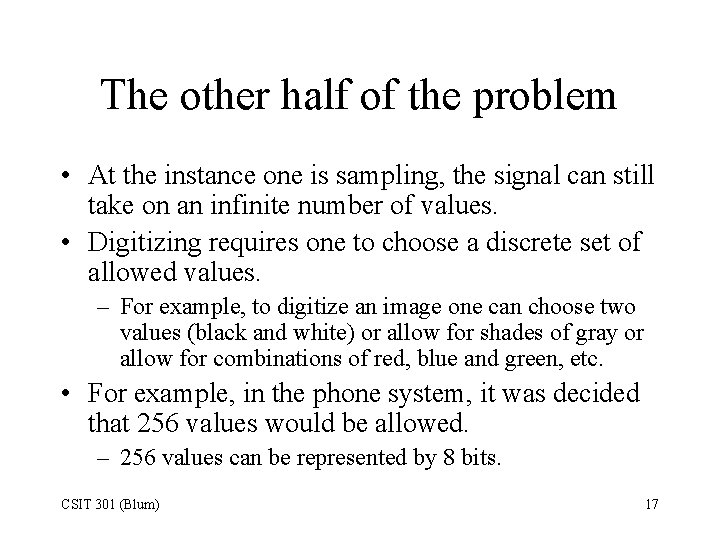
The other half of the problem • At the instance one is sampling, the signal can still take on an infinite number of values. • Digitizing requires one to choose a discrete set of allowed values. – For example, to digitize an image one can choose two values (black and white) or allow for shades of gray or allow for combinations of red, blue and green, etc. • For example, in the phone system, it was decided that 256 values would be allowed. – 256 values can be represented by 8 bits. CSIT 301 (Blum) 17
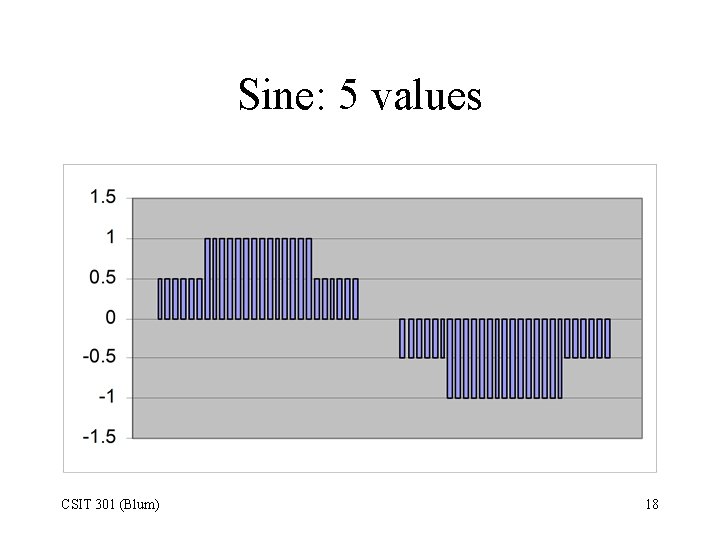
Sine: 5 values CSIT 301 (Blum) 18
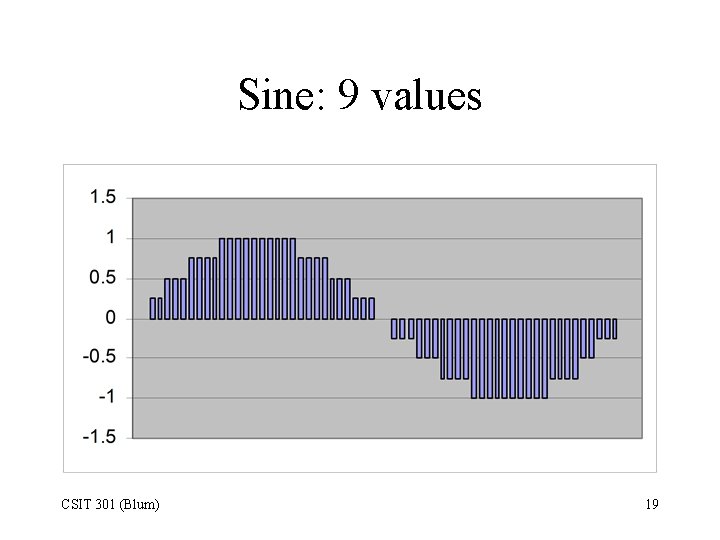
Sine: 9 values CSIT 301 (Blum) 19
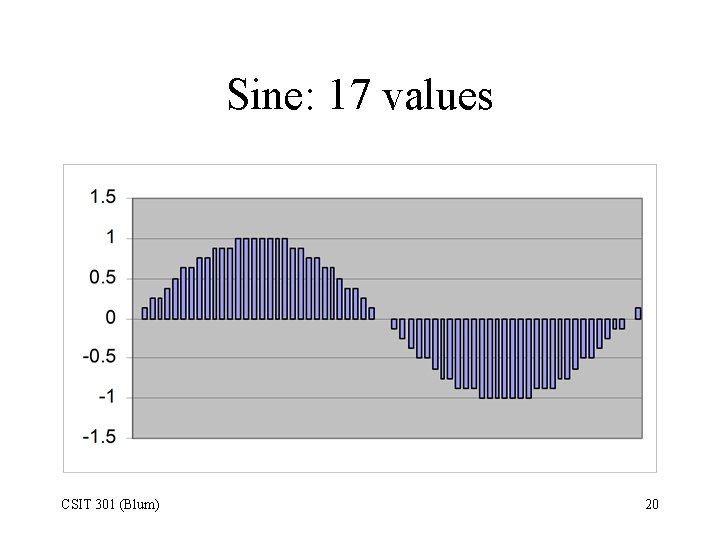
Sine: 17 values CSIT 301 (Blum) 20
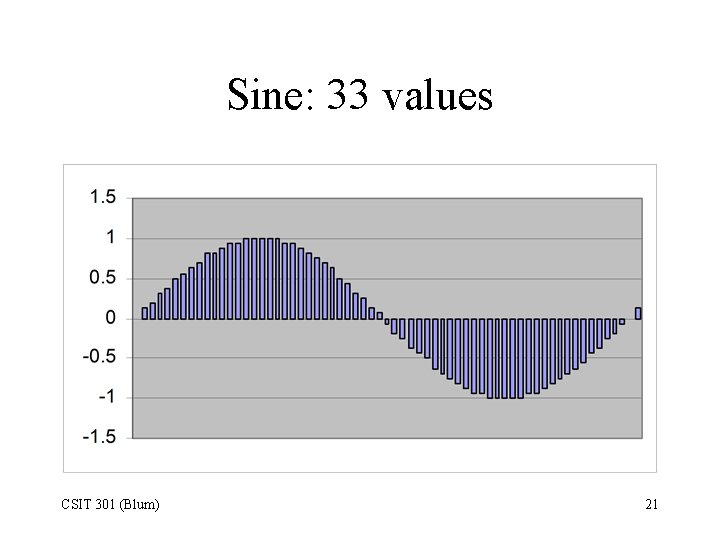
Sine: 33 values CSIT 301 (Blum) 21
CD-DA Sampling • Compare to the phone system which uses a sampling frequency of 8000 Hz and uses 1 byte (256 levels) to represent the possible values of each sample. • CDs have a higher quality sound; the red book specifies a sampling frequency of 44, 100 Hz and use 2 bytes of data (65536 levels) to represent the possible levels of each sample. And the sampling is done in stereo. • This corresponds to 176, 400 bytes /second. 176, 400 = 44, 100 2 2 CSIT 301 (Blum) 22
Human-based sampling rate • Humans hear sound in the range 20 to 20, 000 Hz. • Double the highest frequency (a la Nyquist) giving 40, 000 (the actual number used is 44, 100). • Use two bytes per sample. • Record in stereo. • Result: 44, 100 2 2 = 176400 bytes/sec. CSIT 301 (Blum) 23
Question • According to the website http: //www. ratbehavior. org/rathearing. htm, rats hear sound in the range 200 Hz to 90 k. Hz (as opposed to humans whose range is 16 to 20 k. Hz). Adapt the data transmission rate CD-DA specifications to rats. Explain your reasoning. CSIT 301 (Blum) 24
References • PC Hardware in a Nutshell, Thompson and Thompson • http: //www. pctechguide. com/10 dvd. htm • http: //www. webopedia. com • http: //www. pcguide. com • http: //entertainment. howstuffworks. com/cdburner 2. htm CSIT 301 (Blum) 25
- Slides: 25