Organizing Your Data GEO 802 Data Information Literacy

![Lesson 4 Outline File-naming conventions Data organization Documenting your process Keeping a [lab] notebook](https://slidetodoc.com/presentation_image_h/ec168aff96e644f44f029efc3812d2d5/image-2.jpg "Lesson 4 Outline File-naming conventions Data organization Documenting your process Keeping a [lab] notebook")


- Slides: 66
Organizing Your Data GEO 802, Data Information Literacy Fall 2020 – Lecture 4 Gary Seitz, MA
Lesson 4 Outline File-naming conventions Data organization Documenting your process Keeping a [lab] notebook Luis Prado from The Noun Project
Objectives of today’s hands-on-session 1. Plan an organizational structure for your data using a file naming system and directory structure that is well-documented and interoperable with other data sets in order to decrease versioning issues and data duplication. 2. Articulate a plan to collect and share the documentation of your research and methodologies in order to assist other researchers in making sense of your data.
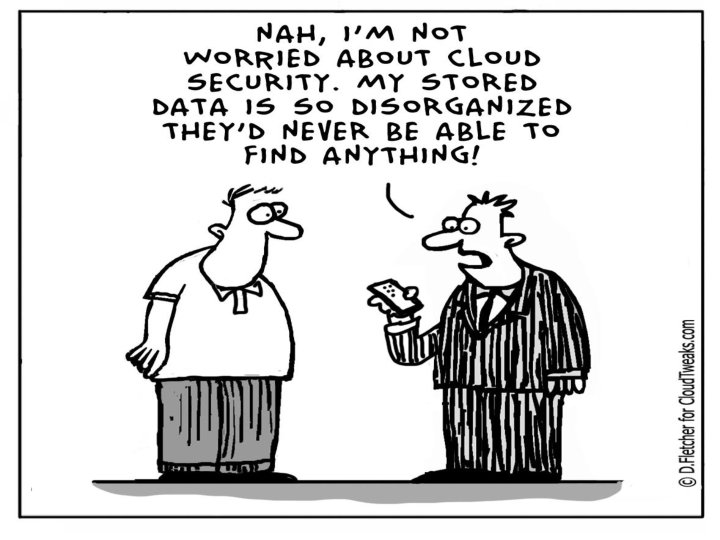
Image: "Cloud 89" by D. Fletcher on Cloudtweaks. com
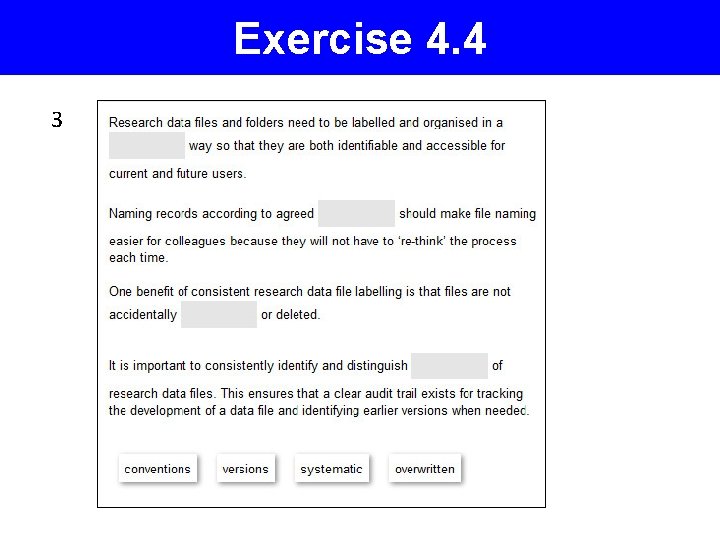
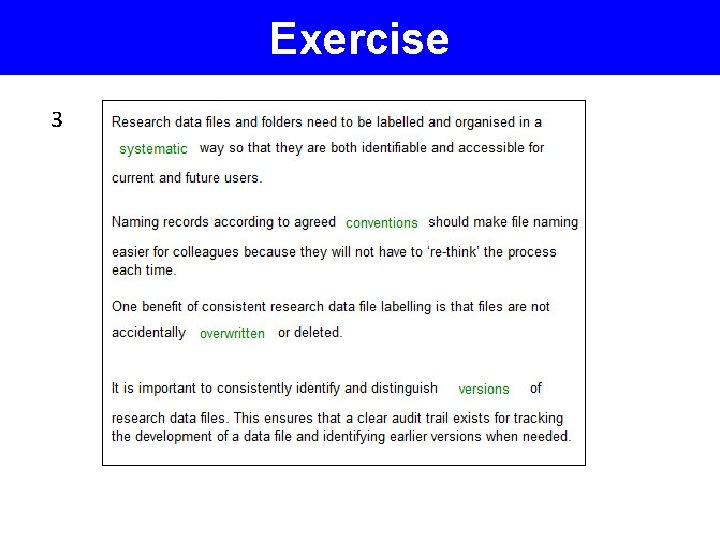
Organising your data • Research data files and folders need to be organised in a systematic way to be: • identifiable and accessible for yourself, • identifiable and accessible for colleagues, and for future users. • Thus it is important to plan the organisation of your data before a research project begins. • Doing so will prevent any confusion while research is underway or when multiple individuals will be editing and / or analysing the data.
The benefits of consistent data file labelling • Data files are distinguishable from each other within their containing folder • Data file naming prevents confusion when multiple people are working on shared files • Data files are easier to locate and browse • Data files can be retrieved not only by the creator but by other users
The benefits of consistent data file labelling • Data files can be sorted in logical sequence • Data files are not accidentally overwritten or deleted • Different versions of data files can be identified • If data files are moved to other storage platform their names will retain useful context
Can you find your data? If not, have you considered… 1. Clear directory structure & file naming conventions https: //www. jisc. ac. uk/guides/managing-information/good-file-name (File naming conventions for specific disciplines) 2. File renaming 3. File version control • For this to be successful a consistent and disciplined approach is required. • Easier to accomplish as and when data files are generated rather than retrospectively attempting to implement. • When organization methods become too time consuming, consider automated methods.
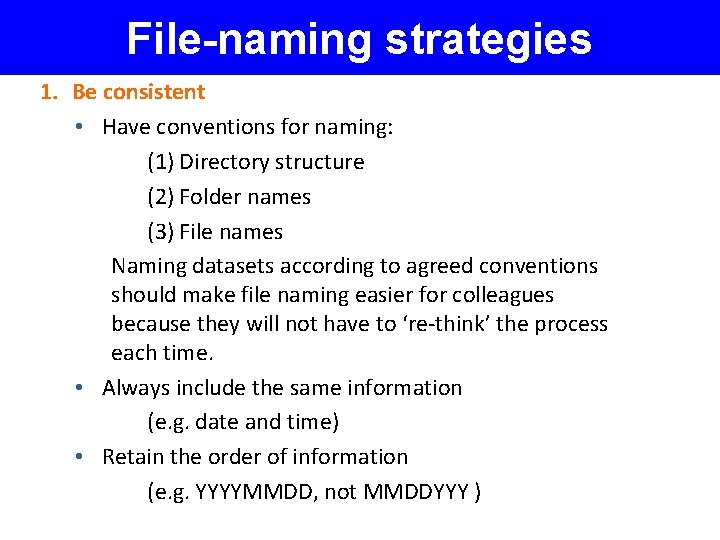
File-naming strategies 1. Be consistent • Have conventions for naming: (1) Directory structure (2) Folder names (3) File names Naming datasets according to agreed conventions should make file naming easier for colleagues because they will not have to ‘re-think’ the process each time. • Always include the same information (e. g. date and time) • Retain the order of information (e. g. YYYYMMDD, not MMDDYYY )
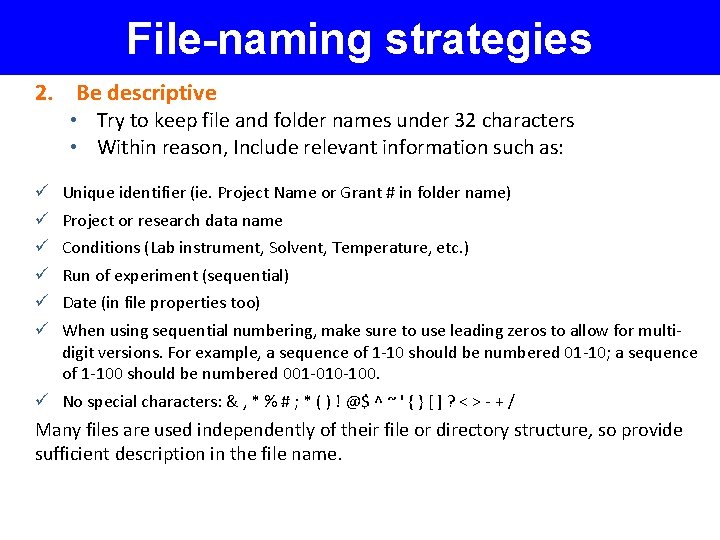
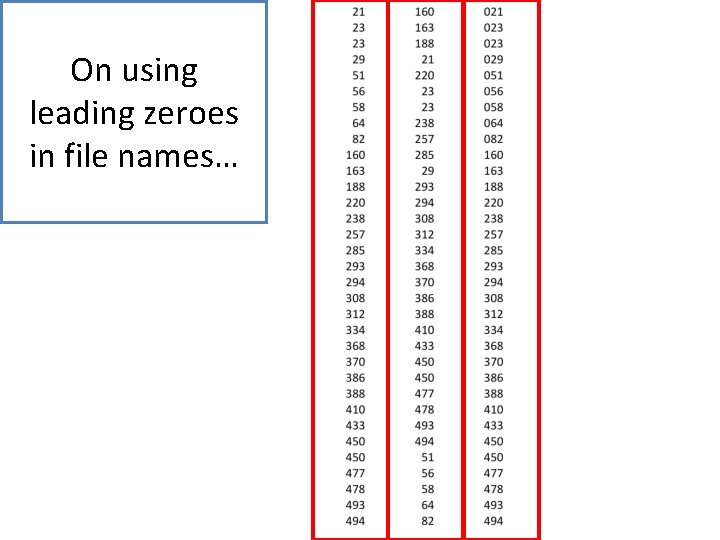
File-naming strategies 2. Be descriptive • Try to keep file and folder names under 32 characters • Within reason, Include relevant information such as: ü ü ü Unique identifier (ie. Project Name or Grant # in folder name) Project or research data name Conditions (Lab instrument, Solvent, Temperature, etc. ) Run of experiment (sequential) Date (in file properties too) When using sequential numbering, make sure to use leading zeros to allow for multidigit versions. For example, a sequence of 1 -10 should be numbered 01 -10; a sequence of 1 -100 should be numbered 001 -010 -100. ü No special characters: & , * % # ; * ( ) ! @$ ^ ~ ' { } [ ] ? < > - + / Many files are used independently of their file or directory structure, so provide sufficient description in the file name.
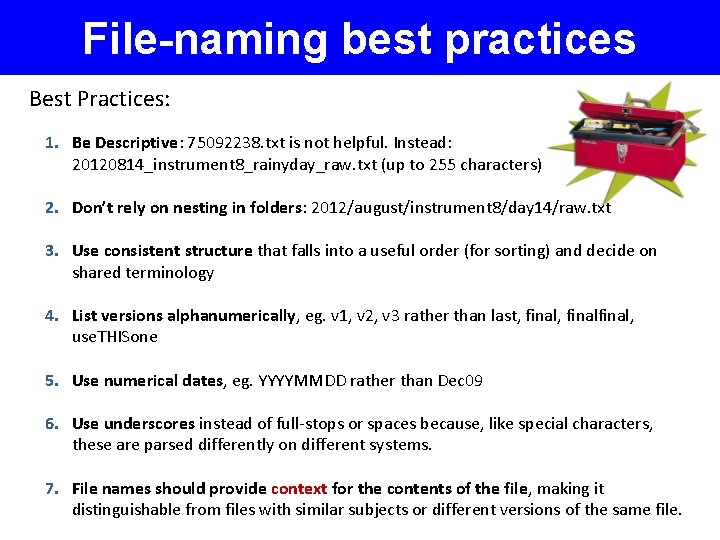
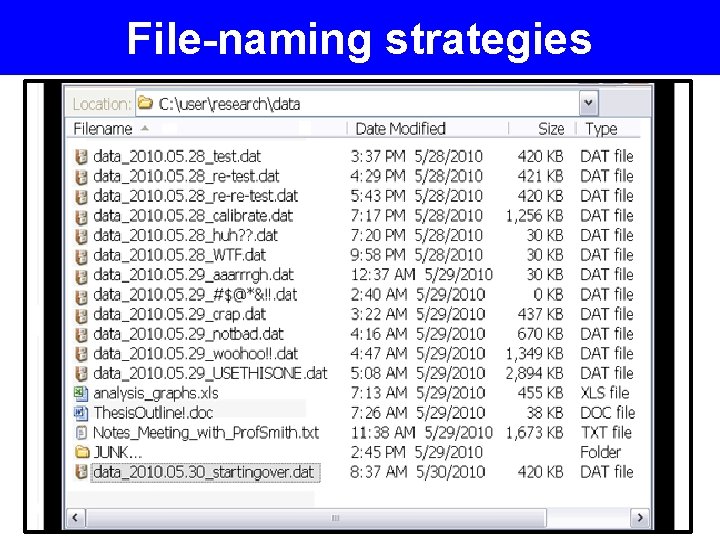
File-naming best practices Best Practices: 1. Be Descriptive: 75092238. txt is not helpful. Instead: 20120814_instrument 8_rainyday_raw. txt (up to 255 characters) 2. Don’t rely on nesting in folders: 2012/august/instrument 8/day 14/raw. txt 3. Use consistent structure that falls into a useful order (for sorting) and decide on shared terminology 4. List versions alphanumerically, eg. v 1, v 2, v 3 rather than last, finalfinal, use. THISone 5. Use numerical dates, eg. YYYYMMDD rather than Dec 09 6. Use underscores instead of full-stops or spaces because, like special characters, these are parsed differently on different systems. 7. File names should provide context for the contents of the file, making it distinguishable from files with similar subjects or different versions of the same file.
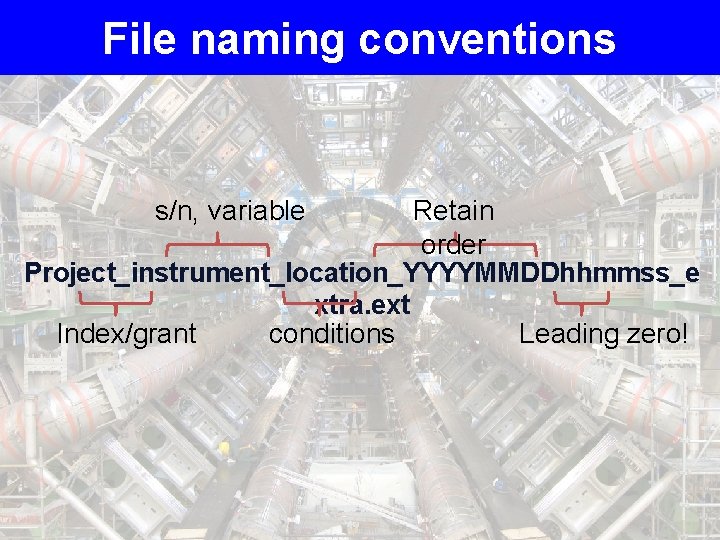
File naming conventions Retain order Project_instrument_location_YYYYMMDDhhmmss_e xtra. ext Index/grant conditions Leading zero! s/n, variable
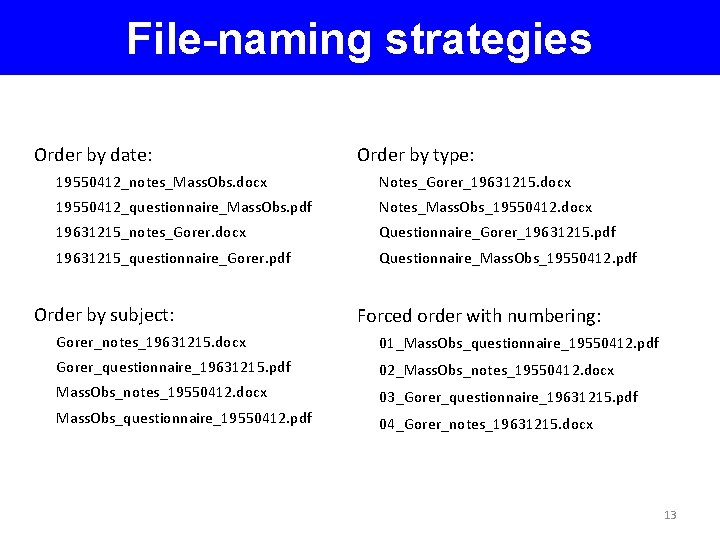
File-naming strategies Order by date: Order by type: 19550412_notes_Mass. Obs. docx Notes_Gorer_19631215. docx 19550412_questionnaire_Mass. Obs. pdf Notes_Mass. Obs_19550412. docx 19631215_notes_Gorer. docx Questionnaire_Gorer_19631215. pdf 19631215_questionnaire_Gorer. pdf Questionnaire_Mass. Obs_19550412. pdf Order by subject: Forced order with numbering: Gorer_notes_19631215. docx 01_Mass. Obs_questionnaire_19550412. pdf Gorer_questionnaire_19631215. pdf 02_Mass. Obs_notes_19550412. docx 03_Gorer_questionnaire_19631215. pdf Mass. Obs_questionnaire_19550412. pdf 04_Gorer_notes_19631215. docx 13
File-naming strategies
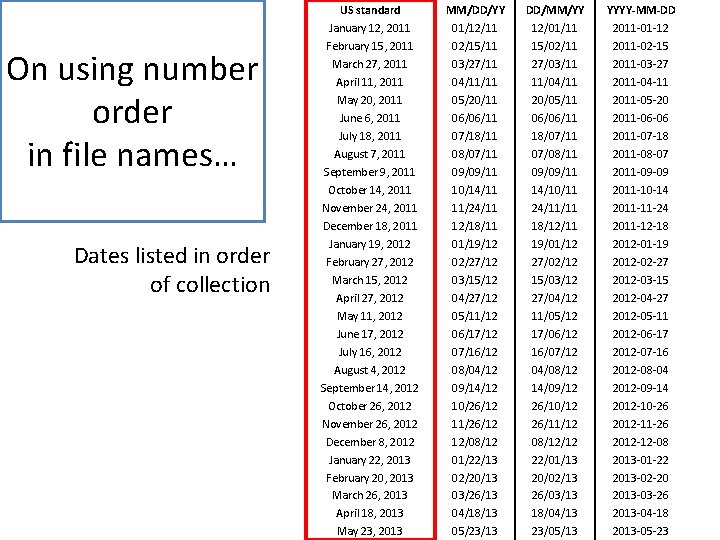
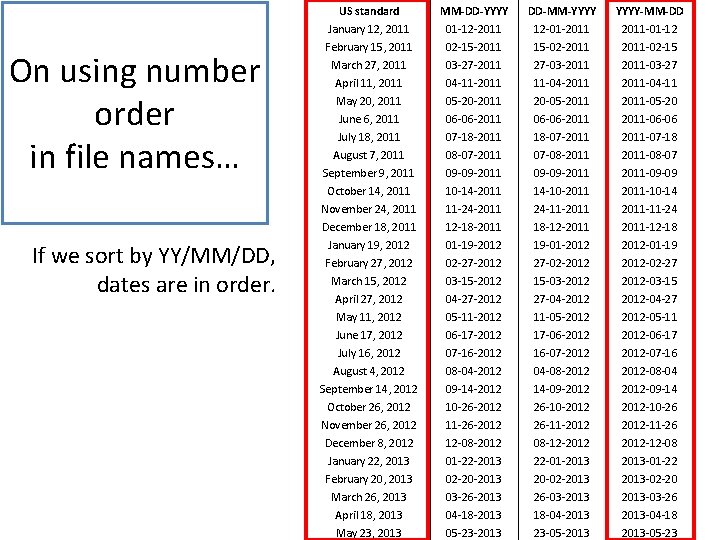
On using number order in file names… Dates listed in order of collection US standard MM/DD/YY DD/MM/YY YYYY-MM-DD January 12, 2011 February 15, 2011 March 27, 2011 April 11, 2011 May 20, 2011 June 6, 2011 July 18, 2011 August 7, 2011 September 9, 2011 October 14, 2011 November 24, 2011 December 18, 2011 January 19, 2012 February 27, 2012 March 15, 2012 April 27, 2012 May 11, 2012 June 17, 2012 July 16, 2012 August 4, 2012 September 14, 2012 October 26, 2012 November 26, 2012 December 8, 2012 January 22, 2013 February 20, 2013 March 26, 2013 April 18, 2013 May 23, 2013 01/12/11 02/15/11 03/27/11 04/11/11 05/20/11 06/06/11 07/18/11 08/07/11 09/09/11 10/14/11 11/24/11 12/18/11 01/19/12 02/27/12 03/15/12 04/27/12 05/11/12 06/17/12 07/16/12 08/04/12 09/14/12 10/26/12 11/26/12 12/08/12 01/22/13 02/20/13 03/26/13 04/18/13 05/23/13 12/01/11 15/02/11 27/03/11 11/04/11 20/05/11 06/06/11 18/07/11 07/08/11 09/09/11 14/10/11 24/11/11 18/12/11 19/01/12 27/02/12 15/03/12 27/04/12 11/05/12 17/06/12 16/07/12 04/08/12 14/09/12 26/10/12 26/11/12 08/12/12 22/01/13 20/02/13 26/03/13 18/04/13 23/05/13 2011 -01 -12 2011 -02 -15 2011 -03 -27 2011 -04 -11 2011 -05 -20 2011 -06 -06 2011 -07 -18 2011 -08 -07 2011 -09 -09 2011 -10 -14 2011 -11 -24 2011 -12 -18 2012 -01 -19 2012 -02 -27 2012 -03 -15 2012 -04 -27 2012 -05 -11 2012 -06 -17 2012 -07 -16 2012 -08 -04 2012 -09 -14 2012 -10 -26 2012 -11 -26 2012 -12 -08 2013 -01 -22 2013 -02 -20 2013 -03 -26 2013 -04 -18 2013 -05 -23
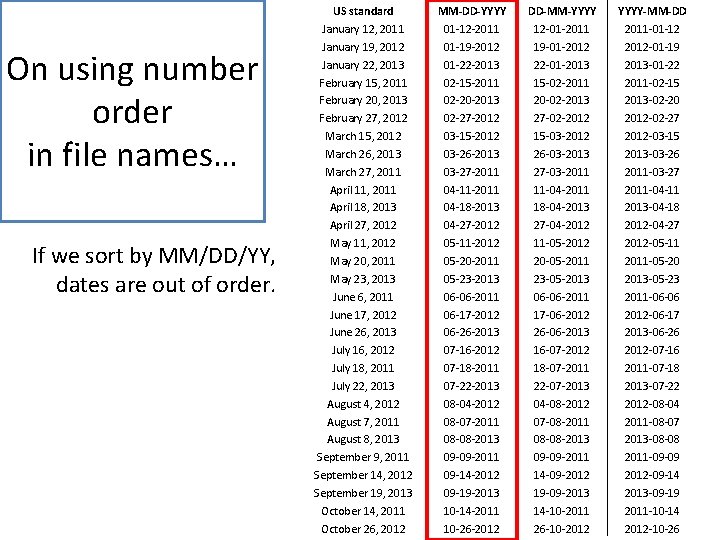
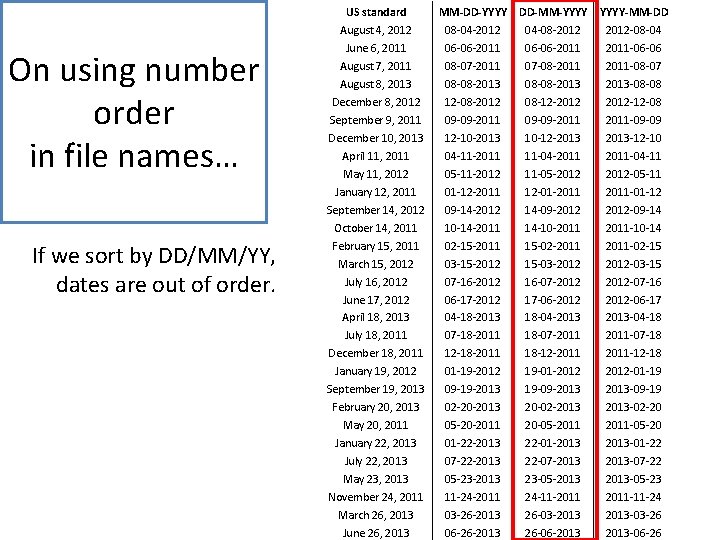
On using number order in file names… If we sort by MM/DD/YY, dates are out of order. US standard January 12, 2011 January 19, 2012 January 22, 2013 February 15, 2011 February 20, 2013 February 27, 2012 March 15, 2012 March 26, 2013 March 27, 2011 April 11, 2011 April 18, 2013 April 27, 2012 May 11, 2012 May 20, 2011 May 23, 2013 June 6, 2011 June 17, 2012 June 26, 2013 July 16, 2012 July 18, 2011 July 22, 2013 August 4, 2012 August 7, 2011 August 8, 2013 September 9, 2011 September 14, 2012 September 19, 2013 October 14, 2011 October 26, 2012 MM-DD-YYYY 01 -12 -2011 01 -19 -2012 01 -22 -2013 02 -15 -2011 02 -20 -2013 02 -27 -2012 03 -15 -2012 03 -26 -2013 03 -27 -2011 04 -11 -2011 04 -18 -2013 04 -27 -2012 05 -11 -2012 05 -20 -2011 05 -23 -2013 06 -06 -2011 06 -17 -2012 06 -26 -2013 07 -16 -2012 07 -18 -2011 07 -22 -2013 08 -04 -2012 08 -07 -2011 08 -08 -2013 09 -09 -2011 09 -14 -2012 09 -19 -2013 10 -14 -2011 10 -26 -2012 DD-MM-YYYY 12 -01 -2011 19 -01 -2012 22 -01 -2013 15 -02 -2011 20 -02 -2013 27 -02 -2012 15 -03 -2012 26 -03 -2013 27 -03 -2011 11 -04 -2011 18 -04 -2013 27 -04 -2012 11 -05 -2012 20 -05 -2011 23 -05 -2013 06 -06 -2011 17 -06 -2012 26 -06 -2013 16 -07 -2012 18 -07 -2011 22 -07 -2013 04 -08 -2012 07 -08 -2011 08 -08 -2013 09 -09 -2011 14 -09 -2012 19 -09 -2013 14 -10 -2011 26 -10 -2012 YYYY-MM-DD 2011 -01 -12 2012 -01 -19 2013 -01 -22 2011 -02 -15 2013 -02 -20 2012 -02 -27 2012 -03 -15 2013 -03 -26 2011 -03 -27 2011 -04 -11 2013 -04 -18 2012 -04 -27 2012 -05 -11 2011 -05 -20 2013 -05 -23 2011 -06 -06 2012 -06 -17 2013 -06 -26 2012 -07 -16 2011 -07 -18 2013 -07 -22 2012 -08 -04 2011 -08 -07 2013 -08 -08 2011 -09 -09 2012 -09 -14 2013 -09 -19 2011 -10 -14 2012 -10 -26
On using number order in file names… If we sort by DD/MM/YY, dates are out of order. US standard August 4, 2012 June 6, 2011 August 7, 2011 August 8, 2013 December 8, 2012 September 9, 2011 December 10, 2013 April 11, 2011 May 11, 2012 January 12, 2011 September 14, 2012 October 14, 2011 February 15, 2011 March 15, 2012 July 16, 2012 June 17, 2012 April 18, 2013 July 18, 2011 December 18, 2011 January 19, 2012 September 19, 2013 February 20, 2013 May 20, 2011 January 22, 2013 July 22, 2013 May 23, 2013 November 24, 2011 March 26, 2013 June 26, 2013 MM-DD-YYYY 08 -04 -2012 06 -06 -2011 08 -07 -2011 08 -08 -2013 12 -08 -2012 09 -09 -2011 12 -10 -2013 04 -11 -2011 05 -11 -2012 01 -12 -2011 09 -14 -2012 10 -14 -2011 02 -15 -2011 03 -15 -2012 07 -16 -2012 06 -17 -2012 04 -18 -2013 07 -18 -2011 12 -18 -2011 01 -19 -2012 09 -19 -2013 02 -20 -2013 05 -20 -2011 01 -22 -2013 07 -22 -2013 05 -23 -2013 11 -24 -2011 03 -26 -2013 06 -26 -2013 DD-MM-YYYY 04 -08 -2012 06 -06 -2011 07 -08 -2011 08 -08 -2013 08 -12 -2012 09 -09 -2011 10 -12 -2013 11 -04 -2011 11 -05 -2012 12 -01 -2011 14 -09 -2012 14 -10 -2011 15 -02 -2011 15 -03 -2012 16 -07 -2012 17 -06 -2012 18 -04 -2013 18 -07 -2011 18 -12 -2011 19 -01 -2012 19 -09 -2013 20 -02 -2013 20 -05 -2011 22 -01 -2013 22 -07 -2013 23 -05 -2013 24 -11 -2011 26 -03 -2013 26 -06 -2013 YYYY-MM-DD 2012 -08 -04 2011 -06 -06 2011 -08 -07 2013 -08 -08 2012 -12 -08 2011 -09 -09 2013 -12 -10 2011 -04 -11 2012 -05 -11 2011 -01 -12 2012 -09 -14 2011 -10 -14 2011 -02 -15 2012 -03 -15 2012 -07 -16 2012 -06 -17 2013 -04 -18 2011 -07 -18 2011 -12 -18 2012 -01 -19 2013 -09 -19 2013 -02 -20 2011 -05 -20 2013 -01 -22 2013 -07 -22 2013 -05 -23 2011 -11 -24 2013 -03 -26 2013 -06 -26
On using number order in file names… If we sort by YY/MM/DD, dates are in order. US standard January 12, 2011 February 15, 2011 March 27, 2011 April 11, 2011 May 20, 2011 June 6, 2011 July 18, 2011 August 7, 2011 September 9, 2011 October 14, 2011 November 24, 2011 December 18, 2011 January 19, 2012 February 27, 2012 March 15, 2012 April 27, 2012 May 11, 2012 June 17, 2012 July 16, 2012 August 4, 2012 September 14, 2012 October 26, 2012 November 26, 2012 December 8, 2012 January 22, 2013 February 20, 2013 March 26, 2013 April 18, 2013 May 23, 2013 MM-DD-YYYY 01 -12 -2011 02 -15 -2011 03 -27 -2011 04 -11 -2011 05 -20 -2011 06 -06 -2011 07 -18 -2011 08 -07 -2011 09 -09 -2011 10 -14 -2011 11 -24 -2011 12 -18 -2011 01 -19 -2012 02 -27 -2012 03 -15 -2012 04 -27 -2012 05 -11 -2012 06 -17 -2012 07 -16 -2012 08 -04 -2012 09 -14 -2012 10 -26 -2012 11 -26 -2012 12 -08 -2012 01 -22 -2013 02 -20 -2013 03 -26 -2013 04 -18 -2013 05 -23 -2013 DD-MM-YYYY 12 -01 -2011 15 -02 -2011 27 -03 -2011 11 -04 -2011 20 -05 -2011 06 -06 -2011 18 -07 -2011 07 -08 -2011 09 -09 -2011 14 -10 -2011 24 -11 -2011 18 -12 -2011 19 -01 -2012 27 -02 -2012 15 -03 -2012 27 -04 -2012 11 -05 -2012 17 -06 -2012 16 -07 -2012 04 -08 -2012 14 -09 -2012 26 -10 -2012 26 -11 -2012 08 -12 -2012 22 -01 -2013 20 -02 -2013 26 -03 -2013 18 -04 -2013 23 -05 -2013 YYYY-MM-DD 2011 -01 -12 2011 -02 -15 2011 -03 -27 2011 -04 -11 2011 -05 -20 2011 -06 -06 2011 -07 -18 2011 -08 -07 2011 -09 -09 2011 -10 -14 2011 -11 -24 2011 -12 -18 2012 -01 -19 2012 -02 -27 2012 -03 -15 2012 -04 -27 2012 -05 -11 2012 -06 -17 2012 -07 -16 2012 -08 -04 2012 -09 -14 2012 -10 -26 2012 -11 -26 2012 -12 -08 2013 -01 -22 2013 -02 -20 2013 -03 -26 2013 -04 -18 2013 -05 -23
On using leading zeroes in file names…
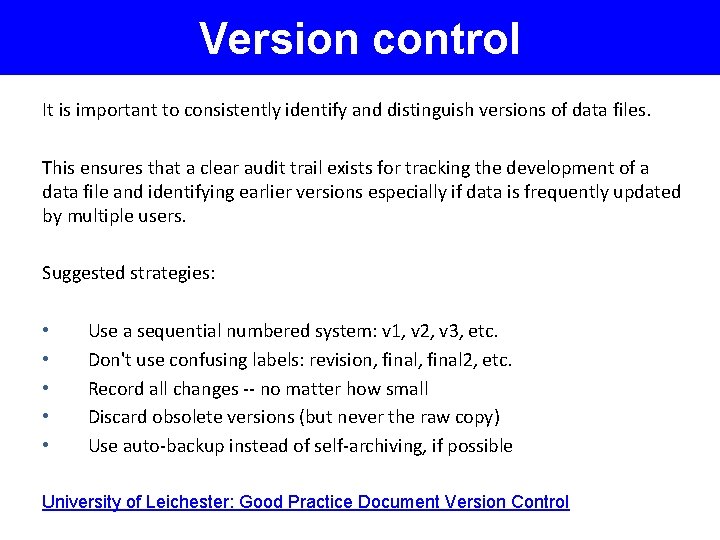
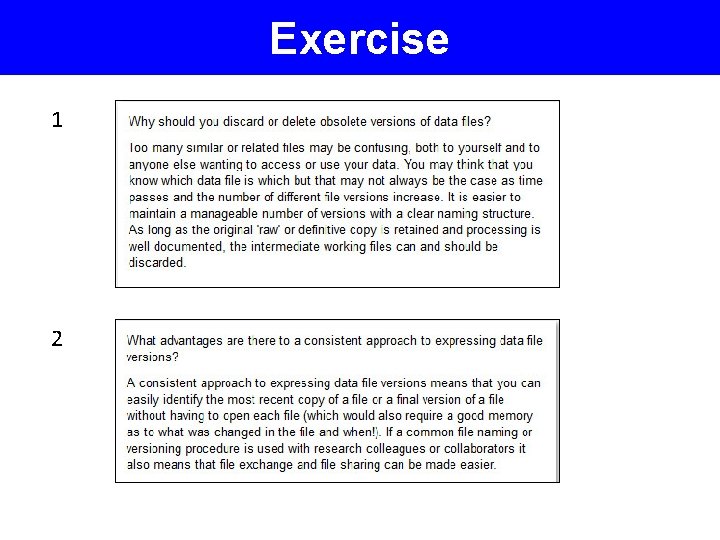
Version control It is important to consistently identify and distinguish versions of data files. This ensures that a clear audit trail exists for tracking the development of a data file and identifying earlier versions especially if data is frequently updated by multiple users. Suggested strategies: • • • Use a sequential numbered system: v 1, v 2, v 3, etc. Don't use confusing labels: revision, final 2, etc. Record all changes -- no matter how small Discard obsolete versions (but never the raw copy) Use auto-backup instead of self-archiving, if possible University of Leichester: Good Practice Document Version Control
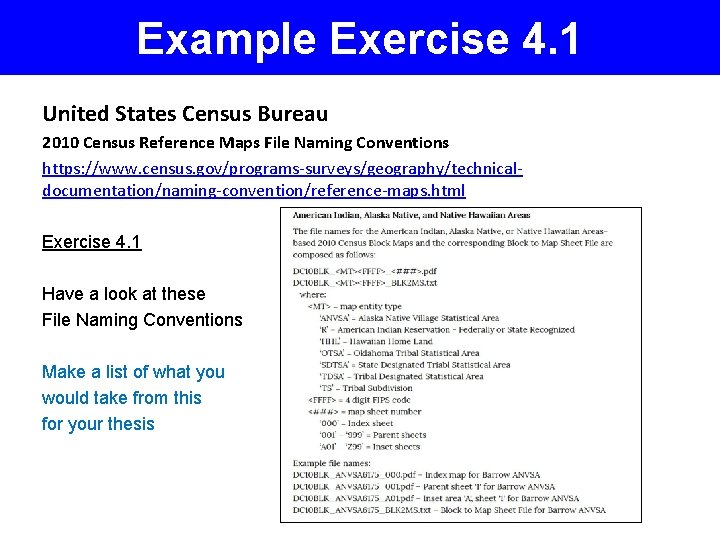
Example Exercise 4. 1 United States Census Bureau 2010 Census Reference Maps File Naming Conventions https: //www. census. gov/programs-surveys/geography/technicaldocumentation/naming-convention/reference-maps. html Exercise 4. 1 Have a look at these File Naming Conventions Make a list of what you would take from this for your thesis
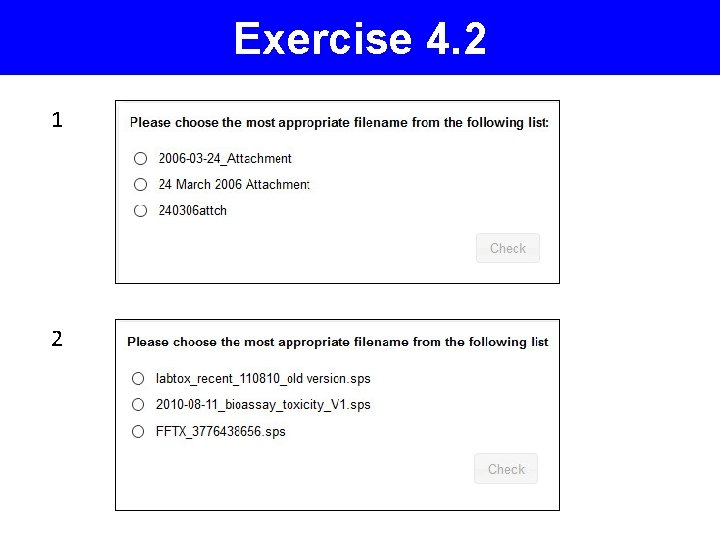
Exercise 4. 2 1 2
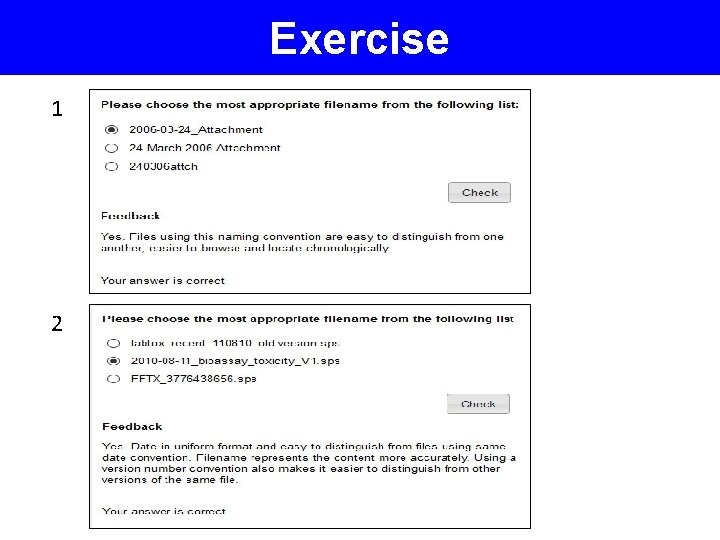
Exercise 1 2
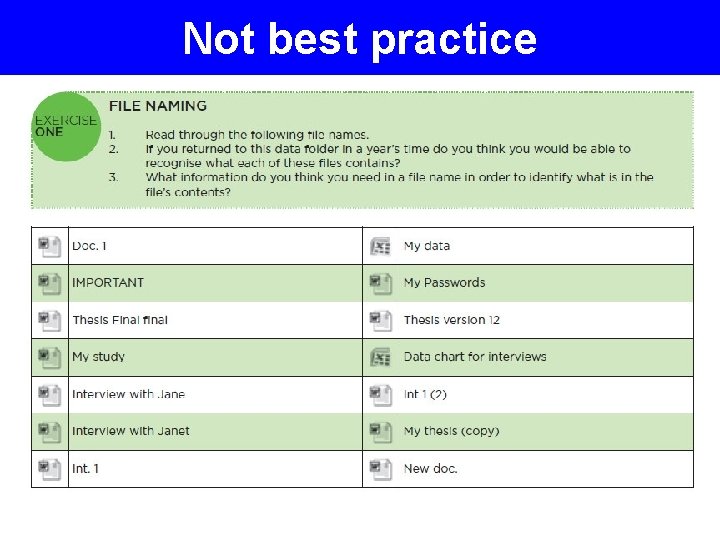
Not best practice
File Organization
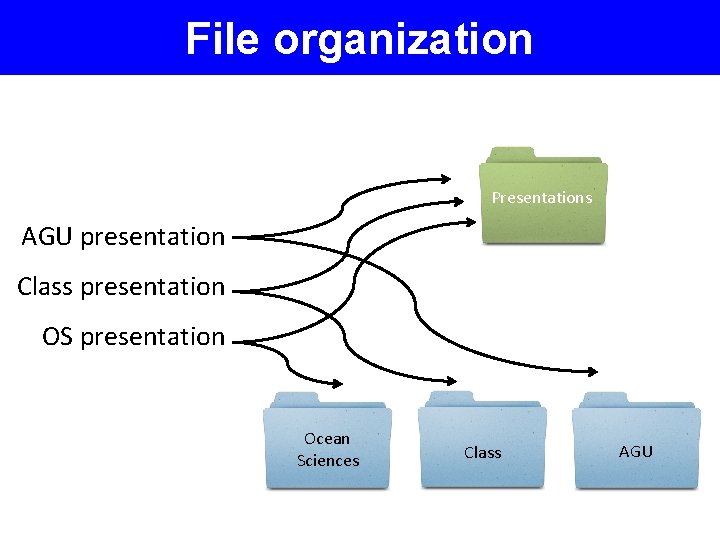
File organization Presentations AGU presentation Class presentation OS presentation Ocean Sciences Class AGU
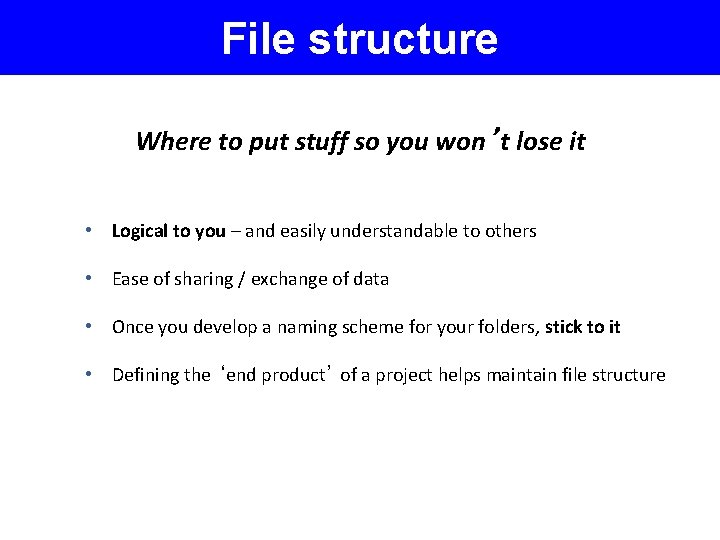
File structure Where to put stuff so you won’t lose it • Logical to you – and easily understandable to others • Ease of sharing / exchange of data • Once you develop a naming scheme for your folders, stick to it • Defining the ‘end product’ of a project helps maintain file structure
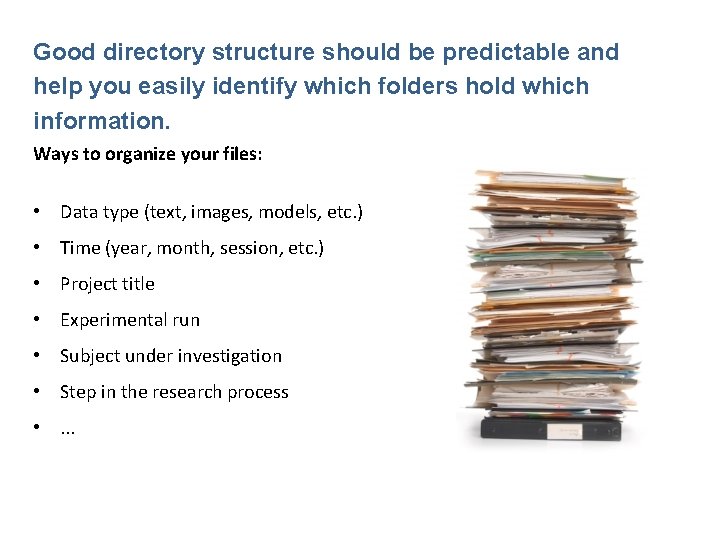
Good directory structure should be predictable and help you easily identify which folders hold which information. Ways to organize your files: • Data type (text, images, models, etc. ) • Time (year, month, session, etc. ) • Project title • Experimental run • Subject under investigation • Step in the research process • . . .
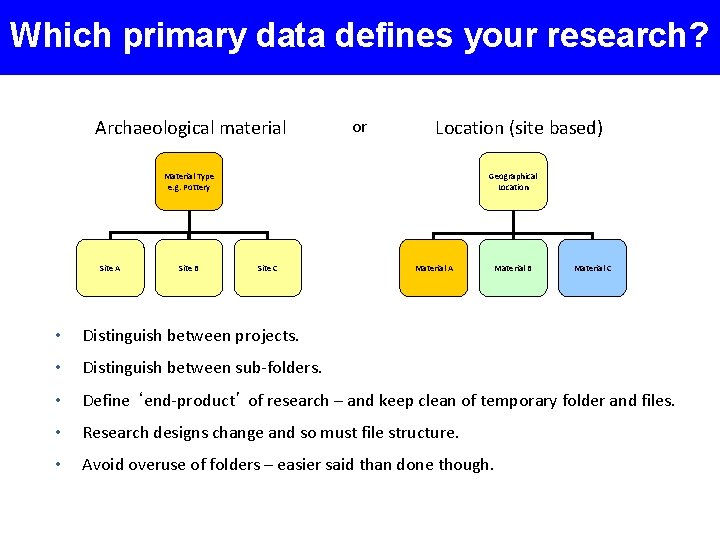
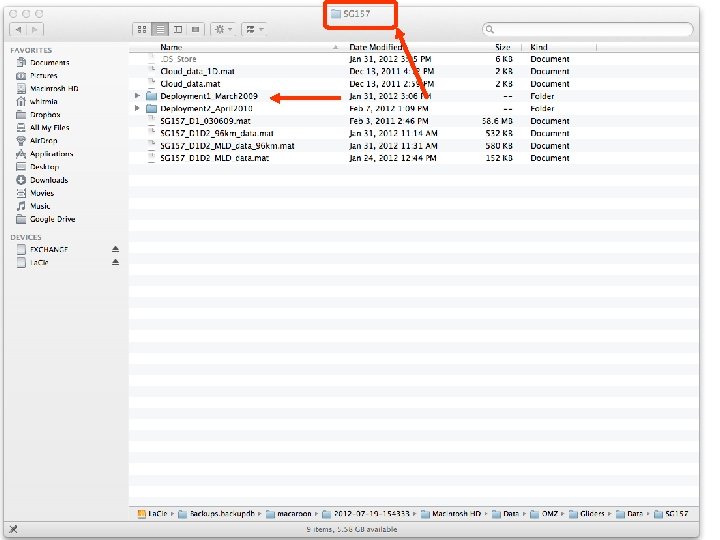
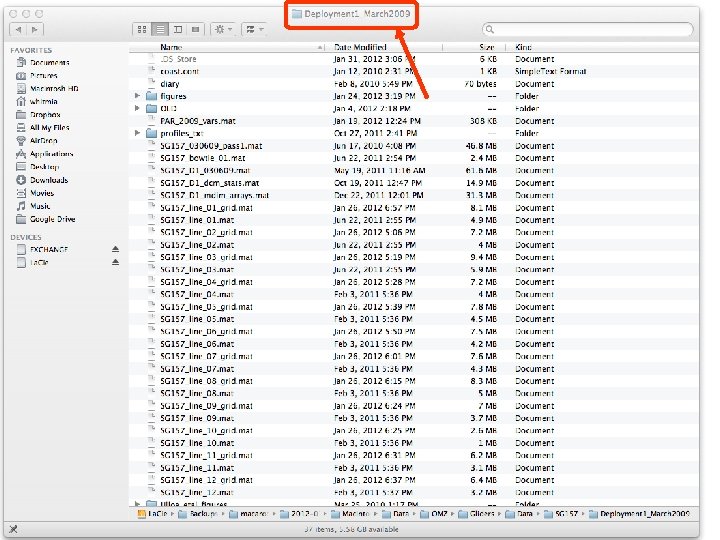
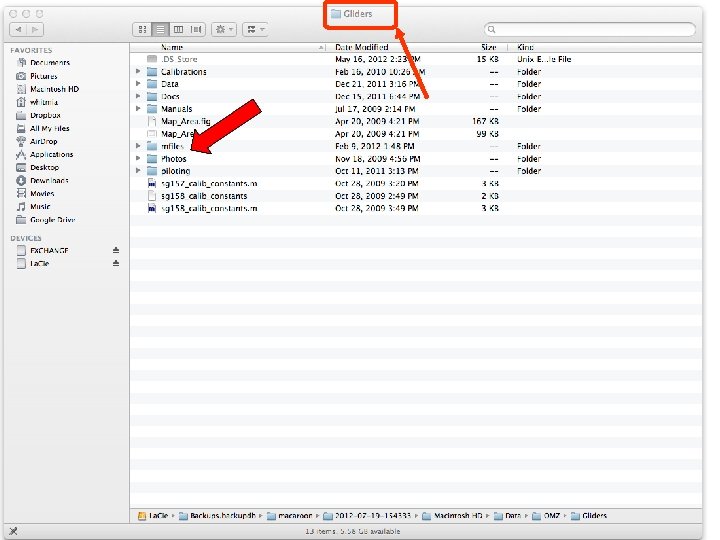
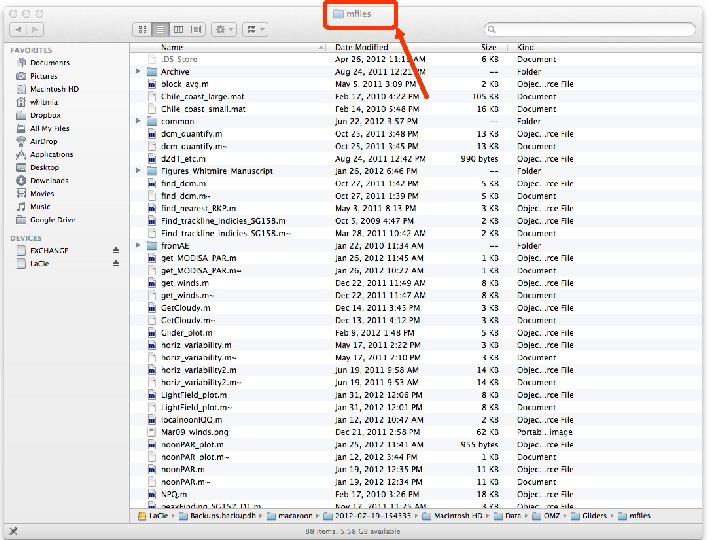
Which primary data defines your research? Archaeological material or Location (site based) Geographical Location Material Type e. g. Pottery Site A Site B Site C Material A Material B Material C • Distinguish between projects. • Distinguish between sub-folders. • Define ‘end-product’ of research – and keep clean of temporary folder and files. • Research designs change and so must file structure. • Avoid overuse of folders – easier said than done though.
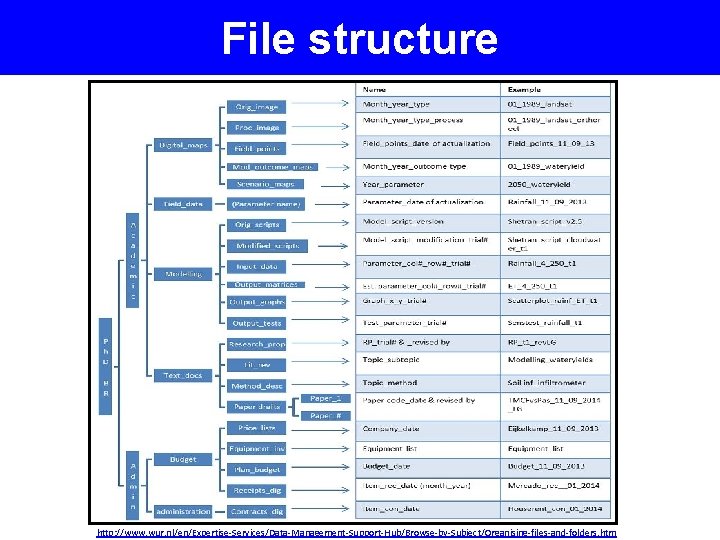
File structure http: //www. wur. nl/en/Expertise-Services/Data-Management-Support-Hub/Browse-by-Subject/Organising-files-and-folders. htm
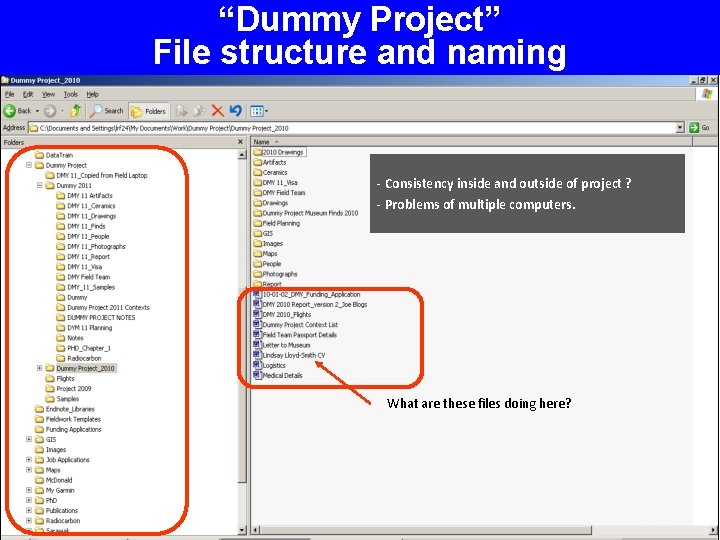
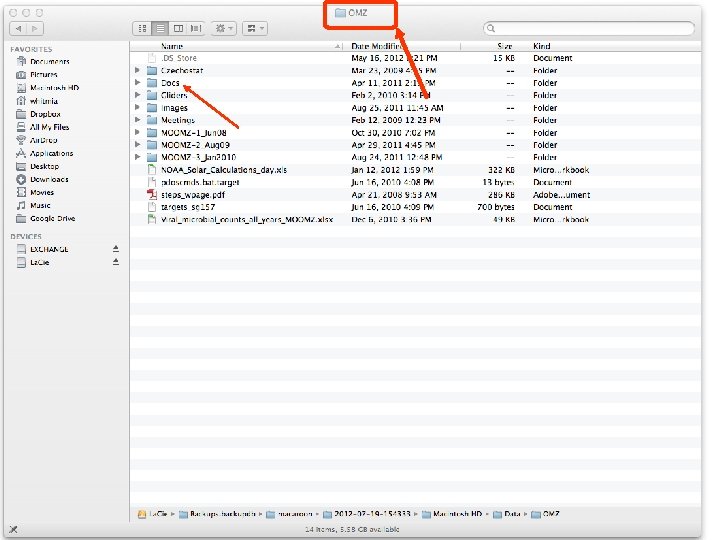
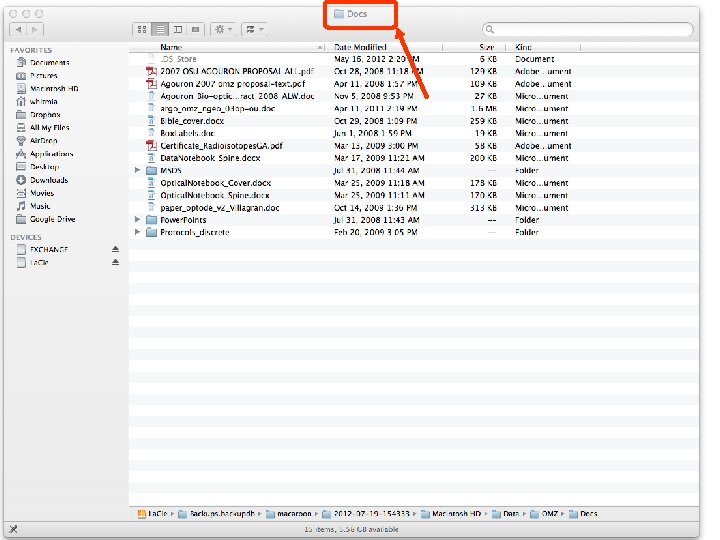
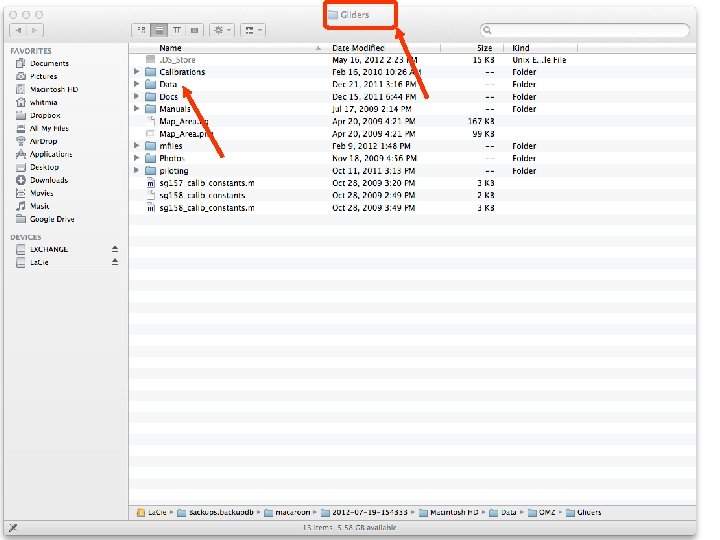
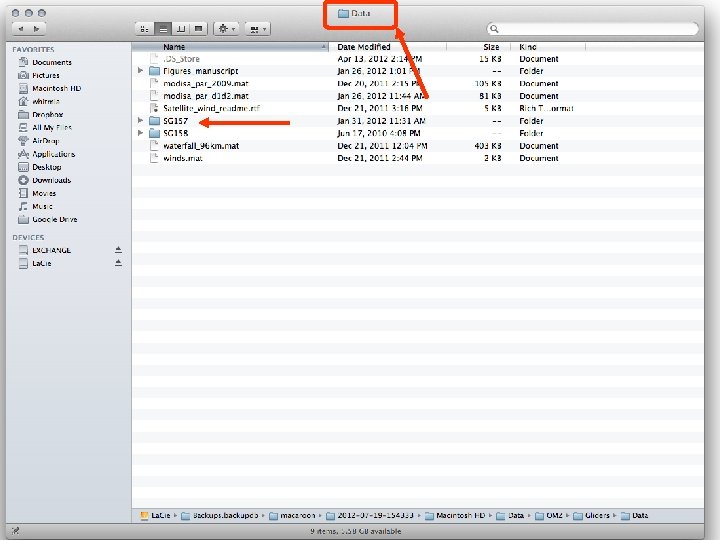
“Dummy Project” File structure and naming - Consistency inside and outside of project ? - Problems of multiple computers. What are these files doing here?
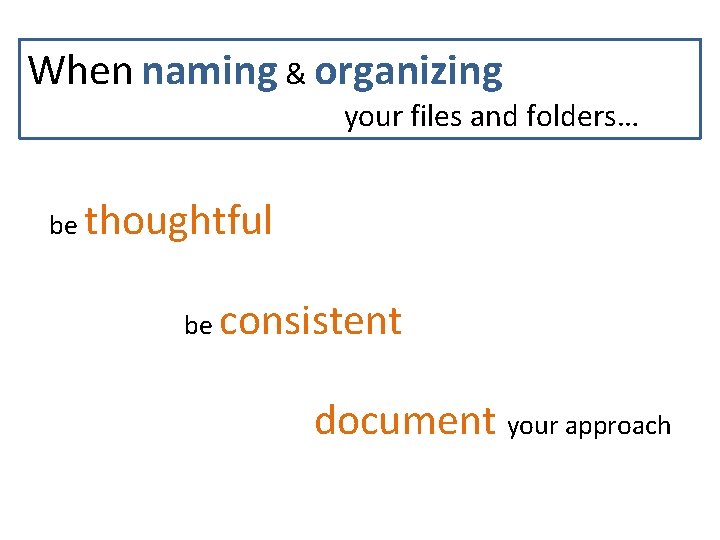
When naming & organizing your files and folders… be thoughtful be consistent document your approach
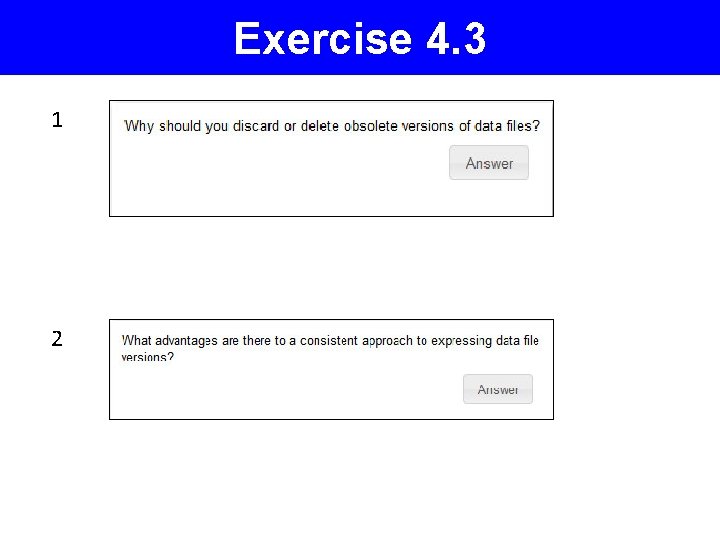
Exercise 4. 3 1 2
Exercise 1 2
Exercise 4. 4 3
Exercise 3
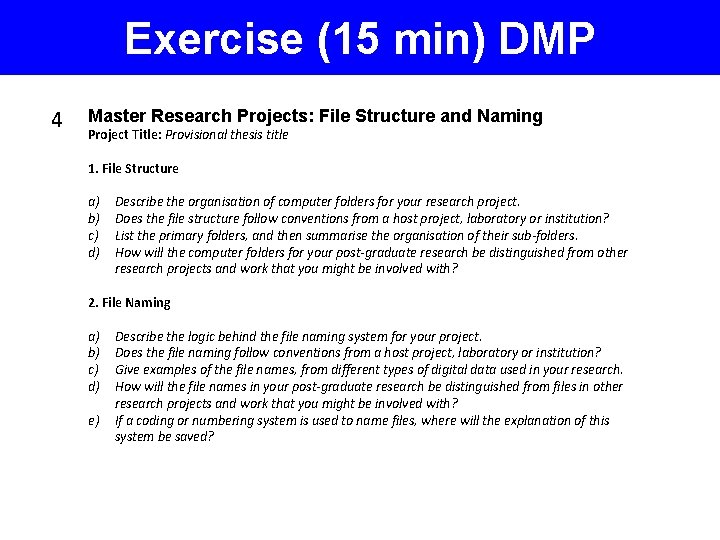
Exercise (15 min) DMP 4 Master Research Projects: File Structure and Naming Project Title: Provisional thesis title 1. File Structure a) Describe the organisation of computer folders for your research project. b) Does the file structure follow conventions from a host project, laboratory or institution? c) List the primary folders, and then summarise the organisation of their sub-folders. d) How will the computer folders for your post-graduate research be distinguished from other research projects and work that you might be involved with? 2. File Naming a) Describe the logic behind the file naming system for your project. b) Does the file naming follow conventions from a host project, laboratory or institution? c) Give examples of the file names, from different types of digital data used in your research. d) How will the file names in your post-graduate research be distinguished from files in other research projects and work that you might be involved with? e) If a coding or numbering system is used to name files, where will the explanation of this system be saved?
Further Reading 1. MIT Libraries. Data management and publishing: Organize your files. Massachusetts Institute of Technology. Retrieved 8 August 2014 from http: //libraries. mit. edu/datamanagement/store/organize
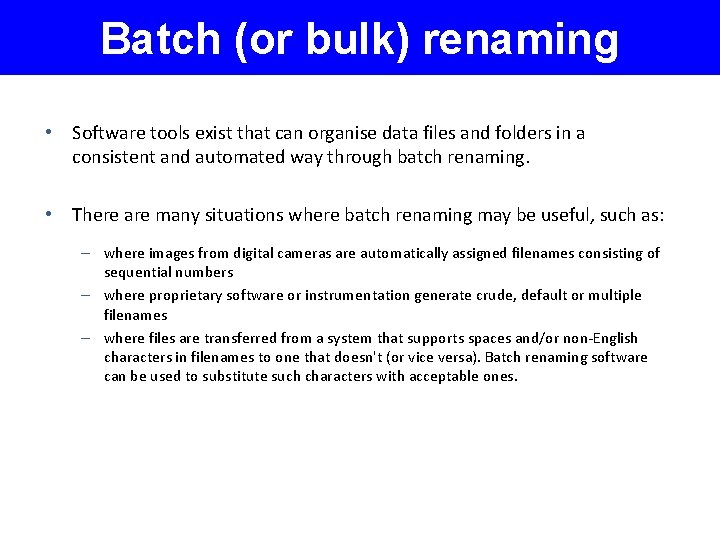
Batch (or bulk) renaming • Software tools exist that can organise data files and folders in a consistent and automated way through batch renaming. • There are many situations where batch renaming may be useful, such as: – where images from digital cameras are automatically assigned filenames consisting of sequential numbers – where proprietary software or instrumentation generate crude, default or multiple filenames – where files are transferred from a system that supports spaces and/or non-English characters in filenames to one that doesn't (or vice versa). Batch renaming software can be used to substitute such characters with acceptable ones.
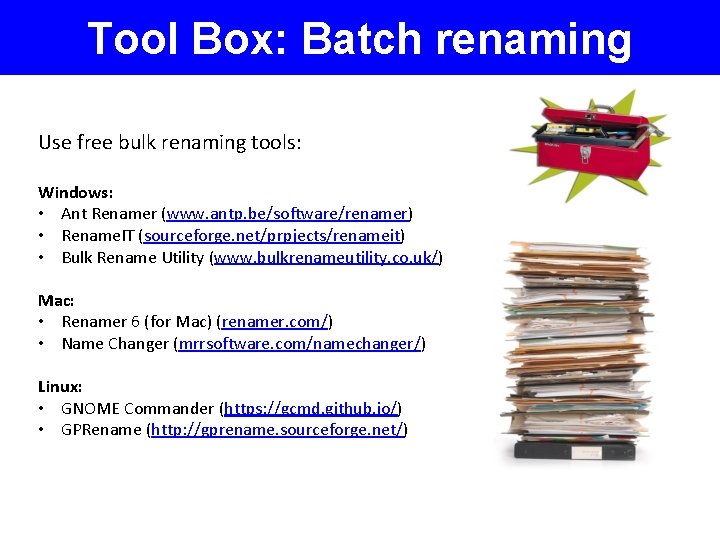
Tool Box: Batch renaming Use free bulk renaming tools: Windows: • Ant Renamer (www. antp. be/software/renamer) • Rename. IT (sourceforge. net/prpjects/renameit) • Bulk Rename Utility (www. bulkrenameutility. co. uk/) Mac: • Renamer 6 (for Mac) (renamer. com/) • Name Changer (mrrsoftware. com/namechanger/) Linux: • GNOME Commander (https: //gcmd. github. io/) • GPRename (http: //gprename. sourceforge. net/)
Benefits of consistent data file labelling are • Data files are not accidentally overwritten or deleted • Data files are distinguishable from each other within their containing folder • Data file naming prevents confusion when multiple people are working on shared files • Data files are easier to locate and browse • Data files can be retrieved both by creator and by other users • Data files can be sorted in logical sequence • Different versions of data files can be identified • If data files are moved to other storage platform their names will retain useful context
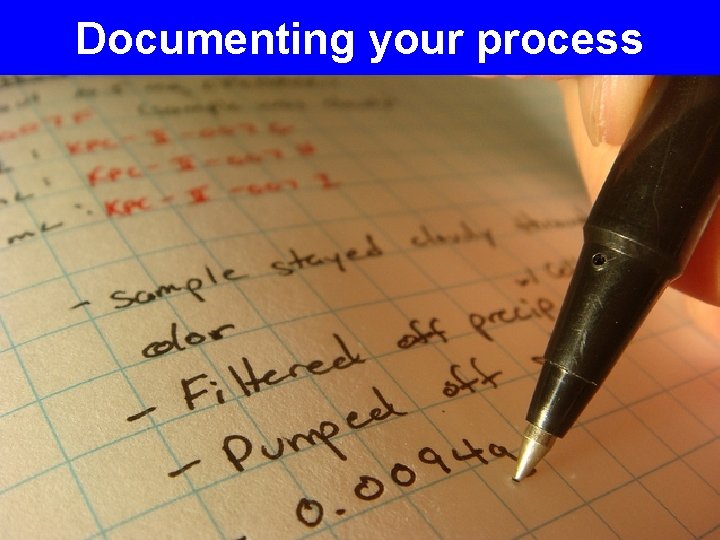
Documenting your process
Documenting data There are many reasons why you need to document your data: • • • To help you remember the details later To help others understand your research Verify your findings Replicate your results Archive your data for access and re-use Some examples of data documentation are: • • • Laboratory notebooks Field notes Questionnaires SOPs (Standard Operating Procedure) Methodologies
Documenting data Laboratory or field notebooks, for example play an important role in supporting claims relating to intellectual property developed by University researchers, and even defending claims against scientific fraud. Research data need to be documented at various levels: • Project level • study background, methodologies, instruments, research hypothesis • File or database level • formats, relationships between files • Variable or item level • How variable was generated & label descriptions
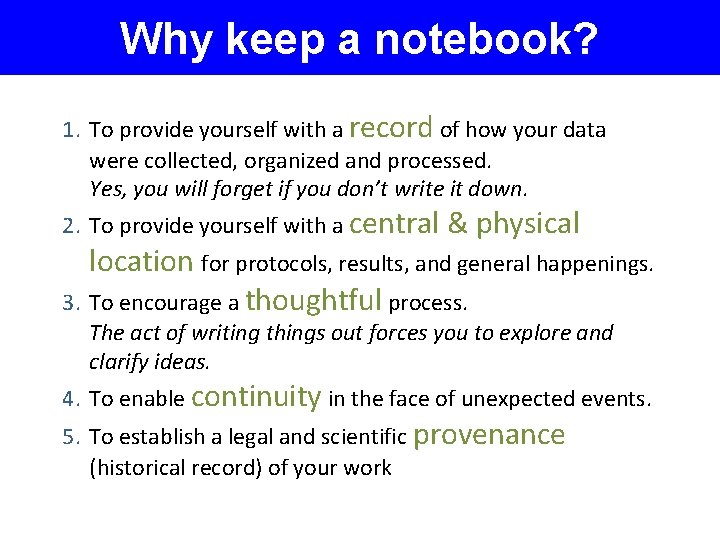
Why keep a notebook? 1. To provide yourself with a record of how your data were collected, organized and processed. Yes, you will forget if you don’t write it down. 2. To provide yourself with a central & physical location for protocols, results, and general happenings. 3. To encourage a thoughtful process. The act of writing things out forces you to explore and clarify ideas. 4. To enable continuity in the face of unexpected events. 5. To establish a legal and scientific provenance (historical record) of your work
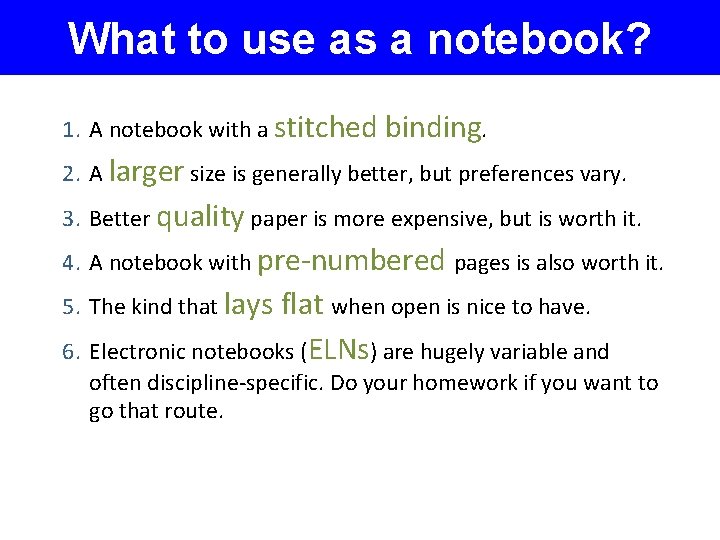
What to use as a notebook? 1. A notebook with a stitched binding. 2. A larger size is generally better, but preferences vary. 3. Better quality paper is more expensive, but is worth it. 4. A notebook with pre-numbered pages is also worth it. 5. The kind that lays flat when open is nice to have. 6. Electronic notebooks (ELNs) are hugely variable and often discipline-specific. Do your homework if you want to go that route.
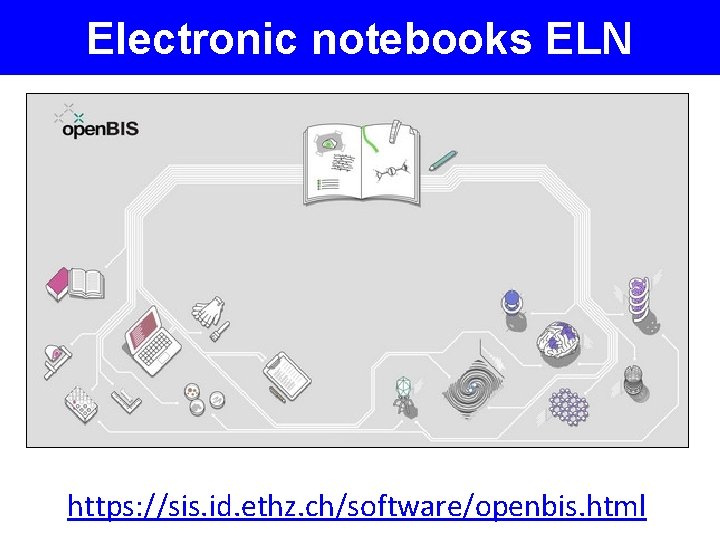
Electronic notebooks ELN Laboratory Notebooks are used by researchers to formally record their research activities. As research has become increasingly digital and collaborative the utility of traditional hard copy Lab Notebooks has been challenged. Not surprisingly then, e. Lab Notebooks (ELN) have emerged as an alternative. Read this short definition of ELNs
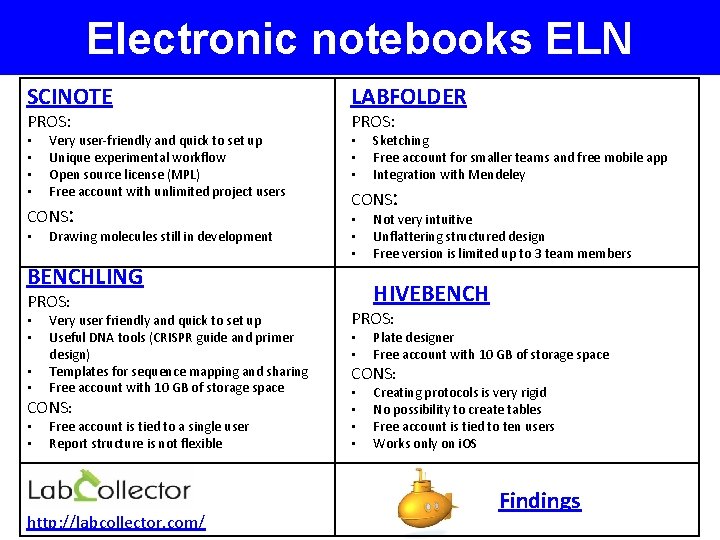
Electronic notebooks ELN SCINOTE PROS: • • Very user-friendly and quick to set up Unique experimental workflow Open source license (MPL) Free account with unlimited project users CONS: • Drawing molecules still in development LABFOLDER PROS: • • • CONS: • • • BENCHLING PROS: Very user friendly and quick to set up Useful DNA tools (CRISPR guide and primer design) • Templates for sequence mapping and sharing • Free account with 10 GB of storage space CONS: • Free account is tied to a single user • Report structure is not flexible • • http: //labcollector. com/ Sketching Free account for smaller teams and free mobile app Integration with Mendeley Not very intuitive Unflattering structured design Free version is limited up to 3 team members HIVEBENCH PROS: Plate designer Free account with 10 GB of storage space CONS: • Creating protocols is very rigid • No possibility to create tables • Free account is tied to ten users • Works only on i. OS • • Findings
Electronic notebooks ELN https: //sis. id. ethz. ch/software/openbis. html
Electronic notebooks ELN How to pick an electronic laboratory notebook https: //www. nature. com/articles/d 41586 -018 -05895 -3 Electronic Lab Notebooks - for prospective users https: //www. gurdon. cam. ac. uk/institute-life/computing/elnguidance Electronic Lab Notebooks at HMS (Harvard Medical School) https: //datamanagement. hms. harvard. edu/electronic-lab-notebooks Event Report: “Digital Notebooks – productivity tools for researchers” on 15. 03. 2018 https: //openworking. wordpress. com/2018/05/21/event-report-digitalnotebooks-productivity-tools-for-researchers-on-15 -03 -2018/
What to write with? PEN
What should go into it? Everything that is directly relevant to your work. You tell me.
Suggested notebook content • Notes on all discussions and thoughts on the experimental/research goals • Protocols for experiments or for acquiring data (if using 2 ndary data). Tape in printed versions if you want to. • Provide justifications for method, source of data (how did they generate the data? ). • Annotate all calculations so that anyone could understand what you did. Remember units! • Provide full details on experimental/research organisms/subjects. • If performing lab experiments w/reagents, list details like manufacturer, batch, etc. • Record equipment details. • Capture field, laboratory, or interview conditions. Purrington, C. B. Maintaining a laboratory notebook. Retrieved 2014 -01 -15 from http: //colinpurrington. com/tips/academic/labnotebooks.
Suggested notebook content • Your personal description may be relevant. Maybe. If it could be, write it down. • Write the names of people who have assisted you, for future acknowledgement. • Make quick drawings set-ups, locations, etc. • Take photos and paste them in. • Record file names of data, where they are stored and backed up. • Get into the habit of making daily entries – ALWAYS date your entries, including YEAR. • If you record log data into a digital spreadsheet, record the event in your notebook. • Detail your mistakes. • Use military time, or at least AM/PM Purrington, C. B. Maintaining a laboratory notebook. Retrieved 2014 -01 -15 from http: //colinpurrington. com/tips/academic/labnotebooks.
Suggested notebook content • All entries should be un-obscured by attached graphs, data sheets, photographs, etc. • When you include photographs, product labels, etc. , use glue to cleanly and permanently attach all edges. Do not use tape. • Avoid making entries that are unrelated to your project. • Include the full names and contact information for all collaborators • At the conclusion of your experiment, write or print out a full directory of all electronic files that relate to your experiment. • Describe the locations of all computer media, data binders, seeds, samples, etc. . • Typically, the laboratory notebook should stay in the laboratory where the experiments were conducted (i. e. , with your mentor or employer). • Digital cameras are really cheap, so if you do expensive, important science I recommend that you have 1 camera per project. At the end of each work day the researcher should take a photograph of each page. Purrington, C. B. Maintaining a laboratory notebook. Retrieved 2014 -01 -15 from http: //colinpurrington. com/tips/academic/labnotebooks.
In summary: Write down All The Things