l void gl Clear ColorGLclampf red GLclampf green

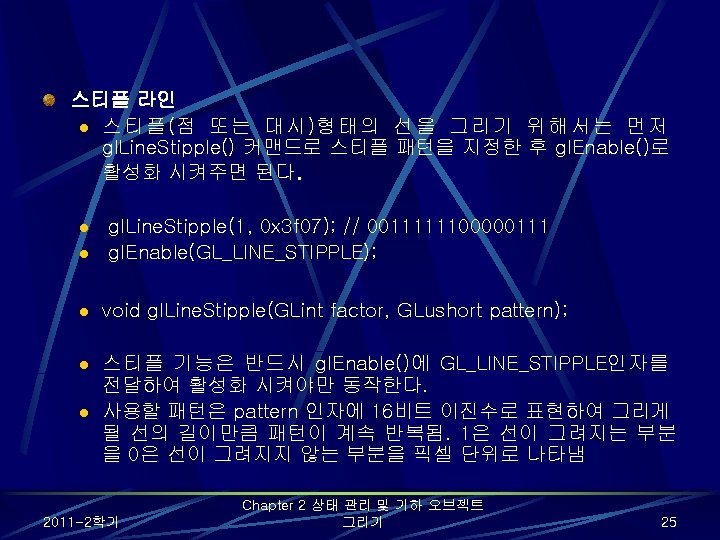
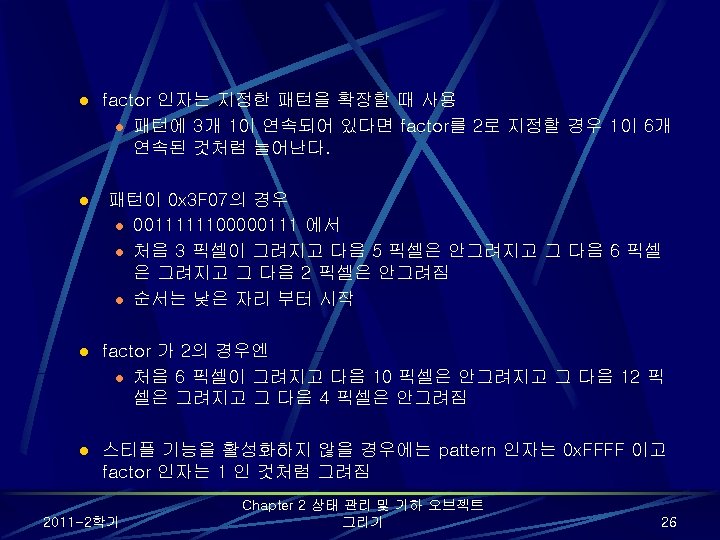
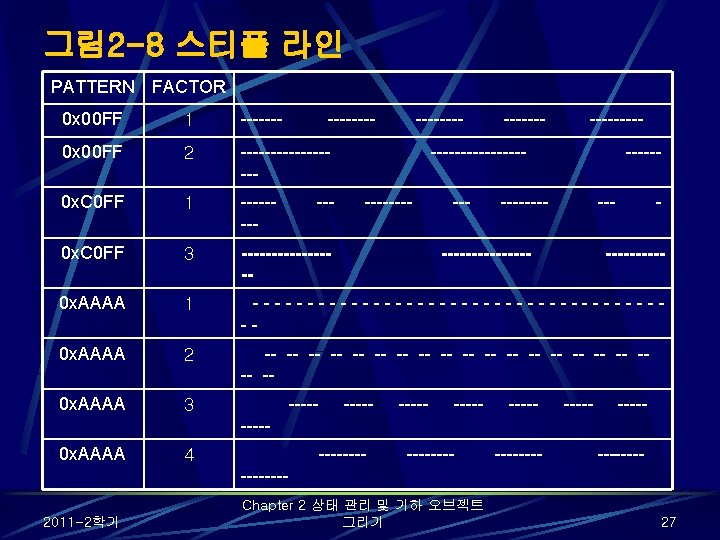
![폴리곤 스티플 패턴: poly. c void display(void){ GLubyte fly[] = { 0 x 00,](https://slidetodoc.com/presentation_image_h/d05f7886f79bd832bb4347d91ac882e7/image-39.jpg "폴리곤 스티플 패턴: poly. c void display(void){ GLubyte fly[] = { 0 x 00,")
![GLubyte halftone[] = { 0 x. AA, 0 x. AA, 0 x. AA, 0](https://slidetodoc.com/presentation_image_h/d05f7886f79bd832bb4347d91ac882e7/image-40.jpg "GLubyte halftone[] = { 0 x. AA, 0 x. AA, 0 x. AA, 0")

![정점 배열 활성화 및 로딩: varray. c static GLint vertices[] = { 25, 100,](https://slidetodoc.com/presentation_image_h/d05f7886f79bd832bb4347d91ac882e7/image-57.jpg "정점 배열 활성화 및 로딩: varray. c static GLint vertices[] = { 25, 100,")
![예제 2 -11 gl. Draw. Elements() 사용법 1 static Glubyte front. Indices[] = {4,](https://slidetodoc.com/presentation_image_h/d05f7886f79bd832bb4347d91ac882e7/image-66.jpg "예제 2 -11 gl. Draw. Elements() 사용법 1 static Glubyte front. Indices[] = {4,")
![사용 예 static Glfloat intertwined[] = {1. 0, 0. 2, 1. 0, 100. 0,](https://slidetodoc.com/presentation_image_h/d05f7886f79bd832bb4347d91ac882e7/image-72.jpg "사용 예 static Glfloat intertwined[] = {1. 0, 0. 2, 1. 0, 100. 0,")
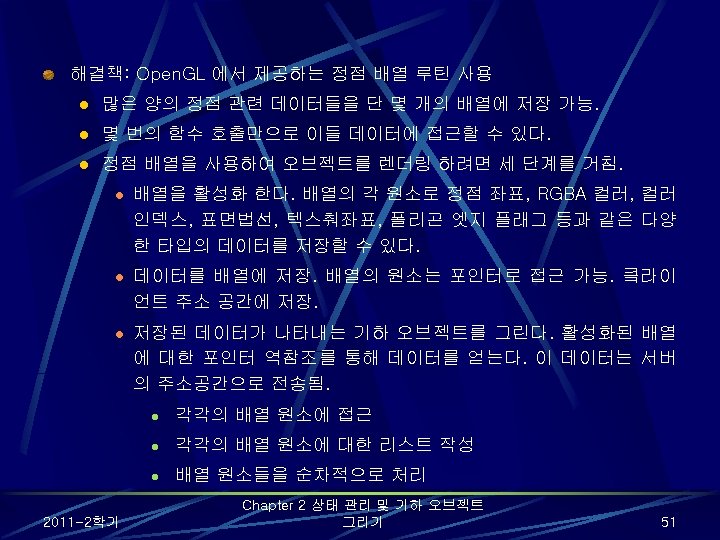
![/* 이 부분에서 컬러 정보를 저장한다 */ gl. Vertex 3 fv(&vdata[tindices[i][0]); gl. Vertex 3](https://slidetodoc.com/presentation_image_h/d05f7886f79bd832bb4347d91ac882e7/image-81.jpg "/* 이 부분에서 컬러 정보를 저장한다 */ gl. Vertex 3 fv(&vdata[tindices[i][0]); gl. Vertex 3")

- Slides: 83
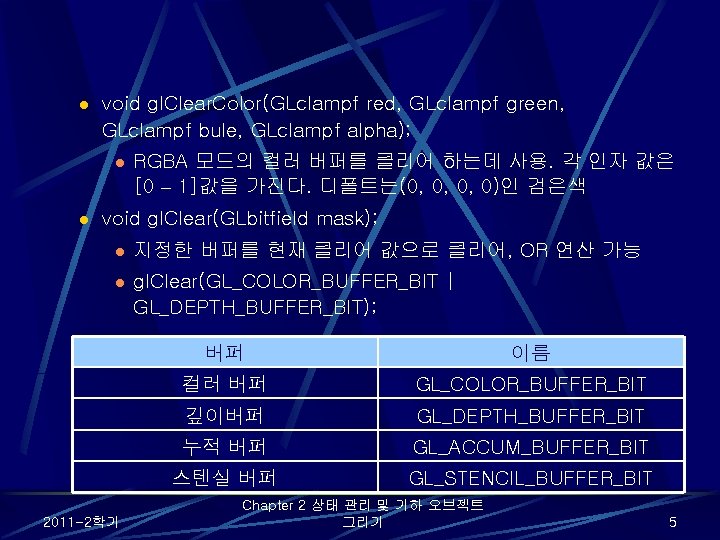
l void gl. Clear. Color(GLclampf red, GLclampf green, GLclampf bule, GLclampf alpha); l l RGBA 모드의 컬러 버퍼를 클리어 하는데 사용. 각 인자 값은 [0 – 1]값을 가진다. 디폴트는(0, 0, 0, 0)인 검은색 void gl. Clear(GLbitfield mask); l 지정한 버퍼를 현재 클리어 값으로 클리어, OR 연산 가능 l gl. Clear(GL_COLOR_BUFFER_BIT | GL_DEPTH_BUFFER_BIT); 2011 -2학기 버퍼 이름 컬러 버퍼 GL_COLOR_BUFFER_BIT 깊이버퍼 GL_DEPTH_BUFFER_BIT 누적 버퍼 GL_ACCUM_BUFFER_BIT 스텐실 버퍼 GL_STENCIL_BUFFER_BIT Chapter 2 상태 관리 및 기하 오브젝트 그리기 5
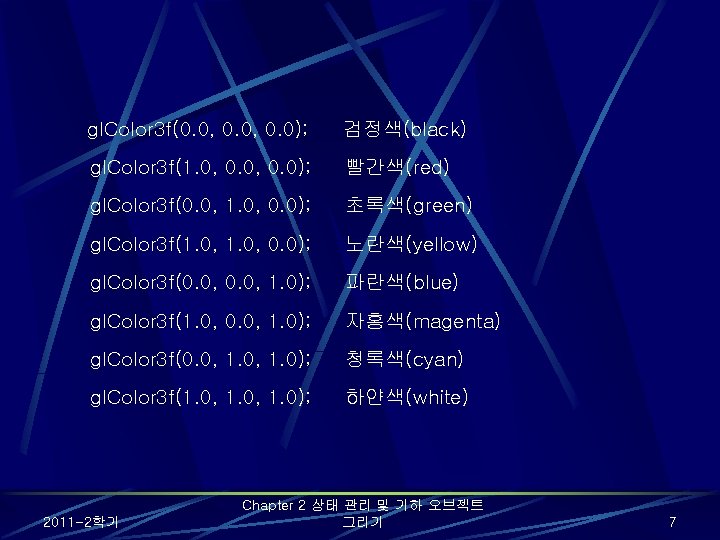
gl. Color 3 f(0. 0, 0. 0); 검정색(black) gl. Color 3 f(1. 0, 0. 0); 빨간색(red) gl. Color 3 f(0. 0, 1. 0, 0. 0); 초록색(green) gl. Color 3 f(1. 0, 0. 0); 노란색(yellow) gl. Color 3 f(0. 0, 1. 0); 파란색(blue) gl. Color 3 f(1. 0, 0. 0, 1. 0); 자홍색(magenta) gl. Color 3 f(0. 0, 1. 0); 청록색(cyan) gl. Color 3 f(1. 0, 1. 0); 하얀색(white) 2011 -2학기 Chapter 2 상태 관리 및 기하 오브젝트 그리기 7
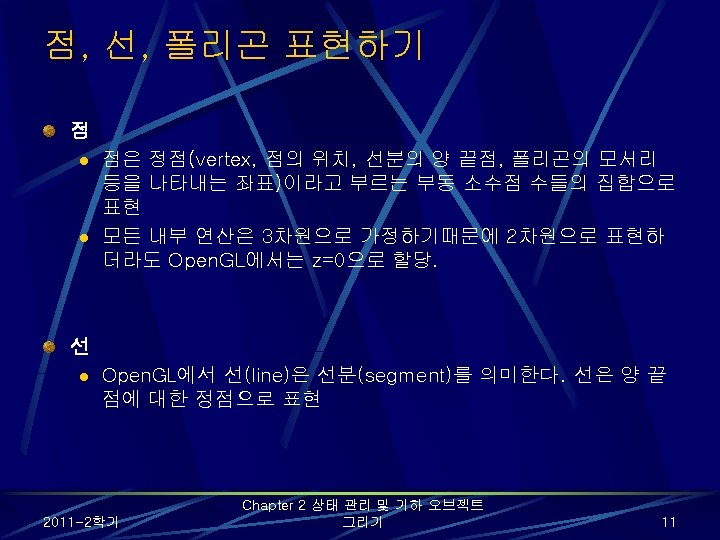
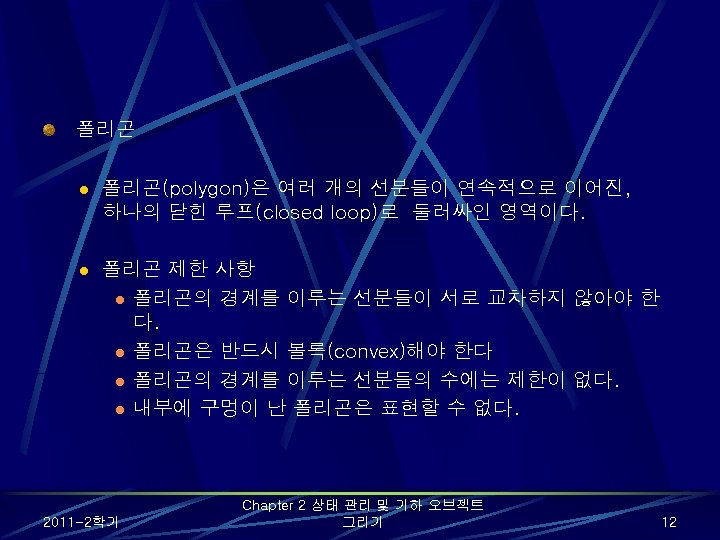
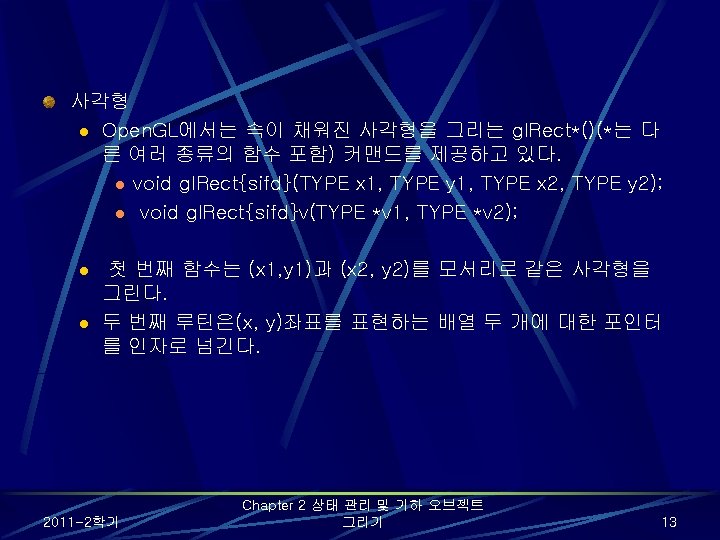
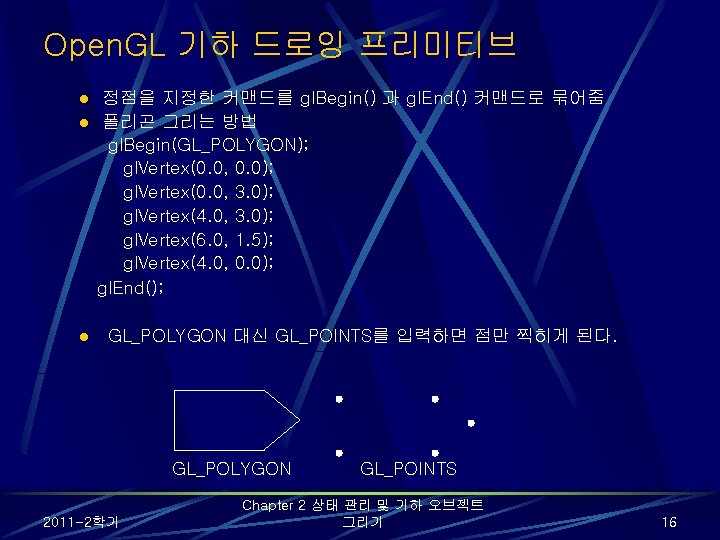
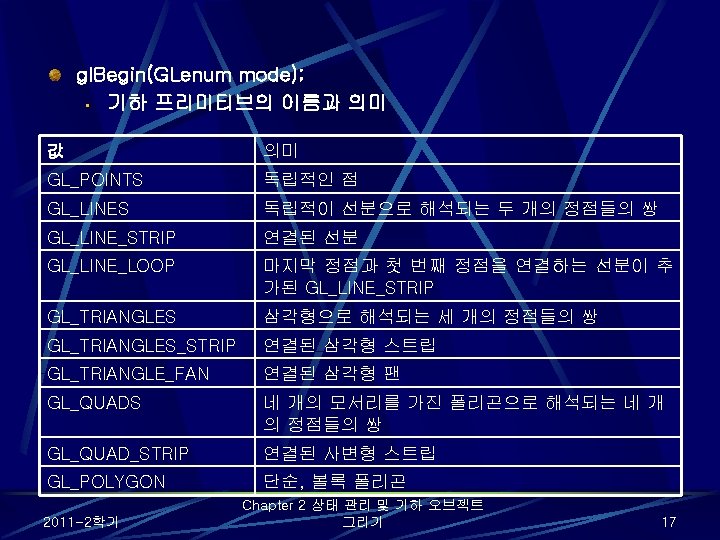
Open. GL 기하 드로잉 프리미티브 정점을 지정한 커맨드를 gl. Begin() 과 gl. End() 커맨드로 묶어줌 l 폴리곤 그리는 방법 gl. Begin(GL_POLYGON); gl. Vertex(0. 0, 0. 0); gl. Vertex(0. 0, 3. 0); gl. Vertex(4. 0, 3. 0); gl. Vertex(6. 0, 1. 5); gl. Vertex(4. 0, 0. 0); gl. End(); l l GL_POLYGON 대신 GL_POINTS를 입력하면 점만 찍히게 된다. GL_POLYGON GL_POINTS 2011 -2학기 Chapter 2 상태 관리 및 기하 오브젝트 그리기 16
상태가 활성화 되어 있는지 비활성되어 있는지 체크, 활성화 여부에 따라 GL_TRUE 나 GL_FALSE를 반환. l GLboolean gl. Is. Enabled(GLenum capability) 좀더 복잡한 상태변수에 대해 특정한 값을 설정 가능 - ex) gl. Color 3 f() 와 같은 루틴은 GL_CURRENT_COLOR상태를 구성하는 세 개의 값을 설정. 설정 값 확인에는 다음과 같은 다섯 가지 루틴 사용 l void gl. Get. Booleanv(GLenum pname, GLboolean *params); l void gl. Get. Integerv(GLenum pname, GLint *params); l void gl. Get. Floatv(GLenum pname, GLfloat *params); l void gl. Get. Doublev(GLenum pname, GLdouble *params); l void gl. Get. Pointerv(GLenum pname, GLvoid **params); l 각 루틴은 상태 변수의 불리언, 정수, 부동소수점, 배정도 부동소수점, 포인터 타입값 반환 2011 -2학기 Chapter 2 상태 관리 및 기하 오브젝트 그리기 21
예 l l gl. Get. Integerv(GL_CURRENT_COLOR, params) gl. Get. Floatv(GL_CURRENT_COLOR, params) 2011 -2학기 Chapter 2 상태 관리 및 기하 오브젝트 그리기 22
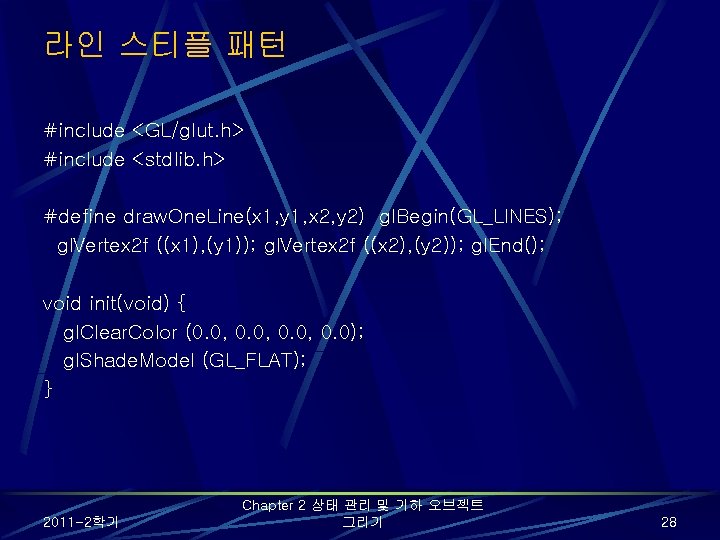
라인 스티플 패턴 #include <GL/glut. h> #include <stdlib. h> #define draw. One. Line(x 1, y 1, x 2, y 2) gl. Begin(GL_LINES); gl. Vertex 2 f ((x 1), (y 1)); gl. Vertex 2 f ((x 2), (y 2)); gl. End(); void init(void) { gl. Clear. Color (0. 0, 0. 0); gl. Shade. Model (GL_FLAT); } 2011 -2학기 Chapter 2 상태 관리 및 기하 오브젝트 그리기 28
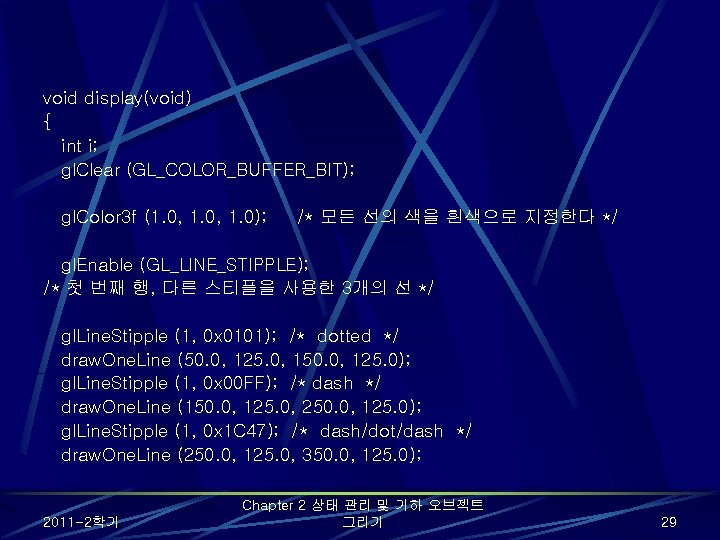
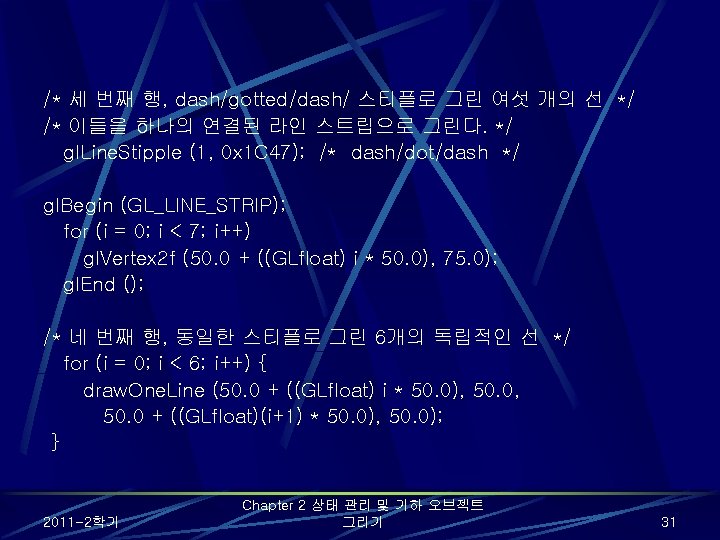
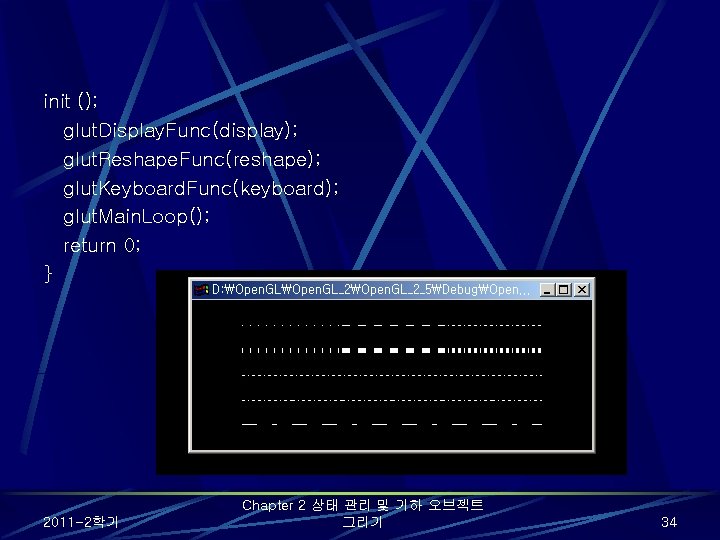
void display(void) { int i; gl. Clear (GL_COLOR_BUFFER_BIT); gl. Color 3 f (1. 0, 1. 0); /* 모든 선의 색을 흰색으로 지정한다 */ gl. Enable (GL_LINE_STIPPLE); /* 첫 번째 행, 다른 스티플을 사용한 3개의 선 */ gl. Line. Stipple (1, 0 x 0101); /* dotted */ draw. One. Line (50. 0, 125. 0, 150. 0, 125. 0); gl. Line. Stipple (1, 0 x 00 FF); /* dash */ draw. One. Line (150. 0, 125. 0, 250. 0, 125. 0); gl. Line. Stipple (1, 0 x 1 C 47); /* dash/dot/dash */ draw. One. Line (250. 0, 125. 0, 350. 0, 125. 0); 2011 -2학기 Chapter 2 상태 관리 및 기하 오브젝트 그리기 29
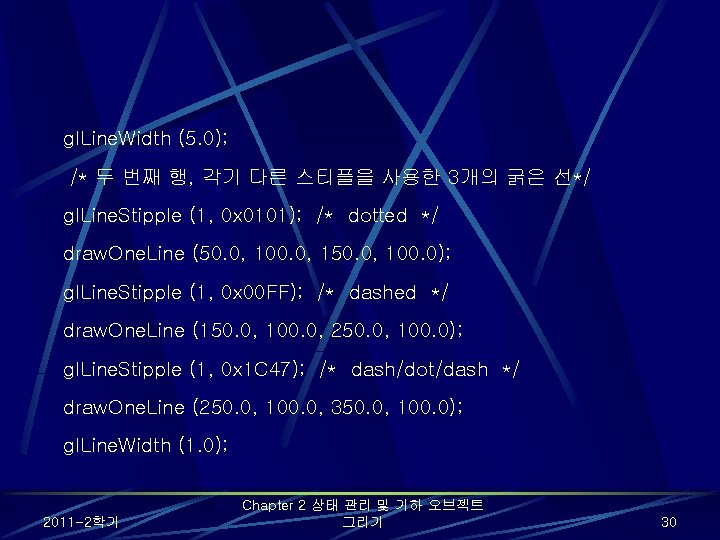
gl. Line. Width (5. 0); /* 두 번째 행, 각기 다른 스티플을 사용한 3개의 굵은 선*/ gl. Line. Stipple (1, 0 x 0101); /* dotted */ draw. One. Line (50. 0, 100. 0, 150. 0, 100. 0); gl. Line. Stipple (1, 0 x 00 FF); /* dashed */ draw. One. Line (150. 0, 100. 0, 250. 0, 100. 0); gl. Line. Stipple (1, 0 x 1 C 47); /* dash/dot/dash */ draw. One. Line (250. 0, 100. 0, 350. 0, 100. 0); gl. Line. Width (1. 0); 2011 -2학기 Chapter 2 상태 관리 및 기하 오브젝트 그리기 30
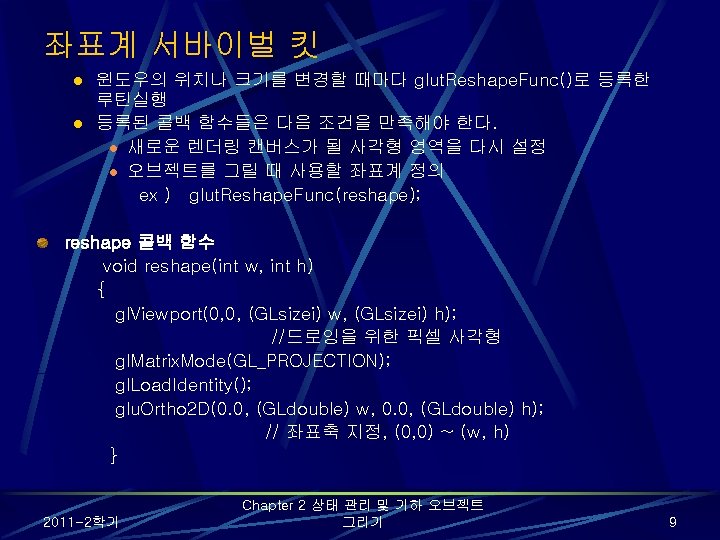
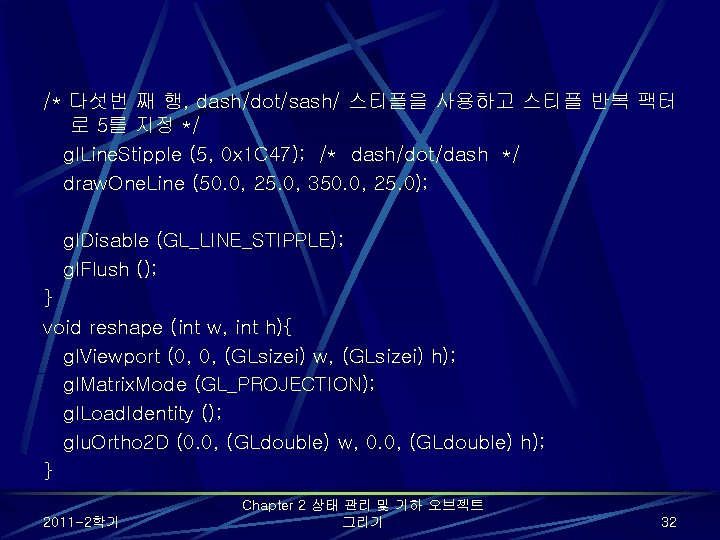
/* 다섯번 째 행, dash/dot/sash/ 스티플을 사용하고 스티플 반복 팩터 로 5를 지정 */ gl. Line. Stipple (5, 0 x 1 C 47); /* dash/dot/dash */ draw. One. Line (50. 0, 25. 0, 350. 0, 25. 0); gl. Disable (GL_LINE_STIPPLE); gl. Flush (); } void reshape (int w, int h){ gl. Viewport (0, 0, (GLsizei) w, (GLsizei) h); gl. Matrix. Mode (GL_PROJECTION); gl. Load. Identity (); glu. Ortho 2 D (0. 0, (GLdouble) w, 0. 0, (GLdouble) h); } 2011 -2학기 Chapter 2 상태 관리 및 기하 오브젝트 그리기 32
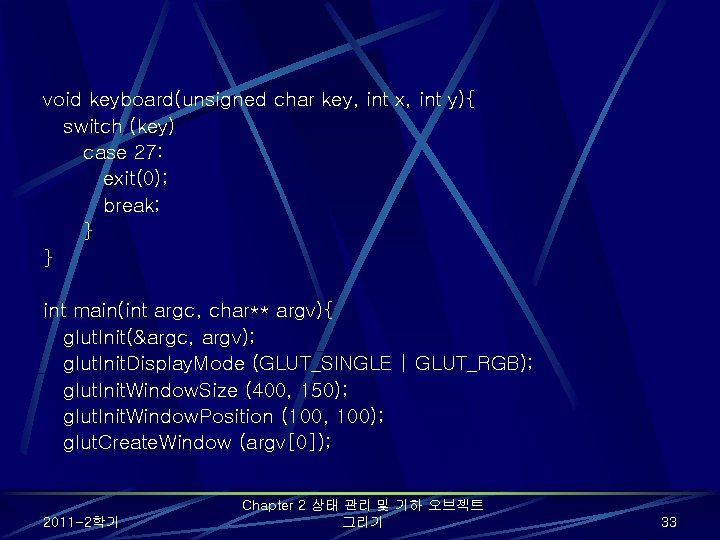
void keyboard(unsigned char key, int x, int y){ switch (key) case 27: exit(0); break; } } int main(int argc, char** argv){ glut. Init(&argc, argv); glut. Init. Display. Mode (GLUT_SINGLE | GLUT_RGB); glut. Init. Window. Size (400, 150); glut. Init. Window. Position (100, 100); glut. Create. Window (argv[0]); 2011 -2학기 Chapter 2 상태 관리 및 기하 오브젝트 그리기 33
init (); glut. Display. Func(display); glut. Reshape. Func(reshape); glut. Keyboard. Func(keyboard); glut. Main. Loop(); return 0; } 2011 -2학기 Chapter 2 상태 관리 및 기하 오브젝트 그리기 34
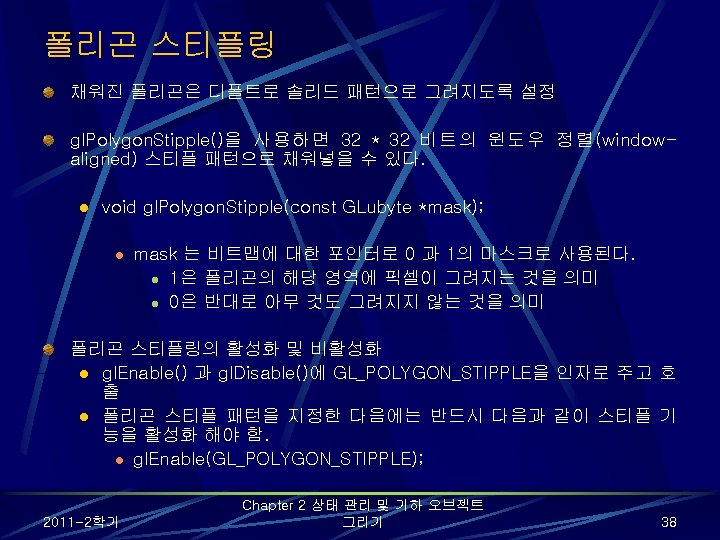
폴리곤 스티플 패턴: poly. c void display(void){ GLubyte fly[] = { 0 x 00, 0 x 00, 0 x 03, 0 x 80, 0 x 01, 0 x. C 0, 0 x 06, 0 x. C 0, 0 x 03, 0 x 60, 0 x 04, 0 x 60, 0 x 06, 0 x 20, 0 x 04, 0 x 30, 0 x 0 C, 0 x 20, 0 x 04, 0 x 18, 0 x 20, 0 x 04, 0 x 0 C, 0 x 30, 0 x 20, 0 x 04, 0 x 06, 0 x 60, 0 x 20, 0 x 44, 0 x 03, 0 x. C 0, 0 x 22, 0 x 44, 0 x 01, 0 x 80, 0 x 22, 0 x 44, 0 x 01, 0 x 80, 0 x 22, 0 x 66, 0 x 01, 0 x 80, 0 x 66, 0 x 33, 0 x 01, 0 x 80, 0 x. CC, 0 x 19, 0 x 81, 0 x 98, 0 x 0 C, 0 x. C 1, 0 x 83, 0 x 30, 0 x 07, 0 xe 1, 0 x 87, 0 xe 0, 0 x 03, 0 x 3 f, 0 xfc, 0 xc 0, 0 x 03, 0 x 31, 0 x 8 c, 0 xc 0, 0 x 03, 0 x 33, 0 xcc, 0 xc 0, 0 x 06, 0 x 64, 0 x 26, 0 x 60, 0 x 0 c, 0 xcc, 0 x 33, 0 x 30, 0 x 18, 0 xcc, 0 x 33, 0 x 18, 0 x 10, 0 xc 4, 0 x 23, 0 x 08, 0 x 10, 0 x 63, 0 x. C 6, 0 x 08, 0 x 10, 0 x 30, 0 x 0 c, 0 x 08, 0 x 10, 0 x 18, 0 x 08, 0 x 10, 0 x 00, 0 x 08; } 2011 -2학기 Chapter 2 상태 관리 및 기하 오브젝트 그리기 39
GLubyte halftone[] = { 0 x. AA, 0 x. AA, 0 x. AA, 0 x. AA, 0 x. AA, 2011 -2학기 Chapter 2 상태 관리 및 기하 오브젝트 그리기 0 x 55, 0 x 55, 0 x 55, 0 x 55, 0 x 55, 0 x 55, 0 x 55, 0 x 55, 0 x 55, 0 x 55, 0 x 55, 0 x 55, 0 x 55, 0 x 55, 0 x 55, 0 x 55, 0 x 55; } 40
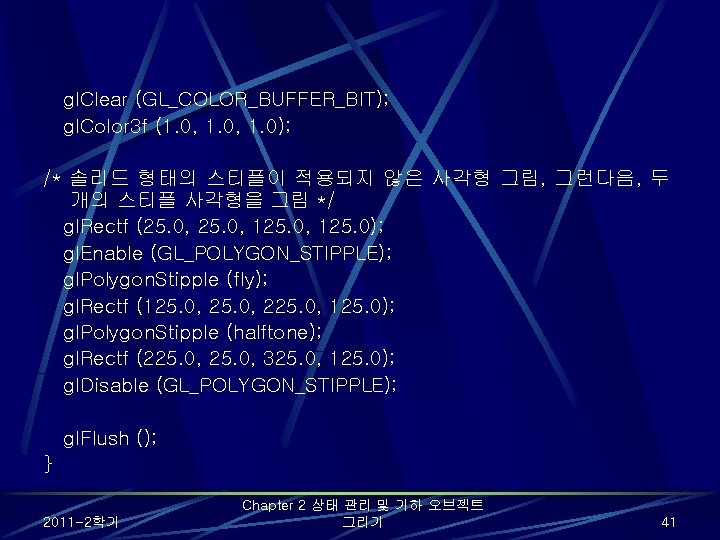
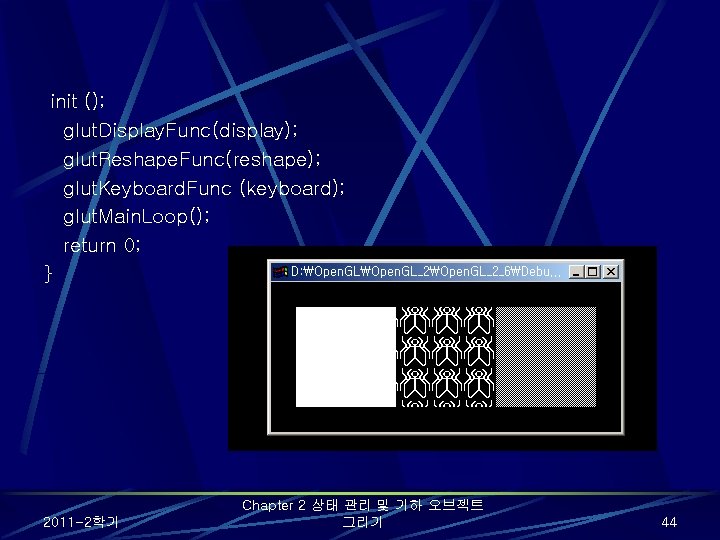
gl. Clear (GL_COLOR_BUFFER_BIT); gl. Color 3 f (1. 0, 1. 0); /* 솔리드 형태의 스티플이 적용되지 않은 사각형 그림, 그런다음, 두 개의 스티플 사각형을 그림 */ gl. Rectf (25. 0, 125. 0); gl. Enable (GL_POLYGON_STIPPLE); gl. Polygon. Stipple (fly); gl. Rectf (125. 0, 225. 0, 125. 0); gl. Polygon. Stipple (halftone); gl. Rectf (225. 0, 325. 0, 125. 0); gl. Disable (GL_POLYGON_STIPPLE); gl. Flush (); } 2011 -2학기 Chapter 2 상태 관리 및 기하 오브젝트 그리기 41
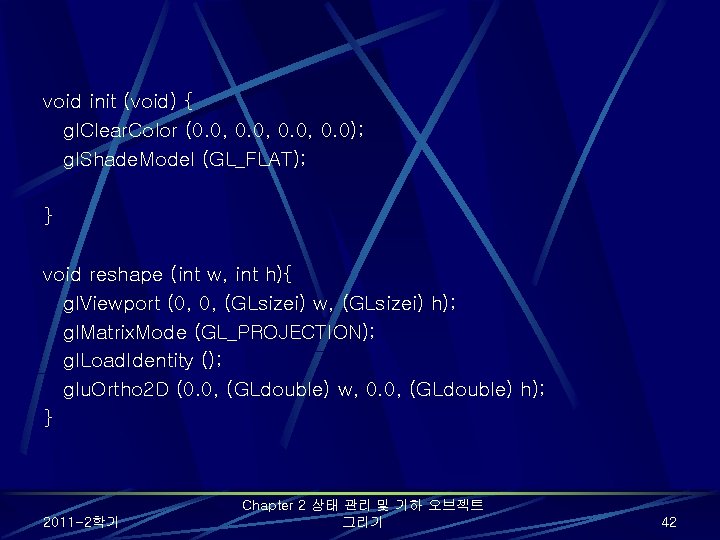
void init (void) { gl. Clear. Color (0. 0, 0. 0); gl. Shade. Model (GL_FLAT); } void reshape (int w, int h){ gl. Viewport (0, 0, (GLsizei) w, (GLsizei) h); gl. Matrix. Mode (GL_PROJECTION); gl. Load. Identity (); glu. Ortho 2 D (0. 0, (GLdouble) w, 0. 0, (GLdouble) h); } 2011 -2학기 Chapter 2 상태 관리 및 기하 오브젝트 그리기 42
void keyboard(unsigned char key, int x, int y){ switch (key) case 27: exit(0); break; } int main(int argc, char** argv){ glut. Init(&argc, argv); glut. Init. Display. Mode (GLUT_SINGLE | GLUT_RGB); glut. Init. Window. Size (350, 150); glut. Create. Window (argv[0]); 2011 -2학기 Chapter 2 상태 관리 및 기하 오브젝트 그리기 43
init (); glut. Display. Func(display); glut. Reshape. Func(reshape); glut. Keyboard. Func (keyboard); glut. Main. Loop(); return 0; } 2011 -2학기 Chapter 2 상태 관리 및 기하 오브젝트 그리기 44
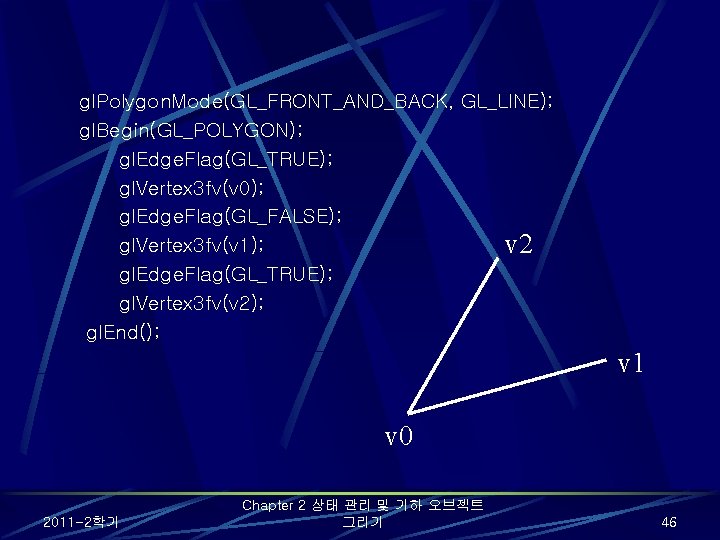
gl. Polygon. Mode(GL_FRONT_AND_BACK, GL_LINE); gl. Begin(GL_POLYGON); gl. Edge. Flag(GL_TRUE); gl. Vertex 3 fv(v 0); gl. Edge. Flag(GL_FALSE); gl. Vertex 3 fv(v 1); v 2 gl. Edge. Flag(GL_TRUE); gl. Vertex 3 fv(v 2); gl. End(); v 1 v 0 2011 -2학기 Chapter 2 상태 관리 및 기하 오브젝트 그리기 46
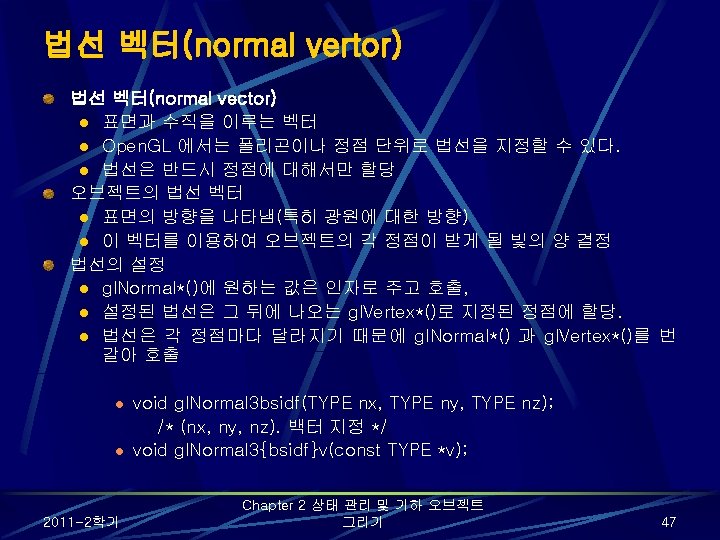
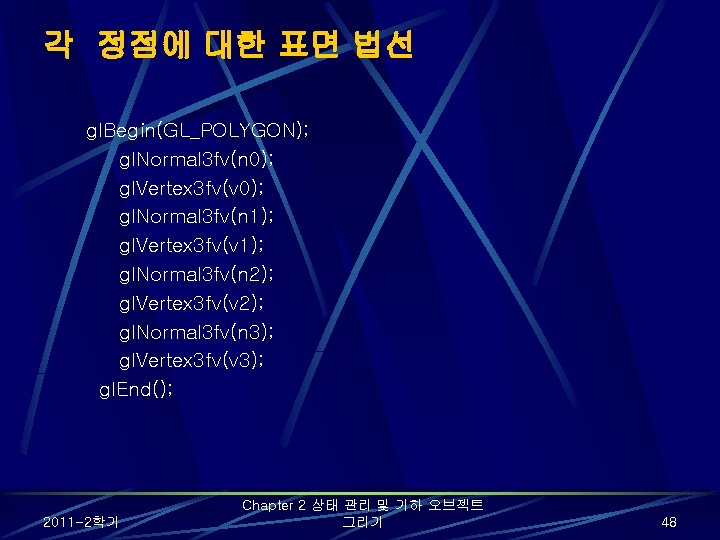
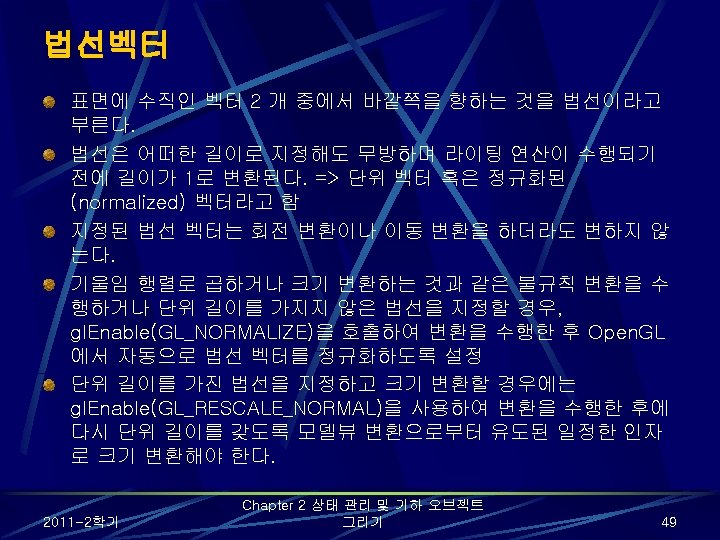
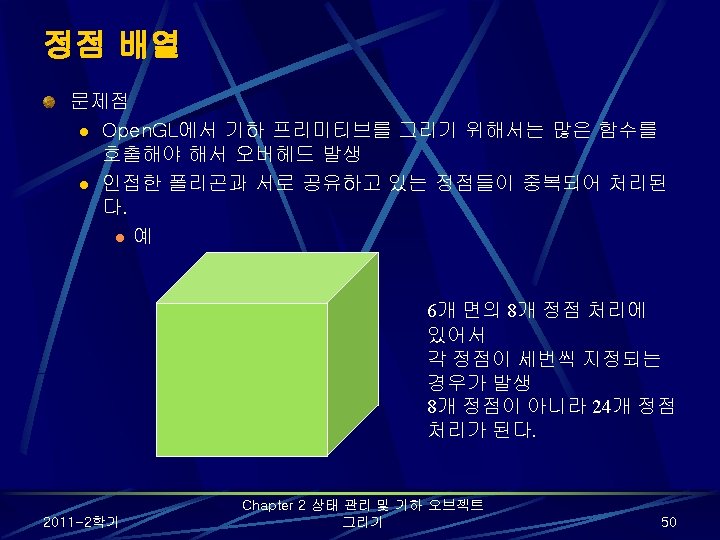
각 정점에 대한 표면 법선 gl. Begin(GL_POLYGON); gl. Normal 3 fv(n 0); gl. Vertex 3 fv(v 0); gl. Normal 3 fv(n 1); gl. Vertex 3 fv(v 1); gl. Normal 3 fv(n 2); gl. Vertex 3 fv(v 2); gl. Normal 3 fv(n 3); gl. Vertex 3 fv(v 3); gl. End(); 2011 -2학기 Chapter 2 상태 관리 및 기하 오브젝트 그리기 48
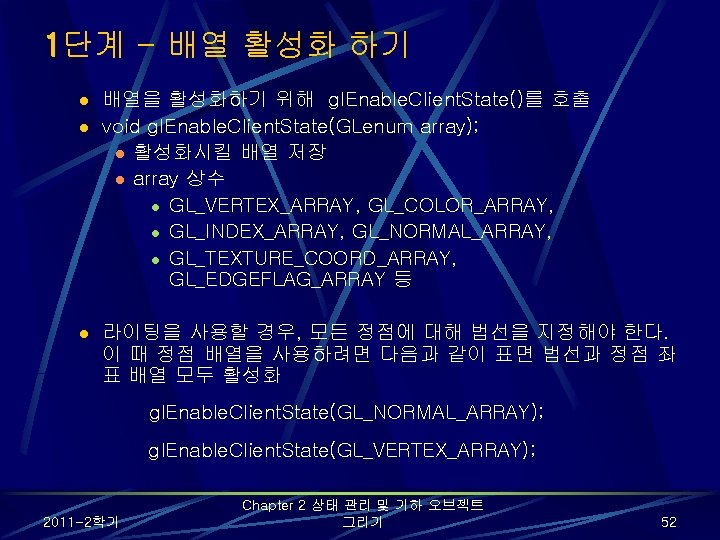
1단계 - 배열 활성화 하기 l l l 배열을 활성화하기 위해 gl. Enable. Client. State()를 호출 void gl. Enable. Client. State(GLenum array); l 활성화시킬 배열 저장 l array 상수 l GL_VERTEX_ARRAY, GL_COLOR_ARRAY, l GL_INDEX_ARRAY, GL_NORMAL_ARRAY, l GL_TEXTURE_COORD_ARRAY, GL_EDGEFLAG_ARRAY 등 라이팅을 사용할 경우, 모든 정점에 대해 법선을 지정해야 한다. 이 때 정점 배열을 사용하려면 다음과 같이 표면 법선과 정점 좌 표 배열 모두 활성화 gl. Enable. Client. State(GL_NORMAL_ARRAY); gl. Enable. Client. State(GL_VERTEX_ARRAY); 2011 -2학기 Chapter 2 상태 관리 및 기하 오브젝트 그리기 52
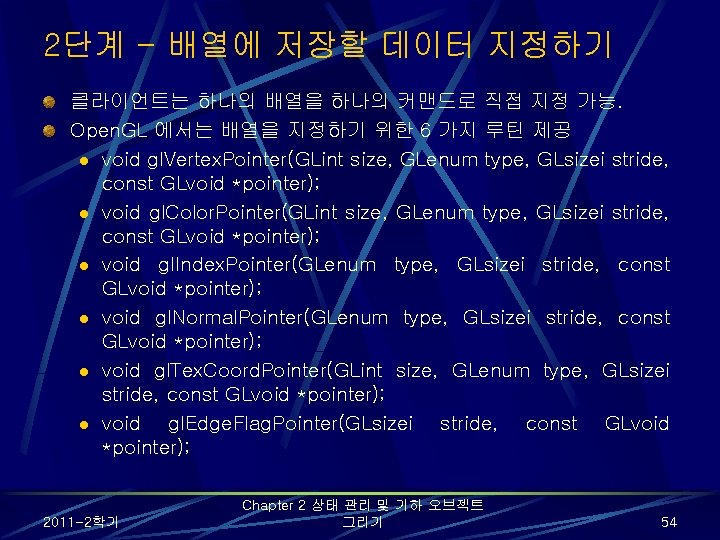
2단계 - 배열에 저장할 데이터 지정하기 클라이언트는 하나의 배열을 하나의 커맨드로 직접 지정 가능. Open. GL 에서는 배열을 지정하기 위한 6 가지 루틴 제공 l void gl. Vertex. Pointer(GLint size, GLenum type, GLsizei stride, const GLvoid *pointer); l void gl. Color. Pointer(GLint size, GLenum type, GLsizei stride, const GLvoid *pointer); l void gl. Index. Pointer(GLenum type, GLsizei stride, const GLvoid *pointer); l void gl. Normal. Pointer(GLenum type, GLsizei stride, const GLvoid *pointer); l void gl. Tex. Coord. Pointer(GLint size, GLenum type, GLsizei stride, const GLvoid *pointer); l void gl. Edge. Flag. Pointer(GLsizei stride, const GLvoid *pointer); 2011 -2학기 Chapter 2 상태 관리 및 기하 오브젝트 그리기 54
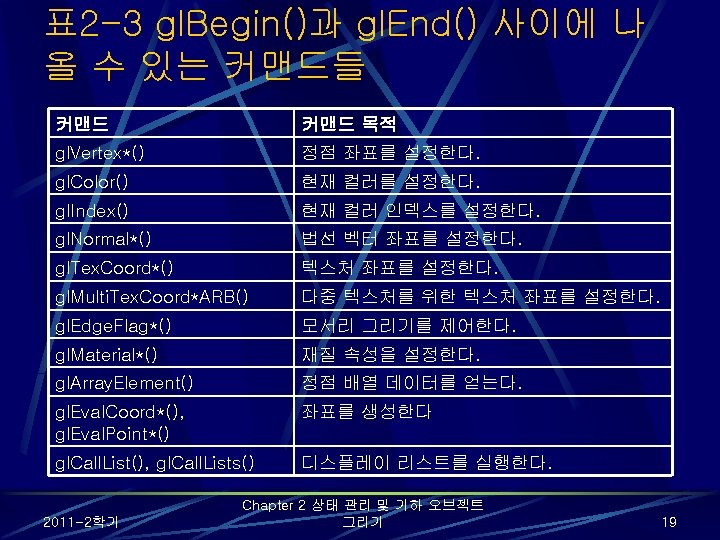
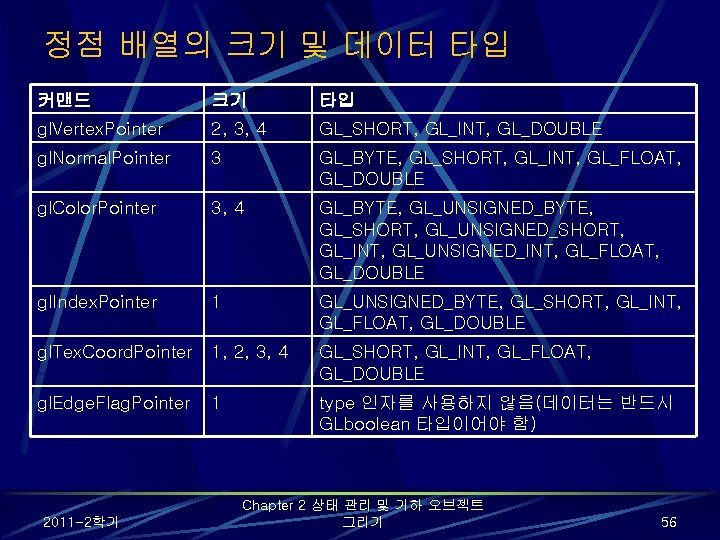
정점 배열의 크기 및 데이터 타입 커맨드 크기 타입 gl. Vertex. Pointer 2, 3, 4 GL_SHORT, GL_INT, GL_DOUBLE gl. Normal. Pointer 3 GL_BYTE, GL_SHORT, GL_INT, GL_FLOAT, GL_DOUBLE gl. Color. Pointer 3, 4 GL_BYTE, GL_UNSIGNED_BYTE, GL_SHORT, GL_UNSIGNED_SHORT, GL_INT, GL_UNSIGNED_INT, GL_FLOAT, GL_DOUBLE gl. Index. Pointer 1 GL_UNSIGNED_BYTE, GL_SHORT, GL_INT, GL_FLOAT, GL_DOUBLE gl. Tex. Coord. Pointer 1, 2, 3, 4 GL_SHORT, GL_INT, GL_FLOAT, GL_DOUBLE gl. Edge. Flag. Pointer 1 type 인자를 사용하지 않음(데이터는 반드시 GLboolean 타입이어야 함) 2011 -2학기 Chapter 2 상태 관리 및 기하 오브젝트 그리기 56
정점 배열 활성화 및 로딩: varray. c static GLint vertices[] = { 25, 100, 325, 175, 325, 250, 25, 325; } static GLfloat colors[] = { 1. 0, 0. 2, 1. 0, 0. 8, 1. 0, 0. 2, 0. 75, 0. 35, 0. 5; } 2011 -2학기 Chapter 2 상태 관리 및 기하 오브젝트 그리기 57
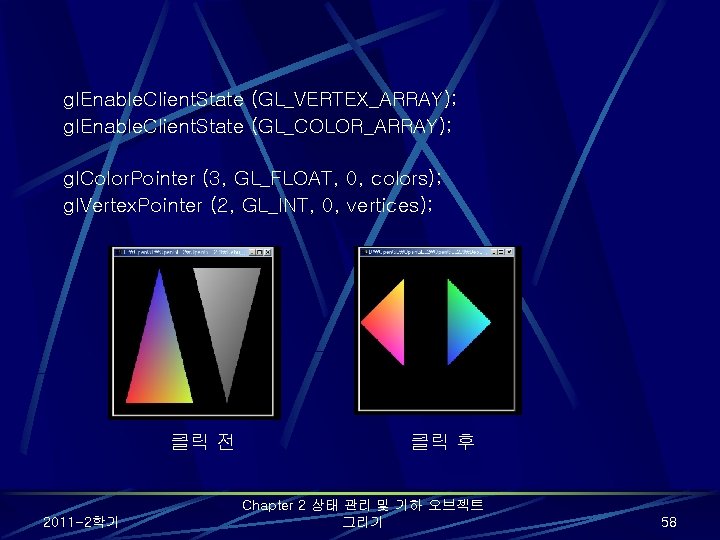
gl. Enable. Client. State (GL_VERTEX_ARRAY); gl. Enable. Client. State (GL_COLOR_ARRAY); gl. Color. Pointer (3, GL_FLOAT, 0, colors); gl. Vertex. Pointer (2, GL_INT, 0, vertices); 클릭 전 2011 -2학기 클릭 후 Chapter 2 상태 관리 및 기하 오브젝트 그리기 58
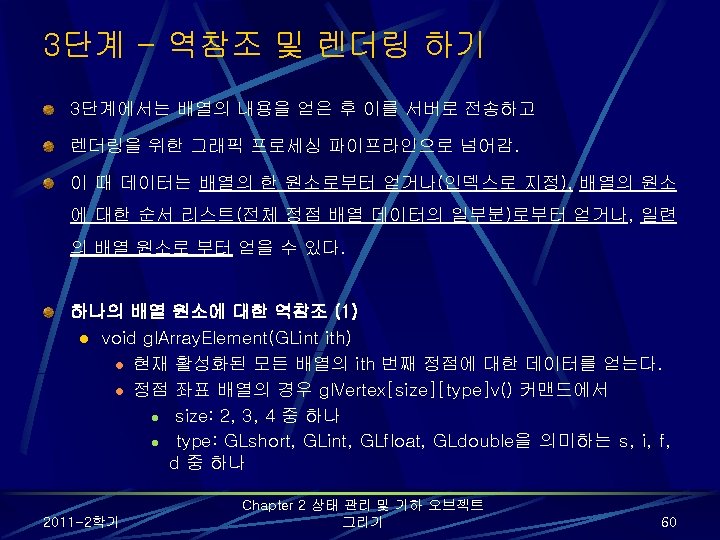
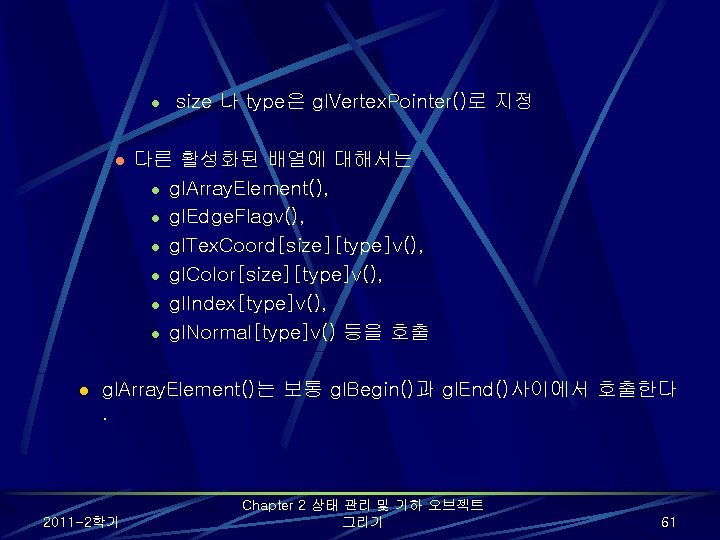
l l l size 나 type은 gl. Vertex. Pointer()로 지정 다른 활성화된 배열에 대해서는 l gl. Array. Element(), l gl. Edge. Flagv(), l gl. Tex. Coord[size][type]v(), l gl. Color[size][type]v(), l gl. Index[type]v(), l gl. Normal[type]v() 등을 호출 gl. Array. Element()는 보통 gl. Begin()과 gl. End()사이에서 호출한다. 2011 -2학기 Chapter 2 상태 관리 및 기하 오브젝트 그리기 61
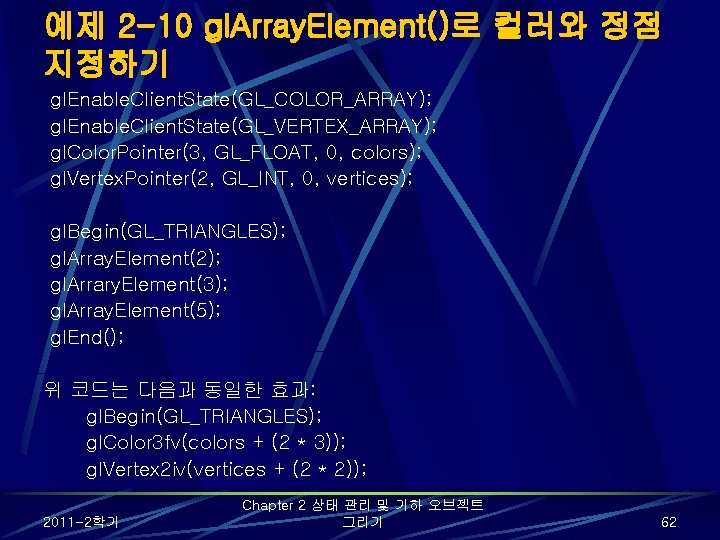
예제 2 -10 gl. Array. Element()로 컬러와 정점 지정하기 gl. Enable. Client. State(GL_COLOR_ARRAY); gl. Enable. Client. State(GL_VERTEX_ARRAY); gl. Color. Pointer(3, GL_FLOAT, 0, colors); gl. Vertex. Pointer(2, GL_INT, 0, vertices); gl. Begin(GL_TRIANGLES); gl. Array. Element(2); gl. Arrary. Element(3); gl. Array. Element(5); gl. End(); 위 코드는 다음과 동일한 효과: gl. Begin(GL_TRIANGLES); gl. Color 3 fv(colors + (2 * 3)); gl. Vertex 2 iv(vertices + (2 * 2)); 2011 -2학기 Chapter 2 상태 관리 및 기하 오브젝트 그리기 62
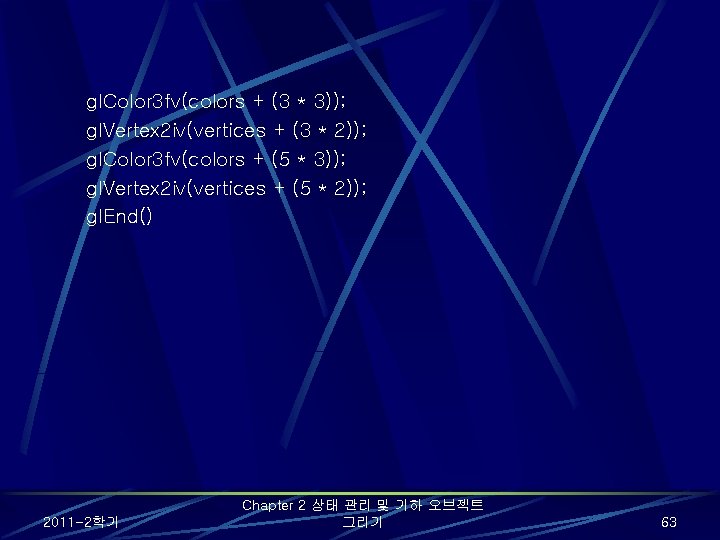
gl. Color 3 fv(colors + (3 * 3)); gl. Vertex 2 iv(vertices + (3 * 2)); gl. Color 3 fv(colors + (5 * 3)); gl. Vertex 2 iv(vertices + (5 * 2)); gl. End() 2011 -2학기 Chapter 2 상태 관리 및 기하 오브젝트 그리기 63
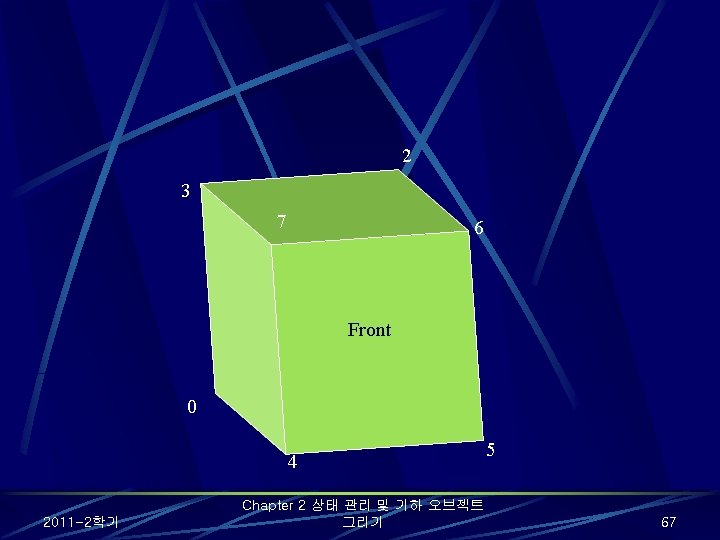
예제 2 -11 gl. Draw. Elements() 사용법 1 static Glubyte front. Indices[] = {4, 5, 6, 7}; static Glubyte right. Indices[] = {1, 2, 6, 5}; static Glubyte bottom. Indices[] = {0, 1, 5, 4}; static Glubyte back. Indices[] = {0, 3, 2, 1}; static Glubyte left. Indices[] = {0, 4, 7, 3}; static Glubyte top. Indices[] = {2, 3, 7, 6}; gl. Draw. Elements(GL_QUADS, 4, GL_UNSIGNED_BYTE, front. Indices); gl. Draw. Elements(GL_QUADS, 4, GL_UNSIGNED_BYTE, right. Indices); gl. Draw. Elements(GL_QUADS, 4, GL_UNSIGNED_BYTE, bottom. Indices); gl. Draw. Elements(GL_QUADS, 4, GL_UNSIGNED_BYTE, back. Indices); gl. Draw. Elements(GL_QUADS, 4, GL_UNSIGNED_BYTE, left. Indices); gl. Draw. Elements(GL_QUADS, 4, GL_UNSIGNED_BYTE, top. Indices); 2011 -2학기 Chapter 2 상태 관리 및 기하 오브젝트 그리기 66
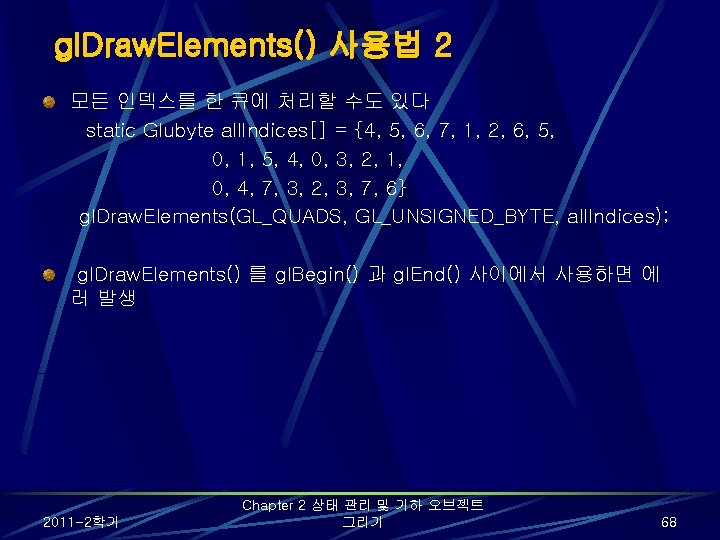
gl. Draw. Elements() 사용법 2 모든 인덱스를 한 큐에 처리할 수도 있다 static Glubyte all. Indices[] = {4, 5, 6, 7, 1, 2, 6, 5, 0, 1, 5, 4, 0, 3, 2, 1, 0, 4, 7, 3, 2, 3, 7, 6} gl. Draw. Elements(GL_QUADS, GL_UNSIGNED_BYTE, all. Indices); gl. Draw. Elements() 를 gl. Begin() 과 gl. End() 사이에서 사용하면 에 러 발생 2011 -2학기 Chapter 2 상태 관리 및 기하 오브젝트 그리기 68
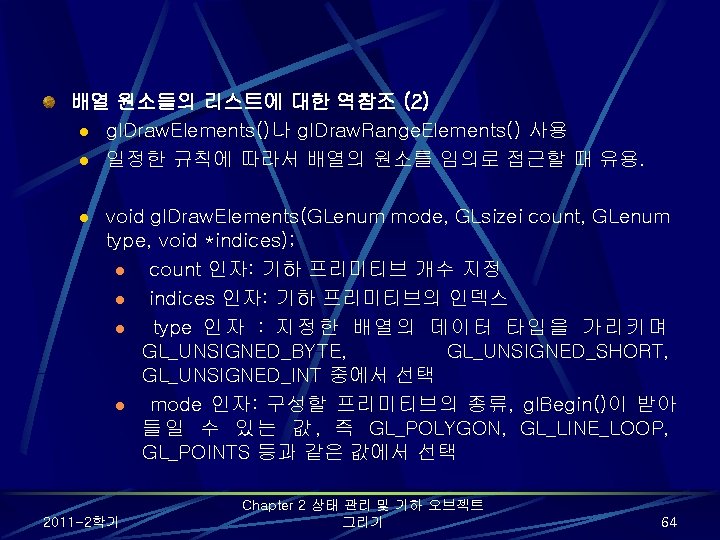
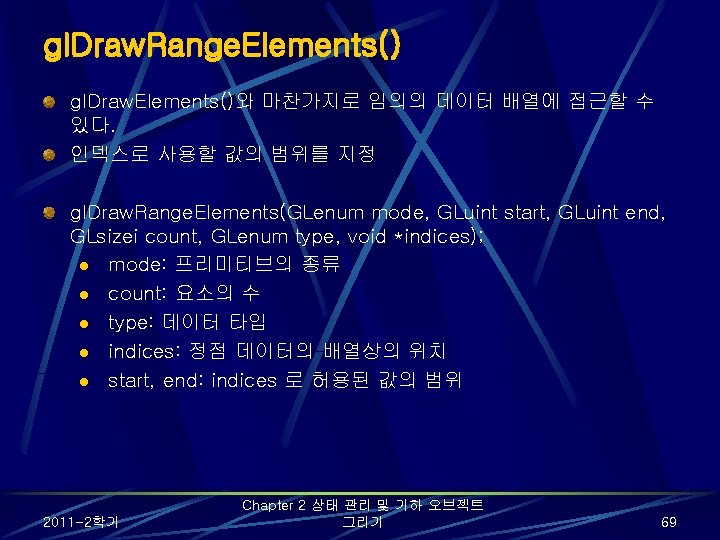
gl. Draw. Range. Elements() gl. Draw. Elements()와 마찬가지로 임의의 데이터 배열에 접근할 수 있다. 인덱스로 사용할 값의 범위를 지정 gl. Draw. Range. Elements(GLenum mode, GLuint start, GLuint end, GLsizei count, GLenum type, void *indices); l mode: 프리미티브의 종류 l count: 요소의 수 l type: 데이터 타입 l indices: 정점 데이터의 배열상의 위치 l start, end: indices 로 허용된 값의 범위 2011 -2학기 Chapter 2 상태 관리 및 기하 오브젝트 그리기 69
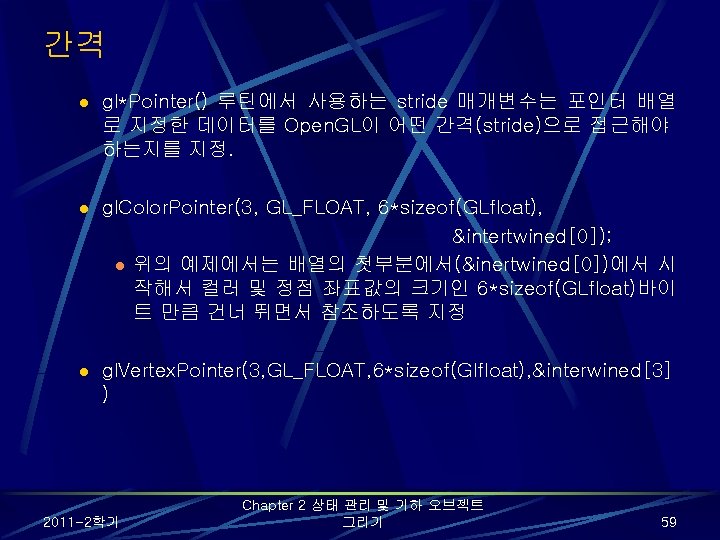
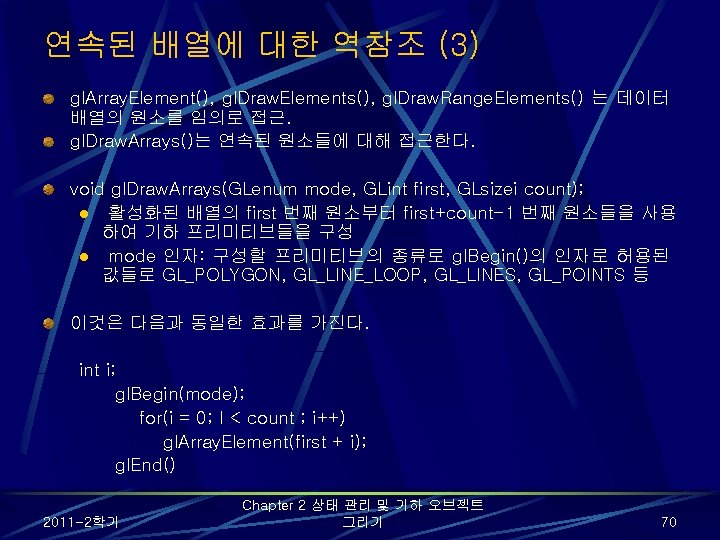
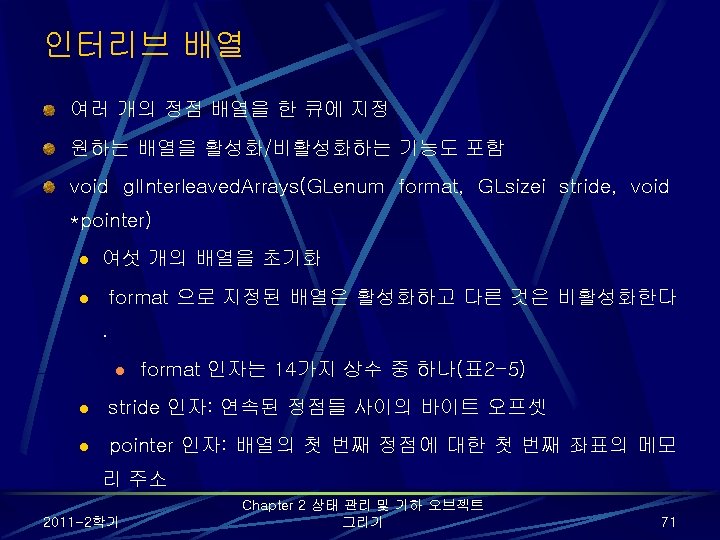
사용 예 static Glfloat intertwined[] = {1. 0, 0. 2, 1. 0, 100. 0, 0. 0 1. 0, 0. 2, 0. 0, 200. 0, 0. 0 1. 0, 0. 2, 100. 0, 300. 0, 0. 0 0. 2, 1. 0, 0. 2, 200. 0, 300. 0, 0. 0 0. 2, 1. 0, 300. 0, 200. 0, 0. 0 0. 2, 1. 0, 200. 0, 100. 0, 0. 0}; gl. Interleaved. Arrays(GL_C 3 F_V 3 F, 0, intertwined); l GL_COLOR_ARRAY, GL_VERTEX_ARRAY 는 활성화되고 GL_INDEX_ARRAY, GL_TEXTURE_COORD_ARRAY, GL_NORMAL_ARRAY, GL_EDGE_FLAG_ARRAY 는 비활성화된다. l gl. Color. Pointer() 와 gl. Vertex. Pointer() 로 여섯 개의 정점값을 각각의 배 열에 지정한 것과 동일한 효과 2011 -2학기 Chapter 2 상태 관리 및 기하 오브젝트 그리기 72
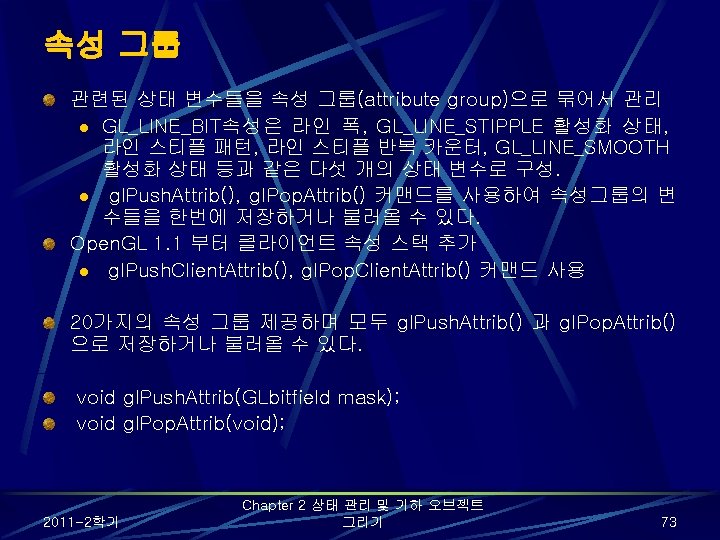
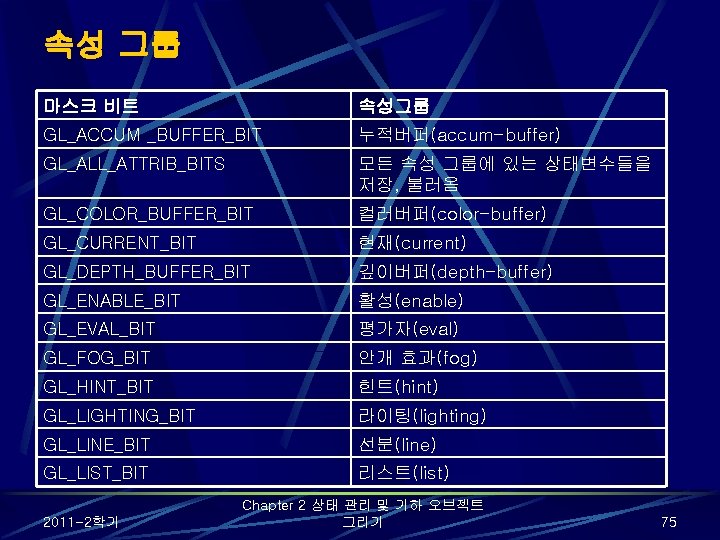
속성 그룹 마스크 비트 속성그룹 GL_ACCUM _BUFFER_BIT 누적버퍼(accum-buffer) GL_ALL_ATTRIB_BITS 모든 속성 그룹에 있는 상태변수들을 저장, 불러옴 GL_COLOR_BUFFER_BIT 컬러버퍼(color-buffer) GL_CURRENT_BIT 현재(current) GL_DEPTH_BUFFER_BIT 깊이버퍼(depth-buffer) GL_ENABLE_BIT 활성(enable) GL_EVAL_BIT 평가자(eval) GL_FOG_BIT 안개 효과(fog) GL_HINT_BIT 힌트(hint) GL_LIGHTING_BIT 라이팅(lighting) GL_LINE_BIT 선분(line) GL_LIST_BIT 리스트(list) 2011 -2학기 Chapter 2 상태 관리 및 기하 오브젝트 그리기 75
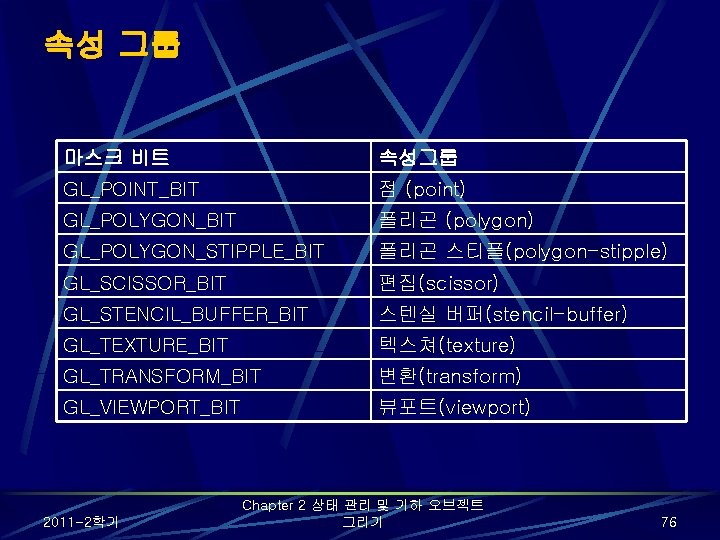
속성 그룹 마스크 비트 속성그룹 GL_POINT_BIT 점 (point) GL_POLYGON_BIT 폴리곤 (polygon) GL_POLYGON_STIPPLE_BIT 폴리곤 스티플(polygon-stipple) GL_SCISSOR_BIT 편집(scissor) GL_STENCIL_BUFFER_BIT 스텐실 버퍼(stencil-buffer) GL_TEXTURE_BIT 텍스쳐(texture) GL_TRANSFORM_BIT 변환(transform) GL_VIEWPORT_BIT 뷰포트(viewport) 2011 -2학기 Chapter 2 상태 관리 및 기하 오브젝트 그리기 76
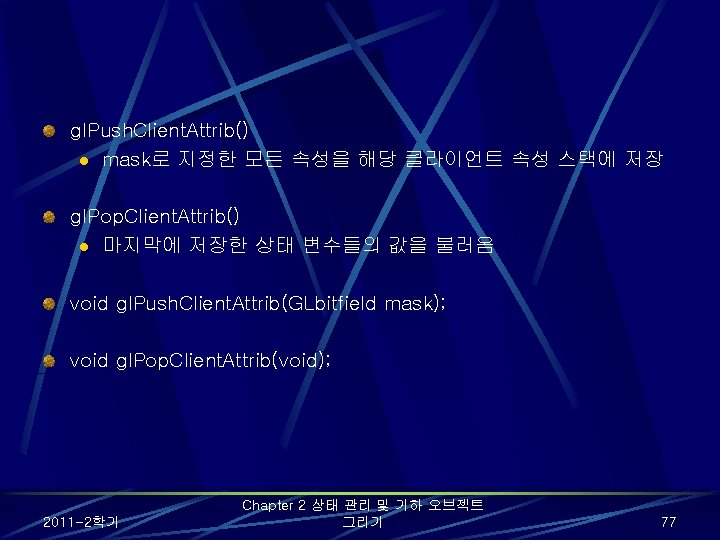
gl. Push. Client. Attrib() l mask로 지정한 모든 속성을 해당 클라이언트 속성 스택에 저장 gl. Pop. Client. Attrib() l 마지막에 저장한 상태 변수들의 값을 불러옴 void gl. Push. Client. Attrib(GLbitfield mask); void gl. Pop. Client. Attrib(void); 2011 -2학기 Chapter 2 상태 관리 및 기하 오브젝트 그리기 77
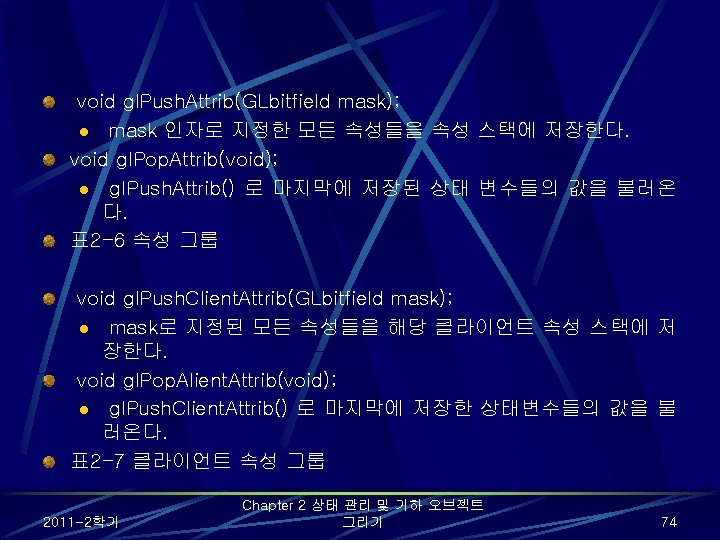
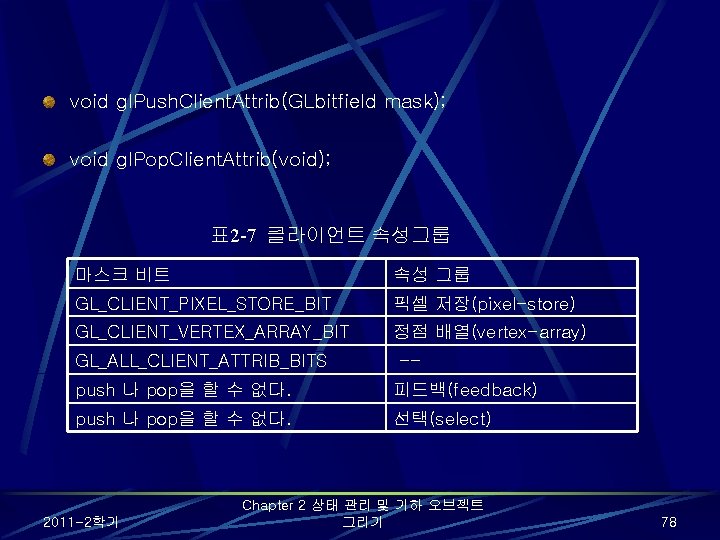
void gl. Push. Client. Attrib(GLbitfield mask); void gl. Pop. Client. Attrib(void); 표 2 -7 클라이언트 속성그룹 마스크 비트 속성 그룹 GL_CLIENT_PIXEL_STORE_BIT 픽셀 저장(pixel-store) GL_CLIENT_VERTEX_ARRAY_BIT 정점 배열(vertex-array) GL_ALL_CLIENT_ATTRIB_BITS -- push 나 pop을 할 수 없다. 피드백(feedback) push 나 pop을 할 수 없다. 선택(select) 2011 -2학기 Chapter 2 상태 관리 및 기하 오브젝트 그리기 78
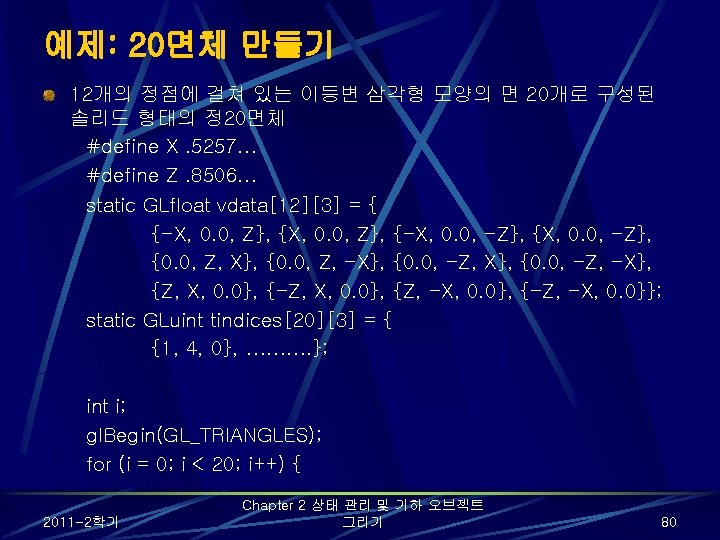
/* 이 부분에서 컬러 정보를 저장한다 */ gl. Vertex 3 fv(&vdata[tindices[i][0]); gl. Vertex 3 fv(&vdata[tindices[i][1]][0]); gl. Vertex 3 fv(&vdata[tindices[i][2]][0]); } gl. End(); 2011 -2학기 Chapter 2 상태 관리 및 기하 오브젝트 그리기 81
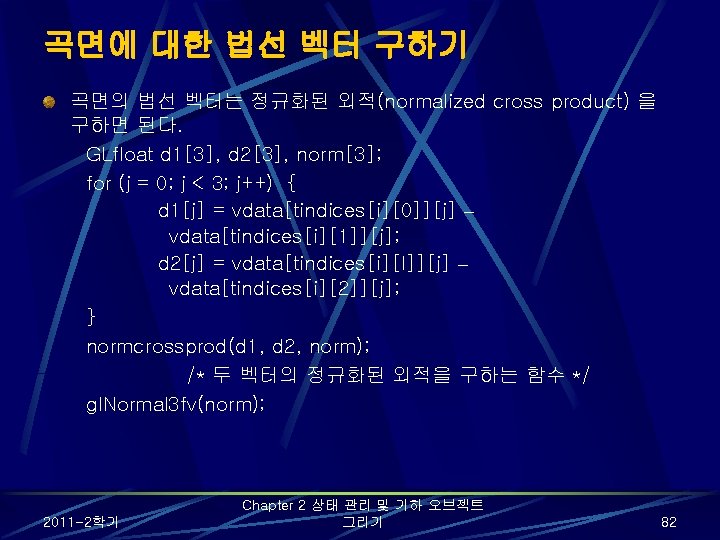
곡면에 대한 법선 벡터 구하기 곡면의 법선 벡터는 정규화된 외적(normalized cross product) 을 구하면 된다. GLfloat d 1[3], d 2[3], norm[3]; for (j = 0; j < 3; j++) { d 1[j] = vdata[tindices[i][0]][j] – vdata[tindices[i][1]][j]; d 2[j] = vdata[tindices[i][I]][j] – vdata[tindices[i][2]][j]; } normcrossprod(d 1, d 2, norm); /* 두 벡터의 정규화된 외적을 구하는 함수 */ gl. Normal 3 fv(norm); 2011 -2학기 Chapter 2 상태 관리 및 기하 오브젝트 그리기 82