CSE 473573 Computer Vision and Image Processing CVIP
![Weighted Moving Average • Non‐uniform weights [1, 4, 6, 4, 1] / 16 26](https://slidetodoc.com/presentation_image_h2/43f93f78ece10d6d60ea83e103c176f0/image-26.jpg "Weighted Moving Average • Non‐uniform weights [1, 4, 6, 4, 1] / 16 26")
- Slides: 79
CSE 473/573 Computer Vision and Image Processing (CVIP) Ifeoma Nwogu inwogu@buffalo. edu Lecture 7 – Linear Filters 1
Schedule • Last class – Color • Today – Linear filters and convolution • Readings for today: Szeliski 3. 2; Forsyth and Ponce 4. 1‐ 4. 6(optional). 2
Slide Credits • • • Rob Fergus – NYU Darell Trevor – UC Berkeley Fei Li ‐ Stanford Svetlana Lazebnik – UIUC David A. Forsyth ‐ UIUC 3
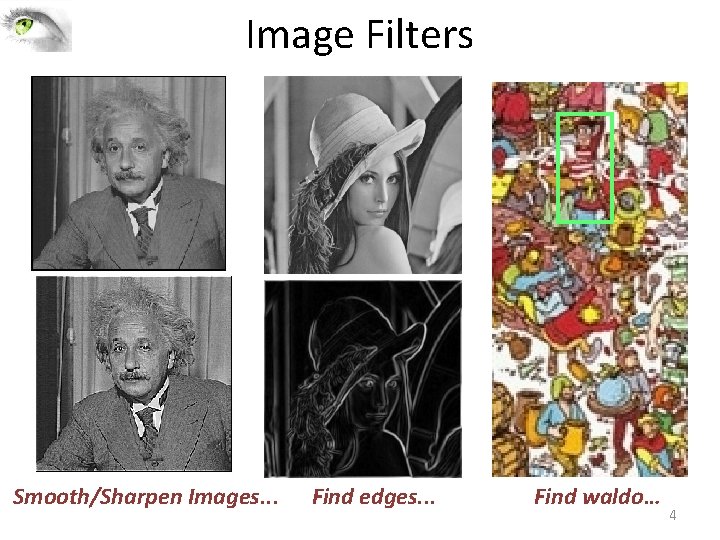
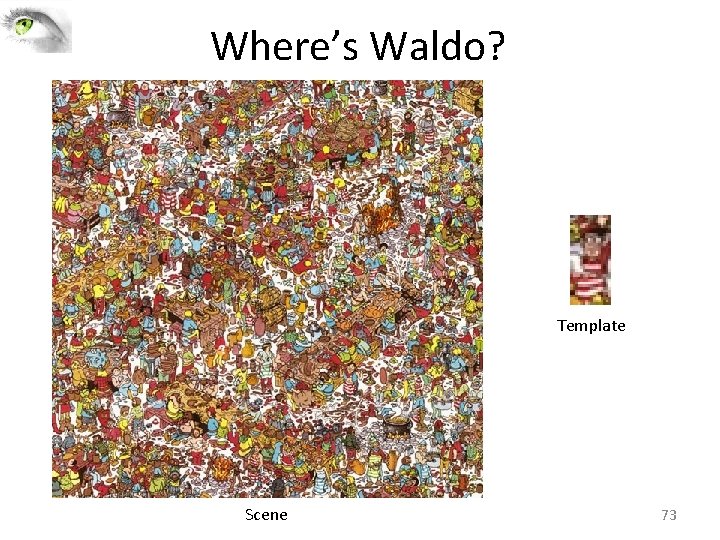
Image Filters Smooth/Sharpen Images. . . Find edges. . . Find waldo… 4
Overview • Images as functions • Linear filters • Convolution and correlation 5
Overview • Images as functions • Linear filters • Convolution and correlation 6
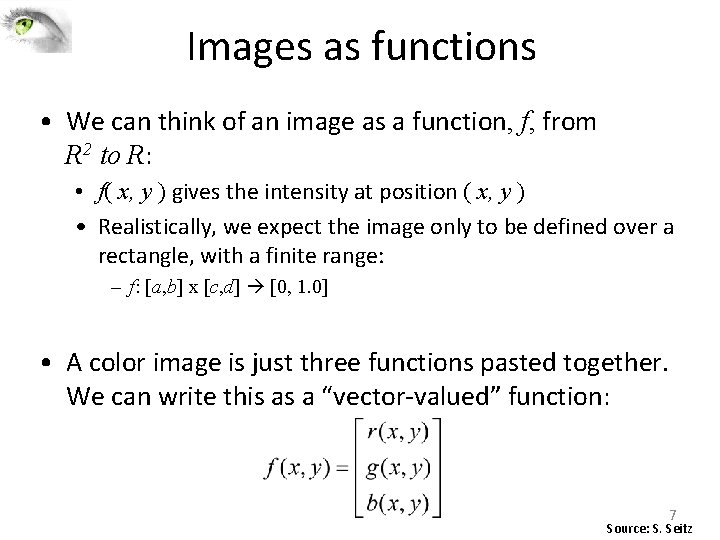
Images as functions • We can think of an image as a function, f, from R 2 to R: • f( x, y ) gives the intensity at position ( x, y ) • Realistically, we expect the image only to be defined over a rectangle, with a finite range: – f: [a, b] x [c, d] [0, 1. 0] • A color image is just three functions pasted together. We can write this as a “vector‐valued” function: 7 Source: S. Seitz
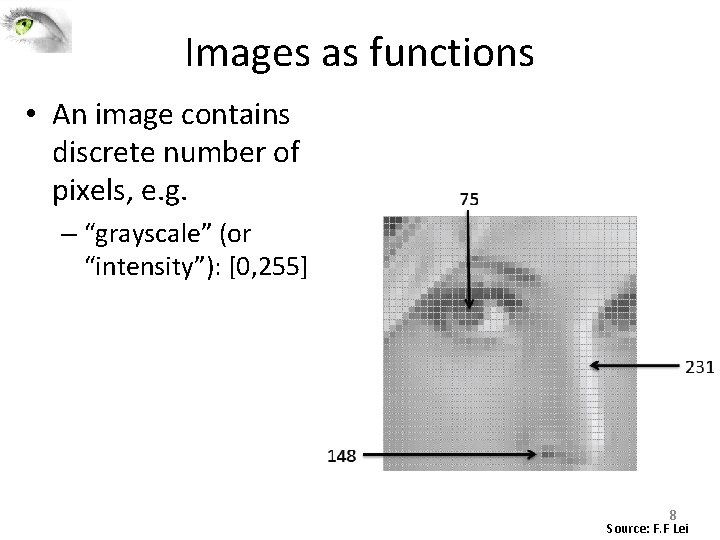
Images as functions • An image contains discrete number of pixels, e. g. – “grayscale” (or “intensity”): [0, 255] 8 Source: F. F Lei
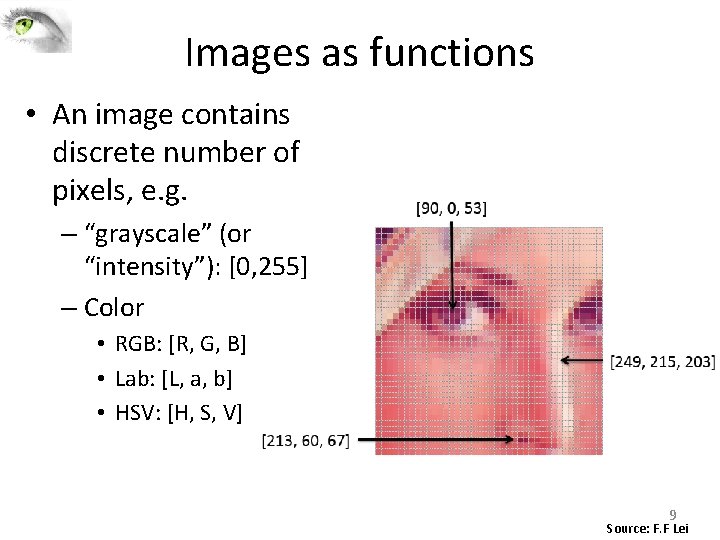
Images as functions • An image contains discrete number of pixels, e. g. – “grayscale” (or “intensity”): [0, 255] – Color • RGB: [R, G, B] • Lab: [L, a, b] • HSV: [H, S, V] 9 Source: F. F Lei
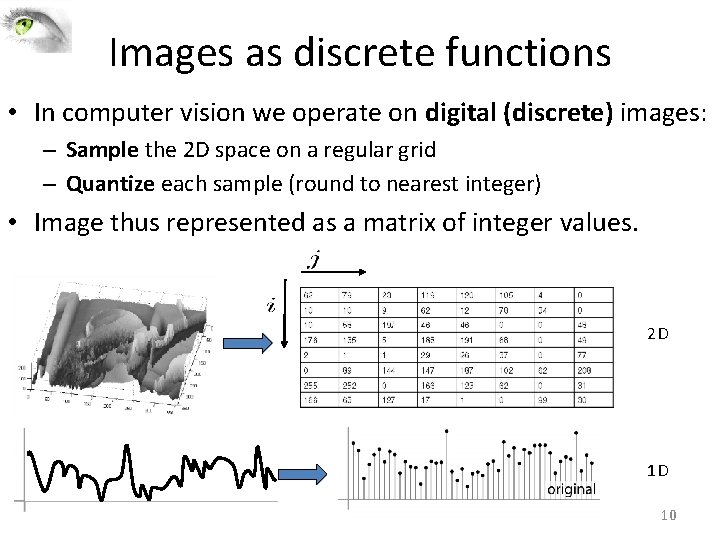
Images as discrete functions • In computer vision we operate on digital (discrete) images: – Sample the 2 D space on a regular grid – Quantize each sample (round to nearest integer) • Image thus represented as a matrix of integer values. 2 D 1 D 10
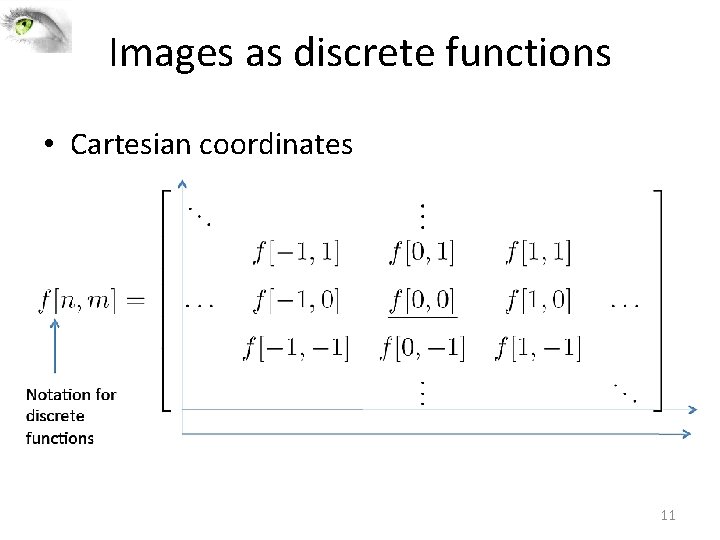
Images as discrete functions • Cartesian coordinates 11
Overview • Images as functions • Linear filters • Convolution and correlation 12
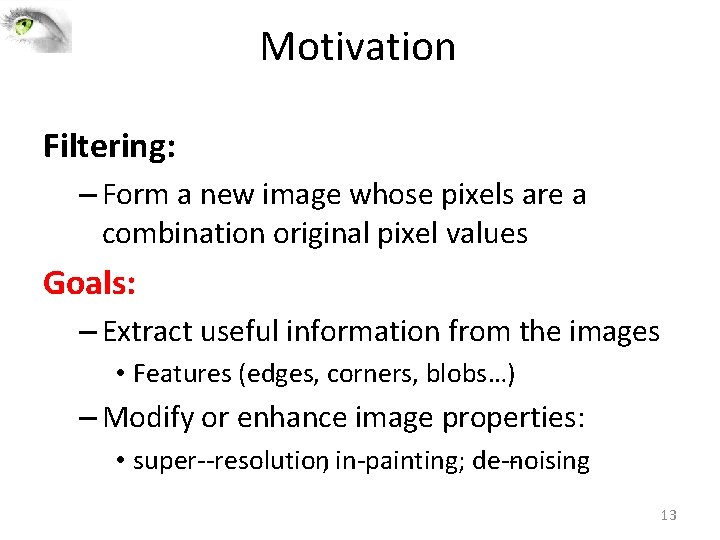
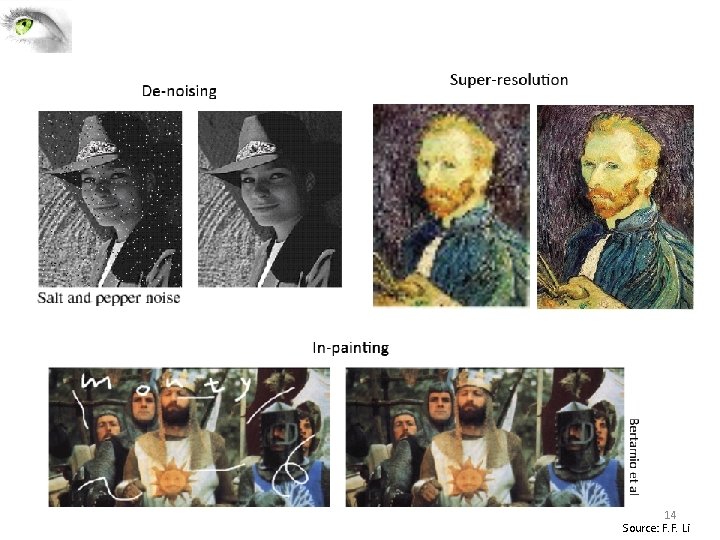
Motivation Filtering: – Form a new image whose pixels are a combination original pixel values Goals: – Extract useful information from the images • Features (edges, corners, blobs…) – Modify or enhance image properties: • super‐‐resolution; in‐painting; de‐‐noising 13
14 Source: F. F. Li
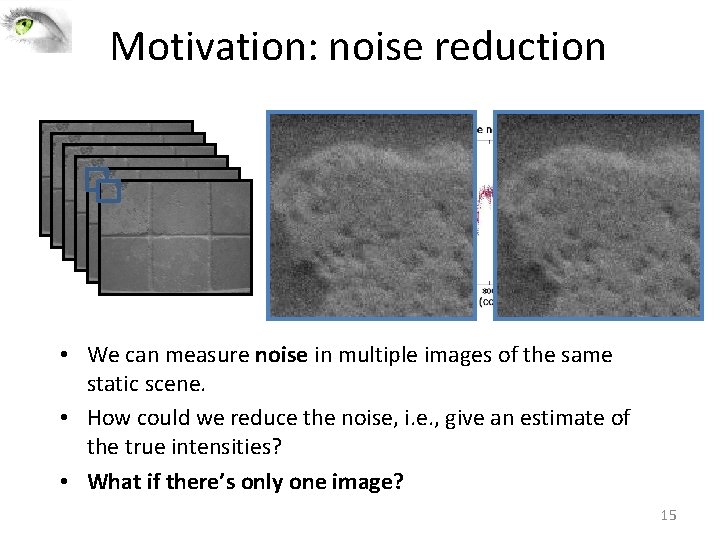
Motivation: noise reduction • We can measure noise in multiple images of the same static scene. • How could we reduce the noise, i. e. , give an estimate of the true intensities? • What if there’s only one image? 15
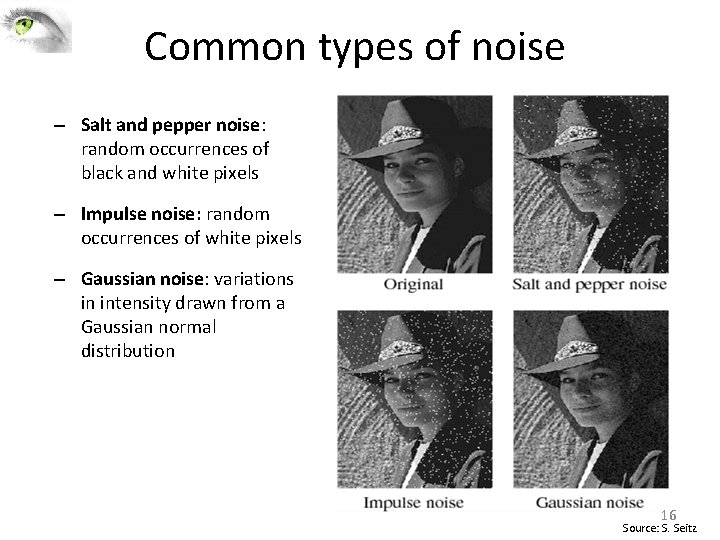
Common types of noise – Salt and pepper noise: random occurrences of black and white pixels – Impulse noise: random occurrences of white pixels – Gaussian noise: variations in intensity drawn from a Gaussian normal distribution 16 Source: S. Seitz
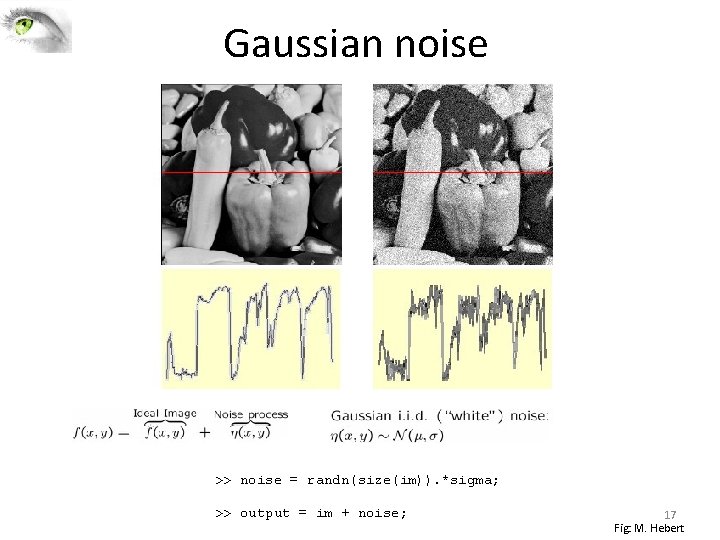
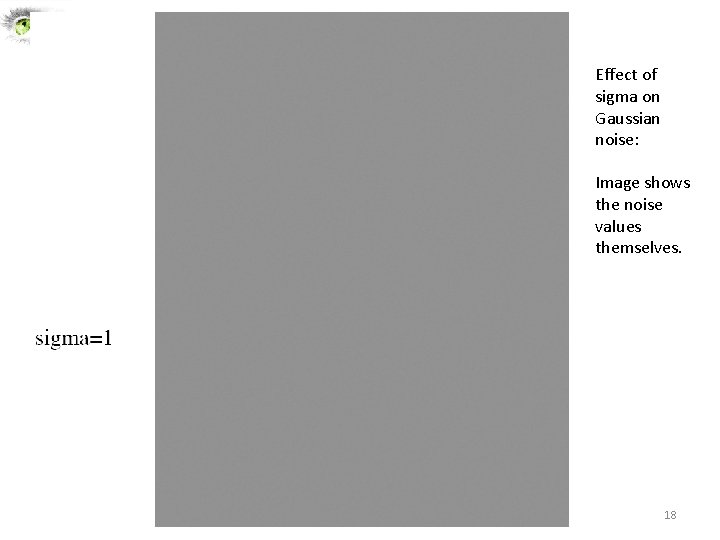
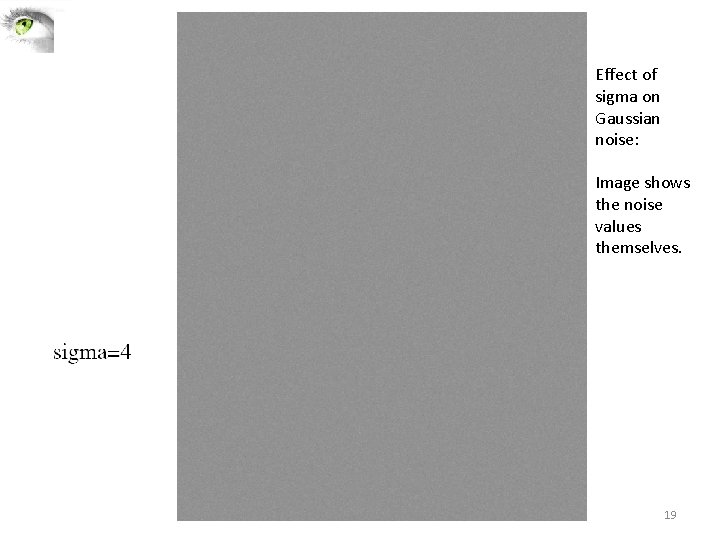
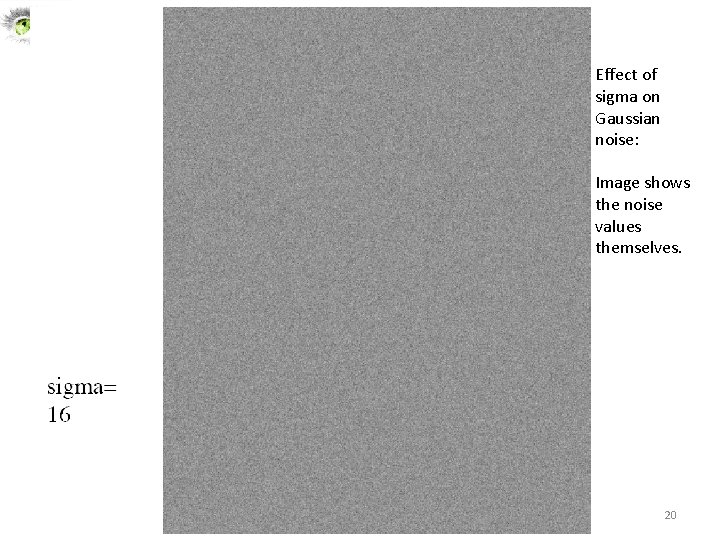
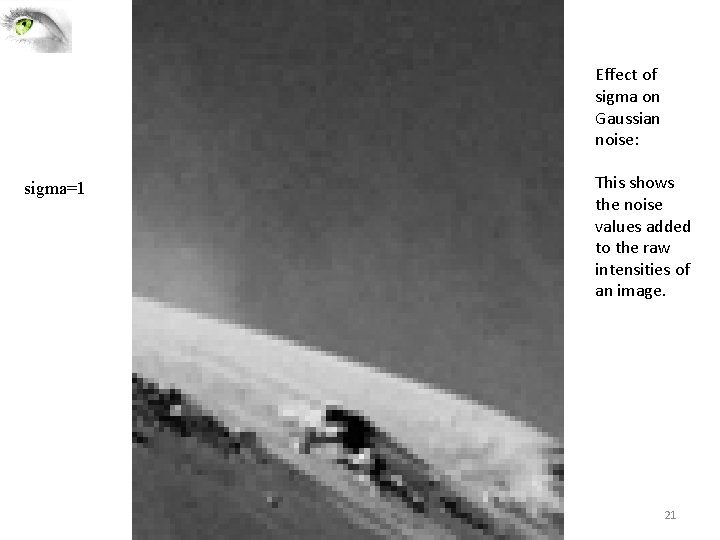
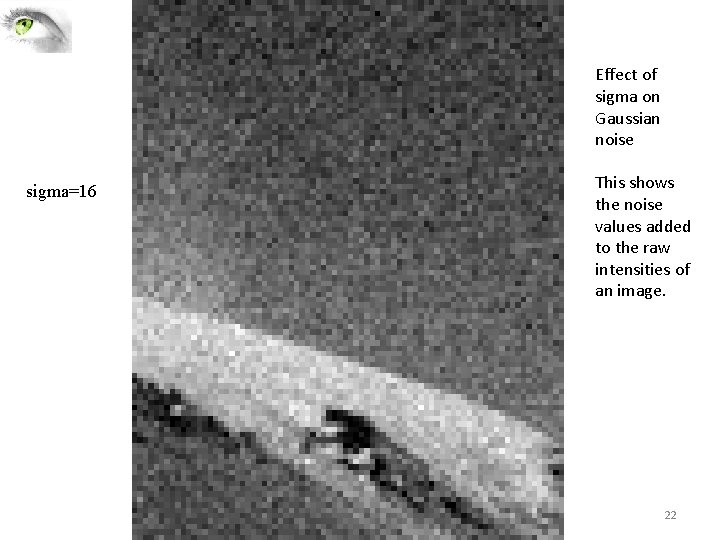
Gaussian noise >> noise = randn(size(im)). *sigma; >> output = im + noise; 17 Fig: M. Hebert
Effect of sigma on Gaussian noise: Image shows the noise values themselves. 18
Effect of sigma on Gaussian noise: Image shows the noise values themselves. 19
Effect of sigma on Gaussian noise: Image shows the noise values themselves. 20
Effect of sigma on Gaussian noise: sigma=1 This shows the noise values added to the raw intensities of an image. 21
Effect of sigma on Gaussian noise sigma=16 This shows the noise values added to the raw intensities of an image. 22
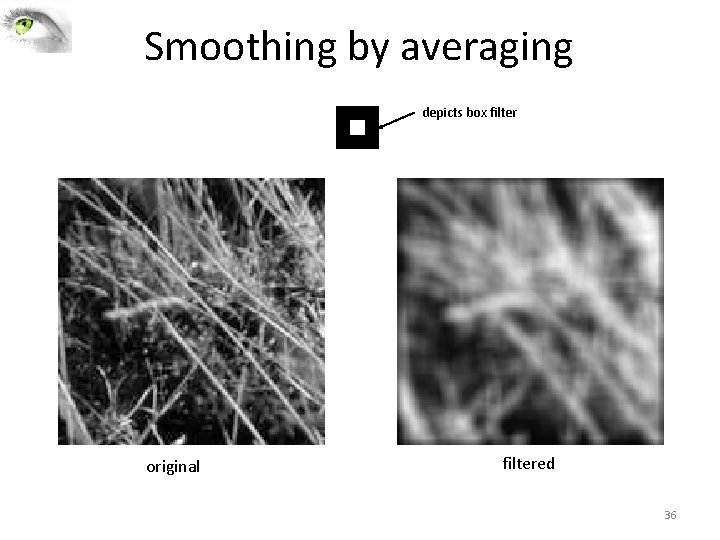
First attempt at a solution • Let’s replace each pixel with an average of all the values in its neighborhood • Assumptions: – Expect pixels to be like their neighbors – Expect noise processes to be independent from pixel to pixel 23
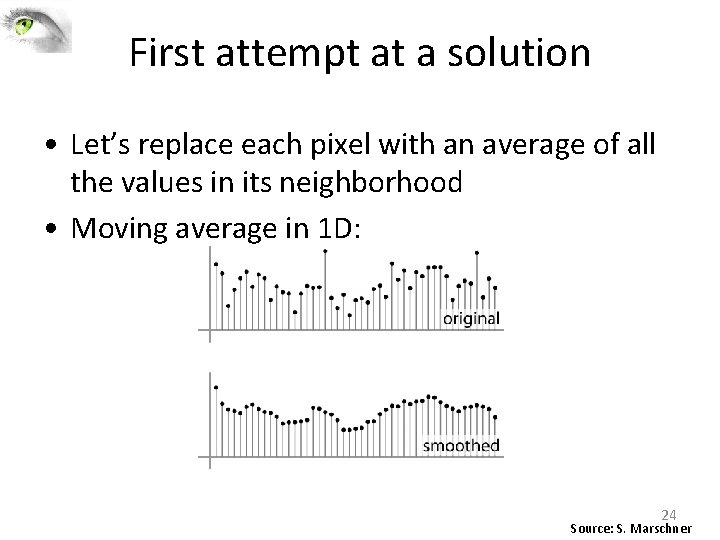
First attempt at a solution • Let’s replace each pixel with an average of all the values in its neighborhood • Moving average in 1 D: 24 Source: S. Marschner
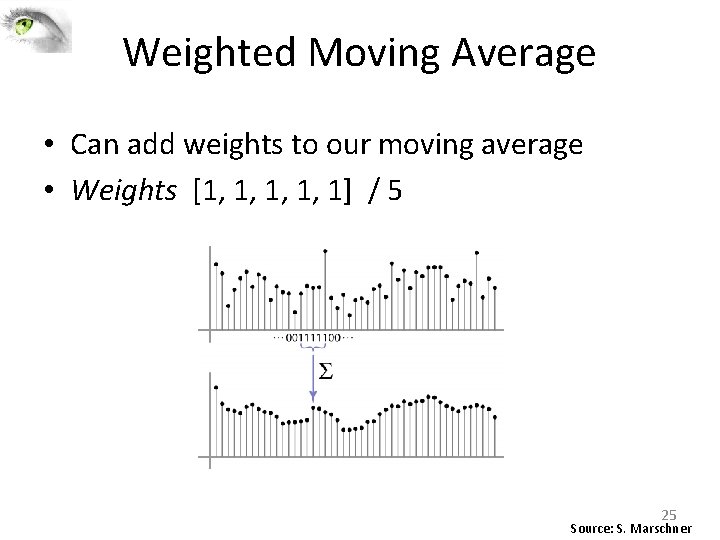
Weighted Moving Average • Can add weights to our moving average • Weights [1, 1, 1] / 5 25 Source: S. Marschner
Weighted Moving Average • Non‐uniform weights [1, 4, 6, 4, 1] / 16 26 Source: S. Marschner
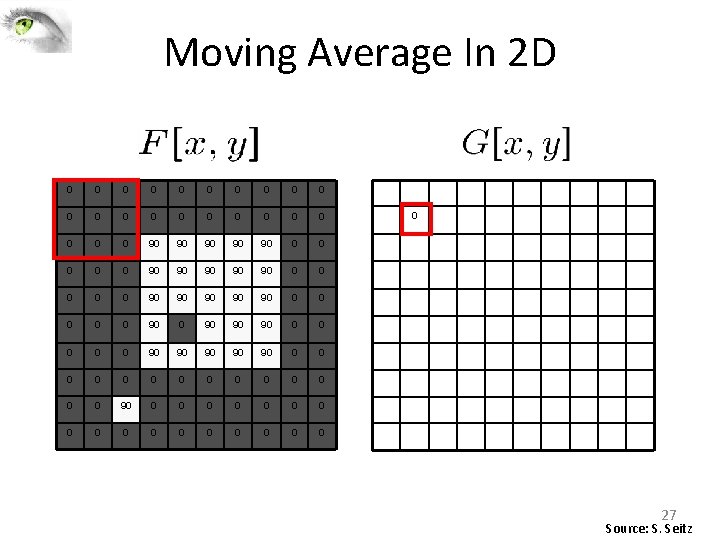
Moving Average In 2 D 0 0 0 0 0 0 90 90 90 0 0 90 90 90 0 90 90 90 0 0 0 0 0 0 0 0 0 27 Source: S. Seitz
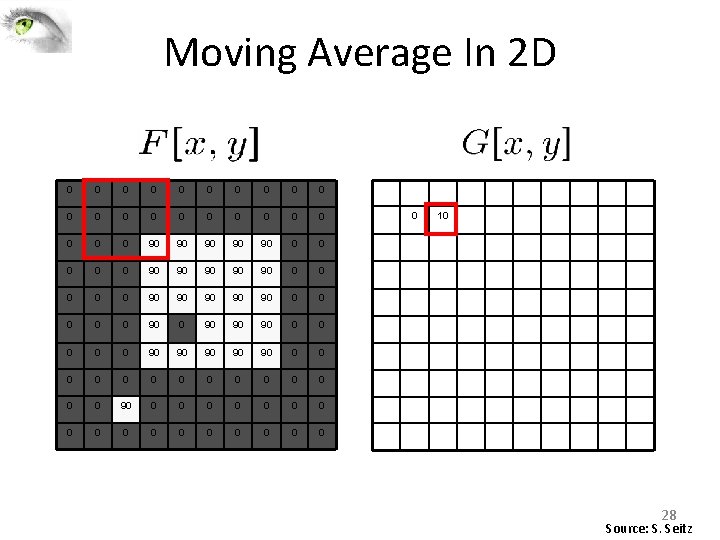
Moving Average In 2 D 0 0 0 0 0 0 90 90 90 0 0 90 90 90 0 90 90 90 0 0 0 0 0 0 0 0 0 10 28 Source: S. Seitz
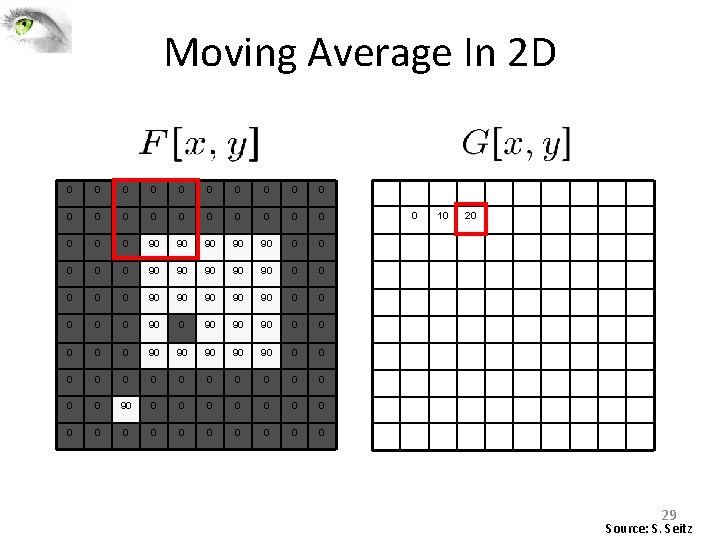
Moving Average In 2 D 0 0 0 0 0 0 90 90 90 0 0 90 90 90 0 90 90 90 0 0 0 0 0 0 0 0 0 10 20 29 Source: S. Seitz
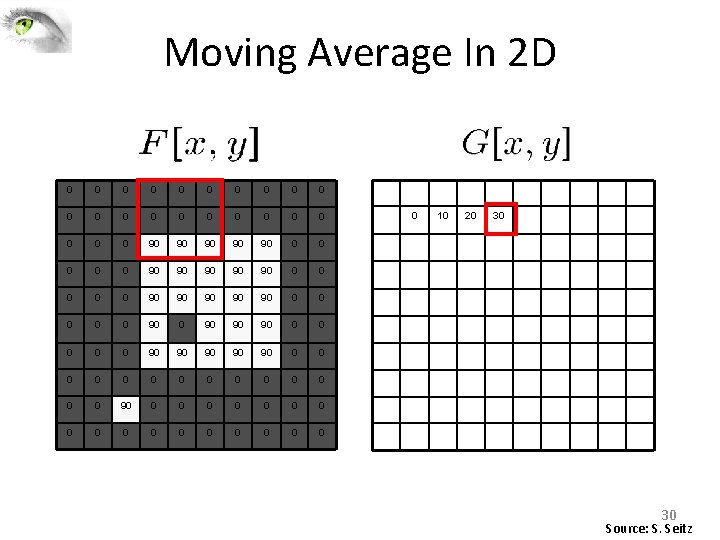
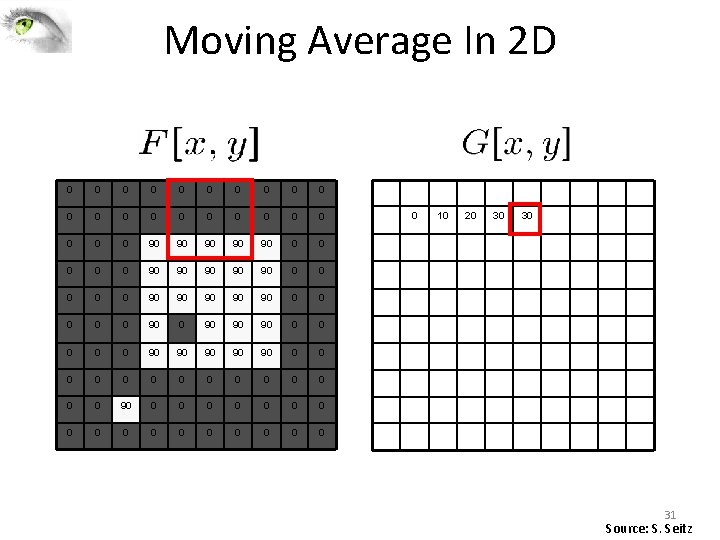
Moving Average In 2 D 0 0 0 0 0 0 90 90 90 0 0 90 90 90 0 90 90 90 0 0 0 0 0 0 0 0 0 10 20 30 30 Source: S. Seitz
Moving Average In 2 D 0 0 0 0 0 0 90 90 90 0 0 90 90 90 0 90 90 90 0 0 0 0 0 0 0 0 0 10 20 30 30 31 Source: S. Seitz
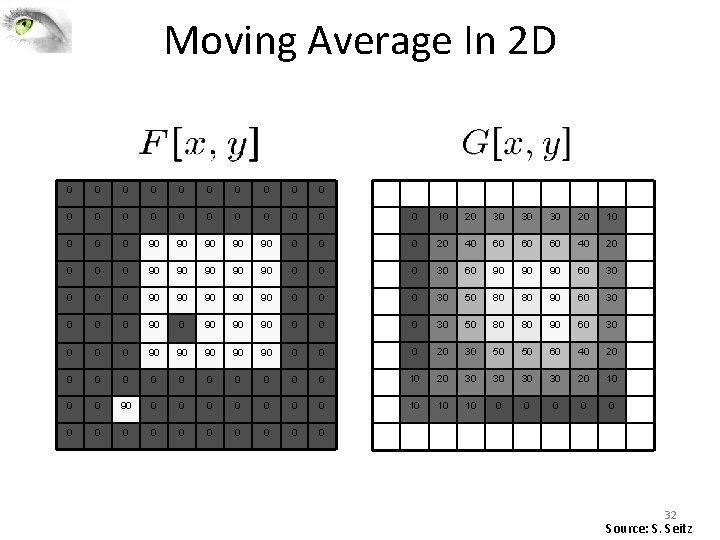
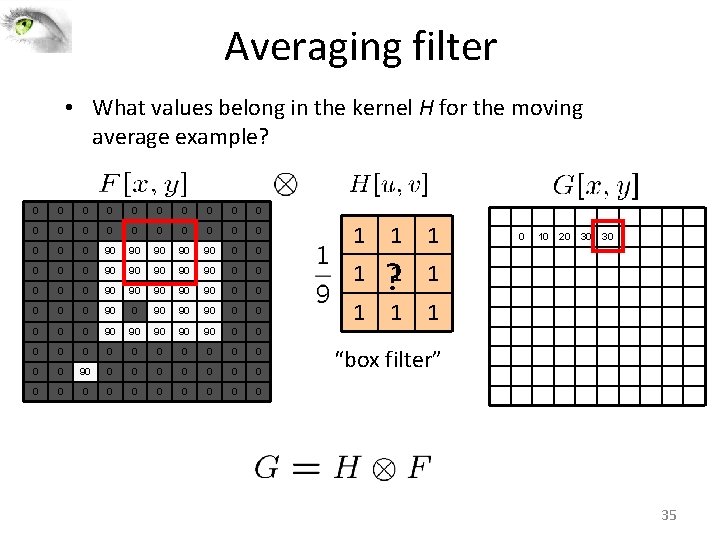
Moving Average In 2 D 0 0 0 0 0 0 10 20 30 30 30 20 10 0 90 90 90 0 20 40 60 60 60 40 20 0 90 90 90 0 30 60 90 90 90 60 30 0 90 90 90 0 30 50 80 80 90 60 30 0 90 90 90 0 20 30 50 50 60 40 20 0 0 10 20 30 30 20 10 0 0 90 0 0 0 10 10 10 0 0 0 32 Source: S. Seitz
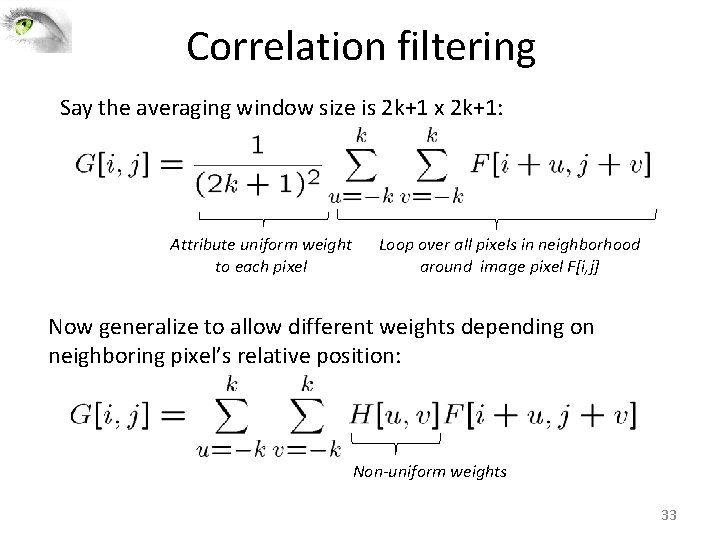
Correlation filtering Say the averaging window size is 2 k+1 x 2 k+1: Attribute uniform weight to each pixel Loop over all pixels in neighborhood around image pixel F[i, j] Now generalize to allow different weights depending on neighboring pixel’s relative position: Non-uniform weights 33
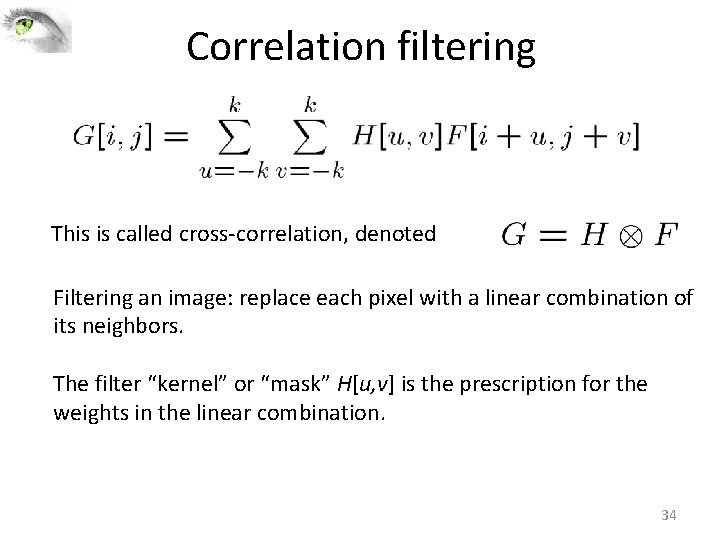
Correlation filtering This is called cross‐correlation, denoted Filtering an image: replace each pixel with a linear combination of its neighbors. The filter “kernel” or “mask” H[u, v] is the prescription for the weights in the linear combination. 34
Averaging filter • What values belong in the kernel H for the moving average example? 0 0 0 0 0 0 90 90 90 0 0 90 90 90 0 90 90 90 0 0 0 0 0 0 0 0 0 0 1 1 ? 1 1 0 10 20 30 30 1 “box filter” 35
Smoothing by averaging depicts box filter original filtered 36
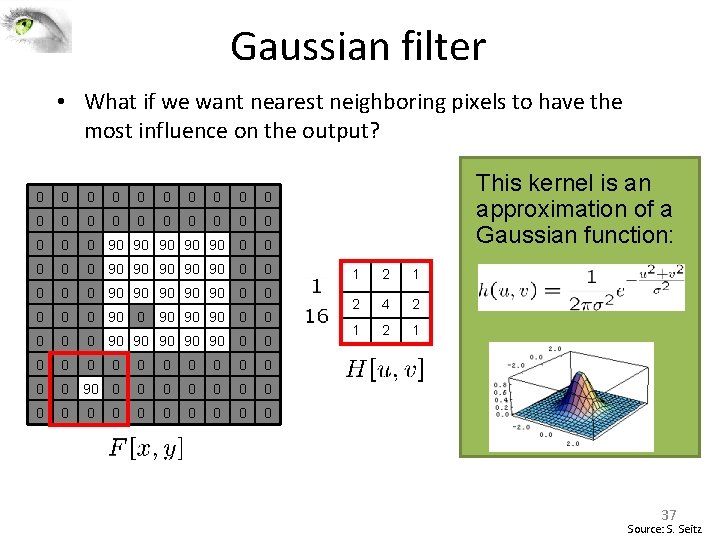
Gaussian filter • What if we want nearest neighboring pixels to have the most influence on the output? 0 0 0 0 0 0 90 90 90 0 0 90 90 90 0 90 90 90 0 0 0 0 0 0 0 0 0 0 This kernel is an approximation of a Gaussian function: 1 2 4 2 1 37 Source: S. Seitz
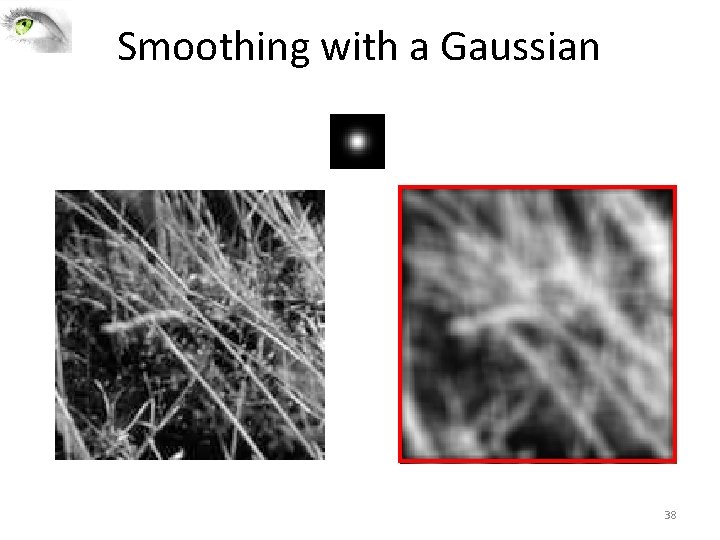
Smoothing with a Gaussian 38
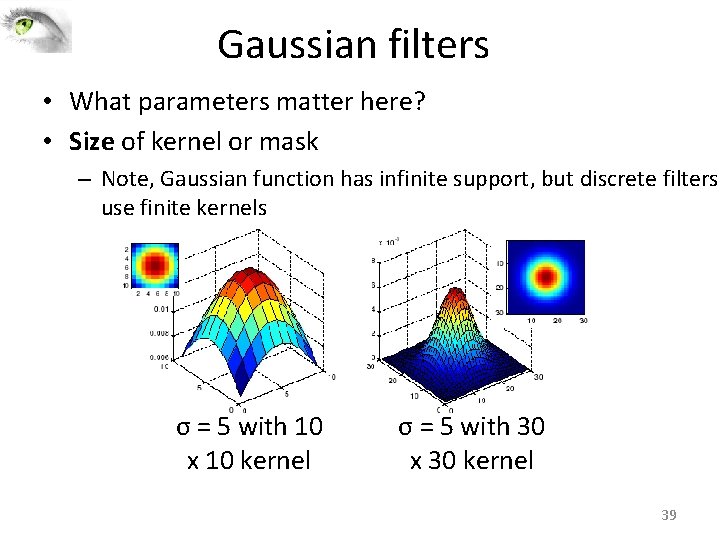
Gaussian filters • What parameters matter here? • Size of kernel or mask – Note, Gaussian function has infinite support, but discrete filters use finite kernels σ = 5 with 10 x 10 kernel σ = 5 with 30 x 30 kernel 39
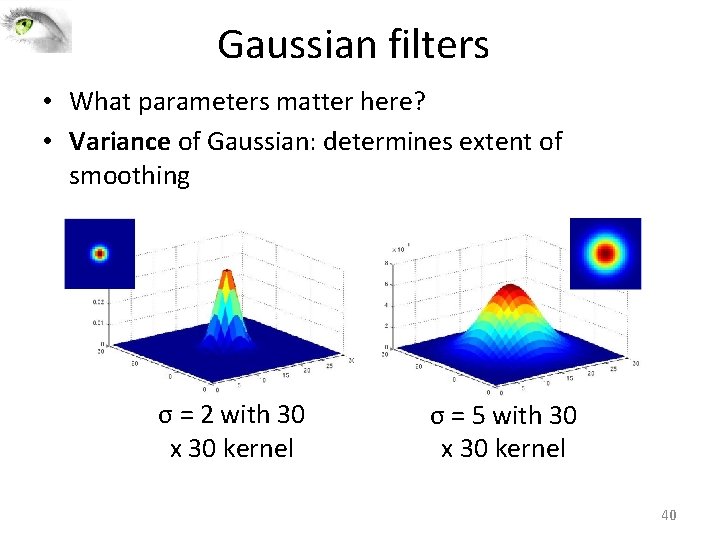
Gaussian filters • What parameters matter here? • Variance of Gaussian: determines extent of smoothing σ = 2 with 30 x 30 kernel σ = 5 with 30 x 30 kernel 40
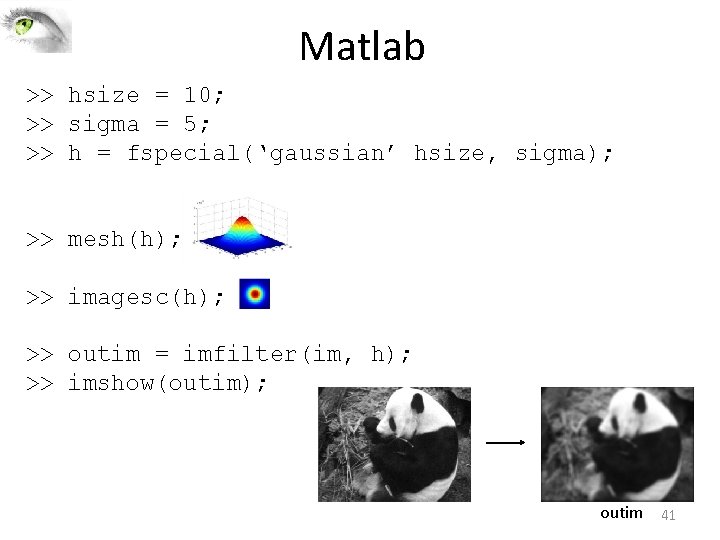
Matlab >> hsize = 10; >> sigma = 5; >> h = fspecial(‘gaussian’ hsize, sigma); >> mesh(h); >> imagesc(h); >> outim = imfilter(im, h); >> imshow(outim); outim 41
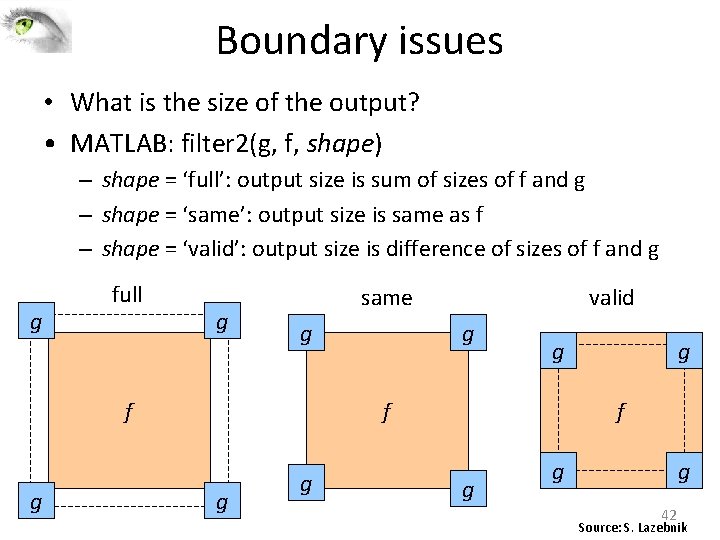
Boundary issues • What is the size of the output? • MATLAB: filter 2(g, f, shape) – shape = ‘full’: output size is sum of sizes of f and g – shape = ‘same’: output size is same as f – shape = ‘valid’: output size is difference of sizes of f and g g full g same g f g valid g g f g g g 42 Source: S. Lazebnik
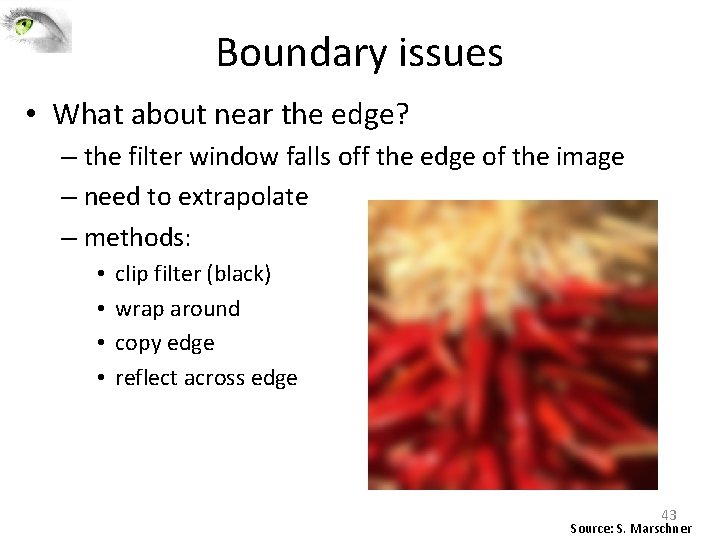
Boundary issues • What about near the edge? – the filter window falls off the edge of the image – need to extrapolate – methods: • • clip filter (black) wrap around copy edge reflect across edge 43 Source: S. Marschner
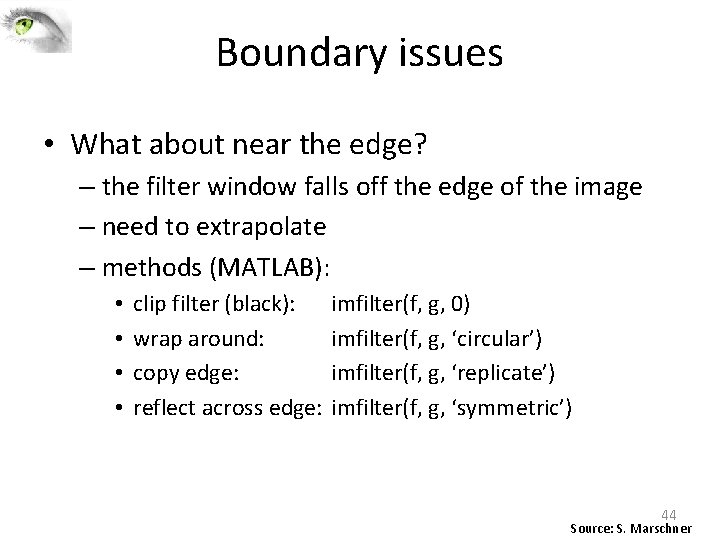
Boundary issues • What about near the edge? – the filter window falls off the edge of the image – need to extrapolate – methods (MATLAB): • • clip filter (black): wrap around: copy edge: reflect across edge: imfilter(f, g, 0) imfilter(f, g, ‘circular’) imfilter(f, g, ‘replicate’) imfilter(f, g, ‘symmetric’) 44 Source: S. Marschner
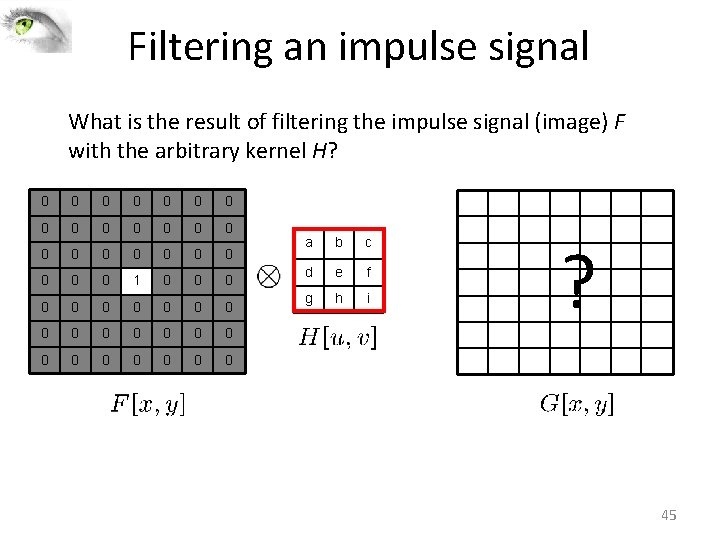
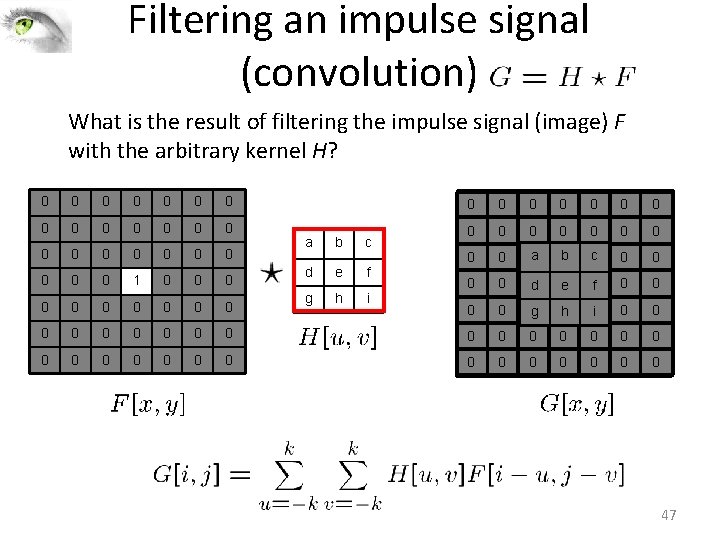
Filtering an impulse signal What is the result of filtering the impulse signal (image) F with the arbitrary kernel H? 0 0 0 0 0 0 1 0 0 0 0 0 0 a b c d e f g h i ? 45
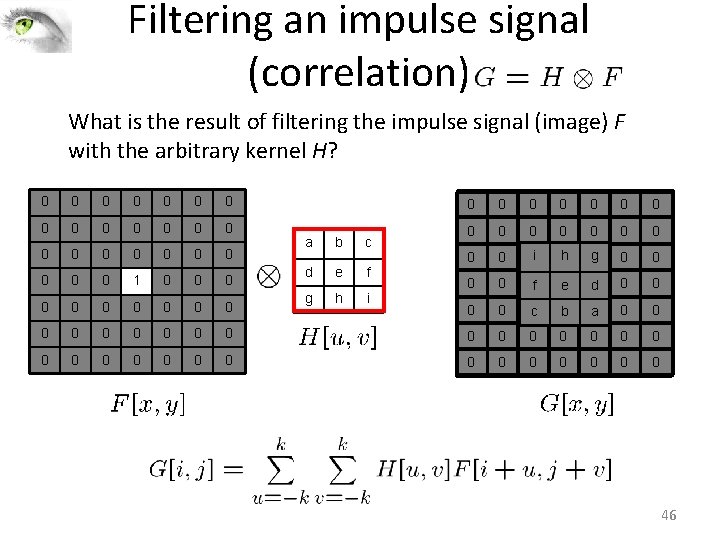
Filtering an impulse signal (correlation) What is the result of filtering the impulse signal (image) F with the arbitrary kernel H? 0 0 0 0 0 0 1 0 0 0 a b c d e f g h i 0 0 0 0 0 i 0 h 0 g 0 0 0 f 1 e 0 d 0 0 0 c 0 b 0 a 0 0 0 0 0 0 0 0 0 0 46
Filtering an impulse signal (convolution) What is the result of filtering the impulse signal (image) F with the arbitrary kernel H? 0 0 0 0 0 0 1 0 0 0 a b c d e f g h i 0 0 0 0 0 a 0 b 0 c 0 0 0 d 1 e 0 f 0 0 0 g 0 h 0 i 0 0 0 0 0 0 0 0 0 0 47
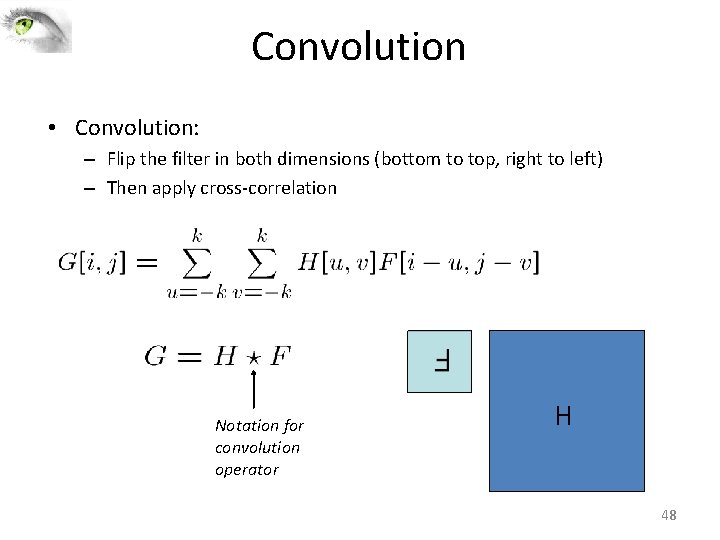
Convolution • Convolution: – Flip the filter in both dimensions (bottom to top, right to left) – Then apply cross‐correlation F Notation for convolution operator H 48
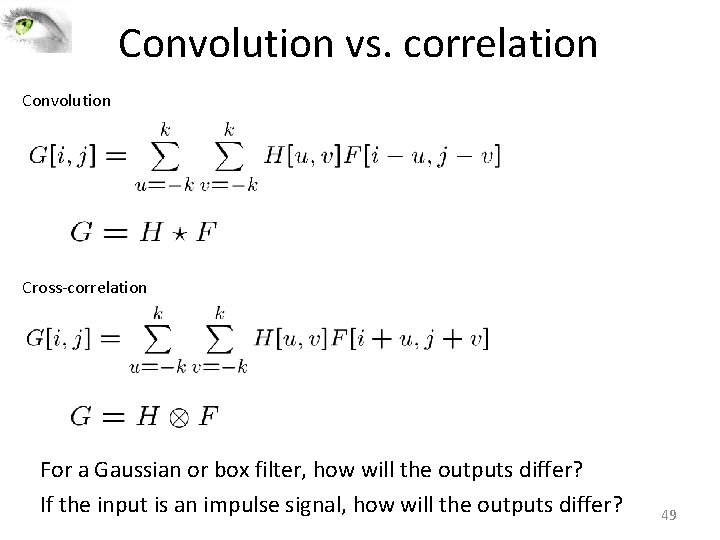
Convolution vs. correlation Convolution Cross‐correlation For a Gaussian or box filter, how will the outputs differ? If the input is an impulse signal, how will the outputs differ? 49
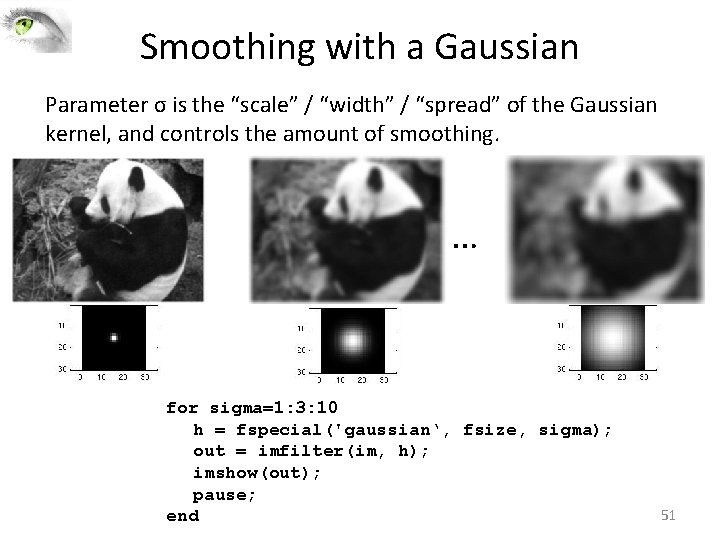
Smoothing with a Gaussian Parameter σ is the “scale” / “width” / “spread” of the Gaussian kernel, and controls the amount of smoothing. … for sigma=1: 3: 10 h = fspecial('gaussian‘, fsize, sigma); out = imfilter(im, h); imshow(out); pause; end 51
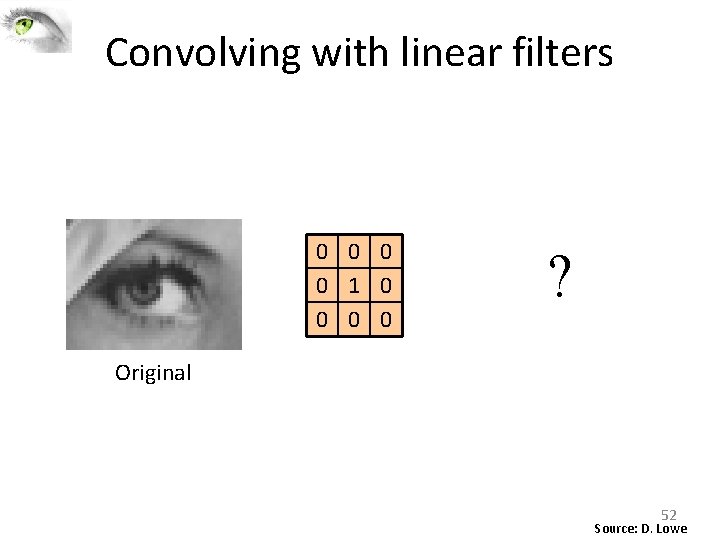
Convolving with linear filters 0 0 1 0 0 ? Original 52 Source: D. Lowe
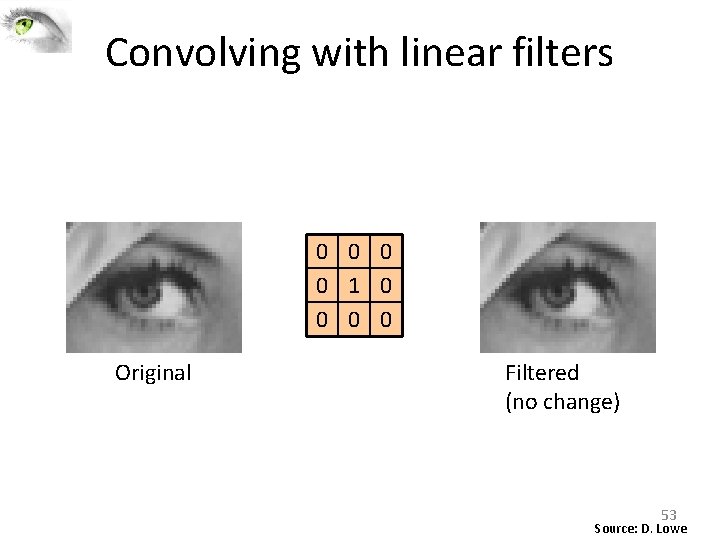
Convolving with linear filters 0 0 1 0 0 Original Filtered (no change) 53 Source: D. Lowe
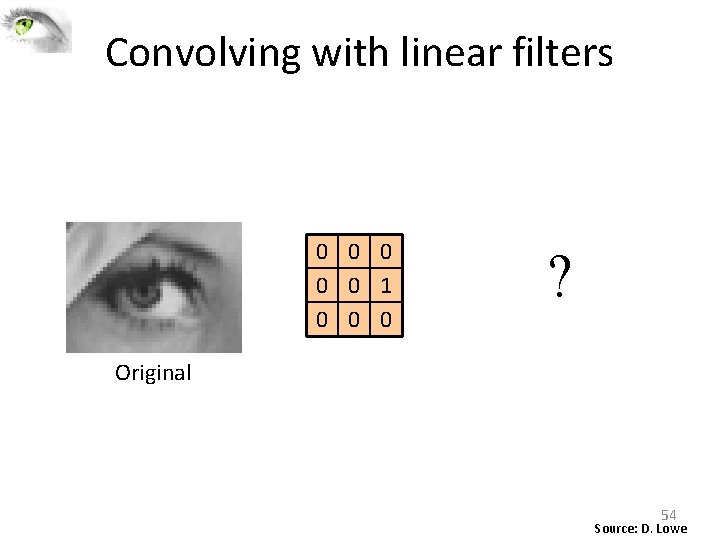
Convolving with linear filters 0 0 0 1 0 0 0 ? Original 54 Source: D. Lowe
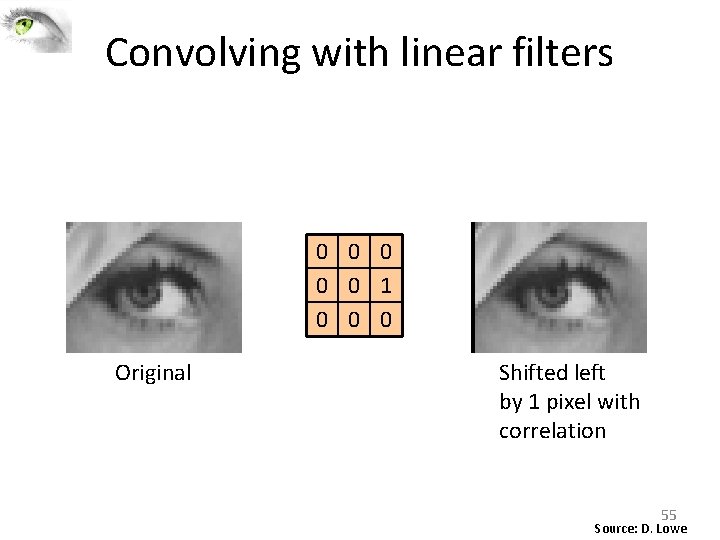
Convolving with linear filters 0 0 0 1 0 0 0 Original Shifted left by 1 pixel with correlation 55 Source: D. Lowe
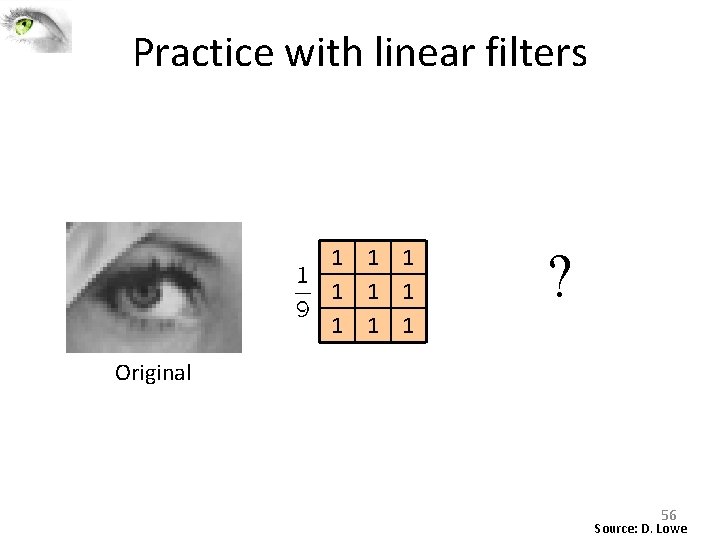
Practice with linear filters 1 1 1 1 1 ? Original 56 Source: D. Lowe
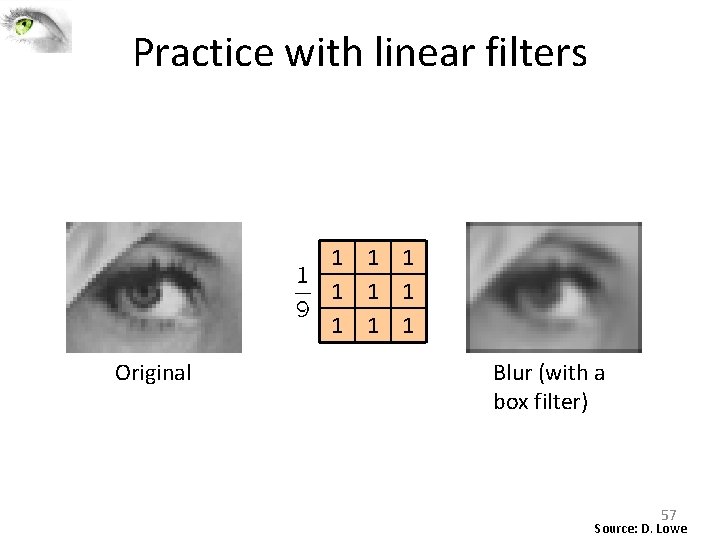
Practice with linear filters 1 1 1 1 1 Original ? Blur (with a box filter) 57 Source: D. Lowe
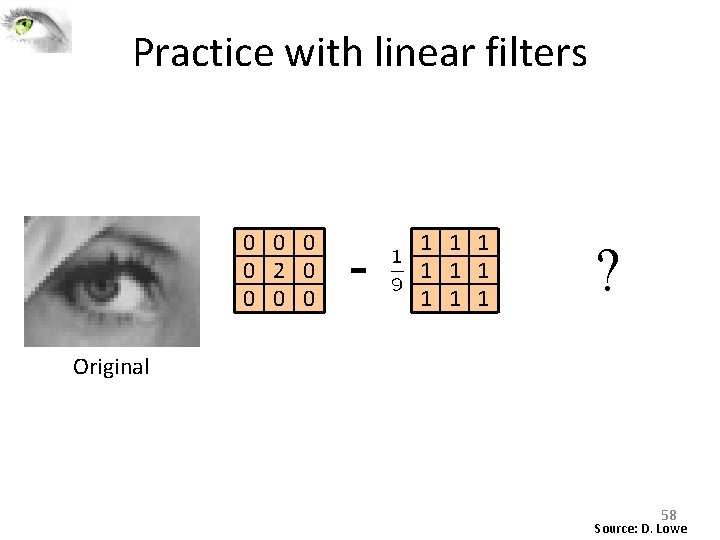
Practice with linear filters 0 0 2 0 0 - 1 1 1 1 1 ? Original 58 Source: D. Lowe
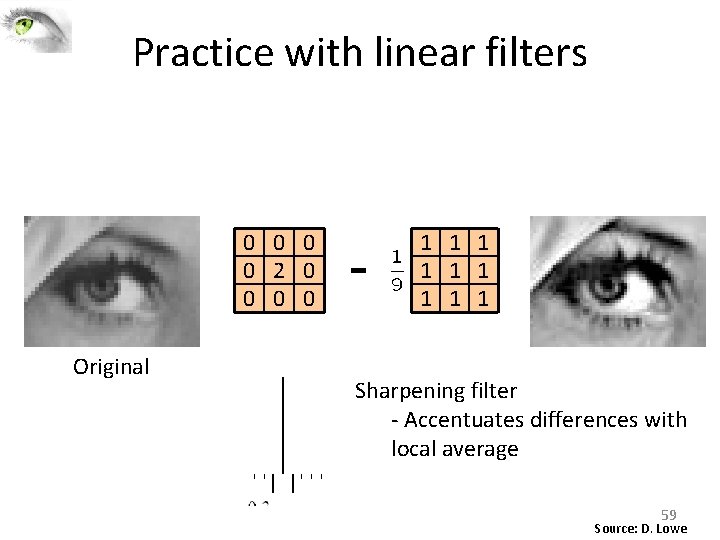
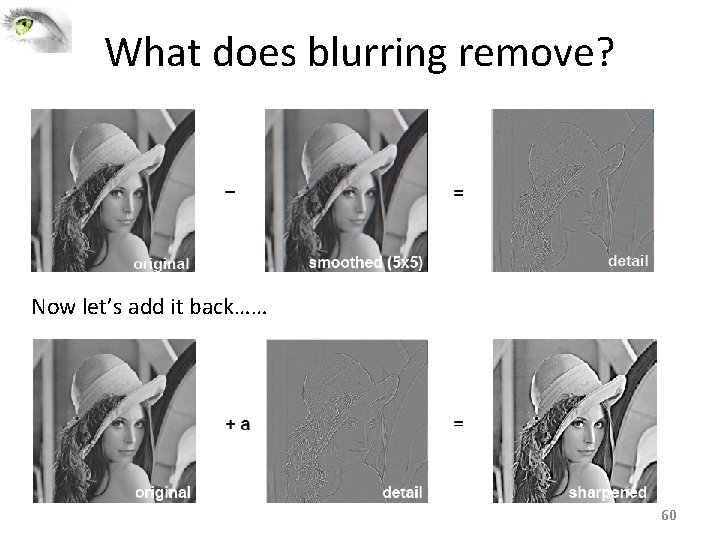
Practice with linear filters 0 0 2 0 0 Original - 1 1 1 1 1 ? Sharpening filter ‐ Accentuates differences with local average 59 Source: D. Lowe
What does blurring remove? Now let’s add it back…… 60
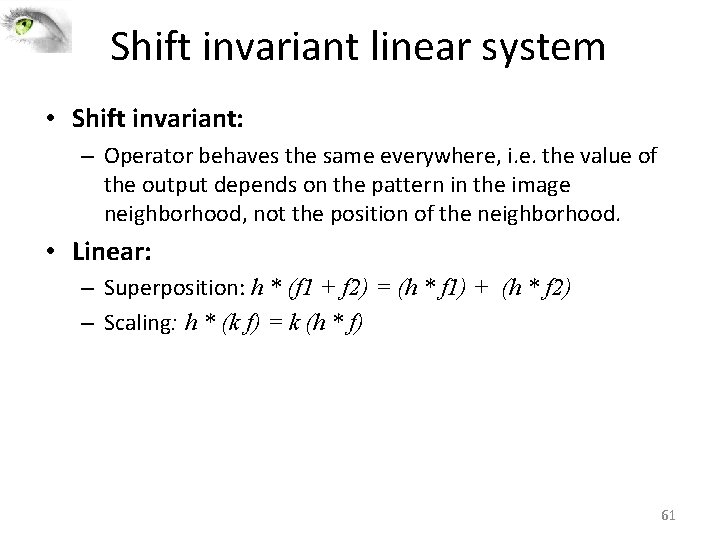
Shift invariant linear system • Shift invariant: – Operator behaves the same everywhere, i. e. the value of the output depends on the pattern in the image neighborhood, not the position of the neighborhood. • Linear: – Superposition: h * (f 1 + f 2) = (h * f 1) + (h * f 2) – Scaling: h * (k f) = k (h * f) 61
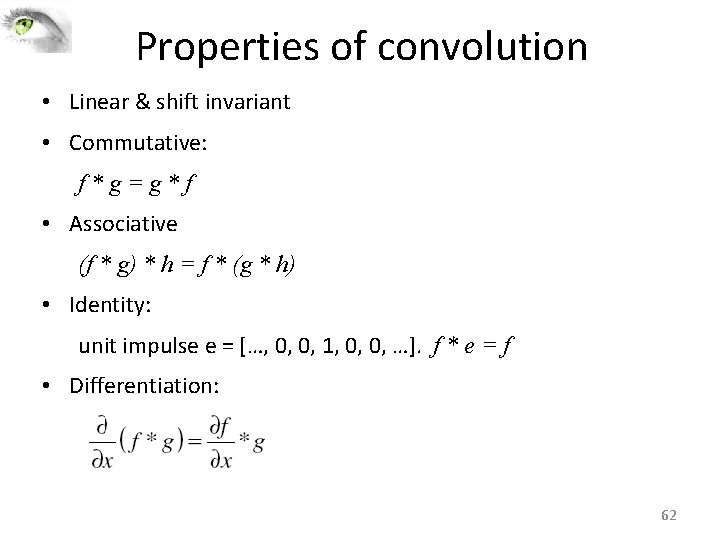
Properties of convolution • Linear & shift invariant • Commutative: f*g=g*f • Associative (f * g) * h = f * (g * h) • Identity: unit impulse e = […, 0, 0, 1, 0, 0, …]. f * e = f • Differentiation: 62
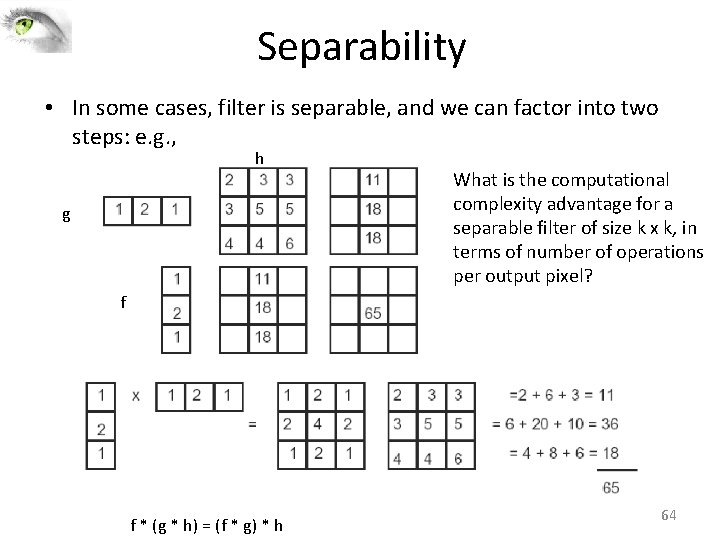
Separability • In some cases, filter is separable, and we can factor into two steps: – Convolve all rows – Convolve all columns 63
Separability • In some cases, filter is separable, and we can factor into two steps: e. g. , h g What is the computational complexity advantage for a separable filter of size k x k, in terms of number of operations per output pixel? f f * (g * h) = (f * g) * h 64
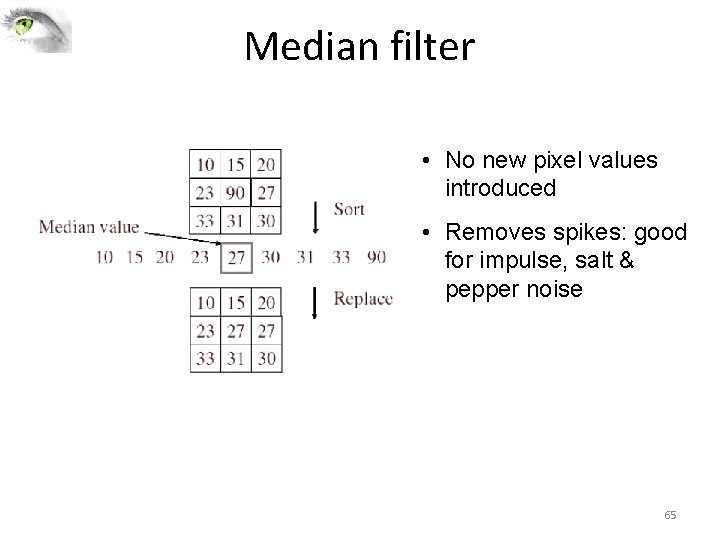
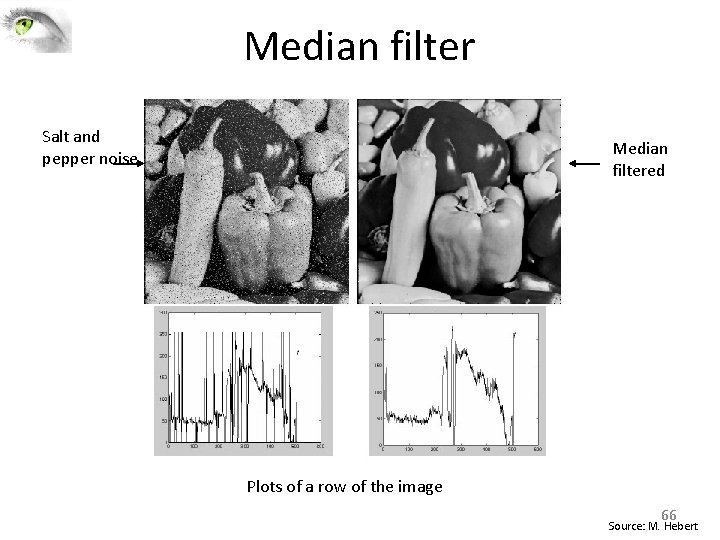
Median filter • No new pixel values introduced • Removes spikes: good for impulse, salt & pepper noise 65
Median filter Salt and pepper noise Median filtered Plots of a row of the image 66 Source: M. Hebert
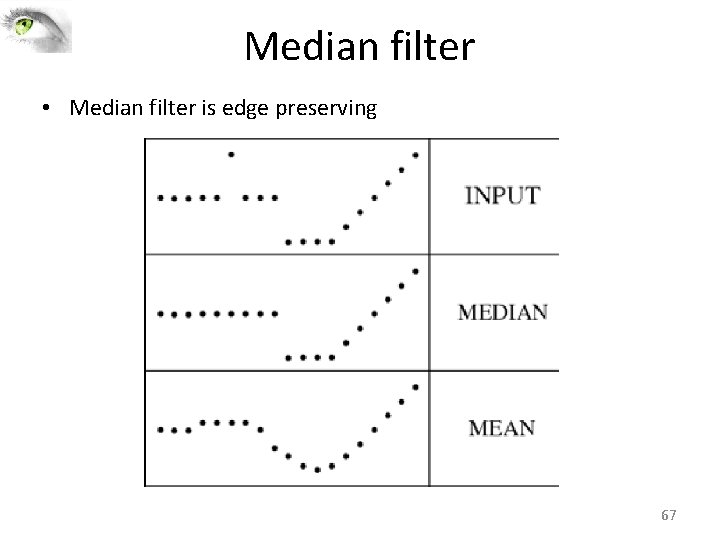
Median filter • Median filter is edge preserving 67
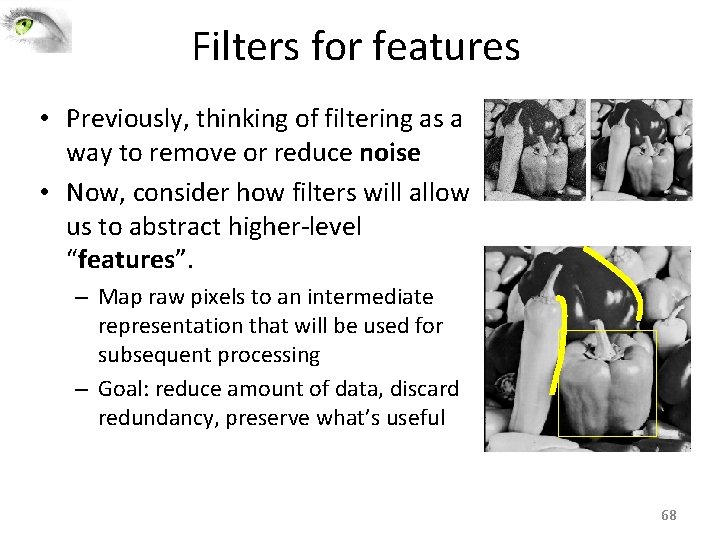
Filters for features • Previously, thinking of filtering as a way to remove or reduce noise • Now, consider how filters will allow us to abstract higher‐level “features”. – Map raw pixels to an intermediate representation that will be used for subsequent processing – Goal: reduce amount of data, discard redundancy, preserve what’s useful 68
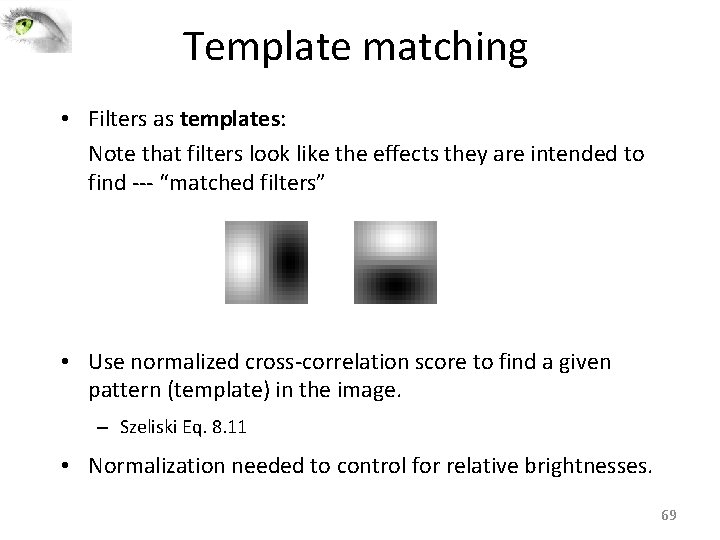
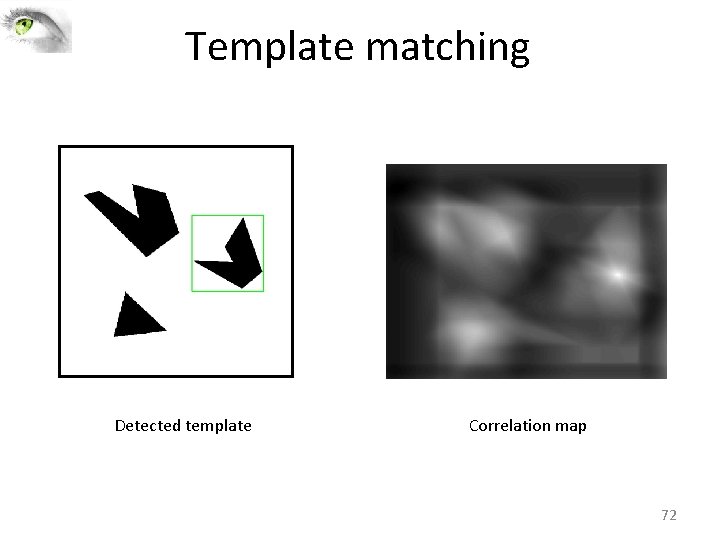
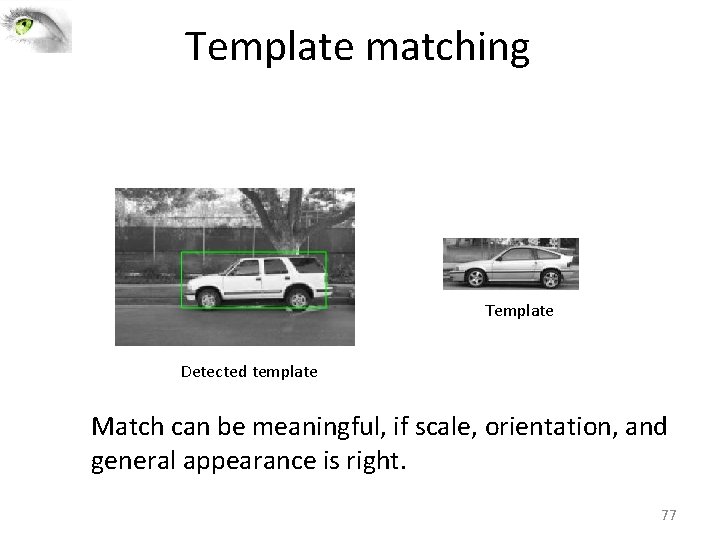
Template matching • Filters as templates: Note that filters look like the effects they are intended to find ‐‐‐ “matched filters” • Use normalized cross‐correlation score to find a given pattern (template) in the image. – Szeliski Eq. 8. 11 • Normalization needed to control for relative brightnesses. 69
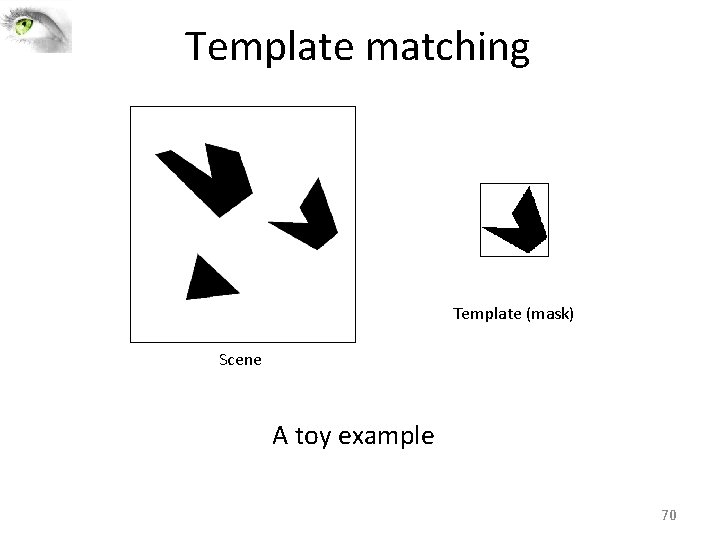
Template matching Template (mask) Scene A toy example 70
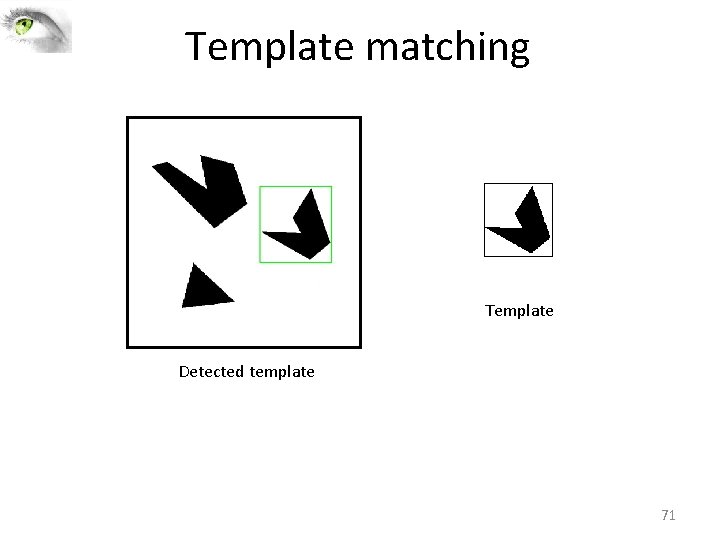
Template matching Template Detected template 71
Template matching Detected template Correlation map 72
Where’s Waldo? Template Scene 73
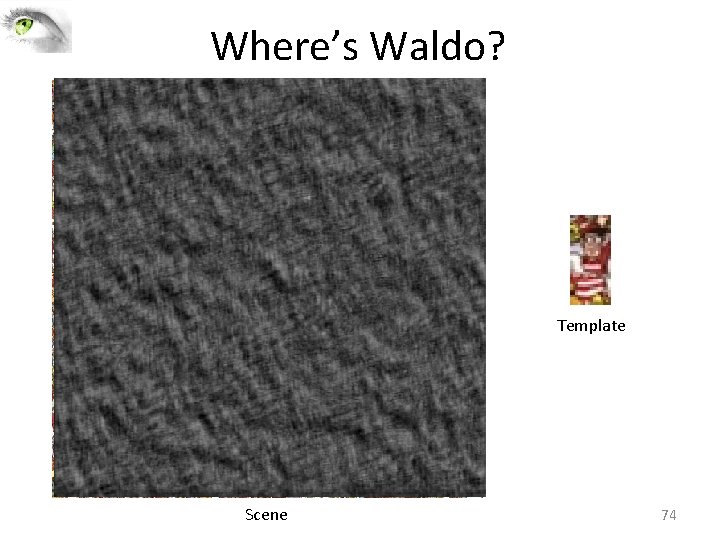
Where’s Waldo? Template Scene 74
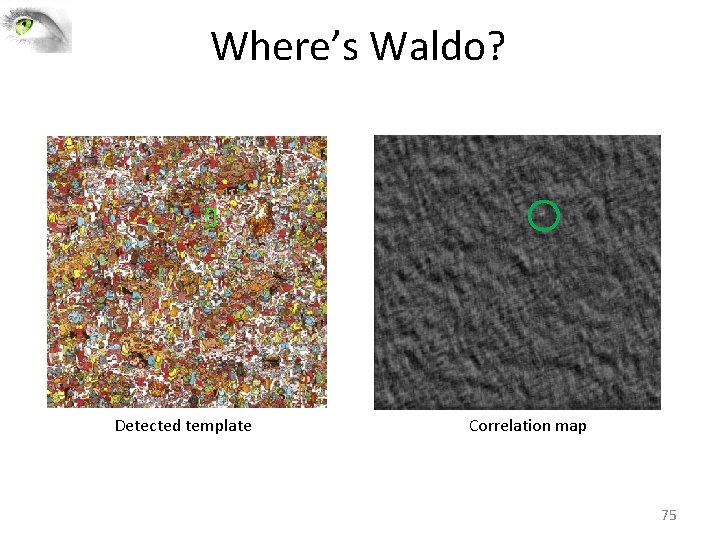
Where’s Waldo? Detected template Correlation map 75
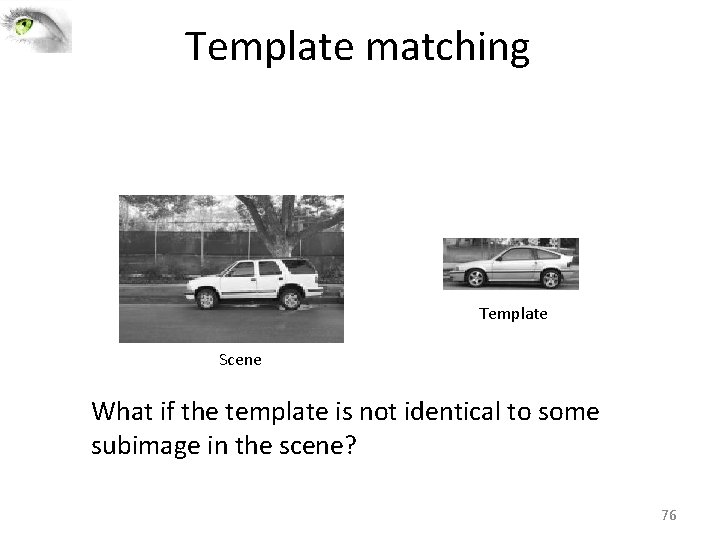
Template matching Template Scene What if the template is not identical to some subimage in the scene? 76
Template matching Template Detected template Match can be meaningful, if scale, orientation, and general appearance is right. 77
Filters and Convolution ‐ Crucial Points • A filter is a pattern of weights (<< ||image||) • Convolution applies the filter to the image • Output measures similarity between filter and image patch – only a rough estimate • Normalized correlation gives improved pattern detection 78
Next class • Pyramids and scale space • Readings for next lecture: – Forsyth and Ponce 4. 7; Szeliski 3. 5 (optional) • Readings for today: – Szeliski 3. 2, Forsyth and Ponce 4. 1‐ 4. 6(optional). 79
Questions 80