COMP 541 160 Digital Logic and Computer Design


- Slides: 57
COMP 541 (160) Digital Logic and Computer Design Montek Singh Jan 11, 2007 1
Today’s Topics ã Course description l What’s it about l Mechanics: grading, etc. ã Material from Chapter 1 (review) l What is digital logic? l Binary signaling l Number systems l Codes 2
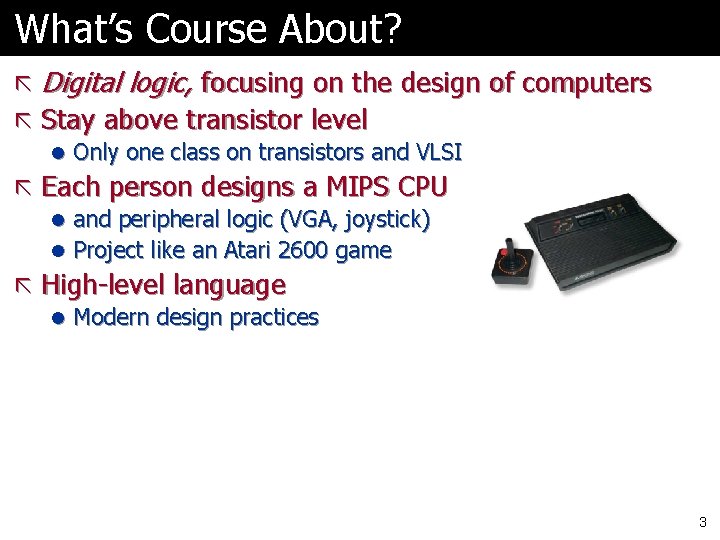
What’s Course About? ã Digital logic, focusing on the design of computers ã Stay above transistor level l Only one class on transistors and VLSI ã Each person designs a MIPS CPU l and peripheral logic (VGA, joystick) l Project like an Atari 2600 game ã High-level language l Modern design practices 3
How Can We Do This? ã Field Programmable Gate Arrays l Chips with a lot of circuits Ø Tens of thousands to millions of transistors l Programmable ã We write “programs” describing design ã Tools translate to gates/wires ã Download pattern to chip 4
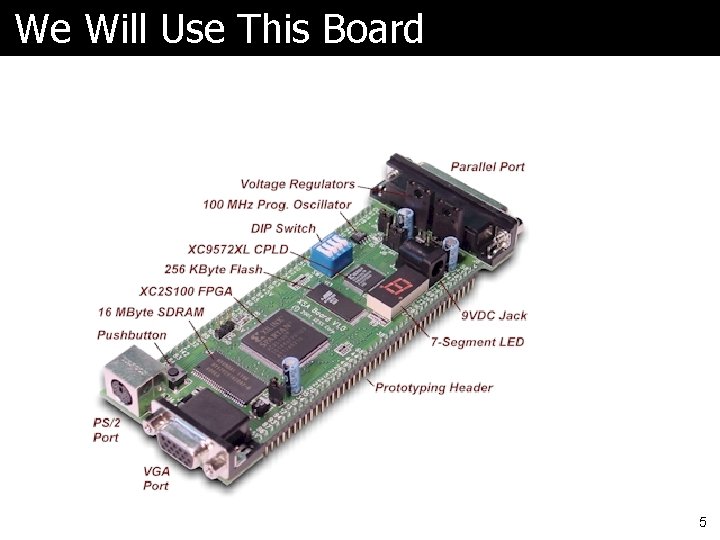
We Will Use This Board 5
Schematic Diagram 6
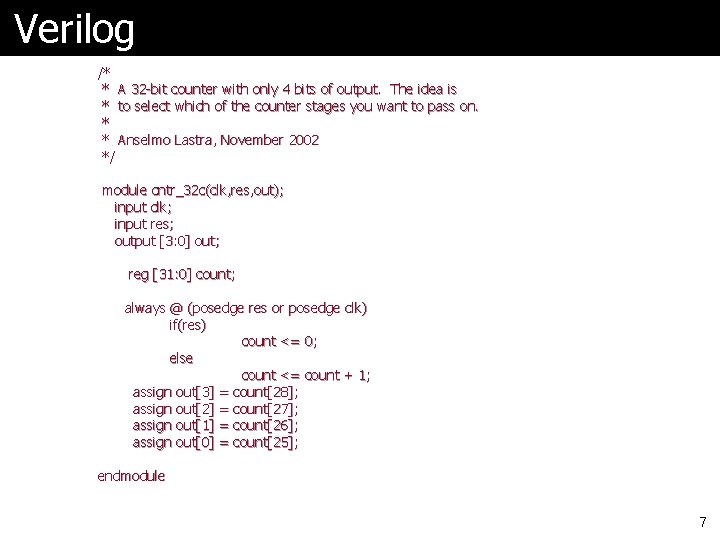
Verilog /* * A 32 -bit counter with only 4 bits of output. The idea is * to select which of the counter stages you want to pass on. * * Anselmo Lastra, November 2002 */ module cntr_32 c(clk, res, out); input clk; input res; output [3: 0] out; reg [31: 0] count; always @ (posedge res or posedge clk) if(res) count <= 0; else count <= count + 1; assign out[3] = count[28]; assign out[2] = count[27]; assign out[1] = count[26]; assign out[0] = count[25]; endmodule 7
Xilinx Software ã Use design tools from chip maker ã Have full version on lab PCs ã Can install on your PC ã Model. Sim simulator or built-in 8
Class Web Pages ã Linked from my home page http: //www. cs. unc. edu/~montek ã All notes posted l Will try to put them there before class ã Lab documents there also ã See Blackboard for grades 9
Textbook and Syllabus ã Largely follow Prof. Lastra’s syllabus ã Morris Mano and Charles Kime ã Logic and Computer Design Fundamentals, 3 rd Edition ã Prentice Hall, 2004 ã Will largely follow text l Slightly different order l More emphasis on HLL 10
Overview of Textbook ã Chapters 1 -6: Digital logic l Combinational and sequential ã Chapter 7 -8: Register Transfer and State Machines 9: Memories ã Chapters 10 -12: Computer design ã Chapter 13: I/O ã Chapter 14: Memory Hierarchies 11
Order of Topics ã Will change order from that in book l To try to get you working on interesting labs sooner ã Move sequential design earlier ã Then backfill details on combinational design 12
May Also Need ã COMP 120 book l For MIPS reference l How many have one? l I can copy the few necessary pages ã Verilog reference l Book optional l Web pages – see course home page 13
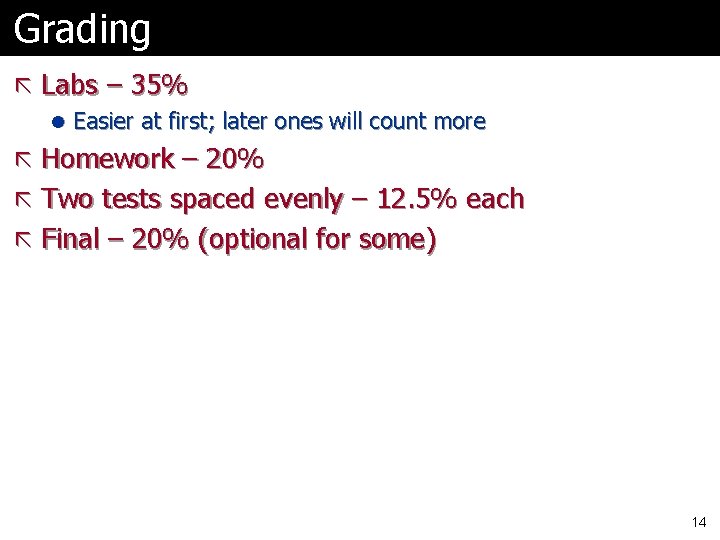
Grading ã Labs – 35% l Easier at first; later ones will count more ã Homework – 20% ã Two tests spaced evenly – 12. 5% each ã Final – 20% (optional for some) 14
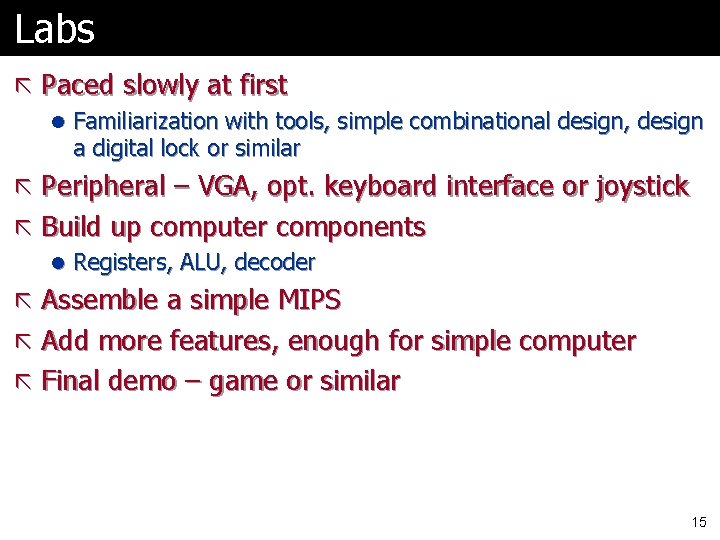
Labs ã Paced slowly at first l Familiarization with tools, simple combinational design, design a digital lock or similar ã Peripheral – VGA, opt. keyboard interface or joystick ã Build up computer components l Registers, ALU, decoder ã Assemble a simple MIPS ã Add more features, enough for simple computer ã Final demo – game or similar 15
Lab Sections ã No lab this Friday l You need a little more info to begin l Begin next week ã Lab is in SN 027, down the hall by the back entrance 16
Late Policy ã Homework assignments and lab reports due by class time l Labs due on Tuesday after the lab period ã One class late, 10 points off ã Two classes late, 25 points off ã Not accepted later 17
What’s Your Background? ã Course experience ã Work, etc. ã Which COMP 120? ã What’s your intent in taking class? ã Questions? 18
Office Hours ã Would like to wait a week to set ã Send email if you want to meet 19
Now Shift to Technology Should be review for all of you 20
Digital vs. Analog ã Analog – infinite resolution l Like (old fashioned) radio dial l We’ll do very little with analog Ø VGA, maybe sound ã Digital – a finite set of values l Like money l Can’t get smaller than cents l Typically also has maximum value 21
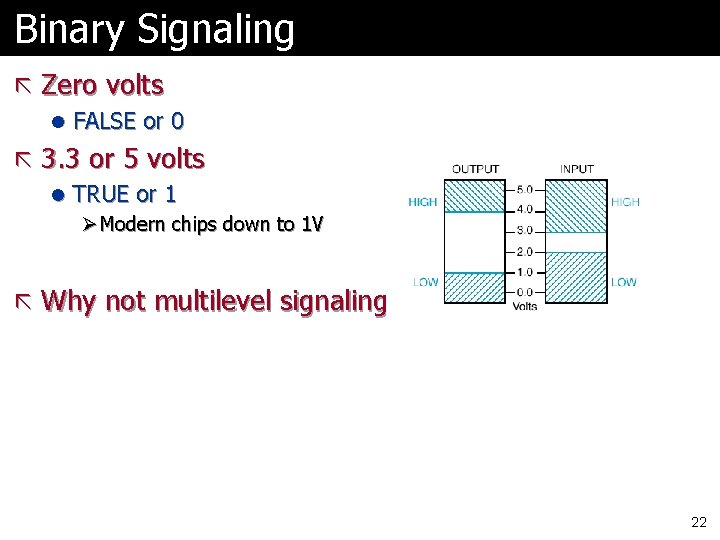
Binary Signaling ã Zero volts l FALSE or 0 ã 3. 3 or 5 volts l TRUE or 1 Ø Modern chips down to 1 V ã Why not multilevel signaling? 22
Discrete Data ã Some data inherently discrete l Names (sets of letters) ã Some quantized l Music recorded from microphone l Note that other examples like music from CD or electronic keyboard already quantized l Mouse movement is quantized Ø Well, some mice 23
Numbers and Arithmetic ã I’ve put most of these slides at end l Backup in case you’ve forgotten ã Review of binary numbers, Hexadecimal, Arithmetic ã Let’s cover l Other codes, parity 24
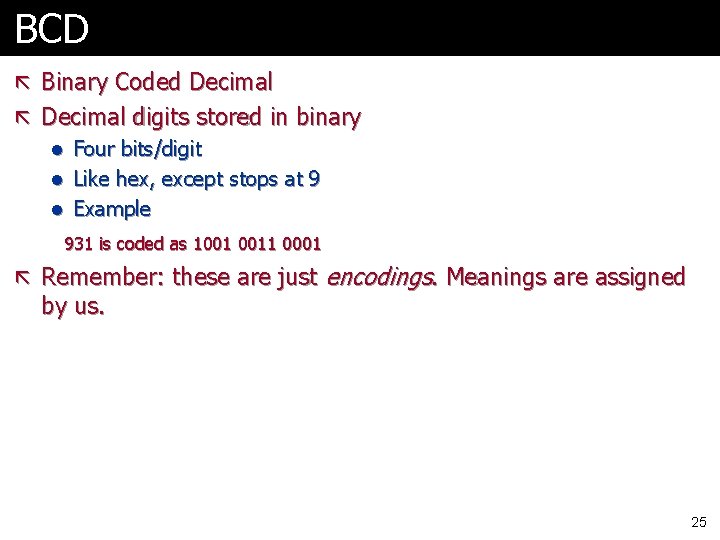
BCD ã Binary Coded Decimal ã Decimal digits stored in binary l Four bits/digit l Like hex, except stops at 9 l Example 931 is coded as 1001 0011 0001 ã Remember: these are just by us. encodings. Meanings are assigned 25
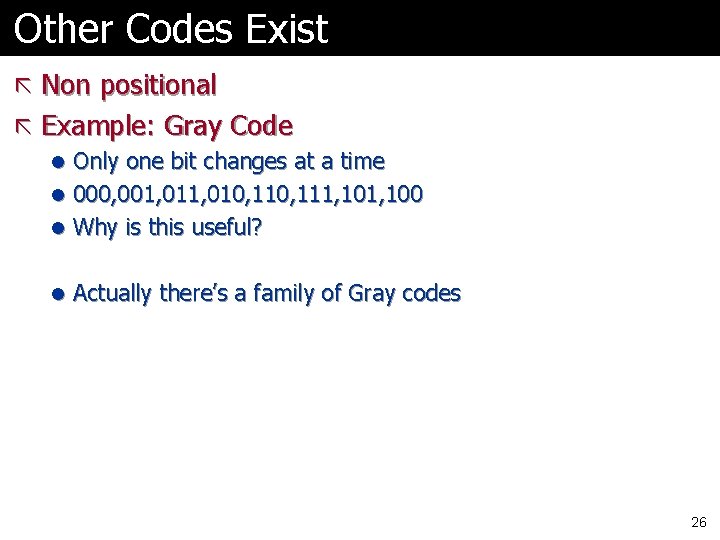
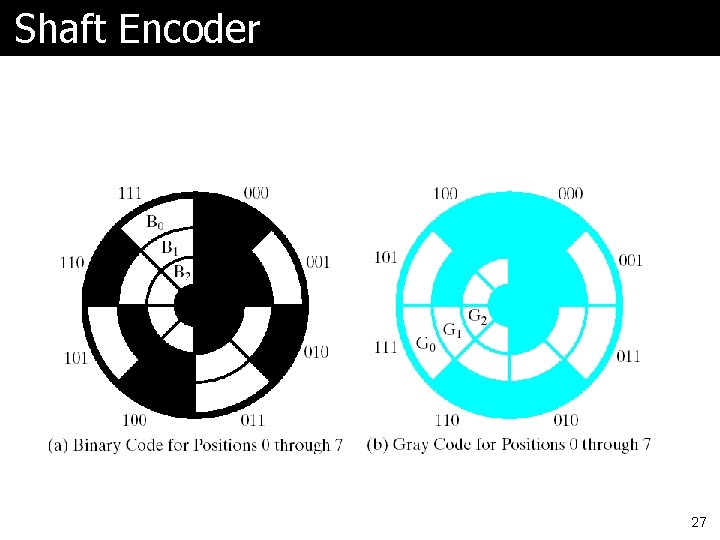
Other Codes Exist ã Non positional ã Example: Gray Code l Only one bit changes at a time l 000, 001, 010, 111, 100 l Why is this useful? l Actually there’s a family of Gray codes Ref: http: //lib-www. lanl. gov/numerical/bookcpdf/c 20 -2. pdf 26
Shaft Encoder 27
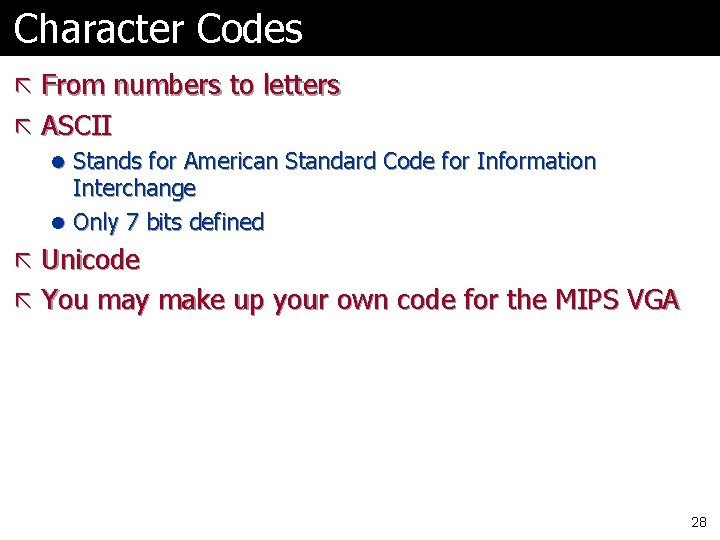
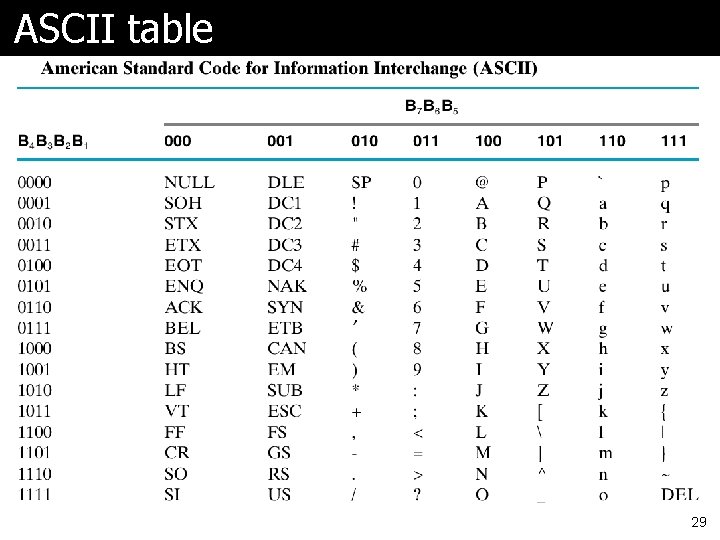
Character Codes ã From numbers to letters ã ASCII l Stands for American Standard Code for Information Interchange l Only 7 bits defined ã Unicode ã You may make up your own code for the MIPS VGA 28
ASCII table 29
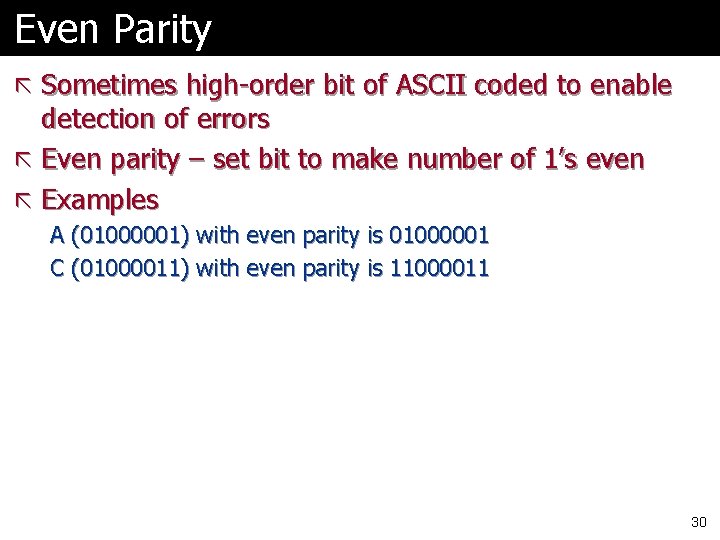
Even Parity ã Sometimes high-order bit of ASCII coded to enable detection of errors ã Even parity – set bit to make number of 1’s even ã Examples A (01000001) with even parity is 01000001 C (01000011) with even parity is 11000011 30
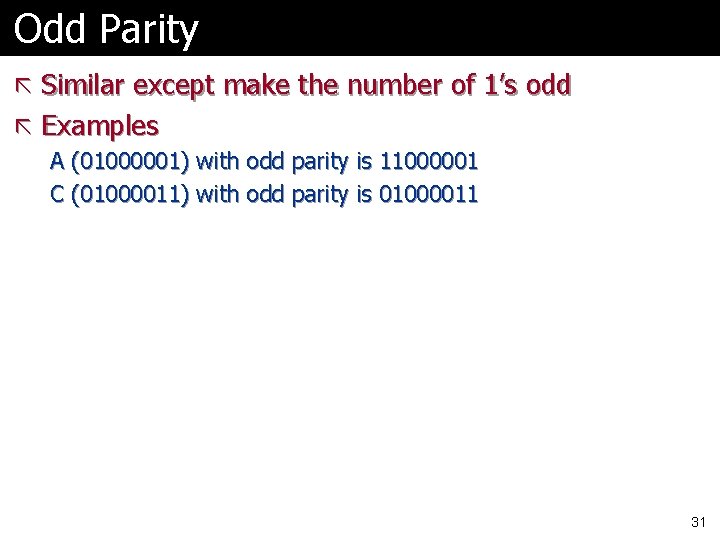
Odd Parity ã Similar except make the number of 1’s odd ã Examples A (01000001) with odd parity is 11000001 C (01000011) with odd parity is 01000011 31
Error Detection ã Note that parity detects only simple errors l One, three, etc. bits ã More complex methods exist ã Some that enable recovery of original info l Cost is more redundant bits 32
Today’s Topics ã Introduction ã Digital logic Number systems Arithmetic ã Codes ã Parity ã The encoding is key ã ã l Standards are used to agree on encodings l Special purpose codes for particular uses 33
Homework ã None, but… ã I expect you to know number systems well and be able to do conversions and arithmetic l l Decimal – Binary – Decimal – Hex – Decimal ã Can do some of the problems – 1 -2, 1 -4, 1 -7 if you think you need a refresher. Answers on book website. 34
Reading ã Skim chapter 1 l Quick read to make sure you’re comfortable with material ã Read Chapter 2 35
Next Week ã Combinational Logic Basics ã Lab preview l I’ll demo tools in class, probably Thursday ã Lab on Friday the 19 th l Schematic capture l Maybe simple Verilog l Run on FPGA 36
Lab Walkthrough ã Let’s go see the lab ã Shared with LEGO 1 st year seminar 37
Backup Slides Should be all review material 38
Binary Numbers ã Strings of binary digits (“bits”) l One bit can store a number from 0 to 1 l n bits can store numbers from 0 to 2 n 39
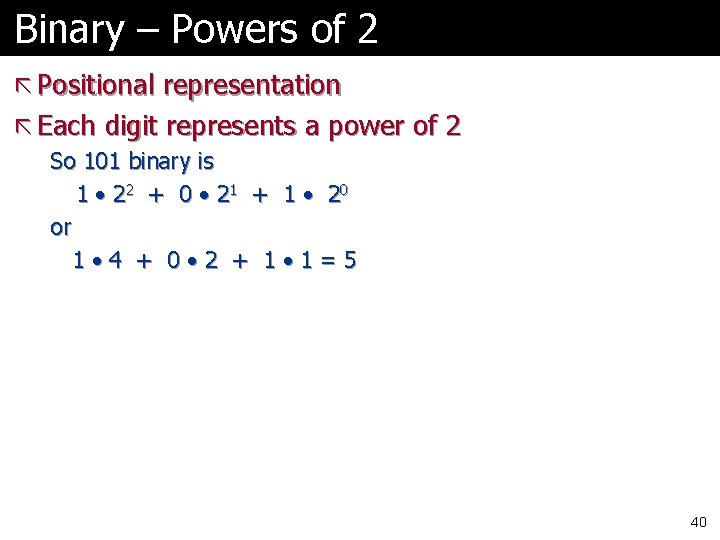
Binary – Powers of 2 ã Positional representation ã Each digit represents a power of 2 So 101 binary is 1 • 2 2 + 0 • 21 + 1 • 2 0 or 1 • 4 + 0 • 2 + 1 • 1=5 40
Converting Binary to Decimal ã Easy, just multiply digit by power of 2 ã Just like a decimal number is represented ã Example follows 41
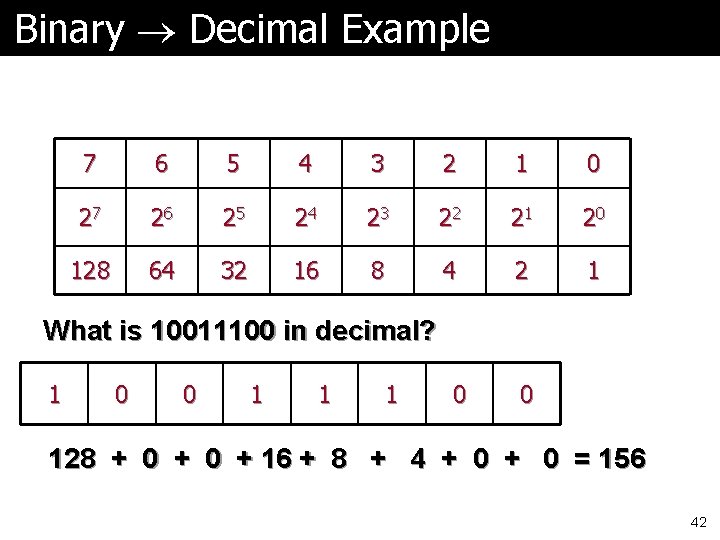
Binary Decimal Example 7 6 5 4 3 2 1 0 27 26 25 24 23 22 21 20 128 64 32 16 8 4 2 1 What is 10011100 in decimal? 1 0 0 1 1 1 0 0 128 + 0 + 16 + 8 + 4 + 0 = 156 42
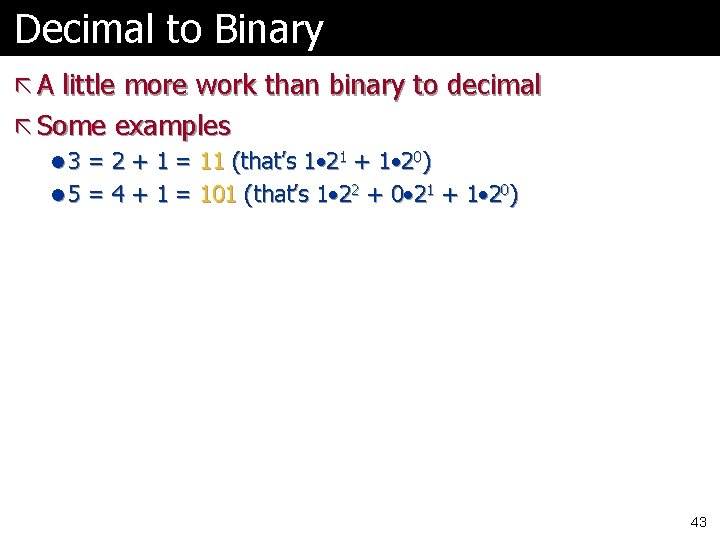
Decimal to Binary ã A little more work than binary to decimal ã Some examples l 3 = 2 + 1 = 11 (that’s 1 • 21 + 1 • 20) l 5 = 4 + 1 = 101 (that’s 1 • 22 + 0 • 21 + 1 • 20) 43
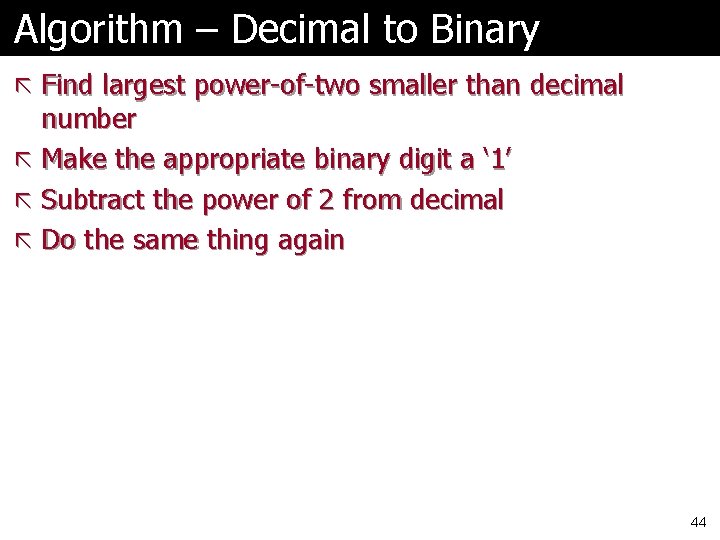
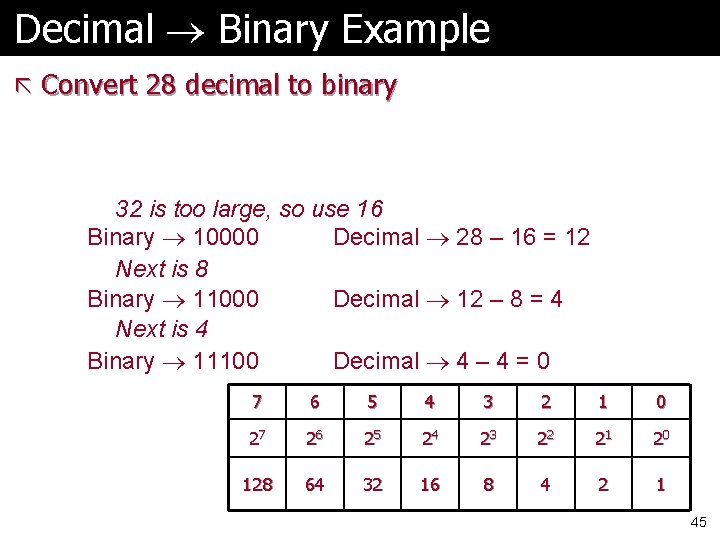
Algorithm – Decimal to Binary ã Find largest power-of-two smaller than decimal number ã Make the appropriate binary digit a ‘ 1’ ã Subtract the power of 2 from decimal ã Do the same thing again 44
Decimal Binary Example ã Convert 28 decimal to binary 32 is too large, so use 16 Binary 10000 Decimal 28 – 16 = 12 Next is 8 Binary 11000 Decimal 12 – 8 = 4 Next is 4 Binary 11100 Decimal 4 – 4 = 0 7 6 5 4 3 2 1 0 27 26 25 24 23 22 21 20 128 64 32 16 8 4 2 1 45
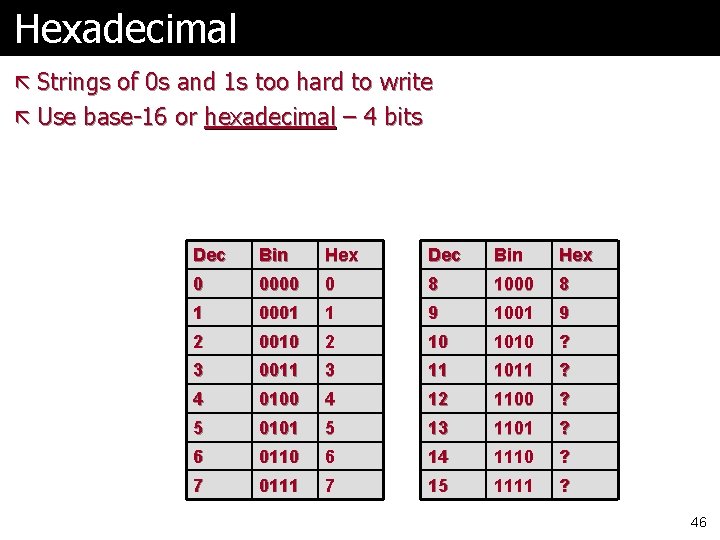
Hexadecimal ã Strings of 0 s and 1 s too hard to write ã Use base-16 or hexadecimal – 4 bits Dec Bin Hex 0 0000 0 8 1000 8 1 0001 1 9 1001 9 2 0010 2 10 1010 ? 3 0011 3 11 1011 ? 4 0100 4 12 1100 ? 5 0101 5 13 1101 ? 6 0110 6 14 1110 ? 7 0111 7 15 1111 ? 46
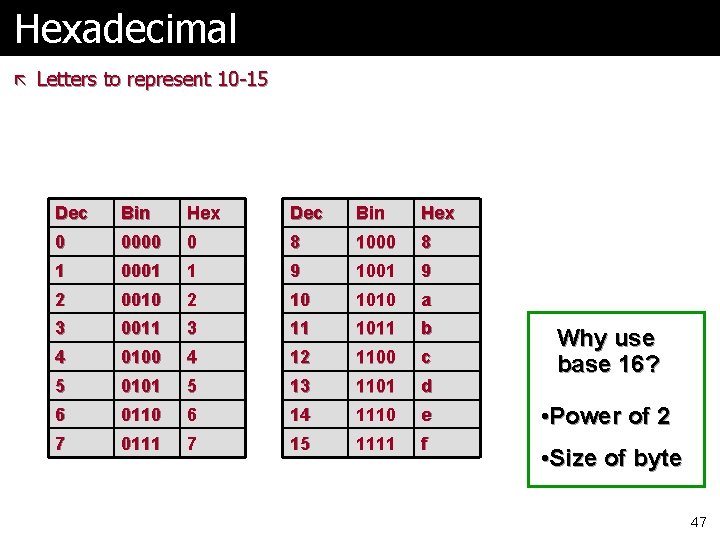
Hexadecimal ã Letters to represent 10 -15 Dec Bin Hex 0 0000 0 8 1000 8 1 0001 1 9 1001 9 2 0010 2 10 1010 a 3 0011 3 11 1011 b 4 0100 4 12 1100 c 5 0101 5 13 1101 d 6 0110 6 14 1110 e 7 0111 7 15 1111 f Why use base 16? • Power of 2 • Size of byte 47
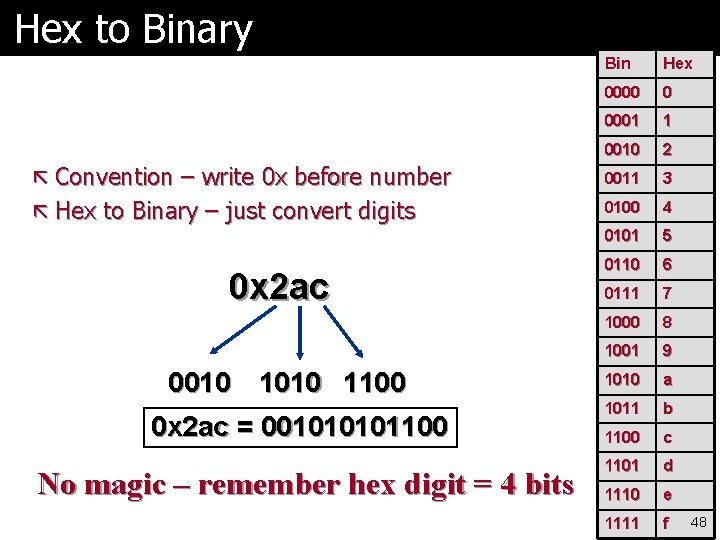
Hex to Binary Bin Hex 0000 0 0001 1 0010 2 ã Convention – write 0 x before number 0011 3 ã Hex to Binary – just convert digits 0100 4 0101 5 0110 6 0111 7 1000 8 1001 9 1010 a 1011 b 1100 c 1101 d 1110 e 1111 f 0 x 2 ac 0010 1100 0 x 2 ac = 00101100 No magic – remember hex digit = 4 bits 48
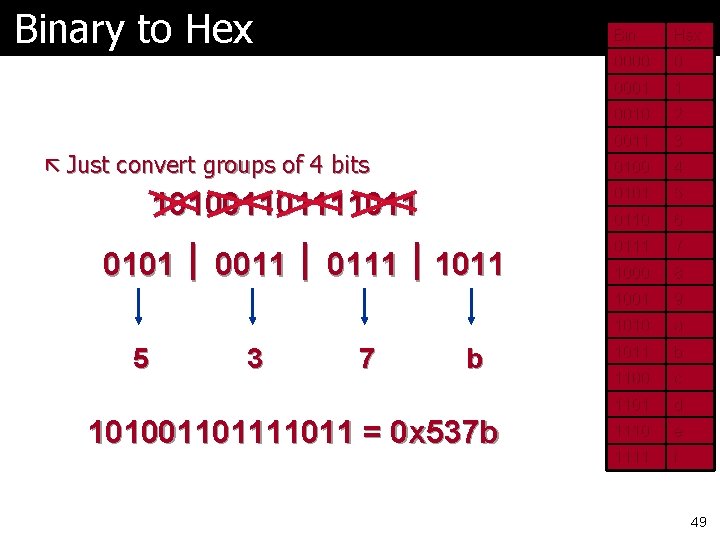
Binary to Hex ã Just convert groups of 4 bits 1010011011 0101 0011 0111 1011 5 3 7 b 1010011011 = 0 x 537 b Bin Hex 0000 0 0001 1 0010 2 0011 3 0100 4 0101 5 0110 6 0111 7 1000 8 1001 9 1010 a 1011 b 1100 c 1101 d 1110 e 1111 f 49
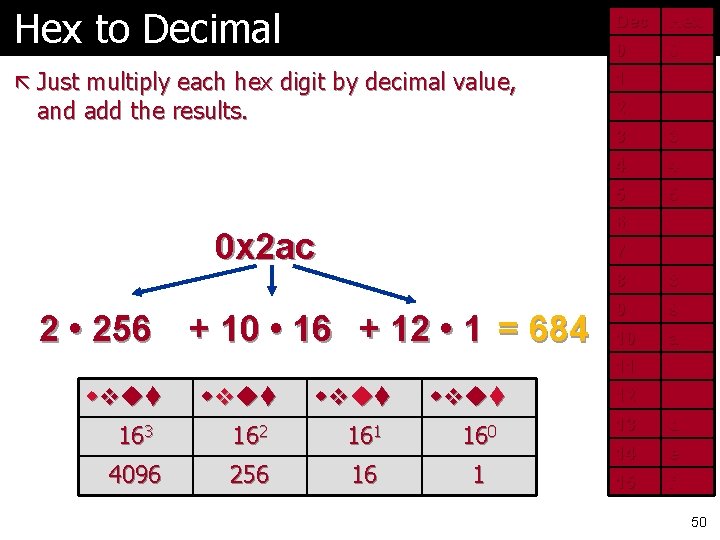
Hex to Decimal Dec Hex 0 0 ã Just multiply each hex digit by decimal value, 1 1 2 2 3 3 4 4 5 5 6 6 7 7 8 8 9 9 10 a 11 b 12 c 13 d 14 e 15 f and add the results. 0 x 2 ac 2 • 256 + 10 • 16 + 12 • 1 = 684 163 162 161 160 4096 256 16 1 50
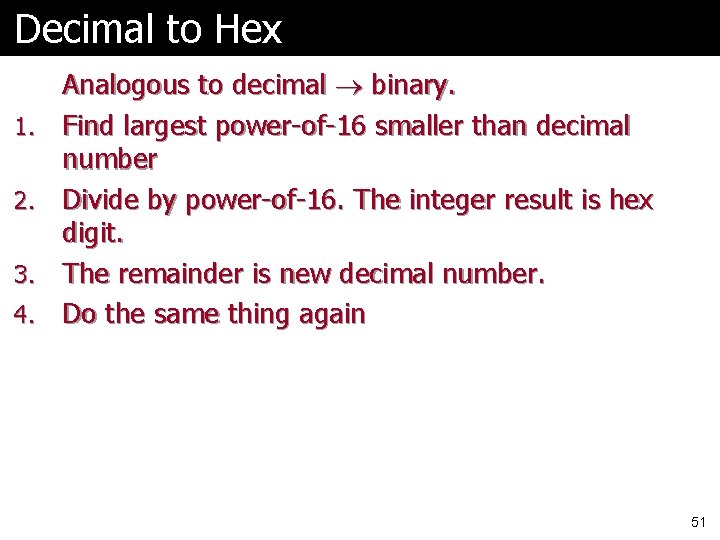
Decimal to Hex 1. 2. 3. 4. Analogous to decimal binary. Find largest power-of-16 smaller than decimal number Divide by power-of-16. The integer result is hex digit. The remainder is new decimal number. Do the same thing again 51
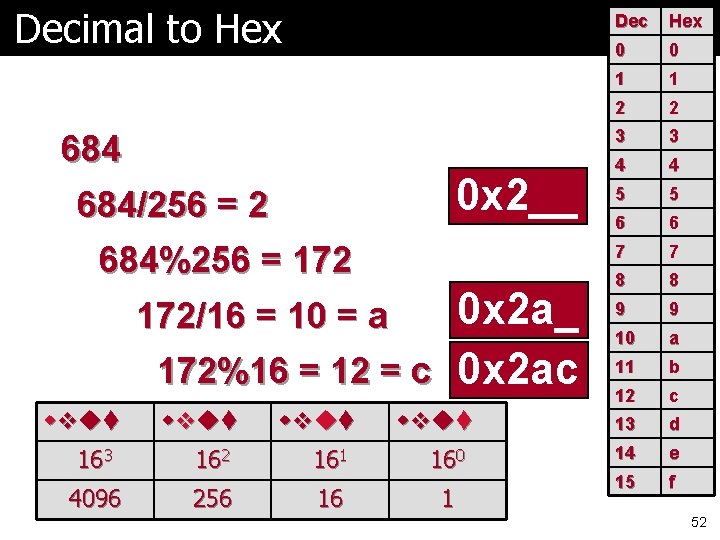
Decimal to Hex 684 0 x 2__ 684/256 = 2 684%256 = 172 0 x 2 a_ 172%16 = 12 = c 0 x 2 ac 172/16 = 10 = a 163 162 161 160 4096 256 16 1 Dec Hex 0 0 1 1 2 2 3 3 4 4 5 5 6 6 7 7 8 8 9 9 10 a 11 b 12 c 13 d 14 e 15 f 52
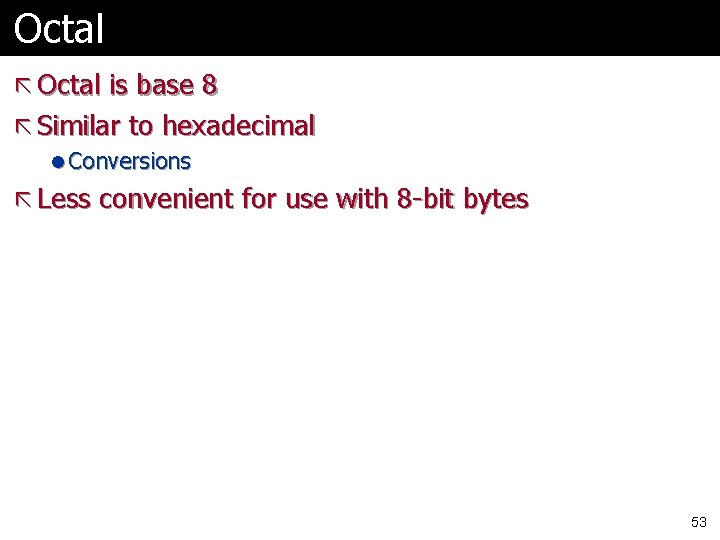
Octal ã Octal is base 8 ã Similar to hexadecimal l Conversions ã Less convenient for use with 8 -bit bytes 53
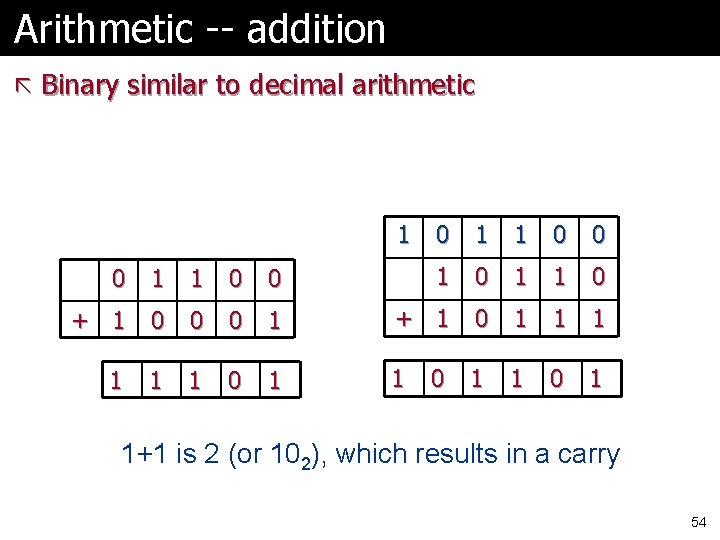
Arithmetic -- addition ã Binary similar to decimal arithmetic 1 No carries 0 1 1 0 0 1 0 1 1 0 + 1 0 0 0 1 + 1 0 1 1 0 1 0 Carries 1+1 is 2 (or 102), which results in a carry 54
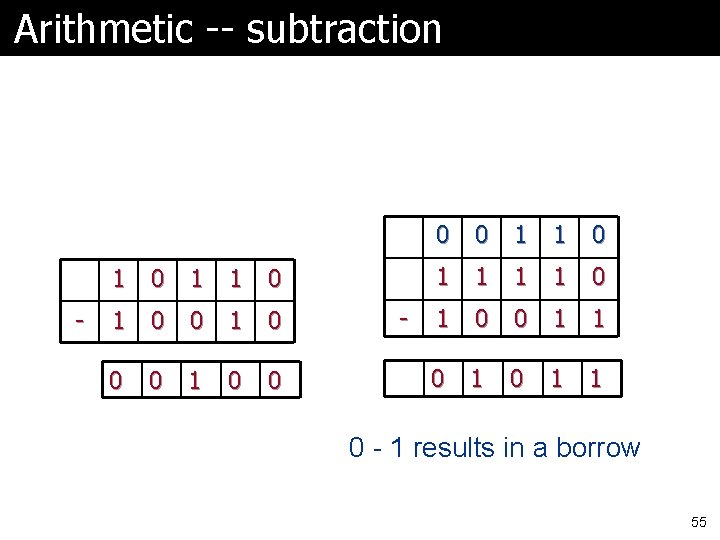
Arithmetic -- subtraction No borrows - 1 0 1 0 0 - 0 0 1 1 1 1 0 0 1 1 Borrows 0 - 1 results in a borrow 55
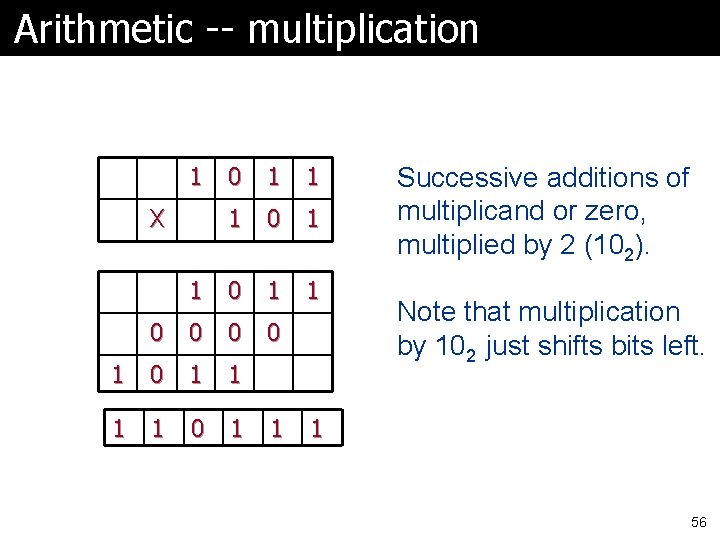
Arithmetic -- multiplication 1 0 1 1 0 0 1 0 1 X 1 Successive additions of multiplicand or zero, multiplied by 2 (102). Note that multiplication by 102 just shifts bits left. 1 56
Hexadecimal Arithmetic ã Similar ã If you’re doing by hand, easiest to convert each set of digits to decimal and back ã Skill is not very useful… 57