E 85 Digital Design Computer Engineering Lecture 7

![Combinational Logic using case module sevenseg(input logic [3: 0] data, output logic [6: 0]](https://slidetodoc.com/presentation_image_h/04ce37e6c80a79e0bddf9c5e8e2d6cec/image-5.jpg "Combinational Logic using case module sevenseg(input logic [3: 0] data, output logic [6: 0]")
![Combinational Logic using casez module priority_casez(input logic [3: 0] a, output logic [3: 0]](https://slidetodoc.com/presentation_image_h/04ce37e6c80a79e0bddf9c5e8e2d6cec/image-7.jpg "Combinational Logic using casez module priority_casez(input logic [3: 0] a, output logic [3: 0]")

- Slides: 27
E 85 Digital Design & Computer Engineering Lecture 7: Verilog Part II
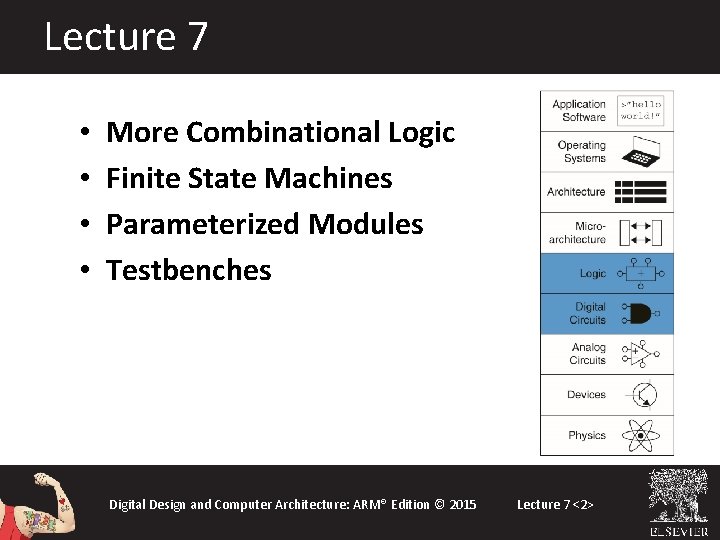
Lecture 7 • • More Combinational Logic Finite State Machines Parameterized Modules Testbenches Digital Design and Computer Architecture: ARM® Edition © 2015 Lecture 7 <2>
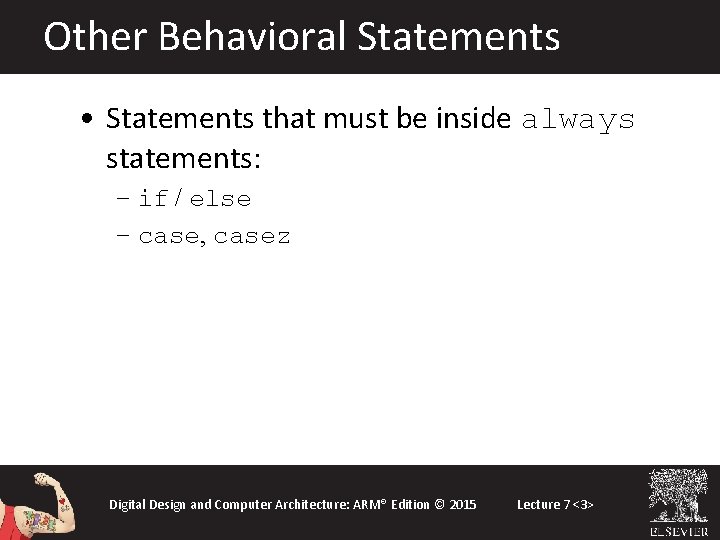
Other Behavioral Statements • Statements that must be inside always statements: – if / else – case, casez Digital Design and Computer Architecture: ARM® Edition © 2015 Lecture 7 <3>
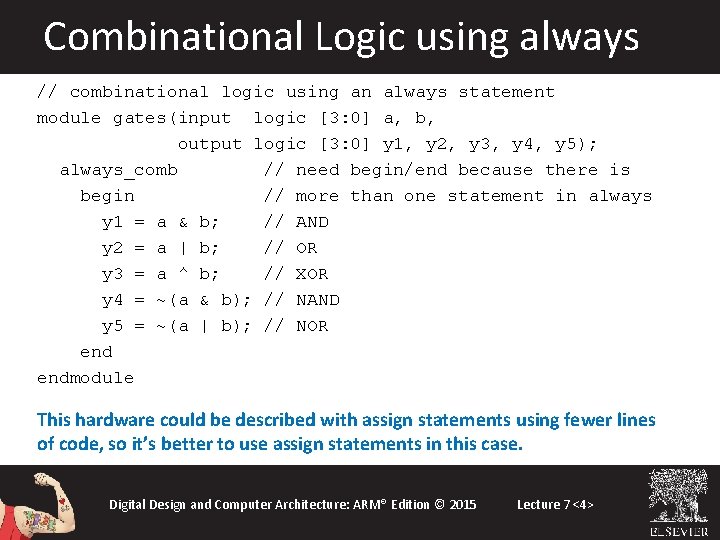
Combinational Logic using always // combinational logic using an always statement module gates(input logic [3: 0] a, b, output logic [3: 0] y 1, y 2, y 3, y 4, y 5); always_comb // need begin/end because there is begin // more than one statement in always y 1 = a & b; // AND y 2 = a | b; // OR y 3 = a ^ b; // XOR y 4 = ~(a & b); // NAND y 5 = ~(a | b); // NOR endmodule This hardware could be described with assign statements using fewer lines of code, so it’s better to use assign statements in this case. Digital Design and Computer Architecture: ARM® Edition © 2015 Lecture 7 <4>
Combinational Logic using case module sevenseg(input logic [3: 0] data, output logic [6: 0] segments); always_comb case (data) // abc_defg 0: segments = 7'b 111_1110; 1: segments = 7'b 011_0000; 2: segments = 7'b 110_1101; 3: segments = 7'b 111_1001; 4: segments = 7'b 011_0011; 5: segments = 7'b 101_1011; 6: segments = 7'b 101_1111; 7: segments = 7'b 111_0000; 8: segments = 7'b 111_1111; 9: segments = 7'b 111_0011; default: segments = 7'b 000_0000; // required endcase endmodule Digital Design and Computer Architecture: ARM® Edition © 2015 Lecture 7 <5>
Combinational Logic using case • case statement implies combinational logic only if all possible input combinations described • Remember to use default statement Digital Design and Computer Architecture: ARM® Edition © 2015 Lecture 7 <6>
Combinational Logic using casez module priority_casez(input logic [3: 0] a, output logic [3: 0] y); always_comb casez(a) 4'b 1? ? ? : y = 4'b 1000; // ? =don’t care 4'b 01? ? : y = 4'b 0100; 4'b 001? : y = 4'b 0010; 4'b 0001: y = 4'b 0001; default: y = 4'b 0000; endcase endmodule Digital Design and Computer Architecture: ARM® Edition © 2015 Synthesis: Lecture 7 <7>
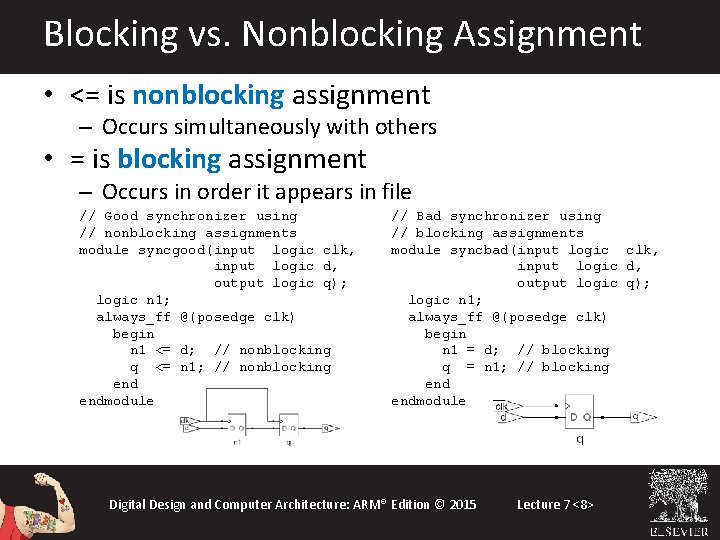
Blocking vs. Nonblocking Assignment • <= is nonblocking assignment – Occurs simultaneously with others • = is blocking assignment – Occurs in order it appears in file // Good synchronizer using // nonblocking assignments module syncgood(input logic clk, input logic d, output logic q); logic n 1; always_ff @(posedge clk) begin n 1 <= d; // nonblocking q <= n 1; // nonblocking endmodule // Bad synchronizer using // blocking assignments module syncbad(input logic clk, input logic d, output logic q); logic n 1; always_ff @(posedge clk) begin n 1 = d; // blocking q = n 1; // blocking endmodule Digital Design and Computer Architecture: ARM® Edition © 2015 Lecture 7 <8>
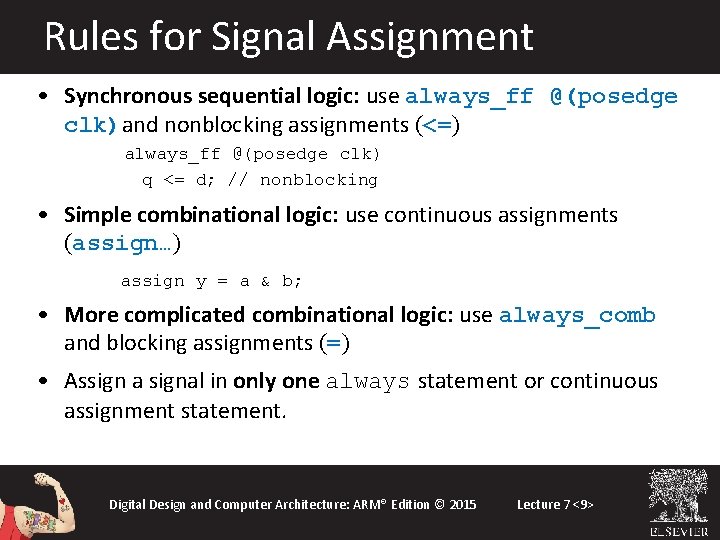
Rules for Signal Assignment • Synchronous sequential logic: use always_ff @(posedge clk)and nonblocking assignments (<=) always_ff @(posedge clk) q <= d; // nonblocking • Simple combinational logic: use continuous assignments (assign…) assign y = a & b; • More complicated combinational logic: use always_comb and blocking assignments (=) • Assign a signal in only one always statement or continuous assignment statement. Digital Design and Computer Architecture: ARM® Edition © 2015 Lecture 7 <9>
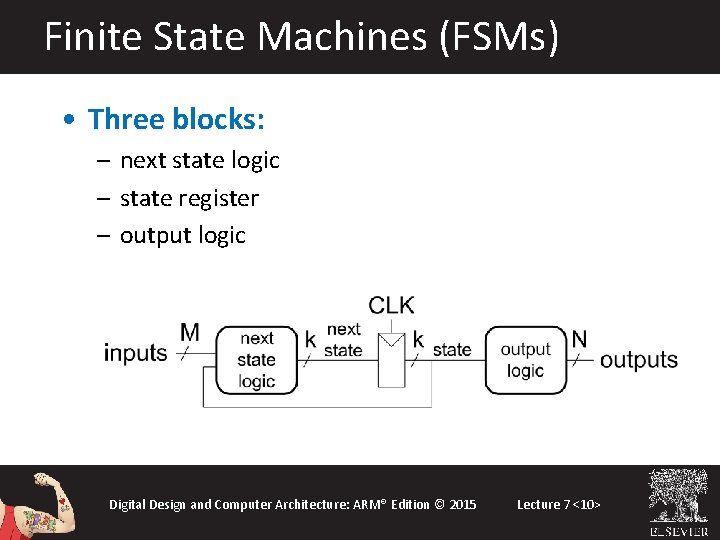
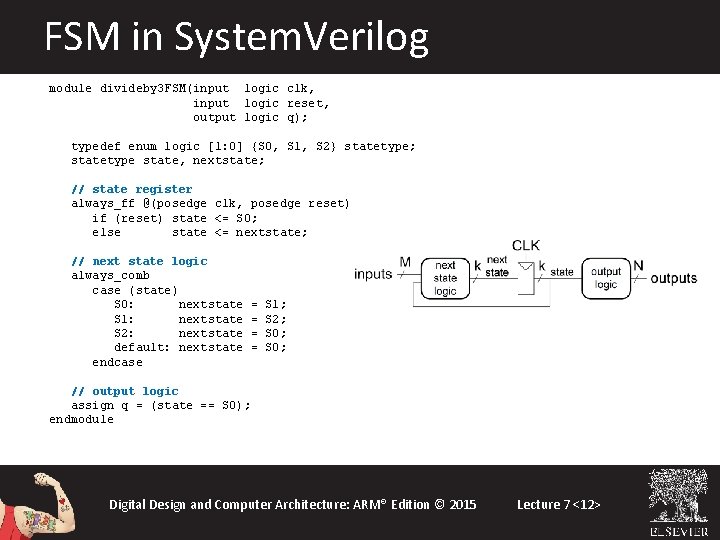
Finite State Machines (FSMs) • Three blocks: – next state logic – state register – output logic Digital Design and Computer Architecture: ARM® Edition © 2015 Lecture 7 <10>
FSM Example: Divide by 3 The double circle indicates the reset state Digital Design and Computer Architecture: ARM® Edition © 2015 Lecture 7 <11>
FSM in System. Verilog module divideby 3 FSM(input logic clk, input logic reset, output logic q); typedef enum logic [1: 0] {S 0, S 1, S 2} statetype; statetype state, nextstate; // state register always_ff @(posedge clk, posedge reset) if (reset) state <= S 0; else state <= nextstate; // next state logic always_comb case (state) S 0: nextstate S 1: nextstate S 2: nextstate default: nextstate endcase = = S 1; S 2; S 0; // output logic assign q = (state == S 0); endmodule Digital Design and Computer Architecture: ARM® Edition © 2015 Lecture 7 <12>
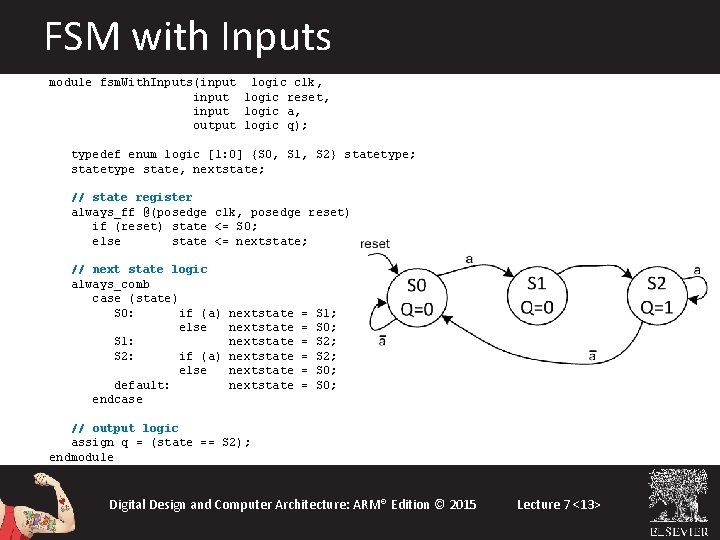
FSM with Inputs module fsm. With. Inputs(input logic clk, input logic reset, input logic a, output logic q); typedef enum logic [1: 0] {S 0, S 1, S 2} statetype; statetype state, nextstate; // state register always_ff @(posedge clk, posedge reset) if (reset) state <= S 0; else state <= nextstate; // next state logic always_comb case (state) S 0: if (a) else S 1: S 2: if (a) else default: endcase nextstate nextstate = = = S 1; S 0; S 2; S 0; // output logic assign q = (state == S 2); endmodule Digital Design and Computer Architecture: ARM® Edition © 2015 Lecture 7 <13>
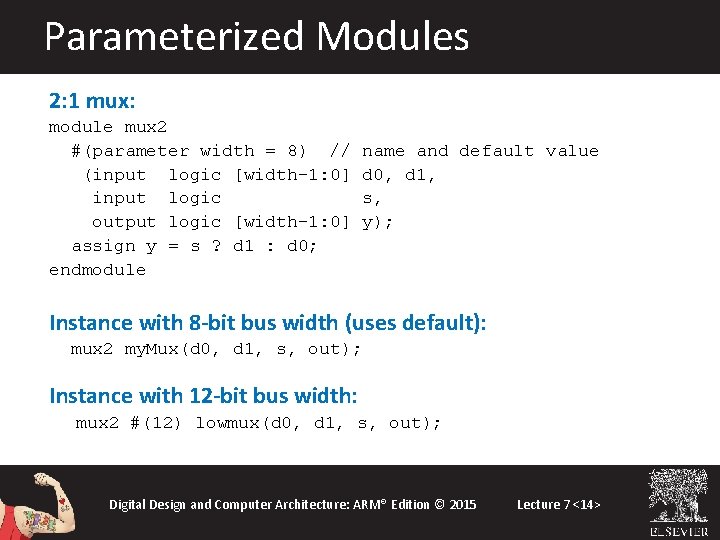
Parameterized Modules 2: 1 mux: module mux 2 #(parameter width = 8) // (input logic [width-1: 0] input logic output logic [width-1: 0] assign y = s ? d 1 : d 0; endmodule name and default value d 0, d 1, s, y); Instance with 8 -bit bus width (uses default): mux 2 my. Mux(d 0, d 1, s, out); Instance with 12 -bit bus width: mux 2 #(12) lowmux(d 0, d 1, s, out); Digital Design and Computer Architecture: ARM® Edition © 2015 Lecture 7 <14>
Testbenches • HDL that tests another module: device under test (dut) • Not synthesizeable • Uses different features of System. Verilog • Types: – Simple – Self-checking with testvectors Digital Design and Computer Architecture: ARM® Edition © 2015 Lecture 7 <15>
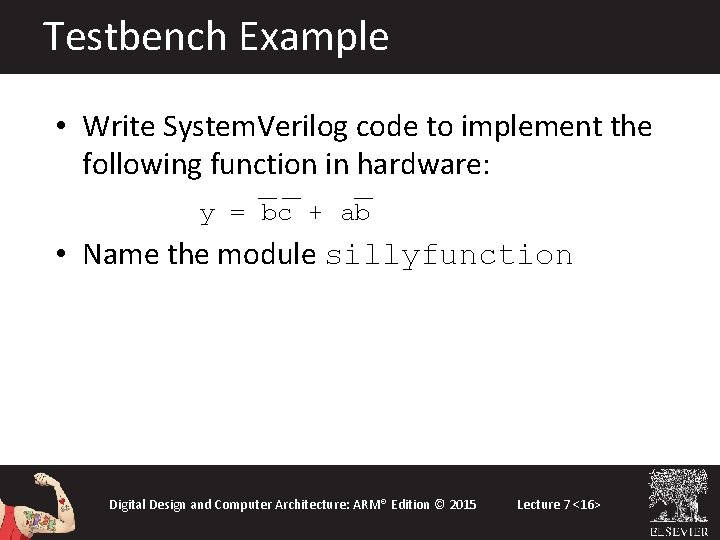
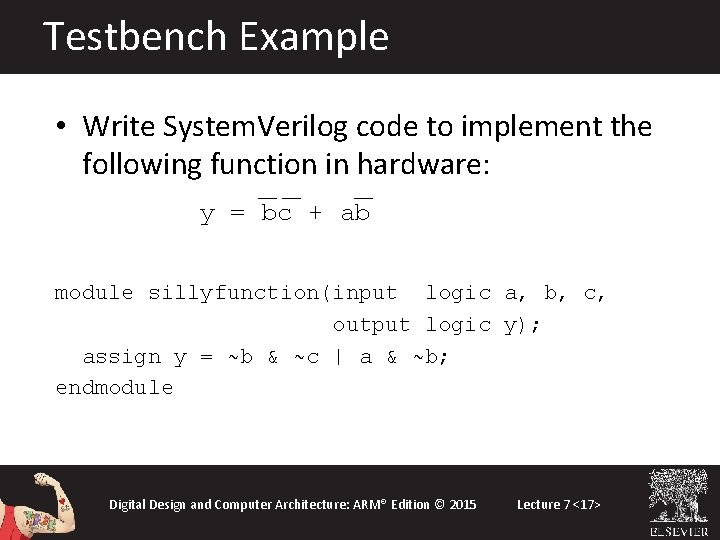
Testbench Example • Write System. Verilog code to implement the following function in hardware: y = bc + ab • Name the module sillyfunction Digital Design and Computer Architecture: ARM® Edition © 2015 Lecture 7 <16>
Testbench Example • Write System. Verilog code to implement the following function in hardware: y = bc + ab module sillyfunction(input logic a, b, c, output logic y); assign y = ~b & ~c | a & ~b; endmodule Digital Design and Computer Architecture: ARM® Edition © 2015 Lecture 7 <17>
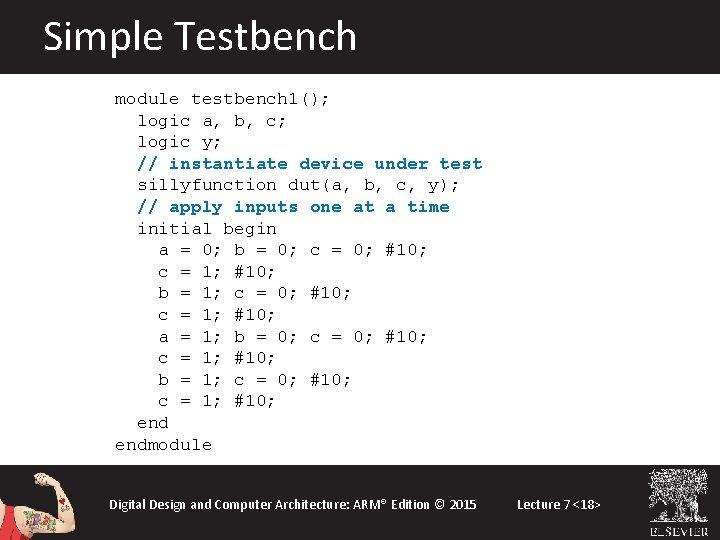
Simple Testbench module testbench 1(); logic a, b, c; logic y; // instantiate device under test sillyfunction dut(a, b, c, y); // apply inputs one at a time initial begin a = 0; b = 0; c = 0; #10; c = 1; #10; b = 1; c = 0; #10; c = 1; #10; a = 1; b = 0; c = 0; #10; c = 1; #10; b = 1; c = 0; #10; c = 1; #10; endmodule Digital Design and Computer Architecture: ARM® Edition © 2015 Lecture 7 <18>
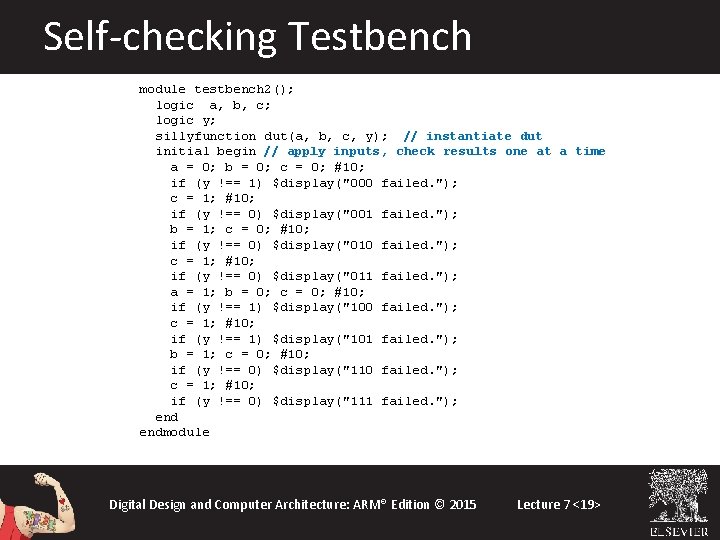
Self-checking Testbench module testbench 2(); logic a, b, c; logic y; sillyfunction dut(a, b, c, y); // instantiate dut initial begin // apply inputs, check results one at a time a = 0; b = 0; c = 0; #10; if (y !== 1) $display("000 failed. "); c = 1; #10; if (y !== 0) $display("001 failed. "); b = 1; c = 0; #10; if (y !== 0) $display("010 failed. "); c = 1; #10; if (y !== 0) $display("011 failed. "); a = 1; b = 0; c = 0; #10; if (y !== 1) $display("100 failed. "); c = 1; #10; if (y !== 1) $display("101 failed. "); b = 1; c = 0; #10; if (y !== 0) $display("110 failed. "); c = 1; #10; if (y !== 0) $display("111 failed. "); endmodule Digital Design and Computer Architecture: ARM® Edition © 2015 Lecture 7 <19>
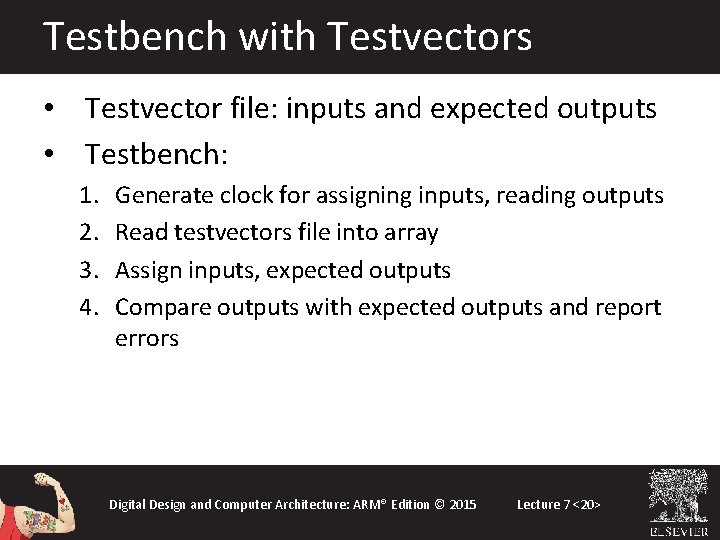
Testbench with Testvectors • Testvector file: inputs and expected outputs • Testbench: 1. 2. 3. 4. Generate clock for assigning inputs, reading outputs Read testvectors file into array Assign inputs, expected outputs Compare outputs with expected outputs and report errors Digital Design and Computer Architecture: ARM® Edition © 2015 Lecture 7 <20>
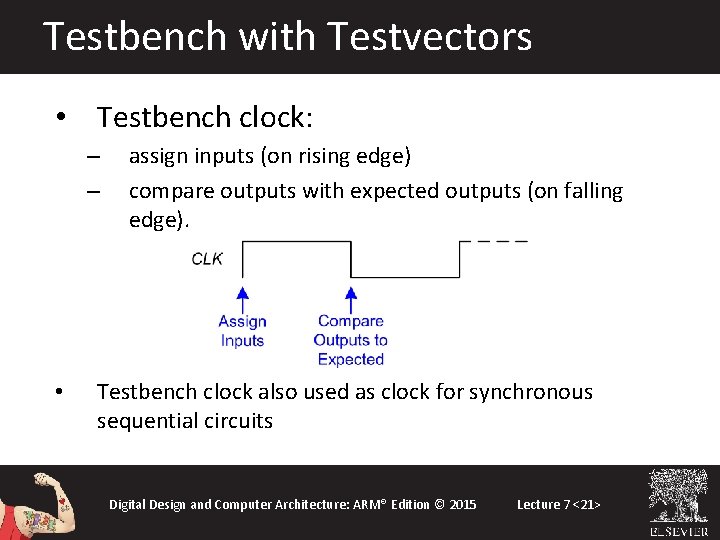
Testbench with Testvectors • Testbench clock: – – • assign inputs (on rising edge) compare outputs with expected outputs (on falling edge). Testbench clock also used as clock for synchronous sequential circuits Digital Design and Computer Architecture: ARM® Edition © 2015 Lecture 7 <21>
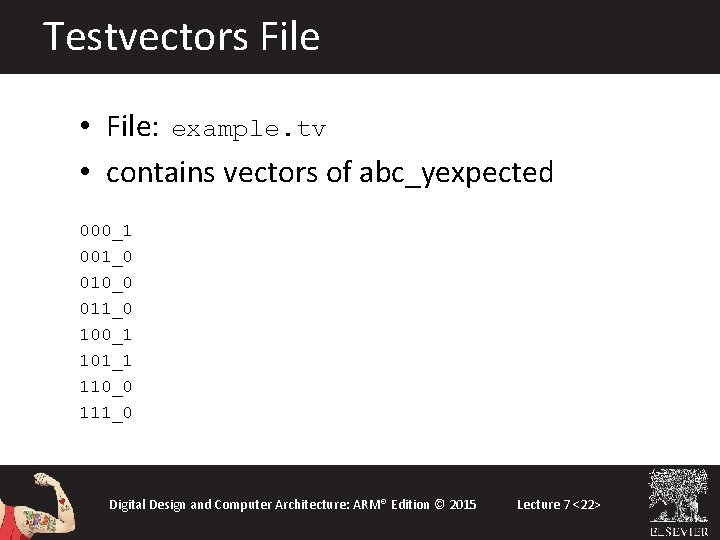
Testvectors File • File: example. tv • contains vectors of abc_yexpected 000_1 001_0 010_0 011_0 100_1 101_1 110_0 111_0 Digital Design and Computer Architecture: ARM® Edition © 2015 Lecture 7 <22>
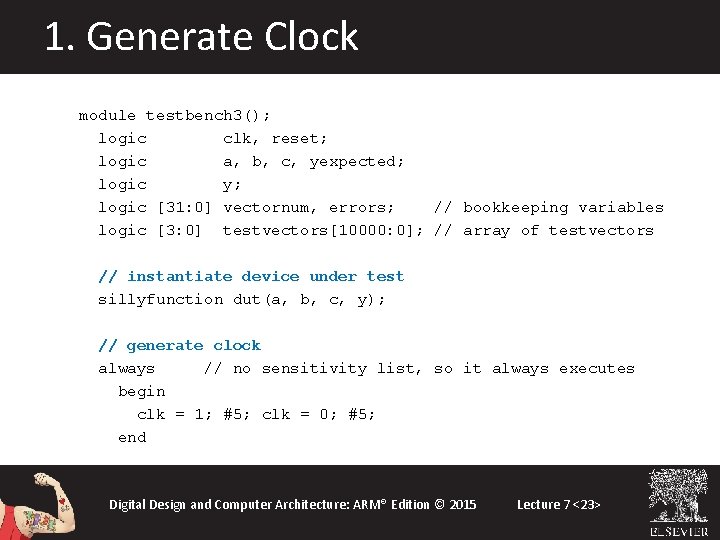
1. Generate Clock module testbench 3(); logic clk, reset; logic a, b, c, yexpected; logic y; logic [31: 0] vectornum, errors; // bookkeeping variables logic [3: 0] testvectors[10000: 0]; // array of testvectors // instantiate device under test sillyfunction dut(a, b, c, y); // generate clock always // no sensitivity list, so it always executes begin clk = 1; #5; clk = 0; #5; end Digital Design and Computer Architecture: ARM® Edition © 2015 Lecture 7 <23>
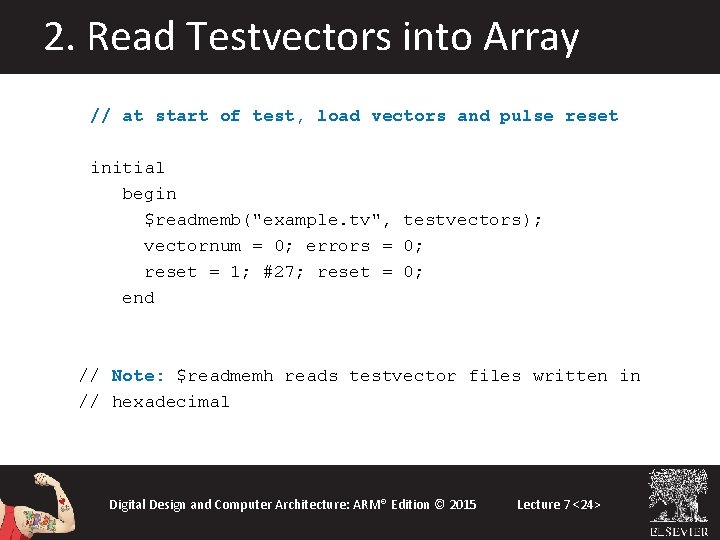
2. Read Testvectors into Array // at start of test, load vectors and pulse reset initial begin $readmemb("example. tv", testvectors); vectornum = 0; errors = 0; reset = 1; #27; reset = 0; end // Note: $readmemh reads testvector files written in // hexadecimal Digital Design and Computer Architecture: ARM® Edition © 2015 Lecture 7 <24>
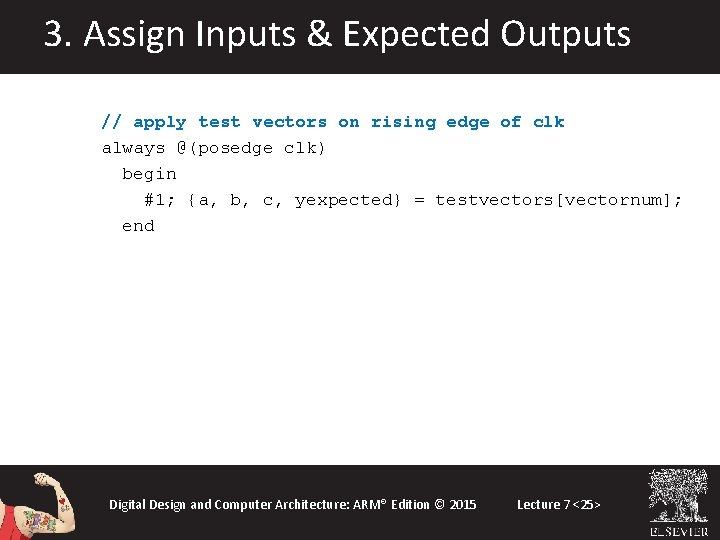
3. Assign Inputs & Expected Outputs // apply test vectors on rising edge of clk always @(posedge clk) begin #1; {a, b, c, yexpected} = testvectors[vectornum]; end Digital Design and Computer Architecture: ARM® Edition © 2015 Lecture 7 <25>
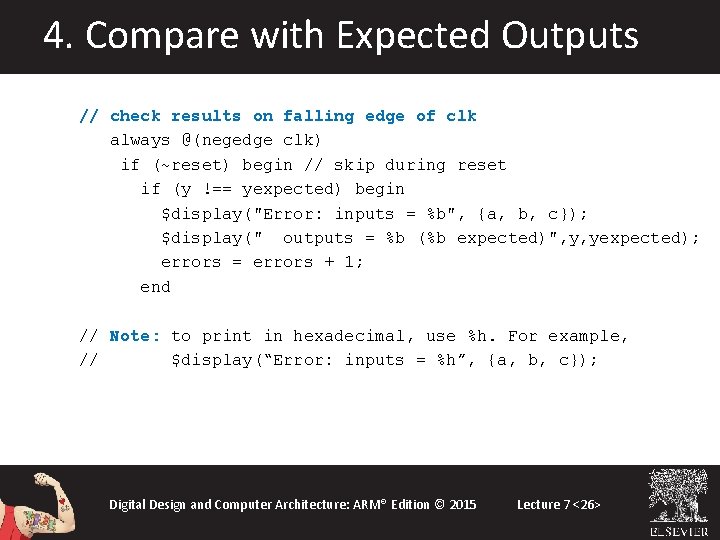
4. Compare with Expected Outputs // check results on falling edge of clk always @(negedge clk) if (~reset) begin // skip during reset if (y !== yexpected) begin $display("Error: inputs = %b", {a, b, c}); $display(" outputs = %b (%b expected)", y, yexpected); errors = errors + 1; end // Note: to print in hexadecimal, use %h. For example, // $display(“Error: inputs = %h”, {a, b, c}); Digital Design and Computer Architecture: ARM® Edition © 2015 Lecture 7 <26>
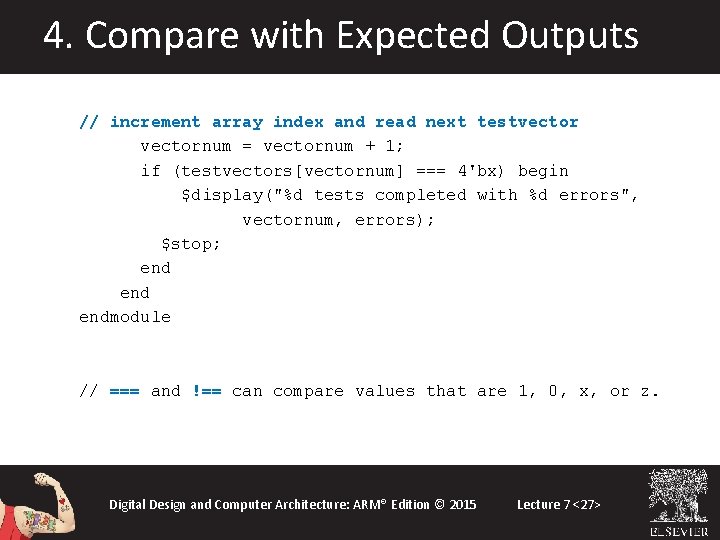
4. Compare with Expected Outputs // increment array index and read next testvectornum = vectornum + 1; if (testvectors[vectornum] === 4'bx) begin $display("%d tests completed with %d errors", vectornum, errors); $stop; end endmodule // === and !== can compare values that are 1, 0, x, or z. Digital Design and Computer Architecture: ARM® Edition © 2015 Lecture 7 <27>