Using Mata to Import Illumina SNP Chip Data
![Import. Illumina - Output. char list rs 1000113[] rs 1000113[note 1]: rs 1000113[note 0]:](https://slidetodoc.com/presentation_image_h/06d4de40219b7583eaab9a534481bf05/image-41.jpg "Import. Illumina - Output. char list rs 1000113[] rs 1000113[note 1]: rs 1000113[note 0]:")
![Import. Illumina - Output. char list rs 1000115[] rs 1000115[note 1]: rs 1000115[note 0]:](https://slidetodoc.com/presentation_image_h/06d4de40219b7583eaab9a534481bf05/image-42.jpg "Import. Illumina - Output. char list rs 1000115[] rs 1000115[note 1]: rs 1000115[note 0]:")


- Slides: 49
Using Mata to Import Illumina SNP Chip Data For Genome-Wide Association Studies Stata Conference Chicago 2011 July 15, 2011 John Charles “Chuck” Huber Jr, Ph. D Associate Professor of Biostatistics Department of Epidemiology and Biostatistics School of Rural Public Health Texas A&M Health Science Center jchuber@tamu. edu
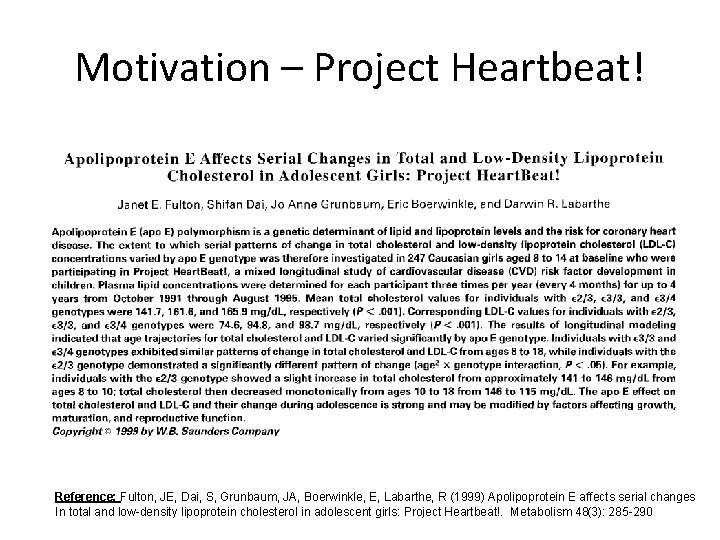
Motivation – Project Heartbeat! Reference: Fulton, JE, Dai, S, Grunbaum, JA, Boerwinkle, E, Labarthe, R (1999) Apolipoprotein E affects serial changes In total and low-density lipoprotein cholesterol in adolescent girls: Project Heartbeat!. Metabolism 48(3): 285 -290
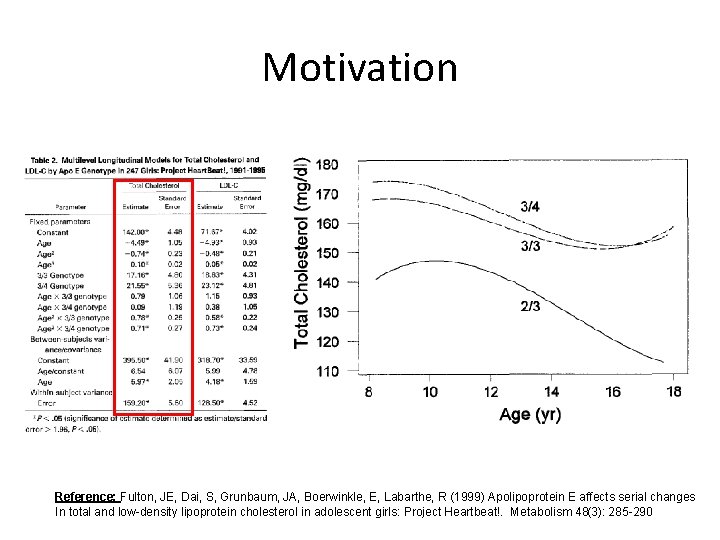
Motivation Reference: Fulton, JE, Dai, S, Grunbaum, JA, Boerwinkle, E, Labarthe, R (1999) Apolipoprotein E affects serial changes In total and low-density lipoprotein cholesterol in adolescent girls: Project Heartbeat!. Metabolism 48(3): 285 -290
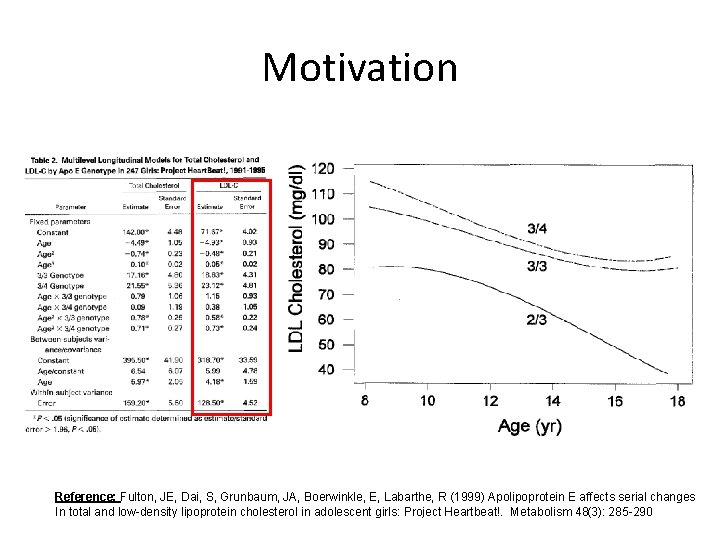
Motivation Reference: Fulton, JE, Dai, S, Grunbaum, JA, Boerwinkle, E, Labarthe, R (1999) Apolipoprotein E affects serial changes In total and low-density lipoprotein cholesterol in adolescent girls: Project Heartbeat!. Metabolism 48(3): 285 -290
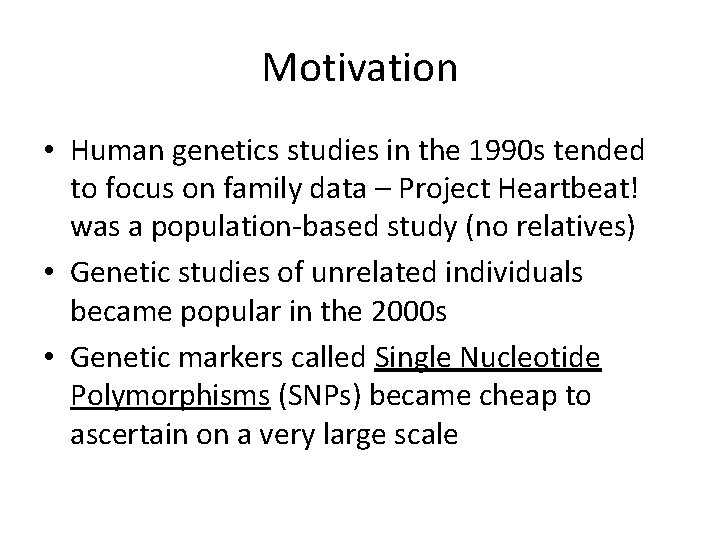
Motivation • Human genetics studies in the 1990 s tended to focus on family data – Project Heartbeat! was a population-based study (no relatives) • Genetic studies of unrelated individuals became popular in the 2000 s • Genetic markers called Single Nucleotide Polymorphisms (SNPs) became cheap to ascertain on a very large scale
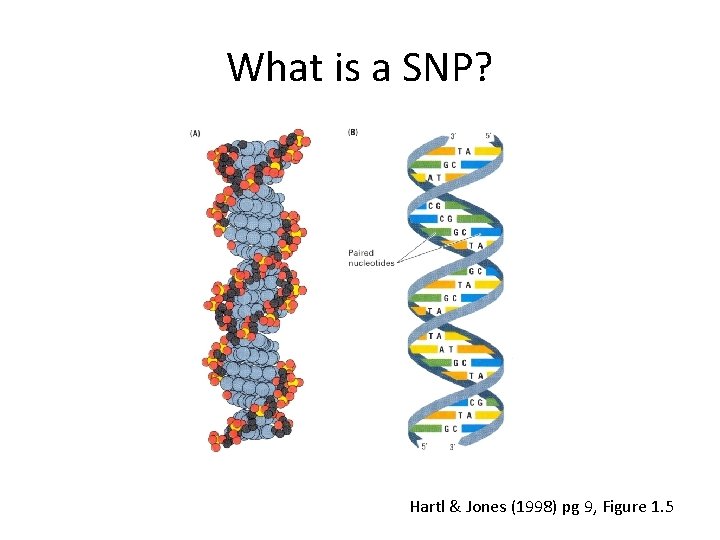
What is a SNP? Hartl & Jones (1998) pg 9, Figure 1. 5
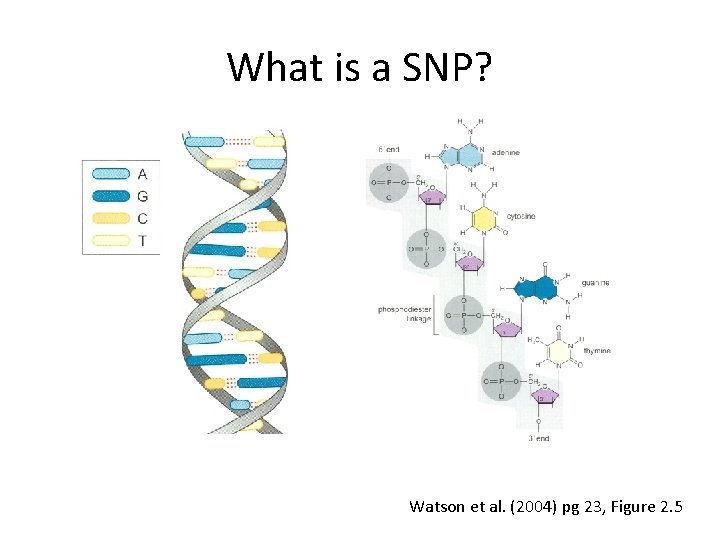
What is a SNP? Watson et al. (2004) pg 23, Figure 2. 5
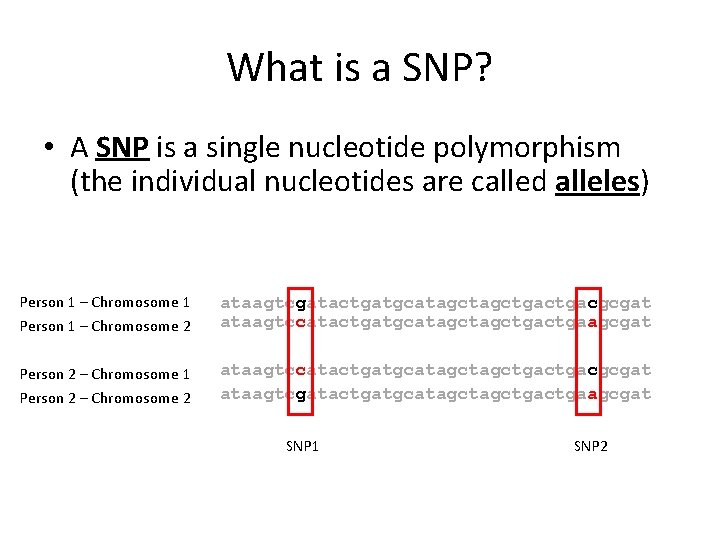
What is a SNP? • A SNP is a single nucleotide polymorphism (the individual nucleotides are called alleles) Person 1 – Chromosome 1 Person 1 – Chromosome 2 ataagtcgatactgatgcatagctgacgcgat ataagtccatactgatgcatagctgactgaagcgat Person 2 – Chromosome 1 Person 2 – Chromosome 2 ataagtccatactgatgcatagctgacgcgat ataagtcgatactgatgcatagctgactgaagcgat SNP 1 SNP 2
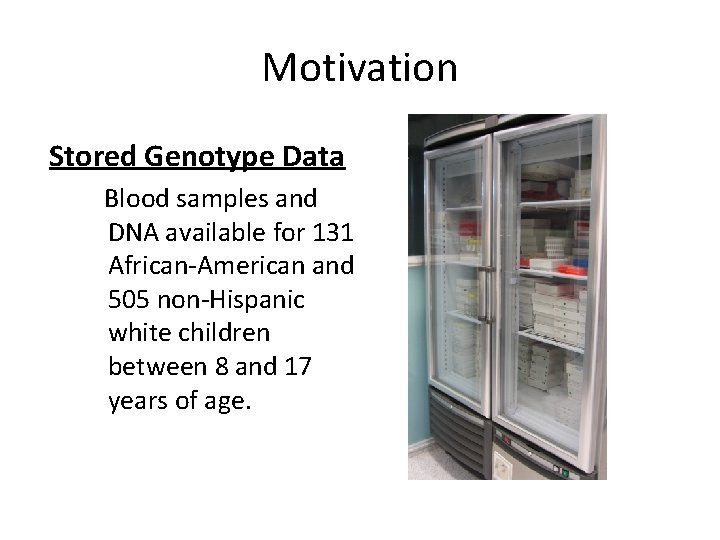
Motivation Stored Genotype Data Blood samples and DNA available for 131 African-American and 505 non-Hispanic white children between 8 and 17 years of age.
Motivation Stored Phenotype Data Longitudinal measurements of: Body Mass Index Total Cholesterol HDL & LDL Cholesterol Systolic and Diastolic BP Much, much more…. .
Motivation Let’s go gene hunting!!!
Challenges 1. 2. 3. 4. 5. Longitudinal Data – (can’t use PLINK or Helix. Tree) Specialized genetic data analysis Need to run a very large number of models Multiple comparisons and replication Scaling up to 100, 000 SNP Chips
Scaling up to 100, 000 SNPs HELP!
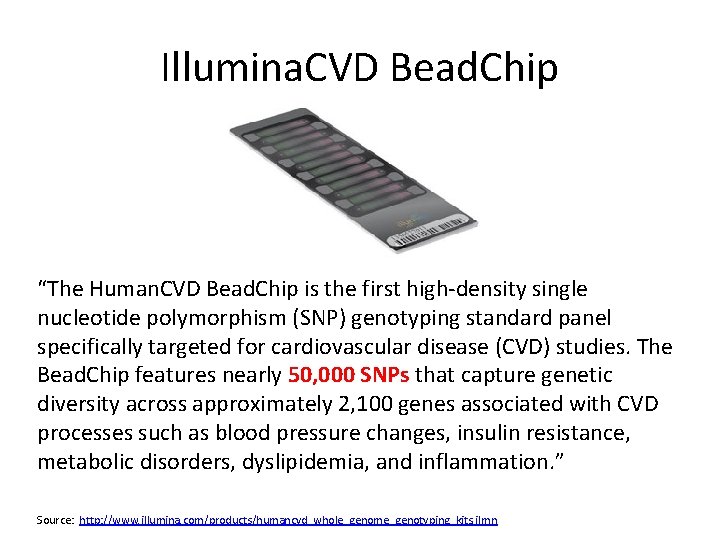
Illumina. CVD Bead. Chip “The Human. CVD Bead. Chip is the first high-density single nucleotide polymorphism (SNP) genotyping standard panel specifically targeted for cardiovascular disease (CVD) studies. The Bead. Chip features nearly 50, 000 SNPs that capture genetic diversity across approximately 2, 100 genes associated with CVD processes such as blood pressure changes, insulin resistance, metabolic disorders, dyslipidemia, and inflammation. ” Source: http: //www. illumina. com/products/humancvd_whole_genome_genotyping_kits. ilmn
Illumina Metabochip • The “Metabochip” is a popular “i. Select” Bead. Chip • Panel of 200, 000 SNPs • Focus on SNPs in genes related to general metabolism, diabetes and cardiovascular disease Source: http: //www. illumina. com/applications/detail/snp_genotyping_and_cnv_analysis/custom_mid_to_high_plex_genotyping. ilmn
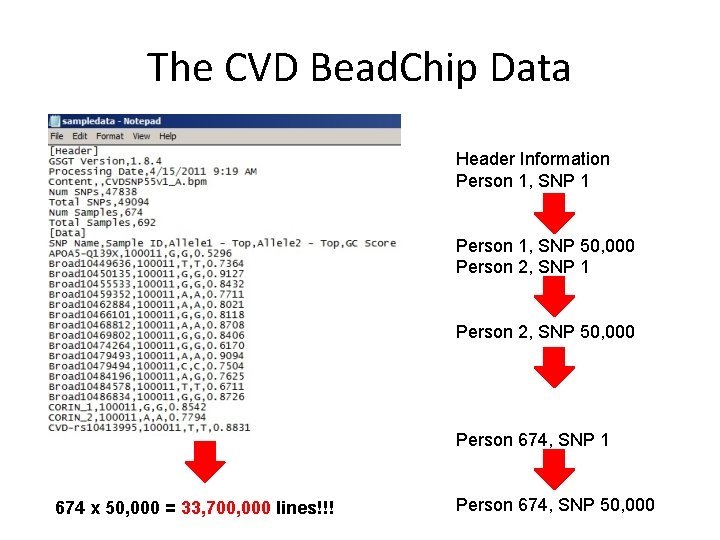
The CVD Bead. Chip Data Header Information Person 1, SNP 1 Person 1, SNP 50, 000 Person 2, SNP 1 Person 2, SNP 50, 000 Person 674, SNP 1 674 x 50, 000 = 33, 700, 000 lines!!! Person 674, SNP 50, 000
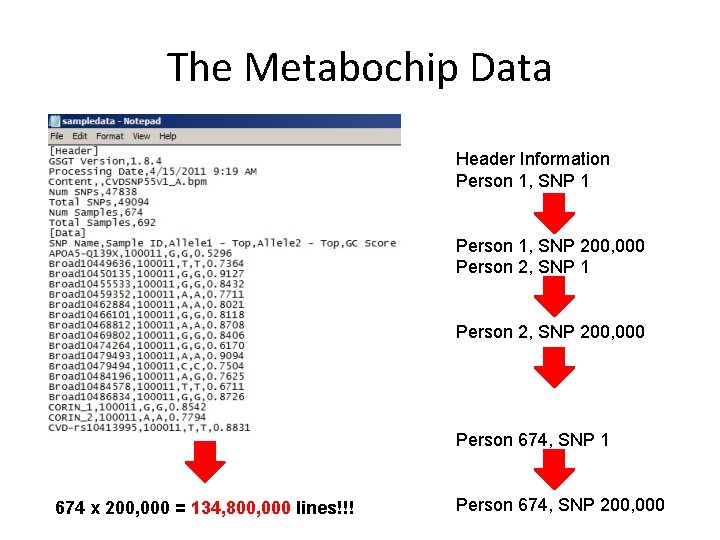
The Metabochip Data Header Information Person 1, SNP 1 Person 1, SNP 200, 000 Person 2, SNP 1 Person 2, SNP 200, 000 Person 674, SNP 1 674 x 200, 000 = 134, 800, 000 lines!!! Person 674, SNP 200, 000
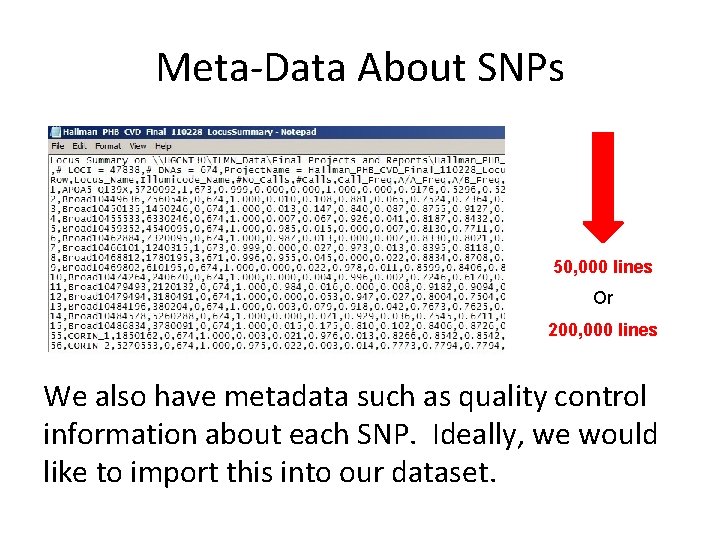
Meta-Data About SNPs 50, 000 lines Or 200, 000 lines We also have metadata such as quality control information about each SNP. Ideally, we would like to import this into our dataset.
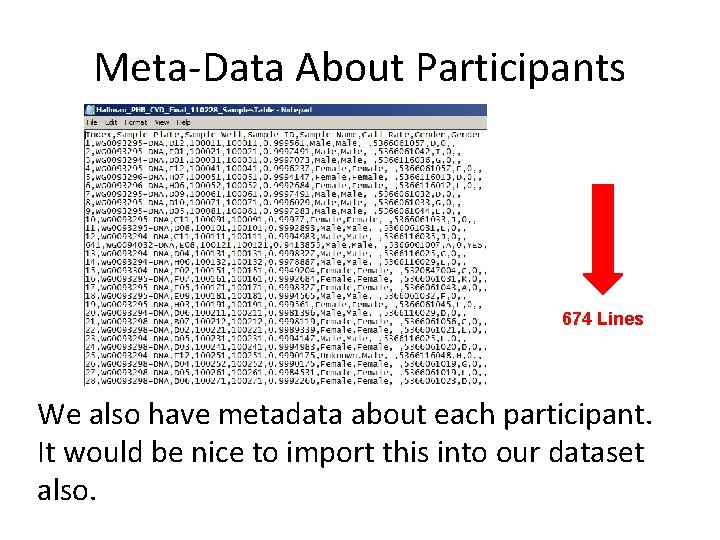
Meta-Data About Participants 674 Lines We also have metadata about each participant. It would be nice to import this into our dataset also.
How do we put it all together? !? Question How do we sift through tens of millions of records across three files in a reasonable amount of time and gather the information into a useful Stata dataset?
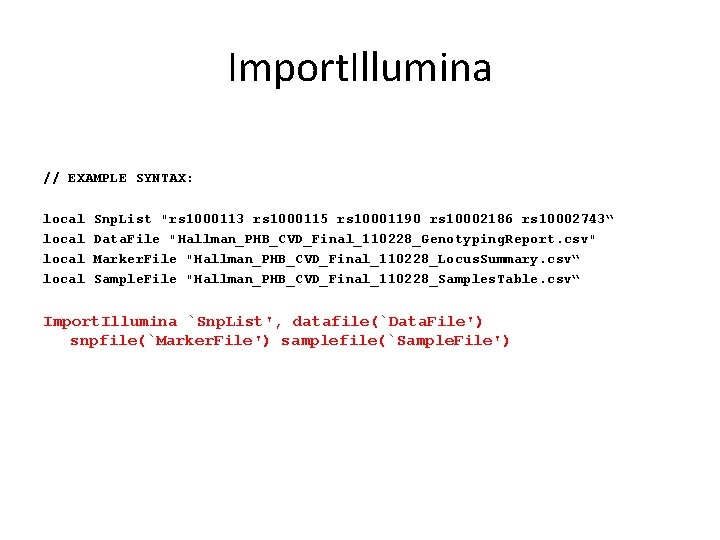
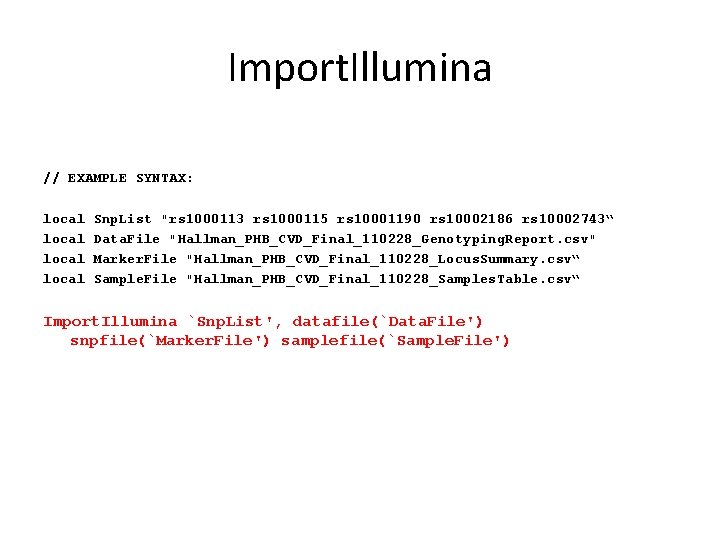
Import. Illumina // EXAMPLE SYNTAX: local Snp. List "rs 1000113 rs 1000115 rs 10001190 rs 10002186 rs 10002743“ Data. File "Hallman_PHB_CVD_Final_110228_Genotyping. Report. csv" Marker. File "Hallman_PHB_CVD_Final_110228_Locus. Summary. csv“ Sample. File "Hallman_PHB_CVD_Final_110228_Samples. Table. csv“ Import. Illumina `Snp. List', datafile(`Data. File') snpfile(`Marker. File') samplefile(`Sample. File')
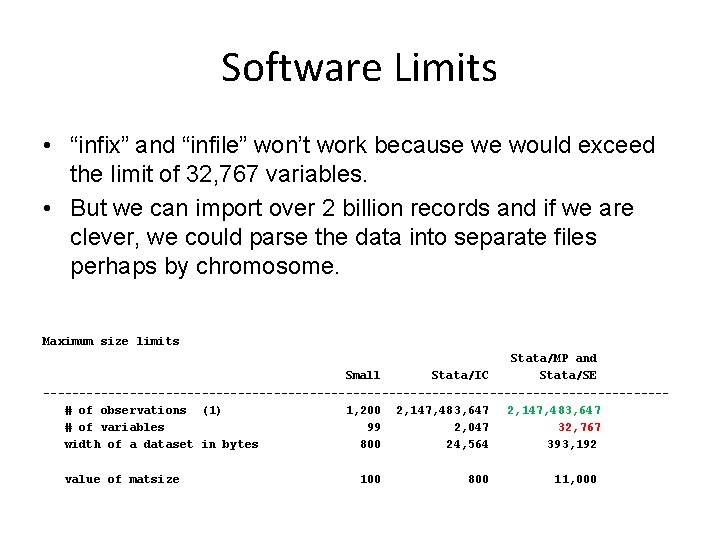
Software Limits • “infix” and “infile” won’t work because we would exceed the limit of 32, 767 variables. • But we can import over 2 billion records and if we are clever, we could parse the data into separate files perhaps by chromosome. Maximum size limits Stata/MP and Small Stata/IC Stata/SE -------------------------------------------# of observations (1) 1, 200 2, 147, 483, 647 # of variables 99 2, 047 32, 767 width of a dataset in bytes 800 24, 564 393, 192 value of matsize 100 800 11, 000
Answer: Mata! Introduction to Mata “Mata is a full-blown programming language that compiles what you type into byte-code, optimizes it, and executes it fast. Behind the scenes, many of Stata’s commands are implemented using Mata. You can use Mata to implement big systems, or you can use it interactively. ” Source: http: //stata. com/whystata/intromata. html
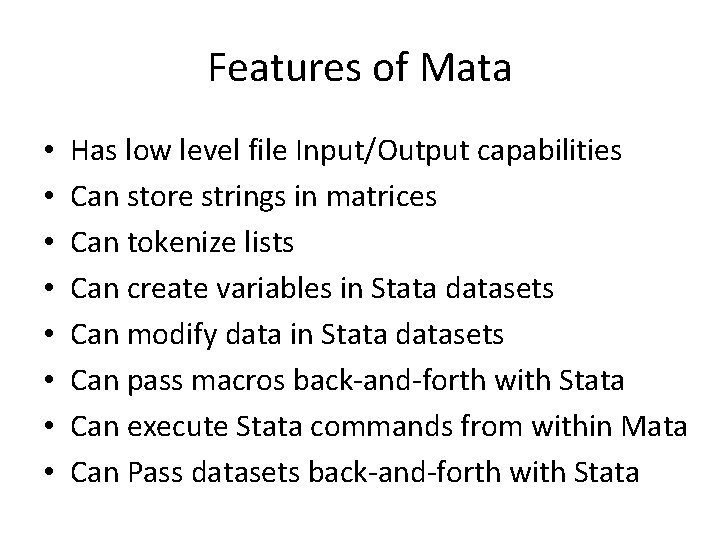
Features of Mata • • Has low level file Input/Output capabilities Can store strings in matrices Can tokenize lists Can create variables in Stata datasets Can modify data in Stata datasets Can pass macros back-and-forth with Stata Can execute Stata commands from within Mata Can Pass datasets back-and-forth with Stata
Biggest Advantage of Mata But most importantly – Mata is very, very fast!
Disclaimer I am, at best, a novice Mata programmer so the following code is meant to show “A” way to do something but certainly not “THE” way to do something.
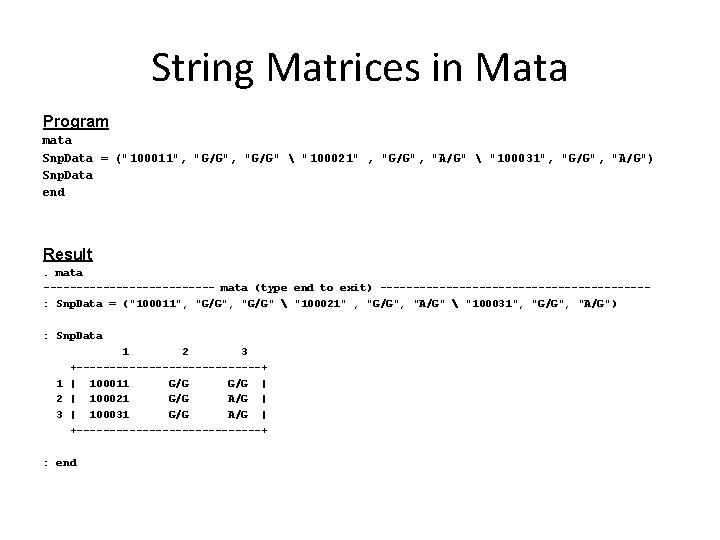
String Matrices in Mata Program mata Snp. Data = ("100011", "G/G" "100021" , "G/G", "A/G" "100031", "G/G", "A/G") Snp. Data end Result. mata ------------- mata (type end to exit) --------------------: Snp. Data = ("100011", "G/G" "100021" , "G/G", "A/G" "100031", "G/G", "A/G") : Snp. Data 1 2 3 +--------------+ 1 | 100011 G/G | 2 | 100021 G/G A/G | 3 | 100031 G/G A/G | +--------------+ : end
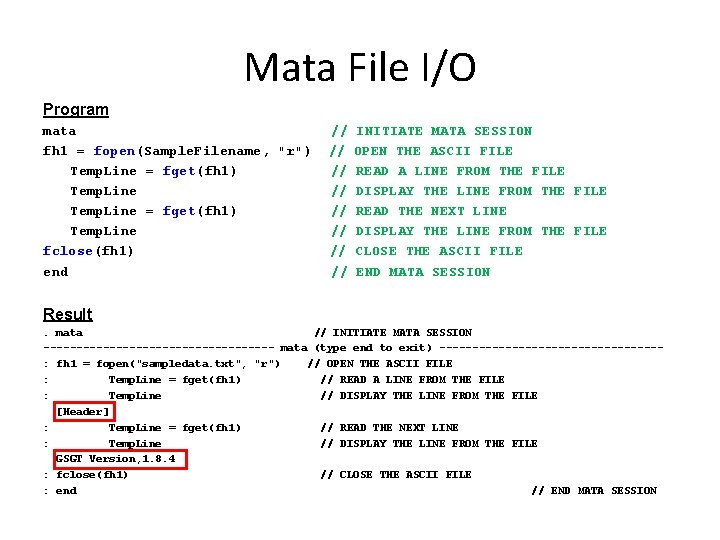
Mata File I/O Program mata fh 1 = fopen(Sample. Filename, "r") Temp. Line = fget(fh 1) Temp. Line fclose(fh 1) end // // INITIATE MATA SESSION OPEN THE ASCII FILE READ A LINE FROM THE FILE DISPLAY THE LINE FROM THE FILE READ THE NEXT LINE DISPLAY THE LINE FROM THE FILE CLOSE THE ASCII FILE END MATA SESSION Result. mata // INITIATE MATA SESSION ------------------ mata (type end to exit) -----------------: fh 1 = fopen("sampledata. txt", "r") // OPEN THE ASCII FILE : Temp. Line = fget(fh 1) // READ A LINE FROM THE FILE : Temp. Line // DISPLAY THE LINE FROM THE FILE [Header] : Temp. Line = fget(fh 1) // READ THE NEXT LINE : Temp. Line // DISPLAY THE LINE FROM THE FILE GSGT Version, 1. 8. 4 : fclose(fh 1) // CLOSE THE ASCII FILE : end // END MATA SESSION
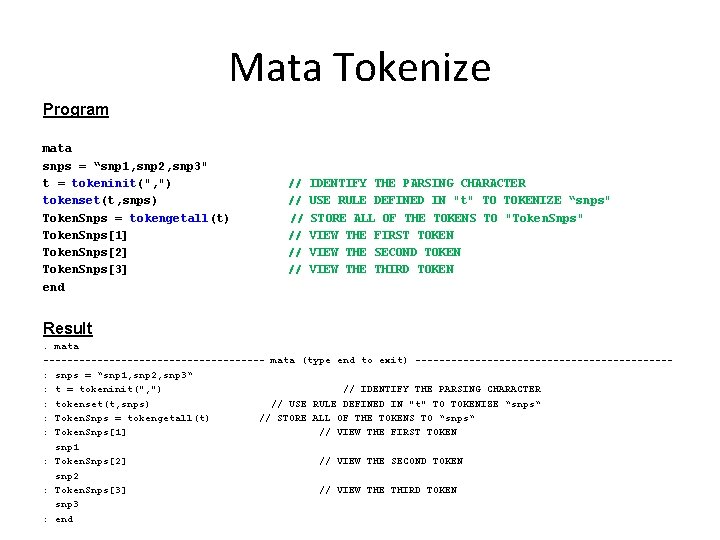
Mata Tokenize Program mata snps = “snp 1, snp 2, snp 3" t = tokeninit(", ") tokenset(t, snps) Token. Snps = tokengetall(t) Token. Snps[1] Token. Snps[2] Token. Snps[3] end // // // IDENTIFY THE PARSING CHARACTER USE RULE DEFINED IN "t" TO TOKENIZE “snps" STORE ALL OF THE TOKENS TO "Token. Snps" VIEW THE FIRST TOKEN VIEW THE SECOND TOKEN VIEW THE THIRD TOKEN Result. mata ------------------- mata (type end to exit) ---------------------: snps = “snp 1, snp 2, snp 3“ : t = tokeninit(", ") // IDENTIFY THE PARSING CHARACTER : tokenset(t, snps) // USE RULE DEFINED IN "t" TO TOKENIZE “snps“ : Token. Snps = tokengetall(t) // STORE ALL OF THE TOKENS TO “snps“ : Token. Snps[1] // VIEW THE FIRST TOKEN snp 1 : Token. Snps[2] // VIEW THE SECOND TOKEN snp 2 : Token. Snps[3] // VIEW THE THIRD TOKEN snp 3 : end
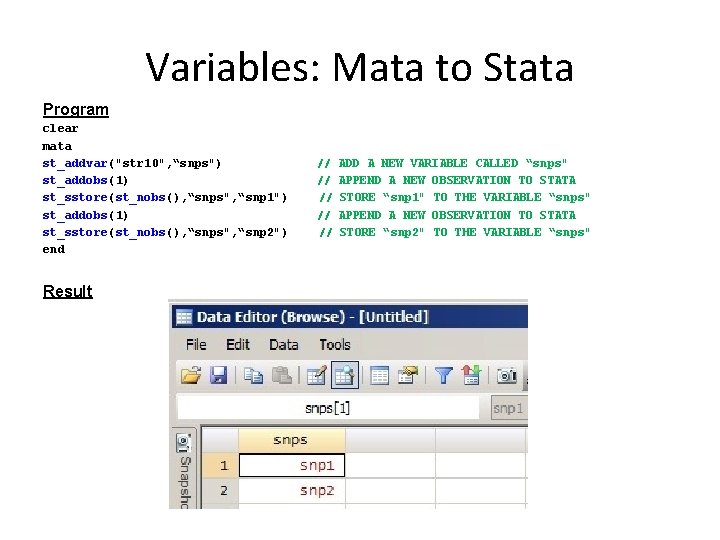
Variables: Mata to Stata Program clear mata st_addvar("str 10", “snps") st_addobs(1) st_sstore(st_nobs(), “snps", “snp 1") st_addobs(1) st_sstore(st_nobs(), “snps", “snp 2") end Result // // // ADD A NEW VARIABLE CALLED “snps" APPEND A NEW OBSERVATION TO STATA STORE “snp 1" TO THE VARIABLE “snps" APPEND A NEW OBSERVATION TO STATA STORE “snp 2" TO THE VARIABLE “snps"
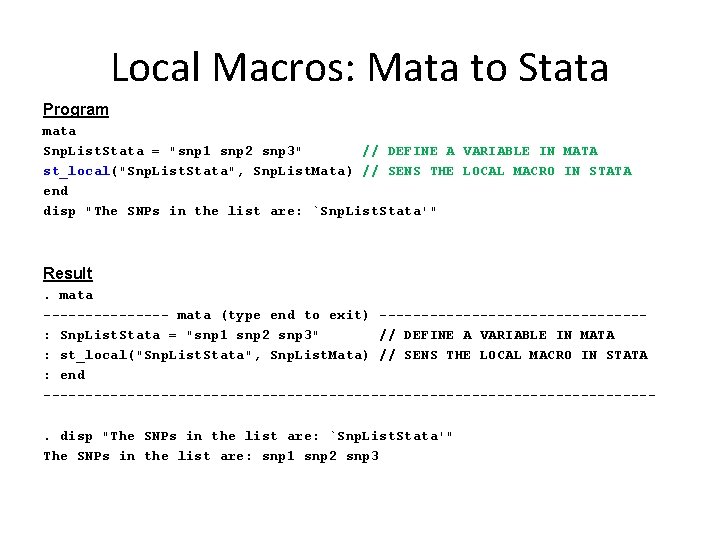
Local Macros: Mata to Stata Program mata Snp. List. Stata = "snp 1 snp 2 snp 3" // DEFINE A VARIABLE IN MATA st_local("Snp. List. Stata", Snp. List. Mata) // SENS THE LOCAL MACRO IN STATA end disp "The SNPs in the list are: `Snp. List. Stata'" Result. mata -------- mata (type end to exit) ----------------: Snp. List. Stata = "snp 1 snp 2 snp 3" // DEFINE A VARIABLE IN MATA : st_local("Snp. List. Stata", Snp. List. Mata) // SENS THE LOCAL MACRO IN STATA : end ------------------------------------. disp "The SNPs in the list are: `Snp. List. Stata'" The SNPs in the list are: snp 1 snp 2 snp 3
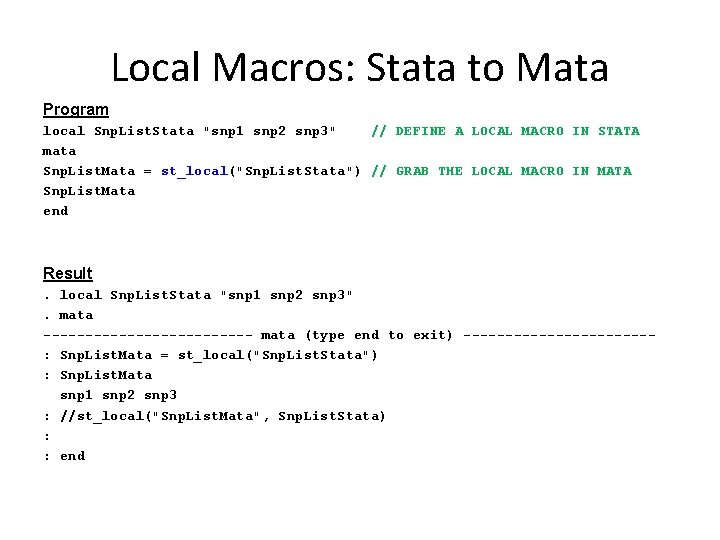
Local Macros: Stata to Mata Program local Snp. List. Stata "snp 1 snp 2 snp 3" // DEFINE A LOCAL MACRO IN STATA mata Snp. List. Mata = st_local("Snp. List. Stata") // GRAB THE LOCAL MACRO IN MATA Snp. List. Mata end Result. local Snp. List. Stata "snp 1 snp 2 snp 3". mata ------------- mata (type end to exit) -----------: Snp. List. Mata = st_local("Snp. List. Stata") : Snp. List. Mata snp 1 snp 2 snp 3 : //st_local("Snp. List. Mata", Snp. List. Stata) : : end
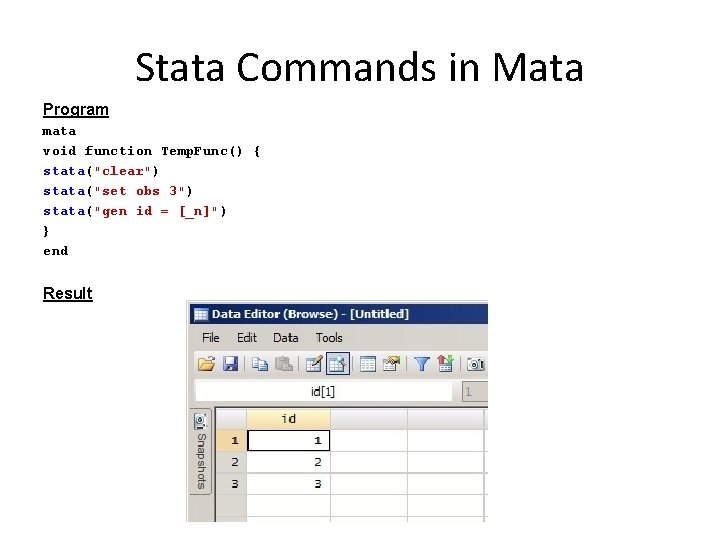
Stata Commands in Mata Program mata void function Temp. Func() { stata("clear") stata("set obs 3") stata("gen id = [_n]") } end Result
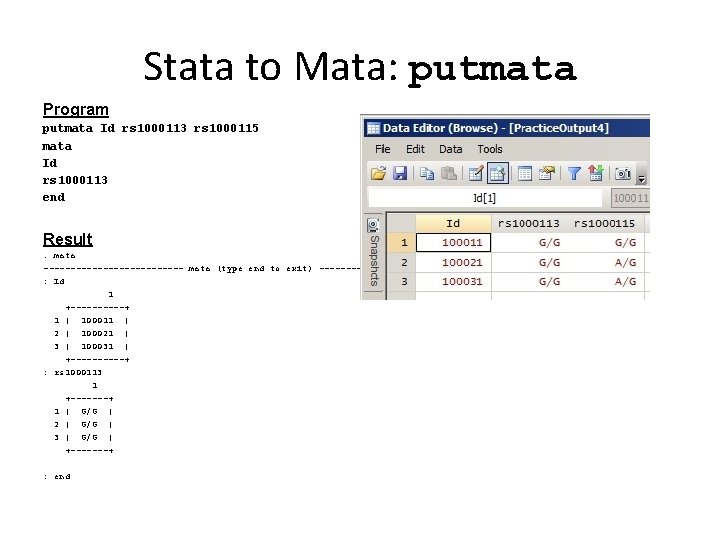
Stata to Mata: putmata Program putmata Id rs 1000113 rs 1000115 mata Id rs 1000113 end Result. mata ------------- mata (type end to exit) -----------------------: Id 1 +-----+ 1 | 100011 | 2 | 100021 | 3 | 100031 | +-----+ : rs 1000113 1 +-------+ 1 | G/G | 2 | G/G | 3 | G/G | +-------+ : end
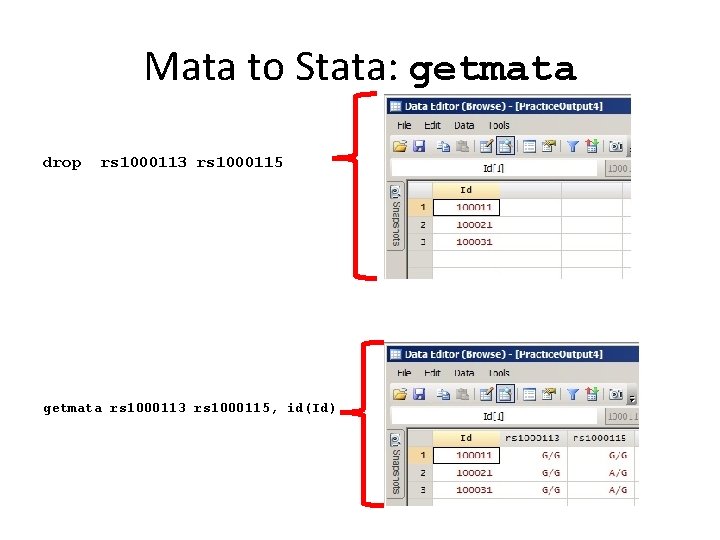
Mata to Stata: getmata drop rs 1000113 rs 1000115 getmata rs 1000113 rs 1000115, id(Id)
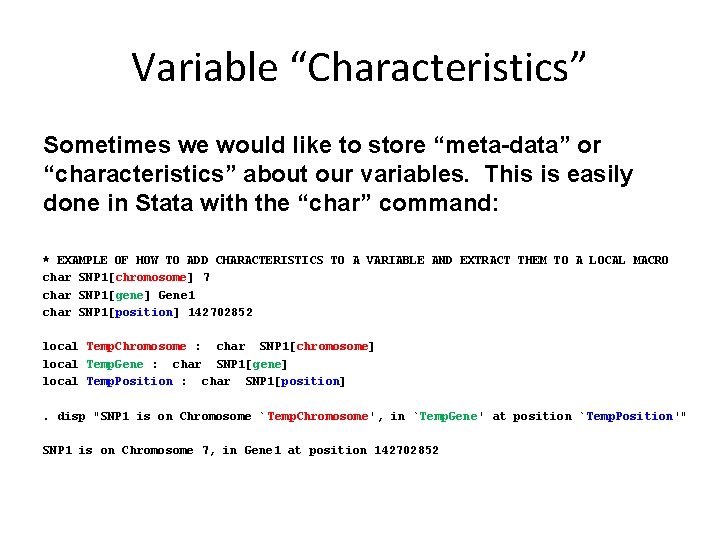
Variable “Characteristics” Sometimes we would like to store “meta-data” or “characteristics” about our variables. This is easily done in Stata with the “char” command: * EXAMPLE OF HOW TO ADD CHARACTERISTICS TO A VARIABLE AND EXTRACT THEM TO A LOCAL MACRO char SNP 1[chromosome] 7 char SNP 1[gene] Gene 1 char SNP 1[position] 142702852 local Temp. Chromosome : char SNP 1[chromosome] local Temp. Gene : char SNP 1[gene] local Temp. Position : char SNP 1[position]. disp "SNP 1 is on Chromosome ` Temp. Chromosome', in `Temp. Gene' at position `Temp. Position'" SNP 1 is on Chromosome 7, in Gene 1 at position 142702852
Import. Illumina // EXAMPLE SYNTAX: local Snp. List "rs 1000113 rs 1000115 rs 10001190 rs 10002186 rs 10002743“ Data. File "Hallman_PHB_CVD_Final_110228_Genotyping. Report. csv" Marker. File "Hallman_PHB_CVD_Final_110228_Locus. Summary. csv“ Sample. File "Hallman_PHB_CVD_Final_110228_Samples. Table. csv“ Import. Illumina `Snp. List', datafile(`Data. File') snpfile(`Marker. File') samplefile(`Sample. File')
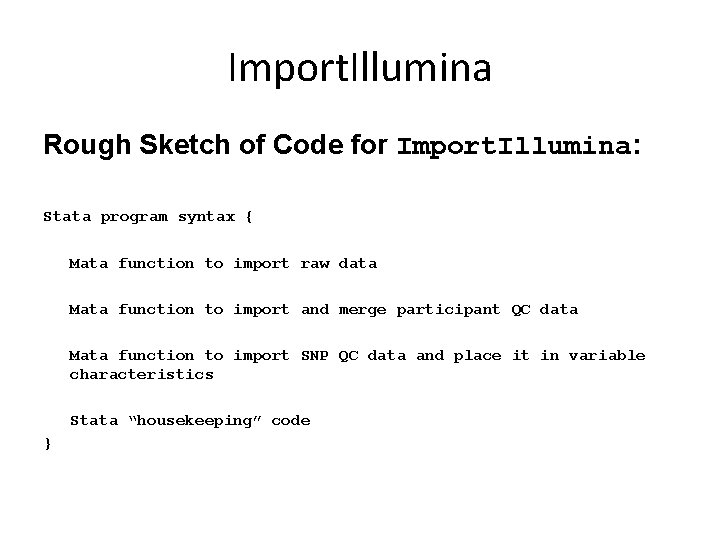
Import. Illumina Rough Sketch of Code for Import. Illumina: Stata program syntax { Mata function to import raw data Mata function to import and merge participant QC data Mata function to import SNP QC data and place it in variable characteristics Stata “housekeeping” code }
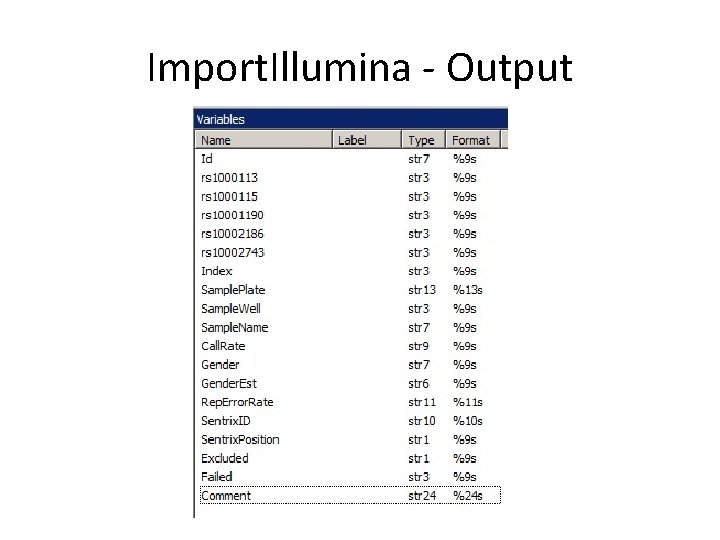
Import. Illumina - Output
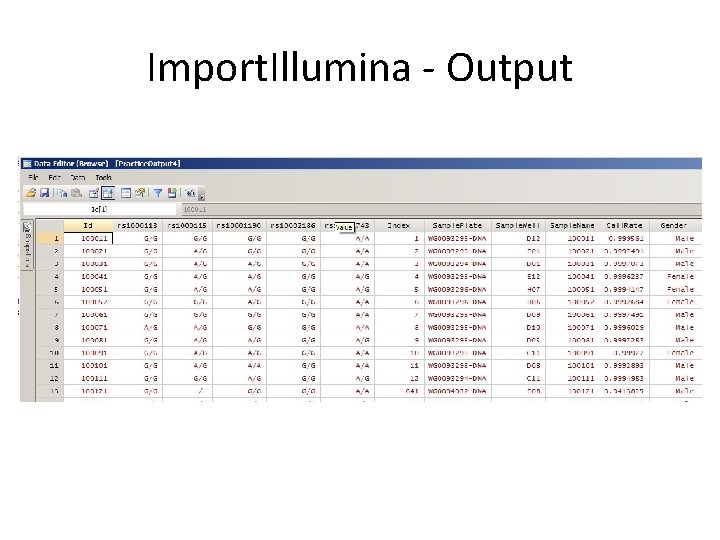
Import. Illumina - Output
Import. Illumina - Output. char list rs 1000113[] rs 1000113[note 1]: rs 1000113[note 0]: rs 1000113[Row]: rs 1000113[Locus_Name]: rs 1000113[Illumicode_Name]: rs 1000113[No_Calls]: rs 1000113[Call_Freq]: rs 1000113[AA_Freq]: rs 1000113[AB_Freq]: rs 1000113[BB_Freq]: rs 1000113[Minor_Freq]: rs 1000113[Gentrain_Score]: rs 1000113[GC 50_Score]: rs 1000113[GC 10_Score]: rs 1000113[Het_Excess_Freq]: rs 1000113[Chi. Test_P 100]: rs 1000113[Cluster_Sep]: rs 1000113[AA_T_Mean]: rs 1000113[AA_T_Std]: rs 1000113[AB_T_Mean]: rs 1000113[AB_T_Std]: rs 1000113[BB_T_Mean]: rs 1000113[BB_T_Std]: rs 1000113[AA_R_Mean]: rs 1000113[AA_R_Std]: rs 1000113[AB_R_Mean]: rs 1000113[AB_R_Std]: rs 1000113[BB_R_Mean]: rs 1000113[BB_R_Std]: possibly carried fwd 1 129 rs 1000113 1010142 0 674 1. 000 0. 018 0. 177 0. 806 0. 106 0. 8266 0. 8542 -0. 0691 0. 4897 0. 9035 0. 022 0. 016 0. 631 0. 032 0. 984 0. 007 1. 002 0. 109 1. 178 0. 130 1. 076 0. 100
Import. Illumina - Output. char list rs 1000115[] rs 1000115[note 1]: rs 1000115[note 0]: rs 1000115[Row]: rs 1000115[Locus_Name]: rs 1000115[Illumicode_Name]: rs 1000115[No_Calls]: rs 1000115[Call_Freq]: rs 1000115[AA_Freq]: rs 1000115[AB_Freq]: rs 1000115[BB_Freq]: rs 1000115[Minor_Freq]: rs 1000115[Gentrain_Score]: rs 1000115[GC 50_Score]: rs 1000115[GC 10_Score]: rs 1000115[Het_Excess_Freq]: rs 1000115[Chi. Test_P 100]: rs 1000115[Cluster_Sep]: rs 1000115[AA_T_Mean]: rs 1000115[AA_T_Std]: rs 1000115[AB_T_Mean]: rs 1000115[AB_T_Std]: rs 1000115[BB_T_Mean]: rs 1000115[BB_T_Std]: rs 1000115[AA_R_Mean]: rs 1000115[AA_R_Std]: rs 1000115[AB_R_Mean]: rs 1000115[AB_R_Std]: rs 1000115[BB_R_Mean]: rs 1000115[BB_R_Std]: possibly carried fwd 1 130 rs 1000115 6400181 1 673 0. 999 0. 131 0. 474 0. 395 0. 368 0. 7572 0. 7449 0. 0193 0. 8470 0. 6517 0. 035 0. 012 0. 579 0. 054 0. 979 0. 008 1. 708 0. 278 1. 870 0. 266 1. 523 0. 172
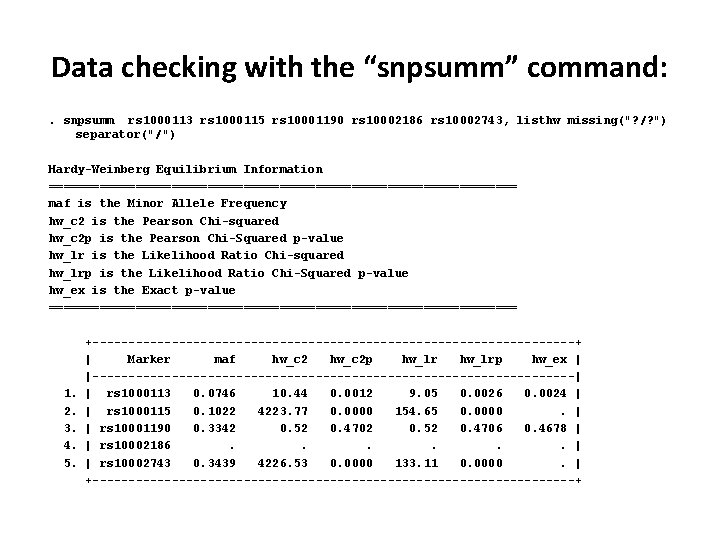
Data checking with the “snpsumm” command: . snpsumm rs 1000113 rs 1000115 rs 10001190 rs 10002186 rs 10002743, listhw missing("? /? ") separator("/") Hardy-Weinberg Equilibrium Information ================================= maf is the Minor Allele Frequency hw_c 2 is the Pearson Chi-squared hw_c 2 p is the Pearson Chi-Squared p-value hw_lr is the Likelihood Ratio Chi-squared hw_lrp is the Likelihood Ratio Chi-Squared p-value hw_ex is the Exact p-value ================================= 1. 2. 3. 4. 5. +----------------------------------+ | Marker maf hw_c 2 p hw_lrp hw_ex | |----------------------------------| | rs 1000113 0. 0746 10. 44 0. 0012 9. 05 0. 0026 0. 0024 | | rs 1000115 0. 1022 4223. 77 0. 0000 154. 65 0. 0000. | | rs 10001190 0. 3342 0. 52 0. 4706 0. 4678 | | rs 10002186. . . | | rs 10002743 0. 3439 4226. 53 0. 0000 133. 11 0. 0000. | +----------------------------------+
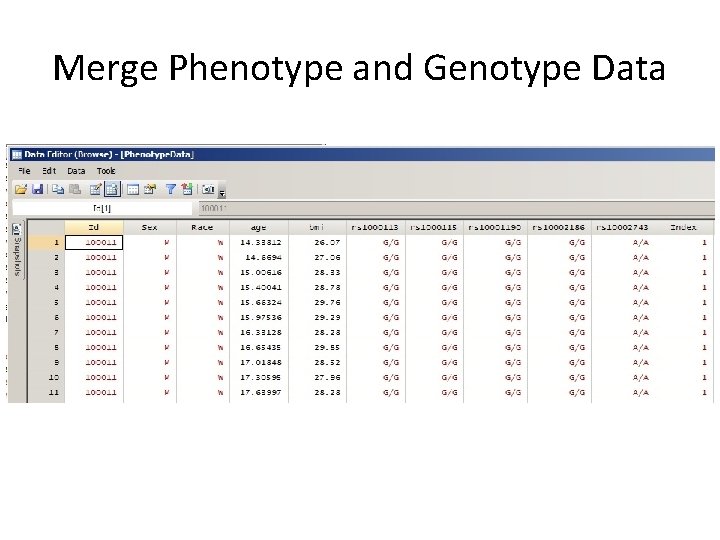
Merge Phenotype and Genotype Data
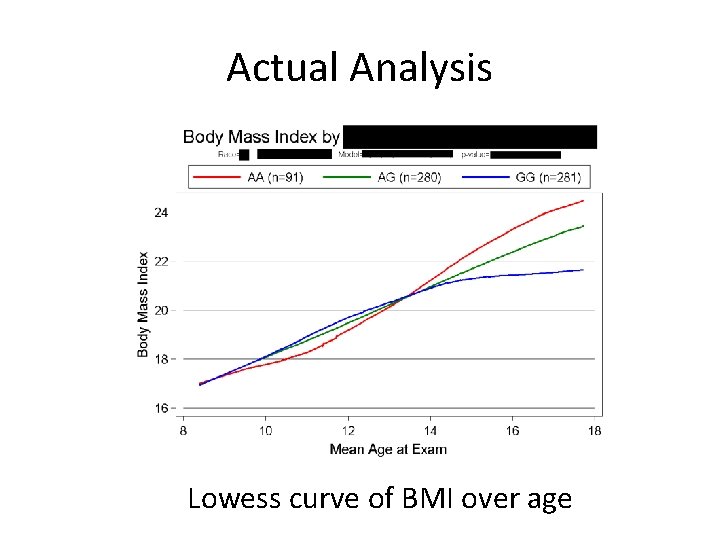
Actual Analysis Lowess curve of BMI over age
Summary Mata is a very useful and fast programming environment for lowlevel file I/O and large-scale string manipulation! Import. Illumina is still in beta-testing but will be submitted to the Stata Journal soon.
An Introduction to Stata Programming by Christopher Baum Table of Contents 1. 2. 3. 4. 5. 6. 7. 8. 9. 10. 11. 12. 13. 14. Why should you become a Stata programmer? Some elementary concepts and tools Do-file programming: Functions, macros, scalars, and matrices Cookbook: Do-file programming I Do-file programming: Validation, results, and data management Cookbook: Do-file programming II Do-file programming: Prefixes, loops, and lists Cookbook: Do-file programming III Do-file programming: Other topics Cookbook: Do-file programming IV Ado-file programming Cookbook: Ado-file programming Mata functions for ado-file programming Cookbook: Mata function programming
Co-Authors • • Michael Hallman, Ph. D (Principal Investigator) Victoria Friedel, MA Melissa Richard, MS Huandong Sun All at University of Texas School of Public Health
Acknowledgements • Grant 1 -R 01 DK 073618 -02 from the National Institute of Diabetes and Digestive and Kidney Diseases • Michael Hallman, Ph. D – Assistant Professor of Epidemiology, UTSPH-Houston • Eric Boerwinkle, Ph. D – Professor and Director of the Division of Epidemiology – Kozmetsky Family Chair in Human Genetics, UTSPH-Houston • Darwin Labarthe, MD, Ph. D, MPH – Director of the Division for Heart Disease and Stroke Prevention, CDCAtlanta