CS 465 Computer Architecture Fall 2009 Lecture 01

- Slides: 63
CS 465 Computer Architecture Fall 2009 Lecture 01: Introduction Daniel Barbará ( cs. gmu. edu/~dbarbara) [Adapted from Computer Organization and Design, Patterson & Hennessy, © 2005, UCB]
Course Administration q Instructor: Daniel Barbará dbarbara@gmu. edu 4420 Eng. Bldg. q Text: Design – Patterson & Required: Computer Organization & The Hardware Software Interface, Hennessy, the 4 th Edition
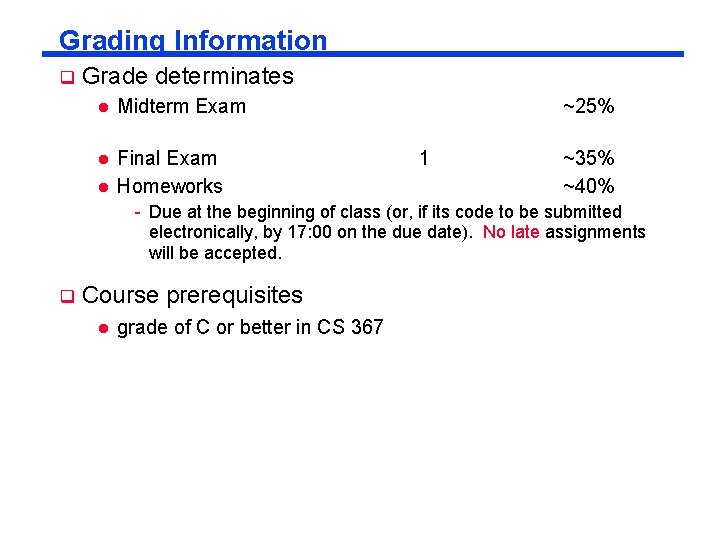
Grading Information q Grade determinates l Midterm Exam l Final Exam Homeworks l ~25% 1 ~35% ~40% - Due at the beginning of class (or, if its code to be submitted electronically, by 17: 00 on the due date). No late assignments will be accepted. q Course prerequisites l grade of C or better in CS 367
Acknowledgements l l Slides adopted from Dr. Zhong Contributions from Dr. Setia Slides also adopt materials from many other universities IMPORTANT: - Slides are not intended as replacement for the text - You spent the money on the book, please read it!
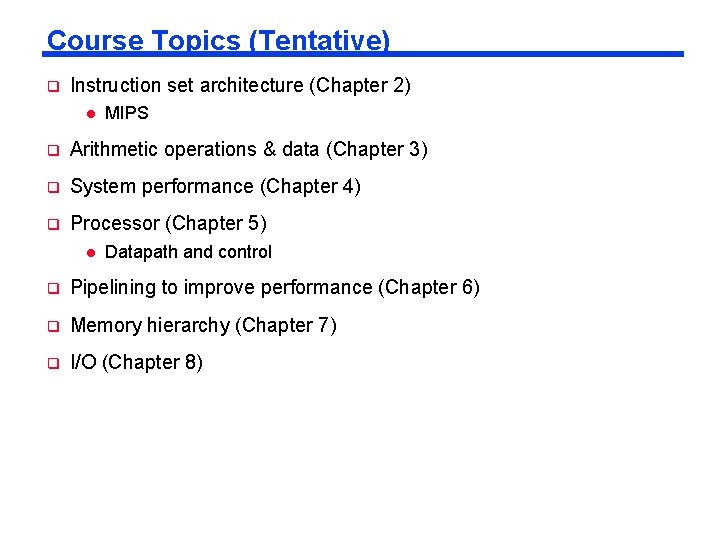
Course Topics (Tentative) q Instruction set architecture (Chapter 2) l MIPS q Arithmetic operations & data (Chapter 3) q System performance (Chapter 4) q Processor (Chapter 5) l Datapath and control q Pipelining to improve performance (Chapter 6) q Memory hierarchy (Chapter 7) q I/O (Chapter 8)
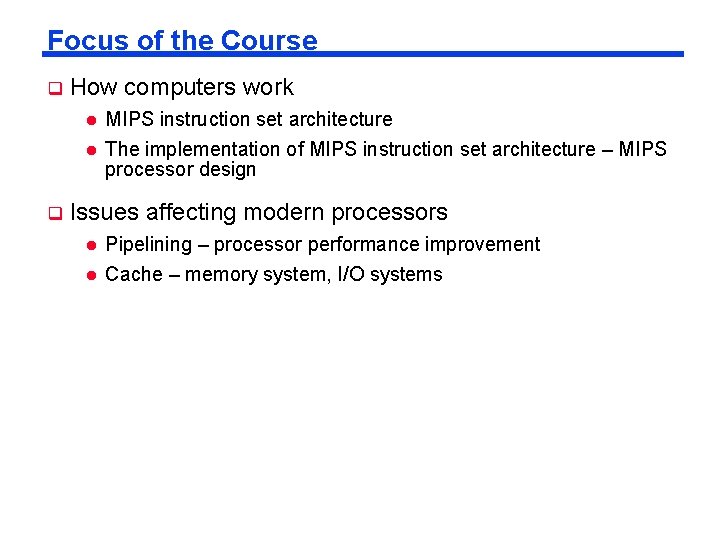
Focus of the Course q How computers work l l q MIPS instruction set architecture The implementation of MIPS instruction set architecture – MIPS processor design Issues affecting modern processors l Pipelining – processor performance improvement l Cache – memory system, I/O systems
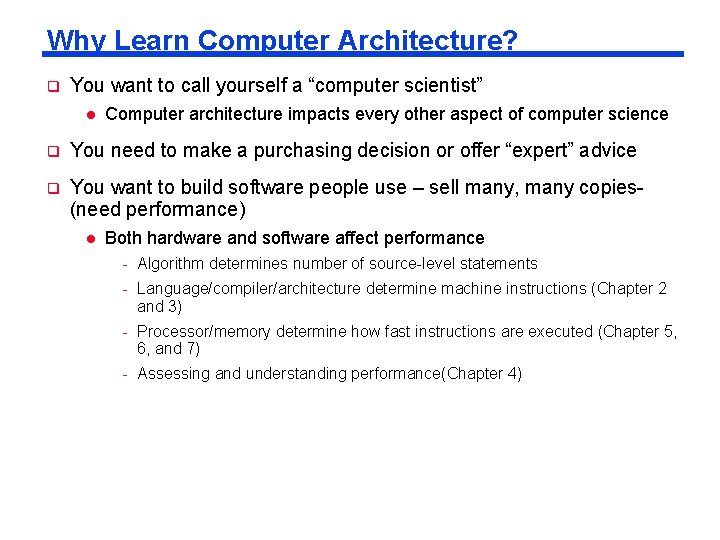
Why Learn Computer Architecture? q You want to call yourself a “computer scientist” l Computer architecture impacts every other aspect of computer science q You need to make a purchasing decision or offer “expert” advice q You want to build software people use – sell many, many copies(need performance) l Both hardware and software affect performance - Algorithm determines number of source-level statements - Language/compiler/architecture determine machine instructions (Chapter 2 and 3) - Processor/memory determine how fast instructions are executed (Chapter 5, 6, and 7) - Assessing and understanding performance(Chapter 4)
Outline Today q Course logistics q Computer architectures overview q Trends in computer architectures
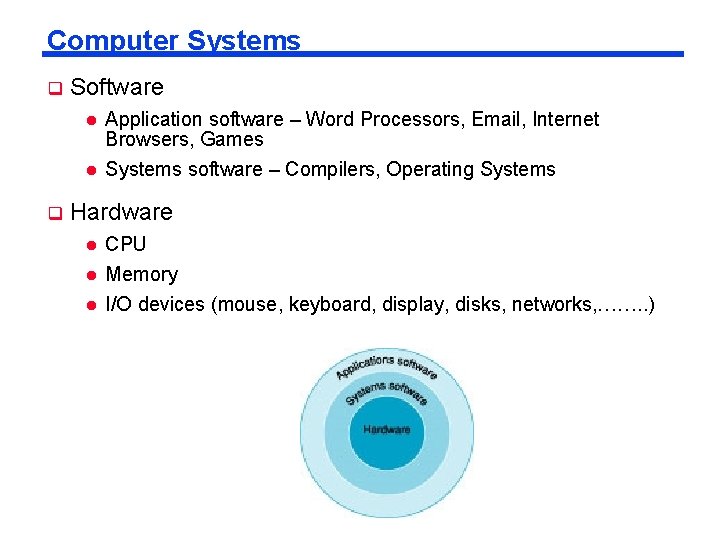
Computer Systems q Software l l q Application software – Word Processors, Email, Internet Browsers, Games Systems software – Compilers, Operating Systems Hardware l CPU l Memory l I/O devices (mouse, keyboard, display, disks, networks, ……. . )
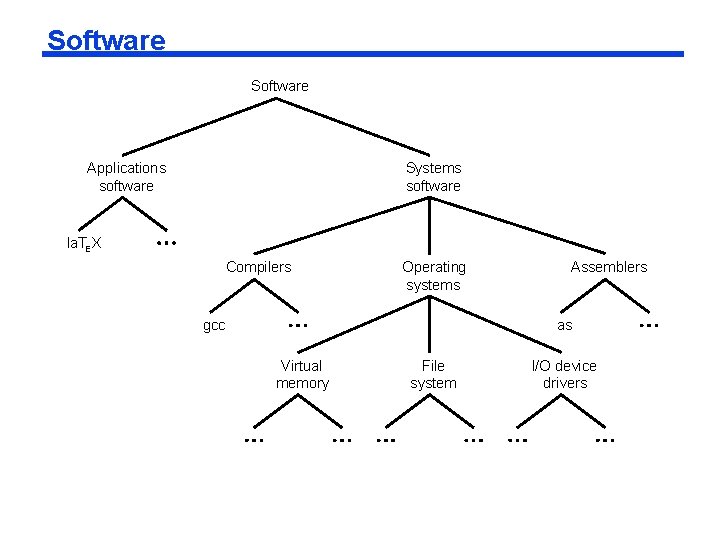
Software Applications software Systems software la. TE X Compilers Operating systems gcc Assemblers as Virtual memory File system I/O device drivers
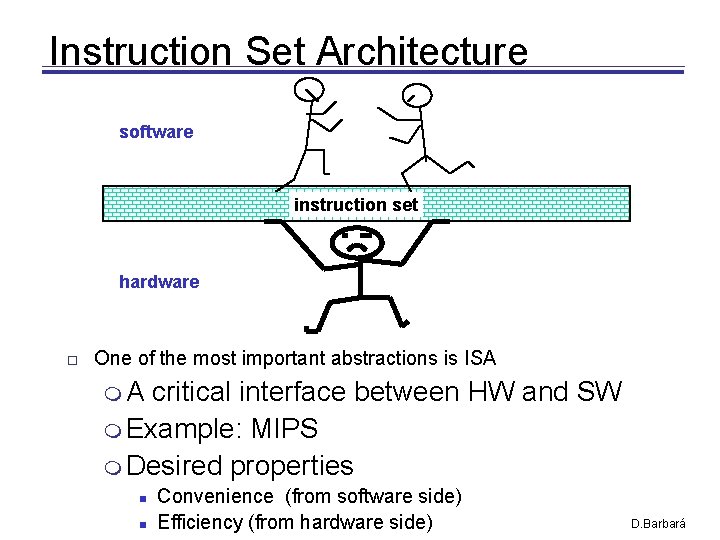
Instruction Set Architecture software instruction set hardware One of the most important abstractions is ISA A critical interface between HW and SW Example: MIPS Desired properties Convenience (from software side) Efficiency (from hardware side) D. Barbará
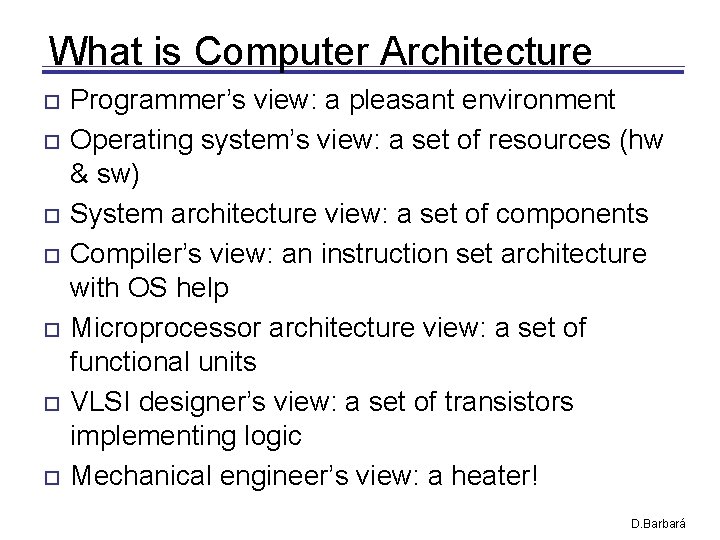
What is Computer Architecture Programmer’s view: a pleasant environment Operating system’s view: a set of resources (hw & sw) System architecture view: a set of components Compiler’s view: an instruction set architecture with OS help Microprocessor architecture view: a set of functional units VLSI designer’s view: a set of transistors implementing logic Mechanical engineer’s view: a heater! D. Barbará
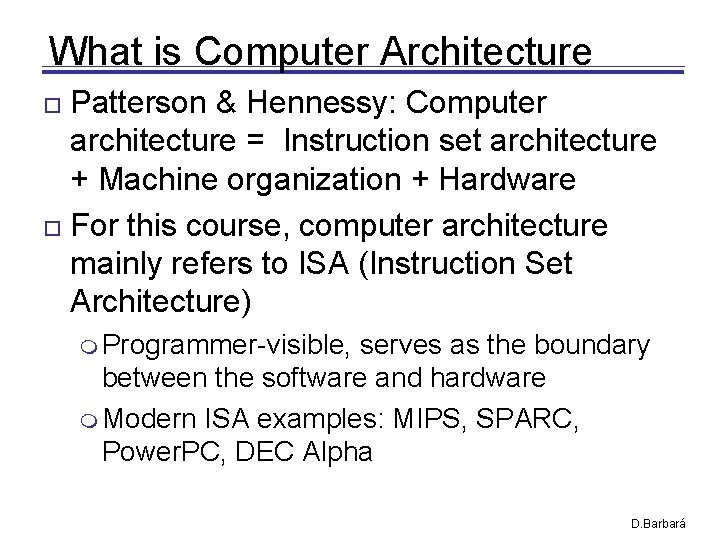
What is Computer Architecture Patterson & Hennessy: Computer architecture = Instruction set architecture + Machine organization + Hardware For this course, computer architecture mainly refers to ISA (Instruction Set Architecture) Programmer-visible, serves as the boundary between the software and hardware Modern ISA examples: MIPS, SPARC, Power. PC, DEC Alpha D. Barbará
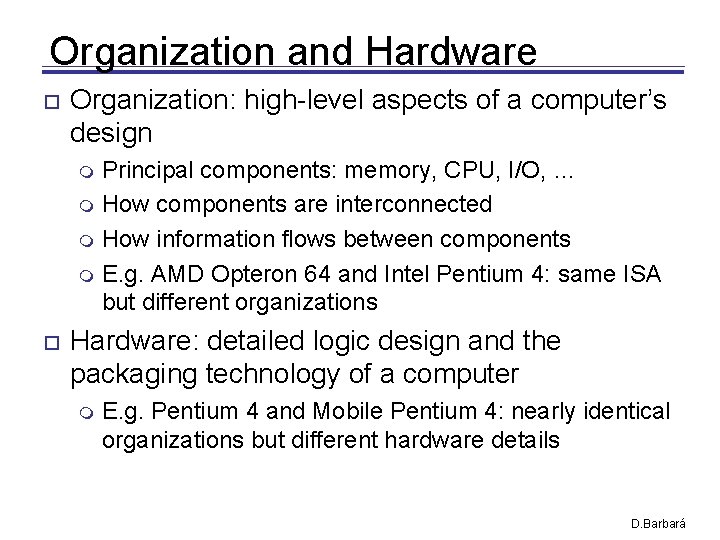
Organization and Hardware Organization: high-level aspects of a computer’s design Principal components: memory, CPU, I/O, … How components are interconnected How information flows between components E. g. AMD Opteron 64 and Intel Pentium 4: same ISA but different organizations Hardware: detailed logic design and the packaging technology of a computer E. g. Pentium 4 and Mobile Pentium 4: nearly identical organizations but different hardware details D. Barbará
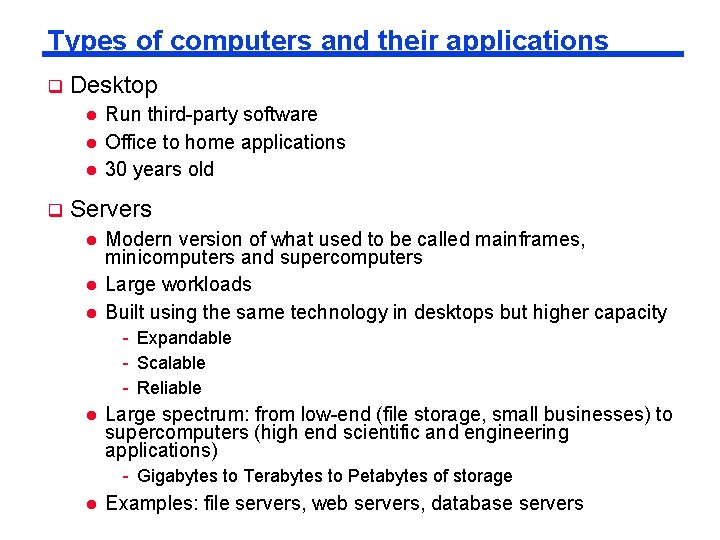
Types of computers and their applications q Desktop l l l q Run third-party software Office to home applications 30 years old Servers l l l Modern version of what used to be called mainframes, minicomputers and supercomputers Large workloads Built using the same technology in desktops but higher capacity - Expandable - Scalable - Reliable l Large spectrum: from low-end (file storage, small businesses) to supercomputers (high end scientific and engineering applications) - Gigabytes to Terabytes to Petabytes of storage l Examples: file servers, web servers, database servers
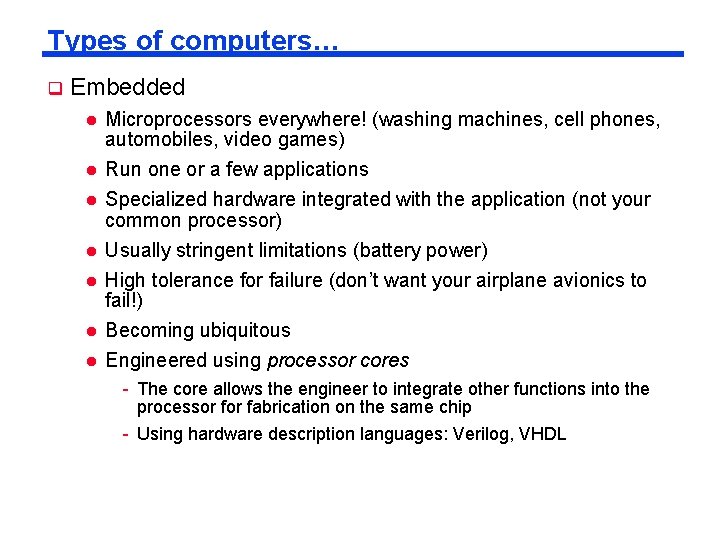
Types of computers… q Embedded l l Microprocessors everywhere! (washing machines, cell phones, automobiles, video games) Run one or a few applications l Specialized hardware integrated with the application (not your common processor) l Usually stringent limitations (battery power) l High tolerance for failure (don’t want your airplane avionics to fail!) l Becoming ubiquitous Engineered using processor cores l - The core allows the engineer to integrate other functions into the processor fabrication on the same chip - Using hardware description languages: Verilog, VHDL
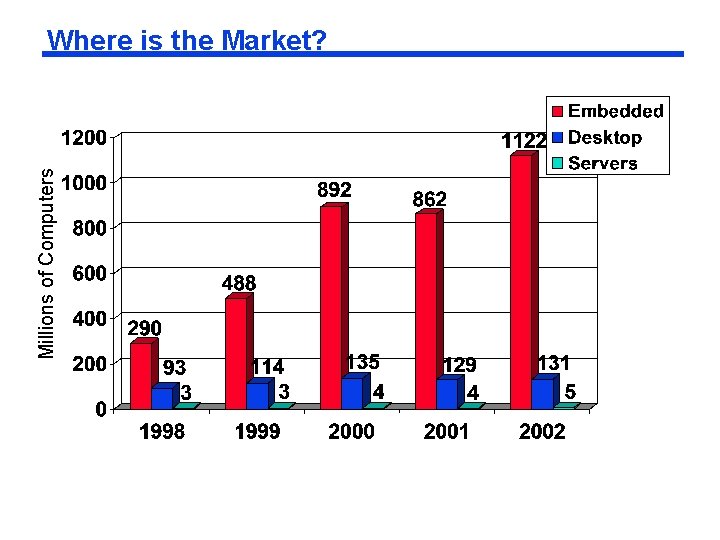
Millions of Computers Where is the Market?
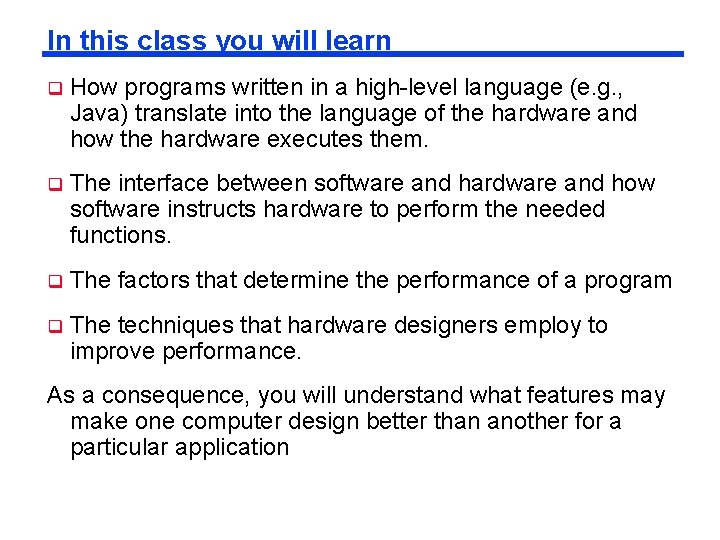
In this class you will learn q How programs written in a high-level language (e. g. , Java) translate into the language of the hardware and how the hardware executes them. q The interface between software and hardware and how software instructs hardware to perform the needed functions. q The factors that determine the performance of a program q The techniques that hardware designers employ to improve performance. As a consequence, you will understand what features may make one computer design better than another for a particular application
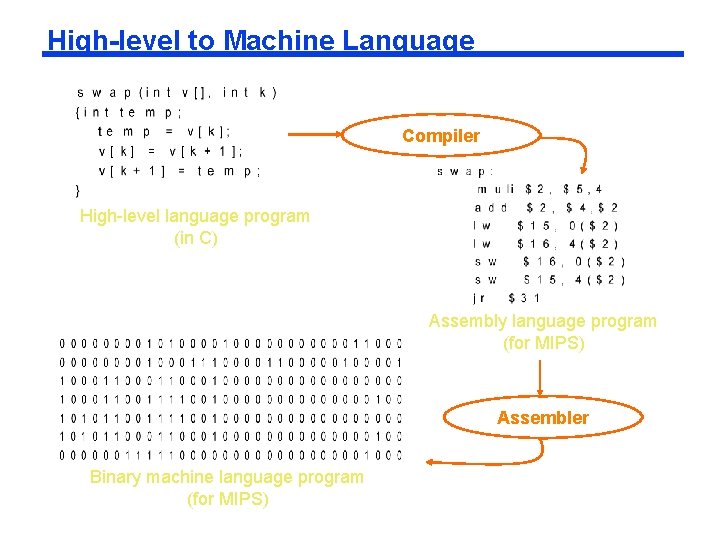
High-level to Machine Language Compiler High-level language program (in C) Assembly language program (for MIPS) Assembler Binary machine language program (for MIPS)
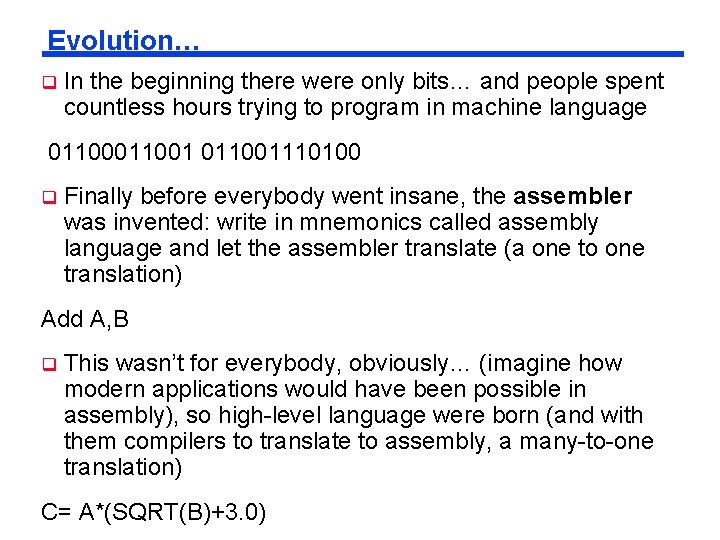
Evolution… q In the beginning there were only bits… and people spent countless hours trying to program in machine language 011001110100 q Finally before everybody went insane, the assembler was invented: write in mnemonics called assembly language and let the assembler translate (a one to one translation) Add A, B q This wasn’t for everybody, obviously… (imagine how modern applications would have been possible in assembly), so high-level language were born (and with them compilers to translate to assembly, a many-to-one translation) C= A*(SQRT(B)+3. 0)
THE BIG IDEA q Levels of abstraction: each layer provides its own (simplified) view and hides the details of the next.
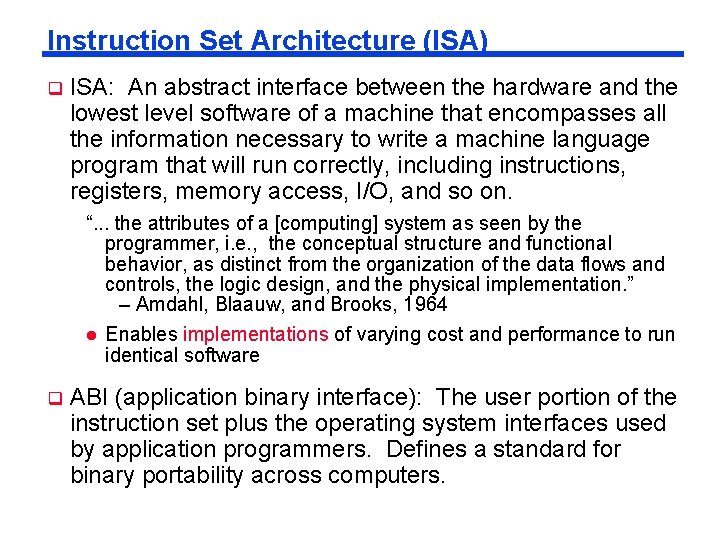
Instruction Set Architecture (ISA) q ISA: An abstract interface between the hardware and the lowest level software of a machine that encompasses all the information necessary to write a machine language program that will run correctly, including instructions, registers, memory access, I/O, and so on. “. . . the attributes of a [computing] system as seen by the programmer, i. e. , the conceptual structure and functional behavior, as distinct from the organization of the data flows and controls, the logic design, and the physical implementation. ” – Amdahl, Blaauw, and Brooks, 1964 l q Enables implementations of varying cost and performance to run identical software ABI (application binary interface): The user portion of the instruction set plus the operating system interfaces used by application programmers. Defines a standard for binary portability across computers.
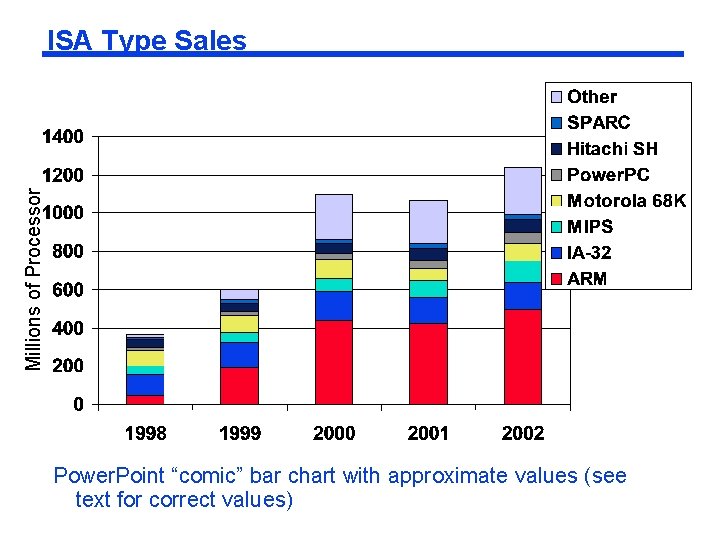
Millions of Processor ISA Type Sales Power. Point “comic” bar chart with approximate values (see text for correct values)
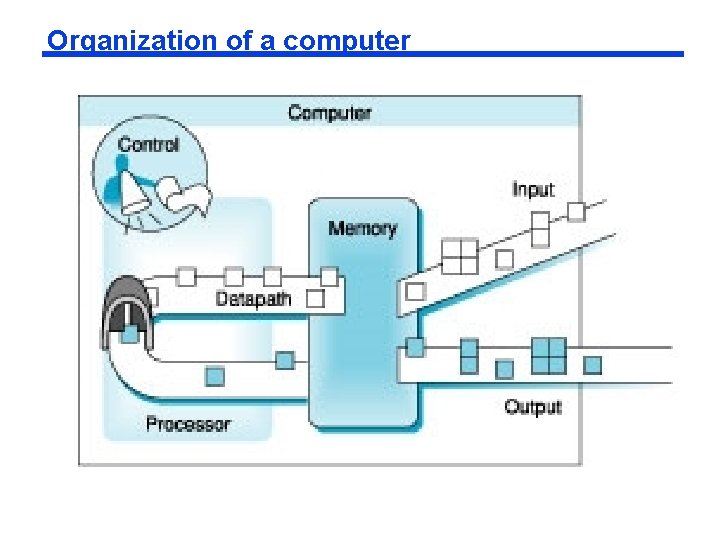
Organization of a computer
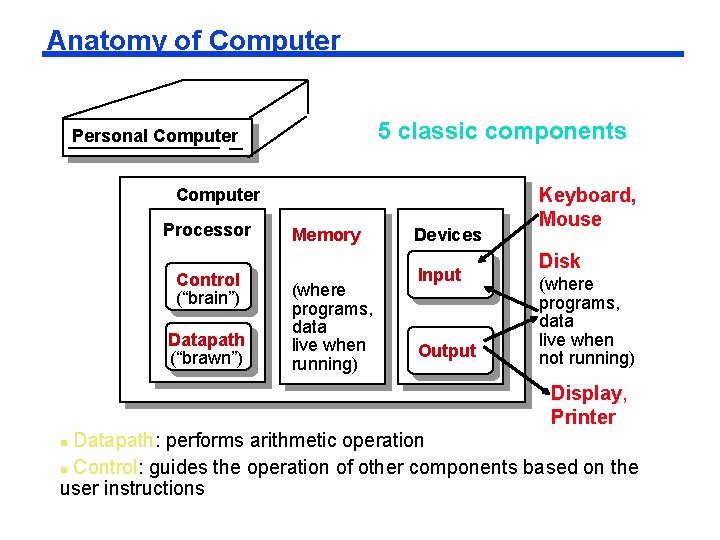
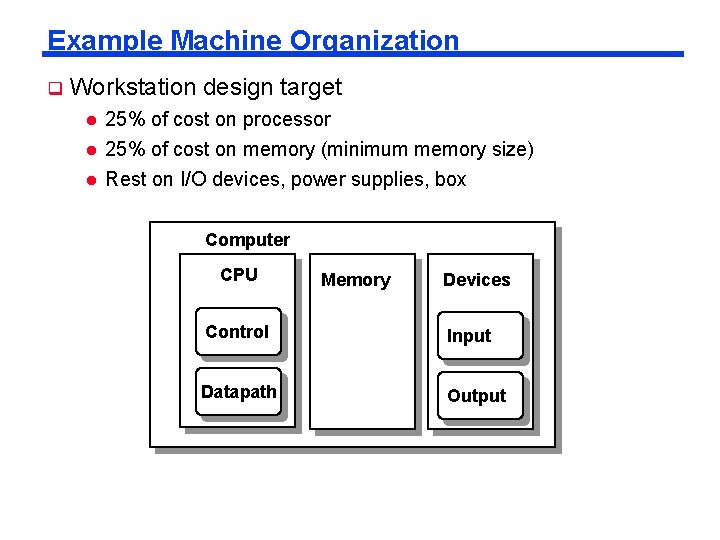
Anatomy of Computer 5 classic components Personal Computer Processor Control (“brain”) Datapath (“brawn”) Memory (where programs, data live when running) Devices Input Output Keyboard, Mouse Disk (where programs, data live when not running) Display, Printer Datapath: performs arithmetic operation Control: guides the operation of other components based on the user instructions
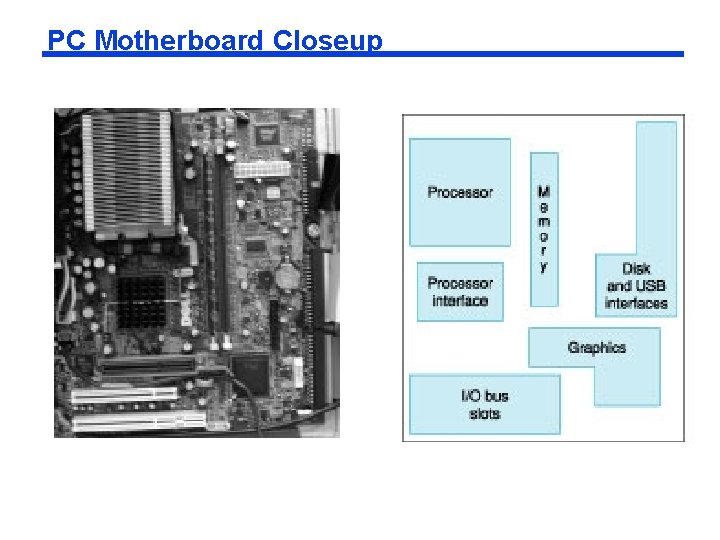
PC Motherboard Closeup
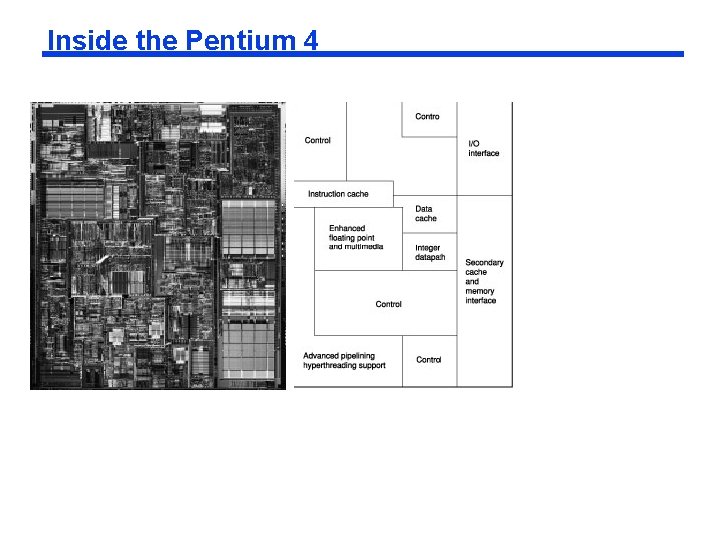
Inside the Pentium 4
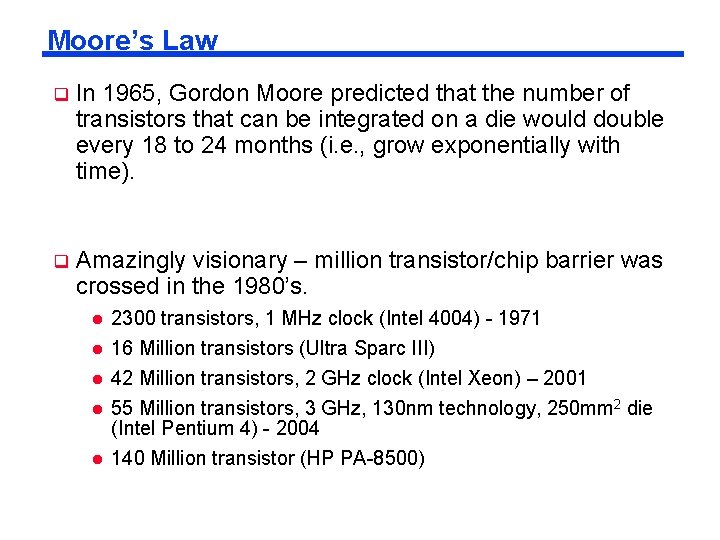
Moore’s Law q In 1965, Gordon Moore predicted that the number of transistors that can be integrated on a die would double every 18 to 24 months (i. e. , grow exponentially with time). q Amazingly visionary – million transistor/chip barrier was crossed in the 1980’s. l 2300 transistors, 1 MHz clock (Intel 4004) - 1971 l 16 Million transistors (Ultra Sparc III) 42 Million transistors, 2 GHz clock (Intel Xeon) – 2001 55 Million transistors, 3 GHz, 130 nm technology, 250 mm 2 die (Intel Pentium 4) - 2004 140 Million transistor (HP PA-8500) l l l
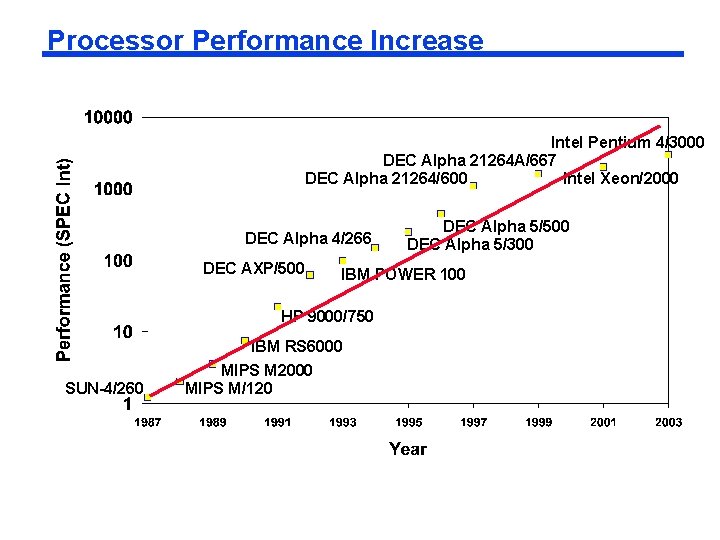
Processor Performance Increase Intel Pentium 4/3000 DEC Alpha 21264 A/667 DEC Alpha 21264/600 Intel Xeon/2000 DEC Alpha 4/266 DEC AXP/500 IBM POWER 100 HP 9000/750 SUN-4/260 DEC Alpha 5/500 DEC Alpha 5/300 IBM RS 6000 MIPS M 2000 MIPS M/120
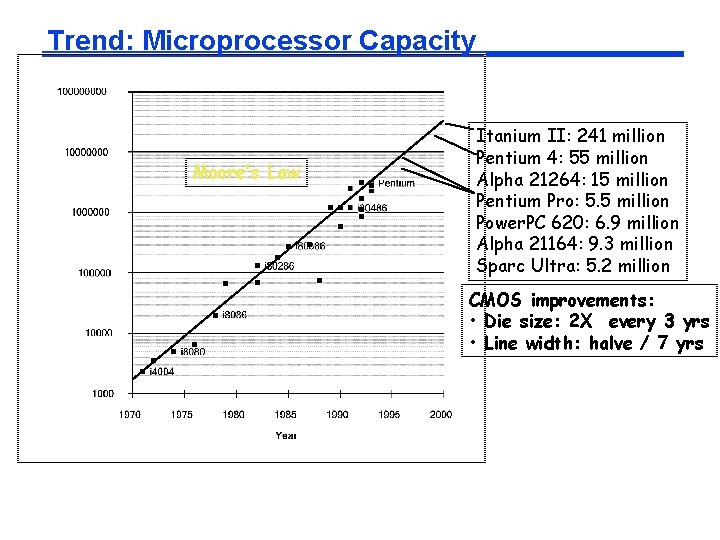
Trend: Microprocessor Capacity Moore’s Law Itanium II: 241 million Pentium 4: 55 million Alpha 21264: 15 million Pentium Pro: 5. 5 million Power. PC 620: 6. 9 million Alpha 21164: 9. 3 million Sparc Ultra: 5. 2 million CMOS improvements: • Die size: 2 X every 3 yrs • Line width: halve / 7 yrs
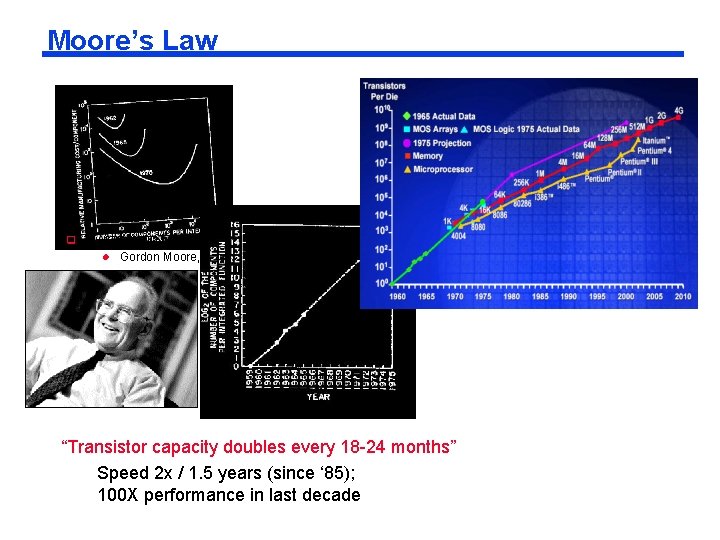
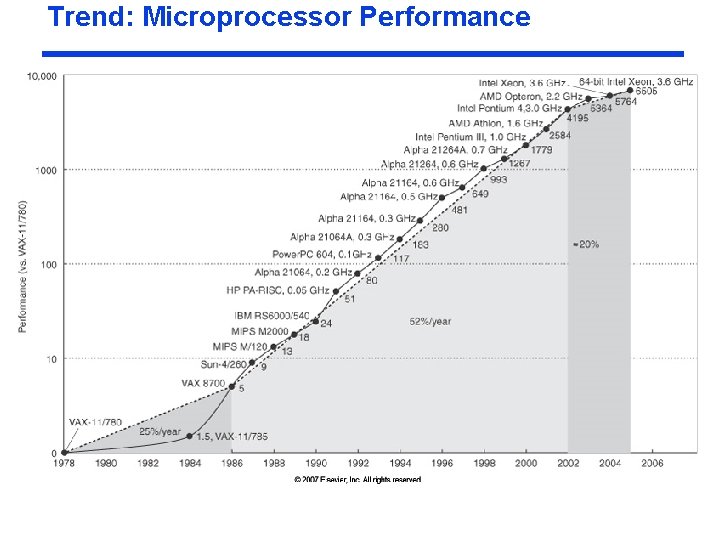
Moore’s Law q “Cramming More Components onto Integrated Circuits” l q Gordon Moore, Electronics, 1965 # of transistors per cost-effective integrated circuit doubles every 18 months “Transistor capacity doubles every 18 -24 months” Speed 2 x / 1. 5 years (since ‘ 85); 100 X performance in last decade
Trend: Microprocessor Performance
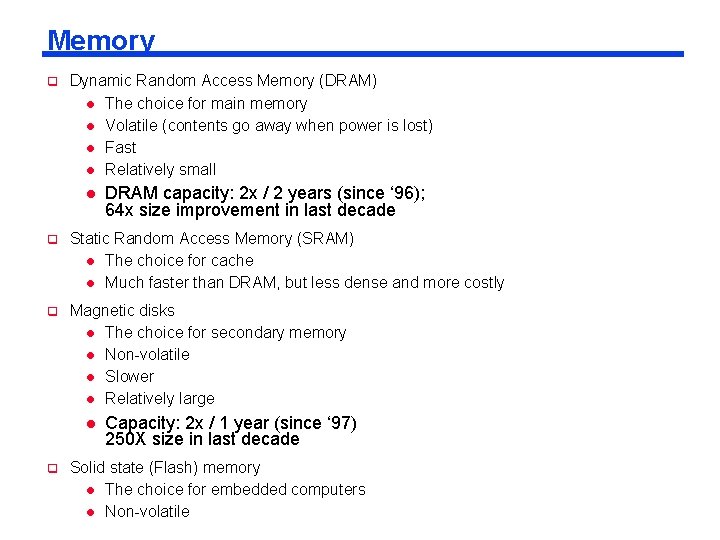
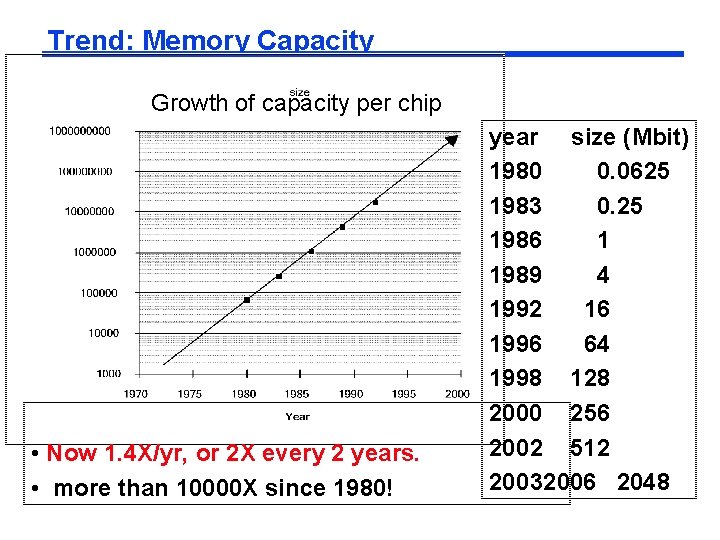
Memory q Dynamic Random Access Memory (DRAM) l The choice for main memory l Volatile (contents go away when power is lost) l Fast l Relatively small l DRAM capacity: 2 x / 2 years (since ‘ 96); 64 x size improvement in last decade q Static Random Access Memory (SRAM) l The choice for cache l Much faster than DRAM, but less dense and more costly q Magnetic disks l The choice for secondary memory l Non-volatile l Slower l Relatively large l q Capacity: 2 x / 1 year (since ‘ 97) 250 X size in last decade Solid state (Flash) memory l The choice for embedded computers l Non-volatile
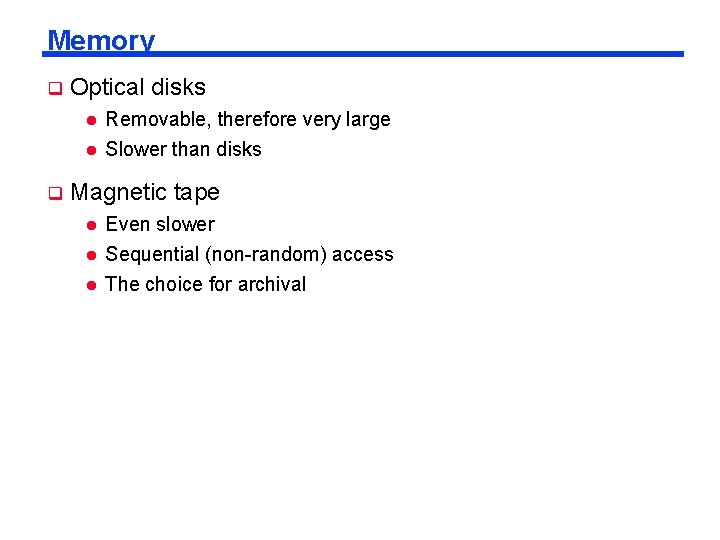
Memory q Optical disks l l q Removable, therefore very large Slower than disks Magnetic tape l Even slower l Sequential (non-random) access l The choice for archival
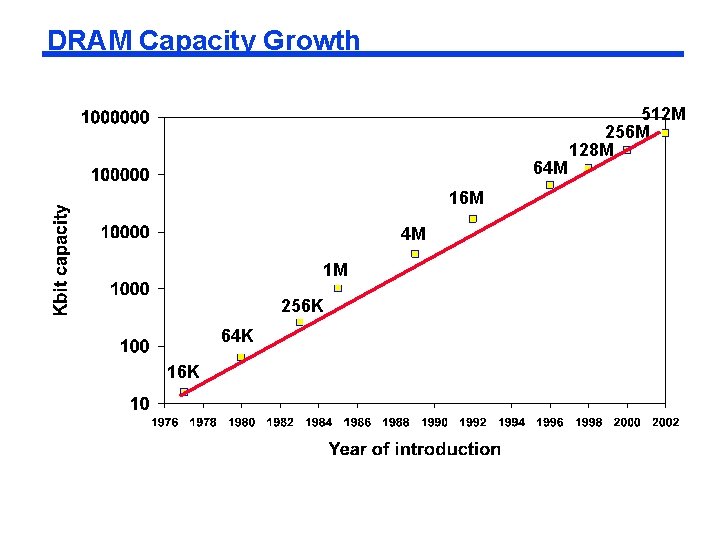
DRAM Capacity Growth 64 M 16 M 4 M 1 M 256 K 64 K 16 K 512 M 256 M 128 M
Trend: Memory Capacity Growth of capacity per chip • Now 1. 4 X/yr, or 2 X every 2 years. • more than 10000 X since 1980! year size (Mbit) 1980 0. 0625 1983 0. 25 1986 1 1989 4 1992 16 1996 64 1998 128 2000 256 2002 512 20032006 2048
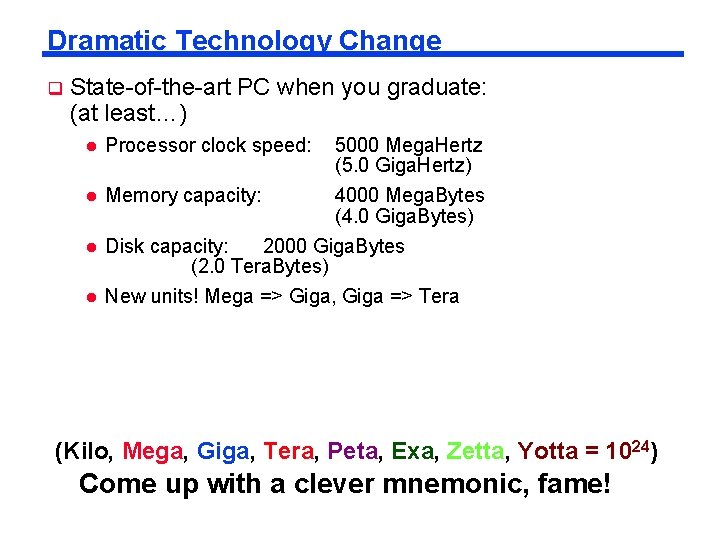
Dramatic Technology Change q State-of-the-art PC when you graduate: (at least…) l Processor clock speed: 5000 Mega. Hertz (5. 0 Giga. Hertz) l Memory capacity: 4000 Mega. Bytes (4. 0 Giga. Bytes) l Disk capacity: 2000 Giga. Bytes (2. 0 Tera. Bytes) l New units! Mega => Giga, Giga => Tera (Kilo, Mega, Giga, Tera, Peta, Exa, Zetta, Yotta = 1024) Come up with a clever mnemonic, fame!
Example Machine Organization q Workstation design target l l l 25% of cost on processor 25% of cost on memory (minimum memory size) Rest on I/O devices, power supplies, box Computer CPU Memory Devices Control Input Datapath Output
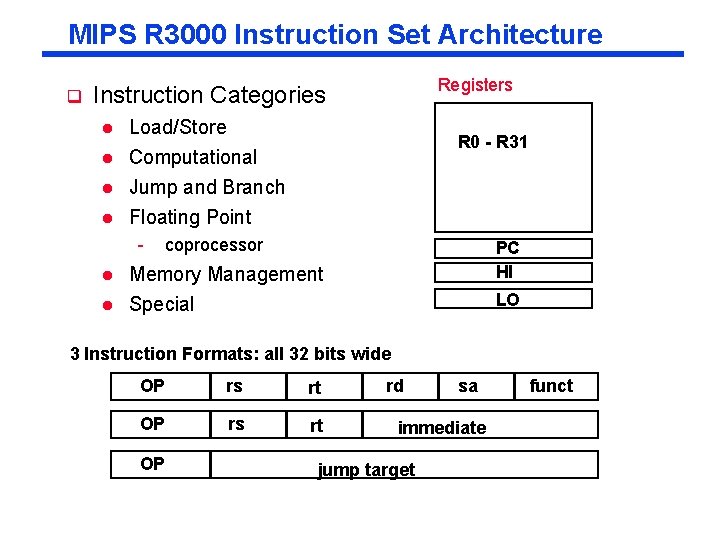
MIPS R 3000 Instruction Set Architecture q Registers Instruction Categories l Load/Store Computational Jump and Branch l Floating Point l l - R 0 - R 31 coprocessor l Memory Management PC HI l Special LO 3 Instruction Formats: all 32 bits wide OP rs rt OP rd sa immediate jump target funct
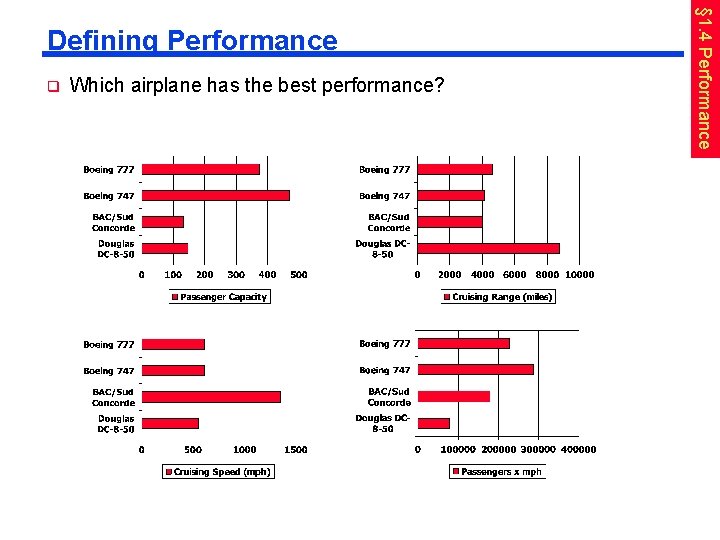
q Which airplane has the best performance? § 1. 4 Performance Defining Performance
Response Time and Throughput q Response time l q How long it takes to do a task Throughput l Total work done per unit time - e. g. , tasks/transactions/… per hour q How are response time and throughput affected by l l q Replacing the processor with a faster version? Adding more processors? We’ll focus on response time for now…
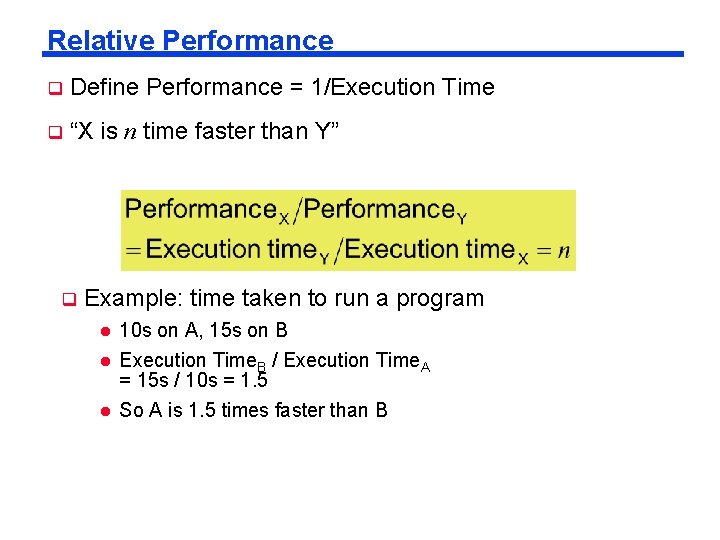
Relative Performance q Define Performance = 1/Execution Time q “X is n time faster than Y” q Example: time taken to run a program l 10 s on A, 15 s on B Execution Time. B / Execution Time. A = 15 s / 10 s = 1. 5 l So A is 1. 5 times faster than B l
Measuring Execution Time q Elapsed time l Total response time, including all aspects - Processing, I/O, OS overhead, idle time l q Determines system performance CPU time l Time spent processing a given job - Discounts I/O time, other jobs’ shares l Comprises user CPU time and system CPU time l Different programs are affected differently by CPU and system performance
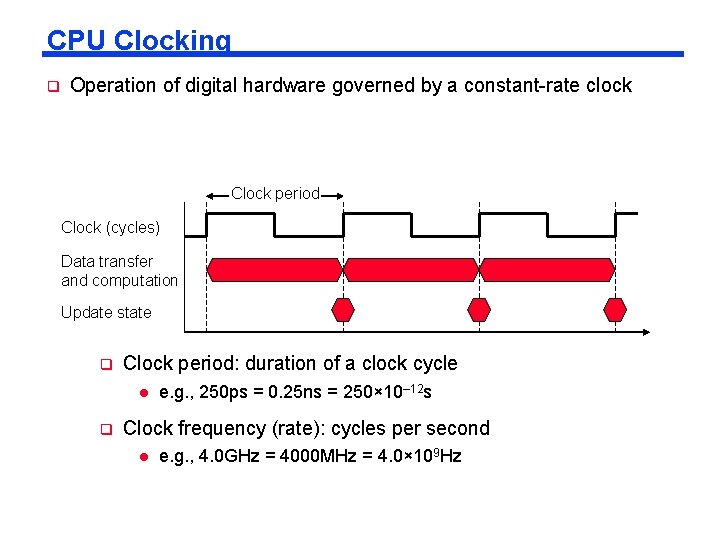
CPU Clocking q Operation of digital hardware governed by a constant-rate clock Clock period Clock (cycles) Data transfer and computation Update state q Clock period: duration of a clock cycle l q e. g. , 250 ps = 0. 25 ns = 250× 10– 12 s Clock frequency (rate): cycles per second l e. g. , 4. 0 GHz = 4000 MHz = 4. 0× 109 Hz
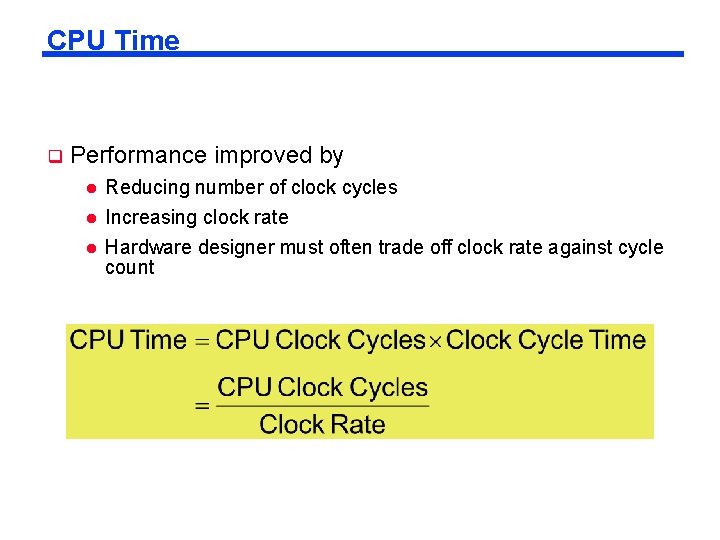
CPU Time q Performance improved by l l l Reducing number of clock cycles Increasing clock rate Hardware designer must often trade off clock rate against cycle count
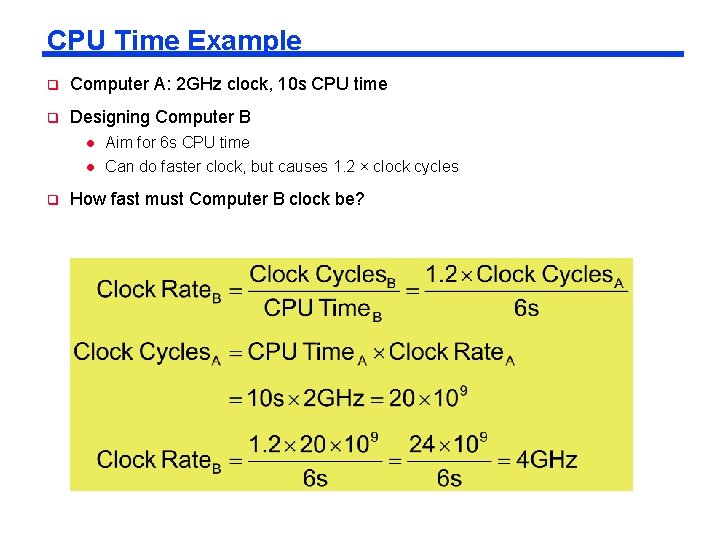
CPU Time Example q Computer A: 2 GHz clock, 10 s CPU time q Designing Computer B l l q Aim for 6 s CPU time Can do faster clock, but causes 1. 2 × clock cycles How fast must Computer B clock be?
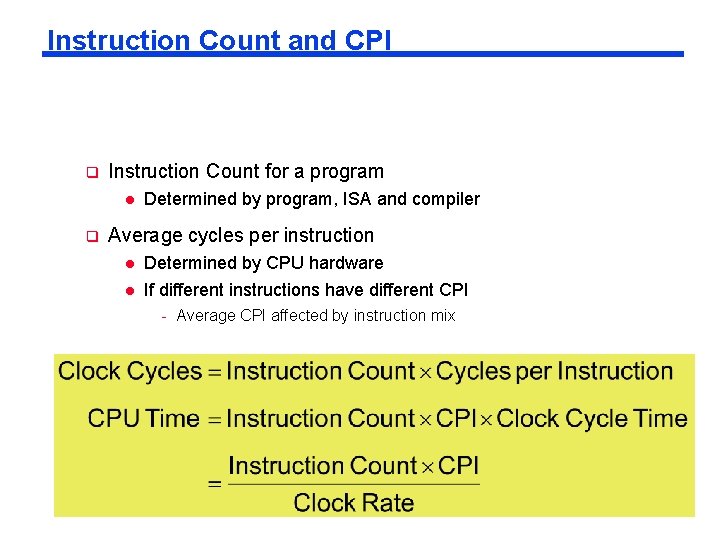
Instruction Count and CPI q Instruction Count for a program l q Determined by program, ISA and compiler Average cycles per instruction l Determined by CPU hardware l If different instructions have different CPI - Average CPI affected by instruction mix
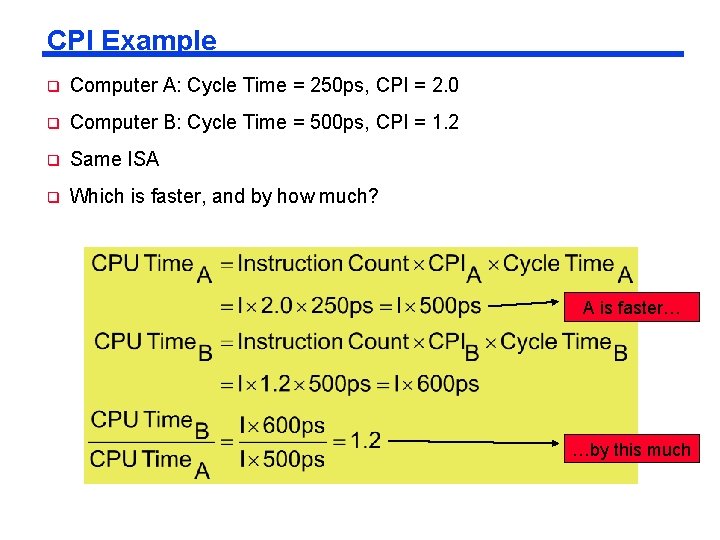
CPI Example q Computer A: Cycle Time = 250 ps, CPI = 2. 0 q Computer B: Cycle Time = 500 ps, CPI = 1. 2 q Same ISA q Which is faster, and by how much? A is faster… …by this much
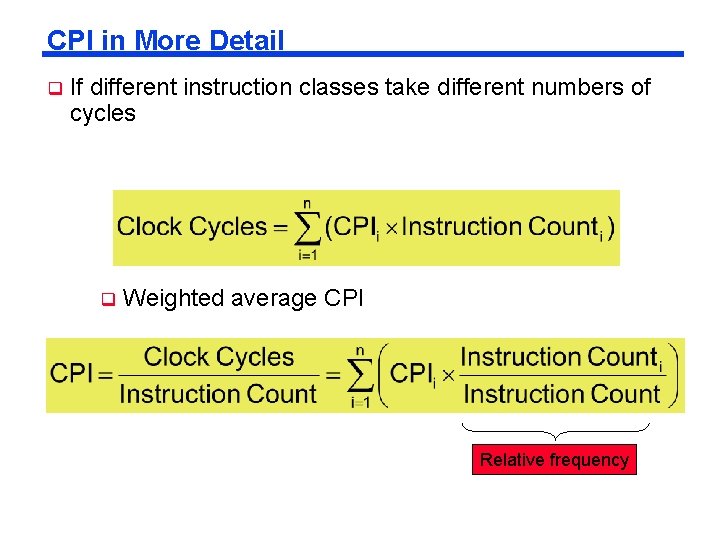
CPI in More Detail q If different instruction classes take different numbers of cycles q Weighted average CPI Relative frequency
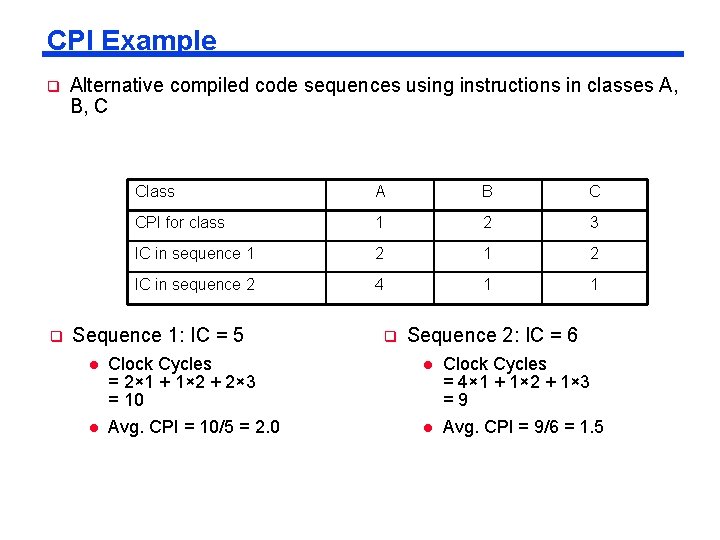
CPI Example q q Alternative compiled code sequences using instructions in classes A, B, C Class A B C CPI for class 1 2 3 IC in sequence 1 2 IC in sequence 2 4 1 1 Sequence 1: IC = 5 l l Clock Cycles = 2× 1 + 1× 2 + 2× 3 = 10 Avg. CPI = 10/5 = 2. 0 q Sequence 2: IC = 6 l l Clock Cycles = 4× 1 + 1× 2 + 1× 3 =9 Avg. CPI = 9/6 = 1. 5
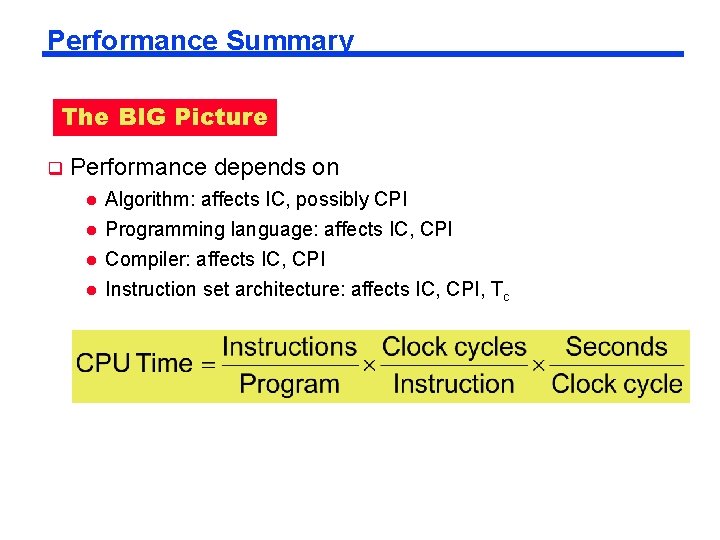
Performance Summary The BIG Picture q Performance depends on l Algorithm: affects IC, possibly CPI Programming language: affects IC, CPI Compiler: affects IC, CPI l Instruction set architecture: affects IC, CPI, Tc l l
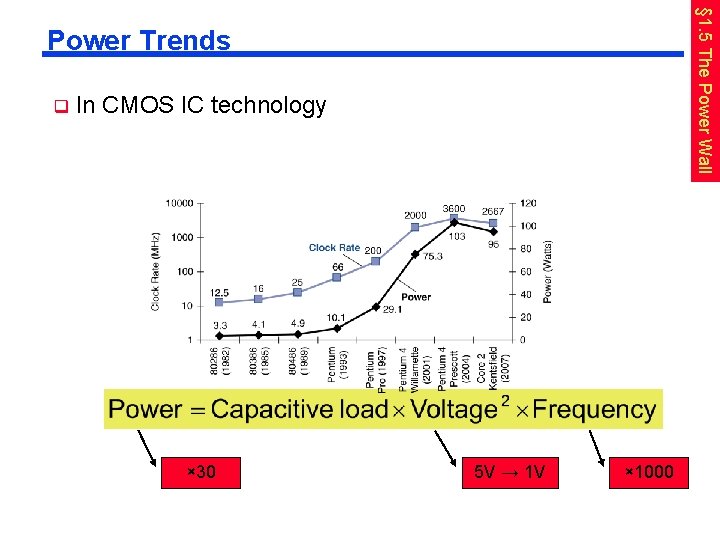
§ 1. 5 The Power Wall Power Trends q In CMOS IC technology × 30 5 V → 1 V × 1000
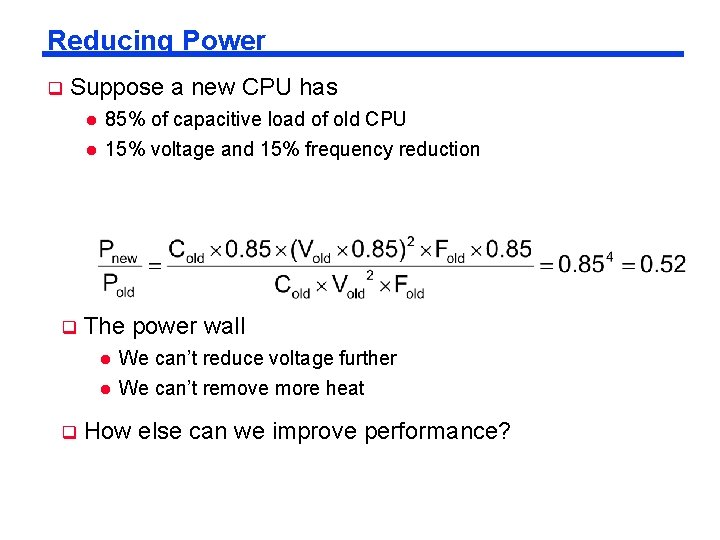
Reducing Power q Suppose a new CPU has l l q 85% of capacitive load of old CPU 15% voltage and 15% frequency reduction The power wall l l q We can’t reduce voltage further We can’t remove more heat How else can we improve performance?
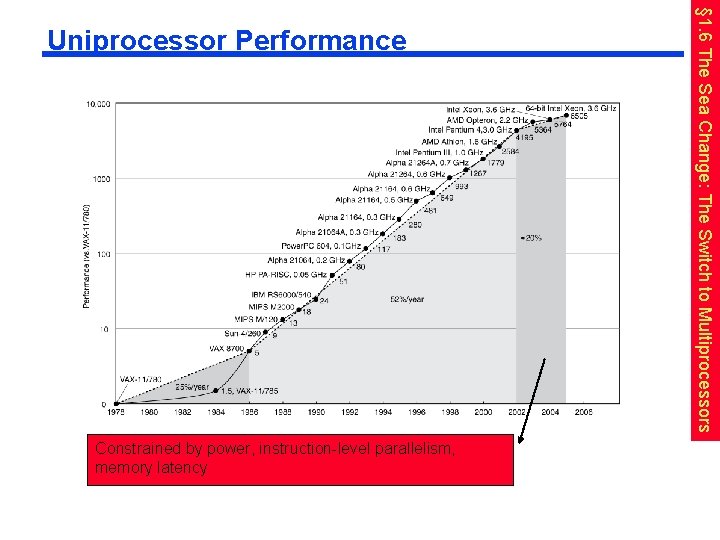
Constrained by power, instruction-level parallelism, memory latency § 1. 6 The Sea Change: The Switch to Multiprocessors Uniprocessor Performance
Multiprocessors q Multicore microprocessors l q More than one processor per chip Requires explicitly parallel programming l Compare with instruction level parallelism - Hardware executes multiple instructions at once - Hidden from the programmer l Hard to do - Programming for performance - Load balancing - Optimizing communication and synchronization
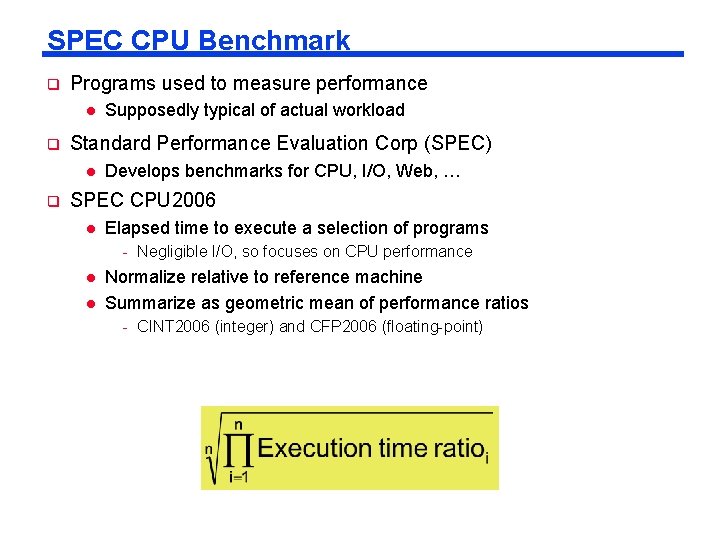
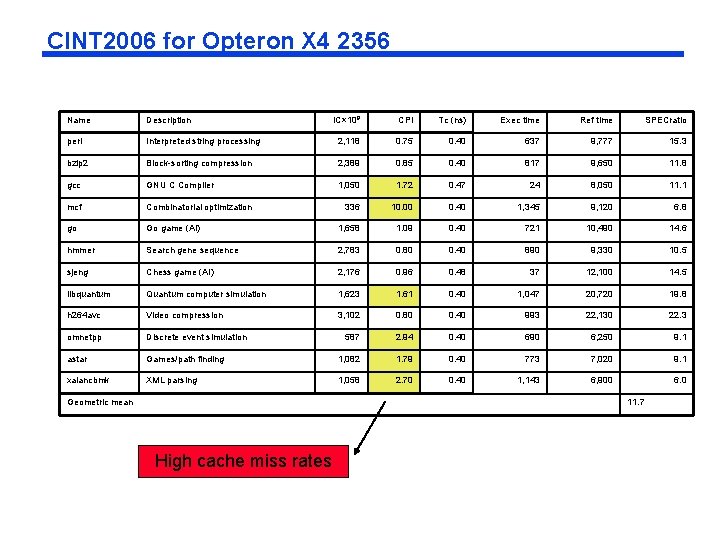
SPEC CPU Benchmark q Programs used to measure performance l q Standard Performance Evaluation Corp (SPEC) l q Supposedly typical of actual workload Develops benchmarks for CPU, I/O, Web, … SPEC CPU 2006 l Elapsed time to execute a selection of programs - Negligible I/O, so focuses on CPU performance l l Normalize relative to reference machine Summarize as geometric mean of performance ratios - CINT 2006 (integer) and CFP 2006 (floating-point)
CINT 2006 for Opteron X 4 2356 Name Description IC× 109 CPI Tc (ns) Exec time Ref time SPECratio perl Interpreted string processing 2, 118 0. 75 0. 40 637 9, 777 15. 3 bzip 2 Block-sorting compression 2, 389 0. 85 0. 40 817 9, 650 11. 8 gcc GNU C Compiler 1, 050 1. 72 0. 47 24 8, 050 11. 1 mcf Combinatorial optimization 336 10. 00 0. 40 1, 345 9, 120 6. 8 go Go game (AI) 1, 658 1. 09 0. 40 721 10, 490 14. 6 hmmer Search gene sequence 2, 783 0. 80 0. 40 890 9, 330 10. 5 sjeng Chess game (AI) 2, 176 0. 96 0. 48 37 12, 100 14. 5 libquantum Quantum computer simulation 1, 623 1. 61 0. 40 1, 047 20, 720 19. 8 h 264 avc Video compression 3, 102 0. 80 0. 40 993 22, 130 22. 3 omnetpp Discrete event simulation 587 2. 94 0. 40 690 6, 250 9. 1 astar Games/path finding 1, 082 1. 79 0. 40 773 7, 020 9. 1 xalancbmk XML parsing 1, 058 2. 70 0. 40 1, 143 6, 900 6. 0 Geometric mean 11. 7 High cache miss rates
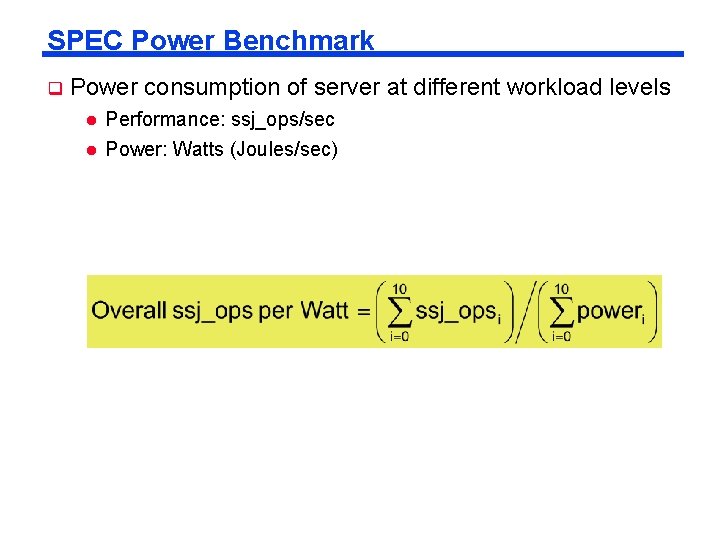
SPEC Power Benchmark q Power consumption of server at different workload levels l l Performance: ssj_ops/sec Power: Watts (Joules/sec)
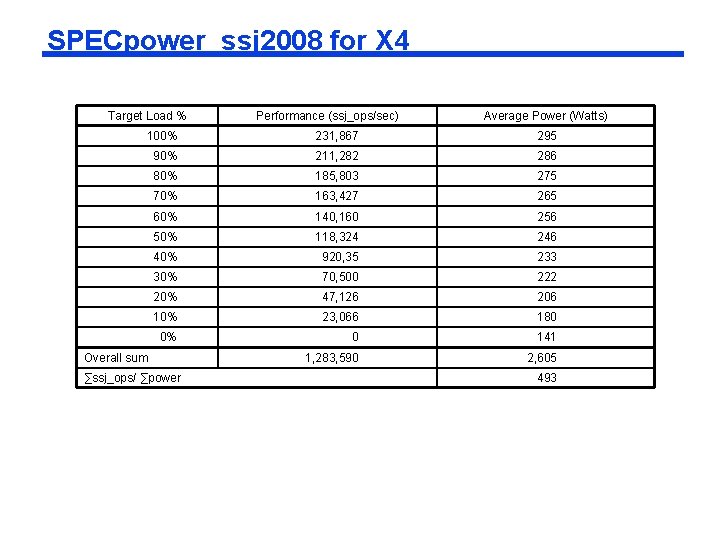
SPECpower_ssj 2008 for X 4 Target Load % Performance (ssj_ops/sec) Average Power (Watts) 100% 231, 867 295 90% 211, 282 286 80% 185, 803 275 70% 163, 427 265 60% 140, 160 256 50% 118, 324 246 40% 920, 35 233 30% 70, 500 222 20% 47, 126 206 10% 23, 066 180 0% 0 141 1, 283, 590 2, 605 Overall sum ∑ssj_ops/ ∑power 493
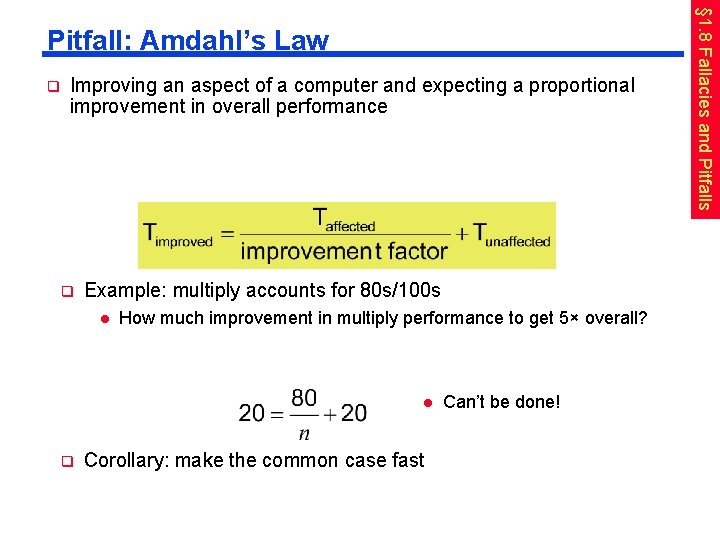
q Improving an aspect of a computer and expecting a proportional improvement in overall performance q Example: multiply accounts for 80 s/100 s l How much improvement in multiply performance to get 5× overall? l q Corollary: make the common case fast Can’t be done! § 1. 8 Fallacies and Pitfalls Pitfall: Amdahl’s Law
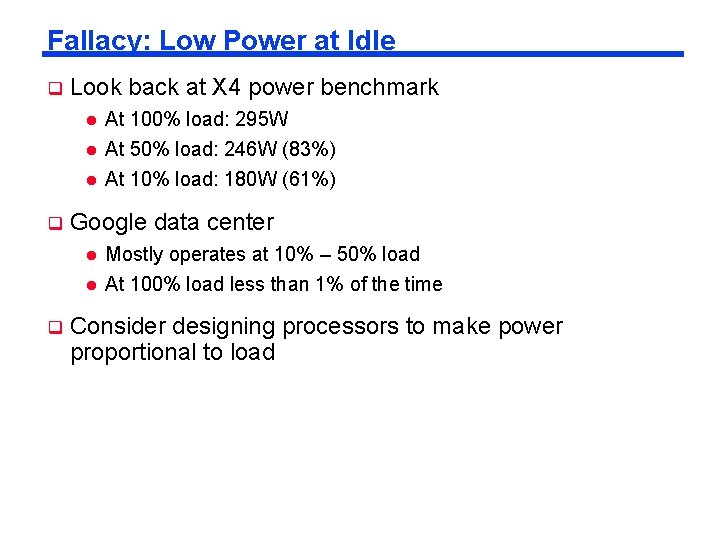
Fallacy: Low Power at Idle q Look back at X 4 power benchmark l l l q q At 100% load: 295 W At 50% load: 246 W (83%) At 10% load: 180 W (61%) Google data center l Mostly operates at 10% – 50% load l At 100% load less than 1% of the time Consider designing processors to make power proportional to load
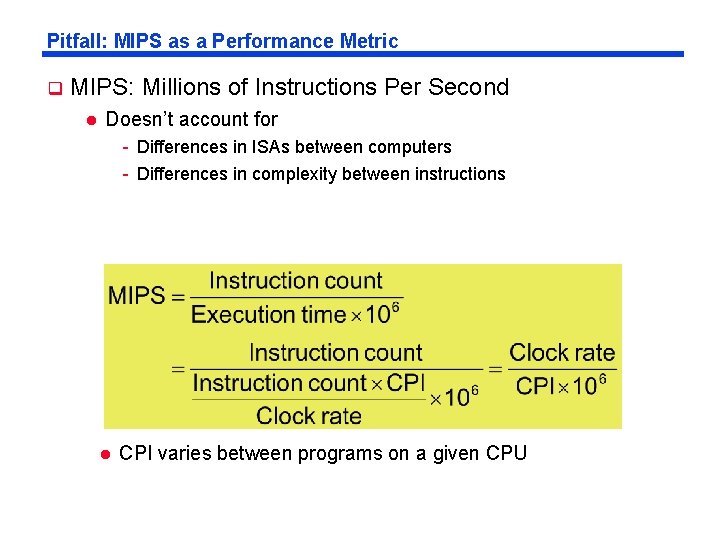
Pitfall: MIPS as a Performance Metric q MIPS: Millions of Instructions Per Second l Doesn’t account for - Differences in ISAs between computers - Differences in complexity between instructions l CPI varies between programs on a given CPU
q Cost/performance is improving l q Hierarchical layers of abstraction l q Due to underlying technology development In both hardware and software Instruction set architecture l The hardware/software interface q Execution time: the best performance measure q Power is a limiting factor l Use parallelism to improve performance § 1. 9 Concluding Remarks