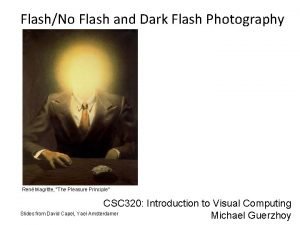
112019 Midterm Review Magritte Homesickness Computational Photography Derek

![Harris Detector [Harris 88] • Second moment matrix Ix Iy Ix 2 Iy 2](https://slidetodoc.com/presentation_image_h/1542fa976fd4aaa47c46f63ae74ab9e1/image-62.jpg "Harris Detector [Harris 88] • Second moment matrix Ix Iy Ix 2 Iy 2")
![Harris Detector – Responses [Harris 88] Effect: A very precise corner detector.](https://slidetodoc.com/presentation_image_h/1542fa976fd4aaa47c46f63ae74ab9e1/image-63.jpg "Harris Detector – Responses [Harris 88] Effect: A very precise corner detector.")

- Slides: 72
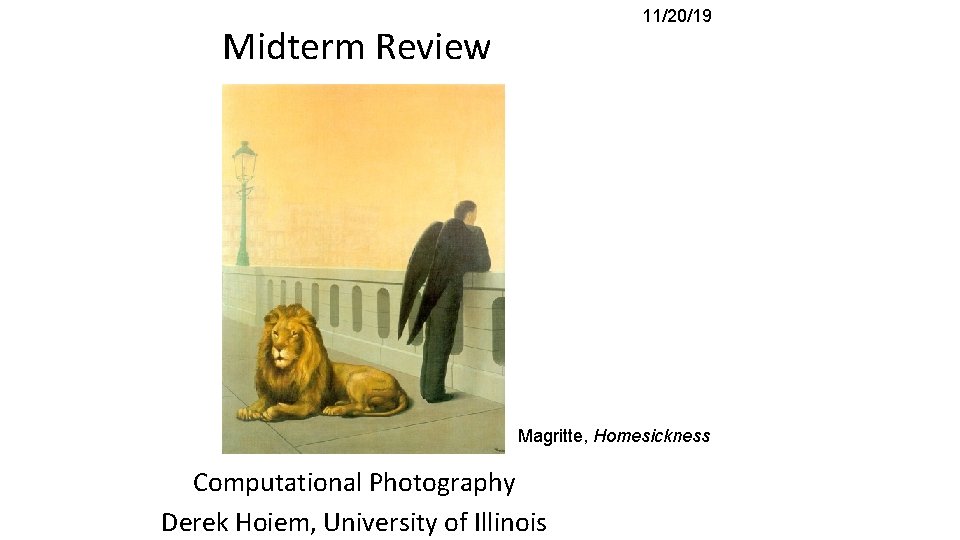
11/20/19 Midterm Review Magritte, Homesickness Computational Photography Derek Hoiem, University of Illinois
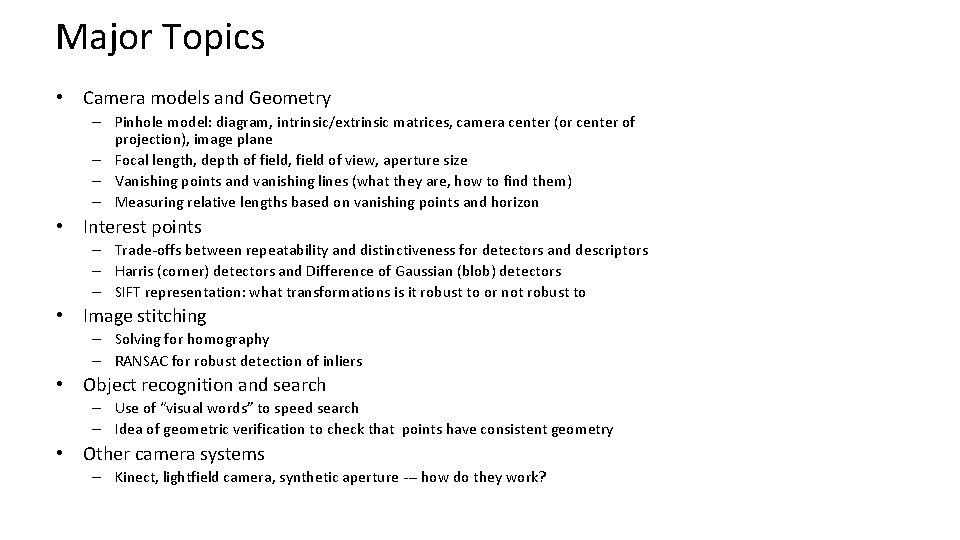
Major Topics • Linear Filtering – – How it works Template and Frequency interpretations Image pyramids and their applications Sampling (Nyquist theorem, application of low-pass filtering) • Light and color – Lambertian shading, shadows, specularities – Color spaces (RGB, HSV, LAB) – Image-based lighting • Techniques – Finding boundaries: intelligent scissors, graph cuts, where to cut and why – Texture synthesis: idea of sampling patches to synthesize, filling order – Compositing and blending: alpha compositing, Laplacian blending, Poisson editing • Warping – Transformation matrices, homogeneous coordinates, solving for parameters via system of linear equations • Modeling shape – Averaging and interpolating sets of points
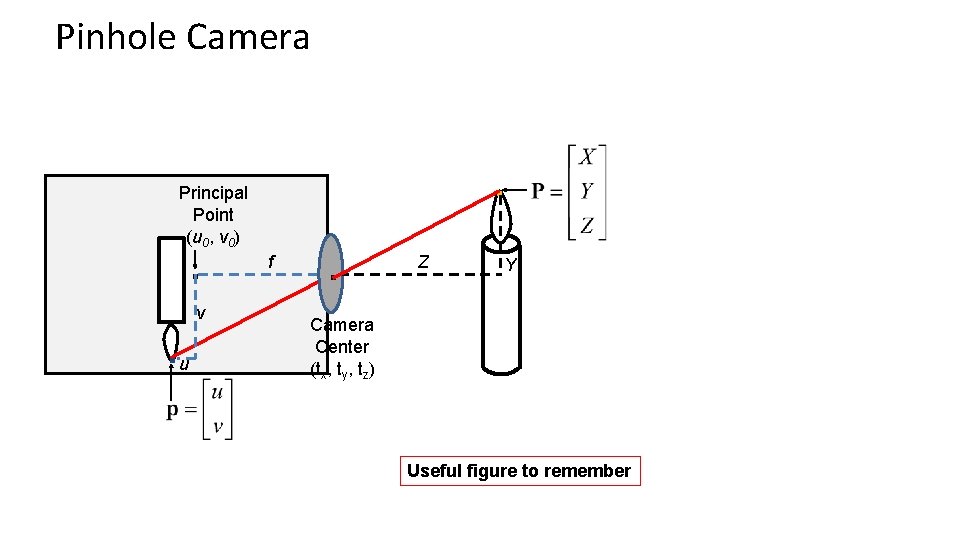
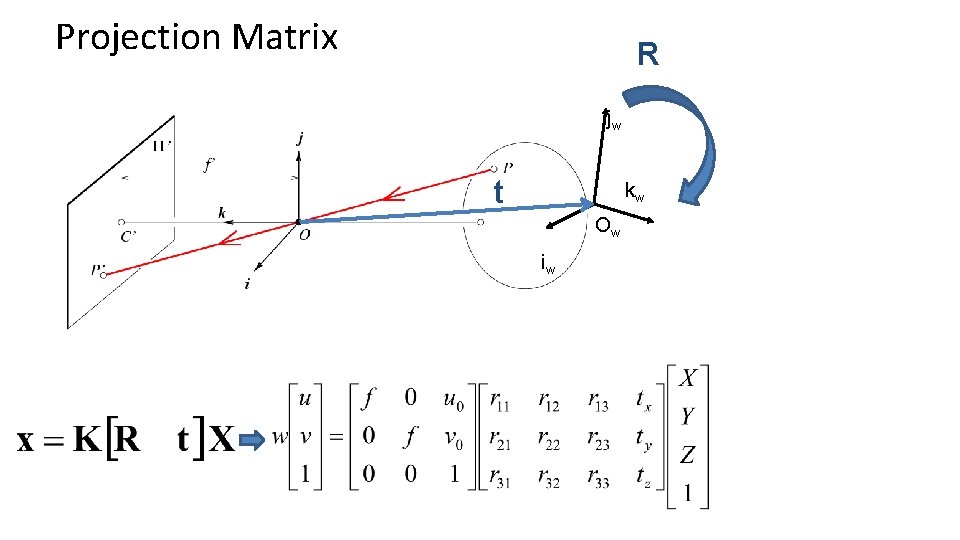
Major Topics • Camera models and Geometry – Pinhole model: diagram, intrinsic/extrinsic matrices, camera center (or center of projection), image plane – Focal length, depth of field, field of view, aperture size – Vanishing points and vanishing lines (what they are, how to find them) – Measuring relative lengths based on vanishing points and horizon • Interest points – Trade-offs between repeatability and distinctiveness for detectors and descriptors – Harris (corner) detectors and Difference of Gaussian (blob) detectors – SIFT representation: what transformations is it robust to or not robust to • Image stitching – Solving for homography – RANSAC for robust detection of inliers • Object recognition and search – Use of “visual words” to speed search – Idea of geometric verification to check that points have consistent geometry • Other camera systems – Kinect, lightfield camera, synthetic aperture --- how do they work?
Preparing for the Exam Topics include: • • • – Filtering (inc. apply, design, interpret simple filters, frequency interpretation, properties of filters) – Lighting (inc. lighting and material models) – Camera models (inc. pinhole model and its applications, effects of lens and camera controls) – Single view geometry (inc. relative measurements within an image) – Interest points and correspondence (inc. interest point detectors, matching, retrieval based on interest points) – Alignment/transformations (inc. global transformations, setting up matrix to solve for a transformation, RANSAC) – Color spaces, pyramids, and sampling – "Topics of Interest" and other Each bullet has 10 -20 points allocated (out of 100) There are 10 questions. Questions about special topics typically require that you understand the key concepts that are presented. Bring a photo ID You cannot use notes or calculator
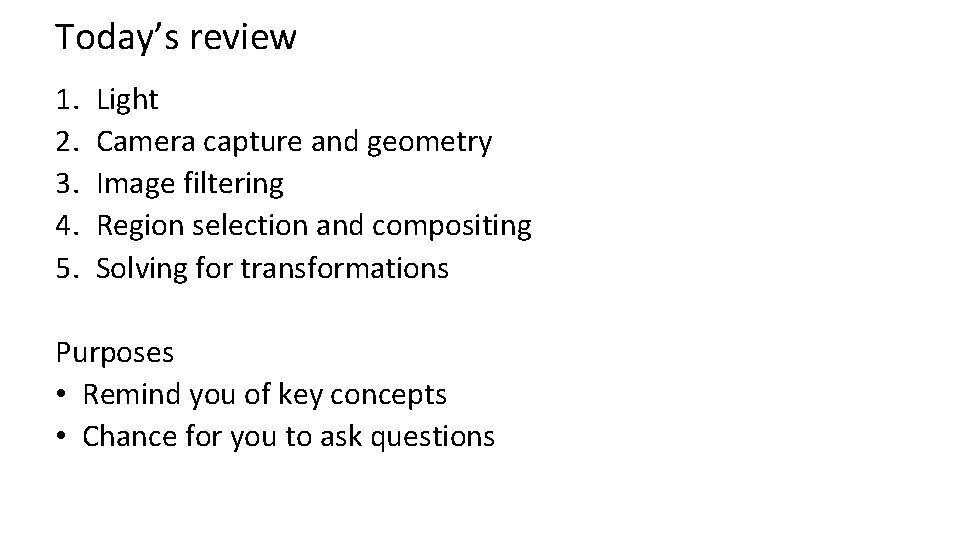
Today’s review 1. 2. 3. 4. 5. Light Camera capture and geometry Image filtering Region selection and compositing Solving for transformations Purposes • Remind you of key concepts • Chance for you to ask questions
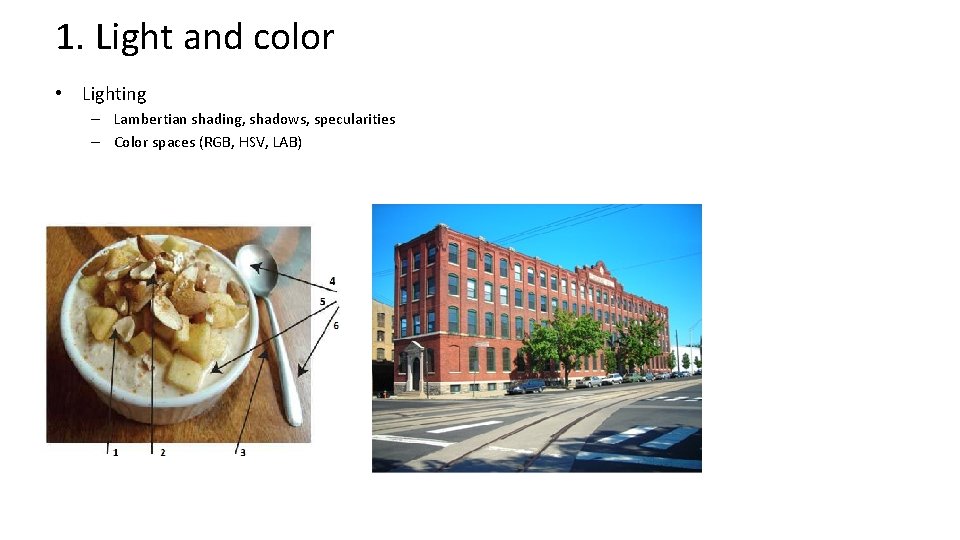
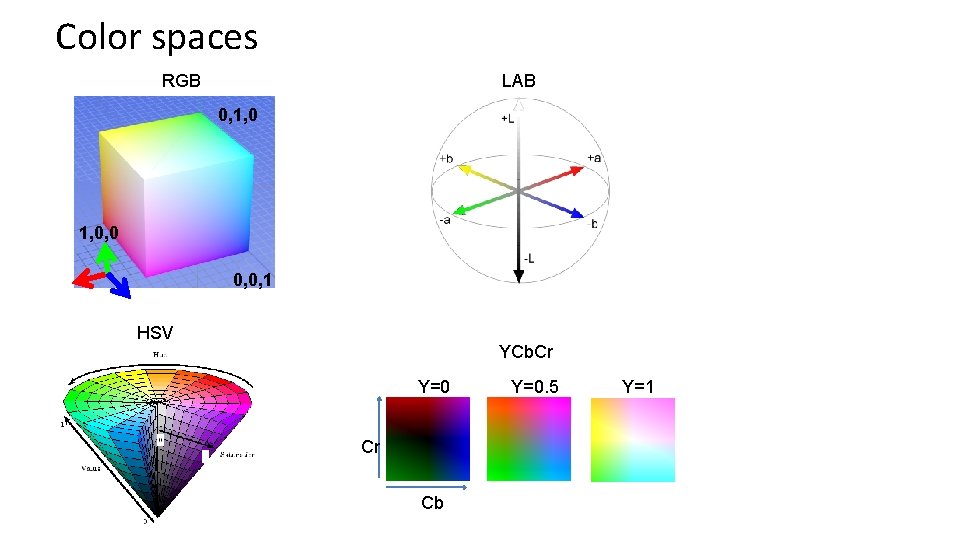
1. Light and color • Lighting – Lambertian shading, shadows, specularities – Color spaces (RGB, HSV, LAB)
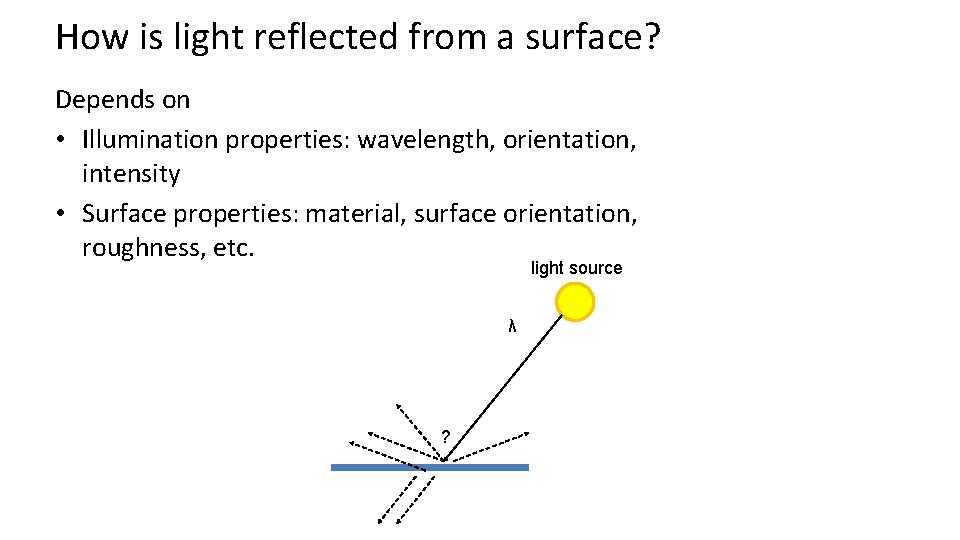
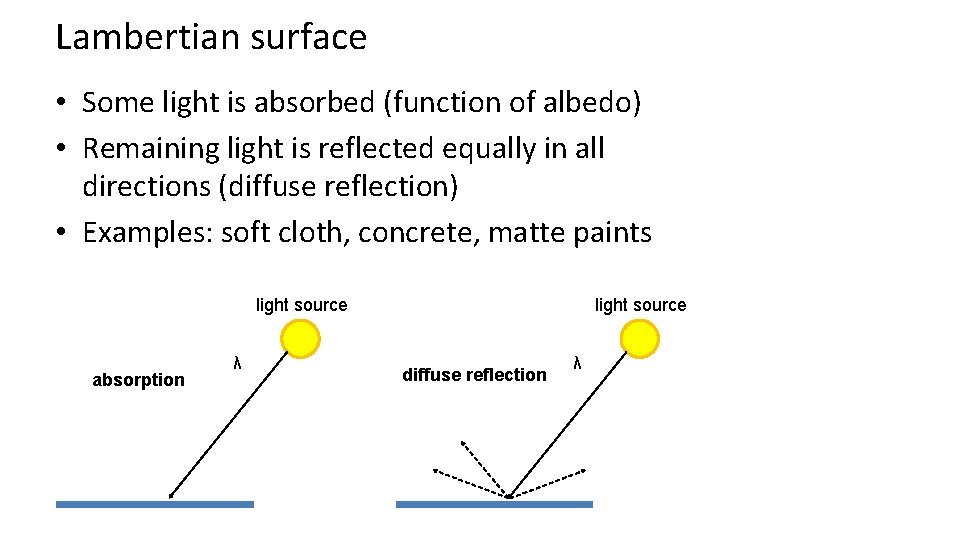
How is light reflected from a surface? Depends on • Illumination properties: wavelength, orientation, intensity • Surface properties: material, surface orientation, roughness, etc. light source λ ?
Lambertian surface • Some light is absorbed (function of albedo) • Remaining light is reflected equally in all directions (diffuse reflection) • Examples: soft cloth, concrete, matte paints light source absorption λ light source diffuse reflection λ
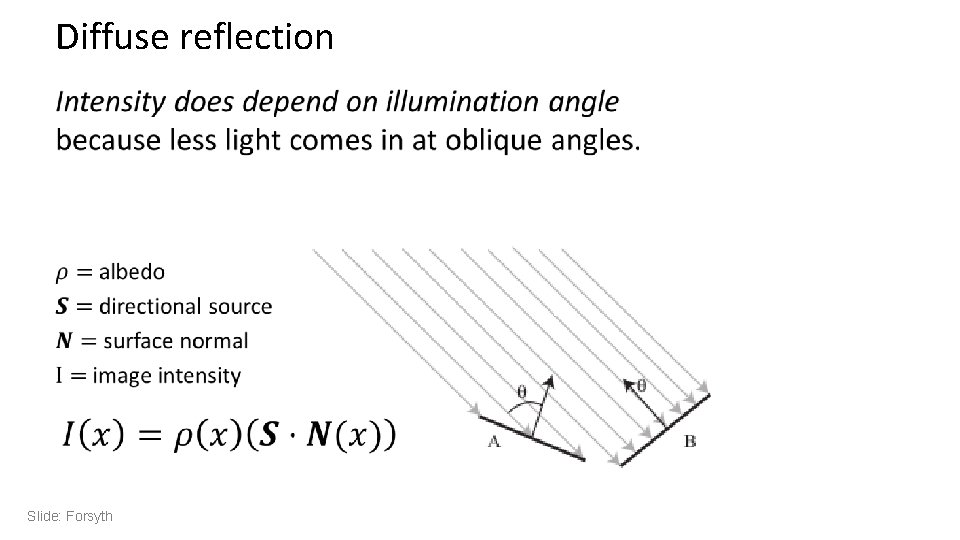
Diffuse reflection • Slide: Forsyth
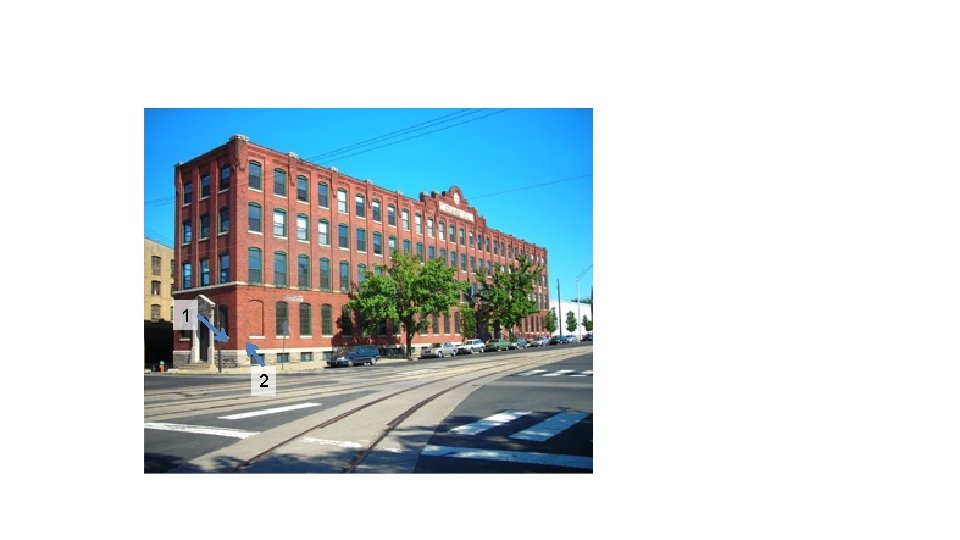
1 2
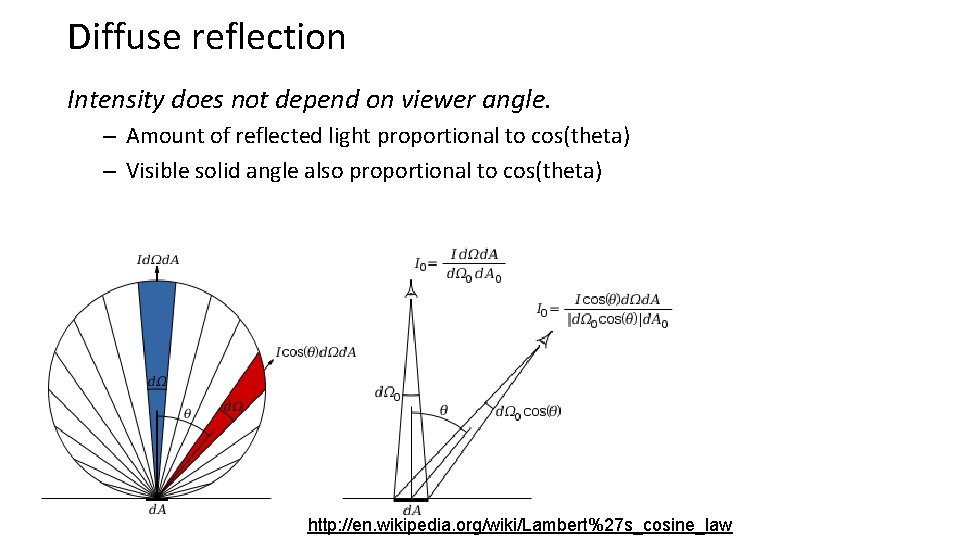
Diffuse reflection Intensity does not depend on viewer angle. – Amount of reflected light proportional to cos(theta) – Visible solid angle also proportional to cos(theta) http: //en. wikipedia. org/wiki/Lambert%27 s_cosine_law
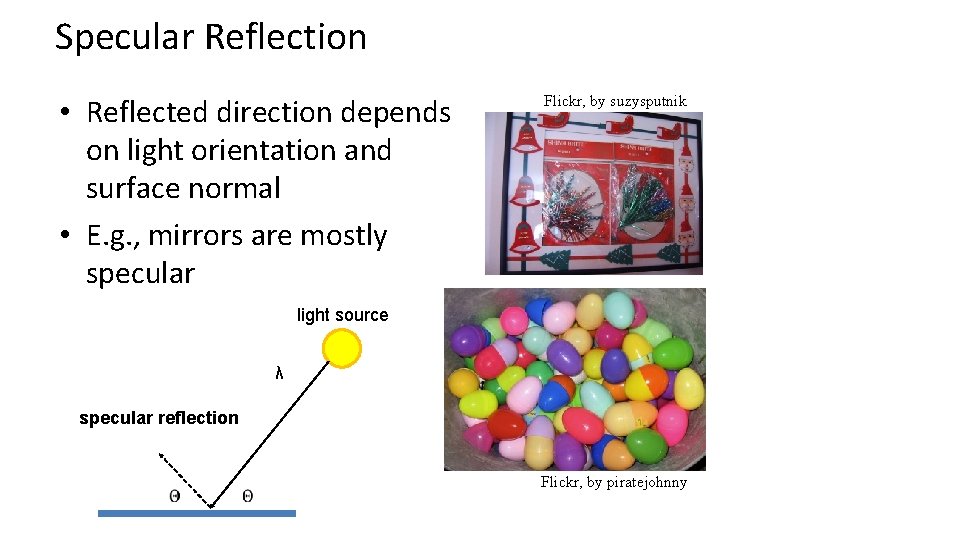
Specular Reflection • Reflected direction depends on light orientation and surface normal • E. g. , mirrors are mostly specular Flickr, by suzysputnik light source λ specular reflection Flickr, by piratejohnny
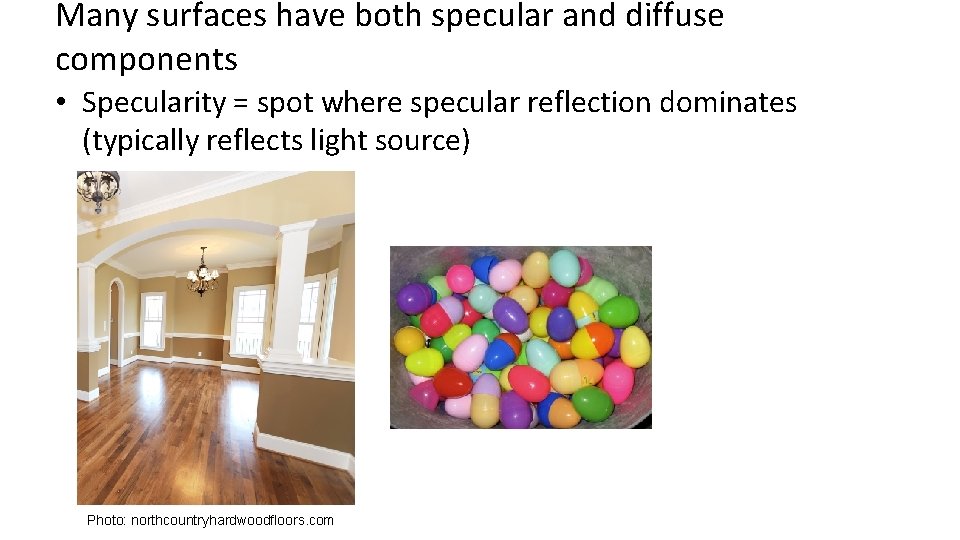
Many surfaces have both specular and diffuse components • Specularity = spot where specular reflection dominates (typically reflects light source) Photo: northcountryhardwoodfloors. com
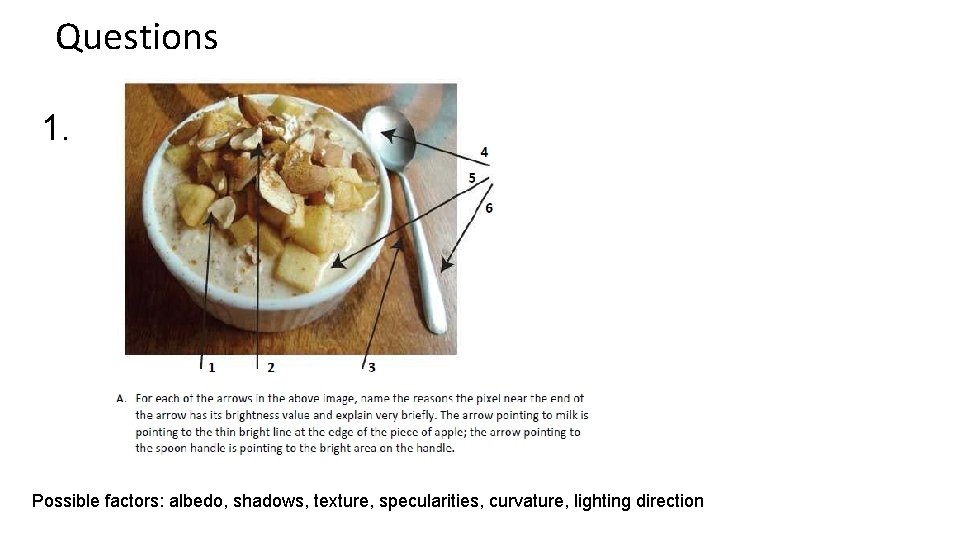
Questions 1. Possible factors: albedo, shadows, texture, specularities, curvature, lighting direction
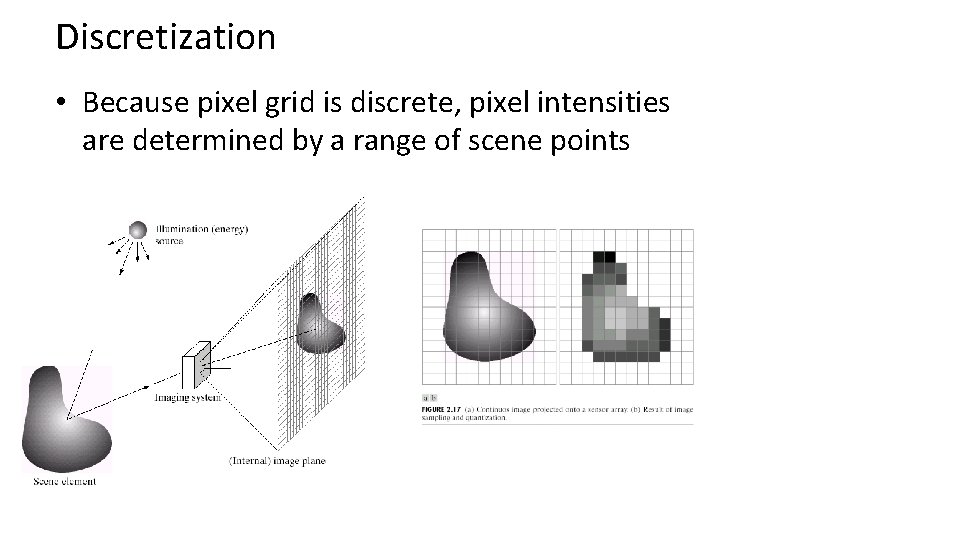
Discretization • Because pixel grid is discrete, pixel intensities are determined by a range of scene points
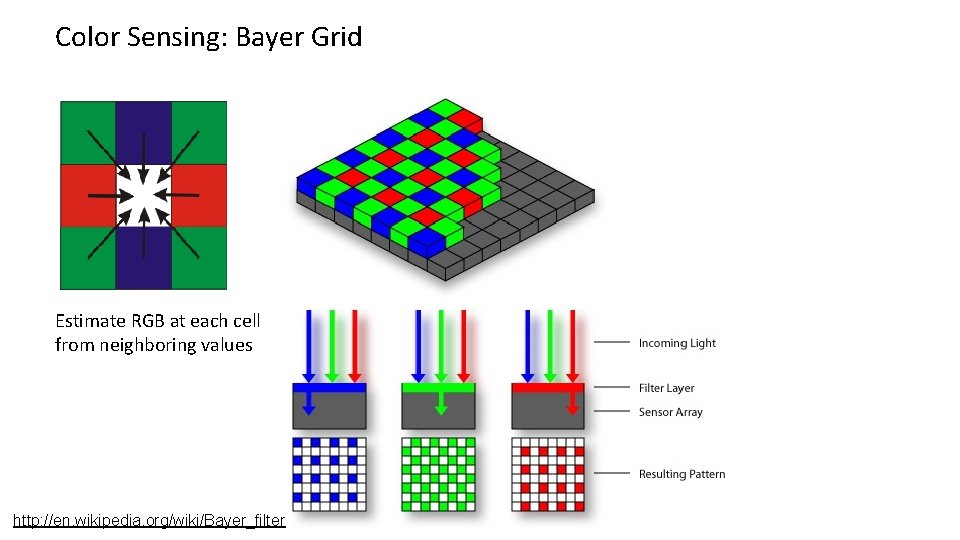
Color Sensing: Bayer Grid Estimate RGB at each cell from neighboring values http: //en. wikipedia. org/wiki/Bayer_filter
Color spaces RGB LAB 0, 1, 0, 0, 1 HSV YCb. Cr Y=0 Cr Cb Y=0. 5 Y=1
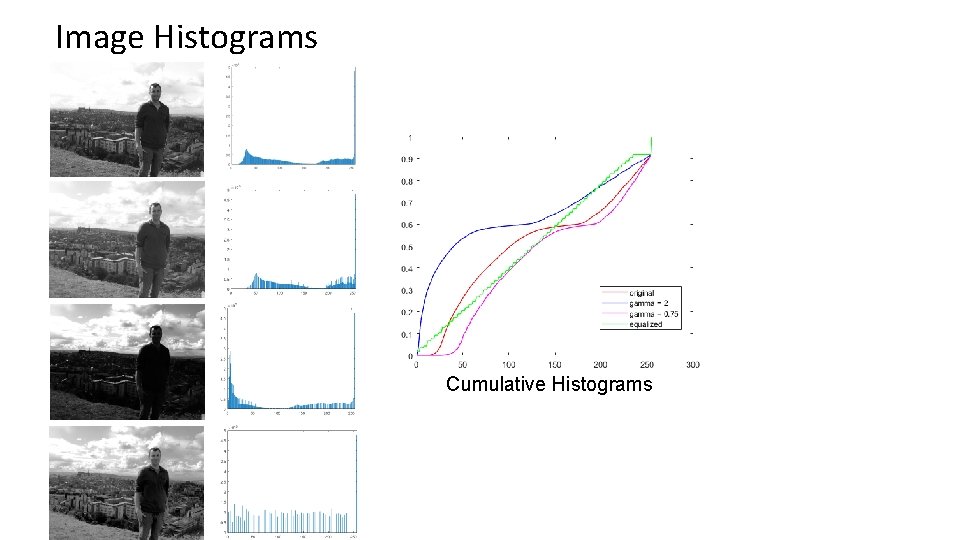
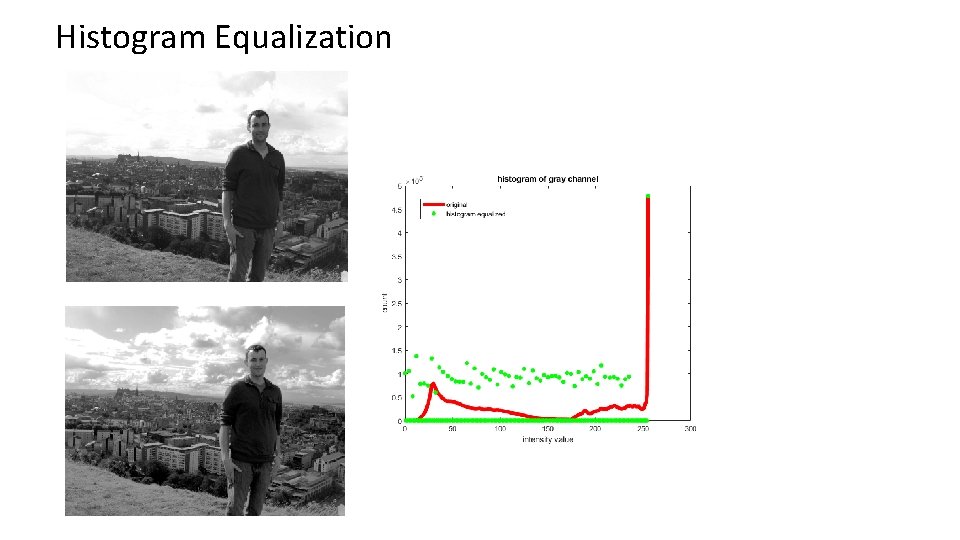
Image Histograms Cumulative Histograms
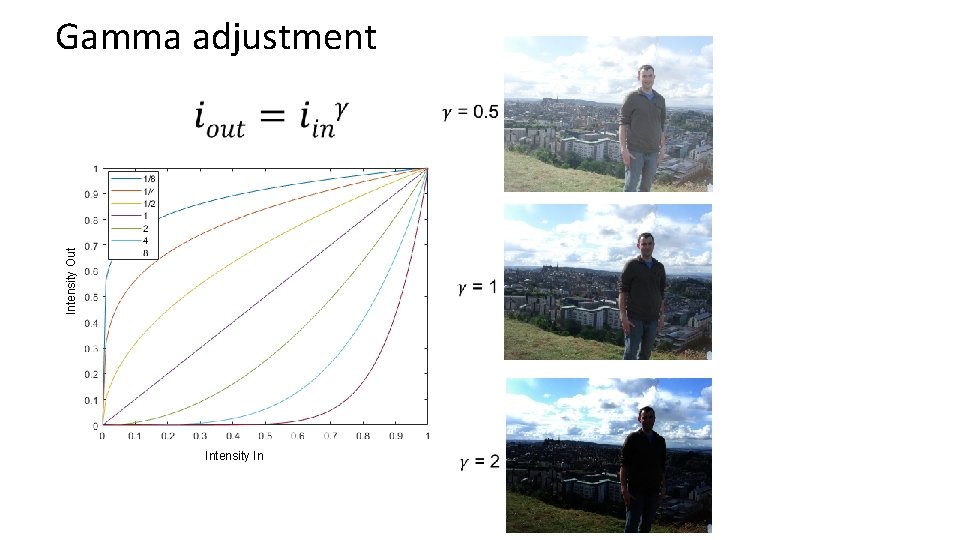
Gamma adjustment Intensity Out Intensity In
Histogram Equalization
2. Camera Capture and Geometry
Pinhole Camera . Principal Point (u 0, v 0) . . u v f . Z Y Camera Center (tx, ty, tz) Useful figure to remember
Projection Matrix R jw t kw Ow iw
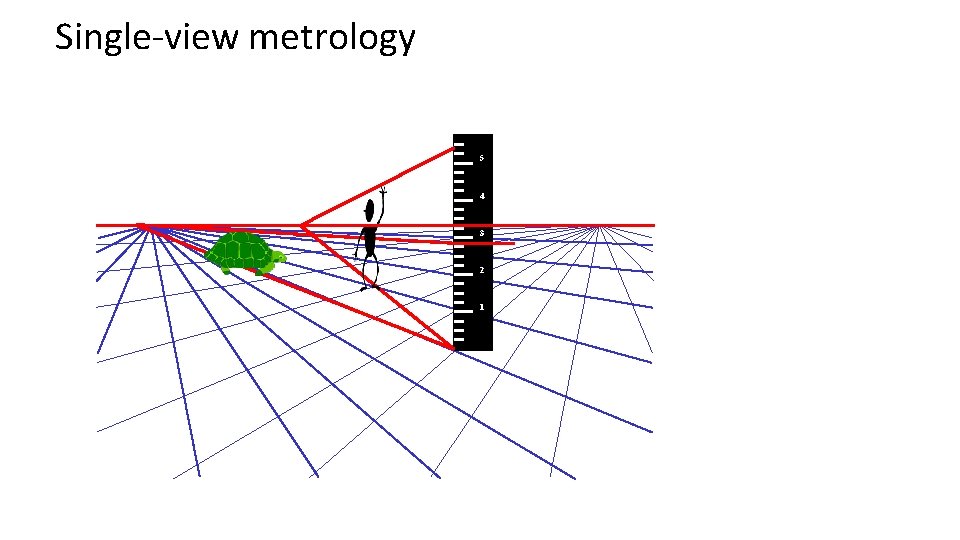
Single-view metrology 5 4 3 2 1
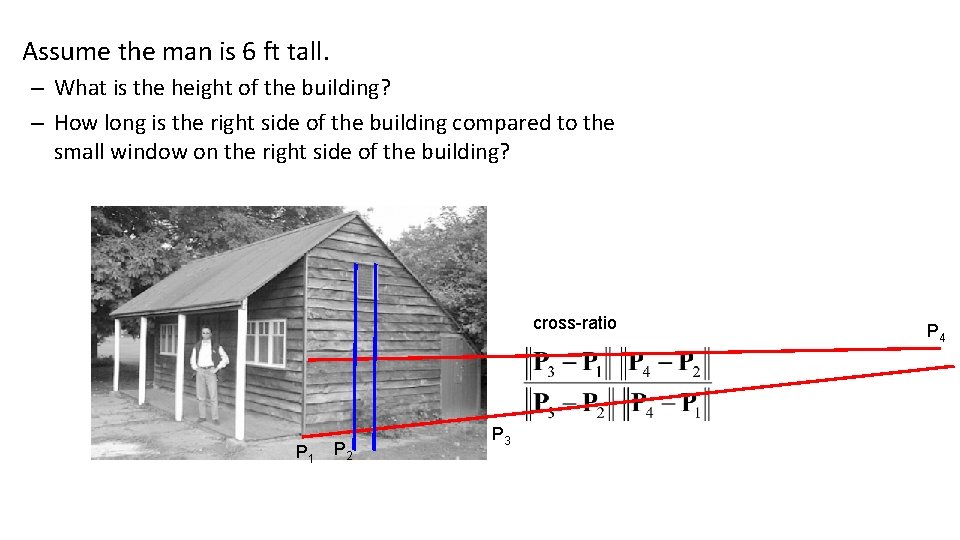
Assume the man is 6 ft tall. – What is the height of the building? – How long is the right side of the building compared to the small window on the right side of the building? cross-ratio P 1 P 2 P 3 P 4
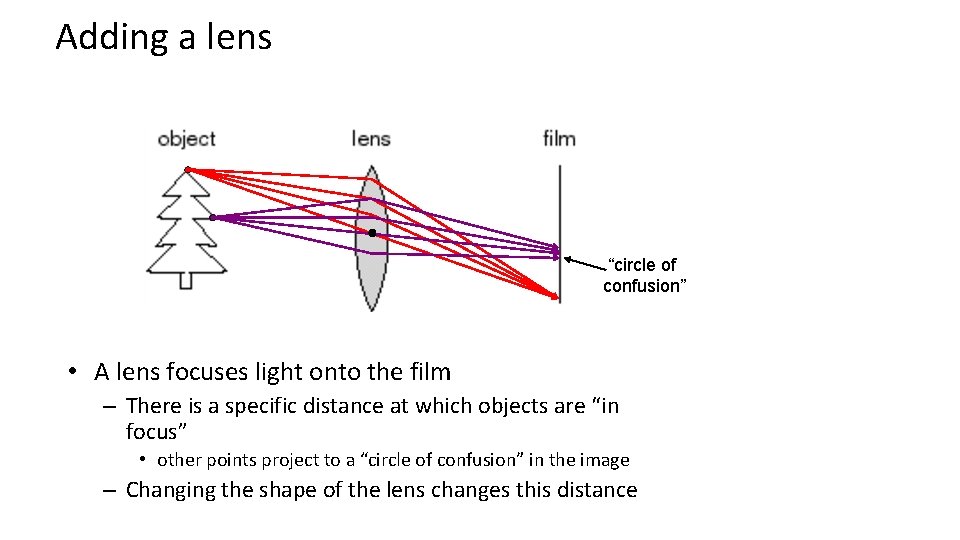
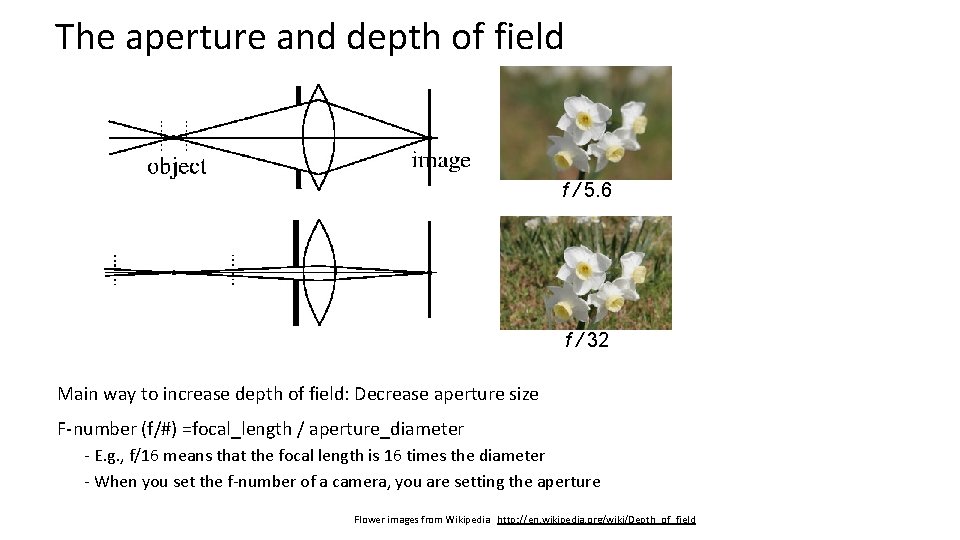
Adding a lens “circle of confusion” • A lens focuses light onto the film – There is a specific distance at which objects are “in focus” • other points project to a “circle of confusion” in the image – Changing the shape of the lens changes this distance
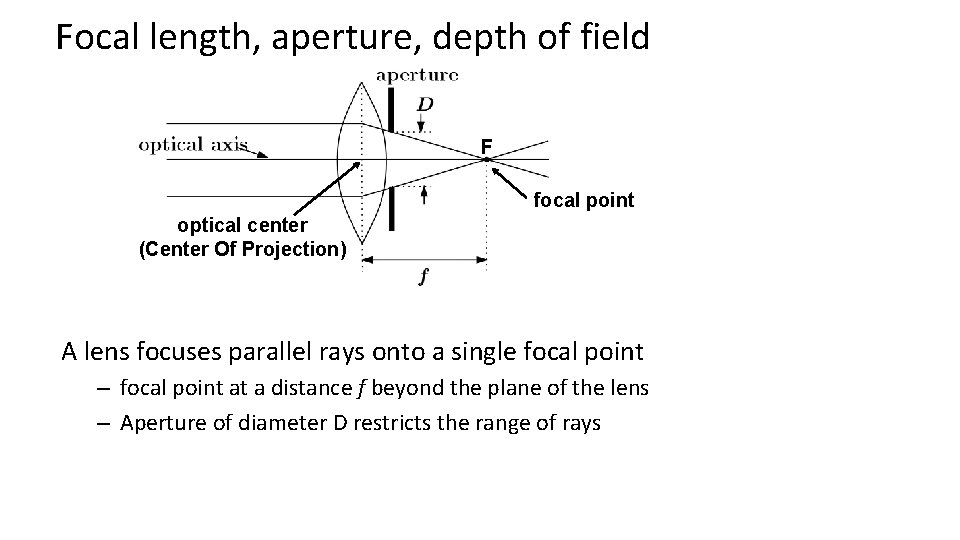
Focal length, aperture, depth of field F focal point optical center (Center Of Projection) A lens focuses parallel rays onto a single focal point – focal point at a distance f beyond the plane of the lens – Aperture of diameter D restricts the range of rays
The aperture and depth of field f / 5. 6 f / 32 Main way to increase depth of field: Decrease aperture size F-number (f/#) =focal_length / aperture_diameter - E. g. , f/16 means that the focal length is 16 times the diameter - When you set the f-number of a camera, you are setting the aperture Flower images from Wikipedia http: //en. wikipedia. org/wiki/Depth_of_field
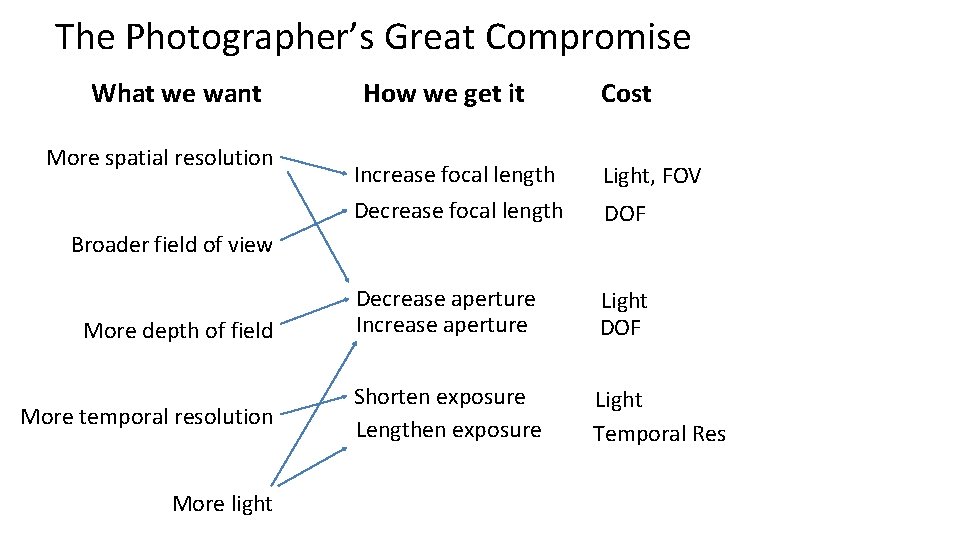
The Photographer’s Great Compromise What we want More spatial resolution How we get it Cost Increase focal length Light, FOV Decrease focal length DOF Decrease aperture Increase aperture Light DOF Shorten exposure Lengthen exposure Light Temporal Res Broader field of view More depth of field More temporal resolution More light
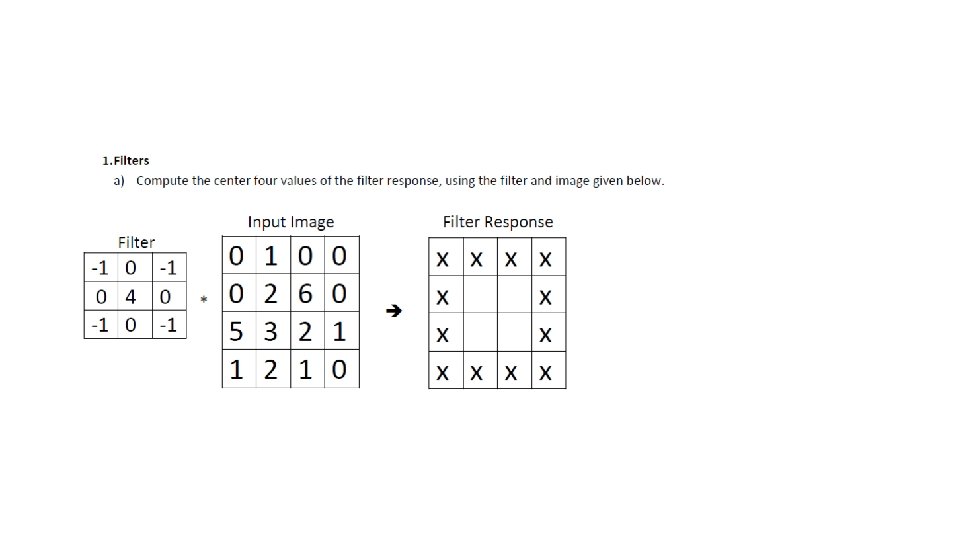
3. Linear filtering • Can think of filtering as – A function in the spatial domain (e. g. , compute average of each 3 x 3 window) – Template matching – Modifying the frequency of the image
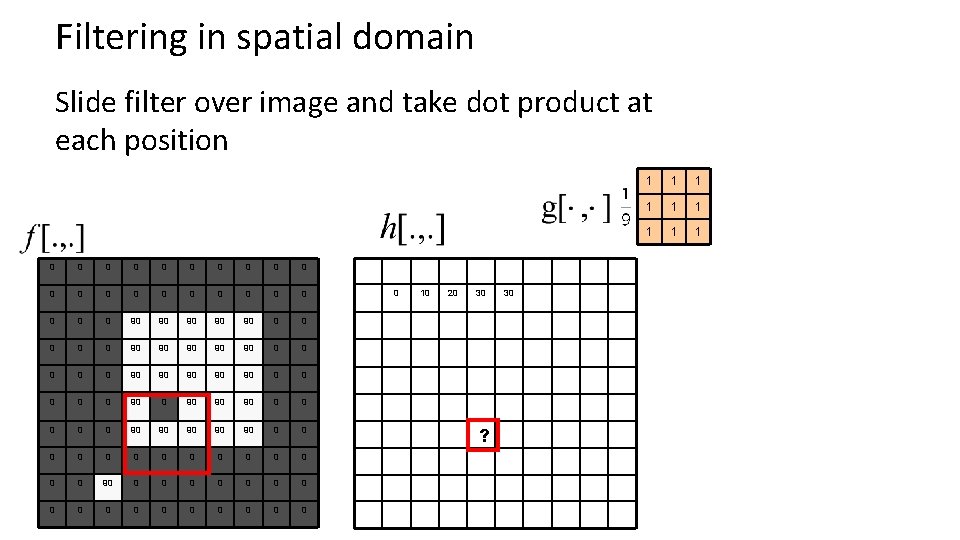
Filtering in spatial domain Slide filter over image and take dot product at each position 0 0 0 0 0 0 90 90 90 0 0 90 90 90 0 90 90 90 0 0 0 0 0 0 0 0 0 10 20 30 ? 30 1 1 1 1 1
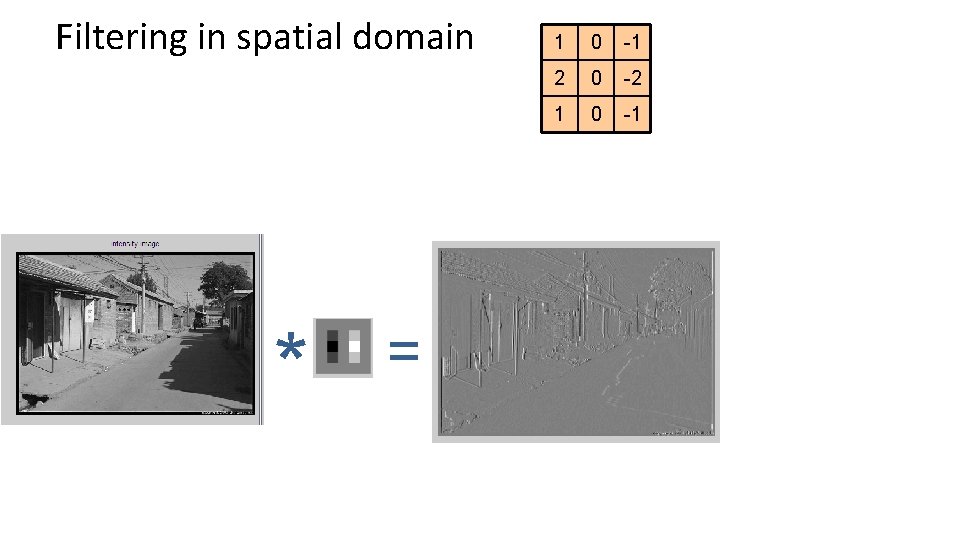
Filtering in spatial domain * = 1 0 -1 2 0 -2 1 0 -1
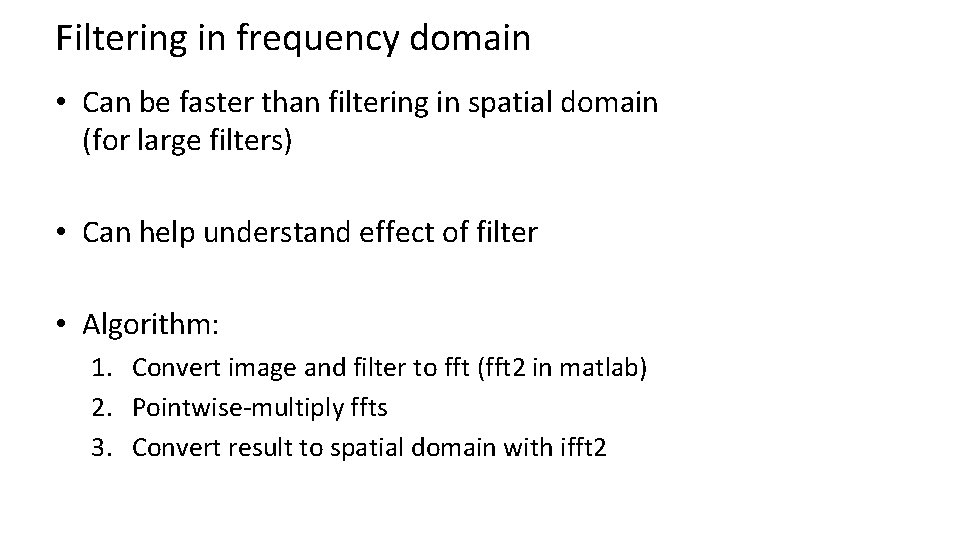
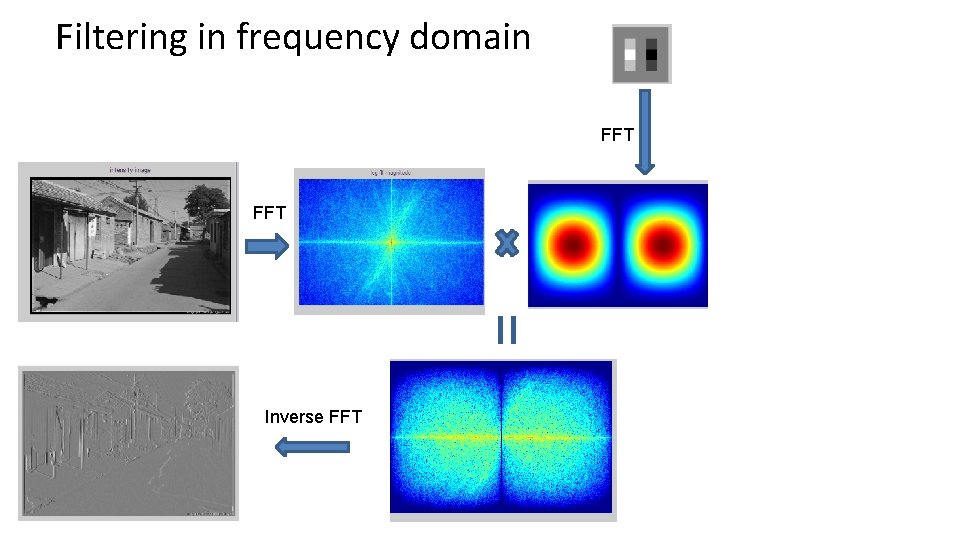
Filtering in frequency domain • Can be faster than filtering in spatial domain (for large filters) • Can help understand effect of filter • Algorithm: 1. Convert image and filter to fft (fft 2 in matlab) 2. Pointwise-multiply ffts 3. Convert result to spatial domain with ifft 2
Filtering in frequency domain FFT = Inverse FFT
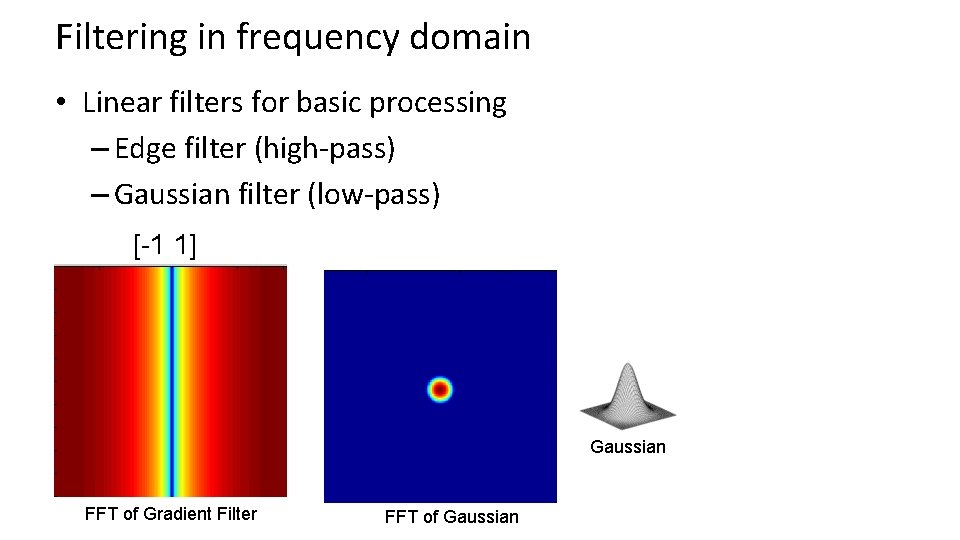
Filtering in frequency domain • Linear filters for basic processing – Edge filter (high-pass) – Gaussian filter (low-pass) [-1 1] Gaussian FFT of Gradient Filter FFT of Gaussian
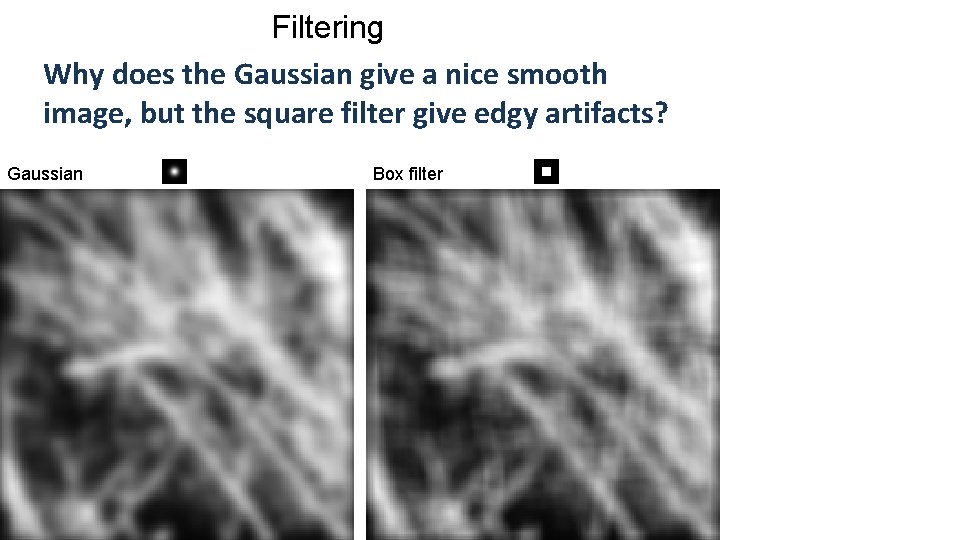
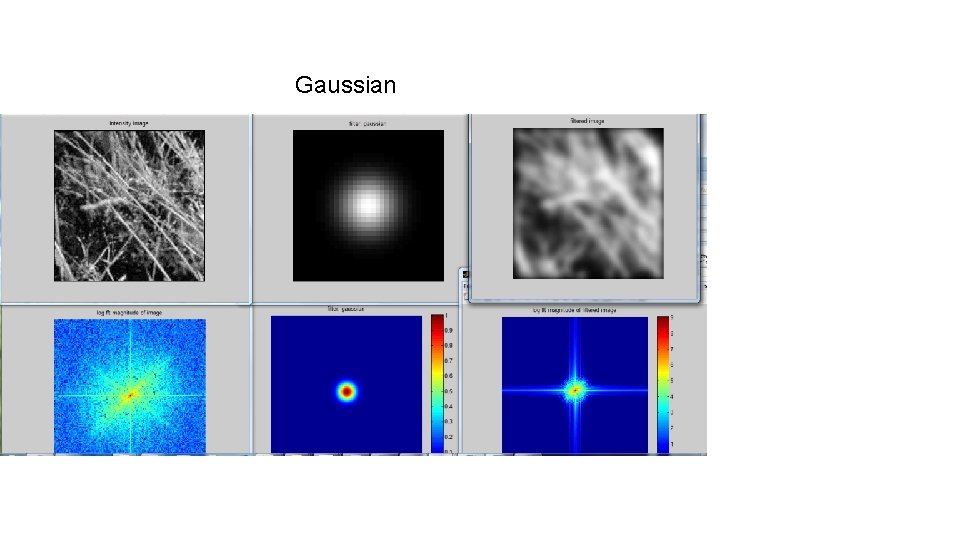
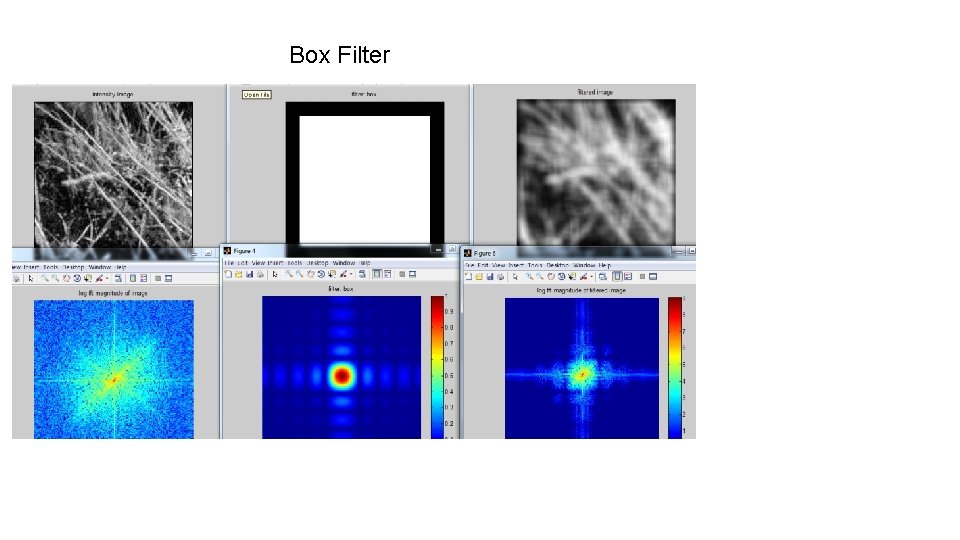
Filtering Why does the Gaussian give a nice smooth image, but the square filter give edgy artifacts? Gaussian Box filter
Gaussian
Box Filter
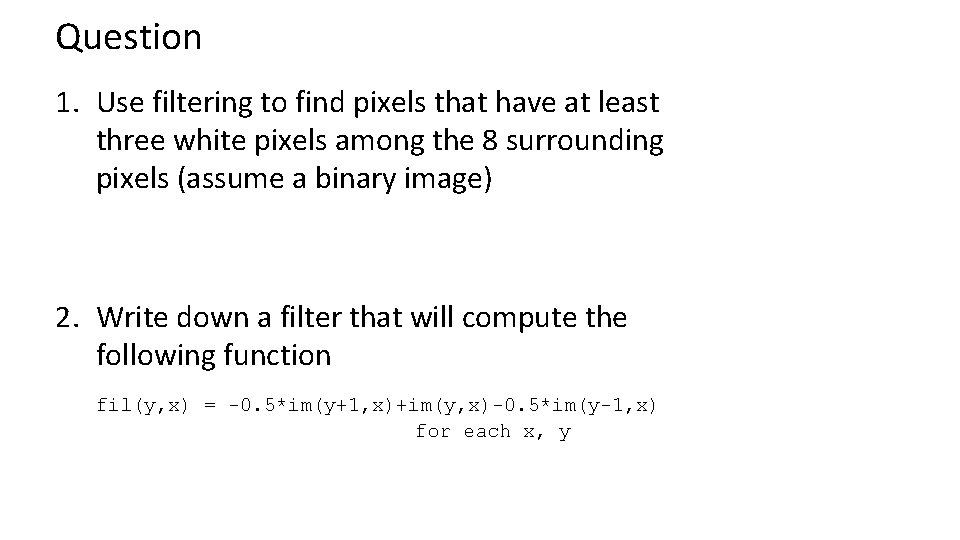
Question 1. Use filtering to find pixels that have at least three white pixels among the 8 surrounding pixels (assume a binary image) 2. Write down a filter that will compute the following function fil(y, x) = -0. 5*im(y+1, x)+im(y, x)-0. 5*im(y-1, x) for each x, y
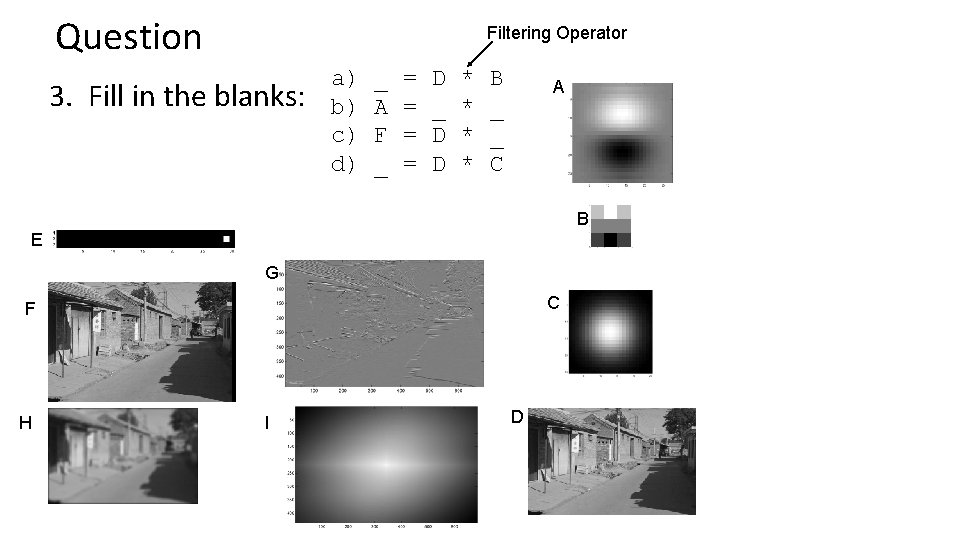
Question Filtering Operator 3. Fill in the blanks: a) b) c) d) _ A F _ = = D _ D D * * B _ _ C A B E G C F H I D
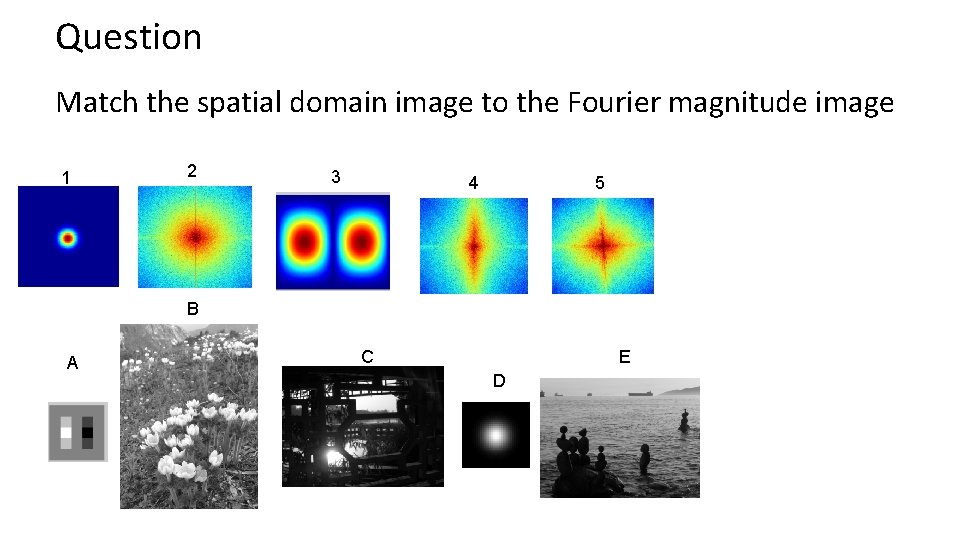
Question Match the spatial domain image to the Fourier magnitude image 1 2 3 4 5 B A C E D
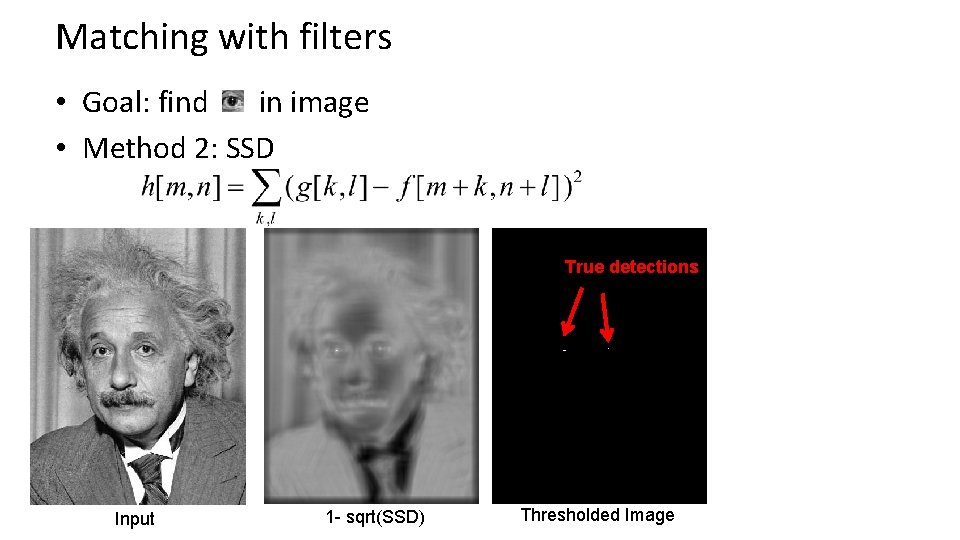
Matching with filters • Goal: find in image • Method 2: SSD True detections Input 1 - sqrt(SSD) Thresholded Image
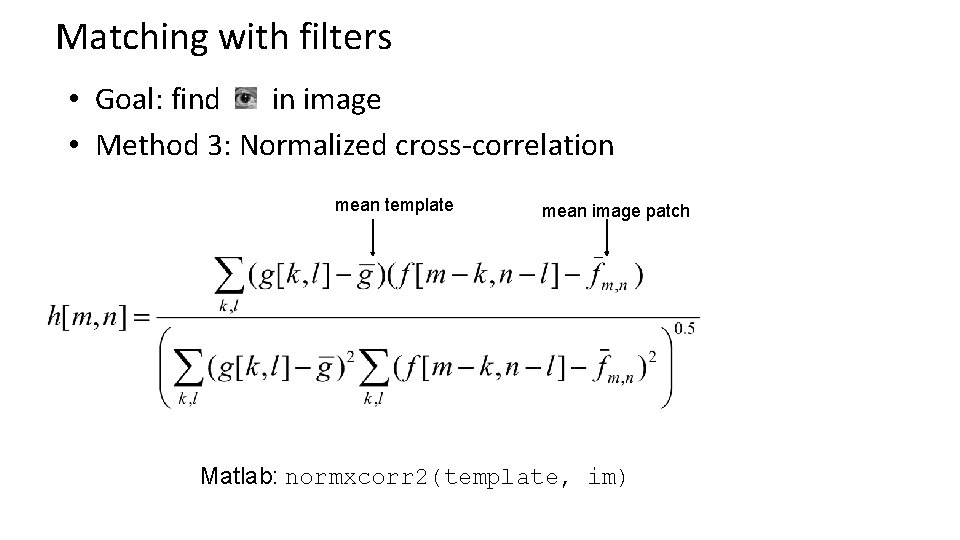
Matching with filters • Goal: find in image • Method 3: Normalized cross-correlation mean template mean image patch Matlab: normxcorr 2(template, im)
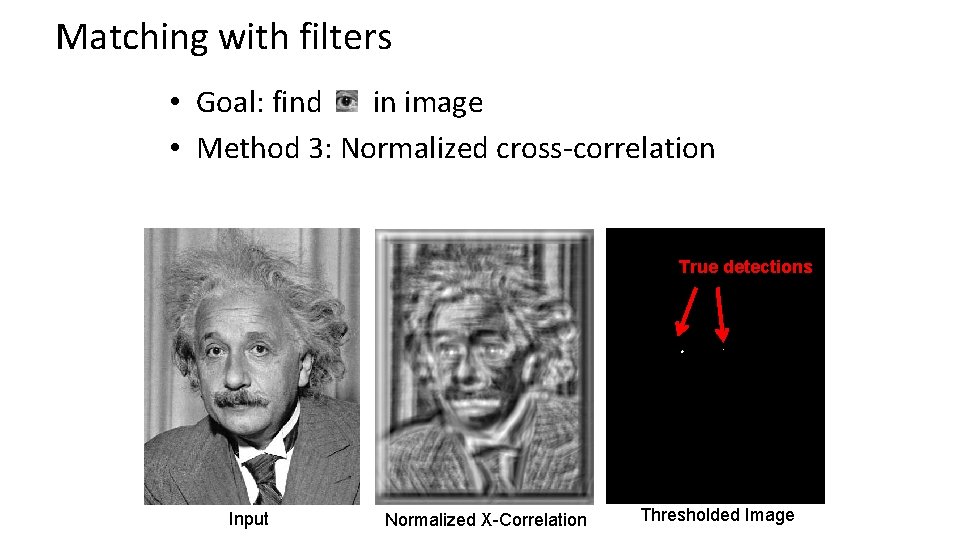
Matching with filters • Goal: find in image • Method 3: Normalized cross-correlation True detections Input Normalized X-Correlation Thresholded Image
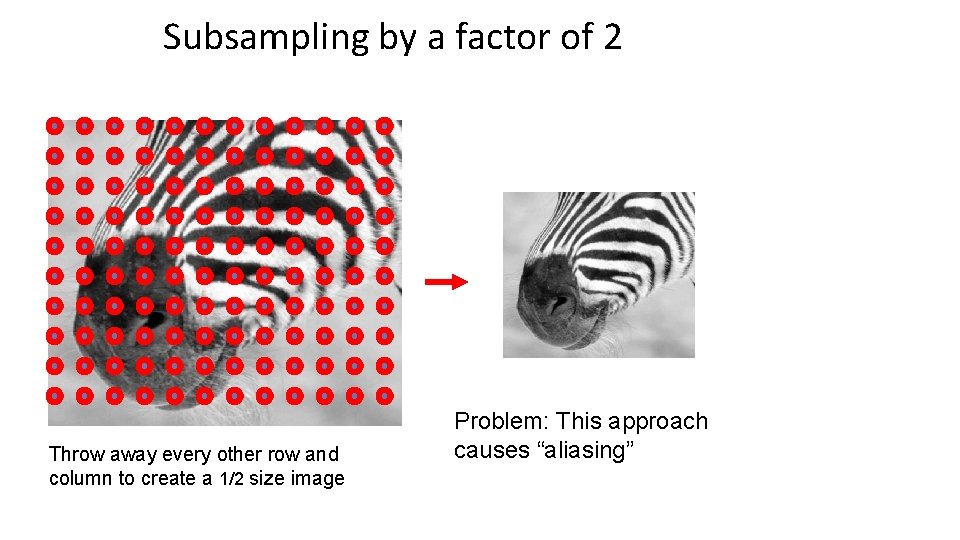
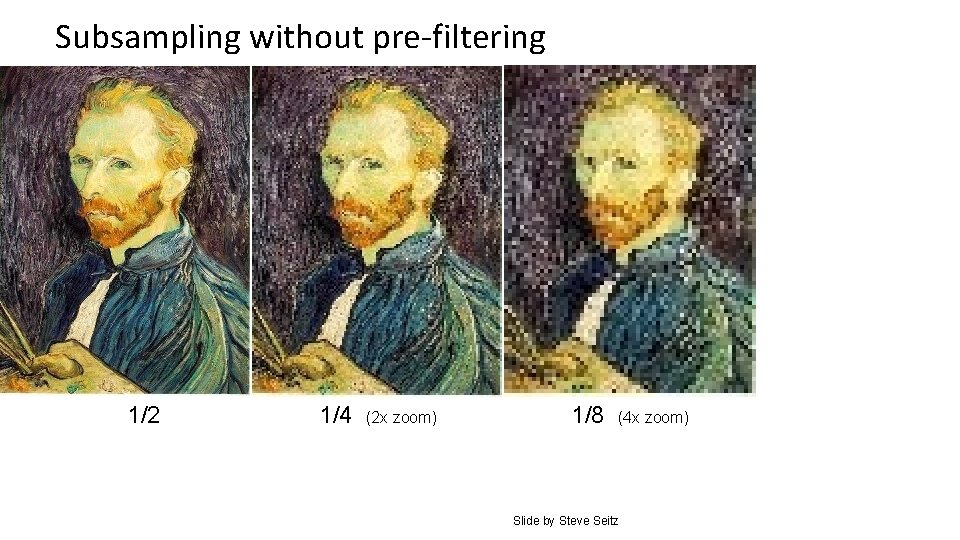
Subsampling by a factor of 2 Throw away every other row and column to create a 1/2 size image Problem: This approach causes “aliasing”
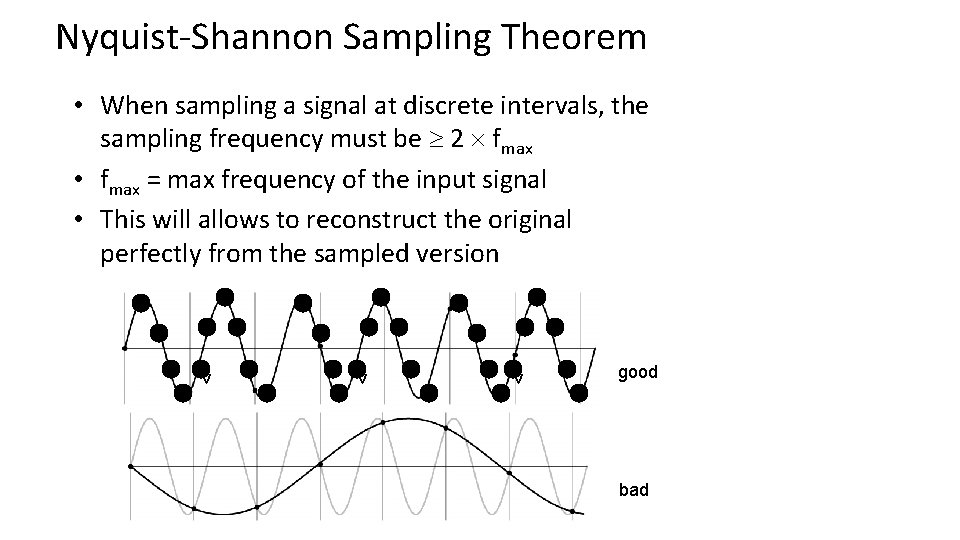
Nyquist-Shannon Sampling Theorem • When sampling a signal at discrete intervals, the sampling frequency must be 2 fmax • fmax = max frequency of the input signal • This will allows to reconstruct the original perfectly from the sampled version v v v good bad
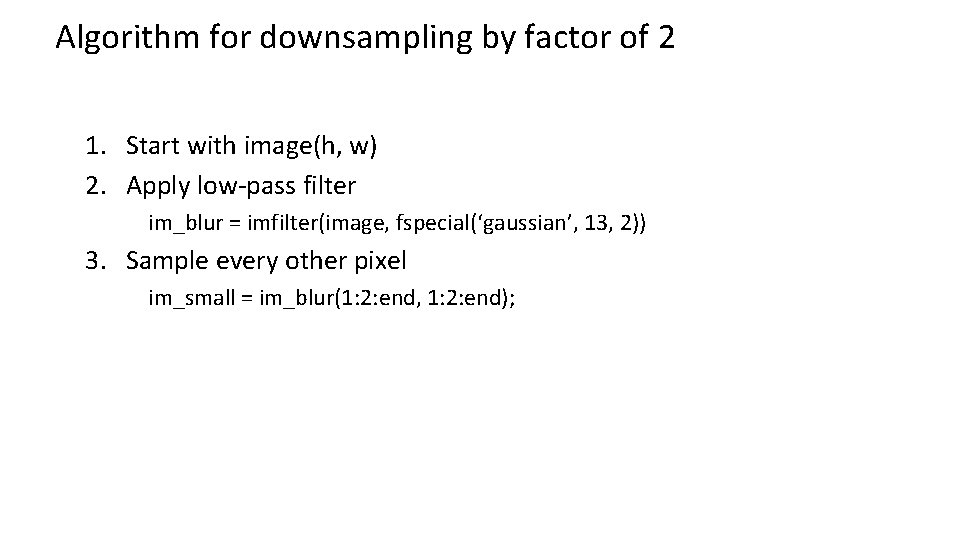
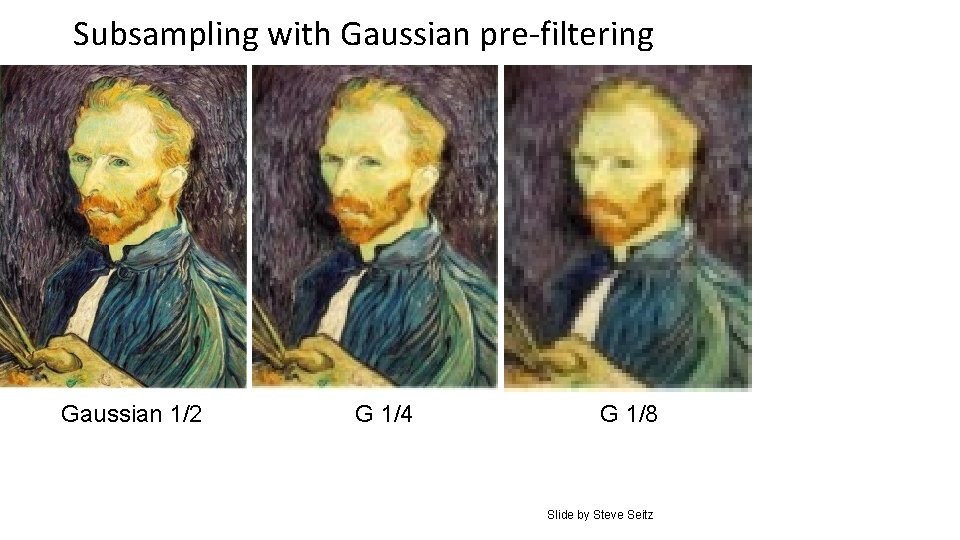
Algorithm for downsampling by factor of 2 1. Start with image(h, w) 2. Apply low-pass filter im_blur = imfilter(image, fspecial(‘gaussian’, 13, 2)) 3. Sample every other pixel im_small = im_blur(1: 2: end, 1: 2: end);
Subsampling without pre-filtering 1/2 1/4 (2 x zoom) 1/8 (4 x zoom) Slide by Steve Seitz
Subsampling with Gaussian pre-filtering Gaussian 1/2 G 1/4 G 1/8 Slide by Steve Seitz
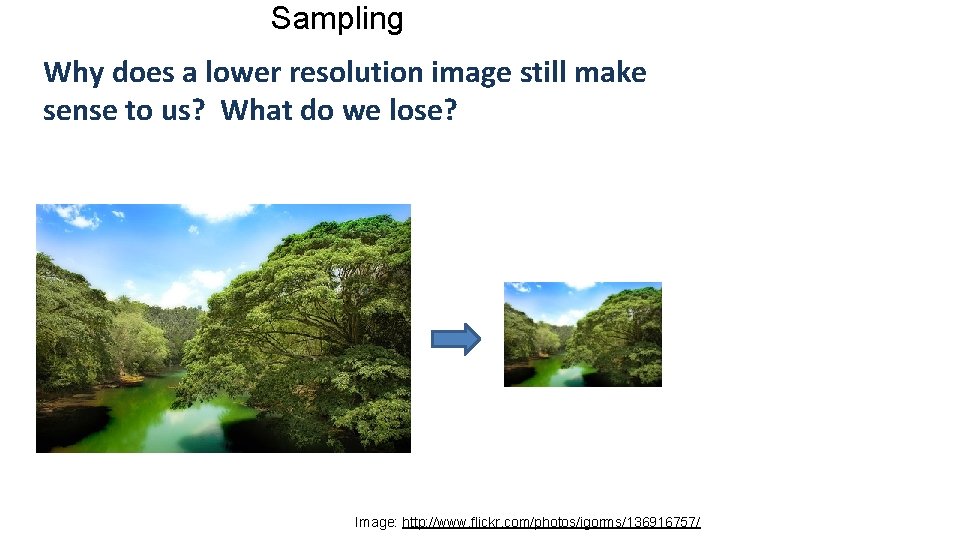
Sampling Why does a lower resolution image still make sense to us? What do we lose? Image: http: //www. flickr. com/photos/igorms/136916757/
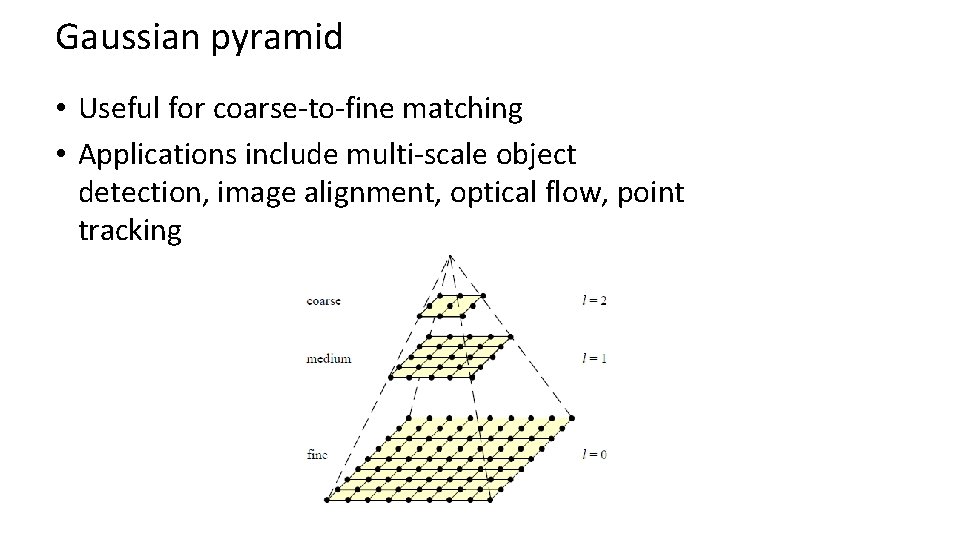
Gaussian pyramid • Useful for coarse-to-fine matching • Applications include multi-scale object detection, image alignment, optical flow, point tracking
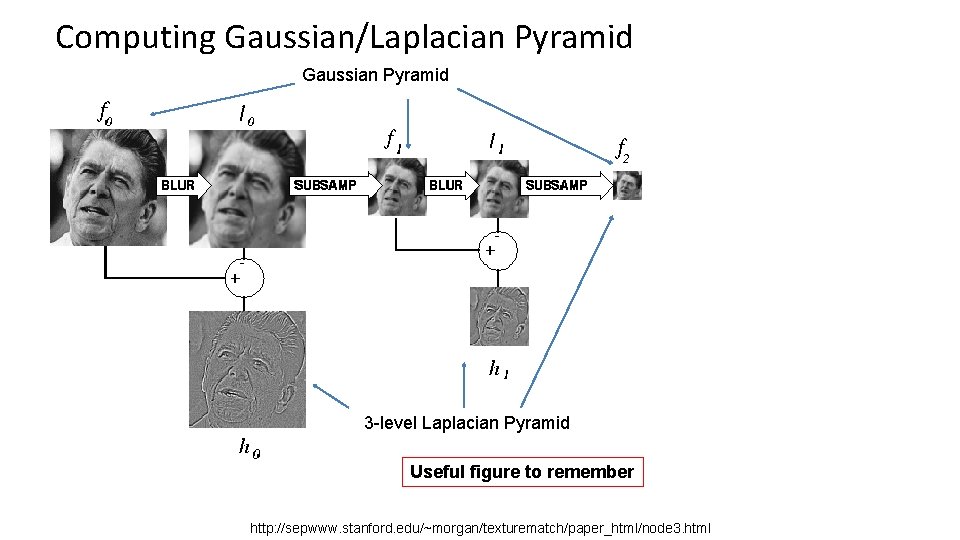
Computing Gaussian/Laplacian Pyramid Gaussian Pyramid 3 -level Laplacian Pyramid Useful figure to remember http: //sepwww. stanford. edu/~morgan/texturematch/paper_html/node 3. html
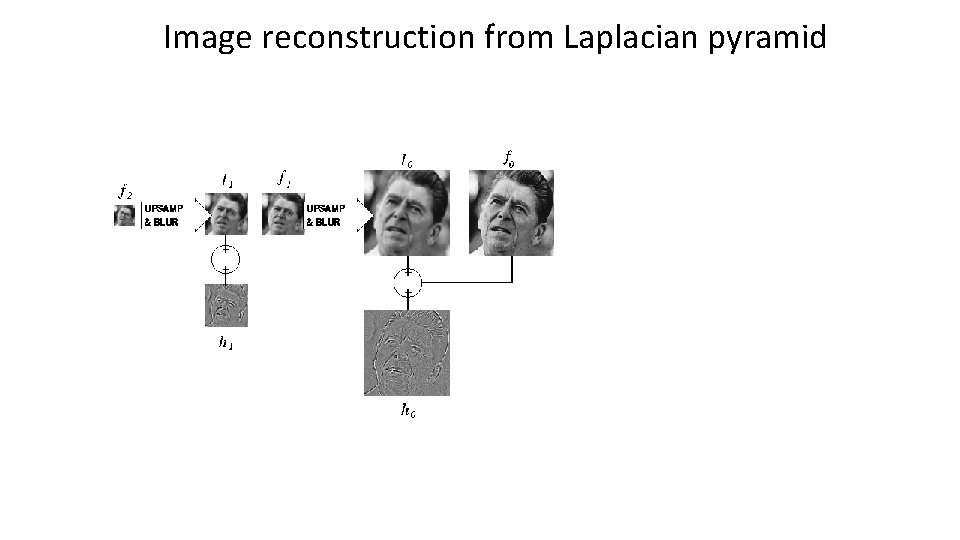
Image reconstruction from Laplacian pyramid
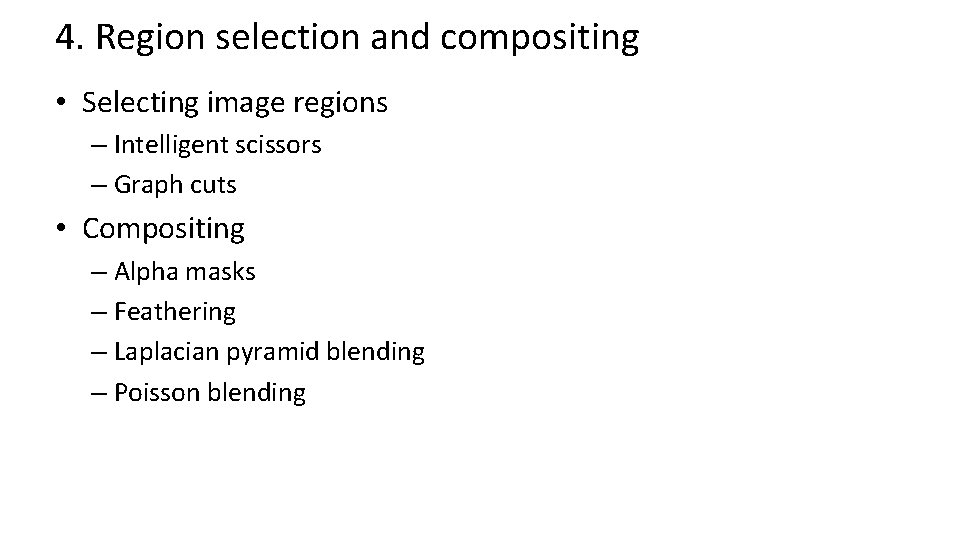
4. Region selection and compositing • Selecting image regions – Intelligent scissors – Graph cuts • Compositing – Alpha masks – Feathering – Laplacian pyramid blending – Poisson blending
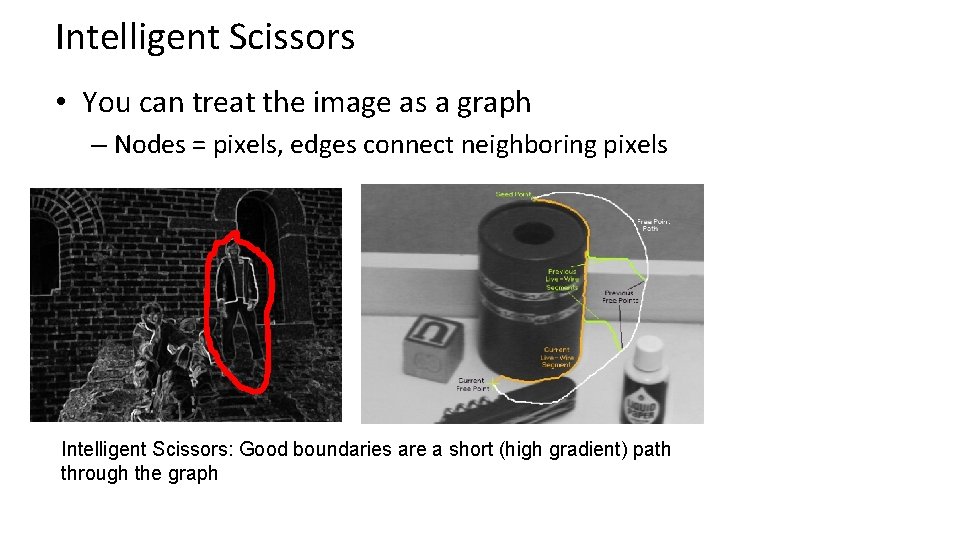
Intelligent Scissors • You can treat the image as a graph – Nodes = pixels, edges connect neighboring pixels Intelligent Scissors: Good boundaries are a short (high gradient) path through the graph
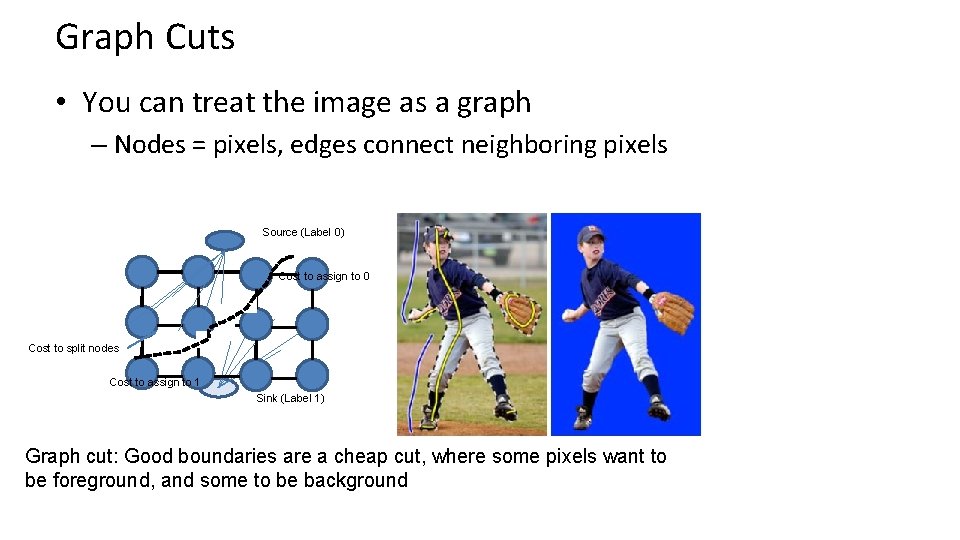
Graph Cuts • You can treat the image as a graph – Nodes = pixels, edges connect neighboring pixels Source (Label 0) Cost to assign to 0 Cost to split nodes Cost to assign to 1 Sink (Label 1) Graph cut: Good boundaries are a cheap cut, where some pixels want to be foreground, and some to be background
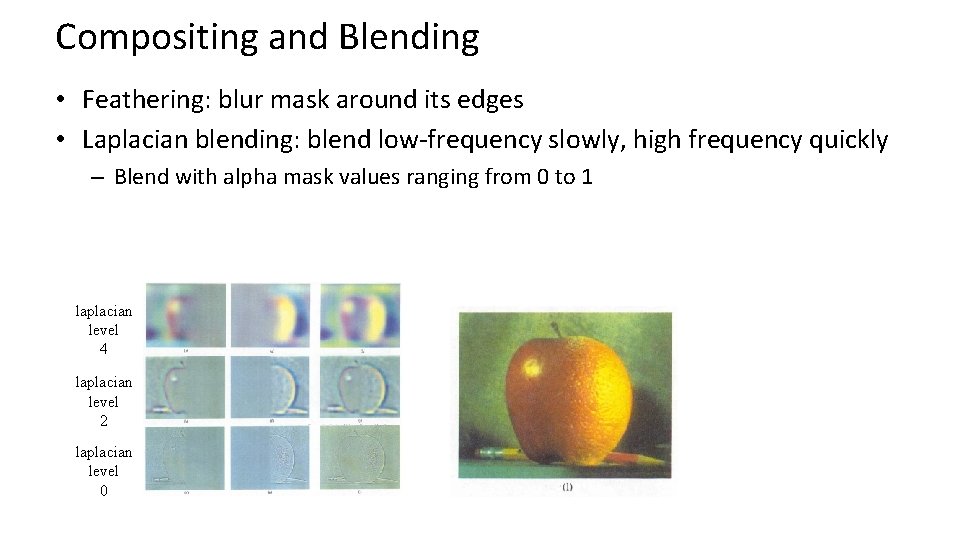
Compositing and Blending • Feathering: blur mask around its edges • Laplacian blending: blend low-frequency slowly, high frequency quickly – Blend with alpha mask values ranging from 0 to 1 laplacian level 4 laplacian level 2 laplacian level 0
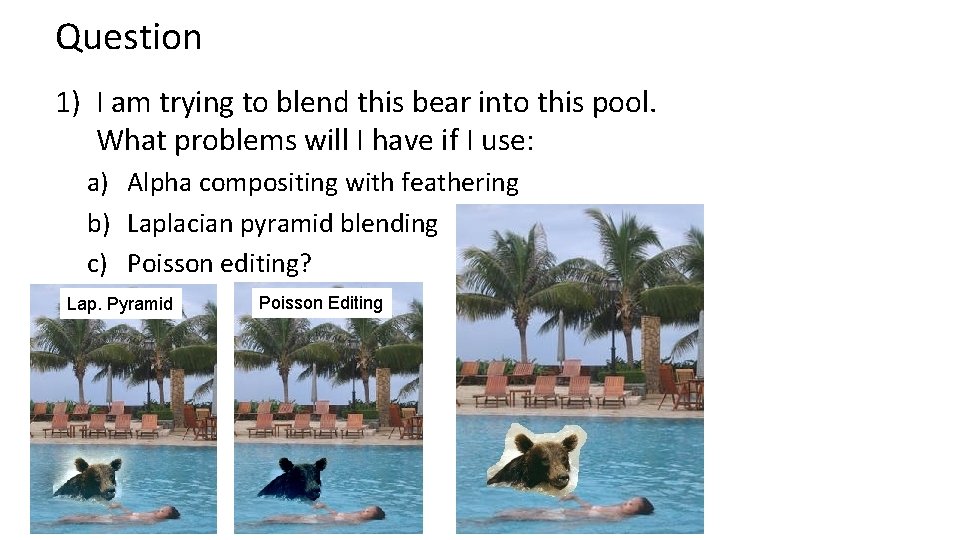
Question 1) I am trying to blend this bear into this pool. What problems will I have if I use: a) Alpha compositing with feathering b) Laplacian pyramid blending c) Poisson editing? Lap. Pyramid Poisson Editing
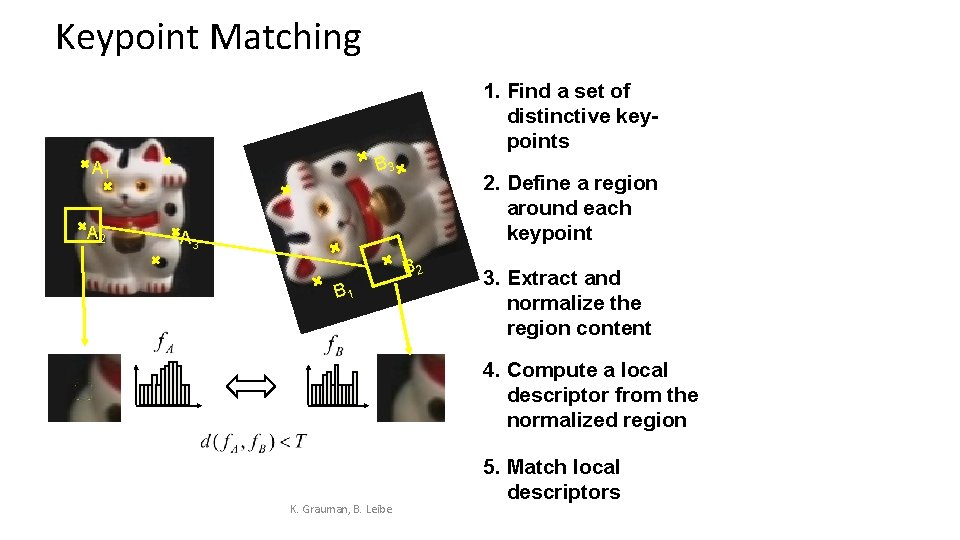
Keypoint Matching 1. Find a set of distinctive keypoints B 3 A 1 A 2 2. Define a region around each keypoint A 3 B 2 B 1 3. Extract and normalize the region content 4. Compute a local descriptor from the normalized region K. Grauman, B. Leibe 5. Match local descriptors
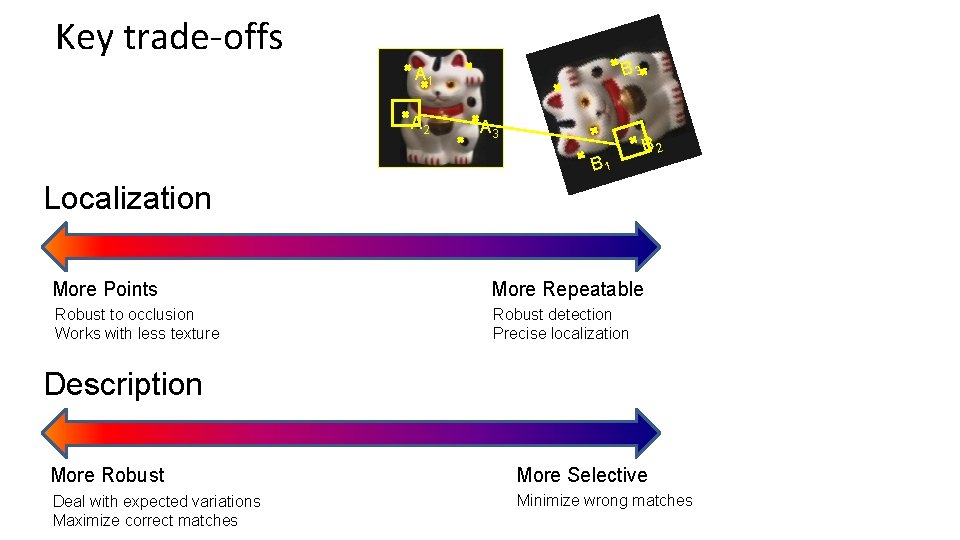
Key trade-offs B 3 A 1 A 2 A 3 B 1 B 2 Localization More Points More Repeatable Robust to occlusion Works with less texture Robust detection Precise localization Description More Robust More Selective Deal with expected variations Maximize correct matches Minimize wrong matches
Harris Detector [Harris 88] • Second moment matrix Ix Iy Ix 2 Iy 2 Ix Iy g(Ix 2) g(Iy 2) g(Ix. Iy) 1. Image derivatives 2. Square of derivatives 3. Gaussian filter g(s. I) 4. Cornerness function – both eigenvalues are strong 5. Non-maxima suppression g(Ix. Iy) har
Harris Detector – Responses [Harris 88] Effect: A very precise corner detector.
Applications • Image stitching – Matching keypoints – Solving for homography – RANSAC • Object recognition – Clustering keypoints and creating tf-idf tables for fast retrieval – Geometric verification
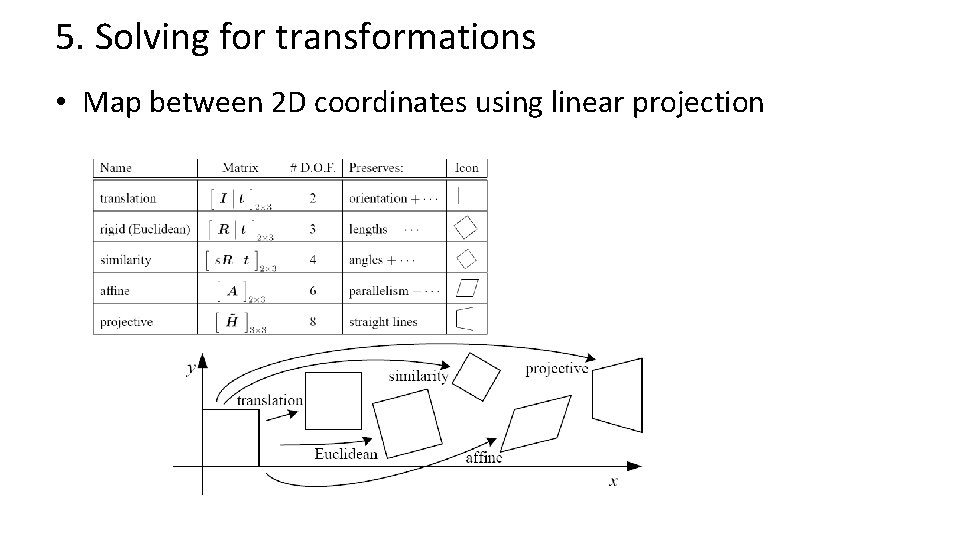
5. Solving for transformations • Map between 2 D coordinates using linear projection
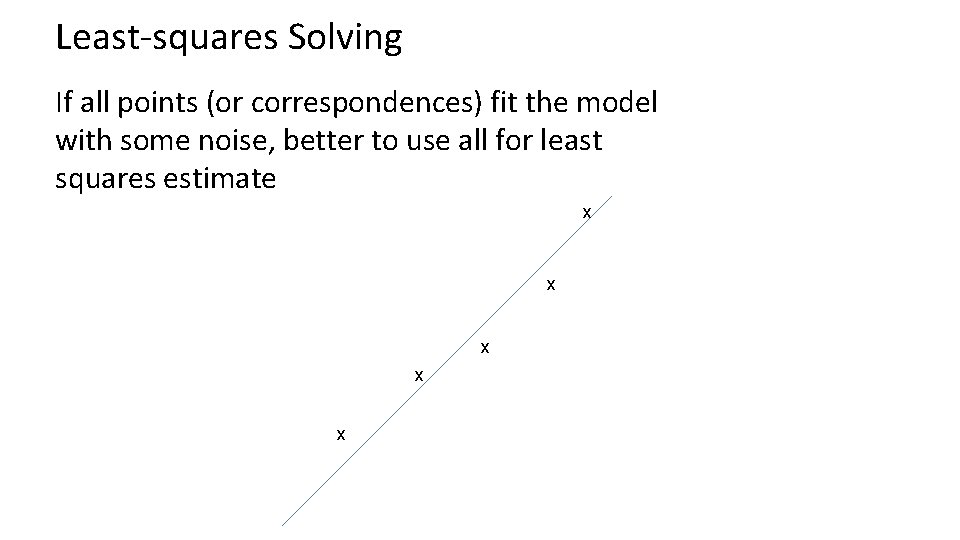
Least-squares Solving If all points (or correspondences) fit the model with some noise, better to use all for least squares estimate x x x
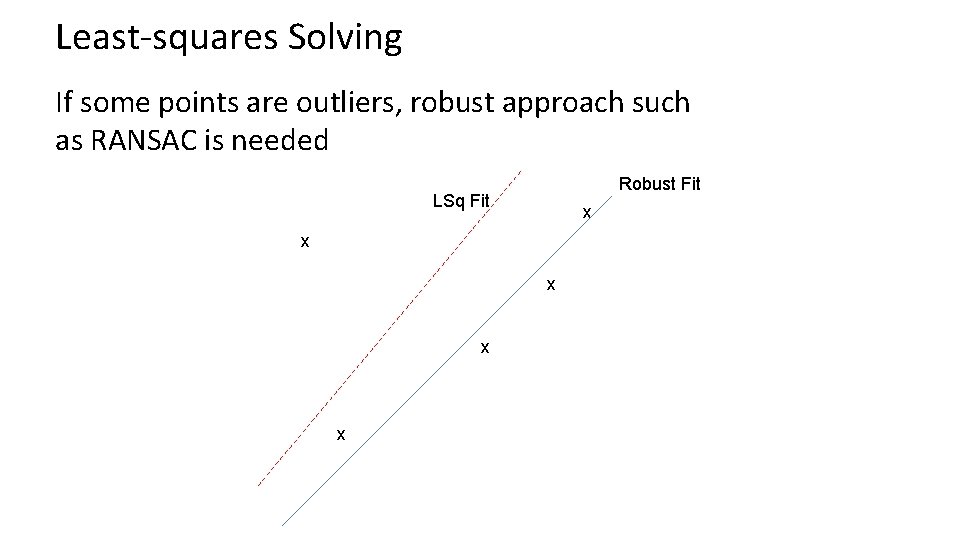
Least-squares Solving If some points are outliers, robust approach such as RANSAC is needed Robust Fit LSq Fit x x x
RANSAC: RANdom SAmple Consensus RANSAC Algorithm • Repeat N times 1. – 2. 3. Randomly select a sample Select just enough points to recover the parameters Fit the model with random sample See how many other points agree • Best estimate is one with most agreement – can use agreeing points to refine estimate Example of 2 D line fitting
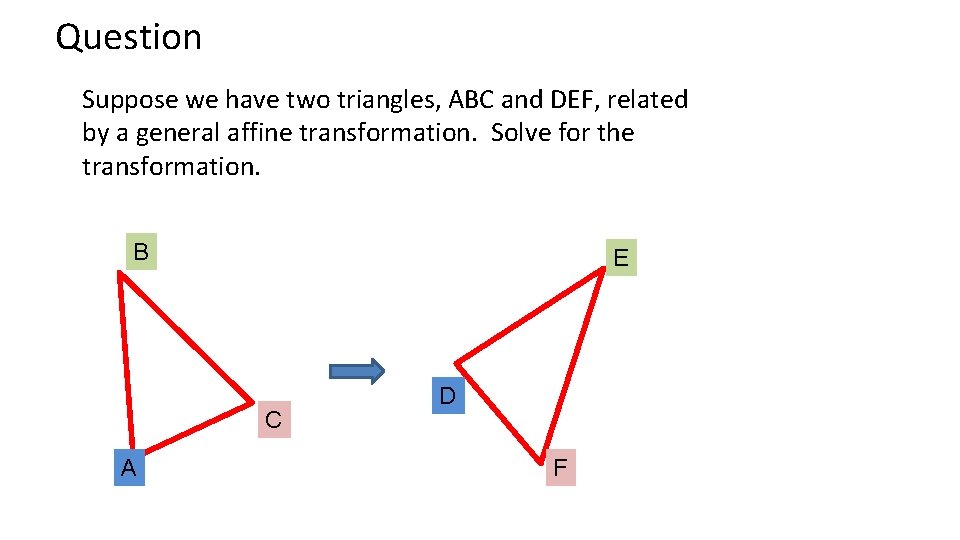
Question Suppose we have two triangles, ABC and DEF, related by a general affine transformation. Solve for the transformation. B E C A D F
Good luck! • Questions?
Take-home questions 9/21/2011 2) How would you make a sharpening filter using gradient domain processing? What are the constraints on the gradients and the intensities?
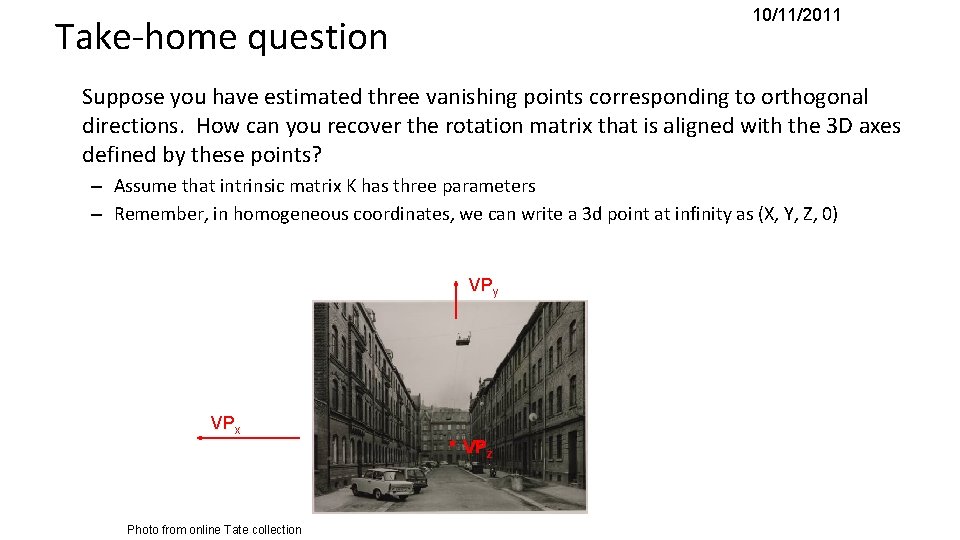
10/11/2011 Take-home question Suppose you have estimated three vanishing points corresponding to orthogonal directions. How can you recover the rotation matrix that is aligned with the 3 D axes defined by these points? – Assume that intrinsic matrix K has three parameters – Remember, in homogeneous coordinates, we can write a 3 d point at infinity as (X, Y, Z, 0) VPy VPx Photo from online Tate collection . VPz