Layout Decisions 9 Power Point presentation to accompany
- Slides: 78
Layout Decisions 9 Power. Point presentation to accompany Heizer and Render Operations Management, Global Edition, Eleventh Edition Principles of Operations Management, Global Edition, Ninth Edition Power. Point slides by Jeff Heyl © 2014 Pearson Education 9 -1
Outline The Strategic Importance of Layout Decisions Types of Layout: 1. Office Layout 2. Retail Layout 3. Warehousing and Storage Layouts 4. Process-Oriented Layout 5. Fixed-Position Layout 6. Work Cells 7. Product-Oriented Layout How to balance production flow in a productoriented facility © 2011 Pearson Education, Inc. publishing as Prentice Hall 9 -2
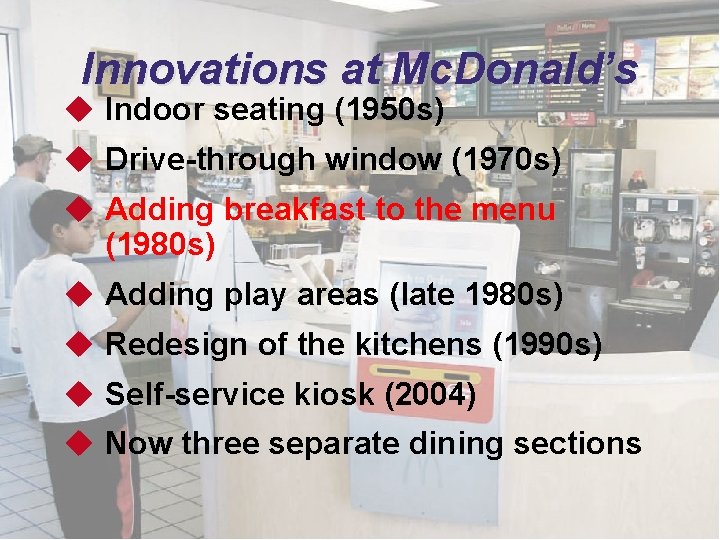
Innovations at Mc. Donald’s u Indoor seating (1950 s) u Drive-through window (1970 s) u Adding breakfast to the menu (1980 s) u Adding play areas (late 1980 s) u Redesign of the kitchens (1990 s) u Self-service kiosk (2004) u Now three separate dining sections © 2011 Pearson Education, Inc. publishing as Prentice Hall 9 -3
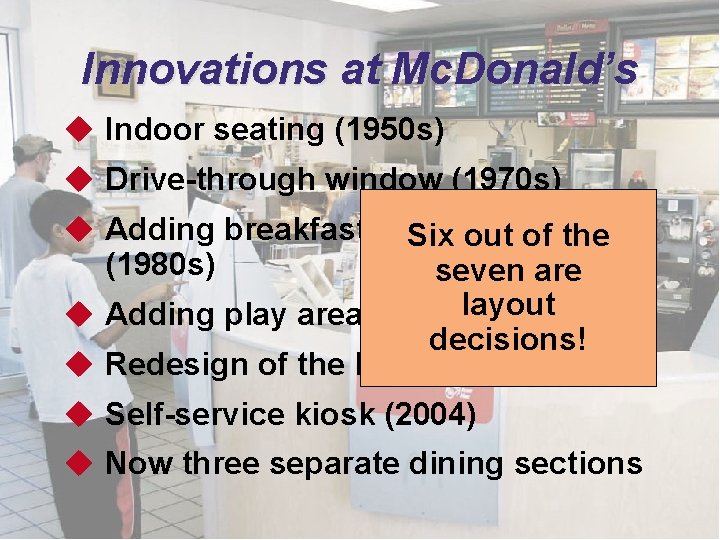
Innovations at Mc. Donald’s u Indoor seating (1950 s) u Drive-through window (1970 s) u Adding breakfast to Six the out menu of the (1980 s) seven are u Adding play areas (late layout 1980 s) decisions! u Redesign of the kitchens (1990 s) u Self-service kiosk (2004) u Now three separate dining sections © 2011 Pearson Education, Inc. publishing as Prentice Hall 9 -4
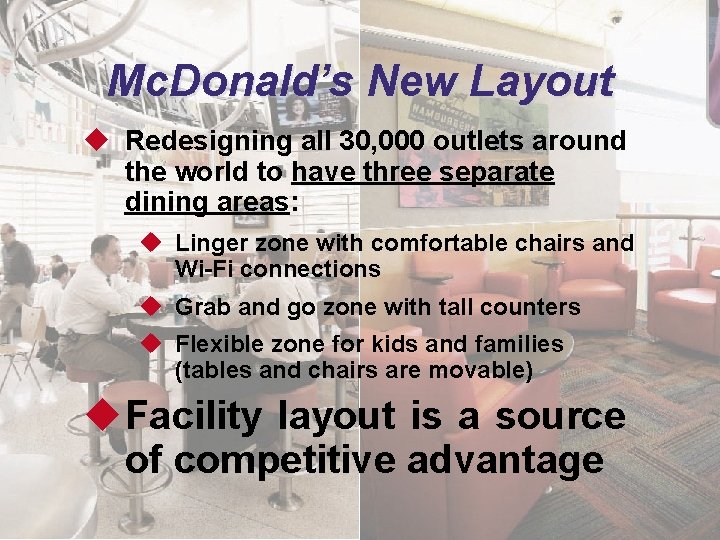
Mc. Donald’s New Layout u Redesigning all 30, 000 outlets around the world to have three separate dining areas: u Linger zone with comfortable chairs and Wi-Fi connections u Grab and go zone with tall counters u Flexible zone for kids and families (tables and chairs are movable) u Facility layout is a source of competitive advantage © 2011 Pearson Education, Inc. publishing as Prentice Hall 9 -5
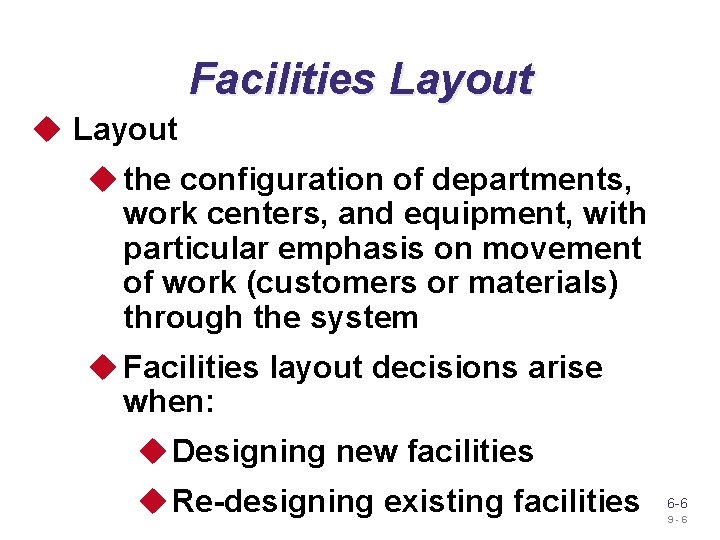
Facilities Layout u the configuration of departments, work centers, and equipment, with particular emphasis on movement of work (customers or materials) through the system u Facilities layout decisions arise when: u Designing new facilities u Re-designing existing facilities 6 -6 9 -6
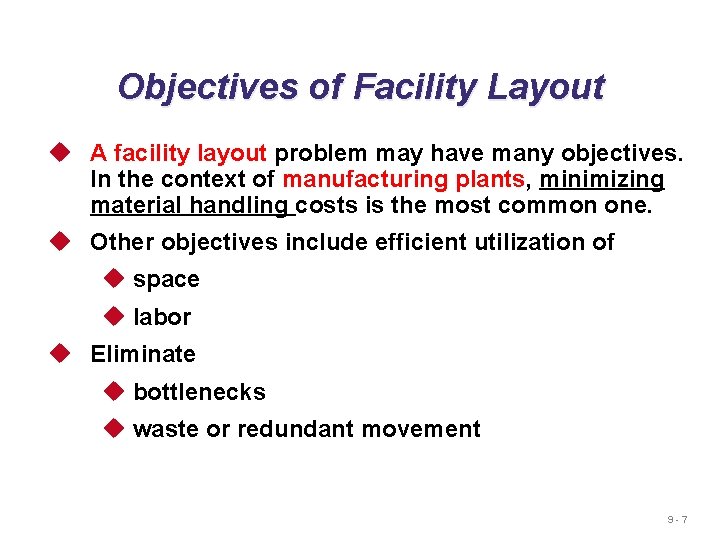
Objectives of Facility Layout u A facility layout problem may have many objectives. In the context of manufacturing plants, minimizing material handling costs is the most common one. u Other objectives include efficient utilization of u space u labor u Eliminate u bottlenecks u waste or redundant movement 9 -7
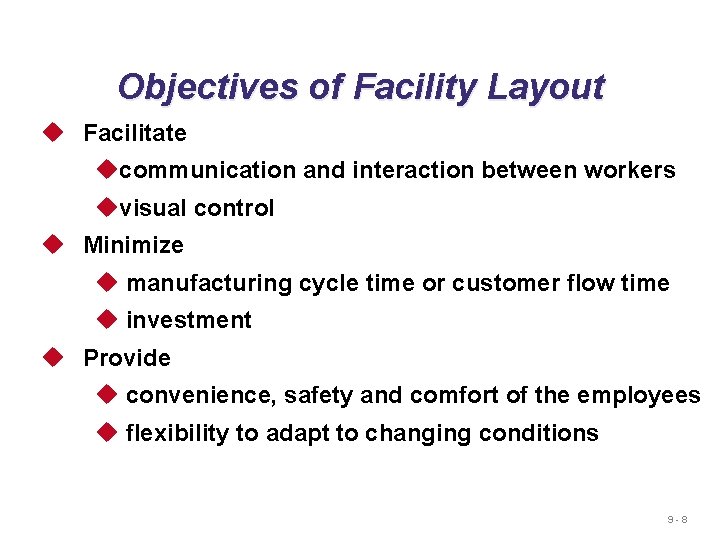
Objectives of Facility Layout u Facilitate ucommunication and interaction between workers uvisual control u Minimize u manufacturing cycle time or customer flow time u investment u Provide u convenience, safety and comfort of the employees u flexibility to adapt to changing conditions 9 -8
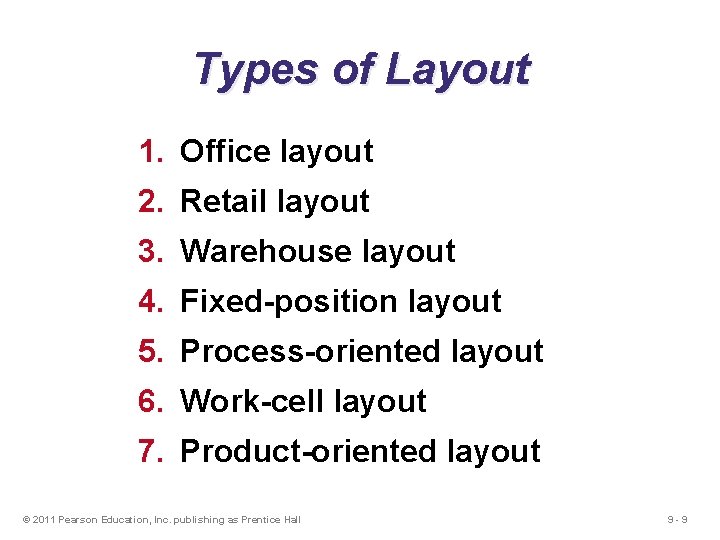
Types of Layout 1. Office layout 2. Retail layout 3. Warehouse layout 4. Fixed-position layout 5. Process-oriented layout 6. Work-cell layout 7. Product-oriented layout © 2011 Pearson Education, Inc. publishing as Prentice Hall 9 -9
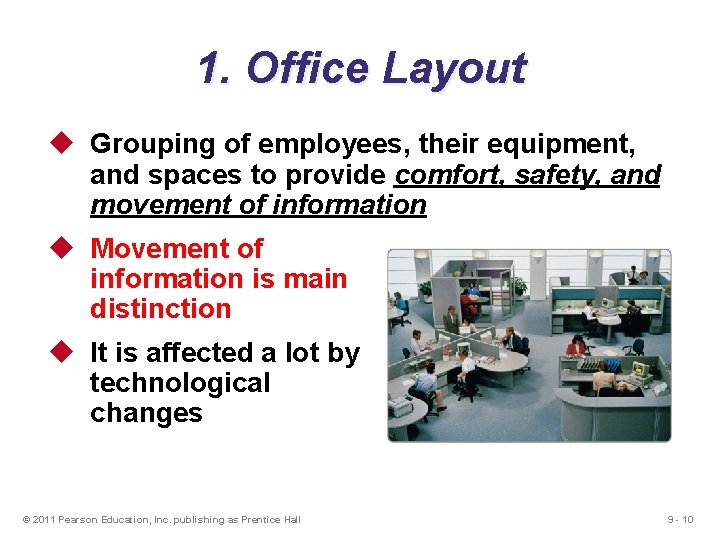
1. Office Layout u Grouping of employees, their equipment, and spaces to provide comfort, safety, and movement of information u Movement of information is main distinction u It is affected a lot by technological changes © 2011 Pearson Education, Inc. publishing as Prentice Hall 9 - 10
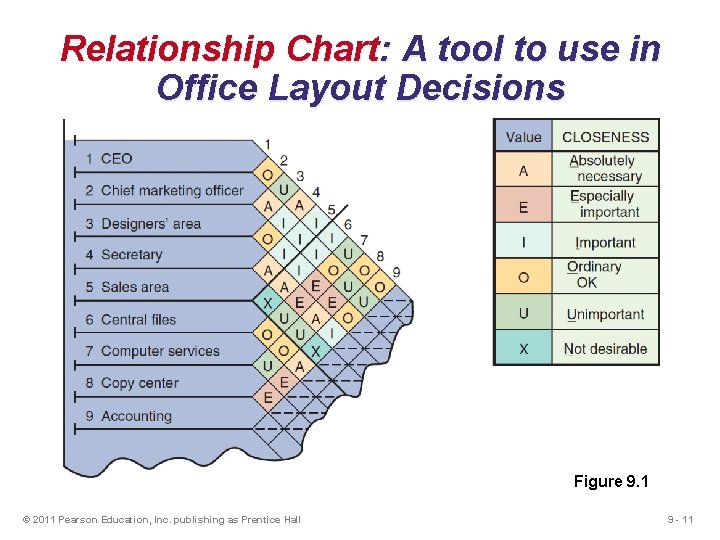
Relationship Chart: A tool to use in Office Layout Decisions Figure 9. 1 © 2011 Pearson Education, Inc. publishing as Prentice Hall 9 - 11
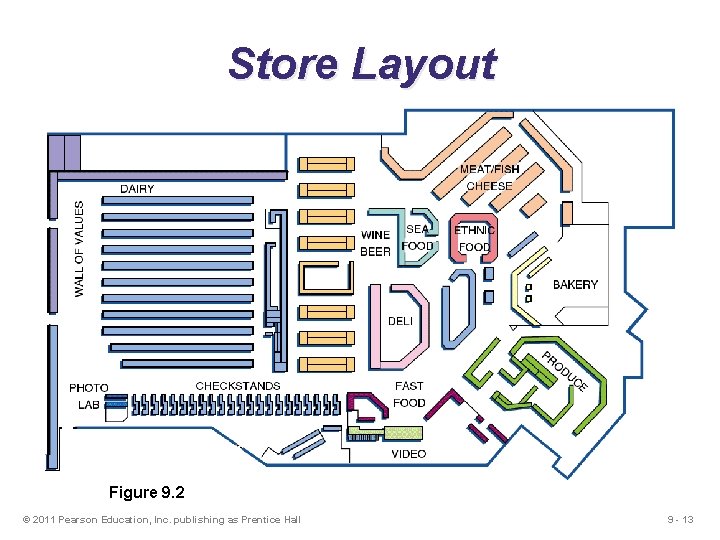
2. Retail Layout Retail layouts (as are found in stores, and restaurants) are based on the idea that sales and profitability vary directly with customer exposure to products u Goal—maximize net profit per square foot of floor space by exposing the customers to as many products as possible u Sales and profitability vary directly with customer exposure © 2011 Pearson Education, Inc. publishing as Prentice Hall 9 - 12
Store Layout Figure 9. 2 © 2011 Pearson Education, Inc. publishing as Prentice Hall 9 - 13
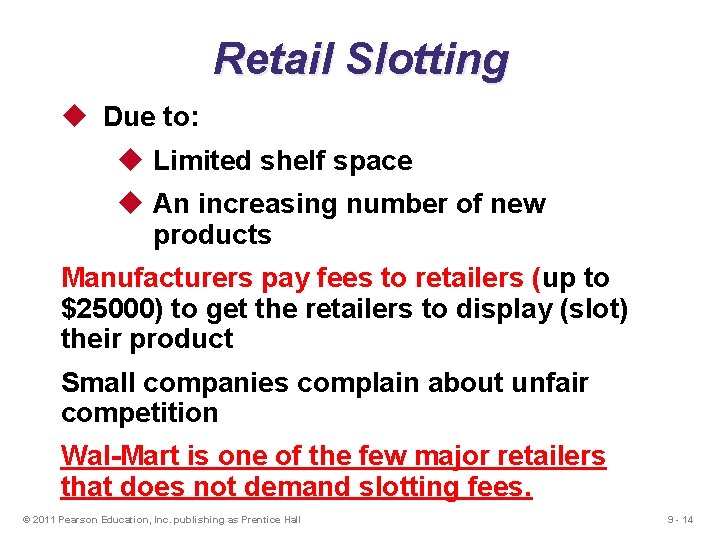
Retail Slotting u Due to: u Limited shelf space u An increasing number of new products Manufacturers pay fees to retailers (up to $25000) to get the retailers to display (slot) their product Small companies complain about unfair competition Wal-Mart is one of the few major retailers that does not demand slotting fees. © 2011 Pearson Education, Inc. publishing as Prentice Hall 9 - 14
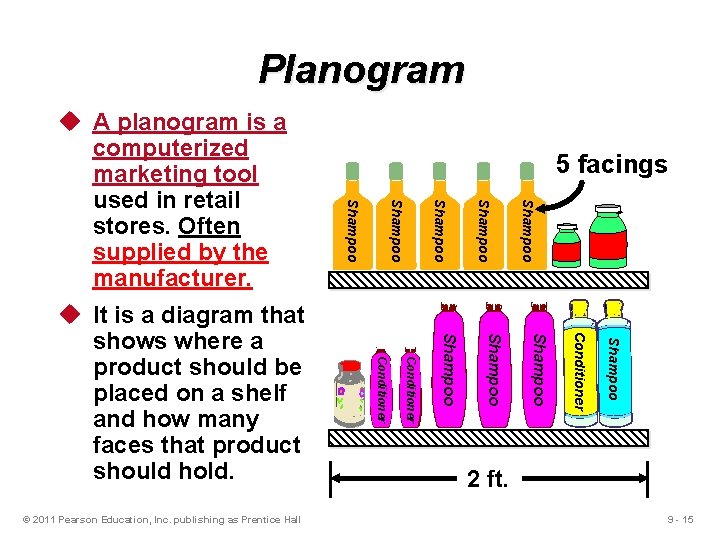
Planogram Shampoo Shampoo Conditioner © 2011 Pearson Education, Inc. publishing as Prentice Hall Shampoo u It is a diagram that shows where a product should be placed on a shelf and how many faces that product should hold. 5 facings Shampoo u A planogram is a computerized marketing tool used in retail stores. Often supplied by the manufacturer. 2 ft. 9 - 15
Servicescape is a concept that emphasizes the impact of the physical environment in which a service process takes place. A servicescape gives businesses the opportunity to differentiate from competitors. Such as, 1. Ambient conditions - background music, lighting, smell, and temperature (Leather chairs at Starbucks, Cinnamon smell at Tarchy) 2. Layout/Functionality –Carpeted areas of a department store that encourage shoppers to slow down and browse) 3. Signs, symbols, and artifacts – Guitars on Hard Rock Cafes’s Walls. © 2011 Pearson Education, Inc. publishing as Prentice Hall 9 - 16
3. Warehousing and Storage Layouts u Objective is to optimize trade-offs between handling costs and costs associated with warehouse space u Maximize the total “cube” of the warehouse – utilize its full volume while maintaining low material handling costs © 2011 Pearson Education, Inc. publishing as Prentice Hall 9 - 17
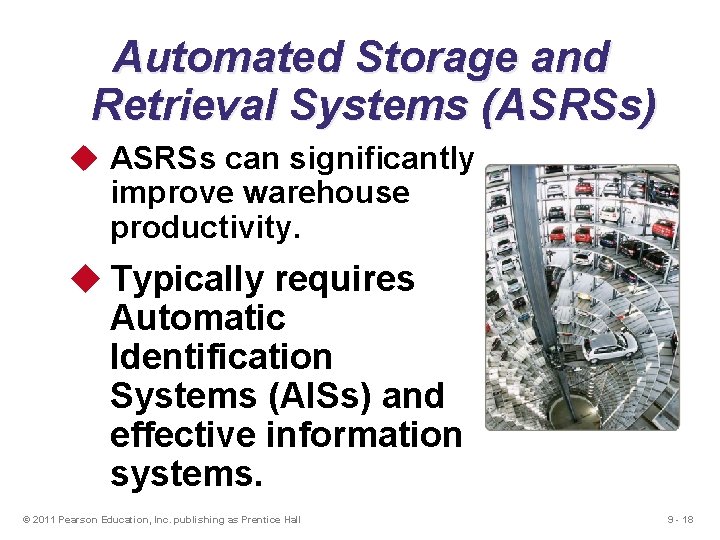
Automated Storage and Retrieval Systems (ASRSs) u ASRSs can significantly improve warehouse productivity. u Typically requires Automatic Identification Systems (AISs) and effective information systems. © 2011 Pearson Education, Inc. publishing as Prentice Hall 9 - 18
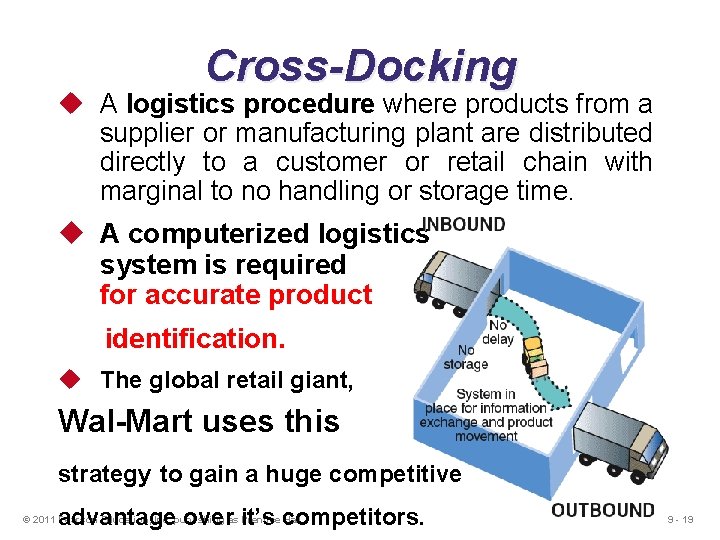
Cross-Docking u A logistics procedure where products from a supplier or manufacturing plant are distributed directly to a customer or retail chain with marginal to no handling or storage time. u A computerized logistics system is required for accurate product identification. u The global retail giant, Wal-Mart uses this strategy to gain a huge competitive advantage over it’s competitors. © 2011 Pearson Education, Inc. publishing as Prentice Hall 9 - 19
Warehouses for Product Customization u Value-added activities are performed at the warehouse (warehouse assembly jobs are common nowadays) u Enable low cost and rapid response strategies (Warehouses adjacent to major Airports) u Assembly of components u Loading software u Repairs u Customized labeling and packaging © 2011 Pearson Education, Inc. publishing as Prentice Hall 9 - 20
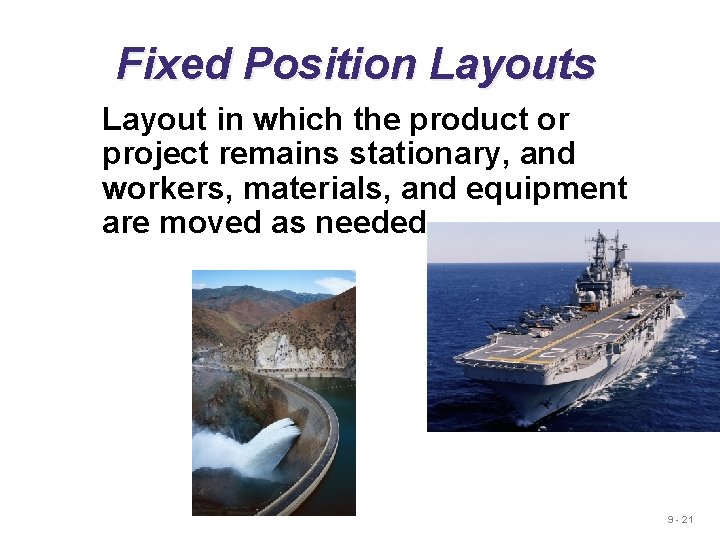
Fixed Position Layouts Layout in which the product or project remains stationary, and workers, materials, and equipment are moved as needed 9 - 21
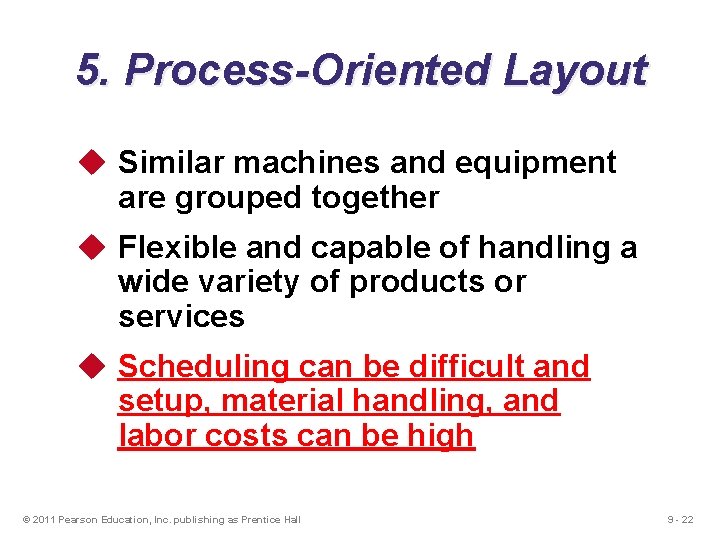
5. Process-Oriented Layout u Similar machines and equipment are grouped together u Flexible and capable of handling a wide variety of products or services u Scheduling can be difficult and setup, material handling, and labor costs can be high © 2011 Pearson Education, Inc. publishing as Prentice Hall 9 - 22
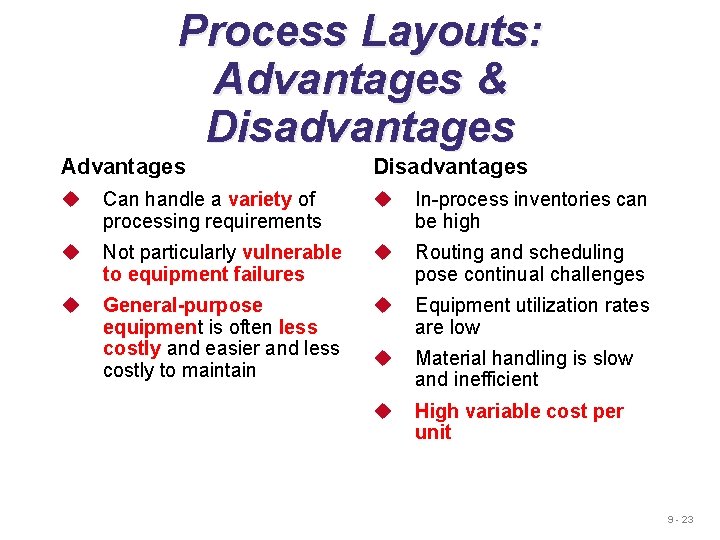
Process Layouts: Advantages & Disadvantages Advantages Disadvantages u Can handle a variety of processing requirements u In-process inventories can be high u Not particularly vulnerable to equipment failures u Routing and scheduling pose continual challenges u General-purpose equipment is often less costly and easier and less costly to maintain u Equipment utilization rates are low u Material handling is slow and inefficient u High variable cost per unit 9 - 23
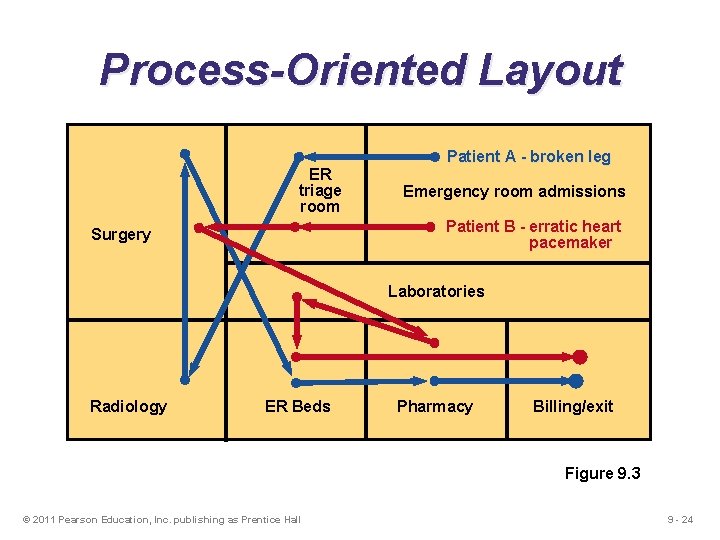
Process-Oriented Layout ER triage room Patient A - broken leg Emergency room admissions Patient B - erratic heart pacemaker Surgery Laboratories Radiology ER Beds Pharmacy Billing/exit Figure 9. 3 © 2011 Pearson Education, Inc. publishing as Prentice Hall 9 - 24
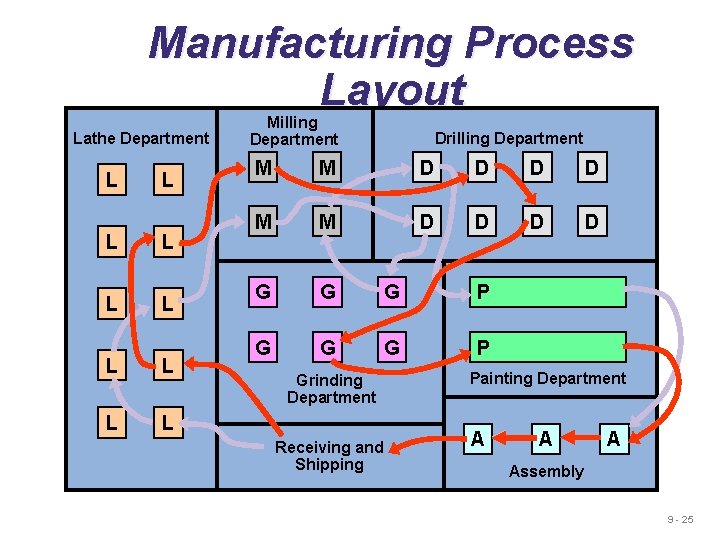
Manufacturing Process Layout Lathe Department L L L L L Milling Department Drilling Department M M D D D D G G G P Grinding Department Receiving and Shipping Painting Department A Assembly 9 - 25
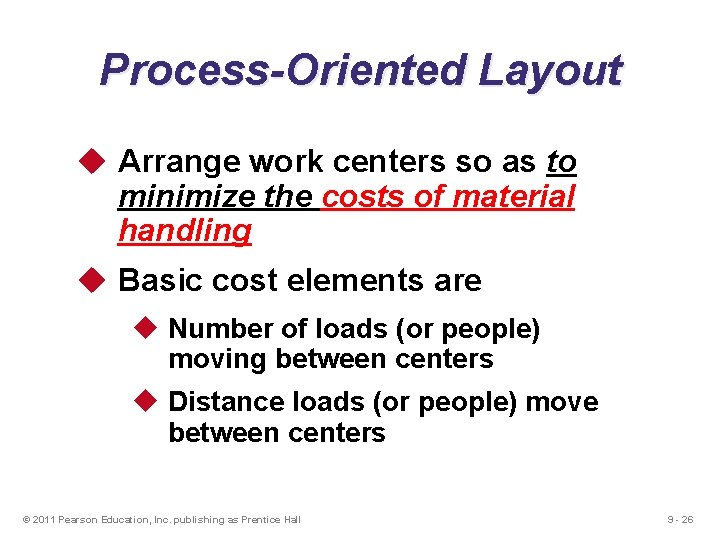
Process-Oriented Layout u Arrange work centers so as to minimize the costs of material handling u Basic cost elements are u Number of loads (or people) moving between centers u Distance loads (or people) move between centers © 2011 Pearson Education, Inc. publishing as Prentice Hall 9 - 26
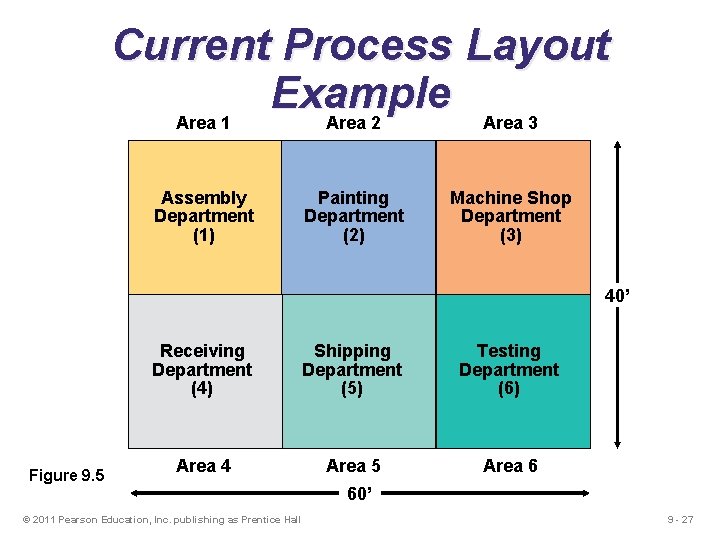
Current Process Layout Example Area 1 Area 2 Area 3 Assembly Department (1) Painting Department (2) Machine Shop Department (3) 40’ Figure 9. 5 Receiving Department (4) Shipping Department (5) Testing Department (6) Area 4 Area 5 Area 6 © 2011 Pearson Education, Inc. publishing as Prentice Hall 60’ 9 - 27
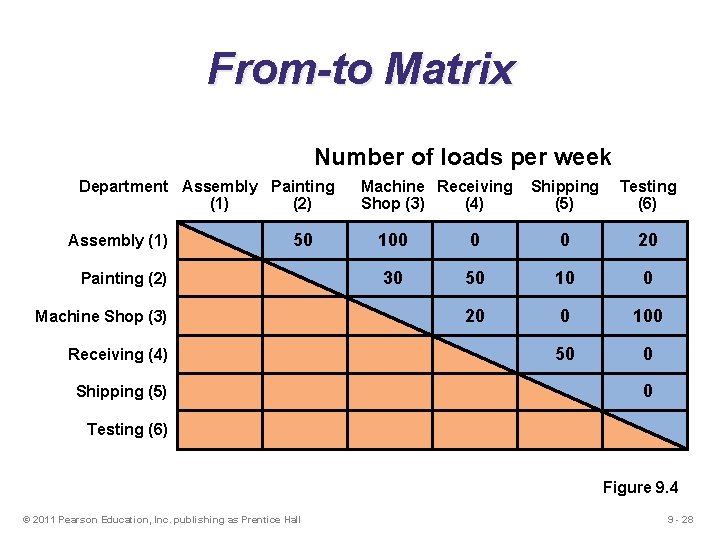
From-to Matrix Number of loads per week Department Assembly Painting (1) (2) Assembly (1) 50 Painting (2) Machine Shop (3) Receiving (4) Shipping (5) Machine Receiving Shop (3) (4) Shipping (5) Testing (6) 100 0 0 20 30 50 10 0 20 0 100 50 0 0 Testing (6) Figure 9. 4 © 2011 Pearson Education, Inc. publishing as Prentice Hall 9 - 28
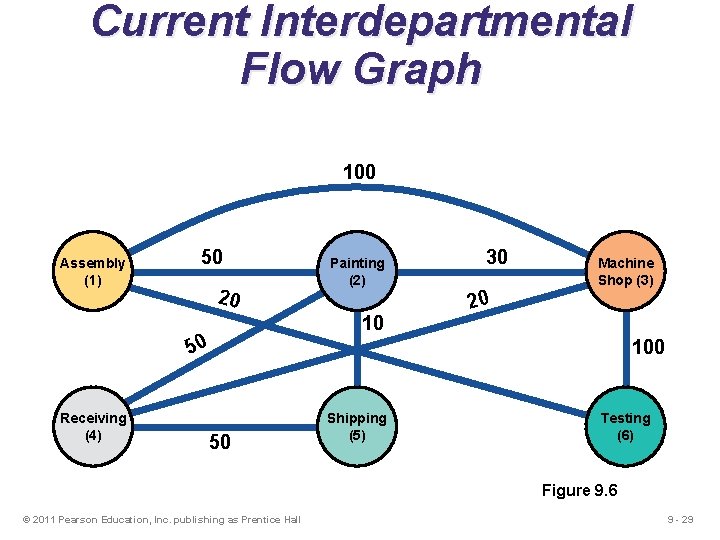
Current Interdepartmental Flow Graph 100 Assembly (1) 50 20 10 50 Receiving (4) Painting (2) 30 Machine Shop (3) 20 100 50 Shipping (5) Testing (6) Figure 9. 6 © 2011 Pearson Education, Inc. publishing as Prentice Hall 9 - 29
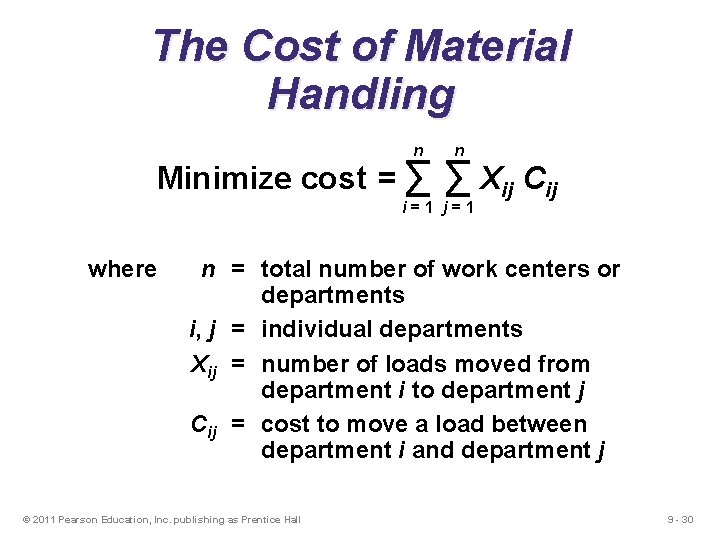
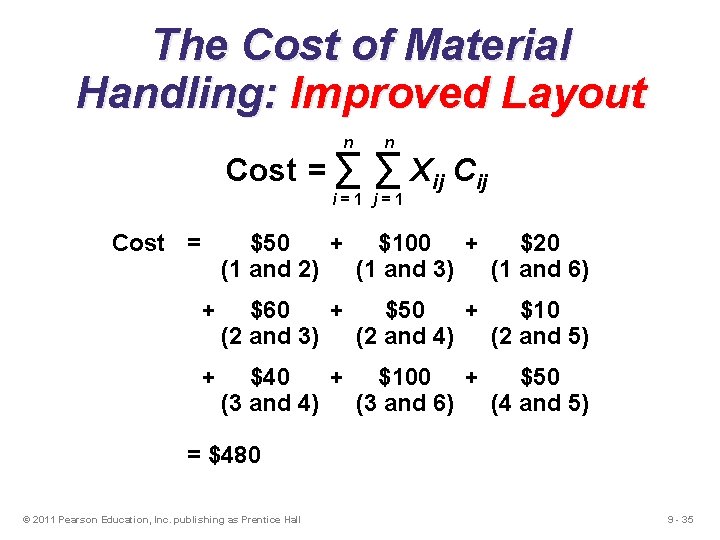
The Cost of Material Handling n Minimize cost = ∑ n ∑ Xij Cij i=1 j=1 where n = total number of work centers or departments i, j = individual departments Xij = number of loads moved from department i to department j Cij = cost to move a load between department i and department j © 2011 Pearson Education, Inc. publishing as Prentice Hall 9 - 30
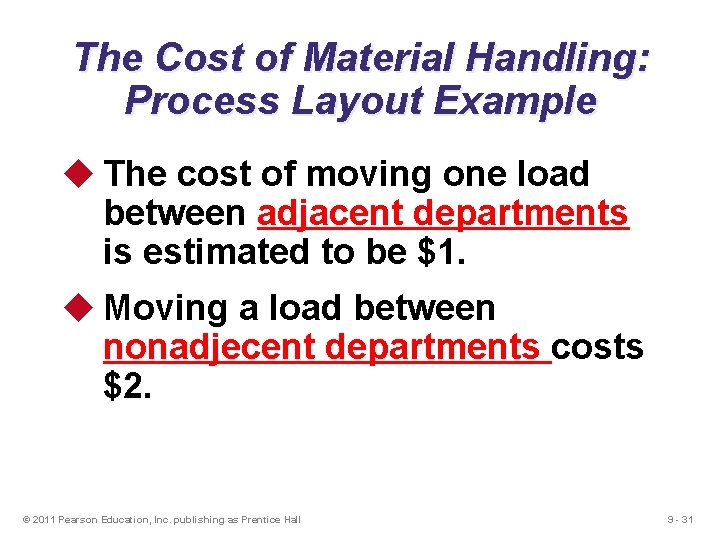
The Cost of Material Handling: Process Layout Example u The cost of moving one load between adjacent departments is estimated to be $1. u Moving a load between nonadjecent departments costs $2. © 2011 Pearson Education, Inc. publishing as Prentice Hall 9 - 31
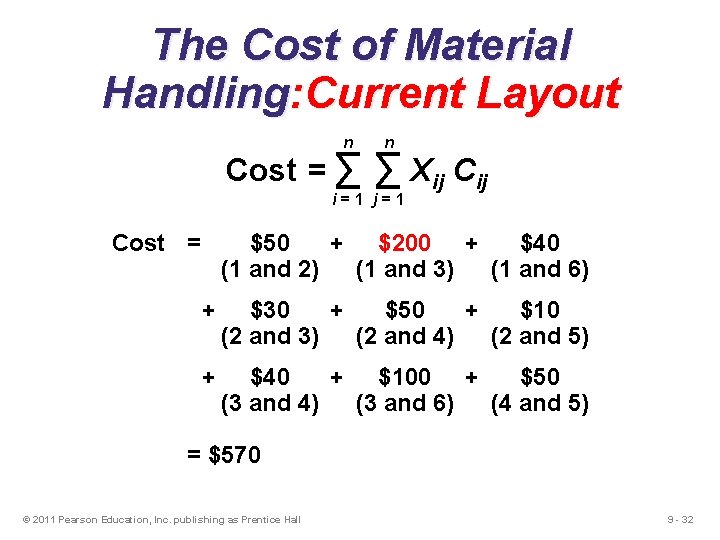
The Cost of Material Handling: Current Layout n Cost = ∑ n ∑ Xij Cij i=1 j=1 Cost = $50 + $200 + $40 (1 and 2) (1 and 3) (1 and 6) + $30 + $50 + $10 (2 and 3) (2 and 4) (2 and 5) + $40 + $100 + $50 (3 and 4) (3 and 6) (4 and 5) = $570 © 2011 Pearson Education, Inc. publishing as Prentice Hall 9 - 32
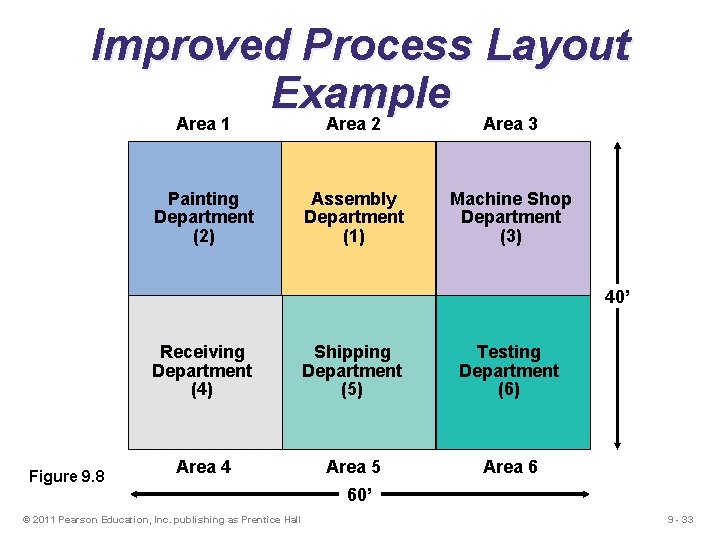
Improved Process Layout Example Area 1 Area 2 Area 3 Painting Department (2) Assembly Department (1) Machine Shop Department (3) 40’ Figure 9. 8 Receiving Department (4) Shipping Department (5) Testing Department (6) Area 4 Area 5 Area 6 © 2011 Pearson Education, Inc. publishing as Prentice Hall 60’ 9 - 33
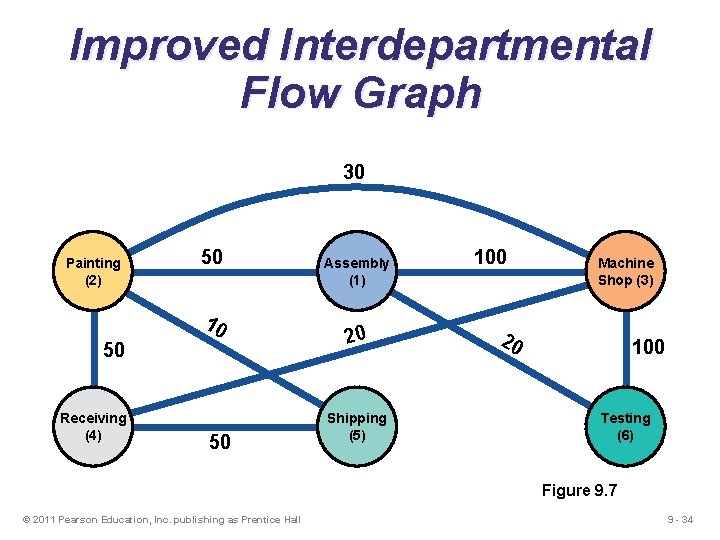
Improved Interdepartmental Flow Graph 30 Painting (2) 50 10 50 Receiving (4) 50 Assembly (1) 20 Shipping (5) 100 Machine Shop (3) 20 100 Testing (6) Figure 9. 7 © 2011 Pearson Education, Inc. publishing as Prentice Hall 9 - 34
The Cost of Material Handling: Improved Layout n Cost = ∑ n ∑ Xij Cij i=1 j=1 Cost = $50 + $100 + $20 (1 and 2) (1 and 3) (1 and 6) + $60 + $50 + $10 (2 and 3) (2 and 4) (2 and 5) + $40 + $100 + $50 (3 and 4) (3 and 6) (4 and 5) = $480 © 2011 Pearson Education, Inc. publishing as Prentice Hall 9 - 35
Computer Software u Graphical approach only works for small-size problems u Computer programs are available to solve bigger problems u CRAFT u ALDEP u CORELAP u Factory Flow © 2011 Pearson Education, Inc. publishing as Prentice Hall 9 - 36
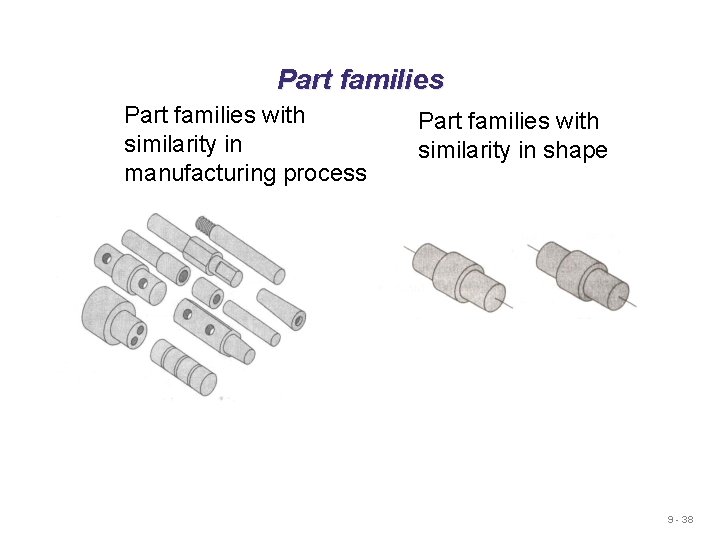
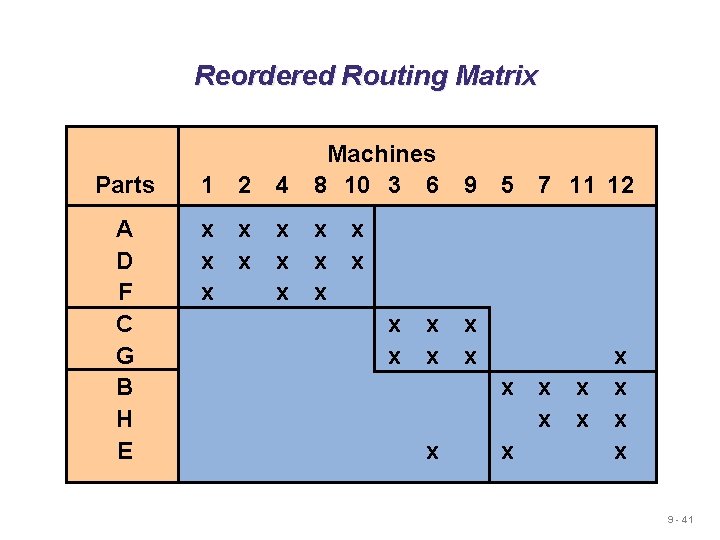
6. Work Cells u Reorganizes people and machines into groups to focus on single products or product groups (PART FAMILIES) u Group technology is a philosophy wherein similar products are grouped together u Processes required to make these similar parts are arranged as Work Cells u Similarity can be either in shape, size or in manufacturing process u Production Volume must justify forming the cells © 2011 Pearson Education, Inc. publishing as Prentice Hall 9 - 37
Part families with similarity in manufacturing process Part families with similarity in shape 9 - 38
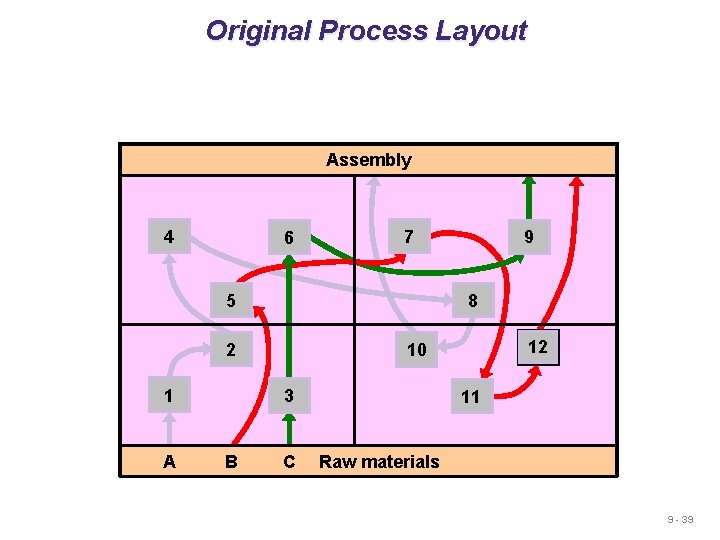
Original Process Layout Assembly 4 6 7 8 5 2 A B 12 10 3 1 9 C 11 Raw materials 9 - 39
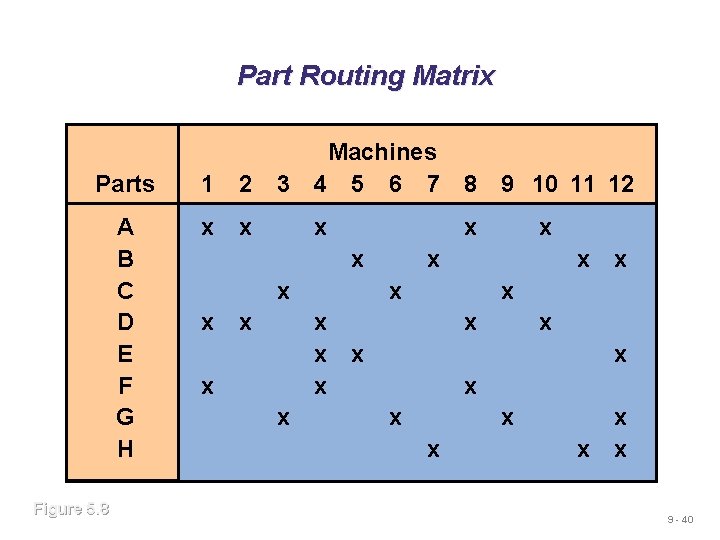
Part Routing Matrix Parts 1 2 A B C D E F G H x x Figure 5. 8 3 Machines 4 5 6 7 8 9 10 11 12 x x x x x x x 9 - 40
Reordered Routing Matrix Parts 1 2 4 Machines 8 10 3 6 A D F C G B H E x x x x x 9 5 x x 7 11 12 x x x x x 9 - 41
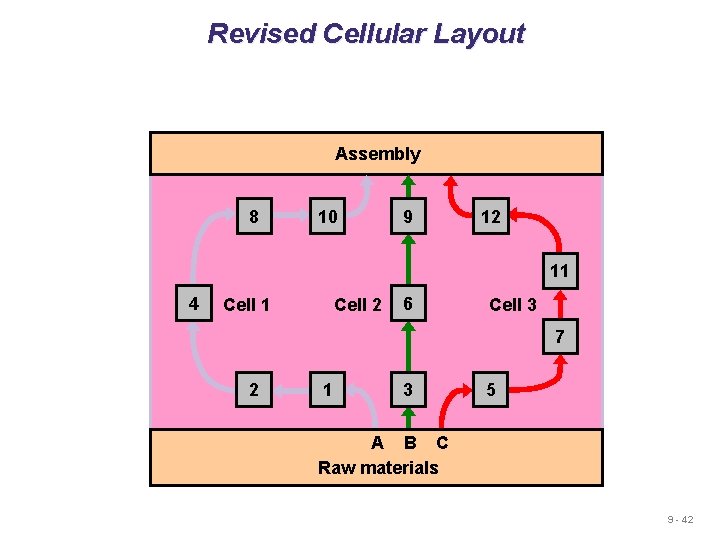
Revised Cellular Layout Assembly 8 10 9 12 11 4 Cell 1 Cell 2 6 Cell 3 7 2 1 3 5 A B C Raw materials 9 - 42
Advantages of Work Cells 1. Reduced work-in-process inventory 2. Less floor space required 3. Reduced direct labor, and setup cost 4. More employee participation 5. Increased use of equipment and machinery © 2011 Pearson Education, Inc. publishing as Prentice Hall 9 - 43
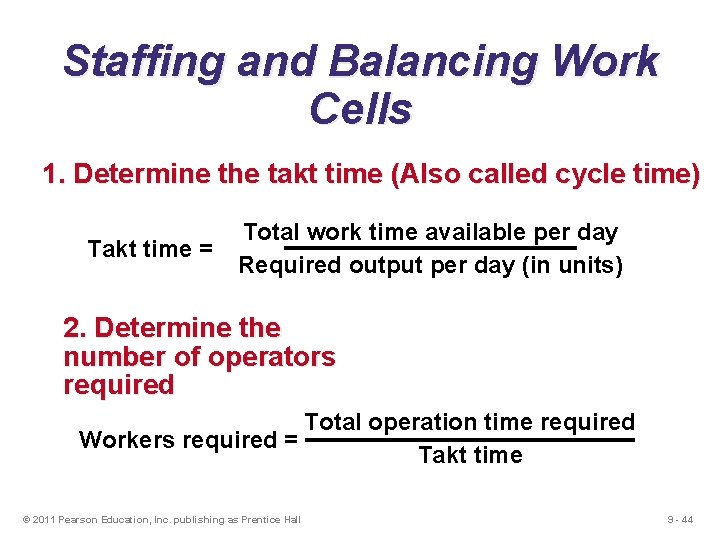
Staffing and Balancing Work Cells 1. Determine the takt time (Also called cycle time) Takt time = Total work time available per day Required output per day (in units) 2. Determine the number of operators required Total operation time required Workers required = Takt time © 2011 Pearson Education, Inc. publishing as Prentice Hall 9 - 44
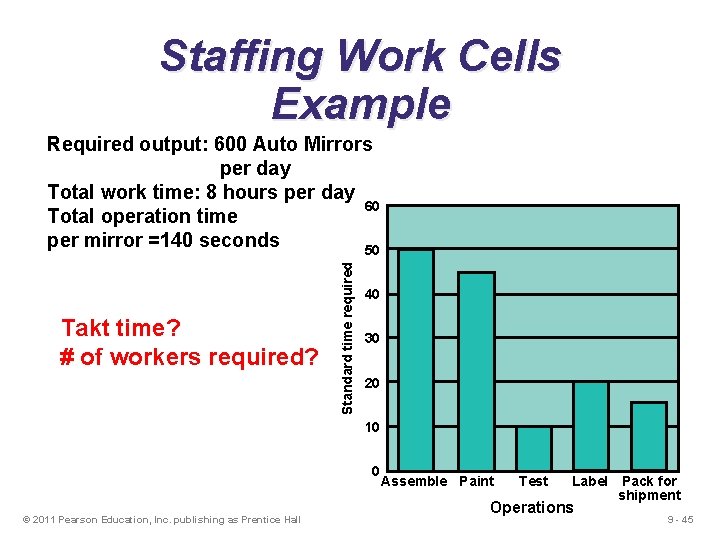
Staffing Work Cells Example Takt time? # of workers required? Standard time required Required output: 600 Auto Mirrors per day Total work time: 8 hours per day 60 Total operation time per mirror =140 seconds 50 40 30 20 10 0 © 2011 Pearson Education, Inc. publishing as Prentice Hall Assemble Paint Test Label Pack for shipment Operations 9 - 45
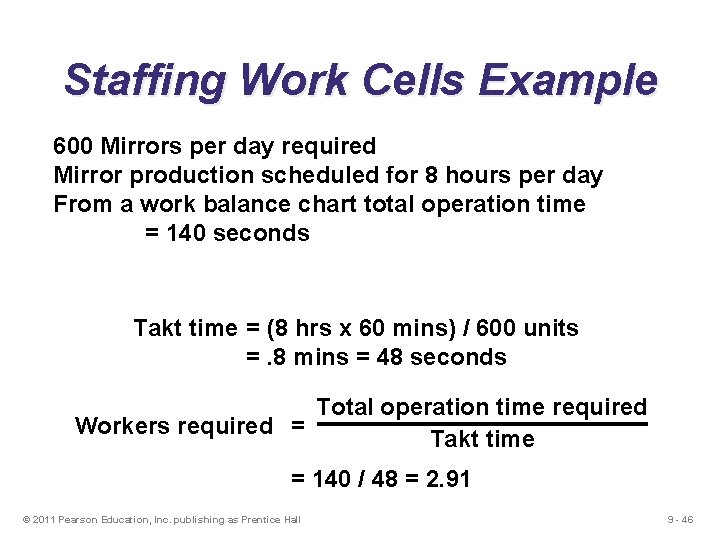
Staffing Work Cells Example 600 Mirrors per day required Mirror production scheduled for 8 hours per day From a work balance chart total operation time = 140 seconds Takt time = (8 hrs x 60 mins) / 600 units =. 8 mins = 48 seconds Total operation time required Workers required = Takt time = 140 / 48 = 2. 91 © 2011 Pearson Education, Inc. publishing as Prentice Hall 9 - 46
7. Repetitive and Product. Oriented Layout Organized around products or families of similar high-volume, low-variety products 1. Volume is adequate for high equipment utilization 2. Product demand is stable enough to justify high investment in specialized equipment 3. Product is standardized © 2011 Pearson Education, Inc. publishing as Prentice Hall 9 - 47
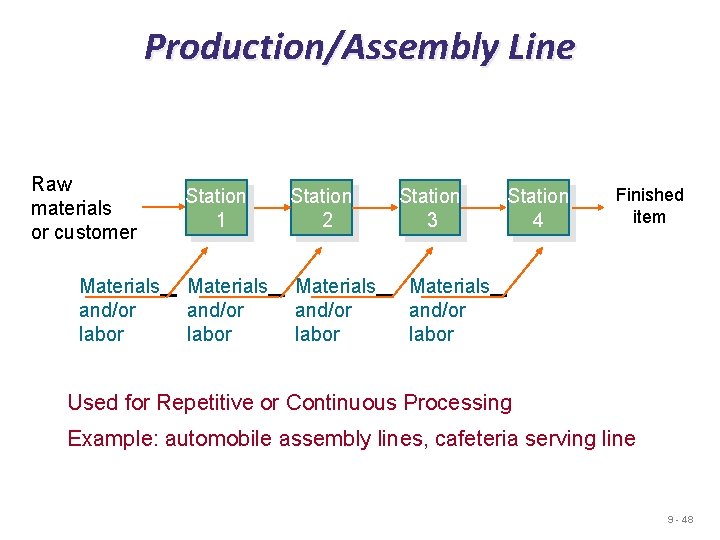
Production/Assembly Line Raw materials or customer Materials and/or labor Station 1 Station 2 Materials and/or labor Station 3 Station 4 Finished item Materials and/or labor Used for Repetitive or Continuous Processing Example: automobile assembly lines, cafeteria serving line 9 - 48
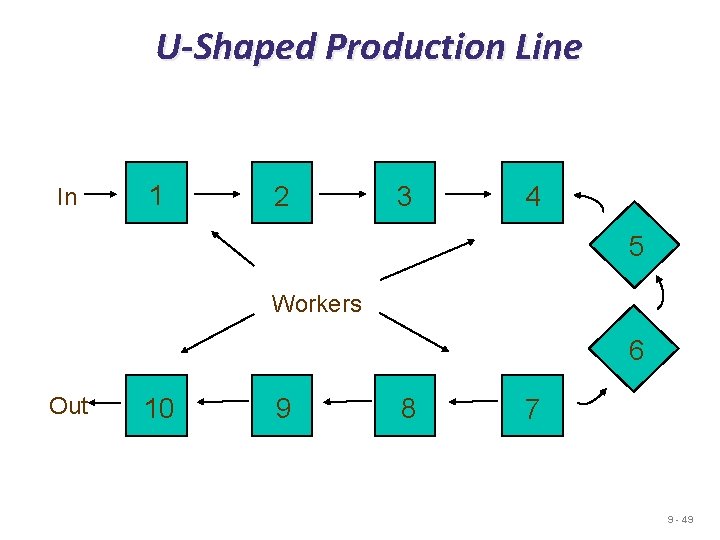
U-Shaped Production Line In 1 2 3 4 5 Workers 6 Out 10 9 8 7 9 - 49
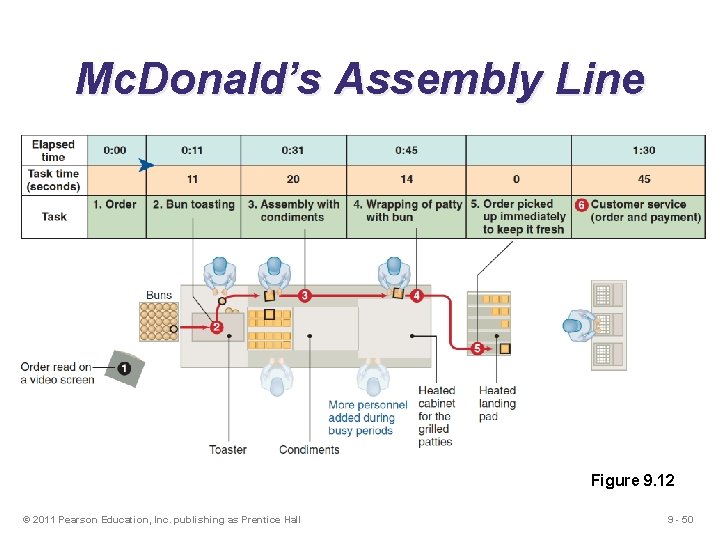
Mc. Donald’s Assembly Line Figure 9. 12 © 2011 Pearson Education, Inc. publishing as Prentice Hall 9 - 50
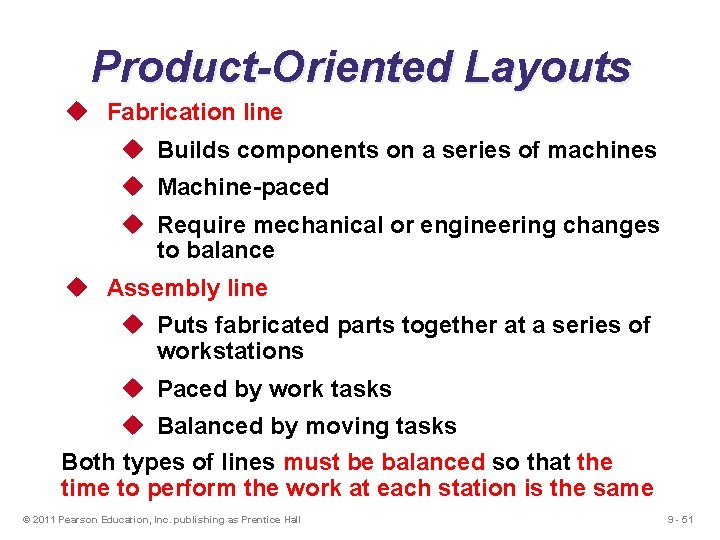
Product-Oriented Layouts u Fabrication line u Builds components on a series of machines u Machine-paced u Require mechanical or engineering changes to balance u Assembly line u Puts fabricated parts together at a series of workstations u Paced by work tasks u Balanced by moving tasks Both types of lines must be balanced so that the time to perform the work at each station is the same © 2011 Pearson Education, Inc. publishing as Prentice Hall 9 - 51
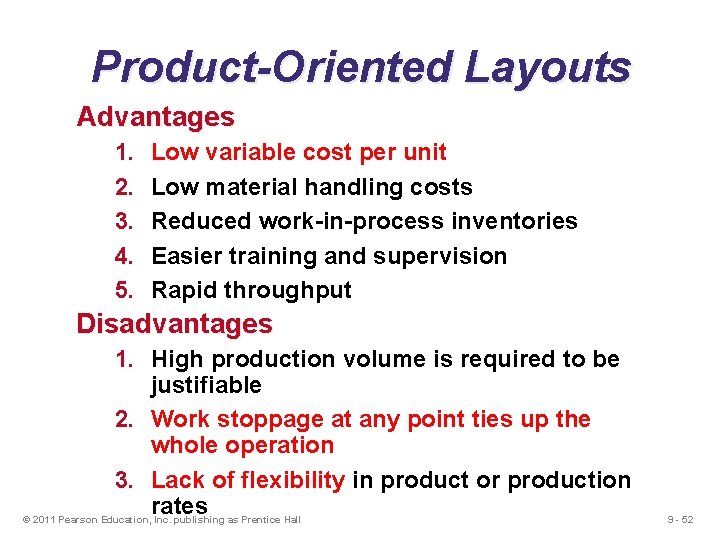
Product-Oriented Layouts Advantages 1. 2. 3. 4. 5. Low variable cost per unit Low material handling costs Reduced work-in-process inventories Easier training and supervision Rapid throughput Disadvantages 1. High production volume is required to be justifiable 2. Work stoppage at any point ties up the whole operation 3. Lack of flexibility in product or production rates © 2011 Pearson Education, Inc. publishing as Prentice Hall 9 - 52
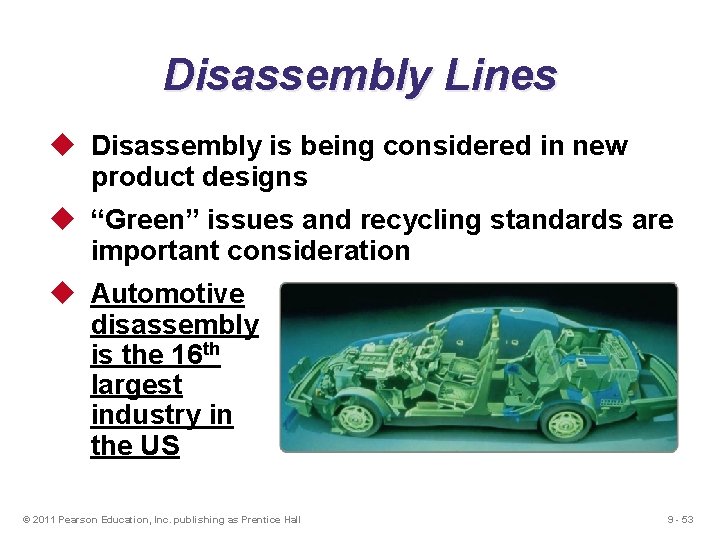
Disassembly Lines u Disassembly is being considered in new product designs u “Green” issues and recycling standards are important consideration u Automotive disassembly is the 16 th largest industry in the US © 2011 Pearson Education, Inc. publishing as Prentice Hall 9 - 53
Line Balancing u Perfect balance is not possible u. The process of assigning tasks to workstations in such a way that the workstations have approximately equal time requirements 9 - 54
Objective in Line Balancing u To minimize idle time along the line and increase utilization of equipment and labor u Why is line balancing important? u It allows us to use labor and equipment more efficiently. u It avoids chances that one workstation does not work harder than another. © 2011 Pearson Education, Inc. publishing as Prentice Hall 9 - 55
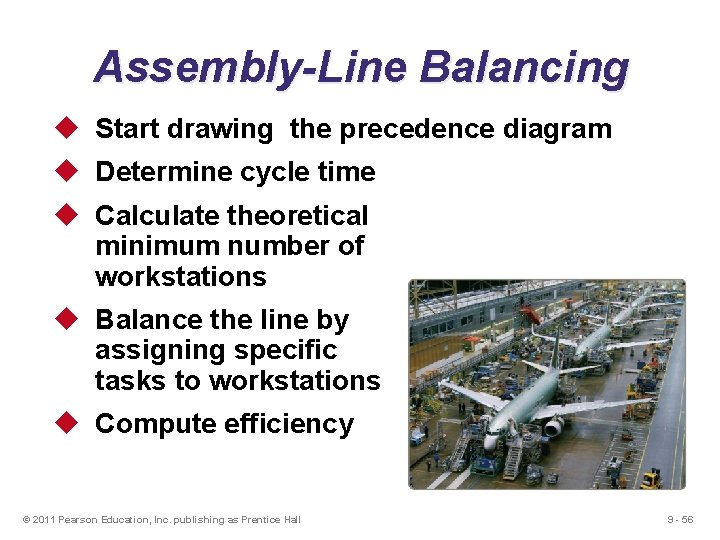
Assembly-Line Balancing u Start drawing the precedence diagram u Determine cycle time u Calculate theoretical minimum number of workstations u Balance the line by assigning specific tasks to workstations u Compute efficiency © 2011 Pearson Education, Inc. publishing as Prentice Hall 9 - 56
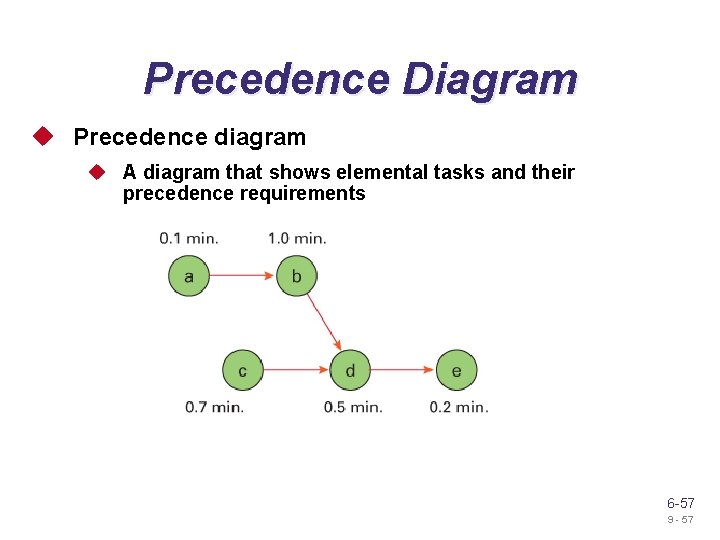
Precedence Diagram u Precedence diagram u A diagram that shows elemental tasks and their precedence requirements 6 -57 9 - 57
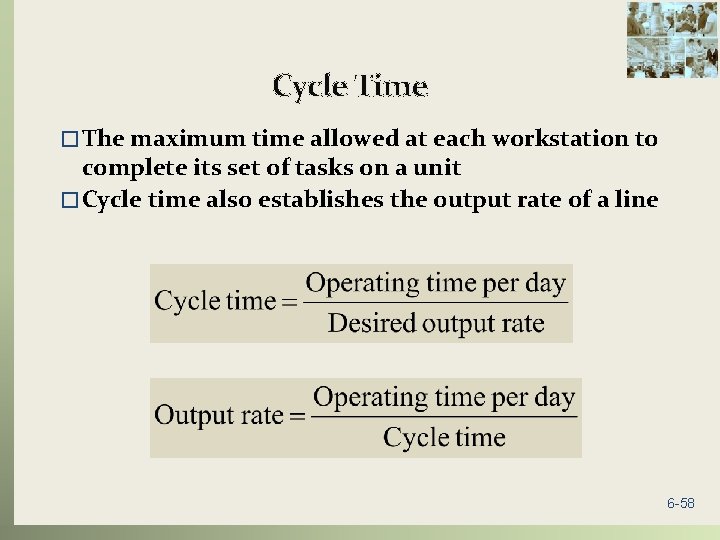
Cycle Time � The maximum time allowed at each workstation to complete its set of tasks on a unit � Cycle time also establishes the output rate of a line 6 -58
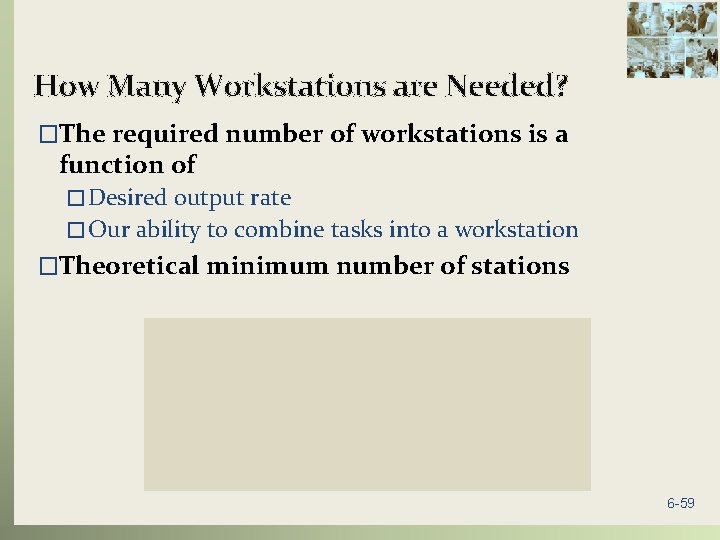
How Many Workstations are Needed? �The required number of workstations is a function of � Desired output rate � Our ability to combine tasks into a workstation �Theoretical minimum number of stations 6 -59
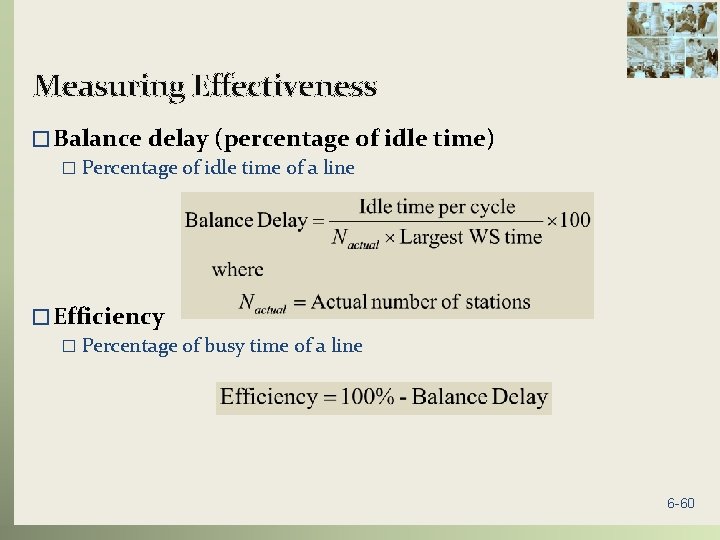
Measuring Effectiveness � Balance delay (percentage of idle time) � Percentage of idle time of a line � Efficiency � Percentage of busy time of a line 6 -60
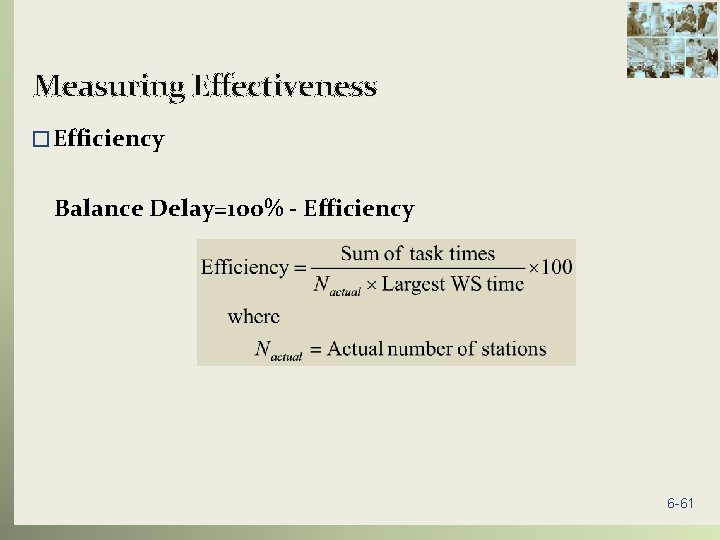
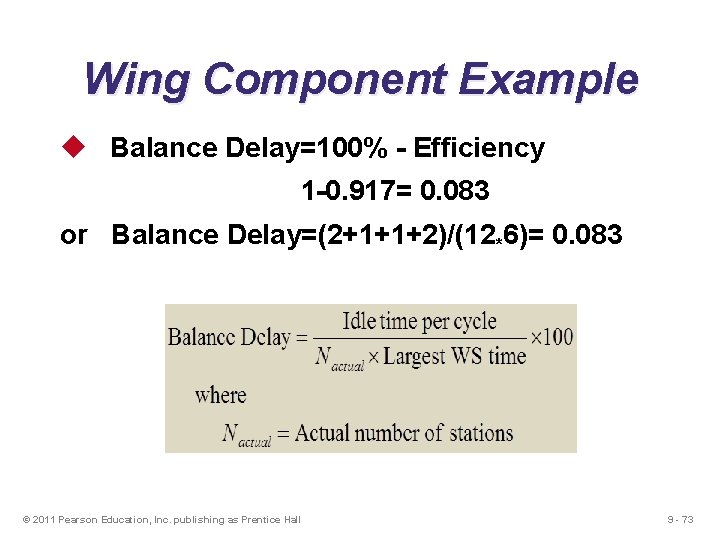
Measuring Effectiveness � Efficiency Balance Delay=100% - Efficiency 6 -61
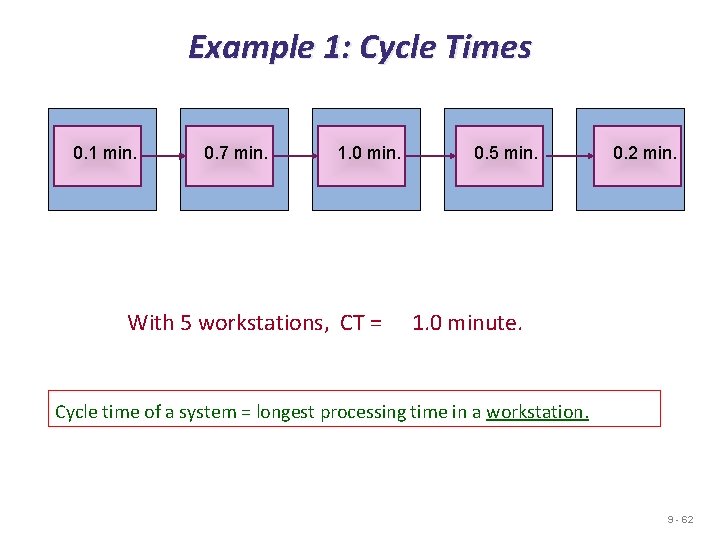
Example 1: Cycle Times 0. 1 min. 0. 7 min. 1. 0 min. With 5 workstations, CT = 0. 5 min. 0. 2 min. 1. 0 minute. Cycle time of a system = longest processing time in a workstation. 9 - 62
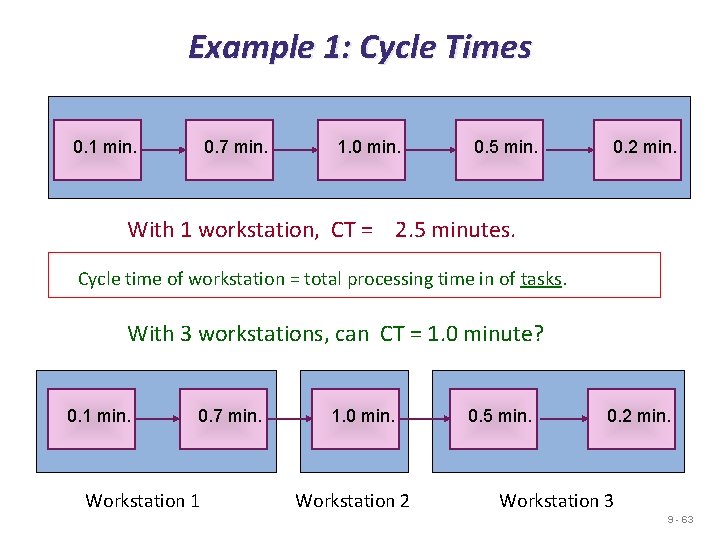
Example 1: Cycle Times 0. 1 min. 0. 7 min. 1. 0 min. 0. 5 min. 0. 2 min. With 1 workstation, CT = 2. 5 minutes. Cycle time of workstation = total processing time in of tasks. With 3 workstations, can CT = 1. 0 minute? 0. 1 min. 0. 7 min. Workstation 1 1. 0 min. Workstation 2 0. 5 min. 0. 2 min. Workstation 3 9 - 63
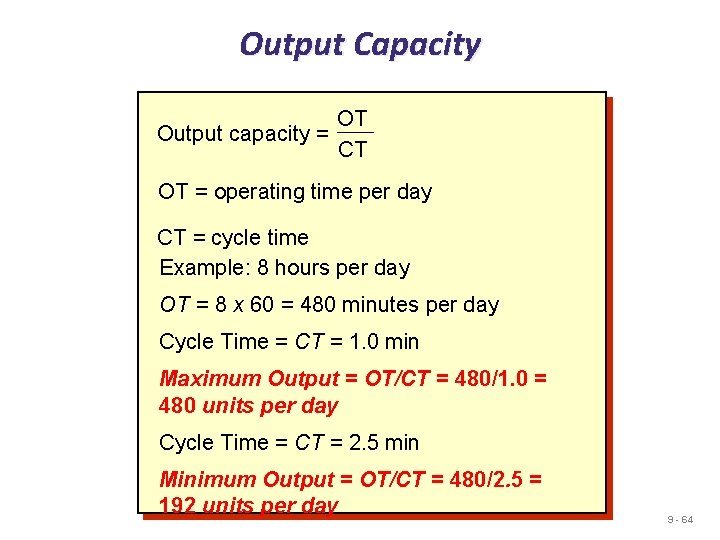
Output Capacity OT Output capacity = CT OT = operating time per day CT = cycle time Example: 8 hours per day OT = 8 x 60 = 480 minutes per day Cycle Time = CT = 1. 0 min Maximum Output = OT/CT = 480/1. 0 = 480 units per day Cycle Time = CT = 2. 5 min Minimum Output = OT/CT = 480/2. 5 = 192 units per day 9 - 64
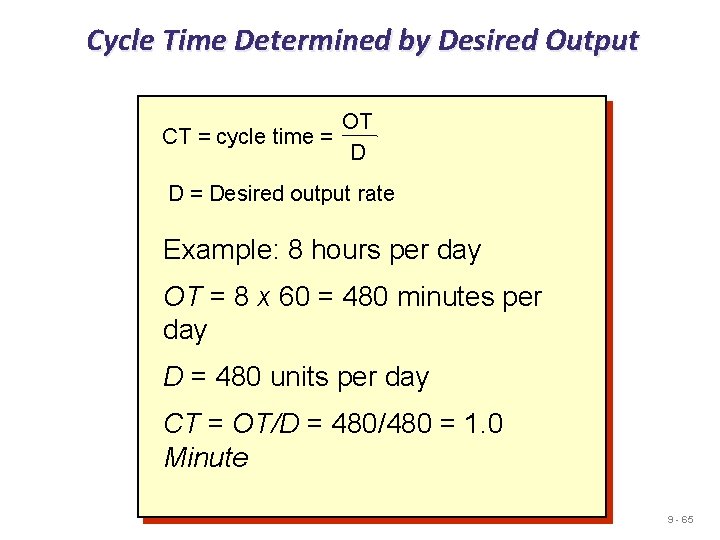
Cycle Time Determined by Desired Output OT CT = cycle time = D D = Desired output rate Example: 8 hours per day OT = 8 x 60 = 480 minutes per day D = 480 units per day CT = OT/D = 480/480 = 1. 0 Minute 9 - 65
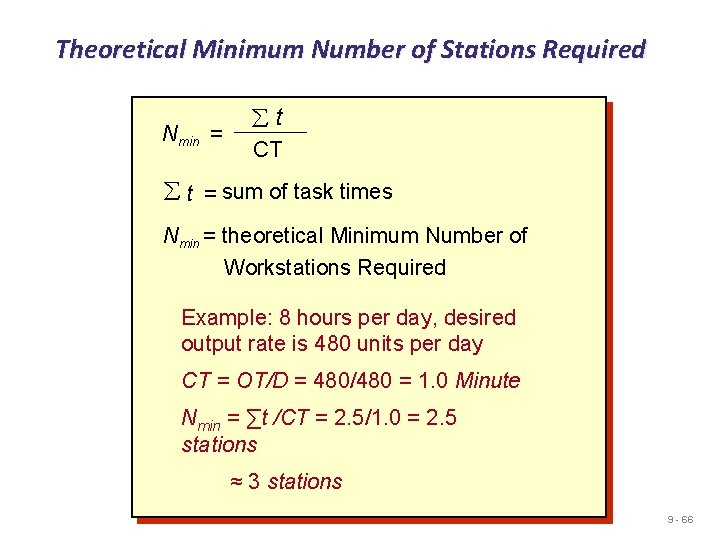
Theoretical Minimum Number of Stations Required Nmin = åt CT å t = sum of task times Nmin = theoretical Minimum Number of Workstations Required Example: 8 hours per day, desired output rate is 480 units per day CT = OT/D = 480/480 = 1. 0 Minute Nmin = ∑t /CT = 2. 5/1. 0 = 2. 5 stations ≈ 3 stations 9 - 66
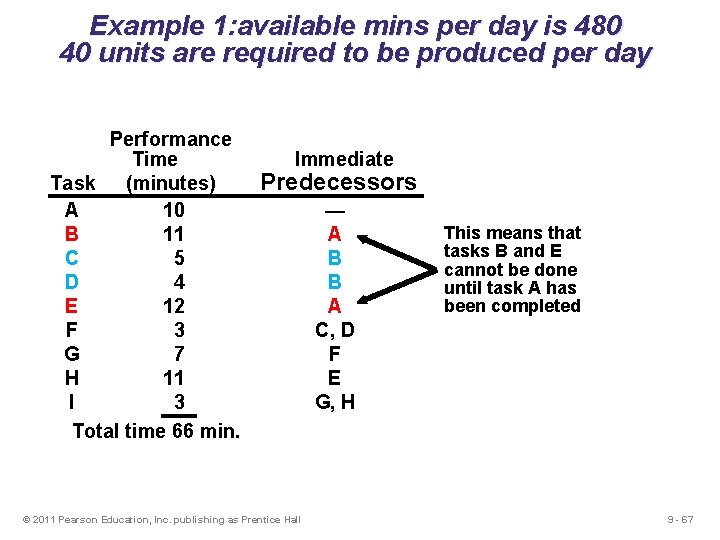
Example 1: available mins per day is 480 40 units are required to be produced per day Performance Time Task (minutes) A 10 B 11 C 5 D 4 E 12 F 3 G 7 H 11 I 3 Total time 66 min. Immediate Predecessors © 2011 Pearson Education, Inc. publishing as Prentice Hall — A B B A C, D F E G, H This means that tasks B and E cannot be done until task A has been completed 9 - 67
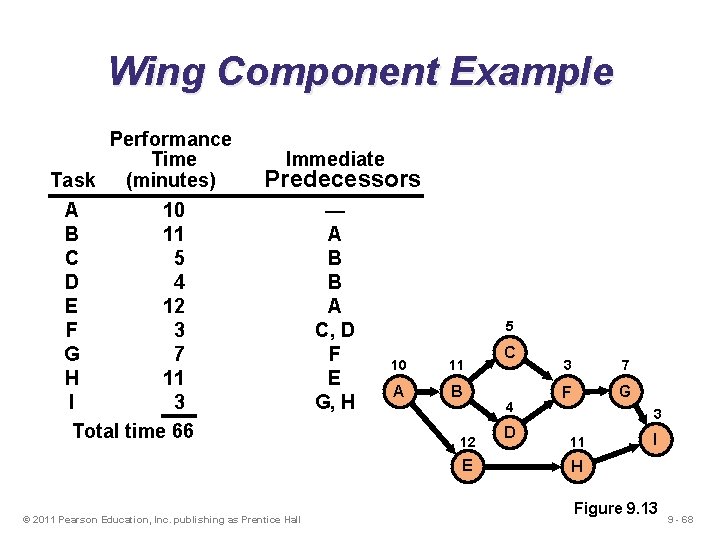
Wing Component Example Performance Time Task (minutes) Immediate Predecessors A 10 B 11 C 5 D 4 E 12 F 3 G 7 H 11 I 3 Total time 66 — A B B A C, D F E G, H 5 10 11 A B 12 E © 2011 Pearson Education, Inc. publishing as Prentice Hall C 4 D 3 7 F G 3 11 I H Figure 9. 13 9 - 68
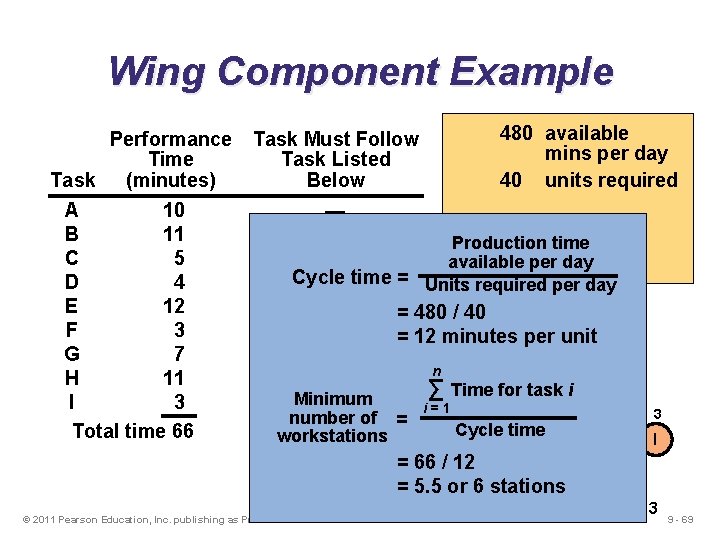
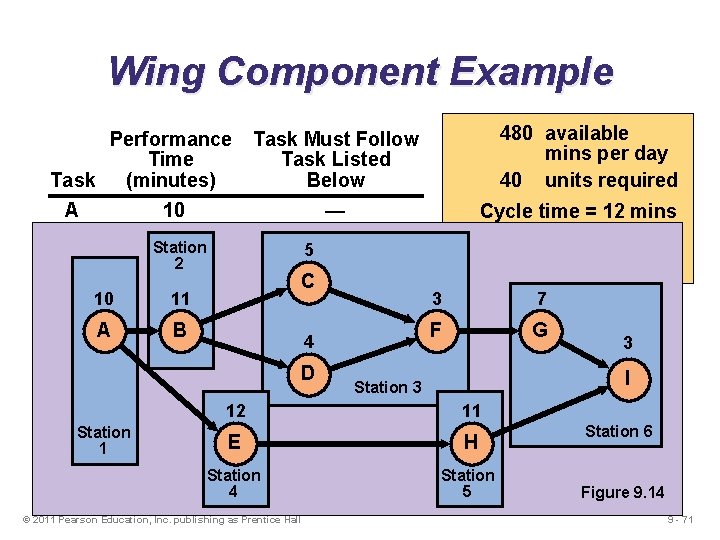
Wing Component Example Performance Time Task (minutes) A 10 B 11 C 5 D 4 E 12 F 3 G 7 H 11 I 3 Total time 66 480 available mins per day 40 units required Task Must Follow Task Listed Below — A Production time B available per day Cycle B time = Units required per day A = 480 / 40 5 C, D = 12 minutes per unit C F 10 11 3 7 n E for task. Fi A ∑ Time B G Minimum G, H 4 i=1 number of = workstations Cycle Dtime 12 11 3 I = 66 / 12 E H = 5. 5 or 6 stations © 2011 Pearson Education, Inc. publishing as Prentice Hall Figure 9. 13 9 - 69
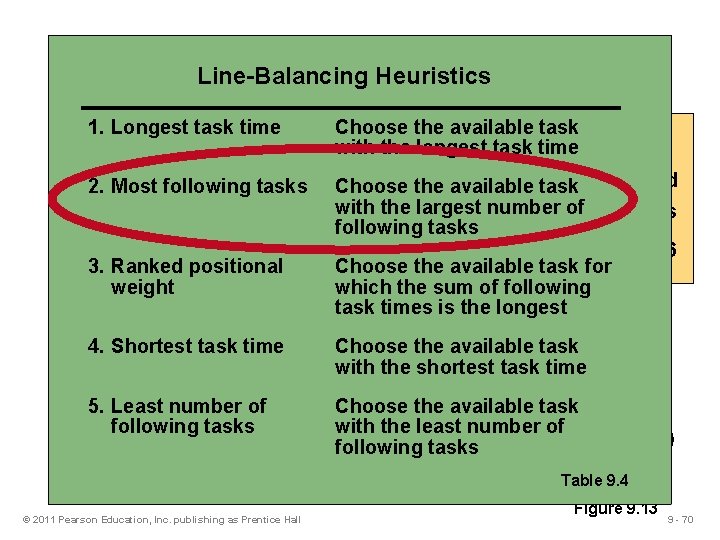
Heuristics Wing. Line-Balancing Component Example 1. Longest task time Choose the available 480 task available Performance Task Must Follow with the longest task time mins per day Time Task Listed 40 task units required Task 2. Most (minutes) following tasks. Below Choose the available number of= 12 mins A 10 —with the largest. Cycle time B 11 Afollowing tasks. Minimum = 5. 5 or 6 C 3. Ranked 5 positional BChoose the available workstations task for D Bwhich the sum of following weight 4 E 12 Atask times is the longest 5 F 3 C, D the available C task G 4. Shortest 7 task time FChoose 10 shortest 11 3 7 with the task time H 11 E A B G F I 5. Least number 3 G, H 4 of Choose the available task 3 with the least number of Totalfollowing time 66 tasks D I 12 11 following tasks E © 2011 Pearson Education, Inc. publishing as Prentice Hall H Table 9. 4 Figure 9. 13 9 - 70
Wing Component Example Performance Time Task (minutes) 480 available mins per day 40 units required Task Must Follow Task Listed Below A 10 B 11 Station C 52 D 4 11 E 10 12 B F A 3 G 7 H 11 I 3 12 Stationtime 66 Total E 1 — Cycle time = 12 mins A Minimum 5 B = 5. 5 or 6 workstations C B 3 7 A G F C, D 4 3 F D E Station 3 I Station 3 G, H 11 Station 4 © 2011 Pearson Education, Inc. publishing as Prentice Hall H Station 5 Station 6 6 Station Figure 9. 14 9 - 71
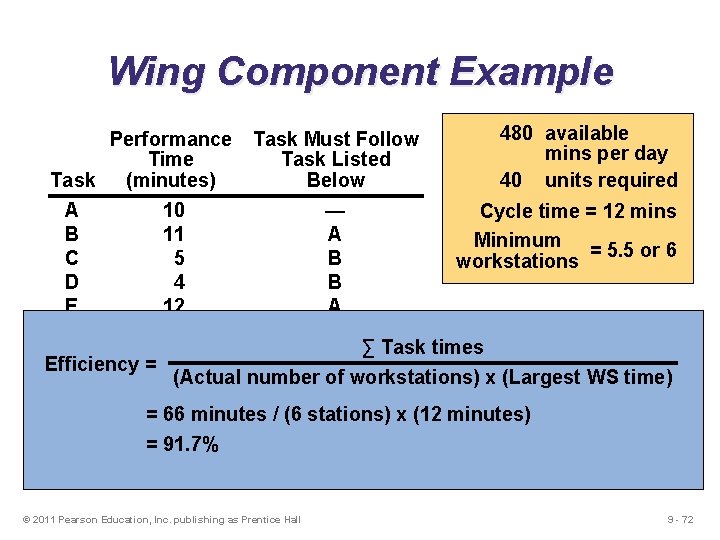
Wing Component Example Performance Time Task (minutes) Task Must Follow Task Listed Below 480 available mins per day 40 units required A 10 — Cycle time = 12 mins B 11 A Minimum = 5. 5 or 6 C 5 B workstations D 4 B E 12 A F 3 C, D ∑ Task times G 7 F Efficiency = (Actual number of H 11 E workstations) x (Largest WS time) I 3 G, H = 66 minutes / (6 stations) x (12 minutes) Total time 66 = 91. 7% © 2011 Pearson Education, Inc. publishing as Prentice Hall 9 - 72
Wing Component Example u Balance Delay=100% - Efficiency 1 -0. 917= 0. 083 or Balance Delay=(2+1+1+2)/(12*6)= 0. 083 © 2011 Pearson Education, Inc. publishing as Prentice Hall 9 - 73
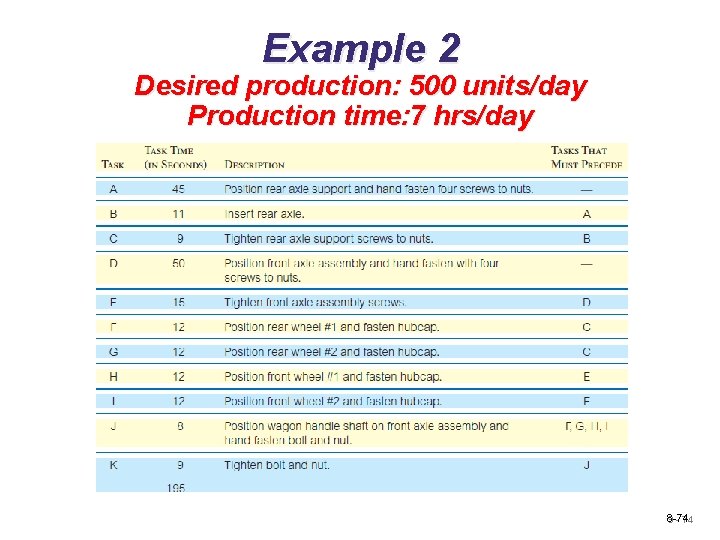
Example 2 Desired production: 500 units/day Production time: 7 hrs/day 8 -74 9 - 74
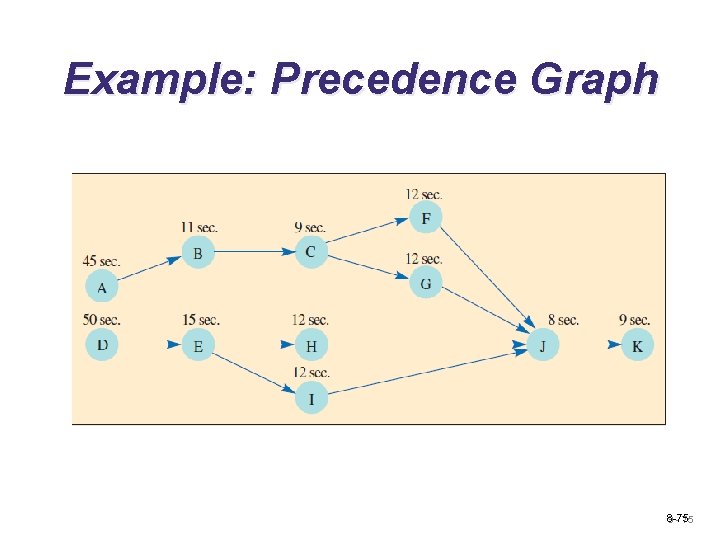
Example: Precedence Graph 8 -75 9 - 75
Example: C and Nt 8 -76 9 - 76
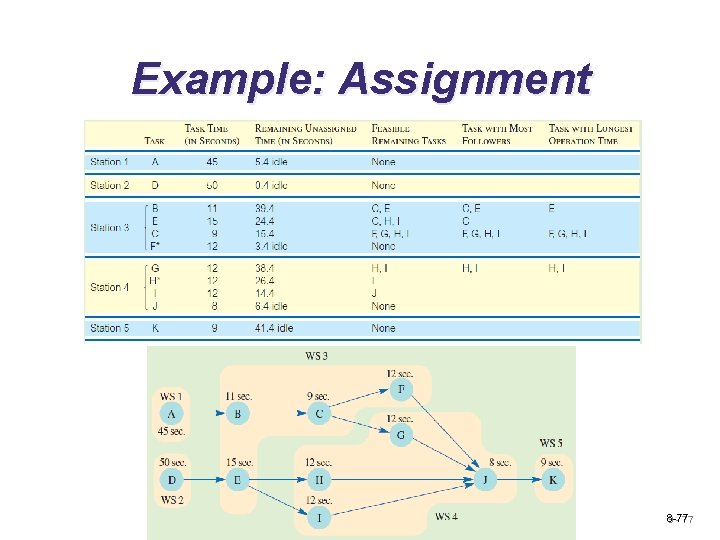
Example: Assignment 8 -77 9 - 77
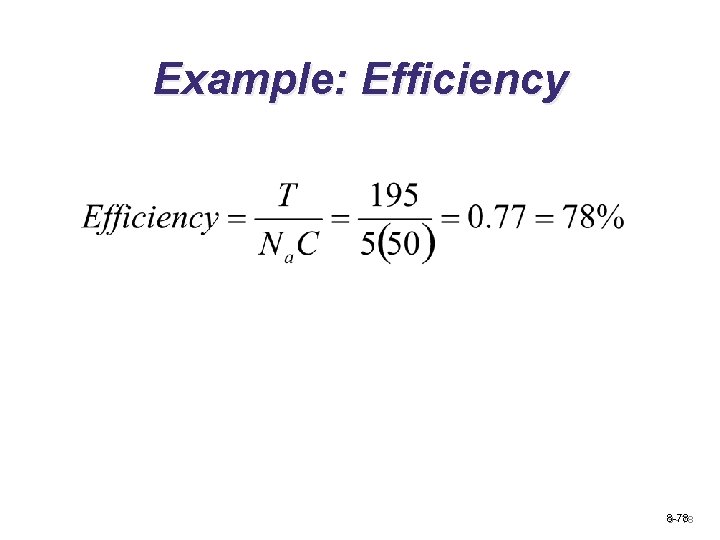
Example: Efficiency 8 -78 9 - 78