Design and Management of Email Service Jason Chang












- Slides: 74
Design and Management of Email Service 張傑生Jason Chang Computer Center National Taiwan University 2005/07/08 北區區網訓練課程 jsc@ntu. edu. tw http: //ccms. ntu. edu. tw/~jsc
Outline l l l A brief view of NTU email service Introduction to the architecture and operation of SMTP Design of a suitable email system – l l l 2 Webmail solutions Postfix and simple configuration samples Spam and virus filtering Conclusion
Overview l l l Electronic mail service has already evolved into one of the major Internet applications. It is not only fundamental, but also a must. Users may become impatient when mails were delayed, not to mention failed to access their emails. – 3 Imagine we meet the situation of power failure or cut of water supply
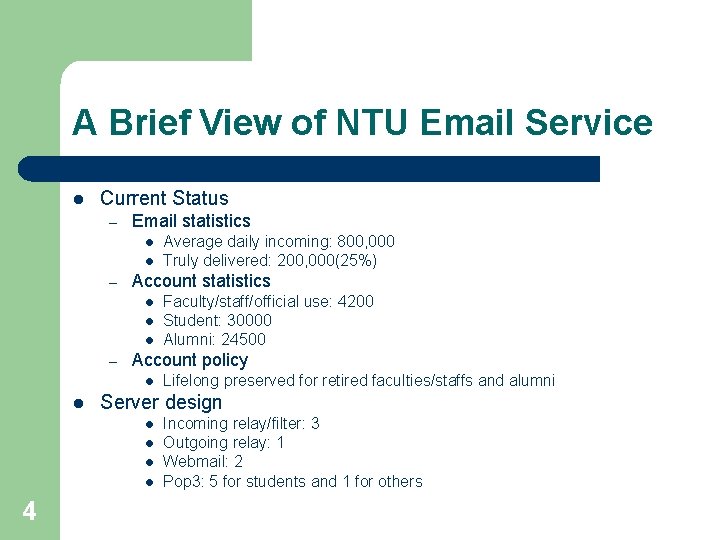
A Brief View of NTU Email Service l Current Status – Email statistics l l – Account statistics l l l – Lifelong preserved for retired faculties/staffs and alumni Server design l l 4 Faculty/staff/official use: 4200 Student: 30000 Alumni: 24500 Account policy l l Average daily incoming: 800, 000 Truly delivered: 200, 000(25%) Incoming relay/filter: 3 Outgoing relay: 1 Webmail: 2 Pop 3: 5 for students and 1 for others
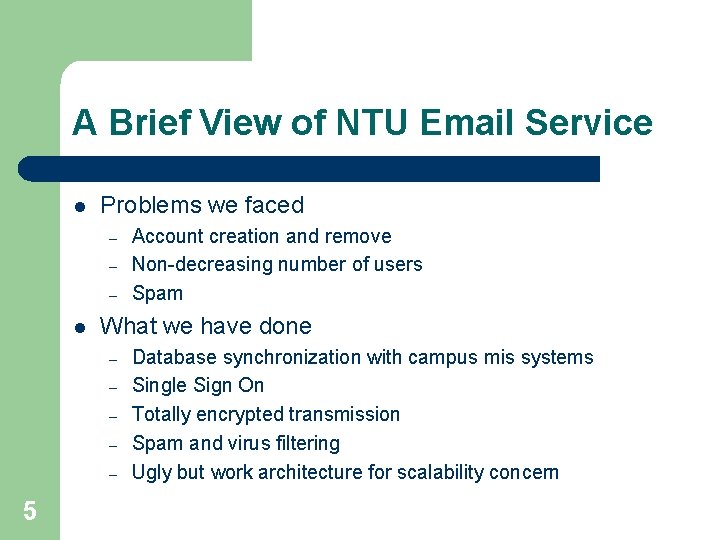
A Brief View of NTU Email Service l Problems we faced – – – l What we have done – – – 5 Account creation and remove Non-decreasing number of users Spam Database synchronization with campus mis systems Single Sign On Totally encrypted transmission Spam and virus filtering Ugly but work architecture for scalability concern
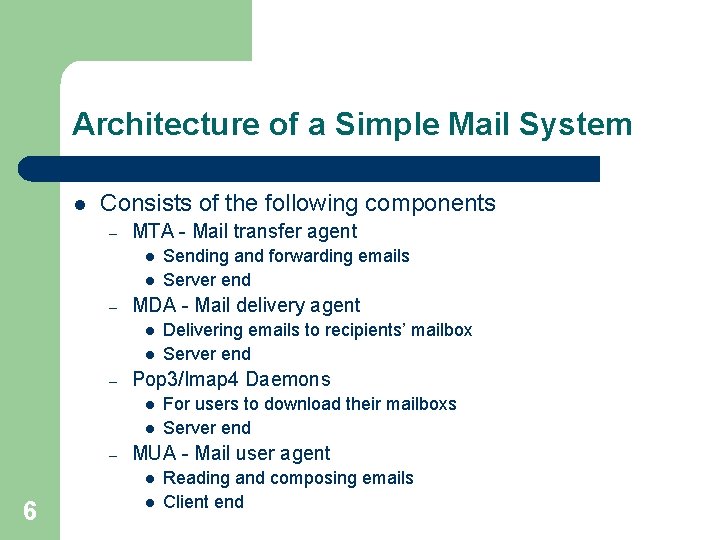
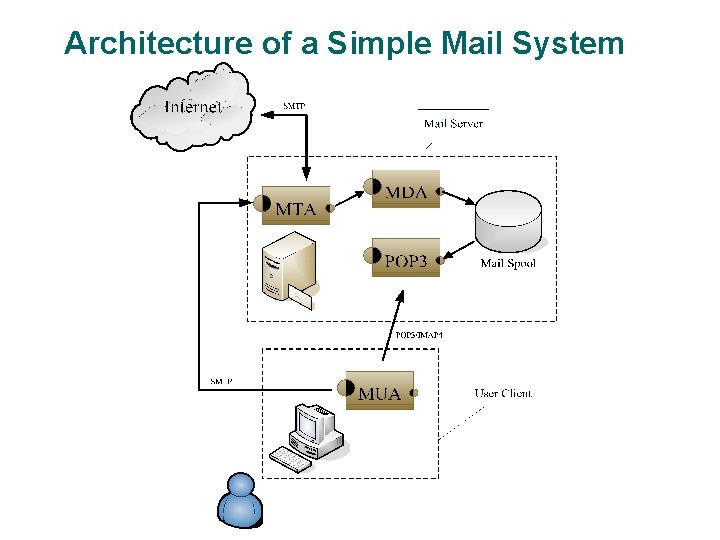
Architecture of a Simple Mail System l Consists of the following components – MTA - Mail transfer agent l l – MDA - Mail delivery agent l l – l For users to download their mailboxs Server end MUA - Mail user agent l 6 Delivering emails to recipients’ mailbox Server end Pop 3/Imap 4 Daemons l – Sending and forwarding emails Server end l Reading and composing emails Client end
Architecture of a Simple Mail System 7
Protocols Used for Mail System l Protocols – – l For computer programs to communicate with each other Similar to languages that human beings speak SMTP – – Simple Mail Transfer Protocol Too simple to provide any “advanced features” l l l POP 3 – – l Post Office Protocol version 3 Simple IMAP 4 – – – 8 Authentication Authorization – – Internet Message Access Protocol version 4 Fully compatible with internet message standards, e. g. MIME. Allow messages to be accessed from more than one computer. Provide support for online, offline, and disconnected modes. Multiple and share folders.
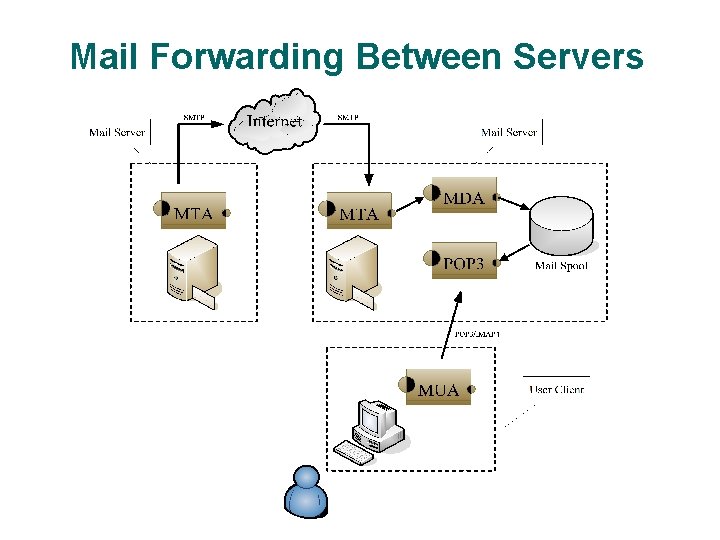
Mail Forwarding Between Servers 9
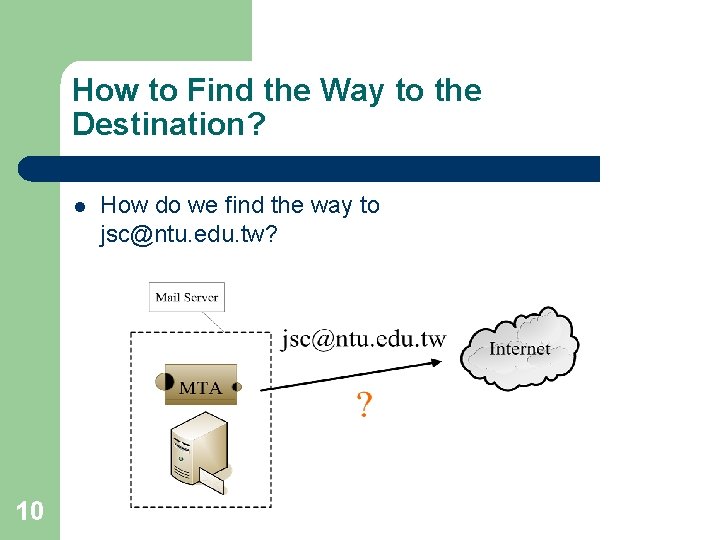
How to Find the Way to the Destination? l 10 How do we find the way to jsc@ntu. edu. tw?
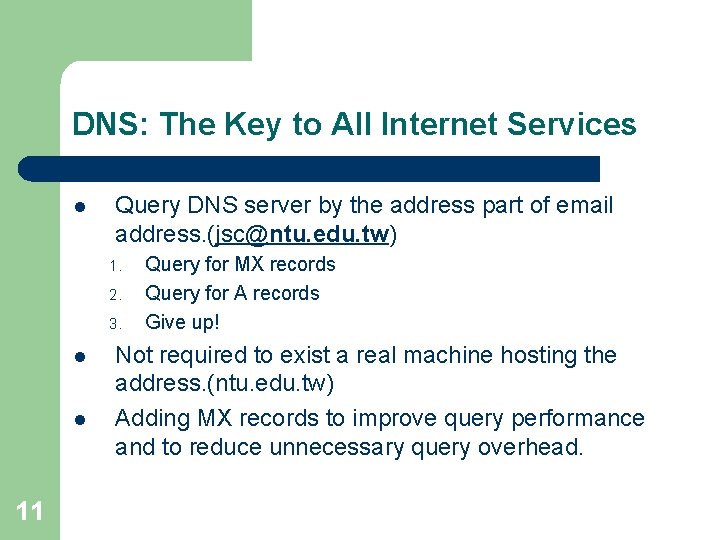
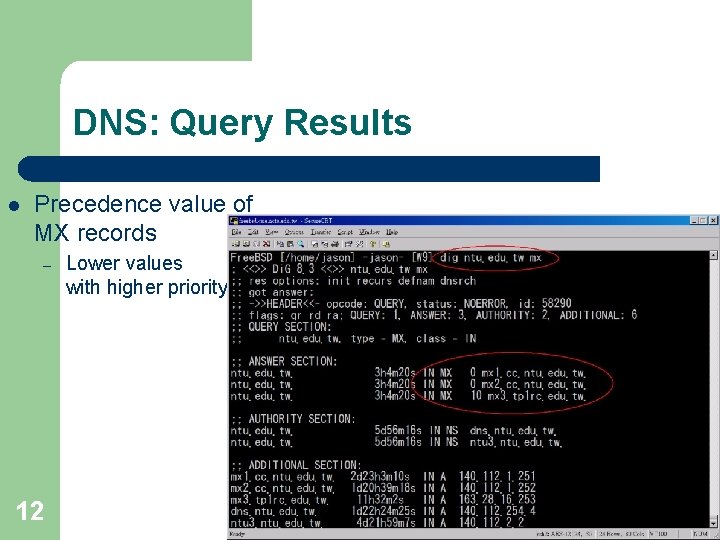
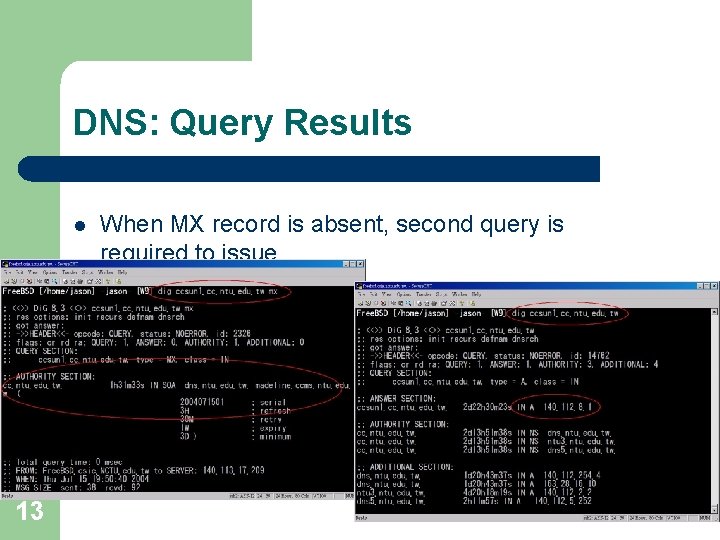
DNS: The Key to All Internet Services l Query DNS server by the address part of email address. (jsc@ntu. edu. tw) 1. 2. 3. l l 11 Query for MX records Query for A records Give up! Not required to exist a real machine hosting the address. (ntu. edu. tw) Adding MX records to improve query performance and to reduce unnecessary query overhead.
DNS: Query Results l Precedence value of MX records – 12 Lower values with higher priority
DNS: Query Results l 13 When MX record is absent, second query is required to issue.
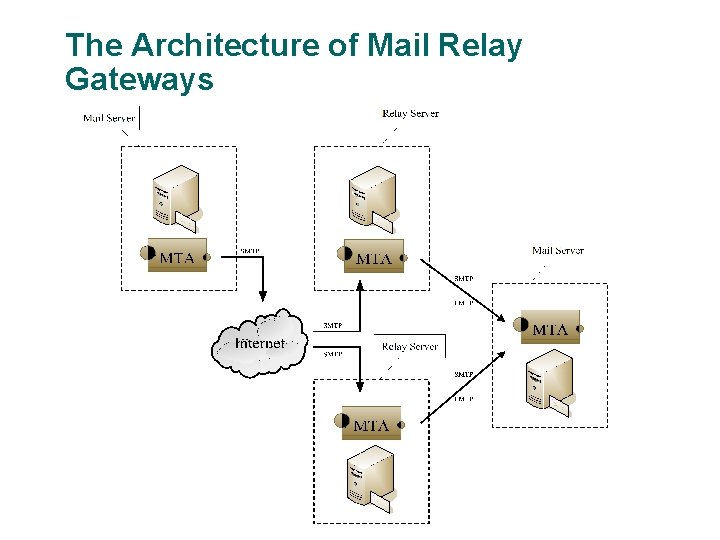
The Use of Mail Relay Gateway l l l Load sharing and balance Prevent the occurrence of single point of failure Hide your backend mail servers and prevent from outside attack – l l l 14 l Frequently used when you have M$ Exchange servers Make use of multiple network link connections (different ISPs) Spam and virus filtering The easiest way for administrators to release current bottlenecks and to leverage performance. It’s the way how most commercial products work.
The Architecture of Mail Relay Gateways 15
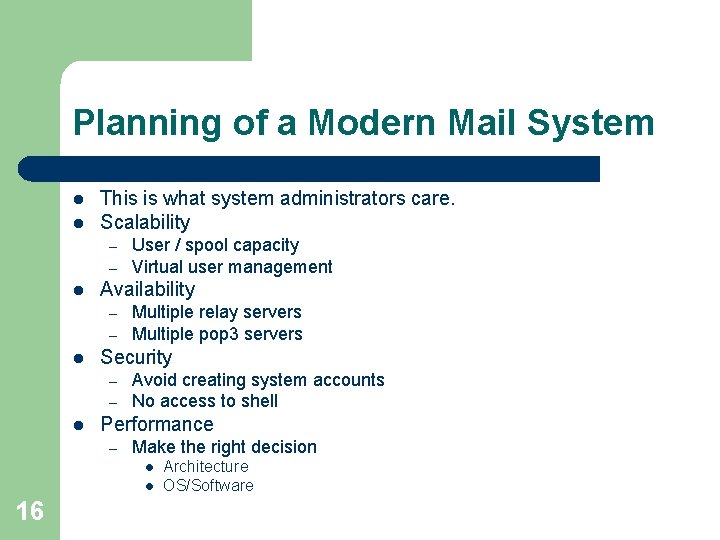
Planning of a Modern Mail System l l This is what system administrators care. Scalability – – l Availability – – l Multiple relay servers Multiple pop 3 servers Security – – l User / spool capacity Virtual user management Avoid creating system accounts No access to shell Performance – Make the right decision l l 16 Architecture OS/Software
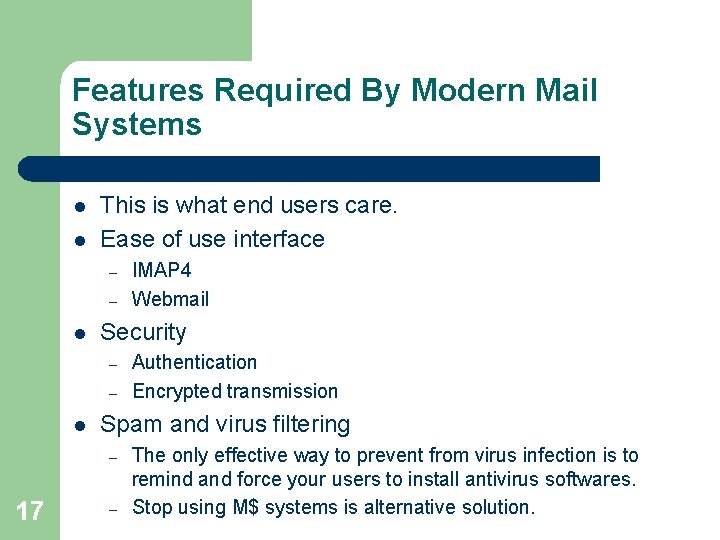
Features Required By Modern Mail Systems l l This is what end users care. Ease of use interface – – l Security – – l Authentication Encrypted transmission Spam and virus filtering – 17 IMAP 4 Webmail – The only effective way to prevent from virus infection is to remind and force your users to install antivirus softwares. Stop using M$ systems is alternative solution.
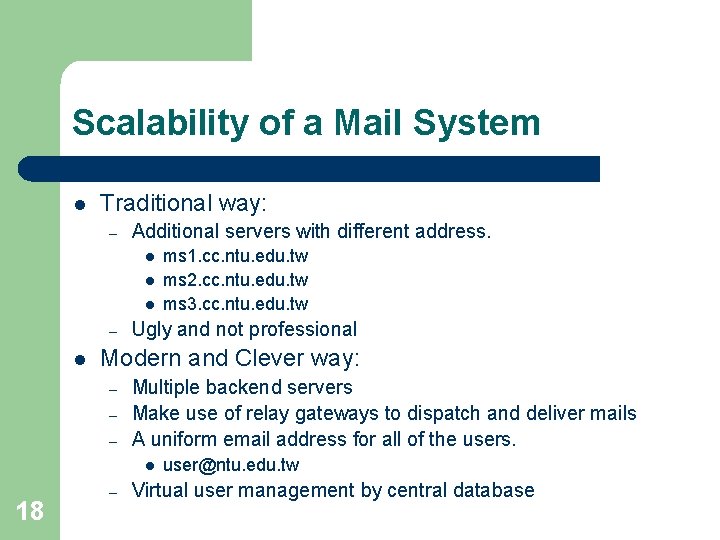
Scalability of a Mail System l Traditional way: – Additional servers with different address. l l l – l Ugly and not professional Modern and Clever way: – – – Multiple backend servers Make use of relay gateways to dispatch and deliver mails A uniform email address for all of the users. l 18 ms 1. cc. ntu. edu. tw ms 2. cc. ntu. edu. tw ms 3. cc. ntu. edu. tw – user@ntu. edu. tw Virtual user management by central database
A Scalable Mail System Architecture 19
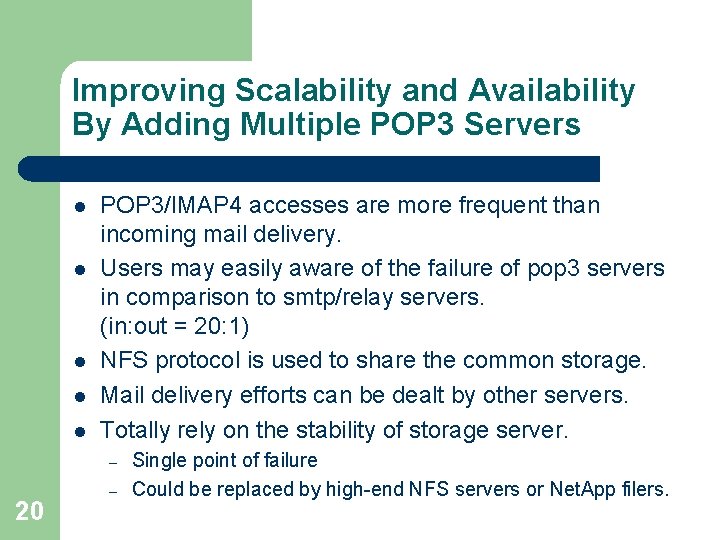
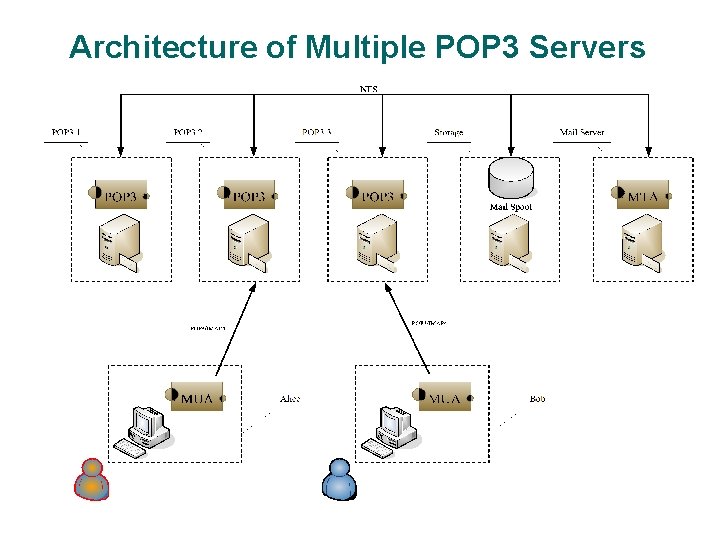
Improving Scalability and Availability By Adding Multiple POP 3 Servers l l l POP 3/IMAP 4 accesses are more frequent than incoming mail delivery. Users may easily aware of the failure of pop 3 servers in comparison to smtp/relay servers. (in: out = 20: 1) NFS protocol is used to share the common storage. Mail delivery efforts can be dealt by other servers. Totally rely on the stability of storage server. – 20 – Single point of failure Could be replaced by high-end NFS servers or Net. App filers.
Architecture of Multiple POP 3 Servers 21
NFS Concerns And Bottlenecks l l l NFS has its own limitation. Do not expect NFS to scale well. Use gigabit network with high quality switch. UDP is preferred over TCP when network environment is local and qualified. Consider to apply the Maildir format – Avoid NFS lock problem l 22 l Severe enough in Linux and BSD systems Spin lock and dead lock may block further accesses – Manual interference often requires
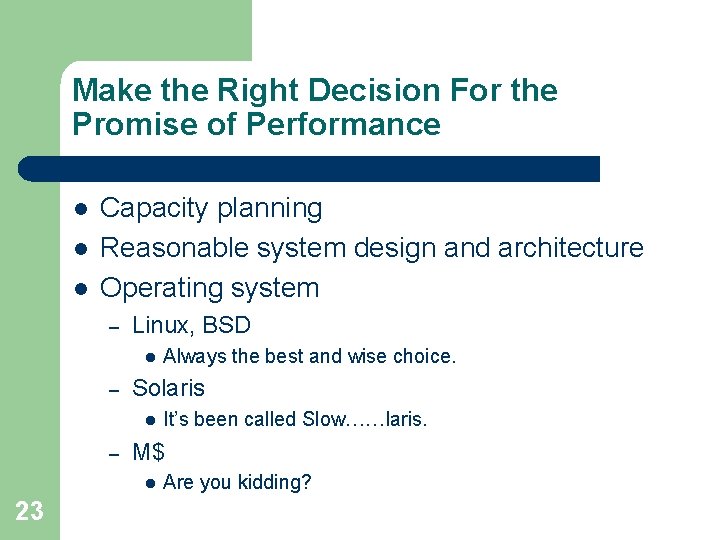
Make the Right Decision For the Promise of Performance l l l Capacity planning Reasonable system design and architecture Operating system – Linux, BSD l – Solaris l – It’s been called Slow……laris. M$ l 23 Always the best and wise choice. Are you kidding?
Make the Right Decision For the Promise of Performance l MTA – Postfix l – Sendmail l l – Qmail – Exim l l – Termination of development. Immature. Seeking trouble for yourself? POP 3/IMAP 4 – – UW-IMAP Courier-IMAP l – – Supports Maildir format. Dovecot l l 24 Not scalable! Lack of new features. Not efficiency in resource management. Rich of documents and tutorials M$ Exchange l l Our suggestion! Supports both mbox and Maildir format. Still under development. Cyrus l l Proprietary spool format. Not easy to convert between other formats.
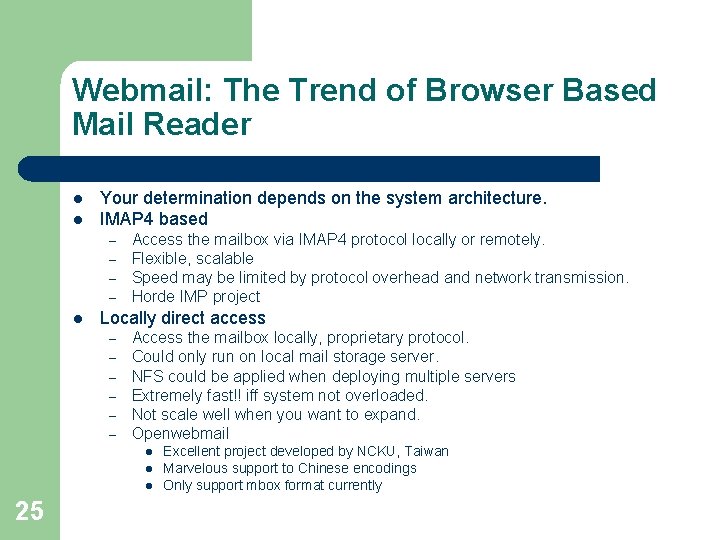
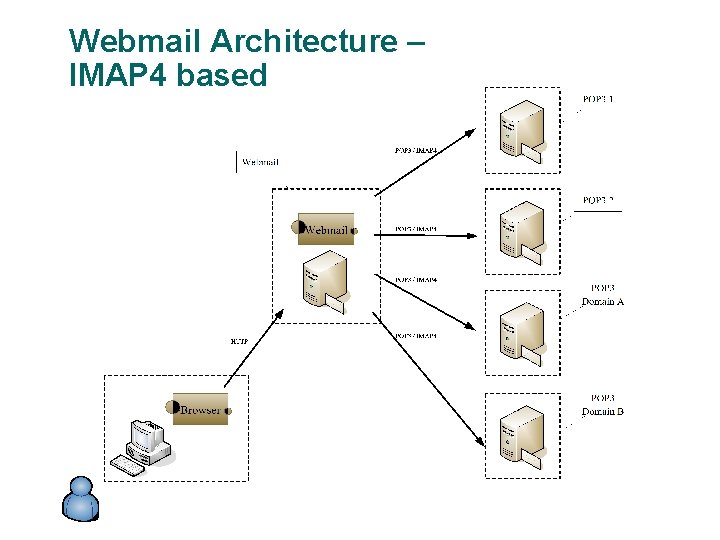
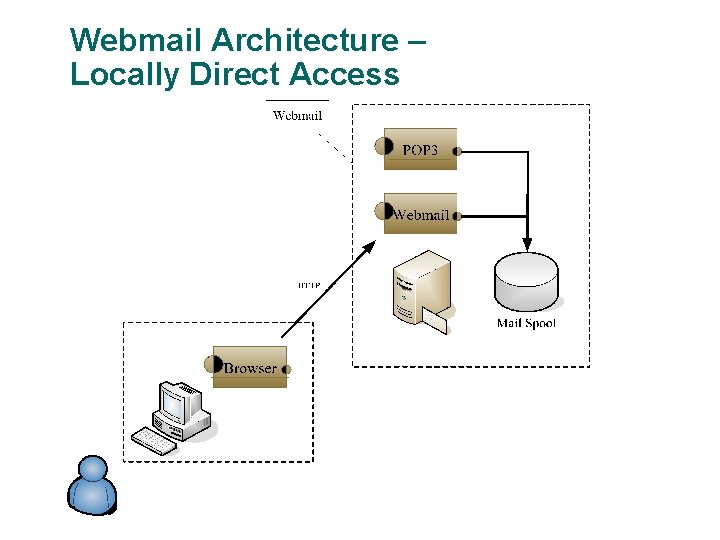
Webmail: The Trend of Browser Based Mail Reader l l Your determination depends on the system architecture. IMAP 4 based – – l Access the mailbox via IMAP 4 protocol locally or remotely. Flexible, scalable Speed may be limited by protocol overhead and network transmission. Horde IMP project Locally direct access – – – Access the mailbox locally, proprietary protocol. Could only run on local mail storage server. NFS could be applied when deploying multiple servers Extremely fast!! iff system not overloaded. Not scale well when you want to expand. Openwebmail l 25 Excellent project developed by NCKU, Taiwan Marvelous support to Chinese encodings Only support mbox format currently
Webmail Architecture – IMAP 4 based 26
Webmail Architecture – Locally Direct Access 27
Postfix: The Modern and Advance MTA l l l http: //www. postfix. org Developed by Wietse Venema Features – – – – 28 – – Easy replacement of existing sendmail system by binaries with same file name and functionality. e. g. sendmail, newaliases Human readable configuration file Multiple small programs with limited execution privilege Multiple queues to avoid block of normal mails Backend database lookup table supported Better support for virtual host Virtual user system supported Content filtering interface Simple spam check/block mechanism
Postfix - the Big Picture l http: //www. postfix. org/big-picture. html – – – 29 Yellow ellipsoids are mail programs. Yellow boxes are mail queues or files. Blue boxes are lookup tables.
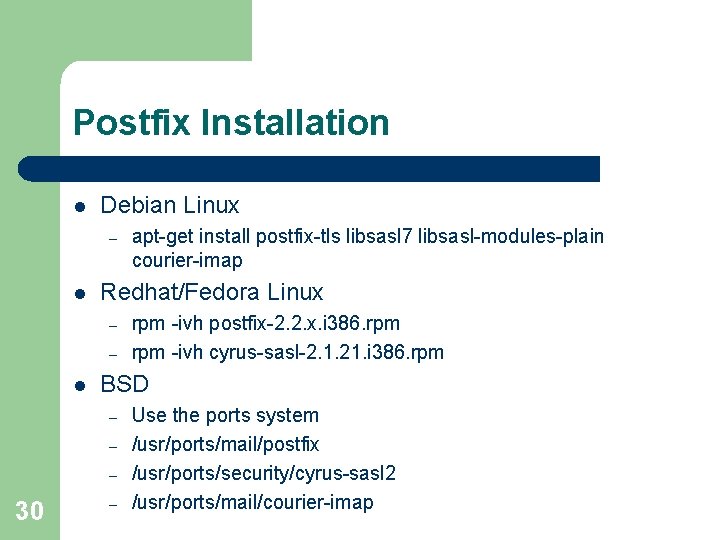
Postfix Installation l Debian Linux – l Redhat/Fedora Linux – – l rpm -ivh postfix-2. 2. x. i 386. rpm -ivh cyrus-sasl-2. 1. 21. i 386. rpm BSD – – – 30 apt-get install postfix-tls libsasl 7 libsasl-modules-plain courier-imap – Use the ports system /usr/ports/mail/postfix /usr/ports/security/cyrus-sasl 2 /usr/ports/mail/courier-imap
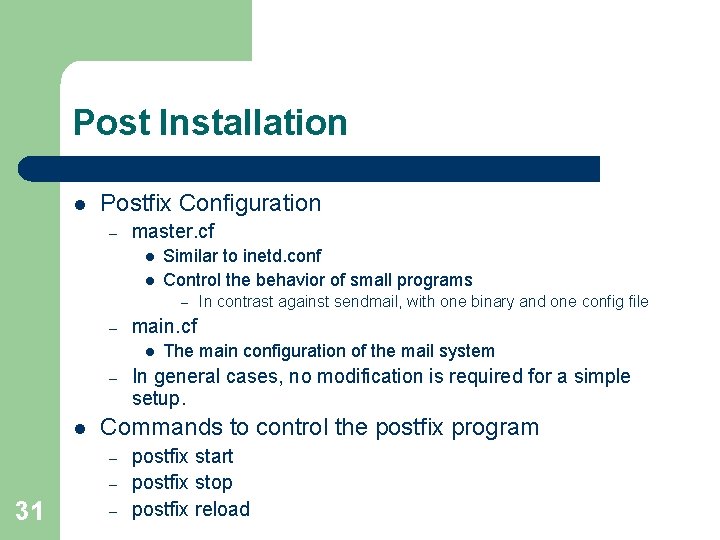
Post Installation l Postfix Configuration – master. cf l l Similar to inetd. conf Control the behavior of small programs – – main. cf l – l The main configuration of the mail system In general cases, no modification is required for a simple setup. Commands to control the postfix program – – 31 In contrast against sendmail, with one binary and one config file – postfix start postfix stop postfix reload
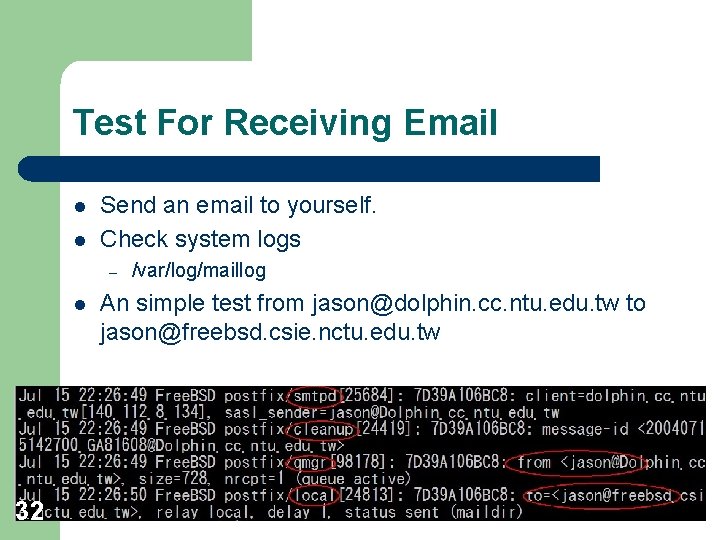
Test For Receiving Email l l Send an email to yourself. Check system logs – l 32 /var/log/maillog An simple test from jason@dolphin. cc. ntu. edu. tw to jason@freebsd. csie. nctu. edu. tw
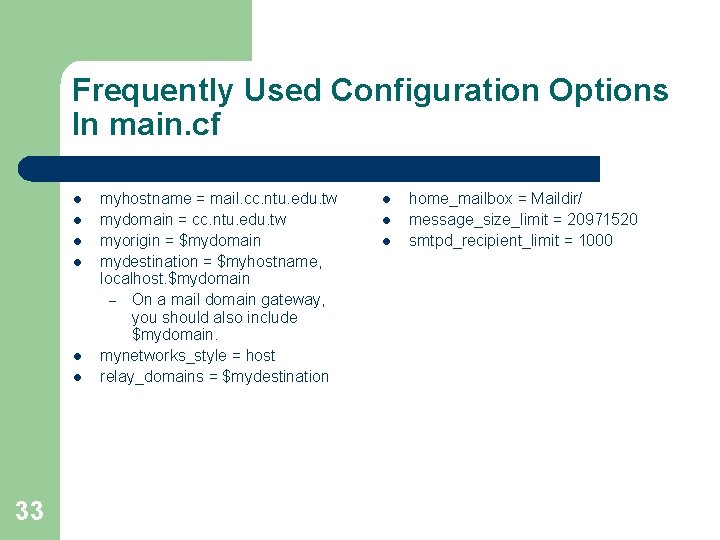
Frequently Used Configuration Options In main. cf l l l 33 myhostname = mail. cc. ntu. edu. tw mydomain = cc. ntu. edu. tw myorigin = $mydomain mydestination = $myhostname, localhost. $mydomain – On a mail domain gateway, you should also include $mydomain. mynetworks_style = host relay_domains = $mydestination l l l home_mailbox = Maildir/ message_size_limit = 20971520 smtpd_recipient_limit = 1000
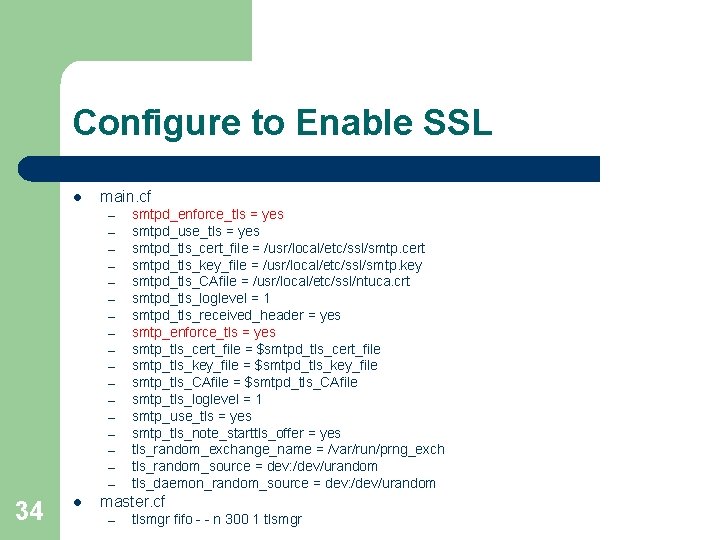
Configure to Enable SSL l main. cf – – – – – 34 l smtpd_enforce_tls = yes smtpd_use_tls = yes smtpd_tls_cert_file = /usr/local/etc/ssl/smtp. cert smtpd_tls_key_file = /usr/local/etc/ssl/smtp. key smtpd_tls_CAfile = /usr/local/etc/ssl/ntuca. crt smtpd_tls_loglevel = 1 smtpd_tls_received_header = yes smtp_enforce_tls = yes smtp_tls_cert_file = $smtpd_tls_cert_file smtp_tls_key_file = $smtpd_tls_key_file smtp_tls_CAfile = $smtpd_tls_CAfile smtp_tls_loglevel = 1 smtp_use_tls = yes smtp_tls_note_starttls_offer = yes tls_random_exchange_name = /var/run/prng_exch tls_random_source = dev: /dev/urandom tls_daemon_random_source = dev: /dev/urandom master. cf – tlsmgr fifo - - n 300 1 tlsmgr
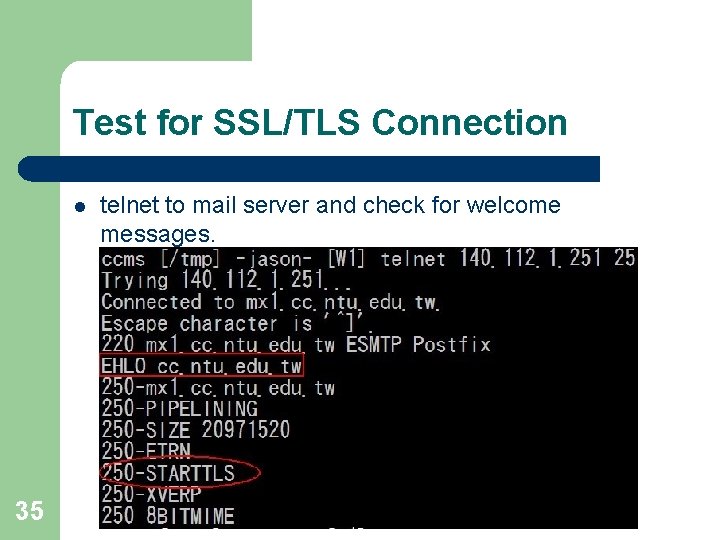
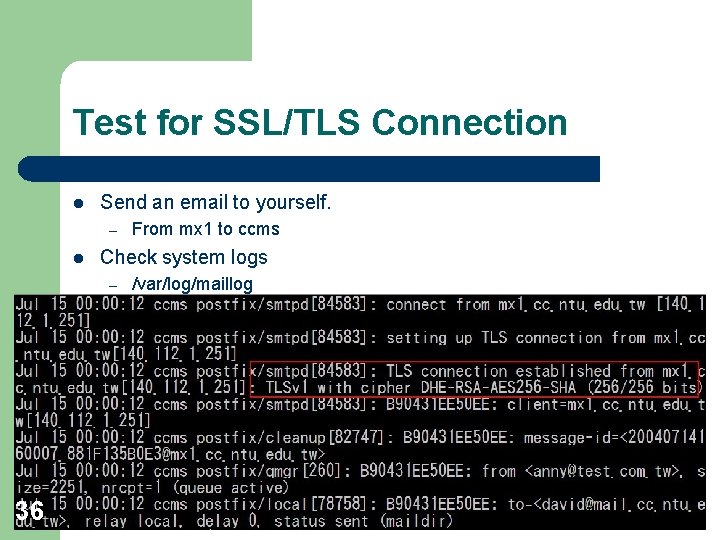
Test for SSL/TLS Connection l 35 telnet to mail server and check for welcome messages.
Test for SSL/TLS Connection l Send an email to yourself. – l Check system logs – 36 From mx 1 to ccms /var/log/maillog
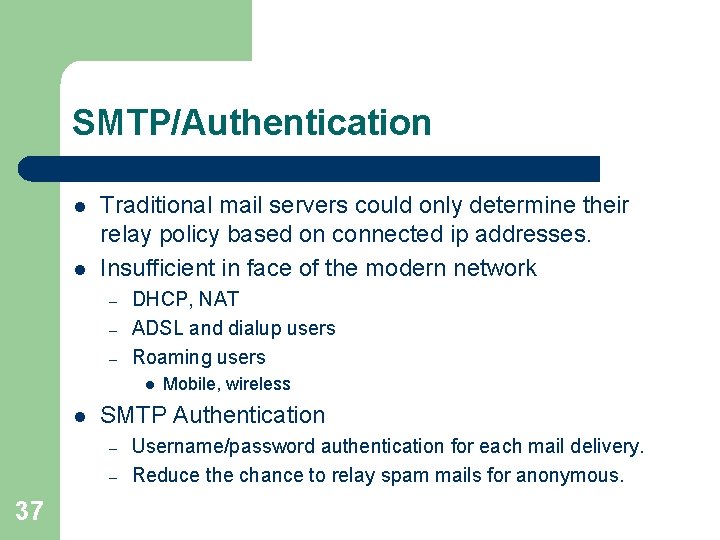
SMTP/Authentication l l Traditional mail servers could only determine their relay policy based on connected ip addresses. Insufficient in face of the modern network – – – DHCP, NAT ADSL and dialup users Roaming users l l SMTP Authentication – – 37 Mobile, wireless Username/password authentication for each mail delivery. Reduce the chance to relay spam mails for anonymous.
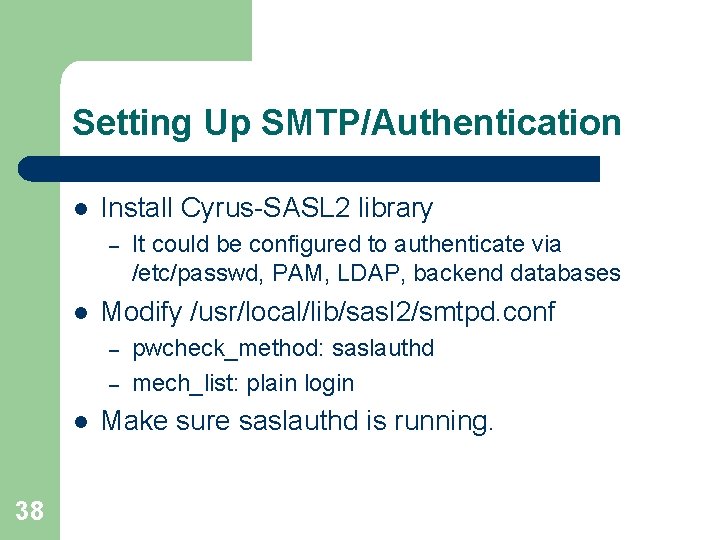
Setting Up SMTP/Authentication l Install Cyrus-SASL 2 library – l Modify /usr/local/lib/sasl 2/smtpd. conf – – l 38 It could be configured to authenticate via /etc/passwd, PAM, LDAP, backend databases pwcheck_method: saslauthd mech_list: plain login Make sure saslauthd is running.
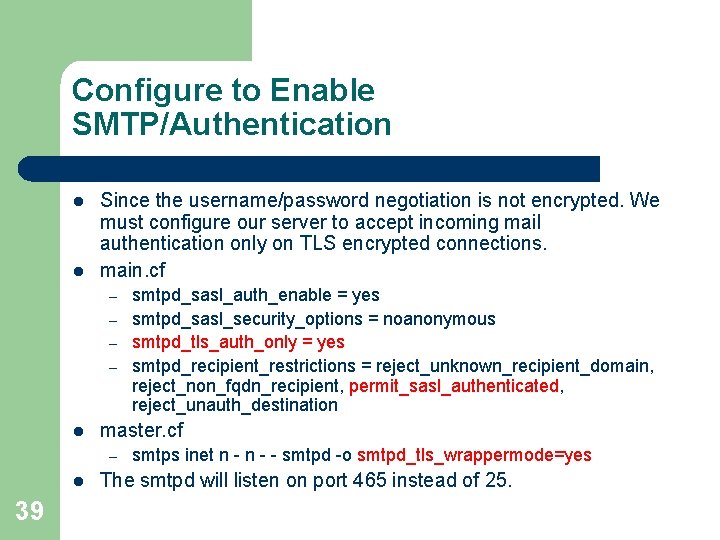
Configure to Enable SMTP/Authentication l l Since the username/password negotiation is not encrypted. We must configure our server to accept incoming mail authentication only on TLS encrypted connections. main. cf – – l master. cf – l 39 smtpd_sasl_auth_enable = yes smtpd_sasl_security_options = noanonymous smtpd_tls_auth_only = yes smtpd_recipient_restrictions = reject_unknown_recipient_domain, reject_non_fqdn_recipient, permit_sasl_authenticated, reject_unauth_destination smtps inet n - - smtpd -o smtpd_tls_wrappermode=yes The smtpd will listen on port 465 instead of 25.
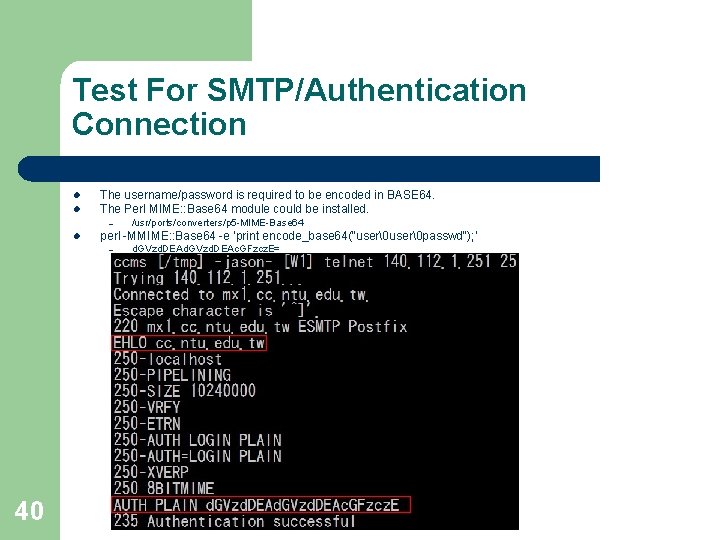
Test For SMTP/Authentication Connection l The username/password is required to be encoded in BASE 64. The Perl MIME: : Base 64 module could be installed. l perl -MMIME: : Base 64 -e 'print encode_base 64("user passwd"); ‘ l – – 40 /usr/ports/converters/p 5 -MIME-Base 64 d. GVzd. DEAc. GFzcz. E=
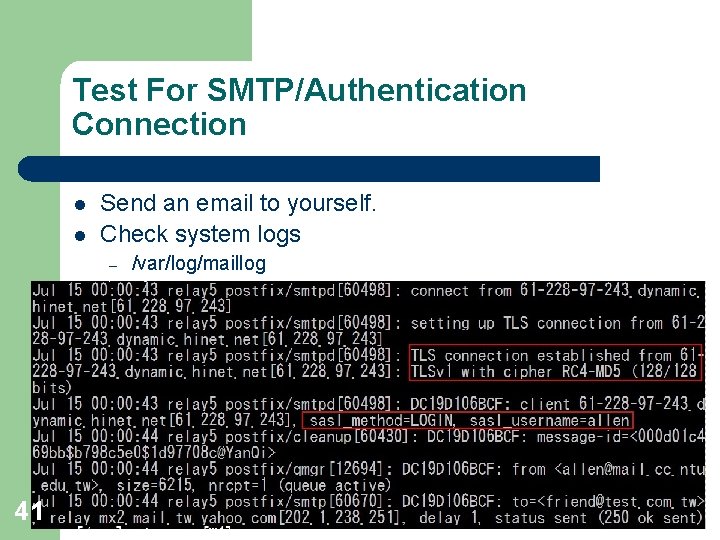
Test For SMTP/Authentication Connection l l Send an email to yourself. Check system logs – 41 /var/log/maillog
SMTP Transaction Example 42
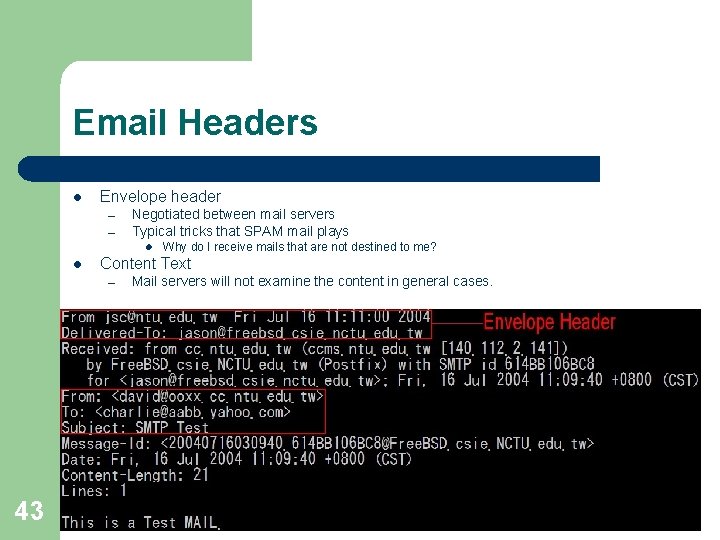
Email Headers l Envelope header – – Negotiated between mail servers Typical tricks that SPAM mail plays l l Content Text – 43 Why do I receive mails that are not destined to me? Mail servers will not examine the content in general cases.
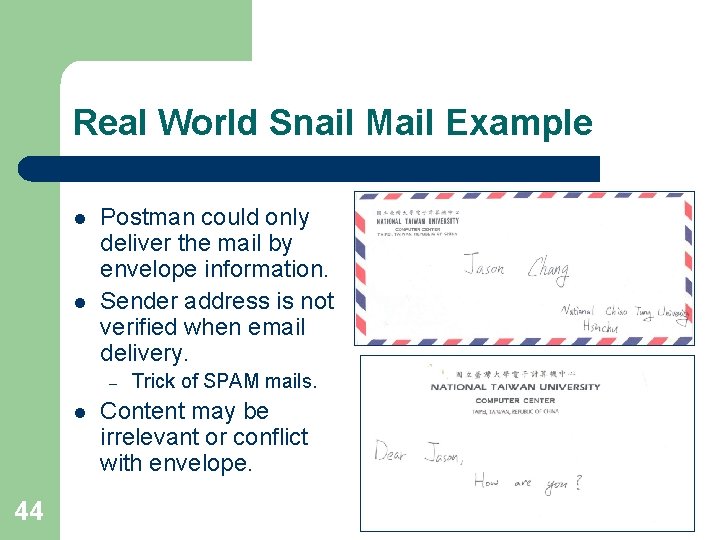
Real World Snail Mail Example l l Postman could only deliver the mail by envelope information. Sender address is not verified when email delivery. – l 44 Trick of SPAM mails. Content may be irrelevant or conflict with envelope.
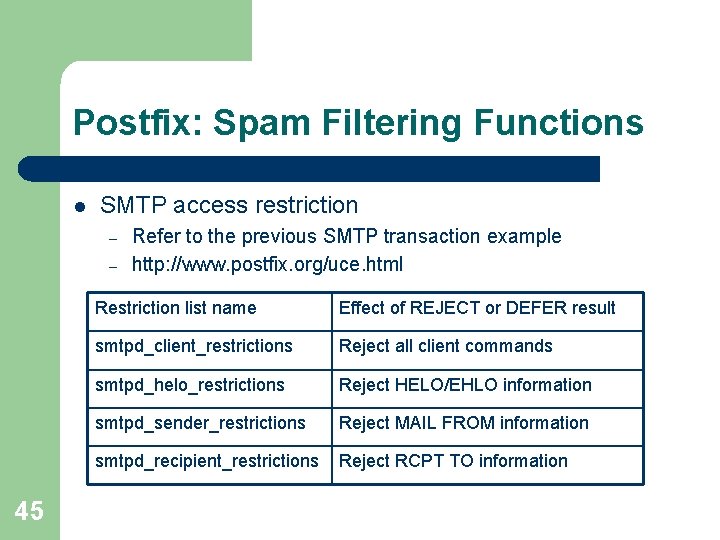
Postfix: Spam Filtering Functions l SMTP access restriction – – 45 Refer to the previous SMTP transaction example http: //www. postfix. org/uce. html Restriction list name Effect of REJECT or DEFER result smtpd_client_restrictions Reject all client commands smtpd_helo_restrictions Reject HELO/EHLO information smtpd_sender_restrictions Reject MAIL FROM information smtpd_recipient_restrictions Reject RCPT TO information
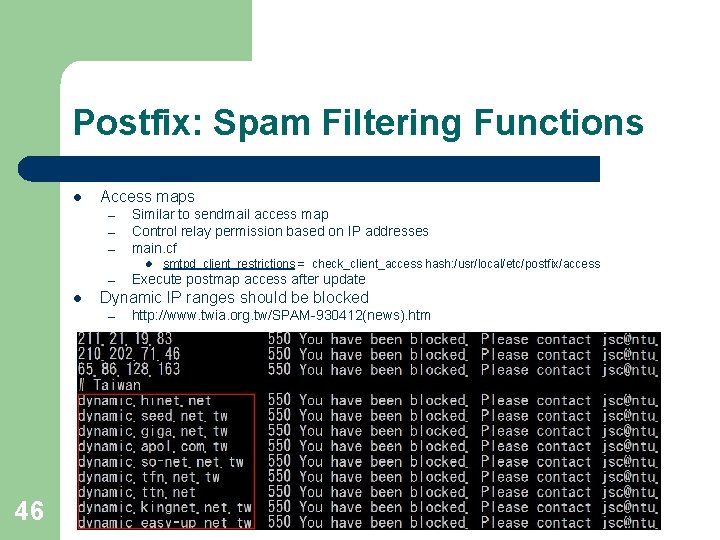
Postfix: Spam Filtering Functions l Access maps – – – Similar to sendmail access map Control relay permission based on IP addresses main. cf l – l Execute postmap access after update Dynamic IP ranges should be blocked – 46 smtpd_client_restrictions = check_client_access hash: /usr/local/etc/postfix/access http: //www. twia. org. tw/SPAM-930412(news). htm
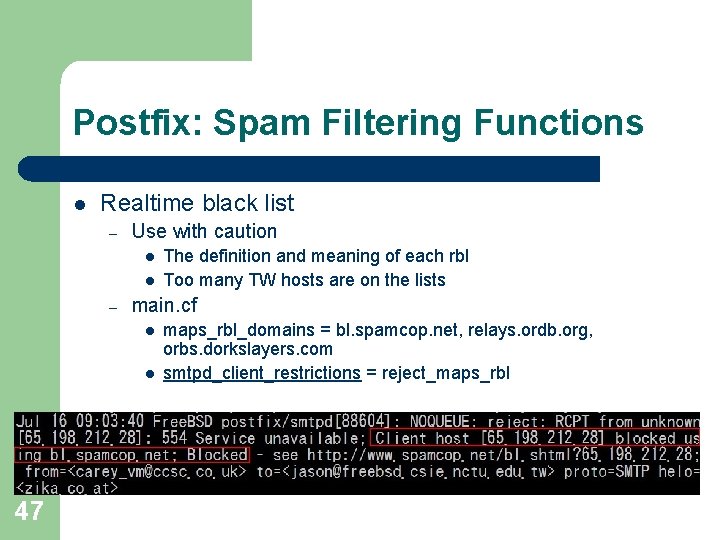
Postfix: Spam Filtering Functions l Realtime black list – Use with caution l l – main. cf l l 47 The definition and meaning of each rbl Too many TW hosts are on the lists maps_rbl_domains = bl. spamcop. net, relays. ordb. org, orbs. dorkslayers. com smtpd_client_restrictions = reject_maps_rbl
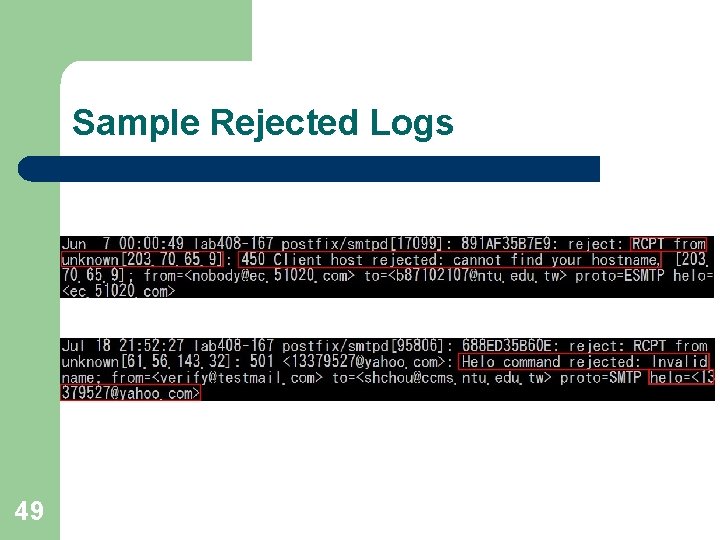
Postfix: Spam Filtering Functions l SMTP access restriction – smtpd_client_restrictions l l – smtpd_helo_restrictions l l 48 maps_rbl_domains = bl. spamcop. net, relays. ordb. org, orbs. dorkslayers. com smtpd_client_restrictions = reject_rbl_client relays. ordb. org reject_rbl_client bl. spamcop. net reject_maps_rbl check_client_access regexp: /usr/local/etc/postfix/access reject_unauth_pipelining reject_unknown_client (use with caution) smtpd_helo_required = yes smtpd_helo_restrictions = reject_invalid_hostname reject_unknown_hostname reject_non_fqdn_hostname
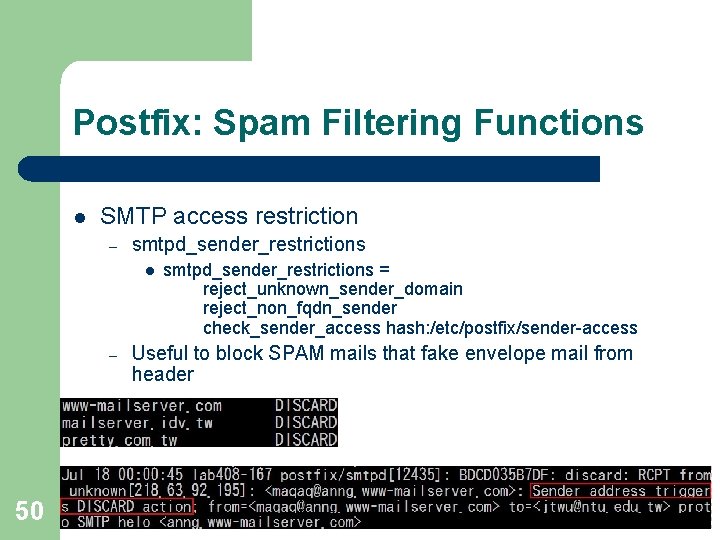
Sample Rejected Logs 49
Postfix: Spam Filtering Functions l SMTP access restriction – smtpd_sender_restrictions l – 50 smtpd_sender_restrictions = reject_unknown_sender_domain reject_non_fqdn_sender check_sender_access hash: /etc/postfix/sender-access Useful to block SPAM mails that fake envelope mail from header
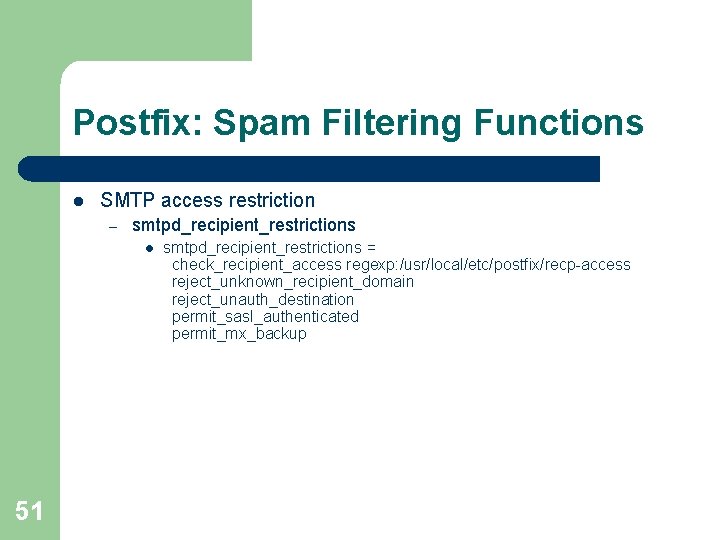
Postfix: Spam Filtering Functions l SMTP access restriction – smtpd_recipient_restrictions l 51 smtpd_recipient_restrictions = check_recipient_access regexp: /usr/local/etc/postfix/recp-access reject_unknown_recipient_domain reject_unauth_destination permit_sasl_authenticated permit_mx_backup
Postfix: Spam Filtering Functions l Header check – – 52 Both envelope and content headers main. cf header_checks = regexp: /usr/local/etc/postfix/header
Postfix: Spam Filtering Functions l Simple content check – main. cf l l Content filtering interface – – 53 body_checks = regexp: /usr/local/etc/postfix/body http: //www. postfix. org/FILTER_README. html Amavisd-new as an example
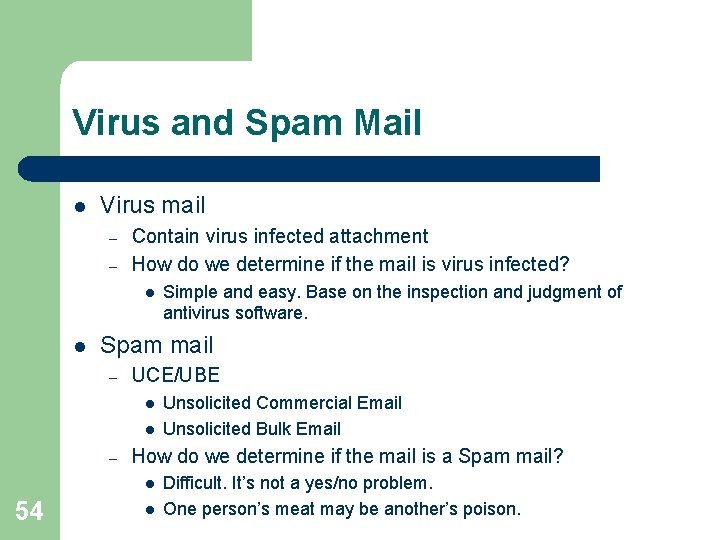
Virus and Spam Mail l Virus mail – – Contain virus infected attachment How do we determine if the mail is virus infected? l l Spam mail – UCE/UBE l l – Unsolicited Commercial Email Unsolicited Bulk Email How do we determine if the mail is a Spam mail? l 54 Simple and easy. Base on the inspection and judgment of antivirus software. l Difficult. It’s not a yes/no problem. One person’s meat may be another’s poison.
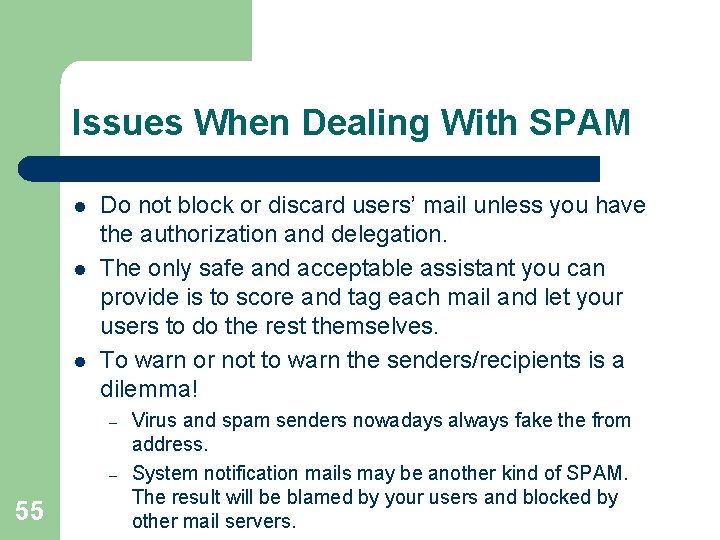
Issues When Dealing With SPAM l l l Do not block or discard users’ mail unless you have the authorization and delegation. The only safe and acceptable assistant you can provide is to score and tag each mail and let your users to do the rest themselves. To warn or not to warn the senders/recipients is a dilemma! – – 55 Virus and spam senders nowadays always fake the from address. System notification mails may be another kind of SPAM. The result will be blamed by your users and blocked by other mail servers.
Greylisting l l Recently proposed (2003) method to block spam and virus mails. RFC requires MTA to be capable to support queue and retry of temporarily undeliverable mails. – – l Spam and virus always fire and forget. For efficiency concern, usually they do not retry. How it works? – – In brief, block every delivery at its first try. For each mail delivery, check if the triplet(source ip, sender, recipient) was seen recently. l 56 l If yes, pass the mail. If not, reject the delivery with “ 450 Please retry later. ”
Greylisting l Drawback – Mail delivery will suffer a delay ranging from several minutes to hours. l l Risk – Sites that do not retry their mail delivery. l l l Some bank notifications were observed to try only once. Mail sending programs that process the SMTP transaction themselves without calling the “sendmail” MTA interface. Suggestion – 57 Depending on the remote MTA configuration. Whitelisted known hosts to prevent from delay and loss of mail.
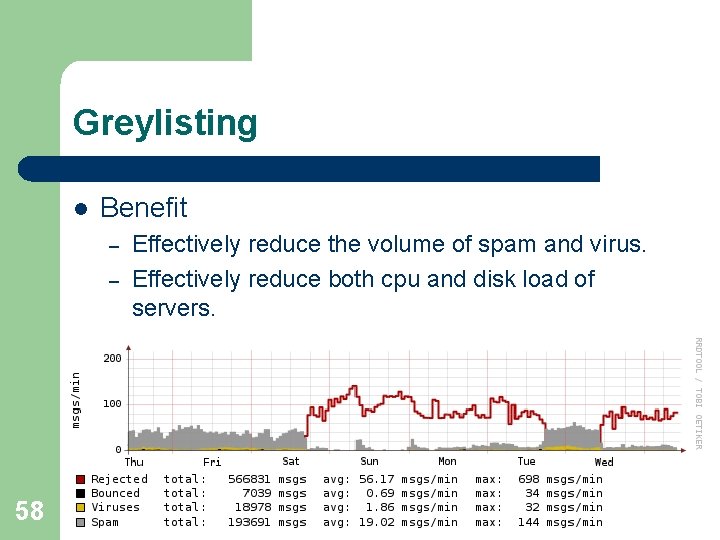
Greylisting l Benefit – – 58 Effectively reduce the volume of spam and virus. Effectively reduce both cpu and disk load of servers.
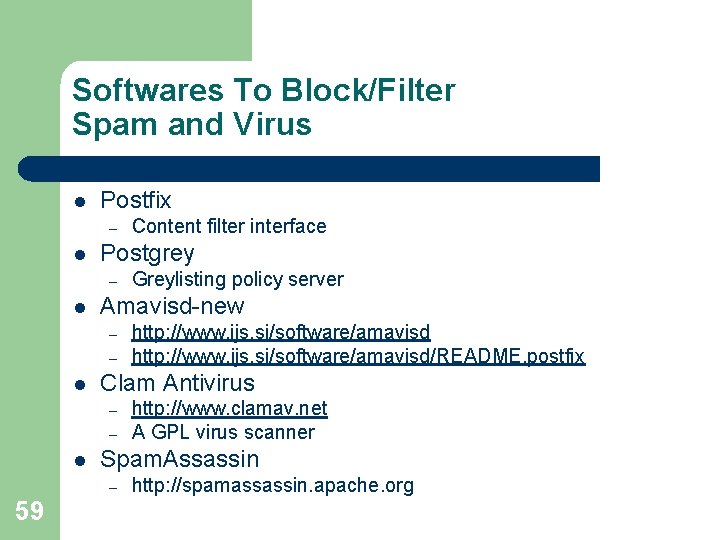
Softwares To Block/Filter Spam and Virus l Postfix – l Postgrey – l – – http: //www. clamav. net A GPL virus scanner Spam. Assassin – 59 http: //www. ijs. si/software/amavisd/README. postfix Clam Antivirus – l Greylisting policy server Amavisd-new – l Content filter interface http: //spamassassin. apache. org
Software Architecture for Filtering 60
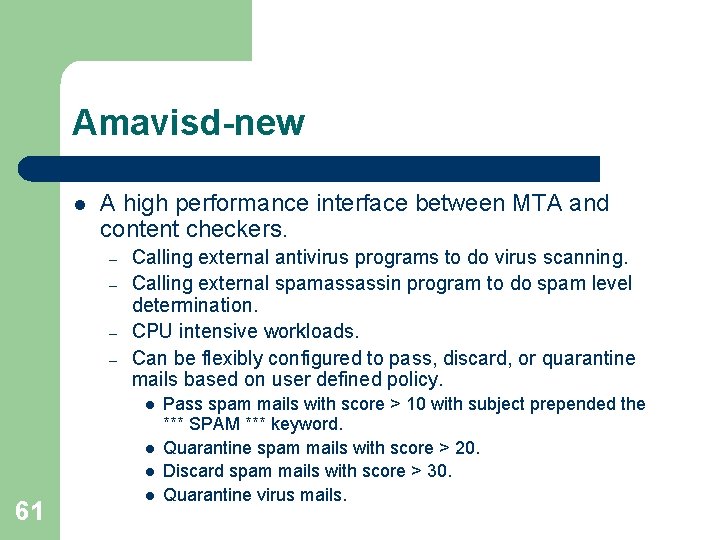
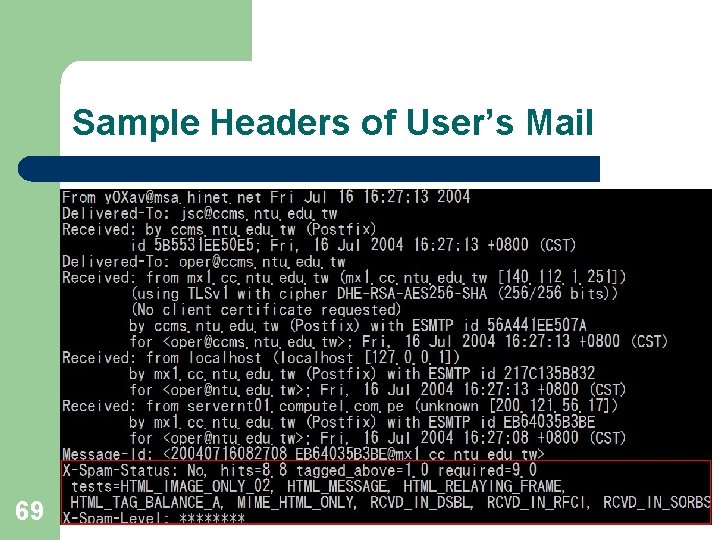
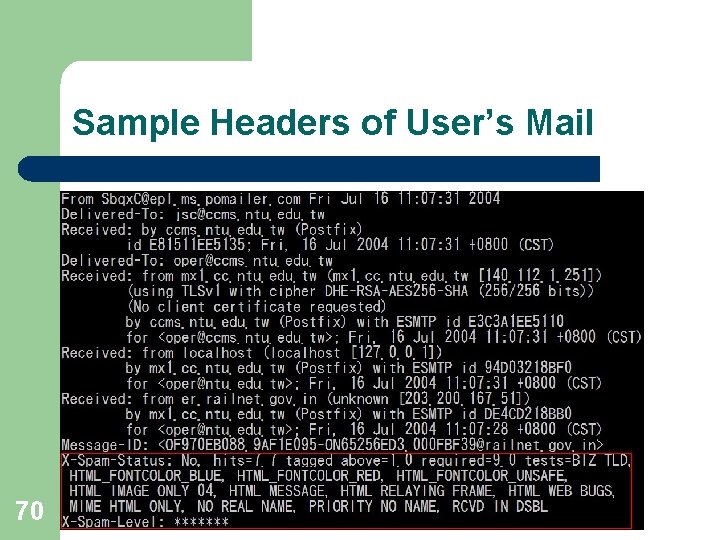
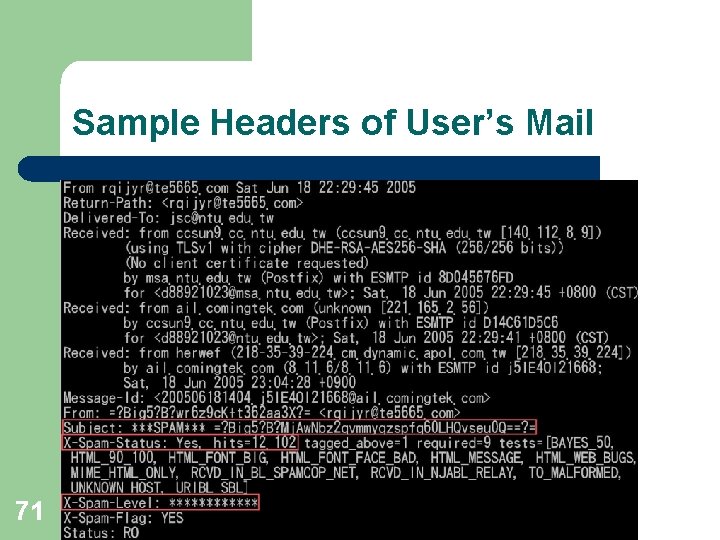
Amavisd-new l A high performance interface between MTA and content checkers. – – Calling external antivirus programs to do virus scanning. Calling external spamassassin program to do spam level determination. CPU intensive workloads. Can be flexibly configured to pass, discard, or quarantine mails based on user defined policy. l l l 61 l Pass spam mails with score > 10 with subject prepended the *** SPAM *** keyword. Quarantine spam mails with score > 20. Discard spam mails with score > 30. Quarantine virus mails.
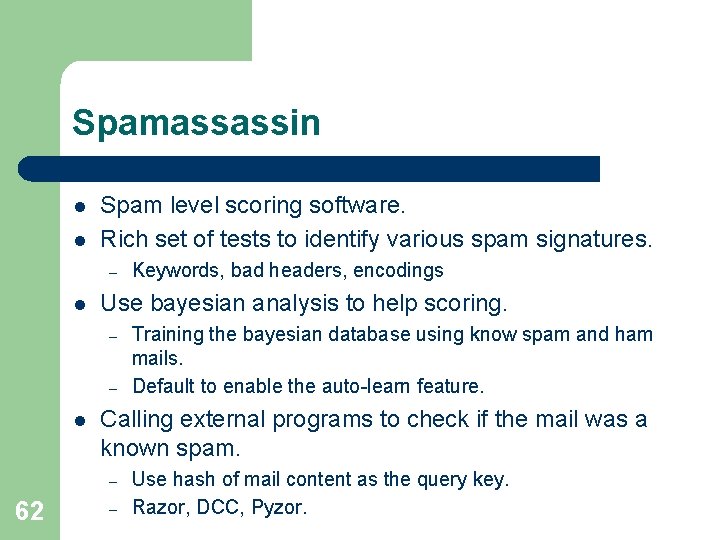
Spamassassin l l Spam level scoring software. Rich set of tests to identify various spam signatures. – l Use bayesian analysis to help scoring. – – l Training the bayesian database using know spam and ham mails. Default to enable the auto-learn feature. Calling external programs to check if the mail was a known spam. – 62 Keywords, bad headers, encodings – Use hash of mail content as the query key. Razor, DCC, Pyzor.
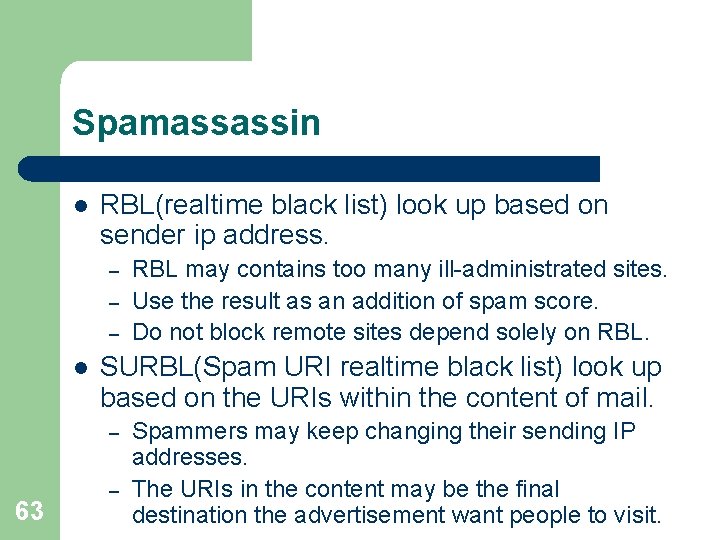
Spamassassin l RBL(realtime black list) look up based on sender ip address. – – – l SURBL(Spam URI realtime black list) look up based on the URIs within the content of mail. – 63 RBL may contains too many ill-administrated sites. Use the result as an addition of spam score. Do not block remote sites depend solely on RBL. – Spammers may keep changing their sending IP addresses. The URIs in the content may be the final destination the advertisement want people to visit.
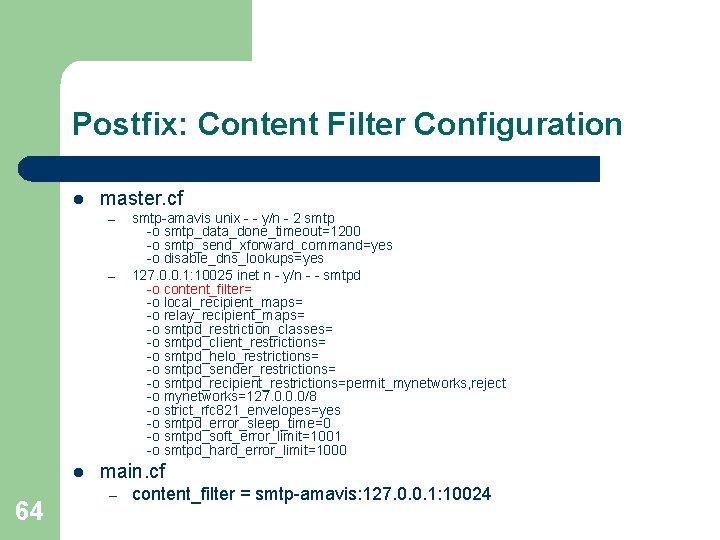
Postfix: Content Filter Configuration l master. cf – – l 64 smtp-amavis unix - - y/n - 2 smtp -o smtp_data_done_timeout=1200 -o smtp_send_xforward_command=yes -o disable_dns_lookups=yes 127. 0. 0. 1: 10025 inet n - y/n - - smtpd -o content_filter= -o local_recipient_maps= -o relay_recipient_maps= -o smtpd_restriction_classes= -o smtpd_client_restrictions= -o smtpd_helo_restrictions= -o smtpd_sender_restrictions= -o smtpd_recipient_restrictions=permit_mynetworks, reject -o mynetworks=127. 0. 0. 0/8 -o strict_rfc 821_envelopes=yes -o smtpd_error_sleep_time=0 -o smtpd_soft_error_limit=1001 -o smtpd_hard_error_limit=1000 main. cf – content_filter = smtp-amavis: 127. 0. 0. 1: 10024
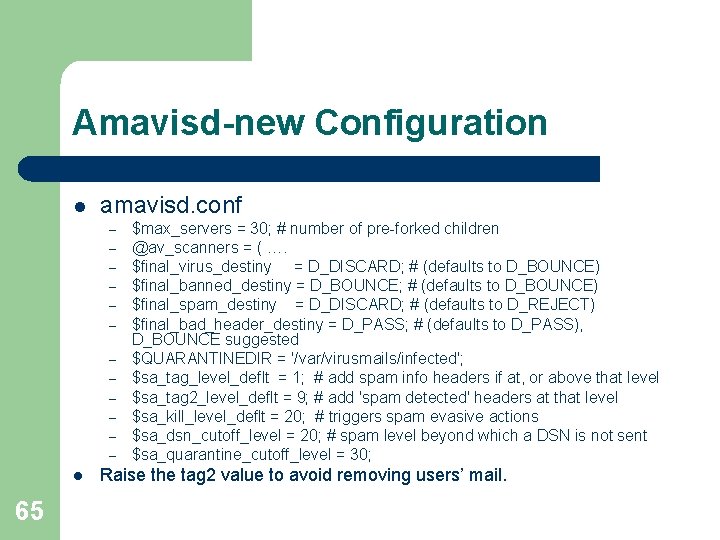
Amavisd-new Configuration l amavisd. conf – – – l 65 $max_servers = 30; # number of pre-forked children @av_scanners = ( …. $final_virus_destiny = D_DISCARD; # (defaults to D_BOUNCE) $final_banned_destiny = D_BOUNCE; # (defaults to D_BOUNCE) $final_spam_destiny = D_DISCARD; # (defaults to D_REJECT) $final_bad_header_destiny = D_PASS; # (defaults to D_PASS), D_BOUNCE suggested $QUARANTINEDIR = '/var/virusmails/infected'; $sa_tag_level_deflt = 1; # add spam info headers if at, or above that level $sa_tag 2_level_deflt = 9; # add 'spam detected' headers at that level $sa_kill_level_deflt = 20; # triggers spam evasive actions $sa_dsn_cutoff_level = 20; # spam level beyond which a DSN is not sent $sa_quarantine_cutoff_level = 30; Raise the tag 2 value to avoid removing users’ mail.
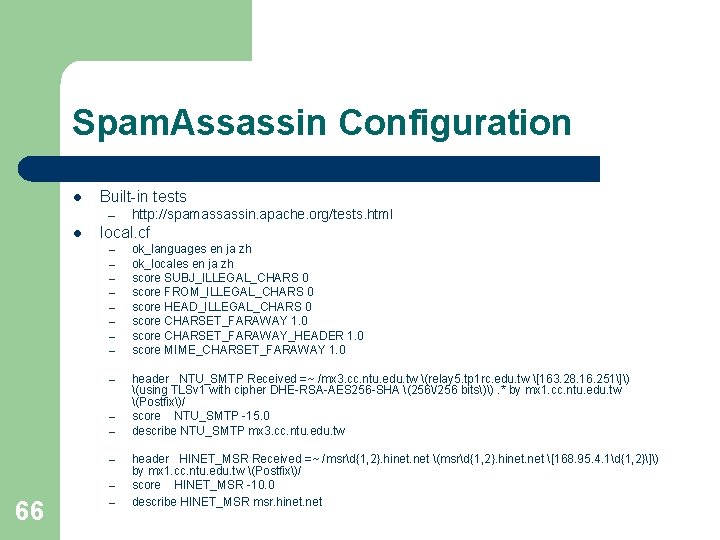
Spam. Assassin Configuration l Built-in tests – l local. cf – – – – 66 http: //spamassassin. apache. org/tests. html – ok_languages en ja zh ok_locales en ja zh score SUBJ_ILLEGAL_CHARS 0 score FROM_ILLEGAL_CHARS 0 score HEAD_ILLEGAL_CHARS 0 score CHARSET_FARAWAY 1. 0 score CHARSET_FARAWAY_HEADER 1. 0 score MIME_CHARSET_FARAWAY 1. 0 header NTU_SMTP Received =~ /mx 3. cc. ntu. edu. tw (relay 5. tp 1 rc. edu. tw [163. 28. 16. 251]) (using TLSv 1 with cipher DHE-RSA-AES 256 -SHA (256/256 bits)). * by mx 1. cc. ntu. edu. tw (Postfix)/ score NTU_SMTP -15. 0 describe NTU_SMTP mx 3. cc. ntu. edu. tw header HINET_MSR Received =~ /msrd{1, 2}. hinet. net (msrd{1, 2}. hinet. net [168. 95. 4. 1d{1, 2}]) by mx 1. cc. ntu. edu. tw (Postfix)/ score HINET_MSR -10. 0 describe HINET_MSR msr. hinet. net
Sample Log of Postfix l 67 Each incoming mail may have up to two transaction logs.
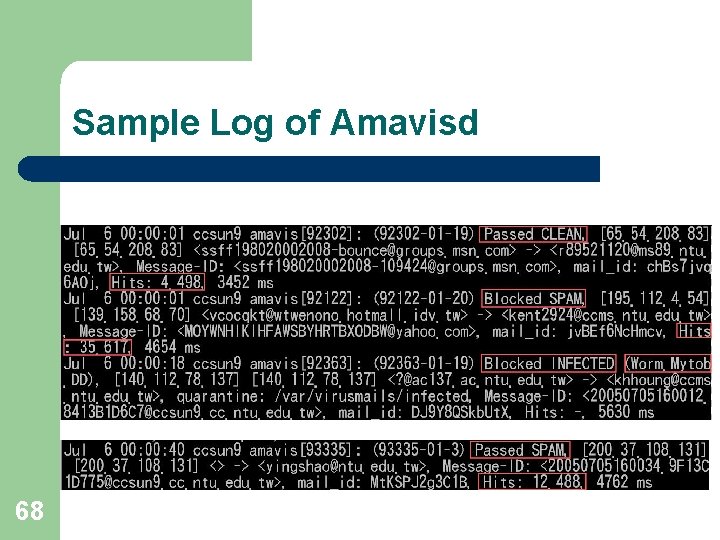
Sample Log of Amavisd 68
Sample Headers of User’s Mail 69
Sample Headers of User’s Mail 70
Sample Headers of User’s Mail 71
Sample Screenshots of Outlook Express 72
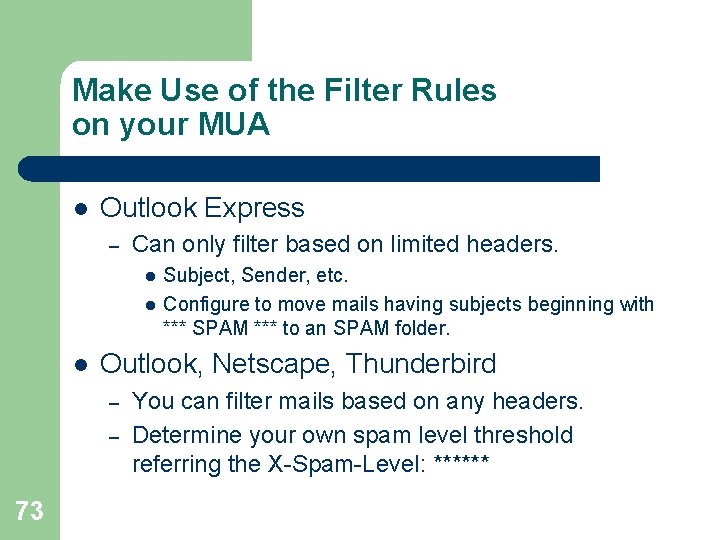
Make Use of the Filter Rules on your MUA l Outlook Express – Can only filter based on limited headers. l l l Outlook, Netscape, Thunderbird – – 73 Subject, Sender, etc. Configure to move mails having subjects beginning with *** SPAM *** to an SPAM folder. You can filter mails based on any headers. Determine your own spam level threshold referring the X-Spam-Level: ******
Conclusion l l l 74 Make use of public domain, open source software to construct your own mail system. Official web sites, mailing lists, and google are always your best friends. Feedback and contribute as possible as you can.