Computer Graphics Image warping and morphing Image warping
- Slides: 62
Computer Graphics Image warping and morphing
Image warping with slides by Richard Szeliski, Steve Seitz, Tom Funkhouser and Alexei Efros
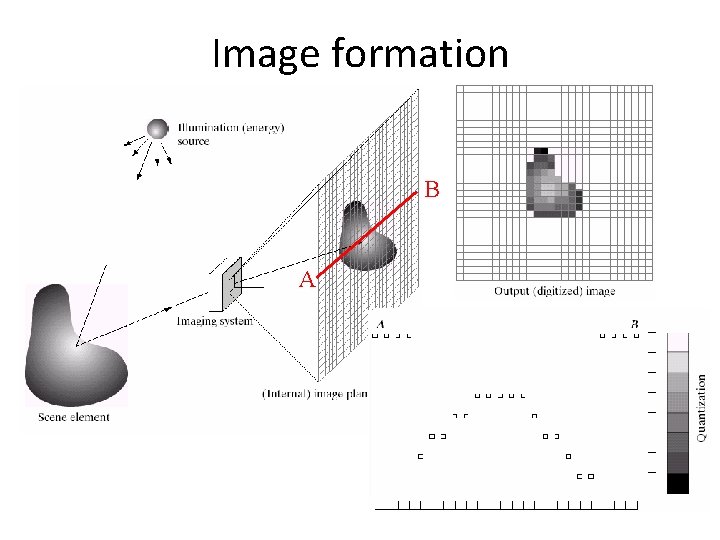
Image formation B A
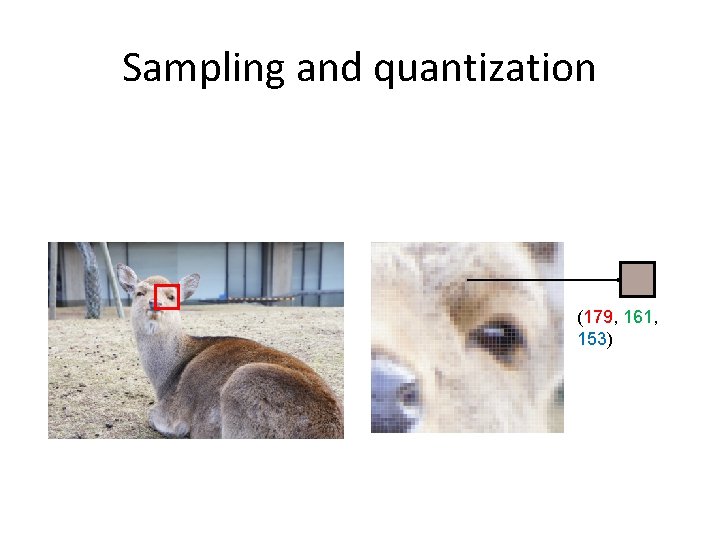
Sampling and quantization (179, 161, 153)
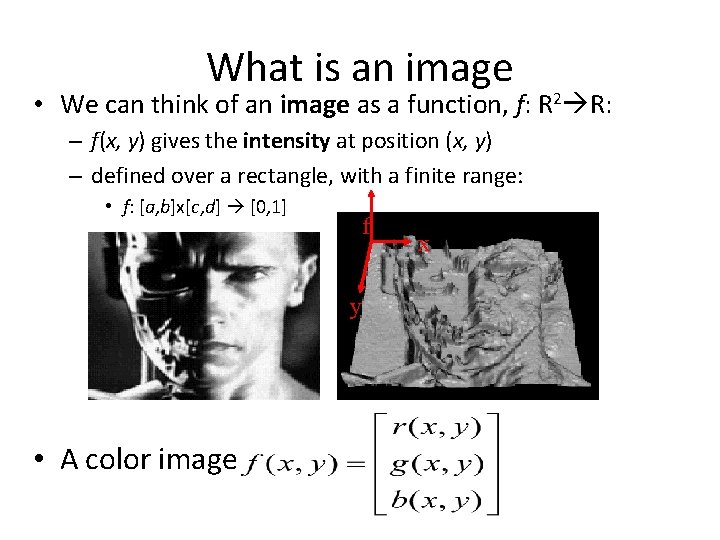
What is an image • We can think of an image as a function, f: R 2 R: – f(x, y) gives the intensity at position (x, y) – defined over a rectangle, with a finite range: • f: [a, b]x[c, d] [0, 1] f y • A color image x
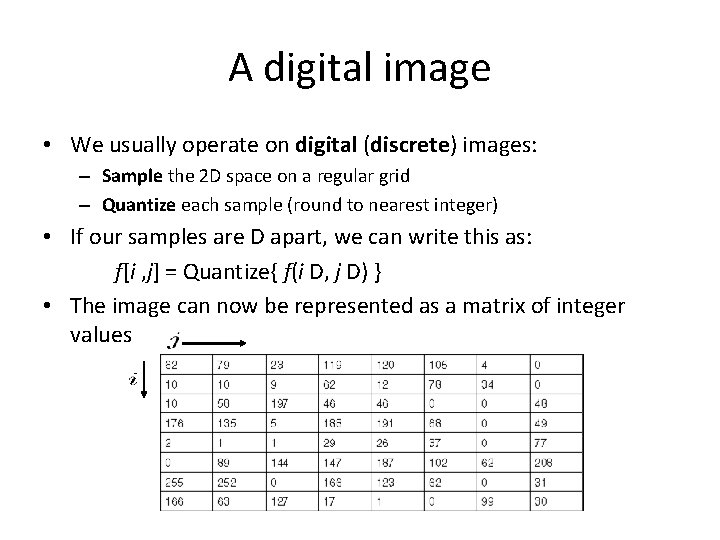
A digital image • We usually operate on digital (discrete) images: – Sample the 2 D space on a regular grid – Quantize each sample (round to nearest integer) • If our samples are D apart, we can write this as: f[i , j] = Quantize{ f(i D, j D) } • The image can now be represented as a matrix of integer values
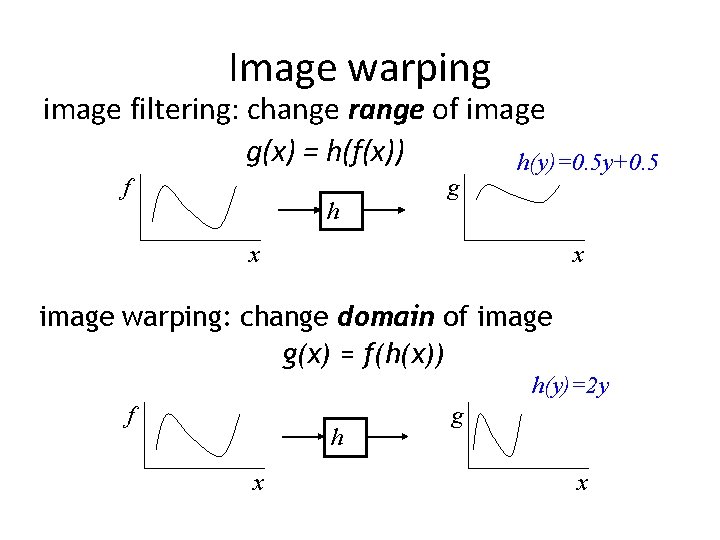
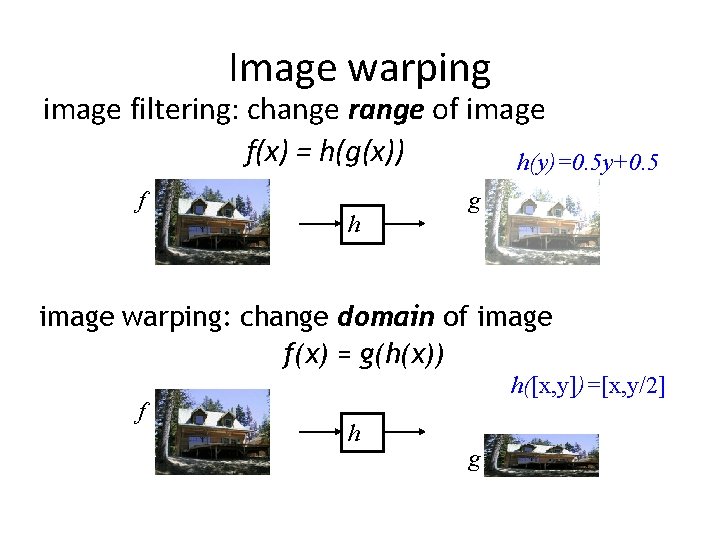
Image warping image filtering: change range of image g(x) = h(f(x)) h(y)=0. 5 y+0. 5 f h g x x image warping: change domain of image g(x) = f(h(x)) h(y)=2 y f h x g x
Image warping image filtering: change range of image f(x) = h(g(x)) h(y)=0. 5 y+0. 5 f h g image warping: change domain of image f(x) = g(h(x)) f h([x, y])=[x, y/2] h g
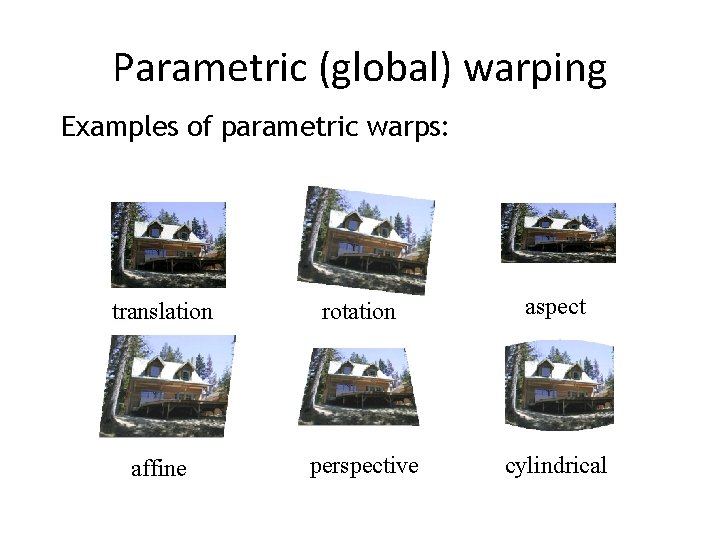
Parametric (global) warping Examples of parametric warps: translation rotation aspect affine perspective cylindrical
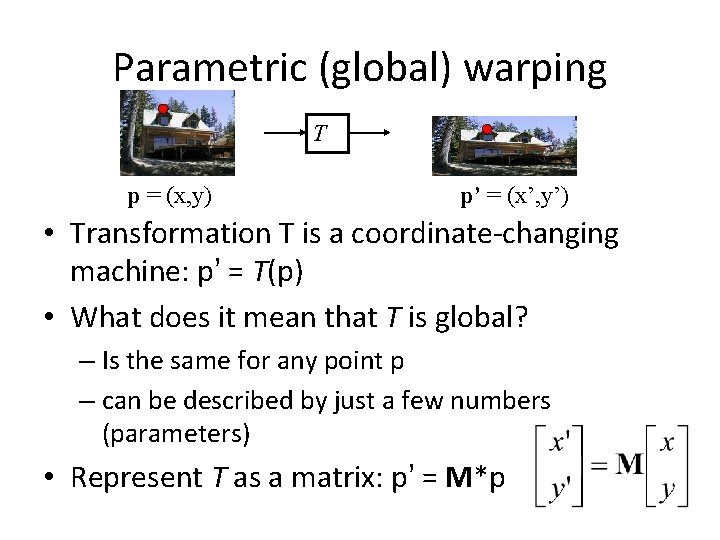
Parametric (global) warping T p = (x, y) p’ = (x’, y’) • Transformation T is a coordinate-changing machine: p’ = T(p) • What does it mean that T is global? – Is the same for any point p – can be described by just a few numbers (parameters) • Represent T as a matrix: p’ = M*p
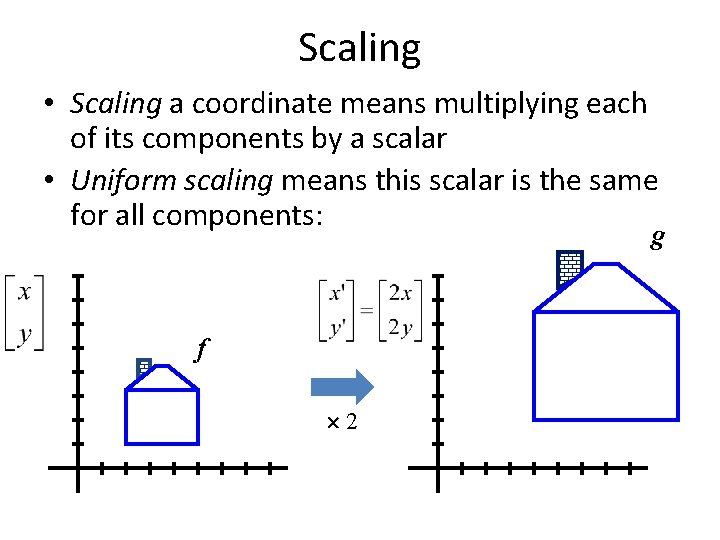
Scaling • Scaling a coordinate means multiplying each of its components by a scalar • Uniform scaling means this scalar is the same for all components: g f 2
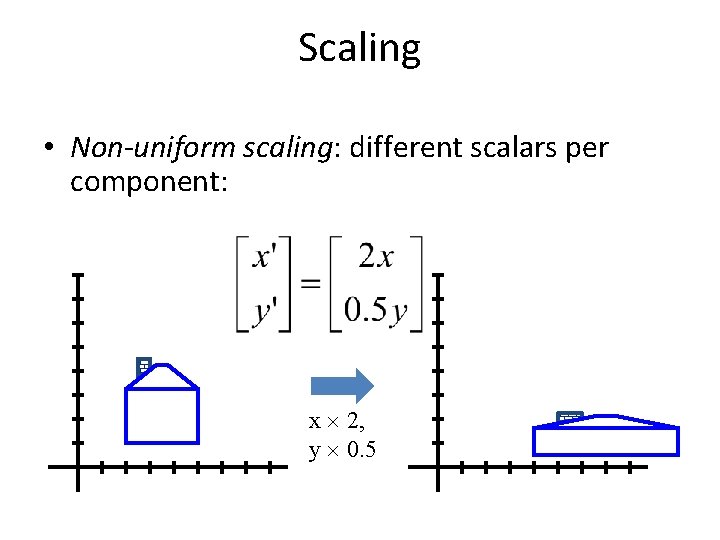
Scaling • Non-uniform scaling: different scalars per component: x 2, y 0. 5
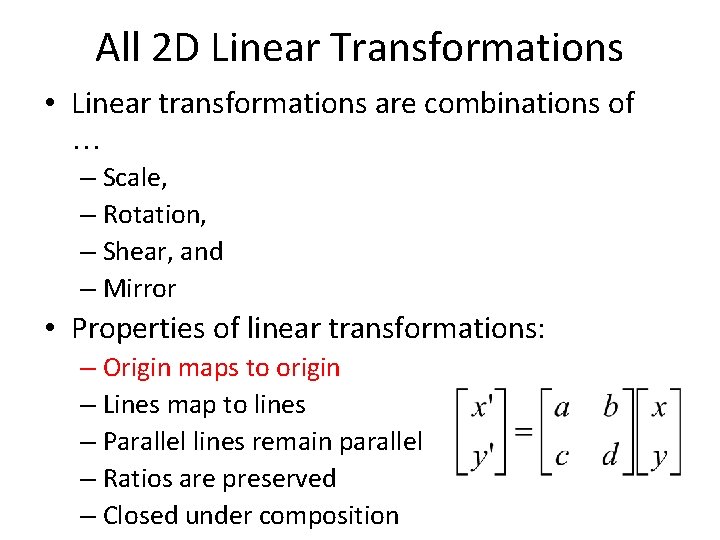
All 2 D Linear Transformations • Linear transformations are combinations of … – Scale, – Rotation, – Shear, and – Mirror • Properties of linear transformations: – Origin maps to origin – Lines map to lines – Parallel lines remain parallel – Ratios are preserved – Closed under composition
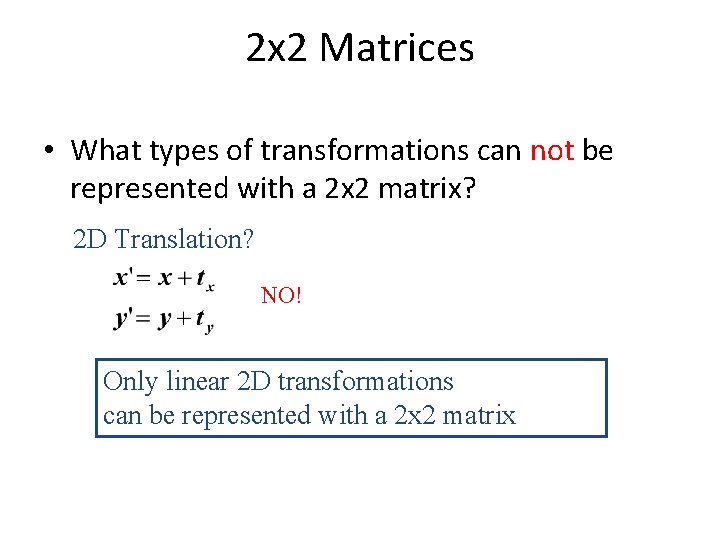
2 x 2 Matrices • What types of transformations can not be represented with a 2 x 2 matrix? 2 D Translation? NO! Only linear 2 D transformations can be represented with a 2 x 2 matrix
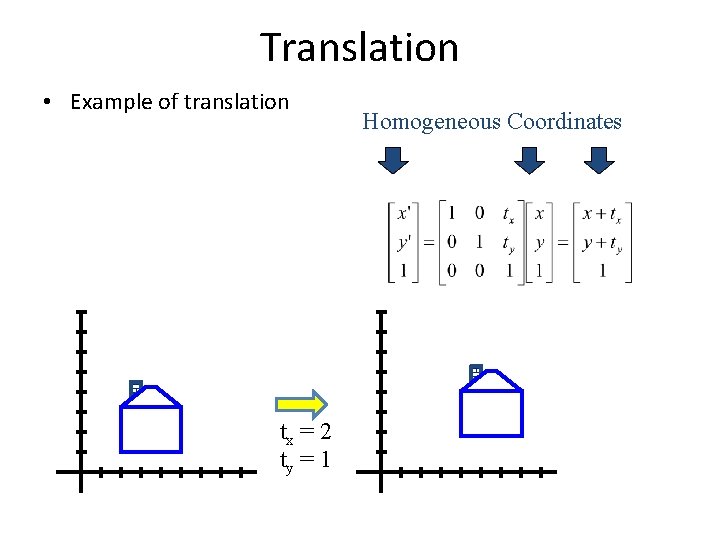
Translation • Example of translation tx = 2 ty = 1 Homogeneous Coordinates
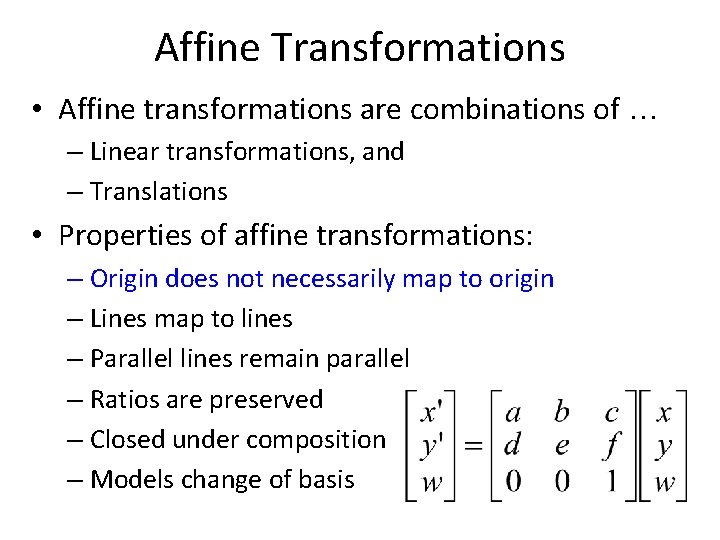
Affine Transformations • Affine transformations are combinations of … – Linear transformations, and – Translations • Properties of affine transformations: – Origin does not necessarily map to origin – Lines map to lines – Parallel lines remain parallel – Ratios are preserved – Closed under composition – Models change of basis
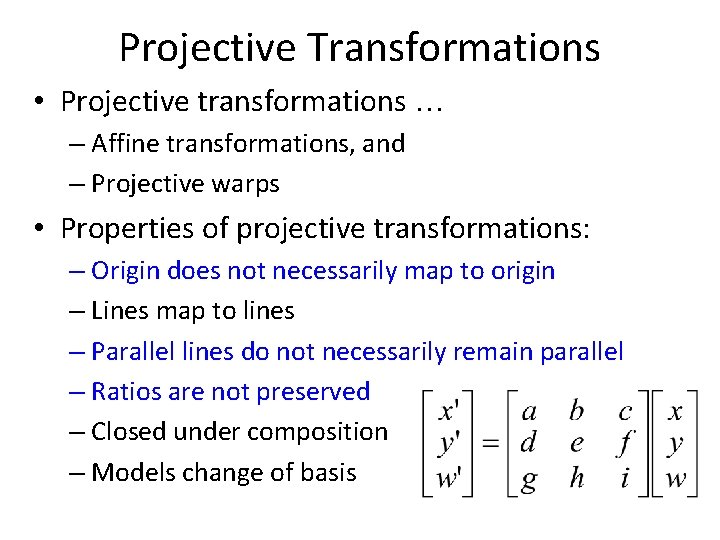
Projective Transformations • Projective transformations … – Affine transformations, and – Projective warps • Properties of projective transformations: – Origin does not necessarily map to origin – Lines map to lines – Parallel lines do not necessarily remain parallel – Ratios are not preserved – Closed under composition – Models change of basis
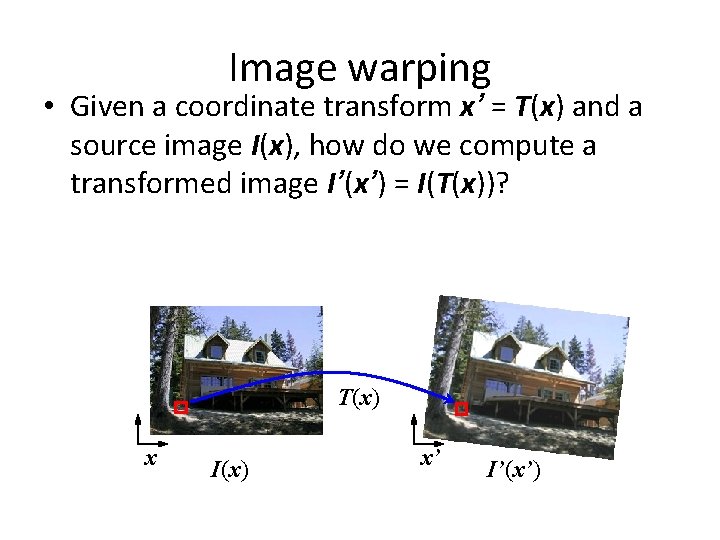
Image warping • Given a coordinate transform x’ = T(x) and a source image I(x), how do we compute a transformed image I’(x’) = I(T(x))? T(x) x I(x) x’ I’(x’)
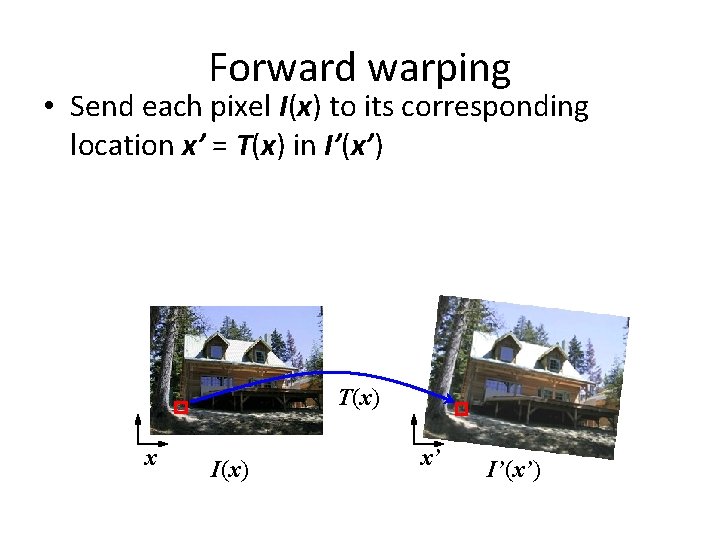
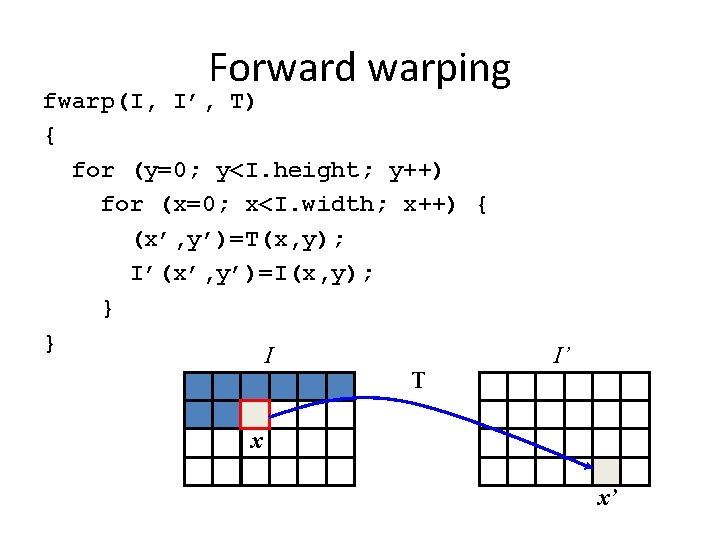
Forward warping • Send each pixel I(x) to its corresponding location x’ = T(x) in I’(x’) T(x) x I(x) x’ I’(x’)
Forward warping fwarp(I, I’, T) { for (y=0; y<I. height; y++) for (x=0; x<I. width; x++) { (x’, y’)=T(x, y); I’(x’, y’)=I(x, y); } } I T I’ x x’
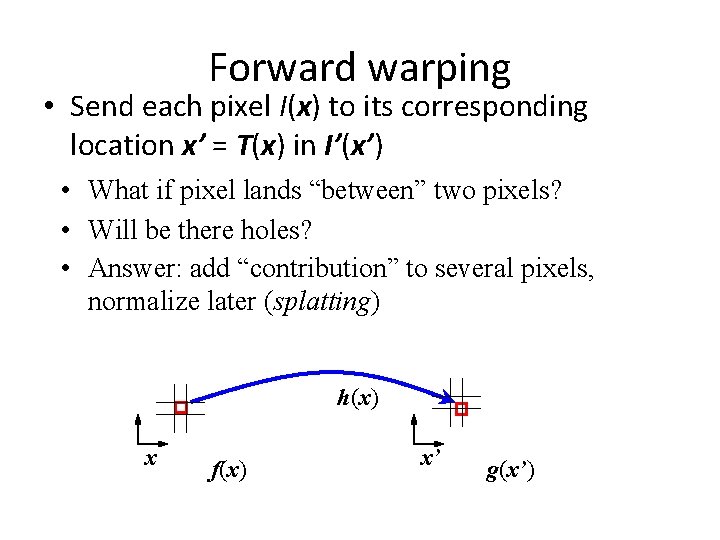
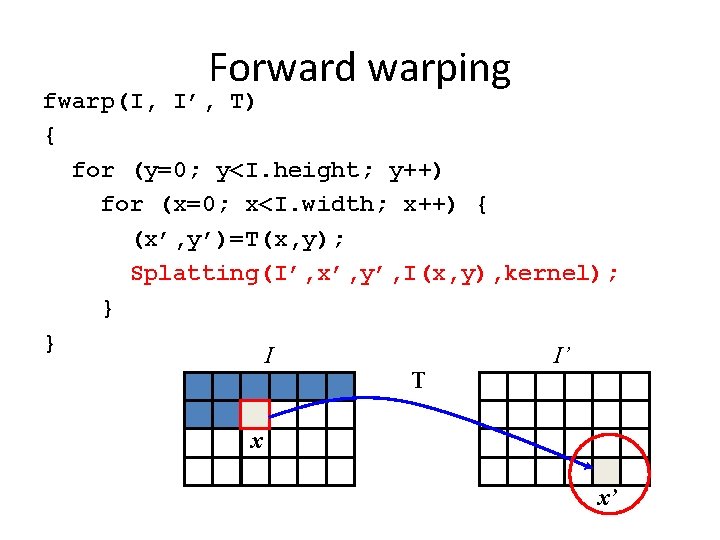
Forward warping • Send each pixel I(x) to its corresponding location x’ = T(x) in I’(x’) • What if pixel lands “between” two pixels? • Will be there holes? • Answer: add “contribution” to several pixels, normalize later (splatting) h(x) x f(x) x’ g(x’)
Forward warping fwarp(I, I’, T) { for (y=0; y<I. height; y++) for (x=0; x<I. width; x++) { (x’, y’)=T(x, y); Splatting(I’, x’, y’, I(x, y), kernel); } } I I’ T x x’
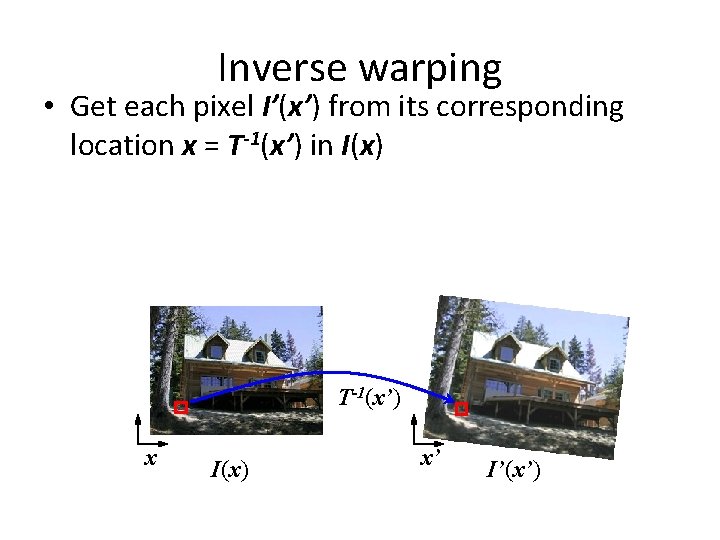
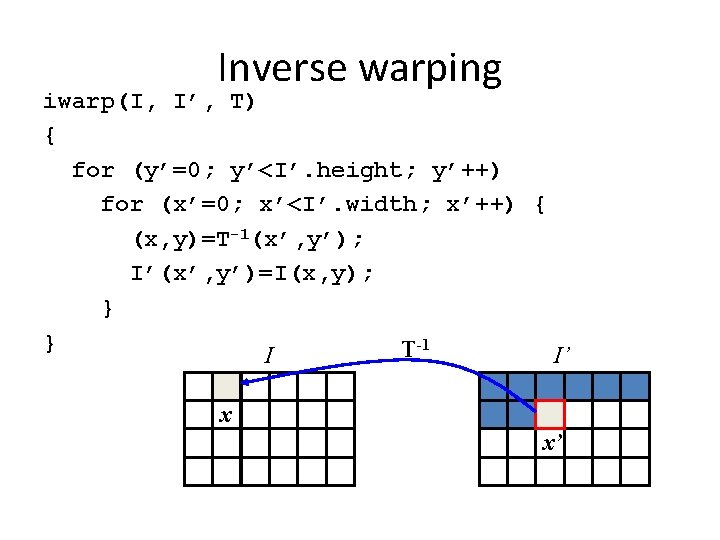
Inverse warping • Get each pixel I’(x’) from its corresponding location x = T-1(x’) in I(x) T-1(x’) x I(x) x’ I’(x’)
Inverse warping iwarp(I, I’, T) { for (y’=0; y’<I’. height; y’++) for (x’=0; x’<I’. width; x’++) { (x, y)=T-1(x’, y’); I’(x’, y’)=I(x, y); } } T-1 I I’ x x’
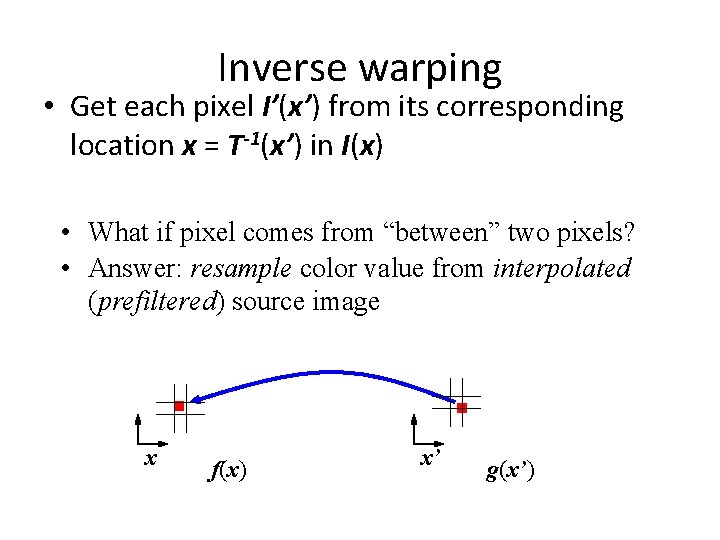
Inverse warping • Get each pixel I’(x’) from its corresponding location x = T-1(x’) in I(x) • What if pixel comes from “between” two pixels? • Answer: resample color value from interpolated (prefiltered) source image x f(x) x’ g(x’)
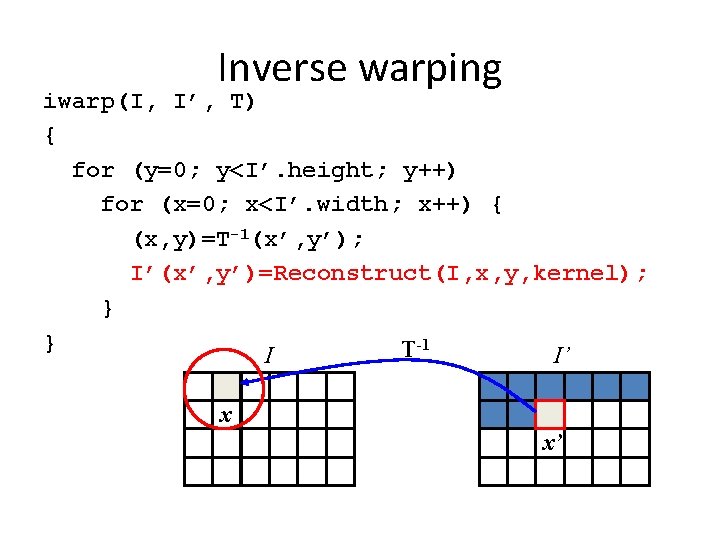
Inverse warping iwarp(I, I’, T) { for (y=0; y<I’. height; y++) for (x=0; x<I’. width; x++) { (x, y)=T-1(x’, y’); I’(x’, y’)=Reconstruct(I, x, y, kernel); } } T-1 I I’ x x’
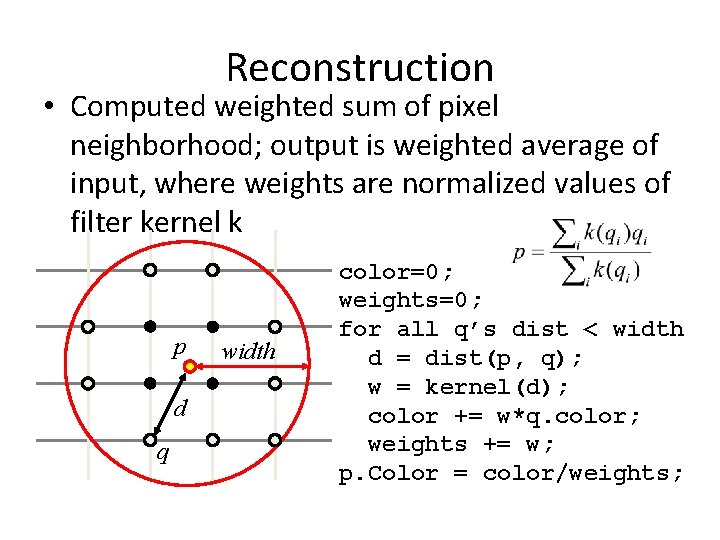
Reconstruction • Computed weighted sum of pixel neighborhood; output is weighted average of input, where weights are normalized values of filter kernel k p d q width color=0; weights=0; for all q’s dist < width d = dist(p, q); w = kernel(d); color += w*q. color; weights += w; p. Color = color/weights;
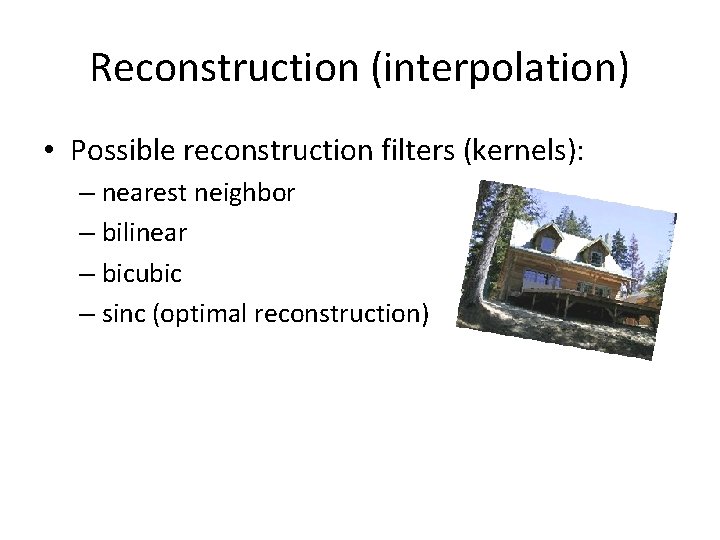
Reconstruction (interpolation) • Possible reconstruction filters (kernels): – nearest neighbor – bilinear – bicubic – sinc (optimal reconstruction)
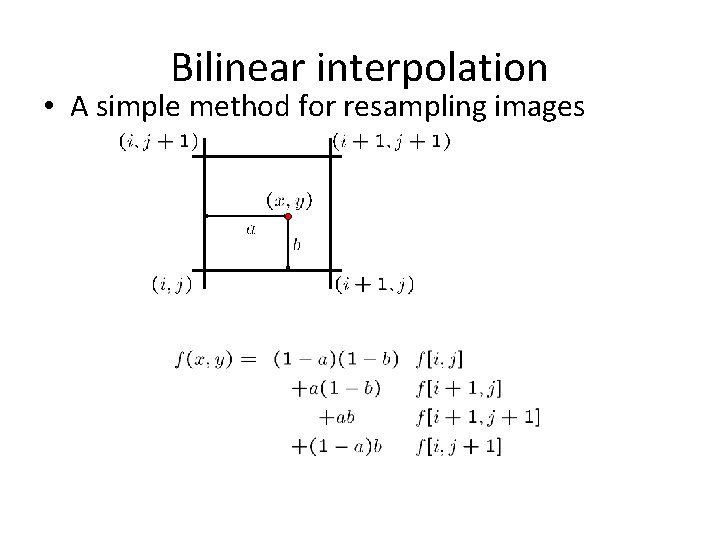
Bilinear interpolation • A simple method for resampling images
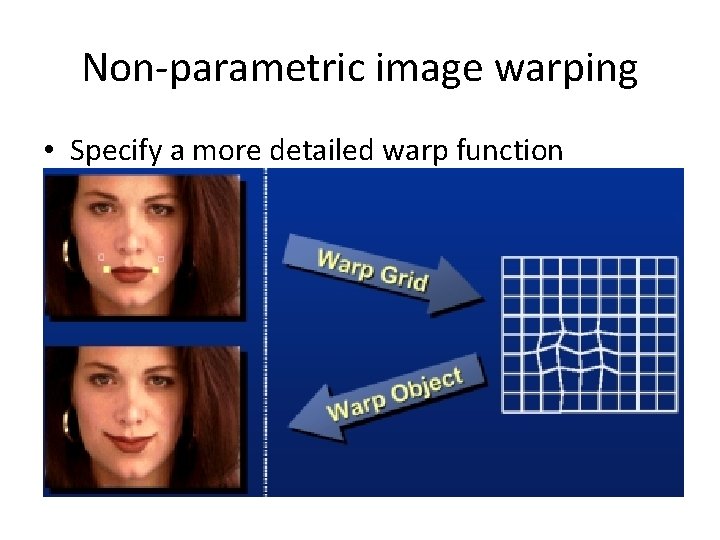
Non-parametric image warping • Specify a more detailed warp function • Splines, meshes, optical flow (per-pixel motion)
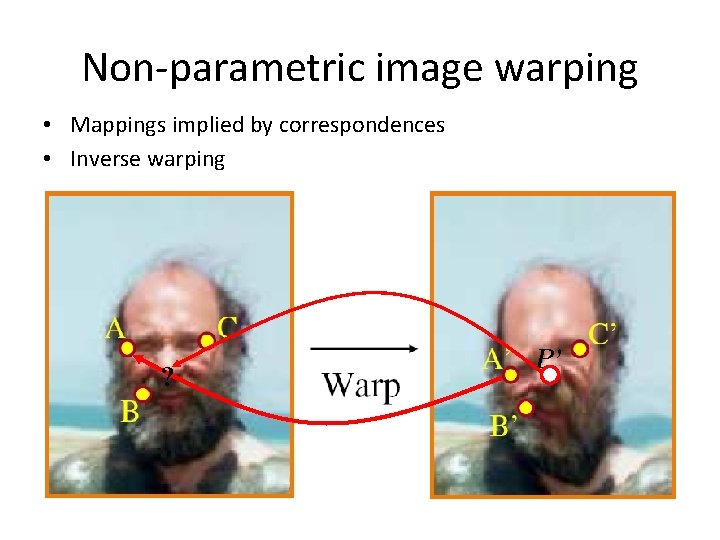
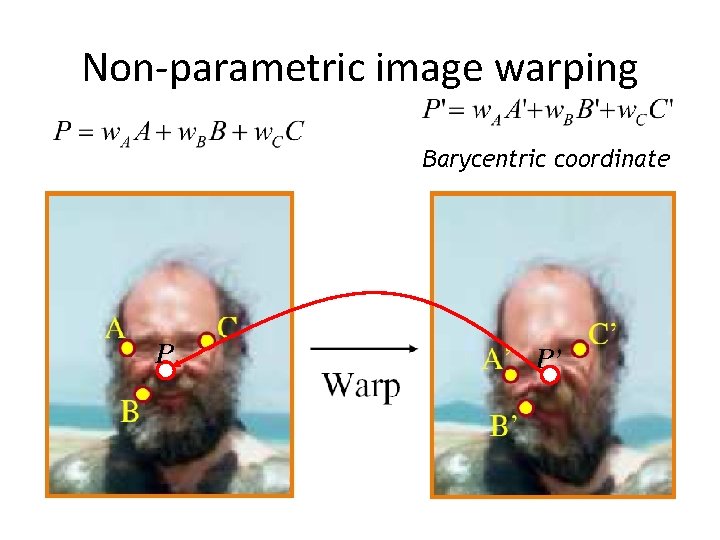
Non-parametric image warping • Mappings implied by correspondences • Inverse warping ? P’
Non-parametric image warping Barycentric coordinate P P’
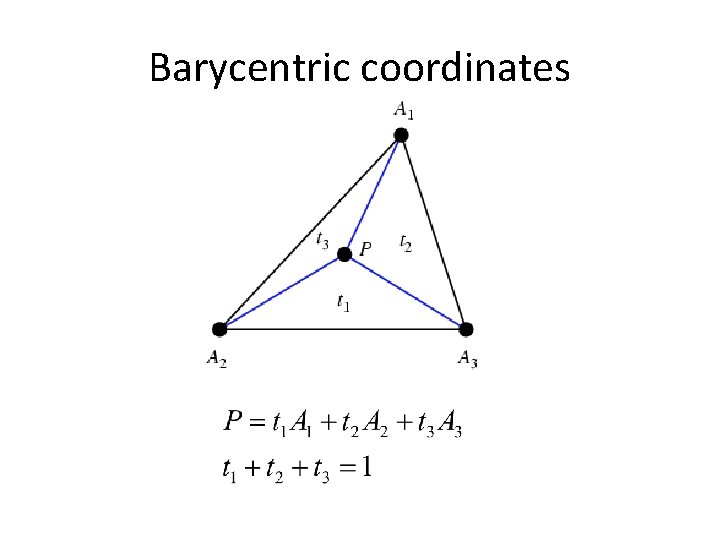
Barycentric coordinates
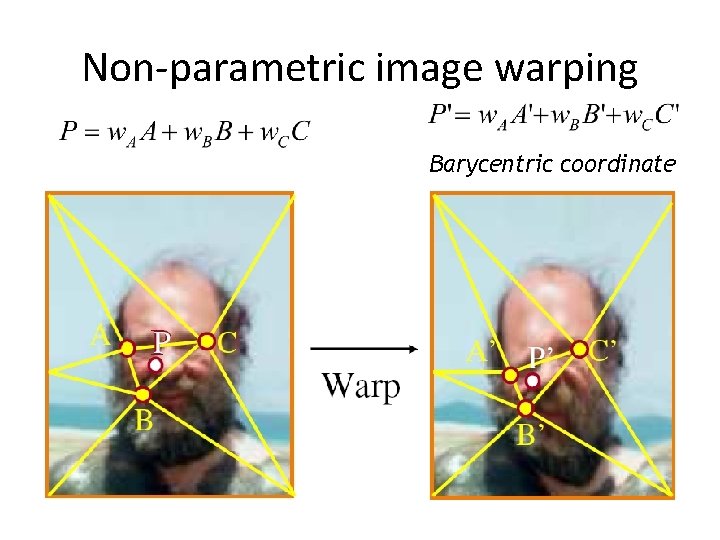
Non-parametric image warping Barycentric coordinate
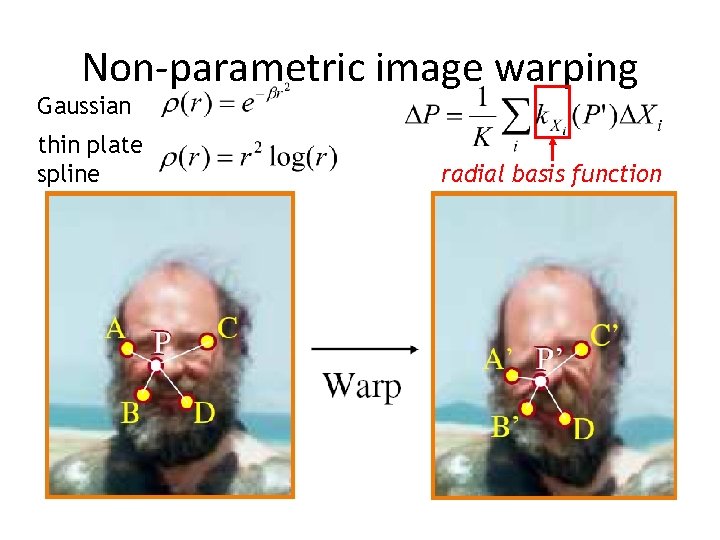
Non-parametric image warping Gaussian thin plate spline radial basis function
Demo • http: //www. colonize. com/warp 042. php • Warping is a useful operation for mosaics, video matching, view interpolation and so on.
Image morphing
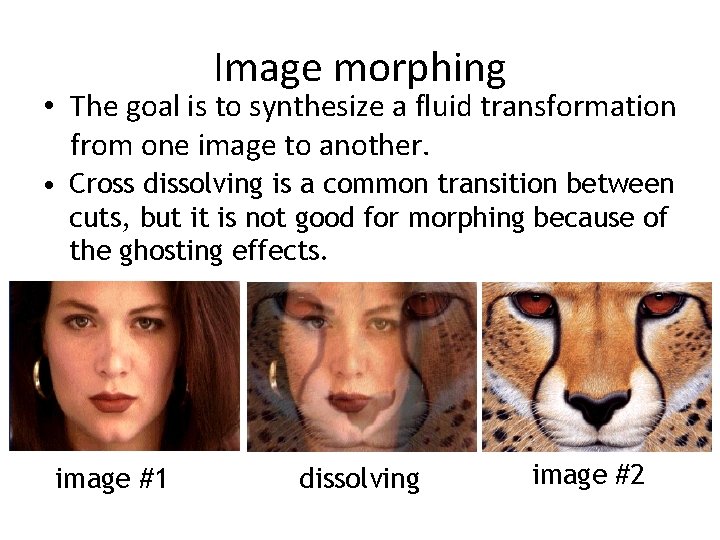
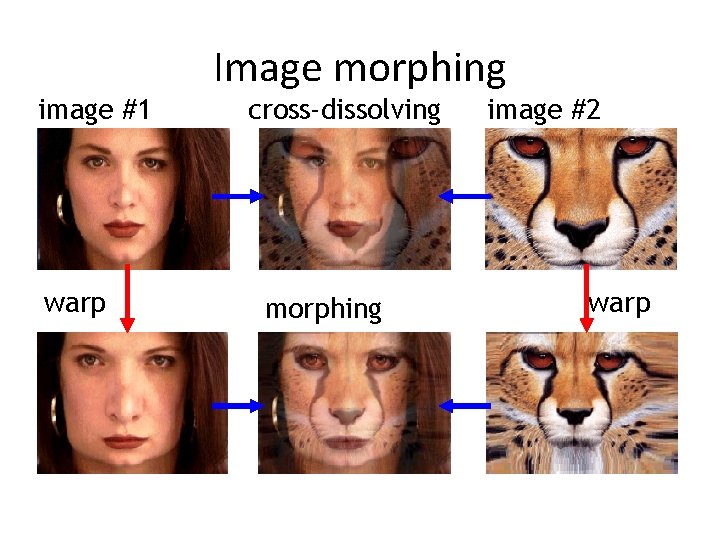
Image morphing • The goal is to synthesize a fluid transformation from one image to another. • Cross dissolving is a common transition between cuts, but it is not good for morphing because of the ghosting effects. image #1 dissolving image #2
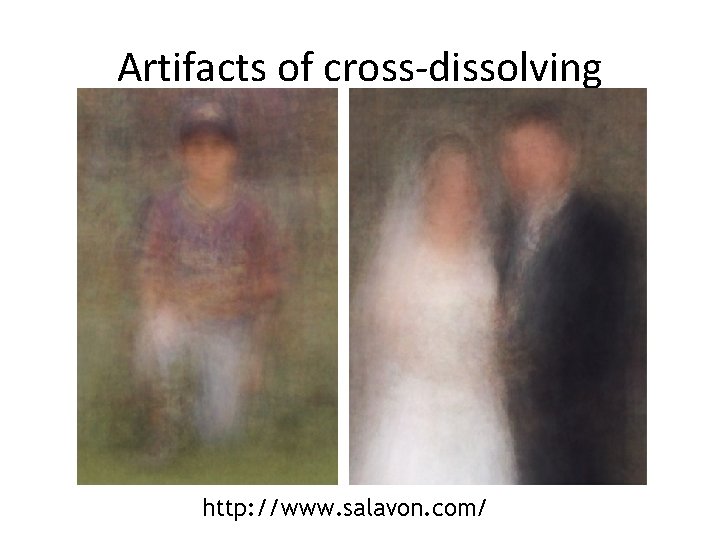
Artifacts of cross-dissolving http: //www. salavon. com/
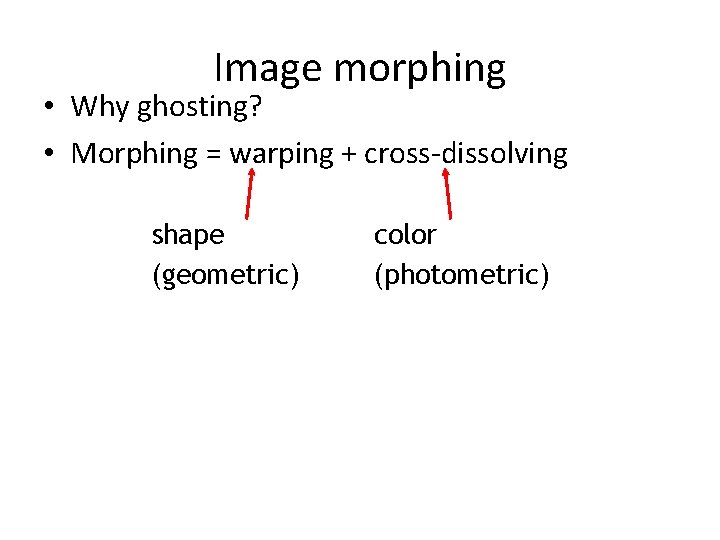
Image morphing • Why ghosting? • Morphing = warping + cross-dissolving shape (geometric) color (photometric)
image #1 warp Image morphing cross-dissolving morphing image #2 warp
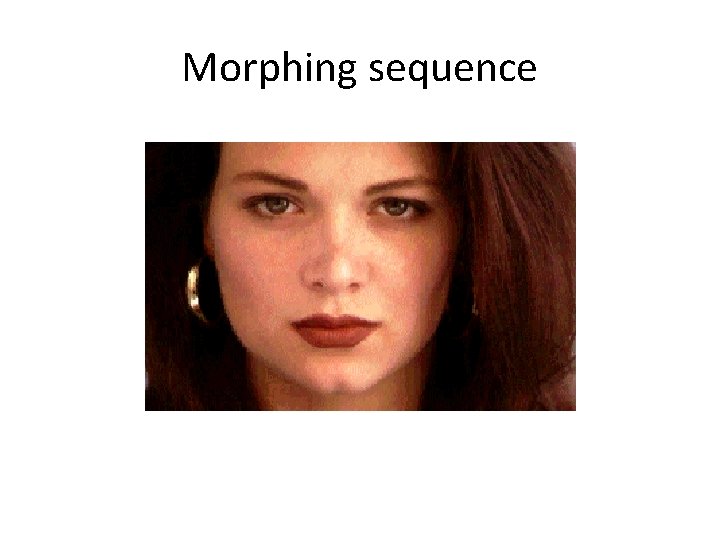
Morphing sequence
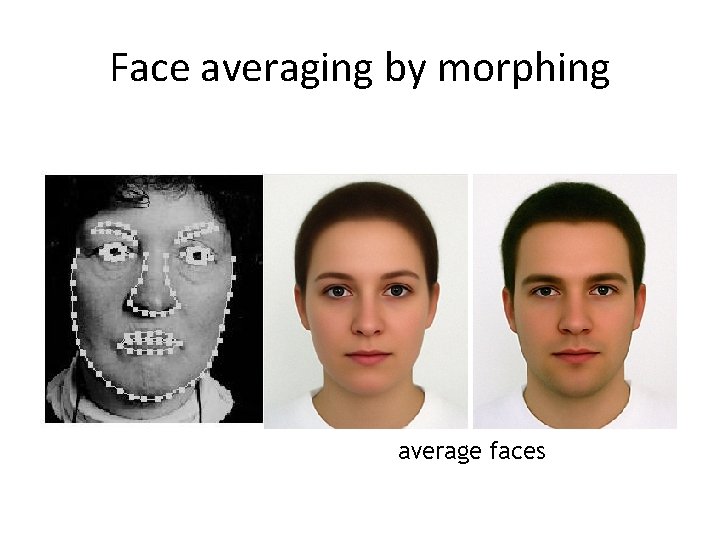
Face averaging by morphing average faces
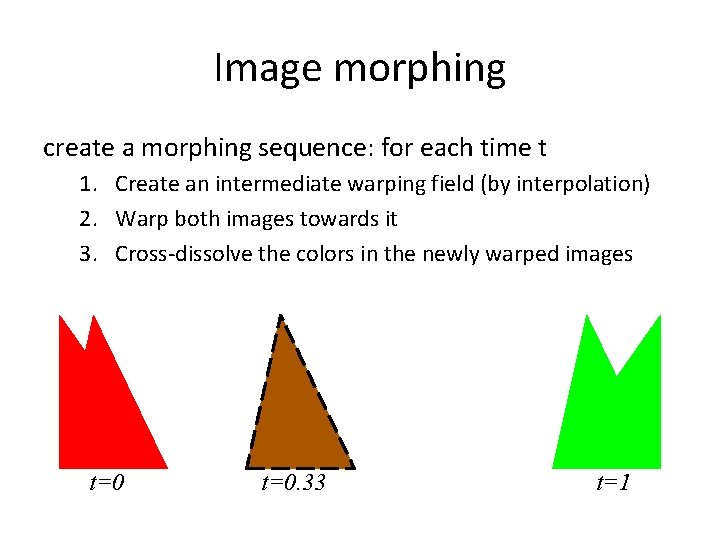
Image morphing create a morphing sequence: for each time t 1. Create an intermediate warping field (by interpolation) 2. Warp both images towards it 3. Cross-dissolve the colors in the newly warped images t=0. 33 t=1
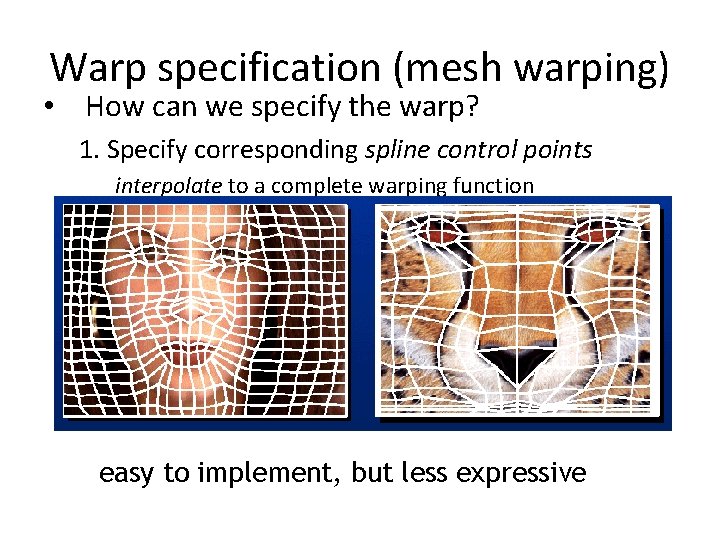
Warp specification (mesh warping) • How can we specify the warp? 1. Specify corresponding spline control points interpolate to a complete warping function easy to implement, but less expressive
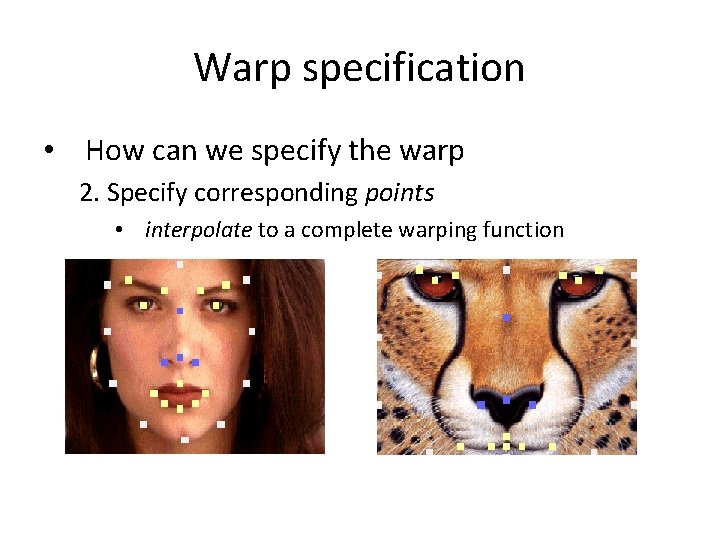
Warp specification • How can we specify the warp 2. Specify corresponding points • interpolate to a complete warping function
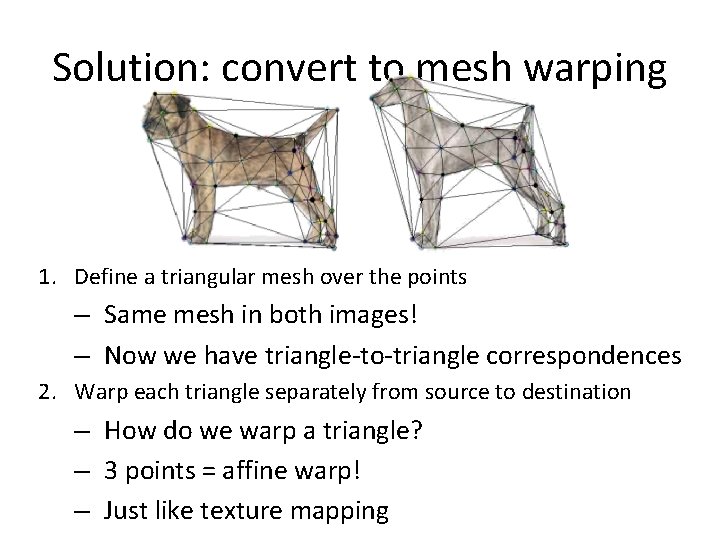
Solution: convert to mesh warping 1. Define a triangular mesh over the points – Same mesh in both images! – Now we have triangle-to-triangle correspondences 2. Warp each triangle separately from source to destination – How do we warp a triangle? – 3 points = affine warp! – Just like texture mapping
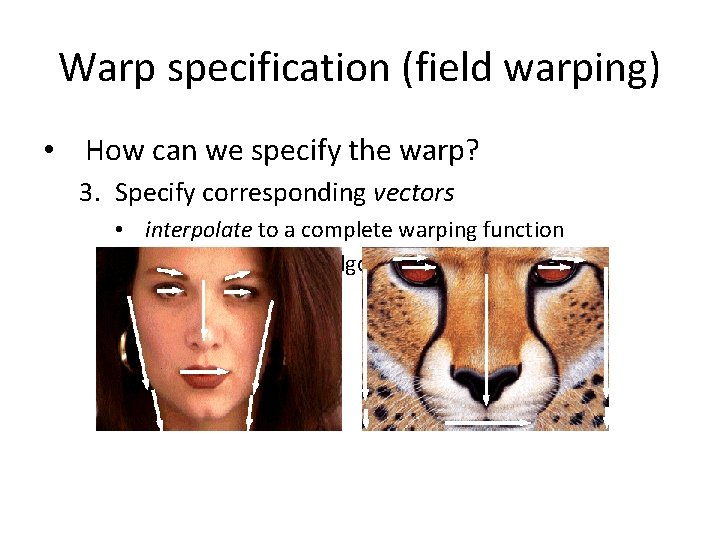
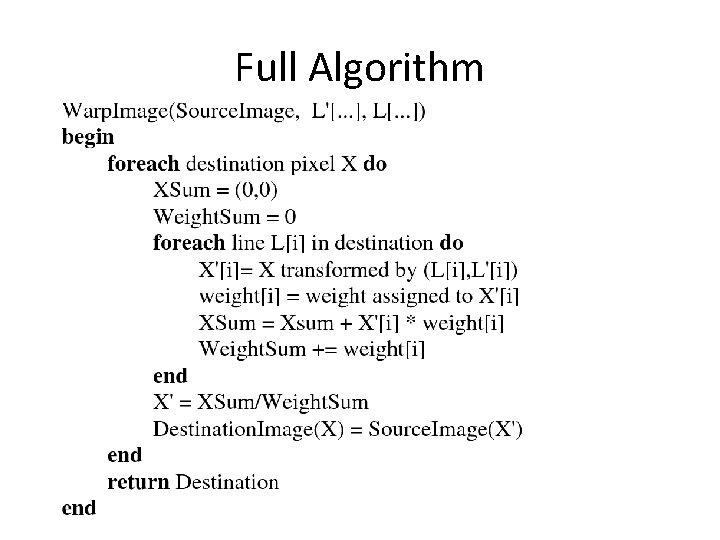
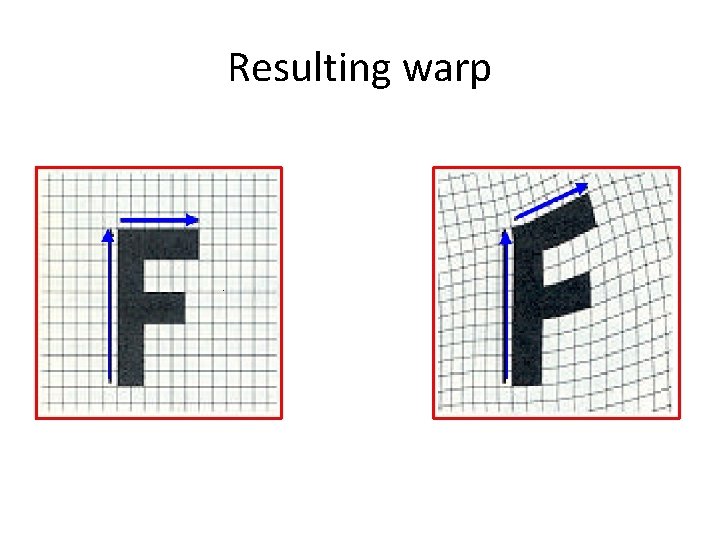
Warp specification (field warping) • How can we specify the warp? 3. Specify corresponding vectors • interpolate to a complete warping function • The Beier & Neely Algorithm
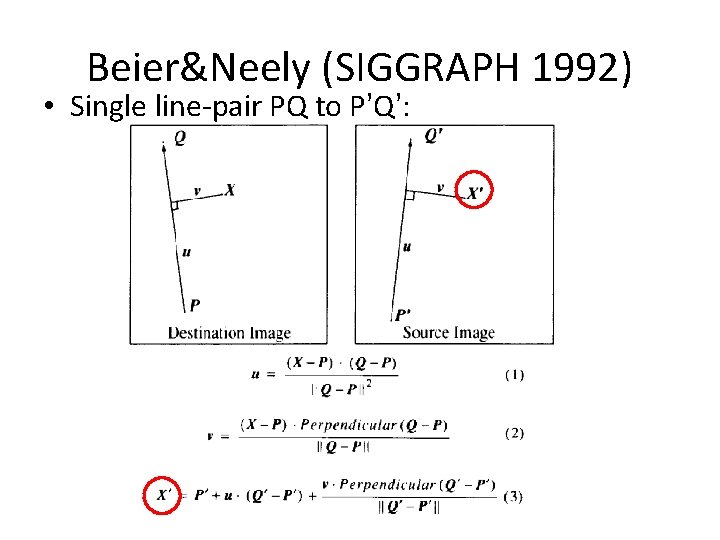
Beier&Neely (SIGGRAPH 1992) • Single line-pair PQ to P’Q’:
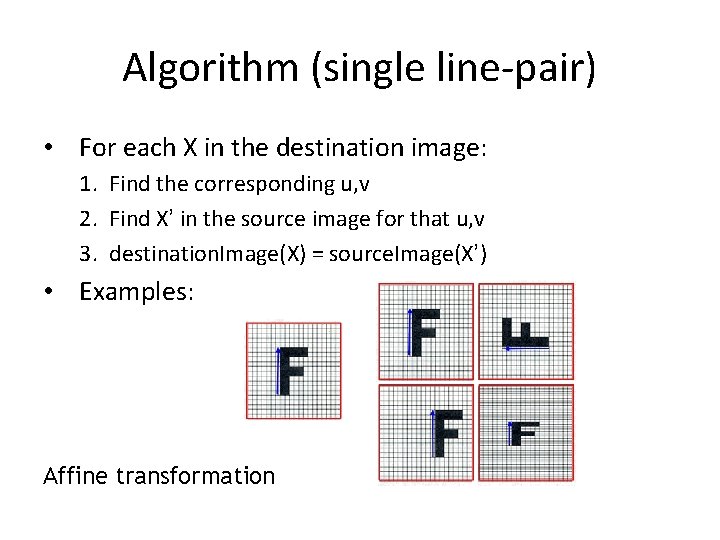
Algorithm (single line-pair) • For each X in the destination image: 1. Find the corresponding u, v 2. Find X’ in the source image for that u, v 3. destination. Image(X) = source. Image(X’) • Examples: Affine transformation
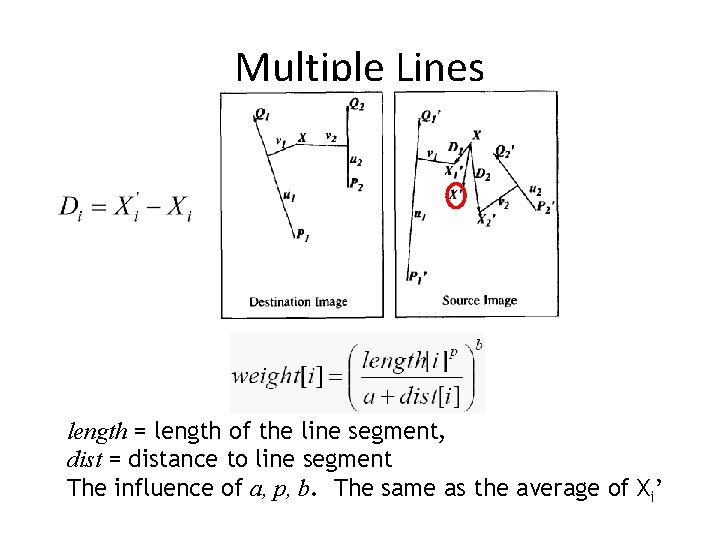
Multiple Lines length = length of the line segment, dist = distance to line segment The influence of a, p, b. The same as the average of Xi’
Full Algorithm
Resulting warp
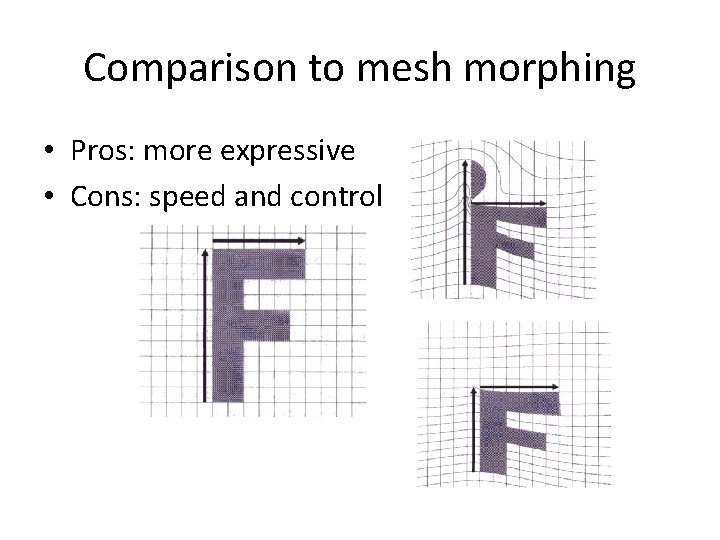
Comparison to mesh morphing • Pros: more expressive • Cons: speed and control
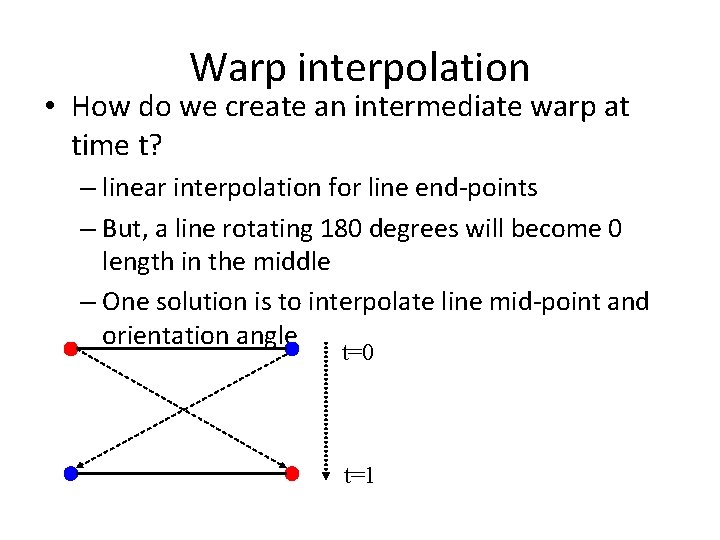
Warp interpolation • How do we create an intermediate warp at time t? – linear interpolation for line end-points – But, a line rotating 180 degrees will become 0 length in the middle – One solution is to interpolate line mid-point and orientation angle t=0 t=1
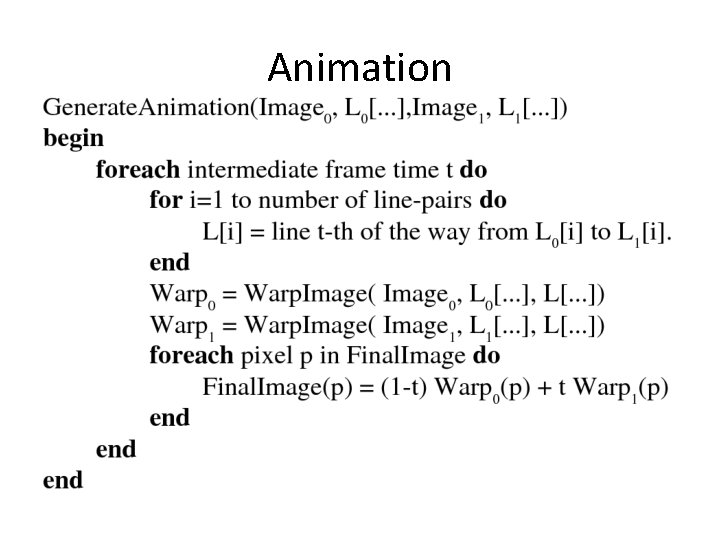
Animation
Animated sequences • Specify keyframes and interpolate the lines for the inbetween frames • Require a lot of tweaking
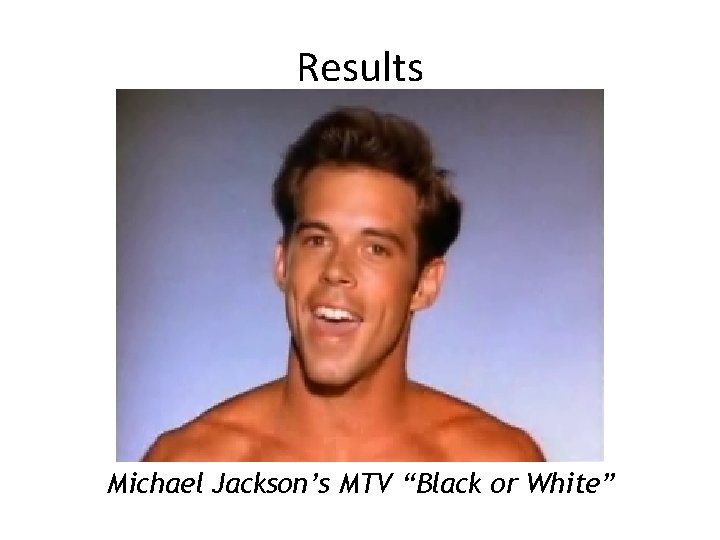
Results Michael Jackson’s MTV “Black or White”
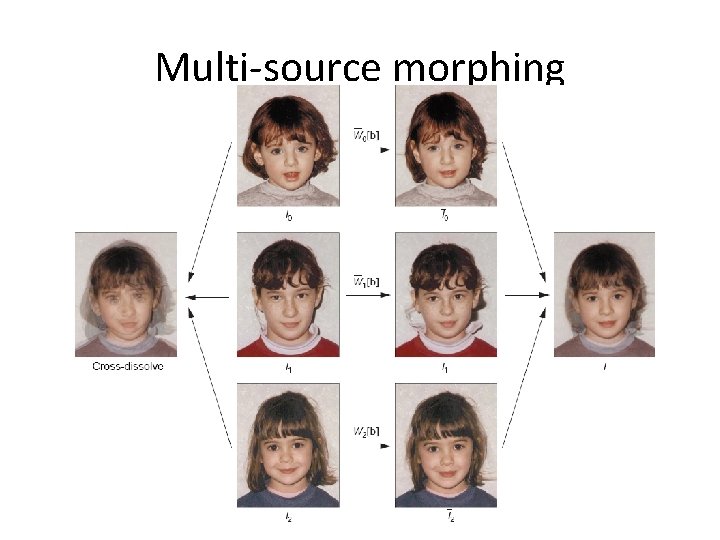
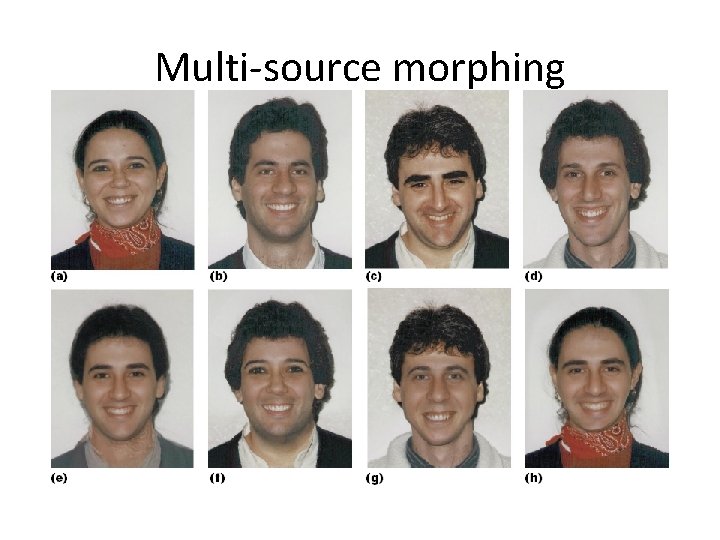
Multi-source morphing
Multi-source morphing
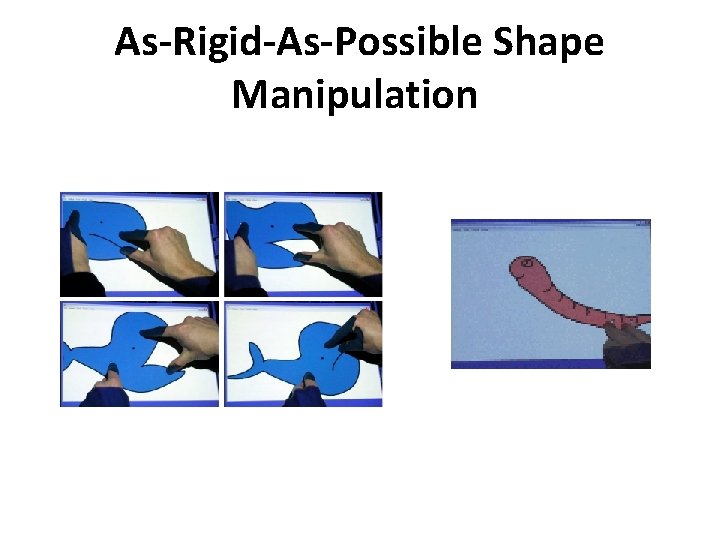
As-Rigid-As-Possible Shape Manipulation
References • Thaddeus Beier, Shawn Neely, Feature-Based Image Metamorphosis, SIGGRAPH 1992, pp 35 -42. • Detlef Ruprecht, Heinrich Muller, Image Warping with Scattered Data Interpolation, IEEE Computer Graphics and Applications, March 1995, pp 37 -43. • Seung-Yong Lee, Kyung-Yong Chwa, Sung Yong Shin, Image Metamorphosis Using Snakes and Free-Form Deformations, SIGGRAPH 1995. • Seungyong Lee, Wolberg, G. , Sung Yong Shin, Polymorph: morphing among multiple images, IEEE Computer Graphics and Applications, Vol. 18, No. 1, 1998, pp 58 -71. • Peinsheng Gao, Thomas Sederberg, A work minimization approach to image morphing, The Visual Computer, 1998, pp 390 -400. • George Wolberg, Image morphing: a survey, The Visual Computer, 1998, pp 360 -372.