Avaya WLAN 9100 Update Jayanthi Srinivasan Vamshi Doma

- Slides: 51
Avaya WLAN 9100 Update Jayanthi Srinivasan/ Vamshi Doma jasriniv@avaya. com/ vdoma@avaya. com © 2015 Avaya Inc. Avaya – Confidential & Proprietary Do not duplicate, publish or distribute further without the express written permission of Avaya. 1
Goals for Session To Share. . ü Market updates on Avaya WLAN 9100 portfolio q Product updates on 9100 product introductions q Unique differentiation of WLAN 9100 Solution q Roadmap details © 2016 Avaya Inc. All rights reserved. 2
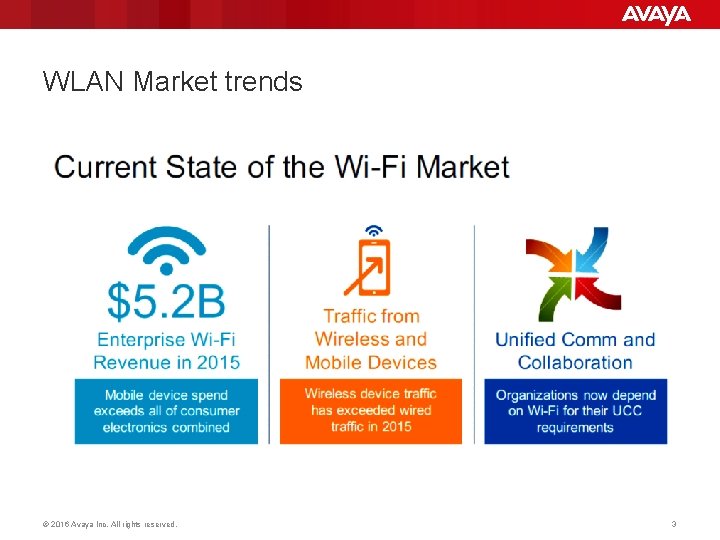
WLAN Market trends © 2016 Avaya Inc. All rights reserved. 3
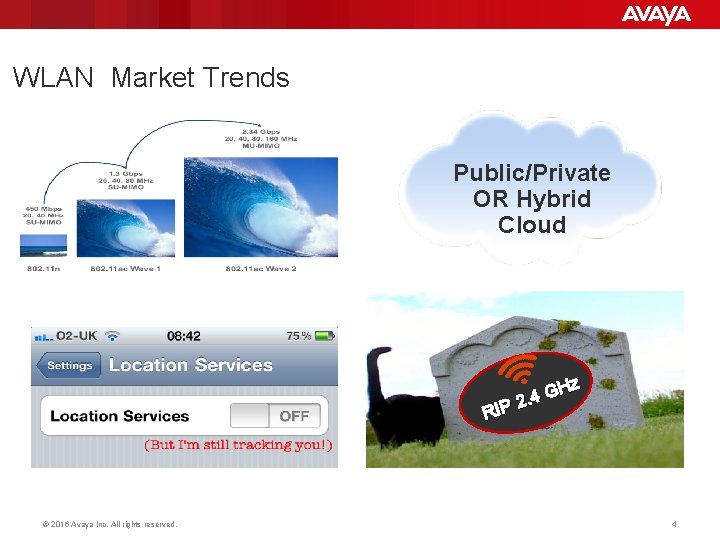
WLAN Market Trends Public/Private OR Hybrid Cloud Hz G 4 2. RIP © 2016 Avaya Inc. All rights reserved. 4
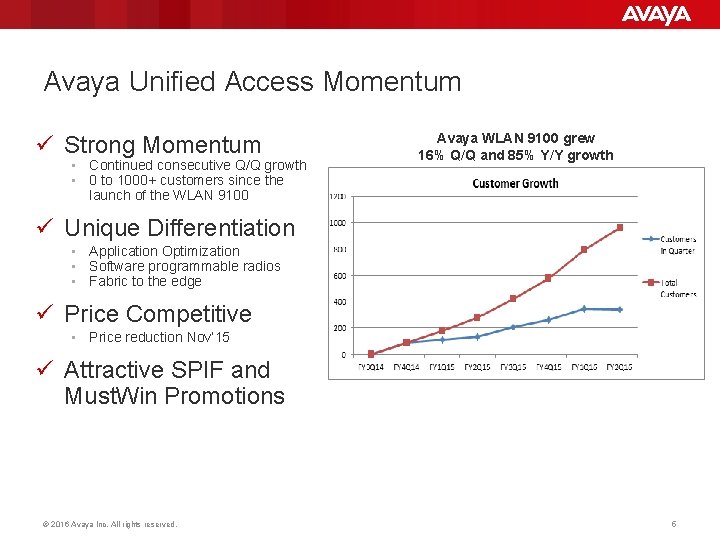
Avaya Unified Access Momentum ü Strong Momentum • Continued consecutive Q/Q growth • 0 to 1000+ customers since the launch of the WLAN 9100 Avaya WLAN 9100 grew 16% Q/Q and 85% Y/Y growth ü Unique Differentiation • Application Optimization • Software programmable radios • Fabric to the edge ü Price Competitive • Price reduction Nov’ 15 ü Attractive SPIF and Must. Win Promotions © 2016 Avaya Inc. All rights reserved. 5
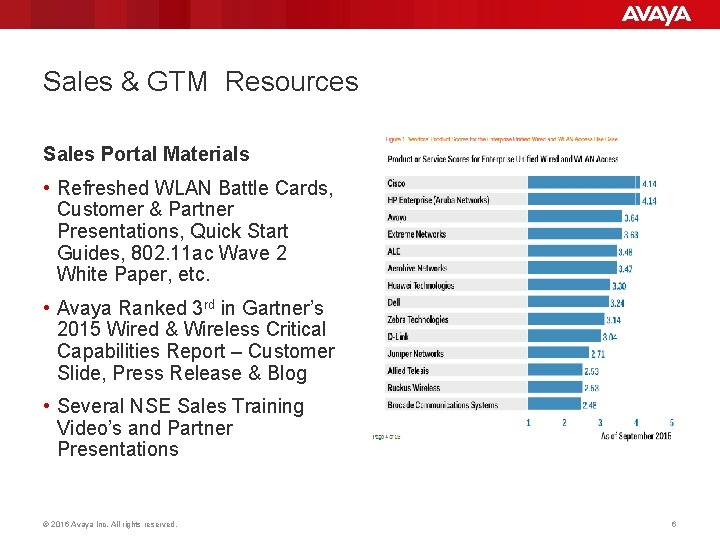
Sales & GTM Resources Sales Portal Materials • Refreshed WLAN Battle Cards, Customer & Partner Presentations, Quick Start Guides, 802. 11 ac Wave 2 White Paper, etc. • Avaya Ranked 3 rd in Gartner’s 2015 Wired & Wireless Critical Capabilities Report – Customer Slide, Press Release & Blog • Several NSE Sales Training Video’s and Partner Presentations © 2016 Avaya Inc. All rights reserved. 6
Goals for Session To Share. . ü Market updates on Avaya WLAN 9100 portfolio ü Product updates on 9100 product introductions q Unique differentiation of WLAN 9100 Solution q Roadmap details © 2016 Avaya Inc. All rights reserved. 7
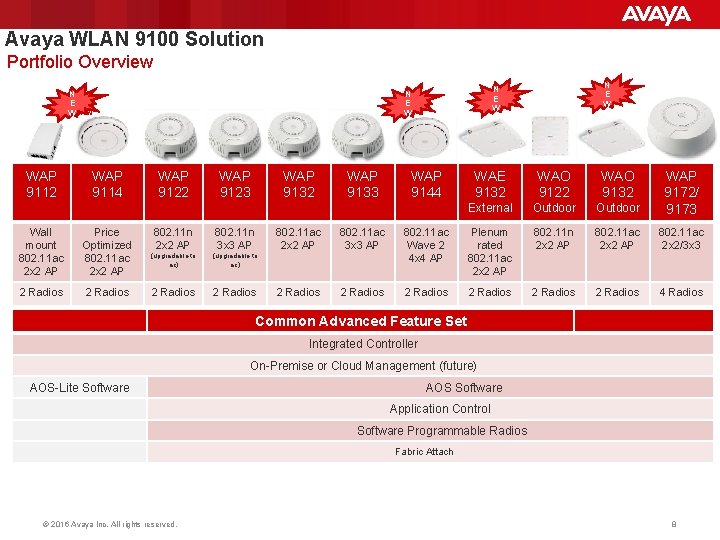
Avaya WLAN 9100 Solution Portfolio Overview WAP 9112 WAP 9114 Wall mount 802. 11 ac 2 x 2 AP Price Optimized 802. 11 ac 2 x 2 AP 2 Radios WAP 9122 WAP 9123 WAP 9132 802. 11 n 2 x 2 AP 802. 11 n 3 x 3 AP (upgradable to ac) 2 Radios WAP 9133 WAP 9144 N E W New WAE 9132 WAO 9122 WAO 9132 External Outdoor WAP 9172/ 9173 802. 11 ac 2 x 2 AP 802. 11 ac 3 x 3 AP 802. 11 ac Wave 2 4 x 4 AP Plenum rated 802. 11 ac 2 x 2 AP 802. 11 n 2 x 2 AP 802. 11 ac 2 x 2/3 x 3 2 Radios 2 Radios 4 Radios Common Advanced Feature Set Integrated Controller On-Premise or Cloud Management (future) AOS-Lite Software AOS Software Application Control Software Programmable Radios Fabric Attach © 2016 Avaya Inc. All rights reserved. 8
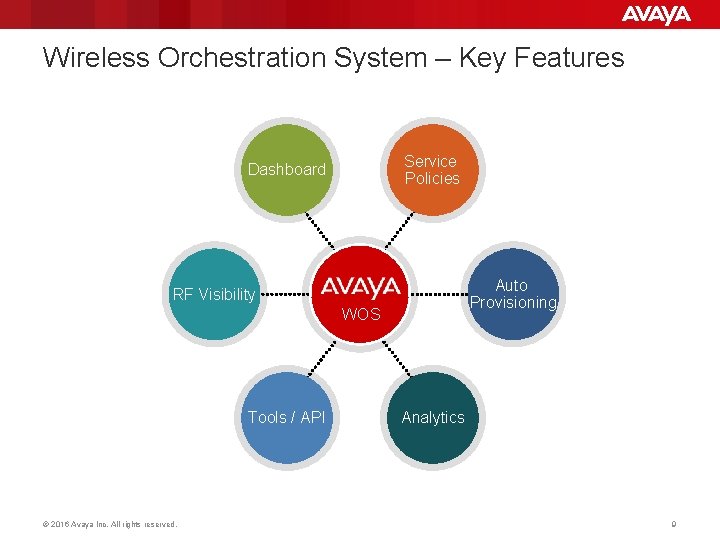
Wireless Orchestration System – Key Features Dashboard RF Visibility Auto Provisioning WOS Tools / API © 2016 Avaya Inc. All rights reserved. Service Policies Analytics 9
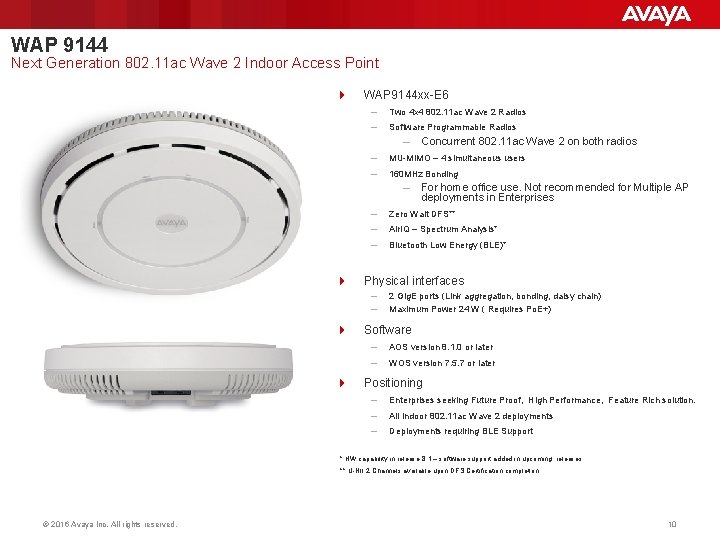
WAP 9144 Next Generation 802. 11 ac Wave 2 Indoor Access Point 4 WAP 9144 xx-E 6 – Two 4 x 4 802. 11 ac Wave 2 Radios – Software Programmable Radios – – MU-MIMO – 4 simultaneous users – 160 MHz Bonding – 4 4 For home office use. Not recommended for Multiple AP deployments in Enterprises – Zero Wait DFS** – Air. IQ – Spectrum Analysis* – Bluetooth Low Energy (BLE)* Physical interfaces – – 4 Concurrent 802. 11 ac Wave 2 on both radios 2 Gig. E ports (Link aggregation, bonding, daisy chain) Maximum Power 24 W ( Requires Po. E+) Software – AOS version 8. 1. 0 or later – WOS version 7. 5. 7 or later Positioning – Enterprises seeking Future Proof, High Performance, Feature Rich solution. – All Indoor 802. 11 ac Wave 2 deployments – Deployments requiring BLE Support * HW capability in release 8. 1 – software support added in upcoming releases. ** U-NII 2 Channels available upon DFS Certification completion © 2016 Avaya Inc. All rights reserved. 10
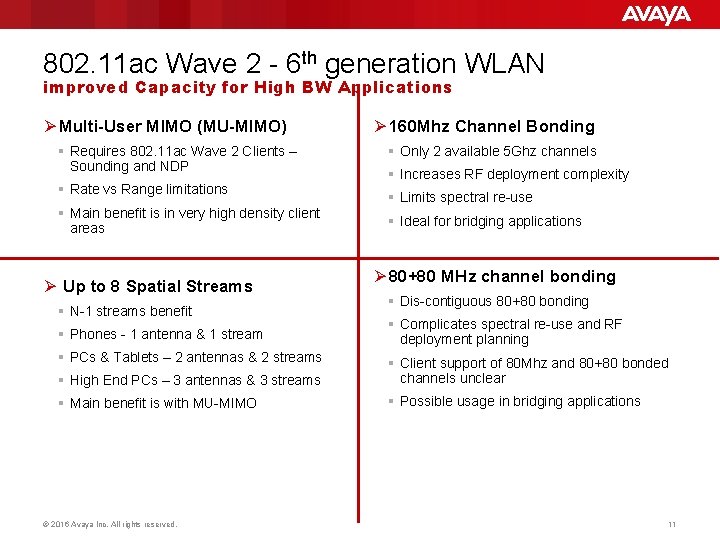
802. 11 ac Wave 2 - 6 th generation WLAN improved Capacity for High BW Applications Ø Multi-User MIMO (MU-MIMO) § Requires 802. 11 ac Wave 2 Clients – Sounding and NDP § Rate vs Range limitations § Main benefit is in very high density client areas Ø Up to 8 Spatial Streams § N-1 streams benefit § Phones - 1 antenna & 1 stream § PCs & Tablets – 2 antennas & 2 streams Ø 160 Mhz Channel Bonding § Only 2 available 5 Ghz channels § Increases RF deployment complexity § Limits spectral re-use § Ideal for bridging applications Ø 80+80 MHz channel bonding § Dis-contiguous 80+80 bonding § Complicates spectral re-use and RF deployment planning § High End PCs – 3 antennas & 3 streams § Client support of 80 Mhz and 80+80 bonded channels unclear § Main benefit is with MU-MIMO § Possible usage in bridging applications © 2016 Avaya Inc. All rights reserved. 11
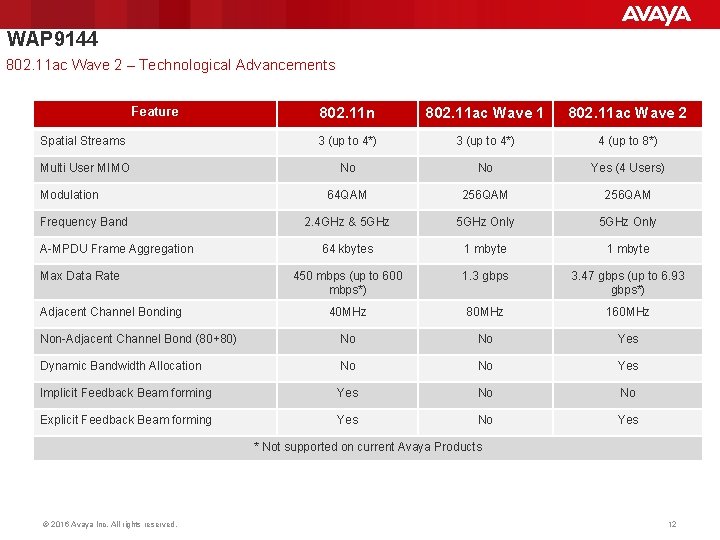
WAP 9144 802. 11 ac Wave 2 – Technological Advancements Feature 802. 11 n 802. 11 ac Wave 1 802. 11 ac Wave 2 Spatial Streams 3 (up to 4*) 4 (up to 8*) Multi User MIMO No No Yes (4 Users) 64 QAM 256 QAM 2. 4 GHz & 5 GHz Only 64 kbytes 1 mbyte 450 mbps (up to 600 mbps*) 1. 3 gbps 3. 47 gbps (up to 6. 93 gbps*) 40 MHz 80 MHz 160 MHz Non-Adjacent Channel Bond (80+80) No No Yes Dynamic Bandwidth Allocation No No Yes Implicit Feedback Beam forming Yes No No Explicit Feedback Beam forming Yes No Yes Modulation Frequency Band A-MPDU Frame Aggregation Max Data Rate Adjacent Channel Bonding * Not supported on current Avaya Products © 2016 Avaya Inc. All rights reserved. 12
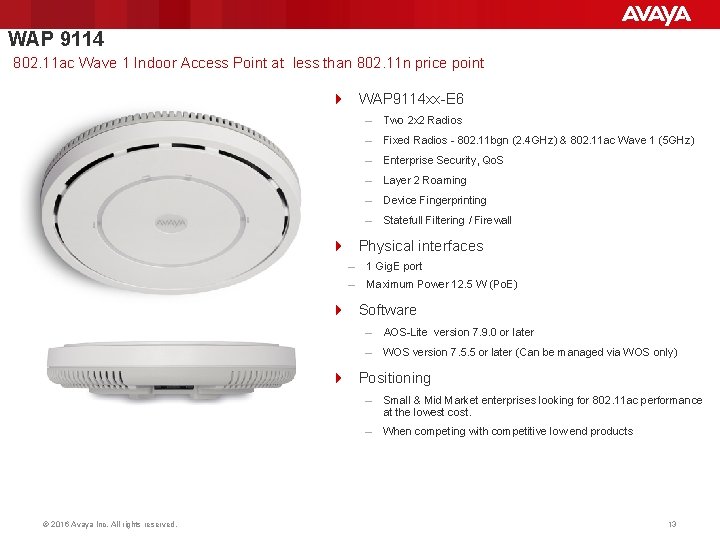
WAP 9114 802. 11 ac Wave 1 Indoor Access Point at less than 802. 11 n price point 4 WAP 9114 xx-E 6 – Two 2 x 2 Radios – Fixed Radios - 802. 11 bgn (2. 4 GHz) & 802. 11 ac Wave 1 (5 GHz) – Enterprise Security, Qo. S – Layer 2 Roaming – Device Fingerprinting – Statefull Filtering / Firewall 4 Physical interfaces – 1 Gig. E port – Maximum Power 12. 5 W (Po. E) 4 Software – AOS-Lite version 7. 9. 0 or later – WOS version 7. 5. 5 or later (Can be managed via WOS only) 4 Positioning © 2016 Avaya Inc. All rights reserved. – Small & Mid Market enterprises looking for 802. 11 ac performance at the lowest cost. – When competing with competitive low end products 13
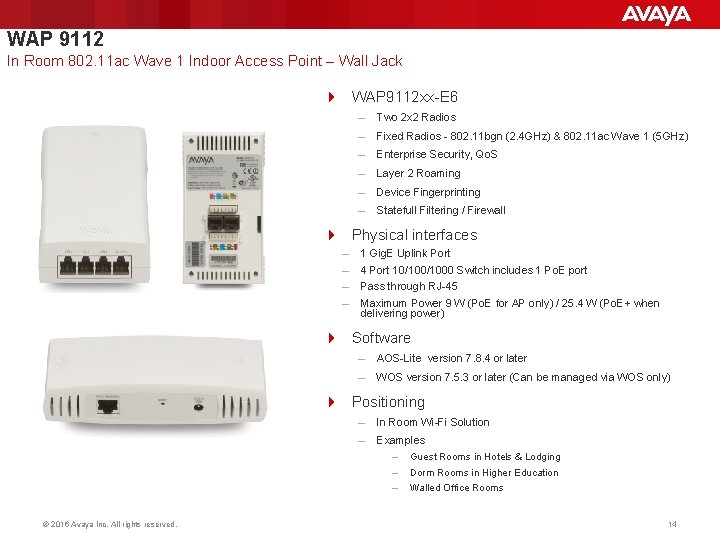
WAP 9112 In Room 802. 11 ac Wave 1 Indoor Access Point – Wall Jack 4 WAP 9112 xx-E 6 – Two 2 x 2 Radios – Fixed Radios - 802. 11 bgn (2. 4 GHz) & 802. 11 ac Wave 1 (5 GHz) – Enterprise Security, Qo. S – Layer 2 Roaming – Device Fingerprinting – Statefull Filtering / Firewall 4 Physical interfaces – – 1 Gig. E Uplink Port 4 Port 10/1000 Switch includes 1 Po. E port Pass through RJ-45 Maximum Power 9 W (Po. E for AP only) / 25. 4 W (Po. E+ when delivering power) 4 Software – AOS-Lite version 7. 8. 4 or later – WOS version 7. 5. 3 or later (Can be managed via WOS only) 4 Positioning © 2016 Avaya Inc. All rights reserved. – In Room Wi-Fi Solution – Examples – Guest Rooms in Hotels & Lodging – Dorm Rooms in Higher Education – Walled Office Rooms 14
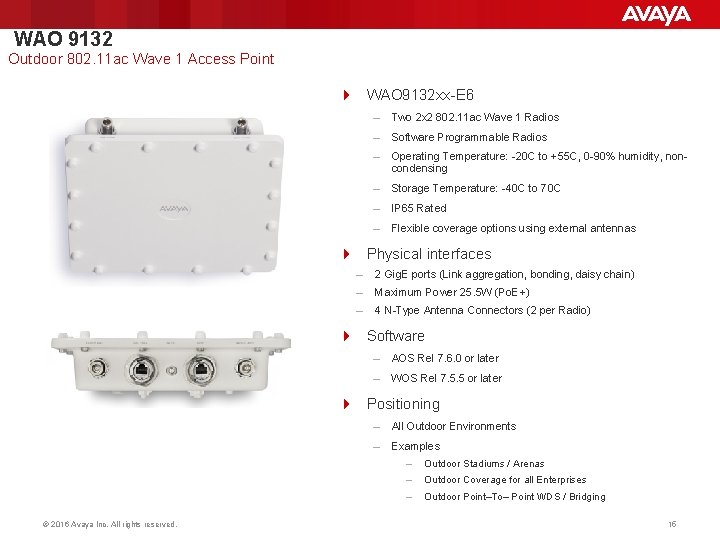
WAO 9132 Outdoor 802. 11 ac Wave 1 Access Point 4 WAO 9132 xx-E 6 – Two 2 x 2 802. 11 ac Wave 1 Radios – Software Programmable Radios – Operating Temperature: -20 C to +55 C, 0 -90% humidity, noncondensing – Storage Temperature: -40 C to 70 C – IP 65 Rated – Flexible coverage options using external antennas 4 Physical interfaces – 2 Gig. E ports (Link aggregation, bonding, daisy chain) – Maximum Power 25. 5 W (Po. E+) – 4 N-Type Antenna Connectors (2 per Radio) 4 Software – AOS Rel 7. 6. 0 or later – WOS Rel 7. 5. 5 or later 4 Positioning © 2016 Avaya Inc. All rights reserved. – All Outdoor Environments – Examples – Outdoor Stadiums / Arenas – Outdoor Coverage for all Enterprises – Outdoor Point–To– Point WDS / Bridging 15
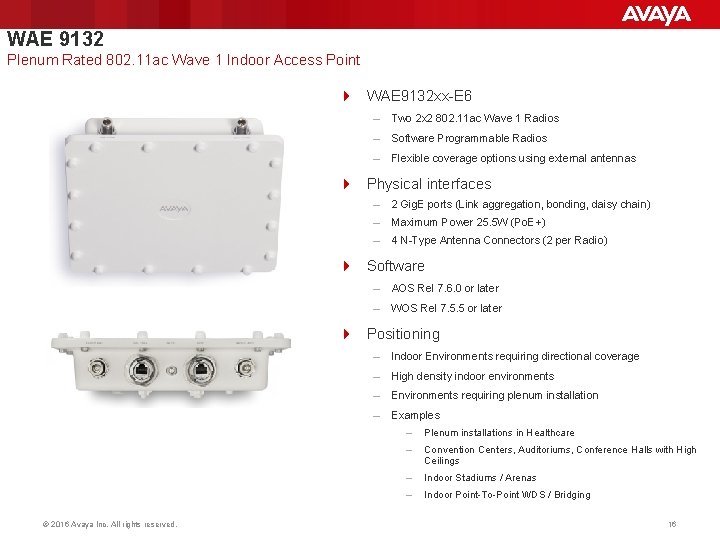
WAE 9132 Plenum Rated 802. 11 ac Wave 1 Indoor Access Point 4 WAE 9132 xx-E 6 – Two 2 x 2 802. 11 ac Wave 1 Radios – Software Programmable Radios – Flexible coverage options using external antennas 4 Physical interfaces – 2 Gig. E ports (Link aggregation, bonding, daisy chain) – Maximum Power 25. 5 W (Po. E+) – 4 N-Type Antenna Connectors (2 per Radio) 4 Software – AOS Rel 7. 6. 0 or later – WOS Rel 7. 5. 5 or later 4 Positioning © 2016 Avaya Inc. All rights reserved. – Indoor Environments requiring directional coverage – High density indoor environments – Environments requiring plenum installation – Examples – Plenum installations in Healthcare – Convention Centers, Auditoriums, Conference Halls with High Ceilings – Indoor Stadiums / Arenas – Indoor Point-To-Point WDS / Bridging 16
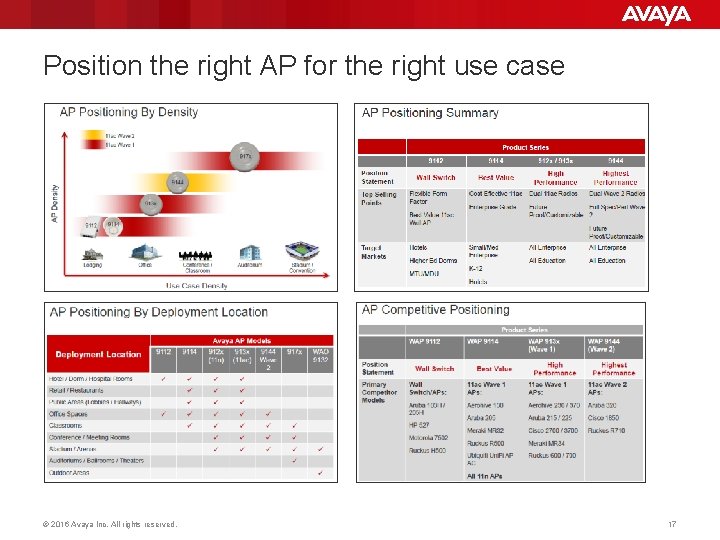
Position the right AP for the right use case © 2016 Avaya Inc. All rights reserved. 17
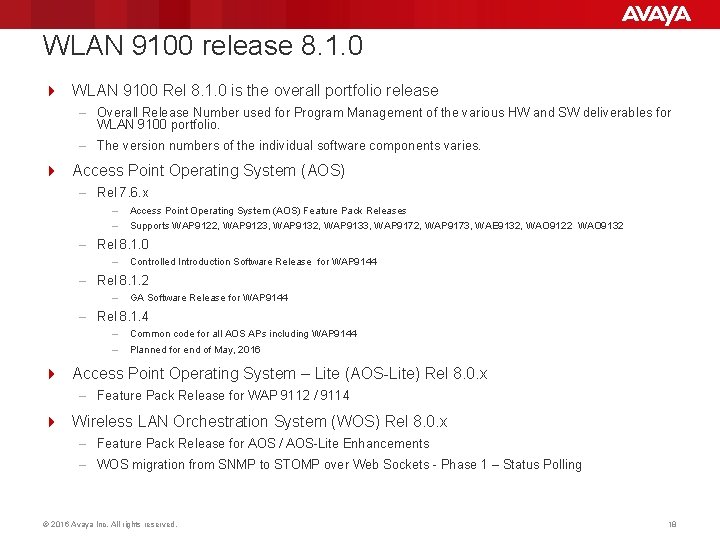
WLAN 9100 release 8. 1. 0 4 WLAN 9100 Rel 8. 1. 0 is the overall portfolio release – Overall Release Number used for Program Management of the various HW and SW deliverables for WLAN 9100 portfolio. – The version numbers of the individual software components varies. 4 Access Point Operating System (AOS) – Rel 7. 6. x – – Access Point Operating System (AOS) Feature Pack Releases Supports WAP 9122, WAP 9123, WAP 9132, WAP 9133, WAP 9172, WAP 9173, WAE 9132, WAO 9122 WAO 9132 – Rel 8. 1. 0 – Controlled Introduction Software Release for WAP 9144 – Rel 8. 1. 2 – GA Software Release for WAP 9144 – Rel 8. 1. 4 – – Common code for all AOS APs including WAP 9144 Planned for end of May, 2016 4 Access Point Operating System – Lite (AOS-Lite) Rel 8. 0. x – Feature Pack Release for WAP 9112 / 9114 4 Wireless LAN Orchestration System (WOS) Rel 8. 0. x – Feature Pack Release for AOS / AOS-Lite Enhancements – WOS migration from SNMP to STOMP over Web Sockets - Phase 1 – Status Polling © 2016 Avaya Inc. All rights reserved. 18
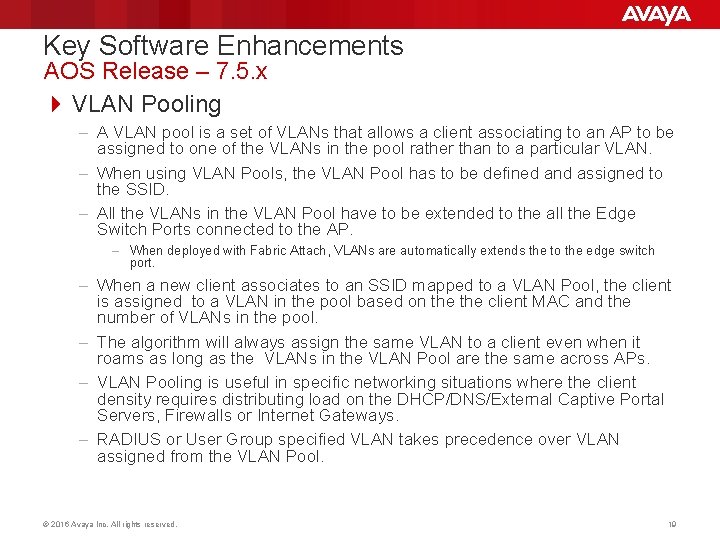
Key Software Enhancements AOS Release – 7. 5. x 4 VLAN Pooling – A VLAN pool is a set of VLANs that allows a client associating to an AP to be assigned to one of the VLANs in the pool rather than to a particular VLAN. – When using VLAN Pools, the VLAN Pool has to be defined and assigned to the SSID. – All the VLANs in the VLAN Pool have to be extended to the all the Edge Switch Ports connected to the AP. – When deployed with Fabric Attach, VLANs are automatically extends the to the edge switch port. – When a new client associates to an SSID mapped to a VLAN Pool, the client is assigned to a VLAN in the pool based on the client MAC and the number of VLANs in the pool. – The algorithm will always assign the same VLAN to a client even when it roams as long as the VLANs in the VLAN Pool are the same across APs. – VLAN Pooling is useful in specific networking situations where the client density requires distributing load on the DHCP/DNS/External Captive Portal Servers, Firewalls or Internet Gateways. – RADIUS or User Group specified VLAN takes precedence over VLAN assigned from the VLAN Pool. © 2016 Avaya Inc. All rights reserved. 19
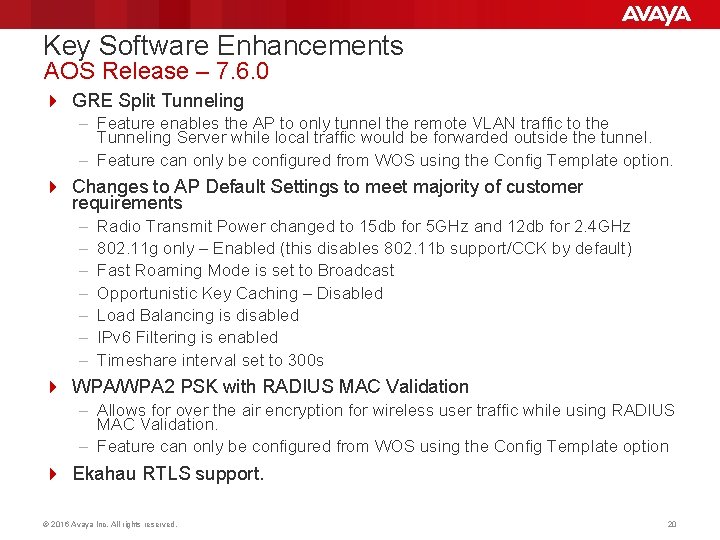
Key Software Enhancements AOS Release – 7. 6. 0 4 GRE Split Tunneling – Feature enables the AP to only tunnel the remote VLAN traffic to the Tunneling Server while local traffic would be forwarded outside the tunnel. – Feature can only be configured from WOS using the Config Template option. 4 Changes to AP Default Settings to meet majority of customer requirements – – – – Radio Transmit Power changed to 15 db for 5 GHz and 12 db for 2. 4 GHz 802. 11 g only – Enabled (this disables 802. 11 b support/CCK by default) Fast Roaming Mode is set to Broadcast Opportunistic Key Caching – Disabled Load Balancing is disabled IPv 6 Filtering is enabled Timeshare interval set to 300 s 4 WPA/WPA 2 PSK with RADIUS MAC Validation – Allows for over the air encryption for wireless user traffic while using RADIUS MAC Validation. – Feature can only be configured from WOS using the Config Template option 4 Ekahau RTLS support. © 2016 Avaya Inc. All rights reserved. 20
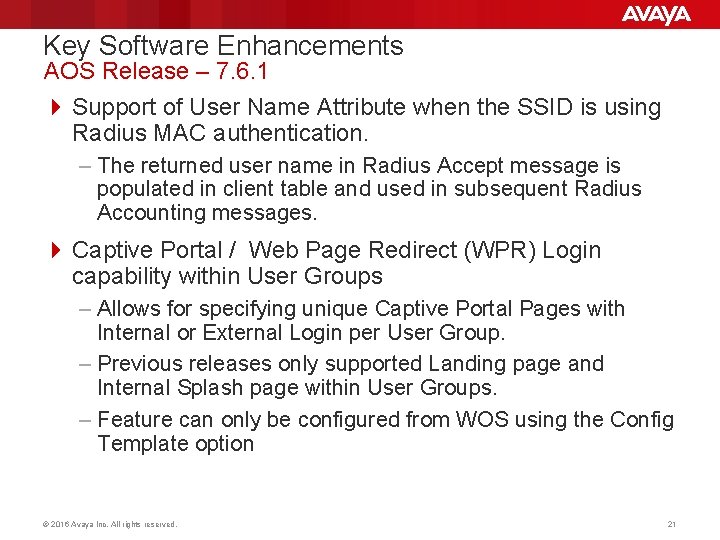
Key Software Enhancements AOS Release – 7. 6. 1 4 Support of User Name Attribute when the SSID is using Radius MAC authentication. – The returned user name in Radius Accept message is populated in client table and used in subsequent Radius Accounting messages. 4 Captive Portal / Web Page Redirect (WPR) Login capability within User Groups – Allows for specifying unique Captive Portal Pages with Internal or External Login per User Group. – Previous releases only supported Landing page and Internal Splash page within User Groups. – Feature can only be configured from WOS using the Config Template option © 2016 Avaya Inc. All rights reserved. 21
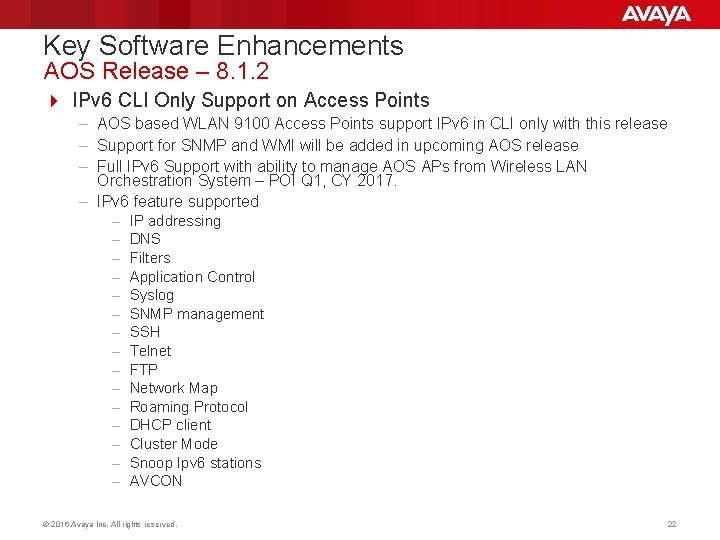
Key Software Enhancements AOS Release – 8. 1. 2 4 IPv 6 CLI Only Support on Access Points – AOS based WLAN 9100 Access Points support IPv 6 in CLI only with this release – Support for SNMP and WMI will be added in upcoming AOS release – Full IPv 6 Support with ability to manage AOS APs from Wireless LAN Orchestration System – POI Q 1, CY 2017. – IPv 6 feature supported – – – – IP addressing DNS Filters Application Control Syslog SNMP management SSH Telnet FTP Network Map Roaming Protocol DHCP client Cluster Mode Snoop Ipv 6 stations AVCON © 2016 Avaya Inc. All rights reserved. 22
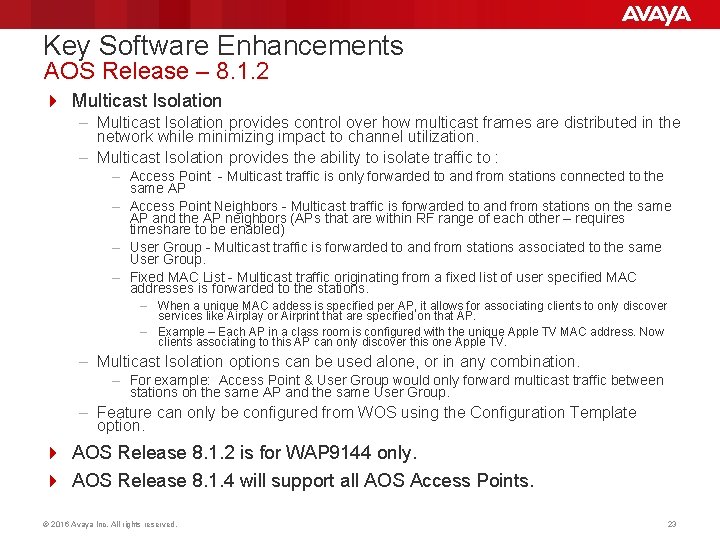
Key Software Enhancements AOS Release – 8. 1. 2 4 Multicast Isolation – Multicast Isolation provides control over how multicast frames are distributed in the network while minimizing impact to channel utilization. – Multicast Isolation provides the ability to isolate traffic to : – Access Point - Multicast traffic is only forwarded to and from stations connected to the same AP – Access Point Neighbors - Multicast traffic is forwarded to and from stations on the same AP and the AP neighbors (APs that are within RF range of each other – requires timeshare to be enabled) – User Group - Multicast traffic is forwarded to and from stations associated to the same User Group. – Fixed MAC List - Multicast traffic originating from a fixed list of user specified MAC addresses is forwarded to the stations. – When a unique MAC addess is specified per AP, it allows for associating clients to only discover services like Airplay or Airprint that are specified on that AP. – Example – Each AP in a class room is configured with the unique Apple TV MAC address. Now clients associating to this AP can only discover this one Apple TV. – Multicast Isolation options can be used alone, or in any combination. – For example: Access Point & User Group would only forward multicast traffic between stations on the same AP and the same User Group. – Feature can only be configured from WOS using the Configuration Template option. 4 AOS Release 8. 1. 2 is for WAP 9144 only. 4 AOS Release 8. 1. 4 will support all AOS Access Points. © 2016 Avaya Inc. All rights reserved. 23
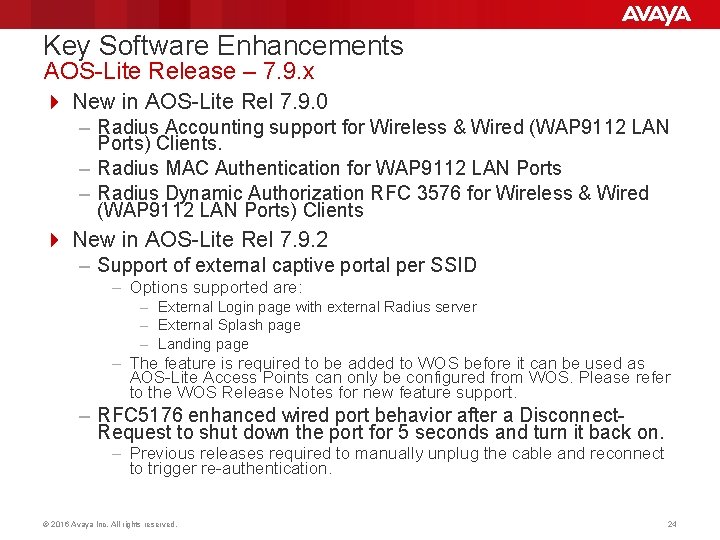
Key Software Enhancements AOS-Lite Release – 7. 9. x 4 New in AOS-Lite Rel 7. 9. 0 – Radius Accounting support for Wireless & Wired (WAP 9112 LAN Ports) Clients. – Radius MAC Authentication for WAP 9112 LAN Ports – Radius Dynamic Authorization RFC 3576 for Wireless & Wired (WAP 9112 LAN Ports) Clients 4 New in AOS-Lite Rel 7. 9. 2 – Support of external captive portal per SSID – Options supported are: – External Login page with external Radius server – External Splash page – Landing page – The feature is required to be added to WOS before it can be used as AOS-Lite Access Points can only be configured from WOS. Please refer to the WOS Release Notes for new feature support. – RFC 5176 enhanced wired port behavior after a Disconnect. Request to shut down the port for 5 seconds and turn it back on. – Previous releases required to manually unplug the cable and reconnect to trigger re-authentication. © 2016 Avaya Inc. All rights reserved. 24
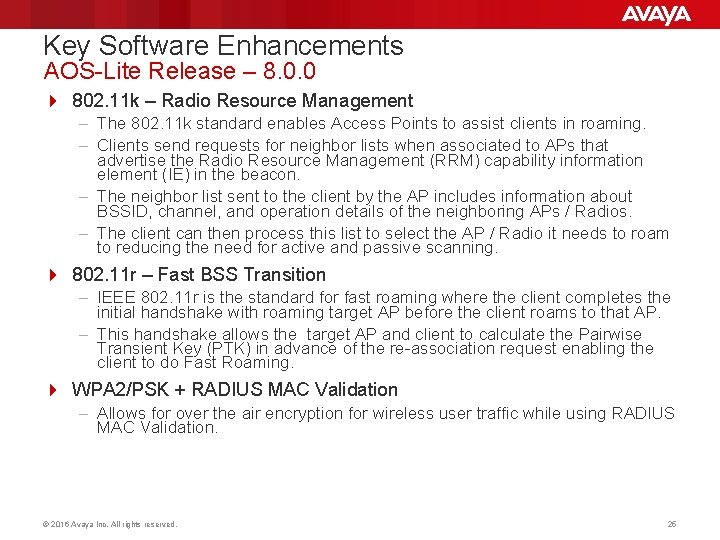
Key Software Enhancements AOS-Lite Release – 8. 0. 0 4 802. 11 k – Radio Resource Management – The 802. 11 k standard enables Access Points to assist clients in roaming. – Clients send requests for neighbor lists when associated to APs that advertise the Radio Resource Management (RRM) capability information element (IE) in the beacon. – The neighbor list sent to the client by the AP includes information about BSSID, channel, and operation details of the neighboring APs / Radios. – The client can then process this list to select the AP / Radio it needs to roam to reducing the need for active and passive scanning. 4 802. 11 r – Fast BSS Transition – IEEE 802. 11 r is the standard for fast roaming where the client completes the initial handshake with roaming target AP before the client roams to that AP. – This handshake allows the target AP and client to calculate the Pairwise Transient Key (PTK) in advance of the re-association request enabling the client to do Fast Roaming. 4 WPA 2/PSK + RADIUS MAC Validation – Allows for over the air encryption for wireless user traffic while using RADIUS MAC Validation. © 2016 Avaya Inc. All rights reserved. 25
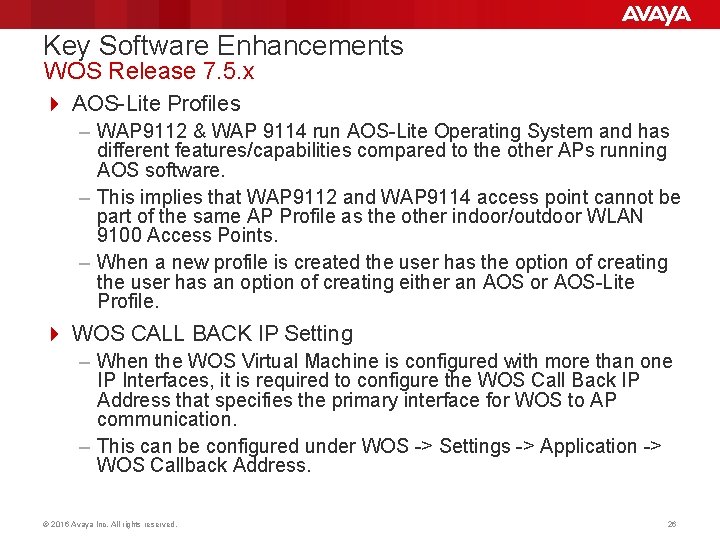
Key Software Enhancements WOS Release 7. 5. x 4 AOS-Lite Profiles – WAP 9112 & WAP 9114 run AOS-Lite Operating System and has different features/capabilities compared to the other APs running AOS software. – This implies that WAP 9112 and WAP 9114 access point cannot be part of the same AP Profile as the other indoor/outdoor WLAN 9100 Access Points. – When a new profile is created the user has the option of creating the user has an option of creating either an AOS or AOS-Lite Profile. 4 WOS CALL BACK IP Setting – When the WOS Virtual Machine is configured with more than one IP Interfaces, it is required to configure the WOS Call Back IP Address that specifies the primary interface for WOS to AP communication. – This can be configured under WOS -> Settings -> Application -> WOS Callback Address. © 2016 Avaya Inc. All rights reserved. 26
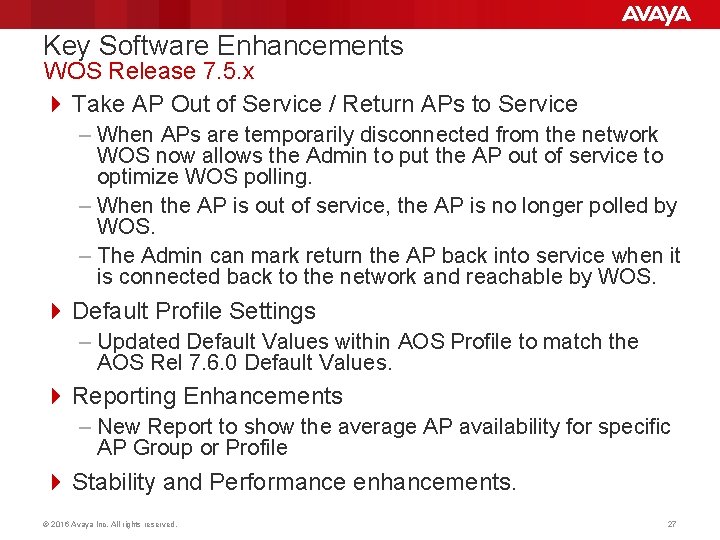
Key Software Enhancements WOS Release 7. 5. x 4 Take AP Out of Service / Return APs to Service – When APs are temporarily disconnected from the network WOS now allows the Admin to put the AP out of service to optimize WOS polling. – When the AP is out of service, the AP is no longer polled by WOS. – The Admin can mark return the AP back into service when it is connected back to the network and reachable by WOS. 4 Default Profile Settings – Updated Default Values within AOS Profile to match the AOS Rel 7. 6. 0 Default Values. 4 Reporting Enhancements – New Report to show the average AP availability for specific AP Group or Profile 4 Stability and Performance enhancements. © 2016 Avaya Inc. All rights reserved. 27
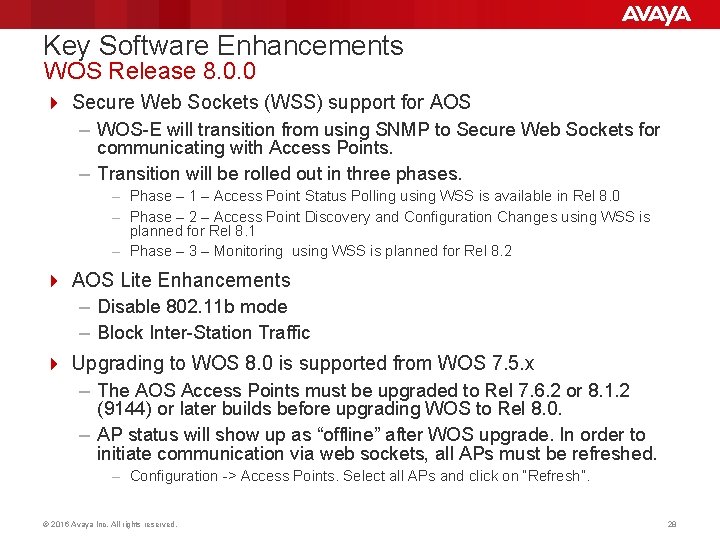
Key Software Enhancements WOS Release 8. 0. 0 4 Secure Web Sockets (WSS) support for AOS – WOS-E will transition from using SNMP to Secure Web Sockets for communicating with Access Points. – Transition will be rolled out in three phases. – Phase – 1 – Access Point Status Polling using WSS is available in Rel 8. 0 – Phase – 2 – Access Point Discovery and Configuration Changes using WSS is planned for Rel 8. 1 – Phase – 3 – Monitoring using WSS is planned for Rel 8. 2 4 AOS Lite Enhancements – Disable 802. 11 b mode – Block Inter-Station Traffic 4 Upgrading to WOS 8. 0 is supported from WOS 7. 5. x – The AOS Access Points must be upgraded to Rel 7. 6. 2 or 8. 1. 2 (9144) or later builds before upgrading WOS to Rel 8. 0. – AP status will show up as “offline” after WOS upgrade. In order to initiate communication via web sockets, all APs must be refreshed. – Configuration -> Access Points. Select all APs and click on “Refresh”. © 2016 Avaya Inc. All rights reserved. 28
Goals for Session To Share. . ü Market updates on Avaya WLAN 9100 portfolio ü Product updates on 9100 product introductions ü Unique differentiation of WLAN 9100 Solution q Roadmap details © 2016 Avaya Inc. All rights reserved. 29
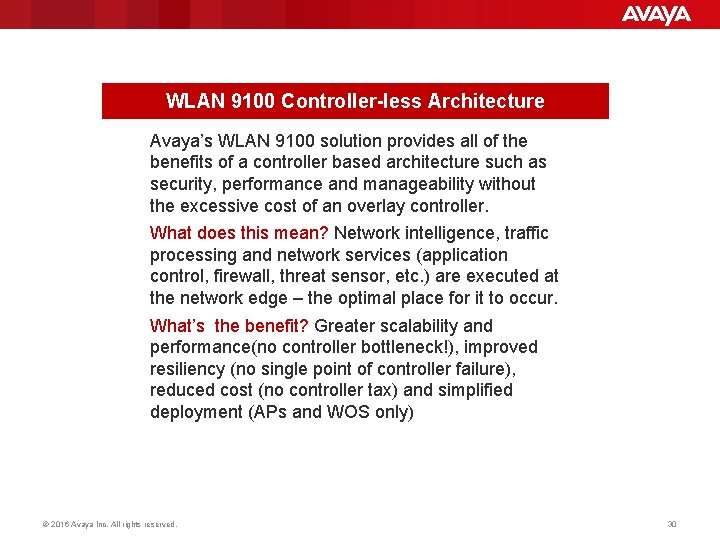
WLAN 9100 Controller-less Architecture Avaya’s WLAN 9100 solution provides all of the benefits of a controller based architecture such as security, performance and manageability without the excessive cost of an overlay controller. What does this mean? Network intelligence, traffic processing and network services (application control, firewall, threat sensor, etc. ) are executed at the network edge – the optimal place for it to occur. What’s the benefit? Greater scalability and performance(no controller bottleneck!), improved resiliency (no single point of controller failure), reduced cost (no controller tax) and simplified deployment (APs and WOS only) © 2016 Avaya Inc. All rights reserved. 30
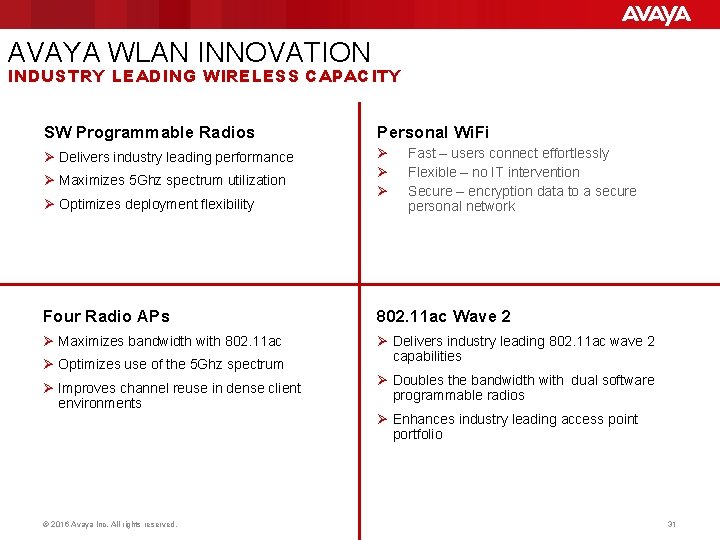
AVAYA WLAN INNOVATION INDUSTRY LEADING WIRELESS CAPACITY SW Programmable Radios Personal Wi. Fi Ø Delivers industry leading performance Ø Ø Maximizes 5 Ghz spectrum utilization Ø Optimizes deployment flexibility Fast – users connect effortlessly Flexible – no IT intervention Secure – encryption data to a secure personal network Four Radio APs 802. 11 ac Wave 2 Ø Maximizes bandwidth with 802. 11 ac Ø Delivers industry leading 802. 11 ac wave 2 capabilities Ø Optimizes use of the 5 Ghz spectrum Ø Improves channel reuse in dense client environments © 2016 Avaya Inc. All rights reserved. Ø Doubles the bandwidth with dual software programmable radios Ø Enhances industry leading access point portfolio 31
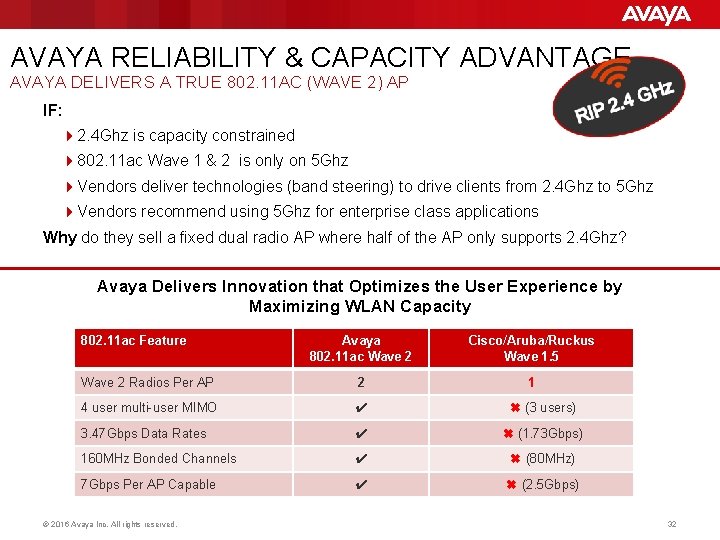
AVAYA RELIABILITY & CAPACITY ADVANTAGE AVAYA DELIVERS A TRUE 802. 11 AC (WAVE 2) AP IF: 42. 4 Ghz is capacity constrained 4802. 11 ac Wave 1 & 2 is only on 5 Ghz 4 Vendors deliver technologies (band steering) to drive clients from 2. 4 Ghz to 5 Ghz 4 Vendors recommend using 5 Ghz for enterprise class applications Why do they sell a fixed dual radio AP where half of the AP only supports 2. 4 Ghz? Avaya Delivers Innovation that Optimizes the User Experience by Maximizing WLAN Capacity 802. 11 ac Feature Avaya 802. 11 ac Wave 2 Cisco/Aruba/Ruckus Wave 1. 5 Wave 2 Radios Per AP 2 1 4 user multi-user MIMO ✔ ✖ (3 users) 3. 47 Gbps Data Rates ✔ ✖ (1. 73 Gbps) 160 MHz Bonded Channels ✔ ✖ (80 MHz) 7 Gbps Per AP Capable ✔ ✖ (2. 5 Gbps) © 2016 Avaya Inc. All rights reserved. 32
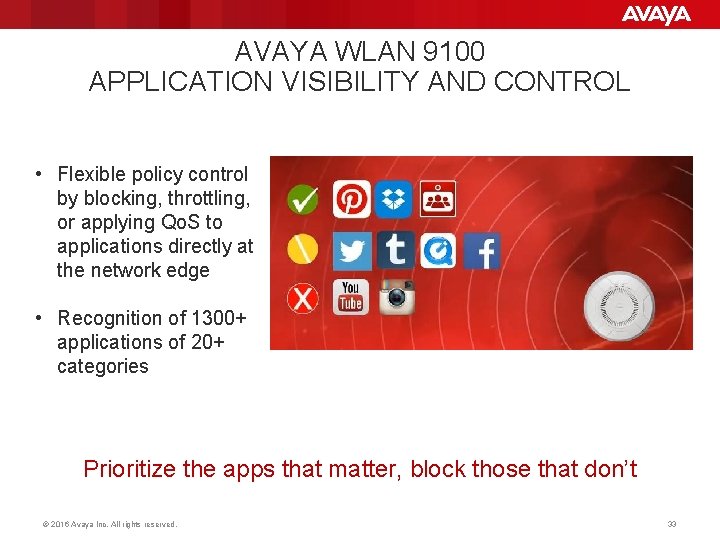
AVAYA WLAN 9100 APPLICATION VISIBILITY AND CONTROL • Flexible policy control by blocking, throttling, or applying Qo. S to applications directly at the network edge • Recognition of 1300+ applications of 20+ categories Prioritize the apps that matter, block those that don’t © 2016 Avaya Inc. All rights reserved. 33
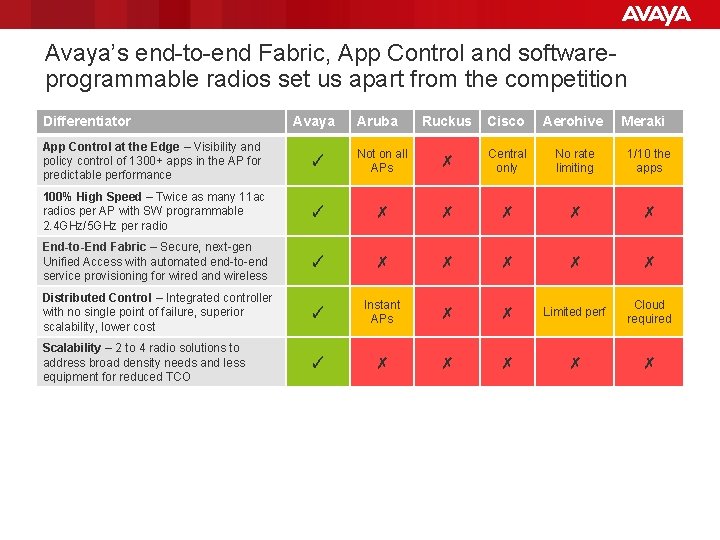
Avaya’s end-to-end Fabric, App Control and softwareprogrammable radios set us apart from the competition Differentiator Avaya Aruba Ruckus Cisco Aerohive Meraki App Control at the Edge – Visibility and policy control of 1300+ apps in the AP for predictable performance ✓ Not on all APs ✗ Central only No rate limiting 1/10 the apps 100% High Speed – Twice as many 11 ac radios per AP with SW programmable 2. 4 GHz/5 GHz per radio ✓ ✗ ✗ ✗ End-to-End Fabric – Secure, next-gen Unified Access with automated end-to-end service provisioning for wired and wireless ✓ ✗ ✗ ✗ Distributed Control – Integrated controller with no single point of failure, superior scalability, lower cost ✓ Instant APs ✗ ✗ Limited perf Cloud required Scalability – 2 to 4 radio solutions to address broad density needs and less equipment for reduced TCO ✓ ✗ ✗ ✗
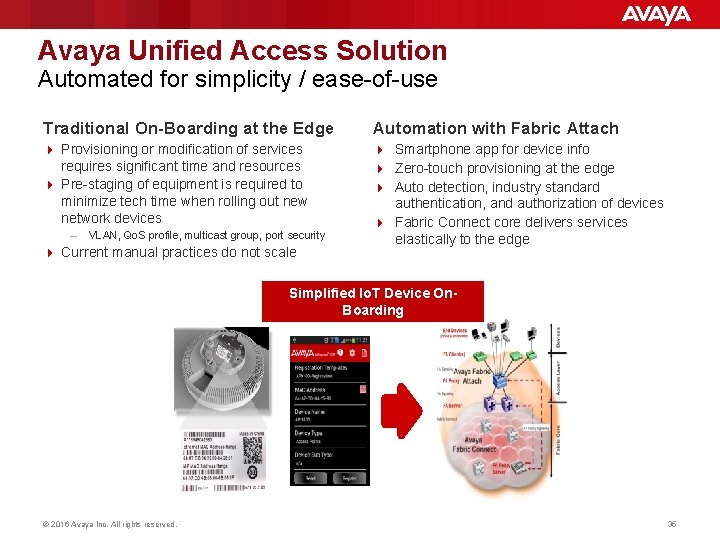
Avaya Unified Access Solution Automated for simplicity / ease-of-use Traditional On-Boarding at the Edge Automation with Fabric Attach 4 Provisioning or modification of services requires significant time and resources 4 Pre-staging of equipment is required to minimize tech time when rolling out new network devices 4 Smartphone app for device info 4 Zero-touch provisioning at the edge 4 Auto detection, industry standard authentication, and authorization of devices 4 Fabric Connect core delivers services elastically to the edge – VLAN, Qo. S profile, multicast group, port security 4 Current manual practices do not scale Simplified Io. T Device On. Boarding © 2016 Avaya Inc. All rights reserved. 35
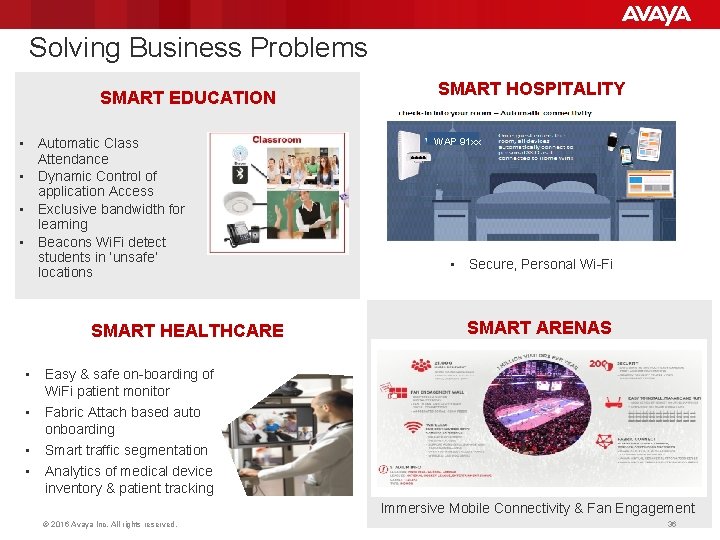
Solving Business Problems SMART EDUCATION • Automatic Class Attendance • Dynamic Control of application Access • Exclusive bandwidth for learning • Beacons Wi. Fi detect students in ‘unsafe’ locations SMART HEALTHCARE • Easy & safe on-boarding of Wi. Fi patient monitor • Fabric Attach based auto onboarding • • Smart traffic segmentation SMART HOSPITALITY WAP 91 xx • Secure, Personal Wi-Fi SMART ARENAS Analytics of medical device inventory & patient tracking Immersive Mobile Connectivity & Fan Engagement © 2016 Avaya Inc. All rights reserved. 36
Goals for Session To Share. . ü Market updates on Avaya WLAN 9100 portfolio ü Product updates on 9100 product introductions ü Unique differentiation of WLAN 9100 Solution ü Roadmap details © 2016 Avaya Inc. All rights reserved. 37
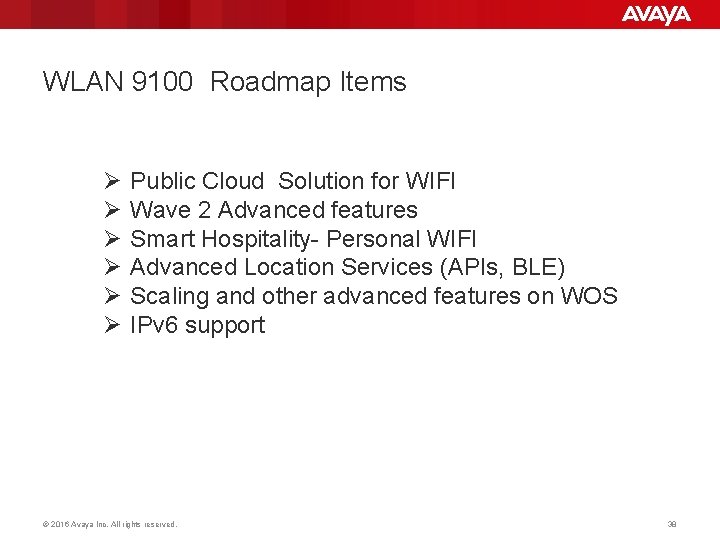
WLAN 9100 Roadmap Items Ø Ø Ø Public Cloud Solution for WIFI Wave 2 Advanced features Smart Hospitality- Personal WIFI Advanced Location Services (APIs, BLE) Scaling and other advanced features on WOS IPv 6 support © 2016 Avaya Inc. All rights reserved. 38
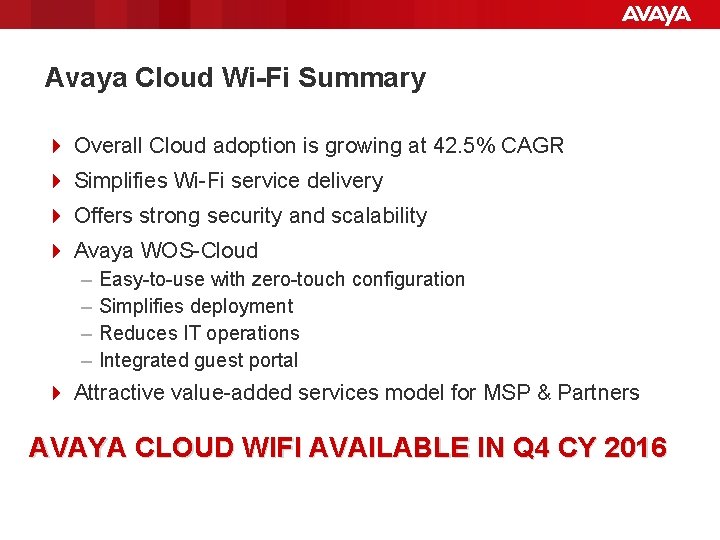
Avaya Cloud Wi-Fi Summary 4 Overall Cloud adoption is growing at 42. 5% CAGR 4 Simplifies Wi-Fi service delivery 4 Offers strong security and scalability 4 Avaya WOS-Cloud – – Easy-to-use with zero-touch configuration Simplifies deployment Reduces IT operations Integrated guest portal 4 Attractive value-added services model for MSP & Partners AVAYA CLOUD WIFI AVAILABLE IN Q 4 CY 2016
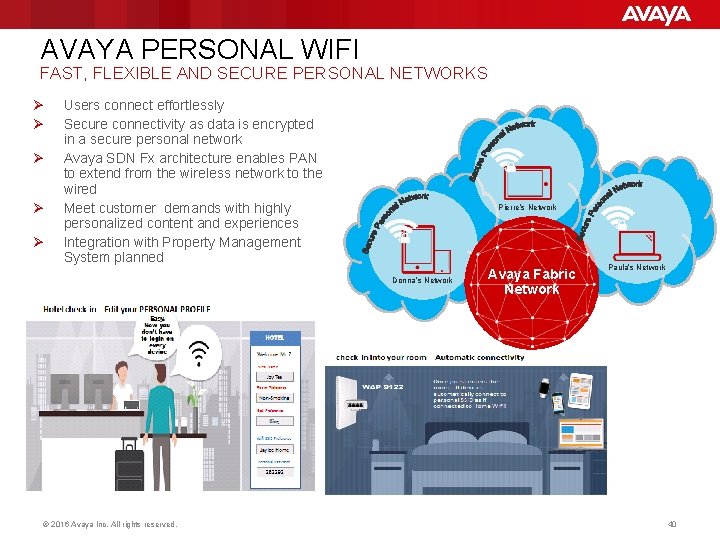
AVAYA PERSONAL WIFI FAST, FLEXIBLE AND SECURE PERSONAL NETWORKS Ø Ø Ø Users connect effortlessly Secure connectivity as data is encrypted in a secure personal network Avaya SDN Fx architecture enables PAN to extend from the wireless network to the wired Meet customer demands with highly personalized content and experiences Integration with Property Management System planned Pierre’s Network Donna’s Network © 2016 Avaya Inc. All rights reserved. Avaya Fabric Network Paula’s Network 40
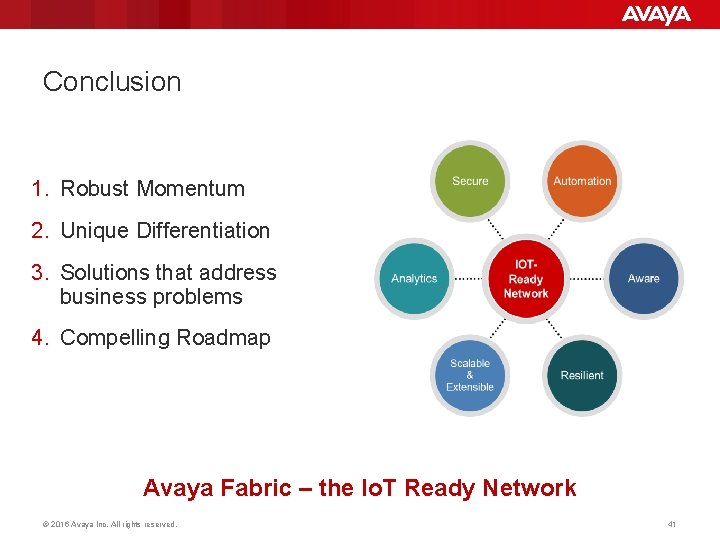
Conclusion 1. Robust Momentum 2. Unique Differentiation 3. Solutions that address business problems 4. Compelling Roadmap Avaya Fabric – the Io. T Ready Network © 2016 Avaya Inc. All rights reserved. 41
© 2016 Avaya Inc. All rights reserved. 43
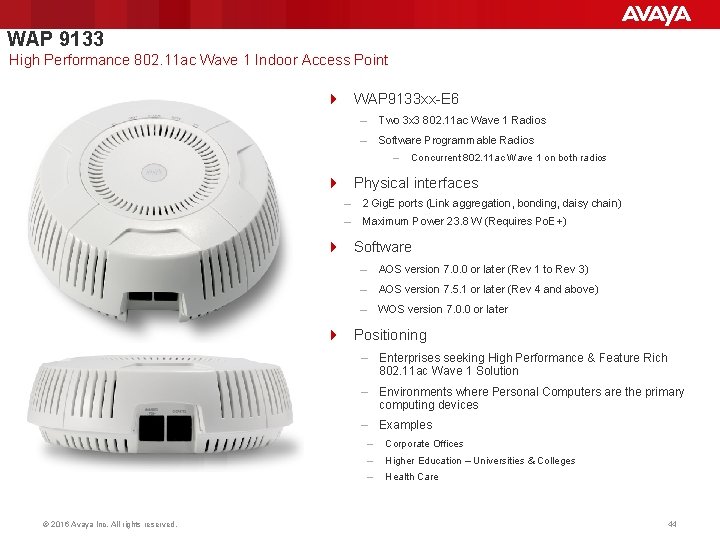
WAP 9133 High Performance 802. 11 ac Wave 1 Indoor Access Point 4 WAP 9133 xx-E 6 – Two 3 x 3 802. 11 ac Wave 1 Radios – Software Programmable Radios – Concurrent 802. 11 ac Wave 1 on both radios 4 Physical interfaces – 2 Gig. E ports (Link aggregation, bonding, daisy chain) – Maximum Power 23. 8 W (Requires Po. E+) 4 Software – AOS version 7. 0. 0 or later (Rev 1 to Rev 3) – AOS version 7. 5. 1 or later (Rev 4 and above) – WOS version 7. 0. 0 or later 4 Positioning – Enterprises seeking High Performance & Feature Rich 802. 11 ac Wave 1 Solution – Environments where Personal Computers are the primary computing devices – Examples © 2016 Avaya Inc. All rights reserved. – Corporate Offices – Higher Education – Universities & Colleges – Health Care 44
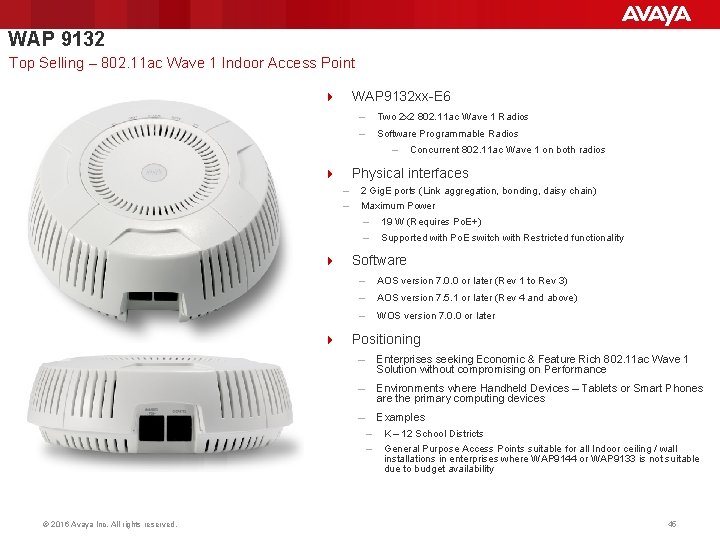
WAP 9132 Top Selling – 802. 11 ac Wave 1 Indoor Access Point 4 WAP 9132 xx-E 6 – Two 2 x 2 802. 11 ac Wave 1 Radios – Software Programmable Radios – Concurrent 802. 11 ac Wave 1 on both radios 4 Physical interfaces – – 2 Gig. E ports (Link aggregation, bonding, daisy chain) Maximum Power – – 19 W (Requires Po. E+) Supported with Po. E switch with Restricted functionality 4 Software – AOS version 7. 0. 0 or later (Rev 1 to Rev 3) – AOS version 7. 5. 1 or later (Rev 4 and above) – WOS version 7. 0. 0 or later 4 Positioning – Enterprises seeking Economic & Feature Rich 802. 11 ac Wave 1 Solution without compromising on Performance – Environments where Handheld Devices – Tablets or Smart Phones are the primary computing devices – Examples – – © 2016 Avaya Inc. All rights reserved. K – 12 School Districts General Purpose Access Points suitable for all Indoor ceiling / wall installations in enterprises where WAP 9144 or WAP 9133 is not suitable due to budget availability 45
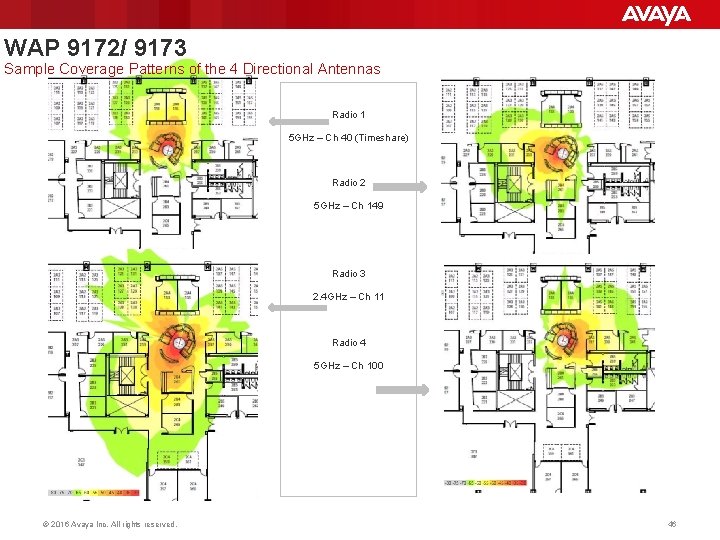
WAP 9172/ 9173 Sample Coverage Patterns of the 4 Directional Antennas Radio 1 5 GHz – Ch 40 (Timeshare) Radio 2 5 GHz – Ch 149 Radio 3 2. 4 GHz – Ch 11 Radio 4 5 GHz – Ch 100 © 2016 Avaya Inc. All rights reserved. 46
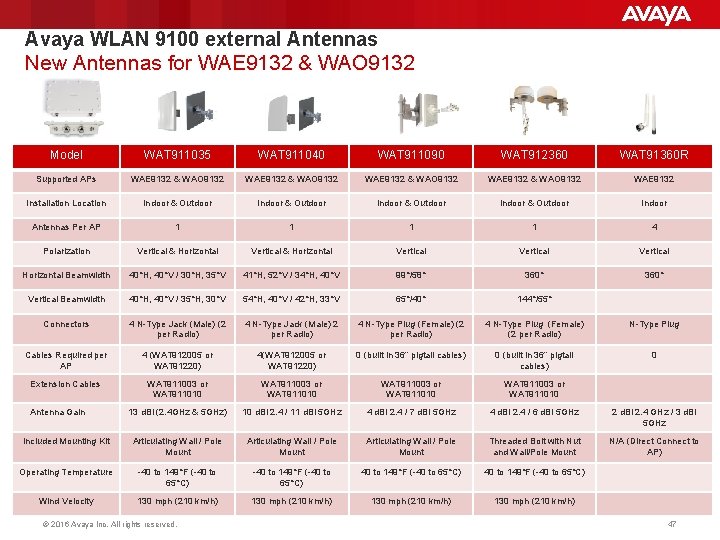
Avaya WLAN 9100 external Antennas New Antennas for WAE 9132 & WAO 9132 Model WAT 911035 WAT 911040 WAT 911090 WAT 912360 WAT 91360 R Supported APs WAE 9132 & WAO 9132 WAE 9132 Installation Location Indoor & Outdoor Indoor Antennas Per AP 1 1 4 Polarization Vertical & Horizontal Vertical Horizontal Beamwidth 40°H, 40°V / 30°H, 35°V 41°H, 52°V / 34°H, 40°V 99°/58° 360° Vertical Beamwidth 40°H, 40°V / 35°H, 30°V 54°H, 40°V / 42°H, 33°V 65°/40° 144°/55° Connectors 4 N-Type Jack (Male) (2 per Radio) 4 N-Type Jack (Male) 2 per Radio) 4 N-Type Plug (Female) (2 per Radio) N-Type Plug Cables Required per AP 4 (WAT 912005 or WAT 91220) 4(WAT 912005 or WAT 91220) 0 (built in 36” pigtail cables) 0 Extension Cables WAT 911003 or WAT 911010 13 d. Bi (2. 4 GHz & 5 GHz) 10 d. Bi 2. 4 / 11 d. Bi 5 GHz 4 d. Bi 2. 4 / 7 d. Bi 5 GHz 4 d. Bi 2. 4 / 6 d. Bi 5 GHz 2 d. Bi 2. 4 GHz / 3 d. Bi 5 GHz Included Mounting Kit Articulating Wall / Pole Mount Threaded Bolt with Nut and Wall/Pole Mount N/A (Direct Connect to AP) Operating Temperature -40 to 149°F (-40 to 65°C) Wind Velocity 130 mph (210 km/h) Antenna Gain © 2016 Avaya Inc. All rights reserved. 47
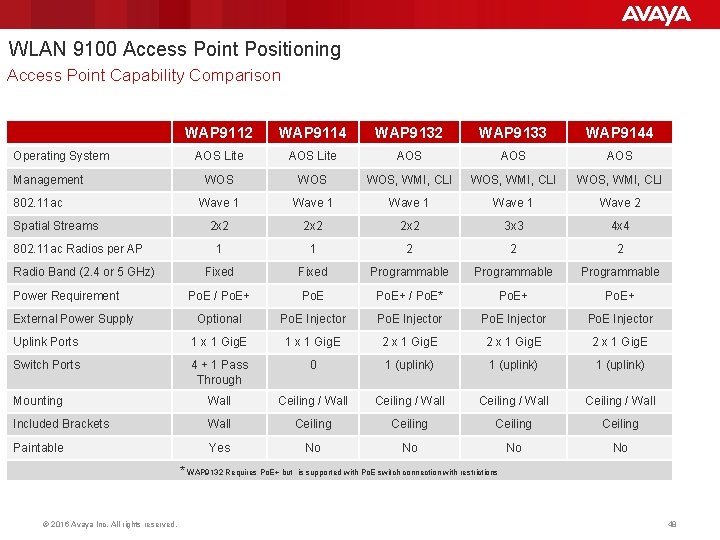
WLAN 9100 Access Point Positioning Access Point Capability Comparison WAP 9112 WAP 9114 WAP 9132 WAP 9133 WAP 9144 AOS Lite AOS AOS WOS WOS, WMI, CLI Wave 1 Wave 2 2 x 2 3 x 3 4 x 4 1 1 2 2 2 Fixed Programmable Po. E / Po. E+ / Po. E* Po. E+ Optional Po. E Injector Uplink Ports 1 x 1 Gig. E 2 x 1 Gig. E Switch Ports 4 + 1 Pass Through 0 1 (uplink) Mounting Wall Ceiling / Wall Included Brackets Wall Ceiling Paintable Yes No No Operating System Management 802. 11 ac Spatial Streams 802. 11 ac Radios per AP Radio Band (2. 4 or 5 GHz) Power Requirement External Power Supply * WAP 9132 Requires Po. E+ but is supported with Po. E switch connection with restrictions © 2016 Avaya Inc. All rights reserved. 48
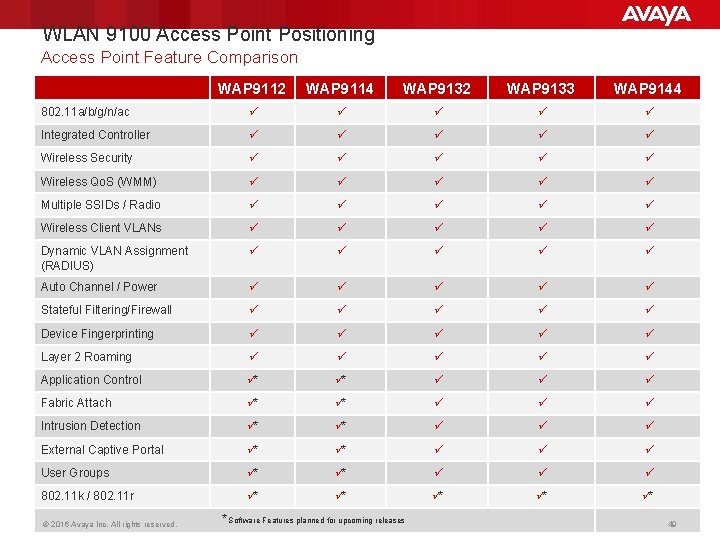
WLAN 9100 Access Point Positioning Access Point Feature Comparison WAP 9112 WAP 9114 WAP 9132 WAP 9133 WAP 9144 802. 11 a/b/g/n/ac ü ü ü Integrated Controller ü ü ü Wireless Security ü ü ü Wireless Qo. S (WMM) ü ü ü Multiple SSIDs / Radio ü ü ü Wireless Client VLANs ü ü ü Dynamic VLAN Assignment (RADIUS) ü ü ü Auto Channel / Power ü ü ü Stateful Filtering/Firewall ü ü ü Device Fingerprinting ü ü ü Layer 2 Roaming ü ü ü Application Control ü* ü* ü ü ü Fabric Attach ü* ü* ü ü ü Intrusion Detection ü* ü* ü ü ü External Captive Portal ü* ü* ü ü ü User Groups ü* ü* ü ü ü 802. 11 k / 802. 11 r ü* ü* ü* © 2016 Avaya Inc. All rights reserved. * Software Features planned for upcoming releases 49
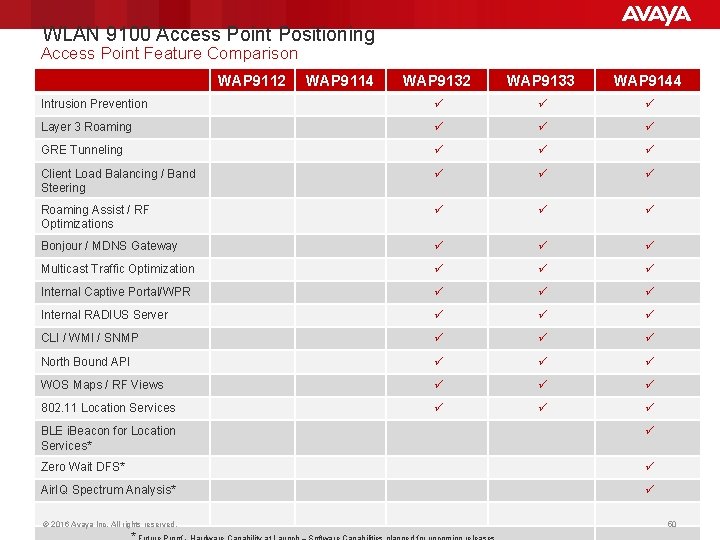
WLAN 9100 Access Point Positioning Access Point Feature Comparison WAP 9112 WAP 9114 WAP 9132 WAP 9133 WAP 9144 Intrusion Prevention ü ü ü Layer 3 Roaming ü ü ü GRE Tunneling ü ü ü Client Load Balancing / Band Steering ü ü ü Roaming Assist / RF Optimizations ü ü ü Bonjour / MDNS Gateway ü ü ü Multicast Traffic Optimization ü ü ü Internal Captive Portal/WPR ü ü ü Internal RADIUS Server ü ü ü CLI / WMI / SNMP ü ü ü North Bound API ü ü ü WOS Maps / RF Views ü ü ü 802. 11 Location Services ü ü ü BLE i. Beacon for Location Services* ü Zero Wait DFS* ü Air. IQ Spectrum Analysis* ü © 2016 Avaya Inc. All rights reserved. 50