VIR 303 An Overview of HyperV Networking SeeMong
- Slides: 78
VIR 303 An Overview of Hyper-V Networking See-Mong Tan Microsoft Corporation
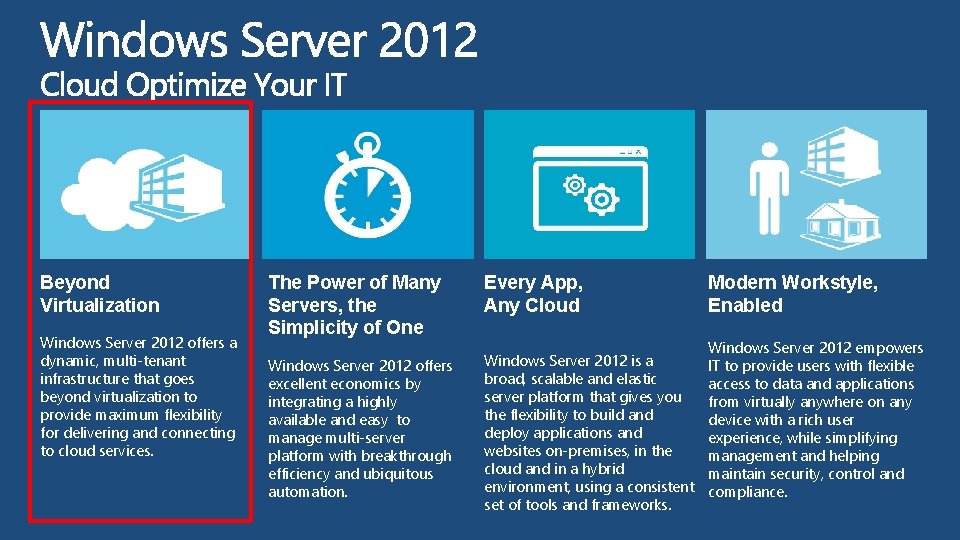
Beyond Virtualization Windows Server 2012 offers a dynamic, multi-tenant infrastructure that goes beyond virtualization to provide maximum flexibility for delivering and connecting to cloud services. The Power of Many Servers, the Simplicity of One Every App, Any Cloud Windows Server 2012 offers excellent economics by integrating a highly available and easy to manage multi-server platform with breakthrough efficiency and ubiquitous automation. Windows Server 2012 is a broad, scalable and elastic server platform that gives you the flexibility to build and deploy applications and websites on-premises, in the cloud and in a hybrid environment, using a consistent set of tools and frameworks. Modern Workstyle, Enabled Windows Server 2012 empowers IT to provide users with flexible access to data and applications from virtually anywhere on any device with a rich user experience, while simplifying management and helping maintain security, control and compliance.
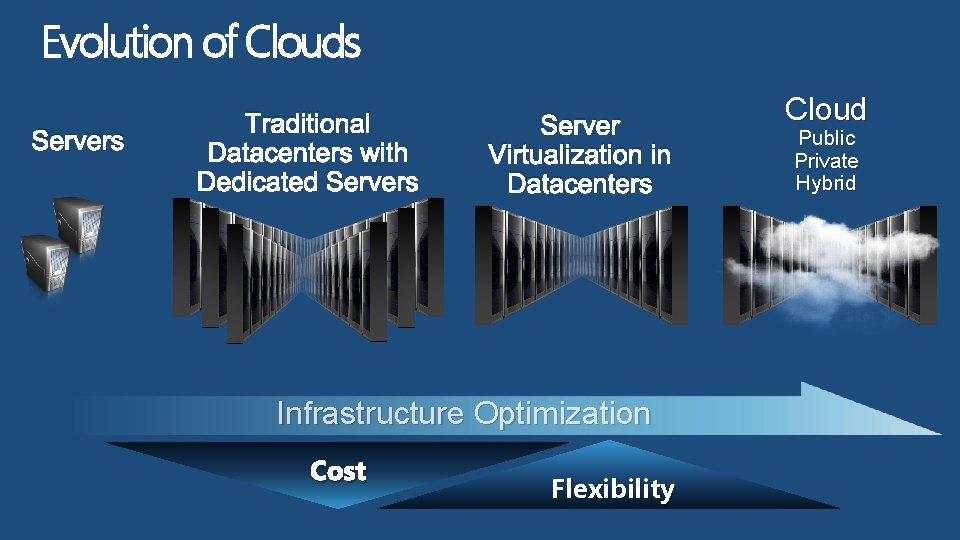
Evolution of Clouds Servers Traditional Server Virtualization in Datacenters Infrastructure Optimization Cost Flexibility Cloud Public Private Hybrid
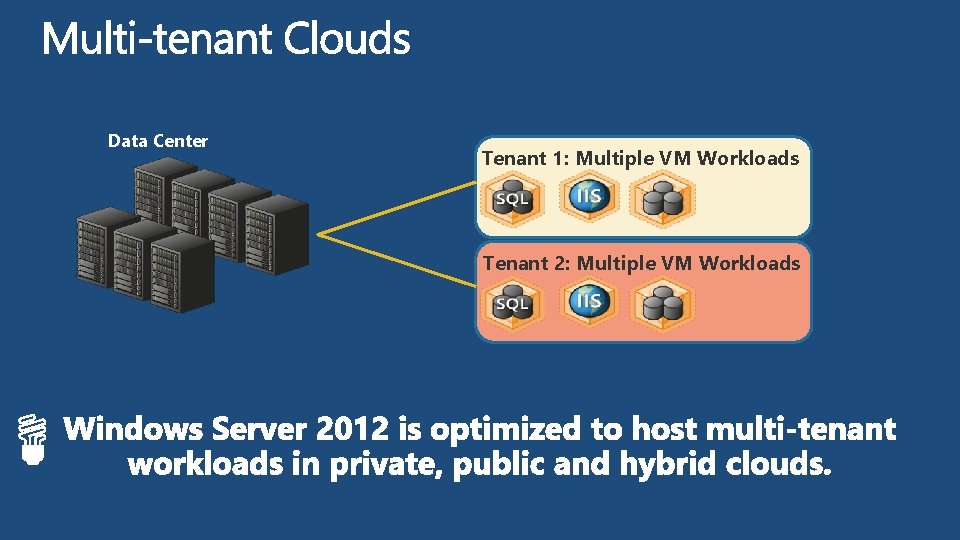
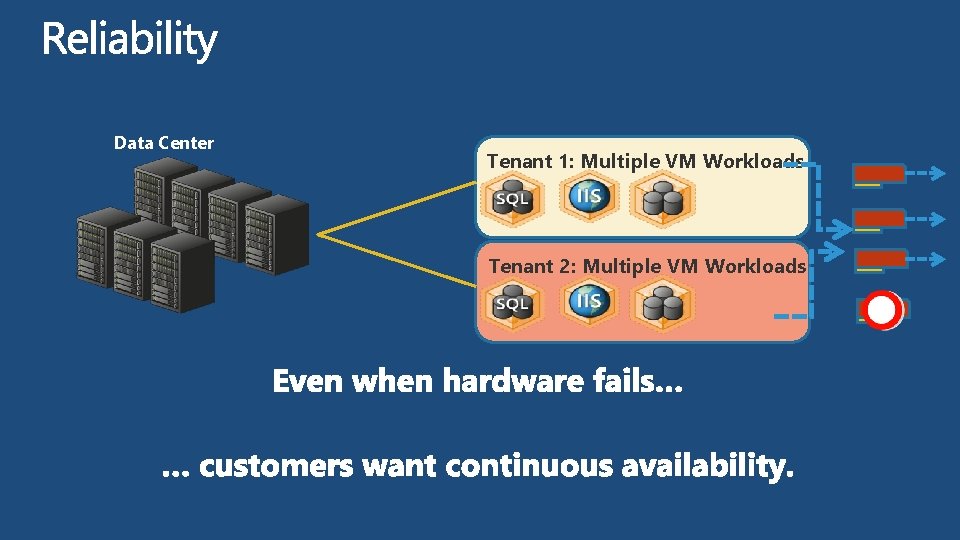
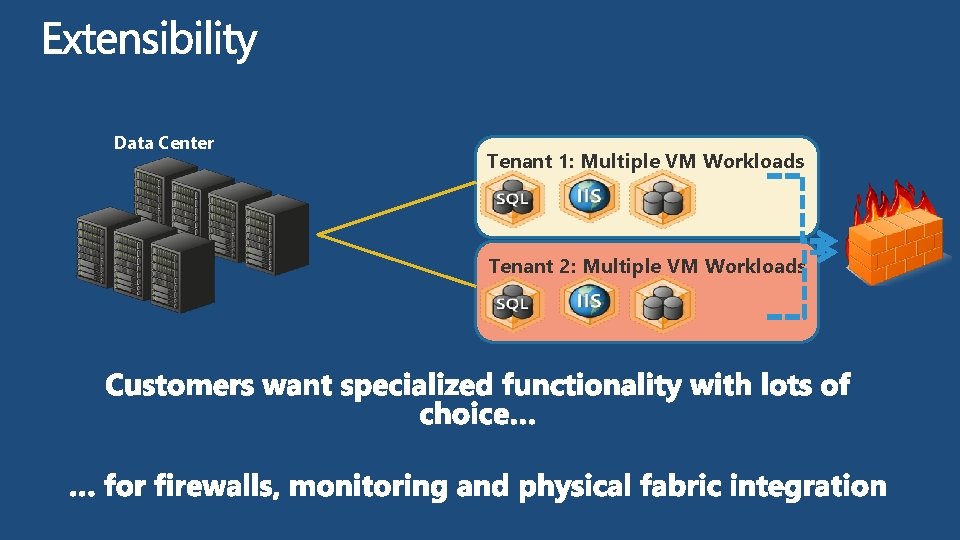
Data Center Tenant 1: Multiple VM Workloads Tenant 2: Multiple VM Workloads
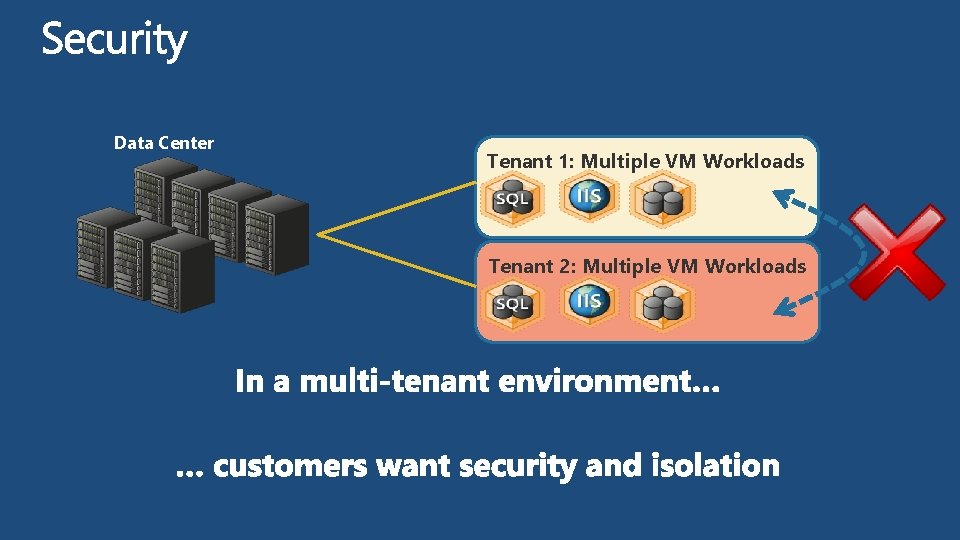
Data Center Tenant 1: Multiple VM Workloads Tenant 2: Multiple VM Workloads
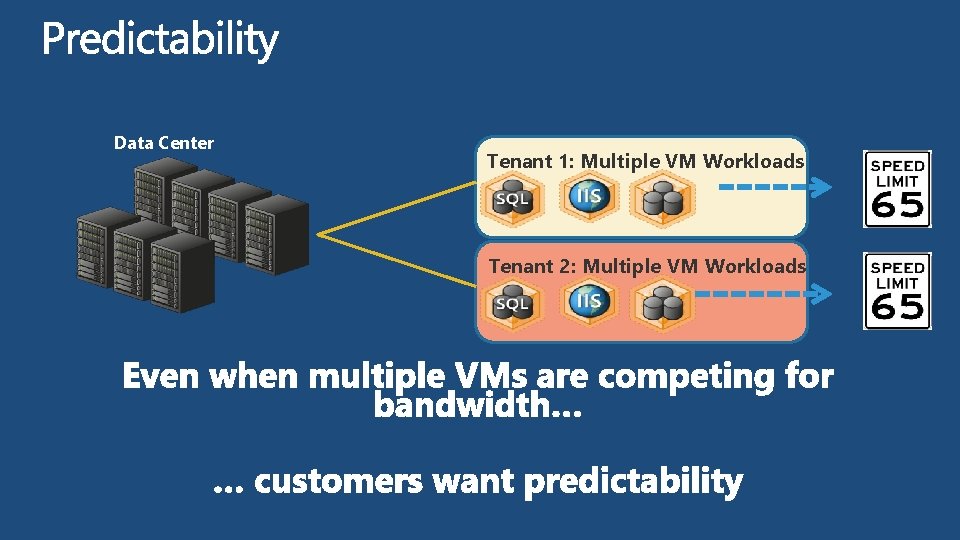
Data Center Tenant 1: Multiple VM Workloads Tenant 2: Multiple VM Workloads
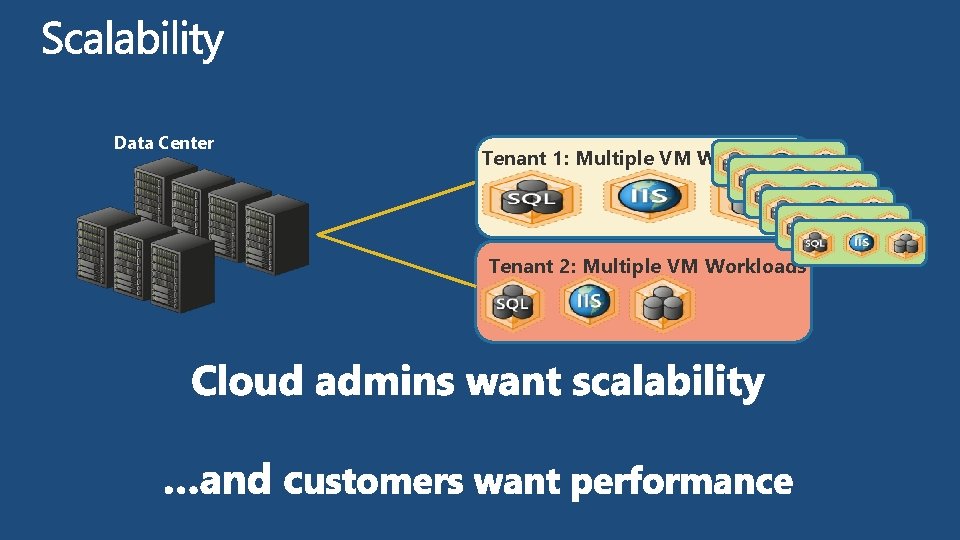
Data Center Tenant 1: Multiple VM Workloads Tenant 2: Multiple VM Workloads
Data Center Tenant 1: Multiple VM Workloads Tenant 2: Multiple VM Workloads
Data Center Tenant 1: Multiple VM Workloads Tenant 2: Multiple VM Workloads
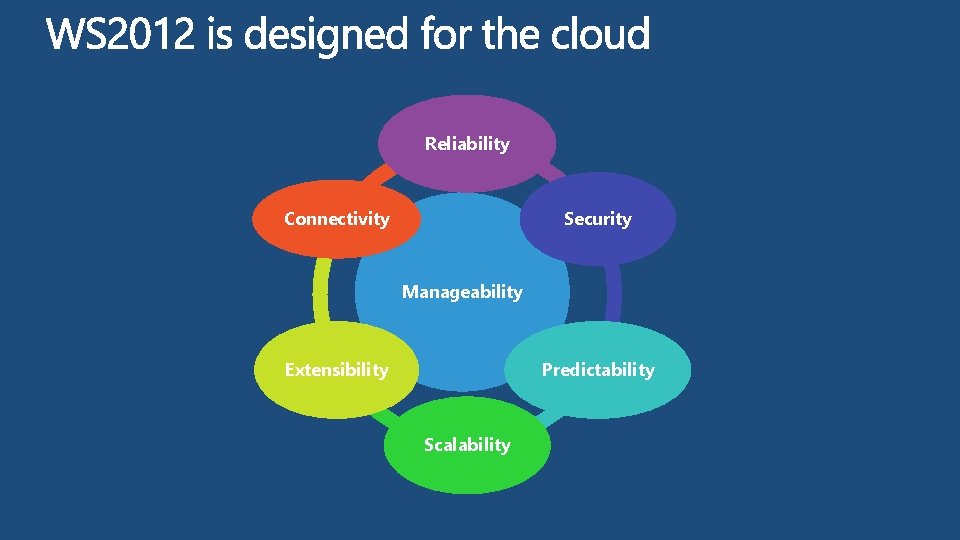
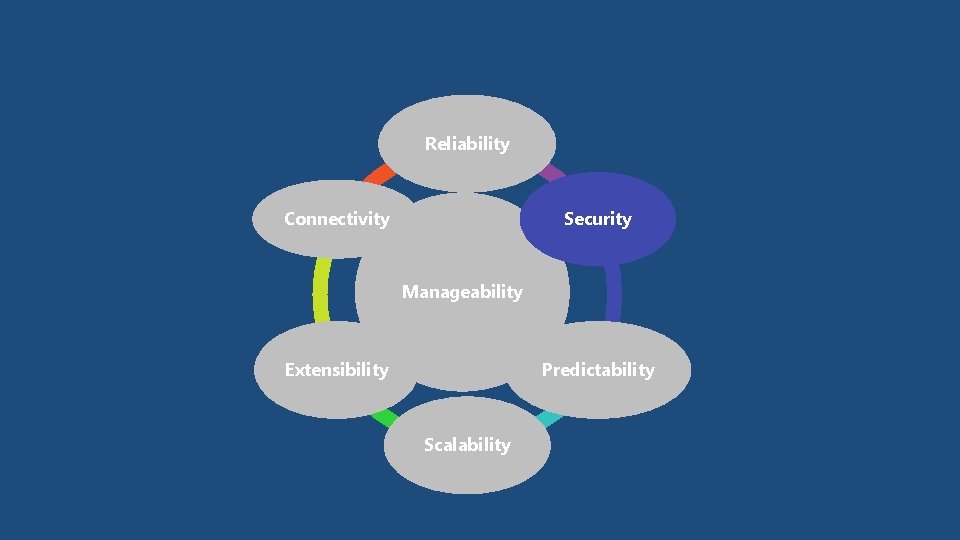
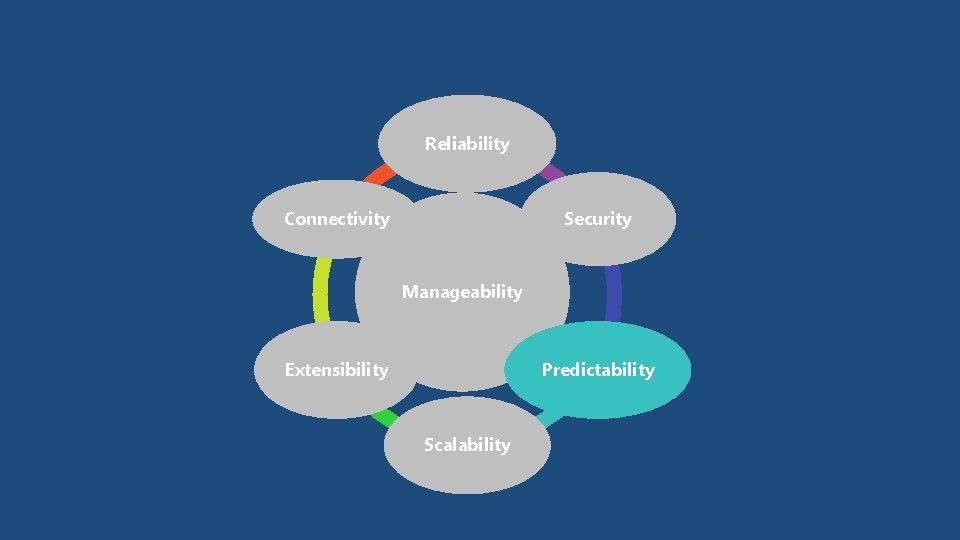
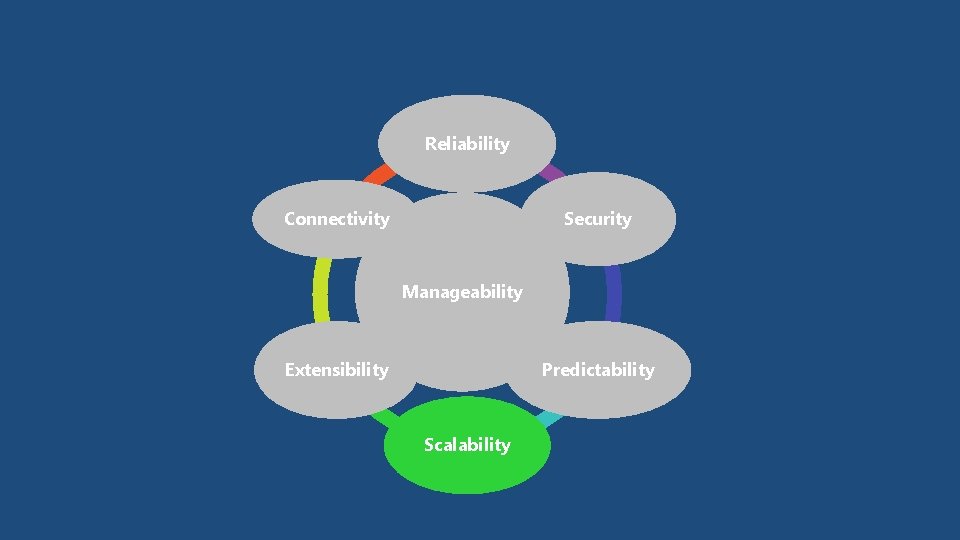
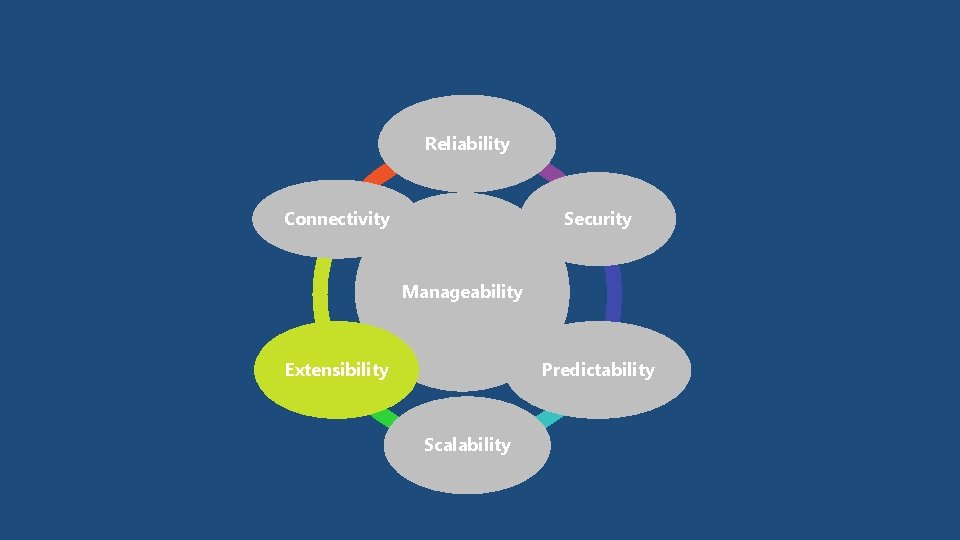
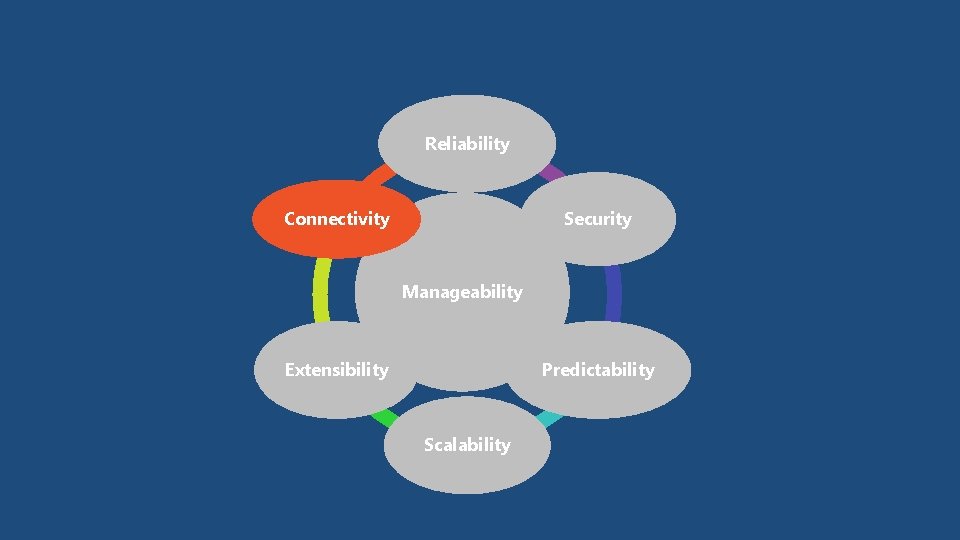
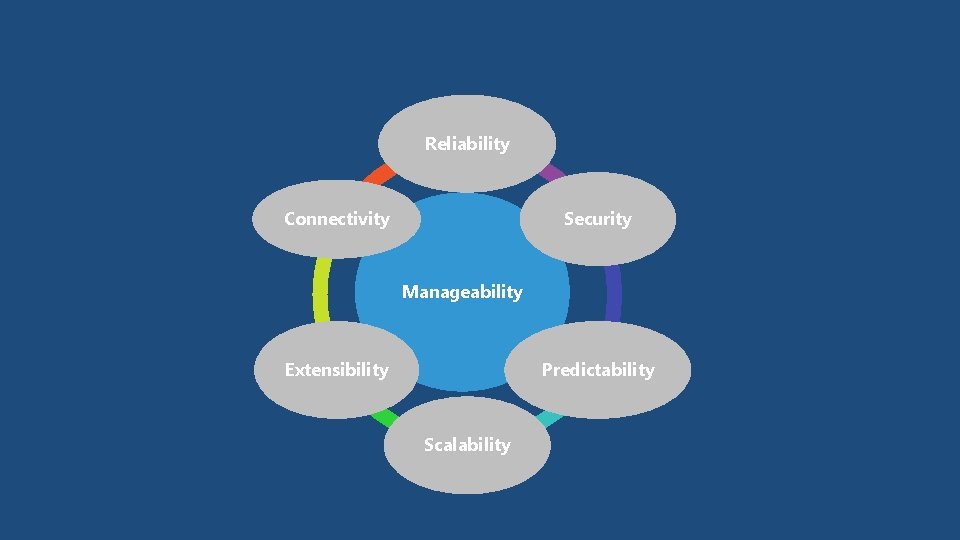
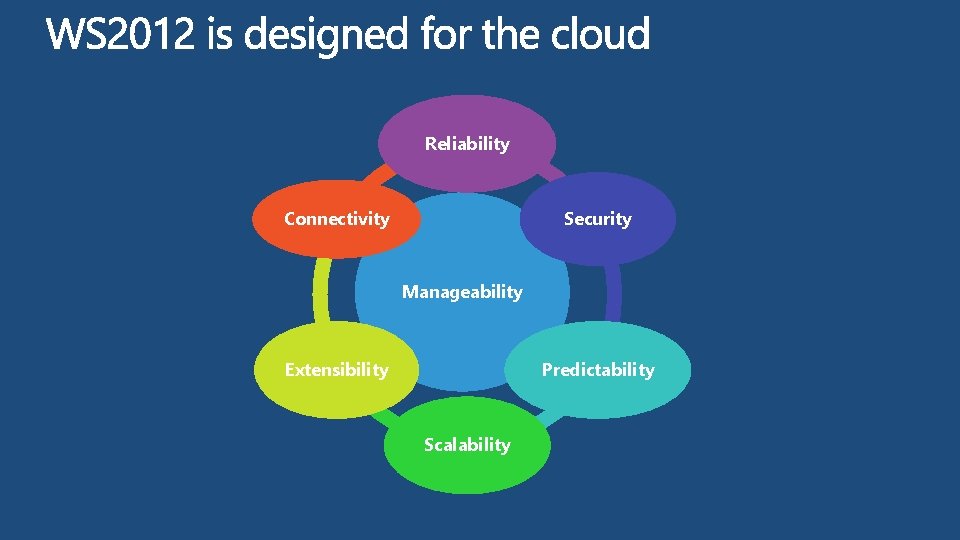
Reliability Connectivity Security Manageability Extensibility Predictability Scalability
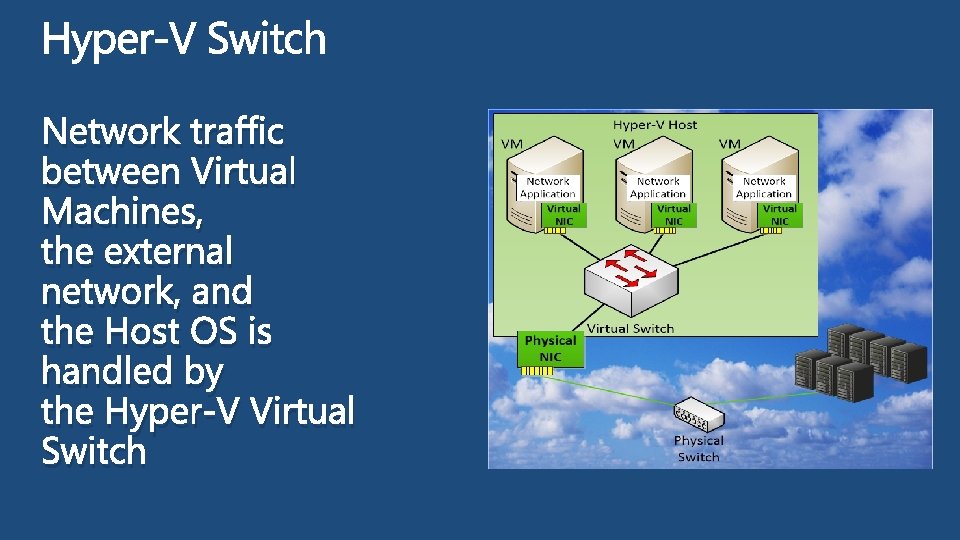
Network traffic between Virtual Machines, the external network, and the Host OS is handled by the Hyper-V Virtual Switch
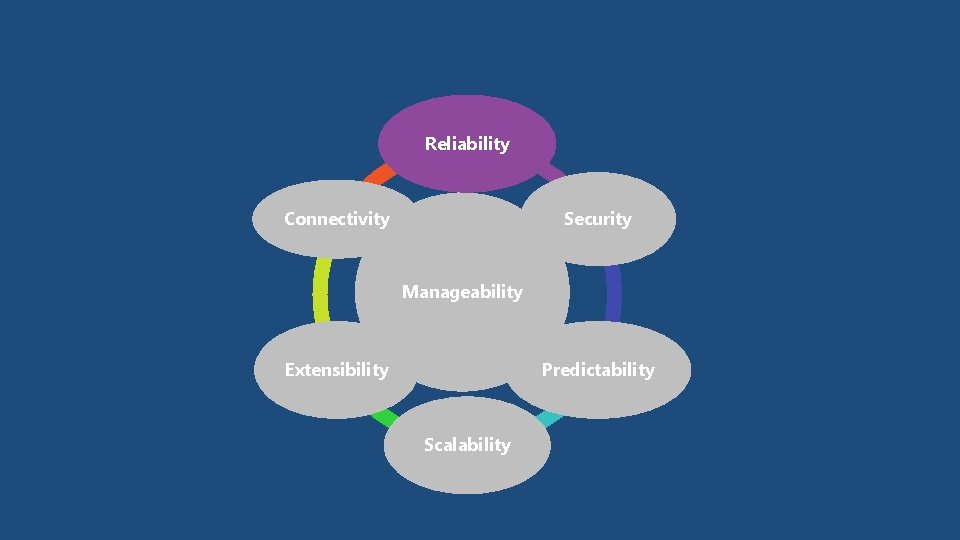
Reliability Connectivity Security Manageability Extensibility Predictability Scalability
Windows Server 2012 NIC teaming provides reliability against hardware failures
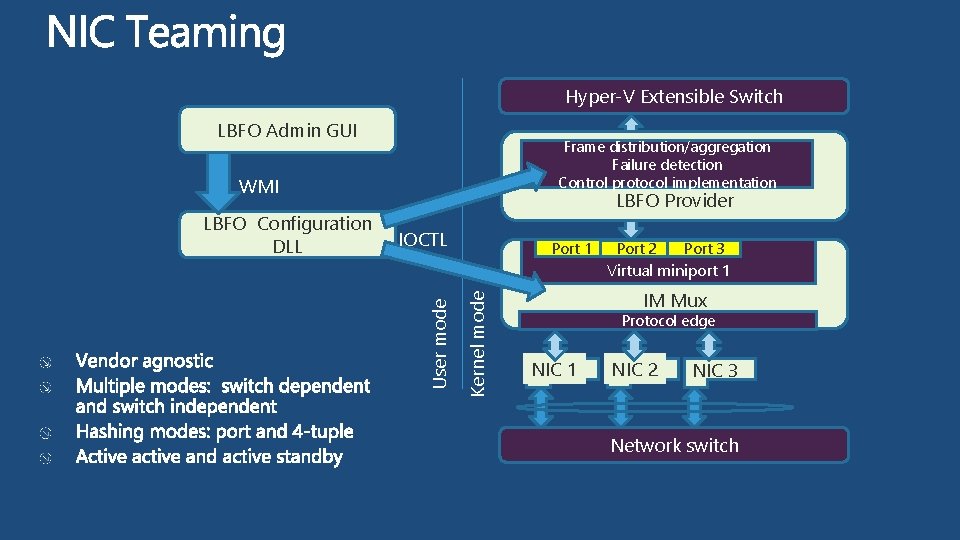
Hyper-V Extensible Switch LBFO Admin GUI Frame distribution/aggregation Failure detection Control protocol implementation WMI IOCTL Port 1 Port 2 Port 3 Kernel mode Virtual miniport 1 User mode LBFO Configuration DLL LBFO Provider IM Mux Protocol edge NIC 1 NIC 2 NIC 3 Network switch
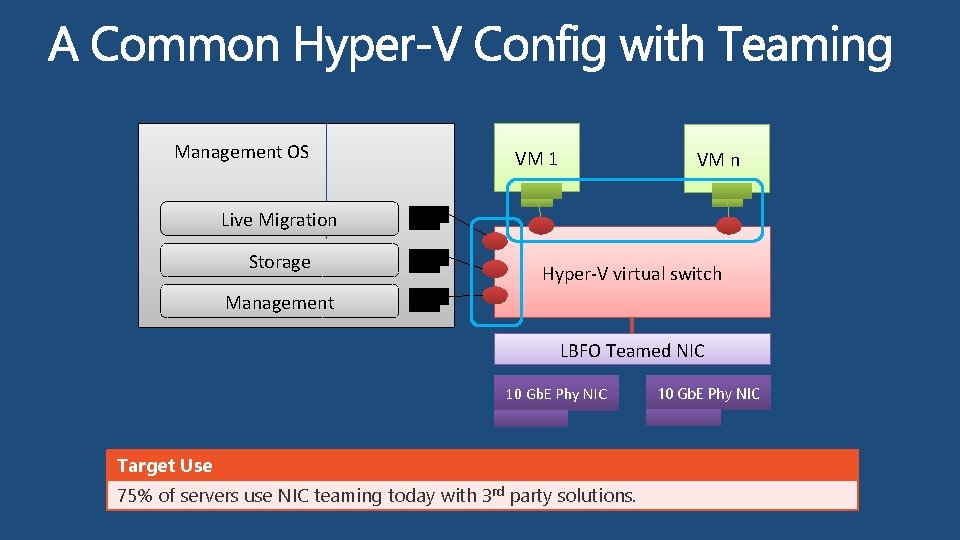
Management OS Live Migration Storage Management VM 1 VM n Hyper-V virtual switch LBFO Teamed NIC 10 Gb. E Phy NIC Target Use 75% of servers use NIC teaming today with 3 rd party solutions. 10 Gb. E Phy NIC
Reliability Connectivity Security Manageability Extensibility Predictability Scalability
Windows Server 2012 provides security features required to host multitenant workloads in a hybrid cloud
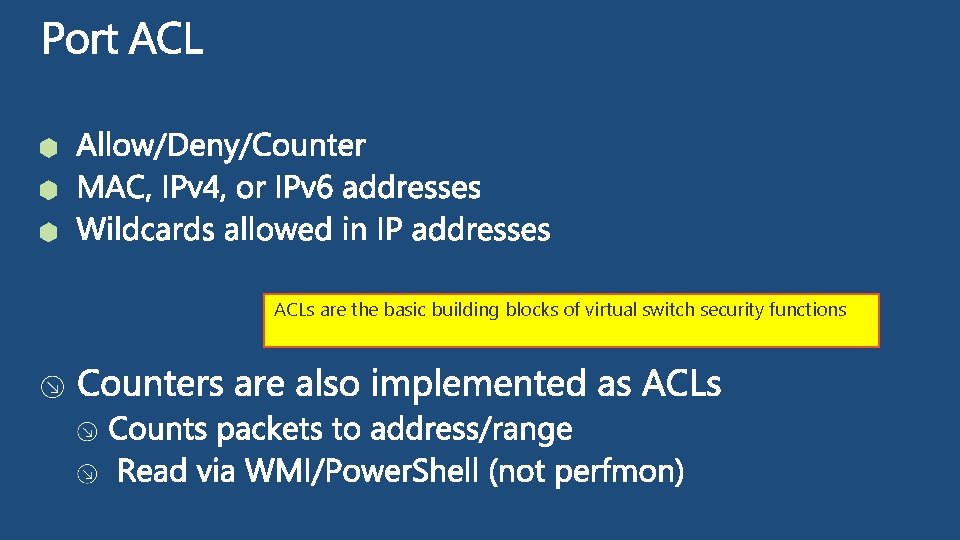
ACLs are the basic building blocks of virtual switch security functions
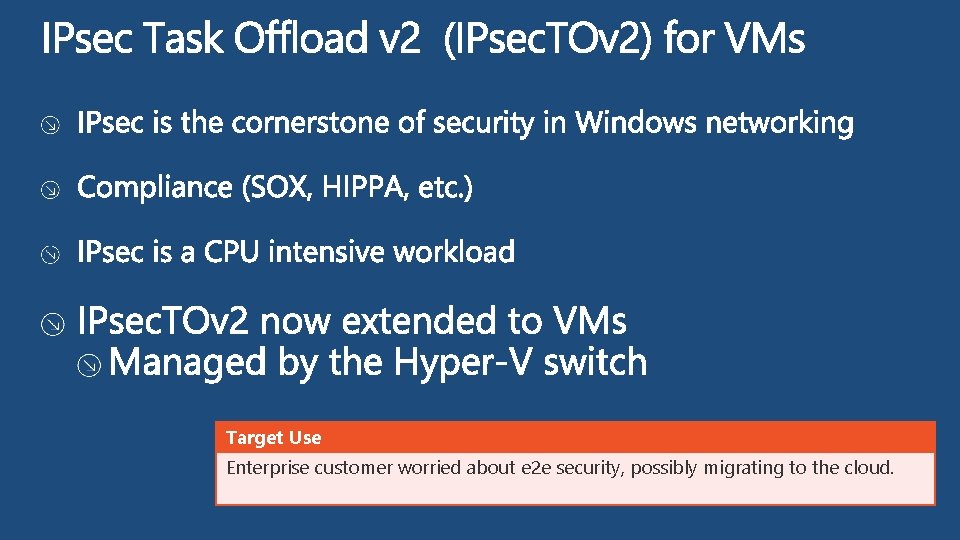
Target Use Enterprise customer worried about e 2 e security, possibly migrating to the cloud.
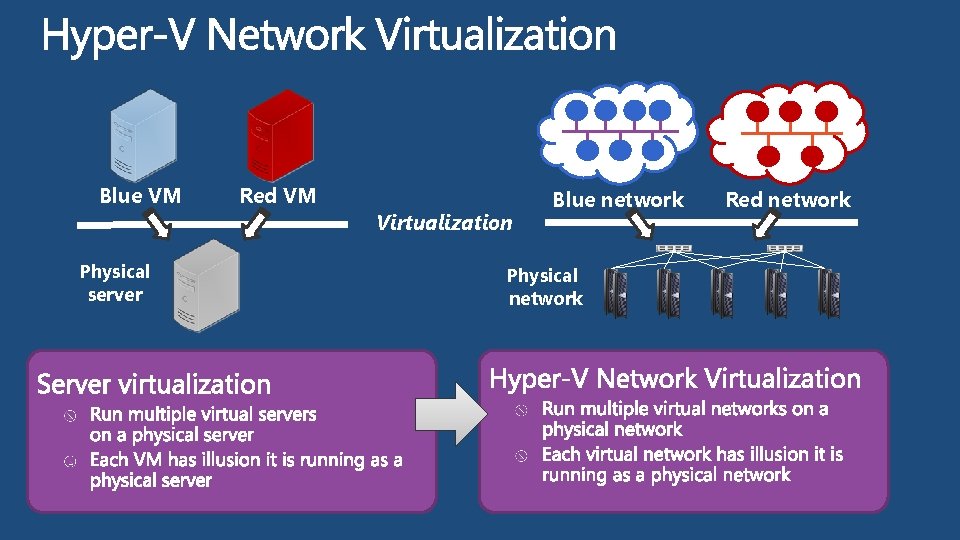
Blue VM Physical server Red VM Virtualization Blue network Physical network Red network
demo Cross Subnet Live Migration with Hyper-V Network Virtualization
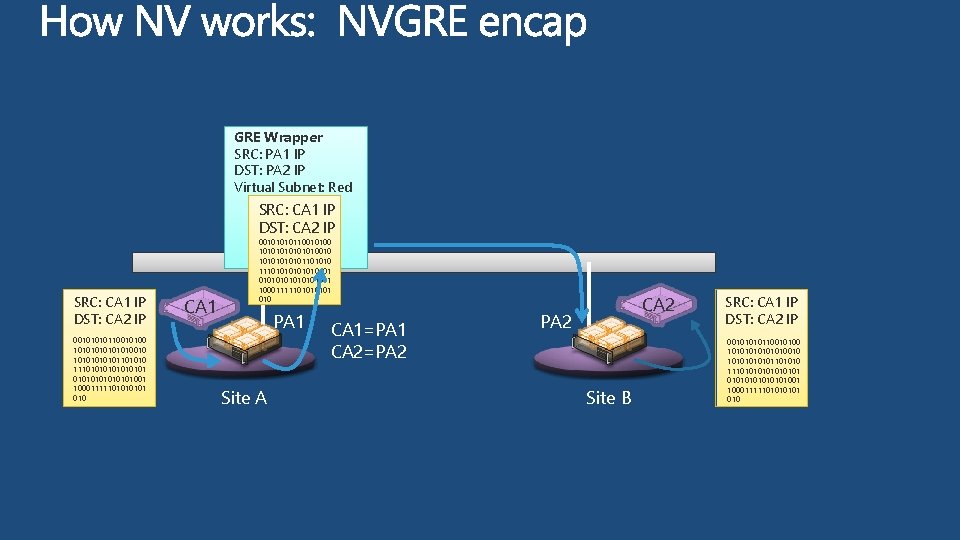
GRE Wrapper SRC: PA 1 IP DST: PA 2 IP Virtual Subnet: Red SRC: CA 1 IP DST: CA 2 IP 0010110010100 10101010010 1010101101010 11101010101001 1000111110101 010 CA 1 0010110010100 10101010010 1010101101010 11101010101001 1000111110101 010 PA 1 Site A CA 1=PA 1 CA 2=PA 2 CA 2 PA 2 Site B SRC: CA 1 IP DST: CA 2 IP 0010110010100 10101010010 1010101101010 11101010101001 1000111110101 010
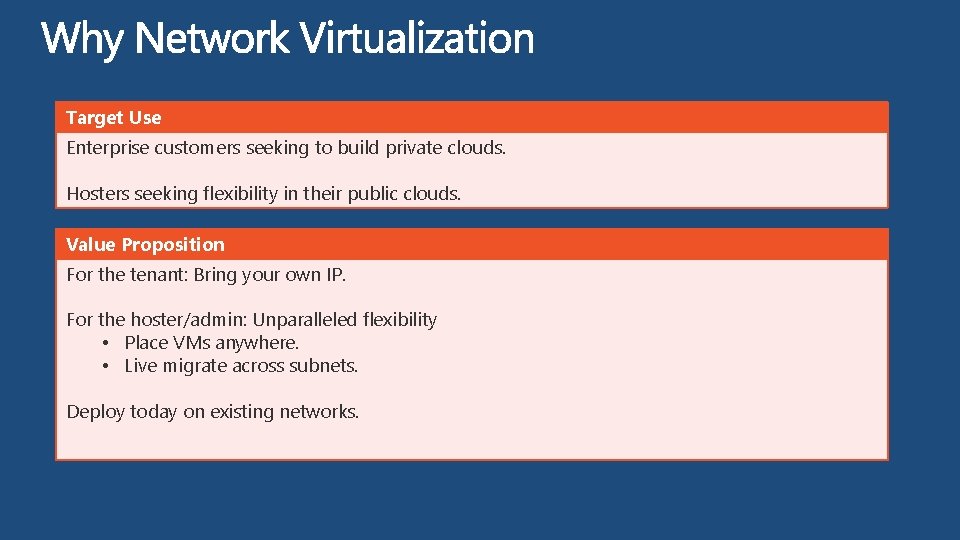
Target Use Enterprise customers seeking to build private clouds. Hosters seeking flexibility in their public clouds. Value Proposition For the tenant: Bring your own IP. For the hoster/admin: Unparalleled flexibility • Place VMs anywhere. • Live migrate across subnets. Deploy today on existing networks.
Reliability Connectivity Security Manageability Extensibility Predictability Scalability
Windows Server 2012 Qo. S provides predictable performance in a multi-tenant environment
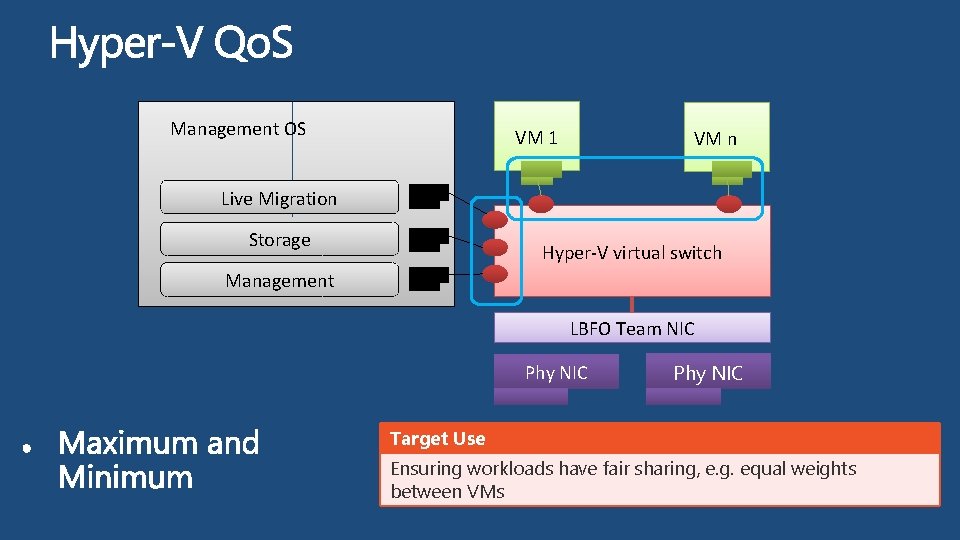
Management OS VM 1 Live Migration Storage Management VM n Hyper-V virtual switch LBFO Team NIC Phy NIC Target Use Ensuring workloads have fair sharing, e. g. equal weights between VMs
demo QOS Maximum Bandwidth
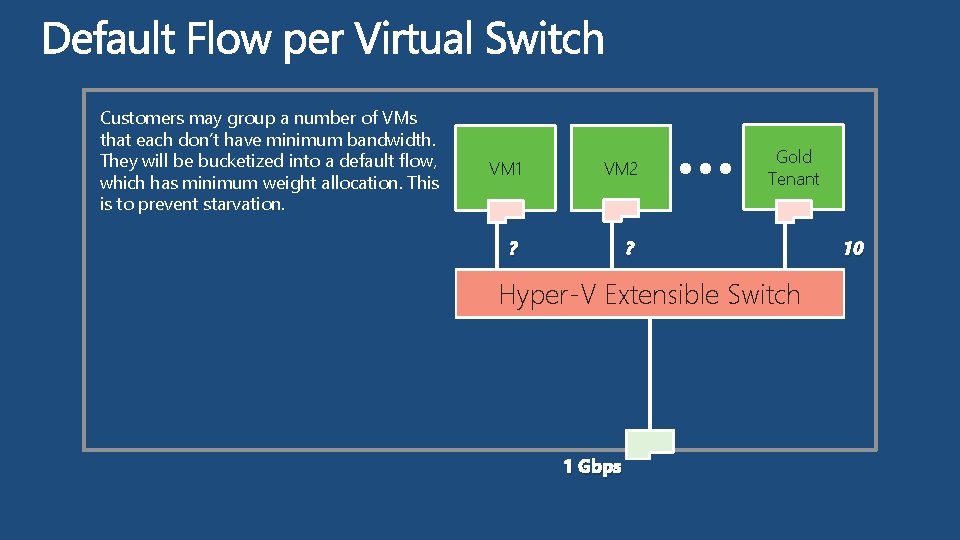
Customers may group a number of VMs that each don’t have minimum bandwidth. They will be bucketized into a default flow, which has minimum weight allocation. This is to prevent starvation. VM 1 VM 2 ? ? Gold Tenant Hyper-V Extensible Switch 1 Gbps 10
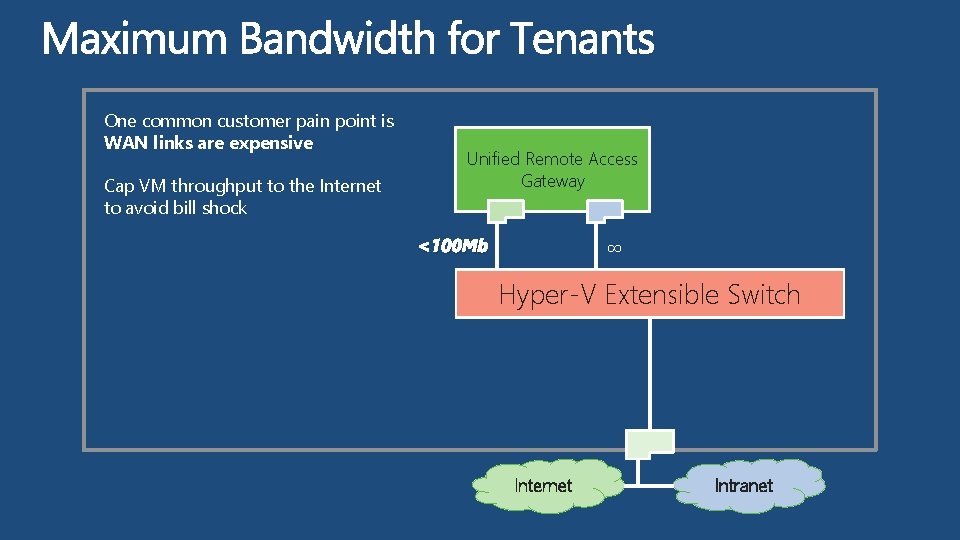
One common customer pain point is WAN links are expensive Cap VM throughput to the Internet to avoid bill shock Unified Remote Access Gateway ∞ <100 Mb Hyper-V Extensible Switch Internet Intranet
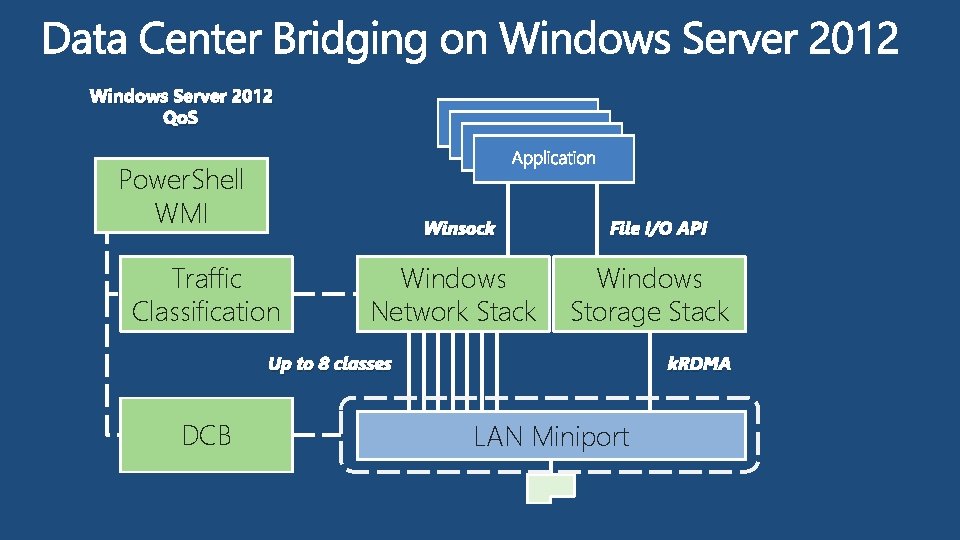
Windows Server 2012 Qo. S Power. Shell WMI Winsock Traffic Classification Windows Network Stack File I/O API Windows Storage Stack Up to 8 classes DCB k. RDMA LAN Miniport
Reliability Connectivity Security Manageability Extensibility Predictability Scalability
Windows Server 2012 performance features enable efficient hybrid cloud operations
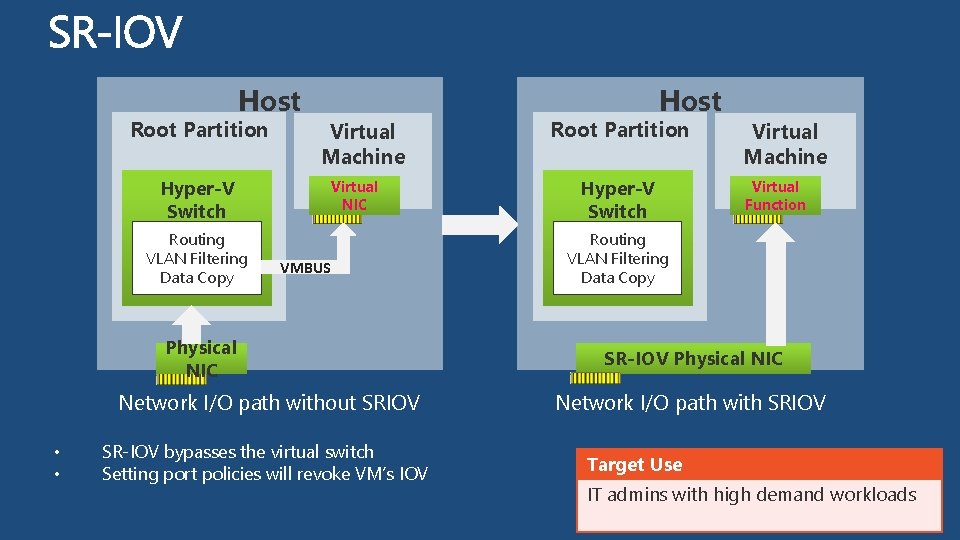
Host Root Partition Virtual Machine Hyper-V Switch Routing VLAN Filtering Data Copy Virtual NIC VMBUS Physical NIC Network I/O path without SRIOV • • SR-IOV bypasses the virtual switch Setting port policies will revoke VM’s IOV Host Root Partition Hyper-V Switch Virtual Machine Virtual Function Routing VLAN Filtering Data Copy SR-IOV Physical NIC Network I/O path with SRIOV Target Use IT admins with high demand workloads
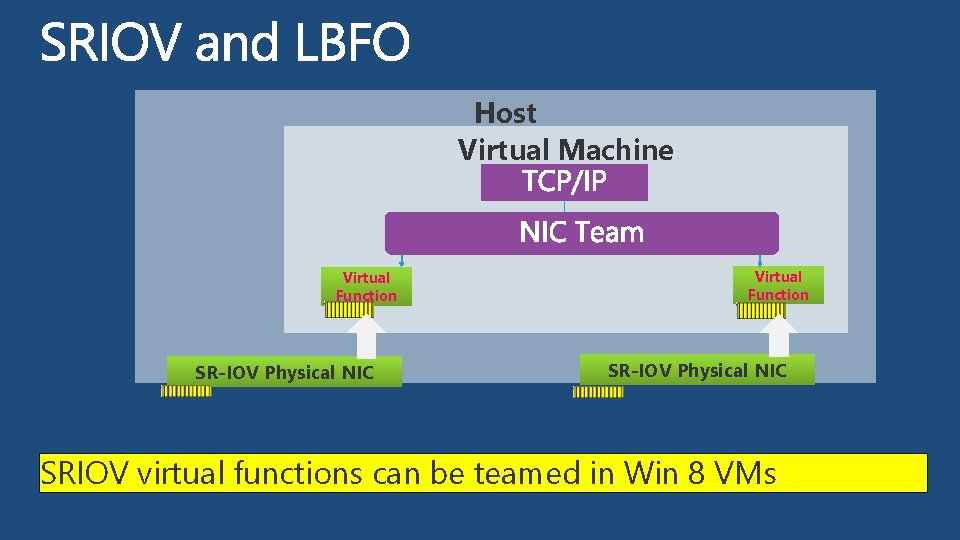
Host Virtual Machine Virtual Function SR-IOV Physical NIC SRIOV virtual functions can be teamed in Win 8 VMs
video Live Migration with SR-IOV Performance + Flexibility
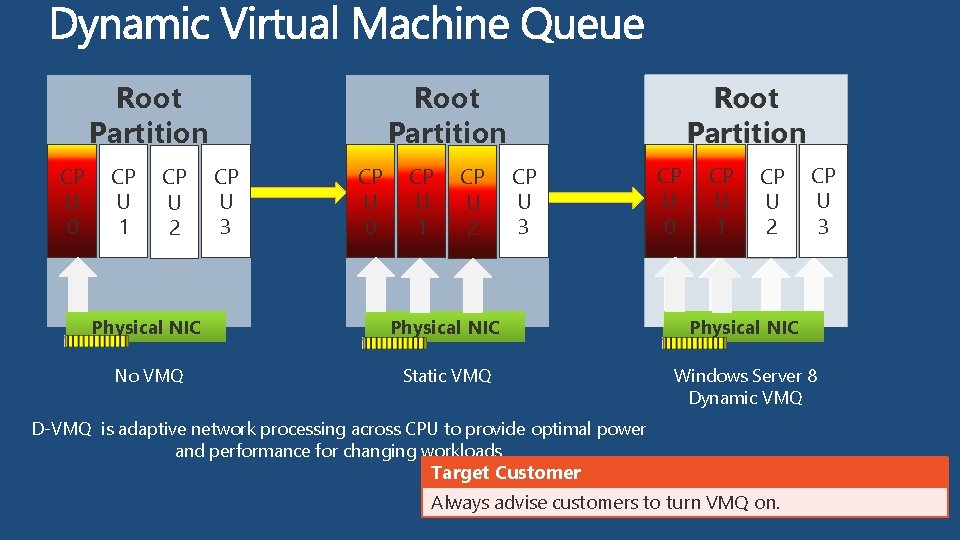
CP U 0 CP U 1 CP U 2 Root Partition CP U 3 CP U 0 CP U 1 CP U 2 CP U 3 Physical NIC No VMQ Static VMQ Windows Server 8 Dynamic VMQ D-VMQ is adaptive network processing across CPU to provide optimal power and performance for changing workloads Target Customer Always advise customers to turn VMQ on.
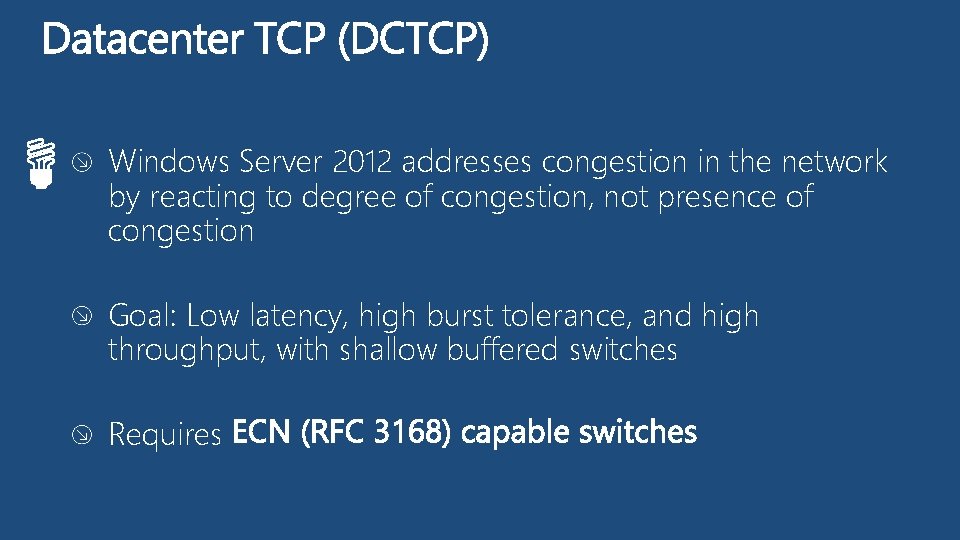
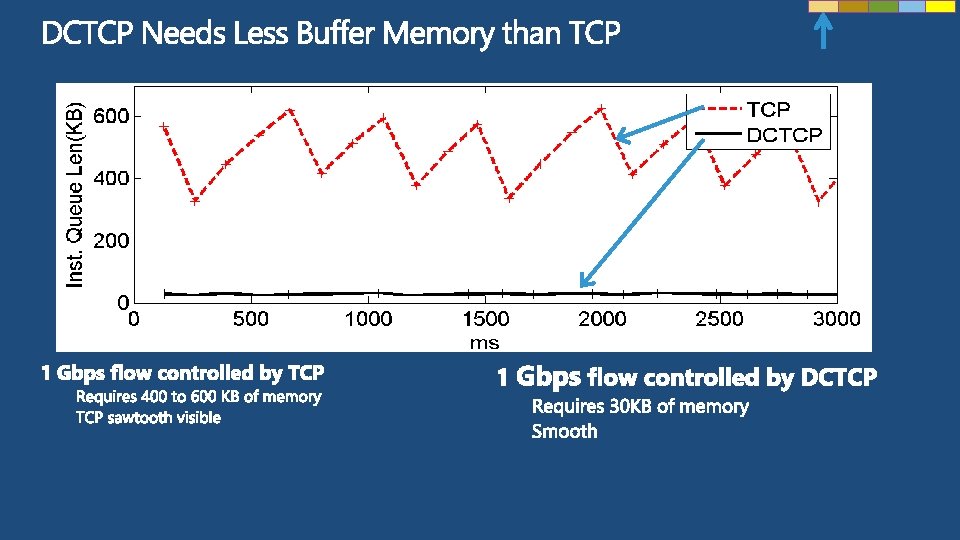
Windows Server 2012 addresses congestion in the network by reacting to degree of congestion, not presence of congestion Goal: Low latency, high burst tolerance, and high throughput, with shallow buffered switches Requires
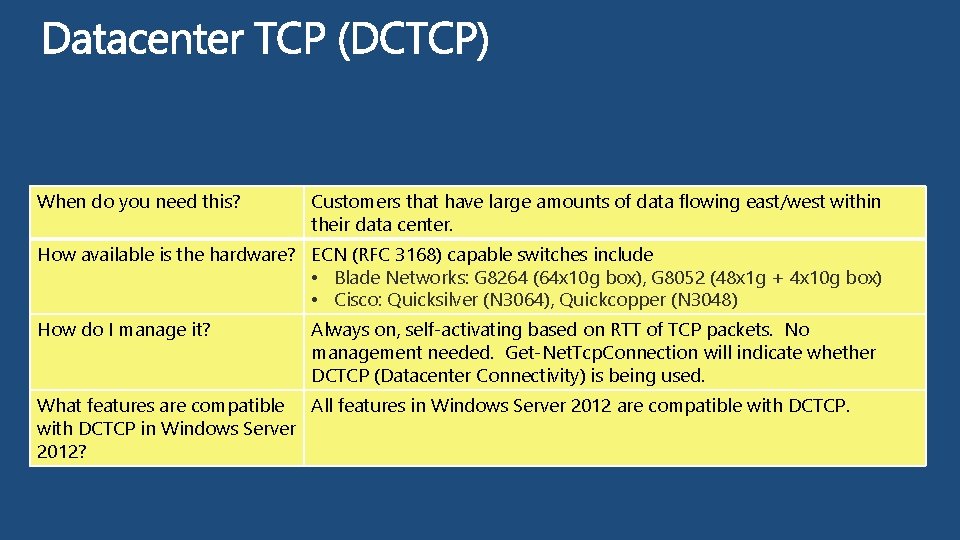
When do you need this? Customers that have large amounts of data flowing east/west within their data center. How available is the hardware? ECN (RFC 3168) capable switches include • Blade Networks: G 8264 (64 x 10 g box), G 8052 (48 x 1 g + 4 x 10 g box) • Cisco: Quicksilver (N 3064), Quickcopper (N 3048) How do I manage it? Always on, self-activating based on RTT of TCP packets. No management needed. Get-Net. Tcp. Connection will indicate whether DCTCP (Datacenter Connectivity) is being used. What features are compatible All features in Windows Server 2012 are compatible with DCTCP in Windows Server 2012?
Reliability Connectivity Security Manageability Extensibility Predictability Scalability
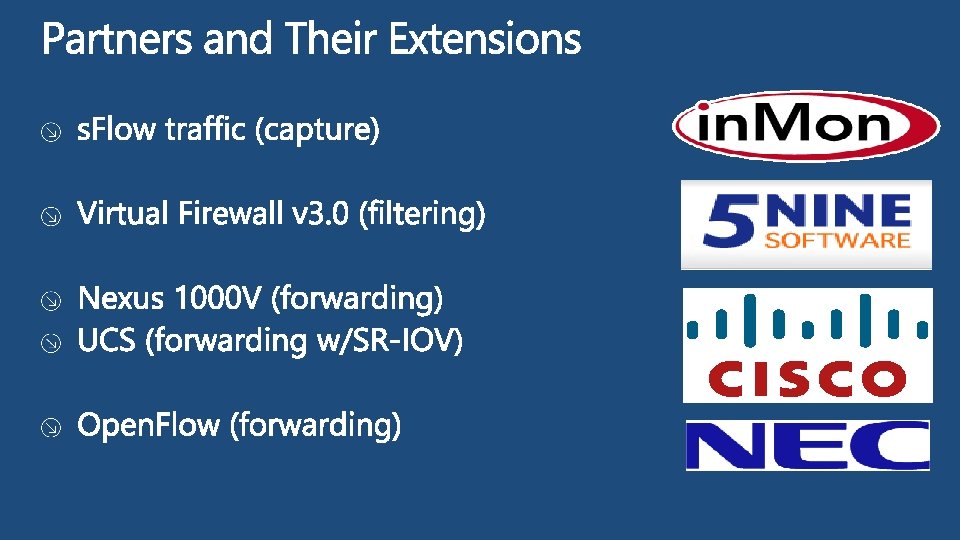
Windows Server 2012 allows partners to extend Hyper-V Switch
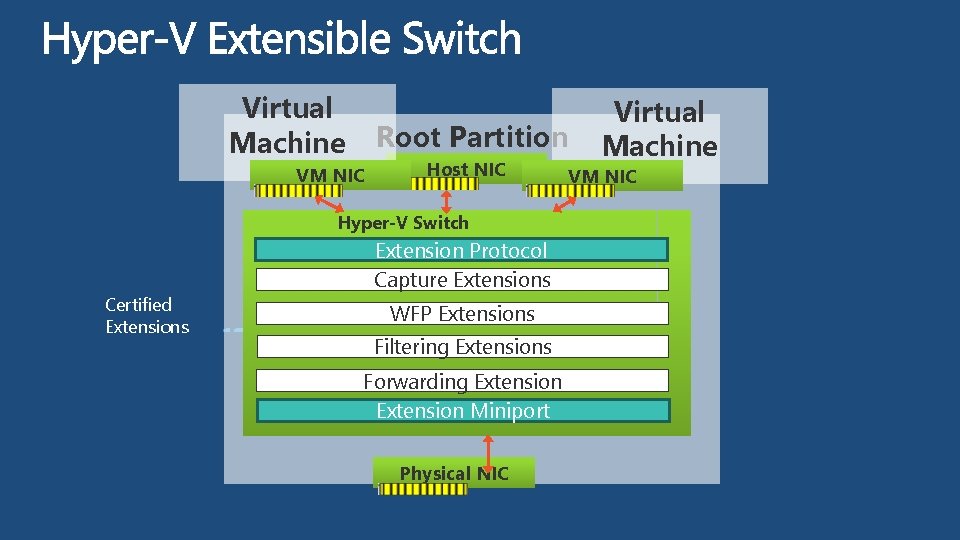
Virtual Machine Root Partition VM NIC Host NIC Hyper-V Switch Certified Extensions Extension Protocol Capture Extensions WFP Extensions Filtering Extensions Forwarding Extension Miniport Physical NIC Virtual Machine VM NIC
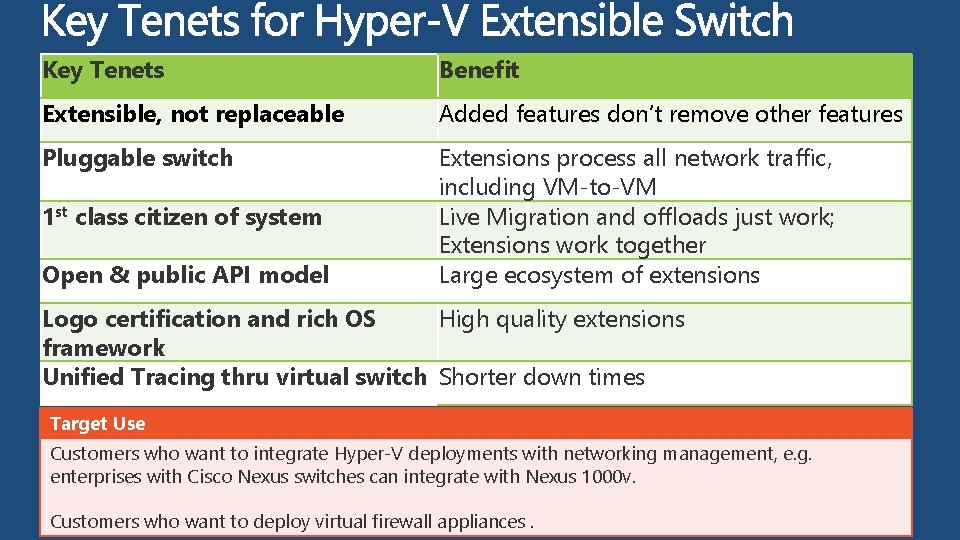
Key Tenets Benefit Extensible, not replaceable Added features don’t remove other features Pluggable switch Extensions process all network traffic, including VM-to-VM Live Migration and offloads just work; Extensions work together Large ecosystem of extensions 1 st class citizen of system Open & public API model Logo certification and rich OS High quality extensions framework Unified Tracing thru virtual switch Shorter down times Target Use Customers who want to integrate Hyper-V deployments with networking management, e. g. enterprises with Cisco Nexus switches can integrate with Nexus 1000 v. Customers who want to deploy virtual firewall appliances.
Reliability Connectivity Security Manageability Extensibility Predictability Scalability
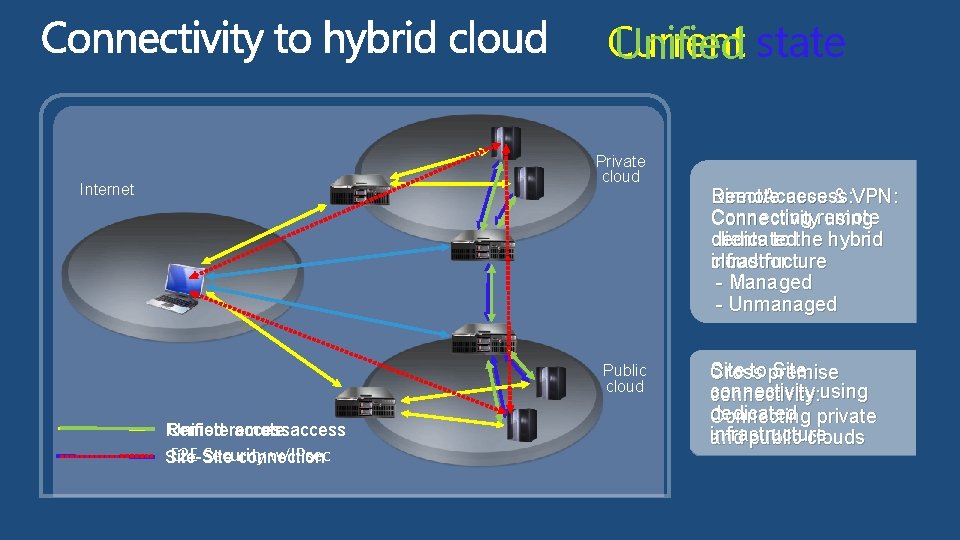
Current Unified state Private cloud Internet Public cloud Unified remote Remote access E 2 E Security w/IPsec Site-Site connection Direct. Access & VPN: Remote access: Connecting remote Connectivity using clients to the hybrid dedicated cloud for infrastructure - Managed - Unmanaged Site to premise Site Cross connectivity: using dedicated Connecting private infrastructure and public clouds
Reliability Connectivity Security Manageability Extensibility Predictability Scalability
The management capabilities in Windows Server 2012 allows cloud admins to manage large scale hybrid clouds
Built-in metering capabilities allows cloud admins to build chargeback models based on network usage
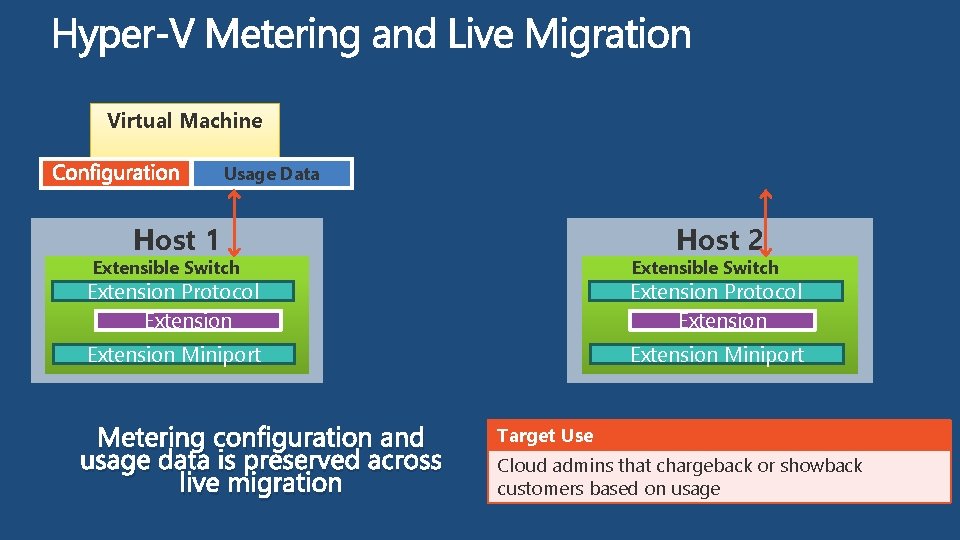
Virtual Machine Usage Data Host 1 Host 2 Extensible Switch Extension Protocol Extension Miniport Metering configuration and usage data is preserved across live migration Target Use Cloud admins that chargeback or showback customers based on usage
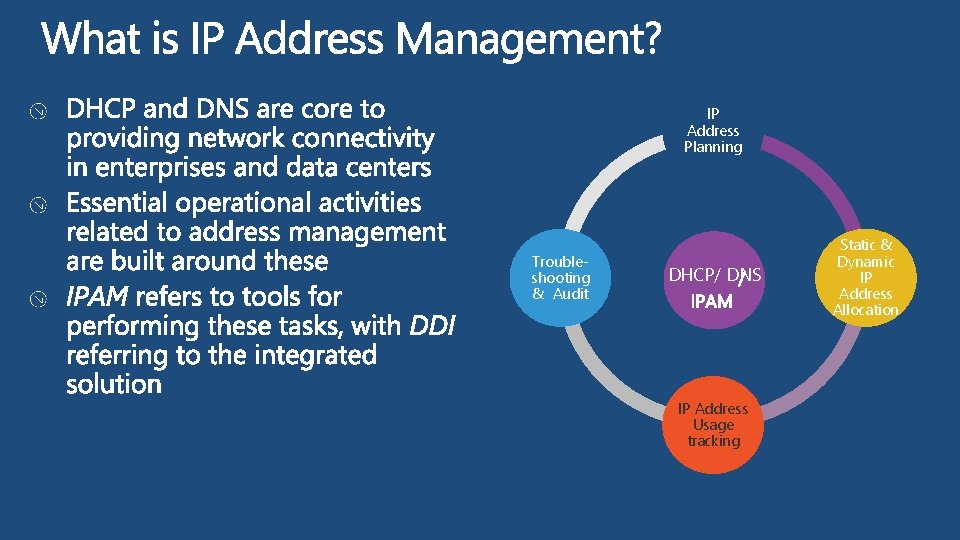
IP Address Planning Troubleshooting & Audit DHCP/ DNS IP Address Usage tracking Static & Dynamic IP Address Allocation
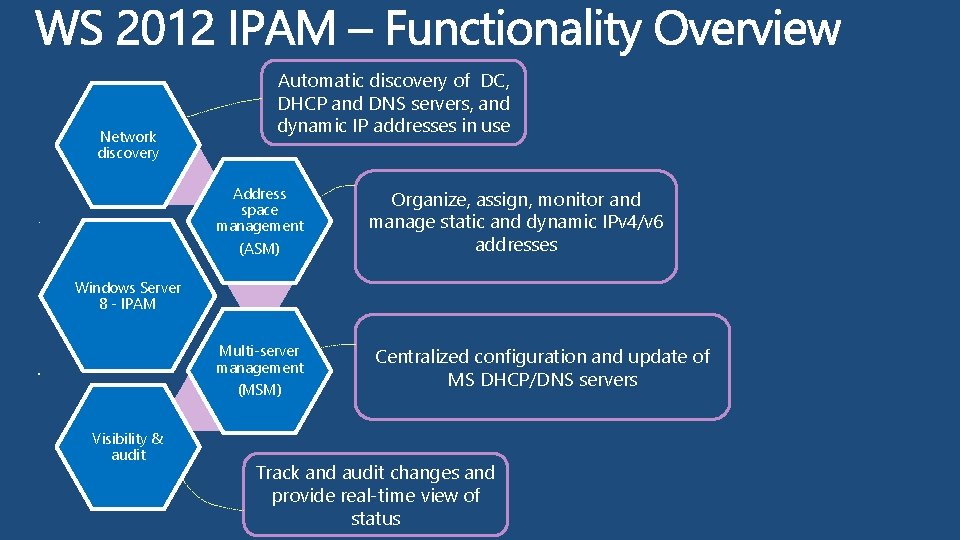
Network discovery Automatic discovery of DC, DHCP and DNS servers, and dynamic IP addresses in use Address space management . (ASM) Organize, assign, monitor and manage static and dynamic IPv 4/v 6 addresses Windows Server 8 - IPAM Multi-server management (MSM) . Visibility & audit Centralized configuration and update of MS DHCP/DNS servers Track and audit changes and provide real-time view of status
Reliability Connectivity Security Manageability Extensibility Predictability Scalability
VIR 307 – Hyper-V Extensible Switch VIR 305 – Hyper-V Network Virtualization for Scalable Multi-Tenancy in Windows MGT 315 - Network Management in Microsoft System Center 2012 SP 1 WSV 314 – Windows Server 2012 NIC Teaming and Multichannel Solutions WSV 302 – Windows Server 2012 Direct. Access: How to quickly and easily deploy
Sample Fill Sample Fill
Subtitle color www. microsoft. com
notebook, learning mouse learn, ideas file, paper share, concepts share, speech bubble play, fun, entertainment share, speech bubble thought bubble coffee, work, office computer monitor luggage, travel badge, registration global, location the cloud search, learning airplane, travel this way, look here decorative arrow this way, arrow hands-on labs twitter this way, connect Birds of a feather finance, calculator
notebook, learning mouse learn, ideas file, paper share, concepts share, speech bubble play, fun, entertainment share, speech bubble thought bubble coffee, work, office computer monitor luggage, travel badge, registration global, location the cloud search, learning airplane, travel this way, look here decorative arrow this way, arrow hands-on labs twitter this way, connect Birds of a feather finance, calculator
Series 1 Series 2 Series 3 Series 4 Category 1 Category 2 Category 3 Category 4
Slide for Showing Developer’s Software Code Use this layout to show software code The font is Consolas, a monospace font The slide doesn’t use bullets but levels can be indented using the “Increase List Level” icon on the Home menu
demo Demo Title Name Title Group
video Video Title
partner Partner Title Name Title Company
customer Customer Title Name Title Company
announcing Announcement Title
title Title
Required Slide *delete this box when your slide is finalized Breakout Sessions (session codes and titles) Hands-on Labs (session codes and titles) Product Demo Stations (demo station title and location) Related Certification Exam Find Me Later At… Speakers, please list the Breakout Sessions, Labs, Demo Stations and Certification Exams that relate to your session. Also indicate when they can find you staffing in the TLC.
Required Slide *delete this box when your slide is finalized Resource 1 Resource 2 Resource 3 Resource 4 Track PMs will supply the content for this slide, which will be inserted during the final scrub.
Learning Connect. Share. Discuss. Microsoft Certification & Training Resources http: //northamerica. msteched. com www. microsoft. com/learning Tech. Net Resources for IT Professionals Resources for Developers http: //microsoft. com/technet http: //microsoft. com/msdn
Complete an evaluation on Comm. Net and enter to win!
Required Slide *delete this box when your slide is finalized Your MS Tag will be inserted here during the final scrub. Scan the Tag to evaluate this session now on my. Tech. Ed Mobile