PICTO Enterprise Resource Planning ERP System Ayla Information

- Slides: 84
PICTO Enterprise Resource Planning (ERP) System Ayla Information Technology info@aylait. com
Agenda Ø Overview Ø System Management Module Ø Accounting Module Ø Inventory Module Ø Manufacturing Module Ø Cheques Module Ø Purchasing Module
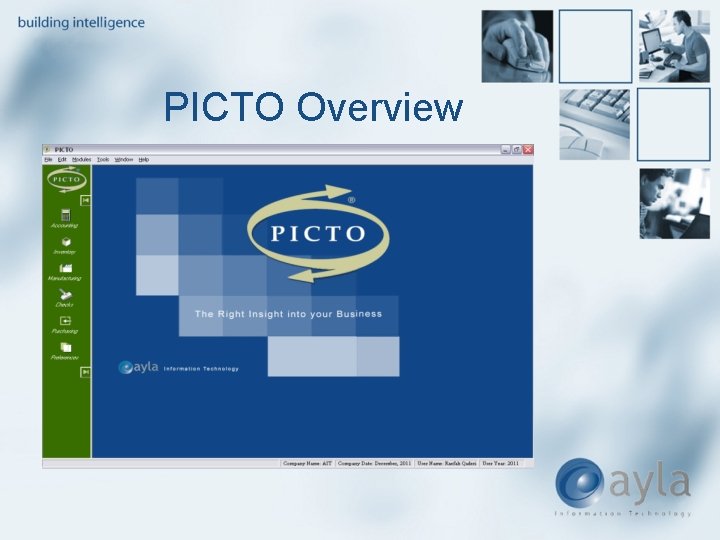
PICTO Overview
PICTO Overview Ø PICTO is designed to meet the needs of company managers Ø It aims at facilitating the process of managing companies. Ø Provides managers and owners more insight into the resources of their business
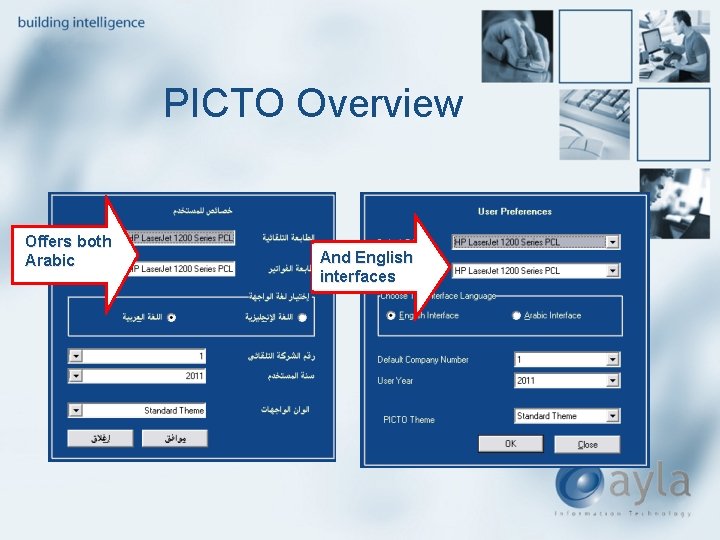
PICTO Overview Offers both Arabic And English interfaces
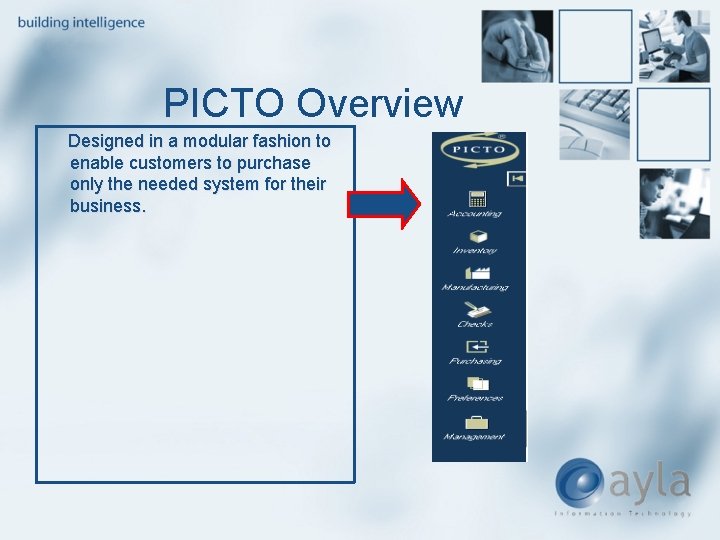
PICTO Overview Designed in a modular fashion to enable customers to purchase only the needed system for their business.
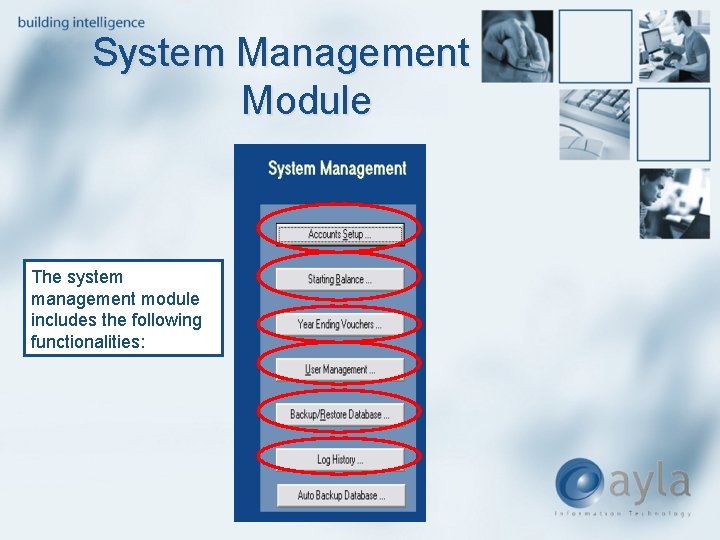
System Management Module The system management module includes the following functionalities:
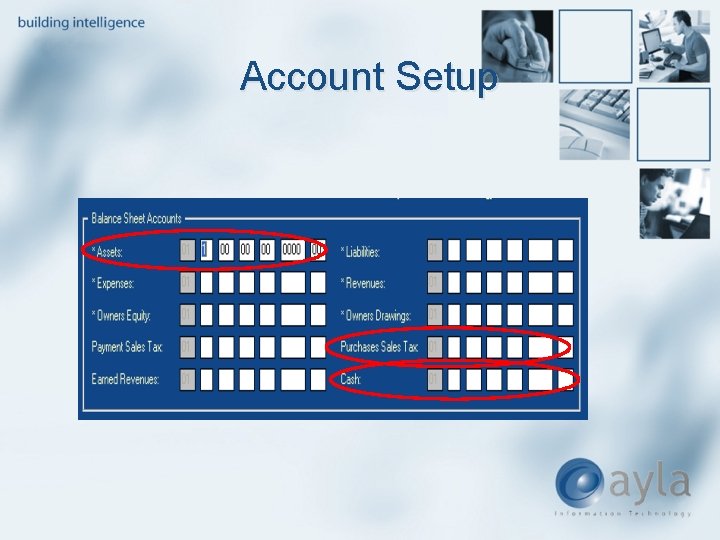
Account Setup
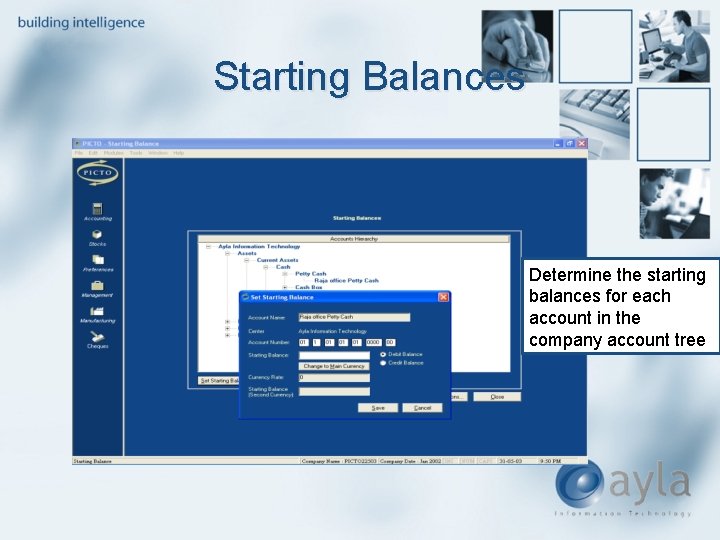
Starting Balances Determine the starting balances for each account in the company account tree
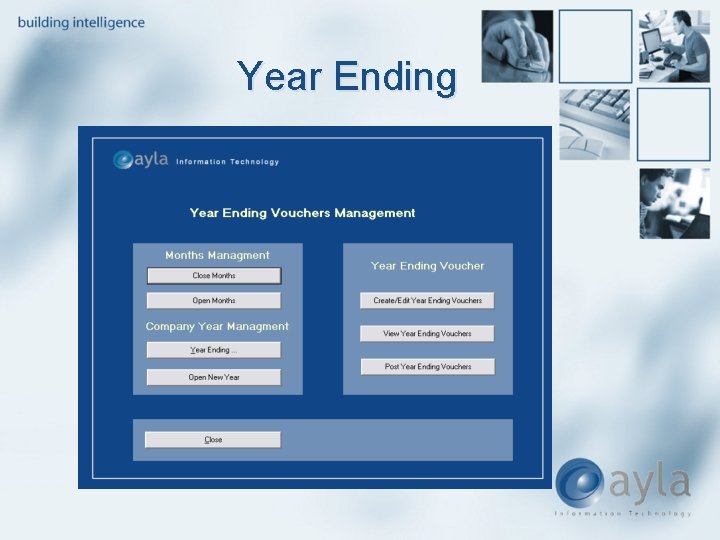
Year Ending
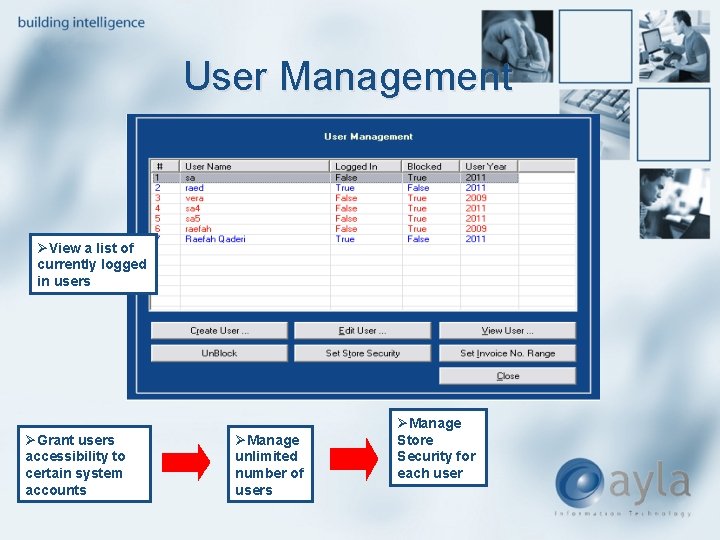
User Management ØView a list of currently logged in users ØGrant users accessibility to certain system accounts ØManage unlimited number of users ØManage Store Security for each user
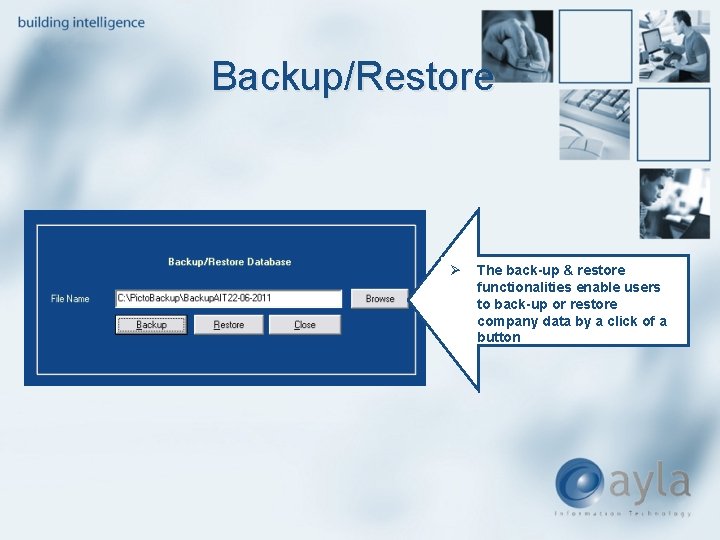
Backup/Restore Ø The back-up & restore functionalities enable users to back-up or restore company data by a click of a button
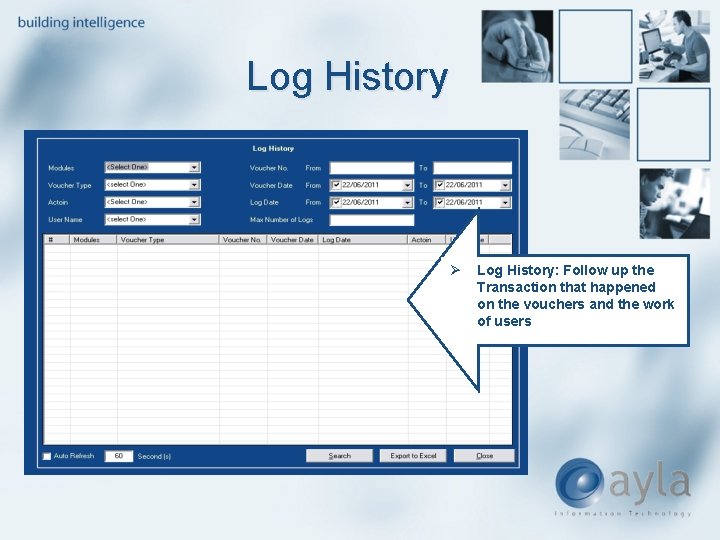
Log History Ø Log History: Follow up the Transaction that happened on the vouchers and the work of users
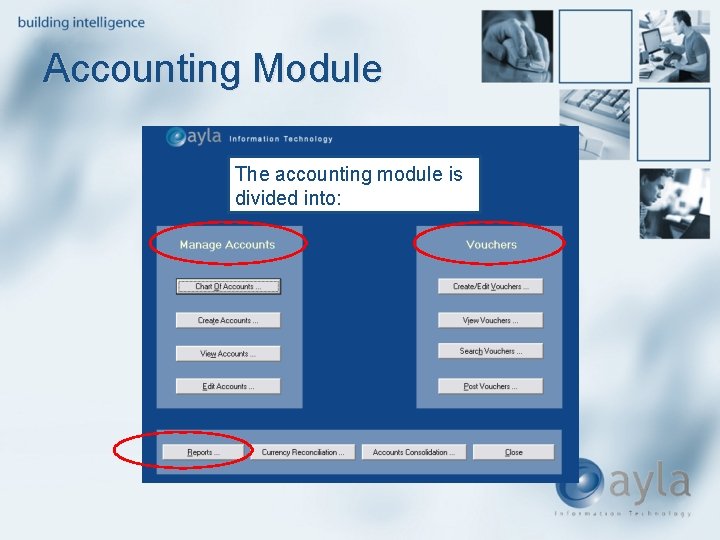
Accounting Module The accounting module is divided into:
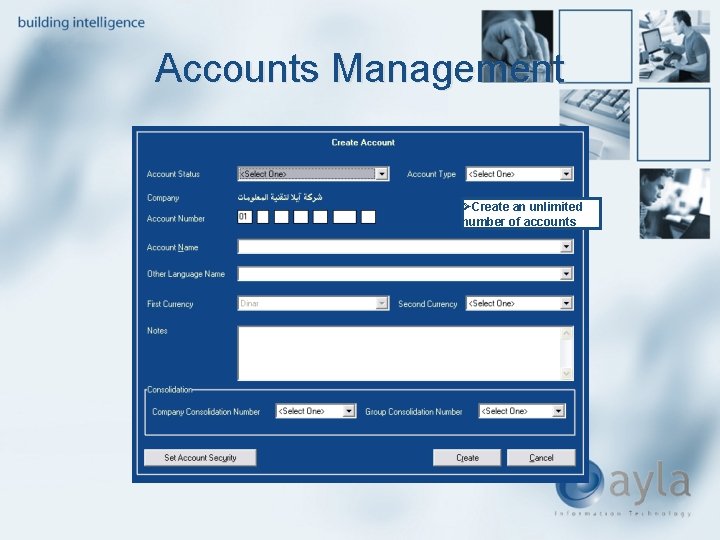
Accounts Management ØCreate an unlimited number of accounts
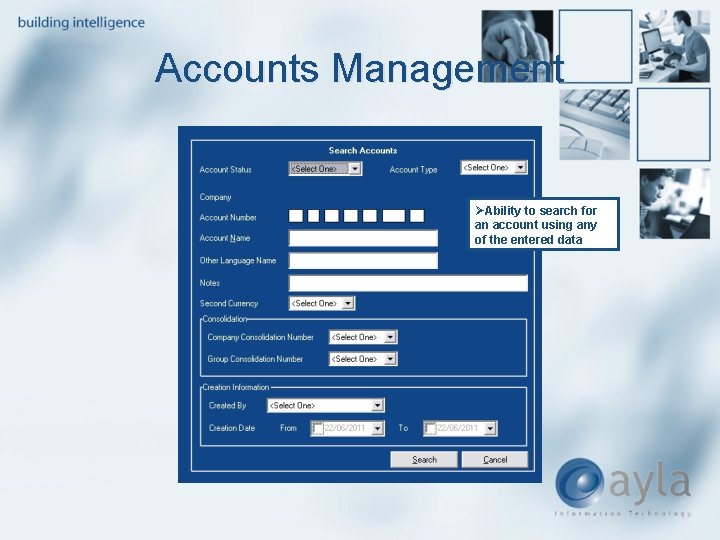
Accounts Management ØAbility to search for an account using any of the entered data
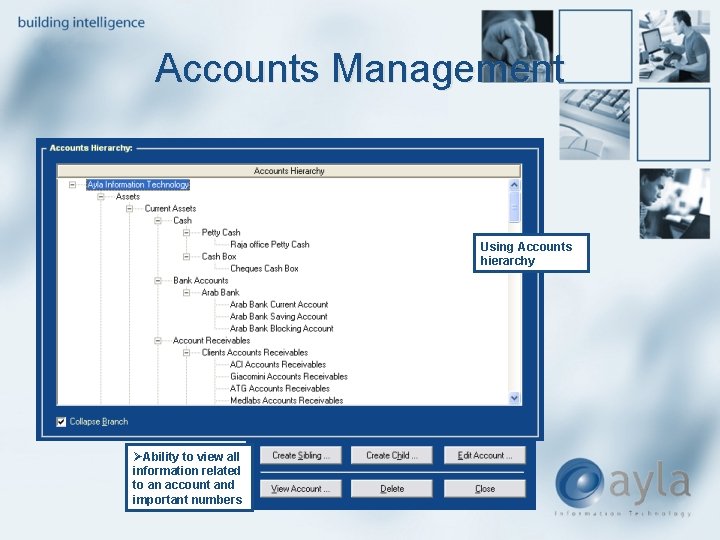
Accounts Management Using Accounts hierarchy ØAbility to view all information related to an account and important numbers
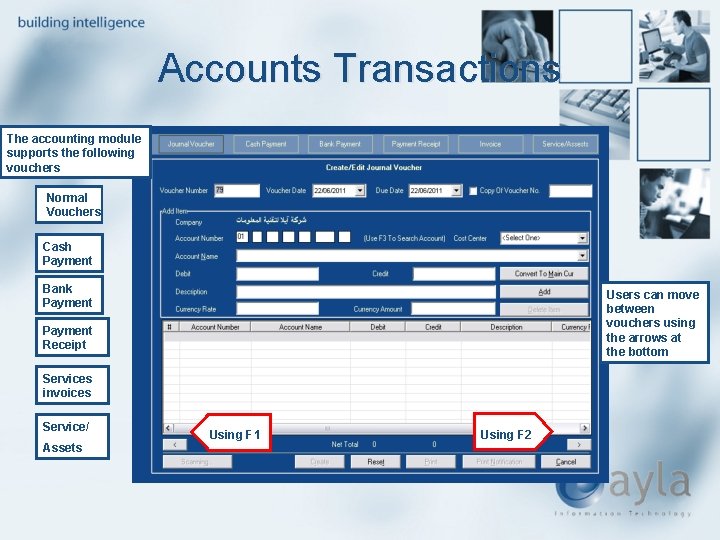
Accounts Transactions The accounting module supports the following vouchers Normal Vouchers Cash Payment Bank Payment Users can move between vouchers using the arrows at the bottom Payment Receipt Services invoices Service/ Assets Using F 1 Using F 2
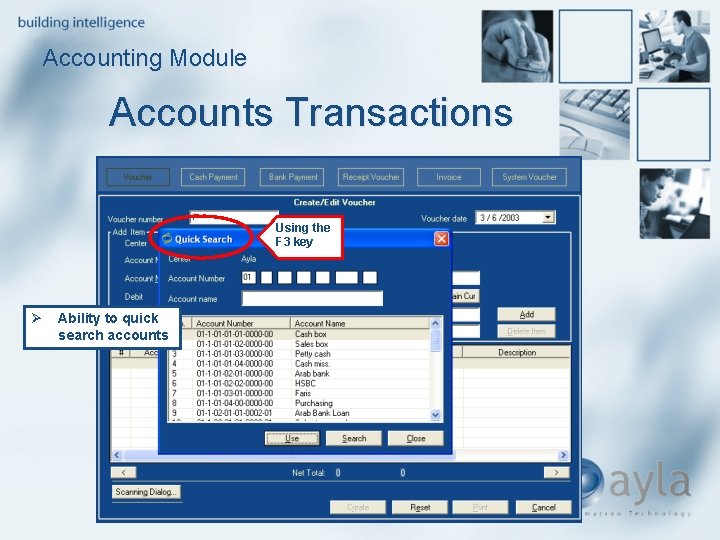
Accounting Module Accounts Transactions Using the F 3 key Ø Ability to quick search accounts
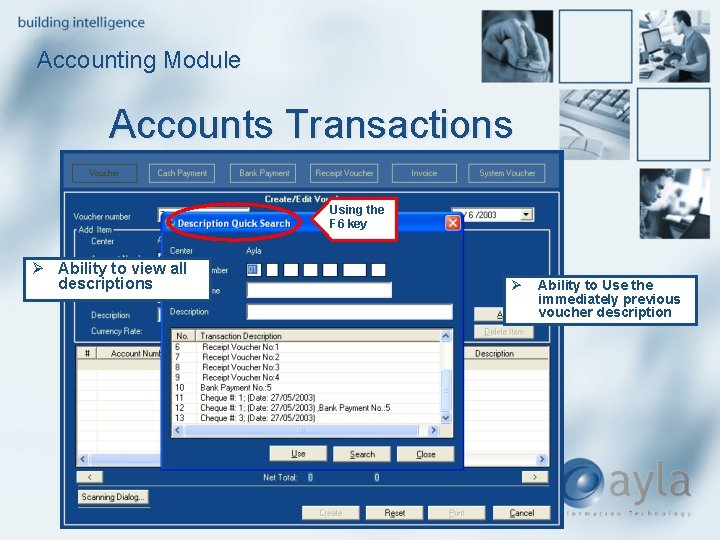
Accounting Module Accounts Transactions Using the F 6 key Ø Ability to view all descriptions Ø Ability to Use the immediately previous voucher description
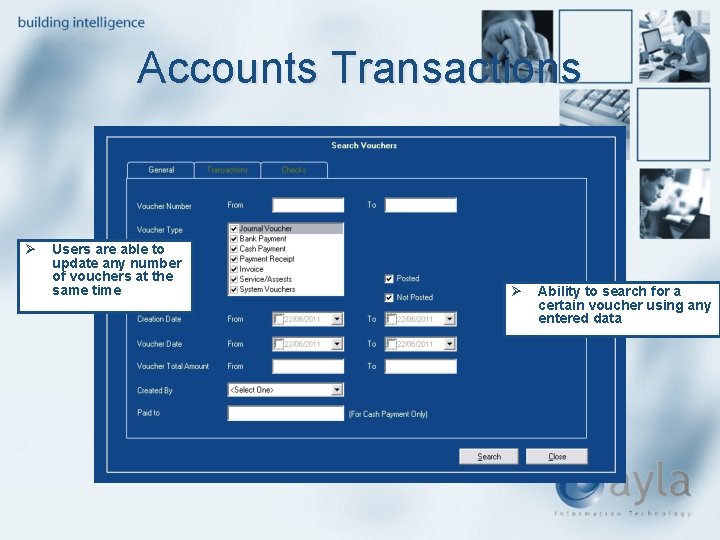
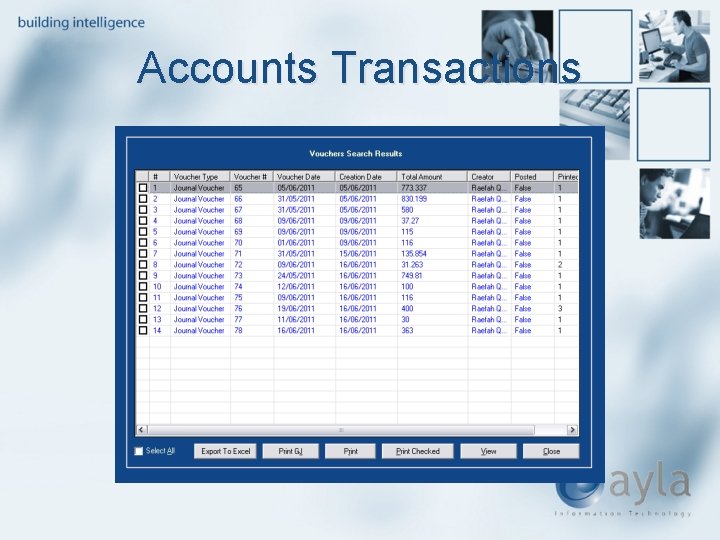
Accounts Transactions Ø Users are able to update any number of vouchers at the same time Ø Ability to search for a certain voucher using any entered data
Accounts Transactions
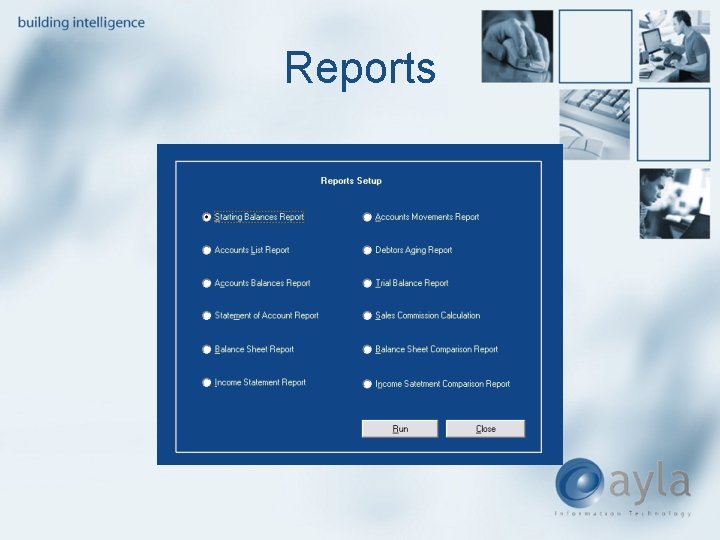
Accounting Module Reports Unique, multipurpose reports That Are : 1. Analytical 2. Graphical 3. Easy to comprehend 4. Can be easily transferred to Excel
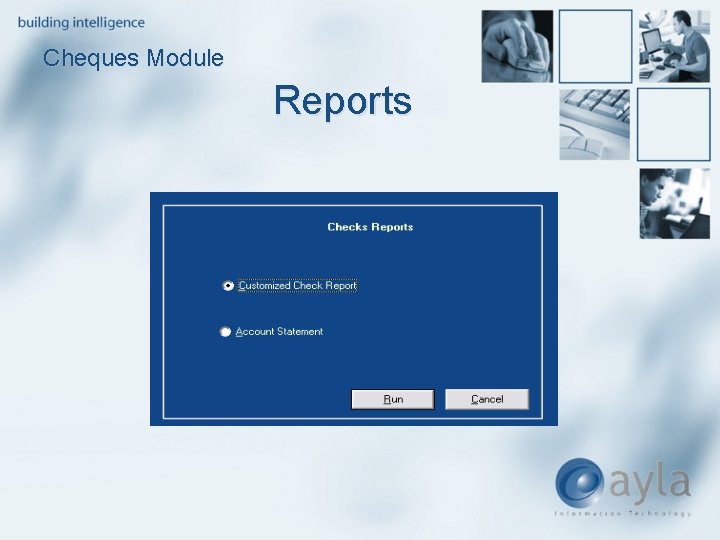
Reports
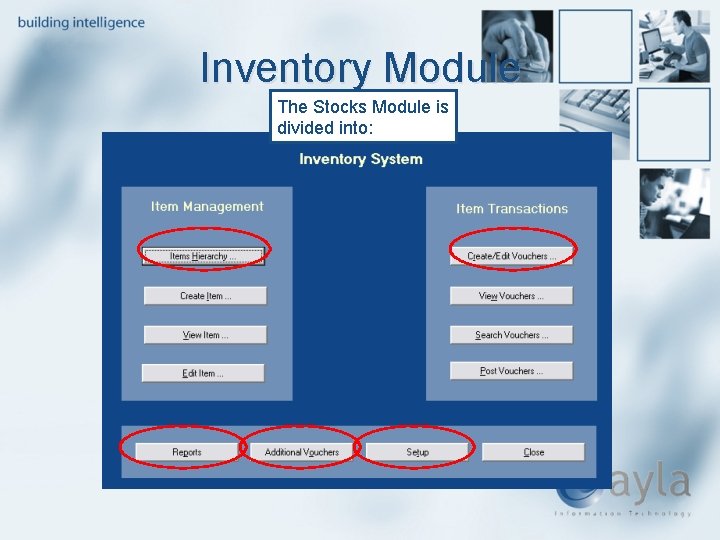
Inventory Module The Stocks Module is divided into:
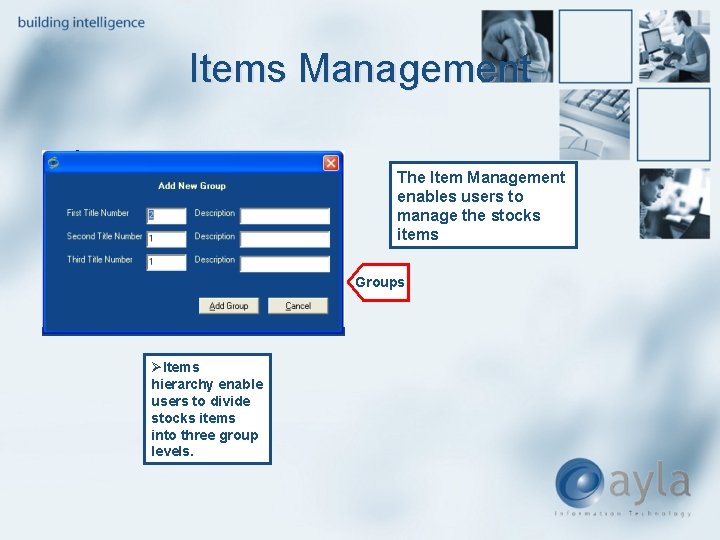
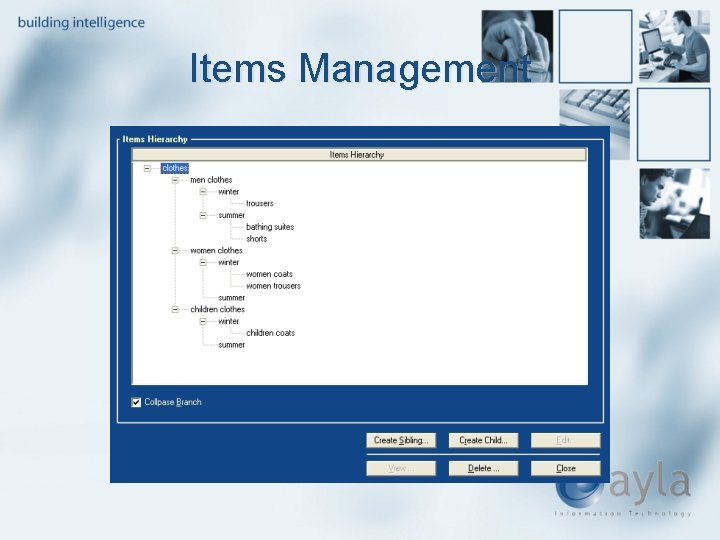
Items Management The Item Management enables users to manage the stocks items Groups ØItems hierarchy enable users to divide stocks items into three group levels.
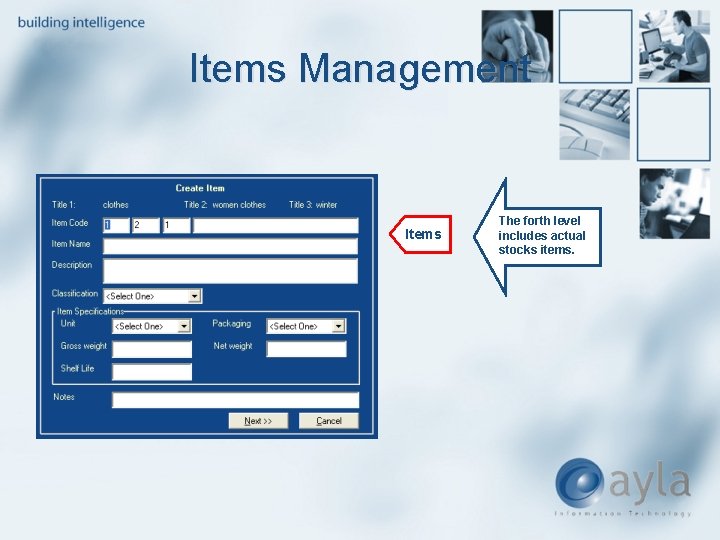
Items Management Items The forth level includes actual stocks items.
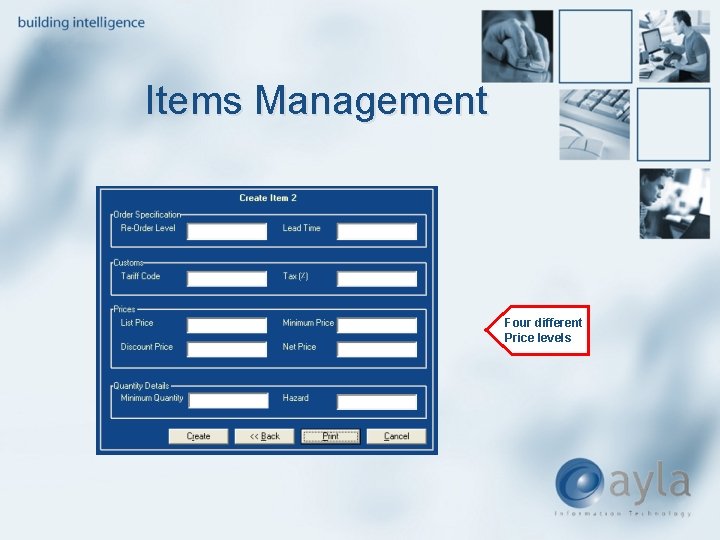
Items Management Four different Price levels
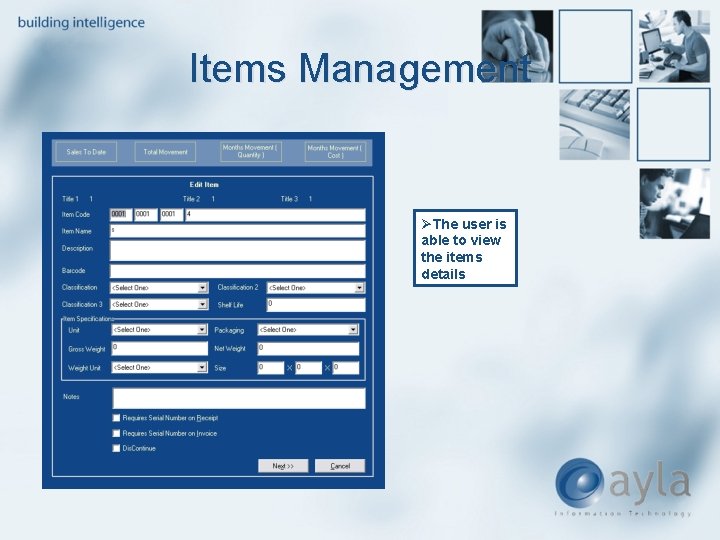
Items Management ØThe user is able to view the items details
Items Management
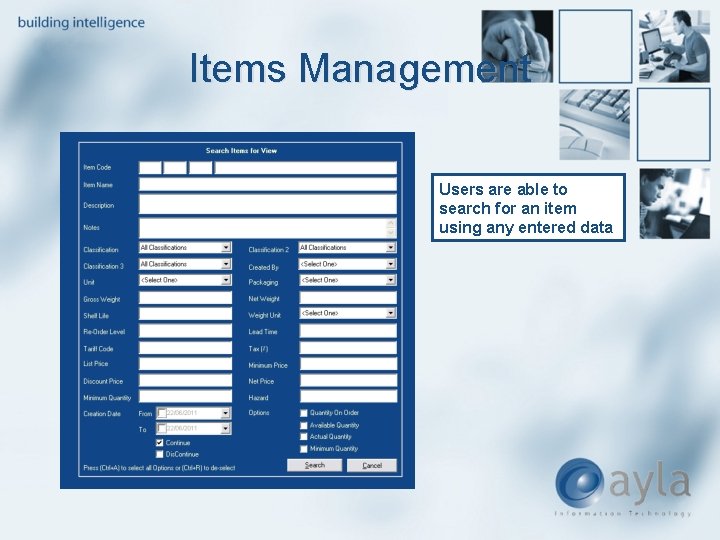
Items Management Users are able to search for an item using any entered data
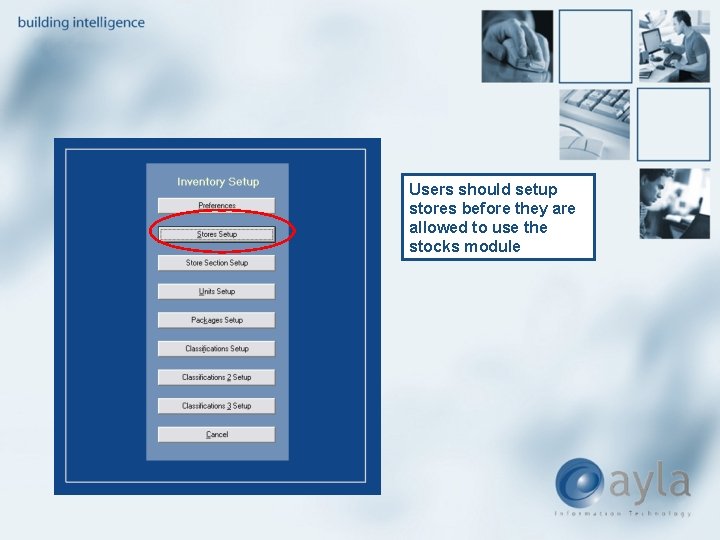
Users should setup stores before they are allowed to use the stocks module
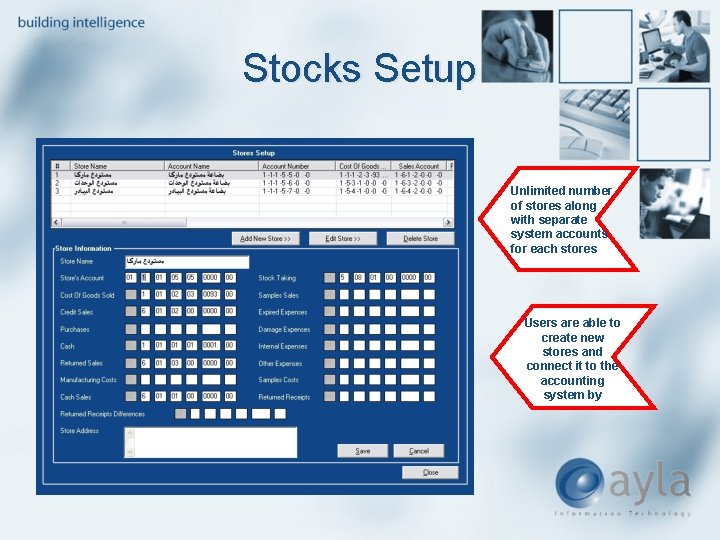
Stocks Setup Unlimited number of stores along with separate system accounts for each stores Users are able to create new stores and connect it to the accounting system by
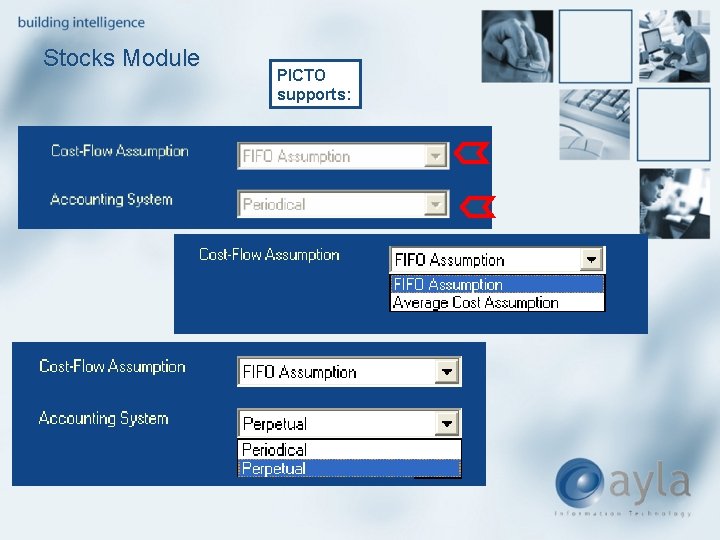
Stocks Module PICTO supports:
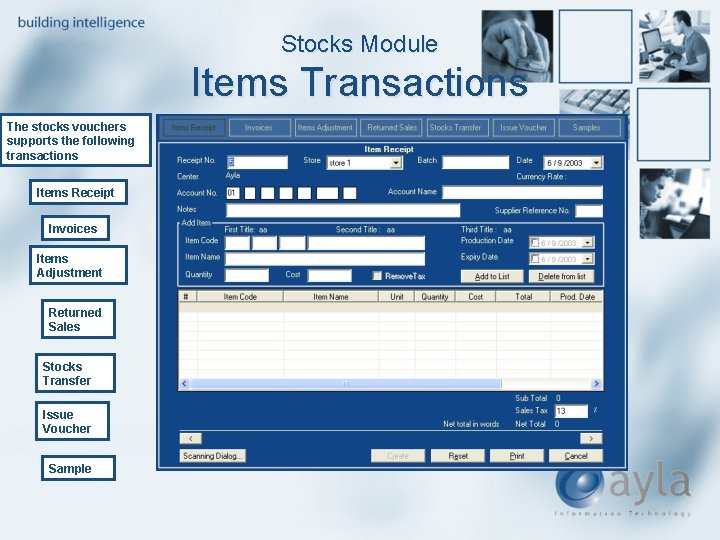
Stocks Module Items Transactions The stocks vouchers supports the following transactions Items Receipt Invoices Items Adjustment Returned Sales Stocks Transfer Issue Voucher Sample
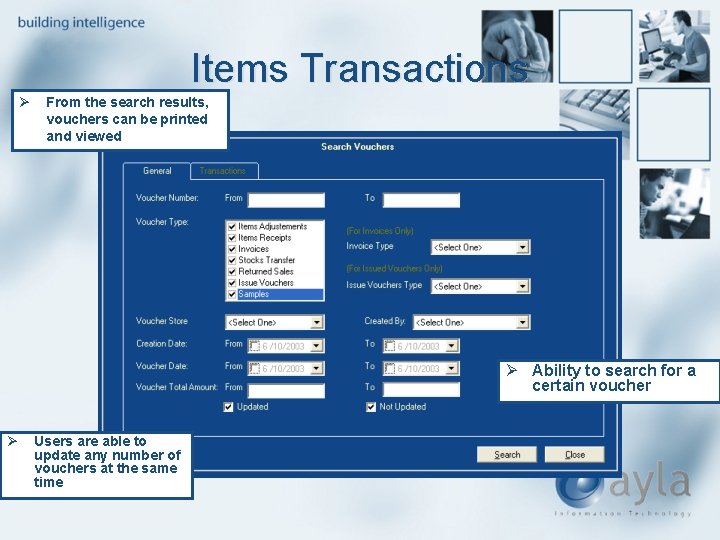
Items Transactions Ø From the search results, vouchers can be printed and viewed Ø Ability to search for a certain voucher Ø Users are able to update any number of vouchers at the same time
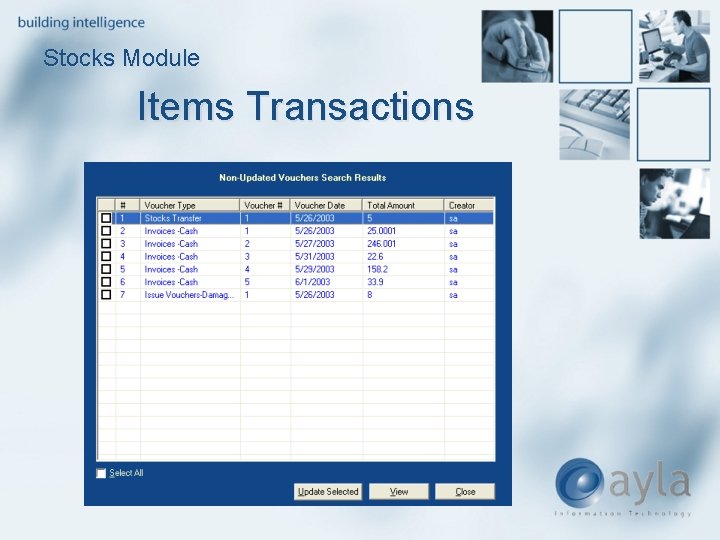
Stocks Module Items Transactions
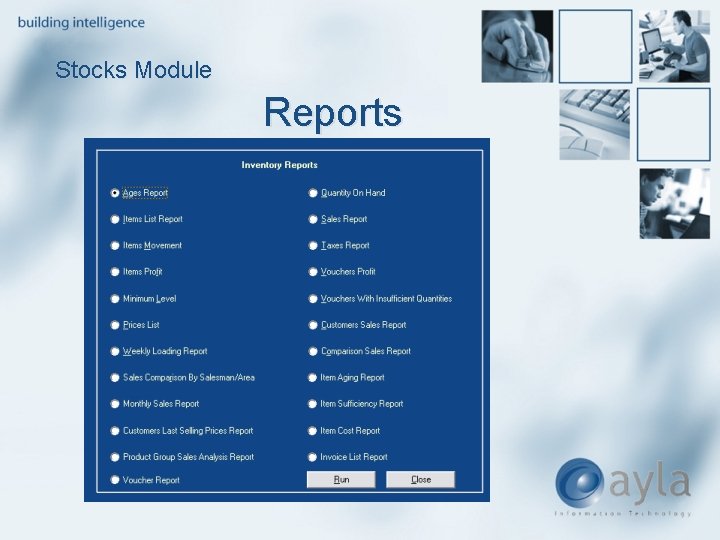
Stocks Module Reports
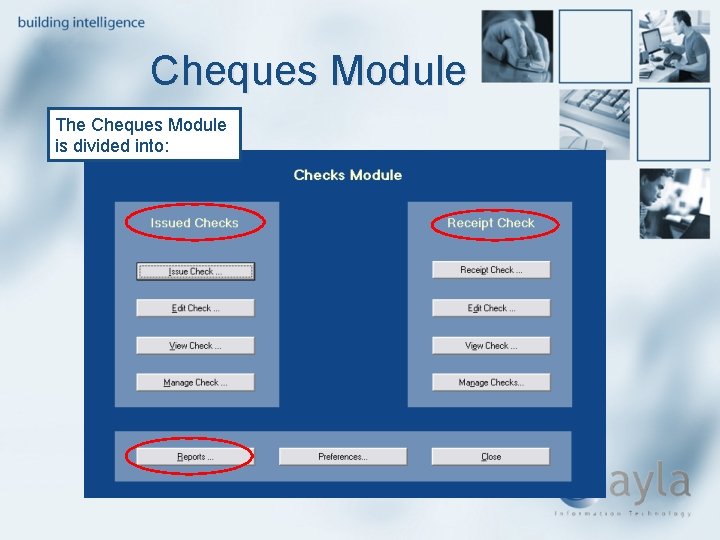
Cheques Module The Cheques Module is divided into:
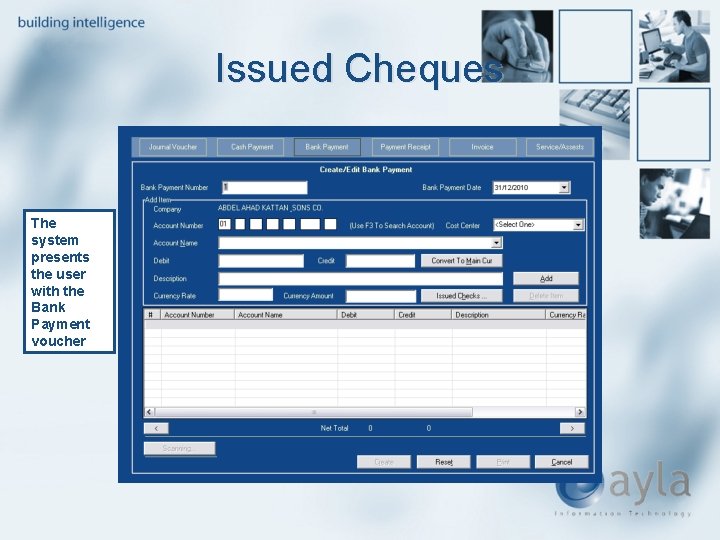
Issued Cheques The system presents the user with the Bank Payment voucher
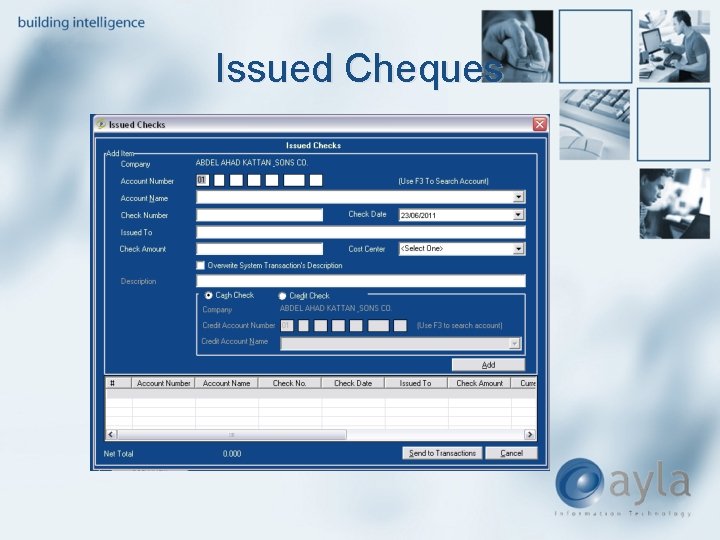
Issued Cheques
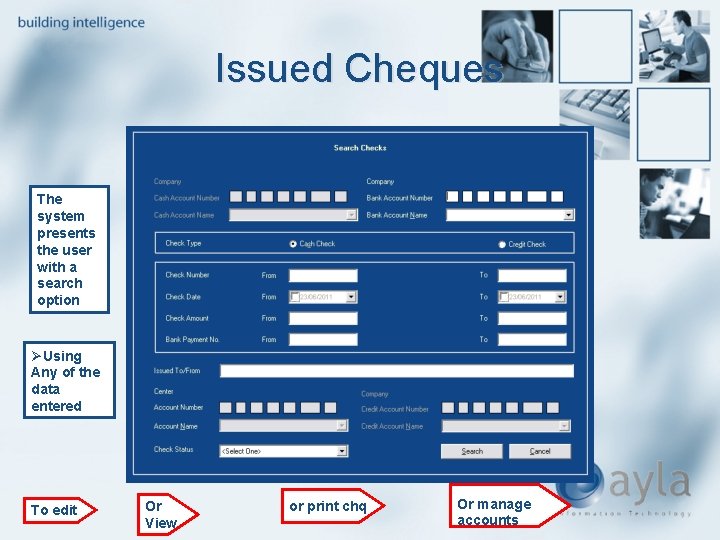
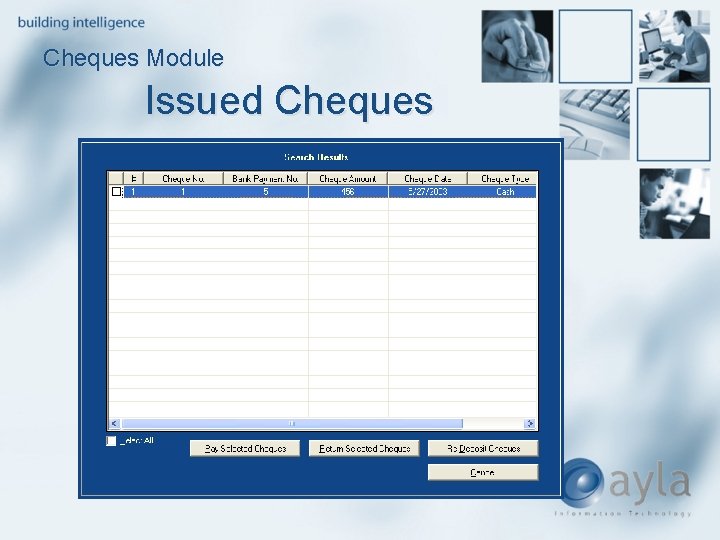
Issued Cheques The system presents the user with a search option ØUsing Any of the data entered To edit Or View or print chq Or manage accounts
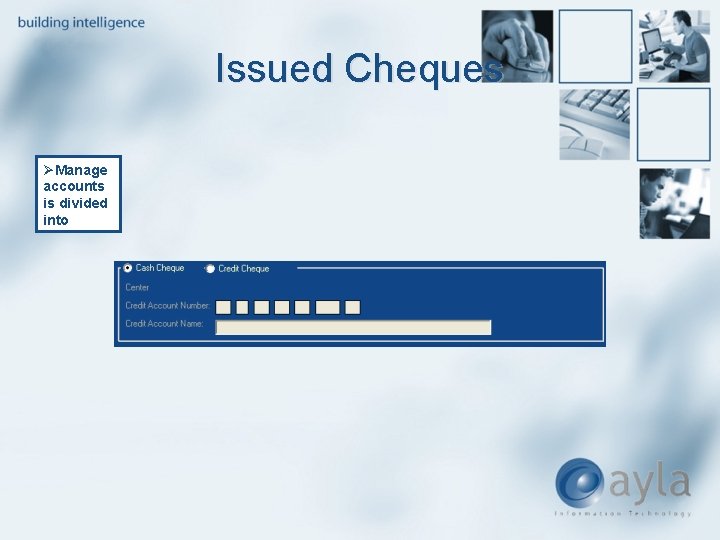
Issued Cheques ØManage accounts is divided into
Cheques Module Issued Cheques
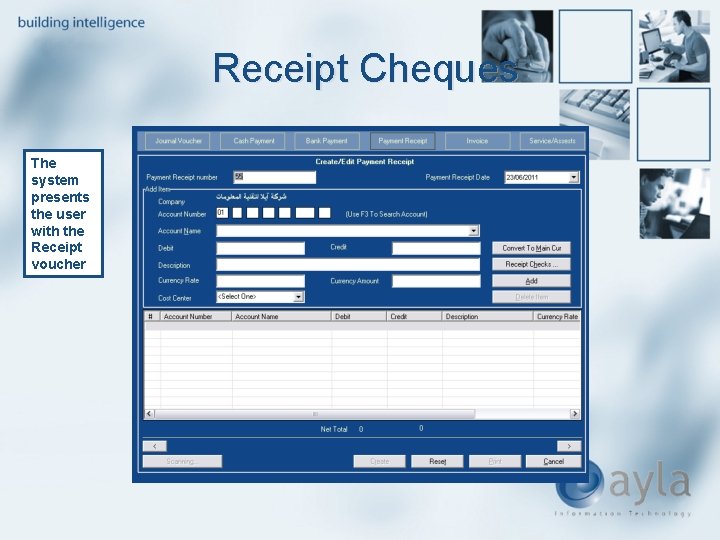
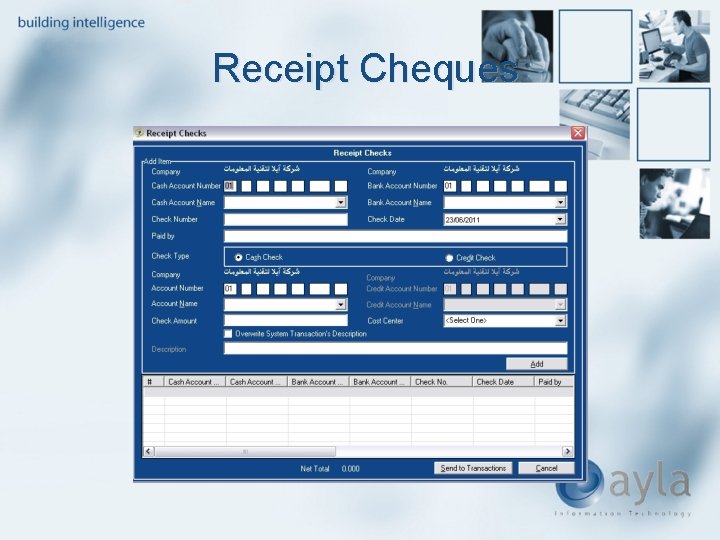
Receipt Cheques The system presents the user with the Receipt voucher
Receipt Cheques
Cheques Module Receipt Cheques The system presents the user with a search option with similar functionalities as that of the issued cheques
Cheques Module Reports
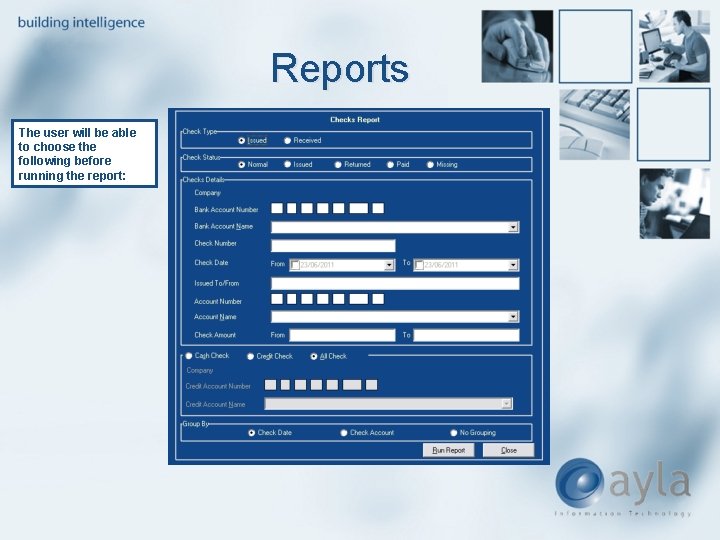
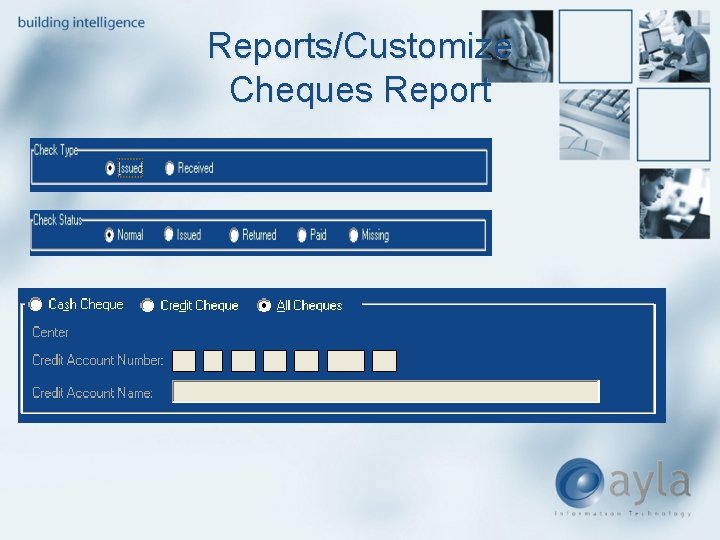
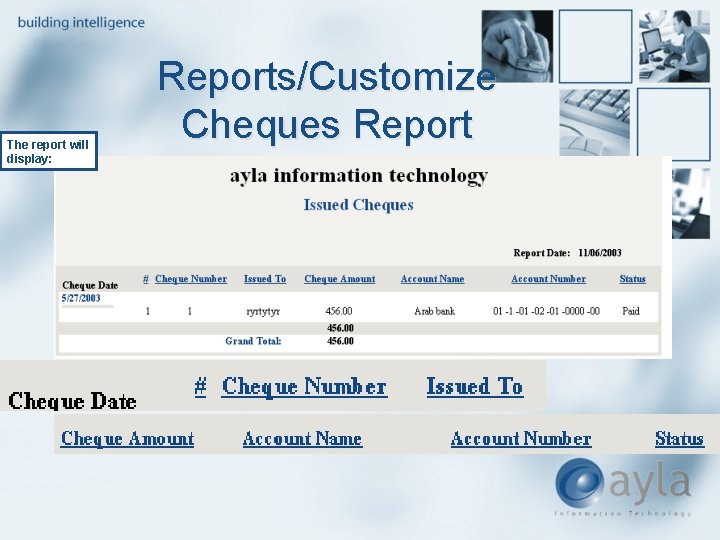
Reports The user will be able to choose the following before running the report:
Reports/Customize Cheques Report
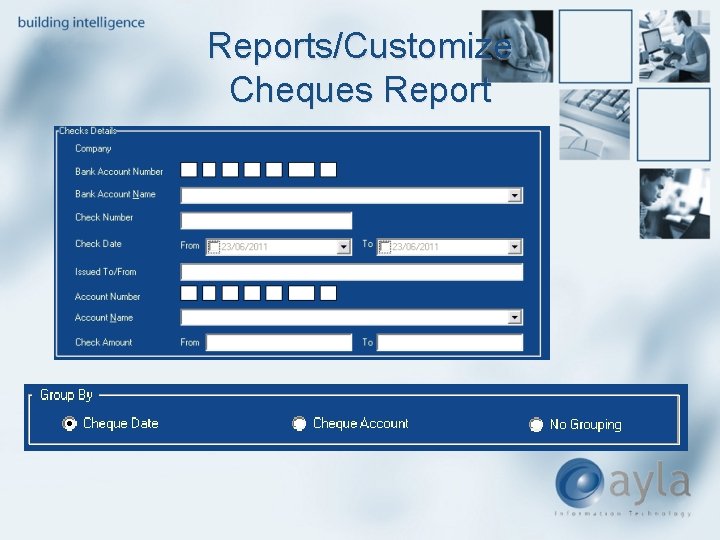
Reports/Customize Cheques Report
The report will display: Reports/Customize Cheques Report
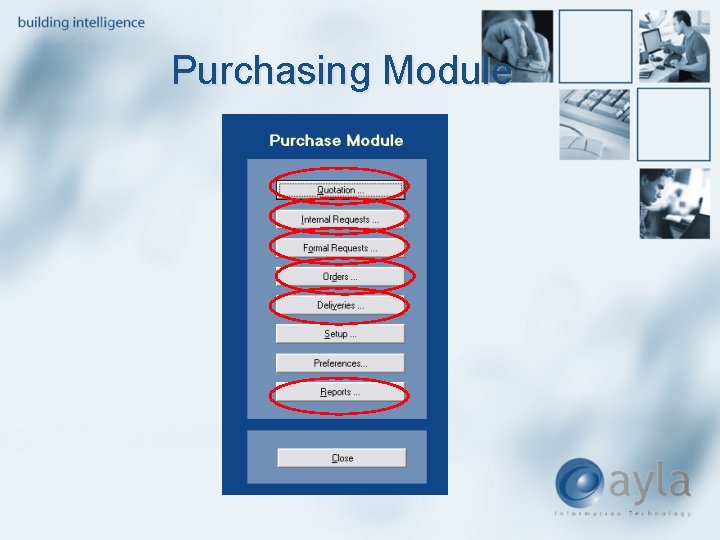
Purchasing Module
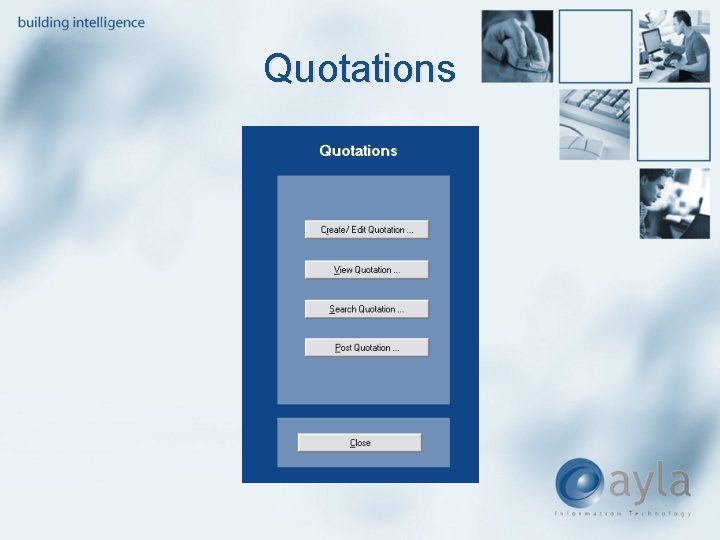
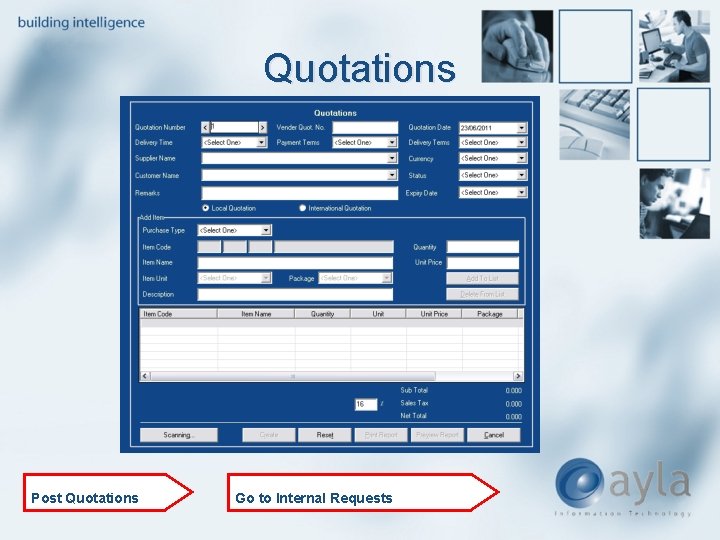
Quotations
Quotations Post Quotations Go to Internal Requests
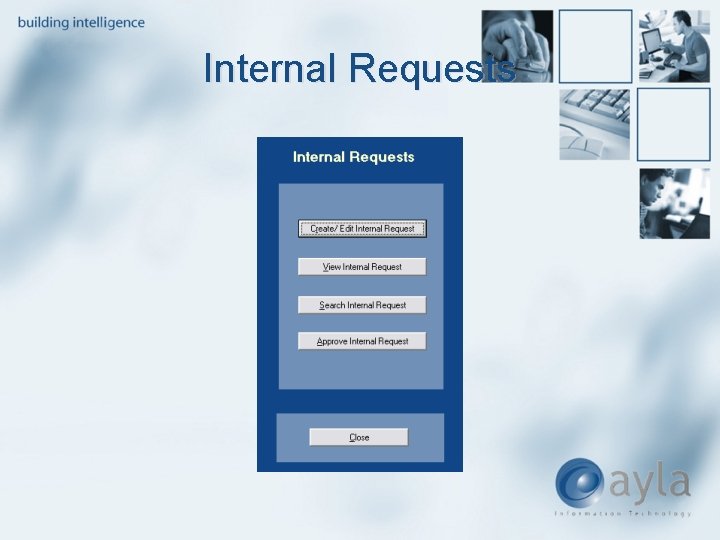
Internal Requests
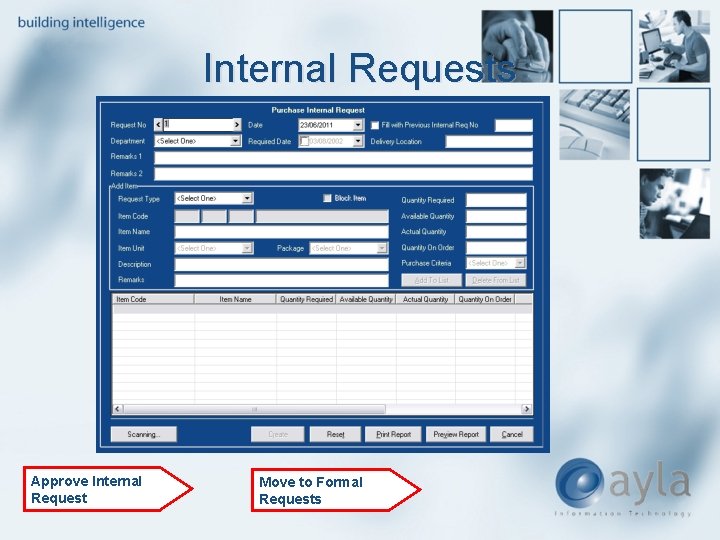
Internal Requests Approve Internal Request Move to Formal Requests
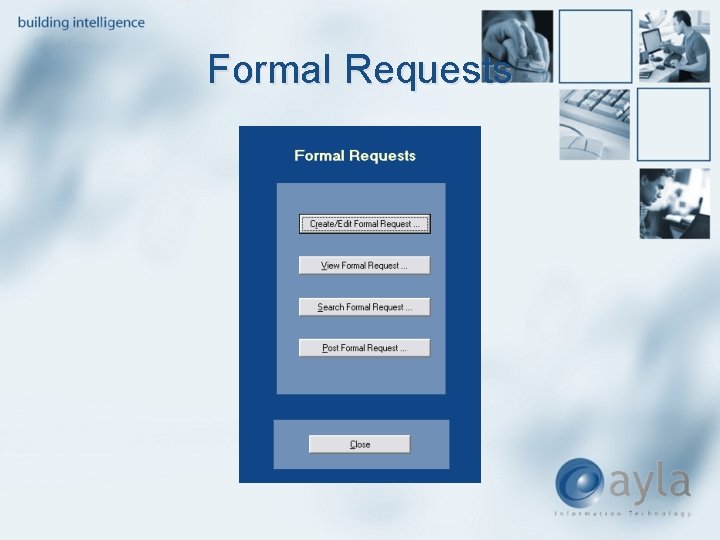
Formal Requests
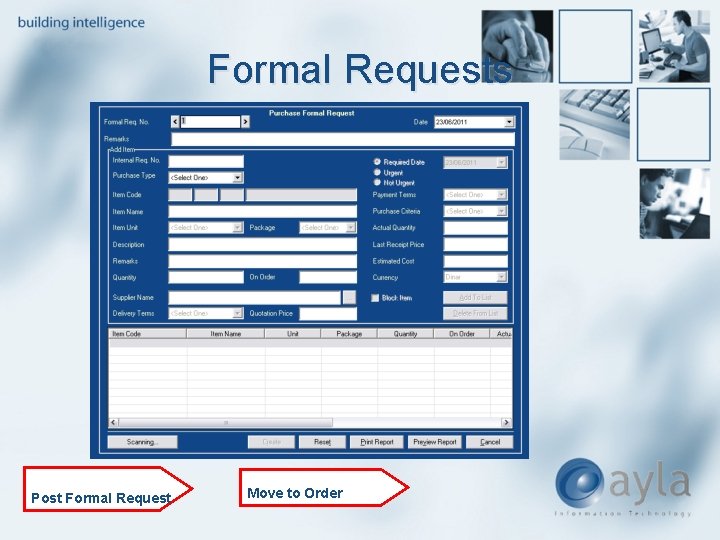
Formal Requests Post Formal Request Move to Order
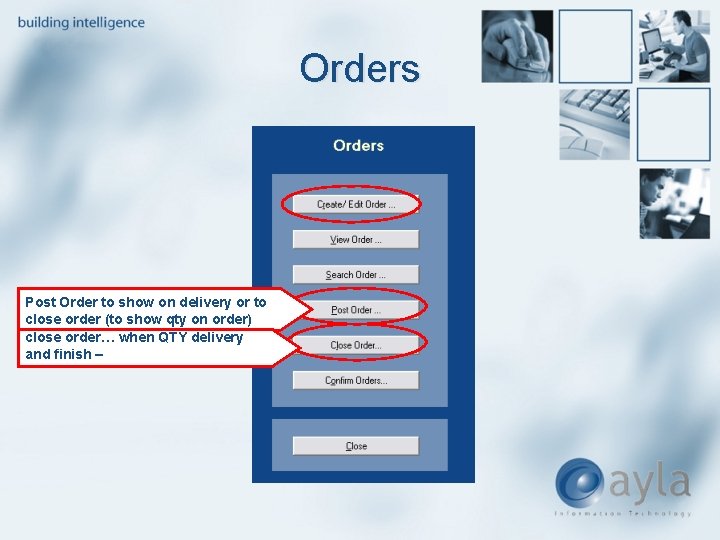
Orders Post Order to show on delivery or to close order (to show qty on order) close order… when QTY delivery and finish –
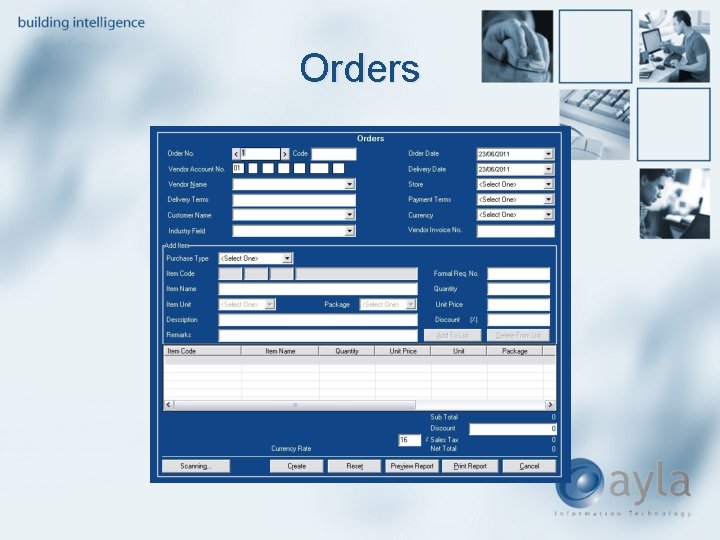
Orders
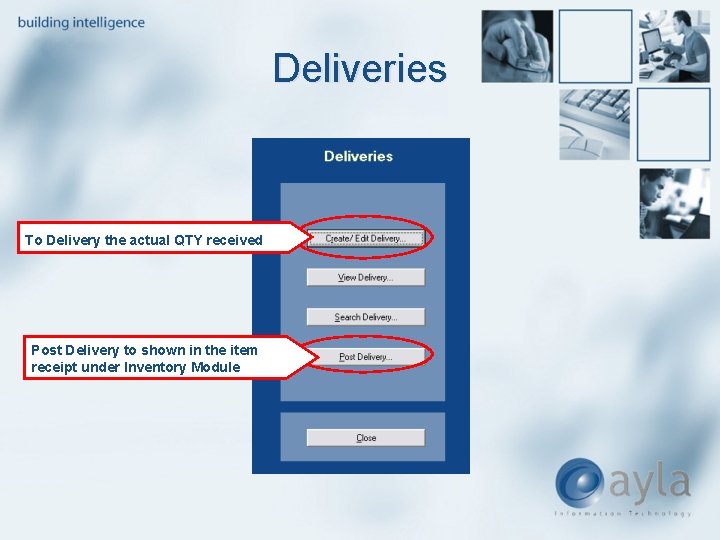
Deliveries To Delivery the actual QTY received Post Delivery to shown in the item receipt under Inventory Module
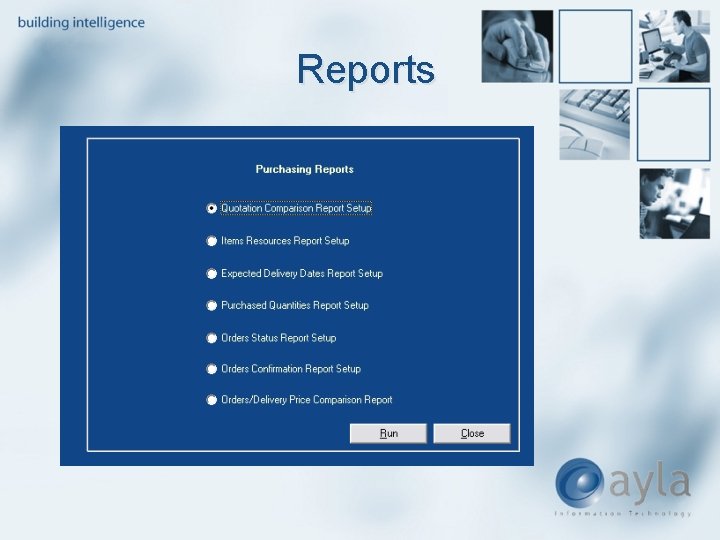
Reports
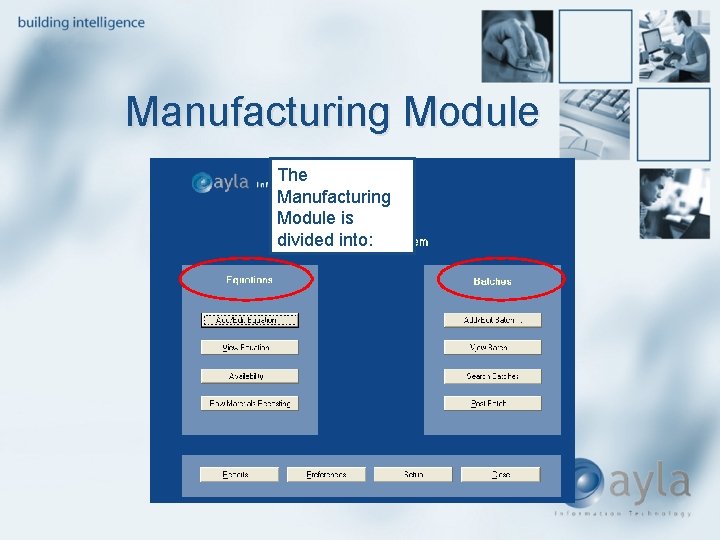
Manufacturing Module The Manufacturing Module is divided into:
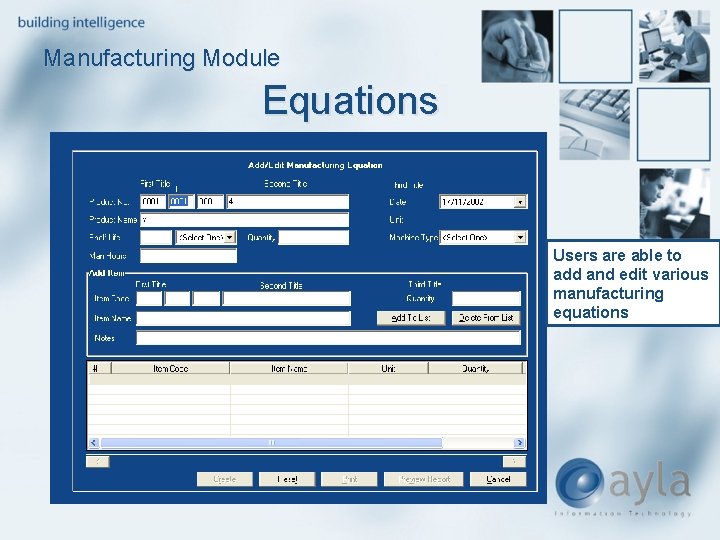
Manufacturing Module Equations Users are able to add and edit various manufacturing equations
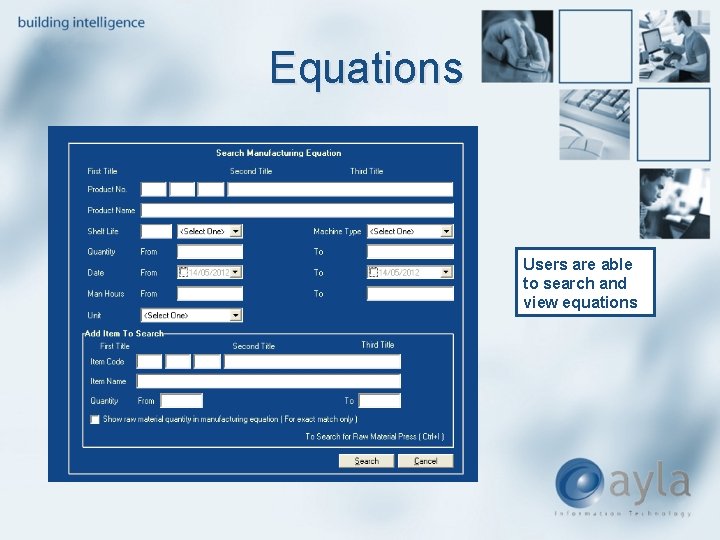
Equations Users are able to search and view equations
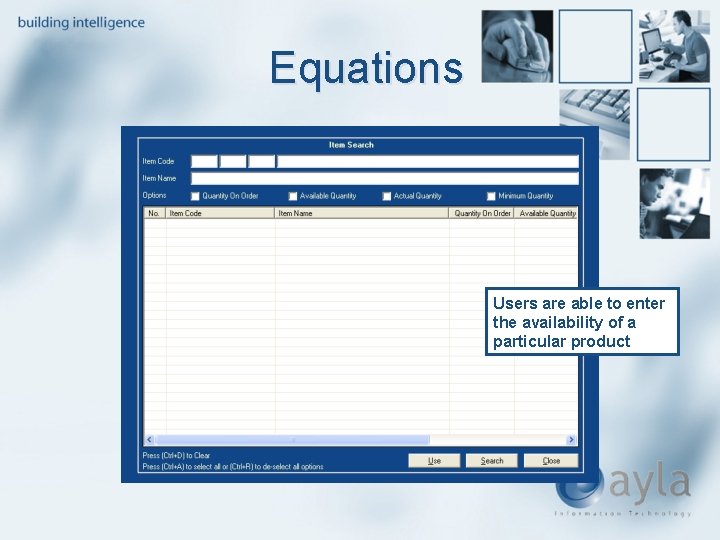
Equations Users are able to enter the availability of a particular product
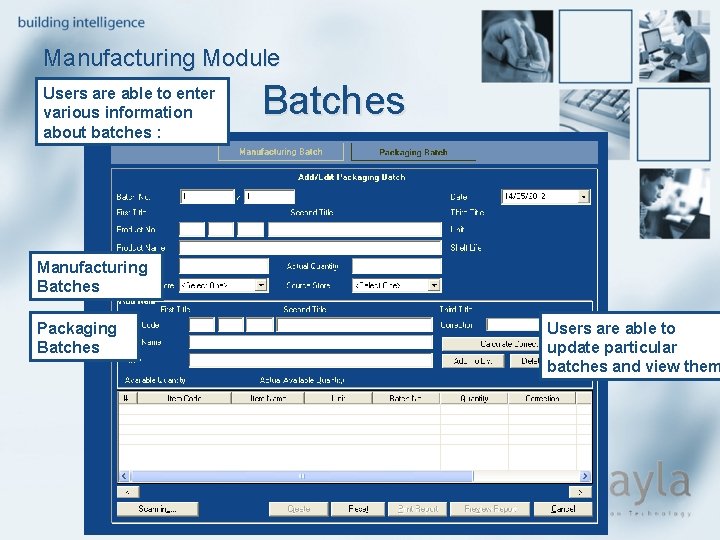
Manufacturing Module Users are able to enter various information about batches : Batches Manufacturing Batches Packaging Batches Users are able to update particular batches and view them
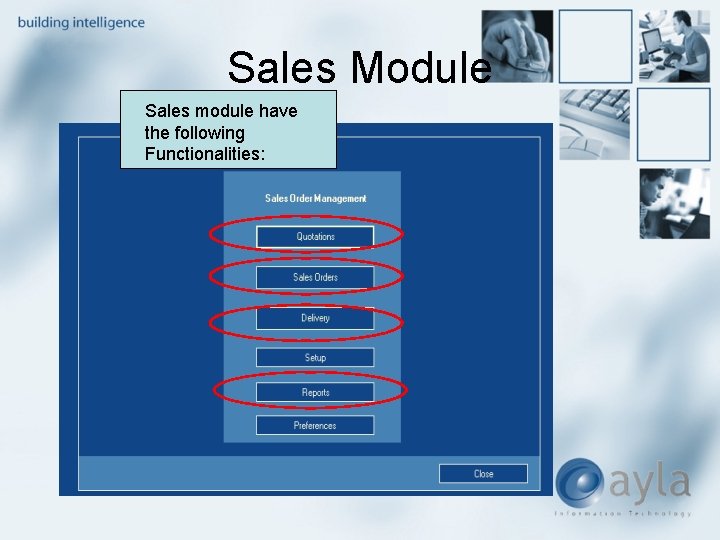
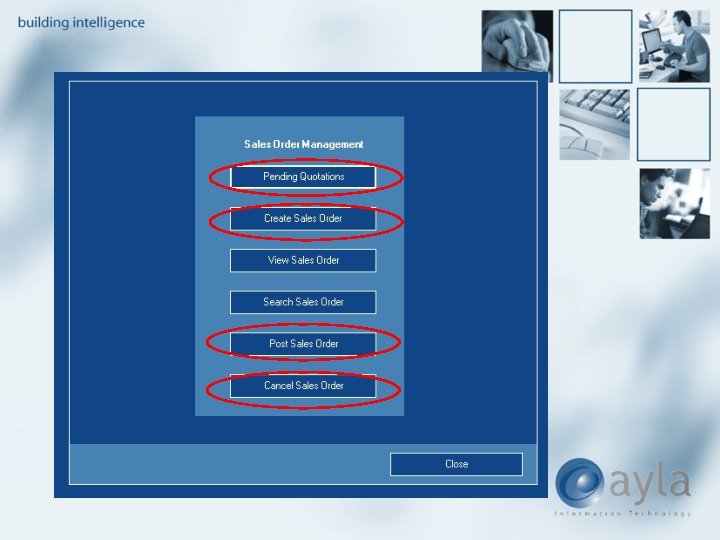
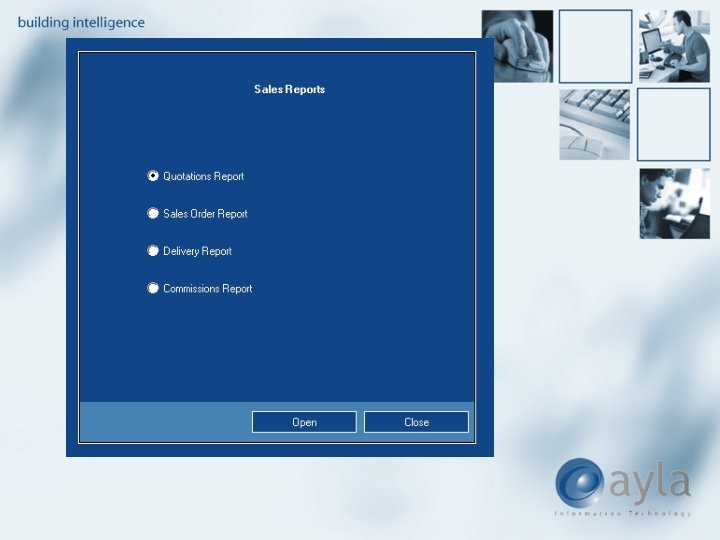
Sales Module Sales module have the following Functionalities:
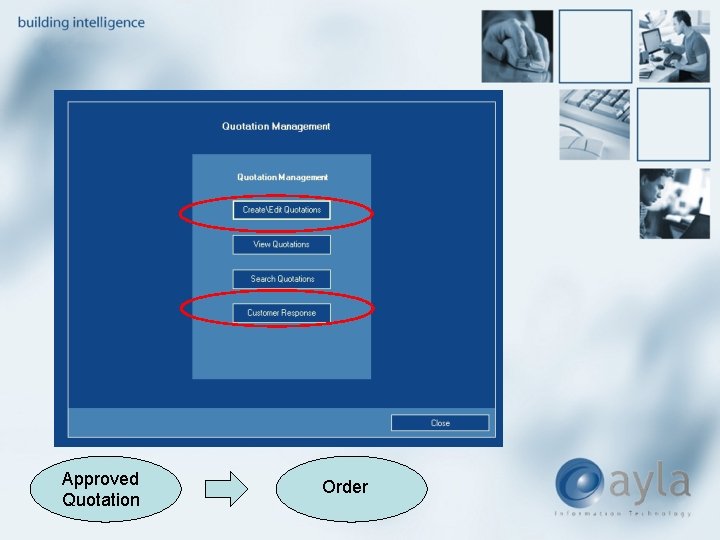
Approved Quotation Order
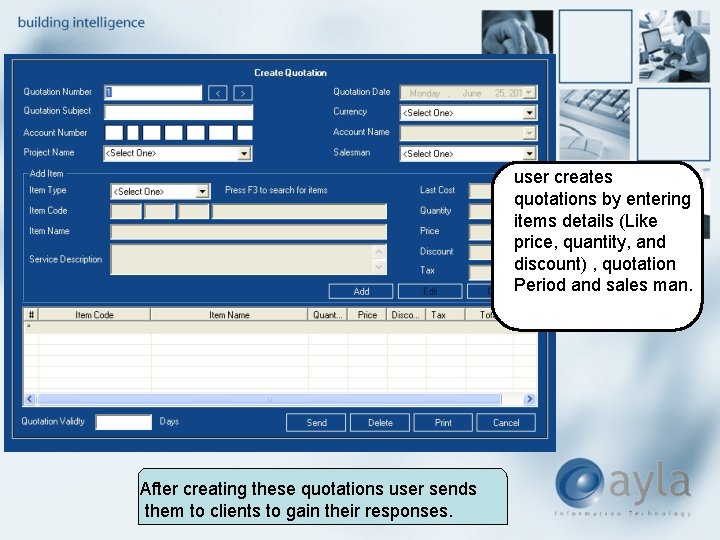
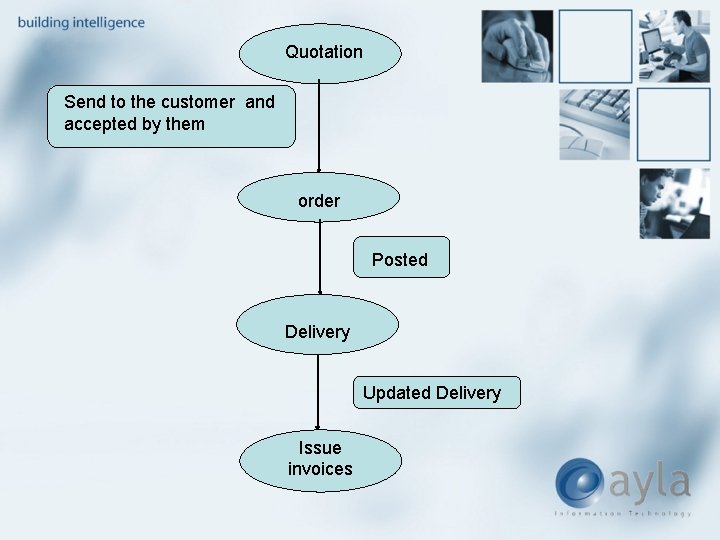
user creates quotations by entering items details (Like price, quantity, and discount) , quotation Period and sales man. After creating these quotations user sends them to clients to gain their responses.
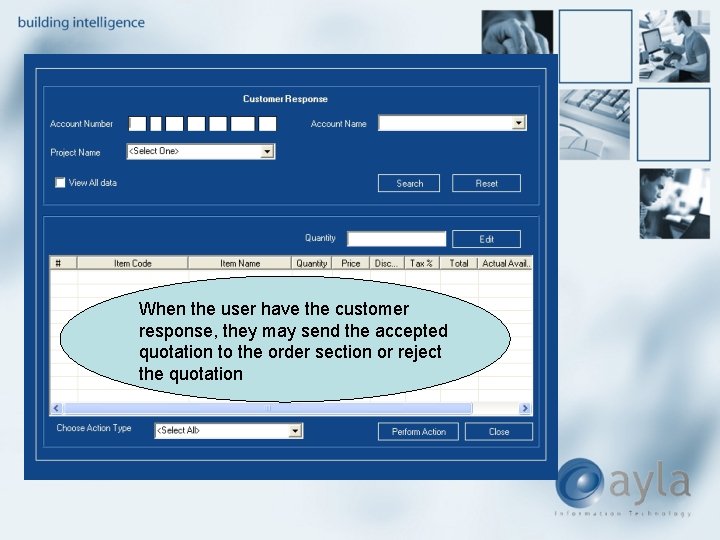
When the user have the customer response, they may send the accepted quotation to the order section or reject the quotation
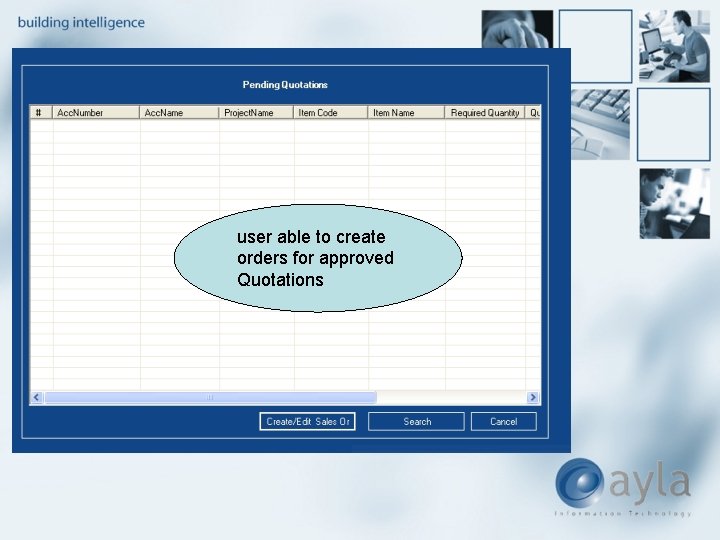
user able to create orders for approved Quotations
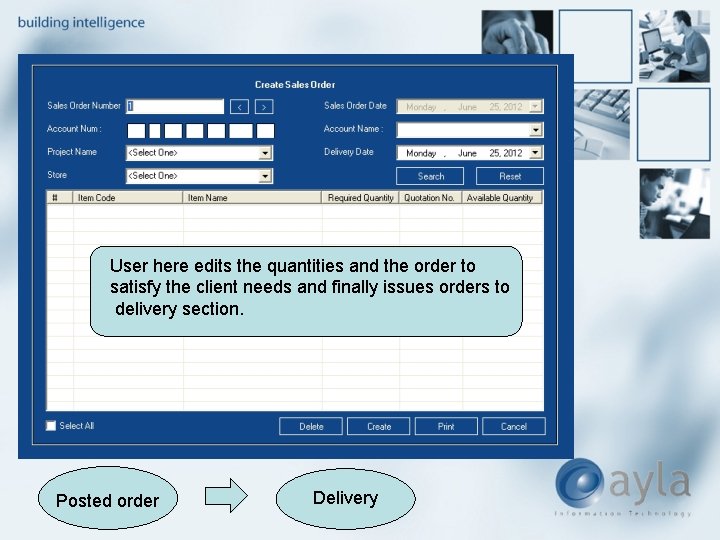
User here edits the quantities and the order to satisfy the client needs and finally issues orders to delivery section. Posted order Delivery
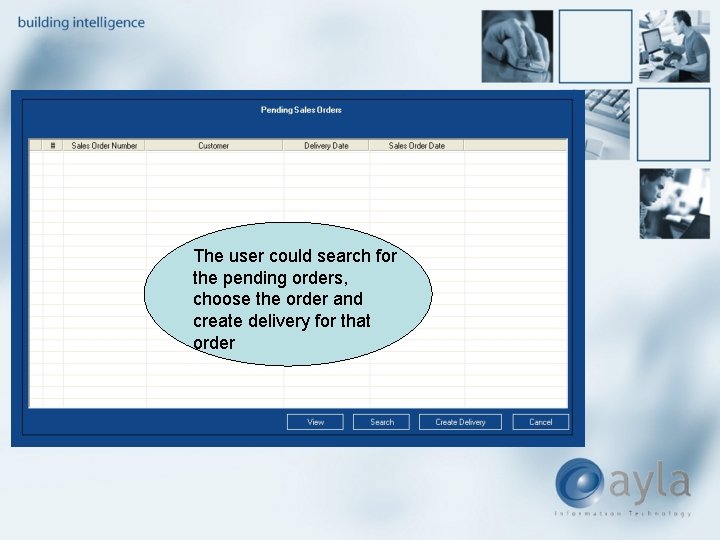
The user could search for the pending orders, choose the order and create delivery for that order
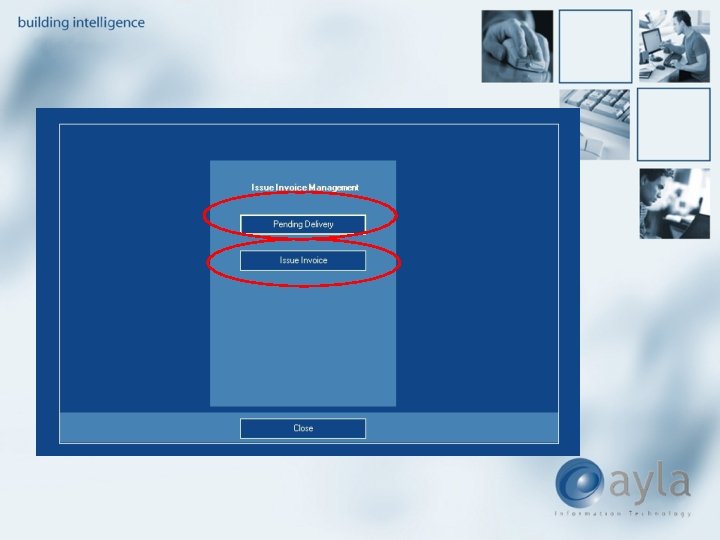
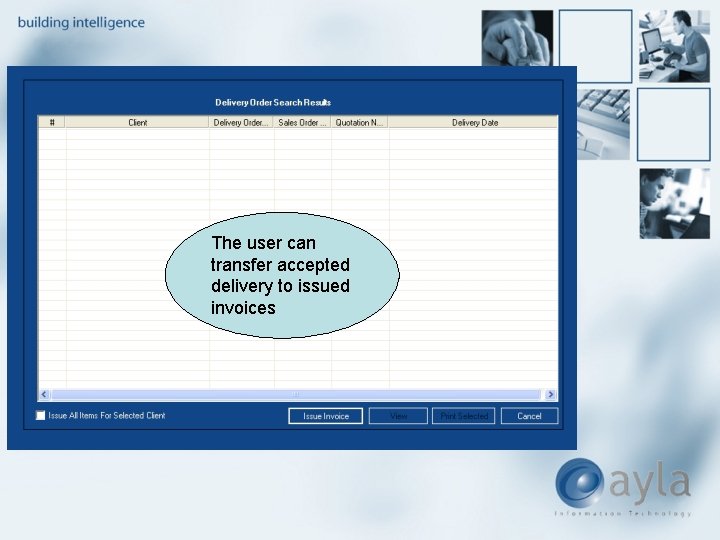
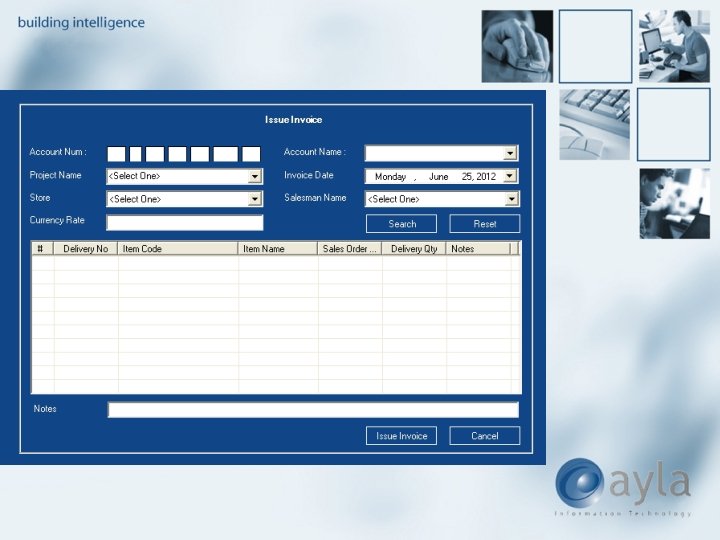
The user can transfer accepted delivery to issued invoices
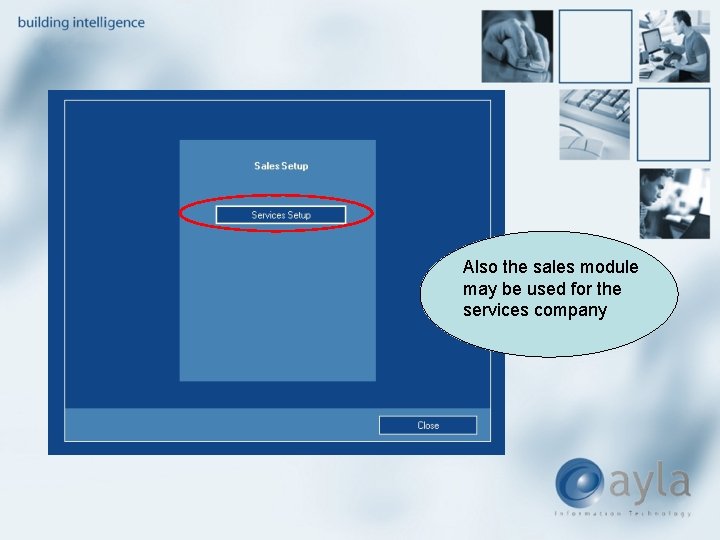
Also the sales module may be used for the services company
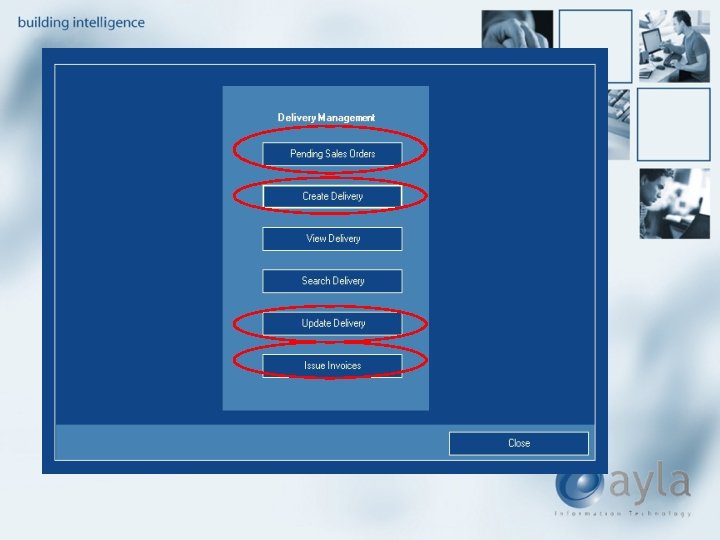
Quotation Send to the customer and accepted by them order Posted Delivery Updated Delivery Issue invoices
Thank You