Lecture 18 20 Pointers Department of Computer Engineering
- Slides: 102
Lecture 18 -20 Pointers Department of Computer Engineering 1 Sharif University of Technology
Input and Output – Lecture 4 Outline • Defining and using Pointers • Operations on pointers – Arithmetic – Logical • Pointers and Arrays • Memory Management for Pointers Department of Computer Engineering 2 Sharif University of Technology
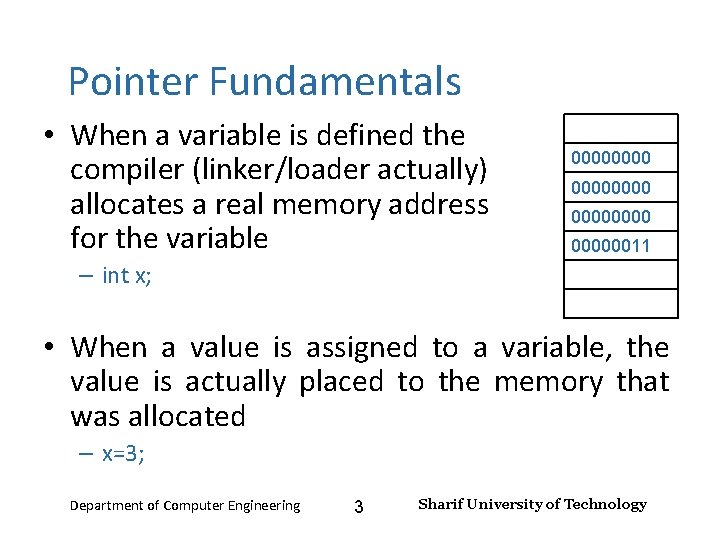
Input and Output – Lecture 4 Pointer Fundamentals • When a variable is defined the compiler (linker/loader actually) allocates a real memory address for the variable 00000000 00000011 – int x; • When a value is assigned to a variable, the value is actually placed to the memory that was allocated – x=3; Department of Computer Engineering 3 Sharif University of Technology
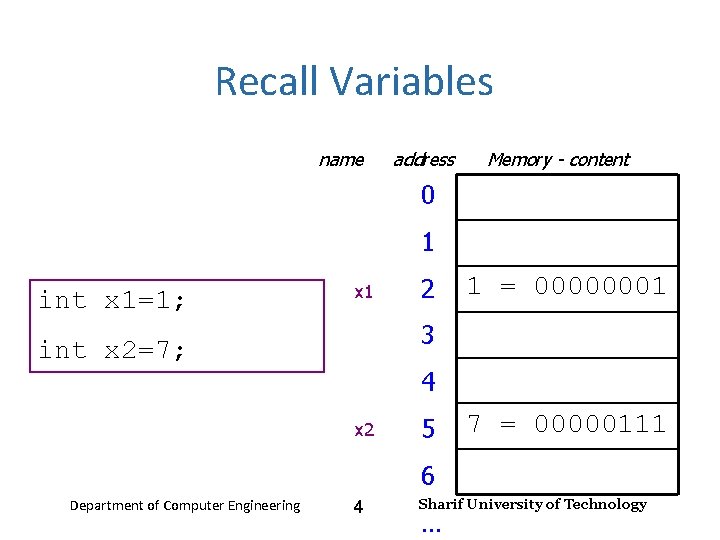
Input and Output – Lecture 4 Recall Variables name address Memory - content 0 1 int x 1=1; x 1 2 1 = 00000001 3 int x 2=7; 4 x 2 5 7 = 00000111 6 Department of Computer Engineering 4 Sharif University of Technology …
Input and Output – Lecture 4 Recall Variables • Recall a variable is nothing more than a convenient name for a memory location. – The type of the variable (e. g. , int) defines • how the bits inside that memory location will be interpreted, and • what operations are permitted on this variable. • Every variable has an address. • Every variable has a value. Department of Computer Engineering 5 Sharif University of Technology
Input and Output – Lecture 4 The Real Variable Name is its Address! �There are 4 billion (232) different addresses, and hence 4 billion different memory locations. ◦ Each memory location is a variable (whether your program uses it or not). ◦ Your program will probably only create names for a small subset of these “potential variables”. ◦ Some variables are guarded by the operating system and cannot be accessed. �When your program uses a variable the compiler inserts machine code that calculates the address of the variable. ◦ Only by knowing the address can the variables be accessed. Department of Computer Engineering 6 Sharif University of Technology
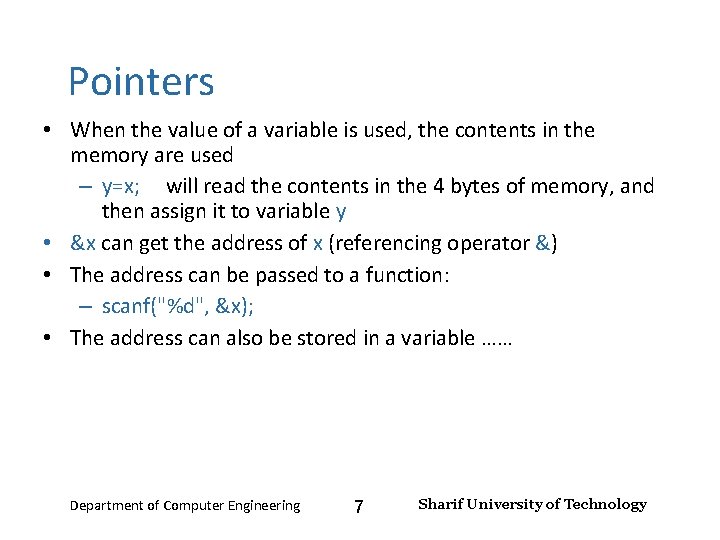
Input and Output – Lecture 4 Pointers • When the value of a variable is used, the contents in the memory are used – y=x; will read the contents in the 4 bytes of memory, and then assign it to variable y • &x can get the address of x (referencing operator &) • The address can be passed to a function: – scanf("%d", &x); • The address can also be stored in a variable …… Department of Computer Engineering 7 Sharif University of Technology
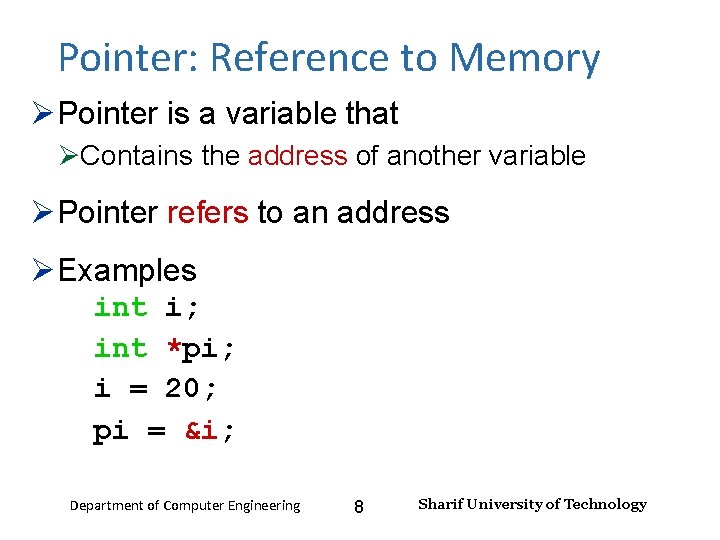
Input and Output – Lecture 4 Pointer: Reference to Memory Pointer is a variable that Contains the address of another variable Pointer refers to an address Examples int i; int *pi; i = 20; pi = &i; Department of Computer Engineering 8 Sharif University of Technology
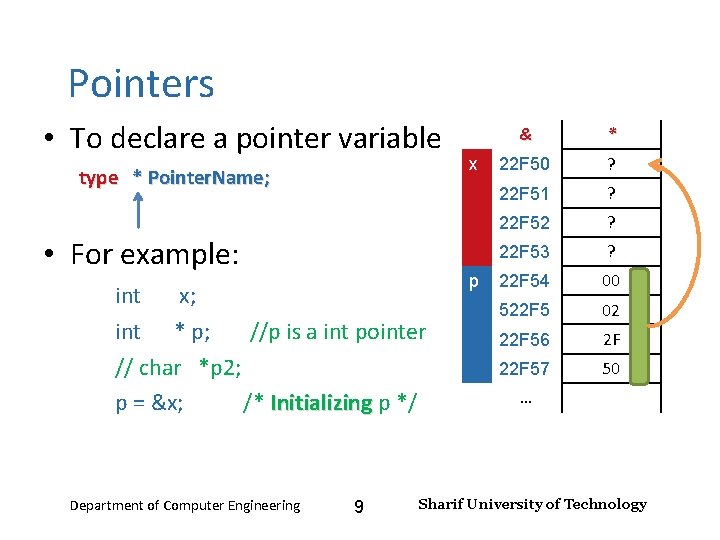
Input and Output – Lecture 4 Pointers • To declare a pointer variable type * Pointer. Name; • For example: int x; int * p; //p is a int pointer // char *p 2; p = &x; /* Initializing p */ Initializing Department of Computer Engineering 9 x p & * 22 F 50 ? 22 F 51 ? 22 F 52 ? 22 F 53 ? 22 F 54 00 522 F 5 02 22 F 56 2 F 22 F 57 50 … Sharif University of Technology
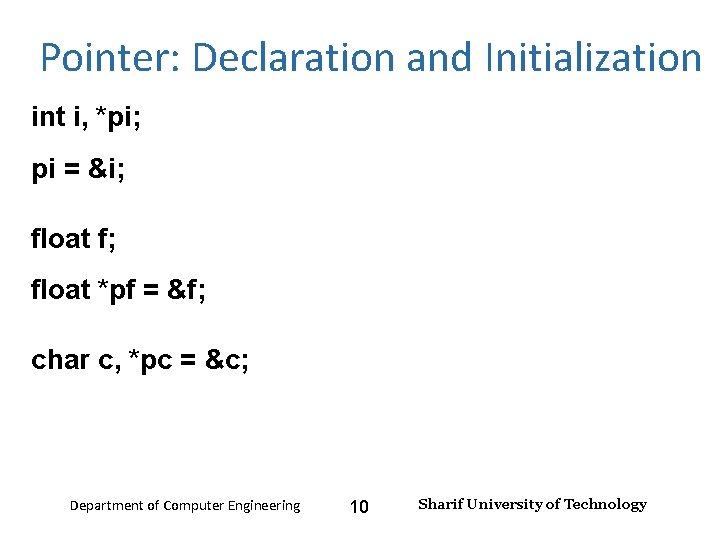
Input and Output – Lecture 4 Pointer: Declaration and Initialization int i, *pi; pi = &i; float f; float *pf = &f; char c, *pc = &c; Department of Computer Engineering 10 Sharif University of Technology
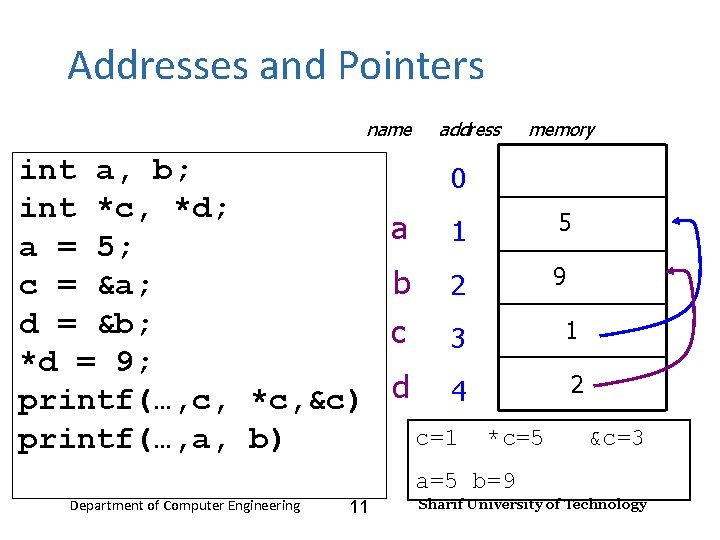
Input and Output – Lecture 4 Addresses and Pointers name int a, b; int *c, *d; a = 5; c = &a; d = &b; *d = 9; printf(…, c, *c, &c) printf(…, a, b) address memory 0 a 1 5? b 2 9? c 3 1? d 4 2? c=1 *c=5 &c=3 a=5 b=9 Department of Computer Engineering 11 Sharif University of Technology
Input and Output – Lecture 4 Addresses and Pointers �A pointer variable is a variable! ◦ It is stored in memory somewhere and has an address. ◦ It is a string of bits (just like any other variable). ◦ Pointers are 32 bits long on most systems. Department of Computer Engineering 12 Sharif University of Technology
Input and Output – Lecture 4 Using Pointers • You can use pointers to access the values of other variables, i. e. the contents of the memory for other variables • To do this, use the * operator (dereferencing operator) – Depending on different context, * has different meanings Department of Computer Engineering 13 Sharif University of Technology
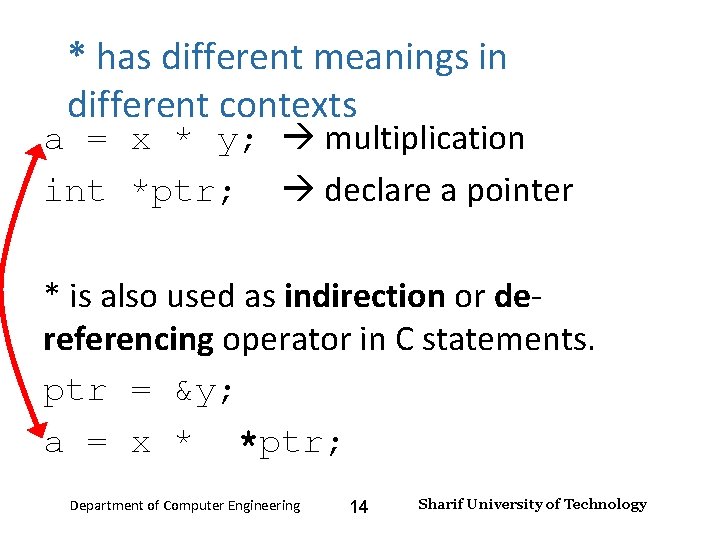
Input and Output – Lecture 4 * has different meanings in different contexts a = x * y; multiplication int *ptr; declare a pointer * is also used as indirection or dereferencing operator in C statements. ptr = &y; a = x * *ptr; Department of Computer Engineering 14 Sharif University of Technology
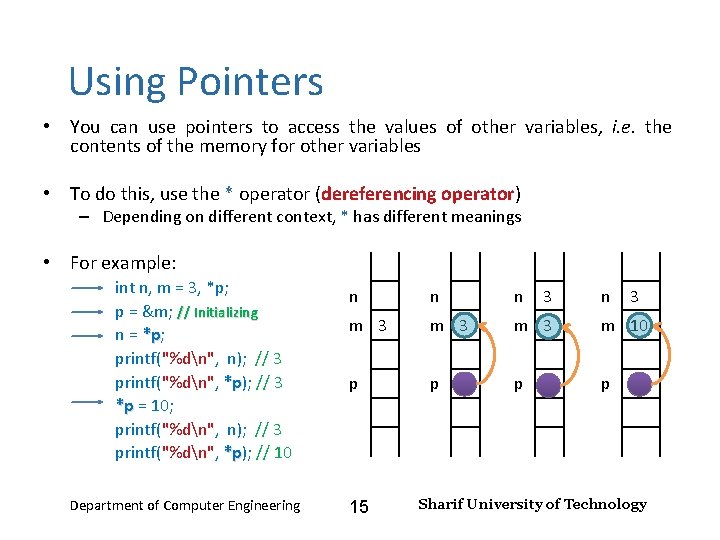
Input and Output – Lecture 4 Using Pointers • You can use pointers to access the values of other variables, i. e. the contents of the memory for other variables • To do this, use the * operator (dereferencing operator) – Depending on different context, * has different meanings • For example: int n, m = 3, *p; p = &m; // Initializing n = *p; *p printf("%dn", n); // 3 printf("%dn", *p); // 3 *p *p = 10; *p printf("%dn", n); // 3 printf("%dn", *p); // 10 *p Department of Computer Engineering n n n m 3 m 3 m 10 p p 15 3 n 3 Sharif University of Technology
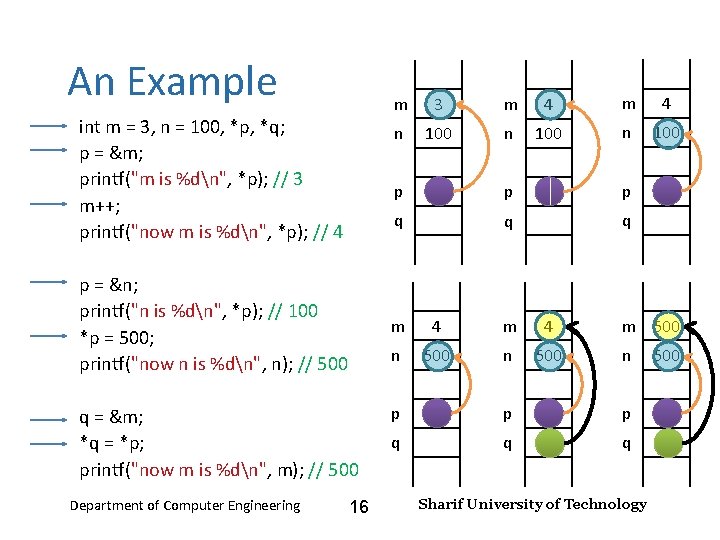
Input and Output – Lecture 4 An Example int m = 3, n = 100, *p, *q; p = &m; printf("m is %dn", *p); // 3 m++; printf("now m is %dn", *p); // 4 p = &n; printf("n is %dn", *p); // 100 *p = 500; printf("now n is %dn", n); // 500 q = &m; *q = *p; printf("now m is %dn", m); // 500 Department of Computer Engineering 16 m 3 m 4 n 100 p p p q q q m 4 n 500 m 500 n p p p q q q Sharif University of Technology 500
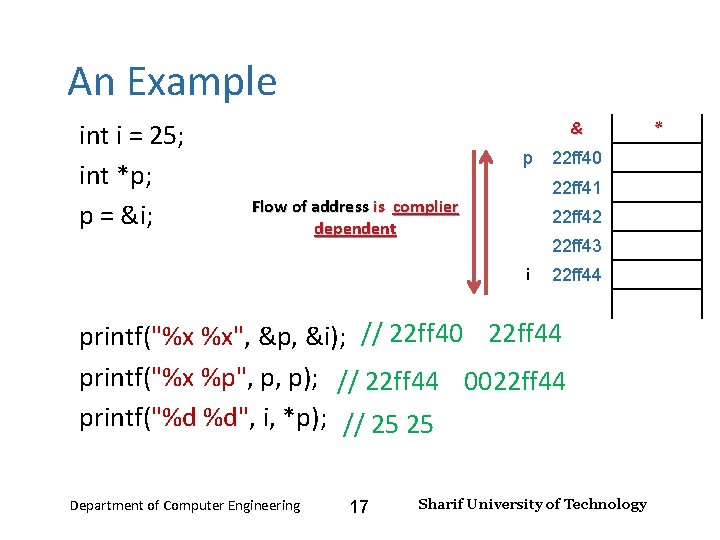
Input and Output – Lecture 4 An Example int i = 25; int *p; p = &i; & p 22 ff 40 22 ff 41 Flow of address is complier dependent 22 ff 42 22 ff 43 i 22 ff 44 printf("%x %x", &p, &i); // 22 ff 40 22 ff 44 printf("%x %p", p, p); // 22 ff 44 0022 ff 44 printf("%d %d", i, *p); // 25 25 Department of Computer Engineering 17 Sharif University of Technology *
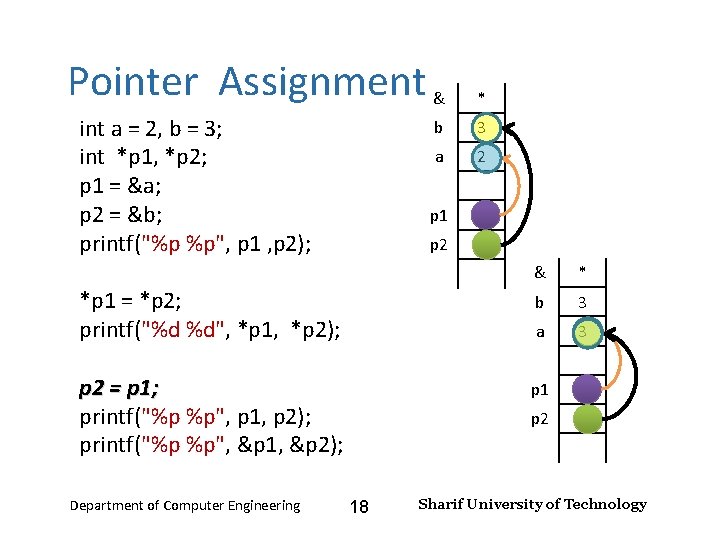
Input and Output – Lecture 4 Pointer Assignment & int a = 2, b = 3; int *p 1, *p 2; p 1 = &a; p 2 = &b; printf("%p %p", p 1 , p 2); * b 3 a 2 p 1 p 2 & * *p 1 = *p 2; printf("%d %d", *p 1, *p 2); b 3 a 3 p 2 = p 1; printf("%p %p", p 1, p 2); printf("%p %p", &p 1, &p 2); p 1 Department of Computer Engineering p 2 18 Sharif University of Technology
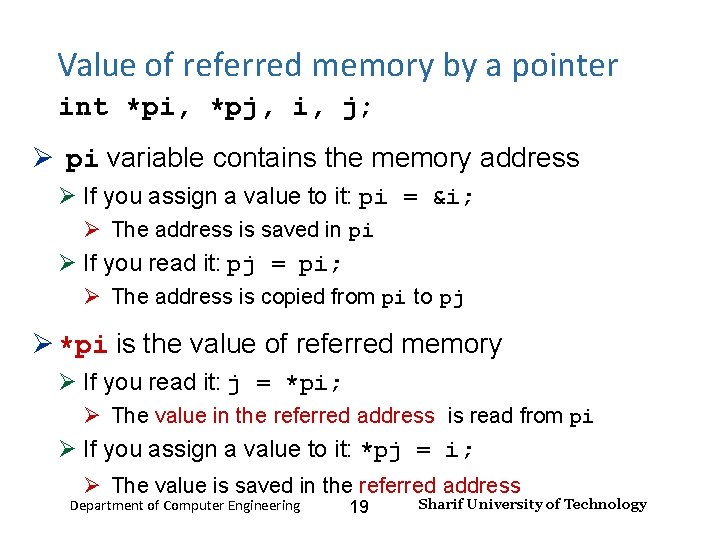
Input and Output – Lecture 4 Value of referred memory by a pointer int *pi, *pj, i, j; pi variable contains the memory address If you assign a value to it: pi = &i; The address is saved in pi If you read it: pj = pi; The address is copied from pi to pj *pi is the value of referred memory If you read it: j = *pi; The value in the referred address is read from pi If you assign a value to it: *pj = i; The value is saved in the referred address Department of Computer Engineering 19 Sharif University of Technology
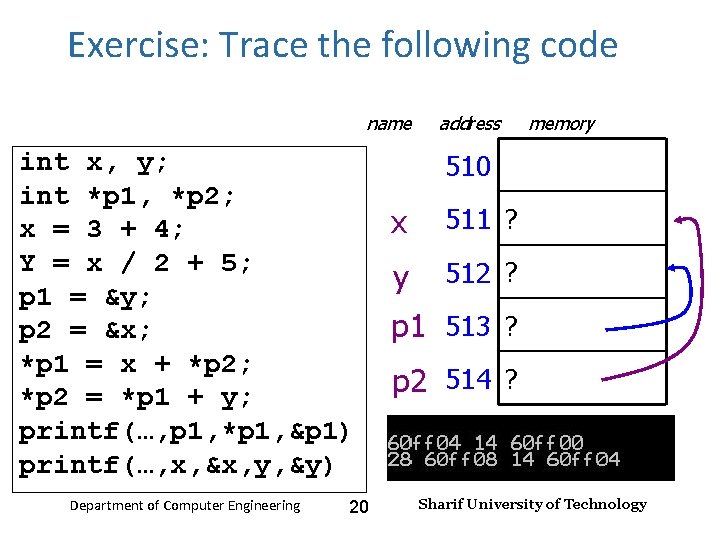
Exercise: Trace the following code Input and Output – Lecture 4 name int x, y; int *p 1, *p 2; x = 3 + 4; Y = x / 2 + 5; p 1 = &y; p 2 = &x; *p 1 = x + *p 2; *p 2 = *p 1 + y; printf(…, p 1, *p 1, &p 1) printf(…, x, &x, y, &y) Department of Computer Engineering 20 address memory 510 x 511 ? y 512 ? p 1 513 ? p 2 514 ? Sharif University of Technology
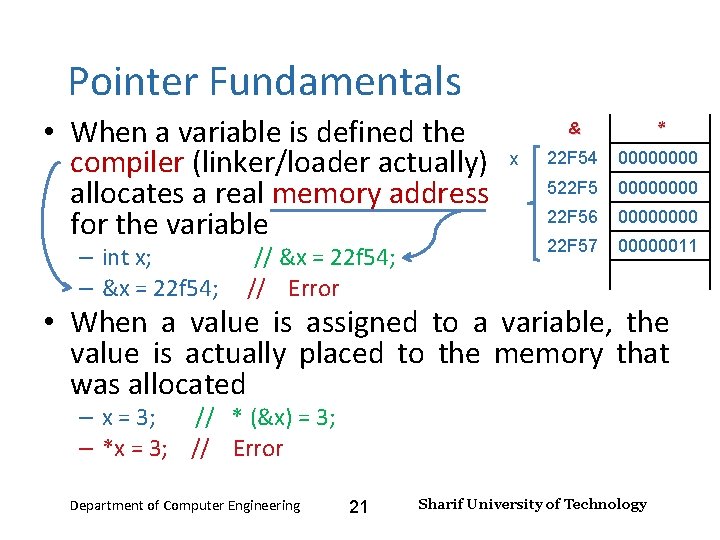
Input and Output – Lecture 4 Pointer Fundamentals • When a variable is defined the compiler (linker/loader actually) allocates a real memory address for the variable – int x; // &x = 22 f 54; – &x = 22 f 54; // Error x & * 22 F 54 0000 522 F 5 0000 22 F 56 0000 22 F 57 00000011 • When a value is assigned to a variable, the value is actually placed to the memory that was allocated – x = 3; // * (&x) = 3; – *x = 3; // Error Department of Computer Engineering 21 Sharif University of Technology
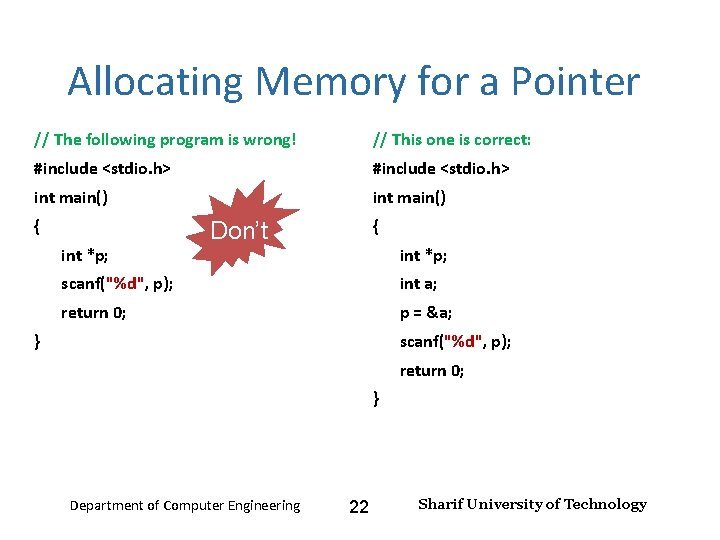
Input and Output – Lecture 4 Allocating Memory for a Pointer // The following program is wrong! // This one is correct: #include <stdio. h> int main() { int *p; { Don’t int *p; scanf("%d", p); int a; return 0; p = &a; } scanf("%d", p); return 0; } Department of Computer Engineering 22 Sharif University of Technology
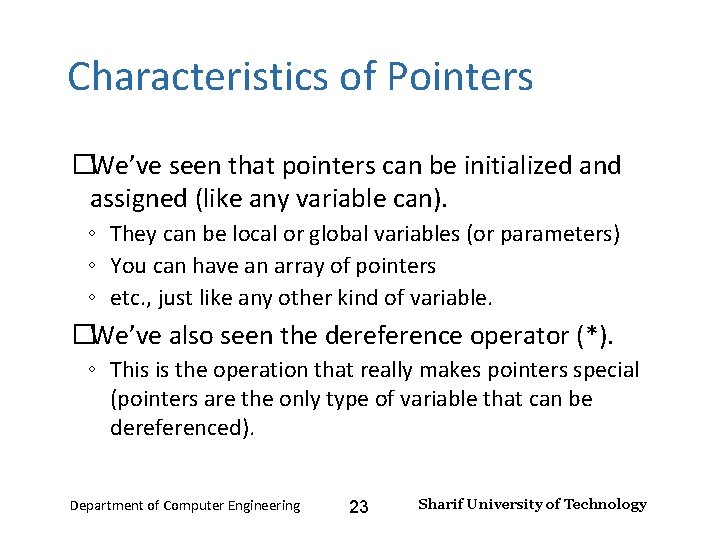
Input and Output – Lecture 4 Characteristics of Pointers �We’ve seen that pointers can be initialized and assigned (like any variable can). ◦ They can be local or global variables (or parameters) ◦ You can have an array of pointers ◦ etc. , just like any other kind of variable. �We’ve also seen the dereference operator (*). ◦ This is the operation that really makes pointers special (pointers are the only type of variable that can be dereferenced). Department of Computer Engineering 23 Sharif University of Technology
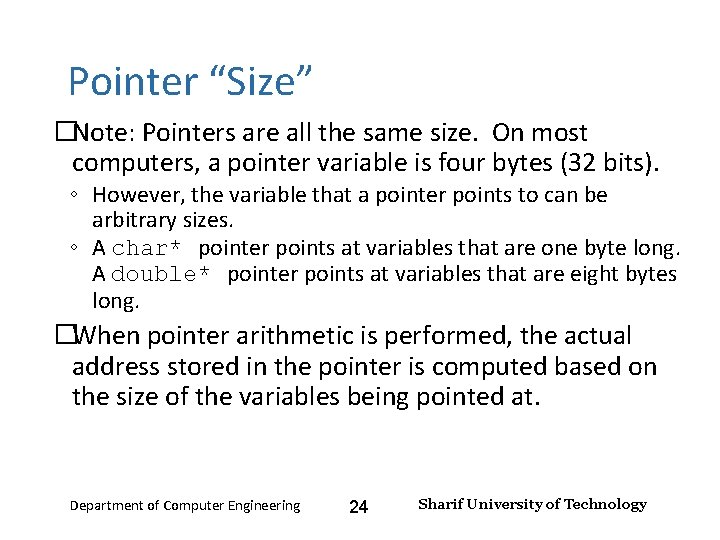
Input and Output – Lecture 4 Pointer “Size” �Note: Pointers are all the same size. On most computers, a pointer variable is four bytes (32 bits). ◦ However, the variable that a pointer points to can be arbitrary sizes. ◦ A char* pointer points at variables that are one byte long. A double* pointer points at variables that are eight bytes long. �When pointer arithmetic is performed, the actual address stored in the pointer is computed based on the size of the variables being pointed at. Department of Computer Engineering 24 Sharif University of Technology
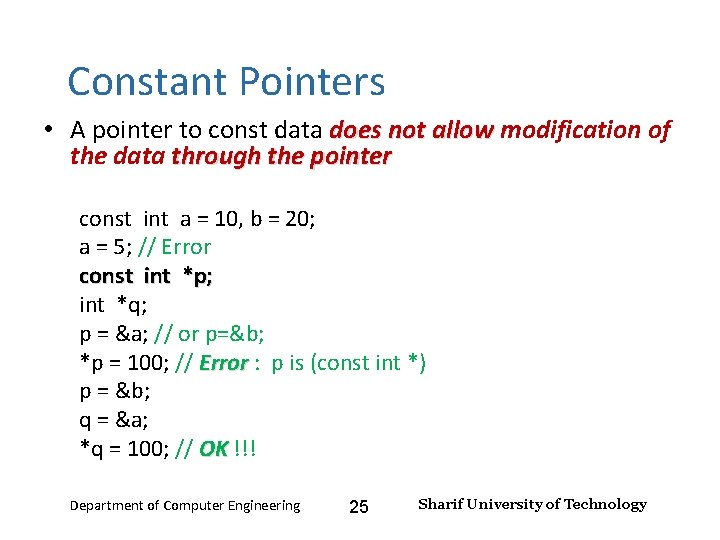
Input and Output – Lecture 4 Constant Pointers • A pointer to const data does not allow modification of allow the data through the pointer const int a = 10, b = 20; a = 5; // Error const int *p; int *q; p = &a; // or p=&b; *p = 100; // Error : p is (const int *) Error p = &b; q = &a; *q = 100; // OK !!! OK Department of Computer Engineering 25 Sharif University of Technology
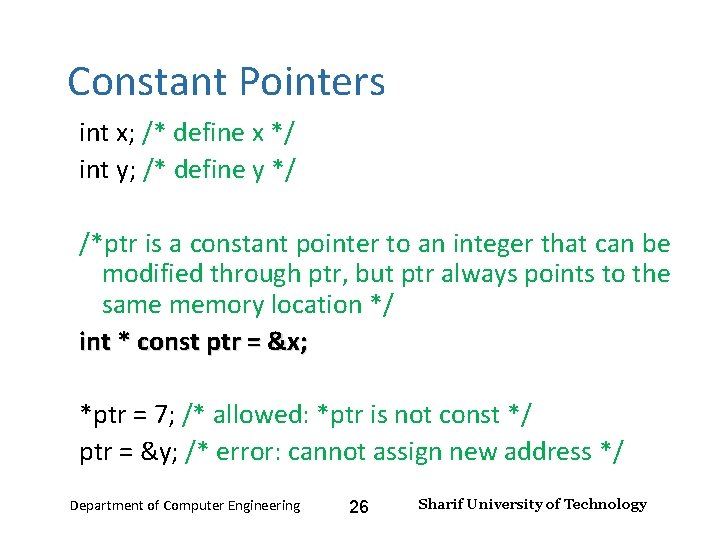
Input and Output – Lecture 4 Constant Pointers int x; /* define x */ int y; /* define y */ /*ptr is a constant pointer to an integer that can be modified through ptr, but ptr always points to the same memory location */ int * const ptr = &x; *ptr = 7; /* allowed: *ptr is not const */ ptr = &y; /* error: cannot assign new address */ Department of Computer Engineering 26 Sharif University of Technology
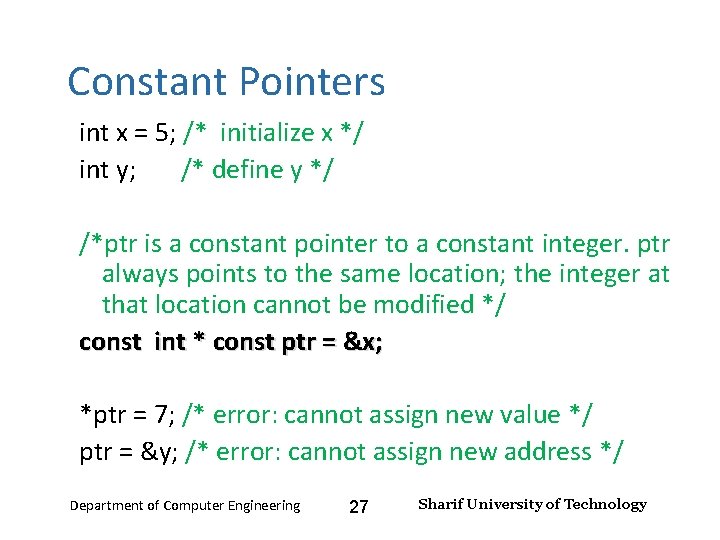
Input and Output – Lecture 4 Constant Pointers int x = 5; /* initialize x */ int y; /* define y */ /*ptr is a constant pointer to a constant integer. ptr always points to the same location; the integer at that location cannot be modified */ const int * const ptr = &x; *ptr = 7; /* error: cannot assign new value */ ptr = &y; /* error: cannot assign new address */ Department of Computer Engineering 27 Sharif University of Technology
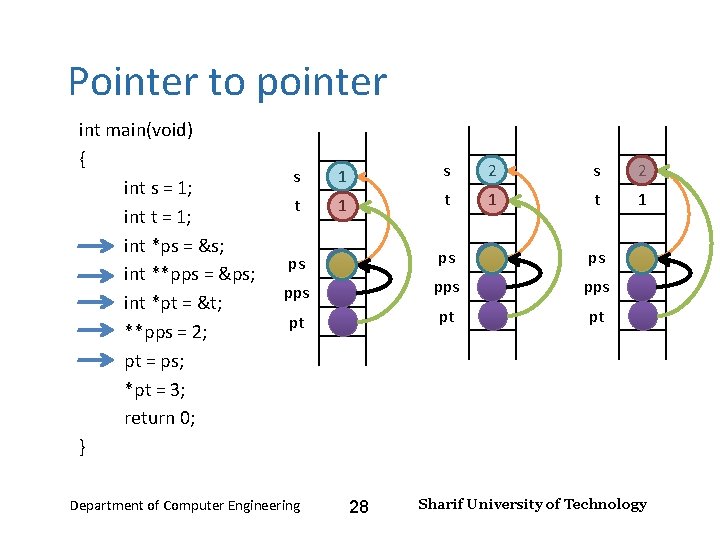
Input and Output – Lecture 4 Pointer to pointer int main(void) { int s = 1; int t = 1; int *ps = &s; int **pps = &ps; int *pt = &t; **pps = 2; pt = ps; *pt = 3; return 0; } s 1 s 2 t 1 t 1 ps ps ps pps pt pt pt Department of Computer Engineering 28 Sharif University of Technology
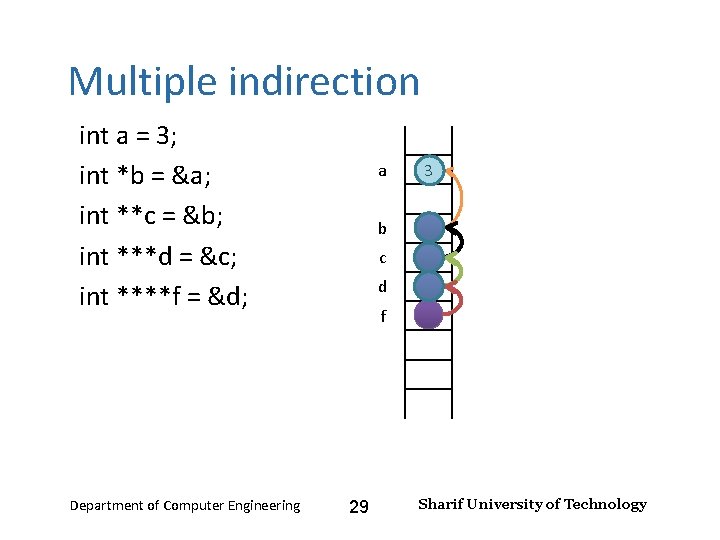
Input and Output – Lecture 4 Multiple indirection int a = 3; int *b = &a; int **c = &b; int ***d = &c; int ****f = &d; Department of Computer Engineering a 3 b c d f 29 Sharif University of Technology
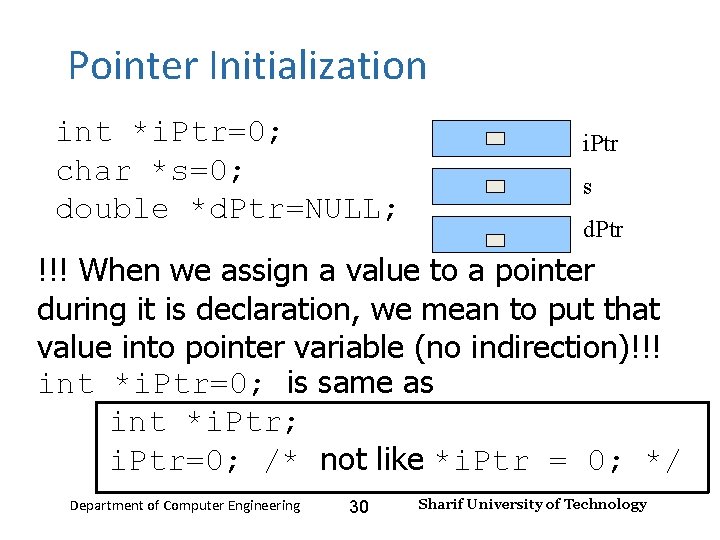
Input and Output – Lecture 4 Pointer Initialization int *i. Ptr=0; char *s=0; double *d. Ptr=NULL; i. Ptr s d. Ptr !!! When we assign a value to a pointer during it is declaration, we mean to put that value into pointer variable (no indirection)!!! int *i. Ptr=0; is same as int *i. Ptr; i. Ptr=0; /* not like *i. Ptr = 0; */ Department of Computer Engineering 30 Sharif University of Technology
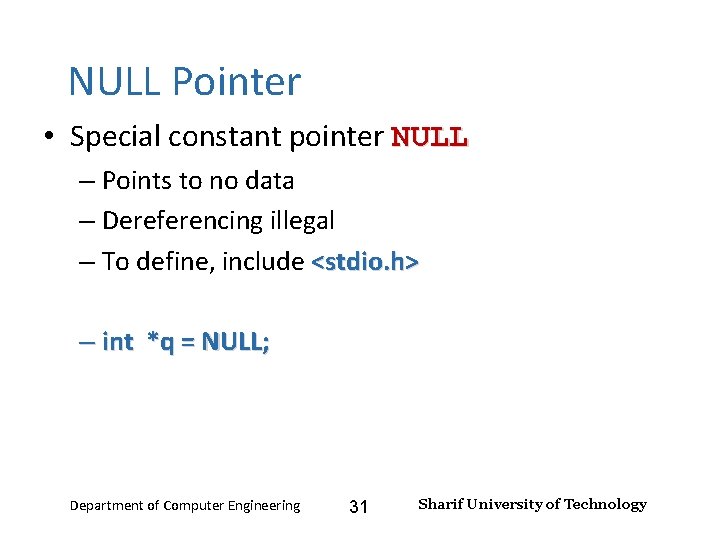
Input and Output – Lecture 4 NULL Pointer • Special constant pointer NULL – Points to no data – Dereferencing illegal – To define, include <stdio. h> – int *q = NULL; Department of Computer Engineering 31 Sharif University of Technology
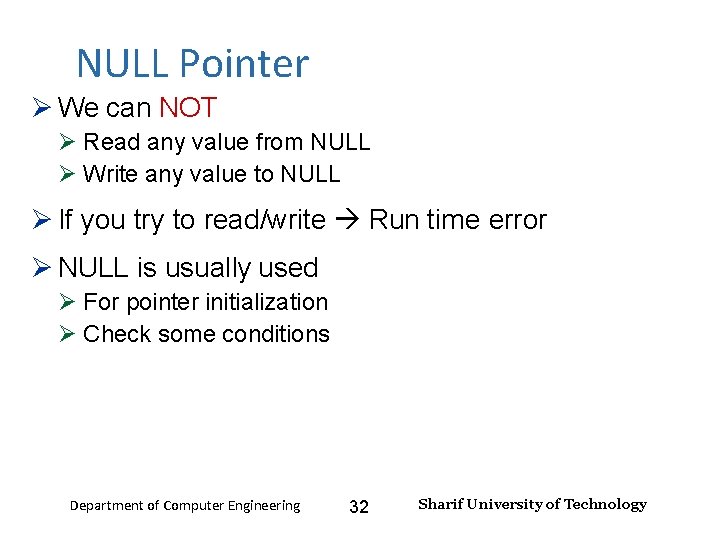
Input and Output – Lecture 4 NULL Pointer We can NOT Read any value from NULL Write any value to NULL If you try to read/write Run time error NULL is usually used For pointer initialization Check some conditions Department of Computer Engineering 32 Sharif University of Technology
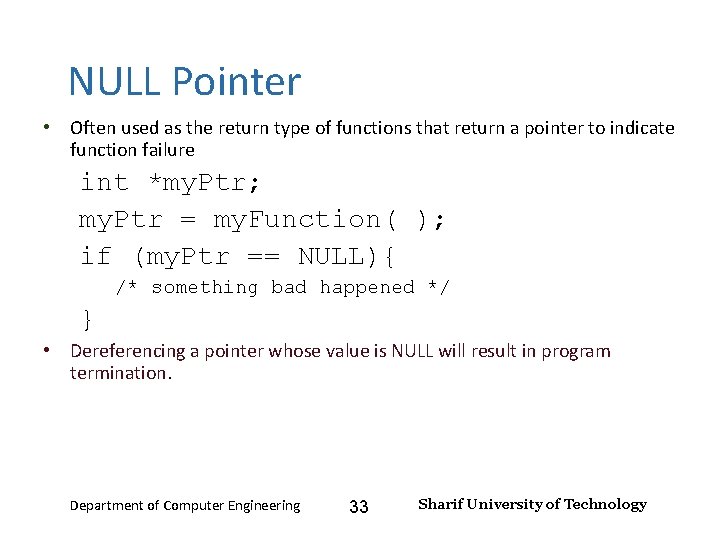
Input and Output – Lecture 4 NULL Pointer • Often used as the return type of functions that return a pointer to indicate function failure int *my. Ptr; my. Ptr = my. Function( ); if (my. Ptr == NULL){ /* something bad happened */ } • Dereferencing a pointer whose value is NULL will result in program termination. Department of Computer Engineering 33 Sharif University of Technology
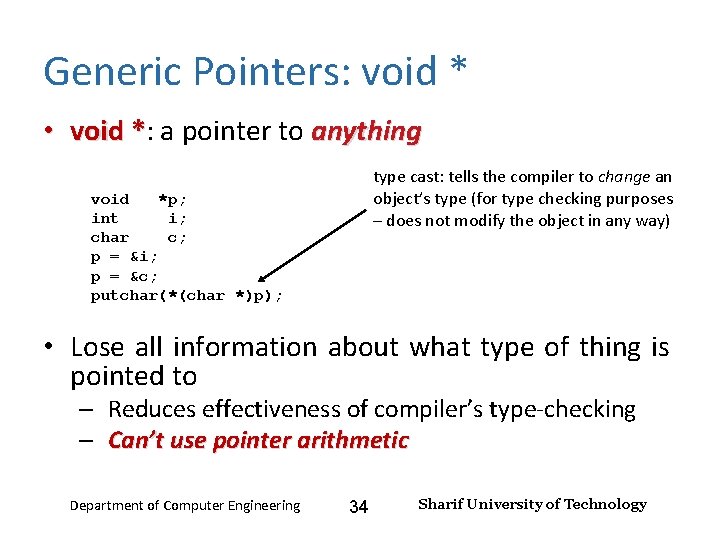
Input and Output – Lecture 4 Generic Pointers: void * • void *: a pointer to anything * type cast: tells the compiler to change an object’s type (for type checking purposes – does not modify the object in any way) void *p; int i; char c; p = &i; p = &c; putchar(*(char *)p); • Lose all information about what type of thing is pointed to – Reduces effectiveness of compiler’s type-checking – Can’t use pointer arithmetic Department of Computer Engineering 34 Sharif University of Technology
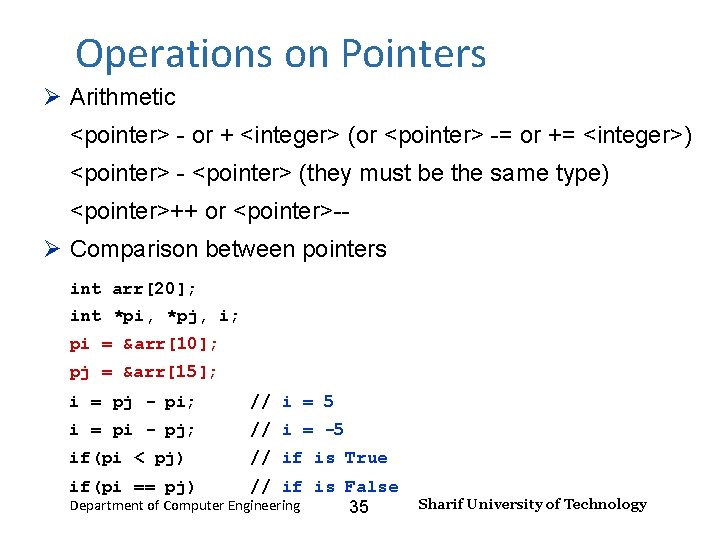
Input and Output – Lecture 4 Operations on Pointers Arithmetic <pointer> - or + <integer> (or <pointer> -= or += <integer>) <pointer> - <pointer> (they must be the same type) <pointer>++ or <pointer>-- Comparison between pointers int arr[20]; int *pi, *pj, i; pi = &arr[10]; pj = &arr[15]; i = pj - pi; // i = 5 i = pi - pj; // i = -5 if(pi < pj) // if is True if(pi == pj) // if is False Department of Computer Engineering 35 Sharif University of Technology
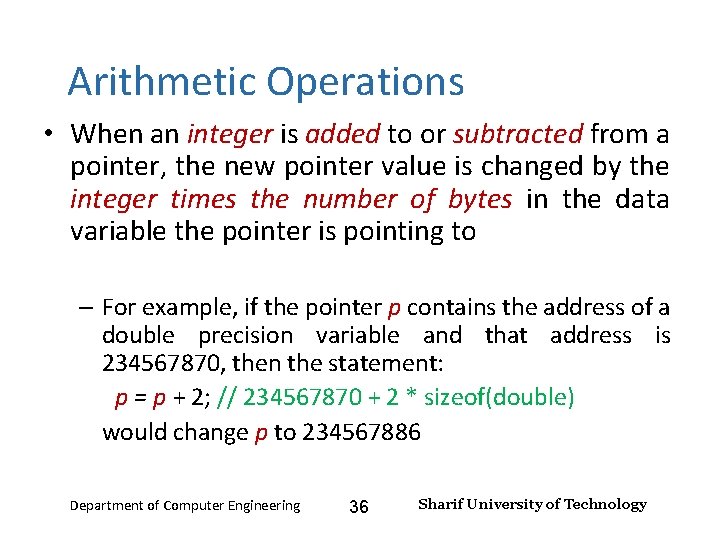
Input and Output – Lecture 4 Arithmetic Operations • When an integer is added to or subtracted from a pointer, the new pointer value is changed by the integer times the number of bytes in the data variable the pointer is pointing to – For example, if the pointer p contains the address of a double precision variable and that address is 234567870, then the statement: p = p + 2; // 234567870 + 2 * sizeof(double) would change p to 234567886 Department of Computer Engineering 36 Sharif University of Technology
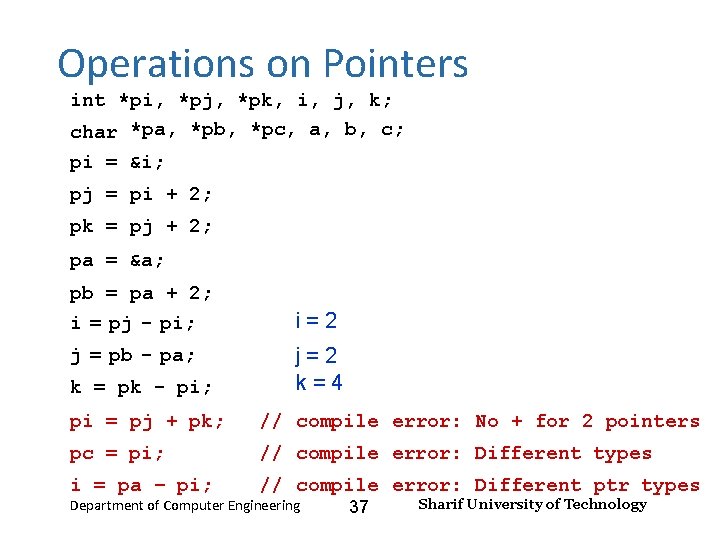
Input and Output – Lecture 4 Operations on Pointers int *pi, *pj, *pk, i, j, k; char *pa, *pb, *pc, a, b, c; pi = &i; pj = pi + 2; pk = pj + 2; pa = &a; pb = pa + 2; i = pj - pi; i=2 j = pb - pa; j=2 k=4 k = pk - pi; pi = pj + pk; // compile error: No + for 2 pointers pc = pi; // compile error: Different types i = pa – pi; // compile error: Different ptr types Department of Computer Engineering 37 Sharif University of Technology
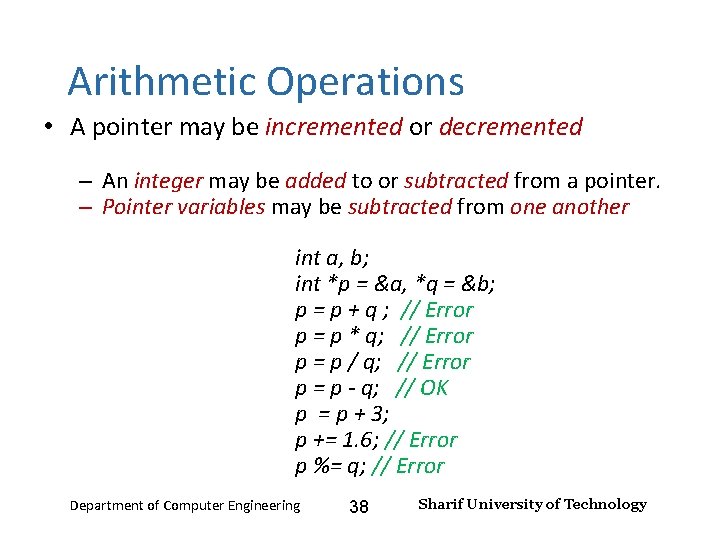
Input and Output – Lecture 4 Arithmetic Operations • A pointer may be incremented or decremented – An integer may be added to or subtracted from a pointer. – Pointer variables may be subtracted from one another int a, b; int *p = &a, *q = &b; p = p + q ; // Error p = p * q; // Error p = p / q; // Error p = p - q; // OK p = p + 3; p += 1. 6; // Error p %= q; // Error Department of Computer Engineering 38 Sharif University of Technology
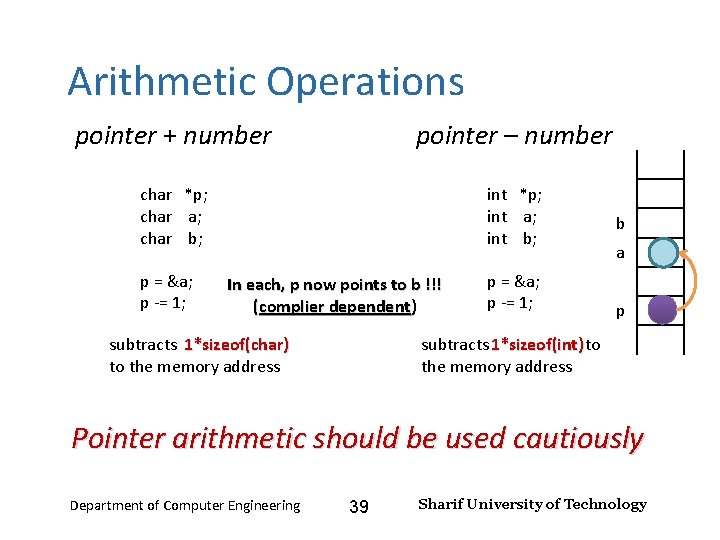
Input and Output – Lecture 4 Arithmetic Operations pointer + number pointer – number char *p; char a; char b; p = &a; p -= 1; int *p; int a; int b; In each, p now points to b !!! (complier dependent) subtracts 1*sizeof(char) to the memory address p = &a; p -= 1; b a p subtracts 1*sizeof(int) to the memory address Pointer arithmetic should be used cautiously Department of Computer Engineering 39 Sharif University of Technology
Input and Output – Lecture 4 Comparing Pointers • Pointers can also be compared using ==, !=, <, >, <=, and >= – Two pointers are “equal” if they point to the same variable (i. e. , the pointers have the same value!) – A pointer p is “less than” some other pointer q if the address currently stored in p is smaller than the address currently stored in q. – It is rarely useful to compare pointers with < unless both p and q “point” to variables in the same array. Department of Computer Engineering 40 Sharif University of Technology
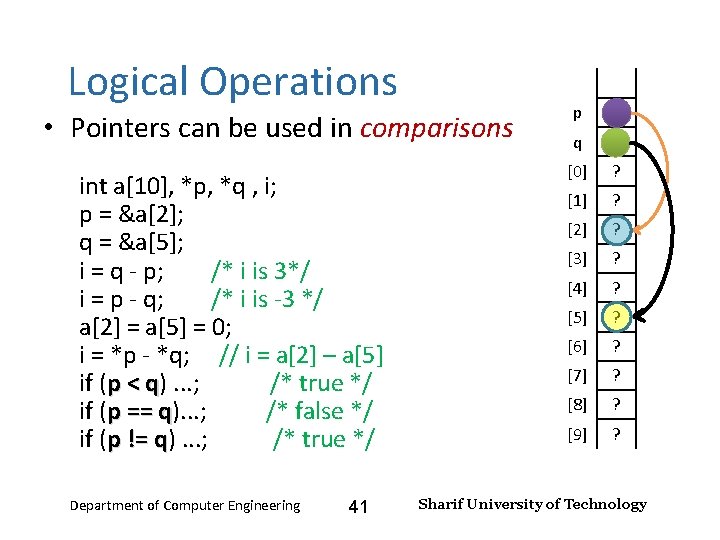
Input and Output – Lecture 4 Logical Operations • Pointers can be used in comparisons int a[10], *p, *q , i; p = &a[2]; q = &a[5]; i = q - p; /* i is 3*/ i = p - q; /* i is -3 */ a[2] = a[5] = 0; i = *p - *q; // i = a[2] – a[5] if (p < q). . . ; /* true */ q if (p == q). . . ; /* false */ q if (p != q). . . ; /* true */ q Department of Computer Engineering 41 p q [0] ? [1] ? [2] ? [3] ? [4] ? [5] ? [6] ? [7] ? [8] ? [9] ? Sharif University of Technology
Input and Output – Lecture 4 Pointers and Arrays • the value of an array name is also an address • In fact, pointers and array names can be used interchangeably in many (but not all) cases • The major differences are: – Array names come with valid spaces where they "point" to. And you cannot "point" the names to other places – Pointers do not point to valid space when they are created. You have to point them to some valid space (initialization) Department of Computer Engineering 42 Sharif University of Technology
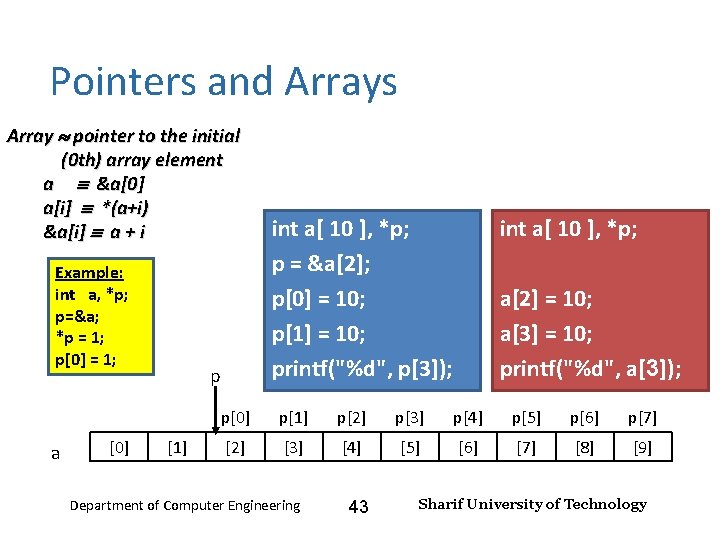
Input and Output – Lecture 4 Pointers and Arrays Array pointer to the initial (0 th) array element a &a[0] a[i] *(a+i) &a[i] a + i Example: int a, *p; p=&a; *p = 1; p[0] = 1; a [0] p [1] int a[ 10 ], *p; p = &a[2]; p[0] = 10; p[1] = 10; printf("%d", p[3]); int a[ 10 ], *p; a[2] = 10; a[3] = 10; printf("%d", a[3]); p[0] p[1] p[2] p[3] p[4] p[5] p[6] p[7] [2] [3] [4] [5] [6] [7] [8] [9] Department of Computer Engineering 43 Sharif University of Technology
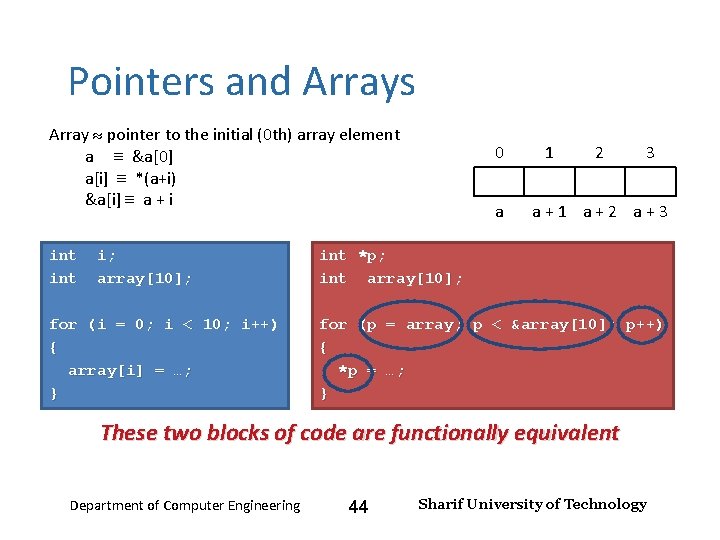
Input and Output – Lecture 4 Pointers and Arrays Array pointer to the initial (0 th) array element a &a[0] a[i] *(a+i) &a[i] a + i int i; array[10]; for (i = 0; i < 10; i++) { array[i] = …; } 0 a 1 2 3 a + 1 a + 2 a + 3 int *p; int array[10]; for (p = array; p < &array[10]; p++) { *p = …; } These two blocks of code are functionally equivalent Department of Computer Engineering 44 Sharif University of Technology
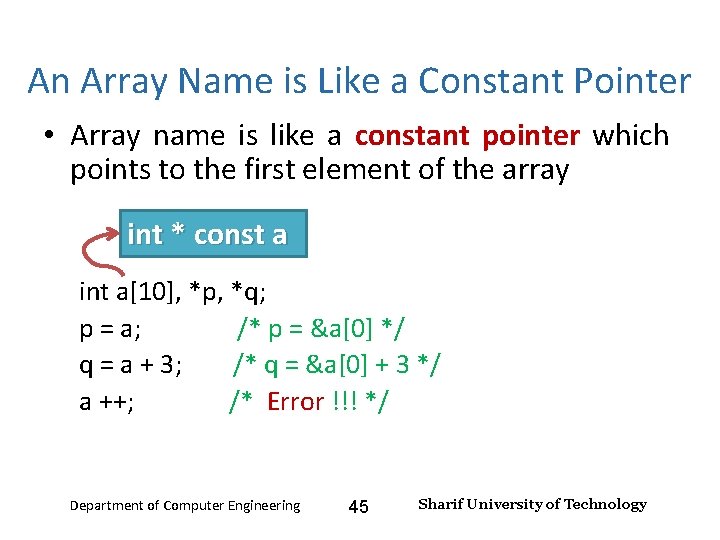
Input and Output – Lecture 4 An Array Name is Like a Constant Pointer • Array name is like a constant pointer which points to the first element of the array int * const a int a[10], *p, *q; p = a; /* p = &a[0] */ q = a + 3; /* q = &a[0] + 3 */ a ++; /* Error !!! */ Department of Computer Engineering 45 Sharif University of Technology
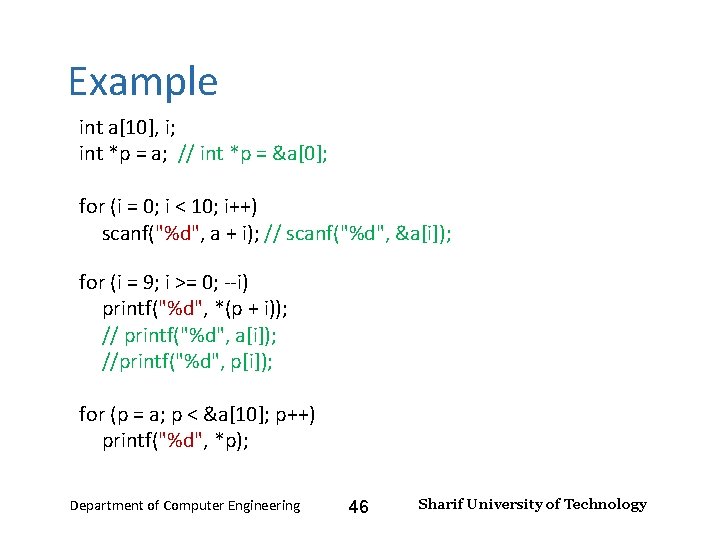
Input and Output – Lecture 4 Example int a[10], i; int *p = a; // int *p = &a[0]; for (i = 0; i < 10; i++) scanf("%d", a + i); // scanf("%d", &a[i]); for (i = 9; i >= 0; --i) printf("%d", *(p + i)); // printf("%d", a[i]); //printf("%d", p[i]); for (p = a; p < &a[10]; p++) printf("%d", *p); Department of Computer Engineering 46 Sharif University of Technology
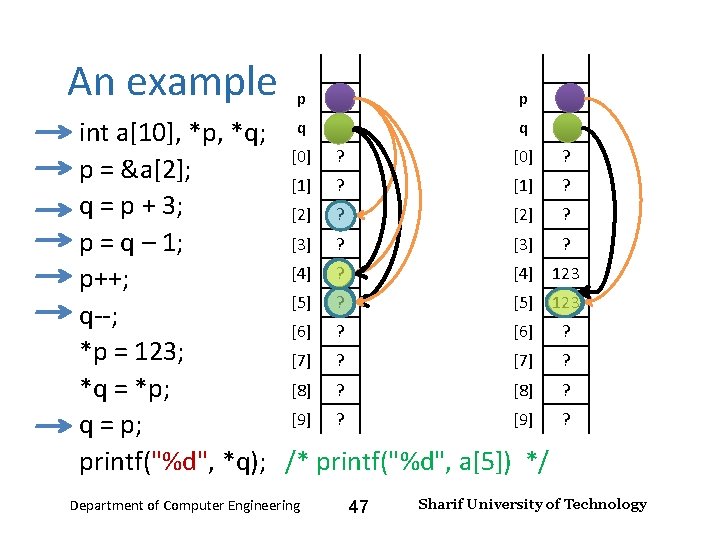
Input and Output – Lecture 4 An example p p q int a[10], *p, *q; q [0] ? p = &a[2]; [1] ? q = p + 3; [2] ? [3] ? p = q – 1; [4] ? [4] 123 p++; [5] ? [5] 123 q--; [6] ? *p = 123; [7] ? [8] ? *q = *p; [9] ? q = p; printf("%d", *q); /* printf("%d", a[5]) */ Department of Computer Engineering 47 Sharif University of Technology
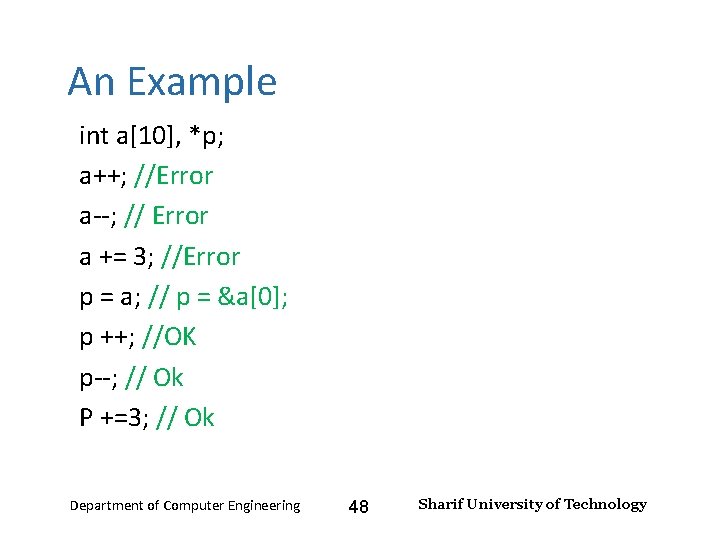
Input and Output – Lecture 4 An Example int a[10], *p; a++; //Error a--; // Error a += 3; //Error p = a; // p = &a[0]; p ++; //OK p--; // Ok P +=3; // Ok Department of Computer Engineering 48 Sharif University of Technology
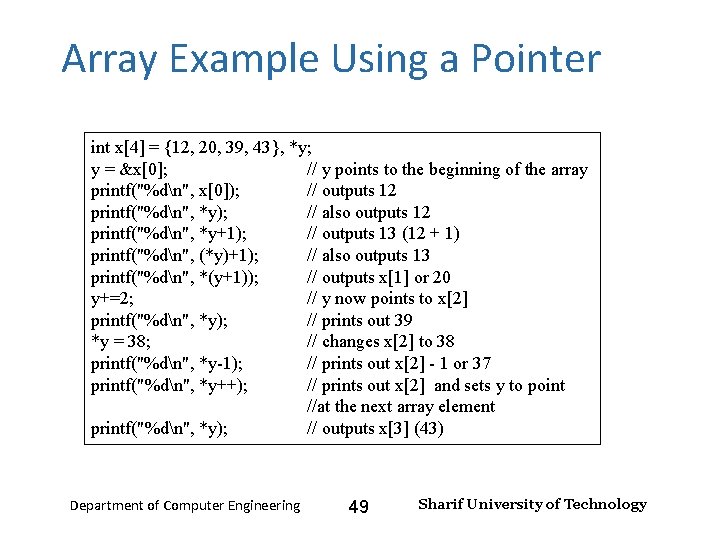
Input and Output – Lecture 4 Array Example Using a Pointer int x[4] = {12, 20, 39, 43}, *y; y = &x[0]; // y points to the beginning of the array printf("%dn", x[0]); // outputs 12 printf("%dn", *y); // also outputs 12 printf("%dn", *y+1); // outputs 13 (12 + 1) printf("%dn", (*y)+1); // also outputs 13 printf("%dn", *(y+1)); // outputs x[1] or 20 y+=2; // y now points to x[2] printf("%dn", *y); // prints out 39 *y = 38; // changes x[2] to 38 printf("%dn", *y-1); // prints out x[2] - 1 or 37 printf("%dn", *y++); // prints out x[2] and sets y to point //at the next array element printf("%dn", *y); // outputs x[3] (43) Department of Computer Engineering 49 Sharif University of Technology
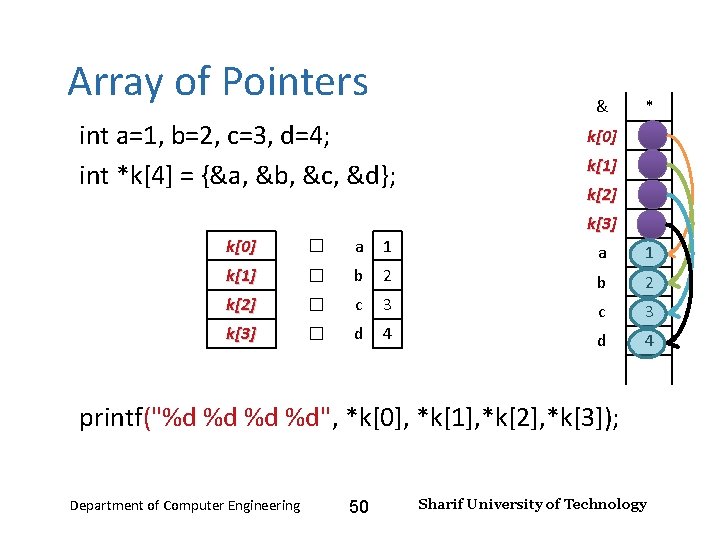
Input and Output – Lecture 4 Array of Pointers int a=1, b=2, c=3, d=4; int *k[4] = {&a, &b, &c, &d}; k[0] � a 1 k[1] � b k[2] � k[3] � & * k[0] k[1] k[2] k[3] a 1 2 b 2 c 3 d 4 printf("%d %d", *k[0], *k[1], *k[2], *k[3]); Department of Computer Engineering 50 Sharif University of Technology
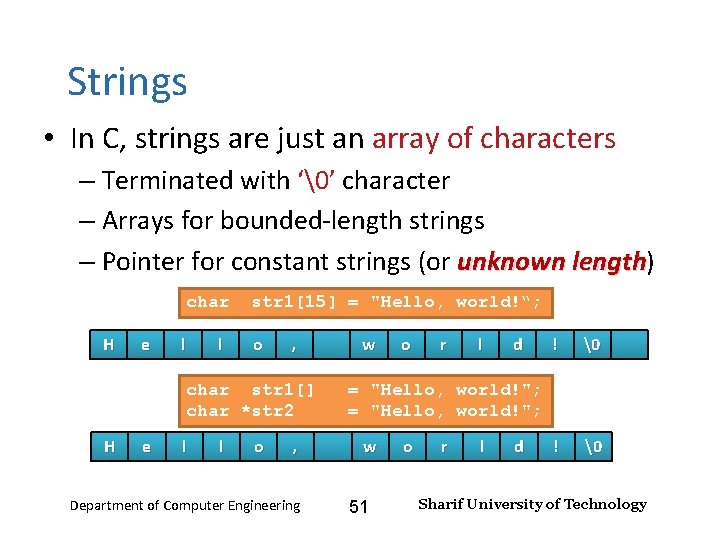
Input and Output – Lecture 4 Strings • In C, strings are just an array of characters – Terminated with ‘’ character – Arrays for bounded-length strings – Pointer for constant strings (or unknown length) unknown length char H e l l str 1[15] = "Hello, world!“; o , char str 1[] char *str 2 H e l l o , Department of Computer Engineering w o r l d ! = "Hello, world!"; w 51 o r l d Sharif University of Technology
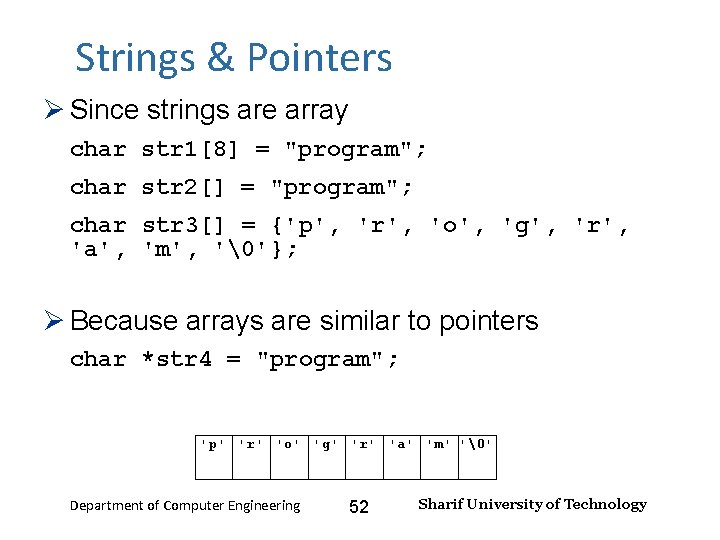
Input and Output – Lecture 4 Strings & Pointers Since strings are array char str 1[8] = "program"; char str 2[] = "program"; char str 3[] = {'p', 'r', 'o', 'g', 'r', 'a', 'm', ''}; Because arrays are similar to pointers char *str 4 = "program"; 'p' 'r' 'o' 'g' 'r' 'a' 'm' '' Department of Computer Engineering 52 Sharif University of Technology
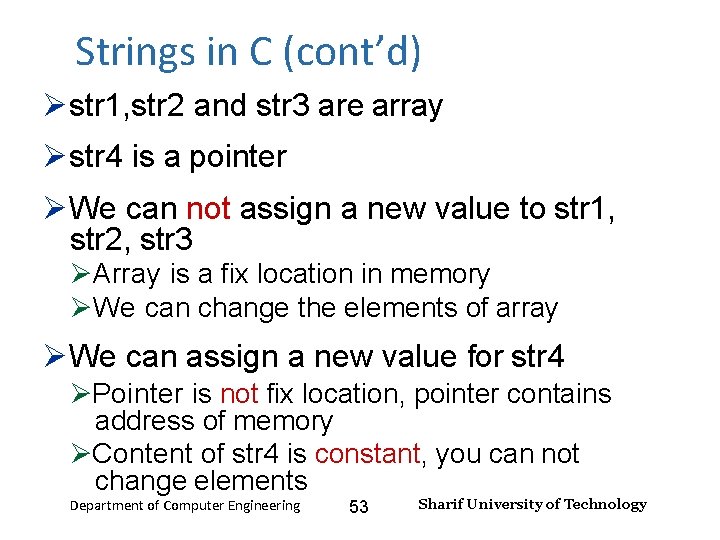
Strings in C (cont’d) Input and Output – Lecture 4 str 1, str 2 and str 3 are array str 4 is a pointer We can not assign a new value to str 1, str 2, str 3 Array is a fix location in memory We can change the elements of array We can assign a new value for str 4 Pointer is not fix location, pointer contains address of memory Content of str 4 is constant, you can not change elements Department of Computer Engineering 53 Sharif University of Technology
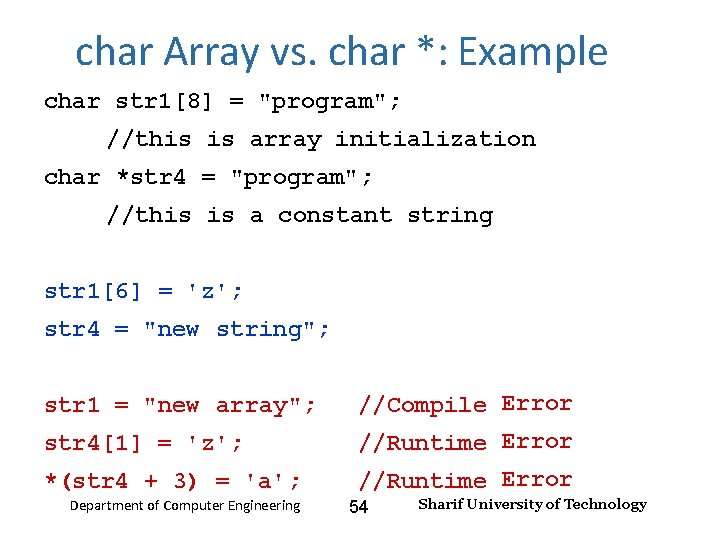
char Array vs. char *: Example Input and Output – Lecture 4 char str 1[8] = "program"; //this is array initialization char *str 4 = "program"; //this is a constant string str 1[6] = 'z'; str 4 = "new string"; str 4[1] = 'z'; //Compile Error //Runtime Error *(str 4 + 3) = 'a'; //Runtime Error str 1 = "new array"; Department of Computer Engineering 54 Sharif University of Technology
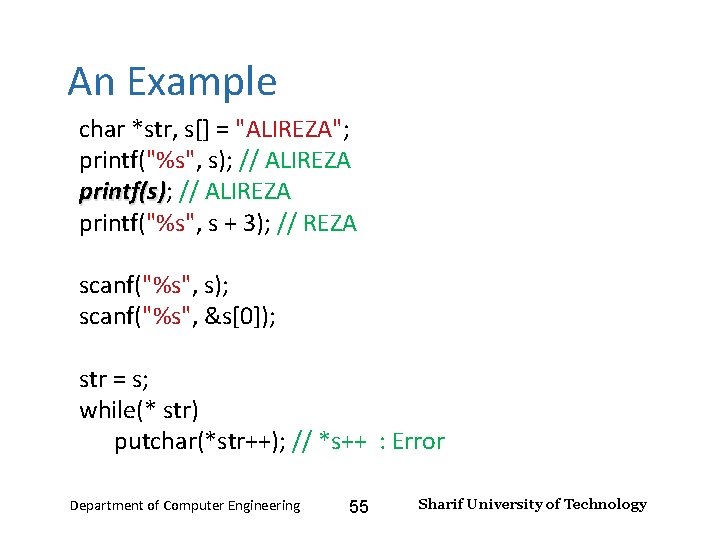
Input and Output – Lecture 4 An Example char *str, s[] = "ALIREZA"; printf("%s", s); // ALIREZA printf(s) printf("%s", s + 3); // REZA scanf("%s", s); scanf("%s", &s[0]); str = s; while(* str) putchar(*str++); // *s++ : Error Department of Computer Engineering 55 Sharif University of Technology
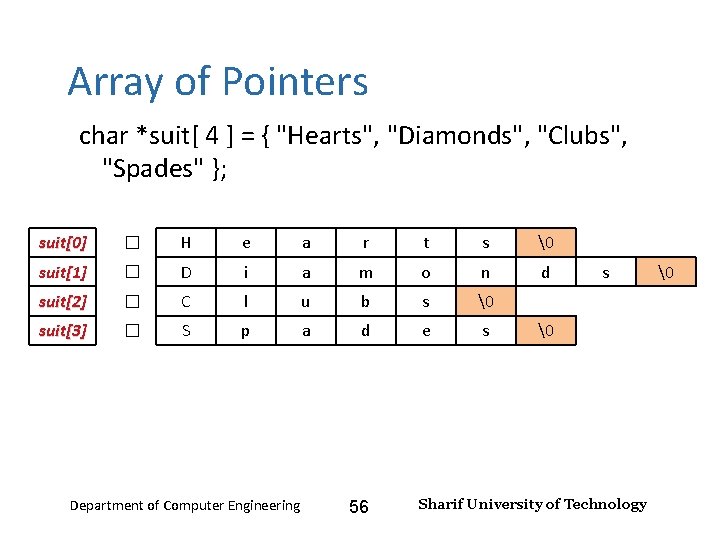
Input and Output – Lecture 4 Array of Pointers char *suit[ 4 ] = { "Hearts", "Diamonds", "Clubs", "Spades" }; suit[0] � H e a r t s suit[1] � D i a m o n d suit[2] � C l u b s suit[3] � S p a d e s Department of Computer Engineering 56 s Sharif University of Technology
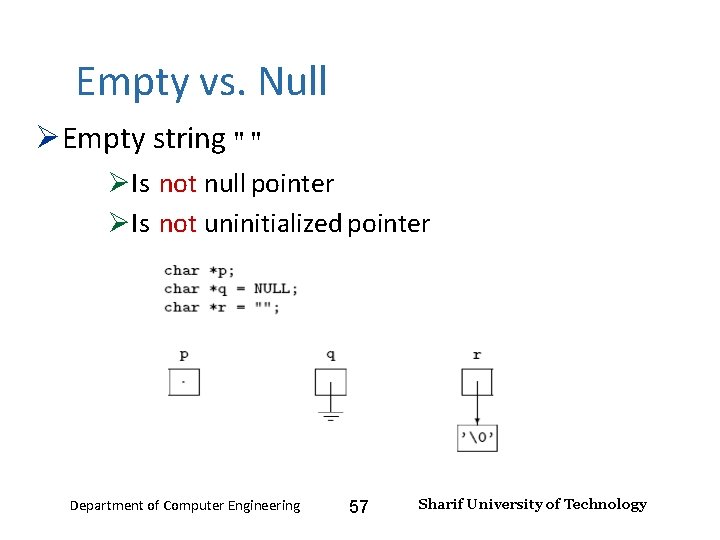
Input and Output – Lecture 4 Empty vs. Null Empty string "" Is not null pointer Is not uninitialized pointer Department of Computer Engineering 57 Sharif University of Technology
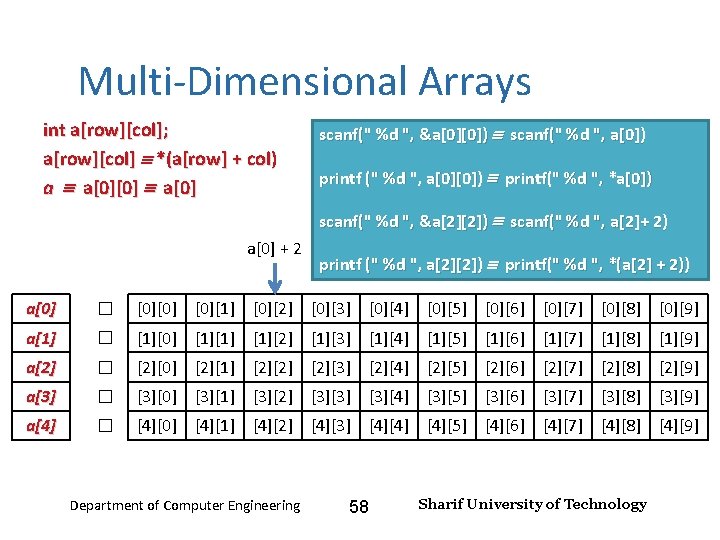
Input and Output – Lecture 4 Multi-Dimensional Arrays int a[row][col]; a[row][col] *(a[row] + col) a a[0][0] a[0] scanf(" %d ", &a[0][0]) scanf(" %d ", a[0]) printf (" %d ", a[0][0]) printf(" %d ", *a[0]) scanf(" %d ", &a[2][2]) scanf(" %d ", a[2]+ 2) a[0] + 2 printf (" %d ", a[2][2]) printf(" %d ", *(a[2] + 2)) a[0] � [0][0] [0][1] [0][2] [0][3] [0][4] [0][5] [0][6] [0][7] [0][8] [0][9] a[1] � [1][0] [1][1] [1][2] [1][3] [1][4] [1][5] [1][6] [1][7] [1][8] [1][9] a[2] � [2][0] [2][1] [2][2] [2][3] [2][4] [2][5] [2][6] [2][7] [2][8] [2][9] a[3] � [3][0] [3][1] [3][2] [3][3] [3][4] [3][5] [3][6] [3][7] [3][8] [3][9] a[4] � [4][0] [4][1] [4][2] [4][3] [4][4] [4][5] [4][6] [4][7] [4][8] [4][9] Department of Computer Engineering 58 Sharif University of Technology
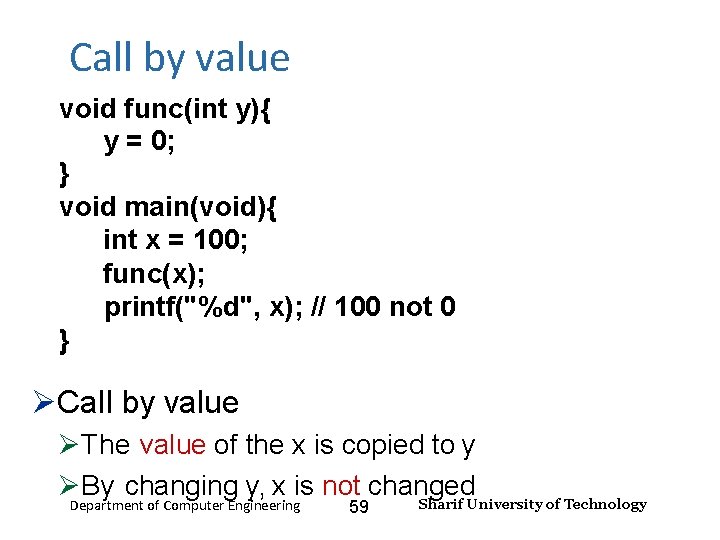
Input and Output – Lecture 4 Call by value void func(int y){ y = 0; } void main(void){ int x = 100; func(x); printf("%d", x); // 100 not 0 } Call by value The value of the x is copied to y By changing y, x is not changed Department of Computer Engineering 59 Sharif University of Technology
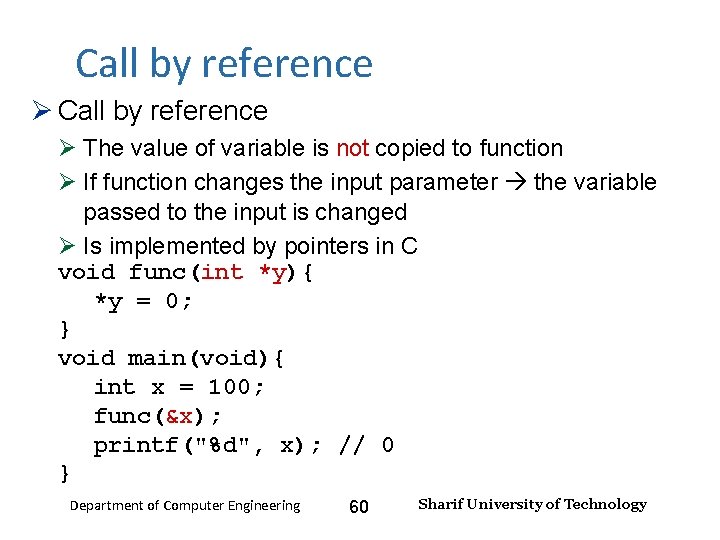
Input and Output – Lecture 4 Call by reference The value of variable is not copied to function If function changes the input parameter the variable passed to the input is changed Is implemented by pointers in C void func(int *y){ *y = 0; } void main(void){ int x = 100; func(&x); printf("%d", x); // 0 } Department of Computer Engineering 60 Sharif University of Technology
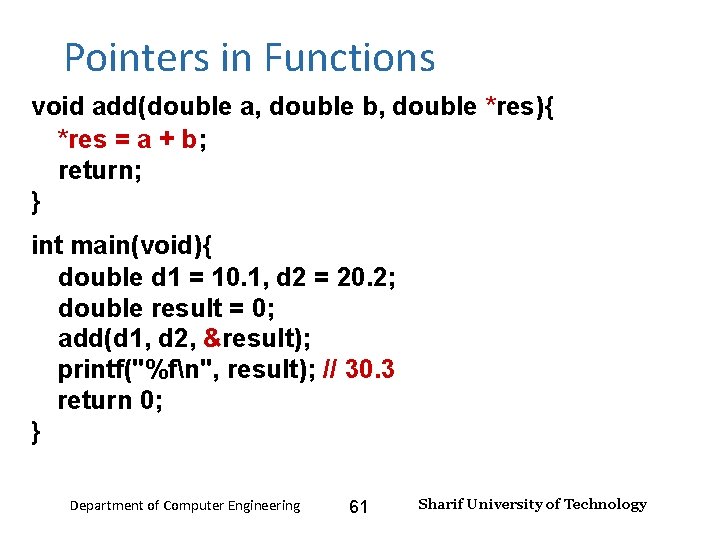
Input and Output – Lecture 4 Pointers in Functions void add(double a, double b, double *res){ *res = a + b; return; } int main(void){ double d 1 = 10. 1, d 2 = 20. 2; double result = 0; add(d 1, d 2, &result); printf("%fn", result); // 30. 3 return 0; } Department of Computer Engineering 61 Sharif University of Technology
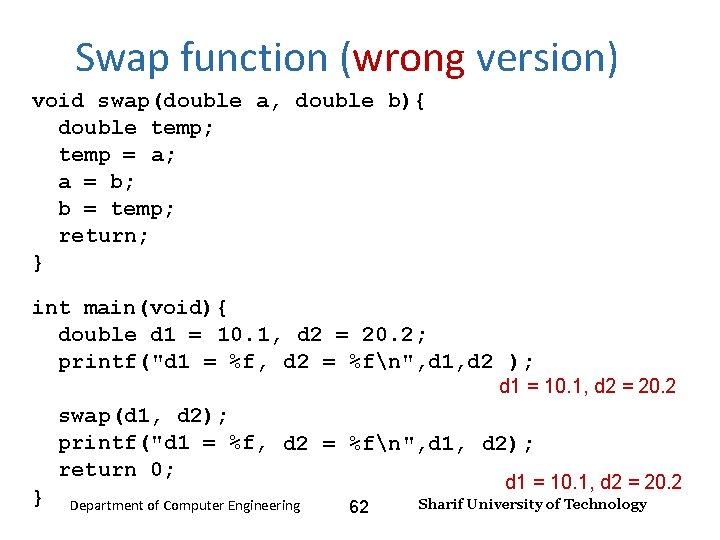
Input and Output – Lecture 4 Swap function (wrong version) void swap(double a, double b){ double temp; temp = a; a = b; b = temp; return; } int main(void){ double d 1 = 10. 1, d 2 = 20. 2; printf("d 1 = %f, d 2 = %fn", d 1, d 2 ); d 1 = 10. 1, d 2 = 20. 2 swap(d 1, d 2); printf("d 1 = %f, d 2 = %fn", d 1, d 2); return 0; } d 1 = 10. 1, d 2 = 20. 2 Department of Computer Engineering 62 Sharif University of Technology
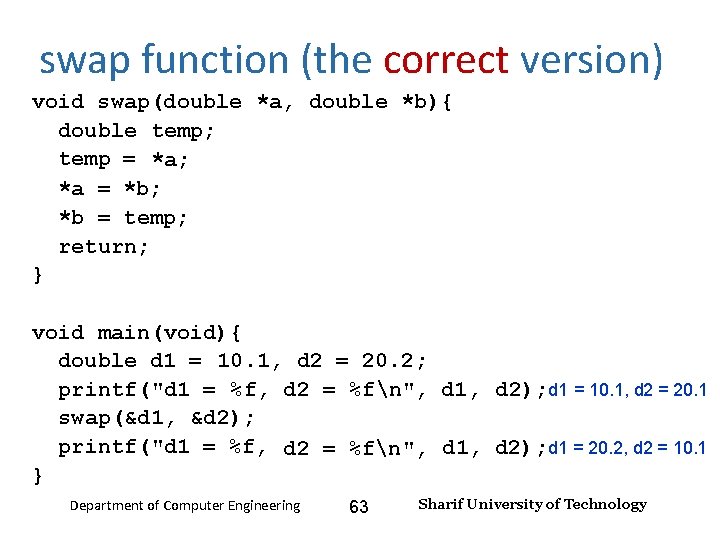
Input and Output – Lecture 4 swap function (the correct version) void swap(double *a, double *b){ double temp; temp = *a; *a = *b; *b = temp; return; } void main(void){ double d 1 = 10. 1, d 2 = 20. 2; printf("d 1 = %f, d 2 = %fn", d 1, d 2); d 1 = 10. 1, d 2 = 20. 1 swap(&d 1, &d 2); printf("d 1 = %f, d 2 = %fn", d 1, d 2); d 1 = 20. 2, d 2 = 10. 1 } Department of Computer Engineering 63 Sharif University of Technology
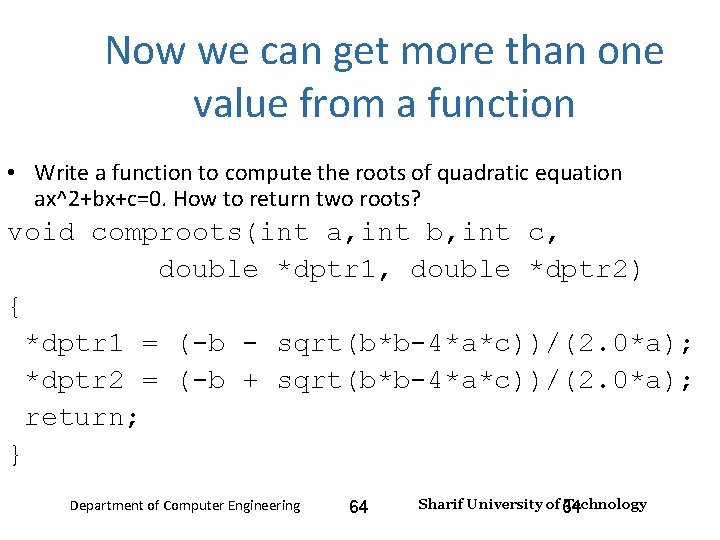
Now we can get more than one value from a function Input and Output – Lecture 4 • Write a function to compute the roots of quadratic equation ax^2+bx+c=0. How to return two roots? void comproots(int a, int b, int c, double *dptr 1, double *dptr 2) { *dptr 1 = (-b - sqrt(b*b-4*a*c))/(2. 0*a); *dptr 2 = (-b + sqrt(b*b-4*a*c))/(2. 0*a); return; } Department of Computer Engineering 64 Sharif University of 64 Technology
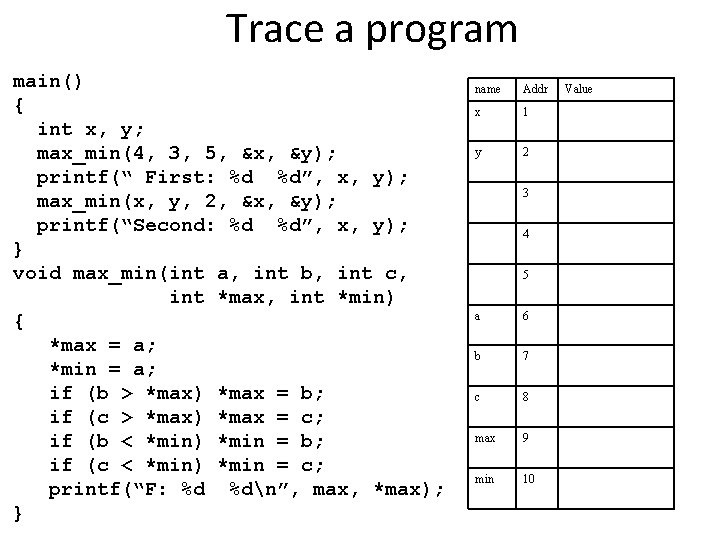
Trace a program main() { int x, y; max_min(4, 3, 5, &x, &y); printf(“ First: %d %d”, x, y); max_min(x, y, 2, &x, &y); printf(“Second: %d %d”, x, y); } void max_min(int a, int b, int c, int *max, int *min) { *max = a; *min = a; if (b > *max) *max = b; if (c > *max) *max = c; if (b < *min) *min = b; if (c < *min) *min = c; printf(“F: %d %dn”, max, *max); } 65 name Addr x 1 y 2 3 4 5 a 6 b 7 c 8 max 9 min 10 Value
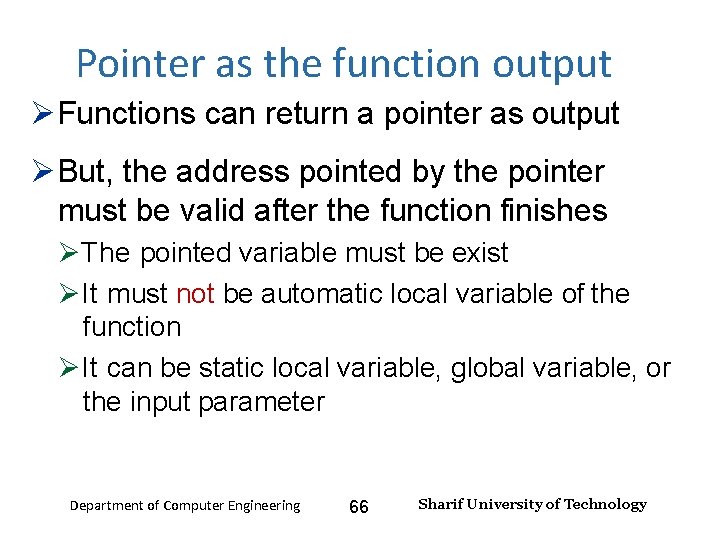
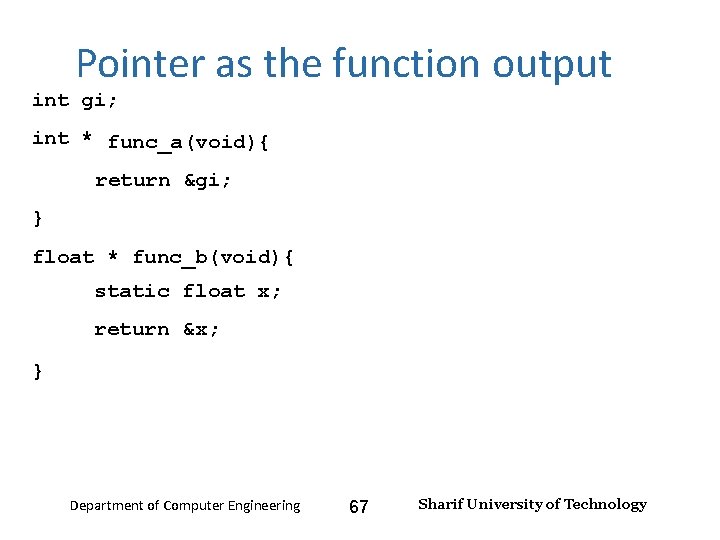
Input and Output – Lecture 4 Pointer as the function output Functions can return a pointer as output But, the address pointed by the pointer must be valid after the function finishes The pointed variable must be exist It must not be automatic local variable of the function It can be static local variable, global variable, or the input parameter Department of Computer Engineering 66 Sharif University of Technology
Input and Output – Lecture 4 Pointer as the function output int gi; int * func_a(void){ return &gi; } float * func_b(void){ static float x; return &x; } Department of Computer Engineering 67 Sharif University of Technology
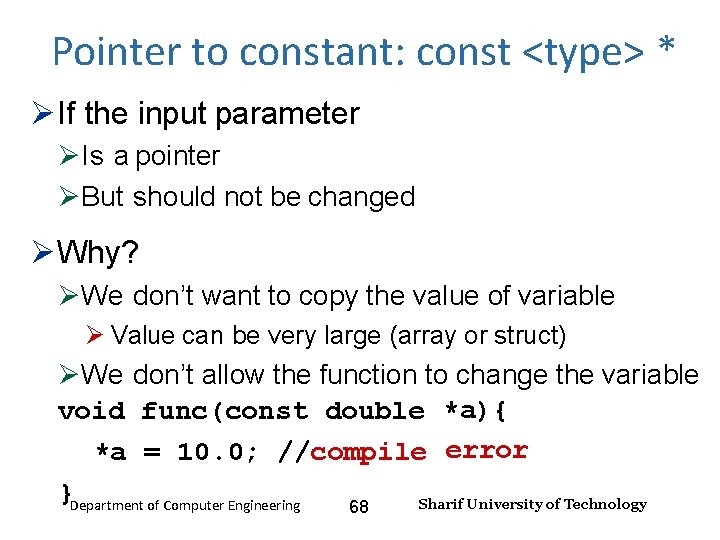
Input and Output – Lecture 4 Pointer to constant: const <type> * If the input parameter Is a pointer But should not be changed Why? We don’t want to copy the value of variable Value can be very large (array or struct) We don’t allow the function to change the variable void func(const double *a){ *a = 10. 0; //compile error }Department of Computer Engineering Sharif University of Technology 68
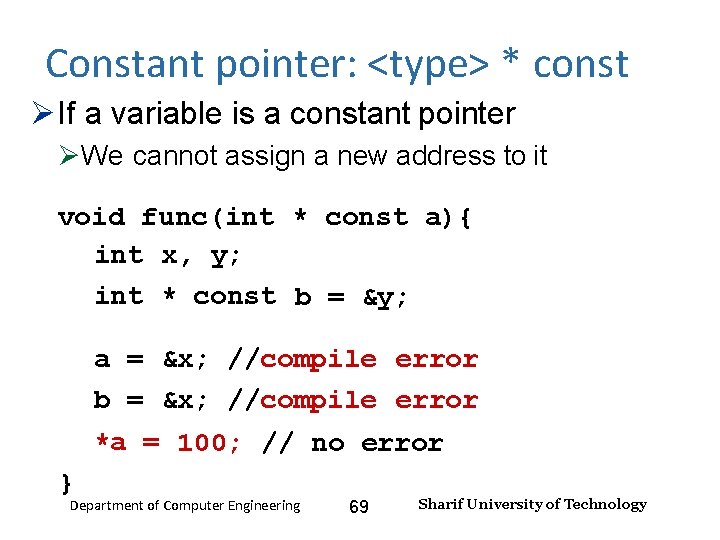
Input and Output – Lecture 4 Constant pointer: <type> * const If a variable is a constant pointer We cannot assign a new address to it void func(int * const a){ int x, y; int * const b = &y; a = &x; //compile error b = &x; //compile error *a = 100; // no error } Department of Computer Engineering 69 Sharif University of Technology
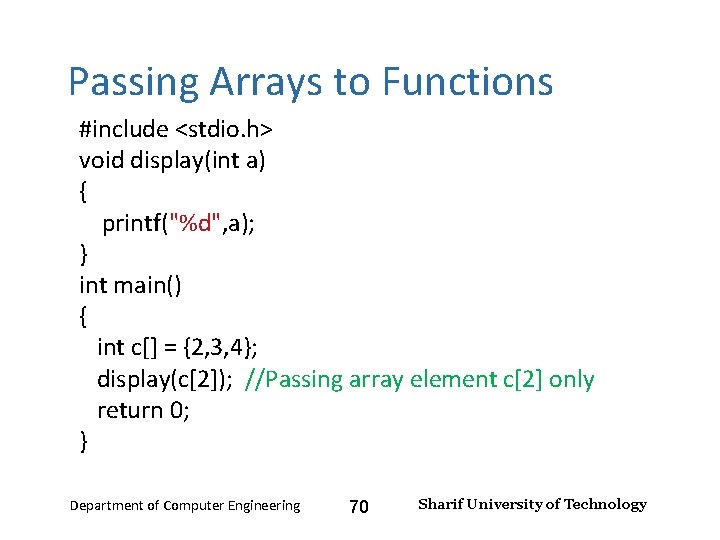
Input and Output – Lecture 4 Passing Arrays to Functions #include <stdio. h> void display(int a) { printf("%d", a); } int main() { int c[] = {2, 3, 4}; display(c[2]); //Passing array element c[2] only return 0; } Department of Computer Engineering 70 Sharif University of Technology
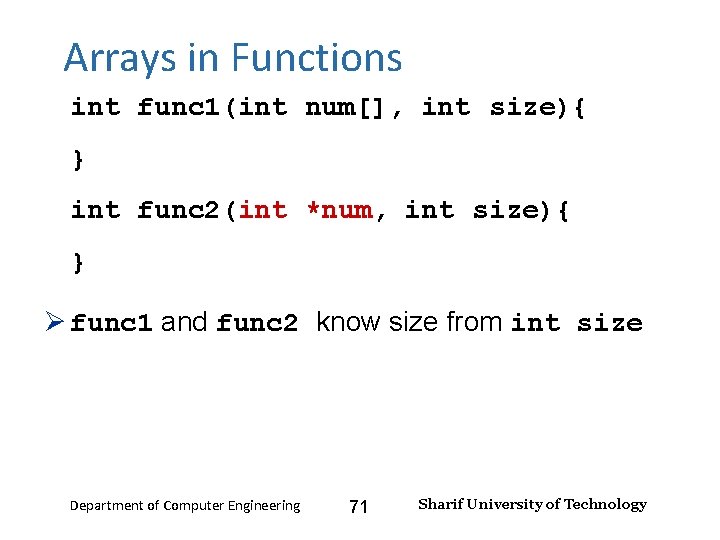
Input and Output – Lecture 4 Arrays in Functions int func 1(int num[], int size){ } int func 2(int *num, int size){ } func 1 and func 2 know size from int size Department of Computer Engineering 71 Sharif University of Technology
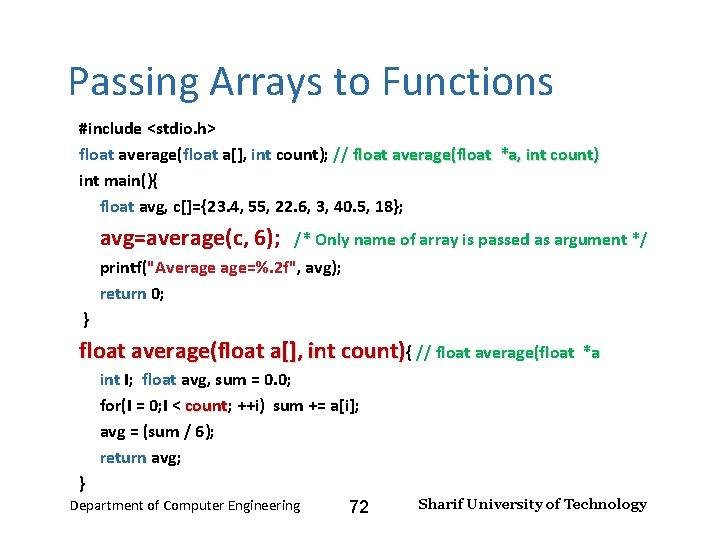
Input and Output – Lecture 4 Passing Arrays to Functions #include <stdio. h> float average(float a[], int count); // float average(float *a, int count) int main(){ float avg, c[]={23. 4, 55, 22. 6, 3, 40. 5, 18}; avg=average(c, 6); /* Only name of array is passed as argument */ printf("Average age=%. 2 f", avg); return 0; } float average(float a[], int count){ // float average(float *a int I; float avg, sum = 0. 0; for(I = 0; I < count; count ++i) sum += a[i]; avg = (sum / 6); return avg; } Department of Computer Engineering 72 Sharif University of Technology
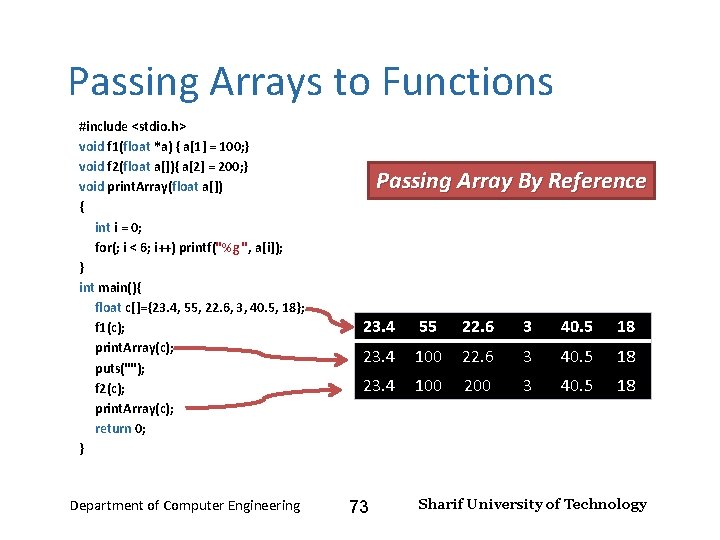
Input and Output – Lecture 4 Passing Arrays to Functions #include <stdio. h> void f 1(float *a) { a[1] = 100; } void f 2(float a[]){ a[2] = 200; } void print. Array(float a[]) { int i = 0; for(; i < 6; i++) printf("%g ", a[i]); } int main(){ float c[]={23. 4, 55, 22. 6, 3, 40. 5, 18}; f 1(c); print. Array(c); puts(""); f 2(c); print. Array(c); return 0; } Department of Computer Engineering Passing Array By Reference 23. 4 55 22. 6 3 40. 5 18 23. 4 100 200 3 40. 5 18 73 Sharif University of Technology
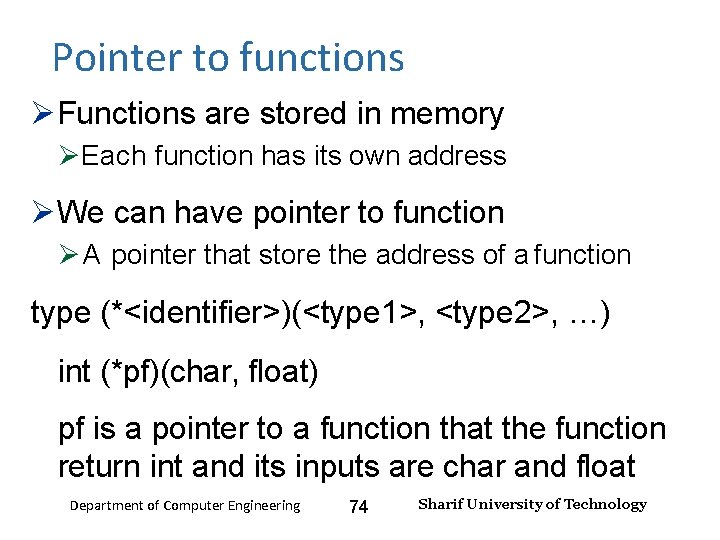
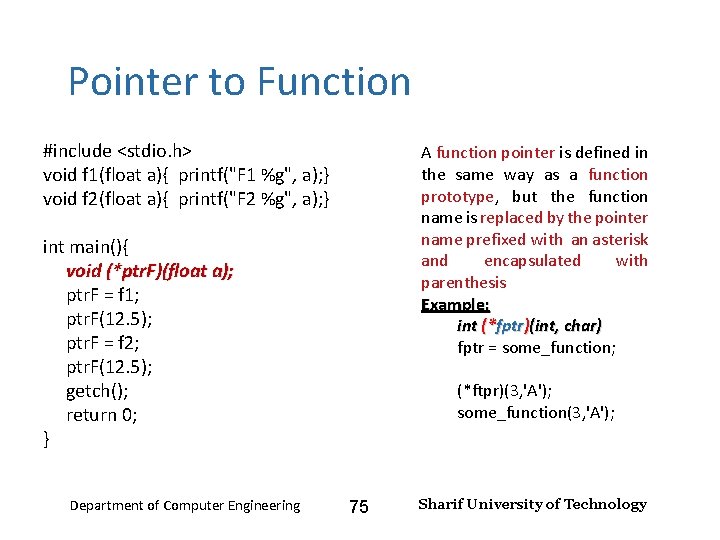
Input and Output – Lecture 4 Pointer to functions Functions are stored in memory Each function has its own address We can have pointer to function A pointer that store the address of a function type (*<identifier>)(<type 1>, <type 2>, …) int (*pf)(char, float) pf is a pointer to a function that the function return int and its inputs are char and float Department of Computer Engineering 74 Sharif University of Technology
Input and Output – Lecture 4 Pointer to Function #include <stdio. h> void f 1(float a){ printf("F 1 %g", a); } void f 2(float a){ printf("F 2 %g", a); } A function pointer is defined in the same way as a function prototype, but the function name is replaced by the pointer name prefixed with an asterisk and encapsulated with parenthesis Example: int (*fptr)(int, char) fptr = some_function; int main(){ void (*ptr. F)(float a); ptr. F = f 1; ptr. F(12. 5); ptr. F = f 2; ptr. F(12. 5); getch(); return 0; } Department of Computer Engineering (*ftpr)(3, 'A'); some_function(3, 'A'); 75 Sharif University of Technology
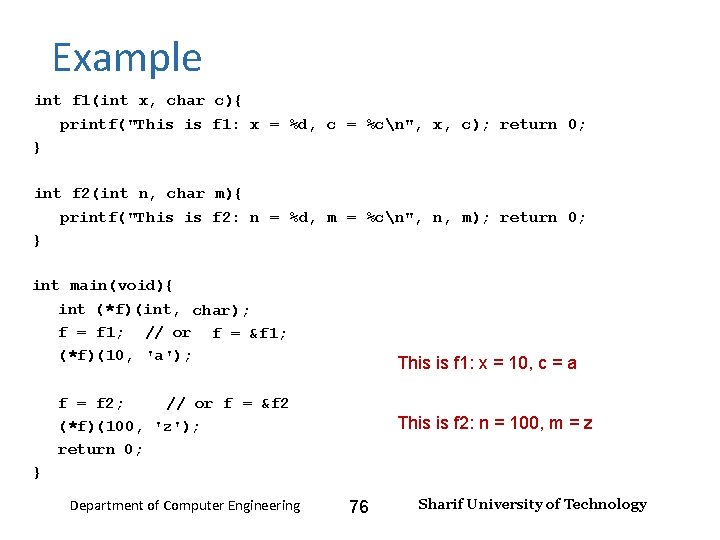
Input and Output – Lecture 4 Example int f 1(int x, char c){ printf("This is f 1: x = %d, c = %cn", x, c); return 0; } int f 2(int n, char m){ printf("This is f 2: n = %d, m = %cn", n, m); return 0; } int main(void){ int (*f)(int, char); f = f 1; // or f = &f 1; (*f)(10, 'a'); This is f 1: x = 10, c = a f = f 2; // or f = &f 2 (*f)(100, 'z'); return 0; This is f 2: n = 100, m = z } Department of Computer Engineering 76 Sharif University of Technology
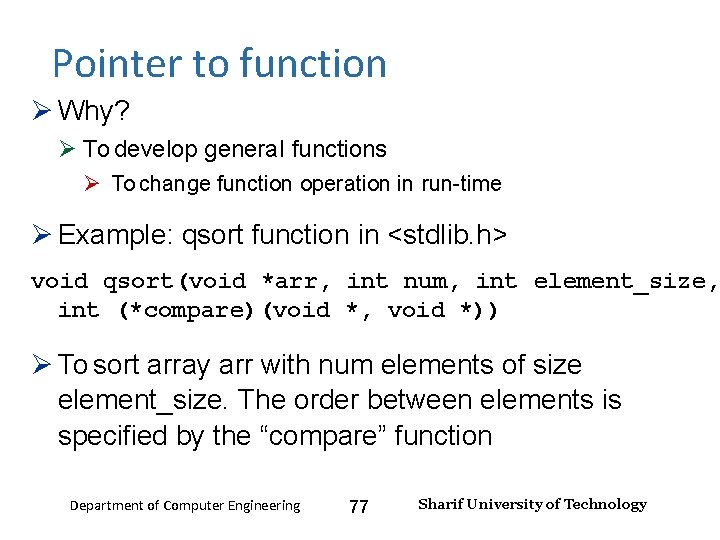
Input and Output – Lecture 4 Pointer to function Why? To develop general functions To change function operation in run-time Example: qsort function in <stdlib. h> void qsort(void *arr, int num, int element_size, int (*compare)(void *, void *)) To sort array arr with num elements of size element_size. The order between elements is specified by the “compare” function Department of Computer Engineering 77 Sharif University of Technology
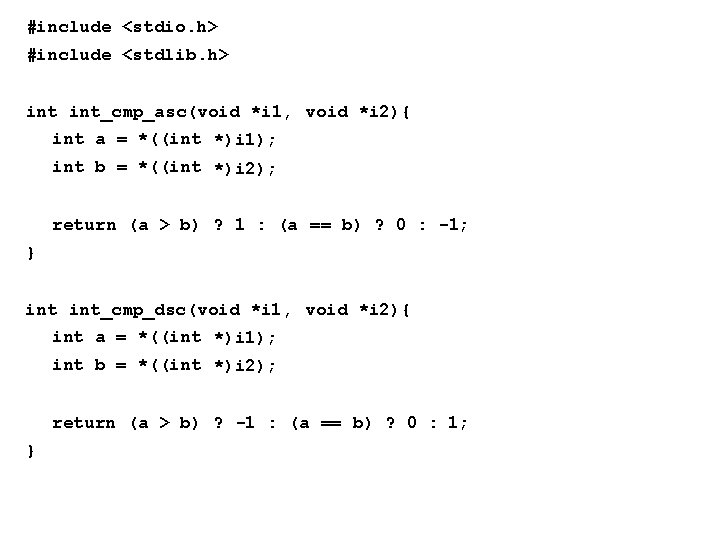
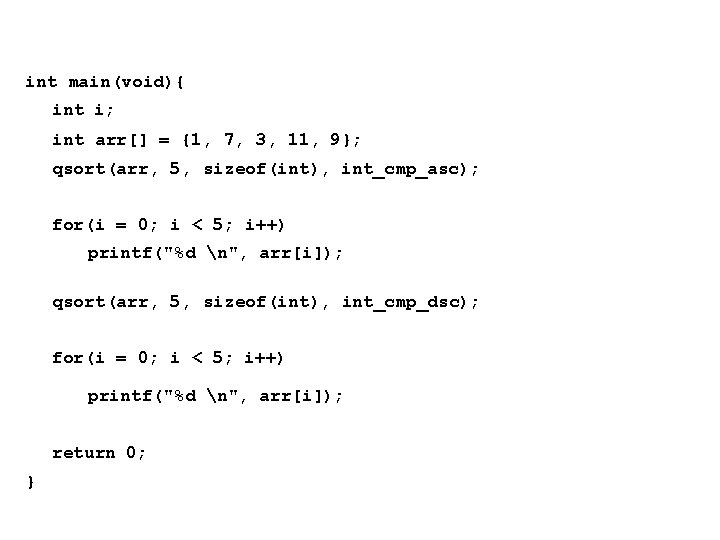
#include <stdio. h> #include <stdlib. h> int_cmp_asc(void *i 1, void *i 2){ int a = *((int *)i 1); int b = *((int *)i 2); return (a > b) ? 1 : (a == b) ? 0 : -1; } int_cmp_dsc(void *i 1, void *i 2){ int a = *((int *)i 1); int b = *((int *)i 2); return (a > b) ? -1 : (a == b) ? 0 : 1; }
int main(void){ int i; int arr[] = {1, 7, 3, 11, 9}; qsort(arr, 5, sizeof(int), int_cmp_asc); for(i = 0; i < 5; i++) printf("%d n", arr[i]); qsort(arr, 5, sizeof(int), int_cmp_dsc); for(i = 0; i < 5; i++) printf("%d n", arr[i]); return 0; }
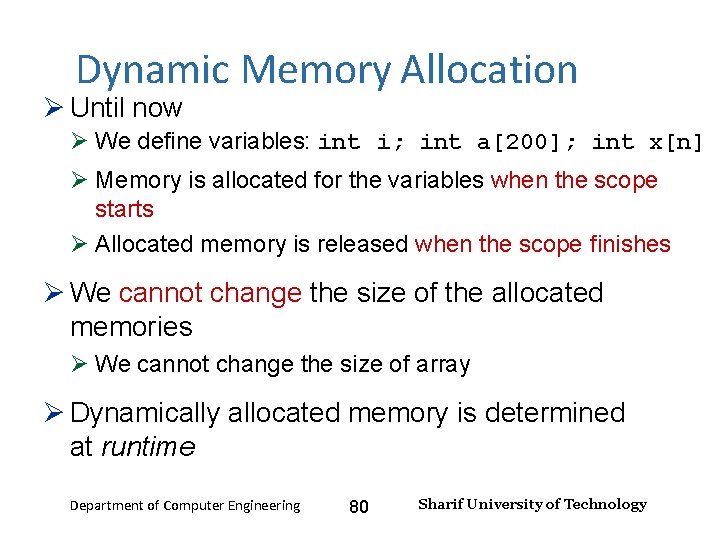
Input and Output – Lecture 4 Dynamic Memory Allocation Until now We define variables: int i; int a[200]; int x[n] Memory is allocated for the variables when the scope starts Allocated memory is released when the scope finishes We cannot change the size of the allocated memories We cannot change the size of array Dynamically allocated memory is determined at runtime Department of Computer Engineering 80 Sharif University of Technology
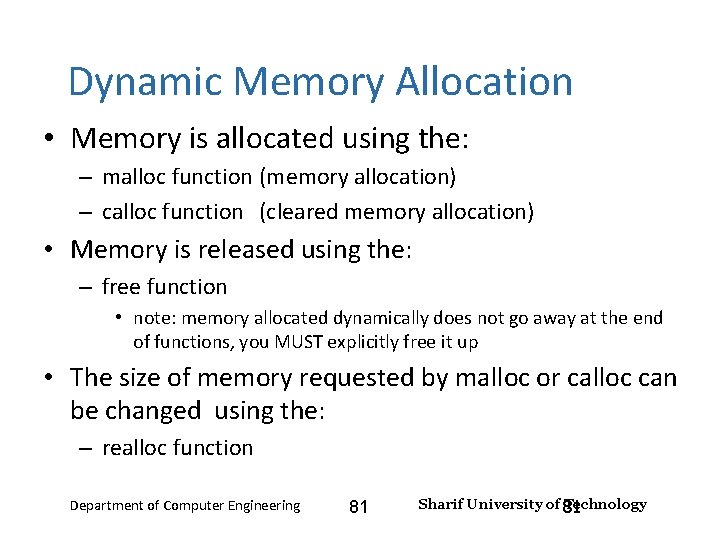
Input and Output – Lecture 4 Dynamic Memory Allocation • Memory is allocated using the: – malloc function (memory allocation) – calloc function (cleared memory allocation) • Memory is released using the: – free function • note: memory allocated dynamically does not go away at the end of functions, you MUST explicitly free it up • The size of memory requested by malloc or calloc can be changed using the: – realloc function Department of Computer Engineering 81 Sharif University of 81 Technology
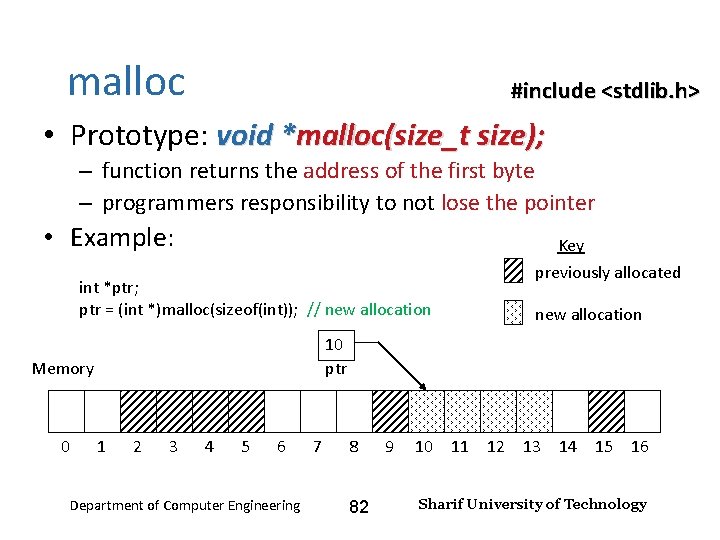
Input and Output – Lecture 4 malloc #include <stdlib. h> • Prototype: void *malloc(size_t size); – function returns the address of the first byte – programmers responsibility to not lose the pointer • Example: Key int *ptr; ptr = (int *)malloc(sizeof(int)); // new allocation 10 ptr Memory 0 previously allocated 1 2 3 4 5 6 Department of Computer Engineering 7 8 82 9 10 11 12 13 14 15 16 Sharif University of Technology
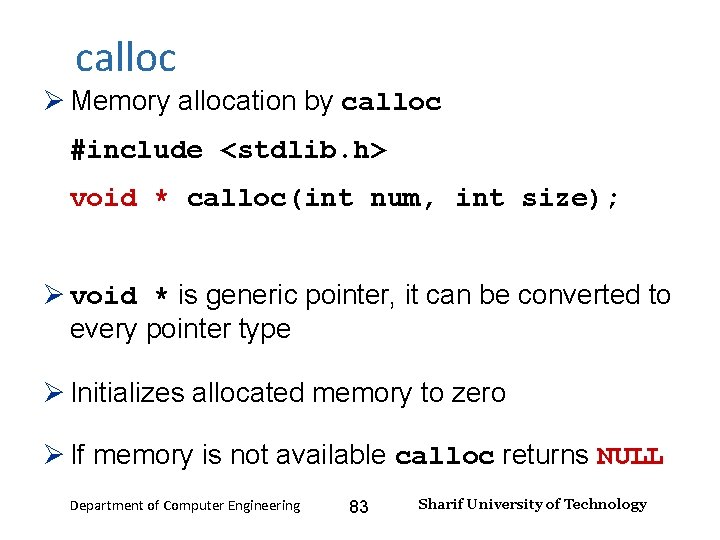
Input and Output – Lecture 4 calloc Memory allocation by calloc #include <stdlib. h> void * calloc(int num, int size); void * is generic pointer, it can be converted to every pointer type Initializes allocated memory to zero If memory is not available calloc returns NULL Department of Computer Engineering 83 Sharif University of Technology
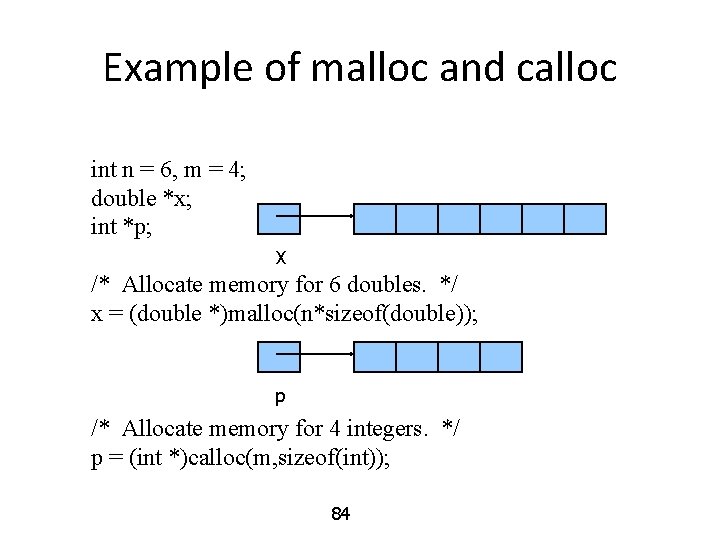
Example of malloc and calloc int n = 6, m = 4; double *x; int *p; X /* Allocate memory for 6 doubles. */ x = (double *)malloc(n*sizeof(double)); p /* Allocate memory for 4 integers. */ p = (int *)calloc(m, sizeof(int)); 84
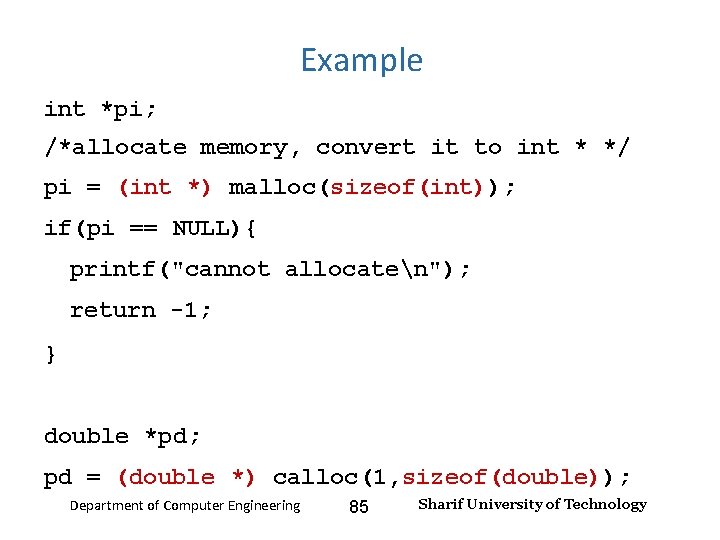
Input and Output – Lecture 4 Example int *pi; /*allocate memory, convert it to int * */ pi = (int *) malloc(sizeof(int)); if(pi == NULL){ printf("cannot allocaten"); return -1; } double *pd; pd = (double *) calloc(1, sizeof(double)); Department of Computer Engineering 85 Sharif University of Technology
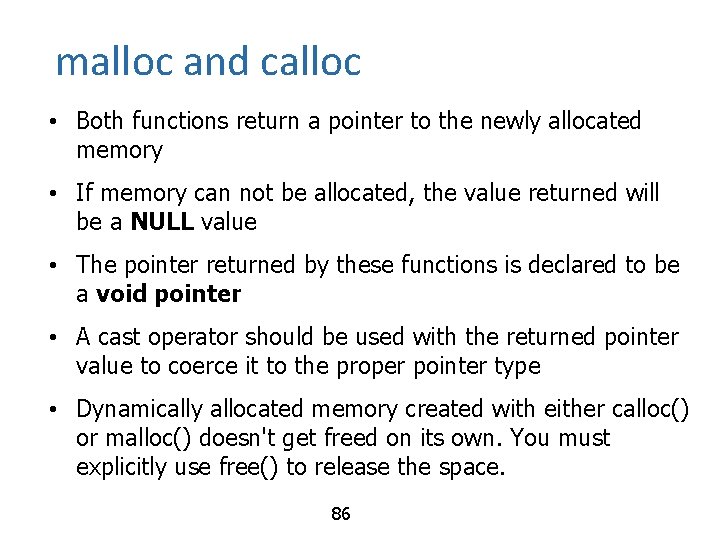
malloc and calloc • Both functions return a pointer to the newly allocated memory • If memory can not be allocated, the value returned will be a NULL value • The pointer returned by these functions is declared to be a void pointer • A cast operator should be used with the returned pointer value to coerce it to the proper pointer type • Dynamically allocated memory created with either calloc() or malloc() doesn't get freed on its own. You must explicitly use free() to release the space. 86
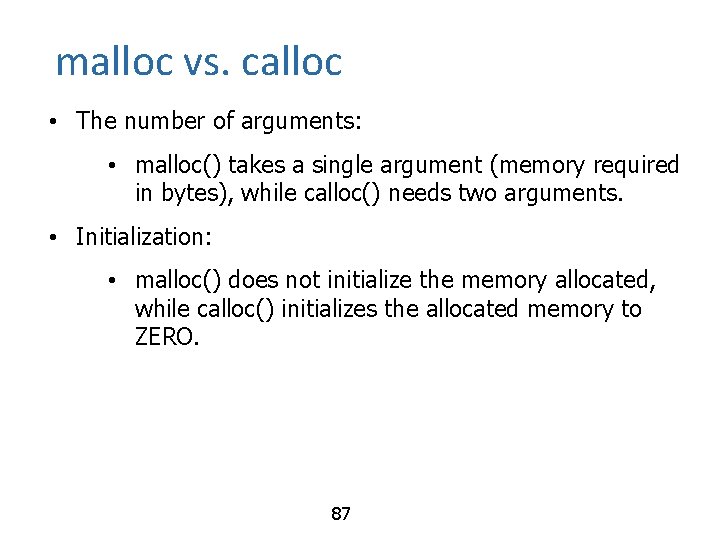
malloc vs. calloc • The number of arguments: • malloc() takes a single argument (memory required in bytes), while calloc() needs two arguments. • Initialization: • malloc() does not initialize the memory allocated, while calloc() initializes the allocated memory to ZERO. 87
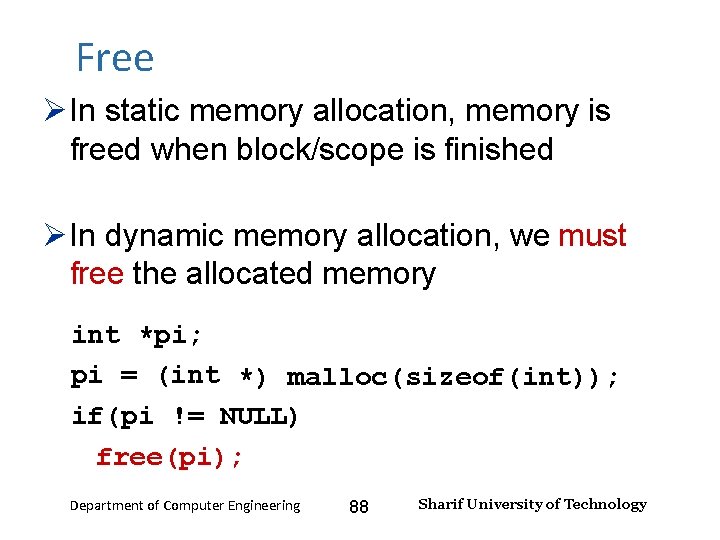
Input and Output – Lecture 4 Free In static memory allocation, memory is freed when block/scope is finished In dynamic memory allocation, we must free the allocated memory int *pi; pi = (int *) malloc(sizeof(int)); if(pi != NULL) free(pi); Department of Computer Engineering 88 Sharif University of Technology
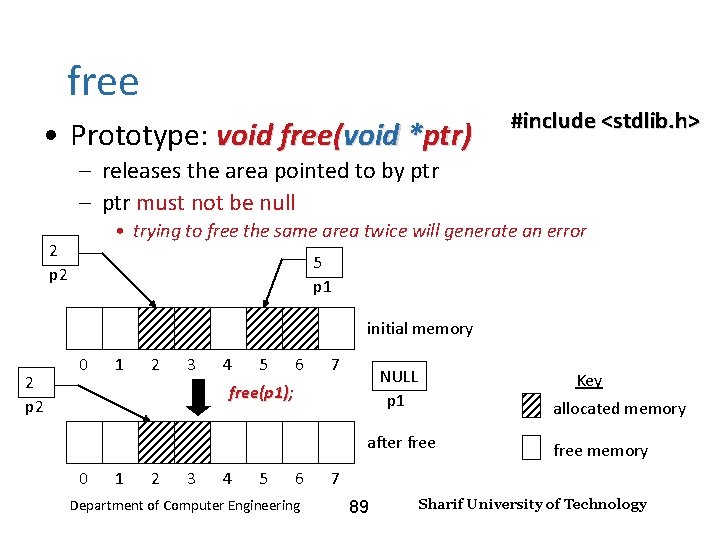
Input and Output – Lecture 4 free • Prototype: void free(void *ptr) #include <stdlib. h> – releases the area pointed to by ptr – ptr must not be null • trying to free the same area twice will generate an error 2 p 2 5 p 1 initial memory 2 p 2 0 1 2 3 4 5 6 7 NULL p 1 free(p 1); Key allocated memory after free 0 1 2 3 4 5 6 Department of Computer Engineering free memory 7 89 Sharif University of Technology
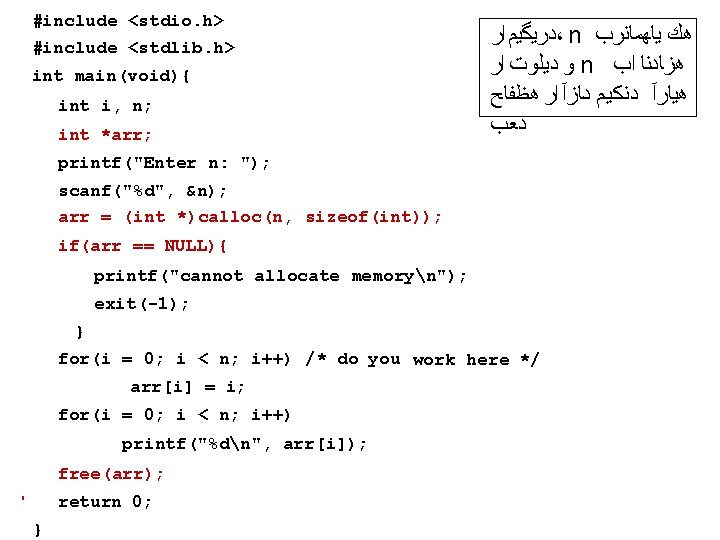
#include <stdio. h> Input and Output – Lecture 4 #include <stdlib. h> ﺩﺮﻴﮔﻴﻢ ﺍﺮ ، n ﻫﻚ ﻳﺎﻬﻤﺎﻨﺮﺐ ﻭ ﺩﻴﻠﻮﺖ ﺍﺮ n ﻫﺰﺎﺪﻨﺎ ﺍﺐ ﻫﻴﺎﺮﺁ ﺩﻨﻜﻴﻢ ﺩﺎﺰﺁ ﺍﺮ ﻫﻈﻔﺎﺢ ﺩﻌﺐ int main(void){ int i, n; int *arr; printf("Enter n: "); scanf("%d", &n); arr = (int *)calloc(n, sizeof(int)); if(arr == NULL){ printf("cannot allocate memoryn"); exit(-1); } for(i = 0; i < n; i++) /* do you work here */ arr[i] = i; for(i = 0; i < n; i++) printf("%dn", arr[i]); free(arr); return 0; Department of Computer Engineering } 90 Sharif University of Technology
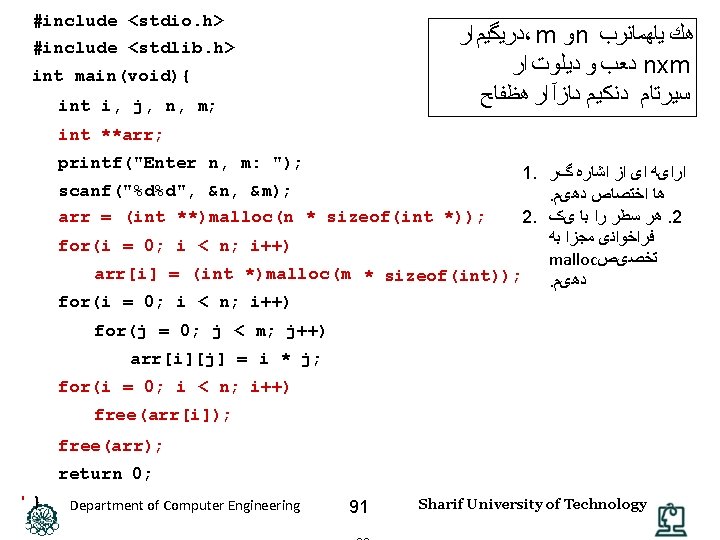
#include <stdio. h> Input and Output – Lecture 4 #include <stdlib. h> ﺩﺮﻴﮔﻴﻢ ﺍﺮ ، m ﻭ n ﻫﻚ ﻳﺎﻬﻤﺎﻨﺮﺐ ﺩﻌﺐ ﻭ ﺩﻴﻠﻮﺖ ﺍﺮ nxm ﺳﻴﺮﺘﺎﻢ ﺩﻨﻜﻴﻢ ﺩﺎﺰﺁ ﺍﺮ ﻫﻈﻔﺎﺢ int main(void){ int i, j, n, m; int **arr; printf("Enter n, m: "); 1. ﺍﺭﺍیﻪ ﺍی ﺍﺯ ﺍﺷﺎﺭﻩ گﺮ scanf("%d%d", &n, &m); . ﻫﺎ ﺍﺧﺘﺼﺎﺹ ﺩﻫیﻢ arr = (int **)malloc(n * sizeof(int *)); 2. ﻫﺮ ﺳﻄﺮ ﺭﺍ ﺑﺎ یک. 2 ﻓﺮﺍﺧﻮﺍﻧی ﻣﺠﺰﺍ ﺑﻪ for(i = 0; i < n; i++) malloc ﺗﺨﺼیﺺ arr[i] = (int *)malloc(m * sizeof(int)); . ﺩﻫیﻢ for(i = 0; i < n; i++) for(j = 0; j < m; j++) arr[i][j] = i * j; for(i = 0; i < n; i++) free(arr[i]); free(arr); return 0; } Department of Computer Engineering 91 Sharif University of Technology
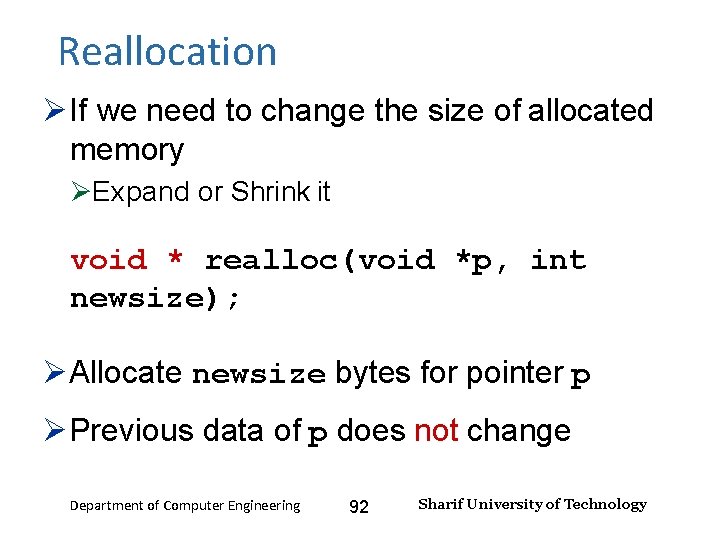
Reallocation Input and Output – Lecture 4 If we need to change the size of allocated memory Expand or Shrink it void * realloc(void *p, int newsize); Allocate newsize bytes for pointer p Previous data of p does not change Department of Computer Engineering 92 Sharif University of Technology
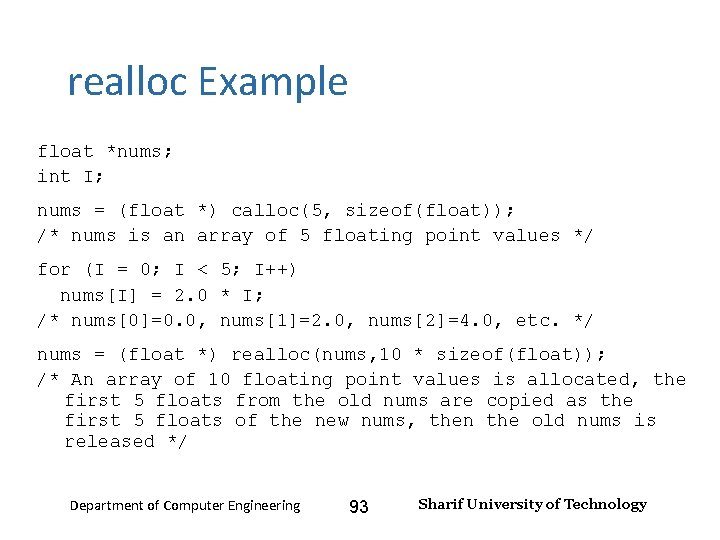
Input and Output – Lecture 4 realloc Example float *nums; int I; nums = (float *) calloc(5, sizeof(float)); /* nums is an array of 5 floating point values */ for (I = 0; I < 5; I++) nums[I] = 2. 0 * I; /* nums[0]=0. 0, nums[1]=2. 0, nums[2]=4. 0, etc. */ nums = (float *) realloc(nums, 10 * sizeof(float)); /* An array of 10 floating point values is allocated, the first 5 floats from the old nums are copied as the first 5 floats of the new nums, then the old nums is released */ Department of Computer Engineering 93 Sharif University of Technology
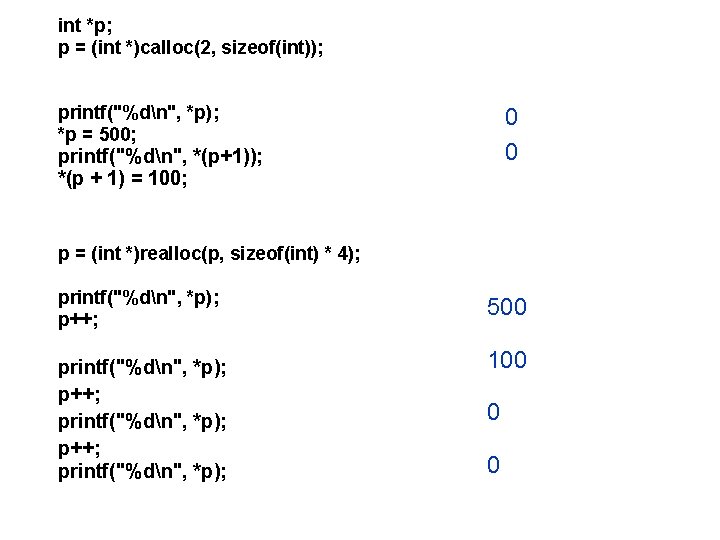
int *p; p = (int *)calloc(2, sizeof(int)); printf("%dn", *p); *p = 500; printf("%dn", *(p+1)); *(p + 1) = 100; 0 0 p = (int *)realloc(p, sizeof(int) * 4); printf("%dn", *p); p++; printf("%dn", *p); 500 100 0 0
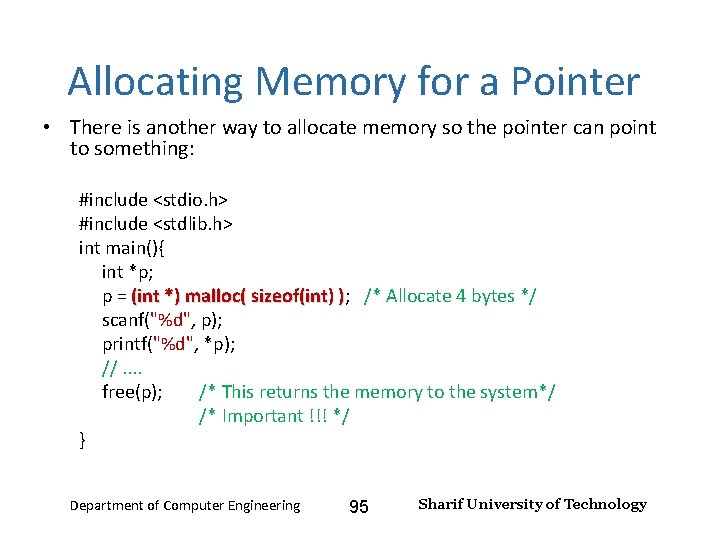
Input and Output – Lecture 4 Allocating Memory for a Pointer • There is another way to allocate memory so the pointer can point to something: #include <stdio. h> #include <stdlib. h> int main(){ int *p; p = (int *) malloc( sizeof(int) ); /* Allocate 4 bytes */ ) scanf("%d", p); printf("%d", *p); //. . free(p); /* This returns the memory to the system*/ /* Important !!! */ } Department of Computer Engineering 95 Sharif University of Technology
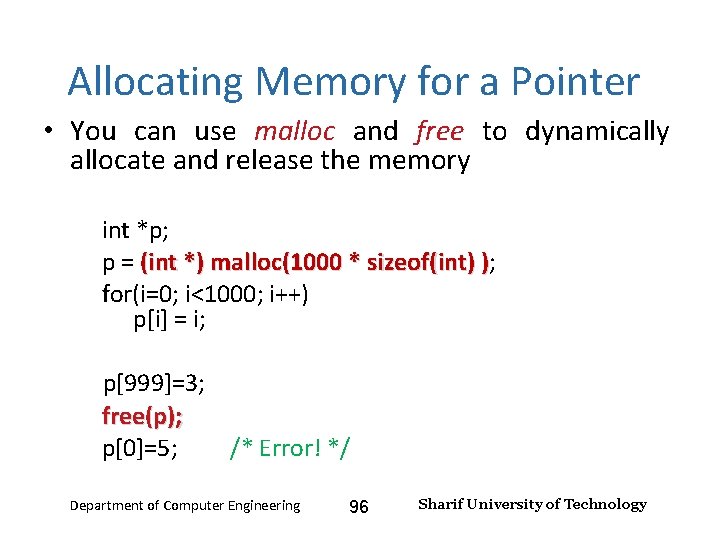
Input and Output – Lecture 4 Allocating Memory for a Pointer • You can use malloc and free to dynamically allocate and release the memory int *p; p = (int *) malloc(1000 * sizeof(int) ); ) for(i=0; i<1000; i++) p[i] = i; p[999]=3; free(p); p[0]=5; /* Error! */ Department of Computer Engineering 96 Sharif University of Technology
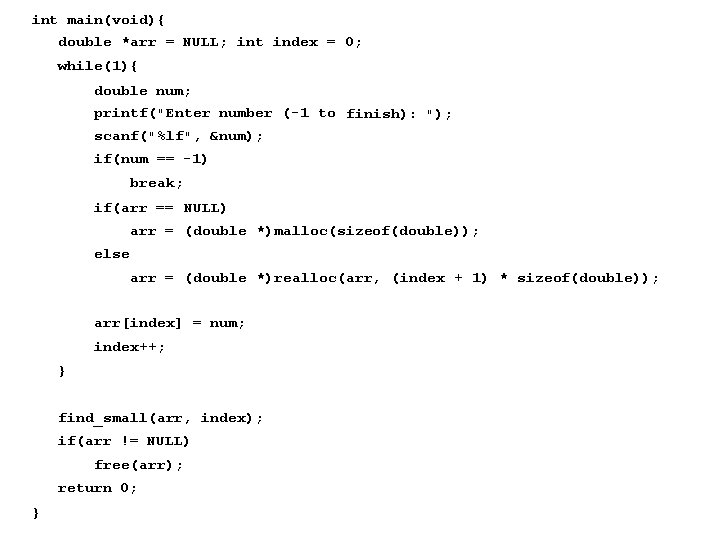
int main(void){ double *arr = NULL; int index = 0; while(1){ double num; printf("Enter number (-1 to finish): "); scanf("%lf", &num); if(num == -1) break; if(arr == NULL) arr = (double *)malloc(sizeof(double)); else arr = (double *)realloc(arr, (index + 1) * sizeof(double)); arr[index] = num; index++; } find_small(arr, index); if(arr != NULL) free(arr); return 0; }
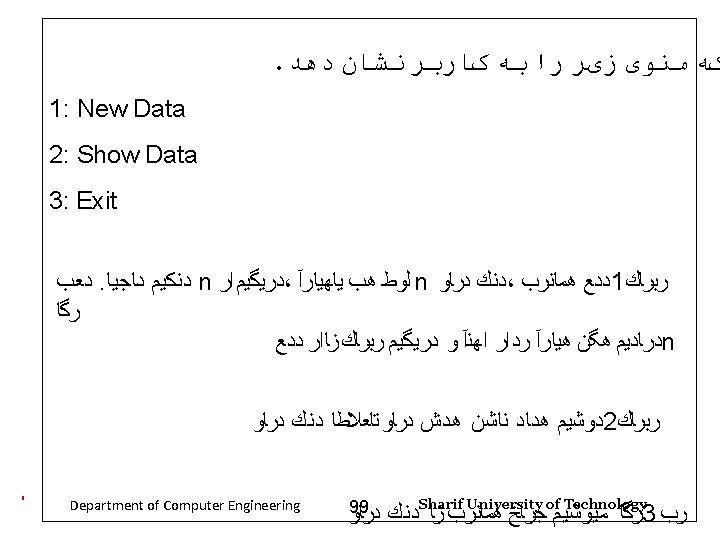
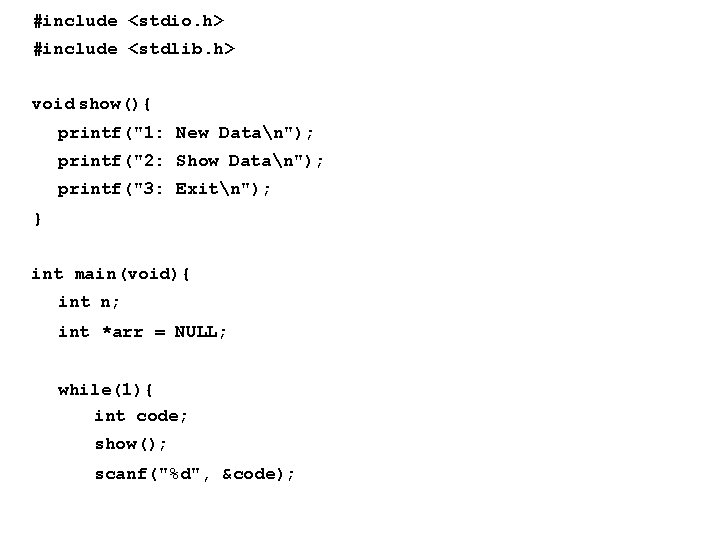
#include <stdio. h> #include <stdlib. h> void show(){ printf("1: New Datan"); printf("2: Show Datan"); printf("3: Exitn"); } int main(void){ int n; int *arr = NULL; while(1){ int code; show(); scanf("%d", &code);
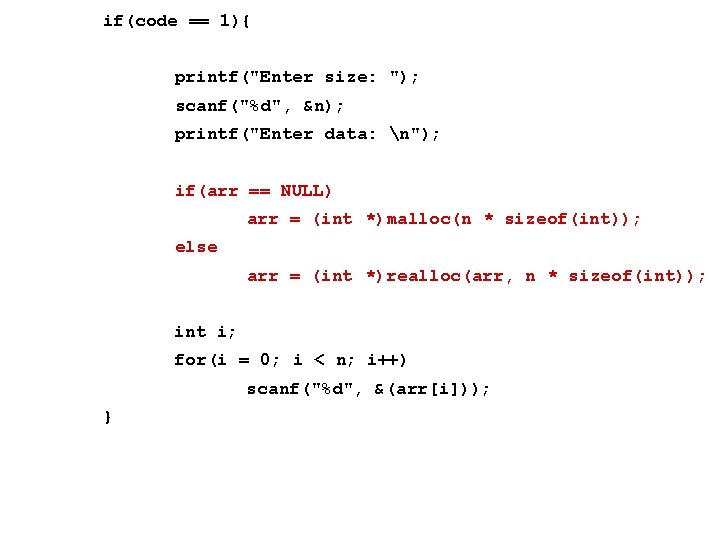
if(code == 1){ printf("Enter size: "); scanf("%d", &n); printf("Enter data: n"); if(arr == NULL) arr = (int *)malloc(n * sizeof(int)); else arr = (int *)realloc(arr, n * sizeof(int)); int i; for(i = 0; i < n; i++) scanf("%d", &(arr[i])); }
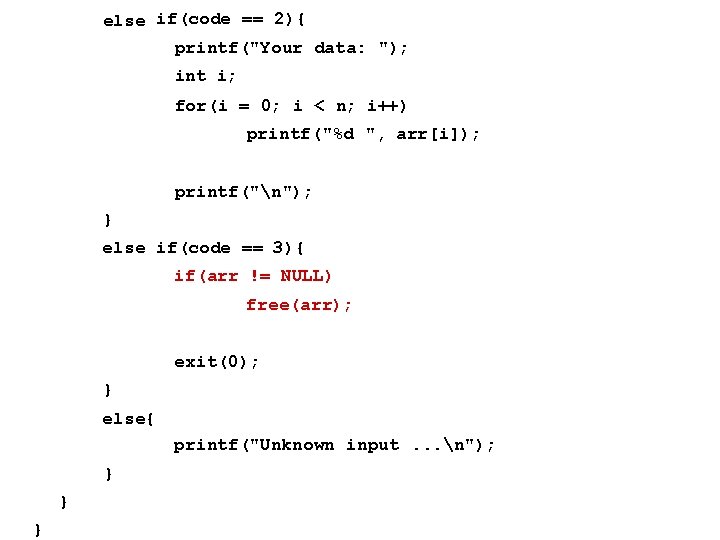
else if(code == 2){ printf("Your data: "); int i; for(i = 0; i < n; i++) printf("%d ", arr[i]); printf("n"); } else if(code == 3){ if(arr != NULL) free(arr); exit(0); } else{ printf("Unknown input. . . n"); } } }