Design Development of That Tank Game in 3
- Slides: 42
Design & Development of “That Tank Game – in 3 D!!!” CS 426 Jason Leigh © 2004 - 2005 Electronic Visualization Laboratory electronic visualization laboratory, university of illinois at chicago
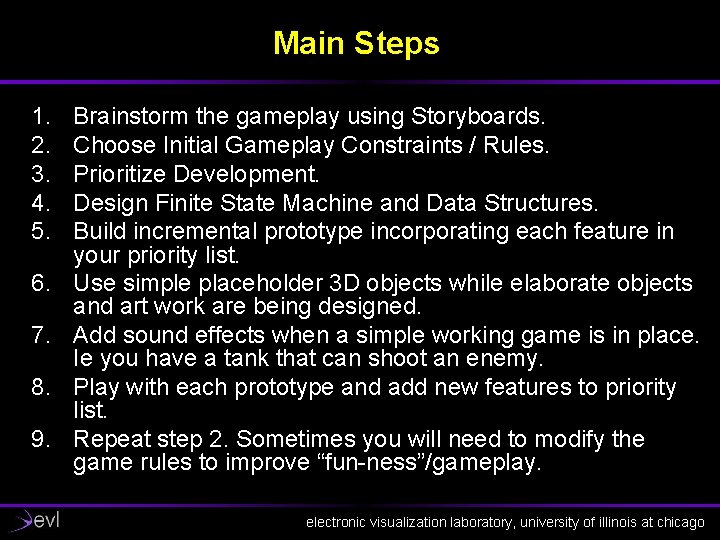
Main Steps 1. 2. 3. 4. 5. 6. 7. 8. 9. Brainstorm the gameplay using Storyboards. Choose Initial Gameplay Constraints / Rules. Prioritize Development. Design Finite State Machine and Data Structures. Build incremental prototype incorporating each feature in your priority list. Use simple placeholder 3 D objects while elaborate objects and art work are being designed. Add sound effects when a simple working game is in place. Ie you have a tank that can shoot an enemy. Play with each prototype and add new features to priority list. Repeat step 2. Sometimes you will need to modify the game rules to improve “fun-ness”/gameplay. electronic visualization laboratory, university of illinois at chicago
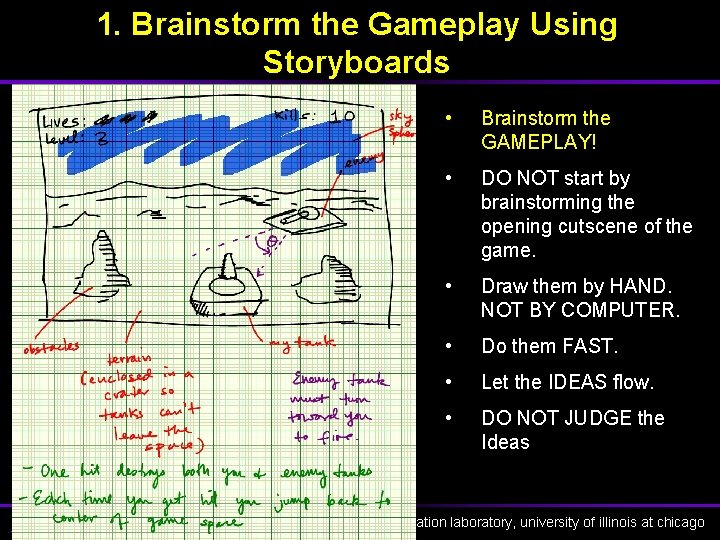
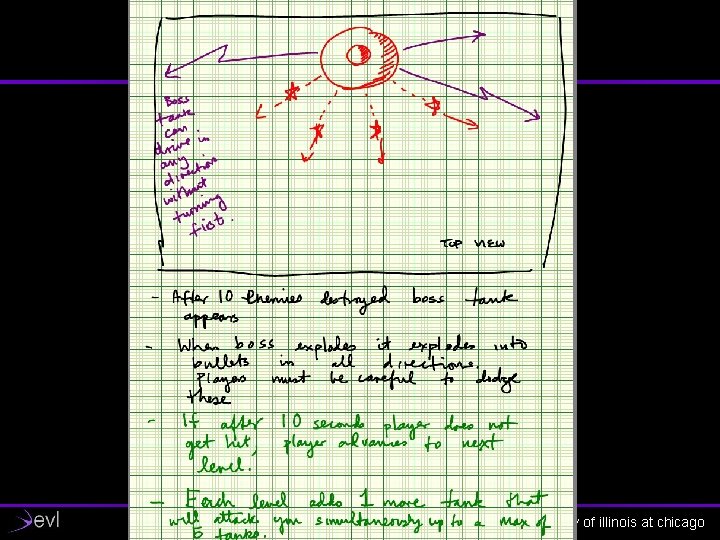
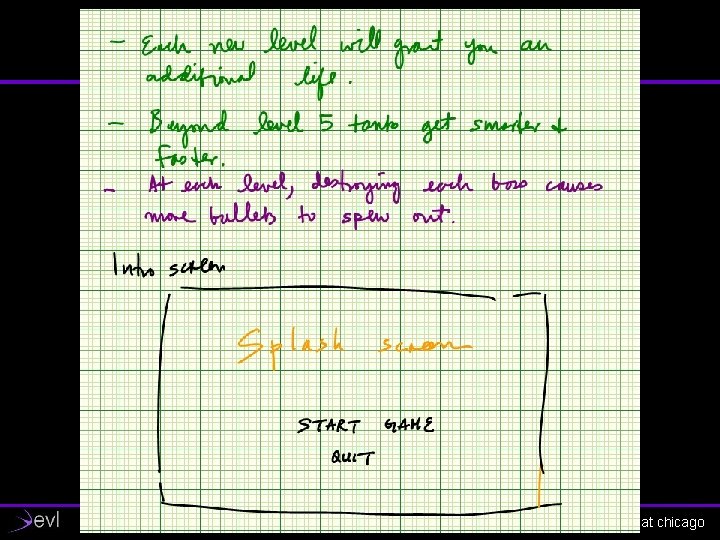
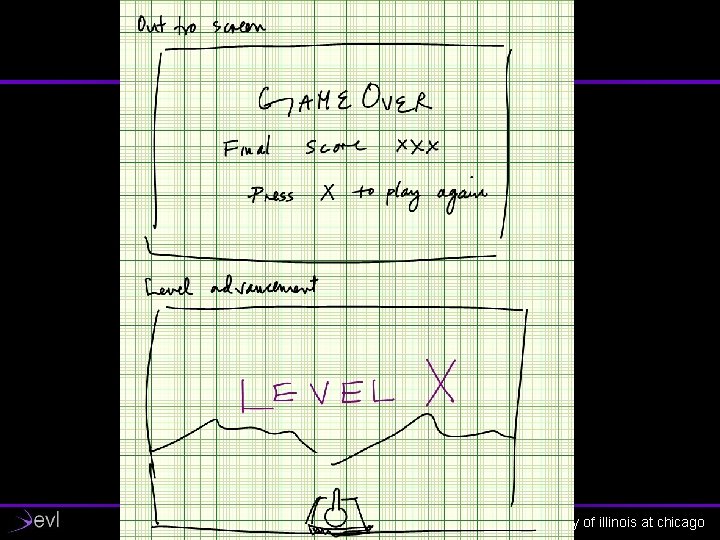
1. Brainstorm the Gameplay Using Storyboards • Brainstorm the GAMEPLAY! • DO NOT start by brainstorming the opening cutscene of the game. • Draw them by HAND. NOT BY COMPUTER. • Do them FAST. • Let the IDEAS flow. • DO NOT JUDGE the Ideas electronic visualization laboratory, university of illinois at chicago
electronic visualization laboratory, university of illinois at chicago
electronic visualization laboratory, university of illinois at chicago
electronic visualization laboratory, university of illinois at chicago
electronic visualization laboratory, university of illinois at chicago
electronic visualization laboratory, university of illinois at chicago
electronic visualization laboratory, university of illinois at chicago
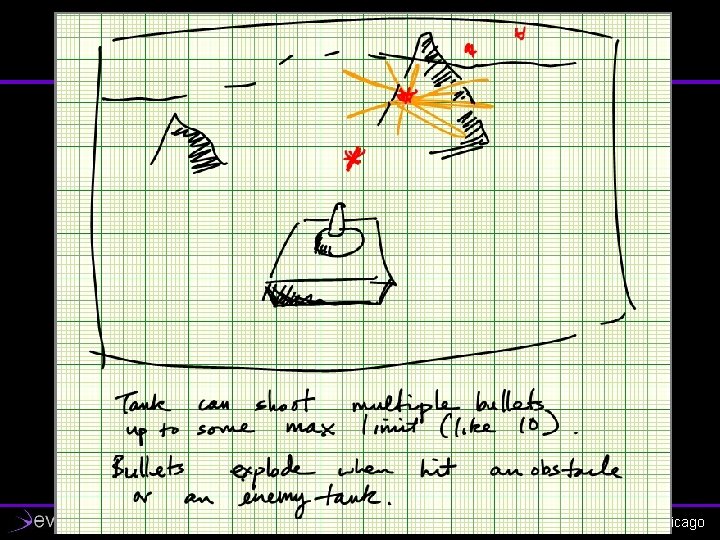
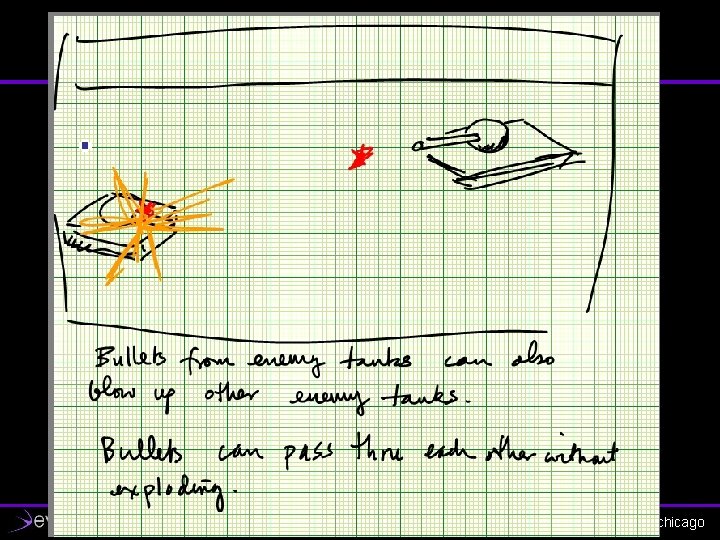
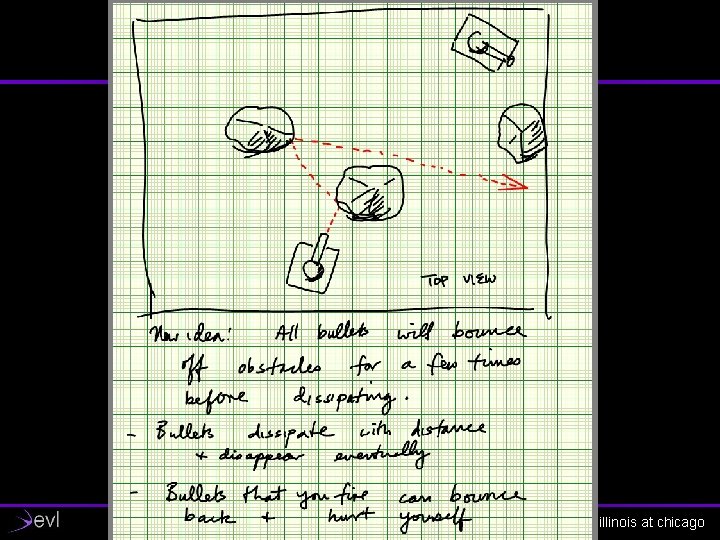
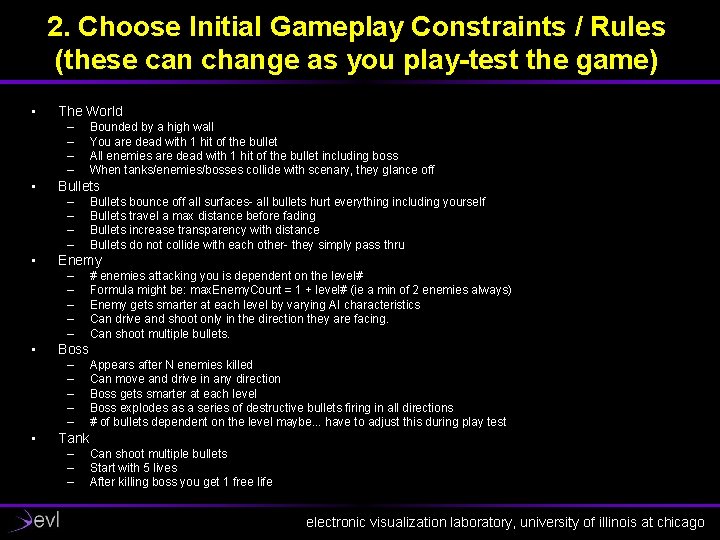
2. Choose Initial Gameplay Constraints / Rules (these can change as you play-test the game) • The World – – • Bullets – – • # enemies attacking you is dependent on the level# Formula might be: max. Enemy. Count = 1 + level# (ie a min of 2 enemies always) Enemy gets smarter at each level by varying AI characteristics Can drive and shoot only in the direction they are facing. Can shoot multiple bullets. Boss – – – • Bullets bounce off all surfaces- all bullets hurt everything including yourself Bullets travel a max distance before fading Bullets increase transparency with distance Bullets do not collide with each other- they simply pass thru Enemy – – – • Bounded by a high wall You are dead with 1 hit of the bullet All enemies are dead with 1 hit of the bullet including boss When tanks/enemies/bosses collide with scenary, they glance off Appears after N enemies killed Can move and drive in any direction Boss gets smarter at each level Boss explodes as a series of destructive bullets firing in all directions # of bullets dependent on the level maybe. . . have to adjust this during play test Tank – – – Can shoot multiple bullets Start with 5 lives After killing boss you get 1 free life electronic visualization laboratory, university of illinois at chicago
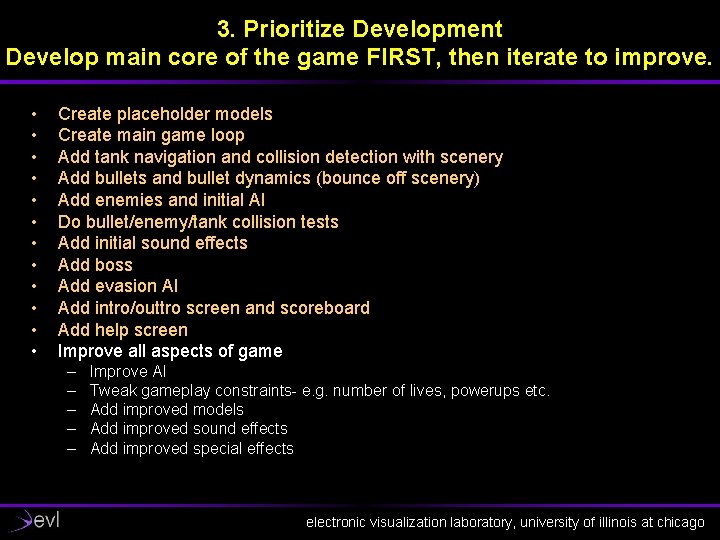
3. Prioritize Development Develop main core of the game FIRST, then iterate to improve. • • • Create placeholder models Create main game loop Add tank navigation and collision detection with scenery Add bullets and bullet dynamics (bounce off scenery) Add enemies and initial AI Do bullet/enemy/tank collision tests Add initial sound effects Add boss Add evasion AI Add intro/outtro screen and scoreboard Add help screen Improve all aspects of game – – – Improve AI Tweak gameplay constraints- e. g. number of lives, powerups etc. Add improved models Add improved sound effects Add improved special effects electronic visualization laboratory, university of illinois at chicago
4. Design Initial Finite State Machine Tip: Define simple sets of autonomous rules and allow FSM to follow them. Result: Creates emergent behavior as enemies respond to the rules of the world, bullets, and tank. electronic visualization laboratory, university of illinois at chicago
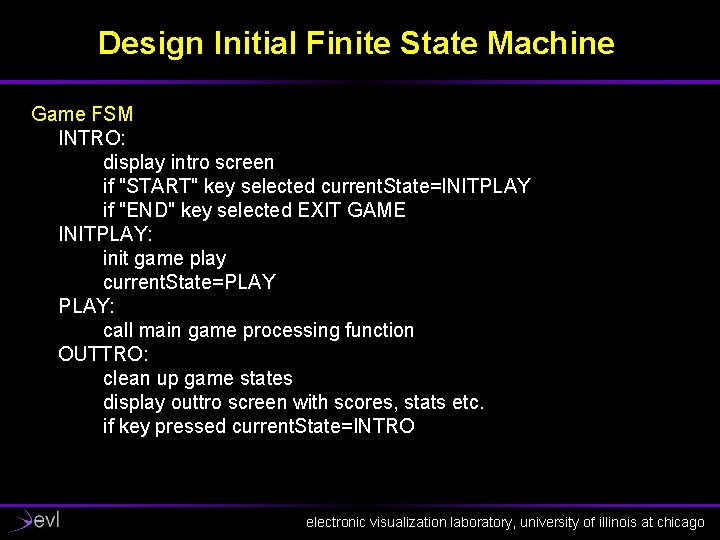
Design Initial Finite State Machine Game FSM INTRO: display intro screen if "START" key selected current. State=INITPLAY if "END" key selected EXIT GAME INITPLAY: init game play current. State=PLAY: call main game processing function OUTTRO: clean up game states display outtro screen with scores, stats etc. if key pressed current. State=INTRO electronic visualization laboratory, university of illinois at chicago
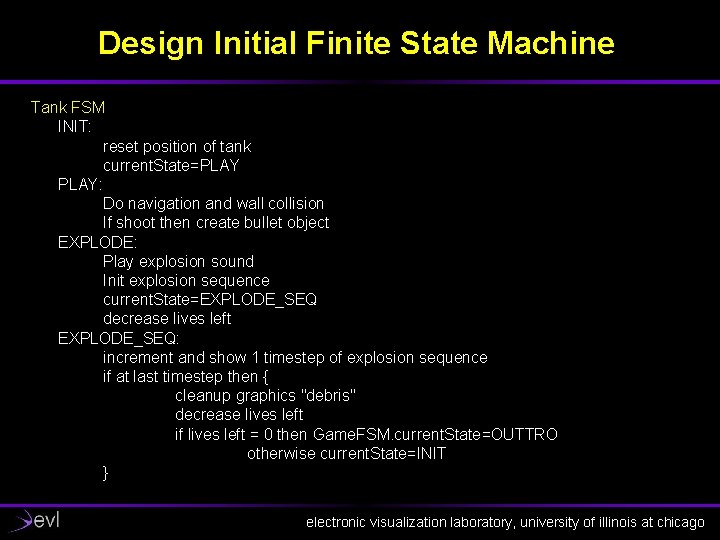
Design Initial Finite State Machine Tank FSM INIT: reset position of tank current. State=PLAY: Do navigation and wall collision If shoot then create bullet object EXPLODE: Play explosion sound Init explosion sequence current. State=EXPLODE_SEQ decrease lives left EXPLODE_SEQ: increment and show 1 timestep of explosion sequence if at last timestep then { cleanup graphics "debris" decrease lives left if lives left = 0 then Game. FSM. current. State=OUTTRO otherwise current. State=INIT } electronic visualization laboratory, university of illinois at chicago
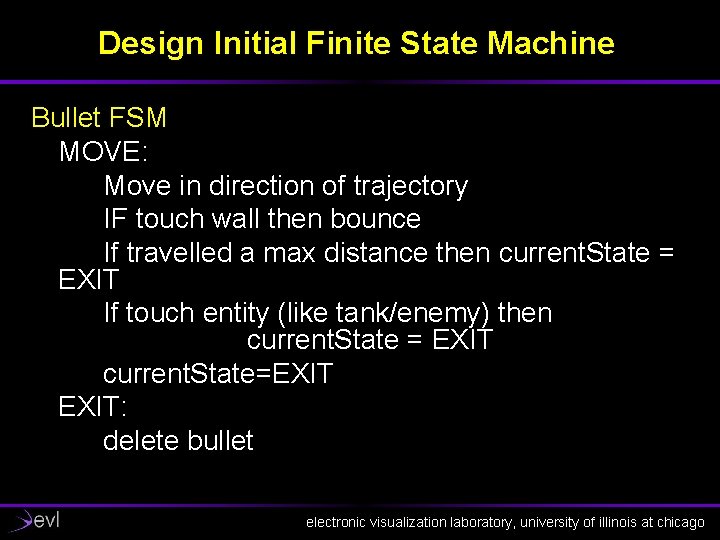
Design Initial Finite State Machine Bullet FSM MOVE: Move in direction of trajectory IF touch wall then bounce If travelled a max distance then current. State = EXIT If touch entity (like tank/enemy) then current. State = EXIT current. State=EXIT: delete bullet electronic visualization laboratory, university of illinois at chicago
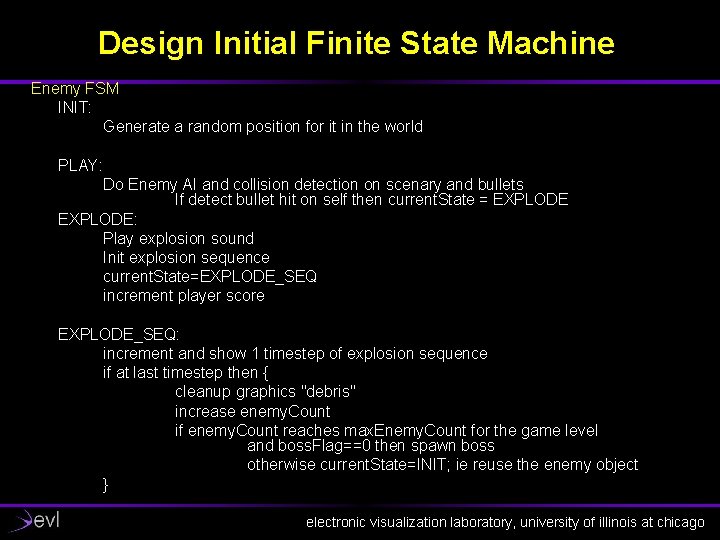
Design Initial Finite State Machine Enemy FSM INIT: Generate a random position for it in the world PLAY: Do Enemy AI and collision detection on scenary and bullets If detect bullet hit on self then current. State = EXPLODE: Play explosion sound Init explosion sequence current. State=EXPLODE_SEQ increment player score EXPLODE_SEQ: increment and show 1 timestep of explosion sequence if at last timestep then { cleanup graphics "debris" increase enemy. Count if enemy. Count reaches max. Enemy. Count for the game level and boss. Flag==0 then spawn boss otherwise current. State=INIT; ie reuse the enemy object } electronic visualization laboratory, university of illinois at chicago
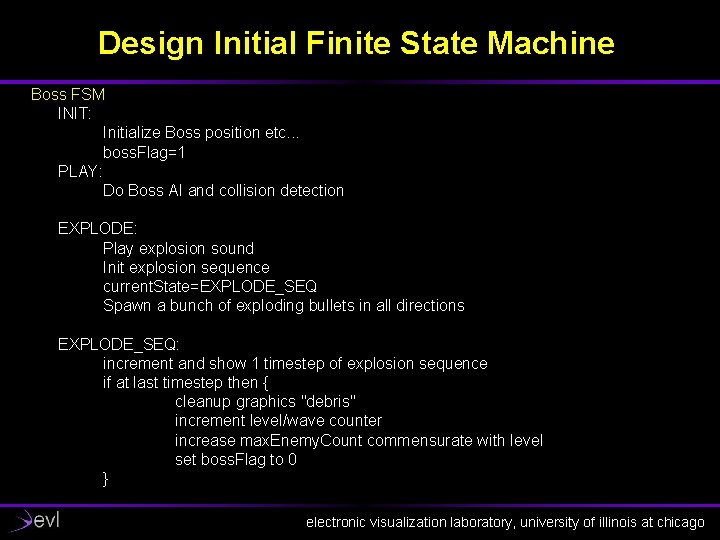
Design Initial Finite State Machine Boss FSM INIT: Initialize Boss position etc. . . boss. Flag=1 PLAY: Do Boss AI and collision detection EXPLODE: Play explosion sound Init explosion sequence current. State=EXPLODE_SEQ Spawn a bunch of exploding bullets in all directions EXPLODE_SEQ: increment and show 1 timestep of explosion sequence if at last timestep then { cleanup graphics "debris" increment level/wave counter increase max. Enemy. Count commensurate with level set boss. Flag to 0 } electronic visualization laboratory, university of illinois at chicago
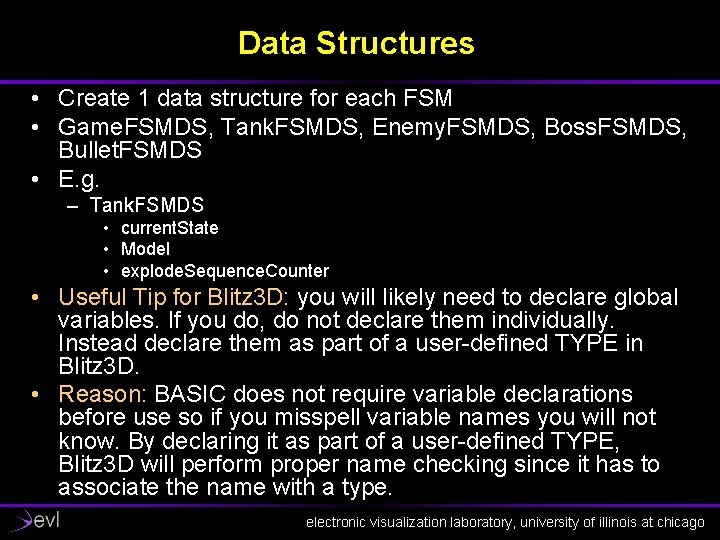
Data Structures • Create 1 data structure for each FSM • Game. FSMDS, Tank. FSMDS, Enemy. FSMDS, Boss. FSMDS, Bullet. FSMDS • E. g. – Tank. FSMDS • current. State • Model • explode. Sequence. Counter • Useful Tip for Blitz 3 D: you will likely need to declare global variables. If you do, do not declare them individually. Instead declare them as part of a user-defined TYPE in Blitz 3 D. • Reason: BASIC does not require variable declarations before use so if you misspell variable names you will not know. By declaring it as part of a user-defined TYPE, Blitz 3 D will perform proper name checking since it has to associate the name with a type. electronic visualization laboratory, university of illinois at chicago
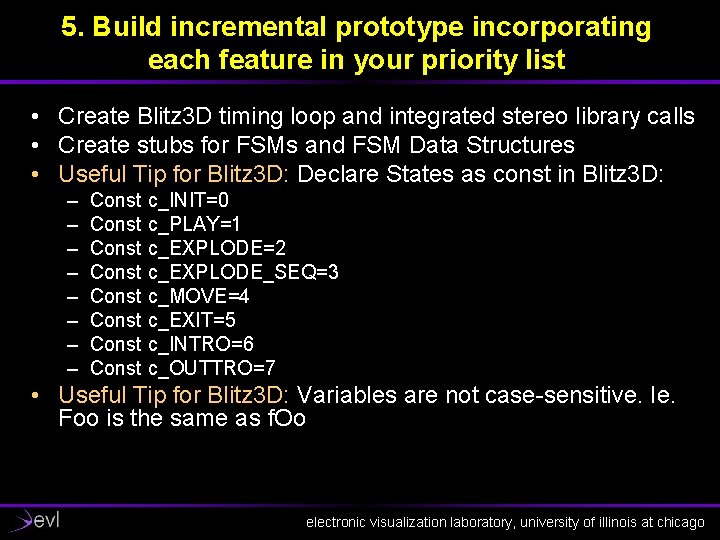
5. Build incremental prototype incorporating each feature in your priority list • Create Blitz 3 D timing loop and integrated stereo library calls • Create stubs for FSMs and FSM Data Structures • Useful Tip for Blitz 3 D: Declare States as const in Blitz 3 D: – – – – Const c_INIT=0 Const c_PLAY=1 Const c_EXPLODE=2 Const c_EXPLODE_SEQ=3 Const c_MOVE=4 Const c_EXIT=5 Const c_INTRO=6 Const c_OUTTRO=7 • Useful Tip for Blitz 3 D: Variables are not case-sensitive. Ie. Foo is the same as f. Oo electronic visualization laboratory, university of illinois at chicago
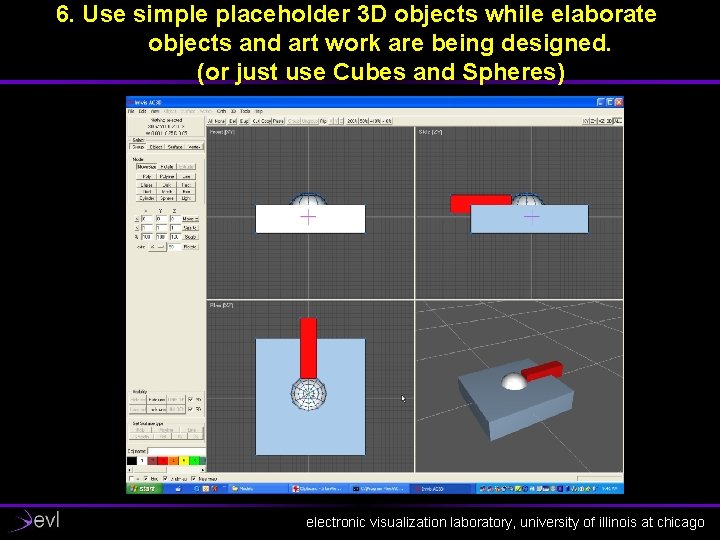
6. Use simple placeholder 3 D objects while elaborate objects and art work are being designed. (or just use Cubes and Spheres) electronic visualization laboratory, university of illinois at chicago
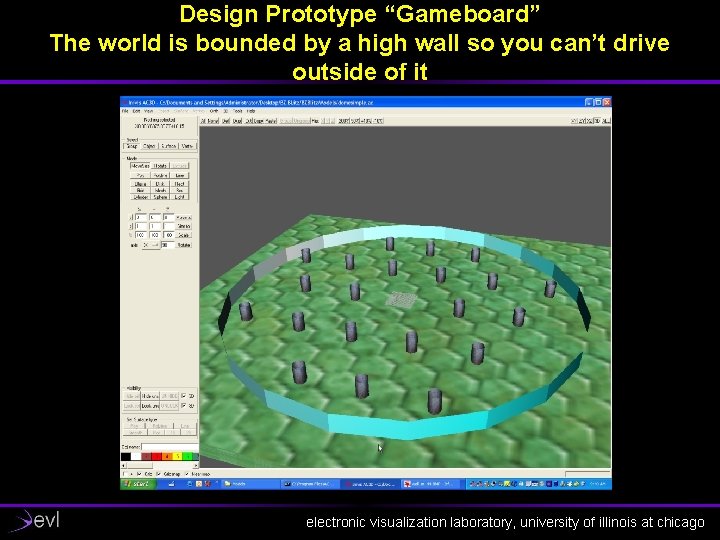
Design Prototype “Gameboard” The world is bounded by a high wall so you can’t drive outside of it electronic visualization laboratory, university of illinois at chicago
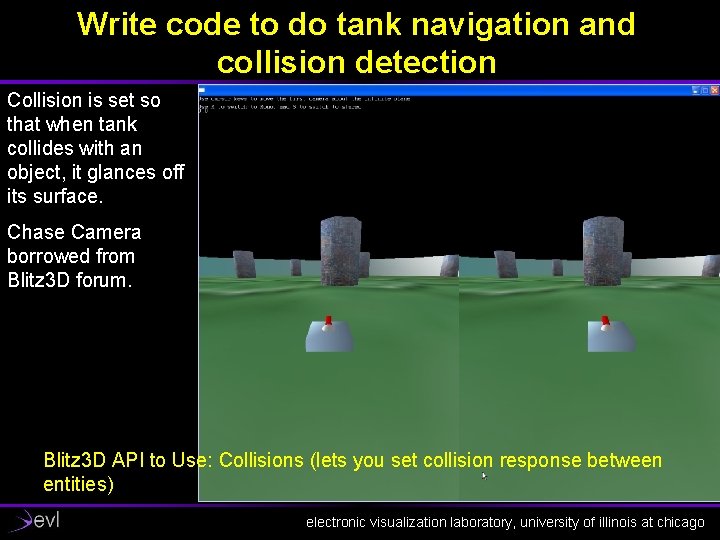
Write code to do tank navigation and collision detection Collision is set so that when tank collides with an object, it glances off its surface. Chase Camera borrowed from Blitz 3 D forum. Blitz 3 D API to Use: Collisions (lets you set collision response between entities) electronic visualization laboratory, university of illinois at chicago
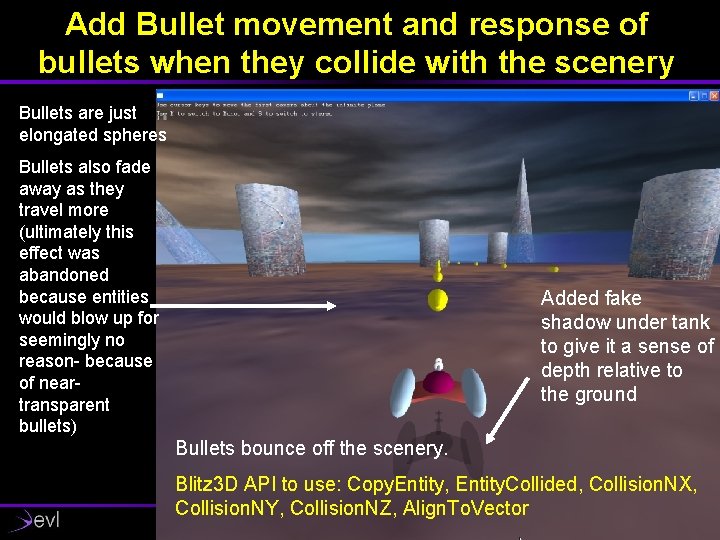
Add Bullet movement and response of bullets when they collide with the scenery Bullets are just elongated spheres Bullets also fade away as they travel more (ultimately this effect was abandoned because entities would blow up for seemingly no reason- because of neartransparent bullets) Added fake shadow under tank to give it a sense of depth relative to the ground Bullets bounce off the scenery. Blitz 3 D API to use: Copy. Entity, Entity. Collided, Collision. NX, Collision. NY, Collision. NZ, Align. To. Vector electronic visualization laboratory, university of illinois at chicago
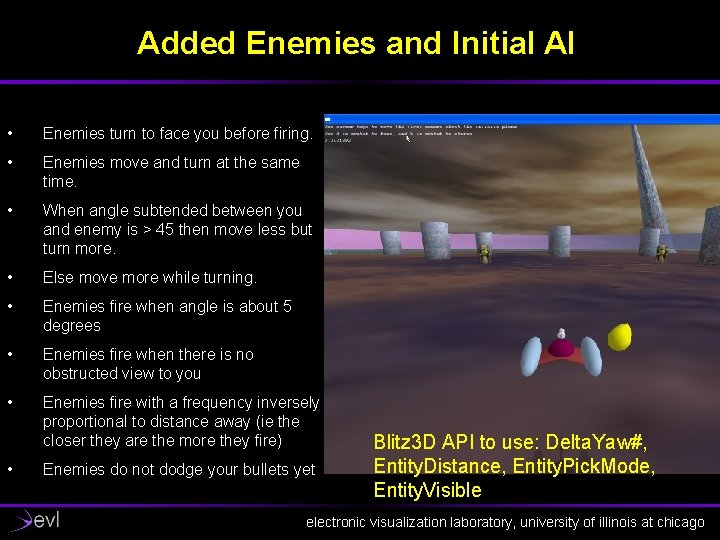
Added Enemies and Initial AI • Enemies turn to face you before firing. • Enemies move and turn at the same time. • When angle subtended between you and enemy is > 45 then move less but turn more. • Else move more while turning. • Enemies fire when angle is about 5 degrees • Enemies fire when there is no obstructed view to you • Enemies fire with a frequency inversely proportional to distance away (ie the closer they are the more they fire) • Enemies do not dodge your bullets yet Blitz 3 D API to use: Delta. Yaw#, Entity. Distance, Entity. Pick. Mode, Entity. Visible electronic visualization laboratory, university of illinois at chicago
Add Collision Checks with Bullets • Basically every object checks for collisions on its own and does the right thing by itself – If tank registers a bullet collision then tank explodes – If bullet detects a tank or enemy collision then it removes itself – If enemy registers a bullet collision then enemy explodes electronic visualization laboratory, university of illinois at chicago
7. Add sound effects when a simple working game is in place • • Bullet shots Explosion sounds Bullet bounces Blitz 3 D API: Load. Sound, Play. Sound electronic visualization laboratory, university of illinois at chicago
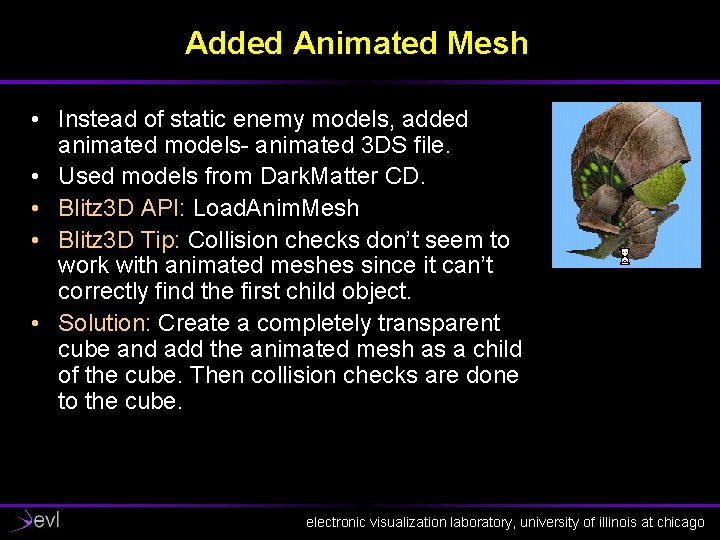
Added Animated Mesh • Instead of static enemy models, added animated models- animated 3 DS file. • Used models from Dark. Matter CD. • Blitz 3 D API: Load. Anim. Mesh • Blitz 3 D Tip: Collision checks don’t seem to work with animated meshes since it can’t correctly find the first child object. • Solution: Create a completely transparent cube and add the animated mesh as a child of the cube. Then collision checks are done to the cube. electronic visualization laboratory, university of illinois at chicago
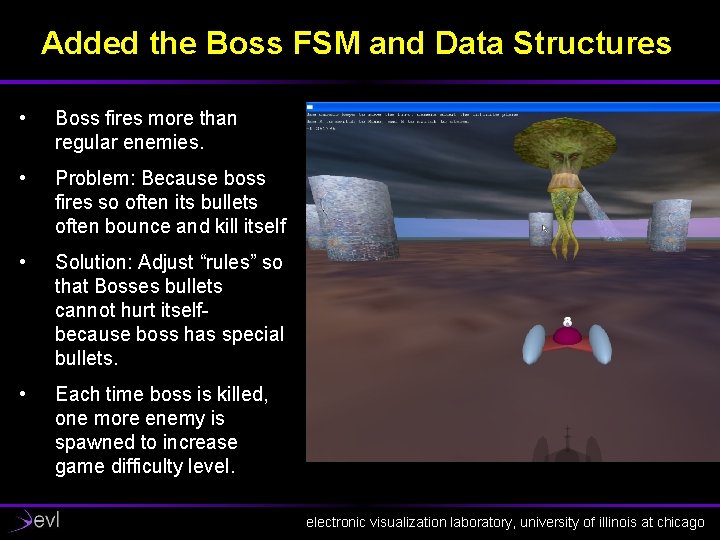
Added the Boss FSM and Data Structures • Boss fires more than regular enemies. • Problem: Because boss fires so often its bullets often bounce and kill itself • Solution: Adjust “rules” so that Bosses bullets cannot hurt itselfbecause boss has special bullets. • Each time boss is killed, one more enemy is spawned to increase game difficulty level. electronic visualization laboratory, university of illinois at chicago
Added Evasion AI • For each bullet: – Check angle subtended by bullet and enemy – If angle is very small (5 degrees) then set enemies evasion flag – Game level determines how far ahead the bullet can look. • Enemies evade by moving backwards and turning in some arbitrary direction. electronic visualization laboratory, university of illinois at chicago
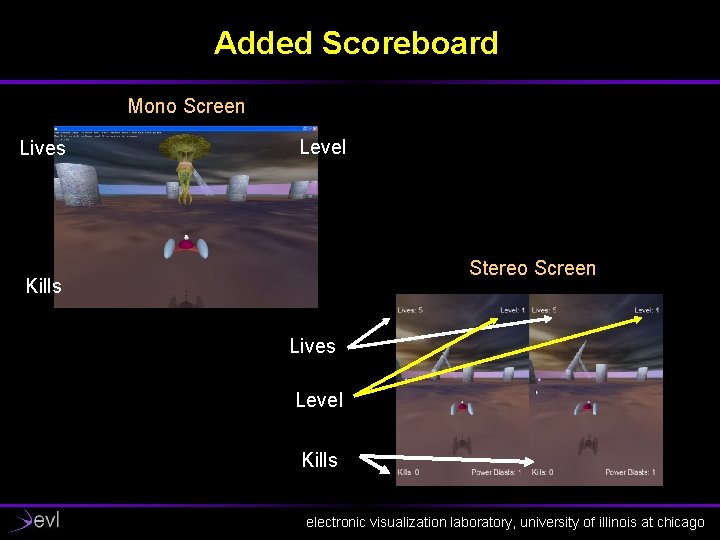
Added Scoreboard Mono Screen Lives Level Stereo Screen Kills Lives Level Kills electronic visualization laboratory, university of illinois at chicago
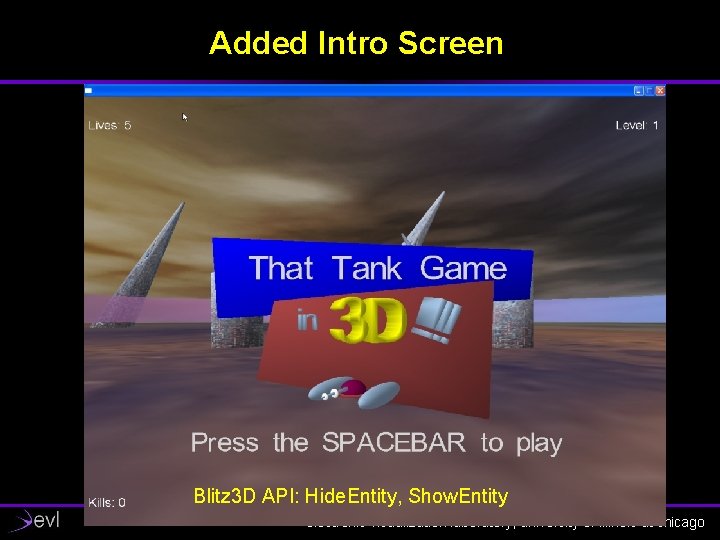
Added Intro Screen Blitz 3 D API: Hide. Entity, Show. Entity electronic visualization laboratory, university of illinois at chicago
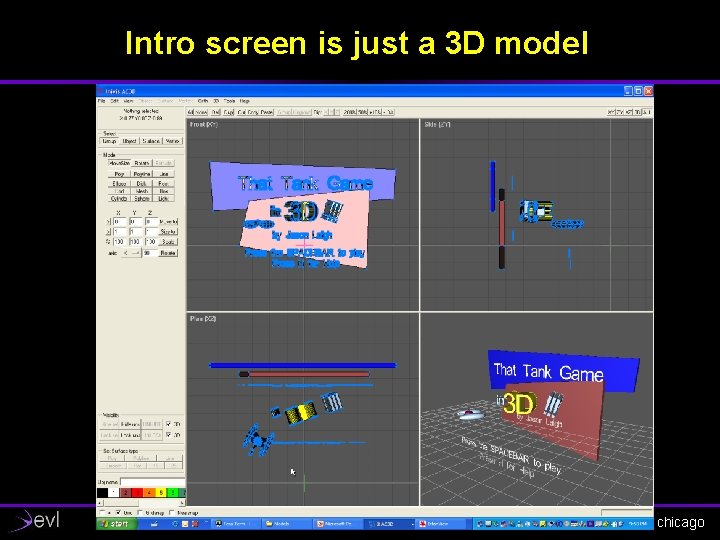
Intro screen is just a 3 D model electronic visualization laboratory, university of illinois at chicago
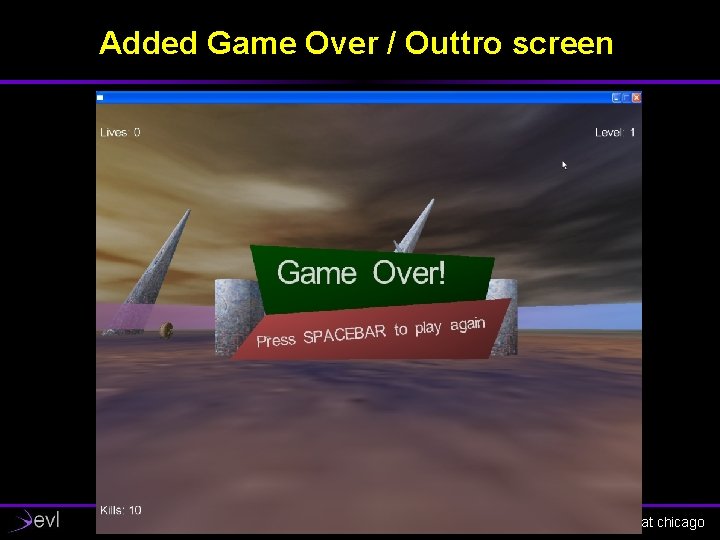
Added Game Over / Outtro screen electronic visualization laboratory, university of illinois at chicago
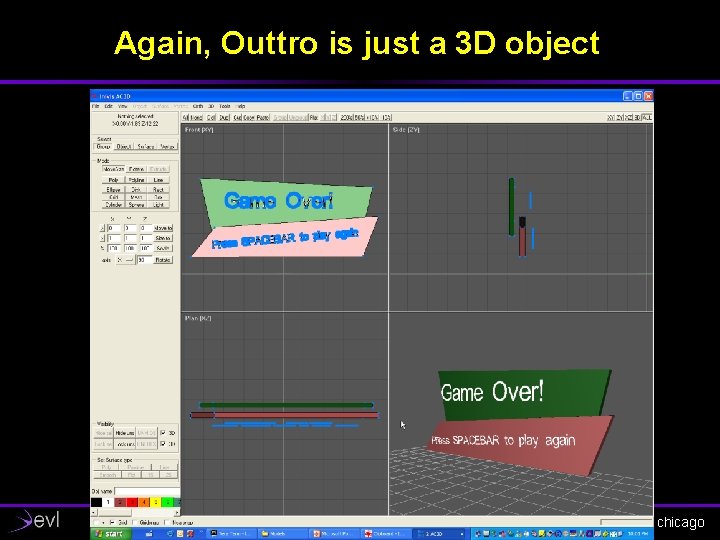
Again, Outtro is just a 3 D object electronic visualization laboratory, university of illinois at chicago
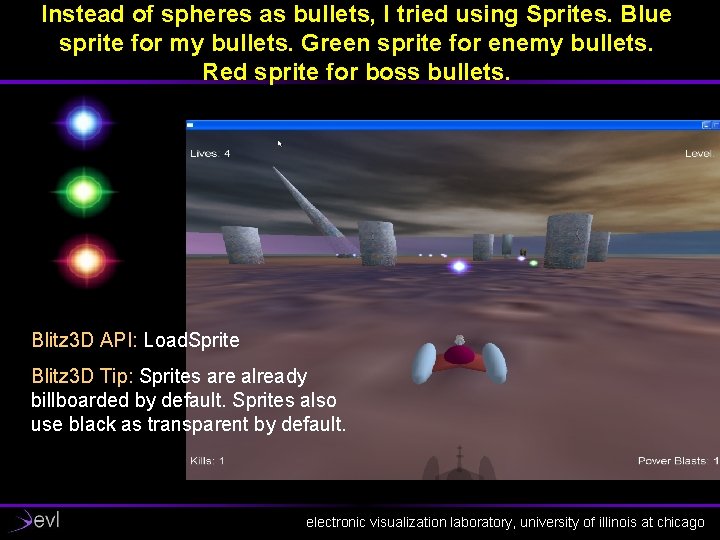
Instead of spheres as bullets, I tried using Sprites. Blue sprite for my bullets. Green sprite for enemy bullets. Red sprite for boss bullets. Blitz 3 D API: Load. Sprite Blitz 3 D Tip: Sprites are already billboarded by default. Sprites also use black as transparent by default. electronic visualization laboratory, university of illinois at chicago
Changed all sounds to 3 D Spatialized Sound • Blitz 3 D has the notion of a Listener which is YOUthe tank (use Create. Listener). • Then Load sounds with: Load 3 DSound rather than Load. Sound • Then use Emit. Sound on all objects that need to make a sound. • Ie. Replace Play. Sound with Emit. Sound calls. • Added looping hum to Boss (use Loop. Sound) • Added looping background music electronic visualization laboratory, university of illinois at chicago
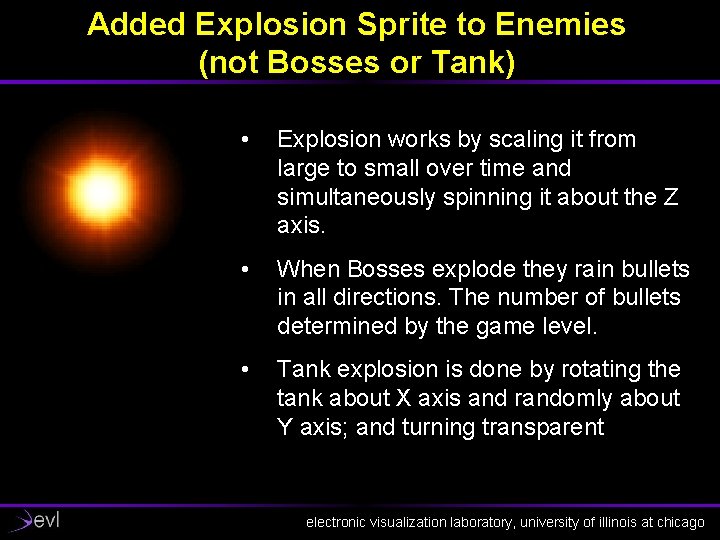
Added Explosion Sprite to Enemies (not Bosses or Tank) • Explosion works by scaling it from large to small over time and simultaneously spinning it about the Z axis. • When Bosses explode they rain bullets in all directions. The number of bullets determined by the game level. • Tank explosion is done by rotating the tank about X axis and randomly about Y axis; and turning transparent electronic visualization laboratory, university of illinois at chicago
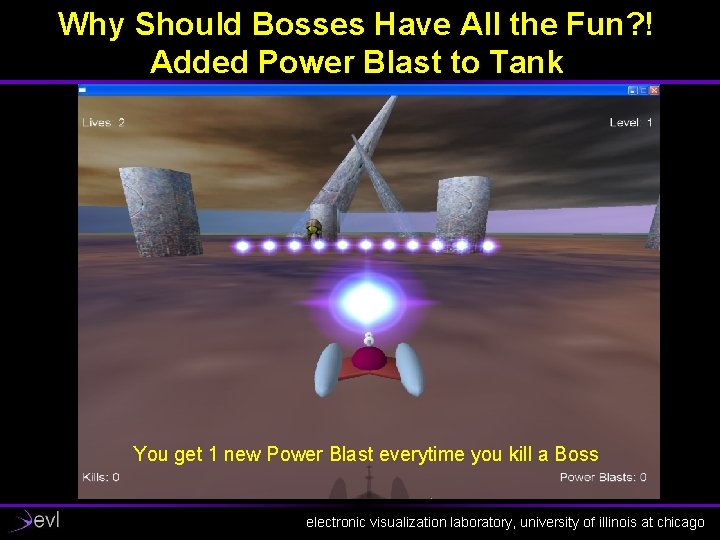
Why Should Bosses Have All the Fun? ! Added Power Blast to Tank You get 1 new Power Blast everytime you kill a Boss electronic visualization laboratory, university of illinois at chicago
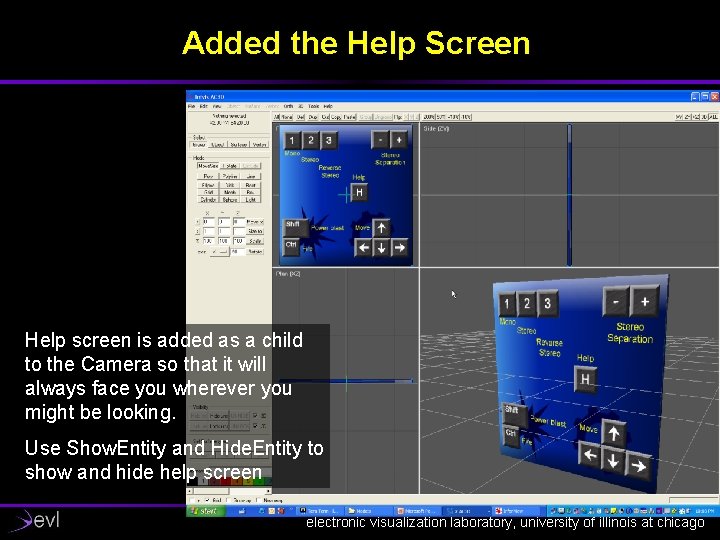
Added the Help Screen Help screen is added as a child to the Camera so that it will always face you wherever you might be looking. Use Show. Entity and Hide. Entity to show and hide help screen electronic visualization laboratory, university of illinois at chicago
Enemy Intro Transition • When enemies are first created by the game, they do not just POP into view. • They grow from tiny to regular size. • This gives a less jarring transition for introducing the enemies. electronic visualization laboratory, university of illinois at chicago
Closing Remarks About Coding Notice that most of the functions have very similar properties • Tank Functions: • Bullet Functions: – Create. Tank – Tank. Process – call FSM for each tank (there is only 1) – Tank. FSM – Tank. Navigate – Tank. Check. Collisions • Enemies Functions: – – – – Create. Enemy Enemies. Process – call FSM once for each enemy Enemy. FSM Erase. All. Enemies Spawn. All. Enemies Erase. Enemy. Navigate Enemy. Check. Collisions – – – Create. Bullets. Process Bullet. FSM Bullet. Check. Collisions Erase. All. Bullets Erase. Bullet • Boss Functions: – – – – Create. Boss. Process Boss. FSM Erase. All. Bosses Erase. Boss. Navigate Boss. Check. Collisions electronic visualization laboratory, university of illinois at chicago
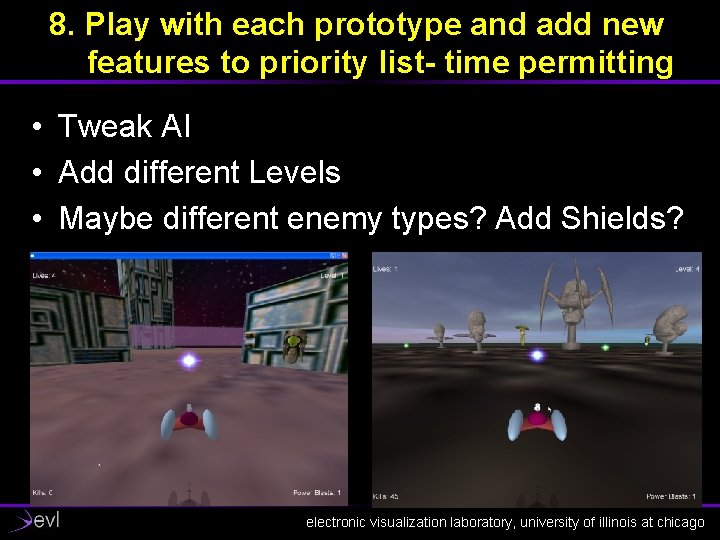
8. Play with each prototype and add new features to priority list- time permitting • Tweak AI • Add different Levels • Maybe different enemy types? Add Shields? electronic visualization laboratory, university of illinois at chicago