CISC 3130 awk Xiaolan Zhang Spring 2013 1
![Overview awk [ -F fs ] [ -v var=value. . . ] 'program' [](https://slidetodoc.com/presentation_image/bb39c389b13d7dd308b272950f12e6a7/image-4.jpg "Overview awk [ -F fs ] [ -v var=value. . . ] 'program' [")
![String matching Two operators, ~ (matches) and !~ (does not match) "ABC" ~ "^[A-Z]+$"](https://slidetodoc.com/presentation_image/bb39c389b13d7dd308b272950f12e6a7/image-19.jpg "String matching Two operators, ~ (matches) and !~ (does not match) \"ABC\" ~ \"^[A-Z]+$\"")
![#!/bin/awk -f NR==1 { ## read the weights for (num=1; num<=NF; num++) { w[num]](https://slidetodoc.com/presentation_image/bb39c389b13d7dd308b272950f12e6a7/image-29.jpg "#!/bin/awk -f NR==1 { ## read the weights for (num=1; num<=NF; num++) { w[num]")
- Slides: 42
CISC 3130: awk Xiaolan Zhang Spring 2013 1
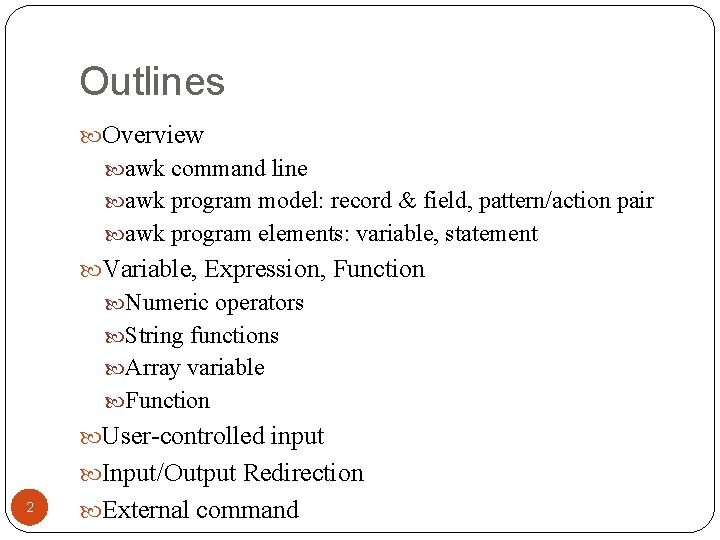
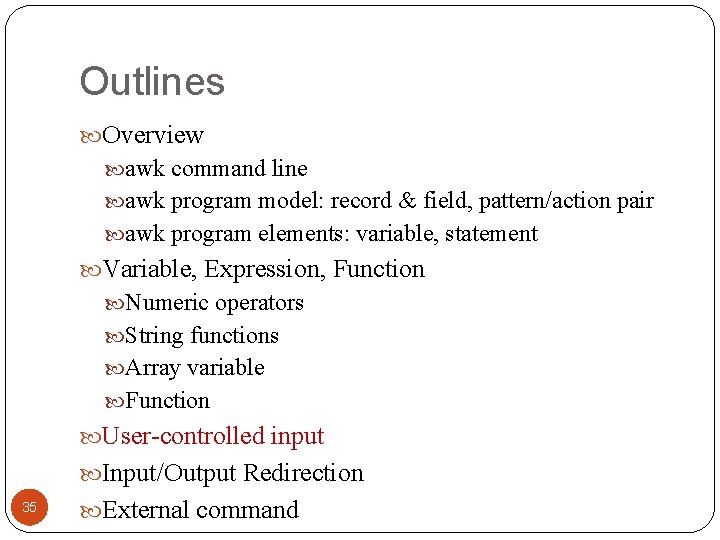
Outlines Overview awk command line awk program model: record & field, pattern/action pair awk program elements: variable, statement Variable, Expression, Function Numeric operators String functions Array variable Function User-controlled input Input/Output Redirection 2 External command
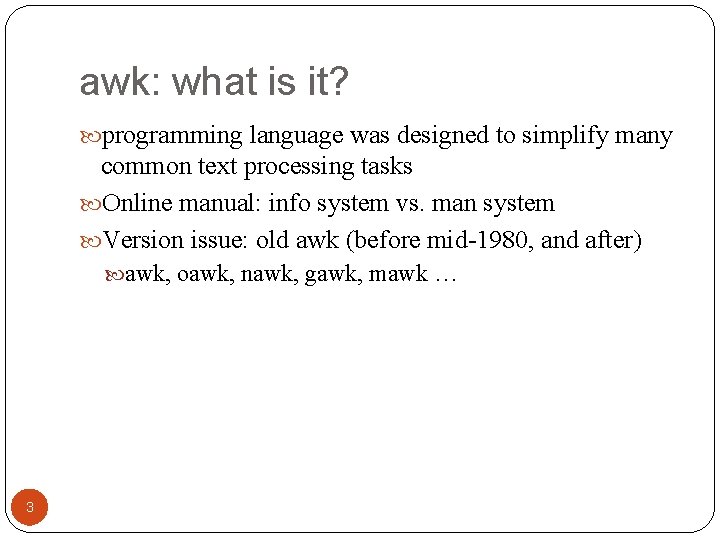
awk: what is it? programming language was designed to simplify many common text processing tasks Online manual: info system vs. man system Version issue: old awk (before mid-1980, and after) awk, oawk, nawk, gawk, mawk … 3
Overview awk [ -F fs ] [ -v var=value. . . ] 'program' [ -- ] [ var=value. . . ] [ file(s) ] awk [ -F fs ] [ -v var=value. . . ] -f programfile [ -- ] [ var=value. . . ] [ file(s) ] • -F option: specified field separator • Program: • Consists of pairs of pattern and braced action, e. g. , /zhang/ {print $3} NR<10 {print $0} • provided in command line or file … • Initialization: • With –v option: take effect before program is started 4 • Other: might be interspersed with filenames, i. e. , apply to different files supplied after them
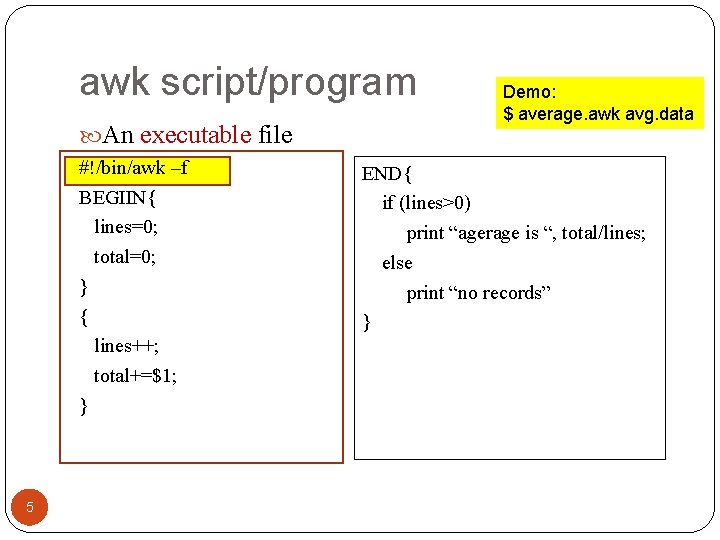
awk script/program An executable file #!/bin/awk –f BEGIIN{ lines=0; total=0; } { lines++; total+=$1; } 5 Demo: $ average. awk avg. data END{ if (lines>0) print “agerage is “, total/lines; else print “no records” }
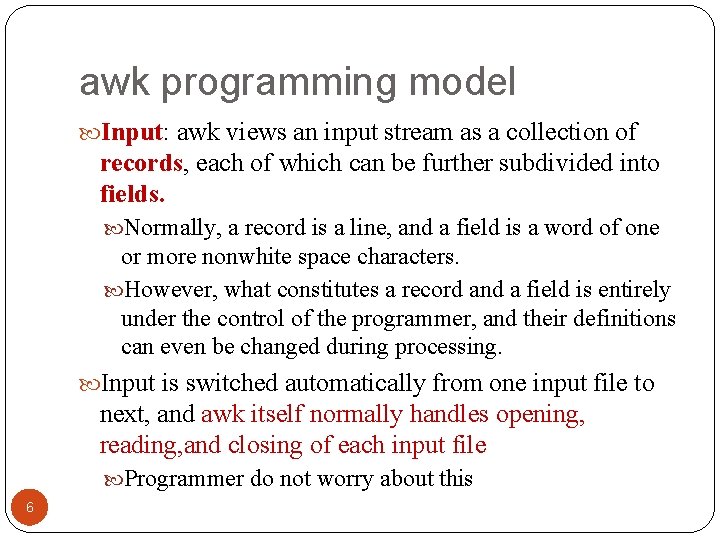
awk programming model Input: awk views an input stream as a collection of records, each of which can be further subdivided into fields. Normally, a record is a line, and a field is a word of one or more nonwhite space characters. However, what constitutes a record and a field is entirely under the control of the programmer, and their definitions can even be changed during processing. Input is switched automatically from one input file to next, and awk itself normally handles opening, reading, and closing of each input file Programmer do not worry about this 6
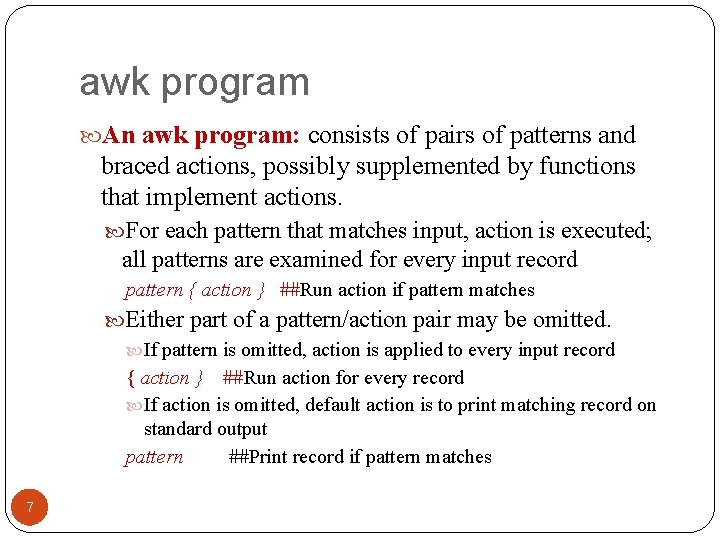
awk program An awk program: consists of pairs of patterns and braced actions, possibly supplemented by functions that implement actions. For each pattern that matches input, action is executed; all patterns are examined for every input record pattern { action } ##Run action if pattern matches Either part of a pattern/action pair may be omitted. If pattern is omitted, action is applied to every input record { action } ##Run action for every record If action is omitted, default action is to print matching record on standard output pattern ##Print record if pattern matches 7
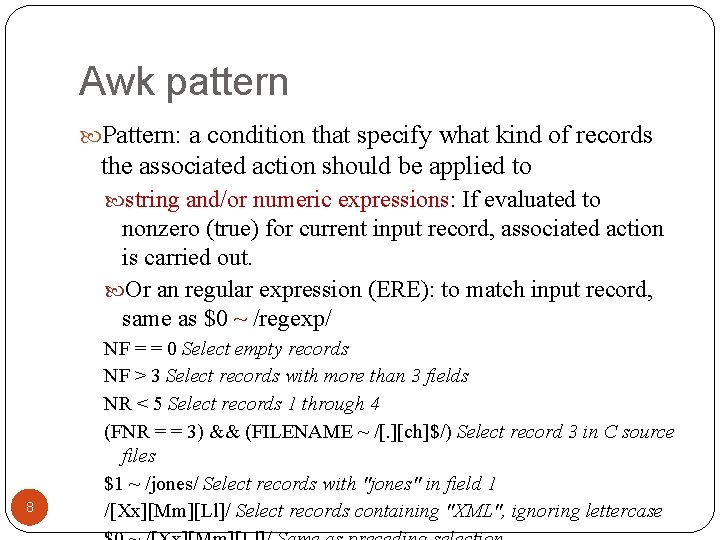
Awk pattern Pattern: a condition that specify what kind of records the associated action should be applied to string and/or numeric expressions: If evaluated to nonzero (true) for current input record, associated action is carried out. Or an regular expression (ERE): to match input record, same as $0 ~ /regexp/ 8 NF = = 0 Select empty records NF > 3 Select records with more than 3 fields NR < 5 Select records 1 through 4 (FNR = = 3) && (FILENAME ~ /[. ][ch]$/) Select record 3 in C source files $1 ~ /jones/ Select records with "jones" in field 1 /[Xx][Mm][Ll]/ Select records containing "XML", ignoring lettercase
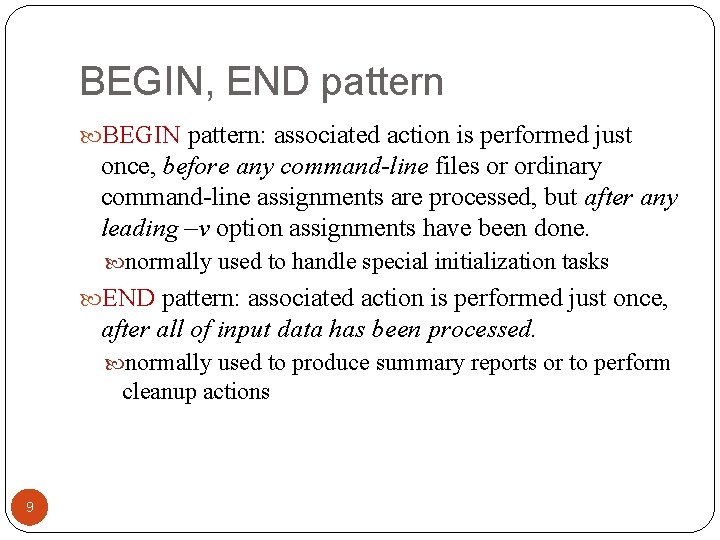
BEGIN, END pattern BEGIN pattern: associated action is performed just once, before any command-line files or ordinary command-line assignments are processed, but after any leading –v option assignments have been done. normally used to handle special initialization tasks END pattern: associated action is performed just once, after all of input data has been processed. normally used to produce summary reports or to perform cleanup actions 9
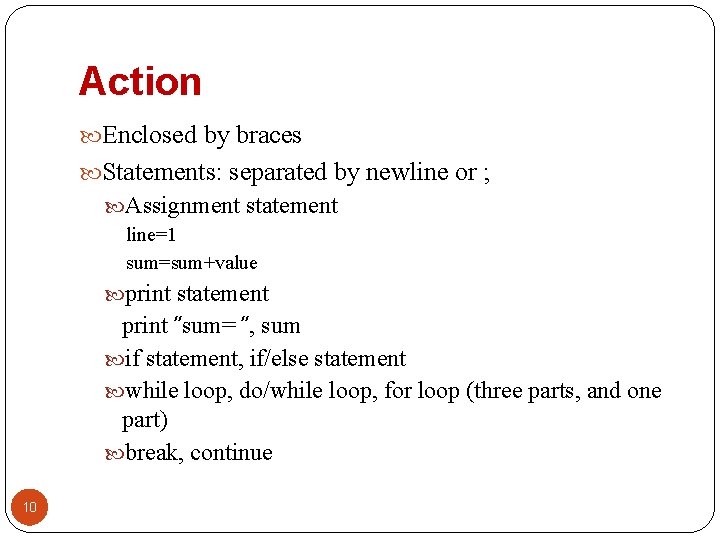
Action Enclosed by braces Statements: separated by newline or ; Assignment statement line=1 sum=sum+value print statement print ″sum= ″, sum if statement, if/else statement while loop, do/while loop, for loop (three parts, and one part) break, continue 10
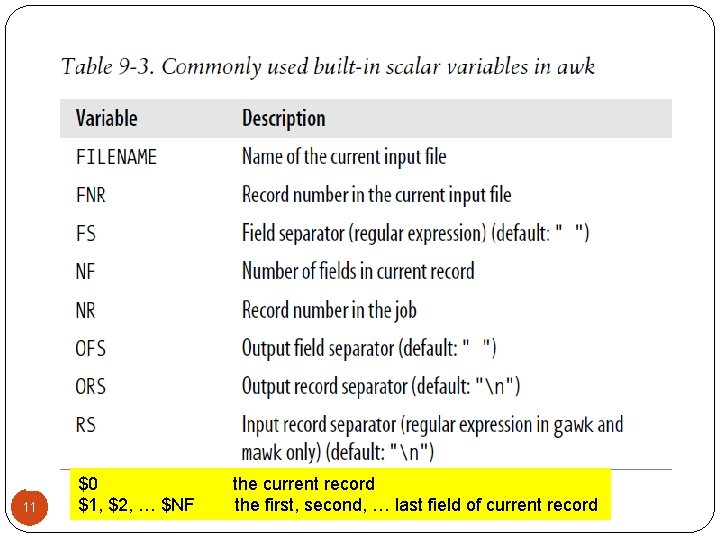
11 $0 $1, $2, … $NF the current record the first, second, … last field of current record
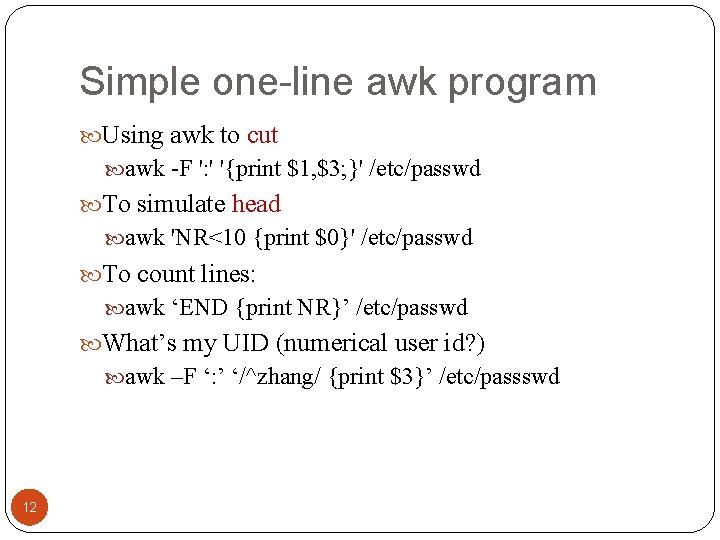
Simple one-line awk program Using awk to cut awk -F ': ' '{print $1, $3; }' /etc/passwd To simulate head awk 'NR<10 {print $0}' /etc/passwd To count lines: awk ‘END {print NR}’ /etc/passwd What’s my UID (numerical user id? ) awk –F ‘: ’ ‘/^zhang/ {print $3}’ /etc/passswd 12
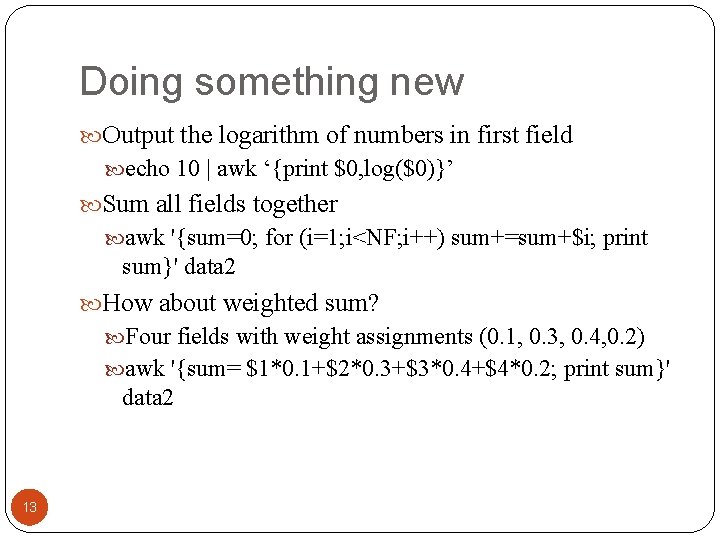
Doing something new Output the logarithm of numbers in first field echo 10 | awk ‘{print $0, log($0)}’ Sum all fields together awk '{sum=0; for (i=1; i<NF; i++) sum+=sum+$i; print sum}' data 2 How about weighted sum? Four fields with weight assignments (0. 1, 0. 3, 0. 4, 0. 2) awk '{sum= $1*0. 1+$2*0. 3+$3*0. 4+$4*0. 2; print sum}' data 2 13
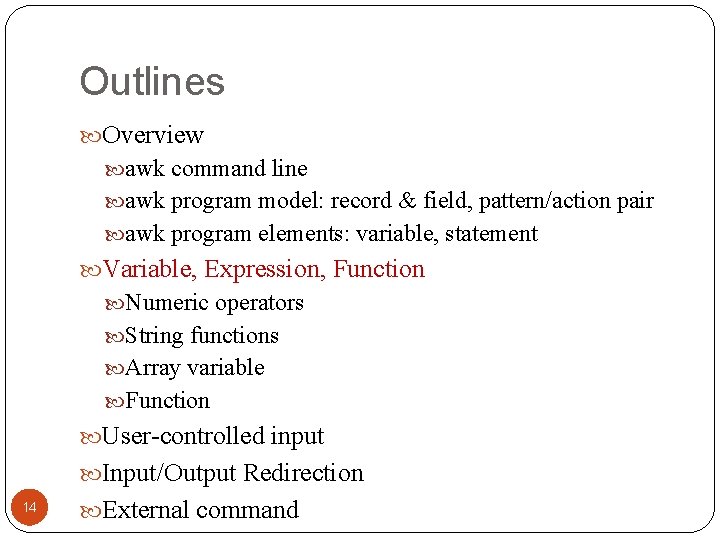
Outlines Overview awk command line awk program model: record & field, pattern/action pair awk program elements: variable, statement Variable, Expression, Function Numeric operators String functions Array variable Function User-controlled input Input/Output Redirection 14 External command
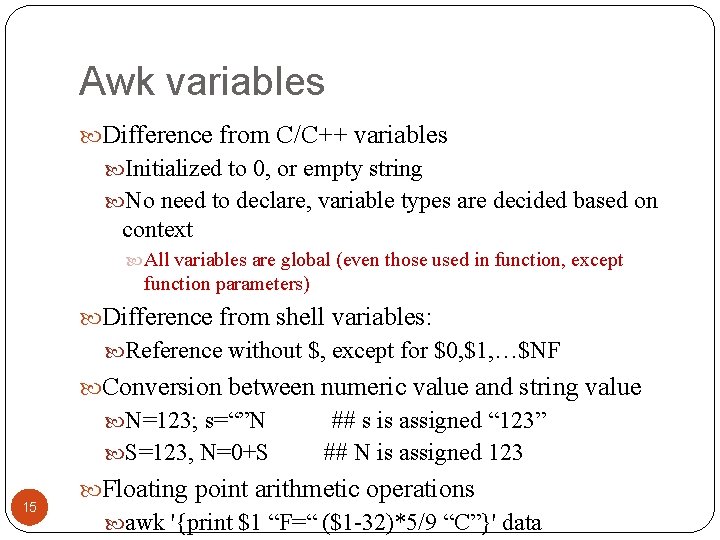
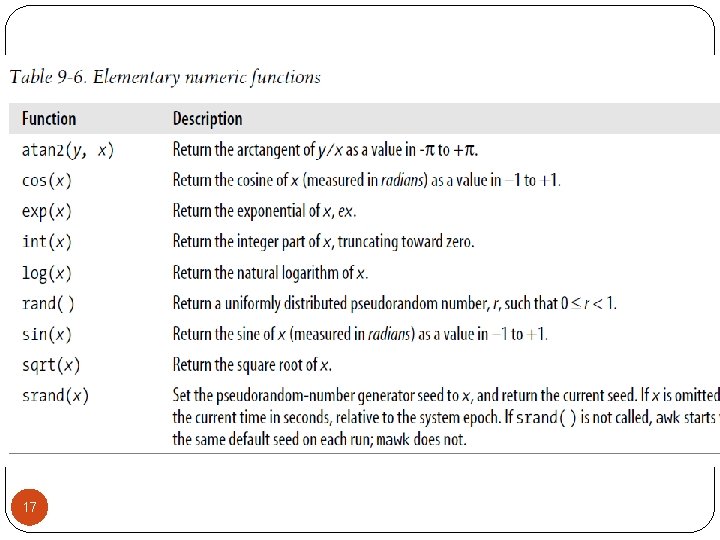
Awk variables Difference from C/C++ variables Initialized to 0, or empty string No need to declare, variable types are decided based on context All variables are global (even those used in function, except function parameters) Difference from shell variables: Reference without $, except for $0, $1, …$NF Conversion between numeric value and string value N=123; s=“”N S=123, N=0+S 15 ## s is assigned “ 123” ## N is assigned 123 Floating point arithmetic operations awk '{print $1 “F=“ ($1 -32)*5/9 “C”}' data
16
17
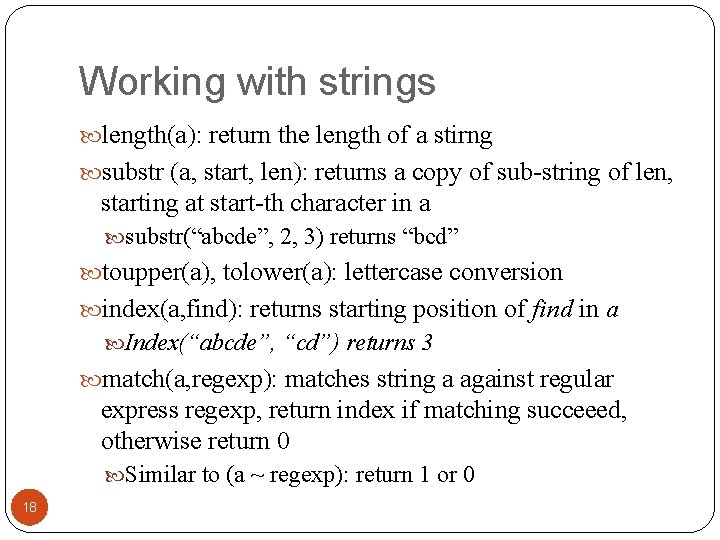
Working with strings length(a): return the length of a stirng substr (a, start, len): returns a copy of sub-string of len, starting at start-th character in a substr(“abcde”, 2, 3) returns “bcd” toupper(a), tolower(a): lettercase conversion index(a, find): returns starting position of find in a Index(“abcde”, “cd”) returns 3 match(a, regexp): matches string a against regular express regexp, return index if matching succeeed, otherwise return 0 Similar to (a ~ regexp): return 1 or 0 18
String matching Two operators, ~ (matches) and !~ (does not match) "ABC" ~ "^[A-Z]+$" is true, because the left string contains only uppercase letters, and the right regular expression matches any string of (ASCII) uppercase letters Regular expression can be delimited by either quotes or slashes: "ABC" ~/^[A-Z]+$/ 19
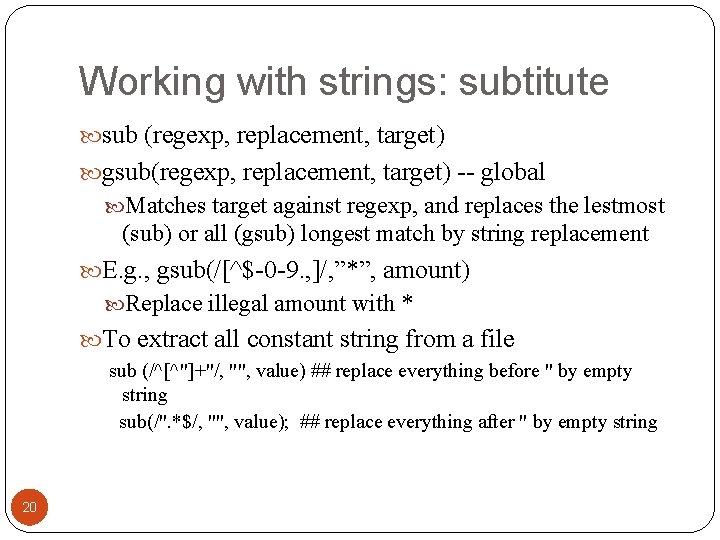
Working with strings: subtitute sub (regexp, replacement, target) gsub(regexp, replacement, target) -- global Matches target against regexp, and replaces the lestmost (sub) or all (gsub) longest match by string replacement E. g. , gsub(/[^$-0 -9. , ]/, ”*”, amount) Replace illegal amount with * To extract all constant string from a file sub (/^[^"]+"/, "", value) ## replace everything before " by empty string sub(/". *$/, "", value); ## replace everything after " by empty string 20
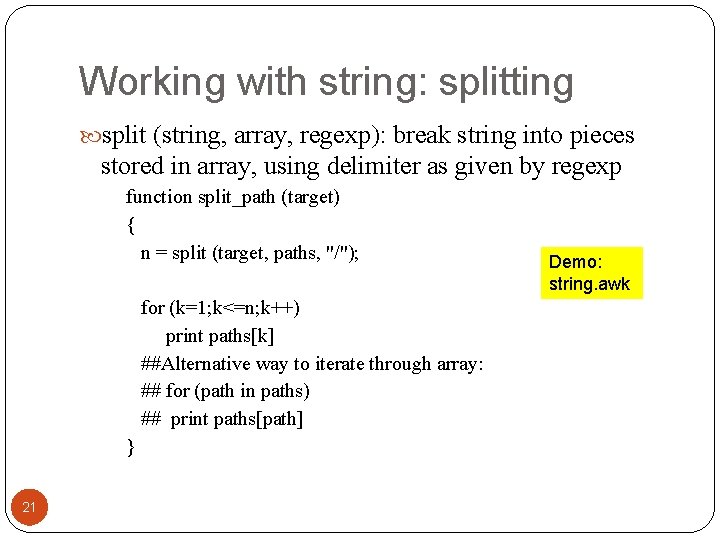
Working with string: splitting split (string, array, regexp): break string into pieces stored in array, using delimiter as given by regexp function split_path (target) { n = split (target, paths, "/"); for (k=1; k<=n; k++) print paths[k] ##Alternative way to iterate through array: ## for (path in paths) ## print paths[path] } 21 Demo: string. awk
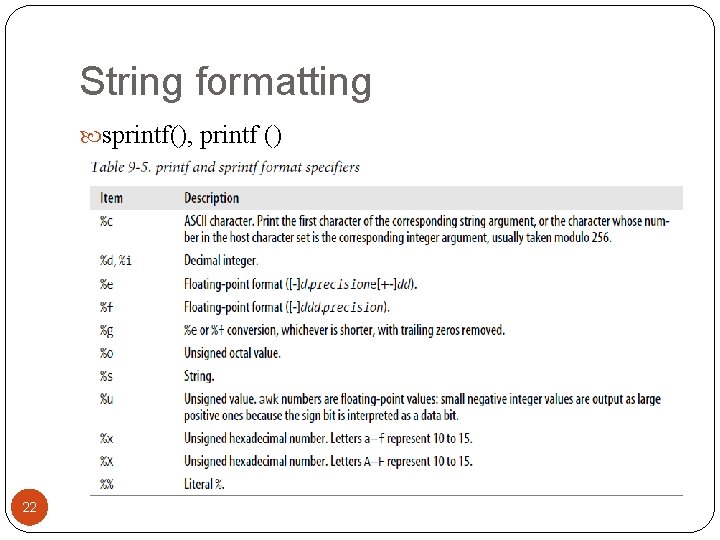
String formatting sprintf(), printf () 22
Outlines Overview awk command line awk program model: record & field, pattern/action pair awk program elements: variable, statement Variable, Expression, Function Numeric operators String functions Command line arguments Array variable Function User-controlled input 23 Input/Output Redirection
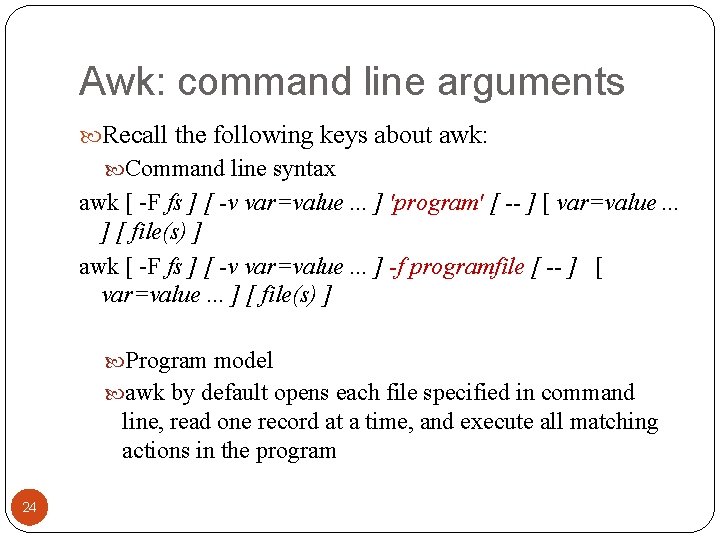
Awk: command line arguments Recall the following keys about awk: Command line syntax awk [ -F fs ] [ -v var=value. . . ] 'program' [ -- ] [ var=value. . . ] [ file(s) ] awk [ -F fs ] [ -v var=value. . . ] -f programfile [ -- ] [ var=value. . . ] [ file(s) ] Program model awk by default opens each file specified in command line, read one record at a time, and execute all matching actions in the program 24
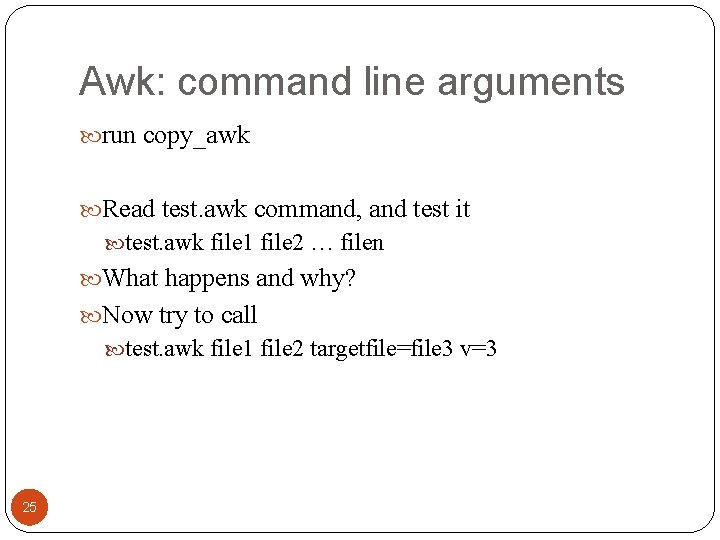
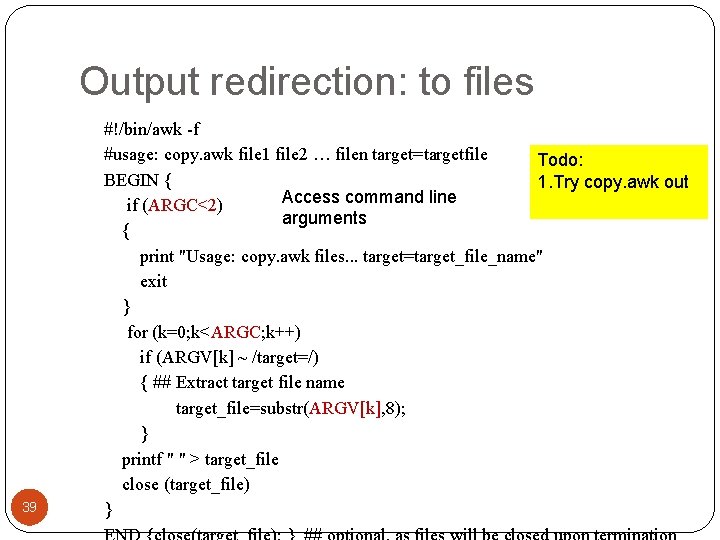
Awk: command line arguments run copy_awk Read test. awk command, and test it test. awk file 1 file 2 … filen What happens and why? Now try to call test. awk file 1 file 2 targetfile=file 3 v=3 25
Outlines Overview awk command line awk program model: record & field, pattern/action pair awk program elements: variable, statement Variable, Expression, Function Numeric operators String functions Command line arguments Array variable Function User-controlled input 26 Input/Output Redirection
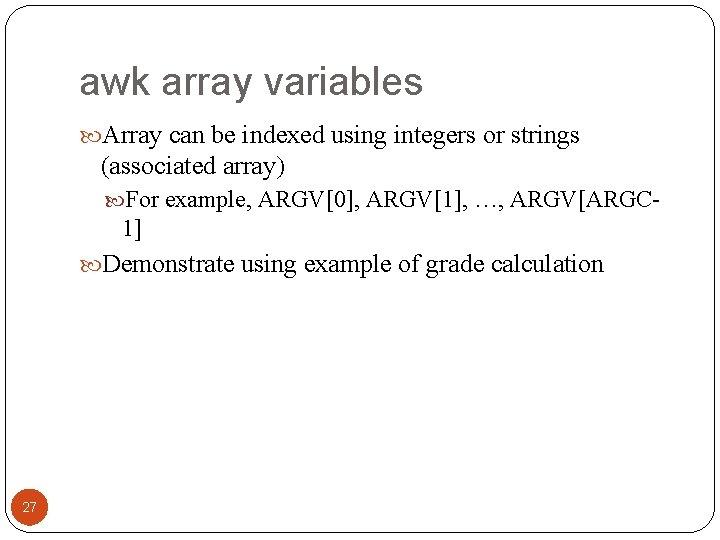
awk array variables Array can be indexed using integers or strings (associated array) For example, ARGV[0], ARGV[1], …, ARGV[ARGC- 1] Demonstrate using example of grade calculation 27
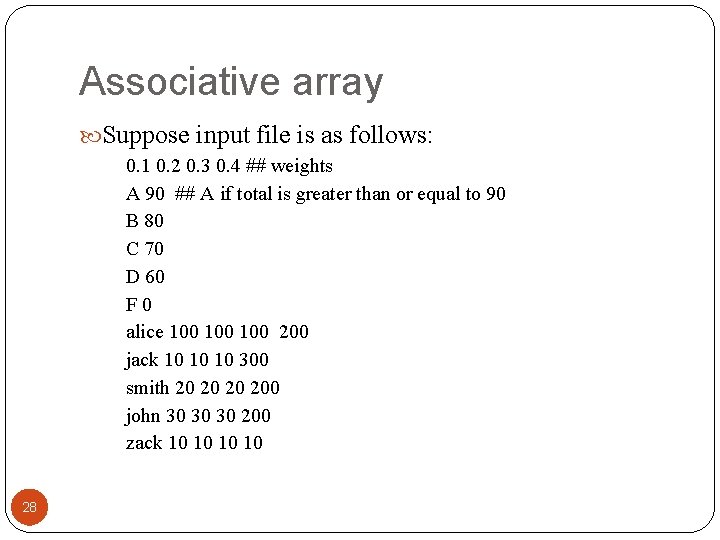
Associative array Suppose input file is as follows: 0. 1 0. 2 0. 3 0. 4 ## weights A 90 ## A if total is greater than or equal to 90 B 80 C 70 D 60 F 0 alice 100 100 200 jack 10 10 10 300 smith 20 200 john 30 30 30 200 zack 10 10 28
#!/bin/awk -f NR==1 { ## read the weights for (num=1; num<=NF; num++) { w[num] = $num } } /^[A-F] / { ## read the letter-grade mapping ##thresholds thresh[$0] = $1 } Need $ when refer to the fields in the record No $ for other variables ! weighted_array. awk 29 /^[a-z]/ { # this code is executed once for each line sum=0; for (col=2; col<=NF; col++) sum+=($col*w[col-1]); printf ("%s %d ", $0, sum); if (sum>=thresh["A"]) print "A" else if (sum>=thresh["B"]) print "B" else if (sum>=thresh["C"]) print "C" else if (sum>=thresh["D"]) print "D" else print "F" }
Outlines Overview awk command line awk program model: record & field, pattern/action pair awk program elements: variable, statement Variable, Expression, Function Numeric operators String functions Array variable Function User-controlled input Input/Output Redirection 30 External command
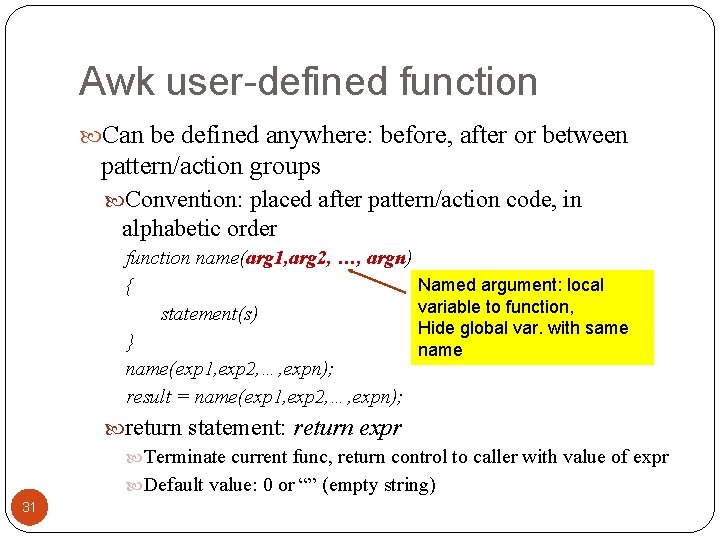
Awk user-defined function Can be defined anywhere: before, after or between pattern/action groups Convention: placed after pattern/action code, in alphabetic order function name(arg 1, arg 2, …, argn) Named argument: local { variable to function, statement(s) Hide global var. with same } name(exp 1, exp 2, …, expn); result = name(exp 1, exp 2, …, expn); return statement: return expr Terminate current func, return control to caller with value of expr Default value: 0 or “” (empty string) 31
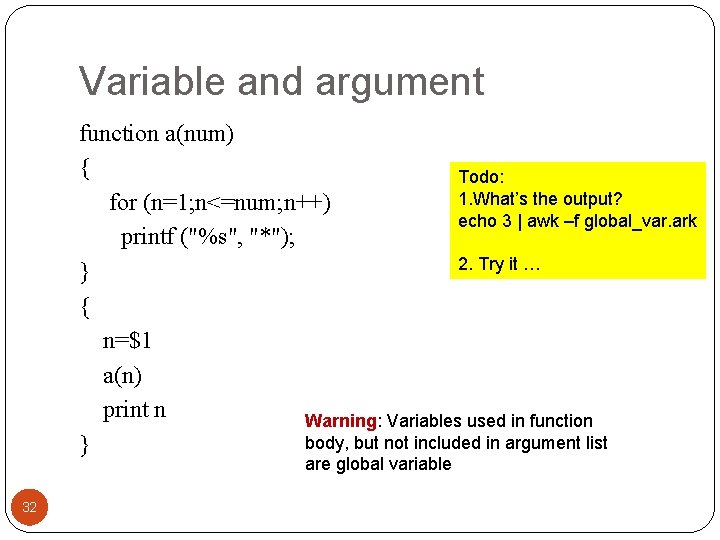
Variable and argument function a(num) { Todo: 1. What’s the output? for (n=1; n<=num; n++) echo 3 | awk –f global_var. ark printf ("%s", "*"); 2. Try it … } { n=$1 a(n) print n Warning: Variables used in function body, but not included in argument list } are global variable 32
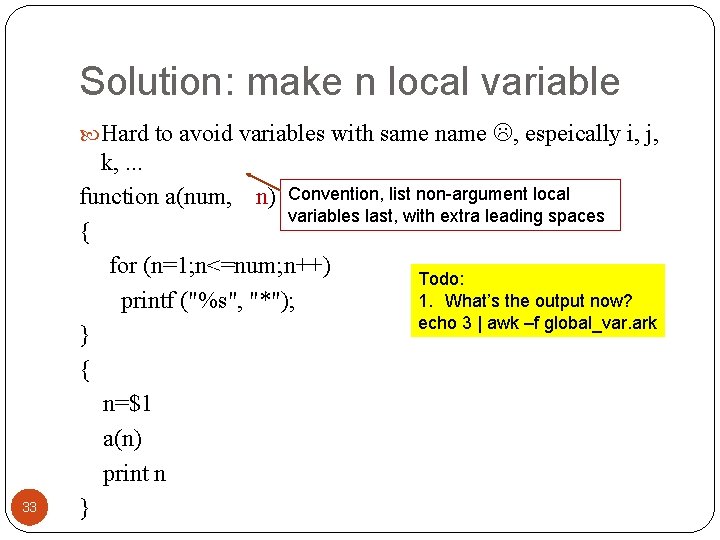
Solution: make n local variable Hard to avoid variables with same name , espeically i, j, 33 k, . . . function a(num, n) Convention, list non-argument local variables last, with extra leading spaces { for (n=1; n<=num; n++) Todo: 1. What’s the output now? printf ("%s", "*"); echo 3 | awk –f global_var. ark } { n=$1 a(n) print n }
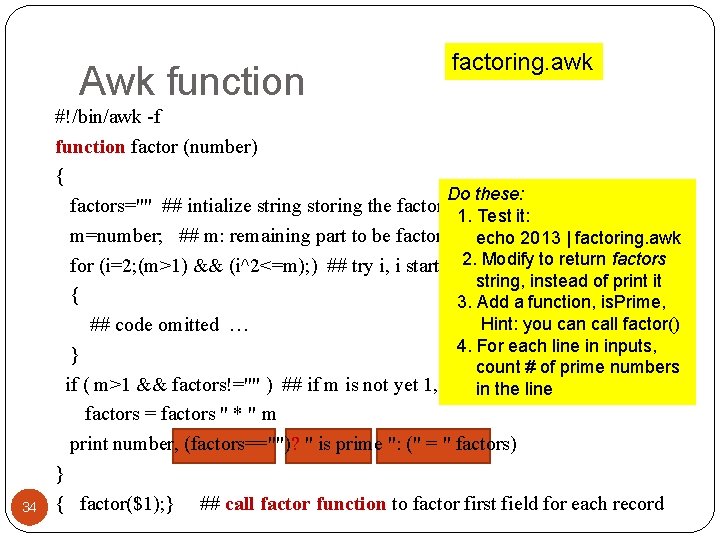
Awk function 34 factoring. awk #!/bin/awk -f function factor (number) { Do these: factors="" ## intialize string storing the factoring result 1. Test it: m=number; ## m: remaining part to be factored echo 2013 | factoring. awk 2. Modify return factors for (i=2; (m>1) && (i^2<=m); ) ## try i, i start from 2, goestoup to sqrt of m string, instead of print it { 3. Add a function, is. Prime, Hint: you can call factor() ## code omitted … 4. For each line in inputs, } count # of prime numbers if ( m>1 && factors!="" ) ## if m is not yet 1, in the line factors = factors " * " m print number, (factors=="")? " is prime ": (" = " factors) } { factor($1); } ## call factor function to factor first field for each record
Outlines Overview awk command line awk program model: record & field, pattern/action pair awk program elements: variable, statement Variable, Expression, Function Numeric operators String functions Array variable Function User-controlled input Input/Output Redirection 35 External command
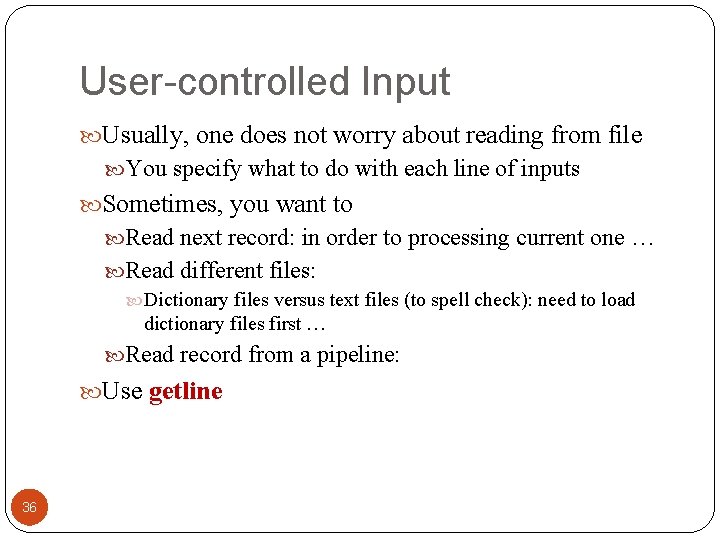
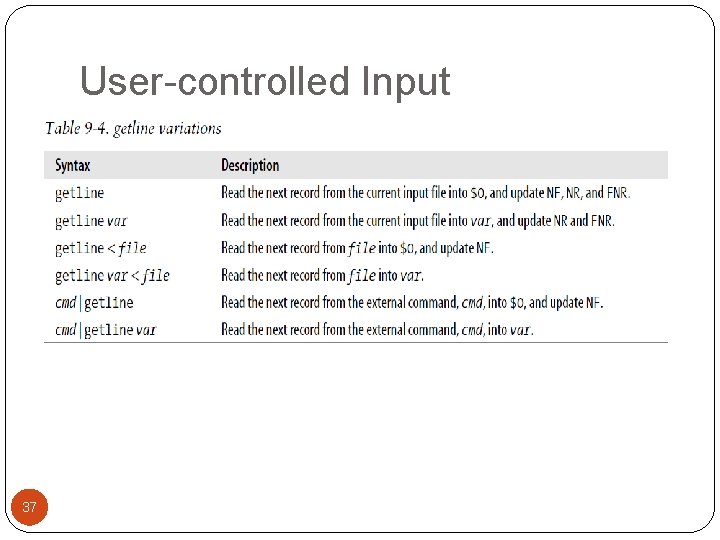
User-controlled Input Usually, one does not worry about reading from file You specify what to do with each line of inputs Sometimes, you want to Read next record: in order to processing current one … Read different files: Dictionary files versus text files (to spell check): need to load dictionary files first … Read record from a pipeline: Use getline 36
User-controlled Input 37
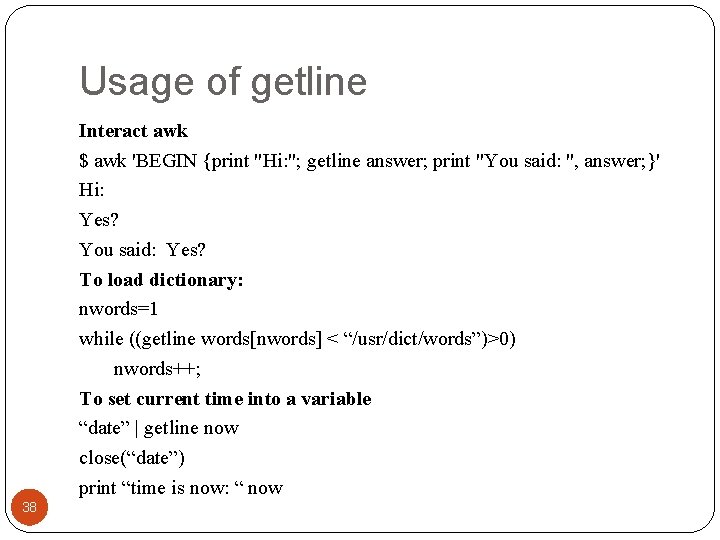
Usage of getline Interact awk $ awk 'BEGIN {print "Hi: "; getline answer; print "You said: ", answer; }' Hi: Yes? You said: Yes? To load dictionary: nwords=1 while ((getline words[nwords] < “/usr/dict/words”)>0) nwords++; To set current time into a variable “date” | getline now close(“date”) print “time is now: “ now 38
Output redirection: to files 39 #!/bin/awk -f #usage: copy. awk file 1 file 2 … filen target=targetfile Todo: BEGIN { 1. Try copy. awk out Access command line if (ARGC<2) arguments { print "Usage: copy. awk files. . . target=target_file_name" exit } for (k=0; k<ARGC; k++) if (ARGV[k] ~ /target=/) { ## Extract target file name target_file=substr(ARGV[k], 8); } printf " " > target_file close (target_file) }
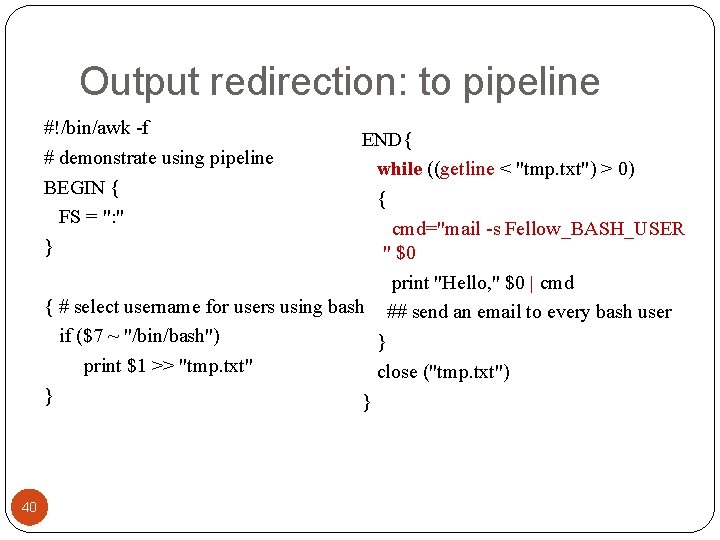
Output redirection: to pipeline #!/bin/awk -f # demonstrate using pipeline BEGIN { FS = ": " } END{ while ((getline < "tmp. txt") > 0) { cmd="mail -s Fellow_BASH_USER " $0 print "Hello, " $0 | cmd { # select username for users using bash ## send an email to every bash user if ($7 ~ "/bin/bash") } print $1 >> "tmp. txt" close ("tmp. txt") } } 40
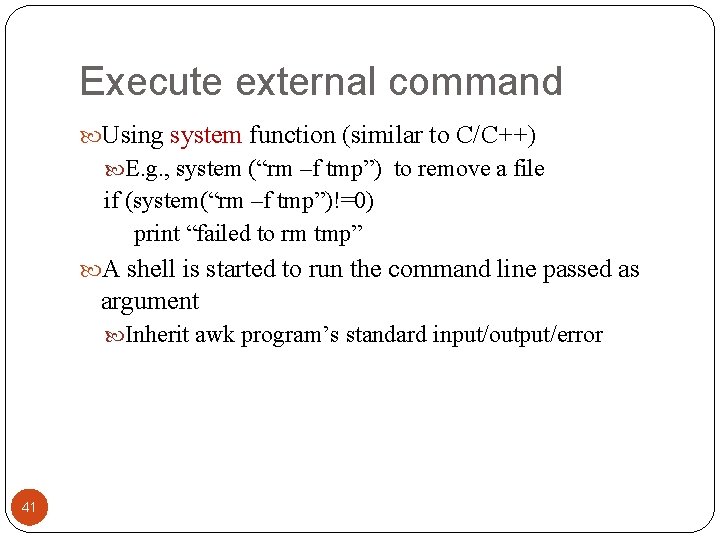
Execute external command Using system function (similar to C/C++) E. g. , system (“rm –f tmp”) to remove a file if (system(“rm –f tmp”)!=0) print “failed to rm tmp” A shell is started to run the command line passed as argument Inherit awk program’s standard input/output/error 41
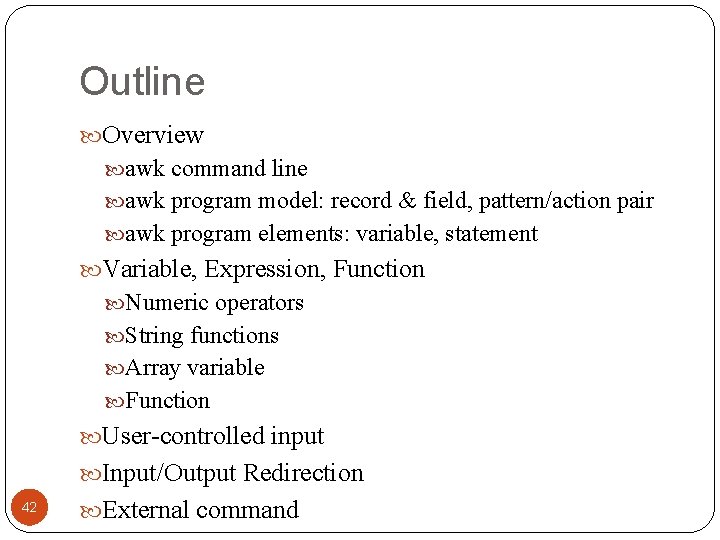
Outline Overview awk command line awk program model: record & field, pattern/action pair awk program elements: variable, statement Variable, Expression, Function Numeric operators String functions Array variable Function User-controlled input Input/Output Redirection 42 External command