Open Link Virtuoso Linked Data Deploying Linked Data
- Slides: 49
Open. Link Virtuoso – Linked Data Deploying Linked Data
Linked Data Term coined by Tim Berners-Lee Describes recommended best practice for exposing & connecting data on the Semantic Web Use the RDF data model Identify real or abstract things (resources) in your ‘universe of discourse’ (Data Spaces), using URIs as unique IDs Make URIs accessible via HTTP so people can discover and explore these Data Spaces Allow these URIs to be dereferenced and return information Include links to provide ‘discovery paths’ to entities in other Data Spaces
Deployment Challenges Semantic ‘Data Web’ vs Traditional ‘Document Web’ These are two dimensions of the Web separated by a common element – the URI Document Web URIs always point to physical resources (they are URLs) Data Web URIs Identify physical or abstract resources URIs for the Document and Data Webs must be interpreted differently
Web Resources What do we really mean by the term ‘resource’? The ‘Traditional’ and Semantic Webs require subtly different interpretations
Document Web Resources In the traditional Document Web: All resources are document-orientated URI dereferencing returns a document Rendered representation is nearly always a document No real distinction between a resource and its representation Such resources have been referred to as ‘information resources’
Semantic Web Resources In the Semantic Web: A URI identifies a thing (piece of data) in a data space The identity of a thing is distinct from its address and representation things may have several possible representations the most desirable representation of a thing may change, depending on the consumer (human or software-agent) things may be associated with data at different addresses within a data space Unfortunately, URIs identifying things are generally referred to as ‘noninformation resources’ in AWWW parlance Entity or Object IDs, or Data Source Names, are preferable terms
Access vs Reference The Semantic and Document Webs interpret the term ‘resource’ differently A corollary of this difference in interpretation is: The Semantic and Document Webs interpret URIs differently Document Web: assumes that a resource URI provides an address to a document or other resource types Semantic Web: a URI simply Identifies a thing – data access returns a description of the thing/entity, not the thing/entity itself (e. g. the entity may be Paris)
Access vs Reference – Another View Paraphrasing Pat Hayes’ paper “In Defense of Ambiguity” Names (URIs) are used to both refer to (reference) and access things Access should be unambiguous A name (URI) should provide an unambiguous access path Reference to abstract (physically inaccessible) entities is inherently ambiguous Referring to an abstract entity relies on describing the entity As there are many possible descriptions (facets), reference is ambiguous
Deployment Challenges We’ve established that the Semantic Web and Linked Data require: Data access with unambiguous naming Data (de)reference with ambiguous association Or put another way, we need mechanisms for an HTTP server to: Answer the question “Does this URI identify a (physical) document resource or an (RDF based) abstract entity/thing? ” Provide alternative representations of an entity/thing
Deployment Challenge Resolution Two solutions proposed by the Sem. Web Community: Distinguish resource type through URL formats ‘Hash’ vs ‘slash’ URLs Content negotiation with URL rewriting
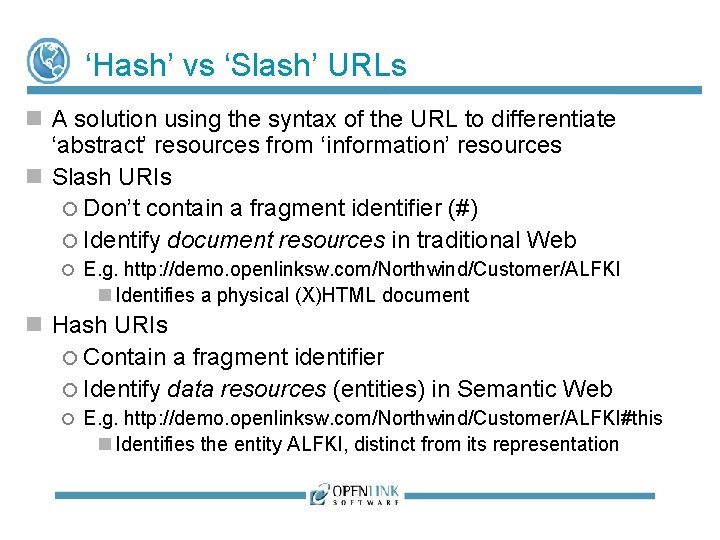
‘Hash’ vs ‘Slash’ URLs A solution using the syntax of the URL to differentiate ‘abstract’ resources from ‘information’ resources Slash URIs Don’t contain a fragment identifier (#) Identify document resources in traditional Web E. g. http: //demo. openlinksw. com/Northwind/Customer/ALFKI Identifies a physical (X)HTML document Hash URIs Contain a fragment identifier Identify data resources (entities) in Semantic Web E. g. http: //demo. openlinksw. com/Northwind/Customer/ALFKI#this Identifies the entity ALFKI, distinct from its representation
Content Negotiation Mechanism defined in HTTP specification Makes it possible to serve different versions of a document (or, more generally, a resource) at the same URL Software agents can choose which version they want. HTML Web browsers prefer HTML/XHTML Semantic Web browsers prefer RDF/XML
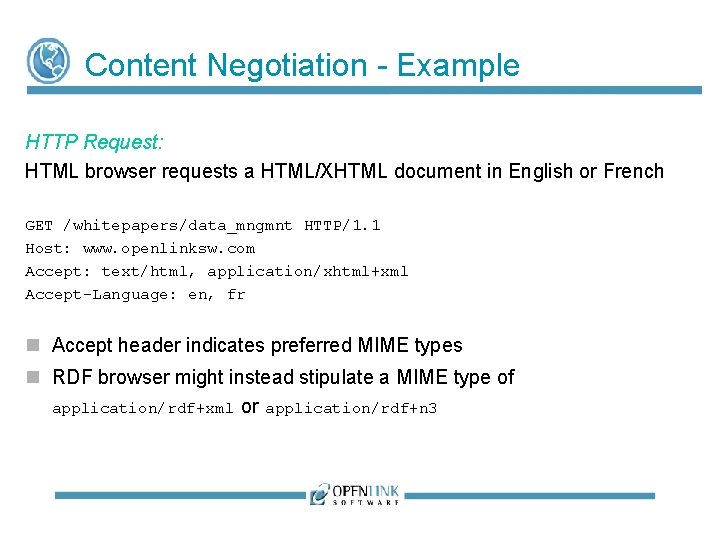
Content Negotiation - Example HTTP Request: HTML browser requests a HTML/XHTML document in English or French GET /whitepapers/data_mngmnt HTTP/1. 1 Host: www. openlinksw. com Accept: text/html, application/xhtml+xml Accept-Language: en, fr Accept header indicates preferred MIME types RDF browser might instead stipulate a MIME type of application/rdf+xml or application/rdf+n 3
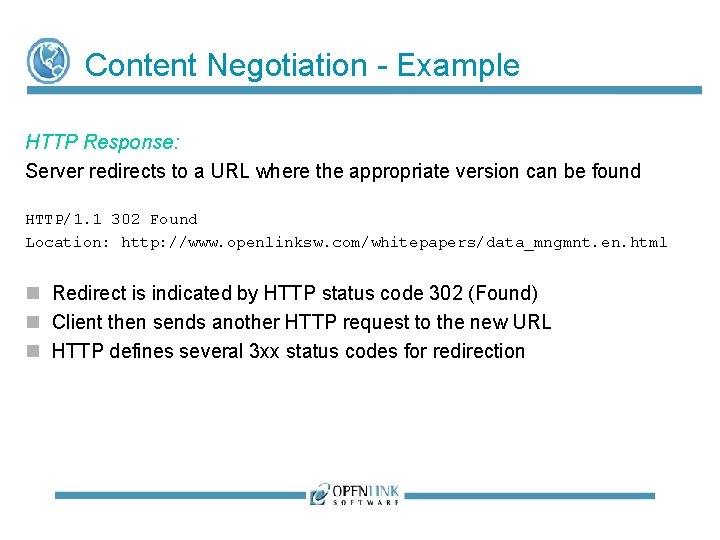
Content Negotiation - Example HTTP Response: Server redirects to a URL where the appropriate version can be found HTTP/1. 1 302 Found Location: http: //www. openlinksw. com/whitepapers/data_mngmnt. en. html Redirect is indicated by HTTP status code 302 (Found) Client then sends another HTTP request to the new URL HTTP defines several 3 xx status codes for redirection
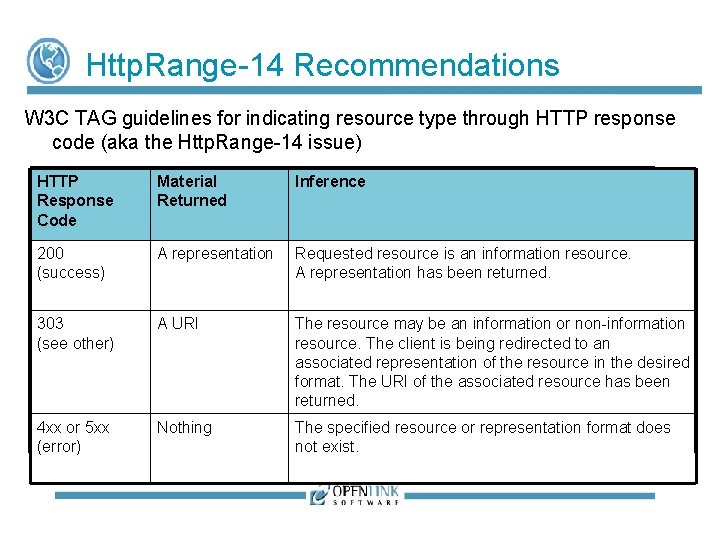
Http. Range-14 Recommendations W 3 C TAG guidelines for indicating resource type through HTTP response code (aka the Http. Range-14 issue) HTTP Response Code Material Returned Inference 200 (success) A representation Requested resource is an information resource. A representation has been returned. 303 (see other) A URI The resource may be an information or non-information resource. The client is being redirected to an associated representation of the resource in the desired format. The URI of the associated resource has been returned. 4 xx or 5 xx (error) Nothing The specified resource or representation format does not exist.
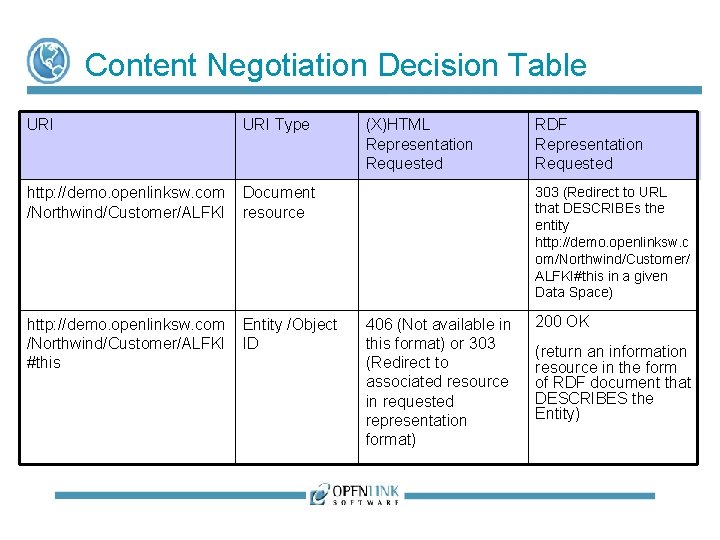
Content Negotiation Decision Table URI Type http: //demo. openlinksw. com /Northwind/Customer/ALFKI Document resource http: //demo. openlinksw. com /Northwind/Customer/ALFKI #this Entity /Object ID (X)HTML Representation Requested 200 OK RDF Representation Requested 303 (Redirect to URL that DESCRIBEs the entity http: //demo. openlinksw. c om/Northwind/Customer/ ALFKI#this in a given Data Space) 406 (Not available in this format) or 303 (Redirect to associated resource in requested representation format) 200 OK (return an information resource in the form of RDF document that DESCRIBES the Entity)
URL Rewriting Is the act of modifying a URL prior to final processing by a Web server Provides a means to build a URL ‘on the fly’ identifying the resource in the required representation format referred to by a 303 redirection Ideal solution is a rules-based URL rewriting processing pipeline using regular expression or sprintf substitutions
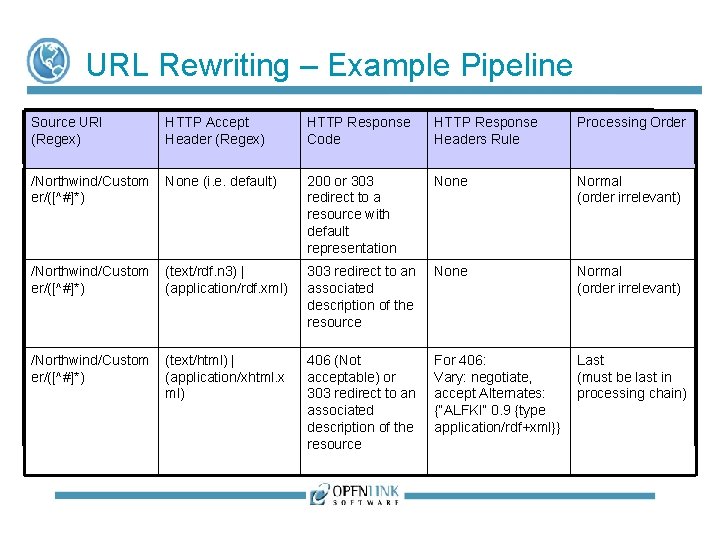
URL Rewriting – Example Pipeline Source URI (Regex) HTTP Accept Header (Regex) HTTP Response Code HTTP Response Headers Rule Processing Order /Northwind/Custom er/([^#]*) None (i. e. default) 200 or 303 redirect to a resource with default representation None Normal (order irrelevant) /Northwind/Custom er/([^#]*) (text/rdf. n 3) | (application/rdf. xml) 303 redirect to an associated description of the resource None Normal (order irrelevant) /Northwind/Custom er/([^#]*) (text/html) | (application/xhtml. x ml) 406 (Not acceptable) or 303 redirect to an associated description of the resource For 406: Vary: negotiate, accept Alternates: {“ALFKI” 0. 9 {type application/rdf+xml}} Last (must be last in processing chain)
Deploying Linked Data Using Virtuoso’s approach is to implement the generic solution outlined so far, using Content negotiation URL rewriting Virtuoso includes a Rules-based URL Rewriter Can be used to inject Semantic Web data into the Document Web
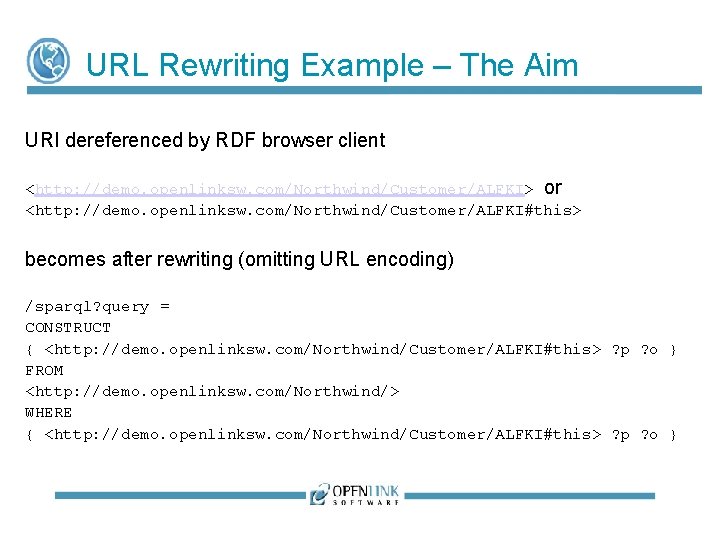
URL Rewriting Example – The Aim URI dereferenced by RDF browser client <http: //demo. openlinksw. com/Northwind/Customer/ALFKI> or <http: //demo. openlinksw. com/Northwind/Customer/ALFKI#this> becomes after rewriting (omitting URL encoding) /sparql? query = CONSTRUCT { <http: //demo. openlinksw. com/Northwind/Customer/ALFKI#this> ? p ? o } FROM <http: //demo. openlinksw. com/Northwind/> WHERE { <http: //demo. openlinksw. com/Northwind/Customer/ALFKI#this> ? p ? o }
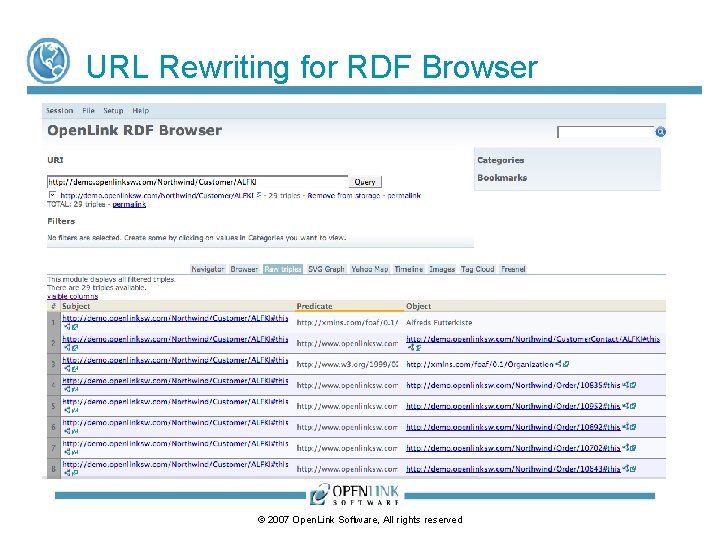
URL Rewriting for RDF Browser © 2007 Open. Link Software, All rights reserved
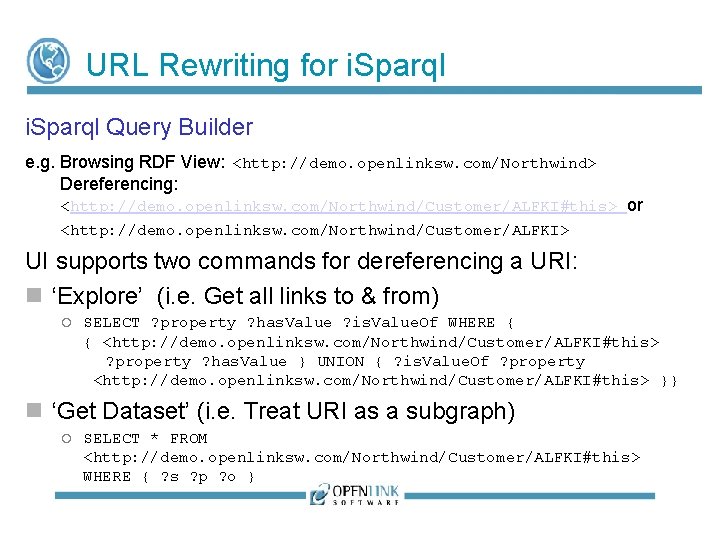
URL Rewriting for i. Sparql Query Builder e. g. Browsing RDF View: <http: //demo. openlinksw. com/Northwind> Dereferencing: <http: //demo. openlinksw. com/Northwind/Customer/ALFKI#this> or <http: //demo. openlinksw. com/Northwind/Customer/ALFKI> UI supports two commands for dereferencing a URI: ‘Explore’ (i. e. Get all links to & from) SELECT ? property ? has. Value ? is. Value. Of WHERE { { <http: //demo. openlinksw. com/Northwind/Customer/ALFKI#this> ? property ? has. Value } UNION { ? is. Value. Of ? property <http: //demo. openlinksw. com/Northwind/Customer/ALFKI#this> }} ‘Get Dataset’ (i. e. Treat URI as a subgraph) SELECT * FROM <http: //demo. openlinksw. com/Northwind/Customer/ALFKI#this> WHERE { ? s ? p ? o }
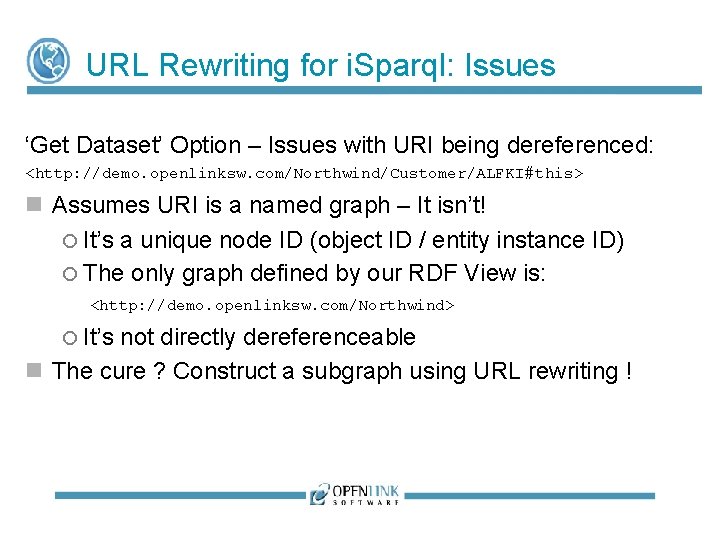
URL Rewriting for i. Sparql: Issues ‘Get Dataset’ Option – Issues with URI being dereferenced: <http: //demo. openlinksw. com/Northwind/Customer/ALFKI#this> Assumes URI is a named graph – It isn’t! It’s a unique node ID (object ID / entity instance ID) The only graph defined by our RDF View is: <http: //demo. openlinksw. com/Northwind> It’s not directly dereferenceable The cure ? Construct a subgraph using URL rewriting !
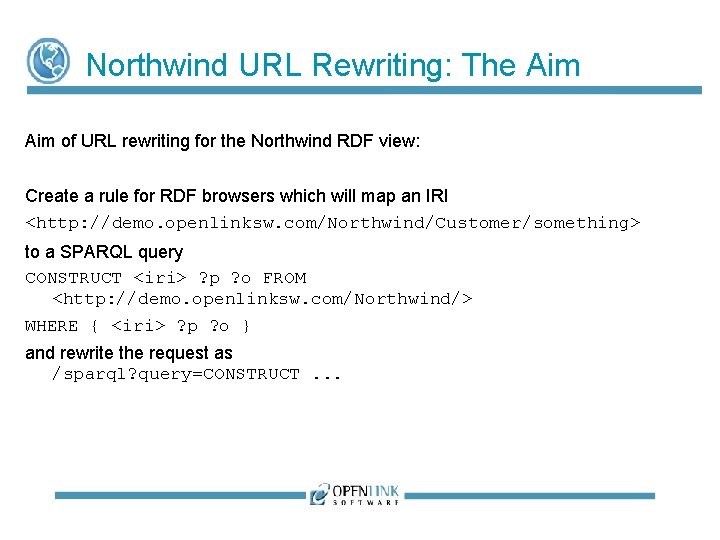
Northwind URL Rewriting: The Aim of URL rewriting for the Northwind RDF view: Create a rule for RDF browsers which will map an IRI <http: //demo. openlinksw. com/Northwind/Customer/something> to a SPARQL query CONSTRUCT <iri> ? p ? o FROM <http: //demo. openlinksw. com/Northwind/> WHERE { <iri> ? p ? o } and rewrite the request as /sparql? query=CONSTRUCT. . .
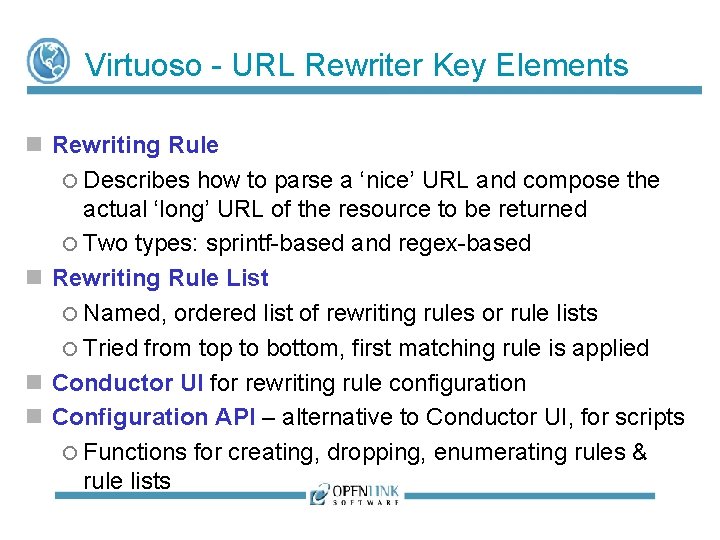
Virtuoso - URL Rewriter Key Elements Rewriting Rule Describes how to parse a ‘nice’ URL and compose the actual ‘long’ URL of the resource to be returned Two types: sprintf-based and regex-based Rewriting Rule List Named, ordered list of rewriting rules or rule lists Tried from top to bottom, first matching rule is applied Conductor UI for rewriting rule configuration Configuration API – alternative to Conductor UI, for scripts Functions for creating, dropping, enumerating rules & rule lists
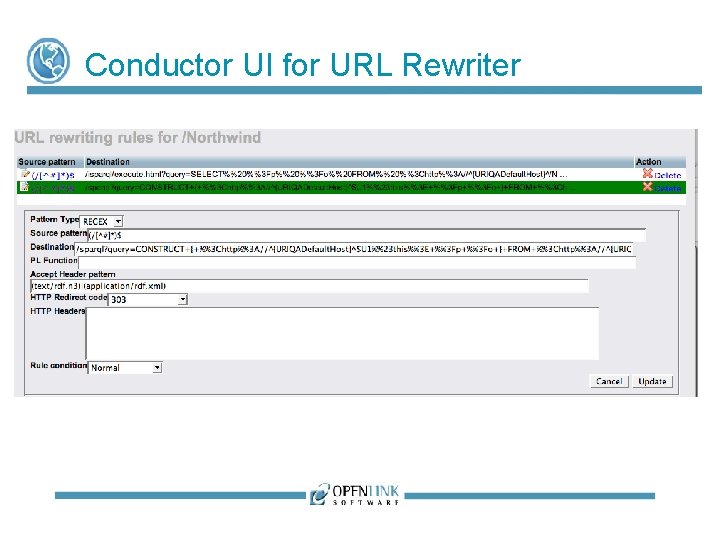
Conductor UI for URL Rewriter
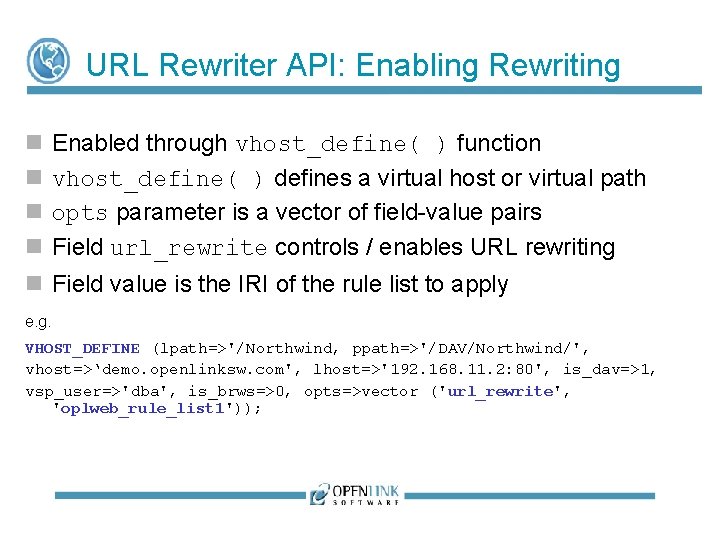
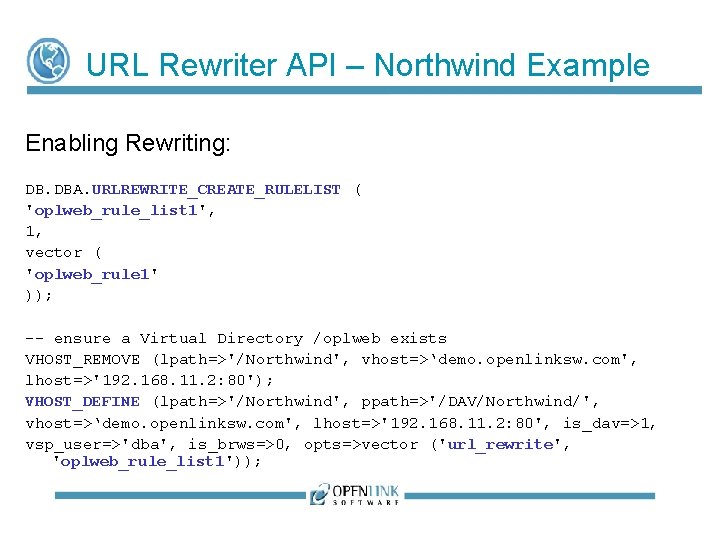
URL Rewriter API: Enabling Rewriting Enabled through vhost_define( ) function vhost_define( ) defines a virtual host or virtual path opts parameter is a vector of field-value pairs Field url_rewrite controls / enables URL rewriting Field value is the IRI of the rule list to apply e. g. VHOST_DEFINE (lpath=>'/Northwind, ppath=>'/DAV/Northwind/', vhost=>‘demo. openlinksw. com', lhost=>'192. 168. 11. 2: 80', is_dav=>1, vsp_user=>'dba', is_brws=>0, opts=>vector ('url_rewrite', 'oplweb_rule_list 1'));
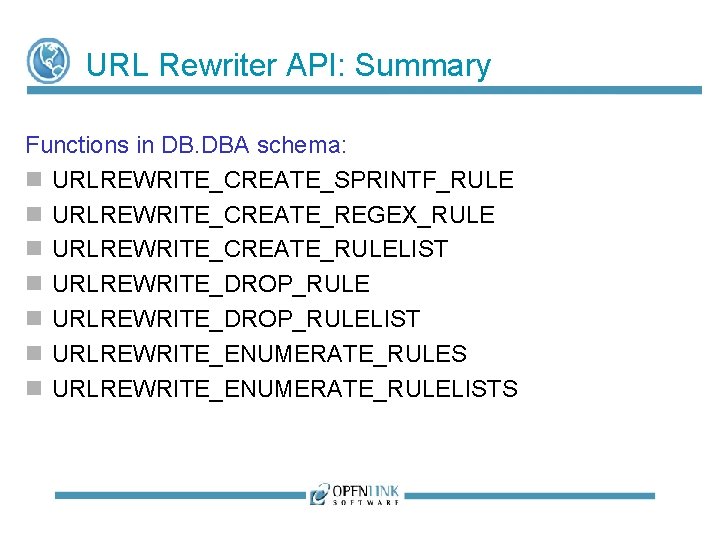
URL Rewriter API: Summary Functions in DB. DBA schema: URLREWRITE_CREATE_SPRINTF_RULE URLREWRITE_CREATE_REGEX_RULE URLREWRITE_CREATE_RULELIST URLREWRITE_DROP_RULELIST URLREWRITE_ENUMERATE_RULES URLREWRITE_ENUMERATE_RULELISTS
‘Nice’ URLs vs ‘Long’ URLs Rewriter developed with broader objectives than Linked Data – consequently influenced terminology Rewriter takes a ‘nice’ URL and rewrites it as a ‘long’ URL ‘Nice’ URL Free from parameters, typically short ‘Long’ URL Typically contains query string with named parameters Often ignored by web crawlers (viewed as highly dynamic) => low page ranking
Sprintf Rules vs Regex Rules For ‘nice’ to ‘long’ URL conversion Functionally equivalent Only difference is syntax of match pattern definition For ‘long’ to ‘nice’ URL conversion Only works for sprintf-based rules Regex-based rules are unidirectional
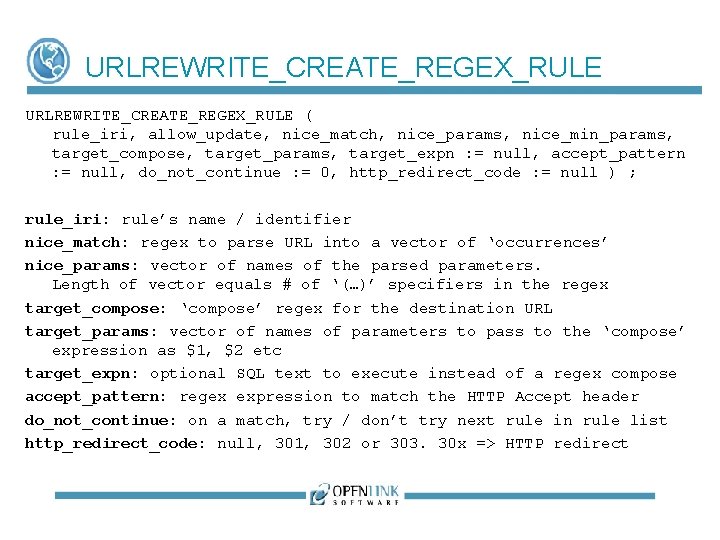
URLREWRITE_CREATE_REGEX_RULE ( rule_iri, allow_update, nice_match, nice_params, nice_min_params, target_compose, target_params, target_expn : = null, accept_pattern : = null, do_not_continue : = 0, http_redirect_code : = null ) ; rule_iri: rule’s name / identifier nice_match: regex to parse URL into a vector of ‘occurrences’ nice_params: vector of names of the parsed parameters. Length of vector equals # of ‘(…)’ specifiers in the regex target_compose: ‘compose’ regex for the destination URL target_params: vector of names of parameters to pass to the ‘compose’ expression as $1, $2 etc target_expn: optional SQL text to execute instead of a regex compose accept_pattern: regex expression to match the HTTP Accept header do_not_continue: on a match, try / don’t try next rule in rule list http_redirect_code: null, 301, 302 or 303. 30 x => HTTP redirect
Rewriting Process If current virtual directory has ‘url_write’ option set, server traverses any associated rule list recursively. For each rule in rule list: Input for rule is normalised URL from first ‘/’ after host: port If rule’s regex matches, result is a vector of values Names & values of parameters in any query string or the request body are decoded Destination URL is composed
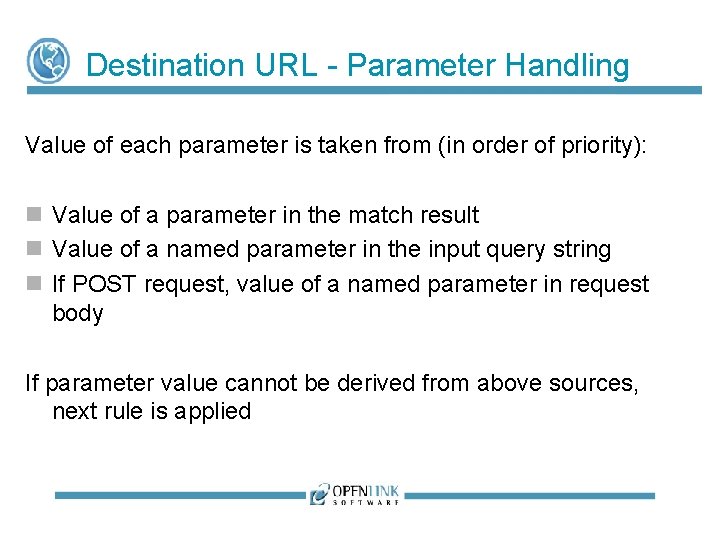
Destination URL - Parameter Handling Value of each parameter is taken from (in order of priority): Value of a parameter in the match result Value of a named parameter in the input query string If POST request, value of a named parameter in request body If parameter value cannot be derived from above sources, next rule is applied
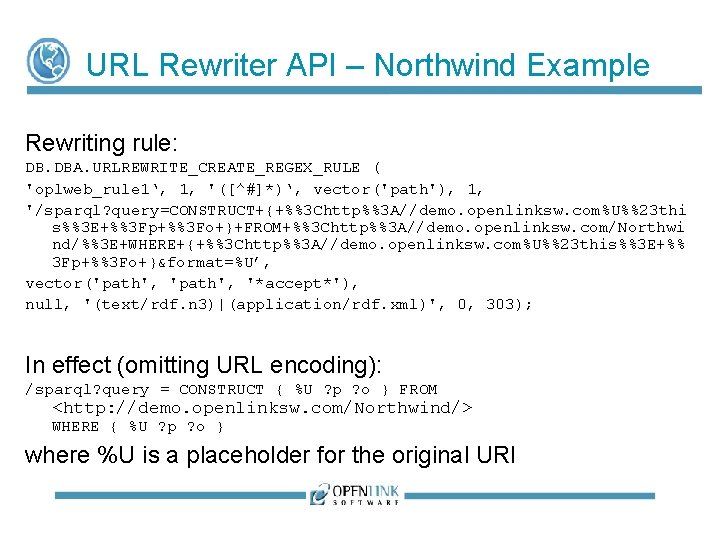
URL Rewriter API – Northwind Example Rewriting rule: DB. DBA. URLREWRITE_CREATE_REGEX_RULE ( 'oplweb_rule 1‘, 1, '([^#]*)‘, vector('path'), 1, '/sparql? query=CONSTRUCT+{+%%3 Chttp%%3 A//demo. openlinksw. com%U%%23 thi s%%3 E+%%3 Fp+%%3 Fo+}+FROM+%%3 Chttp%%3 A//demo. openlinksw. com/Northwi nd/%%3 E+WHERE+{+%%3 Chttp%%3 A//demo. openlinksw. com%U%%23 this%%3 E+%% 3 Fp+%%3 Fo+}&format=%U’, vector('path', '*accept*'), null, '(text/rdf. n 3)|(application/rdf. xml)', 0, 303); In effect (omitting URL encoding): /sparql? query = CONSTRUCT { %U ? p ? o } FROM <http: //demo. openlinksw. com/Northwind/> WHERE { %U ? p ? o } where %U is a placeholder for the original URI
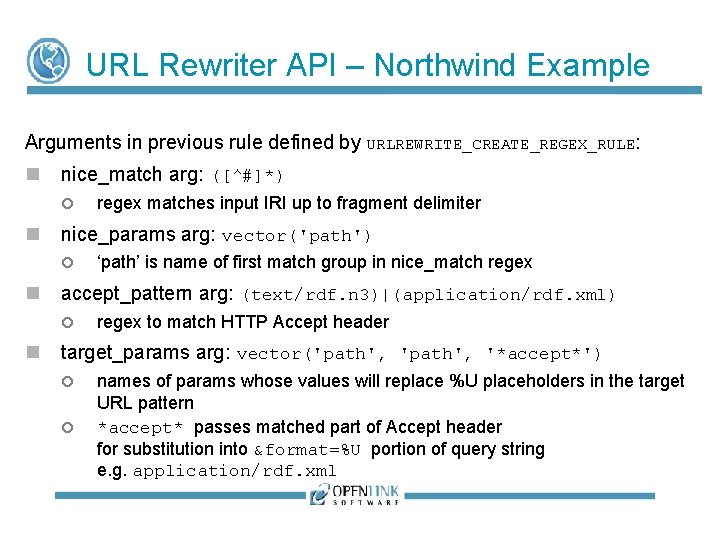
URL Rewriter API – Northwind Example Arguments in previous rule defined by URLREWRITE_CREATE_REGEX_RULE: nice_match arg: ([^#]*) nice_params arg: vector('path') ‘path’ is name of first match group in nice_match regex accept_pattern arg: (text/rdf. n 3)|(application/rdf. xml) regex matches input IRI up to fragment delimiter regex to match HTTP Accept header target_params arg: vector('path', '*accept*') names of params whose values will replace %U placeholders in the target URL pattern *accept* passes matched part of Accept header for substitution into &format=%U portion of query string e. g. application/rdf. xml
URL Rewriter API – Northwind Example Enabling Rewriting: DB. DBA. URLREWRITE_CREATE_RULELIST ( 'oplweb_rule_list 1', 1, vector ( 'oplweb_rule 1' )); -- ensure a Virtual Directory /oplweb exists VHOST_REMOVE (lpath=>'/Northwind', vhost=>‘demo. openlinksw. com', lhost=>'192. 168. 11. 2: 80'); VHOST_DEFINE (lpath=>'/Northwind', ppath=>'/DAV/Northwind/', vhost=>‘demo. openlinksw. com', lhost=>'192. 168. 11. 2: 80', is_dav=>1, vsp_user=>'dba', is_brws=>0, opts=>vector ('url_rewrite', 'oplweb_rule_list 1'));
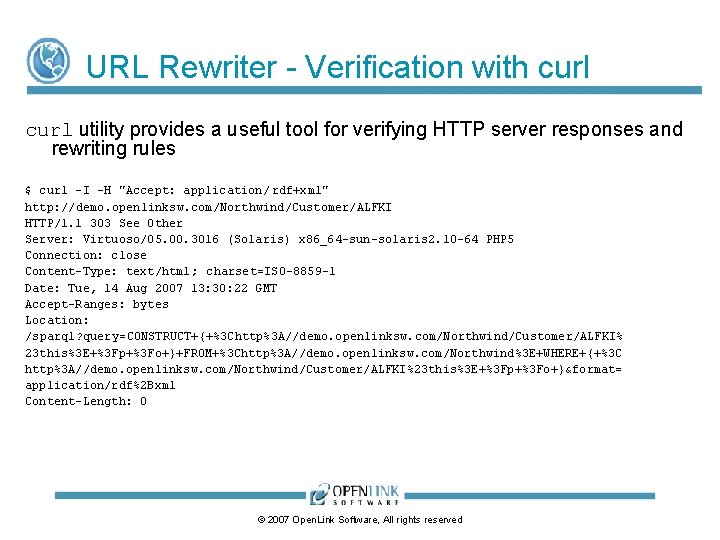
URL Rewriter - Verification with curl utility provides a useful tool for verifying HTTP server responses and rewriting rules $ curl -I -H "Accept: application/ rdf+xml" http: //demo. openlinksw. com/Northwind/Customer/ALFKI HTTP/1. 1 303 See Other Server: Virtuoso/05. 00. 3016 (Solaris) x 86_64 -sun-solaris 2. 10 -64 PHP 5 Connection: close Content-Type: text/html; charset=ISO-8859 -1 Date: Tue, 14 Aug 2007 13: 30: 22 GMT Accept-Ranges: bytes Location: /sparql? query=CONSTRUCT+{+%3 Chttp%3 A//demo. openlinksw. com/Northwind/Customer/ALFKI% 23 this%3 E+%3 Fp+%3 Fo+}+FROM+%3 Chttp%3 A//demo. openlinksw. com/Northwind%3 E+WHERE+{+%3 C http%3 A//demo. openlinksw. com/Northwind/Customer/ALFKI%23 this%3 E+%3 Fp+%3 Fo+}&format= application/rdf%2 Bxml Content-Length: 0 © 2007 Open. Link Software, All rights reserved
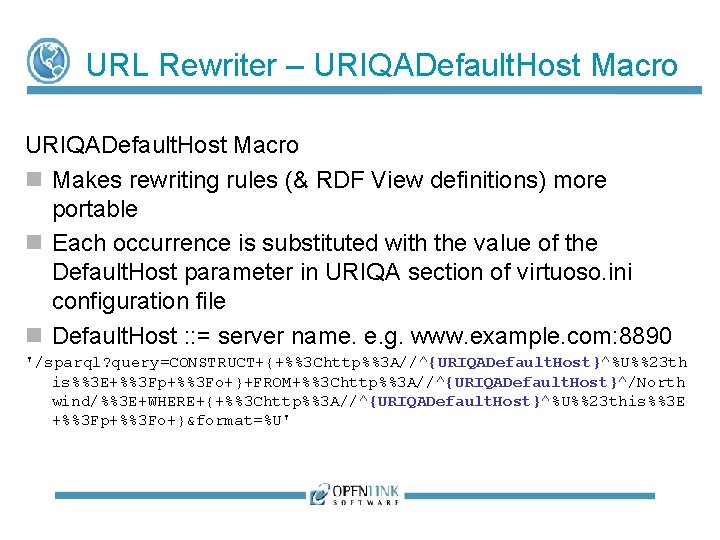
URL Rewriter – URIQADefault. Host Macro Makes rewriting rules (& RDF View definitions) more portable Each occurrence is substituted with the value of the Default. Host parameter in URIQA section of virtuoso. ini configuration file Default. Host : : = server name. e. g. www. example. com: 8890 '/sparql? query=CONSTRUCT+{+%%3 Chttp%%3 A//^{URIQADefault. Host}^%U%%23 th is%%3 E+%%3 Fp+%%3 Fo+}+FROM+%%3 Chttp%%3 A//^{URIQADefault. Host}^/North wind/%%3 E+WHERE+{+%%3 Chttp%%3 A//^{URIQADefault. Host}^%U%%23 this%%3 E +%%3 Fp+%%3 Fo+}&format=%U'
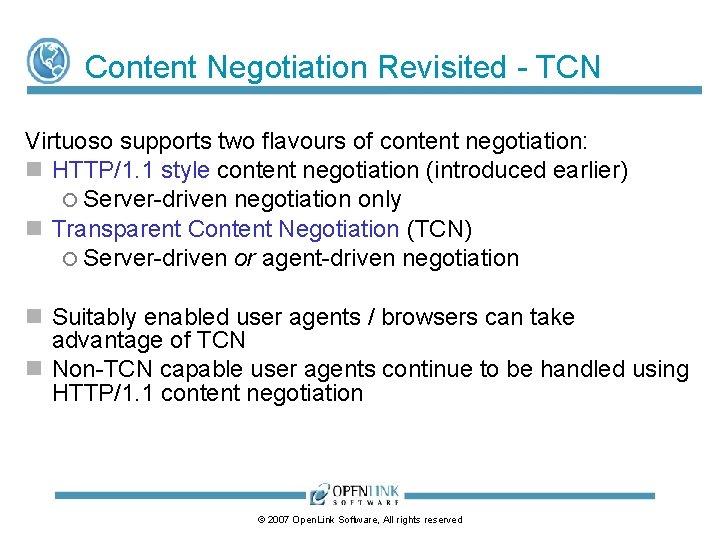
Content Negotiation Revisited - TCN Virtuoso supports two flavours of content negotiation: HTTP/1. 1 style content negotiation (introduced earlier) Server-driven negotiation only Transparent Content Negotiation (TCN) Server-driven or agent-driven negotiation Suitably enabled user agents / browsers can take advantage of TCN Non-TCN capable user agents continue to be handled using HTTP/1. 1 content negotiation © 2007 Open. Link Software, All rights reserved
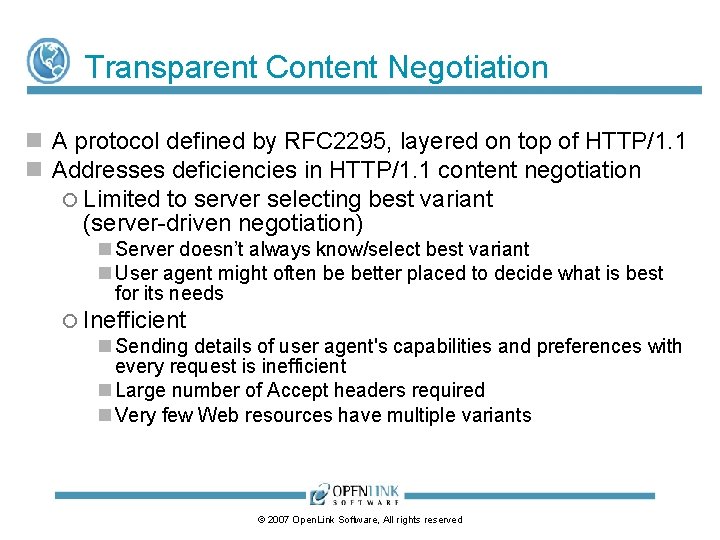
Transparent Content Negotiation A protocol defined by RFC 2295, layered on top of HTTP/1. 1 Addresses deficiencies in HTTP/1. 1 content negotiation Limited to server selecting best variant (server-driven negotiation) Server doesn’t always know/select best variant User agent might often be better placed to decide what is best for its needs Inefficient Sending details of user agent's capabilities and preferences with every request is inefficient Large number of Accept headers required Very few Web resources have multiple variants © 2007 Open. Link Software, All rights reserved
Transparent Content Negotiation Supports variant selection by user agent or by server Transparent - all variants on server are visible to the agent Variant Selection by User Agent: User agent chooses best variant itself from variant list sent by server Requires sending fewer/smaller Accept headers Variant Selection by Server: User agent can instruct server to select best variant on its behalf Server uses ‘remote variant selection algorithm’ (RFC 2296) © 2007 Open. Link Software, All rights reserved
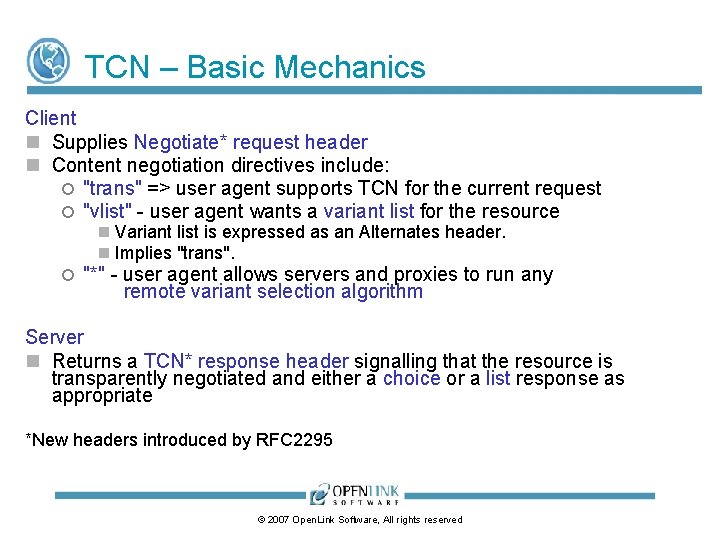
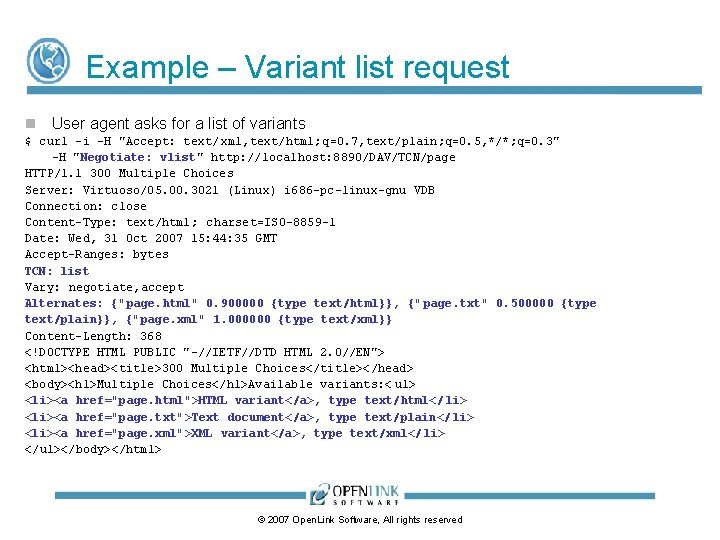
TCN – Basic Mechanics Client Supplies Negotiate* request header Content negotiation directives include: "trans" => user agent supports TCN for the current request "vlist" - user agent wants a variant list for the resource Variant list is expressed as an Alternates header. Implies "trans". "*" - user agent allows servers and proxies to run any remote variant selection algorithm Server Returns a TCN* response header signalling that the resource is transparently negotiated and either a choice or a list response as appropriate *New headers introduced by RFC 2295 © 2007 Open. Link Software, All rights reserved
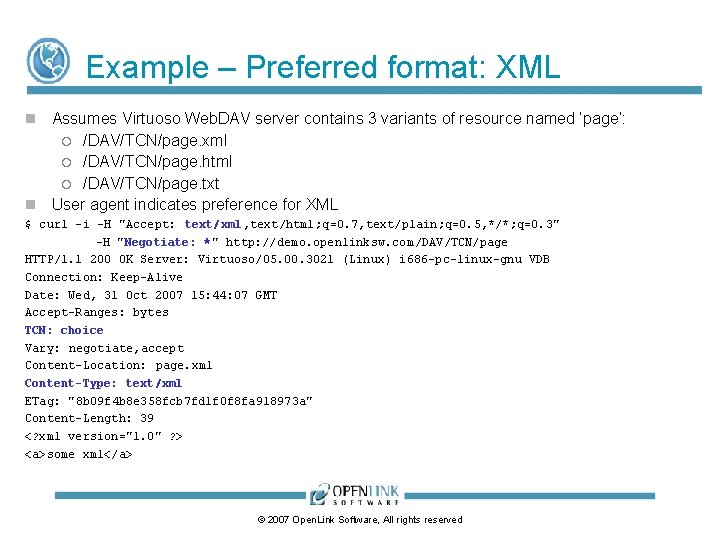
Example – Preferred format: XML Assumes Virtuoso Web. DAV server contains 3 variants of resource named ‘page’: /DAV/TCN/page. xml /DAV/TCN/page. html /DAV/TCN/page. txt User agent indicates preference for XML $ curl -i -H "Accept: text/xml, text/html; q=0. 7, text/plain; q=0. 5, */*; q=0. 3" -H "Negotiate: *" http: //demo. openlinksw. com/DAV/TCN/page HTTP/1. 1 200 OK Server: Virtuoso/05. 00. 3021 (Linux) i 686 -pc-linux-gnu VDB Connection: Keep-Alive Date: Wed, 31 Oct 2007 15: 44: 07 GMT Accept-Ranges: bytes TCN: choice Vary: negotiate, accept Content-Location: page. xml Content-Type: text/xml ETag: "8 b 09 f 4 b 8 e 358 fcb 7 fd 1 f 0 f 8 fa 918973 a" Content-Length: 39 <? xml version="1. 0" ? > <a>some xml</a> © 2007 Open. Link Software, All rights reserved
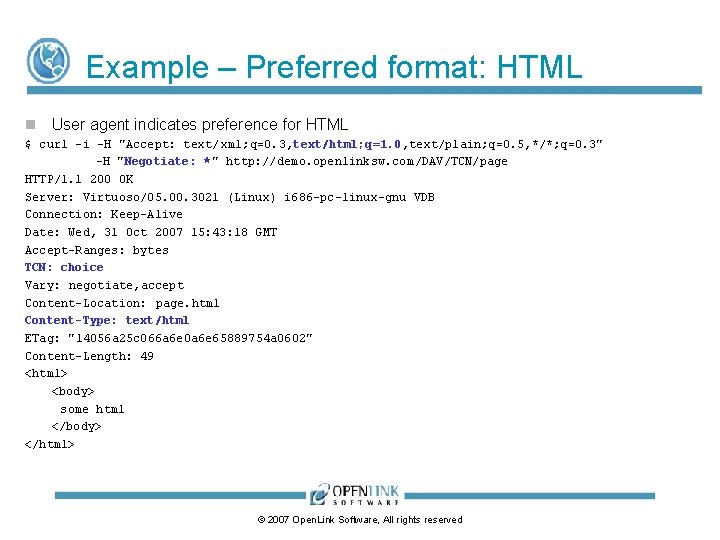
Example – Preferred format: HTML User agent indicates preference for HTML $ curl -i -H "Accept: text/ xml; q=0. 3, text/html; q=1. 0, text/plain; q=0. 5, */*; q=0. 3" -H "Negotiate: *" http: //demo. openlinksw. com/DAV/TCN/page HTTP/1. 1 200 OK Server: Virtuoso/05. 00. 3021 (Linux) i 686 -pc-linux-gnu VDB Connection: Keep-Alive Date: Wed, 31 Oct 2007 15: 43: 18 GMT Accept-Ranges: bytes TCN: choice Vary: negotiate, accept Content-Location: page. html Content-Type: text/html ETag: "14056 a 25 c 066 a 6 e 0 a 6 e 65889754 a 0602" Content-Length: 49 <html> <body> some html </body> </html> © 2007 Open. Link Software, All rights reserved
Example – Variant list request User agent asks for a list of variants $ curl -i -H "Accept: text/ xml, text/html; q=0. 7, text/plain; q=0. 5, */*; q=0. 3" -H "Negotiate: vlist" http: //localhost: 8890/DAV/TCN/page HTTP/1. 1 300 Multiple Choices Server: Virtuoso/05. 00. 3021 (Linux) i 686 -pc-linux-gnu VDB Connection: close Content-Type: text/html; charset=ISO-8859 -1 Date: Wed, 31 Oct 2007 15: 44: 35 GMT Accept-Ranges: bytes TCN: list Vary: negotiate, accept Alternates: {"page. html" 0. 900000 {type text/html}}, {" page. txt" 0. 500000 {type text/plain}}, {"page. xml" 1. 000000 {type text/xml}} Content-Length: 368 <!DOCTYPE HTML PUBLIC "-//IETF//DTD HTML 2. 0//EN"> <html><head><title>300 Multiple Choices</title></head> <body><h 1>Multiple Choices</h 1>Available variants: < ul> <li><a href="page. html">HTML variant</a>, type text/html</ li> <li><a href="page. txt">Text document</a>, type text/plain</ li> <li><a href="page. xml">XML variant</a>, type text/xml</ li> </ul></body></html> © 2007 Open. Link Software, All rights reserved
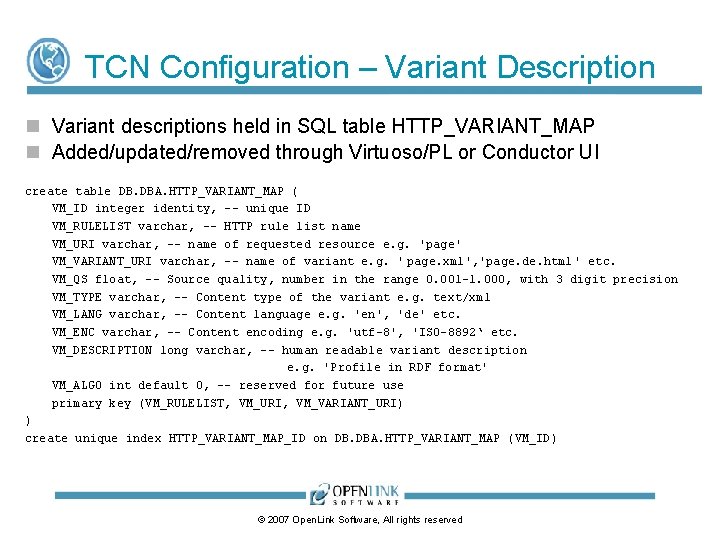
TCN Configuration – Variant Description Variant descriptions held in SQL table HTTP_VARIANT_MAP Added/updated/removed through Virtuoso/PL or Conductor UI create table DB. DBA. HTTP_VARIANT_MAP ( VM_ID integer identity, -- unique ID VM_RULELIST varchar, -- HTTP rule list name VM_URI varchar, -- name of requested resource e. g. 'page' VM_VARIANT_URI varchar, -- name of variant e. g. ' page. xml', 'page. de. html' etc. VM_QS float, -- Source quality, number in the range 0. 001 -1. 000, with 3 digit precision VM_TYPE varchar, -- Content type of the variant e. g. text/xml VM_LANG varchar, -- Content language e. g. 'en', 'de' etc. VM_ENC varchar, -- Content encoding e. g. 'utf-8', 'ISO-8892‘ etc. VM_DESCRIPTION long varchar, -- human readable variant description e. g. 'Profile in RDF format' VM_ALGO int default 0, -- reserved for future use primary key (VM_RULELIST, VM_URI, VM_VARIANT_URI) ) create unique index HTTP_VARIANT_MAP_ID on DB. DBA. HTTP_VARIANT_MAP (VM_ID) © 2007 Open. Link Software, All rights reserved
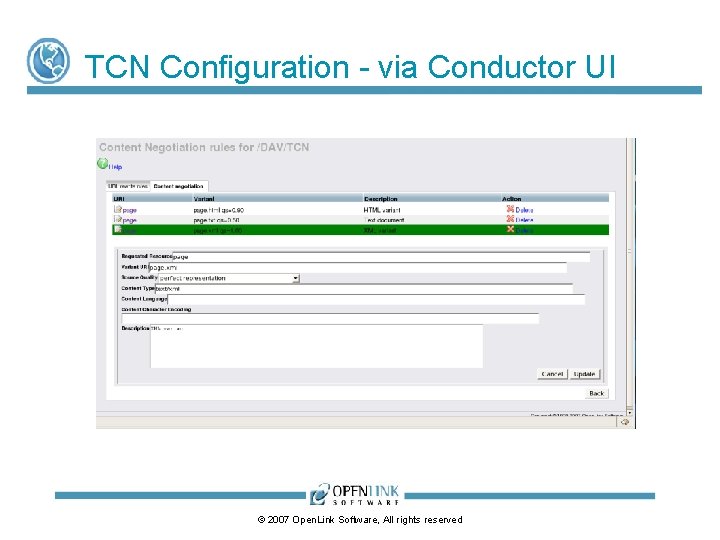
TCN Configuration - via Conductor UI © 2007 Open. Link Software, All rights reserved
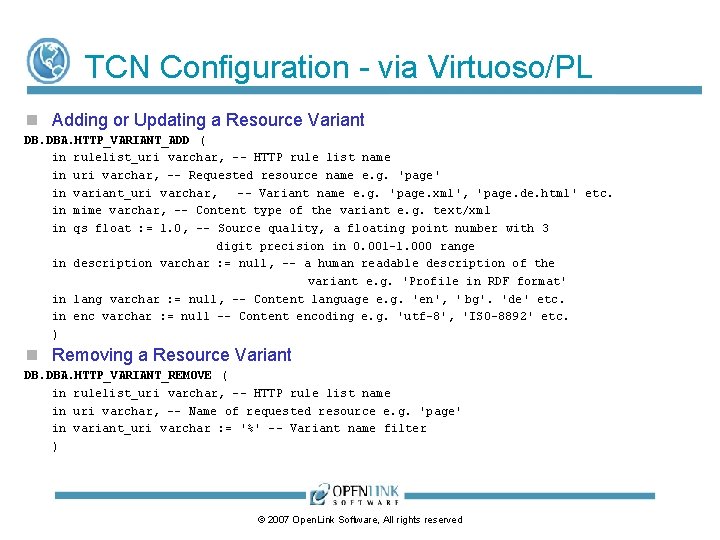
TCN Configuration - via Virtuoso/PL Adding or Updating a Resource Variant DB. DBA. HTTP_VARIANT_ADD ( in rulelist_uri varchar, -- HTTP rule list name in uri varchar, -- Requested resource name e. g. 'page' in variant_uri varchar, -- Variant name e. g. 'page. xml', 'page. de. html' etc. in mime varchar, -- Content type of the variant e. g. text/xml in qs float : = 1. 0, -- Source quality, a floating point number with 3 digit precision in 0. 001 -1. 000 range in description varchar : = null, -- a human readable description of the variant e. g. 'Profile in RDF format' in lang varchar : = null, -- Content language e. g. 'en', ' bg'. 'de' etc. in enc varchar : = null -- Content encoding e. g. 'utf-8', 'ISO-8892' etc. ) Removing a Resource Variant DB. DBA. HTTP_VARIANT_REMOVE ( in rulelist_uri varchar, -- HTTP rule list name in uri varchar, -- Name of requested resource e. g. 'page' in variant_uri varchar : = '%' -- Variant name filter ) © 2007 Open. Link Software, All rights reserved
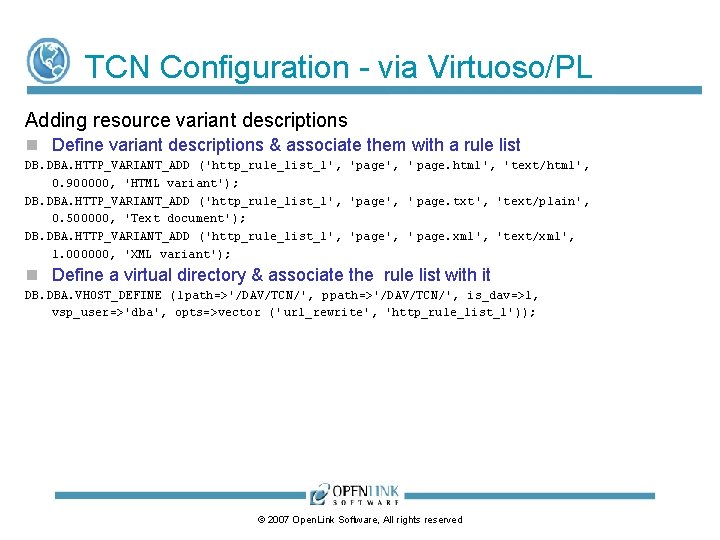
TCN Configuration - via Virtuoso/PL Adding resource variant descriptions Define variant descriptions & associate them with a rule list DB. DBA. HTTP_VARIANT_ADD ('http_rule_list_1', 'page', ' page. html', 'text/html', 0. 900000, 'HTML variant'); DB. DBA. HTTP_VARIANT_ADD ('http_rule_list_1', 'page', ' page. txt', 'text/plain', 0. 500000, 'Text document'); DB. DBA. HTTP_VARIANT_ADD ('http_rule_list_1', 'page', ' page. xml', 'text/xml', 1. 000000, 'XML variant'); Define a virtual directory & associate the rule list with it DB. DBA. VHOST_DEFINE (lpath=>'/DAV/TCN/', ppath=>'/DAV/TCN/', is_dav=>1, vsp_user=>'dba', opts=>vector (' url_rewrite', 'http_rule_list_1')); © 2007 Open. Link Software, All rights reserved