Notion of Synchronization 4 Sync in correspondence to
- Slides: 60
Notion of Synchronization 4 Sync in correspondence to < Content relation < Spatial relation < Temporal relation 4 Content Relation < Define dependency of media objects for some data < Example: dependency between spreadsheet and graphics that represent data listed in spreadsheet Slides courtesy Prof. Nahrstedt 11/27/2020 CSE 40373/60373: Multimedia Systems page 1
Spatial Relation 4 Layout relation < Defines space used for presentation of media object on output device at certain point of multimedia presentation < Example: desktop publishing 4 Layout frames < Placed on output device and content assigned to frame < Positioning of layout frames: = Fixed to position of document = Fixed to position on page = Relative to position of other frame < Example: in window-based system, layout frames correspond to windows and video can be positioned in window 11/27/2020 CSE 40373/60373: Multimedia Systems page 2
Temporal Relation (Our focus!!!) 4 Defines temporal dependencies between media objects 4 Example: lip synchronization 4 Time-dependent object < Media stream since there exist temporal relations between consecutive units of the stream 4 Time-independent object < Traditional medium such as text or images 4 Temporal synchronization < Relation between time-dependent and time-independent objects < Example: audio/video sync with slide show 11/27/2020 CSE 40373/60373: Multimedia Systems page 3
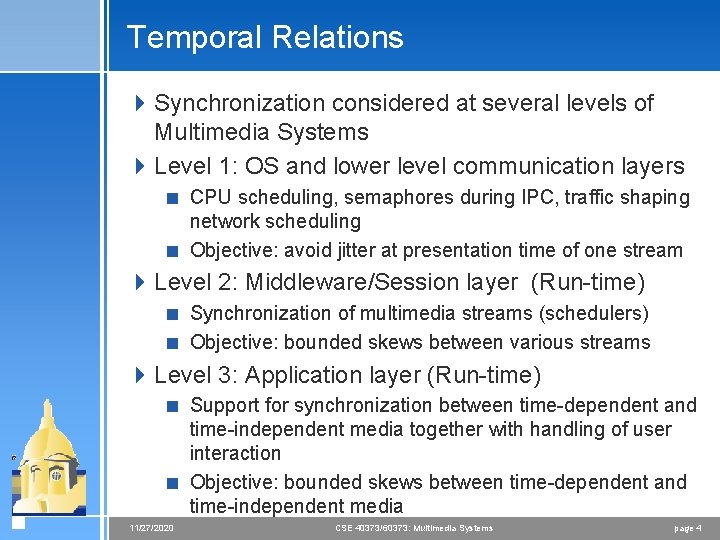
Temporal Relations 4 Synchronization considered at several levels of Multimedia Systems 4 Level 1: OS and lower level communication layers < CPU scheduling, semaphores during IPC, traffic shaping network scheduling < Objective: avoid jitter at presentation time of one stream 4 Level 2: Middleware/Session layer (Run-time) < Synchronization of multimedia streams (schedulers) < Objective: bounded skews between various streams 4 Level 3: Application layer (Run-time) < Support for synchronization between time-dependent and time-independent media together with handling of user interaction < Objective: bounded skews between time-dependent and time-independent media 11/27/2020 CSE 40373/60373: Multimedia Systems page 4
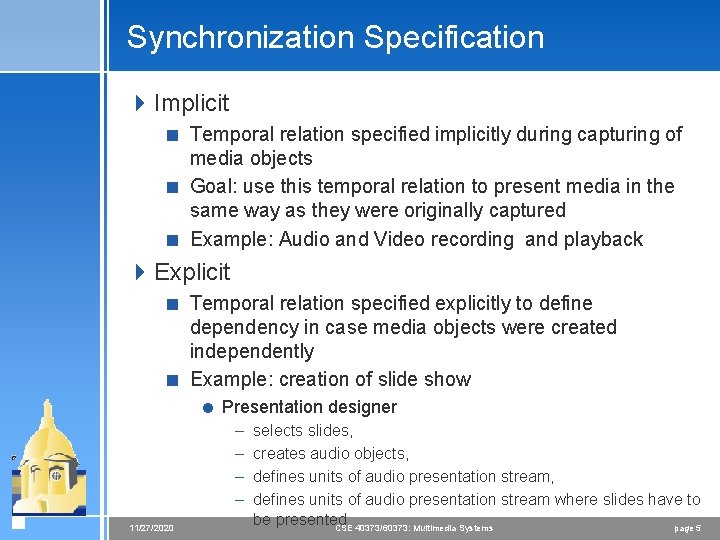
Synchronization Specification 4 Implicit < Temporal relation specified implicitly during capturing of media objects < Goal: use this temporal relation to present media in the same way as they were originally captured < Example: Audio and Video recording and playback 4 Explicit < Temporal relation specified explicitly to define dependency in case media objects were created independently < Example: creation of slide show = Presentation designer – – 11/27/2020 selects slides, creates audio objects, defines units of audio presentation stream where slides have to be presented CSE 40373/60373: Multimedia Systems page 5
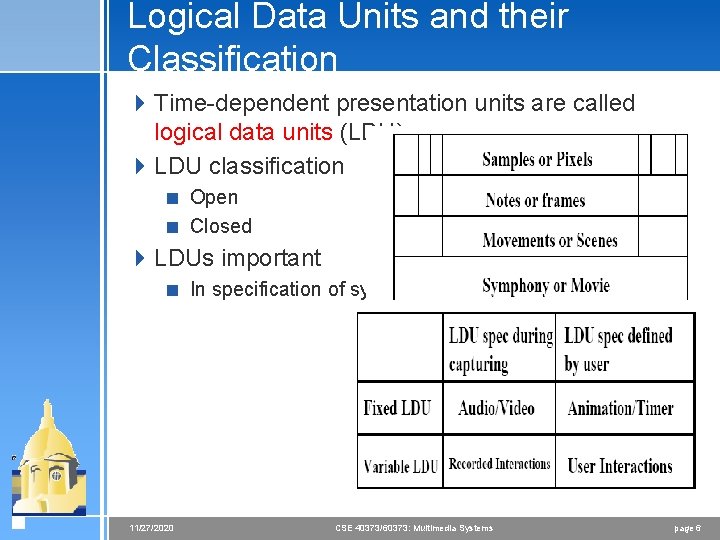
Logical Data Units and their Classification 4 Time-dependent presentation units are called logical data units (LDU)s. 4 LDU classification < Open < Closed 4 LDUs important < In specification of synchronization 11/27/2020 CSE 40373/60373: Multimedia Systems page 6
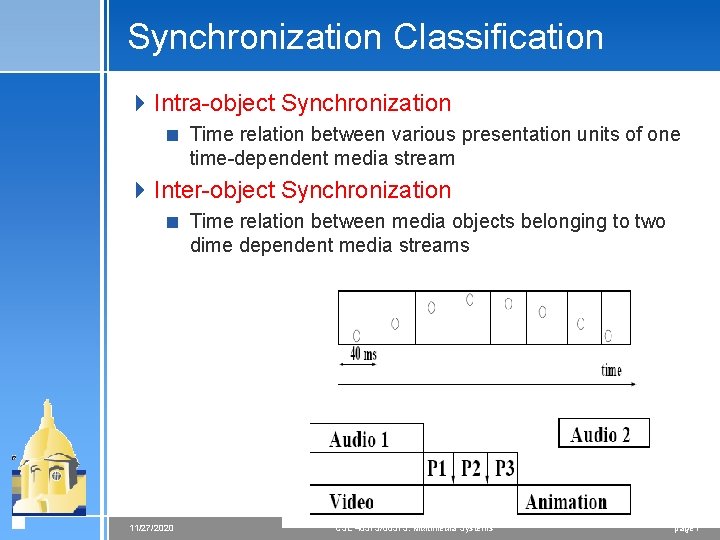
Synchronization Classification 4 Intra-object Synchronization < Time relation between various presentation units of one time-dependent media stream 4 Inter-object Synchronization < Time relation between media objects belonging to two dime dependent media streams 11/27/2020 CSE 40373/60373: Multimedia Systems page 7
Synchronization Classification 4 Live Synchronization < Goal: exactly reproduce at presentation temporal relations as they existed during capturing process < Requirement: must capture temporal relation information during media capturing < Example: video conference, phone service < Example: recording and retrieval services – presentations with delay 11/27/2020 CSE 40373/60373: Multimedia Systems page 8
Synchronization Classification 4 Synthetic Synchronization < Goal: arrange stored data objects to provide new combined multimedia objects via artificial temporal relations < Requirements: support flexible synchronization relations between media < Example: authoring, tutoring systems 4 Two phases: < Specification phase – define temporal relations < Presentation phase – present data in sync mode 11/27/2020 CSE 40373/60373: Multimedia Systems page 9
Synchronization Requirements during media presentations 4 For intra-object synchronization < Need accuracy concerning jitter and delays in presentation of LDUs 4 For inter-object synchronization < Need accuracy in parallel presentation of media objects 4 Implication of blocking: < O. K. for time-independent media < Problem for time-dependent media – gap problem 11/27/2020 CSE 40373/60373: Multimedia Systems page 10
Gap Problem in Synchronization 4 What does blocking of stream mean for output device? < Should we repeat previous music, speech, picture? < How long should such gap exist? 4 Solution 1: restricted blocking method < Switch output device to last picture as still picture < Switch output device to alternative presentation if gap between late video and audio exceeds predefined threshold 4 Solution 2: resample stream < Speed up or slow down streams < Off-line re-sampling – used after capturing of media streams with independent streams = Example: concert which is captured with two independent audio/video devices < Online re-sampling – used during CSE 40373/60373: Multimedia Systemspresentation in casepage 11 11/27/2020
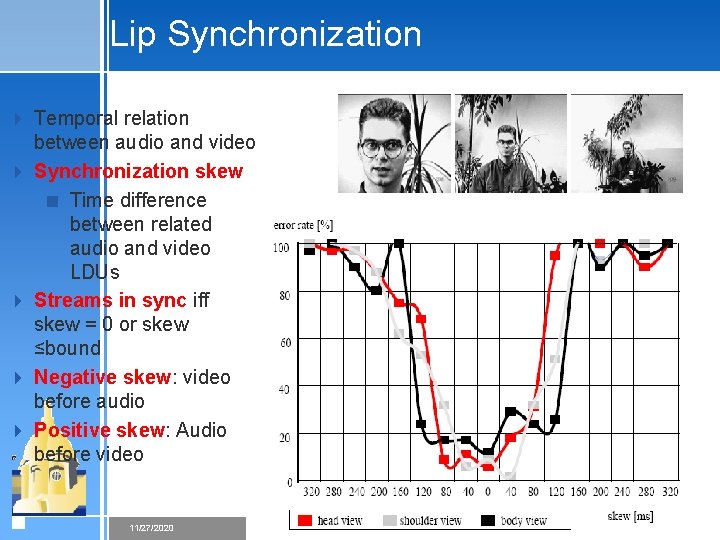
Lip Synchronization 4 Temporal relation between audio and video 4 Synchronization skew < Time difference between related audio and video LDUs 4 Streams in sync iff skew = 0 or skew ≤bound 4 Negative skew: video before audio 4 Positive skew: Audio before video CS 414 - Spring 2008 11/27/2020 CSE 40373/60373: Multimedia Systems page 12
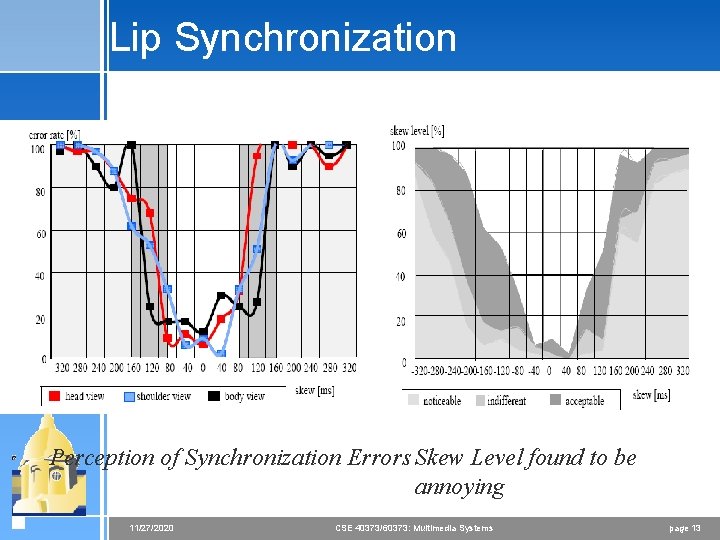
Lip Synchronization Perception of Synchronization Errors Skew Level found to be annoying 11/27/2020 CSE 40373/60373: Multimedia Systems page 13
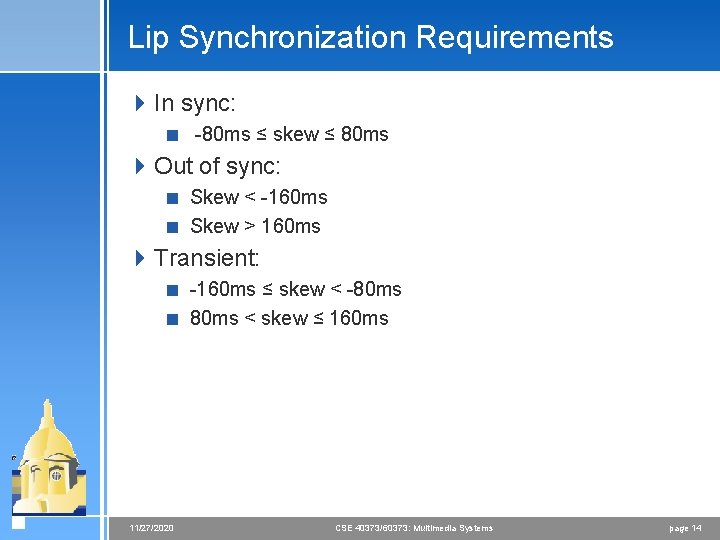
Lip Synchronization Requirements 4 In sync: < -80 ms ≤ skew ≤ 80 ms 4 Out of sync: < Skew < -160 ms < Skew > 160 ms 4 Transient: < -160 ms ≤ skew < -80 ms < skew ≤ 160 ms 11/27/2020 CSE 40373/60373: Multimedia Systems page 14
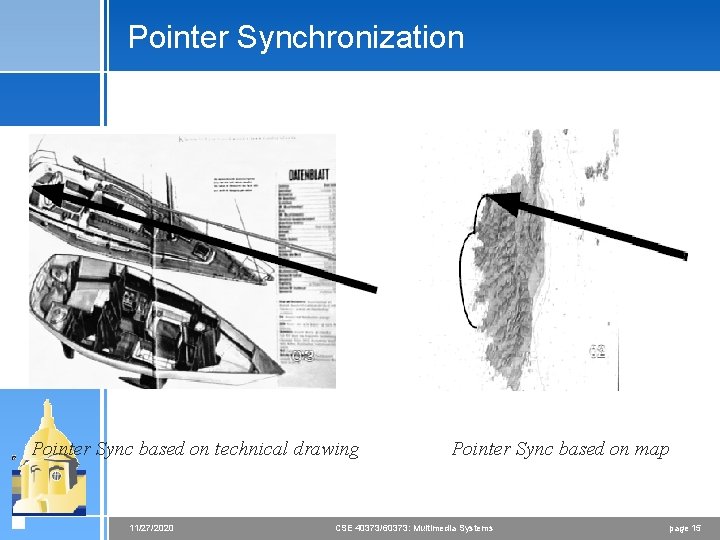
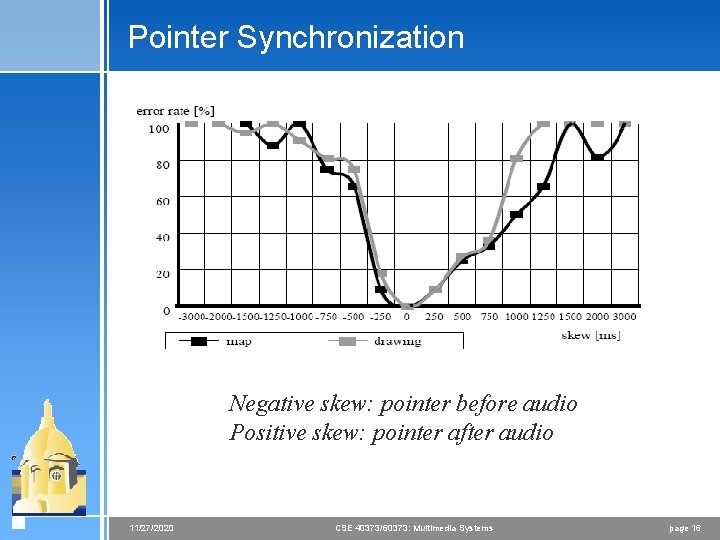
Pointer Synchronization Pointer Sync based on technical drawing 11/27/2020 Pointer Sync based on map CSE 40373/60373: Multimedia Systems page 15
Pointer Synchronization Negative skew: pointer before audio Positive skew: pointer after audio 11/27/2020 CSE 40373/60373: Multimedia Systems page 16
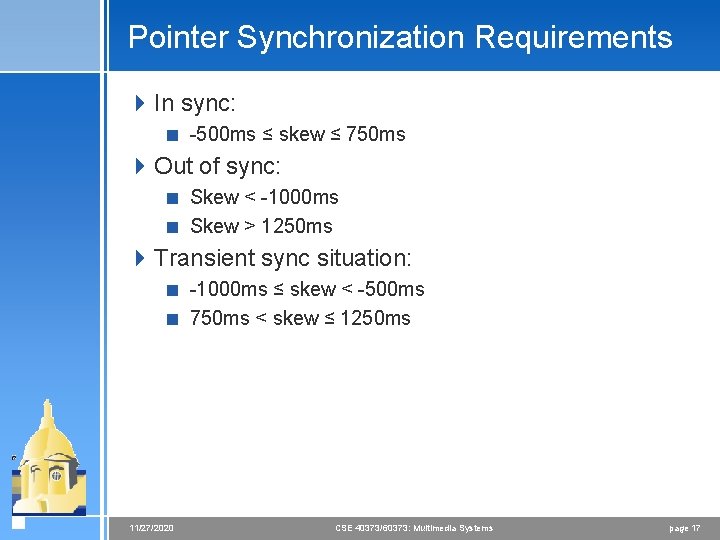
Pointer Synchronization Requirements 4 In sync: < -500 ms ≤ skew ≤ 750 ms 4 Out of sync: < Skew < -1000 ms < Skew > 1250 ms 4 Transient sync situation: < -1000 ms ≤ skew < -500 ms < 750 ms < skew ≤ 1250 ms 11/27/2020 CSE 40373/60373: Multimedia Systems page 17
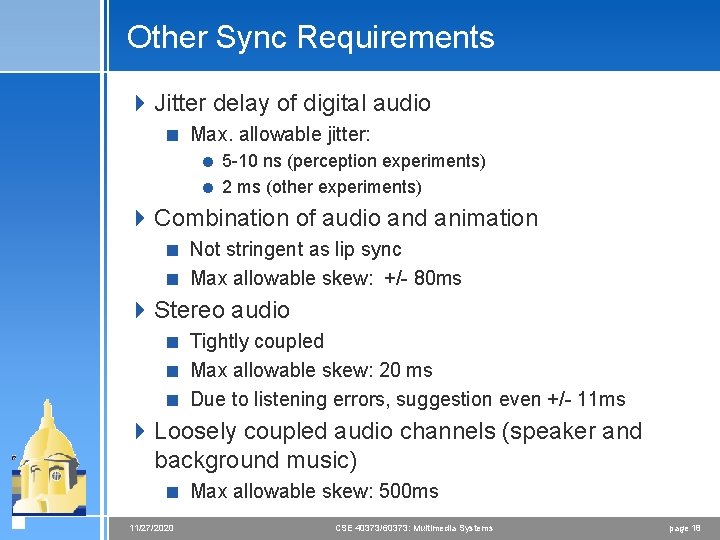
Other Sync Requirements 4 Jitter delay of digital audio < Max. allowable jitter: = 5 -10 ns (perception experiments) = 2 ms (other experiments) 4 Combination of audio and animation < Not stringent as lip sync < Max allowable skew: +/- 80 ms 4 Stereo audio < Tightly coupled < Max allowable skew: 20 ms < Due to listening errors, suggestion even +/- 11 ms 4 Loosely coupled audio channels (speaker and background music) < Max allowable skew: 500 ms 11/27/2020 CSE 40373/60373: Multimedia Systems page 18
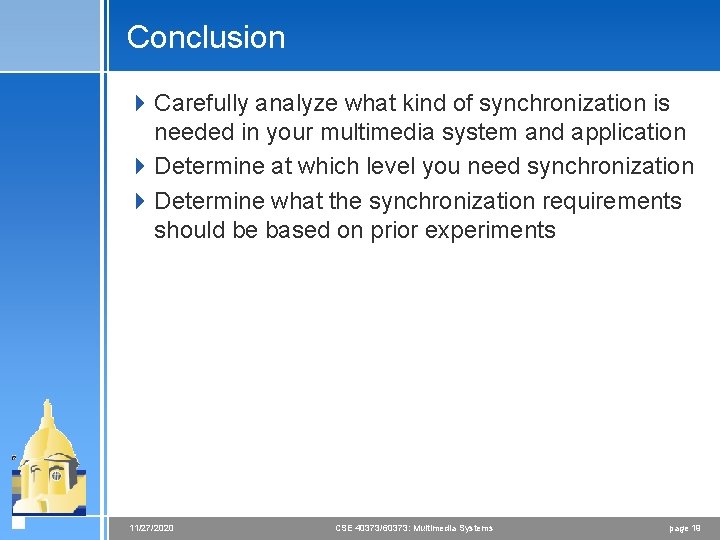
Conclusion 4 Carefully analyze what kind of synchronization is needed in your multimedia system and application 4 Determine at which level you need synchronization 4 Determine what the synchronization requirements should be based on prior experiments 11/27/2020 CSE 40373/60373: Multimedia Systems page 19
Reference Models 4 We need reference models to < Understand various requirements for multimedia sync < Identify and structure run-time mechanisms to support execution of sync < Identify interface between run-time mechanisms < Compare system solutions for multimedia sync 11/27/2020 CSE 40373/60373: Multimedia Systems page 20
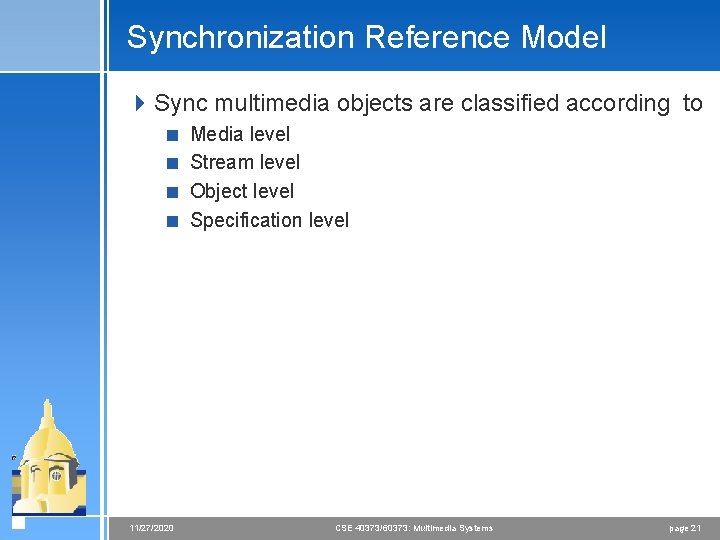
Synchronization Reference Model 4 Sync multimedia objects are classified according to < Media level < Stream level < Object level < Specification level 11/27/2020 CSE 40373/60373: Multimedia Systems page 21
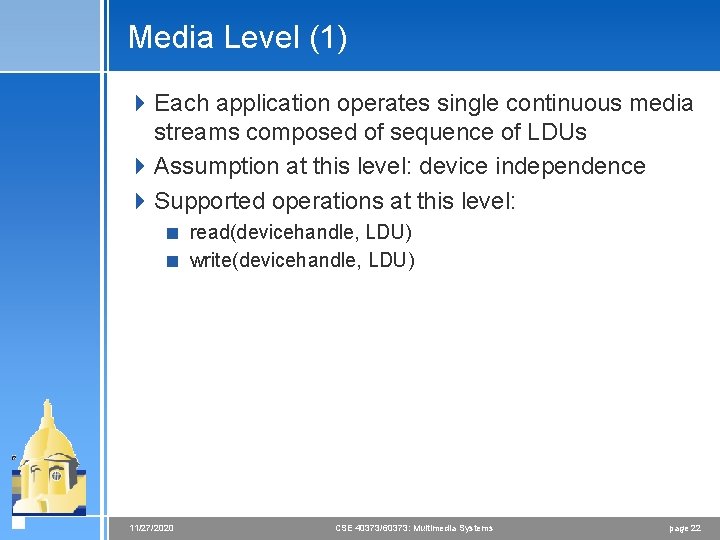
Media Level (1) 4 Each application operates single continuous media streams composed of sequence of LDUs 4 Assumption at this level: device independence 4 Supported operations at this level: < read(devicehandle, LDU) < write(devicehandle, LDU) 11/27/2020 CSE 40373/60373: Multimedia Systems page 22
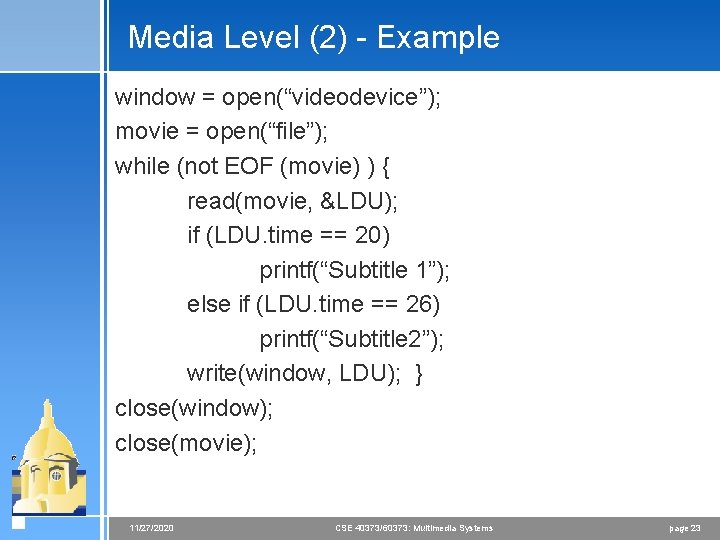
Media Level (2) - Example window = open(“videodevice”); movie = open(“file”); while (not EOF (movie) ) { read(movie, &LDU); if (LDU. time == 20) printf(“Subtitle 1”); else if (LDU. time == 26) printf(“Subtitle 2”); write(window, LDU); } close(window); close(movie); 11/27/2020 CSE 40373/60373: Multimedia Systems page 23
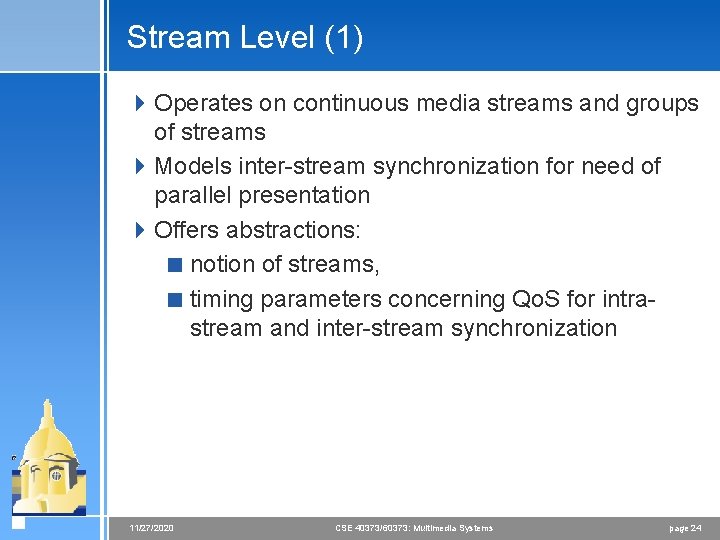
Stream Level (1) 4 Operates on continuous media streams and groups of streams 4 Models inter-stream synchronization for need of parallel presentation 4 Offers abstractions: < notion of streams, < timing parameters concerning Qo. S for intrastream and inter-stream synchronization 11/27/2020 CSE 40373/60373: Multimedia Systems page 24
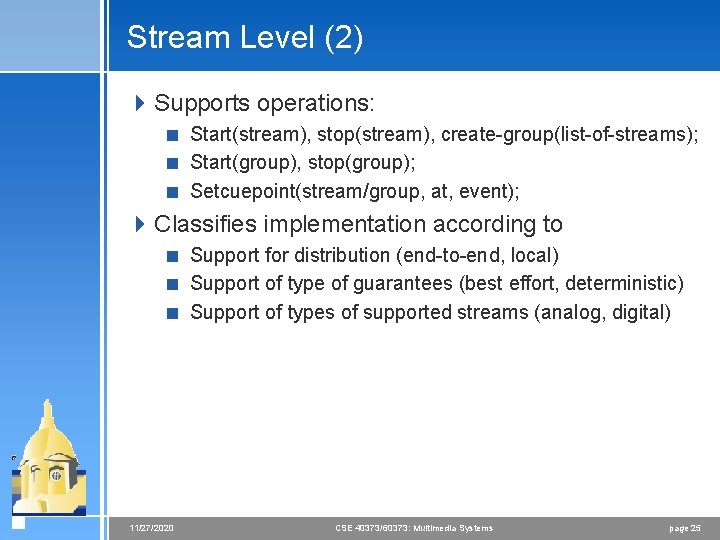
Stream Level (2) 4 Supports operations: < Start(stream), stop(stream), create-group(list-of-streams); < Start(group), stop(group); < Setcuepoint(stream/group, at, event); 4 Classifies implementation according to < Support for distribution (end-to-end, local) < Support of type of guarantees (best effort, deterministic) < Support of types of supported streams (analog, digital) 11/27/2020 CSE 40373/60373: Multimedia Systems page 25
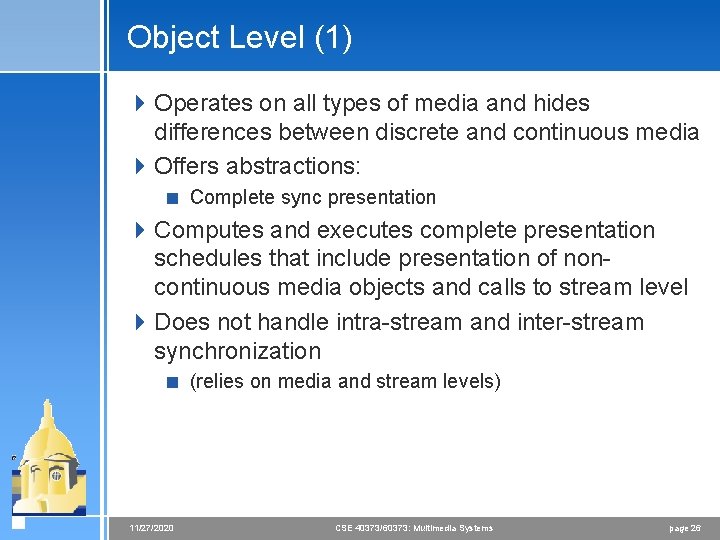
Object Level (1) 4 Operates on all types of media and hides differences between discrete and continuous media 4 Offers abstractions: < Complete sync presentation 4 Computes and executes complete presentation schedules that include presentation of noncontinuous media objects and calls to stream level 4 Does not handle intra-stream and inter-stream synchronization < (relies on media and stream levels) 11/27/2020 CSE 40373/60373: Multimedia Systems page 26
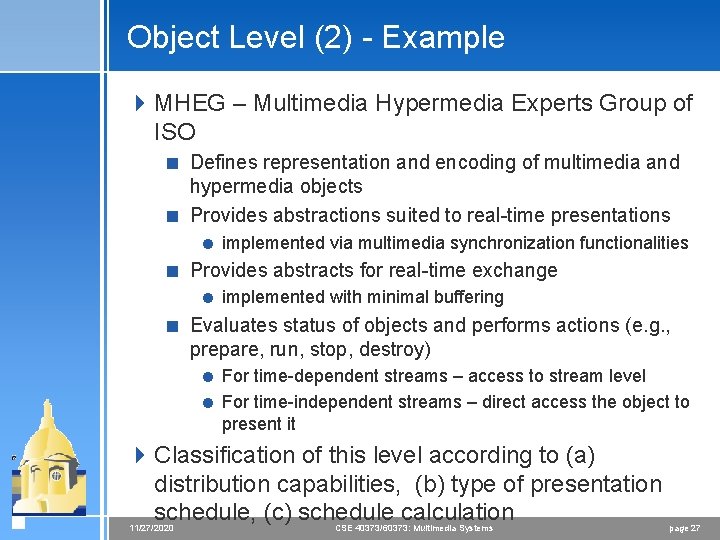
Object Level (2) - Example 4 MHEG – Multimedia Hypermedia Experts Group of ISO < Defines representation and encoding of multimedia and hypermedia objects < Provides abstractions suited to real-time presentations = implemented via multimedia synchronization functionalities < Provides abstracts for real-time exchange = implemented with minimal buffering < Evaluates status of objects and performs actions (e. g. , prepare, run, stop, destroy) = For time-dependent streams – access to stream level = For time-independent streams – direct access the object to present it 4 Classification of this level according to (a) distribution capabilities, (b) type of presentation schedule, (c) schedule calculation 11/27/2020 CSE 40373/60373: Multimedia Systems page 27
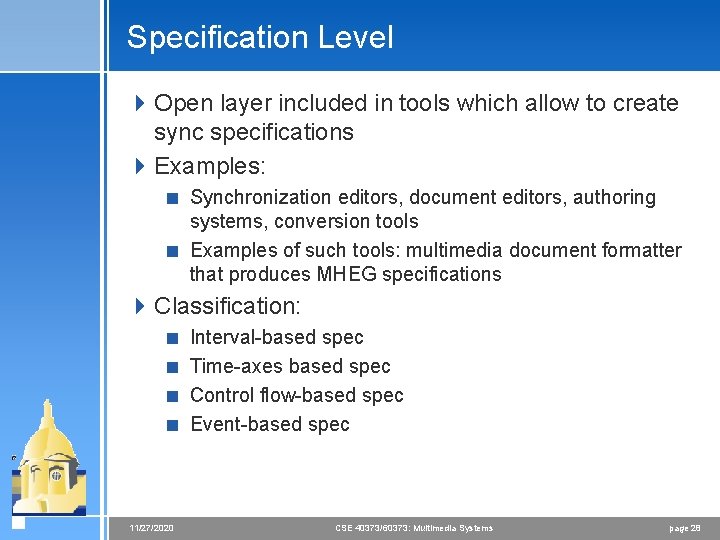
Specification Level 4 Open layer included in tools which allow to create sync specifications 4 Examples: < Synchronization editors, document editors, authoring systems, conversion tools < Examples of such tools: multimedia document formatter that produces MHEG specifications 4 Classification: < Interval-based spec < Time-axes based spec < Control flow-based spec < Event-based spec 11/27/2020 CSE 40373/60373: Multimedia Systems page 28
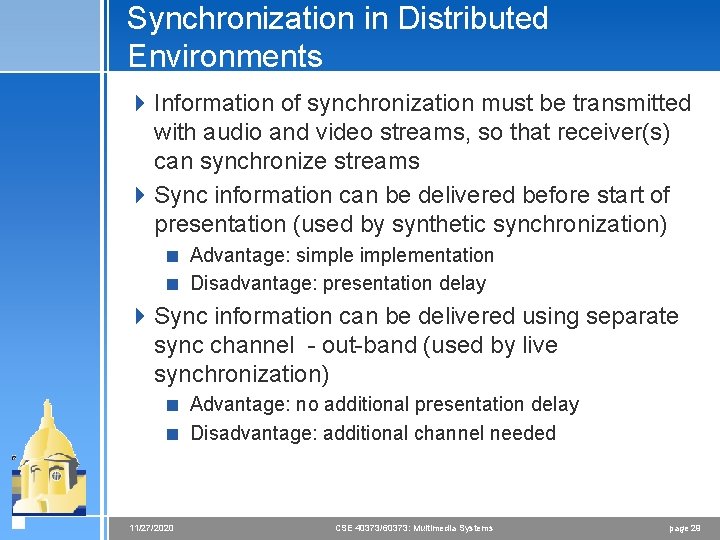
Synchronization in Distributed Environments 4 Information of synchronization must be transmitted with audio and video streams, so that receiver(s) can synchronize streams 4 Sync information can be delivered before start of presentation (used by synthetic synchronization) < Advantage: simplementation < Disadvantage: presentation delay 4 Sync information can be delivered using separate sync channel - out-band (used by live synchronization) < Advantage: no additional presentation delay < Disadvantage: additional channel needed 11/27/2020 CSE 40373/60373: Multimedia Systems page 29
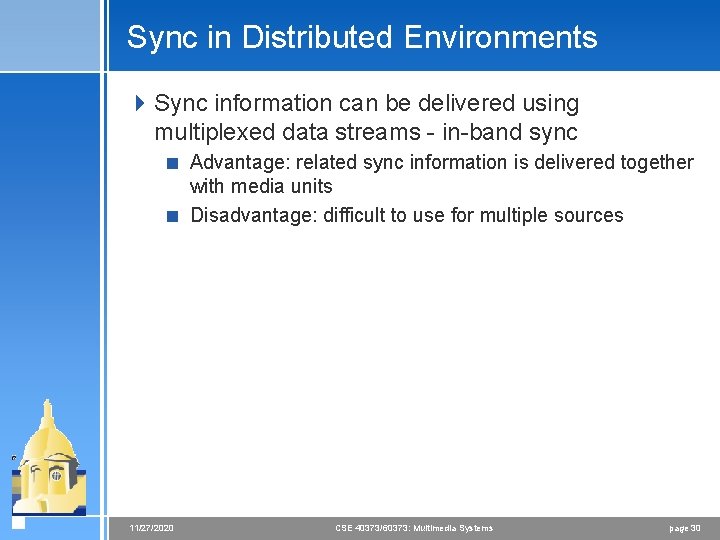
Sync in Distributed Environments 4 Sync information can be delivered using multiplexed data streams - in-band sync < Advantage: related sync information is delivered together with media units < Disadvantage: difficult to use for multiple sources 11/27/2020 CSE 40373/60373: Multimedia Systems page 30
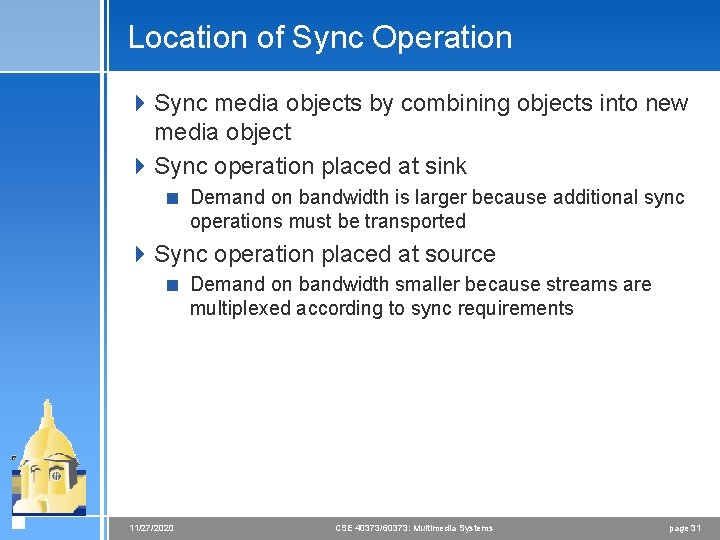
Location of Sync Operation 4 Sync media objects by combining objects into new media object 4 Sync operation placed at sink < Demand on bandwidth is larger because additional sync operations must be transported 4 Sync operation placed at source < Demand on bandwidth smaller because streams are multiplexed according to sync requirements 11/27/2020 CSE 40373/60373: Multimedia Systems page 31
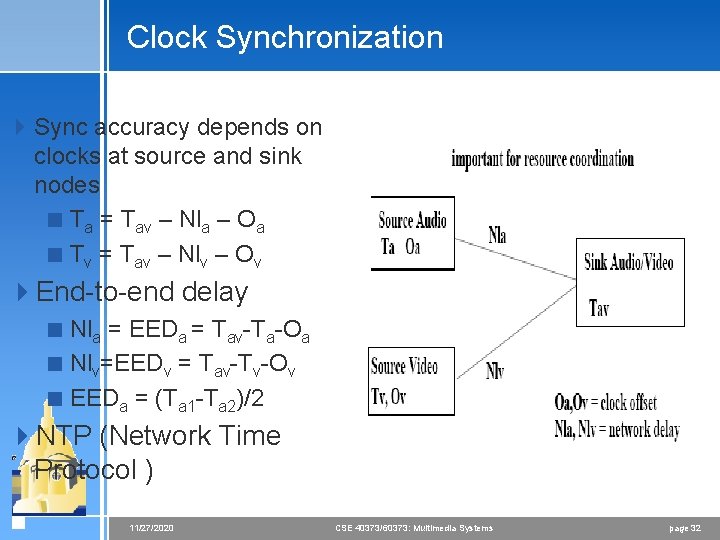
Clock Synchronization 4 Sync accuracy depends on clocks at source and sink nodes < Ta = Tav – Nla – Oa < Tv = Tav – Nlv – Ov 4 End-to-end delay < Nla = EEDa = Tav-Ta-Oa < Nlv=EEDv = Tav-Tv-Ov < EEDa = (Ta 1 -Ta 2)/2 4 NTP (Network Time Protocol ) 11/27/2020 CSE 40373/60373: Multimedia Systems page 32
Other Sync Issues 4 Sync must be considered during object acquisition 4 Sync must be considered during retrieval < Sync access to frames of stored video 4 Sync must be considered during transport < If possible use isochronous protocols 4 Sync must be considered at sink < Sync delivery to output devices 4 Sync must consider support of functions such as pause, forward, rewind with different speeds, direct access, stop or repeat 11/27/2020 CSE 40373/60373: Multimedia Systems page 33
Sync Specification Methods Requirements 4 Object consistency and maintenance of sync specifications < Media objects should be kept as one LDU in spec 4 Temporal relations must be specify-able 4 Easy Description of Sync Relations 4 Definition of Qo. S requirements 4 Integration of time-dependent and independent media 4 Hierarchical levels of synchronization 11/27/2020 CSE 40373/60373: Multimedia Systems page 34
Models 4 Interval 4 Timeline 4 Hierarchical 4 Reference points 4 Petri net 4 Event-based 11/27/2020 4 Common threads < provide language to express relationships < runtime system to monitor relationships < policies to enforce relationships CSE 40373/60373: Multimedia Systems page 35
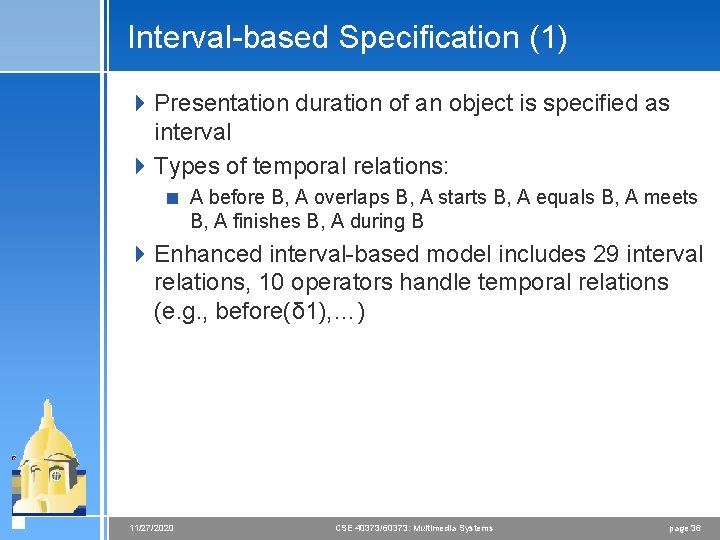
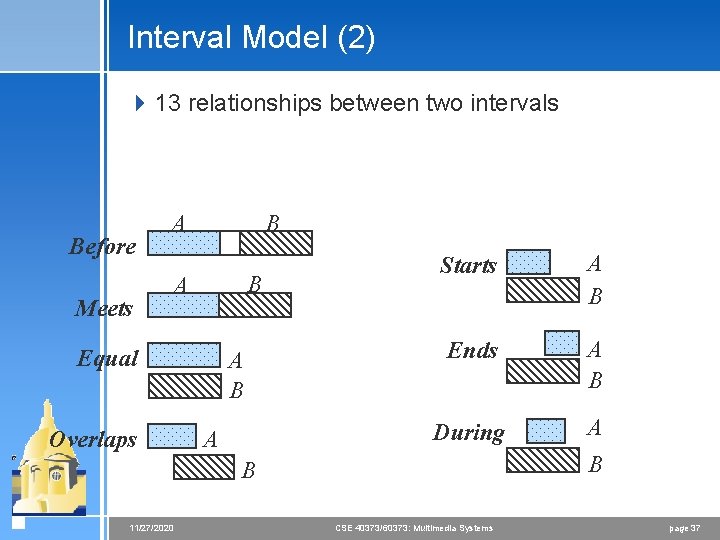
Interval-based Specification (1) 4 Presentation duration of an object is specified as interval 4 Types of temporal relations: < A before B, A overlaps B, A starts B, A equals B, A meets B, A finishes B, A during B 4 Enhanced interval-based model includes 29 interval relations, 10 operators handle temporal relations (e. g. , before(δ 1), …) 11/27/2020 CSE 40373/60373: Multimedia Systems page 36
Interval Model (2) 4 13 relationships between two intervals Before B A Meets B A Equal Overlaps A B A Starts A B Ends A B During A B B 11/27/2020 CSE 40373/60373: Multimedia Systems page 37
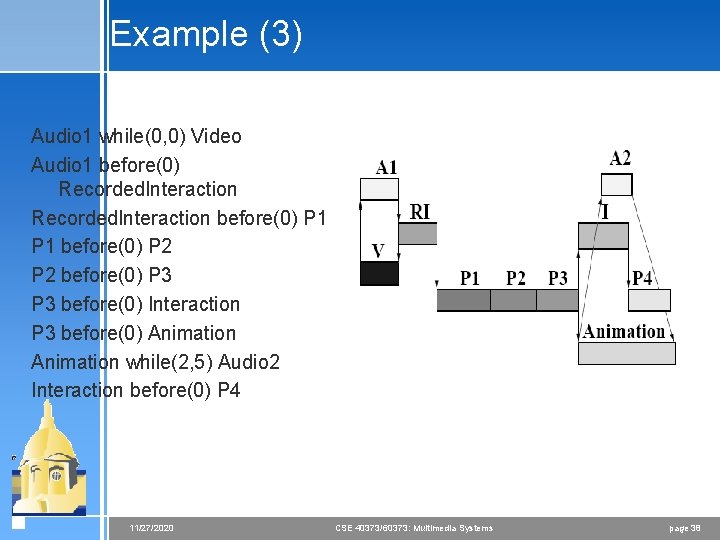
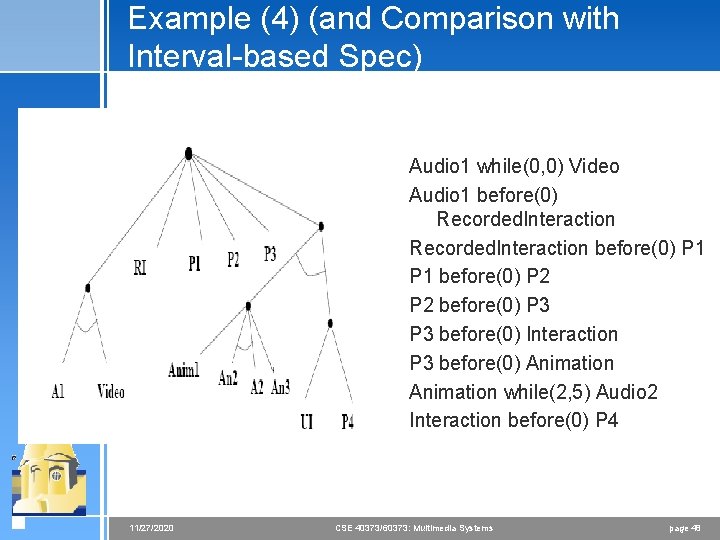
Example (3) Audio 1 while(0, 0) Video Audio 1 before(0) Recorded. Interaction before(0) P 1 before(0) P 2 before(0) P 3 before(0) Interaction P 3 before(0) Animation while(2, 5) Audio 2 Interaction before(0) P 4 11/27/2020 CSE 40373/60373: Multimedia Systems page 38
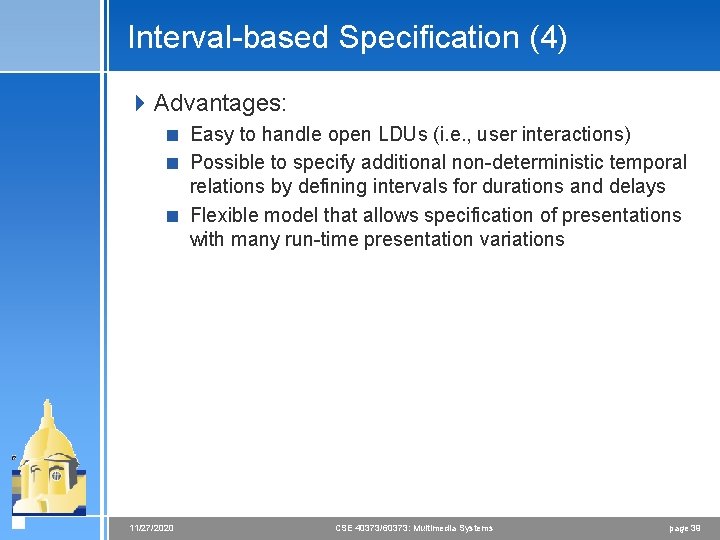
Interval-based Specification (4) 4 Advantages: < Easy to handle open LDUs (i. e. , user interactions) < Possible to specify additional non-deterministic temporal relations by defining intervals for durations and delays < Flexible model that allows specification of presentations with many run-time presentation variations 11/27/2020 CSE 40373/60373: Multimedia Systems page 39
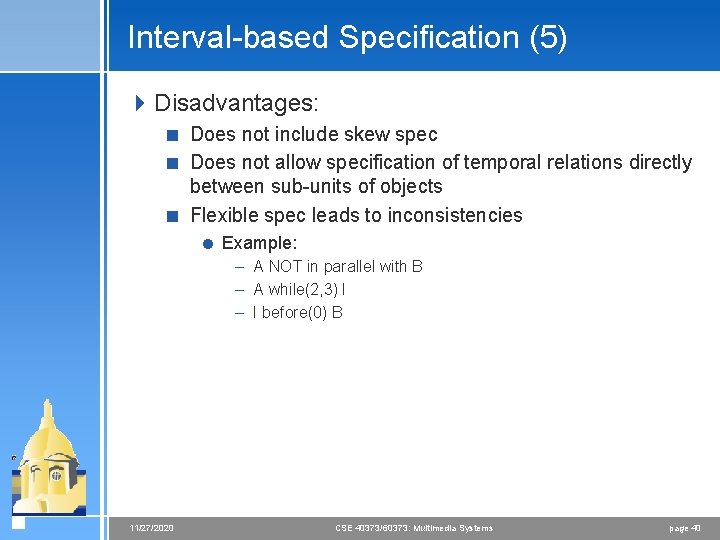
Interval-based Specification (5) 4 Disadvantages: < Does not include skew spec < Does not allow specification of temporal relations directly between sub-units of objects < Flexible spec leads to inconsistencies = Example: – A NOT in parallel with B – A while(2, 3) I – I before(0) B 11/27/2020 CSE 40373/60373: Multimedia Systems page 40
Timeline Axis-based Specification 4 Presentation events like start and end of presentation are mapped to axes that are shared by presentation objects 4 All single medium objects are attached to time axis that represents abstraction of real-time 4 This sync specification is very good for closed LDUs 11/27/2020 CSE 40373/60373: Multimedia Systems page 41
Timeline Model (2) 4 Uses a single global timeline 4 Actions triggered when the time marker reaches a specific point along timeline 11/27/2020 CSE 40373/60373: Multimedia Systems page 42
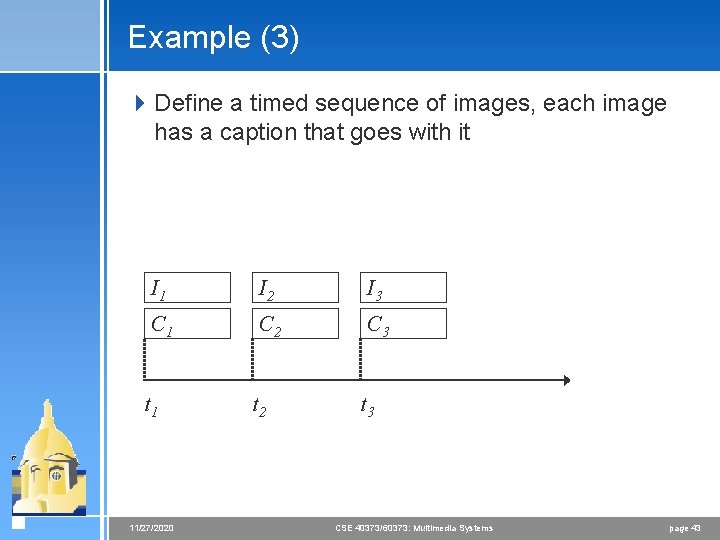
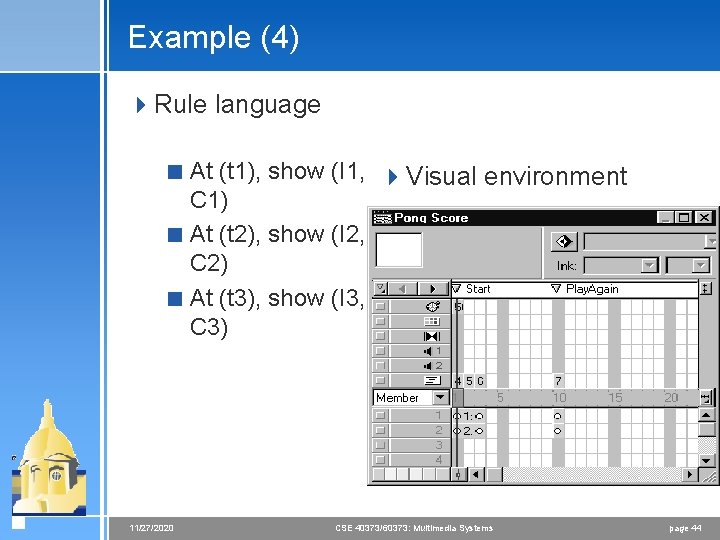
Example (3) 4 Define a timed sequence of images, each image has a caption that goes with it I 1 I 2 I 3 C 1 C 2 C 3 t 1 t 2 t 3 11/27/2020 CSE 40373/60373: Multimedia Systems page 43
Example (4) 4 Rule language < At (t 1), show (I 1, 4 Visual environment C 1) < At (t 2), show (I 2, C 2) < At (t 3), show (I 3, C 3) 11/27/2020 CSE 40373/60373: Multimedia Systems page 44
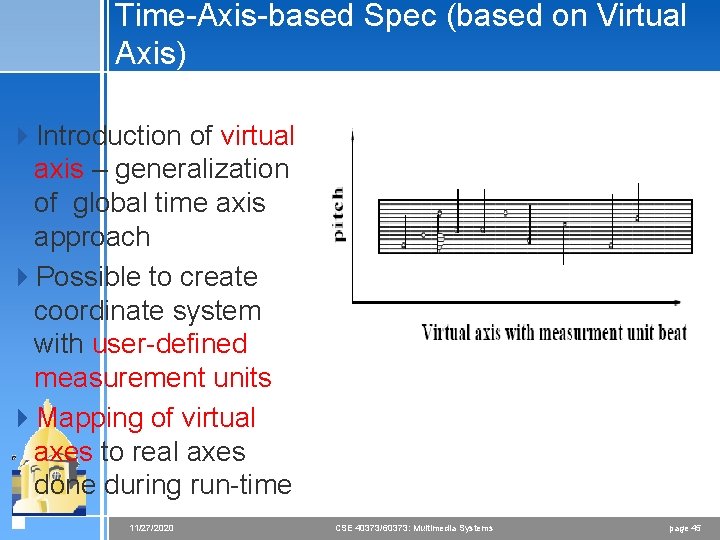
Time-Axis-based Spec (based on Virtual Axis) 4 Introduction of virtual axis – generalization of global time axis approach 4 Possible to create coordinate system with user-defined measurement units 4 Mapping of virtual axes to real axes done during run-time 11/27/2020 CSE 40373/60373: Multimedia Systems page 45
Control Flow-based Spec - Hierarchical Model (1) 4 Possibility to specify concurrent presentation threads at predefined points of presentation 4 Basic hierarchical spec types: < Serial synchronization < Parallel synchronization of actions 4 Actions: atomic or compound < Atomic action handles presentation of single media object, user input, delay < Compound actions are combinations of sync operators and atomic actions < Delay is atomic action – allows modeling of delays in serial presentations 11/27/2020 CSE 40373/60373: Multimedia Systems page 46
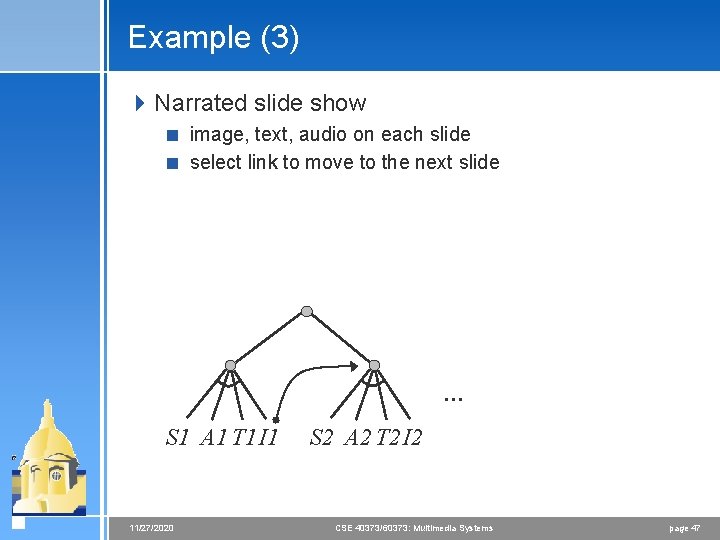
Example (3) 4 Narrated slide show < image, text, audio on each slide < select link to move to the next slide … S 1 A 1 T 1 I 1 11/27/2020 S 2 A 2 T 2 I 2 CSE 40373/60373: Multimedia Systems page 47
Example (4) (and Comparison with Interval-based Spec) Audio 1 while(0, 0) Video Audio 1 before(0) Recorded. Interaction before(0) P 1 before(0) P 2 before(0) P 3 before(0) Interaction P 3 before(0) Animation while(2, 5) Audio 2 Interaction before(0) P 4 11/27/2020 CSE 40373/60373: Multimedia Systems page 48
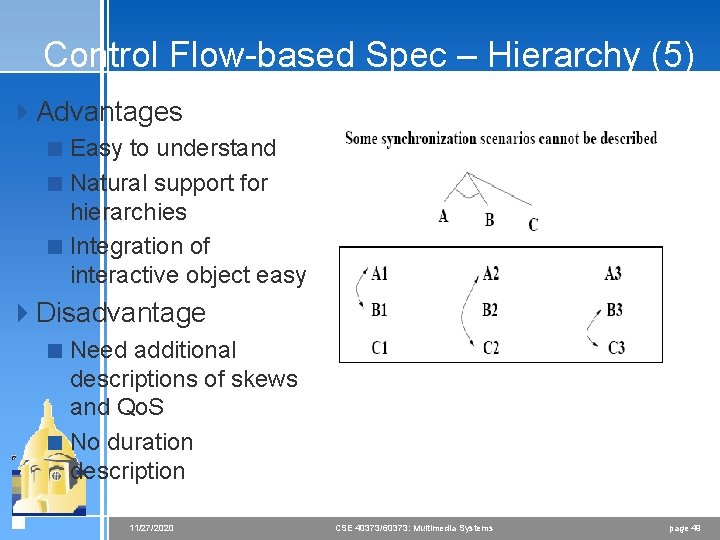
Control Flow-based Spec – Hierarchy (5) 4 Advantages < Easy to understand < Natural support for hierarchies < Integration of interactive object easy 4 Disadvantage < Need additional descriptions of skews and Qo. S < No duration description 11/27/2020 CSE 40373/60373: Multimedia Systems page 49
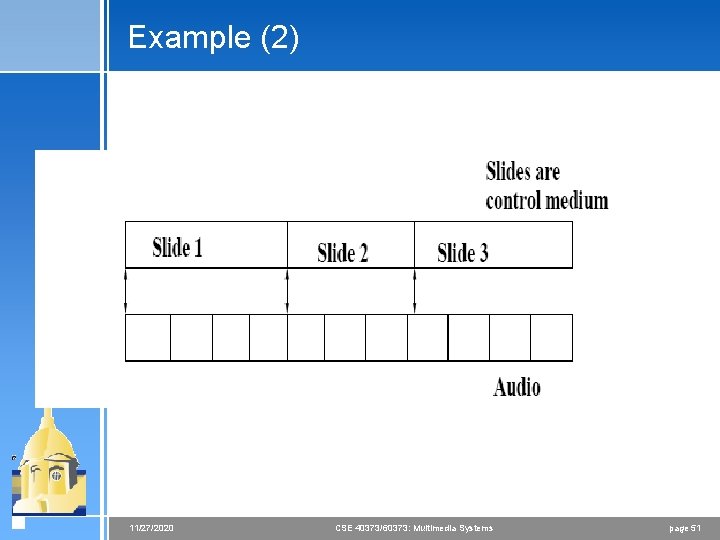
Control Flow-based Spec – Reference Points (1) 4 Time-dependent single medium objects are regarded as sequences of closed LDUs 4 Start/stop times of object presentation are reference points 4 Connected reference point is synchronization points 4 Temporal relations specified between objects without explicit reference to time 11/27/2020 CSE 40373/60373: Multimedia Systems page 50
Example (2) 11/27/2020 CSE 40373/60373: Multimedia Systems page 51
Control Flow-based Spec – Reference Points (3) 4 Advantages: < Sync at any time during presentation of objects < Easily integrated object presentation with unpredictable duration < Intuitive type of synchronization spec 4 Disadvantages: < Not easy way to detect inconsistencies < Cannot specify delays in presentation 11/27/2020 CSE 40373/60373: Multimedia Systems page 52
Event-based Specification 4 Presentation actions initiated by synchronization events 4 Example: < Start presentation < Stop presentation < Prepare presentation 4 Events initiating presentation < External or internal 11/27/2020 CSE 40373/60373: Multimedia Systems page 53
Event-based Spec 4 Advantage: < Easily extended to new sync types < Easy integration of interactive objects 4 Disadvantage: < Difficult to handle in case of realistic scenarios < Too complex specification < Need separate description of skew/Qo. S < Difficult use of hierarchies 11/27/2020 CSE 40373/60373: Multimedia Systems page 54
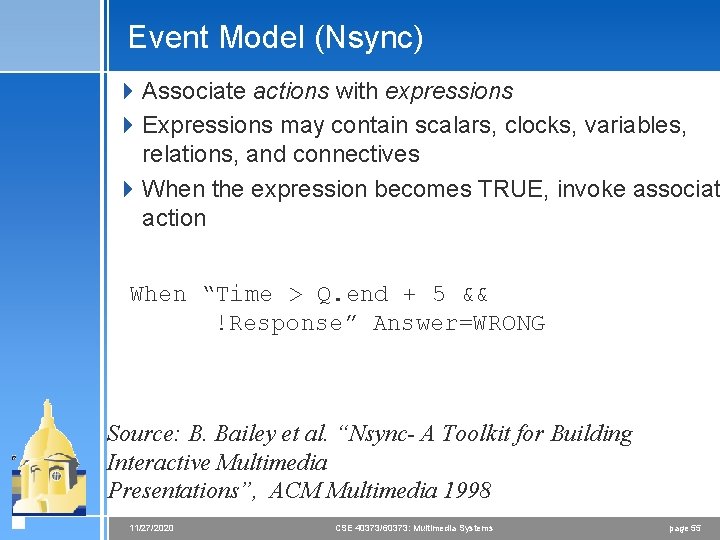
Event Model (Nsync) 4 Associate actions with expressions 4 Expressions may contain scalars, clocks, variables, relations, and connectives 4 When the expression becomes TRUE, invoke associat action When “Time > Q. end + 5 && !Response” Answer=WRONG Source: B. Bailey et al. “Nsync- A Toolkit for Building Interactive Multimedia Presentations”, ACM Multimedia 1998 11/27/2020 CSE 40373/60373: Multimedia Systems page 55
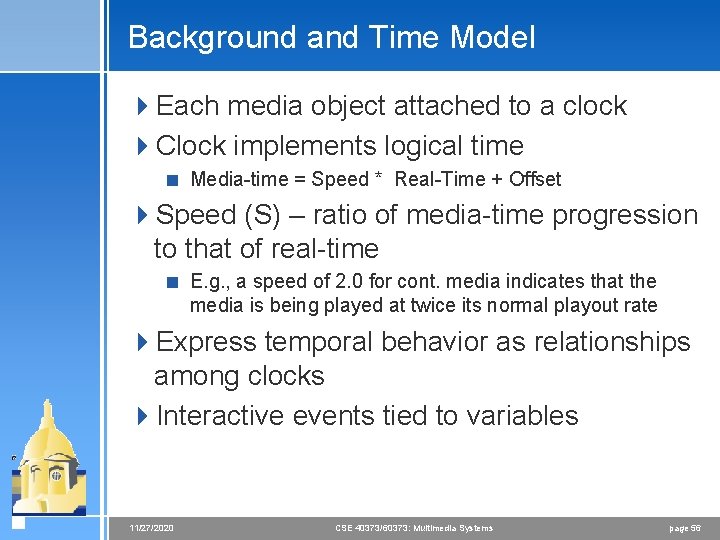
Background and Time Model 4 Each media object attached to a clock 4 Clock implements logical time < Media-time = Speed * Real-Time + Offset 4 Speed (S) – ratio of media-time progression to that of real-time < E. g. , a speed of 2. 0 for cont. media indicates that the media is being played at twice its normal playout rate 4 Express temporal behavior as relationships among clocks 4 Interactive events tied to variables 11/27/2020 CSE 40373/60373: Multimedia Systems page 56
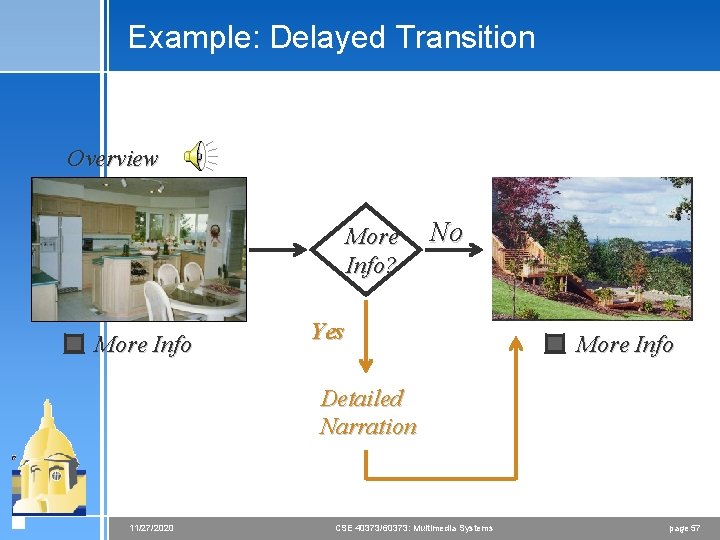
Example: Delayed Transition Overview More Info? More Info No Yes More Info Detailed Narration 11/27/2020 CSE 40373/60373: Multimedia Systems page 57
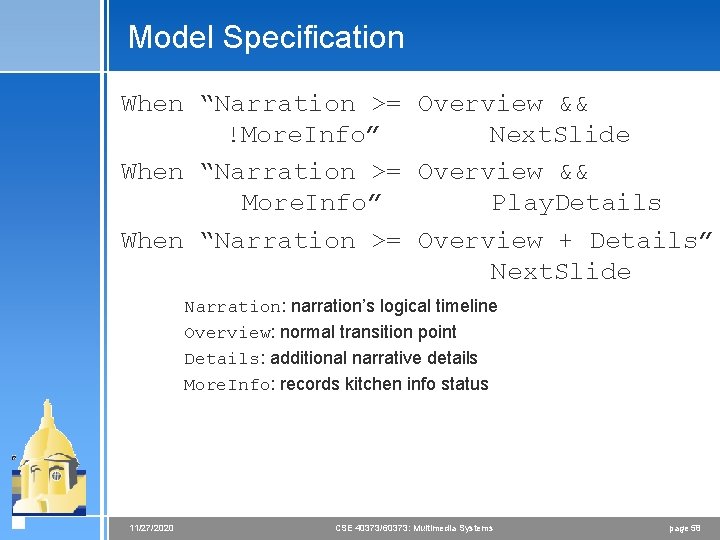
Model Specification When “Narration >= Overview && !More. Info” Next. Slide When “Narration >= Overview && More. Info” Play. Details When “Narration >= Overview + Details” Next. Slide Narration: narration’s logical timeline Overview: normal transition point Details: additional narrative details More. Info: records kitchen info status 11/27/2020 CSE 40373/60373: Multimedia Systems page 58
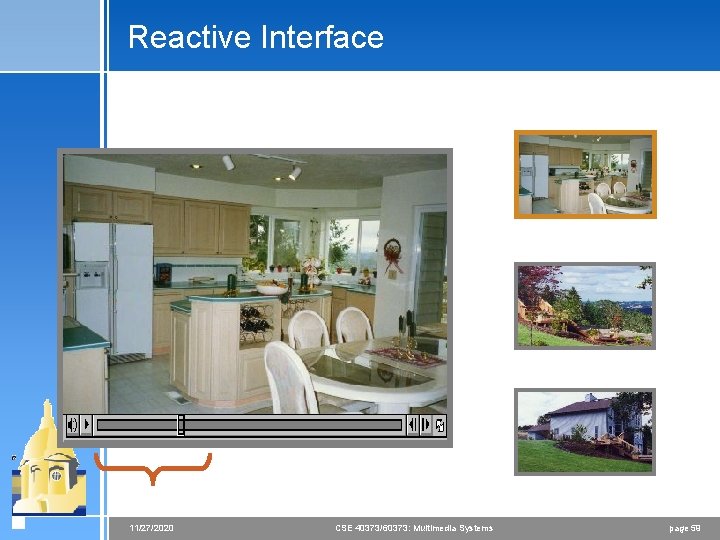
Reactive Interface 11/27/2020 CSE 40373/60373: Multimedia Systems page 59
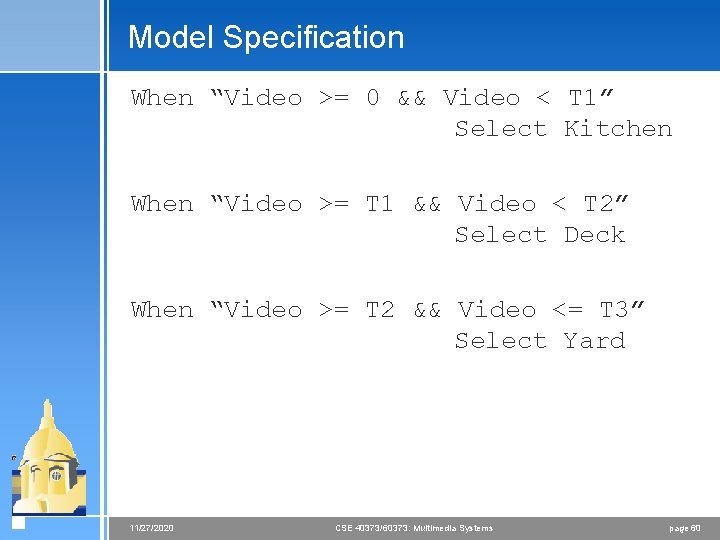
Model Specification When “Video >= 0 && Video < T 1” Select Kitchen When “Video >= T 1 && Video < T 2” Select Deck When “Video >= T 2 && Video <= T 3” Select Yard 11/27/2020 CSE 40373/60373: Multimedia Systems page 60