
Exchange 2007 MCSE SecurityMessaging MVPMCT BS 7799ISO 27001
保護Exchange 2007 免於垃圾郵件與病毒 謝合宜 微軟特約技術顧問 MCSE : Security/Messaging MVP/MCT BS 7799/ISO 27001 Lead Auditor
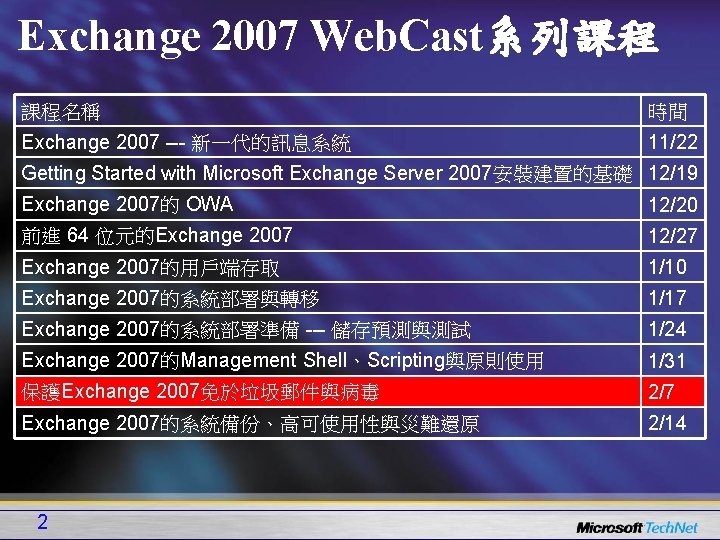
Exchange 2007 Web. Cast系列課程 課程名稱 時間 Exchange 2007 --- 新一代的訊息系統 11/22 Getting Started with Microsoft Exchange Server 2007安裝建置的基礎 12/19 Exchange 2007的 OWA 12/20 前進 64 位元的Exchange 2007 12/27 Exchange 2007的用戶端存取 1/10 Exchange 2007的系統部署與轉移 1/17 Exchange 2007的系統部署準備 --- 儲存預測與測試 1/24 Exchange 2007的Management Shell、Scripting與原則使用 1/31 保護Exchange 2007免於垃圾郵件與病毒 2/7 Exchange 2007的系統備份、高可使用性與災難還原 2/14 2
Agenda • • Exchange的設計目標 Edge Server 的功能與運作 Exchange的Anti-spam Forefront Antivirus與Exchange防毒加強
Edge Server的功能與運作
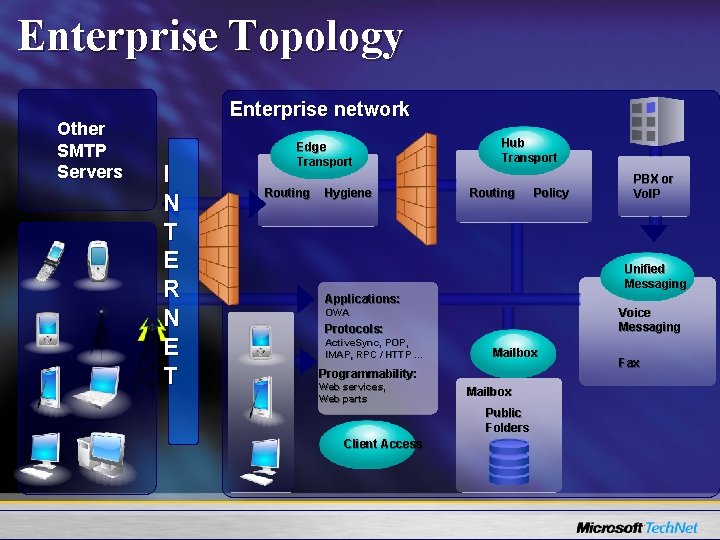
Enterprise Topology Other SMTP Servers Enterprise network I N T E R N E T Edge Transport Routing Hygiene Hub Transport Routing Policy PBX or Vo. IP Unified Messaging Applications: Voice Messaging OWA Protocols: Active. Sync, POP, IMAP, RPC / HTTP … Mailbox Programmability: Web services, Web parts Mailbox Public Folders Client Access Fax
Edge Transport Server功能 • • 9 佈署在中介網路(DMZ) 提供高可用性的訊息處理 Edge. Sync Exchange Anti-Spam
Edge. Sync Overview • Edge Transport的功能處理依據 AD 的資料 • Edge Servers “MUST”在中介網路運作 • Edge. Sync – Publishes outbound to Edge Servers – Subscribes an Edge Server to an AD Site – Configures Security and Routing
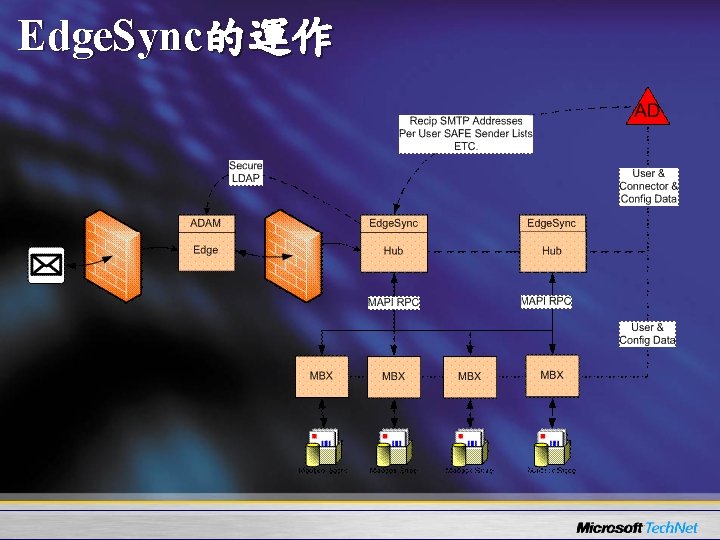
Edge. Sync的運作
Edge. Sync發行的資料 • 收件者 SMTP 地址 – 使用來進行信件的收件者過濾 – 包含 primaries / contacts / proxies – Addresses are “one-way hashed” to protect from exposure • Outlook 安全寄件者清單 – Users safe sender lists – Applied per recipient (one persons safe sender is not another’s) – A message from a safe sender to a recipient will bypass antispam content – Does NOT bypass IP blocklists
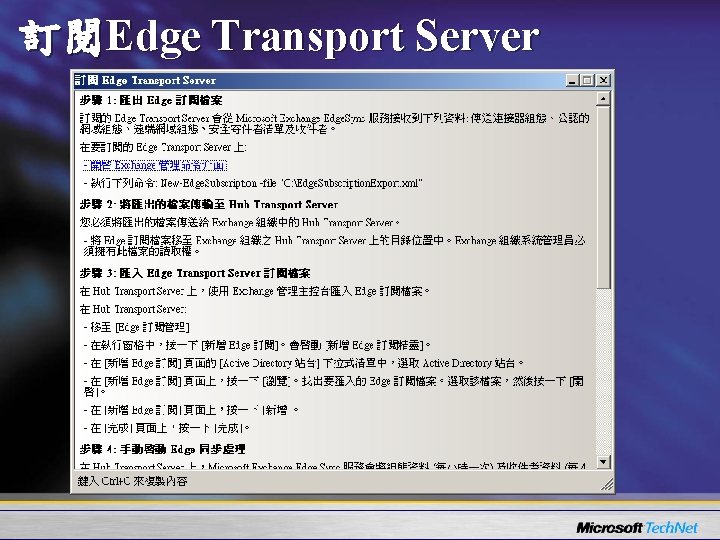
訂閱Edge Transport Server
Exchange的Anti-Spam
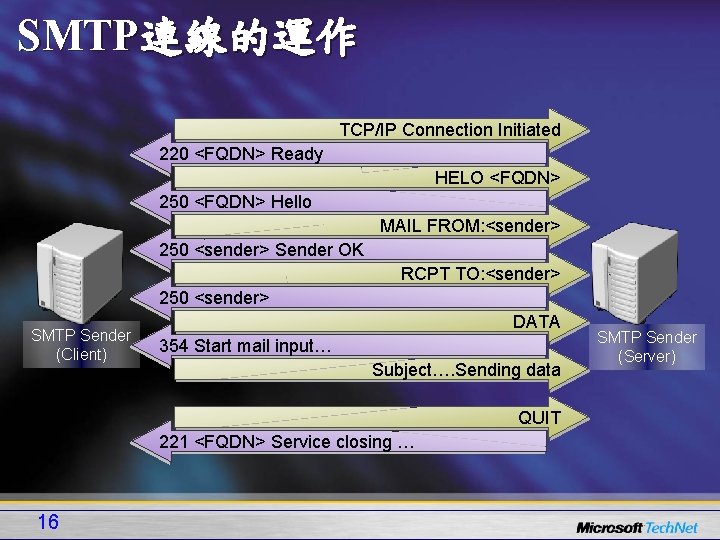
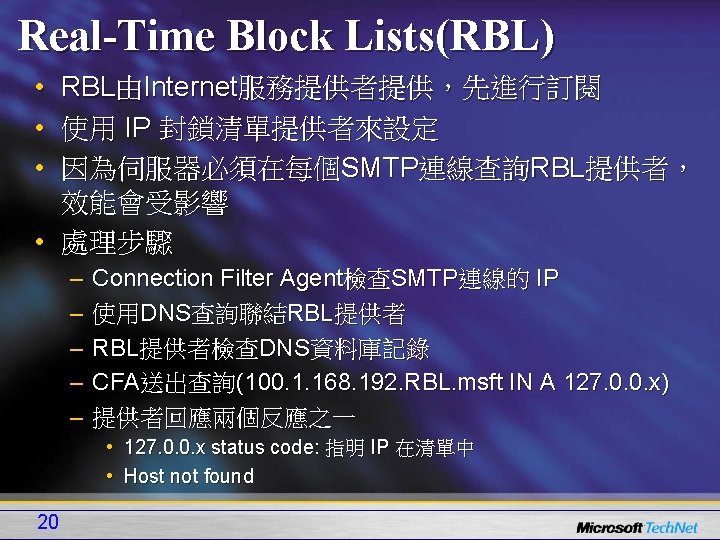
SMTP連線的運作 TCP/IP Connection Initiated 220 <FQDN> Ready HELO <FQDN> 250 <FQDN> Hello MAIL FROM: <sender> 250 <sender> Sender OK RCPT TO: <sender> 250 <sender> SMTP Sender (Client) DATA 354 Start mail input… Subject…. Sending data QUIT 221 <FQDN> Service closing … 16 SMTP Sender (Server)
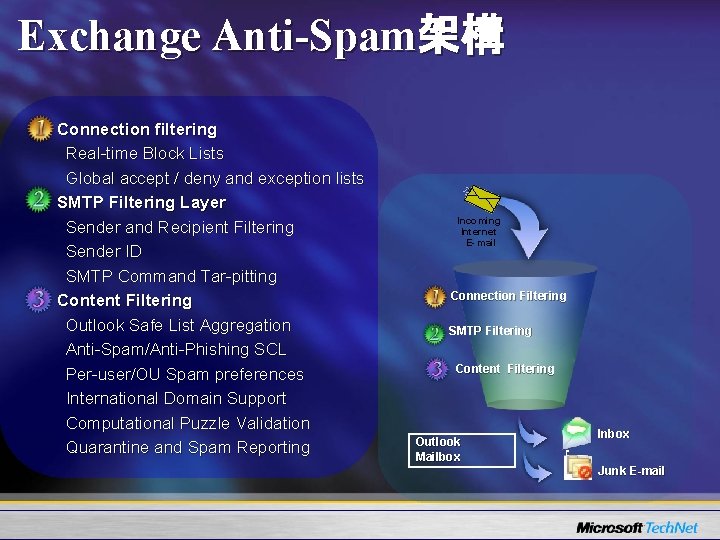
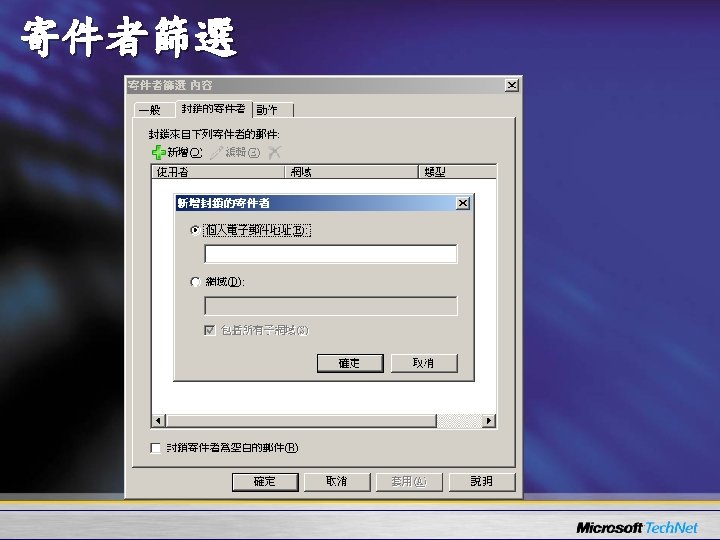
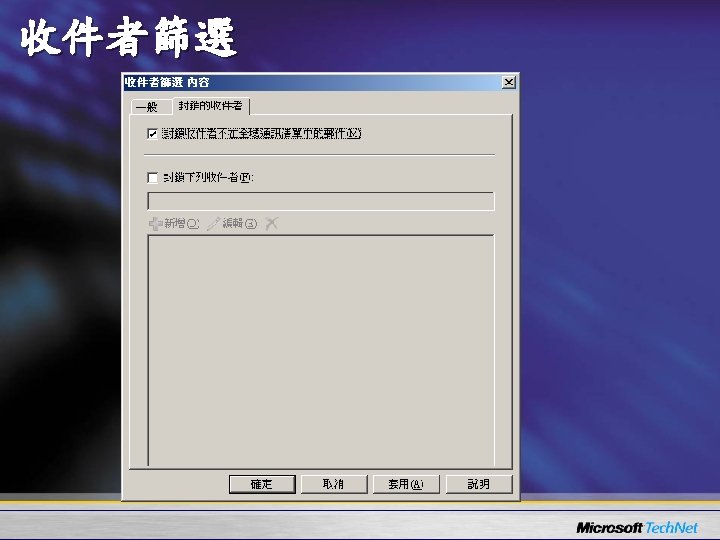
Exchange Anti-Spam架構 Connection filtering Real-time Block Lists Global accept / deny and exception lists SMTP Filtering Layer Sender and Recipient Filtering Sender ID SMTP Command Tar-pitting Content Filtering Outlook Safe List Aggregation Anti-Spam/Anti-Phishing SCL Per-user/OU Spam preferences International Domain Support Computational Puzzle Validation Quarantine and Spam Reporting Incoming Internet E- mail Connection Filtering SMTP Filtering Content Filtering Outlook Mailbox Inbox Junk E-mail
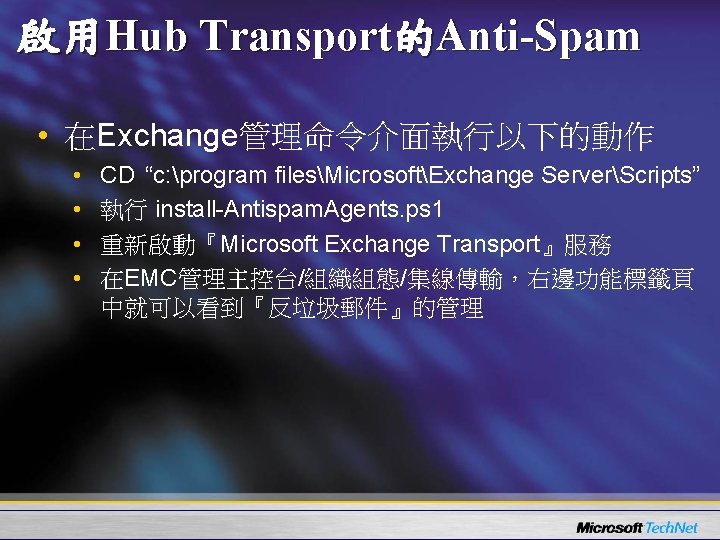
啟用Hub Transport的Anti-Spam • 在Exchange管理命令介面執行以下的動作 • • CD “c: program filesMicrosoftExchange ServerScripts” 執行 install-Antispam. Agents. ps 1 重新啟動『Microsoft Exchange Transport』服務 在EMC管理主控台/組織組態/集線傳輸,右邊功能標籤頁 中就可以看到『反垃圾郵件』的管理
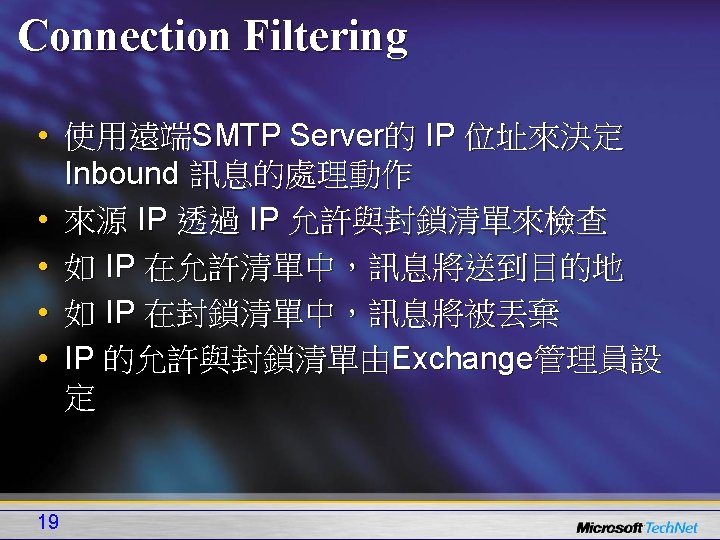
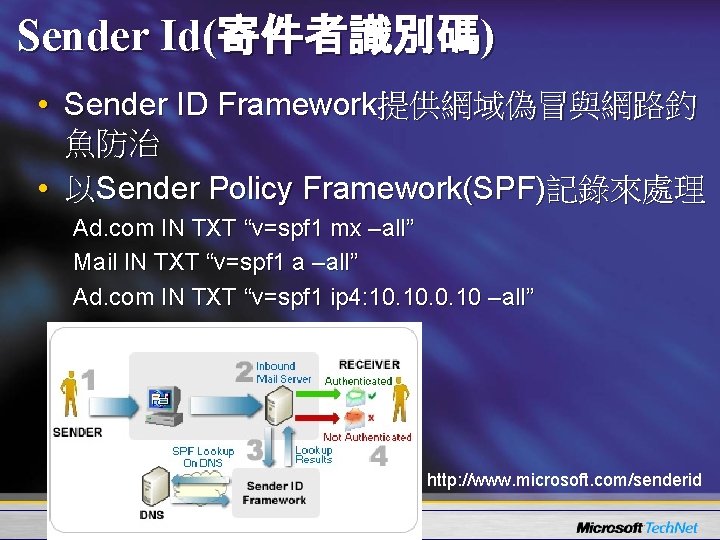
Sender Id(寄件者識別碼) • Sender ID Framework提供網域偽冒與網路釣 魚防治 • 以Sender Policy Framework(SPF)記錄來處理 Ad. com IN TXT “v=spf 1 mx –all” Mail IN TXT “v=spf 1 a –all” Ad. com IN TXT “v=spf 1 ip 4: 10. 0. 10 –all” http: //www. microsoft. com/senderid
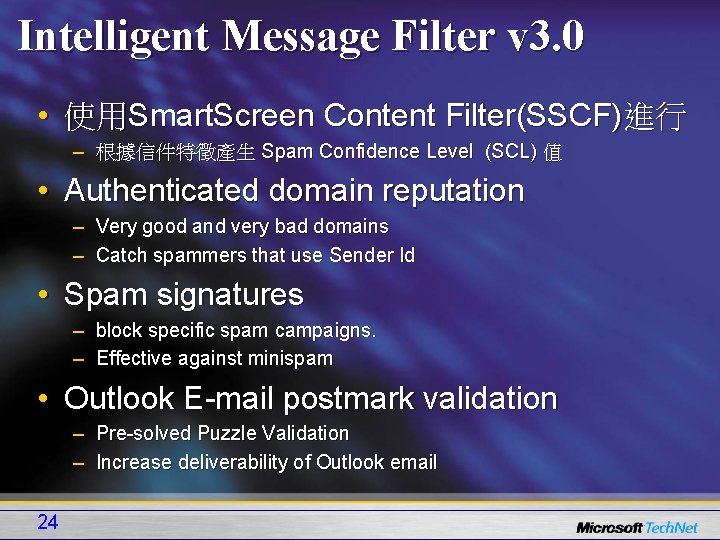
Intelligent Message Filter v 3. 0 • 使用Smart. Screen Content Filter(SSCF)進行 – 根據信件特徵產生 Spam Confidence Level (SCL) 值 • Authenticated domain reputation – Very good and very bad domains – Catch spammers that use Sender Id • Spam signatures – block specific spam campaigns. – Effective against minispam • Outlook E-mail postmark validation – Pre-solved Puzzle Validation – Increase deliverability of Outlook email 24
Sender Reputation Filtering (寄件者信譽) • 根據最近期間內從特定寄件者傳送的信件資訊 來判斷 • Sender Reputation agent根據以下資訊給予 SRL(Sender Reputation Level) – Sender open proxy test – HELO/EHLO分析 – 反向DNS查詢 – 特定寄件者信件的SCL值 26
Safelist Aggregation • 整合Outlook與Exchange的Anti-Spam • Safelist 清單會 pushed 到 AD – Update-Safelist on mailbox server • 透過Edge. Sync複製到Edge Server • 若聯絡人在白名單中,信件不會被過濾 27
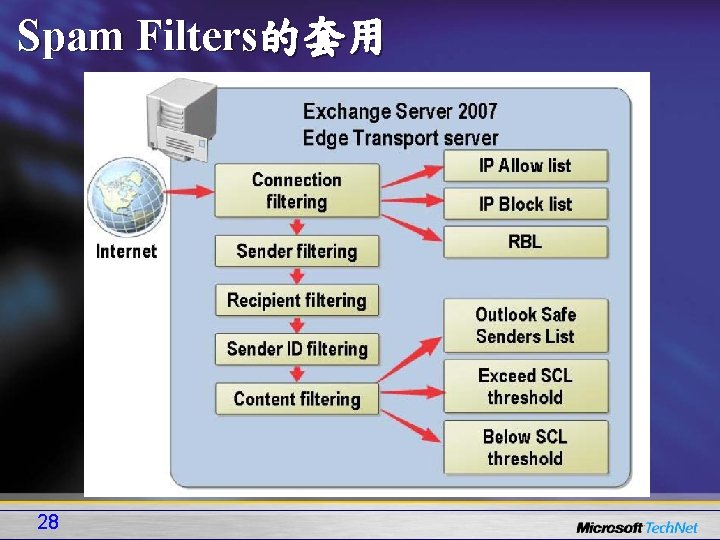
Spam Filters的套用 28
監控垃圾郵件活動 • 效能計數器 – Messages Per SCL level – Total Messages sent to Quarantine, Deleted, Rejected – Aggregated in Exchange 2007 Server MOM • Reports – Hit Rate for Block Lists – Top spam sender domain, top spam sending IP – Top targeted domain/recipient
Anti-Virus
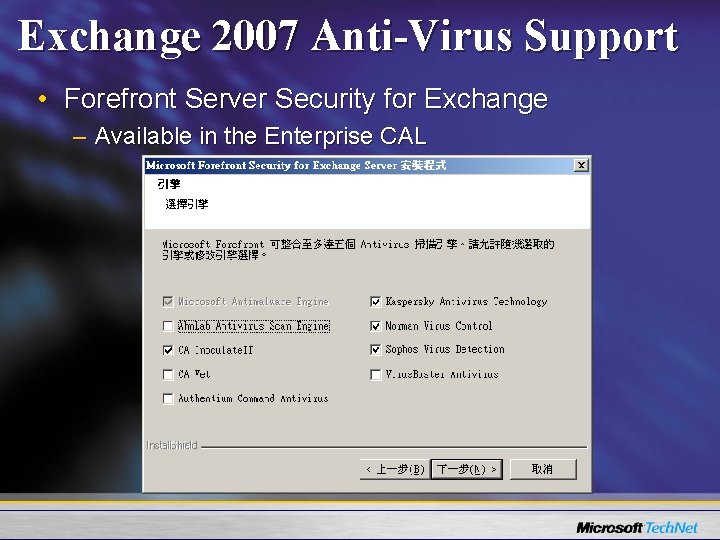
Exchange 2007 Anti-Virus Support • Forefront Server Security for Exchange – Available in the Enterprise CAL
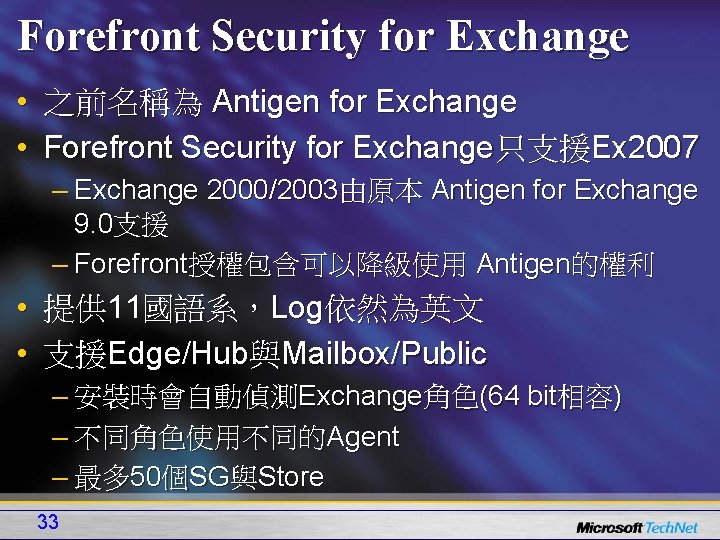
Forefront Security for Exchange • 之前名稱為 Antigen for Exchange • Forefront Security for Exchange只支援Ex 2007 – Exchange 2000/2003由原本 Antigen for Exchange 9. 0支援 – Forefront授權包含可以降級使用 Antigen的權利 • 提供 11國語系,Log依然為英文 • 支援Edge/Hub與Mailbox/Public – 安裝時會自動偵測Exchange角色(64 bit相容) – 不同角色使用不同的Agent – 最多 50個SG與Store 33
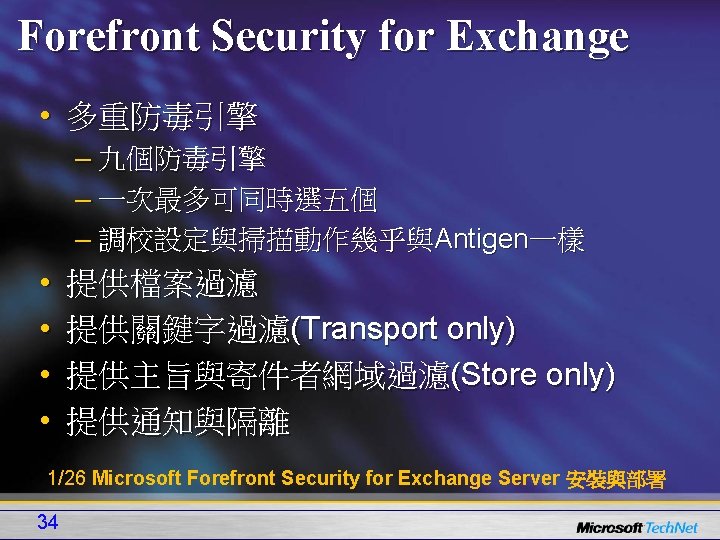
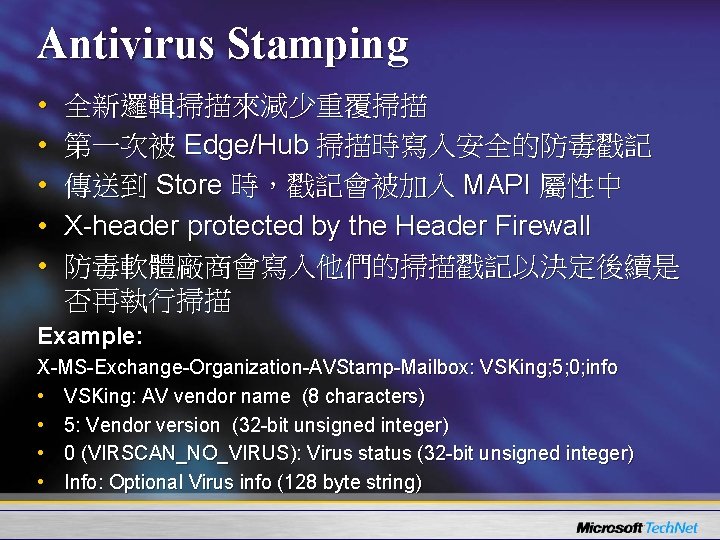
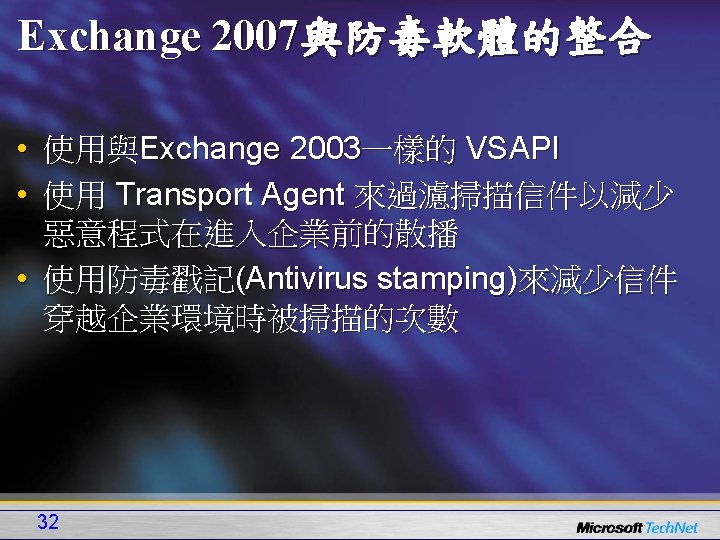
Antivirus Stamping • • • 全新邏輯掃描來減少重覆掃描 第一次被 Edge/Hub 掃描時寫入安全的防毒戳記 傳送到 Store 時,戳記會被加入 MAPI 屬性中 X-header protected by the Header Firewall 防毒軟體廠商會寫入他們的掃描戳記以決定後續是 否再執行掃描 Example: X-MS-Exchange-Organization-AVStamp-Mailbox: VSKing; 5; 0; info • VSKing: AV vendor name (8 characters) • 5: Vendor version (32 -bit unsigned integer) • 0 (VIRSCAN_NO_VIRUS): Virus status (32 -bit unsigned integer) • Info: Optional Virus info (128 byte string)
For More Information… • Tech. Net – www. microsoft. com/taiwan/technet • Exchange Server 2007 – www. microsoft. com/exchange • Tech. Net 技術論壇 – www. microsoft. com/taiwan/technet/forum • MVP Community社群網站 – www. microsoft. com/taiwan/community • MS Exchange Team Blog – http: //msexchangeteam. com/ • Exchange 2007 online Help – http: //www. microsoft. com/technet/prodtechnol/excha nge/E 2 k 7/ZH-TW/Help/Exch. Help/cb 24 ddb 7 -0659 -4 d 9 d 9057 -52843 f 861 ba 8. mspx? mfr=true 37

- Slides: 38