MANAGING THE ENTERPRISE AGREEMENT FOR SUCCESS Craig Martyn

- Slides: 31
MANAGING THE ENTERPRISE AGREEMENT FOR SUCCESS Craig Martyn Enterprise Licensing Manager Microsoft Australia Danny Beck Licensing Marketing Manager Microsoft Australia T-36 Lifecycle Management
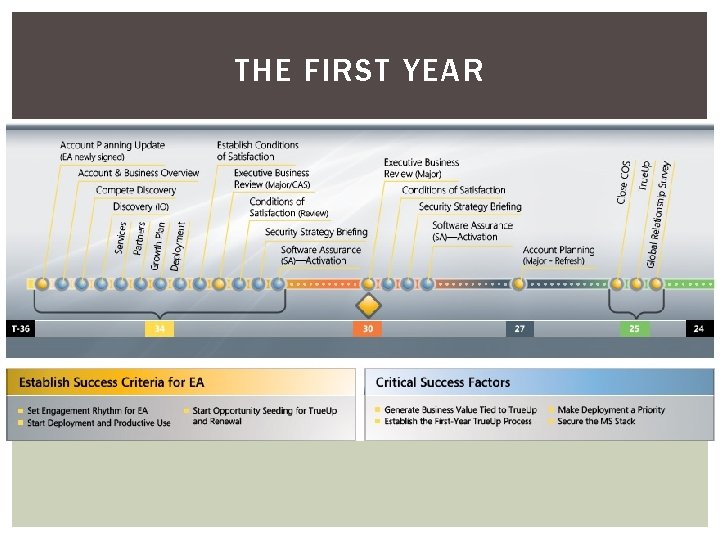
THE FIRST YEAR
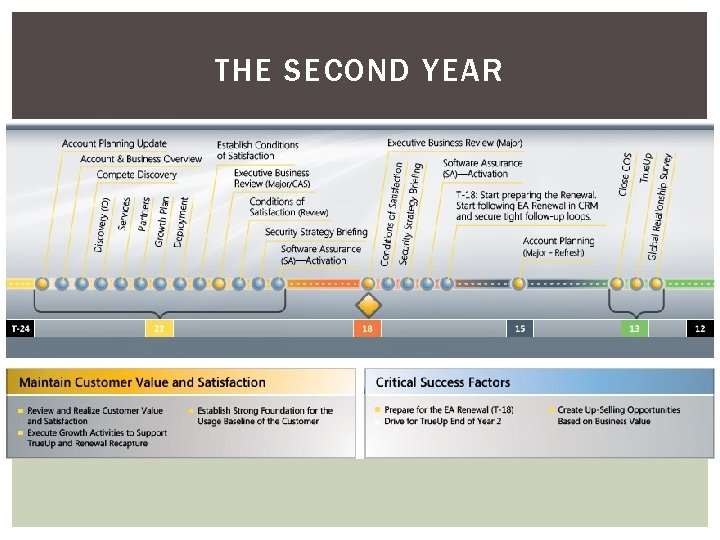
THE SECOND YEAR
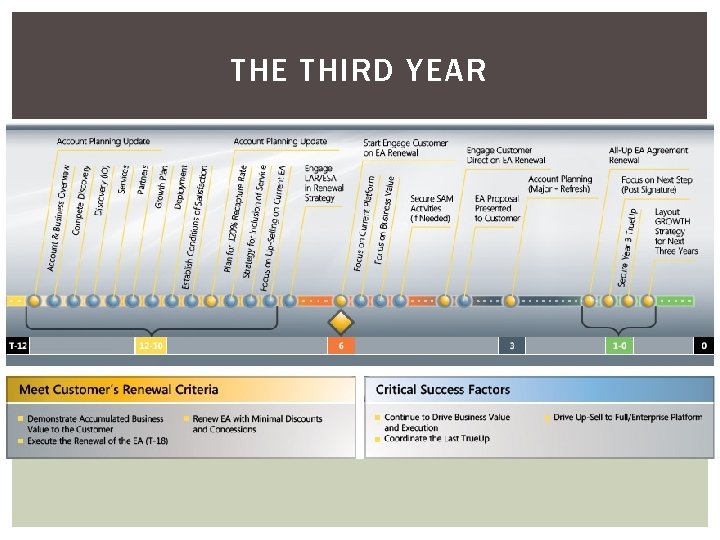
THE THIRD YEAR
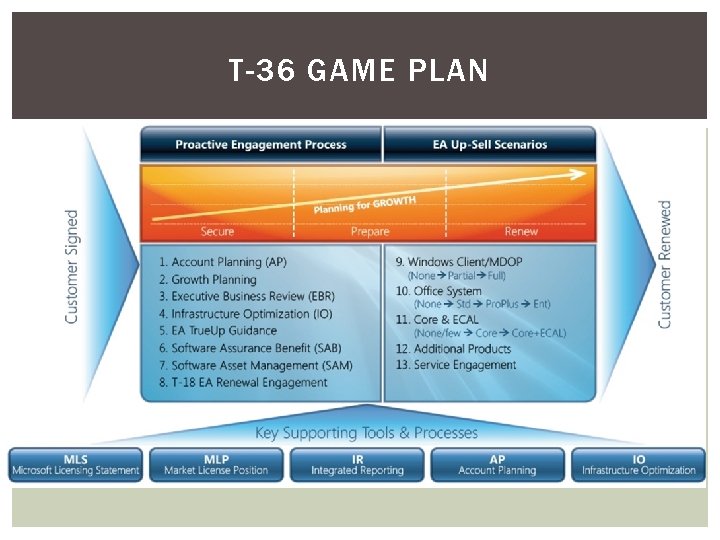
T-36 GAME PLAN
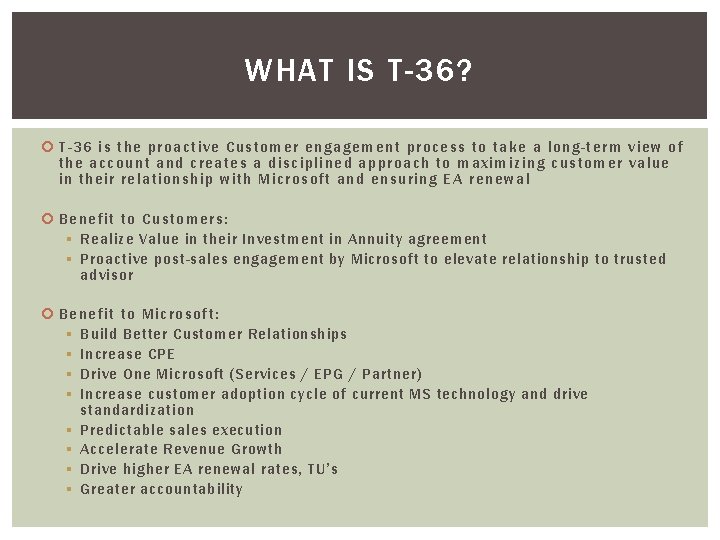
WHAT IS T-36? T-36 i s the proactive Cust omer engagement process to take a long-term view of the acco unt and create s a disciplined approach to maximizing customer value in th eir re lationship with Microsoft and ensuring EA renewal Be nefit t o Customers: § Realize Value in their Investment in Annuity agreement § Proactive post-sales engagement by Microsoft to elevate relationship to trusted advisor Be nefit to Microsoft: § Build Better Customer Relationships § Increase CPE § Drive One Microsoft (Services / EPG / Partner) § Increase customer adoption cycle of current MS technology and drive standardization § Predictable sales execution § Accelerate Revenue Growth § Drive higher EA renewal rates, TU’s § Greater accountability
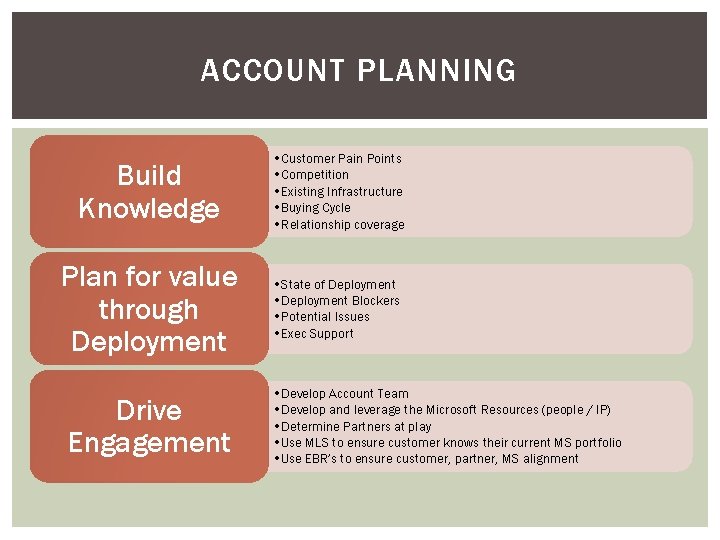
ACCOUNT PLANNING Build Knowledge • Customer Pain Points • Competition • Existing Infrastructure • Buying Cycle • Relationship coverage Plan for value through Deployment • State of Deployment • Deployment Blockers • Potential Issues • Exec Support Drive Engagement • Develop Account Team • Develop and leverage the Microsoft Resources (people / IP) • Determine Partners at play • Use MLS to ensure customer knows their current MS portfolio • Use EBR’s to ensure customer, partner, MS alignment
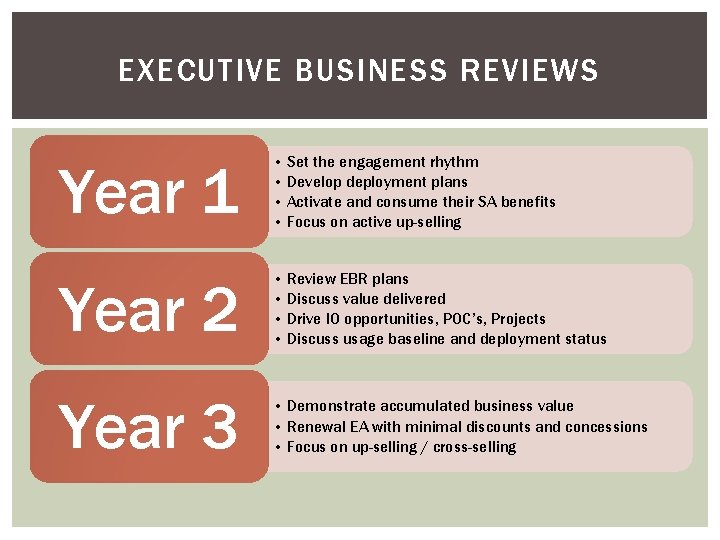
EXECUTIVE BUSINESS REVIEWS Year 1 • Set the engagement rhythm • Develop deployment plans • Activate and consume their SA benefits • Focus on active up-selling Year 2 • Review EBR plans • Discuss value delivered • Drive IO opportunities, POC’s, Projects • Discuss usage baseline and deployment status Year 3 • Demonstrate accumulated business value • Renewal EA with minimal discounts and concessions • Focus on up-selling / cross-selling
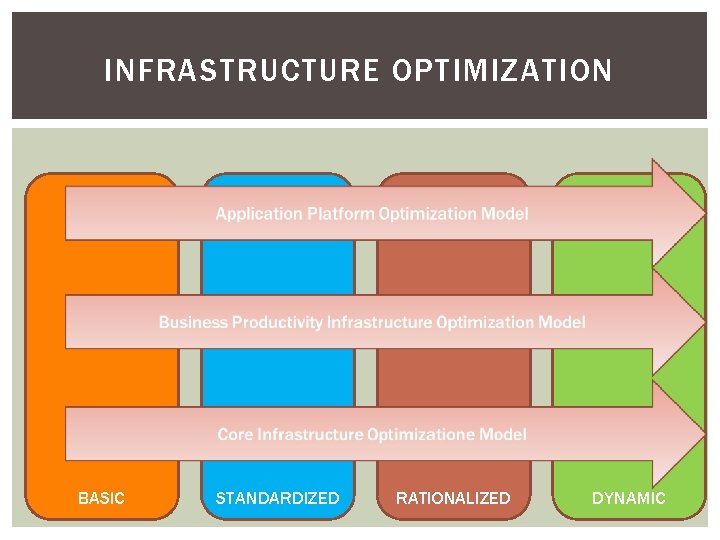
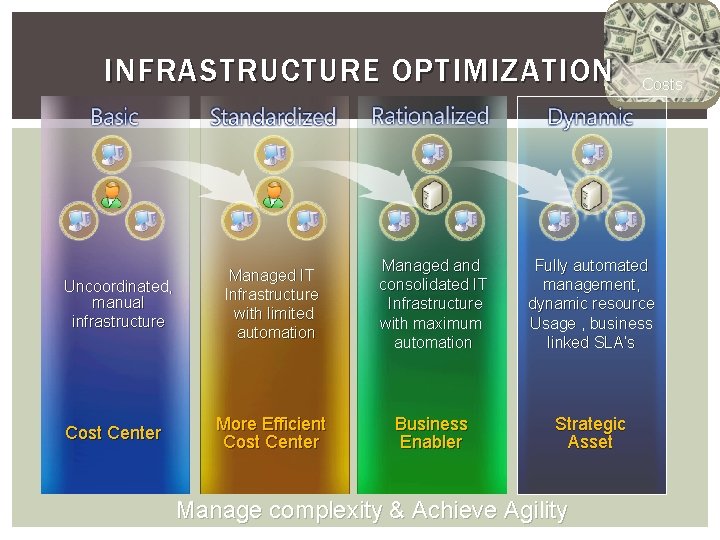
INFRASTRUCTURE OPTIMIZATION BASIC STANDARDIZED RATIONALIZED DYNAMIC
INFRASTRUCTURE OPTIMIZATION Uncoordinated, manual infrastructure Cost Center Costs Managed IT Infrastructure with limited automation Managed and consolidated IT Infrastructure with maximum automation Fully automated management, dynamic resource Usage , business linked SLA’s More Efficient Cost Center Business Enabler Strategic Asset Manage complexity & Achieve Agility
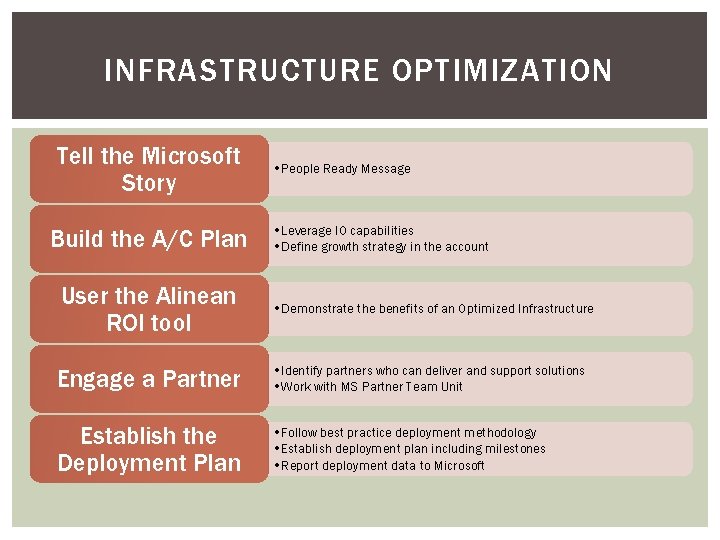
INFRASTRUCTURE OPTIMIZATION Tell the Microsoft Story Build the A/C Plan User the Alinean ROI tool • People Ready Message • Leverage IO capabilities • Define growth strategy in the account • Demonstrate the benefits of an Optimized Infrastructure Engage a Partner • Identify partners who can deliver and support solutions • Work with MS Partner Team Unit Establish the Deployment Plan • Follow best practice deployment methodology • Establish deployment plan including milestones • Report deployment data to Microsoft
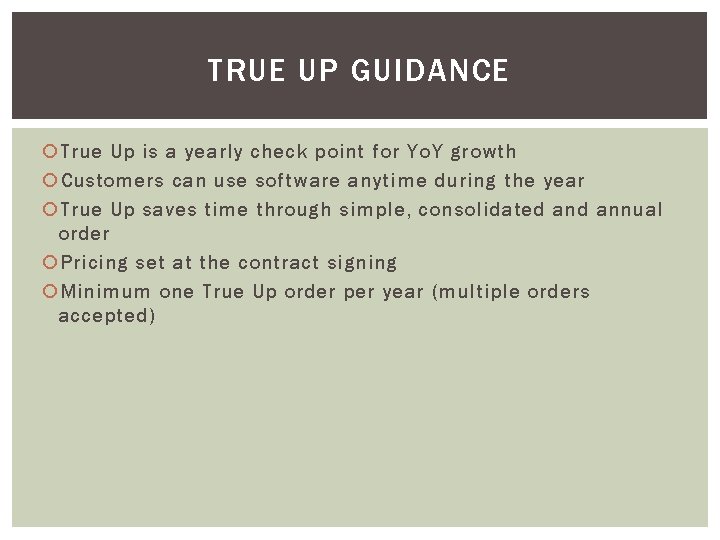
TRUE UP GUIDANCE True Up is a yearly check point for Yo. Y growth Customers can use software anytime during the year True Up saves time through simple, consolidated annual order Pricing set at the contract signing Minimum one True Up order per year (multiple orders accepted)
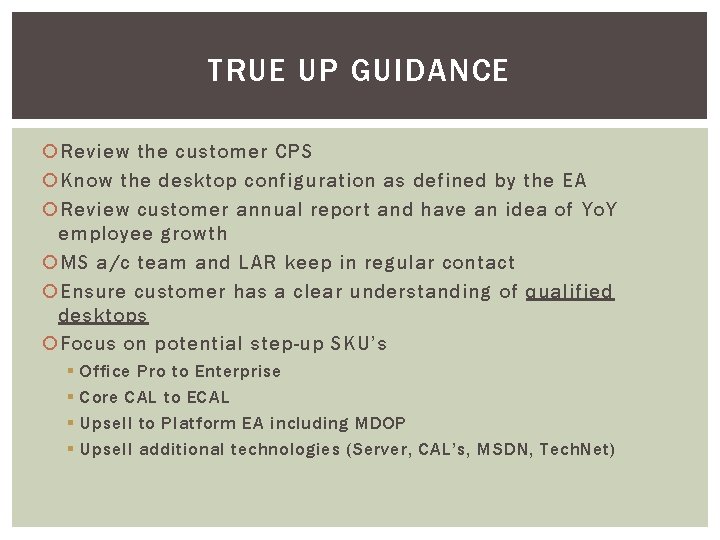
TRUE UP GUIDANCE Review the customer CPS Know the desktop configuration as defined by the EA Review customer annual report and have an idea of Yo. Y employee growth MS a/c team and LAR keep in regular contact Ensure customer has a clear understanding of qualified desktops Focus on potential step-up SKU’s § § Office Pro to Enterprise Core CAL to ECAL Upsell to Platform EA including MDOP Upsell additional technologies (Server, CAL’s, MSDN, Tech. Net)
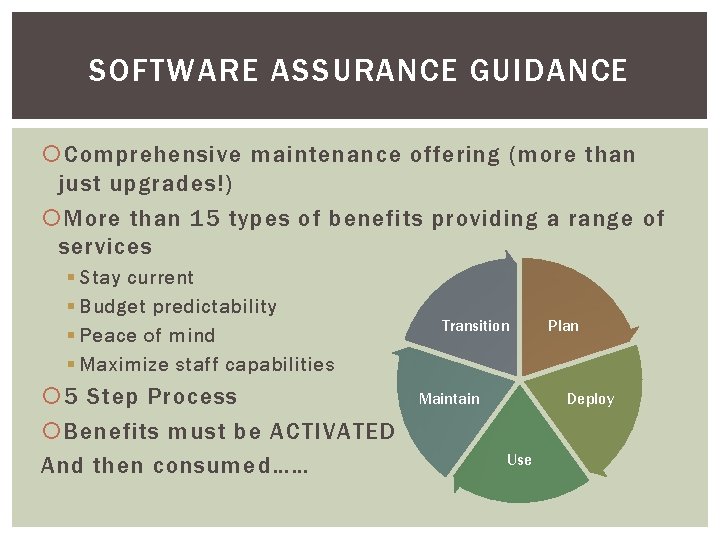
SOFTWARE ASSURANCE GUIDANCE Comprehensive maintenance offering (more than just upgrades!) More than 15 types of benefits providing a range of services § Stay current § Budget predictability § Peace of mind § Maximize staff capabilities 5 Step Process Benefits must be ACTIVATED And then consumed…… Transition Maintain Plan Deploy Use
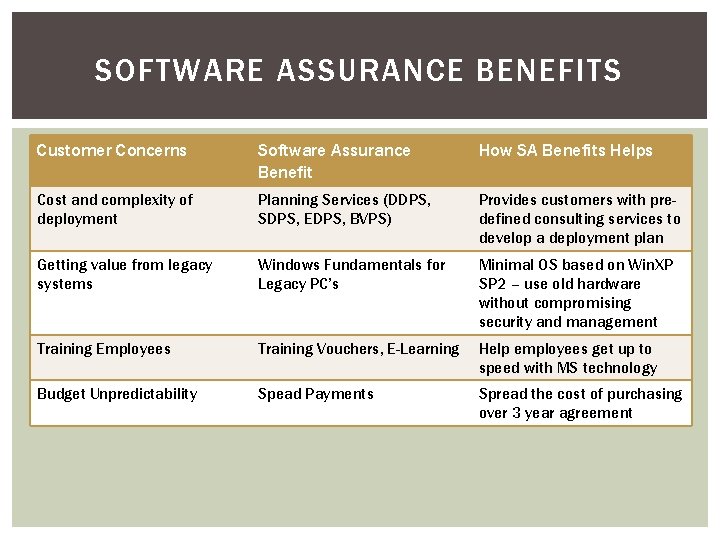
SOFTWARE ASSURANCE BENEFITS Customer Concerns Software Assurance Benefit How SA Benefits Helps Cost and complexity of deployment Planning Services (DDPS, SDPS, EDPS, BVPS) Provides customers with predefined consulting services to develop a deployment plan Getting value from legacy systems Windows Fundamentals for Legacy PC’s Minimal OS based on Win. XP SP 2 – use old hardware without compromising security and management Training Employees Training Vouchers, E-Learning Help employees get up to speed with MS technology Budget Unpredictability Spead Payments Spread the cost of purchasing over 3 year agreement
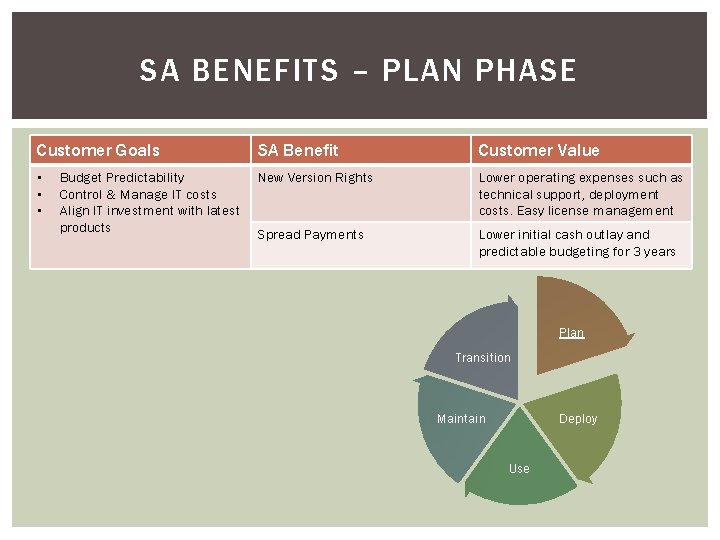
SA BENEFITS – PLAN PHASE Customer Goals SA Benefit Customer Value • • • New Version Rights Lower operating expenses such as technical support, deployment costs. Easy license management Spread Payments Lower initial cash outlay and predictable budgeting for 3 years Budget Predictability Control & Manage IT costs Align IT investment with latest products Plan Transition Maintain Deploy Use
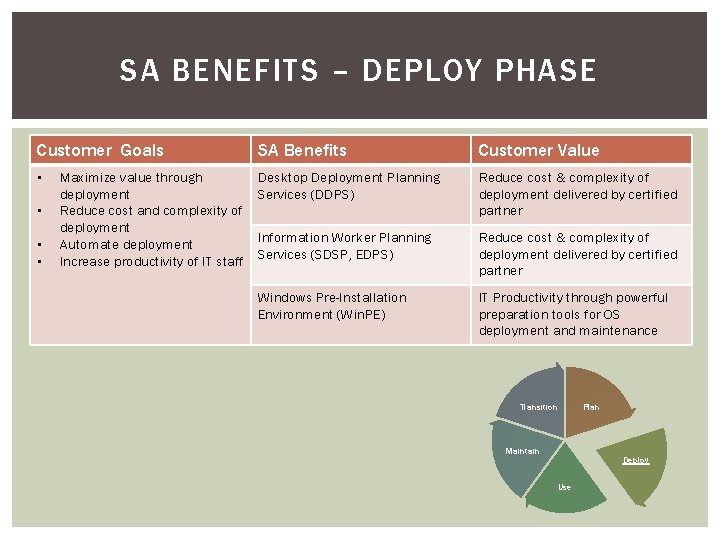
SA BENEFITS – DEPLOY PHASE Customer Goals SA Benefits Customer Value • Desktop Deployment Planning Services (DDPS) Reduce cost & complexity of deployment delivered by certified partner Information Worker Planning Services (SDSP, EDPS) Reduce cost & complexity of deployment delivered by certified partner Windows Pre-Installation Environment (Win. PE) IT Productivity through powerful preparation tools for OS deployment and maintenance • • • Maximize value through deployment Reduce cost and complexity of deployment Automate deployment Increase productivity of IT staff Transition Plan Maintain Deploy Use
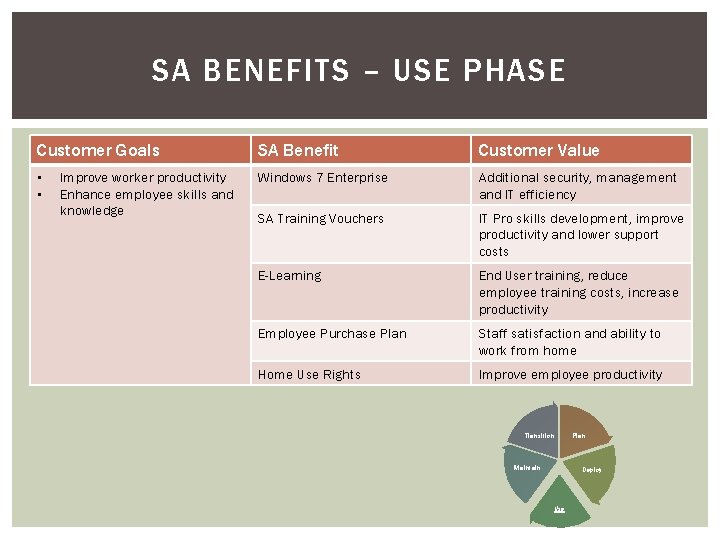
SA BENEFITS – USE PHASE Customer Goals SA Benefit Customer Value • • Windows 7 Enterprise Additional security, management and IT efficiency SA Training Vouchers IT Pro skills development, improve productivity and lower support costs E-Learning End User training, reduce employee training costs, increase productivity Employee Purchase Plan Staff satisfaction and ability to work from home Home Use Rights Improve employee productivity Improve worker productivity Enhance employee skills and knowledge Transition Maintain Plan Deploy Use
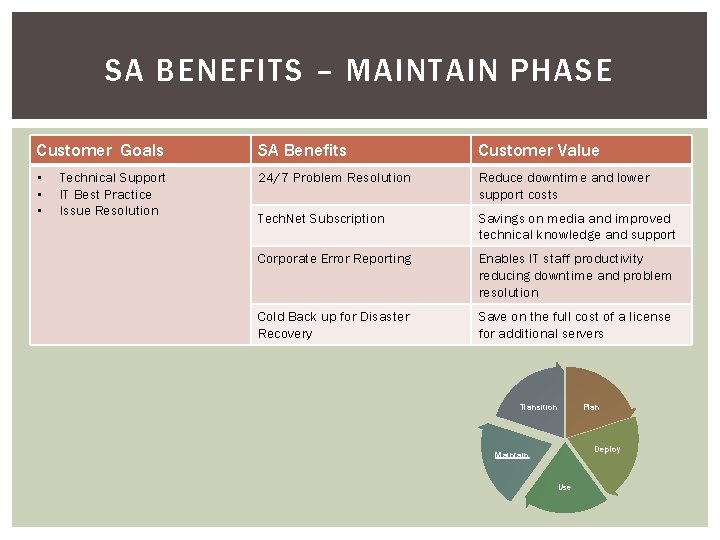
SA BENEFITS – MAINTAIN PHASE Customer Goals SA Benefits Customer Value • • • 24/7 Problem Resolution Reduce downtime and lower support costs Tech. Net Subscription Savings on media and improved technical knowledge and support Corporate Error Reporting Enables IT staff productivity reducing downtime and problem resolution Cold Back up for Disaster Recovery Save on the full cost of a license for additional servers Technical Support IT Best Practice Issue Resolution Transition Plan Deploy Maintain Use
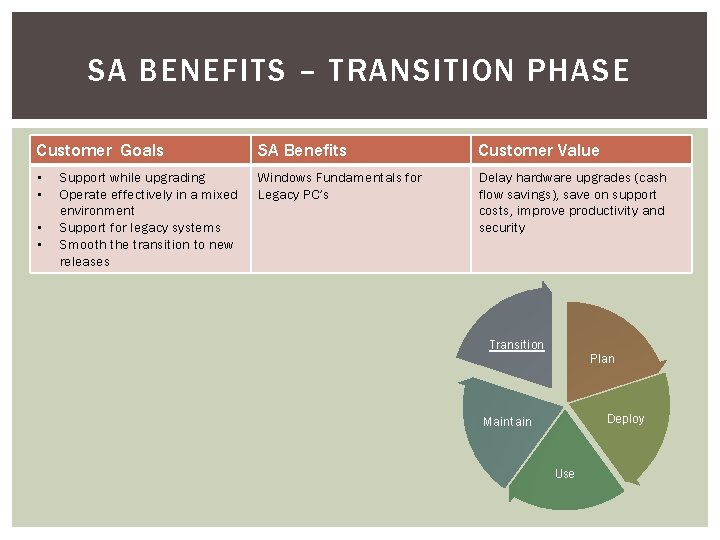
SA BENEFITS – TRANSITION PHASE Customer Goals SA Benefits Customer Value • • Windows Fundamentals for Legacy PC’s Delay hardware upgrades (cash flow savings), save on support costs, improve productivity and security • • Support while upgrading Operate effectively in a mixed environment Support for legacy systems Smooth the transition to new releases Transition Plan Deploy Maintain Use
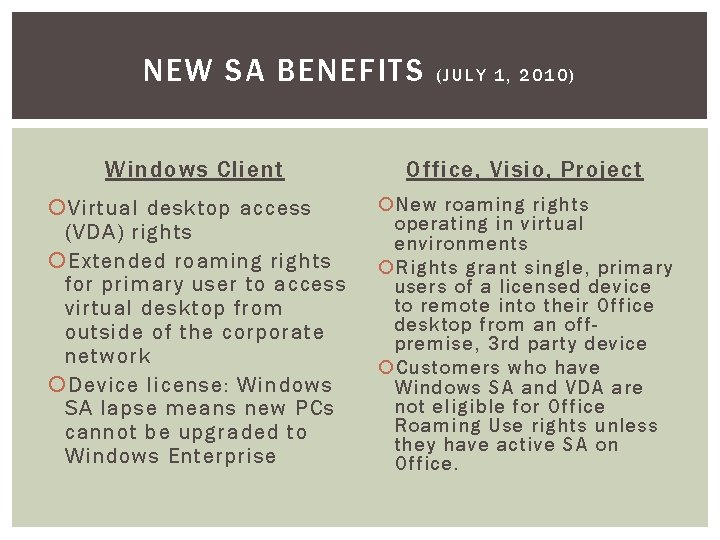
NEW SA BENEFITS (JULY 1, 2010) Windows Client Office, Visio, Project Virtual desktop access (VDA) rights Extended roaming rights for primary user to access virtual desktop from outside of the corporate network Device license: Windows SA lapse means new PCs cannot be upgraded to Windows Enterprise New roaming rights operating in virtual environments Rights grant single, primary users of a licensed device to remote into their Office desktop from an offpremise, 3 rd party device Customers who have Windows SA and VDA are not eligible for Office Roaming Use rights unless they have active SA on Office.
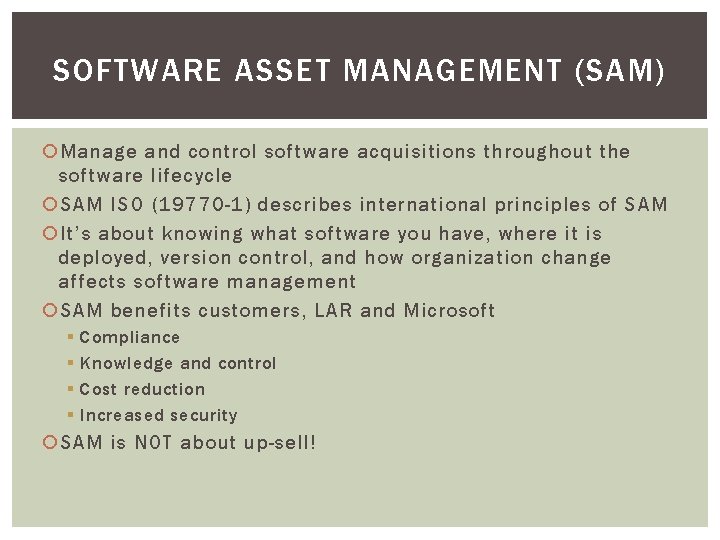
SOFTWARE ASSET MANAGEMENT (SAM) Manage and control software acquisitions throughout the software lifecycle SAM ISO (19770 -1) describes international principles of SAM It’s about knowing what software you have, where it is deployed, version control, and how organization change affects software management SAM benefits customers, LAR and Microsoft § § Compliance Knowledge and control Cost reduction Increased security SAM is NOT about up-sell!
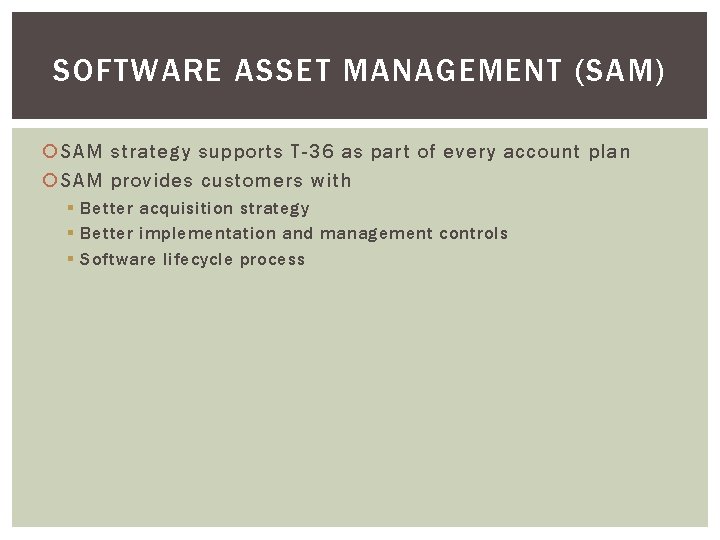
SOFTWARE ASSET MANAGEMENT (SAM) SAM strategy supports T-36 as part of every account plan SAM provides customers with § Better acquisition strategy § Better implementation and management controls § Software lifecycle process
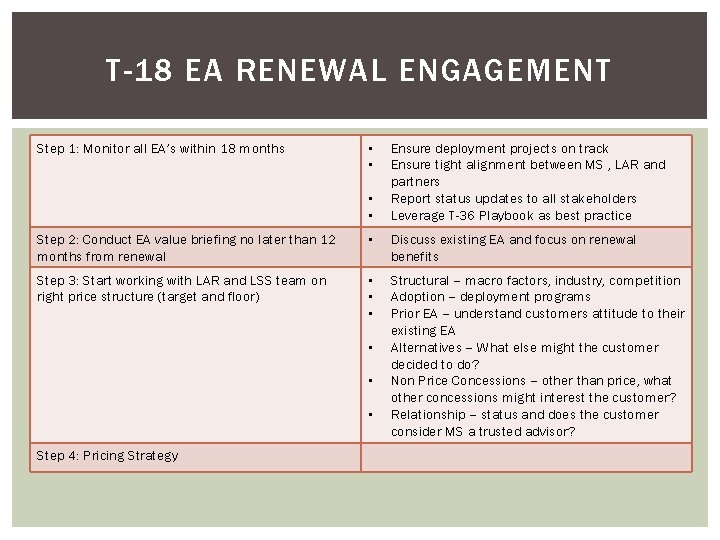
T-18 EA RENEWAL ENGAGEMENT Step 1: Monitor all EA’s within 18 months • • Ensure deployment projects on track Ensure tight alignment between MS , LAR and partners Report status updates to all stakeholders Leverage T-36 Playbook as best practice Step 2: Conduct EA value briefing no later than 12 months from renewal • Discuss existing EA and focus on renewal benefits Step 3: Start working with LAR and LSS team on right price structure (target and floor) • • • Structural – macro factors, industry, competition Adoption – deployment programs Prior EA – understand customers attitude to their existing EA Alternatives – What else might the customer decided to do? Non Price Concessions – other than price, what other concessions might interest the customer? Relationship – status and does the customer consider MS a trusted advisor? • • • Step 4: Pricing Strategy
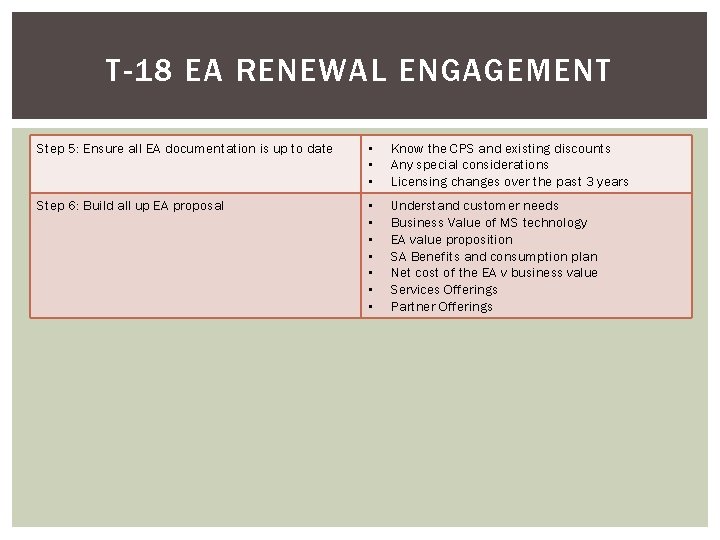
T-18 EA RENEWAL ENGAGEMENT Step 5: Ensure all EA documentation is up to date • • • Know the CPS and existing discounts Any special considerations Licensing changes over the past 3 years Step 6: Build all up EA proposal • • Understand customer needs Business Value of MS technology EA value proposition SA Benefits and consumption plan Net cost of the EA v business value Services Offerings Partner Offerings
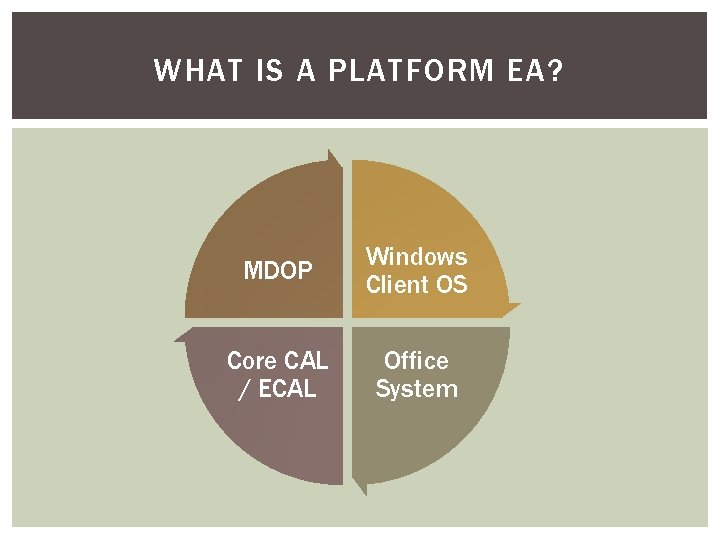
WHAT IS A PLATFORM EA? MDOP Windows Client OS Core CAL / ECAL Office System
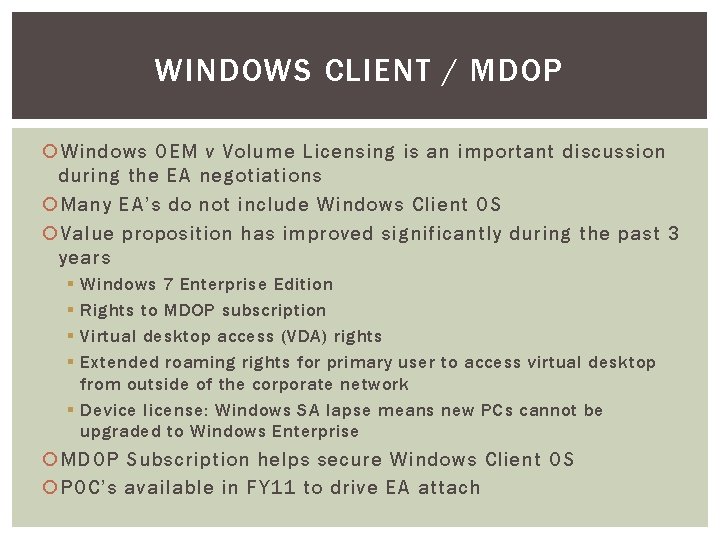
WINDOWS CLIENT / MDOP Windows OEM v Volume Licensing is an important discussion during the EA negotiations Many EA’s do not include Windows Client OS Value proposition has improved significantly during the past 3 years § § Windows 7 Enterprise Edition Rights to MDOP subscription Virtual desktop access (VDA) rights Extended roaming rights for primary user to access virtual desktop from outside of the corporate network § Device license: Windows SA lapse means new PCs cannot be upgraded to Windows Enterprise MDOP Subscription helps secure Windows Client OS POC’s available in FY 11 to drive EA attach
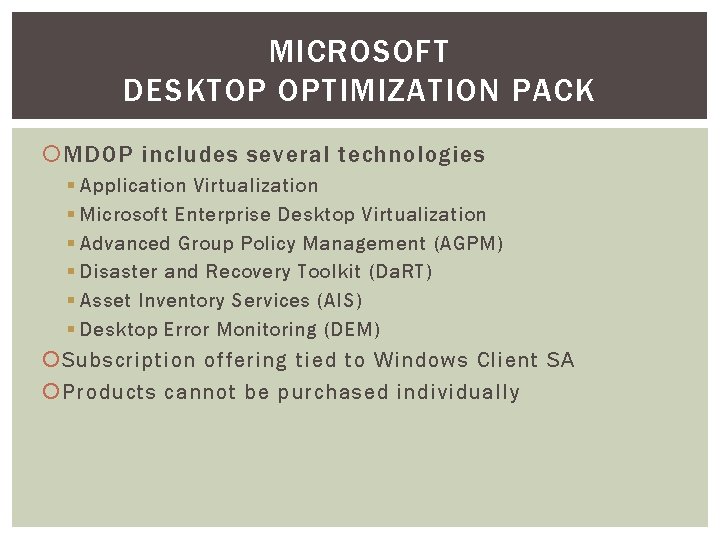
MICROSOFT DESKTOP OPTIMIZATION PACK MDOP includes several technologies § Application Virtualization § Microsoft Enterprise Desktop Virtualization § Advanced Group Policy Management (AGPM) § Disaster and Recovery Toolkit (Da. RT) § Asset Inventory Services (AIS) § Desktop Error Monitoring (DEM) Subscription offering tied to Windows Client SA Products cannot be purchased individually
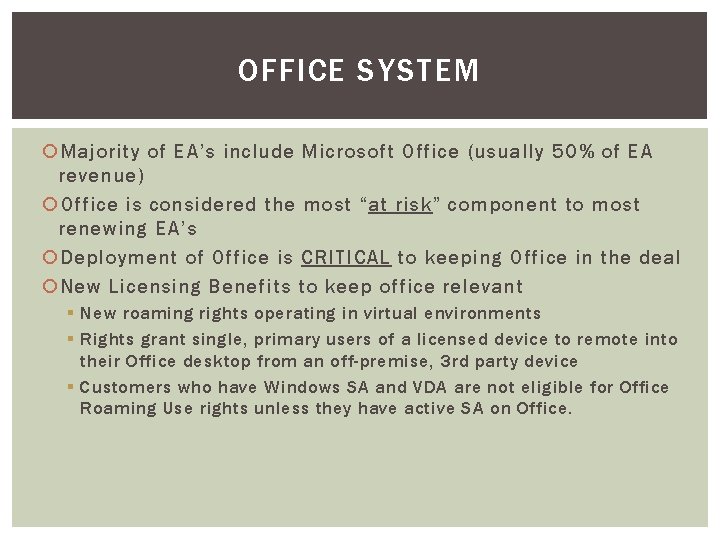
OFFICE SYSTEM Majority of EA’s include Microsoft Office (usually 50% of EA revenue) Office is considered the most “at risk” component to most renewing EA’s Deployment of Office is CRITICAL to keeping Office in the deal New Licensing Benefits to keep office relevant § New roaming rights operating in virtual environments § Rights grant single, primary users of a licensed device to remote into their Office desktop from an off-premise, 3 rd party device § Customers who have Windows SA and VDA are not eligible for Office Roaming Use rights unless they have active SA on Office.
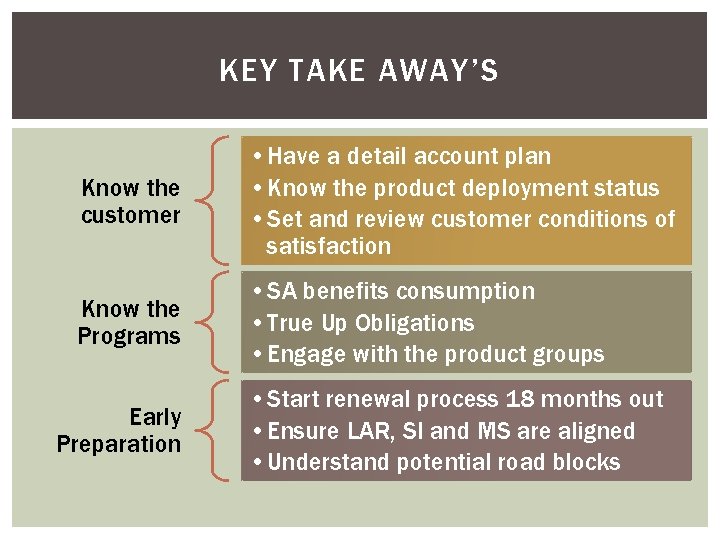
KEY TAKE AWAY’S Know the customer • Have a detail account plan • Know the product deployment status • Set and review customer conditions of satisfaction Know the Programs • SA benefits consumption • True Up Obligations • Engage with the product groups Early Preparation • Start renewal process 18 months out • Ensure LAR, SI and MS are aligned • Understand potential road blocks
THANK YOU T-36 Lifecycle Management