Fundamentals of Digital Imaging Dr Hussein Ahmed Hassan







- Slides: 43
Fundamentals of Digital Imaging Dr Hussein Ahmed Hassan 1
n • d a n s w e r s W h a t d o e s d i g i t i z i 2
Digital Image • A digital image is an image composed of picture elements, also known as pixels, each with finite, discrete quantities of numeric representation for its intensity or gray level that is an output from its two-dimensional functions fed as input by its spatial coordinates denoted with x, y on the x-axis and y-axis,
Recall: Digitization • To convert analog information into digital data that computers can handle • Two step process: 1. sampling 2. quantization 4
Let's look at the sampling step of digitizing a natural scene as if we are taking a digital photo of a natural scene. 5
Sampling • "Sampling is the process of converting a signal (e. g. , a function of continuous time or space) into a numeric sequence (a function of discrete time or space). The process is also called analog-to-digital conversion, or simply digitizing".
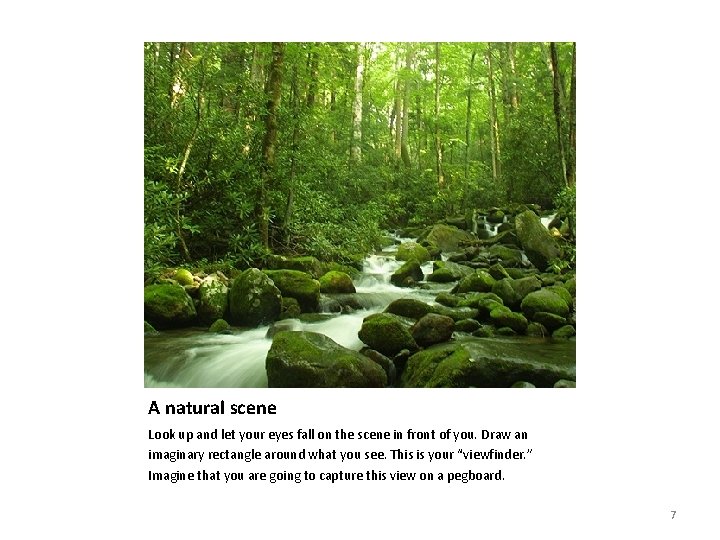
A natural scene Look up and let your eyes fall on the scene in front of you. Draw an imaginary rectangle around what you see. This is your “viewfinder. ” Imagine that you are going to capture this view on a pegboard. 7
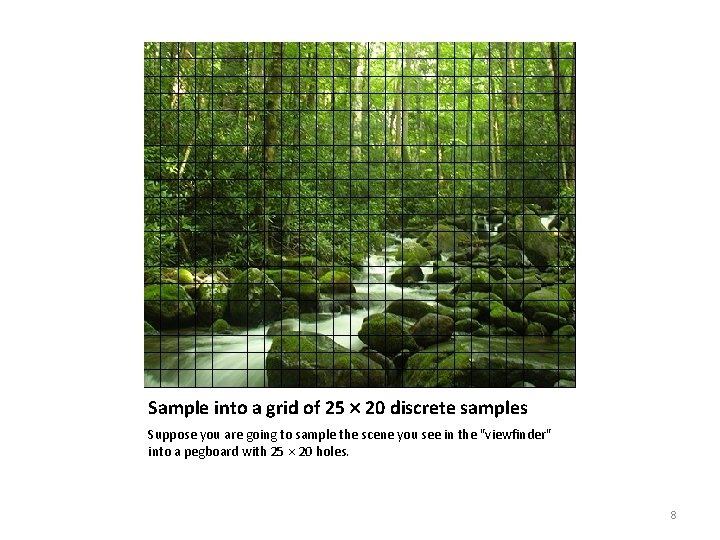
Sample into a grid of 25 20 discrete samples Suppose you are going to sample the scene you see in the "viewfinder" into a pegboard with 25 20 holes. 8
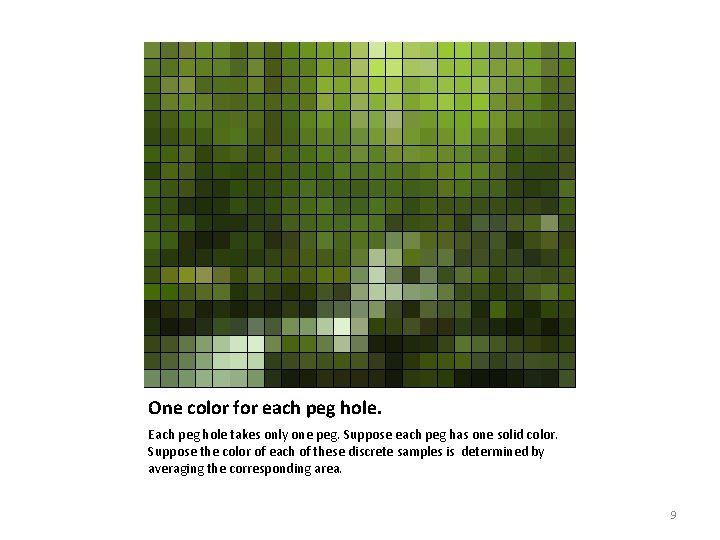
One color for each peg hole. Each peg hole takes only one peg. Suppose each peg has one solid color. Suppose the color of each of these discrete samples is determined by averaging the corresponding area. 9
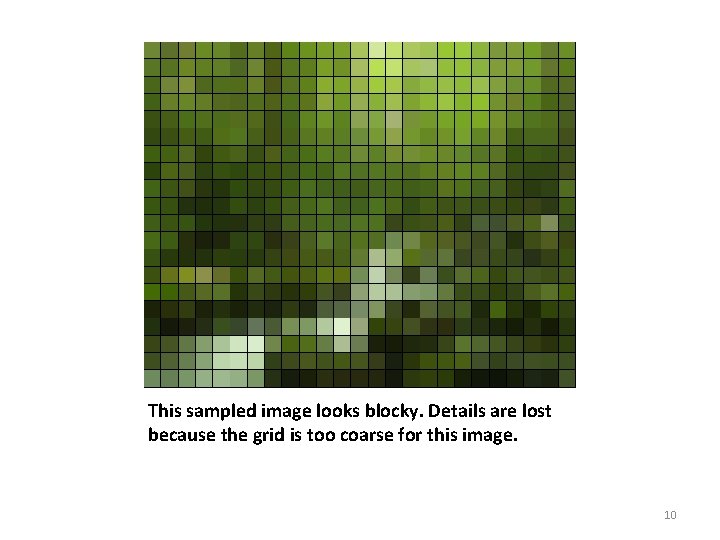
This sampled image looks blocky. Details are lost because the grid is too coarse for this image. 10
For 25 20 sample points, it means you get a digitized image of 25 20 pixels. 11
Let's try a different grid size. 12
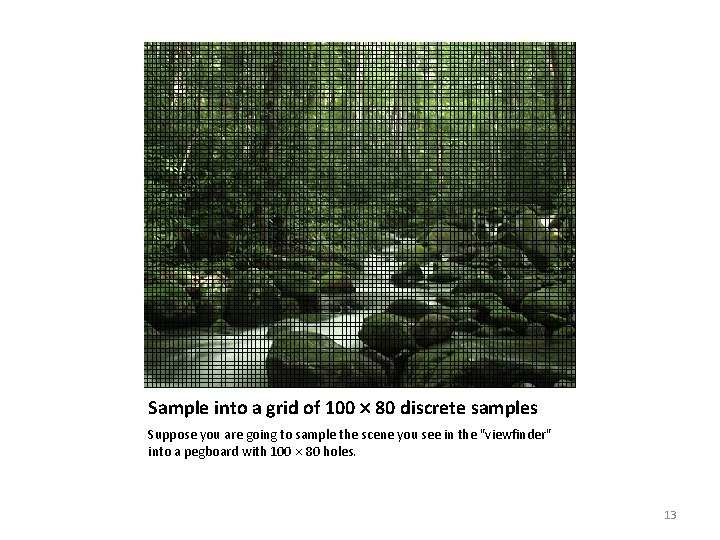
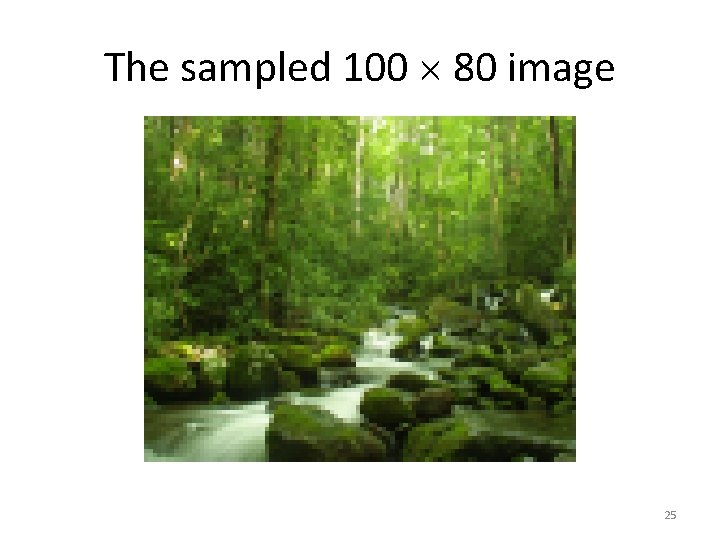
Sample into a grid of 100 80 discrete samples Suppose you are going to sample the scene you see in the "viewfinder" into a pegboard with 100 80 holes. 13
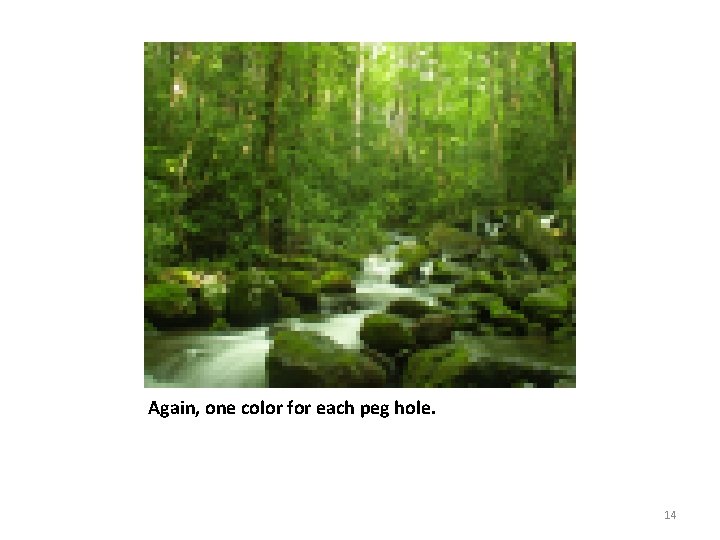
Again, one color for each peg hole. 14
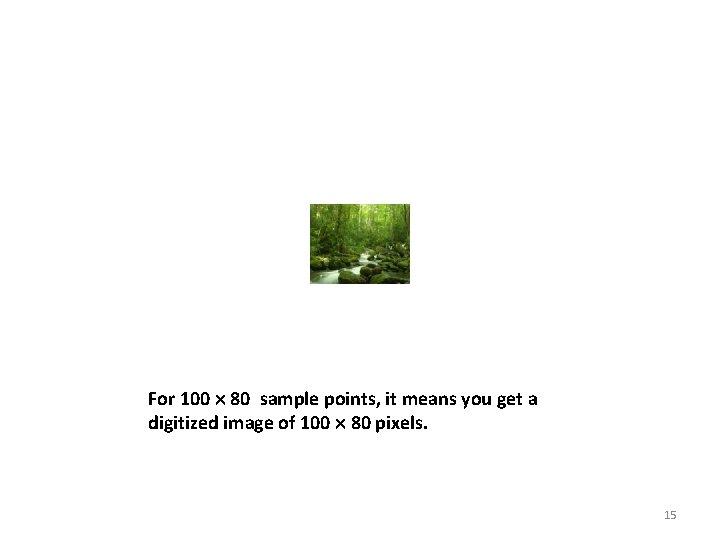
For 100 80 sample points, it means you get a digitized image of 100 80 pixels. 15
• R e f e r s Sampling Rate t o h o w f 16
Resolution • In digital imaging, increasing the sampling rate is equivalent to increasing the image resolution. 17
Consequences of Higher Resolution With higher resolution, • You have more sample points (pixels) to represent the same scene, i. e. , the pixel dimensions of the captured image are increased. • The file size of the digitized image is larger. • You gain more detail from the original scene. 18
• N o t e Resolution of Digital Photos t h a t 2 5 19
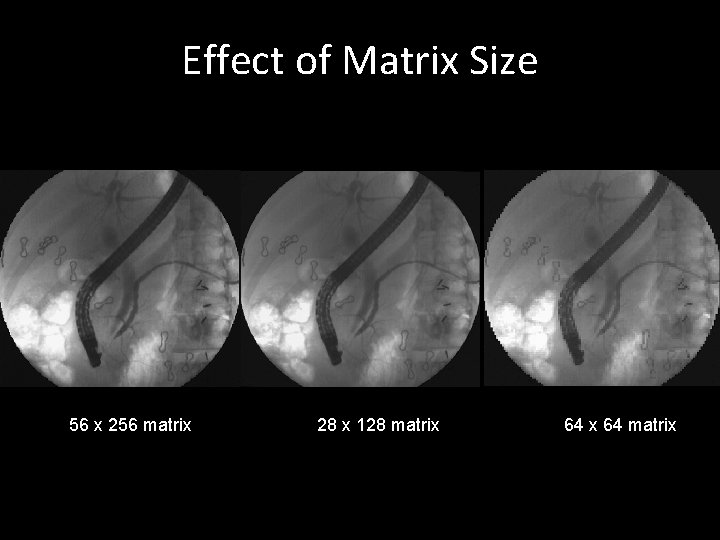
. Effect of Matrix Size 256 x 256 matrix 128 matrix 64 matrix
A Pixel is not a Square Block • A pixel is a sample point. • It does not really have a physical dimension associated with it. • When you zoom in on a digital image in an image editing program, you often see the pixels represented as little square blocks. • This is simply an on-screen representation of a sample point of an digitized image. 21
Colors or Gray scale 22
Problems • A natural image is colored in continuous tones, and thus it theoretically has an infinite number of colors. • The discrete and finite language of the computer restricts the reproduction of an infinite number of colors and shades. 23
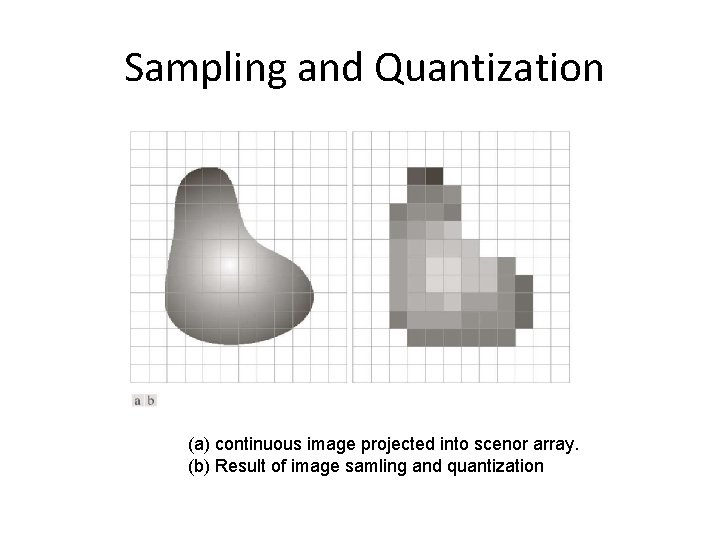
Quantization Step • To encode an infinite number of colors and shades with a finite list. • Quantizing the sampled image involves mapping the color of each pixel to a discrete and precise value. • Approximate (a signal varying continuously in amplitude) by one whose amplitude is restricted to a prescribed set of discrete values • First, you need to consider how many possible colors you want to use in the image. • To illustrate this process, let’s return to the example of the 100 80 sampled image. 24
The sampled 100 80 image 25
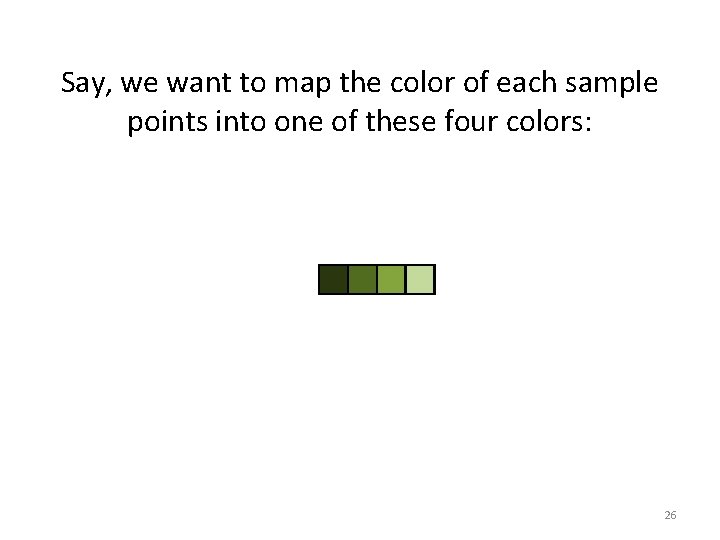
Say, we want to map the color of each sample points into one of these four colors: 26
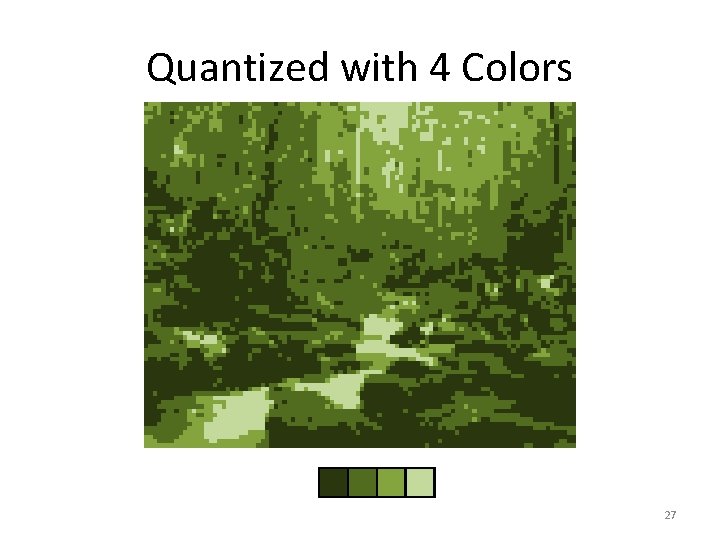
Quantized with 4 Colors 27
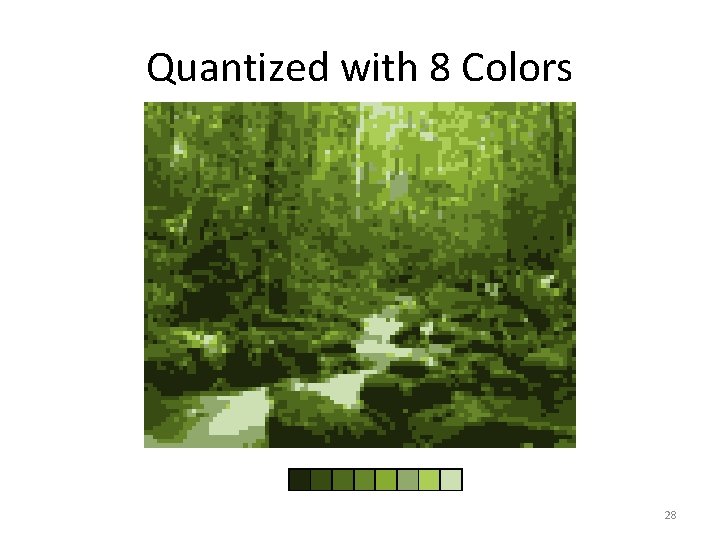
Quantized with 8 Colors 28
• R e d u c e Consequences of Quantization t h e n u m b e r 29
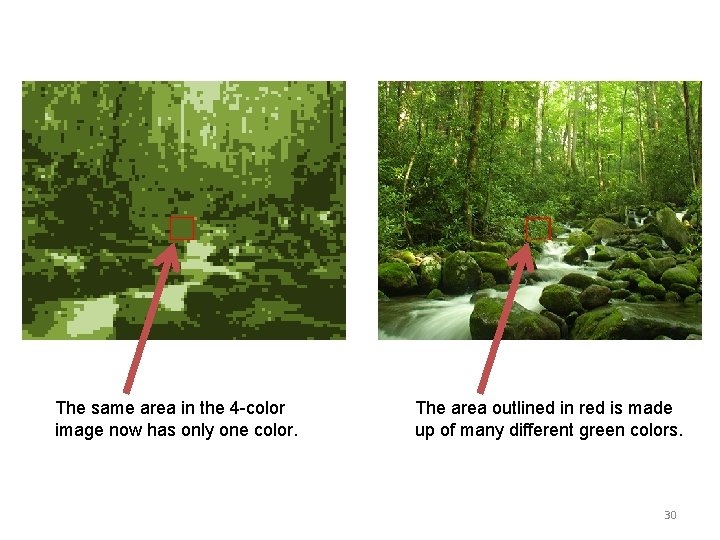
The same area in the 4 -color image now has only one color. The area outlined in red is made up of many different green colors. 30
• T h e Bit Depth n u m b e r o f c o l o 31
• I t Will increasing the number of colors in the d e p e n d s , a n d palette improve the image fidelity? 32
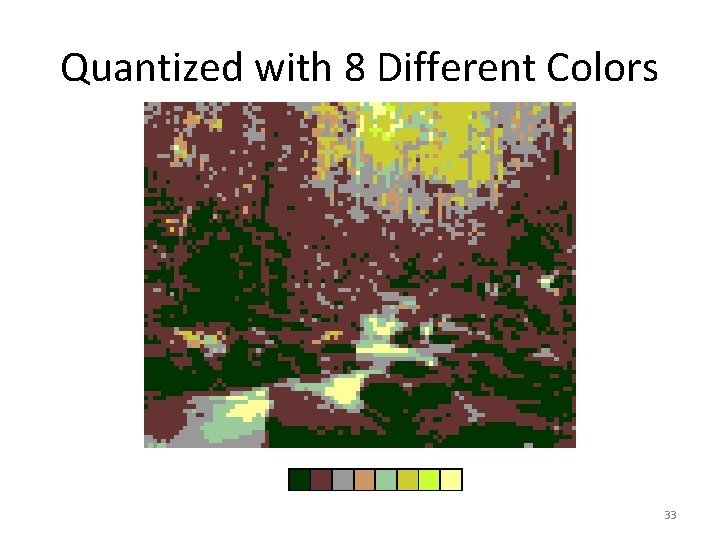
Quantized with 8 Different Colors 33
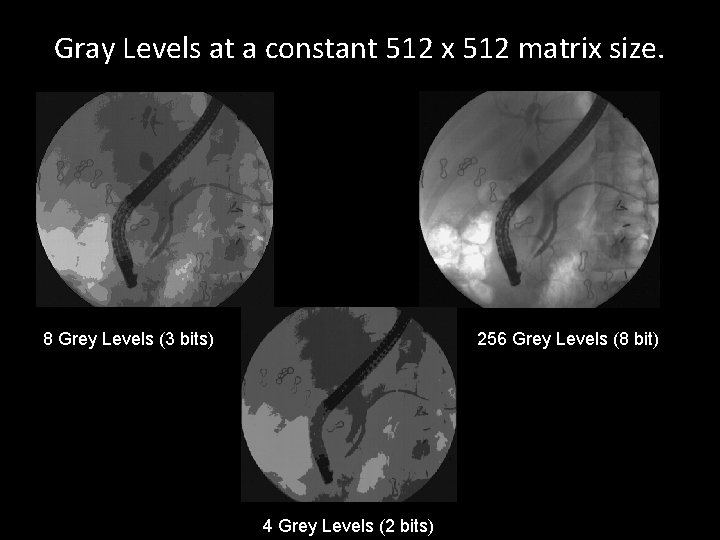
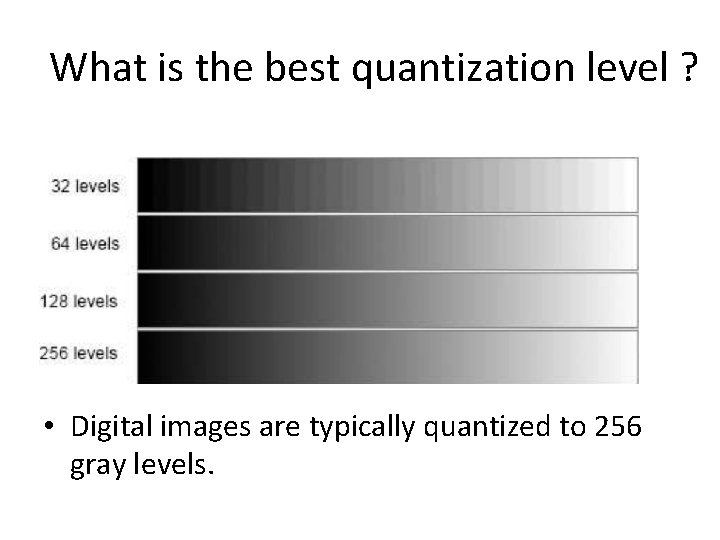
Gray Levels at a constant 512 x 512 matrix size. 8 Grey Levels (3 bits) 256 Grey Levels (8 bit) 4 Grey Levels (2 bits)
What is the best quantization level ? • Digital images are typically quantized to 256 gray levels.
Sampling and Quantization (a) continuous image projected into scenor array. (b) Result of image samling and quantization
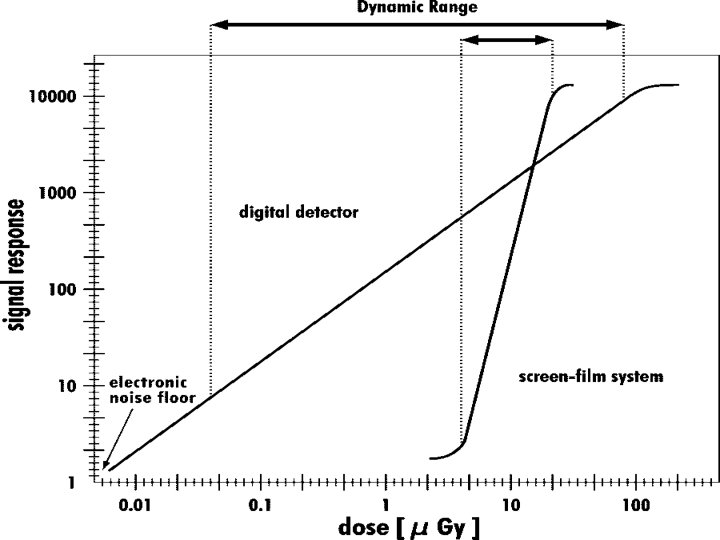
Dynamic Range • Dynamic range is a measure of the signal response of a detector that is exposed to x-rays. • In conventional screen-film combinations, the dynamic range gradation curve is S shaped within a narrow exposure range for optimal film blackening, resulting in failed exposures or insufficient image quality. • For digital detectors, dynamic range is the range of x-ray exposure over which a meaningful image can be obtained. • Digital detectors have a wider and linear dynamic range, which, in clinical practice, virtually eliminates the risk of a failed exposure. • Another positive effect of a wide dynamic range is that differences between specific tissue absorptions (eg, bone vs soft tissue) can be displayed in one image without the need for additional images.
Dynamic Range • Graph illustrates the dynamic range of screen-film combinations and digital detectors. • Screen-film systems have only a limited tolerance for radiation exposure, resulting in a steep and tight curve, whereas the curve for digital detectors is less steep and covers a wider range. • As a result, an optimal signal response will occur over a wider exposure range with digital detectors than with screen-film combinations.
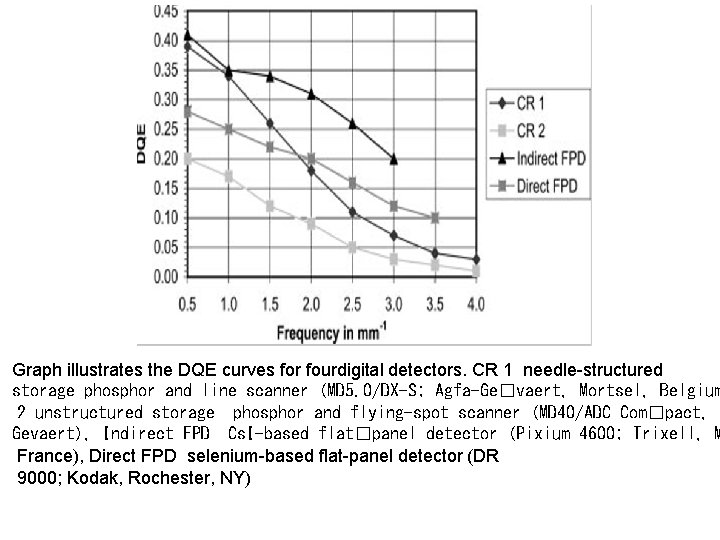
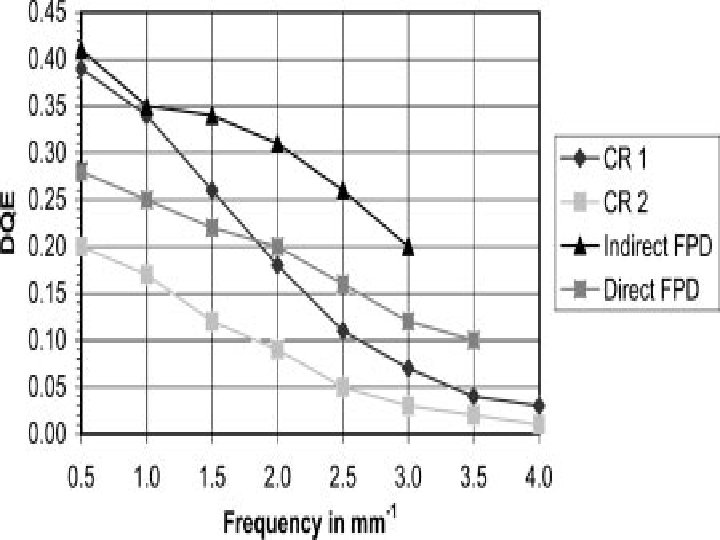
Graph illustrates the DQE curves for fourdigital detectors. CR 1 needle-structured storage phosphor and line scanner (MD 5. 0/DX-S; Agfa-Ge�vaert, Mortsel, Belgium 2 unstructured storage phosphor and flying-spot scanner (MD 40/ADC Com�pact, A Gevaert), Indirect FPD Cs. I-based flat�panel detector (Pixium 4600; Trixell, M France), Direct FPD selenium-based flat-panel detector (DR 9000; Kodak, Rochester, NY)
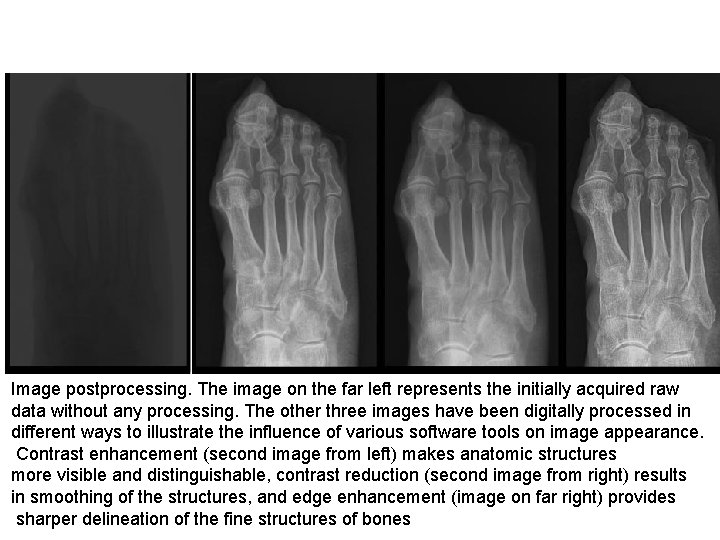
Image postprocessing. The image on the far left represents the initially acquired raw data without any processing. The other three images have been digitally processed in different ways to illustrate the influence of various software tools on image appearance. Contrast enhancement (second image from left) makes anatomic structures more visible and distinguishable, contrast reduction (second image from right) results in smoothing of the structures, and edge enhancement (image on far right) provides sharper delineation of the fine structures of bones