Chapter 1 Introduction Outline What is an operating
- Slides: 75
Chapter 1 Introduction
Outline • • What is an operating system? History of operating systems Categories of operating systems Computer hardware review Operating system concepts System calls Operating system structure 2
Computer As A Complex System • Many resources – Hardware: processors, memory, disks, printers, keyboard, display, network interfaces, … – Software: office tools, multimedia players, … • Many tasks – Surfing web, handling emails, solving equations, playing music, … • Many users – Playing with computer should be easy 3
Read From Diskette … • Basic commands: read and write – 13 parameters, packed into 9 bytes • Controller chips – 23 status and error field • Motor switch: on/off – Don’t leave motor on too long! • Do you want to program the hardware directly? – A simpler interface is needed! 4
Why A Simple Interface Possible? • Many tedious details can be handled by default – They are out of the user’s interest • Only some key features are important – Examples: file name, length of the file, etc • A simple interface – Present key features to programmer – Hide many tedious details – Meet requirements from many programs 5
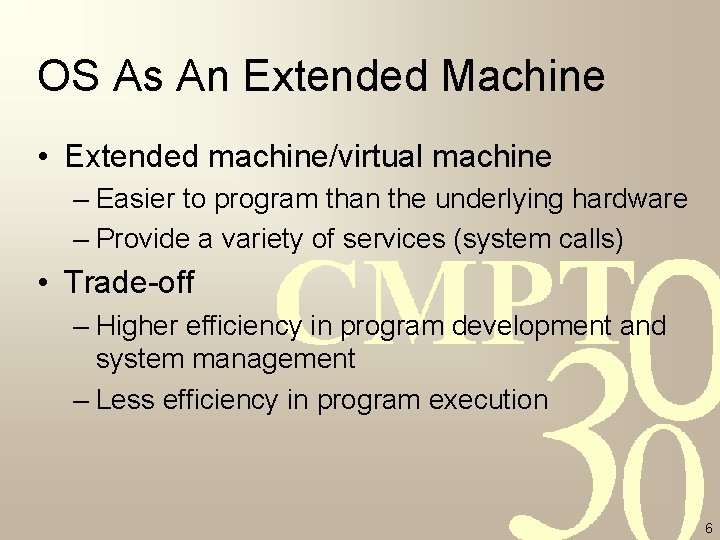
OS As An Extended Machine • Extended machine/virtual machine – Easier to program than the underlying hardware – Provide a variety of services (system calls) • Trade-off – Higher efficiency in program development and system management – Less efficiency in program execution 6
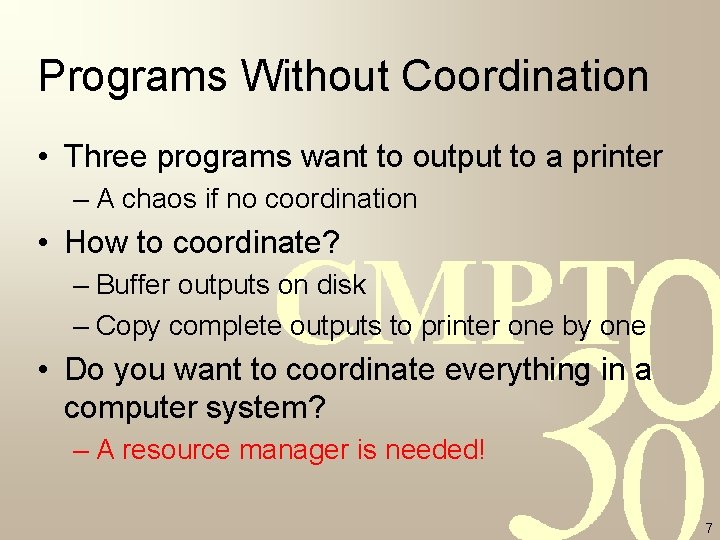
Programs Without Coordination • Three programs want to output to a printer – A chaos if no coordination • How to coordinate? – Buffer outputs on disk – Copy complete outputs to printer one by one • Do you want to coordinate everything in a computer system? – A resource manager is needed! 7
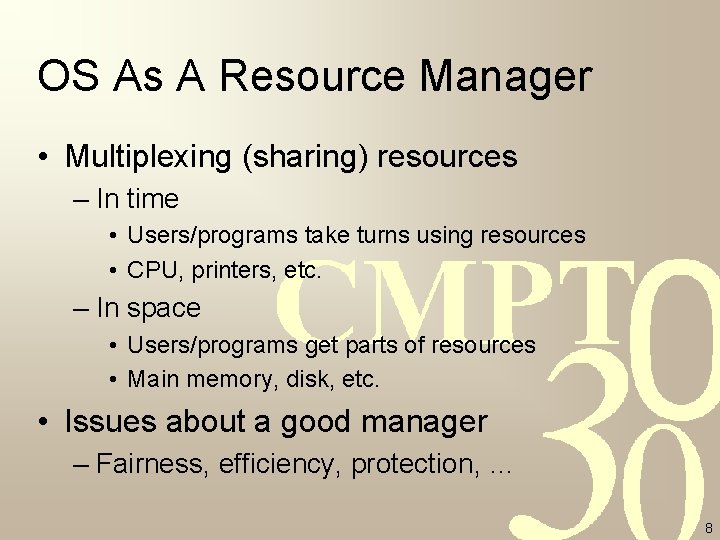
OS As A Resource Manager • Multiplexing (sharing) resources – In time • Users/programs take turns using resources • CPU, printers, etc. – In space • Users/programs get parts of resources • Main memory, disk, etc. • Issues about a good manager – Fairness, efficiency, protection, … 8
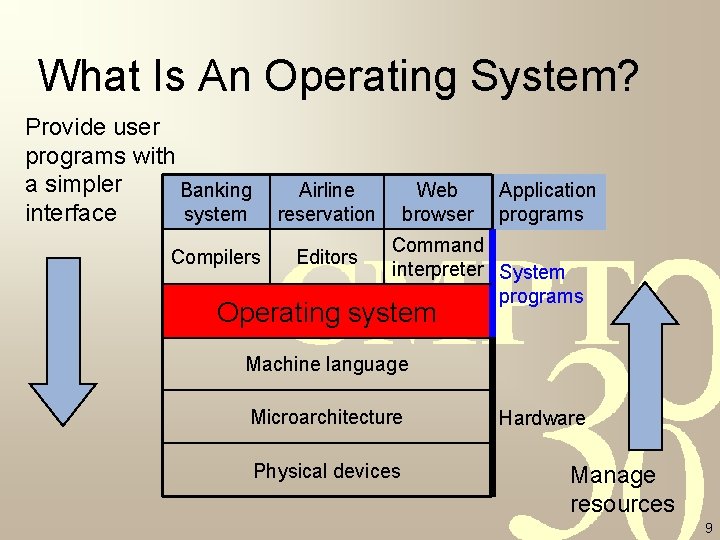
What Is An Operating System? Provide user programs with a simpler Banking system interface Airline reservation Compilers Editors Web browser Application programs Command interpreter System programs Operating system Machine language Microarchitecture Physical devices Hardware Manage resources 9
Outline • • What is an operating system? History of operating systems Categories of operating systems Computer hardware review Operating system concepts System calls Operating system structure 10
History of Operating Systems • OS and architecture of computers – Computer evolves so does OS – To provide better service OS has impact on computer design • Keep evolving through years – Four generations so far 11
The First Generation Computer • Vacuum tubes and plugboards – 1944 -1955 • Applications: – Straightforward numerical calculations • Scenario – Single group of people designed, built, programmed, operated and maintained a machine – All in absolute machine language • No operating system – The people maintaining the computers are OS? ! 12
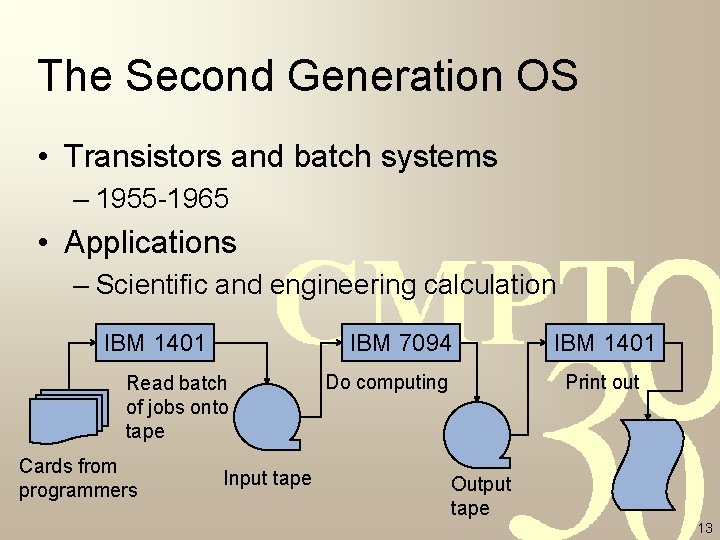
The Second Generation OS • Transistors and batch systems – 1955 -1965 • Applications – Scientific and engineering calculation IBM 1401 IBM 7094 Read batch of jobs onto tape Cards from programmers Input tape Do computing IBM 1401 Print out Output tape 13
Ancestor of Today’s OS • Scenario: batch systems – Fortran • Operating system – Read a job from tape run the job write output onto a second tape – Load next job • Examples: – FMS, IBSYS 14
The Third Generation OS • Features: ICs and multiprogramming – 1965 -1980 • Applications – Numerical calculations in science & engineering • Word-oriented, large-scale scientific computers – Massive commercial data processing • Character-oriented, commercial computers – Can we solve both problems at a single stroke? 15
System/360 and OS/360 • One family – A series of software-compatible machines – Different only in price and performance – Capable of both scientific & commercial apps • Problems – Dinosaurs: huge operating systems – Millions of instructions, thousands of developers 16
Key Advances in 3 rd Gen OS • Multiprogramming – Run job 2 while job 1 waiting for I/O – Keep CPU busy • Spooling – Read job from cards to disk asap – Load new jobs from disk whenever old job done • Time sharing – CPU is allocated in turn 17
Milestones • • IBM OS/360 M. I. T. CTSS M. I. T. MULTICS Ken Thompson UNIX – AT&T UNIX System V – UC Berkeley UNIX BSD – IEEE POSIX – Andrew S. Tanenbaum MINIX – Linus Torvalds Linux 18
The Fourth Generation OS • Personal computers – 1980 -now – An individual has her own computer • Milestones – Kildall CP/M for Intel 8080, Z 80 – MS-DOS/BASIC for IBM PC – Engelbart GUI – MS Windows, Windows NT – UNIX X Windows – Network & distributed operating systems 19
Outline • • What is an operating system? History of operating systems Categories of operating systems Computer hardware review Operating system concepts System calls Operating system structure 20
Categories of Operating Systems • • Mainframe operating systems Server operating systems Multiprocessor operating systems Personal computer operating systems Real-time operating systems Embedded operating systems Smart card operating systems 21
Mainframe Operating Systems • Why mainframe computers – Strong I/O capability, e. g. , 1000 disks, TB space – High-end servers • Features of OS – Batch – Transaction processing – Timesharing • Example: IBM OS/390 22
Server Operating Systems • Hardware platforms – Very large personal computers or workstations • Services – Printing – File accessing – Web • Examples – UNIX, Windows 2000, Linux 23
Multiprocessor Operating Systems • Multiple CPUs within a single system – Parallel computers: loosely coupled – Multi-computers: tightly coupled – Multiprocessors: share memory • Features of OS – Communications and connectivity – Variations of the server operating systems 24
Personal Computer OS • Good interface to a single user – Word processing, spreadsheets, internet access, … • Examples – Windows 98, Windows 2000 – Macintosh operating system – Linux 25
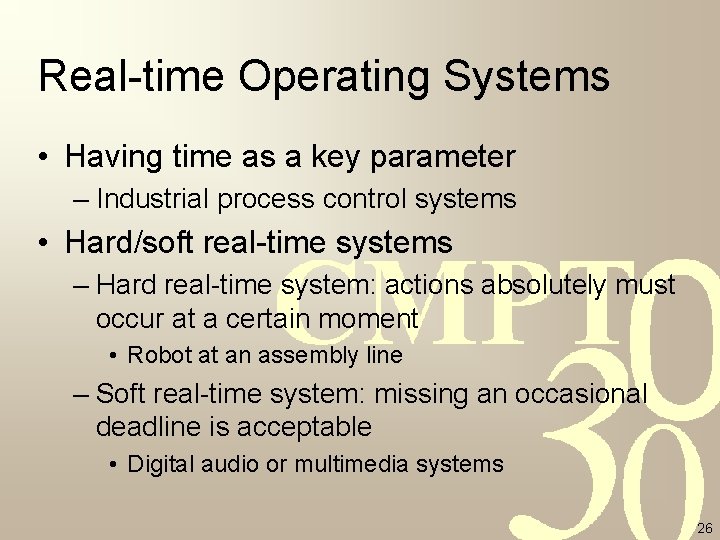
Real-time Operating Systems • Having time as a key parameter – Industrial process control systems • Hard/soft real-time systems – Hard real-time system: actions absolutely must occur at a certain moment • Robot at an assembly line – Soft real-time system: missing an occasional deadline is acceptable • Digital audio or multimedia systems 26
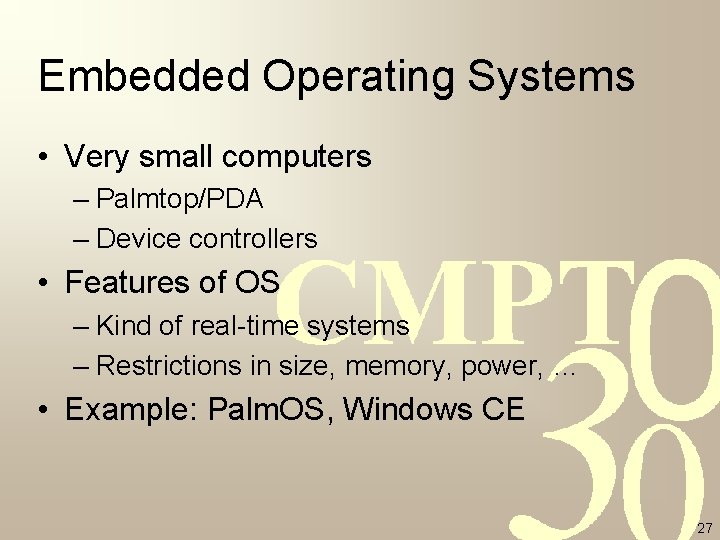
Embedded Operating Systems • Very small computers – Palmtop/PDA – Device controllers • Features of OS – Kind of real-time systems – Restrictions in size, memory, power, … • Example: Palm. OS, Windows CE 27
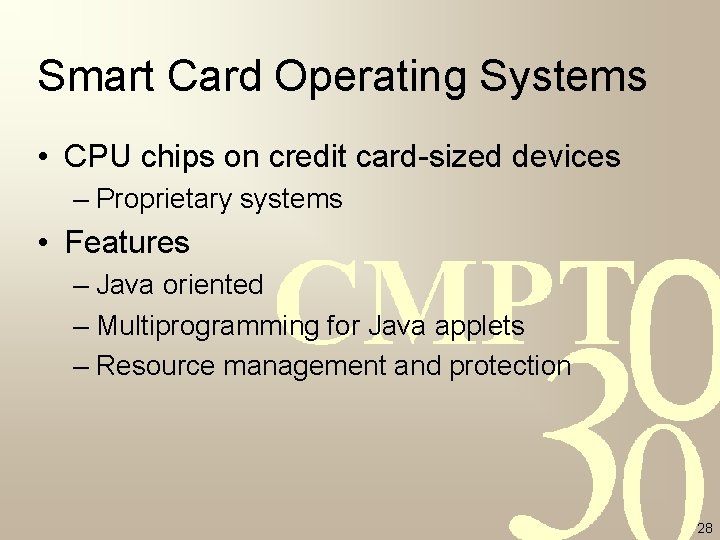
Smart Card Operating Systems • CPU chips on credit card-sized devices – Proprietary systems • Features – Java oriented – Multiprogramming for Java applets – Resource management and protection 28
Outline • • What is an operating system? History of operating systems Categories of operating systems Computer hardware review Operating system concepts System calls Operating system structure 29
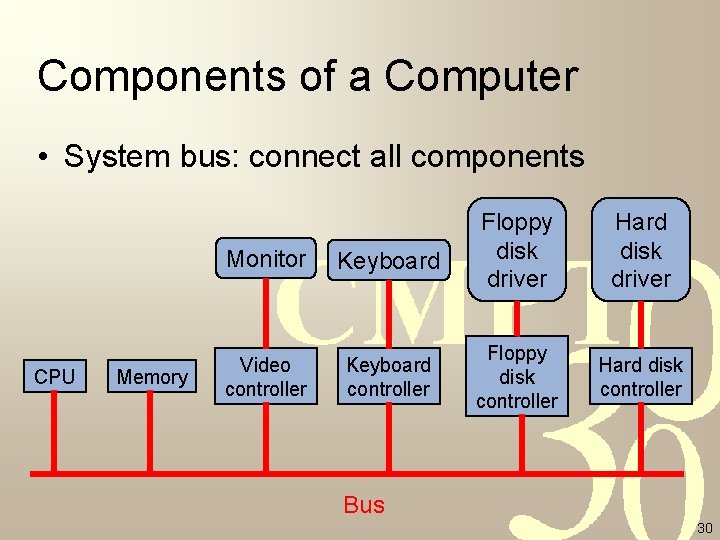
Components of a Computer • System bus: connect all components CPU Memory Monitor Keyboard Video controller Keyboard controller Floppy disk driver Hard disk driver Floppy disk controller Hard disk controller Bus 30
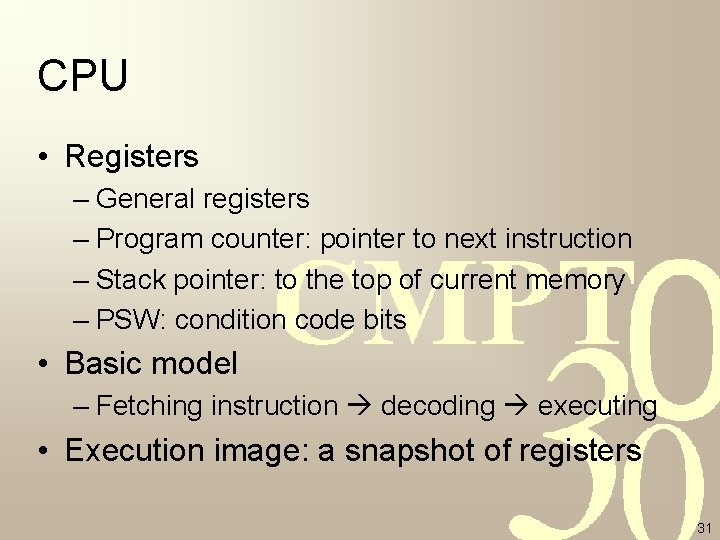
CPU • Registers – General registers – Program counter: pointer to next instruction – Stack pointer: to the top of current memory – PSW: condition code bits • Basic model – Fetching instruction decoding executing • Execution image: a snapshot of registers 31
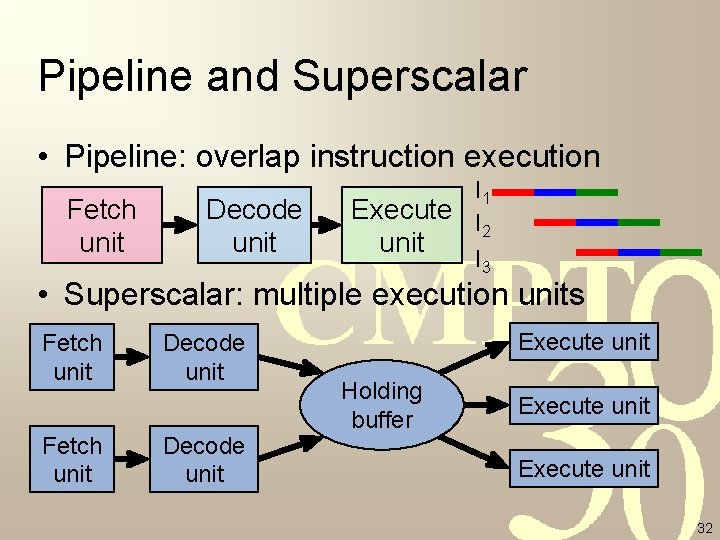
Pipeline and Superscalar • Pipeline: overlap instruction execution Fetch unit Decode unit I 1 Execute I 2 unit I 3 • Superscalar: multiple execution units Fetch unit Decode unit Execute unit Holding buffer Execute unit 32
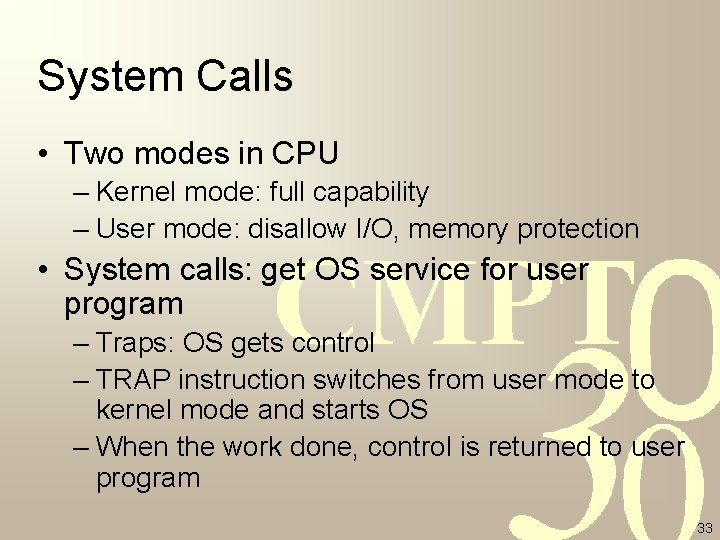
System Calls • Two modes in CPU – Kernel mode: full capability – User mode: disallow I/O, memory protection • System calls: get OS service for user program – Traps: OS gets control – TRAP instruction switches from user mode to kernel mode and starts OS – When the work done, control is returned to user program 33
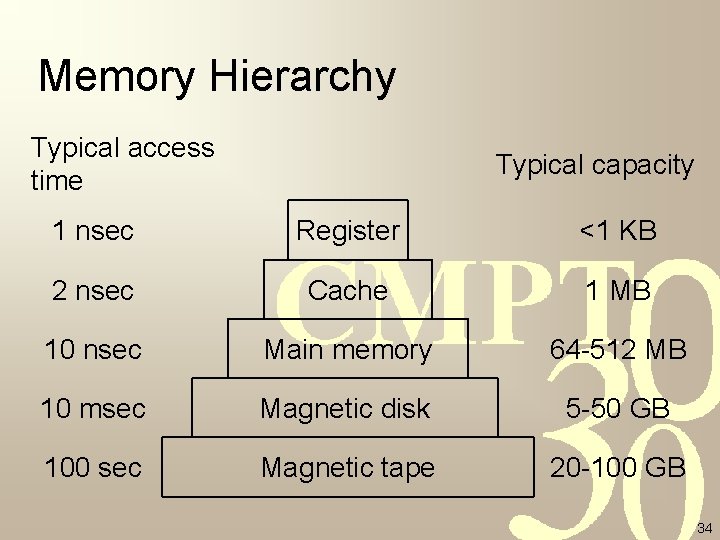
Memory Hierarchy Typical access time Typical capacity 1 nsec Register <1 KB 2 nsec Cache 1 MB 10 nsec Main memory 64 -512 MB 10 msec Magnetic disk 5 -50 GB 100 sec Magnetic tape 20 -100 GB 34
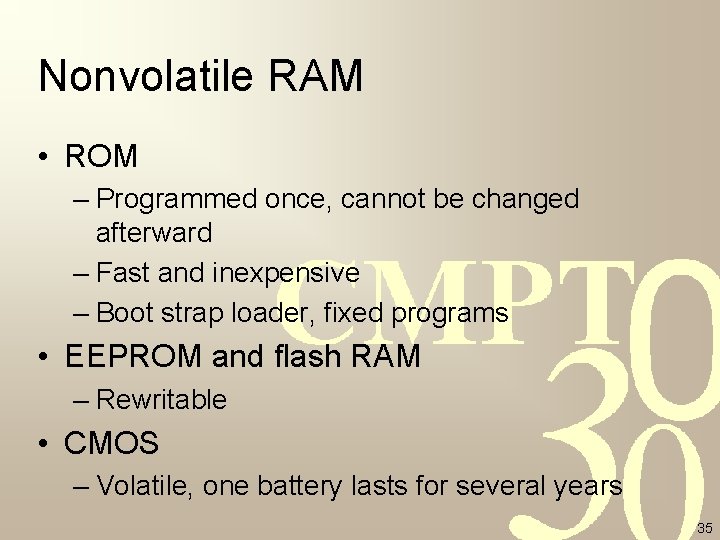
Nonvolatile RAM • ROM – Programmed once, cannot be changed afterward – Fast and inexpensive – Boot strap loader, fixed programs • EEPROM and flash RAM – Rewritable • CMOS – Volatile, one battery lasts for several years 35
Memory Management • Hold multiple programs in main memory – Improve CPU utilization • Problems – Protection • Program A is not allowed to fetch data within program B – Relocation • Each program starts from logical address 0 • How to load and allocate them into main memory? 36
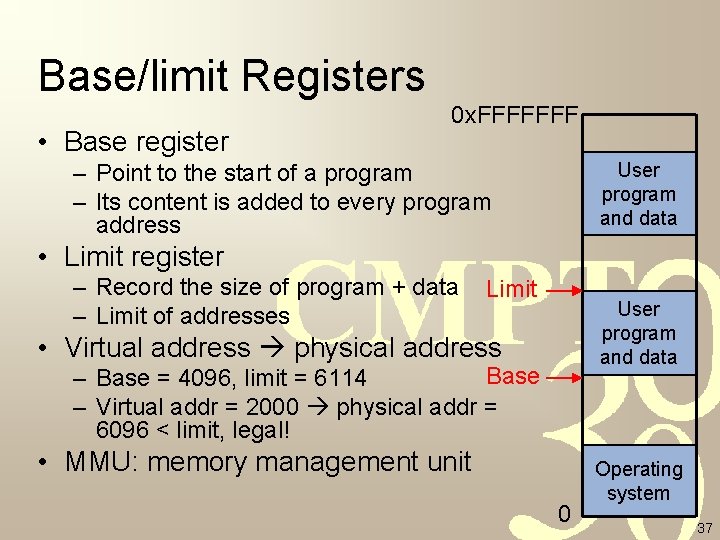
Base/limit Registers • Base register 0 x. FFFFFFF – Point to the start of a program – Its content is added to every program address User program and data • Limit register – Record the size of program + data – Limit of addresses Limit User program and data • Virtual address physical address Base – Base = 4096, limit = 6114 – Virtual addr = 2000 physical addr = 6096 < limit, legal! • MMU: memory management unit 0 Operating system 37
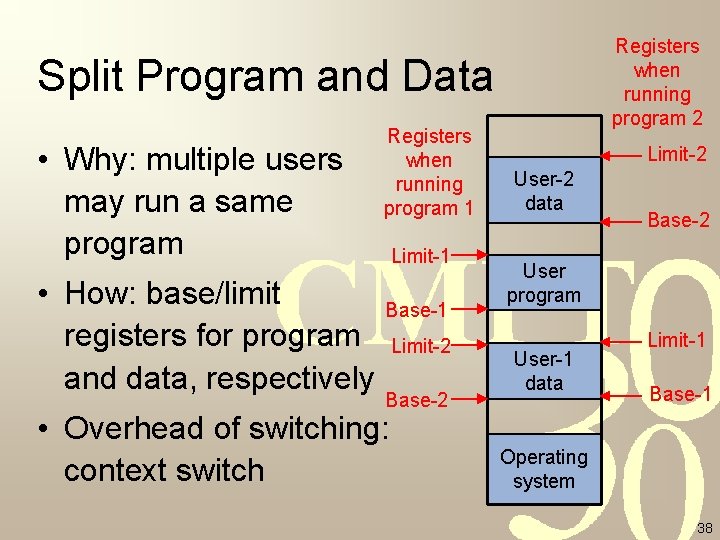
Registers when running program 2 Split Program and Data • Why: multiple users may run a same program • How: base/limit registers for program and data, respectively Registers when running program 1 Limit-1 Base-1 Limit-2 Base-2 • Overhead of switching: context switch Limit-2 User-2 data Base-2 User program User-1 data Limit-1 Base-1 Operating system 38
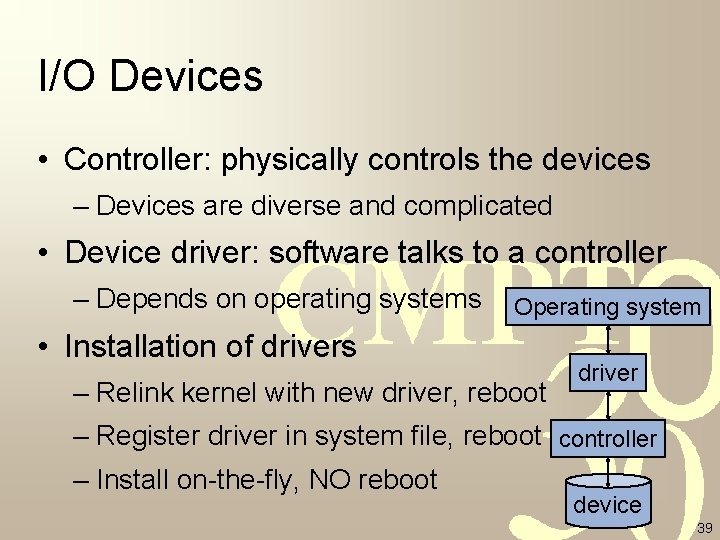
I/O Devices • Controller: physically controls the devices – Devices are diverse and complicated • Device driver: software talks to a controller – Depends on operating systems Operating system • Installation of drivers – Relink kernel with new driver, reboot driver – Register driver in system file, reboot controller – Install on-the-fly, NO reboot device 39
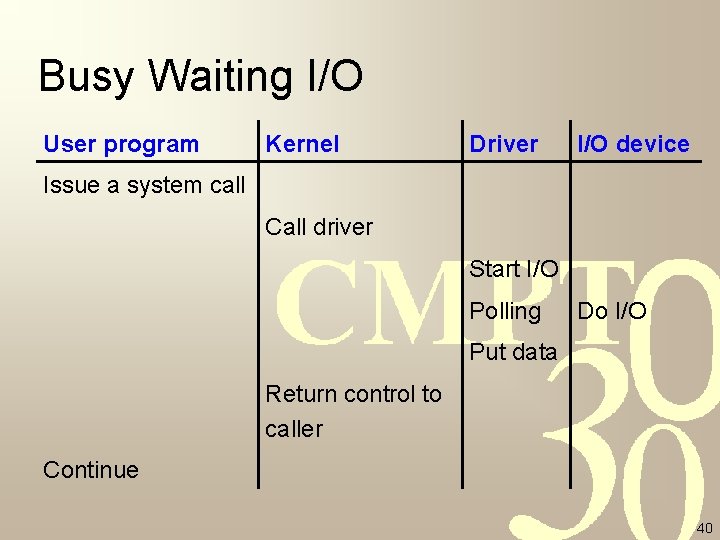
Busy Waiting I/O User program Kernel Driver I/O device Issue a system call Call driver Start I/O Polling Do I/O Put data Return control to caller Continue 40
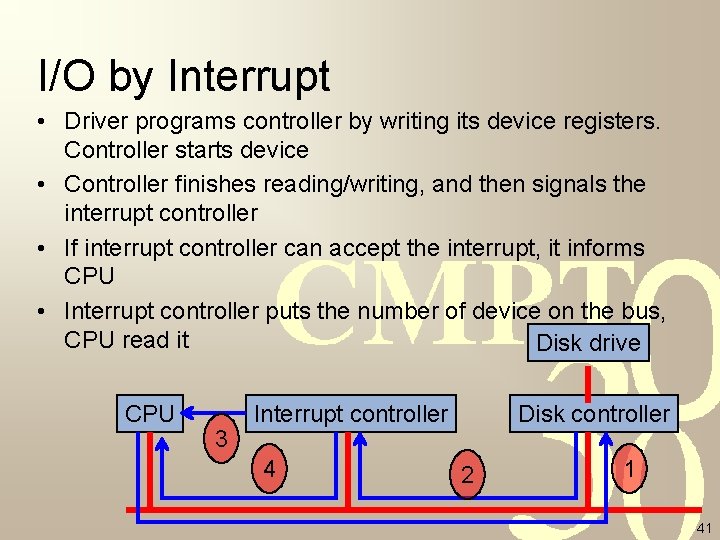
I/O by Interrupt • Driver programs controller by writing its device registers. Controller starts device • Controller finishes reading/writing, and then signals the interrupt controller • If interrupt controller can accept the interrupt, it informs CPU • Interrupt controller puts the number of device on the bus, CPU read it Disk drive CPU 3 Interrupt controller 4 Disk controller 2 1 41
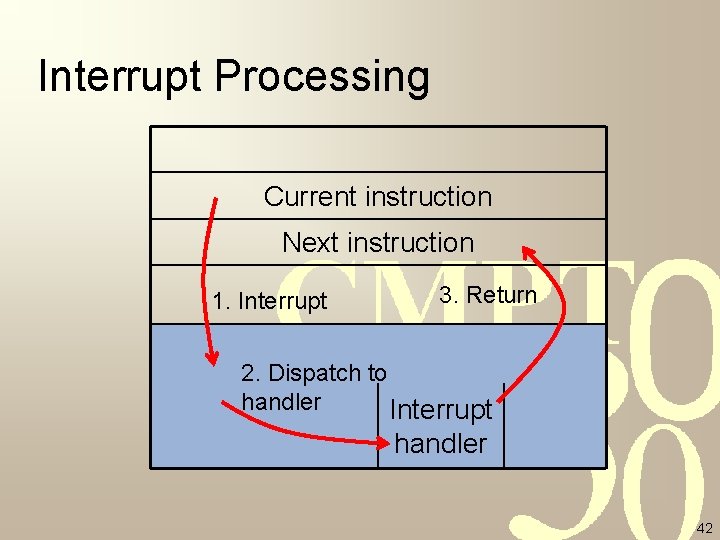
Interrupt Processing Current instruction Next instruction 1. Interrupt 3. Return 2. Dispatch to handler Interrupt handler 42
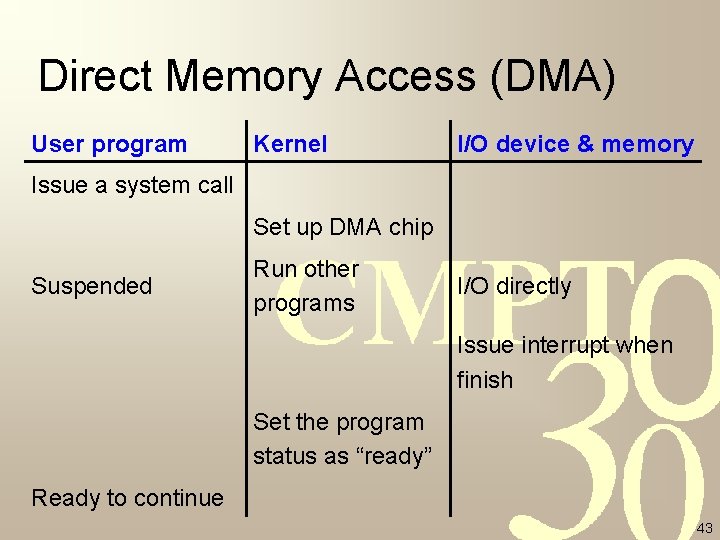
Direct Memory Access (DMA) User program Kernel I/O device & memory Issue a system call Set up DMA chip Suspended Run other programs I/O directly Issue interrupt when finish Set the program status as “ready” Ready to continue 43
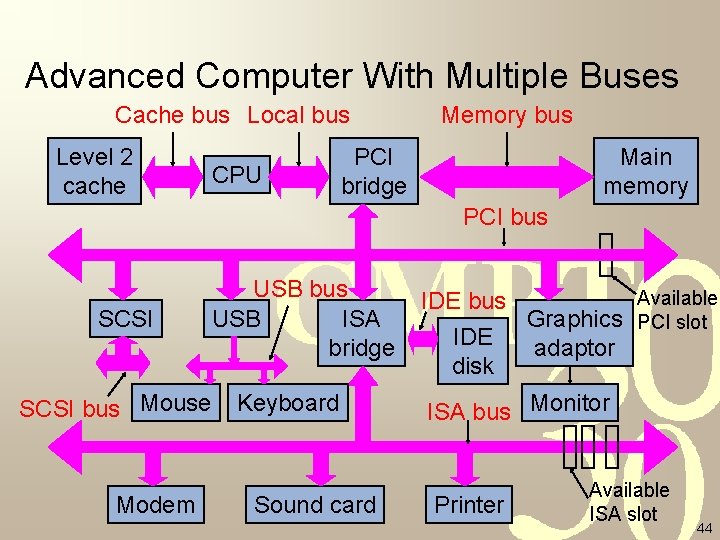
Advanced Computer With Multiple Buses Cache bus Local bus Level 2 cache CPU Memory bus PCI bridge Main memory PCI bus SCSI USB bus ISA USB bridge SCSI bus Mouse Modem Keyboard Sound card IDE bus IDE disk Graphics adaptor Available PCI slot ISA bus Monitor Printer Available ISA slot 44
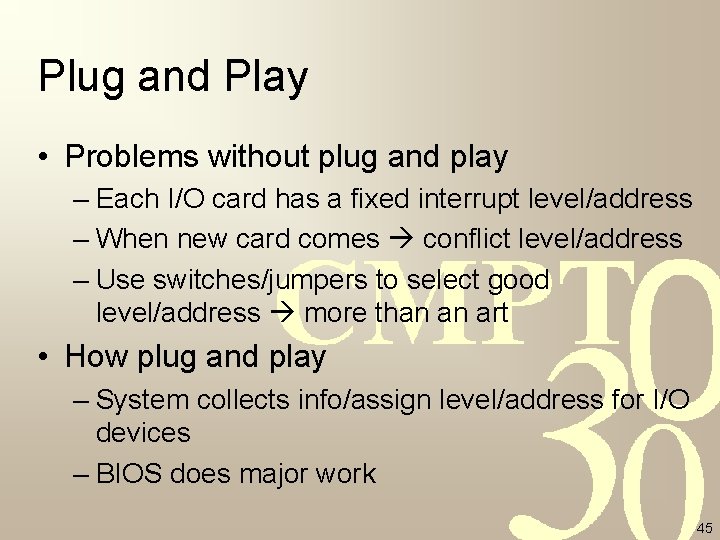
Plug and Play • Problems without plug and play – Each I/O card has a fixed interrupt level/address – When new card comes conflict level/address – Use switches/jumpers to select good level/address more than an art • How plug and play – System collects info/assign level/address for I/O devices – BIOS does major work 45
Warm-up • Operating system = extended (virtual) machine + resource manager • Hardware evolving operating system evolving – 4 generations – Various hardware platform various OS • Important components of a computer – CPU, bus, memory, I/O 46
Outline • • What is an operating system? History of operating systems Categories of operating systems Computer hardware review Operating system concepts System calls Operating system structure 47
Process • A program in execution – Address space: a list of memory locations the process can read/write – Registers, e. g. , PC, SP, … • Examples – Two processes running two programs: Word, Excel – Two processes running the same program: multiple web-browsers in a PC 48
Information About Processes • Process table in operating systems – Registers, etc. • Core image: suspended process address space • Process information = Process table entry + core image 49
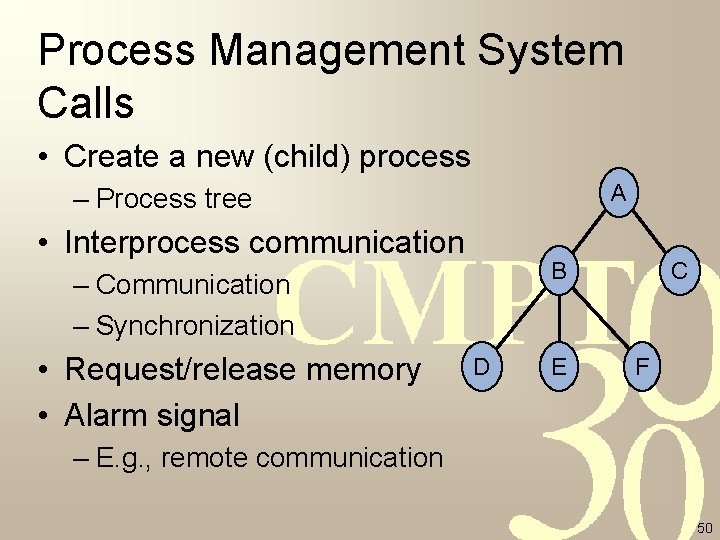
Process Management System Calls • Create a new (child) process A – Process tree • Interprocess communication B – Communication – Synchronization • Request/release memory • Alarm signal D E C F – E. g. , remote communication 50
Users and Processes • User group: a group of users – GID • Users are identified by UID – Superuser/system administrator • One user can run many processes – Processes from one user share same UID – Processes are identified by PID 51
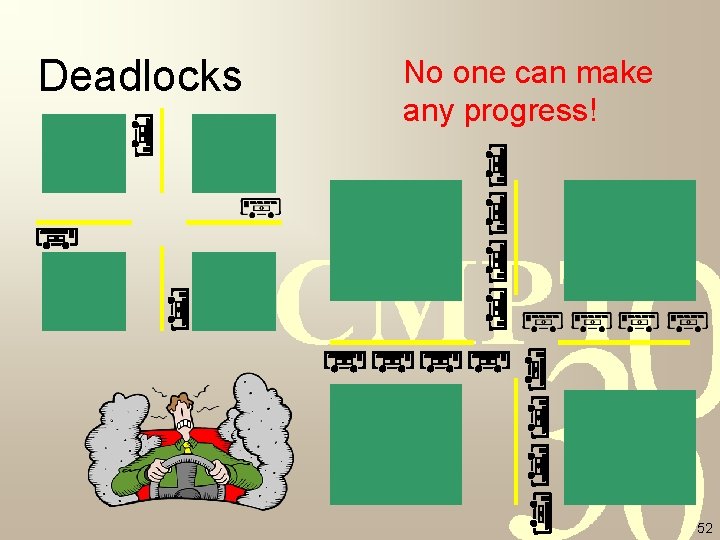
Deadlocks No one can make any progress! 52
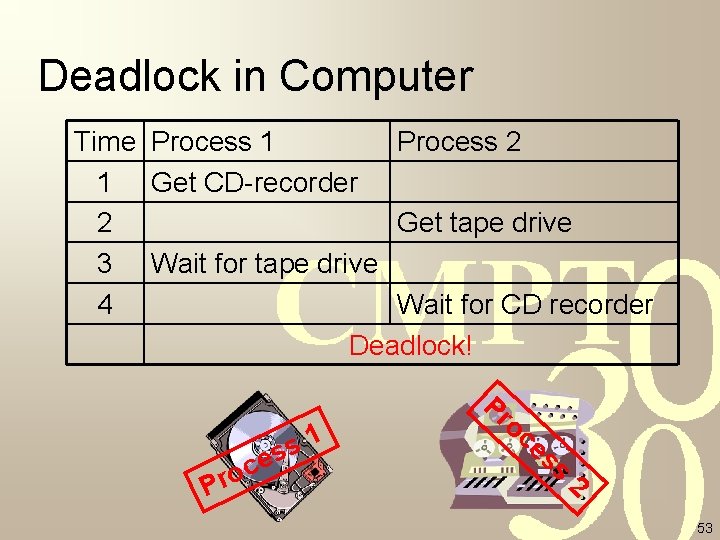
Deadlock in Computer Time Process 1 Process 2 1 Get CD-recorder 2 Get tape drive 3 Wait for tape drive 4 Wait for CD recorder Deadlock! c o r P 1 s es Pr oc es s 2 53
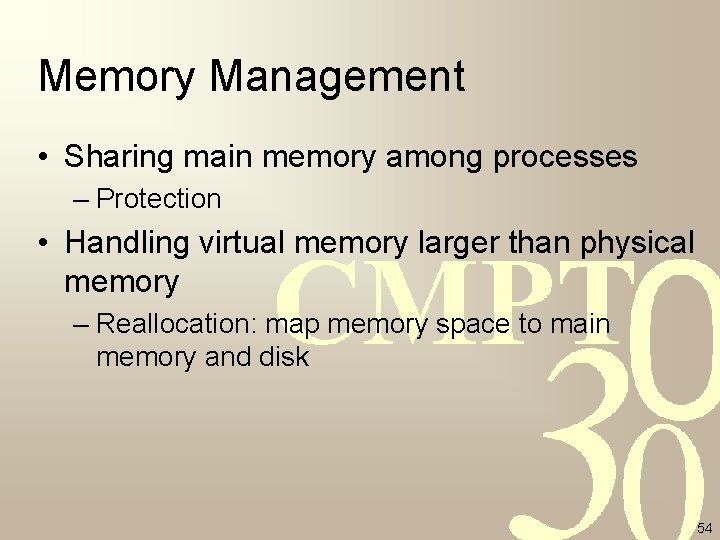
Memory Management • Sharing main memory among processes – Protection • Handling virtual memory larger than physical memory – Reallocation: map memory space to main memory and disk 54
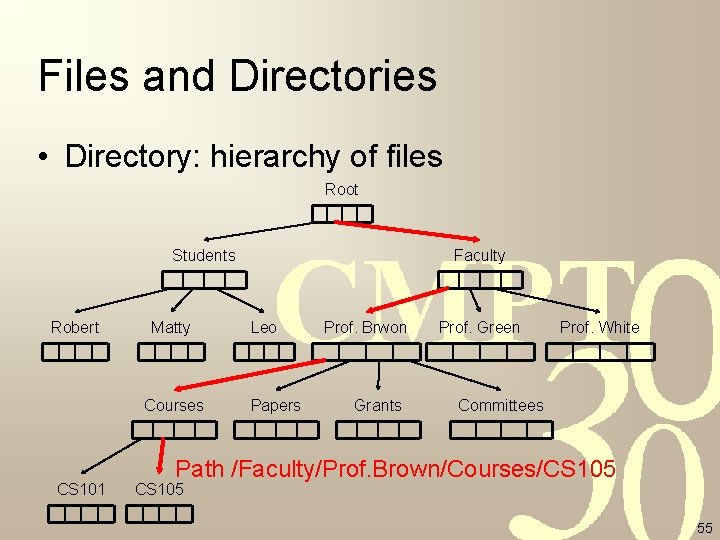
Files and Directories • Directory: hierarchy of files Root Students Robert Matty Courses CS 101 Faculty Leo Papers Prof. Brwon Grants Prof. Green Prof. White Committees Path /Faculty/Prof. Brown/Courses/CS 105 55
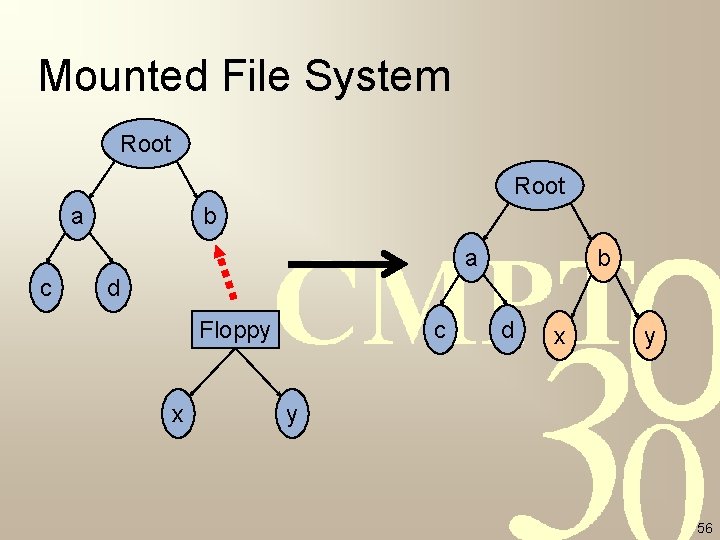
Mounted File System Root a b a c b d Floppy x c d x y y 56
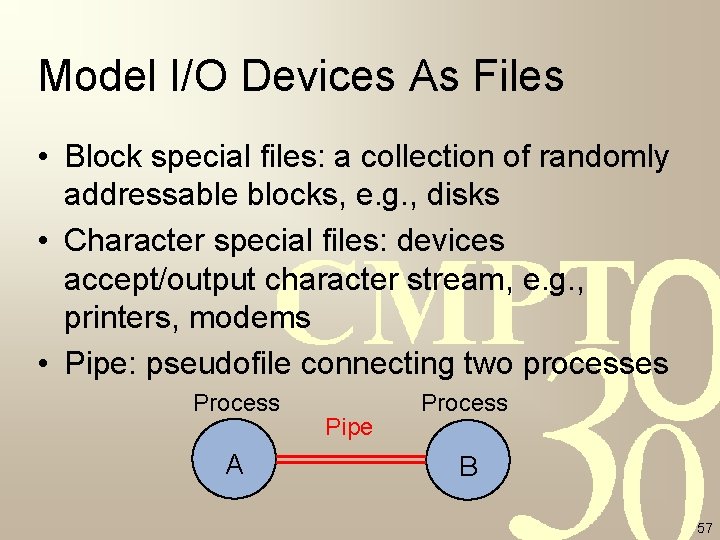
Model I/O Devices As Files • Block special files: a collection of randomly addressable blocks, e. g. , disks • Character special files: devices accept/output character stream, e. g. , printers, modems • Pipe: pseudofile connecting two processes Process A Pipe Process B 57
Outline • • What is an operating system? History of operating systems Categories of operating systems Computer hardware review Operating system concepts System calls Operating system structure 58
System Calls • Interface between OS and user programs • Similar underlying concepts – Details vary from OS to OS • A procedure library for programming languages – Like making a special procedure call 59
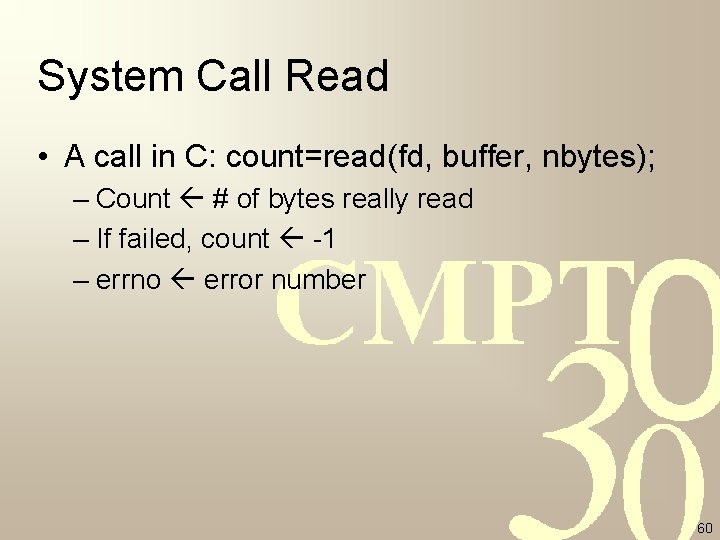
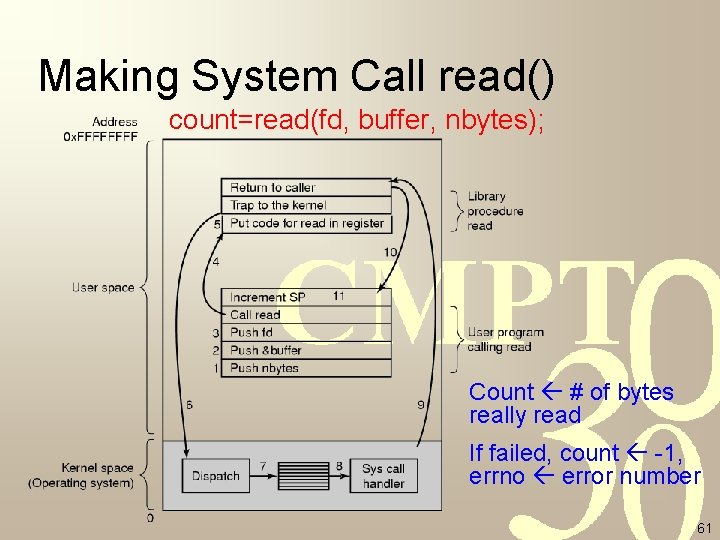
System Call Read • A call in C: count=read(fd, buffer, nbytes); – Count # of bytes really read – If failed, count -1 – errno error number 60
Making System Call read() count=read(fd, buffer, nbytes); Count # of bytes really read If failed, count -1, errno error number 61
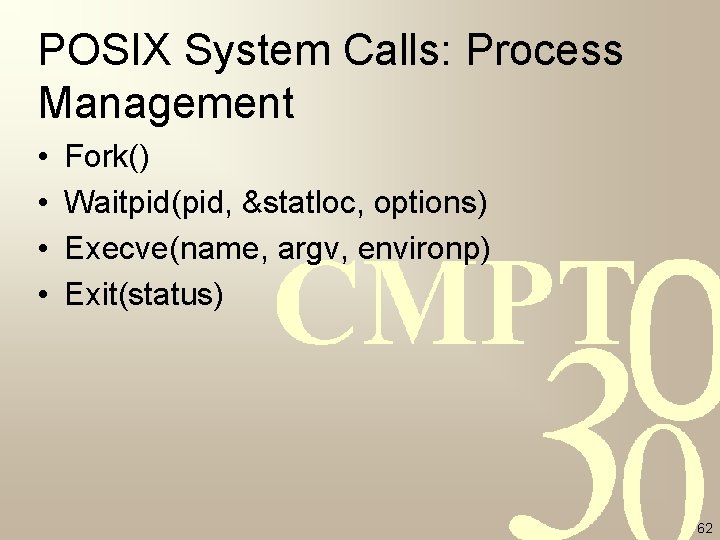
POSIX System Calls: Process Management • • Fork() Waitpid(pid, &statloc, options) Execve(name, argv, environp) Exit(status) 62
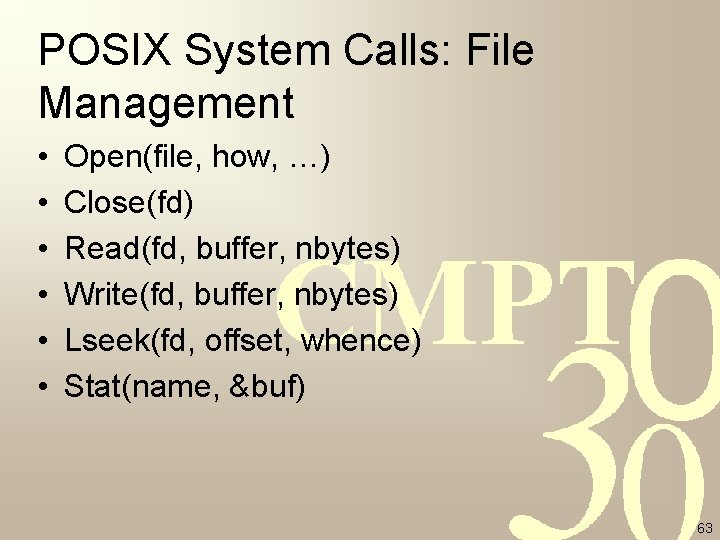
POSIX System Calls: File Management • • • Open(file, how, …) Close(fd) Read(fd, buffer, nbytes) Write(fd, buffer, nbytes) Lseek(fd, offset, whence) Stat(name, &buf) 63
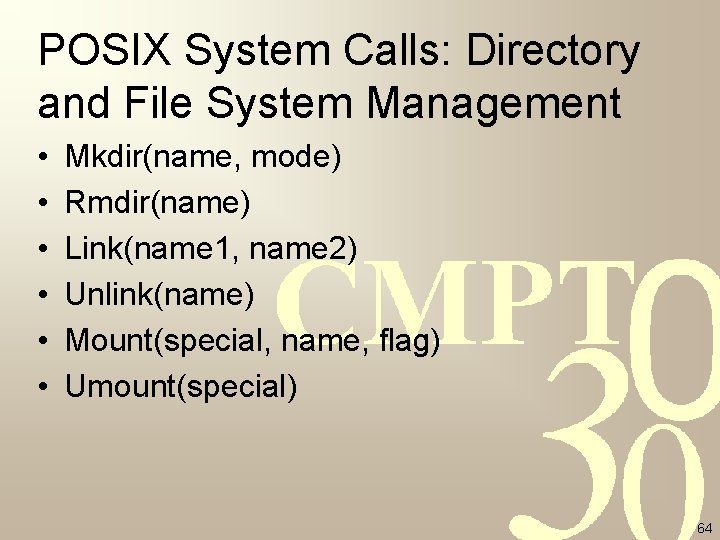
POSIX System Calls: Directory and File System Management • • • Mkdir(name, mode) Rmdir(name) Link(name 1, name 2) Unlink(name) Mount(special, name, flag) Umount(special) 64
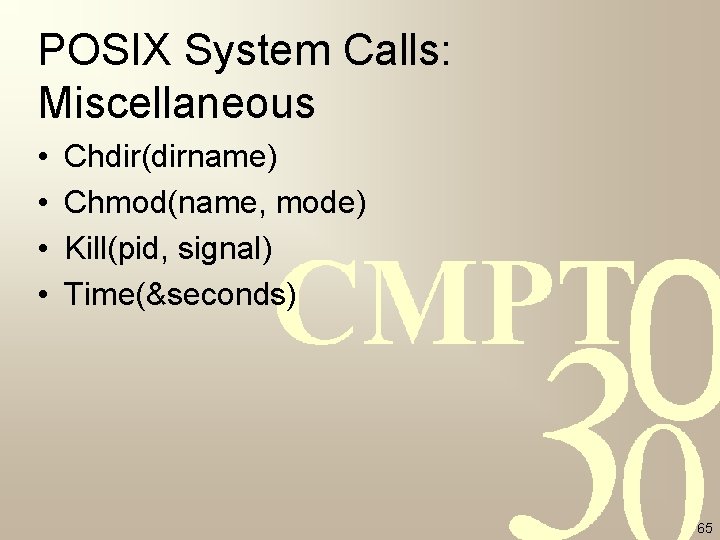
POSIX System Calls: Miscellaneous • • Chdir(dirname) Chmod(name, mode) Kill(pid, signal) Time(&seconds) 65
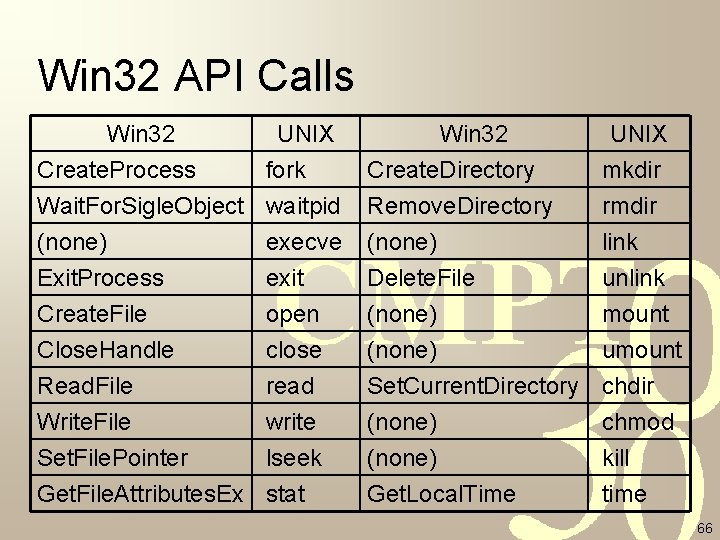
Win 32 API Calls Win 32 UNIX Create. Process fork Wait. For. Sigle. Object waitpid (none) execve Win 32 Create. Directory Remove. Directory (none) UNIX mkdir rmdir link Exit. Process Create. File Close. Handle Read. File Write. File Set. File. Pointer Get. File. Attributes. Ex Delete. File (none) Set. Current. Directory (none) Get. Local. Time unlink mount umount chdir chmod kill time exit open close read write lseek stat 66
Outline • • What is an operating system? History of operating systems Categories of operating systems Computer hardware review Operating system concepts System calls Operating system structure 67
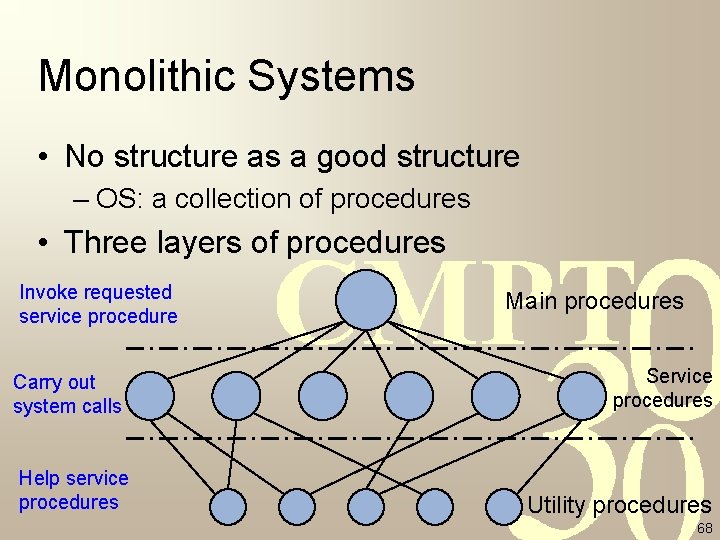
Monolithic Systems • No structure as a good structure – OS: a collection of procedures • Three layers of procedures Invoke requested service procedure Carry out system calls Help service procedures Main procedures Service procedures Utility procedures 68
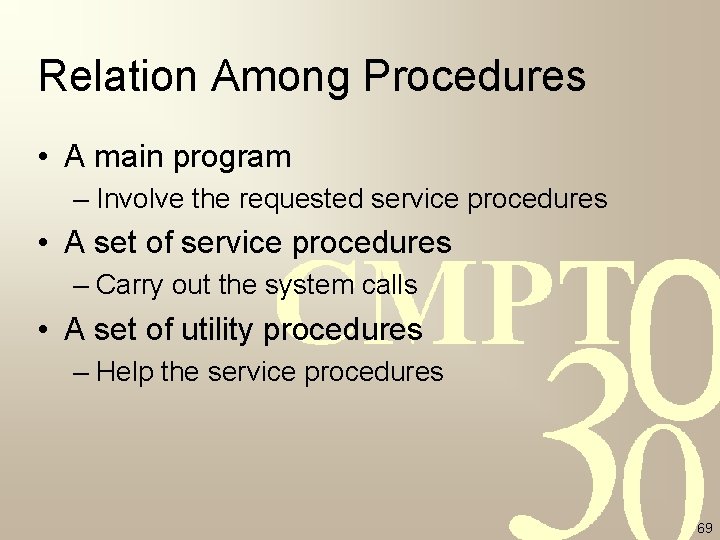
Relation Among Procedures • A main program – Involve the requested service procedures • A set of service procedures – Carry out the system calls • A set of utility procedures – Help the service procedures 69
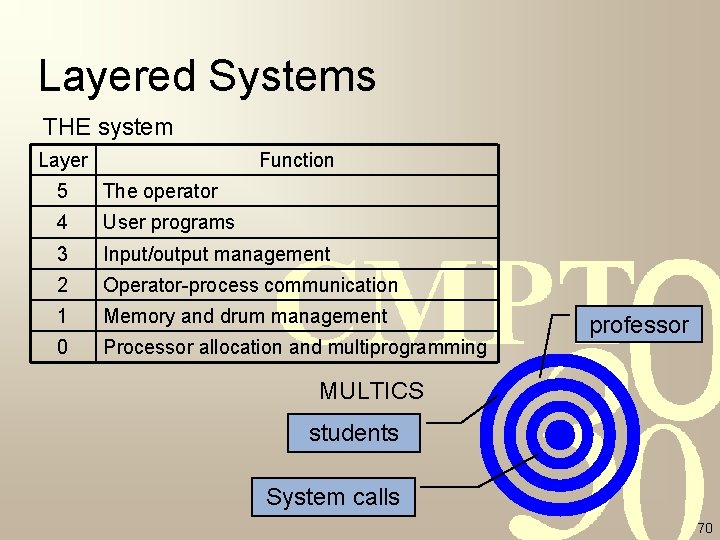
Layered Systems THE system Layer Function 5 The operator 4 User programs 3 Input/output management 2 Operator-process communication 1 Memory and drum management 0 Processor allocation and multiprogramming professor MULTICS students System calls 70
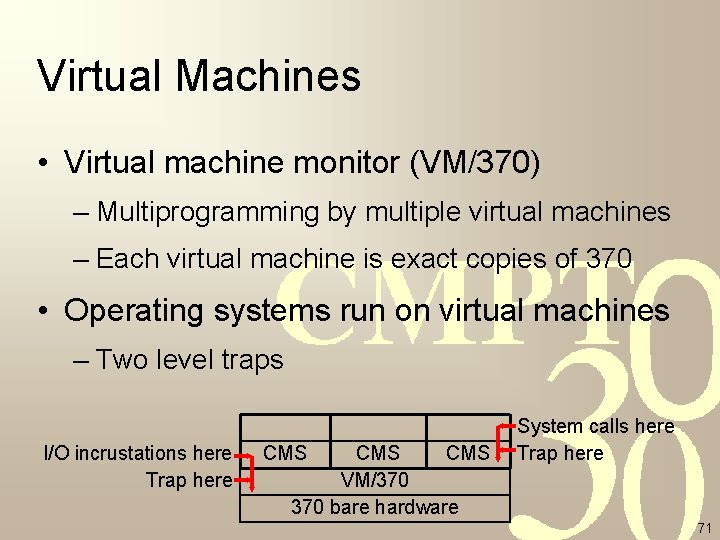
Virtual Machines • Virtual machine monitor (VM/370) – Multiprogramming by multiple virtual machines – Each virtual machine is exact copies of 370 • Operating systems run on virtual machines – Two level traps I/O incrustations here Trap here CMS CMS VM/370 bare hardware System calls here Trap here 71
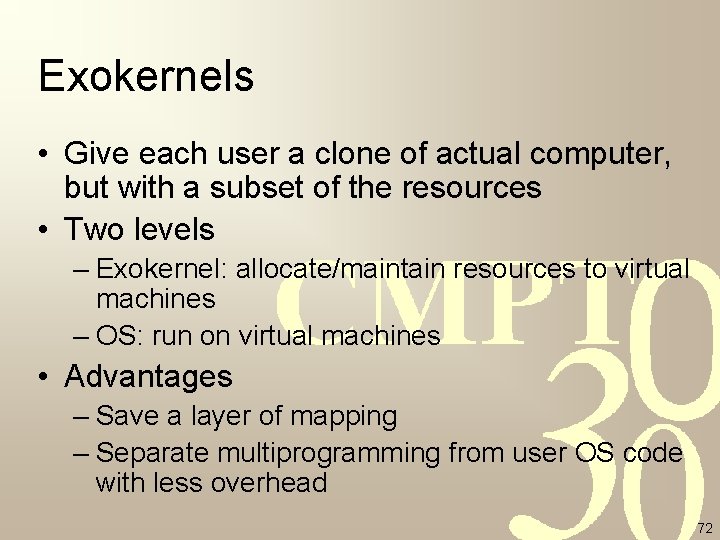
Exokernels • Give each user a clone of actual computer, but with a subset of the resources • Two levels – Exokernel: allocate/maintain resources to virtual machines – OS: run on virtual machines • Advantages – Save a layer of mapping – Separate multiprogramming from user OS code with less overhead 72
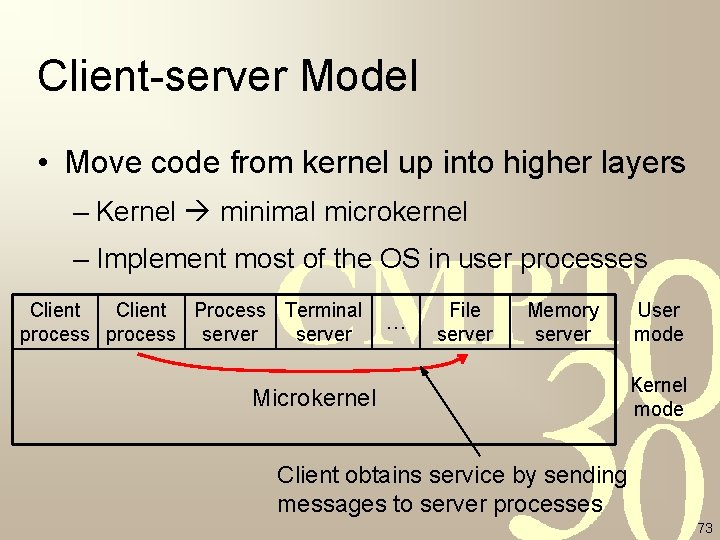
Client-server Model • Move code from kernel up into higher layers – Kernel minimal microkernel – Implement most of the OS in user processes Client Process Terminal process server … File server Memory server Microkernel User mode Kernel mode Client obtains service by sending messages to server processes 73
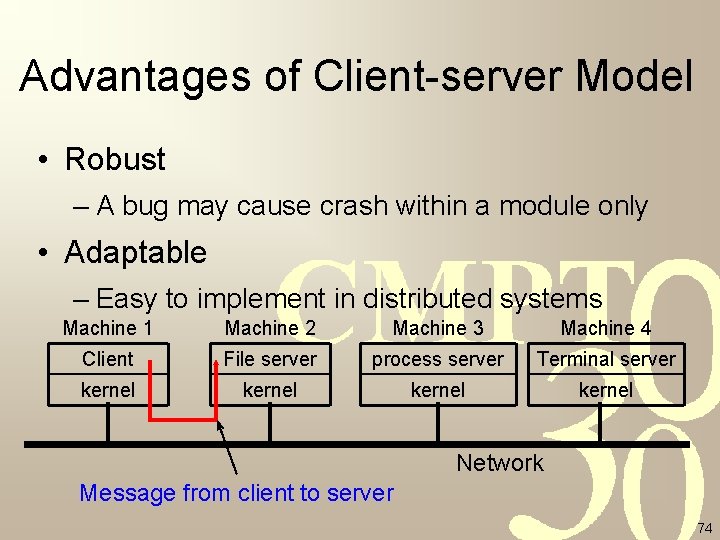
Advantages of Client-server Model • Robust – A bug may cause crash within a module only • Adaptable – Easy to implement in distributed systems Machine 1 Machine 2 Machine 3 Machine 4 Client File server process server Terminal server kernel Network Message from client to server 74
Summary • Operating systems = resource managers + extended machines • Operating systems evolve as hardware evolving • Review of computers hardware for good understanding of operating systems • Basic concepts of OS: processes, memory management, I/O management, file system, security • System calls as heart of operating systems • Structures of operating systems 75