Resource Records Domain Record SOA Start Of Authority
![Linux DNS 設定注意 � Comment ; xxx � Fields & indent [Name] [TTL] [CLASS]](https://slidetodoc.com/presentation_image/42a4425e32aec739bc0329b8a93ad4dc/image-39.jpg "Linux DNS 設定注意 � Comment ; xxx � Fields & indent [Name] [TTL] [CLASS]")



- Slides: 90
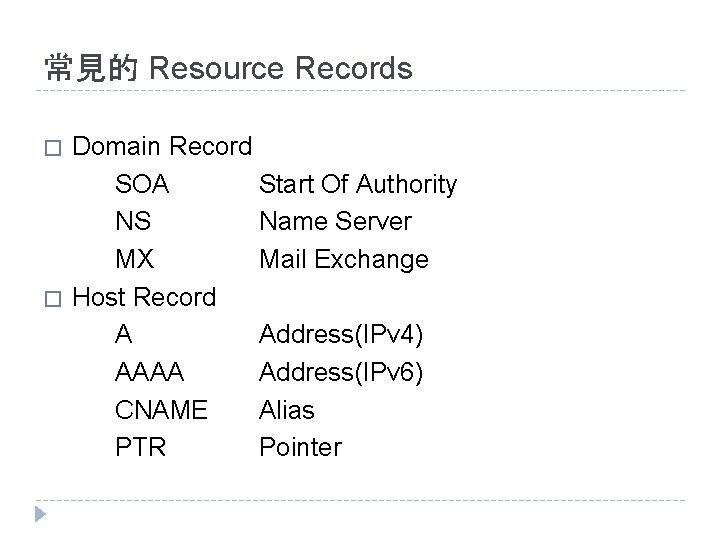
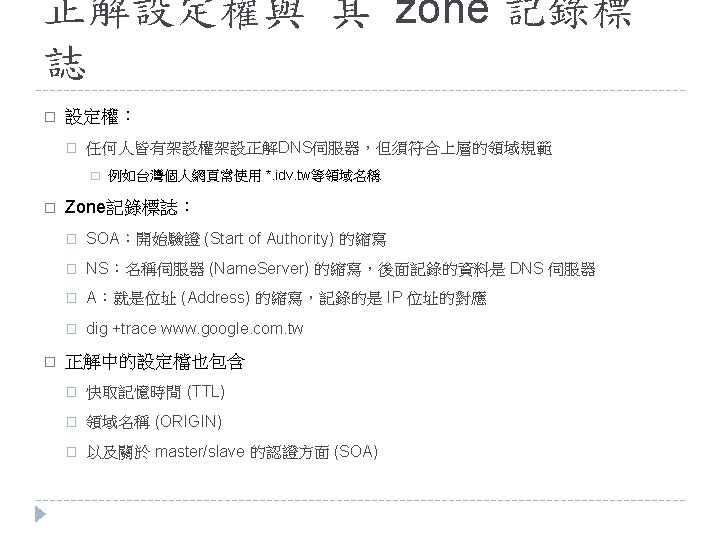
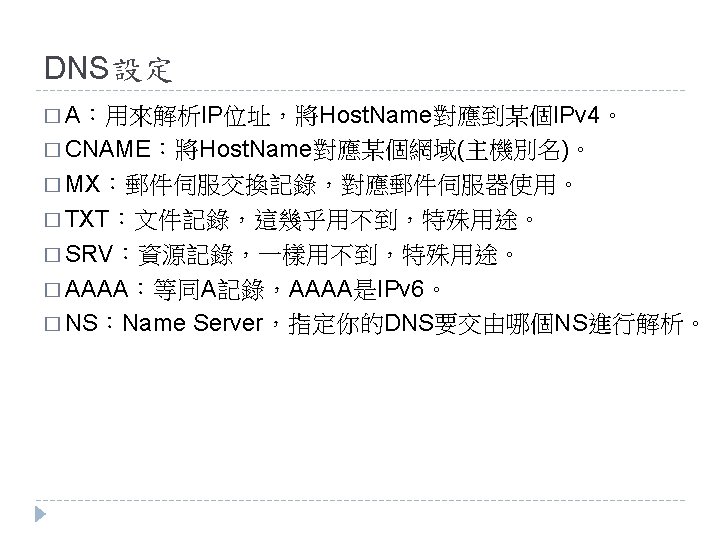
常見的 Resource Records � � Domain Record SOA Start Of Authority NS Name Server MX Mail Exchange Host Record A Address(IPv 4) AAAA Address(IPv 6) CNAME Alias PTR Pointer
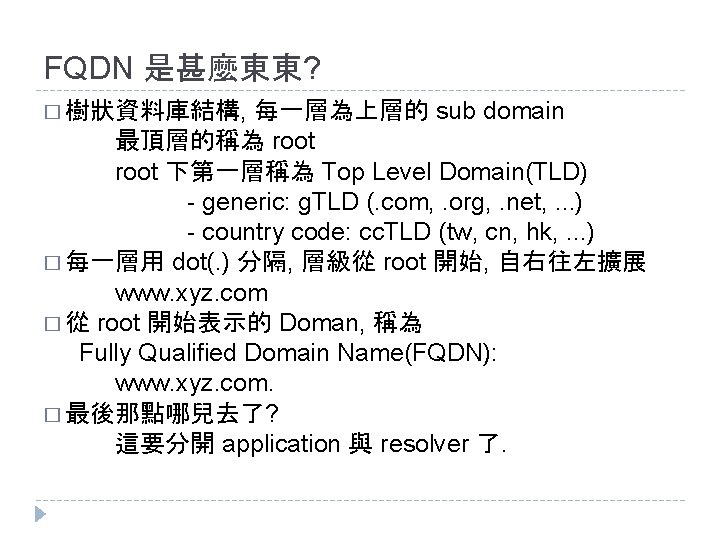
FQDN 是甚麼東東? 每一層為上層的 sub domain 最頂層的稱為 root 下第一層稱為 Top Level Domain(TLD) - generic: g. TLD (. com, . org, . net, . . . ) - country code: cc. TLD (tw, cn, hk, . . . ) � 每一層用 dot(. ) 分隔, 層級從 root 開始, 自右往左擴展 www. xyz. com � 從 root 開始表示的 Doman, 稱為 Fully Qualified Domain Name(FQDN): www. xyz. com. � 最後那點哪兒去了? 這要分開 application 與 resolver 了. � 樹狀資料庫結構,
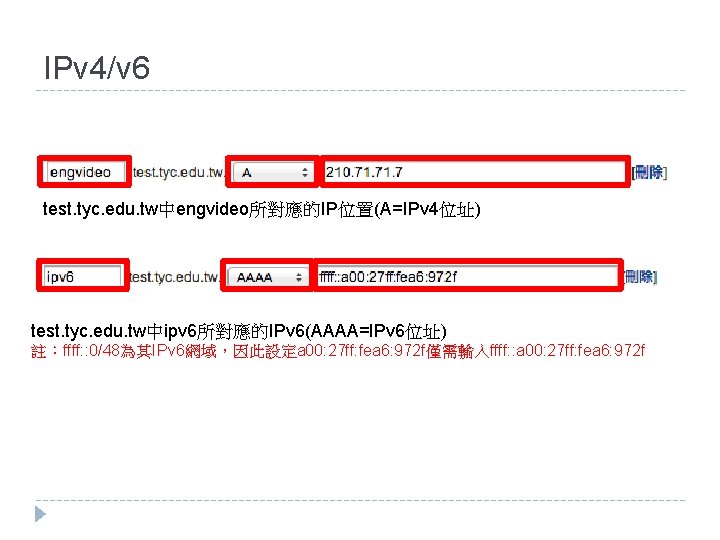
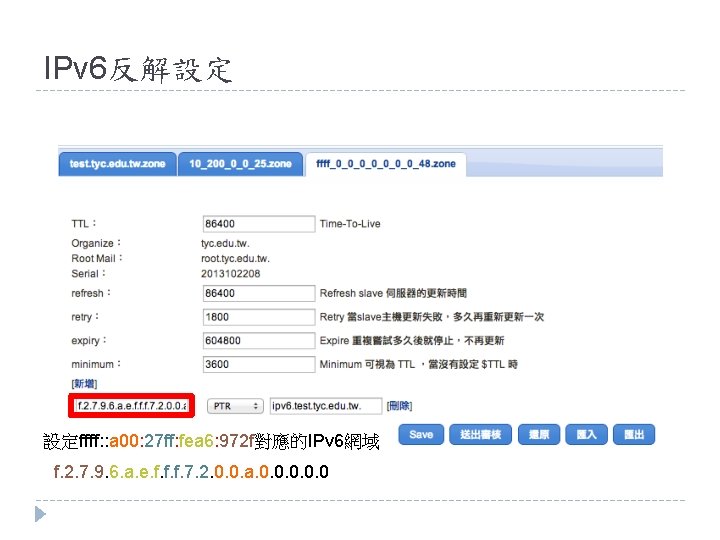
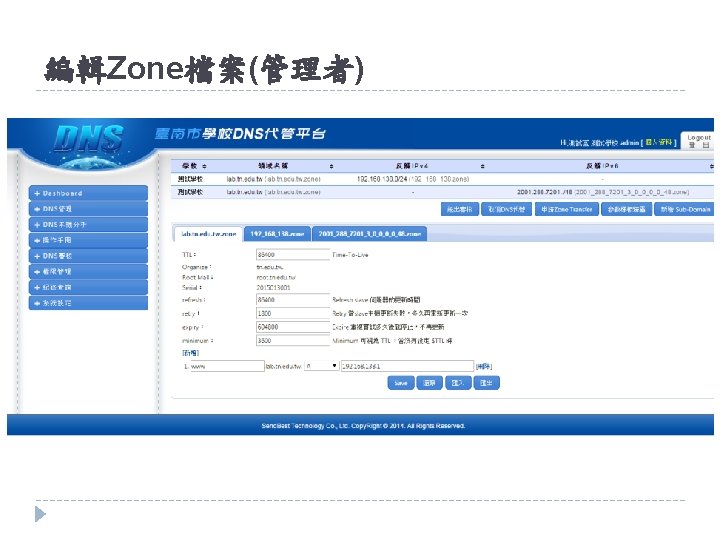
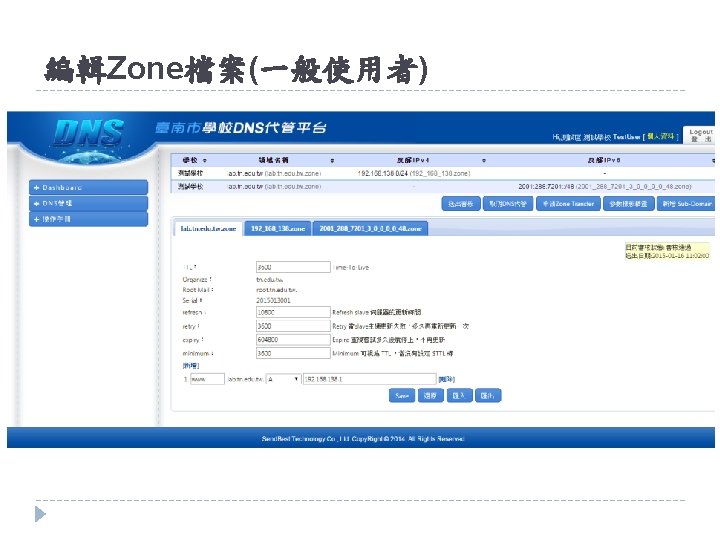
IPv 4/v 6 test. tyc. edu. tw中engvideo所對應的IP位置(A=IPv 4位址) test. tyc. edu. tw中ipv 6所對應的IPv 6(AAAA=IPv 6位址) 註:ffff: : 0/48為其IPv 6網域,因此設定a 00: 27 ff: fea 6: 972 f僅需輸入ffff: : a 00: 27 ff: fea 6: 972 f
IPv 6反解設定 設定ffff: : a 00: 27 ff: fea 6: 972 f對應的IPv 6網域 f. 2. 7. 9. 6. a. e. f. f. f. 7. 2. 0. 0. a. 0. 0. 0
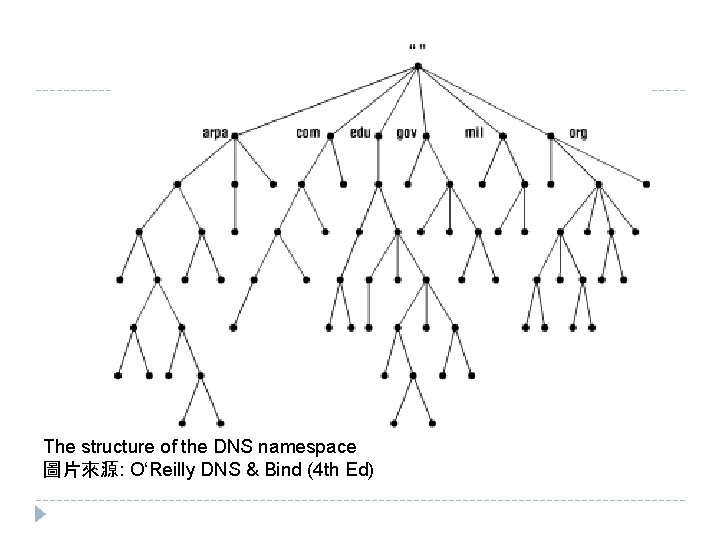
The structure of the DNS namespace 圖片來源: O‘Reilly DNS & Bind (4 th Ed)
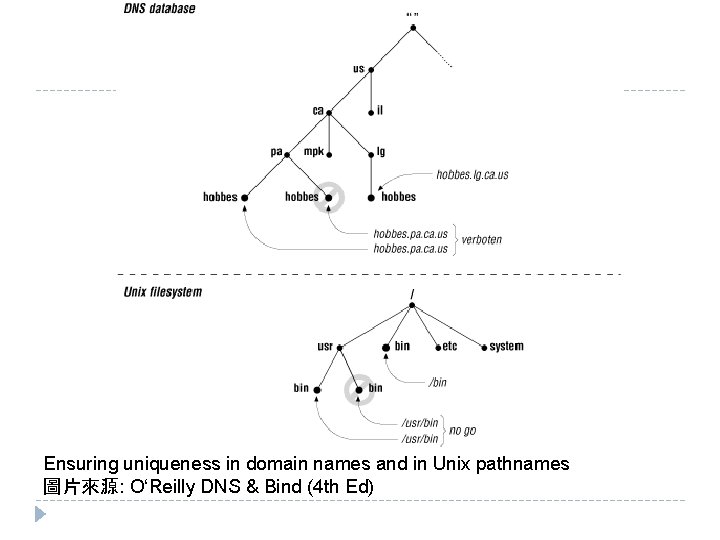
Ensuring uniqueness in domain names and in Unix pathnames 圖片來源: O‘Reilly DNS & Bind (4 th Ed)
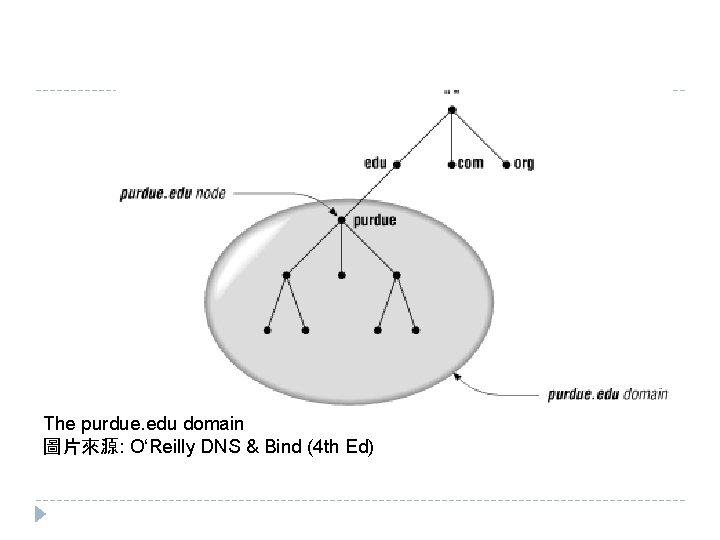
The purdue. edu domain 圖片來源: O‘Reilly DNS & Bind (4 th Ed)
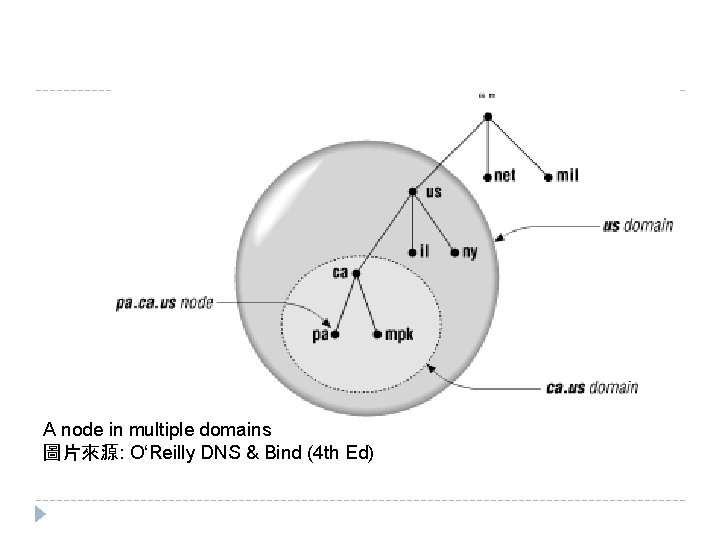
A node in multiple domains 圖片來源: O‘Reilly DNS & Bind (4 th Ed)
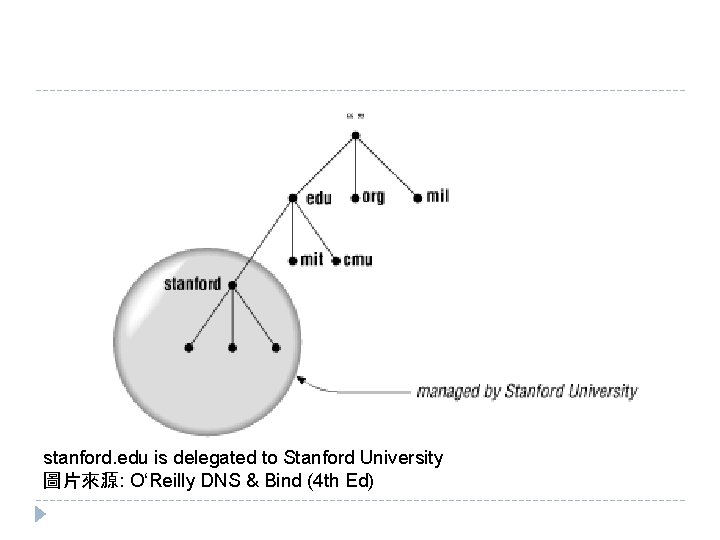
stanford. edu is delegated to Stanford University 圖片來源: O‘Reilly DNS & Bind (4 th Ed)
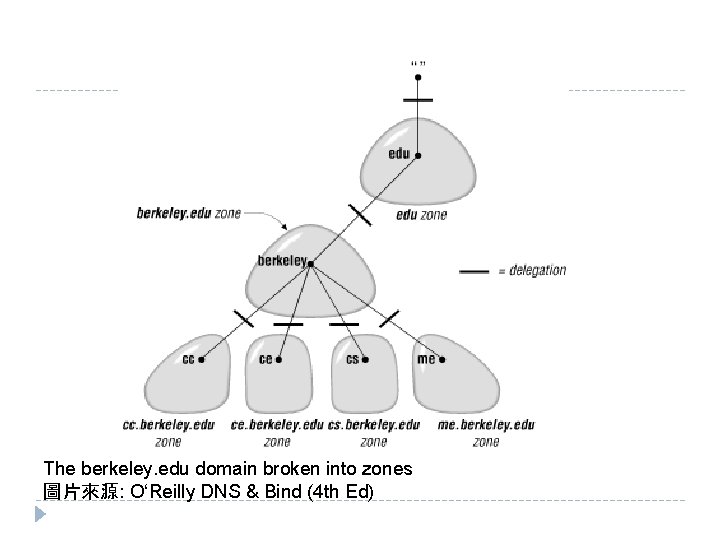
The berkeley. edu domain broken into zones 圖片來源: O‘Reilly DNS & Bind (4 th Ed)
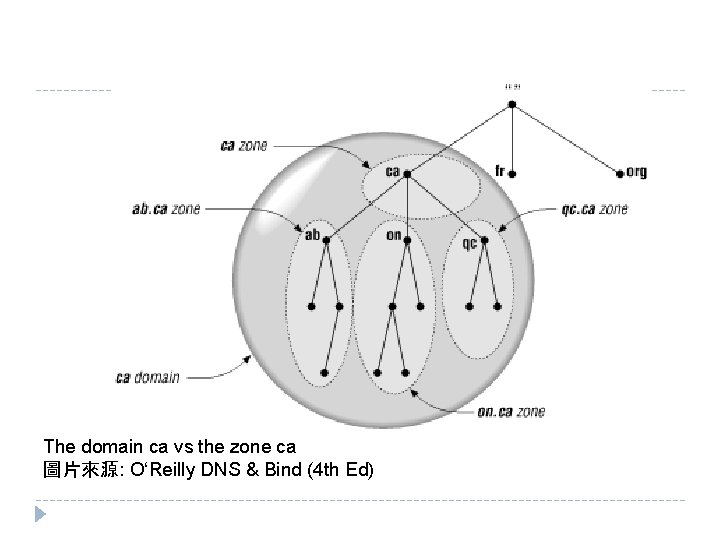
The domain ca vs the zone ca 圖片來源: O‘Reilly DNS & Bind (4 th Ed)
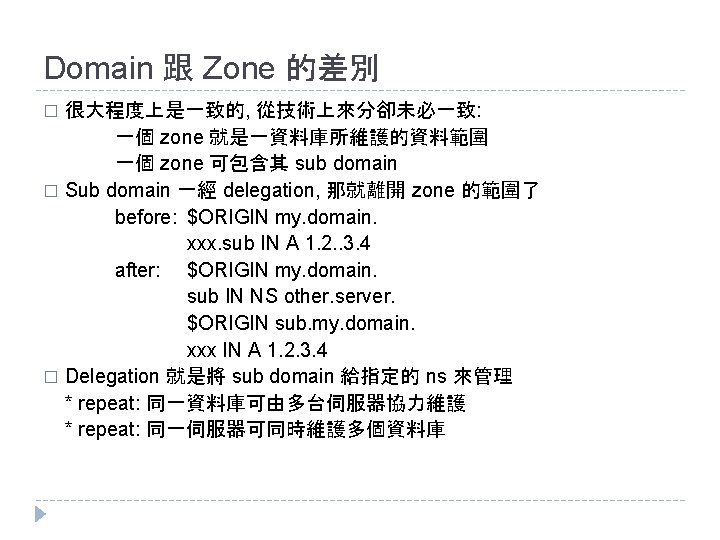
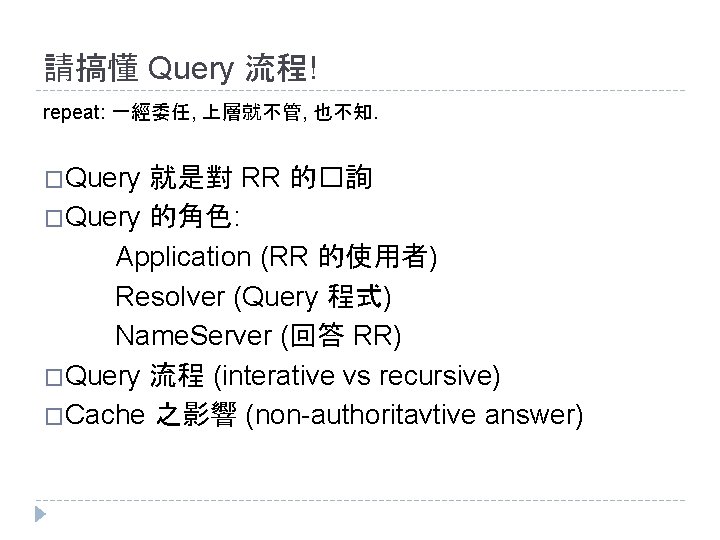
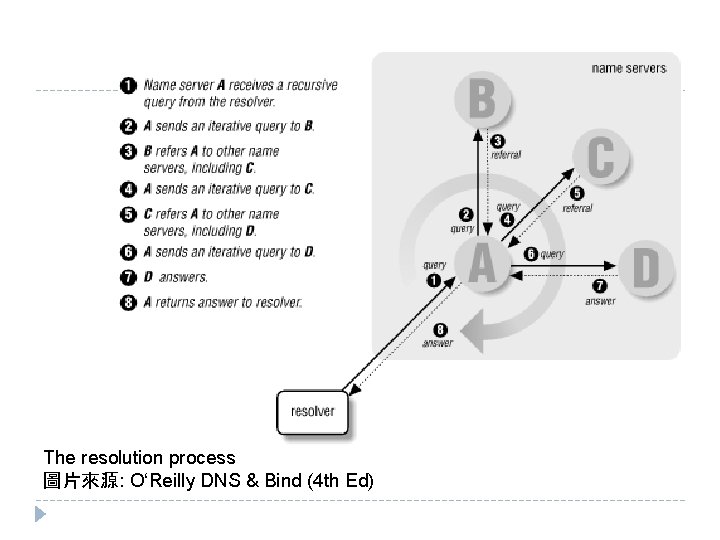
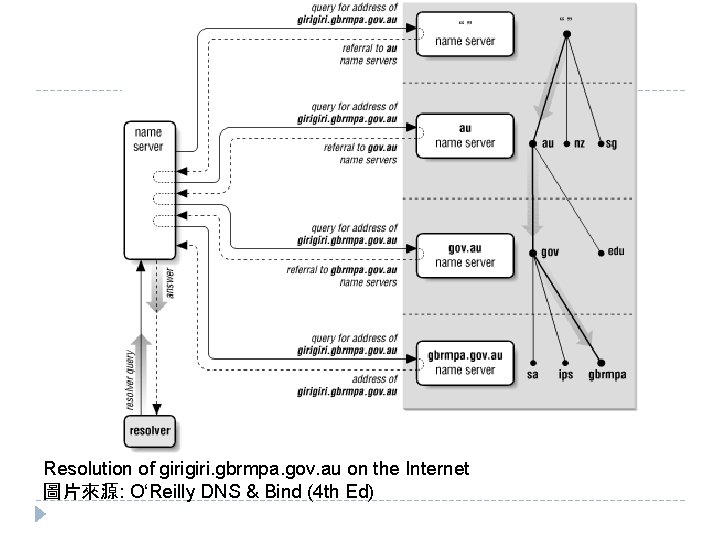
請搞懂 Query 流程! repeat: 一經委任, 上層就不管, 也不知. �Query 就是對 RR 的�詢 �Query 的角色: Application (RR 的使用者) Resolver (Query 程式) Name. Server (回答 RR) �Query 流程 (interative vs recursive) �Cache 之影響 (non-authoritavtive answer)
The resolution process 圖片來源: O‘Reilly DNS & Bind (4 th Ed)
Resolution of giri. gbrmpa. gov. au on the Internet 圖片來源: O‘Reilly DNS & Bind (4 th Ed)
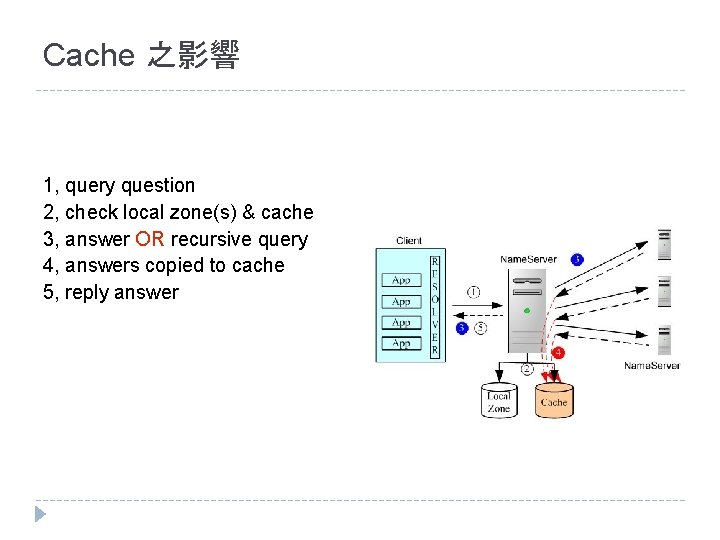
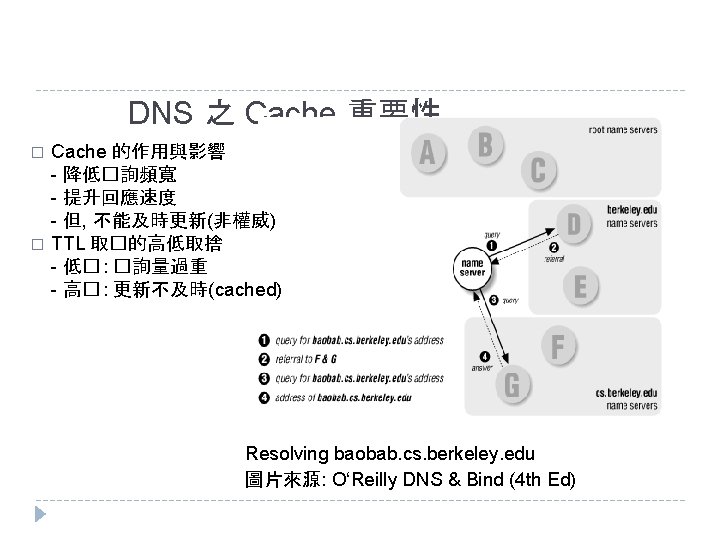
Cache 之影響 1, query question 2, check local zone(s) & cache 3, answer OR recursive query 4, answers copied to cache 5, reply answer
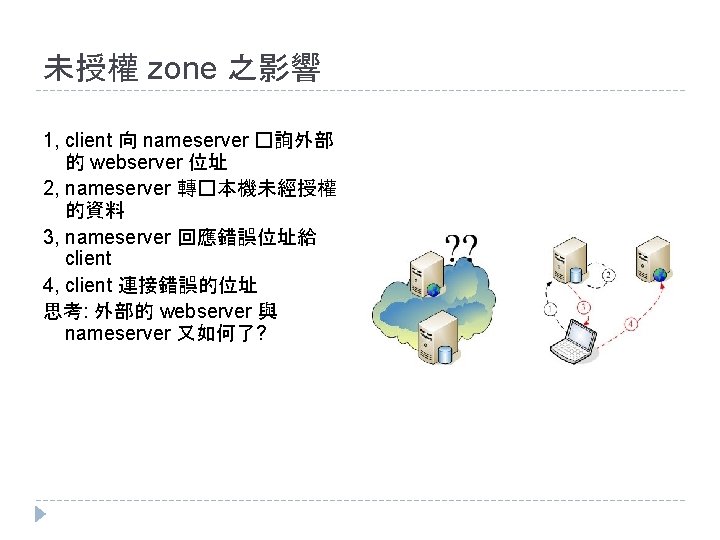
未授權 zone 之影響 1, client 向 nameserver �詢外部 的 webserver 位址 2, nameserver 轉�本機未經授權 的資料 3, nameserver 回應錯誤位址給 client 4, client 連接錯誤的位址 思考: 外部的 webserver 與 nameserver 又如何了?
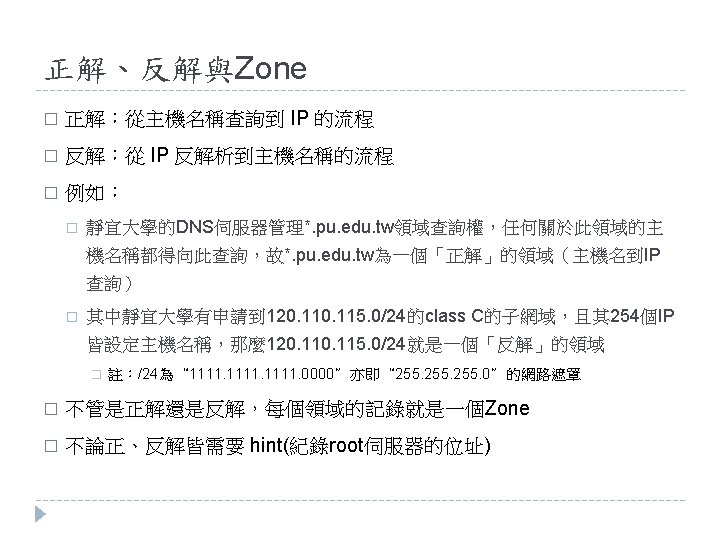
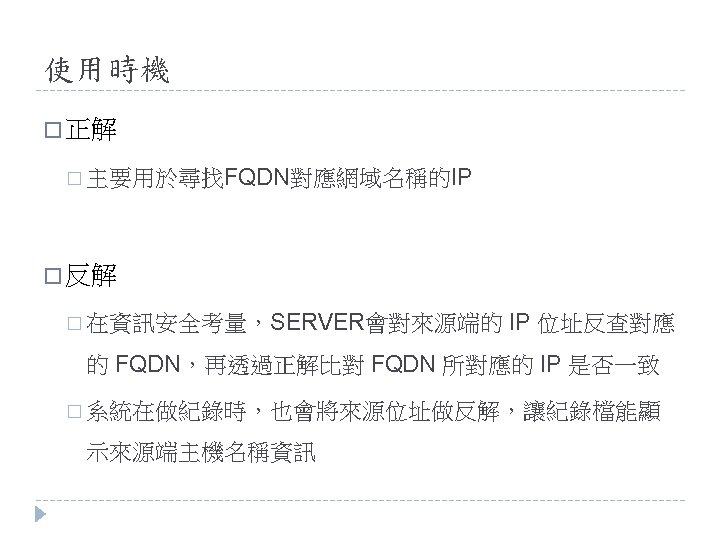
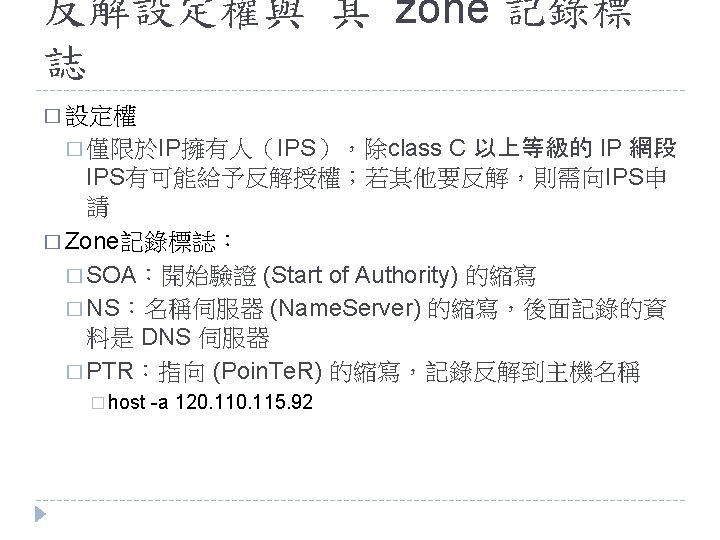
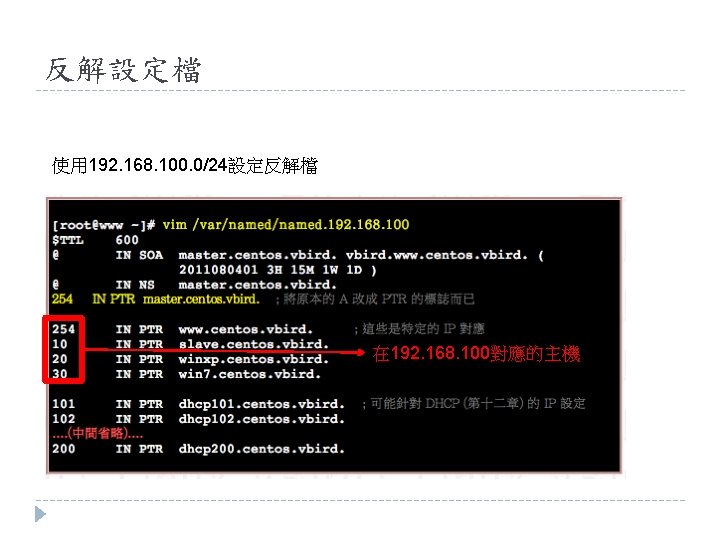
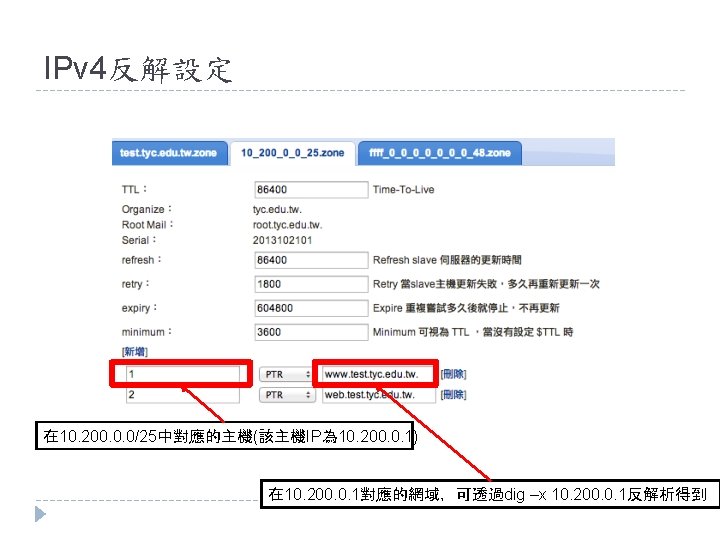
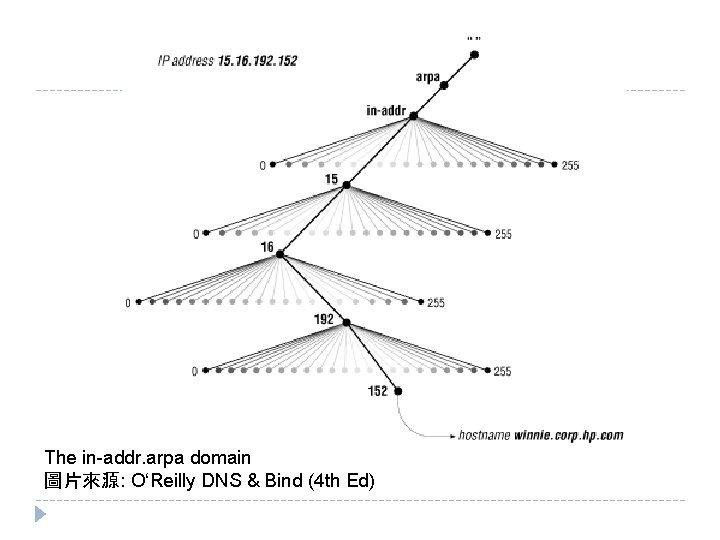
正解與反解 Hostname to IP (A) � 反解(reverse): IP to Hostname (PTR) � IP (1. 2. 3. 4) 的 FQDN: 4. 3. 2. 1. in-addr. arpa. � 反解的授權. (root zone) arpa. in-addr. apra. 1. in-addr. arpa. 2. 1. in-addr. arpa. 3. 2. 1. in-addr. arpa. � 正解(forward):
The in-addr. arpa domain 圖片來源: O‘Reilly DNS & Bind (4 th Ed)
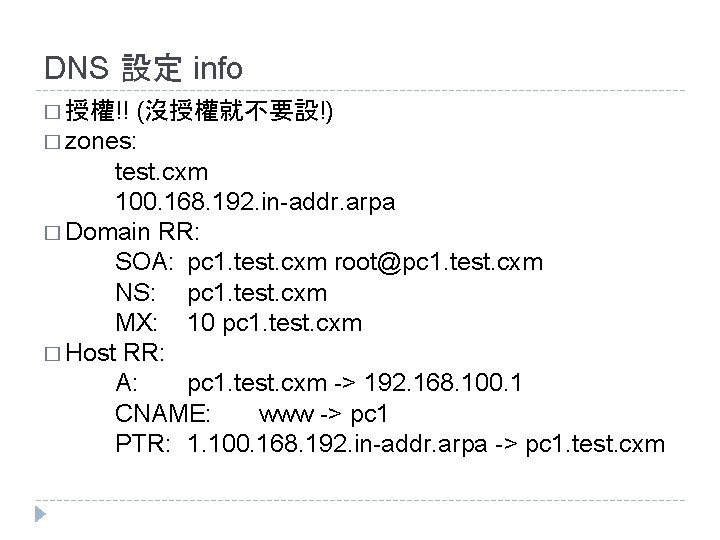
DNS 設定 info (沒授權就不要設!) � zones: test. cxm 100. 168. 192. in-addr. arpa � Domain RR: SOA: pc 1. test. cxm root@pc 1. test. cxm NS: pc 1. test. cxm MX: 10 pc 1. test. cxm � Host RR: A: pc 1. test. cxm -> 192. 168. 100. 1 CNAME: www -> pc 1 PTR: 1. 100. 168. 192. in-addr. arpa -> pc 1. test. cxm � 授權!!
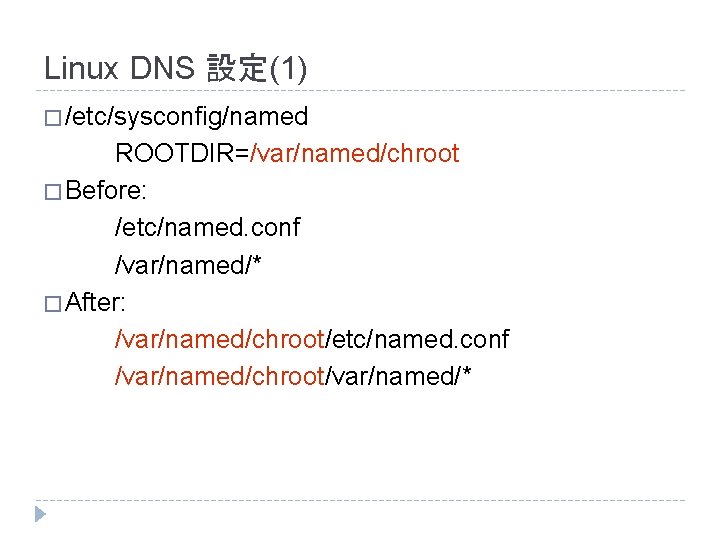
Linux DNS 設定(1) � /etc/sysconfig/named ROOTDIR=/var/named/chroot � Before: /etc/named. conf /var/named/* � After: /var/named/chroot/etc/named. conf /var/named/chroot/var/named/*
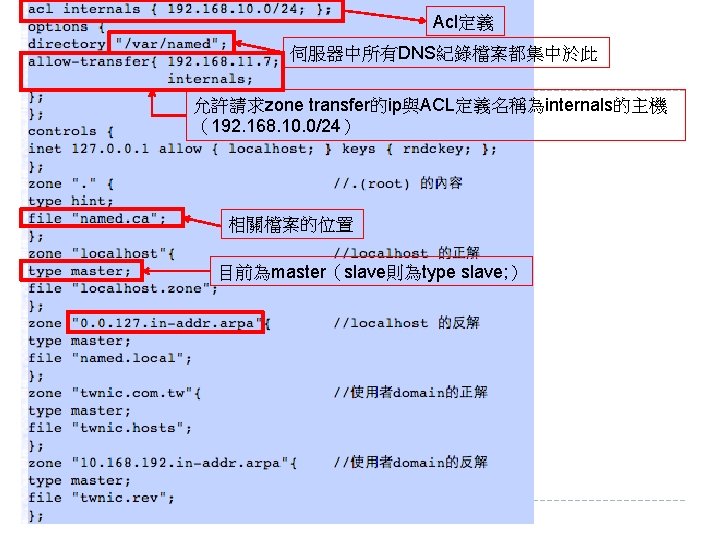
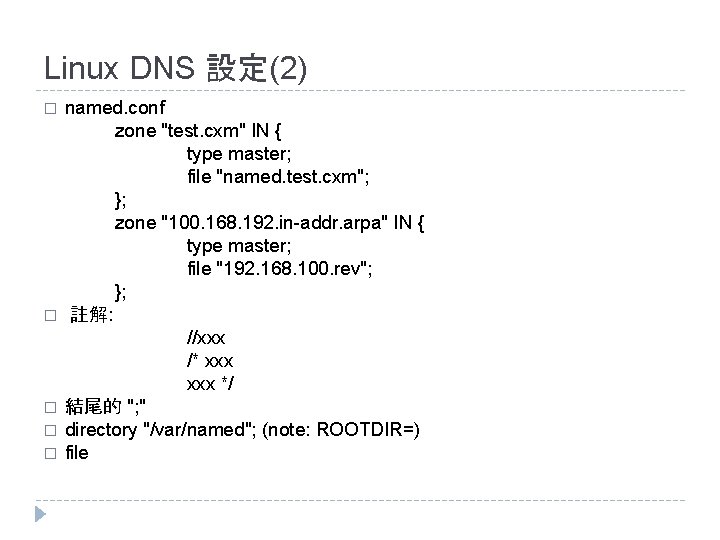
Linux DNS 設定(2) � � � named. conf zone "test. cxm" IN { type master; file "named. test. cxm"; }; zone "100. 168. 192. in-addr. arpa" IN { type master; file "192. 168. 100. rev"; }; 註解: //xxx /* xxx */ 結尾的 "; " directory "/var/named"; (note: ROOTDIR=) file
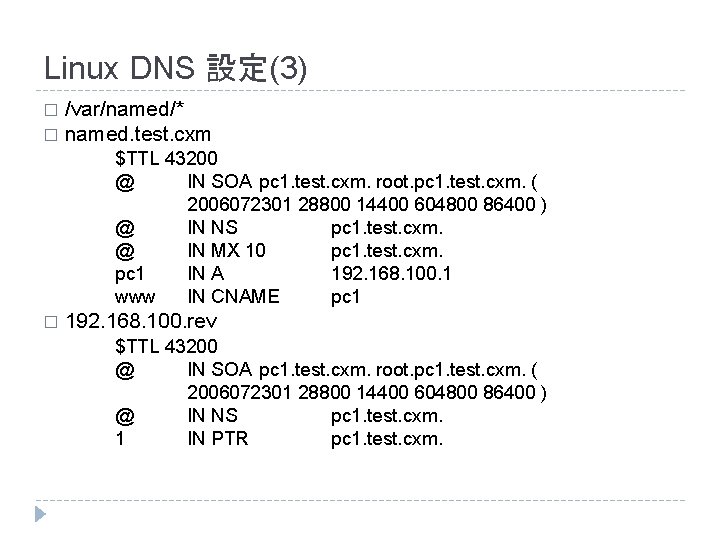
Linux DNS 設定(3) /var/named/* � named. test. cxm � $TTL 43200 @ IN SOA pc 1. test. cxm. root. pc 1. test. cxm. ( 2006072301 28800 14400 604800 86400 ) @ IN NS pc 1. test. cxm. @ IN MX 10 pc 1. test. cxm. pc 1 IN A 192. 168. 100. 1 www IN CNAME pc 1 � 192. 168. 100. rev $TTL 43200 @ IN SOA pc 1. test. cxm. root. pc 1. test. cxm. ( 2006072301 28800 14400 604800 86400 ) @ IN NS pc 1. test. cxm. 1 IN PTR pc 1. test. cxm.
Linux DNS 設定注意 � Comment ; xxx � Fields & indent [Name] [TTL] [CLASS] Type Value � $ORIGIN & @ � 小點 ". " � TTL 取� � $GENERATE 1 -99 pc$ A 192. 168. 100. $ $GENERATE 1 -99 $ PTR pc$. test. cxm.
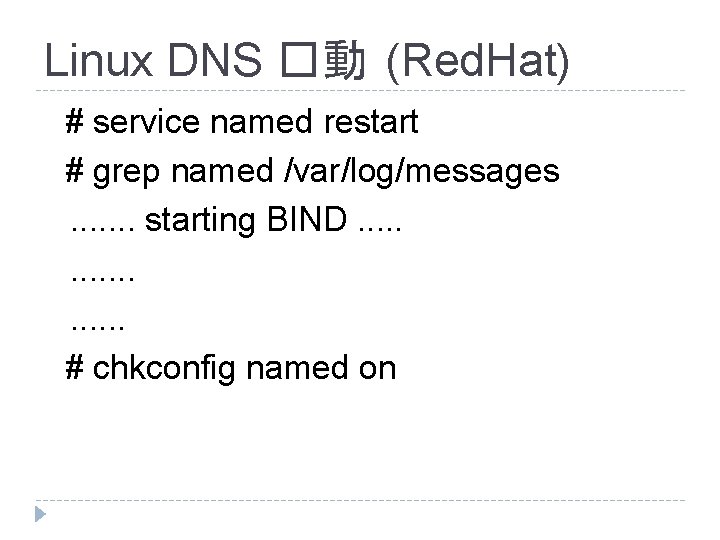
Linux DNS �動 (Red. Hat) # service named restart # grep named /var/log/messages. . . . starting BIND. . . . # chkconfig named on
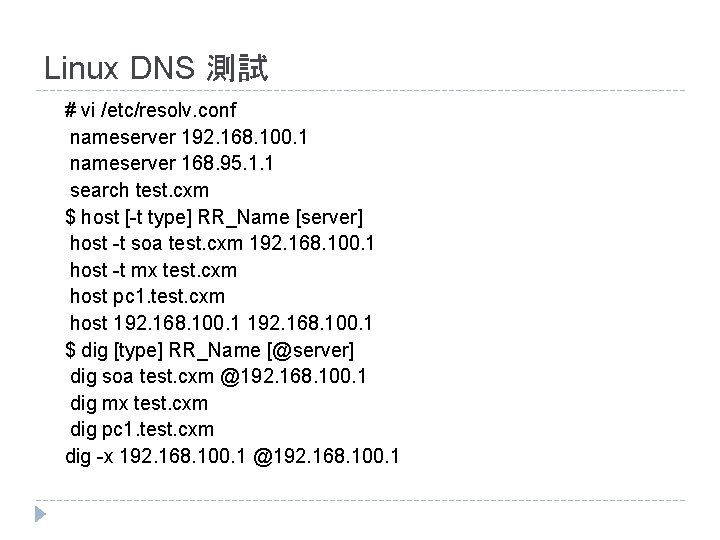
Linux DNS 測試 # vi /etc/resolv. conf nameserver 192. 168. 100. 1 nameserver 168. 95. 1. 1 search test. cxm $ host [-t type] RR_Name [server] host -t soa test. cxm 192. 168. 100. 1 host -t mx test. cxm host pc 1. test. cxm host 192. 168. 100. 1 $ dig [type] RR_Name [@server] dig soa test. cxm @192. 168. 100. 1 dig mx test. cxm dig pc 1. test. cxm dig -x 192. 168. 100. 1 @192. 168. 100. 1
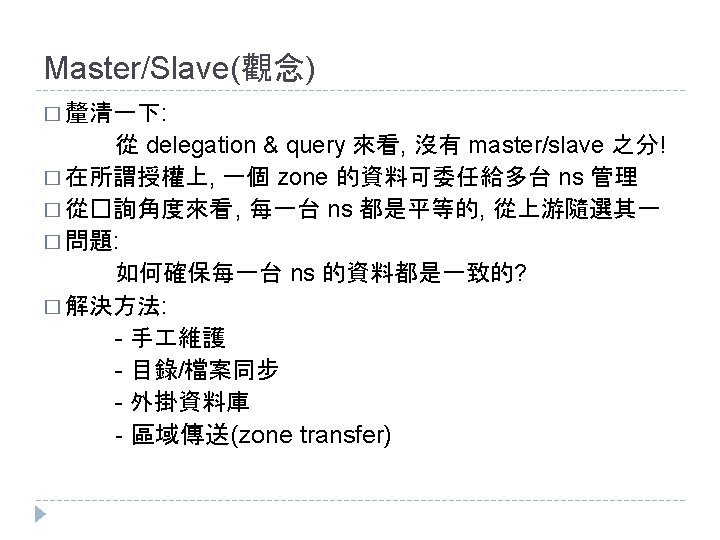
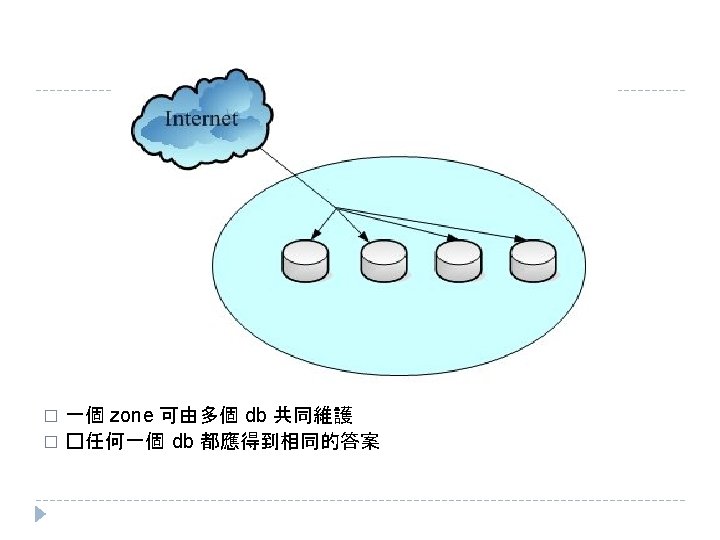
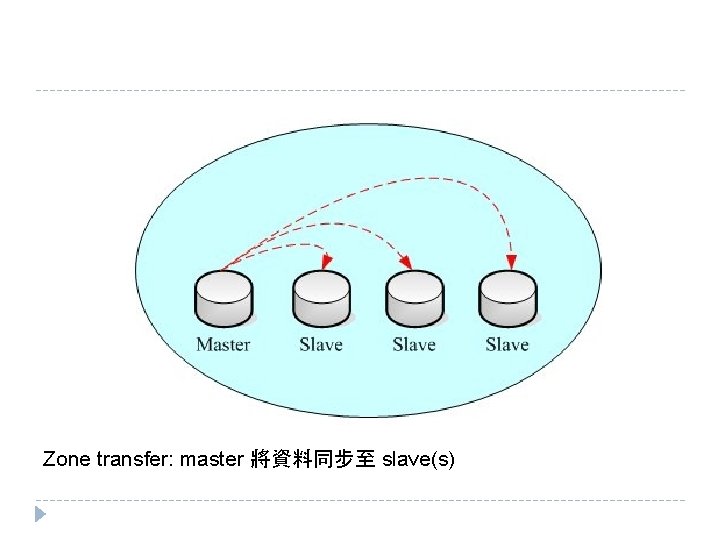
Zone transfer: master 將資料同步至 slave(s)
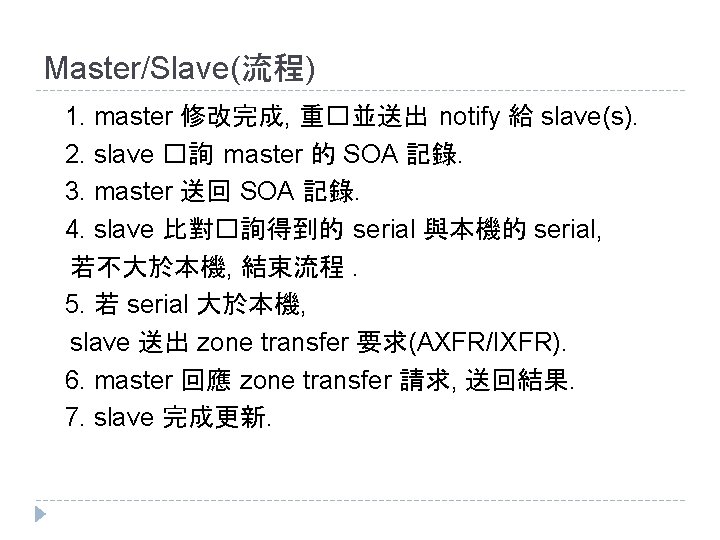
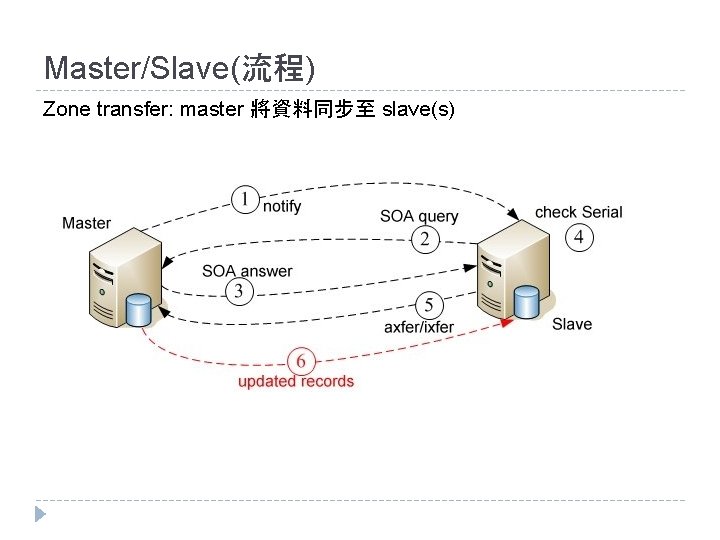
Master/Slave(流程) 1. master 修改完成, 重�並送出 notify 給 slave(s). 2. slave �詢 master 的 SOA 記錄. 3. master 送回 SOA 記錄. 4. slave 比對�詢得到的 serial 與本機的 serial, 若不大於本機, 結束流程. 5. 若 serial 大於本機, slave 送出 zone transfer 要求(AXFR/IXFR). 6. master 回應 zone transfer 請求, 送回結果. 7. slave 完成更新.
Master/Slave(流程) Zone transfer: master 將資料同步至 slave(s)
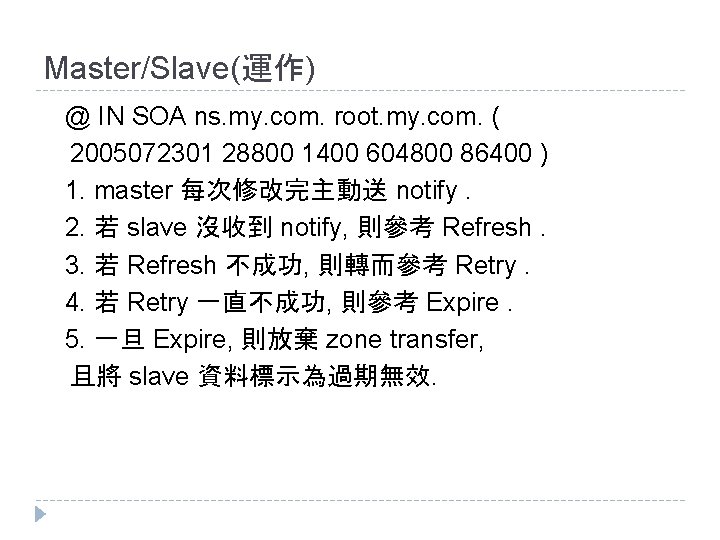
Master/Slave(運作) @ IN SOA ns. my. com. root. my. com. ( 2005072301 28800 1400 604800 86400 ) 1. master 每次修改完主動送 notify. 2. 若 slave 沒收到 notify, 則參考 Refresh. 3. 若 Refresh 不成功, 則轉而參考 Retry. 4. 若 Retry 一直不成功, 則參考 Expire. 5. 一旦 Expire, 則放棄 zone transfer, 且將 slave 資料標示為過期無效.
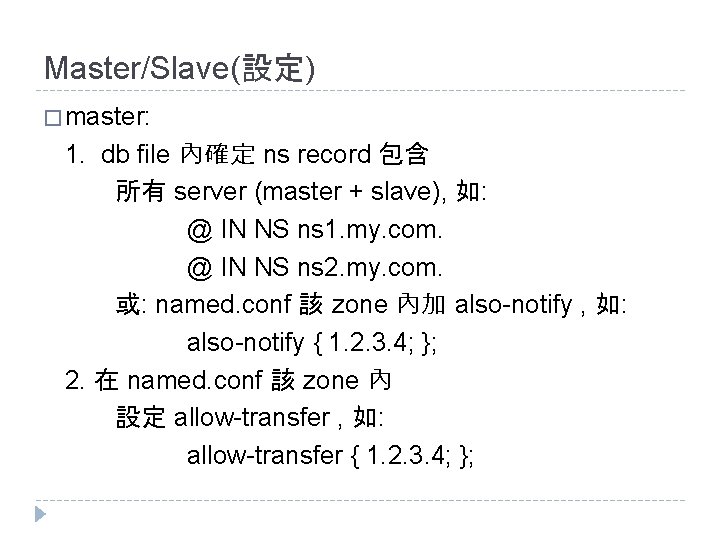
Master/Slave(設定) � master: 1. db file 內確定 ns record 包含 所有 server (master + slave), 如: @ IN NS ns 1. my. com. @ IN NS ns 2. my. com. 或: named. conf 該 zone 內加 also-notify , 如: also-notify { 1. 2. 3. 4; }; 2. 在 named. conf 該 zone 內 設定 allow-transfer , 如: allow-transfer { 1. 2. 3. 4; };
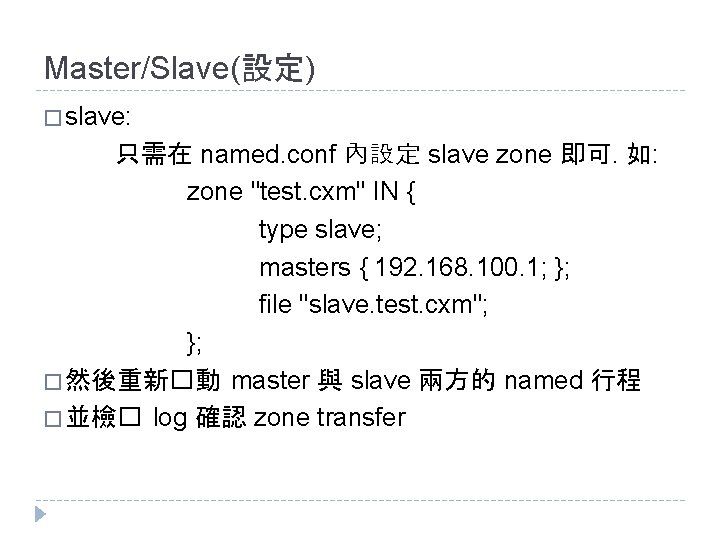
Master/Slave(設定) � slave: 只需在 named. conf 內設定 slave zone 即可. 如: zone "test. cxm" IN { type slave; masters { 192. 168. 100. 1; }; file "slave. test. cxm"; }; � 然後重新�動 master 與 slave 兩方的 named 行程 � 並檢� log 確認 zone transfer
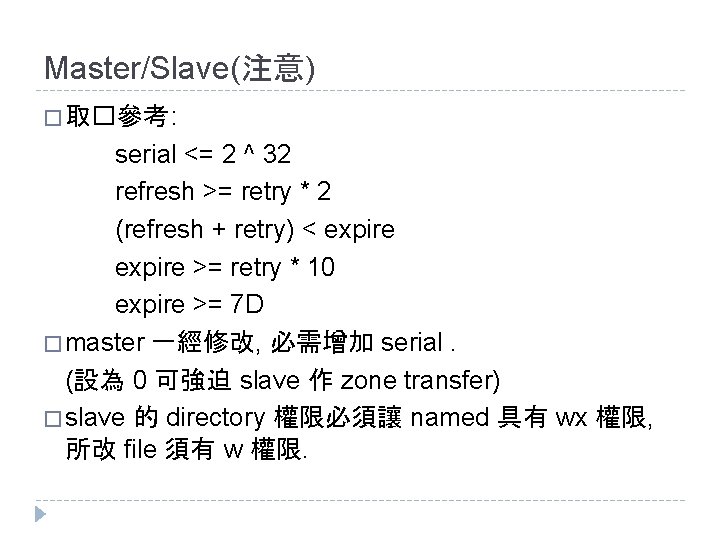
Master/Slave(注意) � 取�參考 : serial <= 2 ^ 32 refresh >= retry * 2 (refresh + retry) < expire >= retry * 10 expire >= 7 D � master 一經修改, 必需增加 serial. (設為 0 可強迫 slave 作 zone transfer) � slave 的 directory 權限必須讓 named 具有 wx 權限, 所改 file 須有 w 權限.
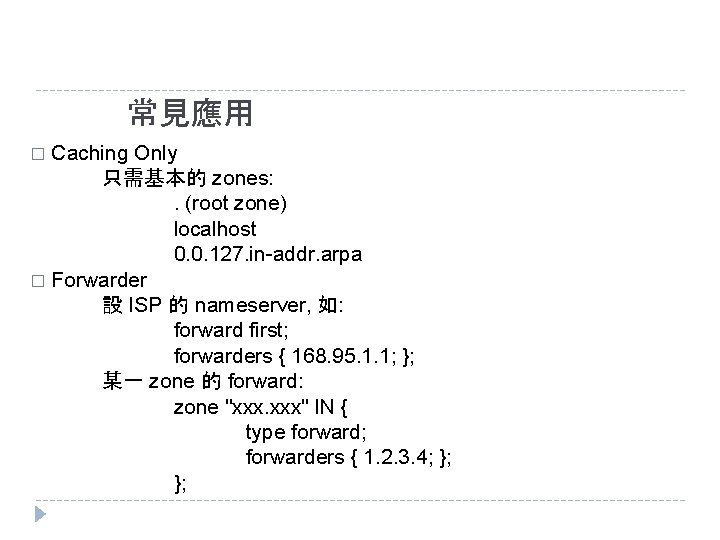
常見應用 Caching Only 只需基本的 zones: . (root zone) localhost 0. 0. 127. in-addr. arpa � Forwarder 設 ISP 的 nameserver, 如: forward first; forwarders { 168. 95. 1. 1; }; 某一 zone 的 forward: zone "xxx. xxx" IN { type forward; forwarders { 1. 2. 3. 4; }; }; �
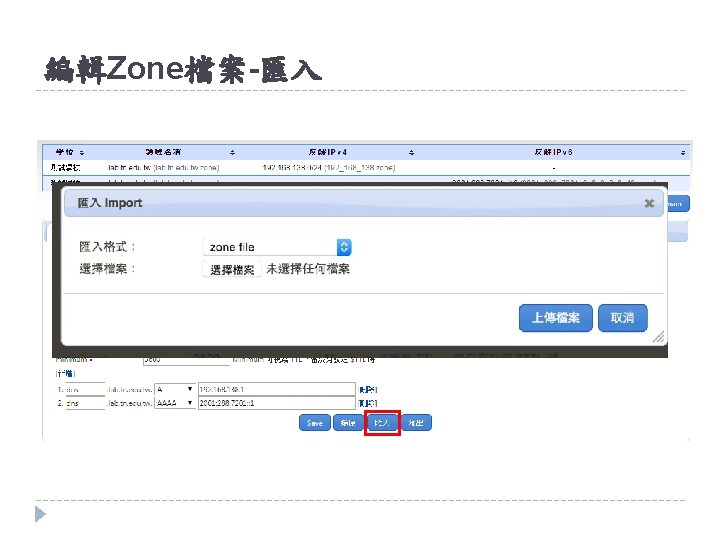
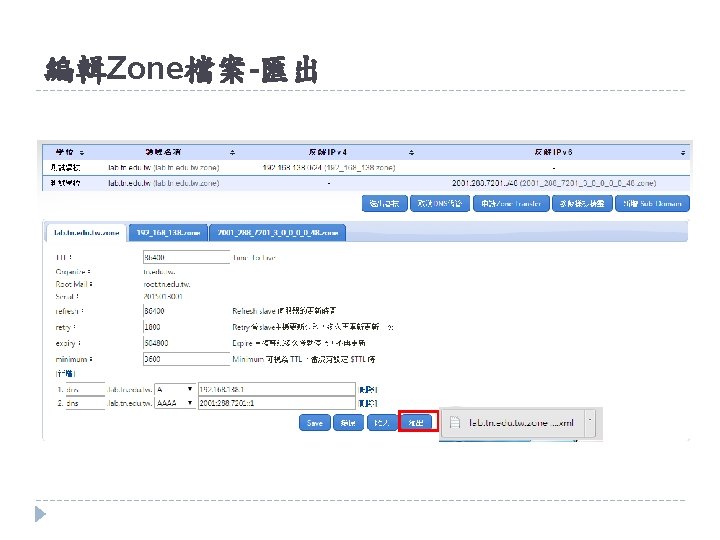
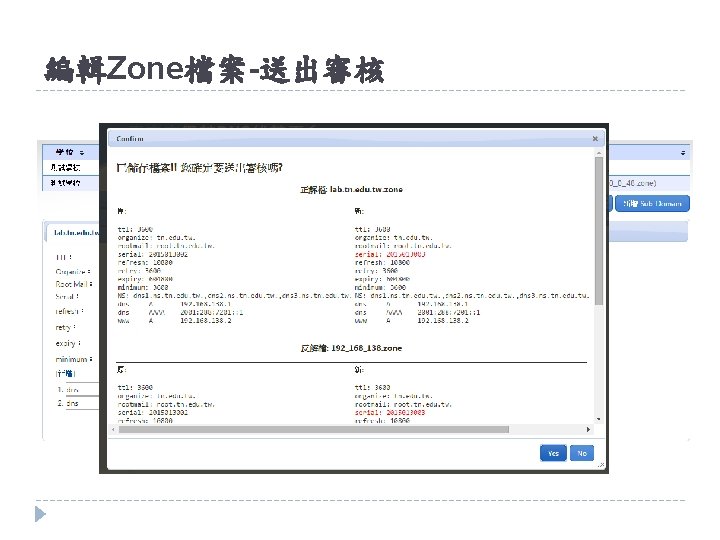
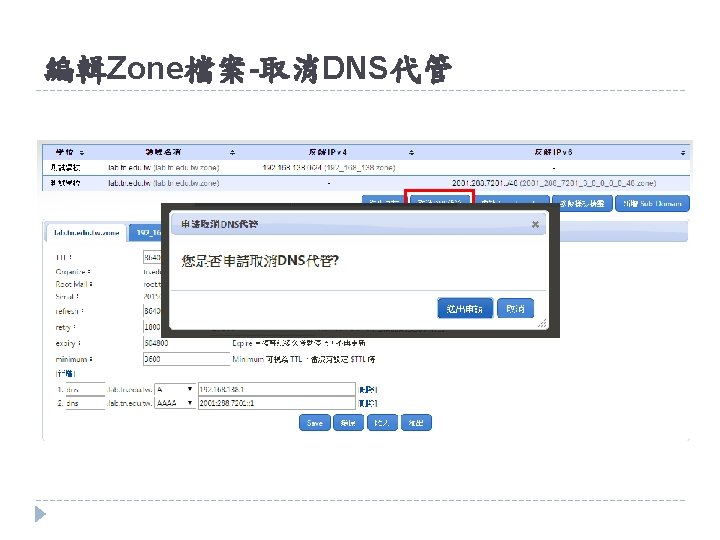
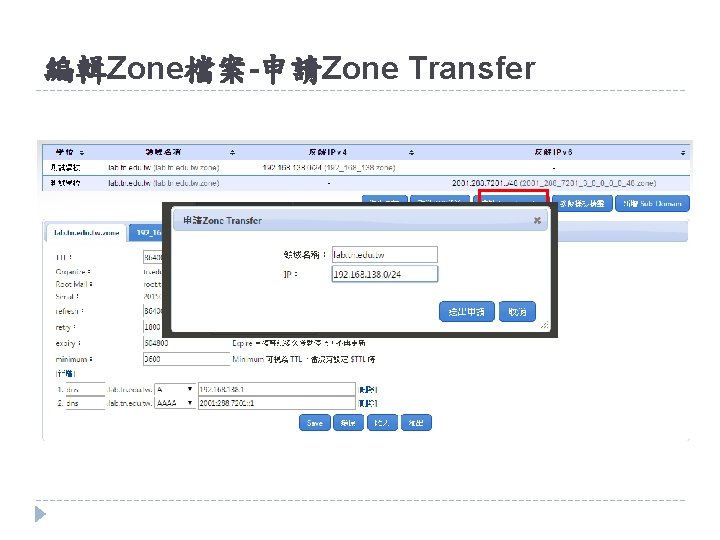
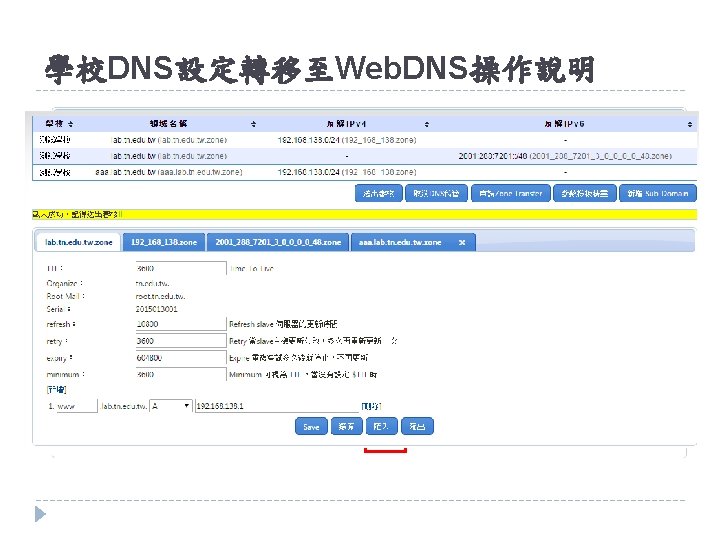
編輯Zone檔案-申請Zone Transfer
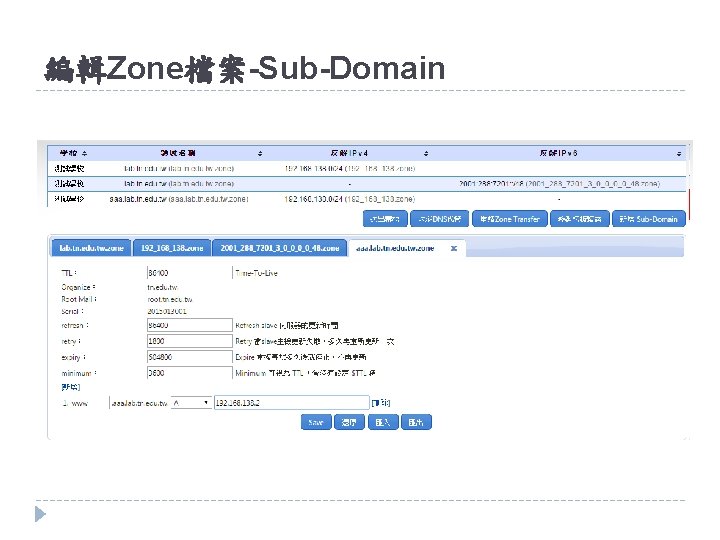
編輯Zone檔案-Sub-Domain
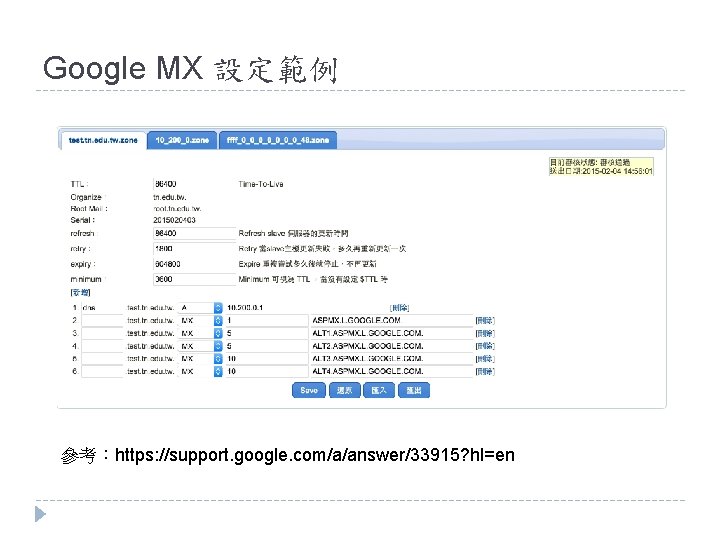
Google MX 設定範例
Google MX 設定範例 參考:https: //support. google. com/a/answer/33915? hl=en
如何開啟zone Transfer
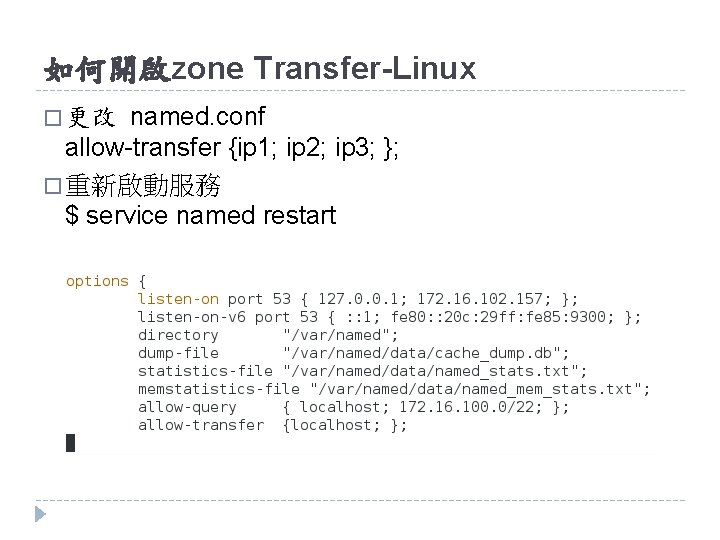
如何開啟zone Transfer-Linux named. conf allow-transfer {ip 1; ip 2; ip 3; }; � 重新啟動服務 $ service named restart � 更改
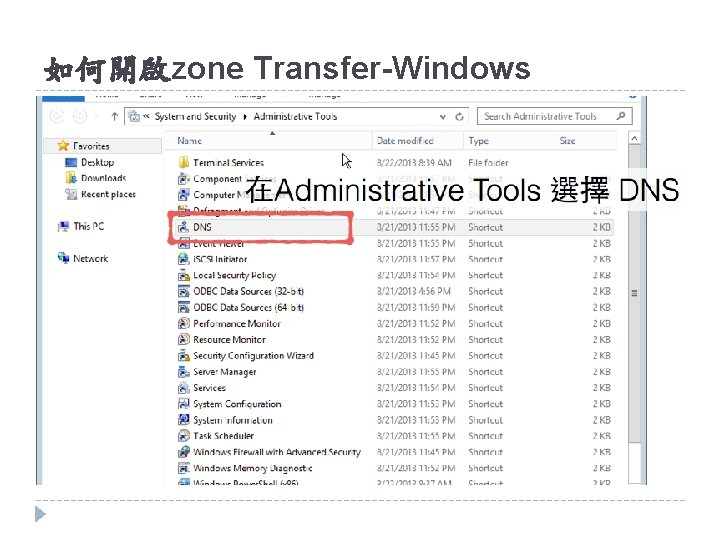
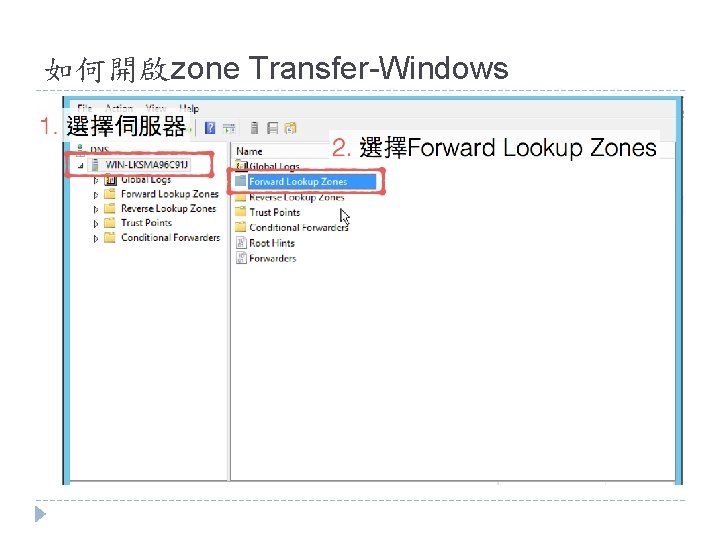
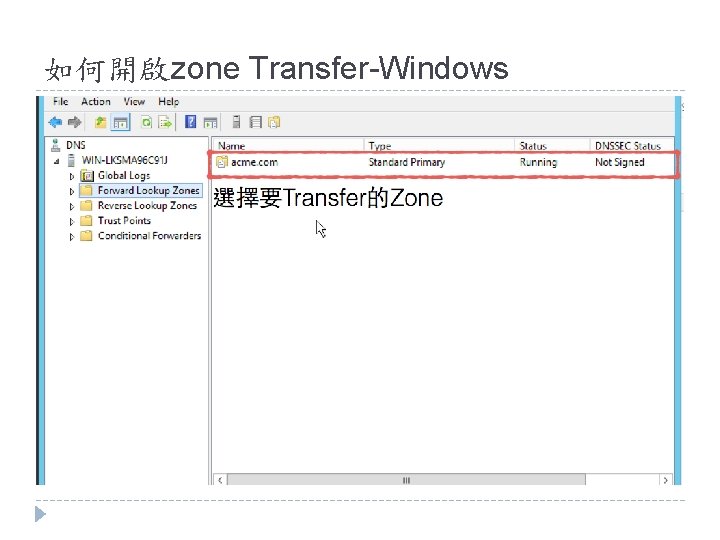
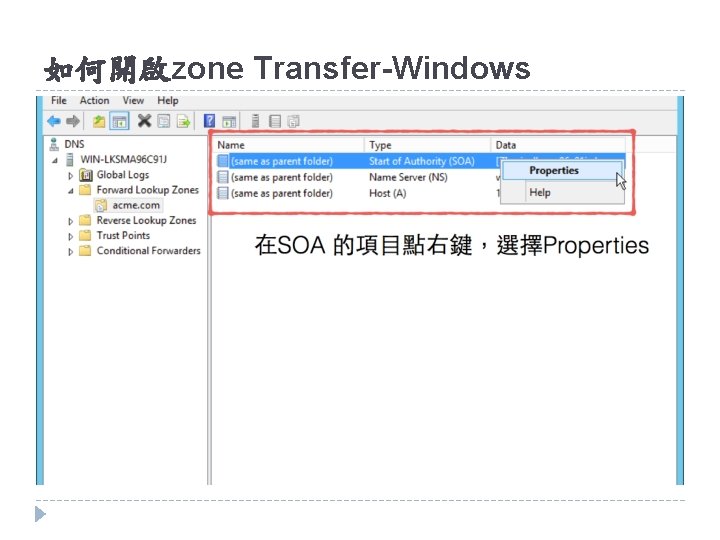
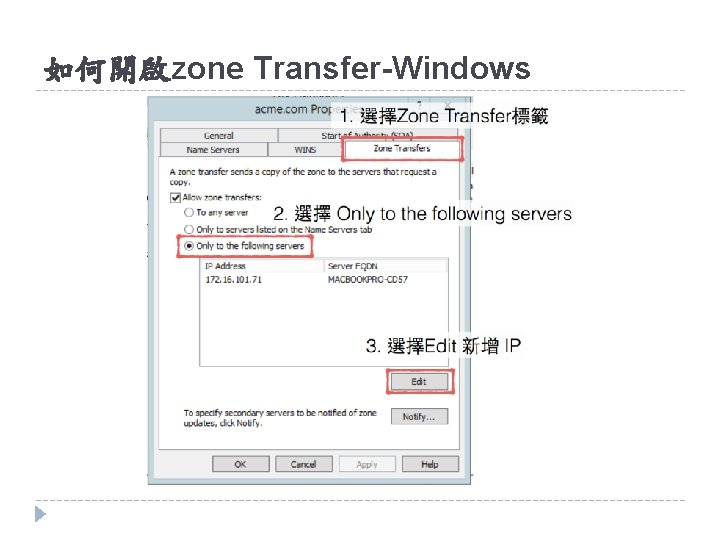
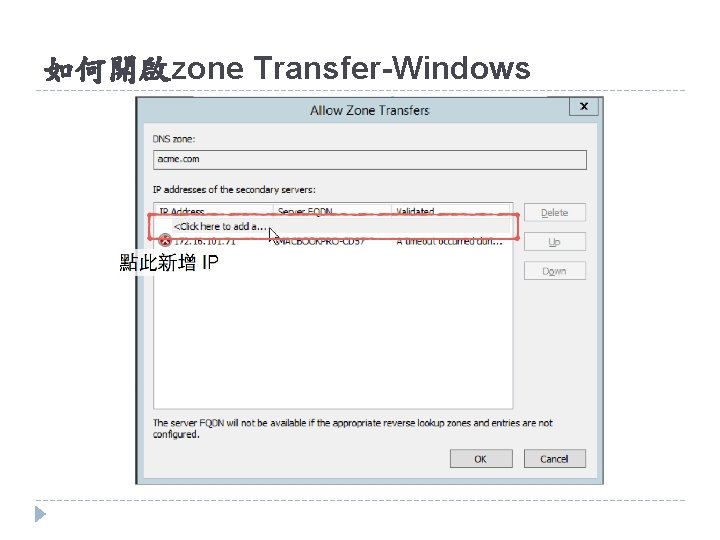
如何開啟zone Transfer-Windows
如何開啟zone Transfer-Windows
如何開啟zone Transfer-Windows
如何開啟zone Transfer-Windows
如何開啟zone Transfer-Windows
如何開啟zone Transfer-Windows
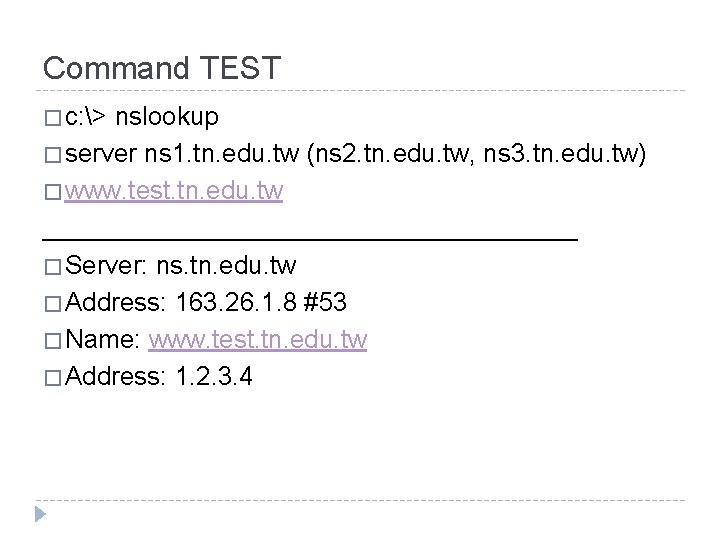
Command TEST � c: > nslookup � server ns 1. tn. edu. tw (ns 2. tn. edu. tw, ns 3. tn. edu. tw) � www. test. tn. edu. tw ___________________ � Server: ns. tn. edu. tw � Address: 163. 26. 1. 8 #53 � Name: www. test. tn. edu. tw � Address: 1. 2. 3. 4