PIC 16 F 887 Main Features p Only


- Slides: 55
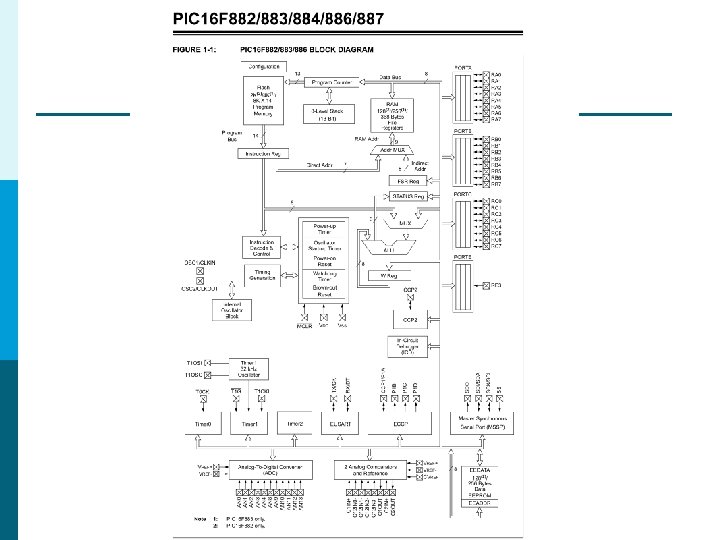
PIC 16 F 887
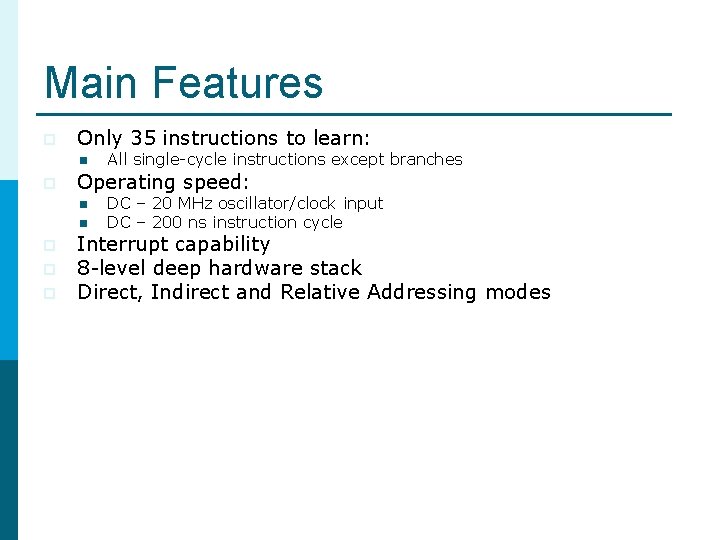
Main Features p Only 35 instructions to learn: n p Operating speed: n n p p p All single-cycle instructions except branches DC – 20 MHz oscillator/clock input DC – 200 ns instruction cycle Interrupt capability 8 -level deep hardware stack Direct, Indirect and Relative Addressing modes
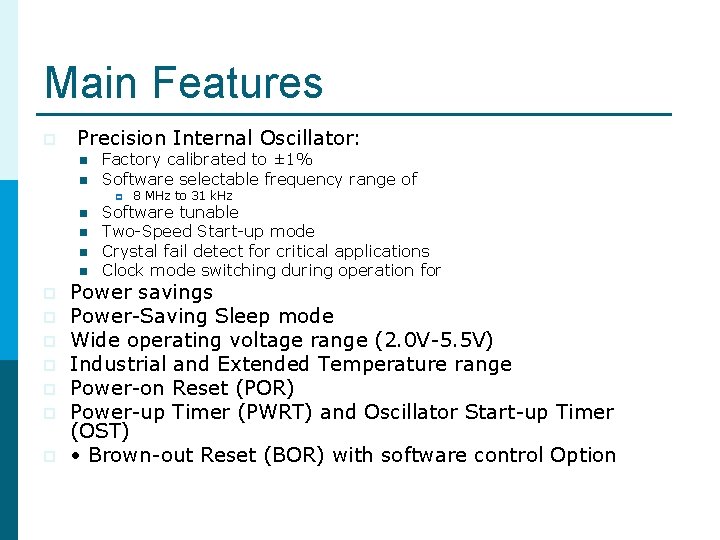
Main Features p Precision Internal Oscillator: n n Factory calibrated to ± 1% Software selectable frequency range of p n n p p p p 8 MHz to 31 k. Hz Software tunable Two-Speed Start-up mode Crystal fail detect for critical applications Clock mode switching during operation for Power savings Power-Saving Sleep mode Wide operating voltage range (2. 0 V-5. 5 V) Industrial and Extended Temperature range Power-on Reset (POR) Power-up Timer (PWRT) and Oscillator Start-up Timer (OST) • Brown-out Reset (BOR) with software control Option
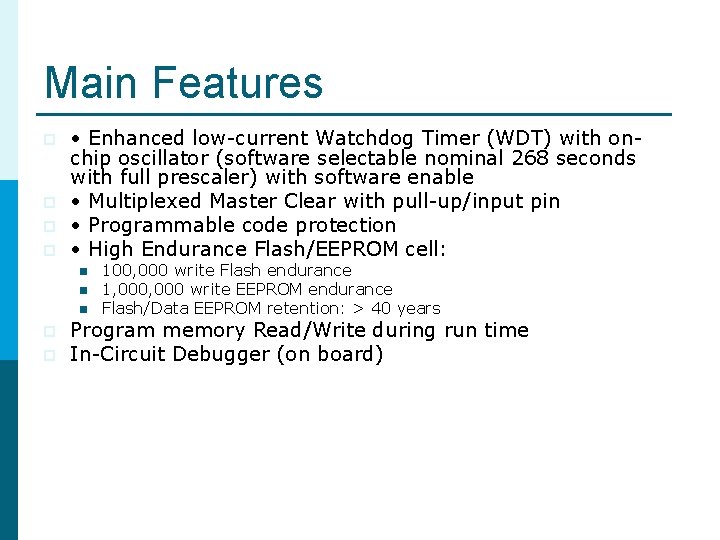
Main Features p p • Enhanced low-current Watchdog Timer (WDT) with onchip oscillator (software selectable nominal 268 seconds with full prescaler) with software enable • Multiplexed Master Clear with pull-up/input pin • Programmable code protection • High Endurance Flash/EEPROM cell: n n n p p 100, 000 write Flash endurance 1, 000 write EEPROM endurance Flash/Data EEPROM retention: > 40 years Program memory Read/Write during run time In-Circuit Debugger (on board)
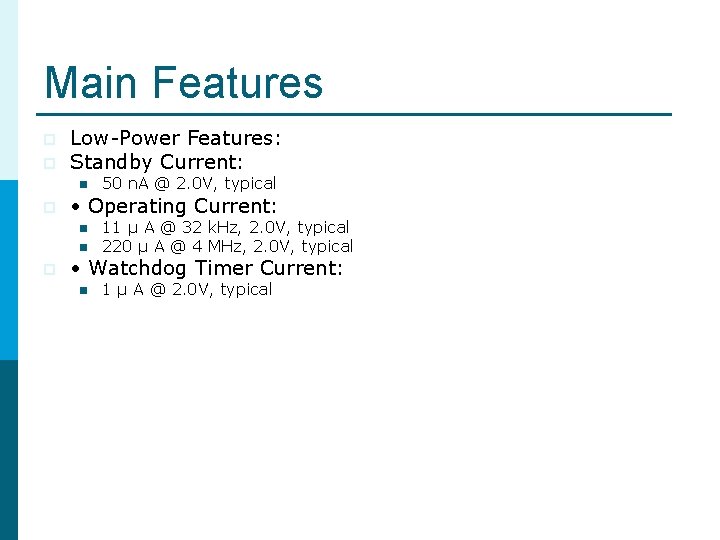
Main Features p p Low-Power Features: Standby Current: n p • Operating Current: n n p 50 n. A @ 2. 0 V, typical 11 μ A @ 32 k. Hz, 2. 0 V, typical 220 μ A @ 4 MHz, 2. 0 V, typical • Watchdog Timer Current: n 1 μ A @ 2. 0 V, typical
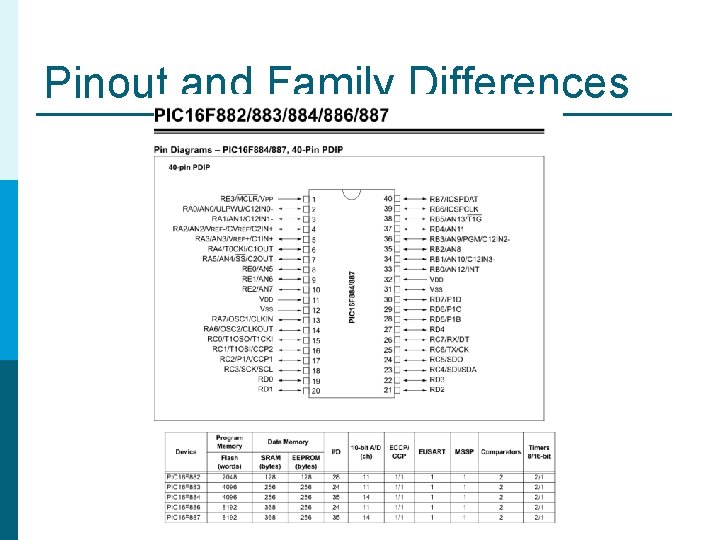
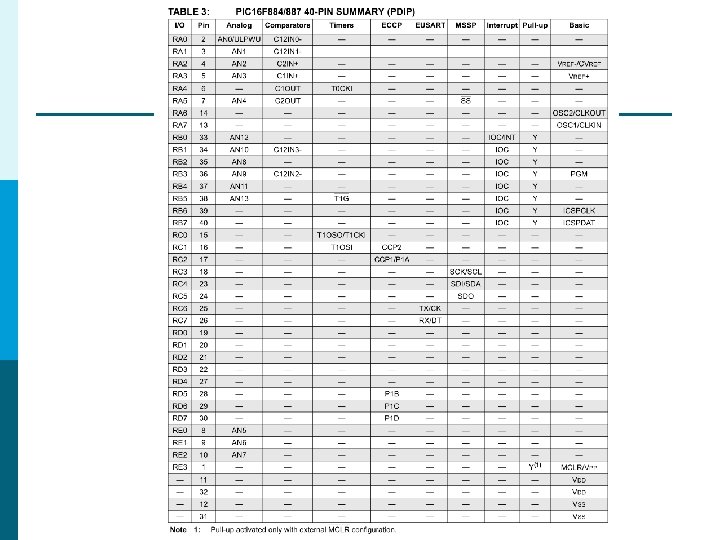
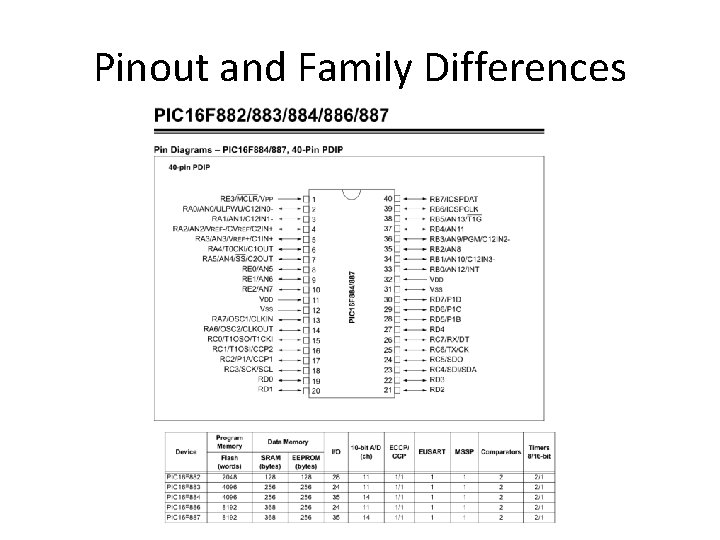
Pinout and Family Differences
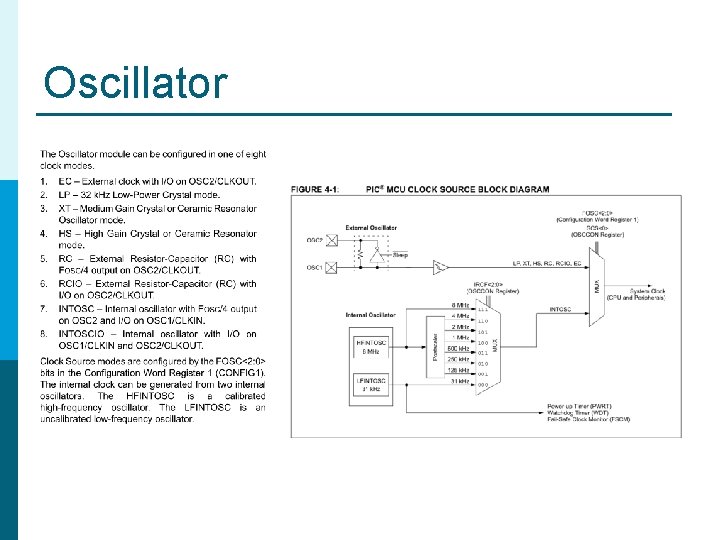
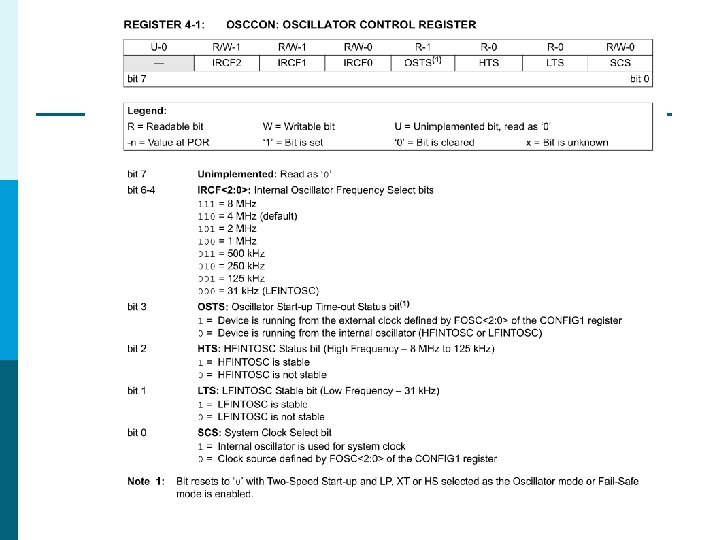
Oscillator
FOSC REGISTER
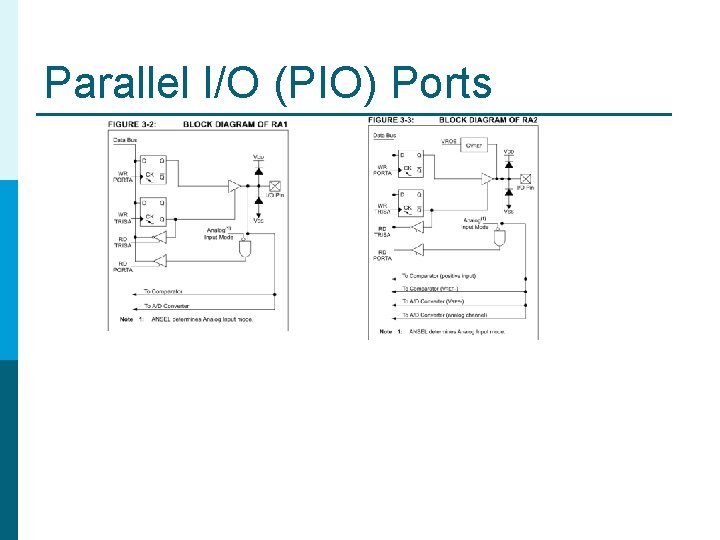
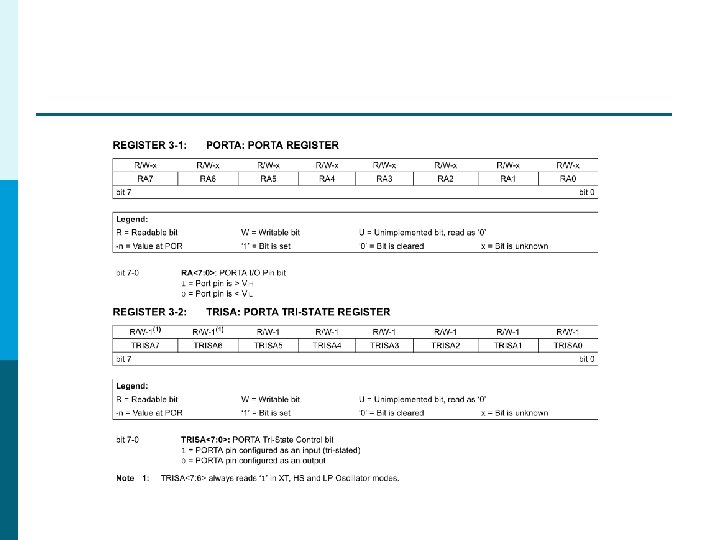
Parallel I/O (PIO) Ports
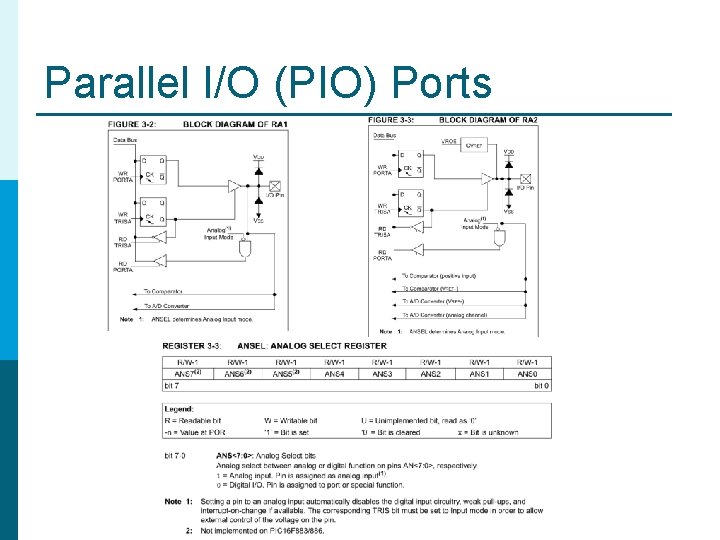
Parallel I/O (PIO) Ports
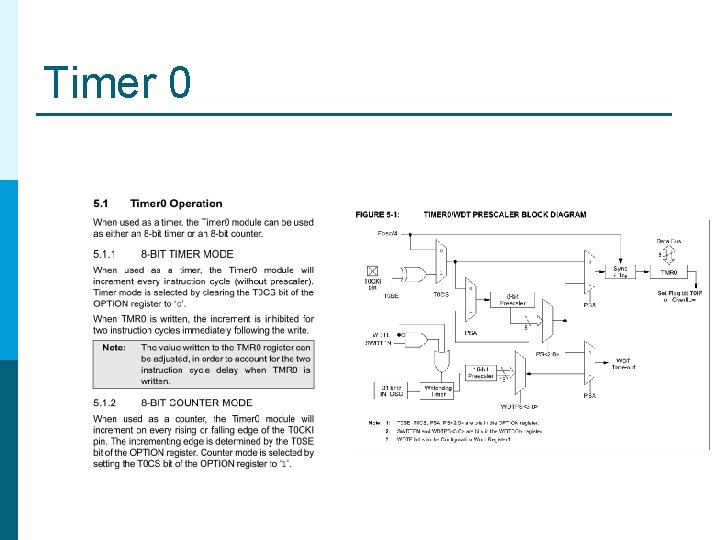
Timer 0
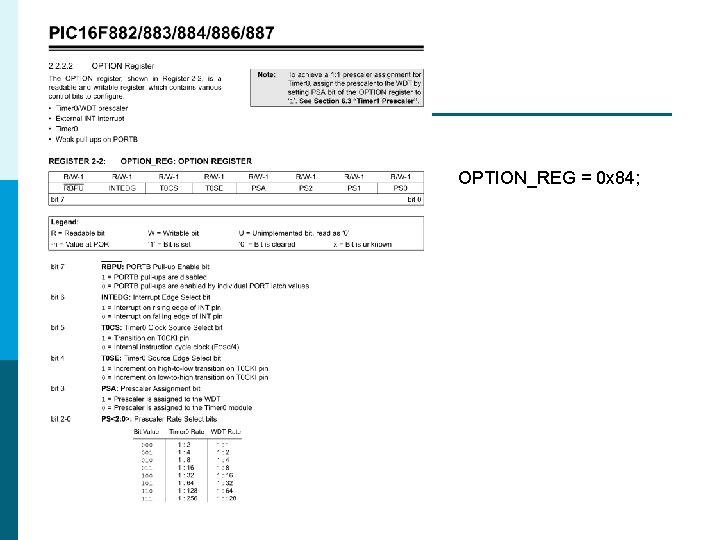
OPTION_REG = 0 x 84;
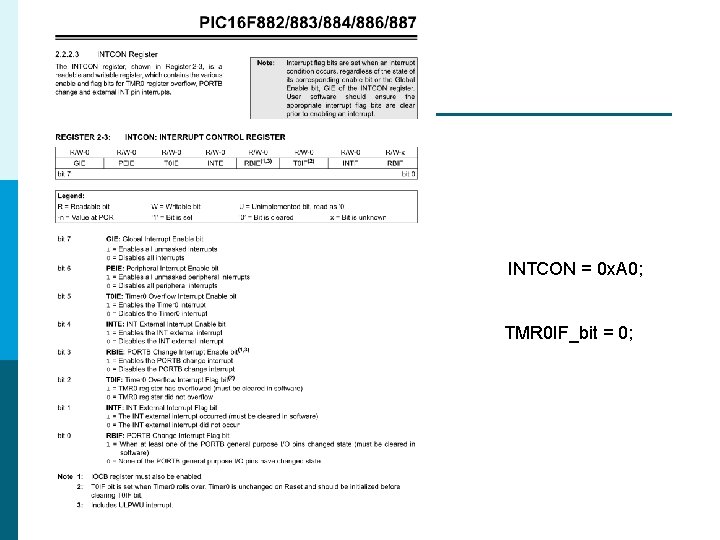
INTCON = 0 x. A 0; TMR 0 IF_bit = 0;
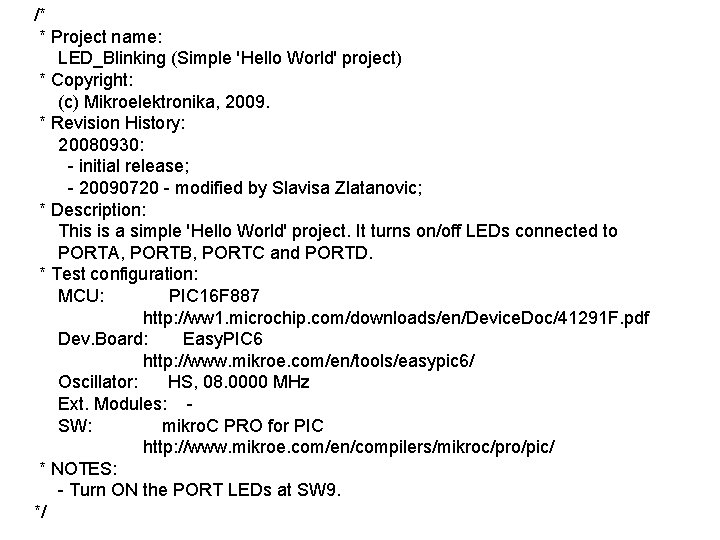
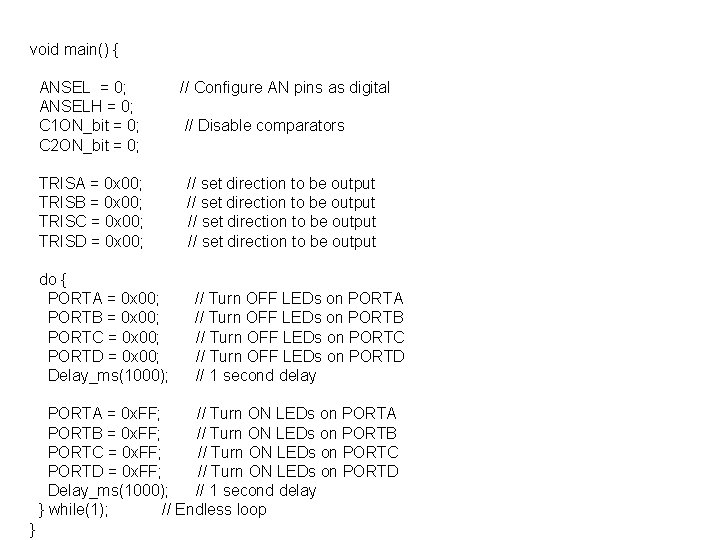
/* * Project name: LED_Blinking (Simple 'Hello World' project) * Copyright: (c) Mikroelektronika, 2009. * Revision History: 20080930: - initial release; - 20090720 - modified by Slavisa Zlatanovic; * Description: This is a simple 'Hello World' project. It turns on/off LEDs connected to PORTA, PORTB, PORTC and PORTD. * Test configuration: MCU: PIC 16 F 887 http: //ww 1. microchip. com/downloads/en/Device. Doc/41291 F. pdf Dev. Board: Easy. PIC 6 http: //www. mikroe. com/en/tools/easypic 6/ Oscillator: HS, 08. 0000 MHz Ext. Modules: SW: mikro. C PRO for PIC http: //www. mikroe. com/en/compilers/mikroc/pro/pic/ * NOTES: - Turn ON the PORT LEDs at SW 9. */
void main() { ANSEL = 0; ANSELH = 0; C 1 ON_bit = 0; C 2 ON_bit = 0; // Configure AN pins as digital TRISA = 0 x 00; TRISB = 0 x 00; TRISC = 0 x 00; TRISD = 0 x 00; // set direction to be output do { PORTA = 0 x 00; PORTB = 0 x 00; PORTC = 0 x 00; PORTD = 0 x 00; Delay_ms(1000); // Disable comparators // Turn OFF LEDs on PORTA // Turn OFF LEDs on PORTB // Turn OFF LEDs on PORTC // Turn OFF LEDs on PORTD // 1 second delay PORTA = 0 x. FF; // Turn ON LEDs on PORTA PORTB = 0 x. FF; // Turn ON LEDs on PORTB PORTC = 0 x. FF; // Turn ON LEDs on PORTC PORTD = 0 x. FF; // Turn ON LEDs on PORTD Delay_ms(1000); // 1 second delay } while(1); // Endless loop }
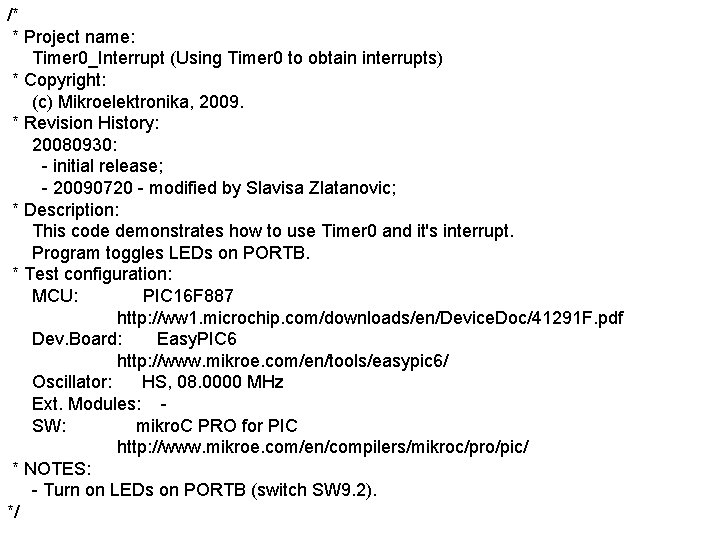
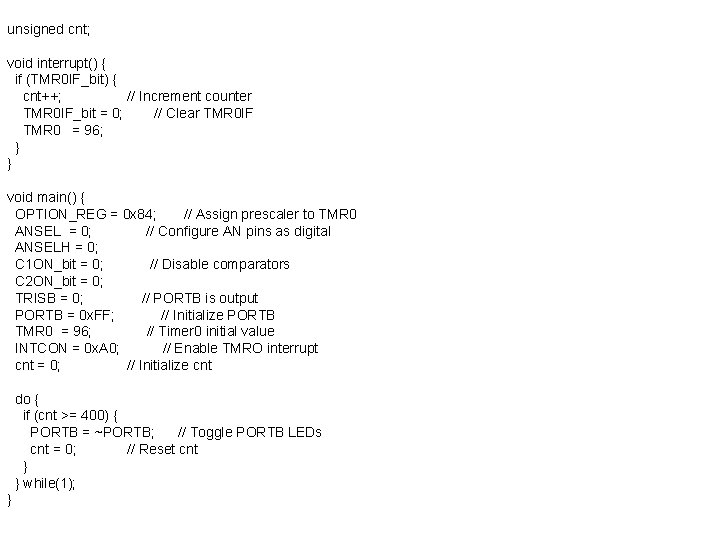
/* * Project name: Timer 0_Interrupt (Using Timer 0 to obtain interrupts) * Copyright: (c) Mikroelektronika, 2009. * Revision History: 20080930: - initial release; - 20090720 - modified by Slavisa Zlatanovic; * Description: This code demonstrates how to use Timer 0 and it's interrupt. Program toggles LEDs on PORTB. * Test configuration: MCU: PIC 16 F 887 http: //ww 1. microchip. com/downloads/en/Device. Doc/41291 F. pdf Dev. Board: Easy. PIC 6 http: //www. mikroe. com/en/tools/easypic 6/ Oscillator: HS, 08. 0000 MHz Ext. Modules: SW: mikro. C PRO for PIC http: //www. mikroe. com/en/compilers/mikroc/pro/pic/ * NOTES: - Turn on LEDs on PORTB (switch SW 9. 2). */
unsigned cnt; void interrupt() { if (TMR 0 IF_bit) { cnt++; // Increment counter TMR 0 IF_bit = 0; // Clear TMR 0 IF TMR 0 = 96; } } void main() { OPTION_REG = 0 x 84; // Assign prescaler to TMR 0 ANSEL = 0; // Configure AN pins as digital ANSELH = 0; C 1 ON_bit = 0; // Disable comparators C 2 ON_bit = 0; TRISB = 0; // PORTB is output PORTB = 0 x. FF; // Initialize PORTB TMR 0 = 96; // Timer 0 initial value INTCON = 0 x. A 0; // Enable TMRO interrupt cnt = 0; // Initialize cnt do { if (cnt >= 400) { PORTB = ~PORTB; // Toggle PORTB LEDs cnt = 0; // Reset cnt } } while(1); }
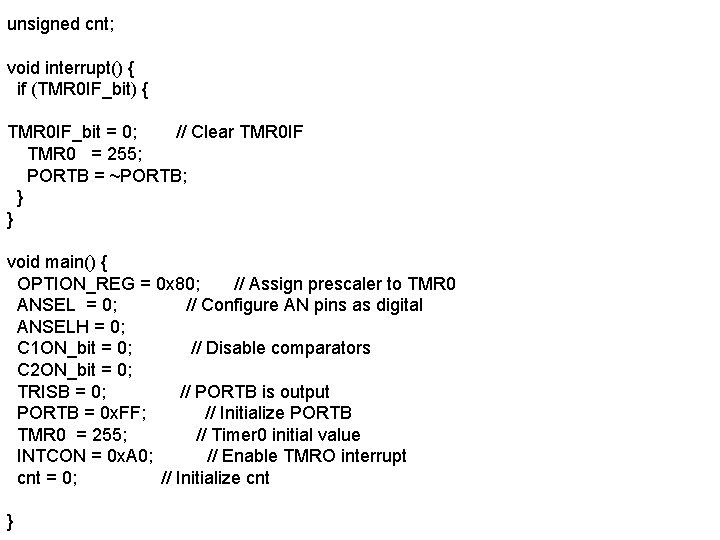
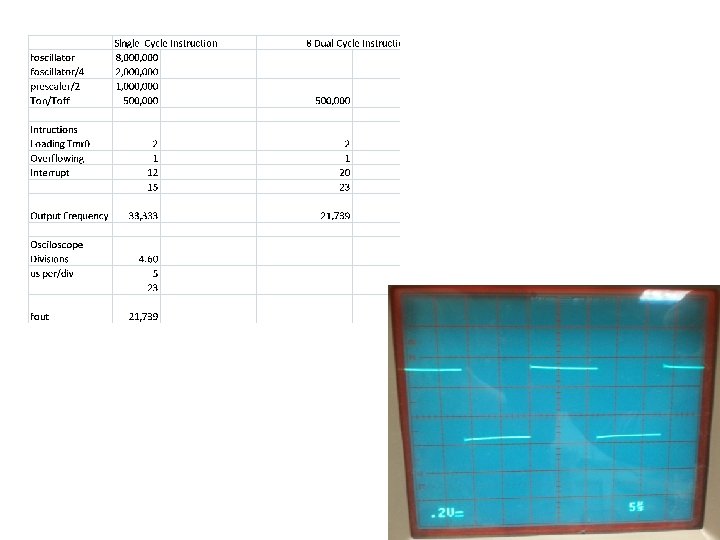
unsigned cnt; void interrupt() { if (TMR 0 IF_bit) { TMR 0 IF_bit = 0; // Clear TMR 0 IF TMR 0 = 255; PORTB = ~PORTB; } } void main() { OPTION_REG = 0 x 80; // Assign prescaler to TMR 0 ANSEL = 0; // Configure AN pins as digital ANSELH = 0; C 1 ON_bit = 0; // Disable comparators C 2 ON_bit = 0; TRISB = 0; // PORTB is output PORTB = 0 x. FF; // Initialize PORTB TMR 0 = 255; // Timer 0 initial value INTCON = 0 x. A 0; // Enable TMRO interrupt cnt = 0; // Initialize cnt }
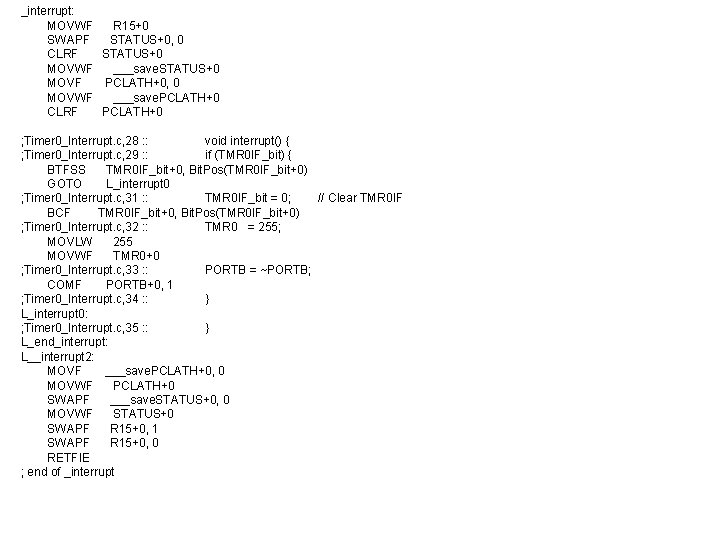
_interrupt: MOVWF R 15+0 SWAPF STATUS+0, 0 CLRF STATUS+0 MOVWF ___save. STATUS+0 MOVF PCLATH+0, 0 MOVWF ___save. PCLATH+0 CLRF PCLATH+0 ; Timer 0_Interrupt. c, 28 : : void interrupt() { ; Timer 0_Interrupt. c, 29 : : if (TMR 0 IF_bit) { BTFSS TMR 0 IF_bit+0, Bit. Pos(TMR 0 IF_bit+0) GOTO L_interrupt 0 ; Timer 0_Interrupt. c, 31 : : TMR 0 IF_bit = 0; // Clear TMR 0 IF BCF TMR 0 IF_bit+0, Bit. Pos(TMR 0 IF_bit+0) ; Timer 0_Interrupt. c, 32 : : TMR 0 = 255; MOVLW 255 MOVWF TMR 0+0 ; Timer 0_Interrupt. c, 33 : : PORTB = ~PORTB; COMF PORTB+0, 1 ; Timer 0_Interrupt. c, 34 : : } L_interrupt 0: ; Timer 0_Interrupt. c, 35 : : } L_end_interrupt: L__interrupt 2: MOVF ___save. PCLATH+0, 0 MOVWF PCLATH+0 SWAPF ___save. STATUS+0, 0 MOVWF STATUS+0 SWAPF R 15+0, 1 SWAPF R 15+0, 0 RETFIE ; end of _interrupt
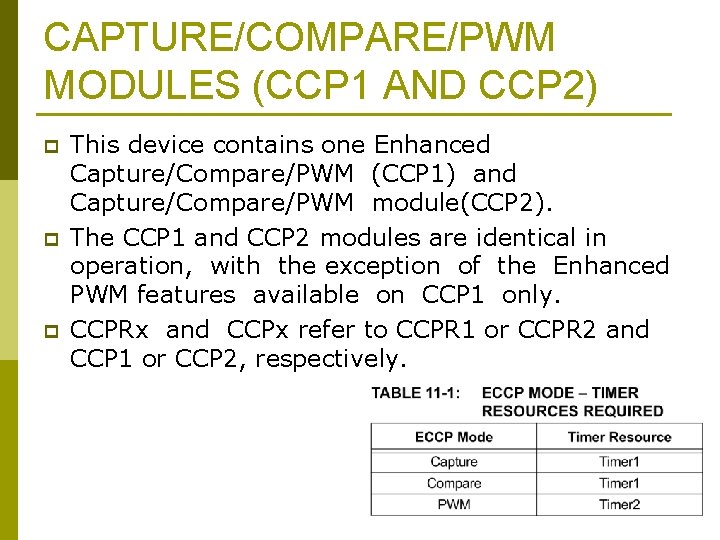
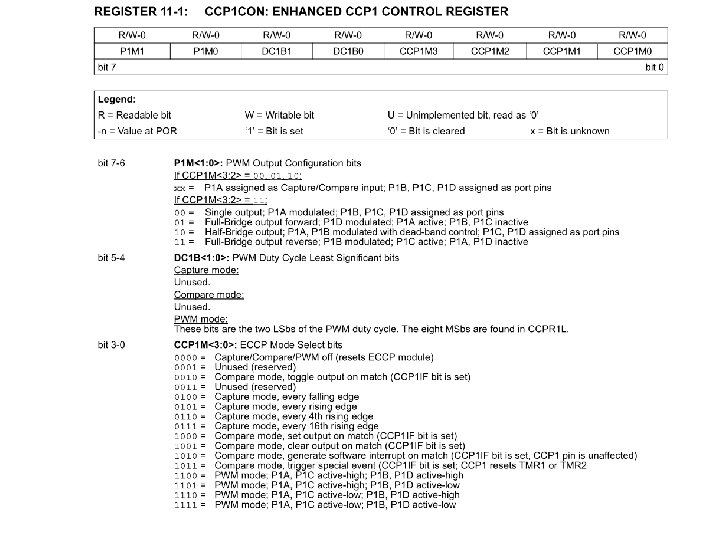
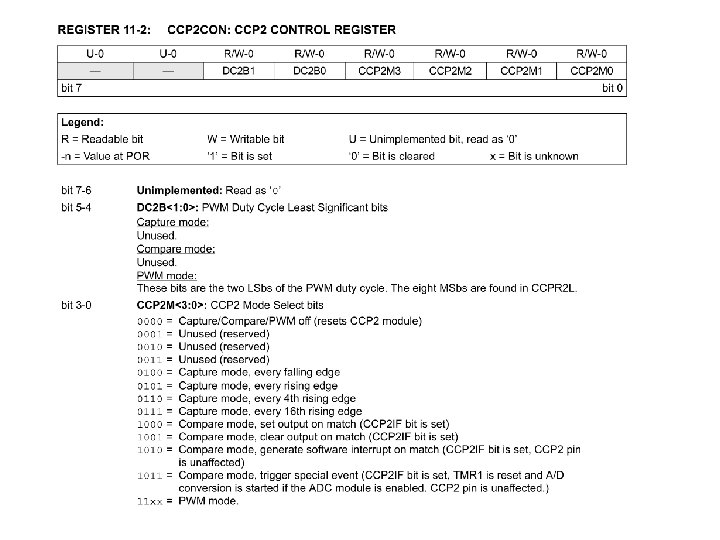
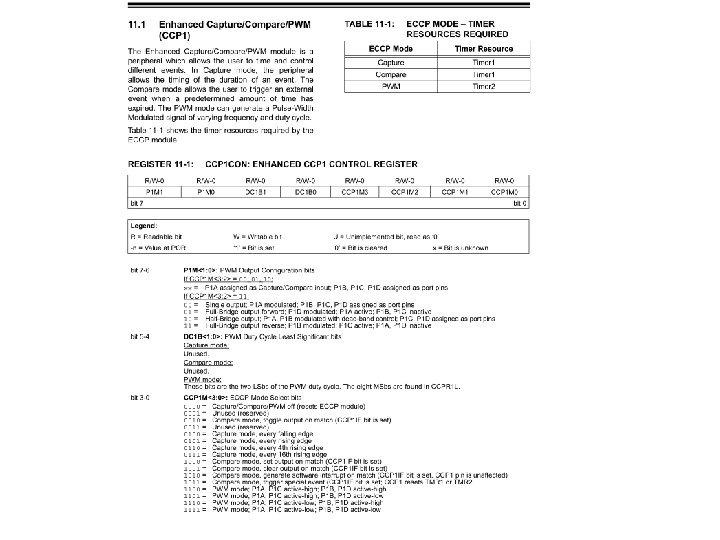
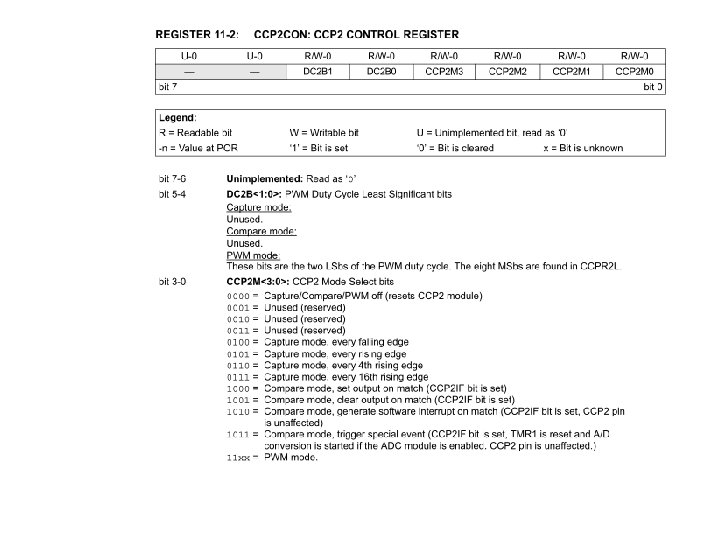
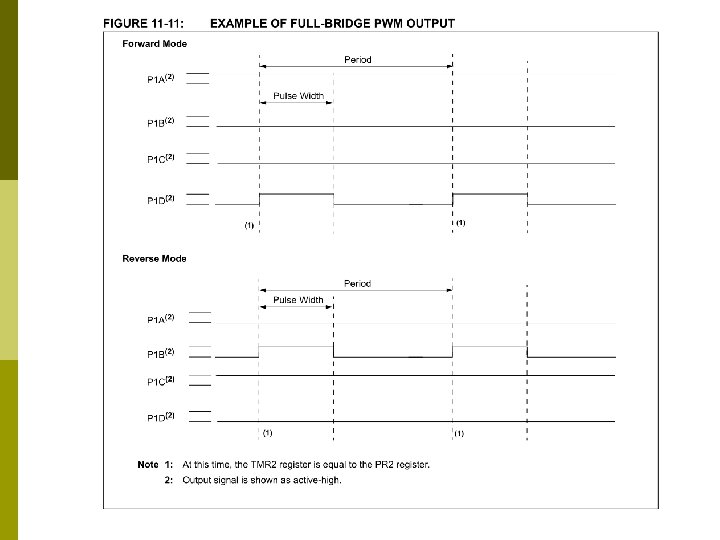
CAPTURE/COMPARE/PWM MODULES (CCP 1 AND CCP 2) p p p This device contains one Enhanced Capture/Compare/PWM (CCP 1) and Capture/Compare/PWM module(CCP 2). The CCP 1 and CCP 2 modules are identical in operation, with the exception of the Enhanced PWM features available on CCP 1 only. CCPRx and CCPx refer to CCPR 1 or CCPR 2 and CCP 1 or CCP 2, respectively.
Pinout and Family Differences
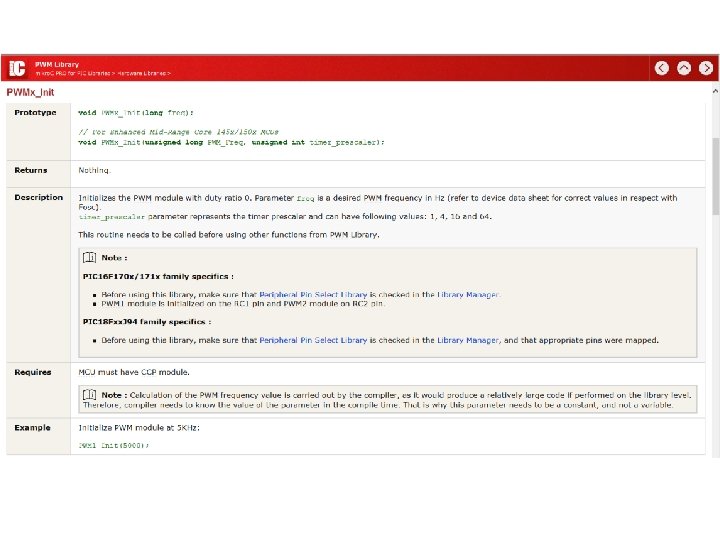
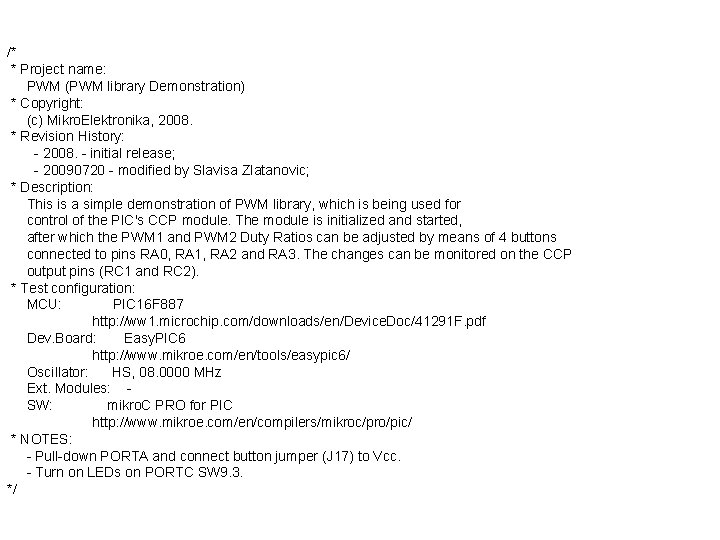
/* * Project name: PWM (PWM library Demonstration) * Copyright: (c) Mikro. Elektronika, 2008. * Revision History: - 2008. - initial release; - 20090720 - modified by Slavisa Zlatanovic; * Description: This is a simple demonstration of PWM library, which is being used for control of the PIC's CCP module. The module is initialized and started, after which the PWM 1 and PWM 2 Duty Ratios can be adjusted by means of 4 buttons connected to pins RA 0, RA 1, RA 2 and RA 3. The changes can be monitored on the CCP output pins (RC 1 and RC 2). * Test configuration: MCU: PIC 16 F 887 http: //ww 1. microchip. com/downloads/en/Device. Doc/41291 F. pdf Dev. Board: Easy. PIC 6 http: //www. mikroe. com/en/tools/easypic 6/ Oscillator: HS, 08. 0000 MHz Ext. Modules: SW: mikro. C PRO for PIC http: //www. mikroe. com/en/compilers/mikroc/pro/pic/ * NOTES: - Pull-down PORTA and connect button jumper (J 17) to Vcc. - Turn on LEDs on PORTC SW 9. 3. */
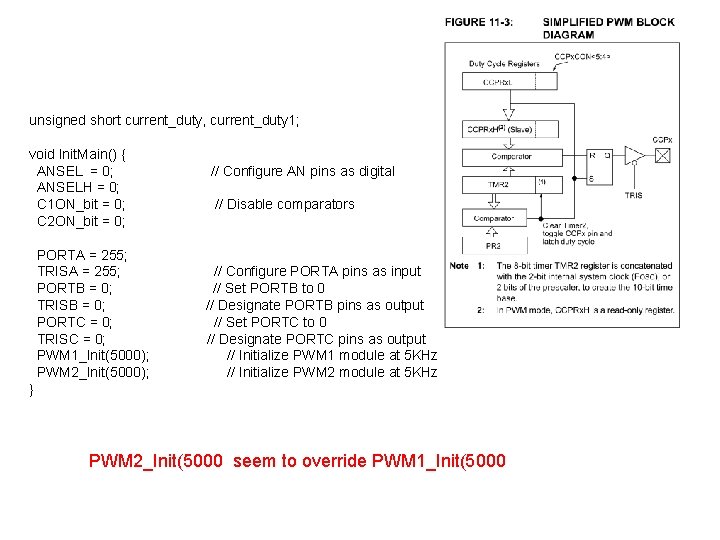
unsigned short current_duty, current_duty 1; void Init. Main() { ANSEL = 0; ANSELH = 0; C 1 ON_bit = 0; C 2 ON_bit = 0; PORTA = 255; TRISA = 255; PORTB = 0; TRISB = 0; PORTC = 0; TRISC = 0; PWM 1_Init(5000); PWM 2_Init(5000); // Configure AN pins as digital // Disable comparators // Configure PORTA pins as input // Set PORTB to 0 // Designate PORTB pins as output // Set PORTC to 0 // Designate PORTC pins as output // Initialize PWM 1 module at 5 KHz // Initialize PWM 2 module at 5 KHz } PWM 2_Init(5000 seem to override PWM 1_Init(5000
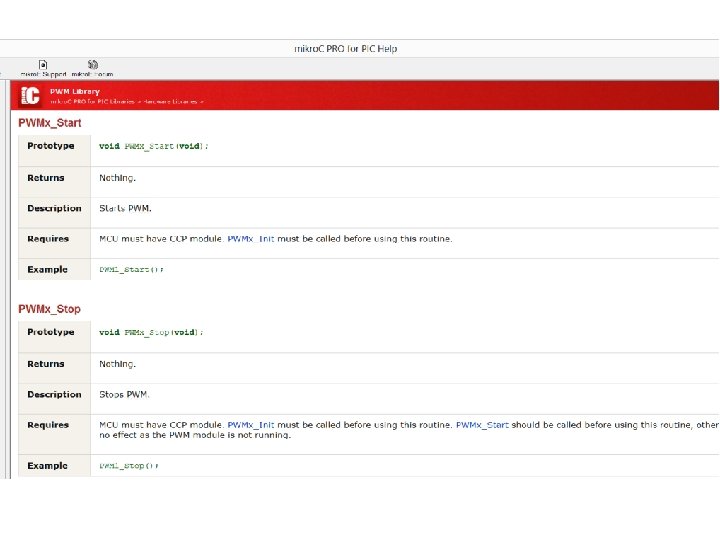
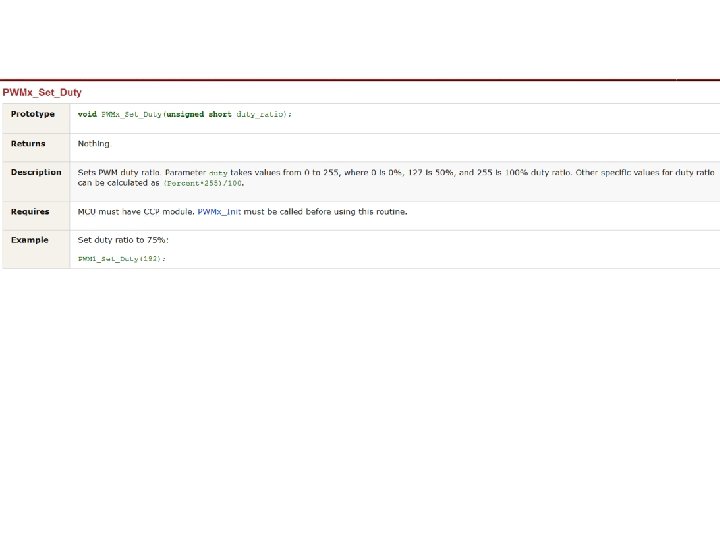
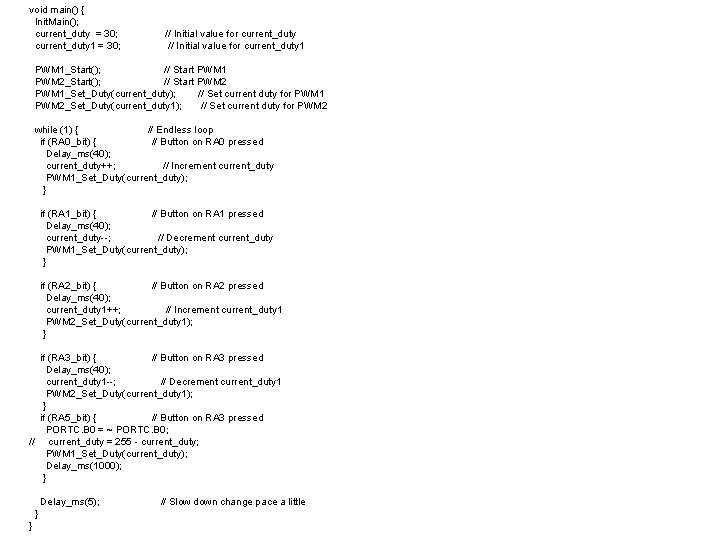
void main() { Init. Main(); current_duty = 30; current_duty 1 = 30; // Initial value for current_duty 1 PWM 1_Start(); // Start PWM 1 PWM 2_Start(); // Start PWM 2 PWM 1_Set_Duty(current_duty); // Set current duty for PWM 1 PWM 2_Set_Duty(current_duty 1); // Set current duty for PWM 2 while (1) { // Endless loop if (RA 0_bit) { // Button on RA 0 pressed Delay_ms(40); current_duty++; // Increment current_duty PWM 1_Set_Duty(current_duty); } if (RA 1_bit) { // Button on RA 1 pressed Delay_ms(40); current_duty--; // Decrement current_duty PWM 1_Set_Duty(current_duty); } if (RA 2_bit) { // Button on RA 2 pressed Delay_ms(40); current_duty 1++; // Increment current_duty 1 PWM 2_Set_Duty(current_duty 1); } if (RA 3_bit) { // Button on RA 3 pressed Delay_ms(40); current_duty 1 --; // Decrement current_duty 1 PWM 2_Set_Duty(current_duty 1); } if (RA 5_bit) { // Button on RA 3 pressed PORTC. B 0 = ~ PORTC. B 0; // current_duty = 255 - current_duty; PWM 1_Set_Duty(current_duty); Delay_ms(1000); } Delay_ms(5); } } // Slow down change pace a little
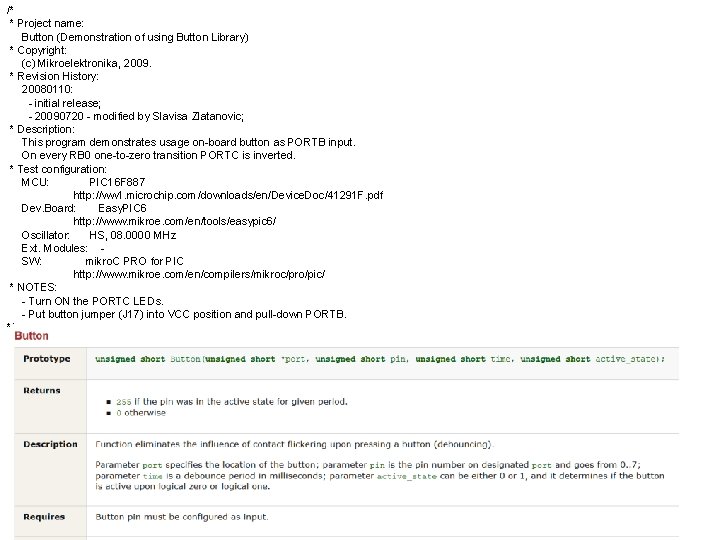
/* * Project name: Button (Demonstration of using Button Library) * Copyright: (c) Mikroelektronika, 2009. * Revision History: 20080110: - initial release; - 20090720 - modified by Slavisa Zlatanovic; * Description: This program demonstrates usage on-board button as PORTB input. On every RB 0 one-to-zero transition PORTC is inverted. * Test configuration: MCU: PIC 16 F 887 http: //ww 1. microchip. com/downloads/en/Device. Doc/41291 F. pdf Dev. Board: Easy. PIC 6 http: //www. mikroe. com/en/tools/easypic 6/ Oscillator: HS, 08. 0000 MHz Ext. Modules: SW: mikro. C PRO for PIC http: //www. mikroe. com/en/compilers/mikroc/pro/pic/ * NOTES: - Turn ON the PORTC LEDs. - Put button jumper (J 17) into VCC position and pull-down PORTB. */
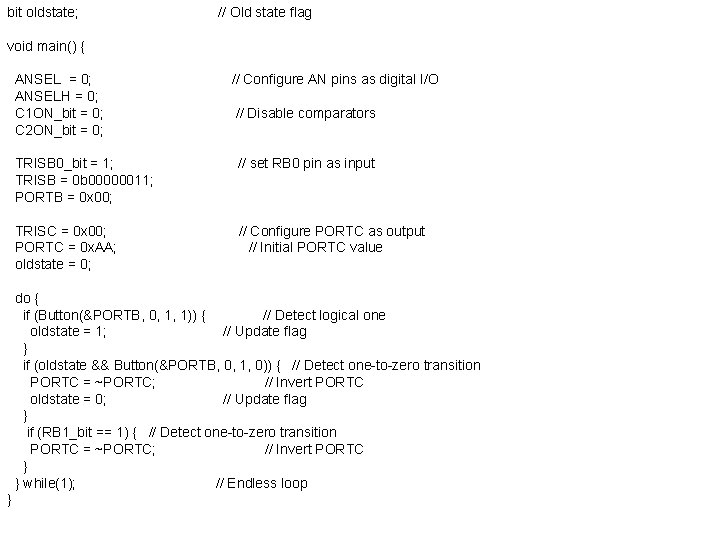
bit oldstate; // Old state flag void main() { ANSEL = 0; ANSELH = 0; C 1 ON_bit = 0; C 2 ON_bit = 0; // Configure AN pins as digital I/O // Disable comparators TRISB 0_bit = 1; TRISB = 0 b 00000011; PORTB = 0 x 00; // set RB 0 pin as input TRISC = 0 x 00; PORTC = 0 x. AA; oldstate = 0; // Configure PORTC as output // Initial PORTC value do { if (Button(&PORTB, 0, 1, 1)) { // Detect logical one oldstate = 1; // Update flag } if (oldstate && Button(&PORTB, 0, 1, 0)) { // Detect one-to-zero transition PORTC = ~PORTC; // Invert PORTC oldstate = 0; // Update flag } if (RB 1_bit == 1) { // Detect one-to-zero transition PORTC = ~PORTC; // Invert PORTC } } while(1); // Endless loop }
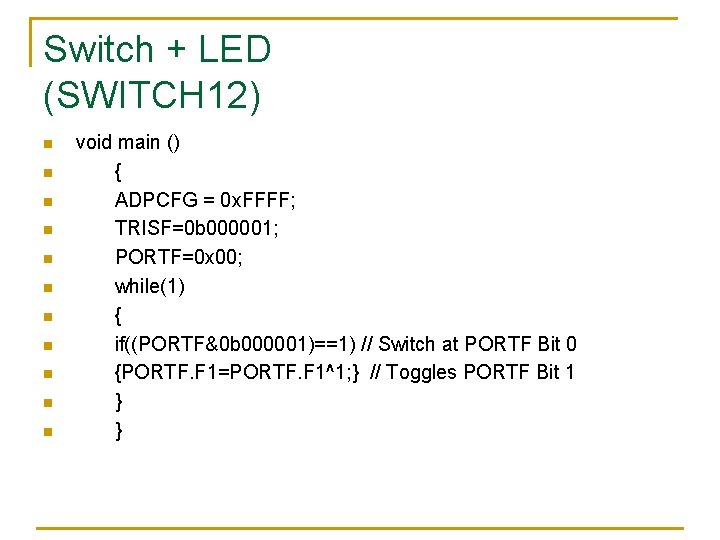
Switch + LED (SWITCH 12) n n n void main () { ADPCFG = 0 x. FFFF; TRISF=0 b 000001; PORTF=0 x 00; while(1) { if((PORTF&0 b 000001)==1) // Switch at PORTF Bit 0 {PORTF. F 1=PORTF. F 1^1; } // Toggles PORTF Bit 1 } }
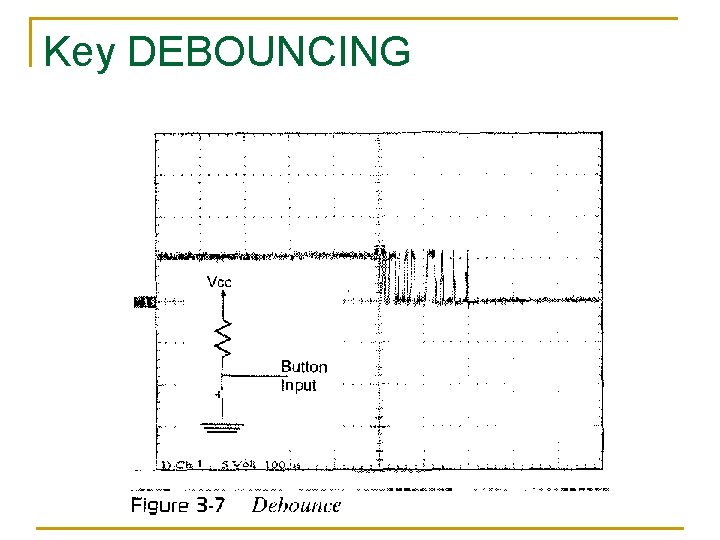
Key DEBOUNCING
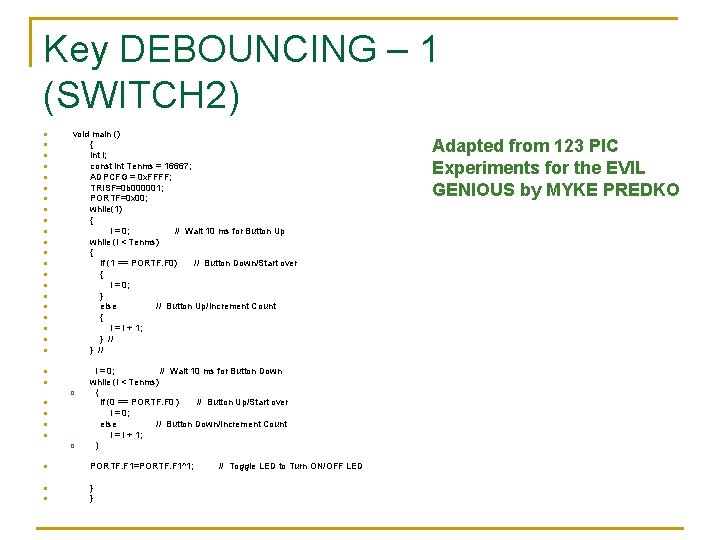
Key DEBOUNCING – 1 (SWITCH 2) n n n n n n void main () { int i; const int Tenms = 16667; ADPCFG = 0 x. FFFF; TRISF=0 b 000001; PORTF=0 x 00; while(1) { i = 0; // Wait 10 ms for Button Up while (i < Tenms) { if (1 == PORTF. F 0) // Button Down/Start over { i = 0; } else // Button Up/Increment Count { i = i + 1; } // i = 0; // Wait 10 ms for Button Down while (i < Tenms) n n { q if (0 == PORTF. F 0 ) // Button Up/Start over i = 0; else // Button Down/Increment Count i = i + 1; n n } q n PORTF. F 1=PORTF. F 1^1; n } } n // Toggle LED to Turn ON/OFF LED Adapted from 123 PIC Experiments for the EVIL GENIOUS by MYKE PREDKO
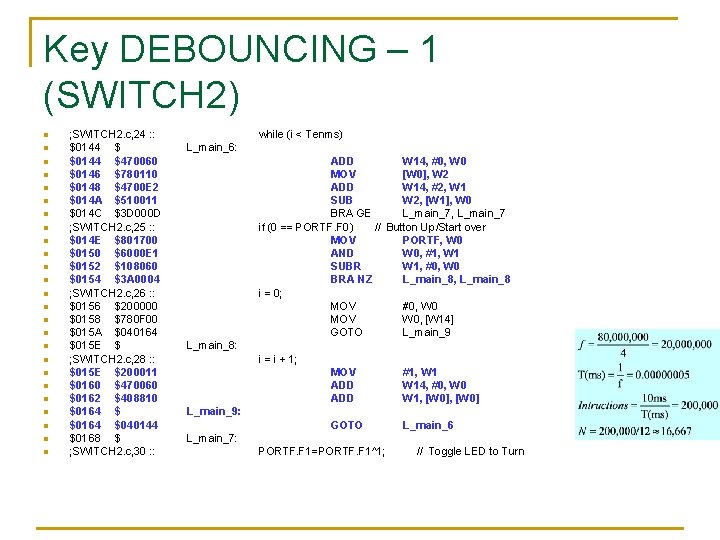
Key DEBOUNCING – 1 (SWITCH 2) n n n n n n n ; SWITCH 2. c, 24 : : $0144 $470060 $0146 $780110 $0148 $4700 E 2 $014 A $510011 $014 C $3 D 000 D ; SWITCH 2. c, 25 : : $014 E $801700 $0150 $6000 E 1 $0152 $108060 $0154 $3 A 0004 ; SWITCH 2. c, 26 : : $0156 $200000 $0158 $780 F 00 $015 A $040164 $015 E $ ; SWITCH 2. c, 28 : : $015 E $200011 $0160 $470060 $0162 $408810 $0164 $040144 $0168 $ ; SWITCH 2. c, 30 : : while (i < Tenms) L_main_6: ADD W 14, #0, W 0 MOV [W 0], W 2 ADD W 14, #2, W 1 SUB W 2, [W 1], W 0 BRA GE L_main_7, L_main_7 if (0 == PORTF. F 0) // Button Up/Start over MOV PORTF, W 0 AND W 0, #1, W 1 SUBR W 1, #0, W 0 BRA NZ L_main_8, L_main_8 i = 0; MOV #0, W 0 MOV W 0, [W 14] GOTO L_main_9 L_main_8: i = i + 1; MOV ADD #1, W 14, #0, W 0 W 1, [W 0] GOTO L_main_6 L_main_9: L_main_7: PORTF. F 1=PORTF. F 1^1; // Toggle LED to Turn
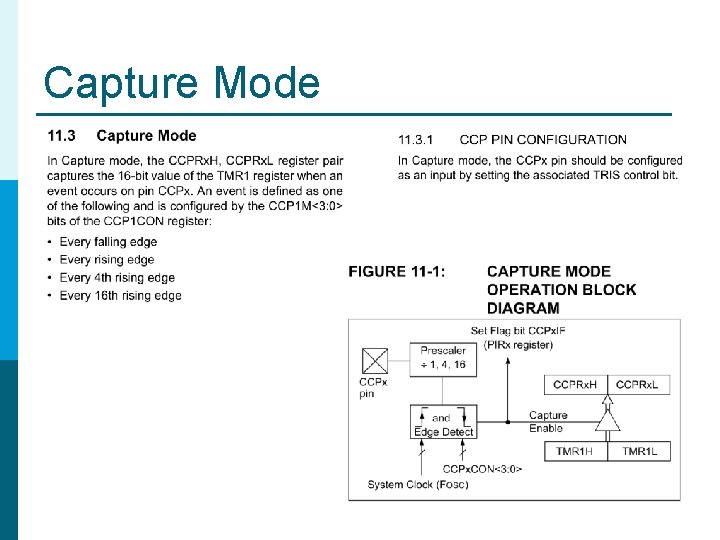
Capture Mode
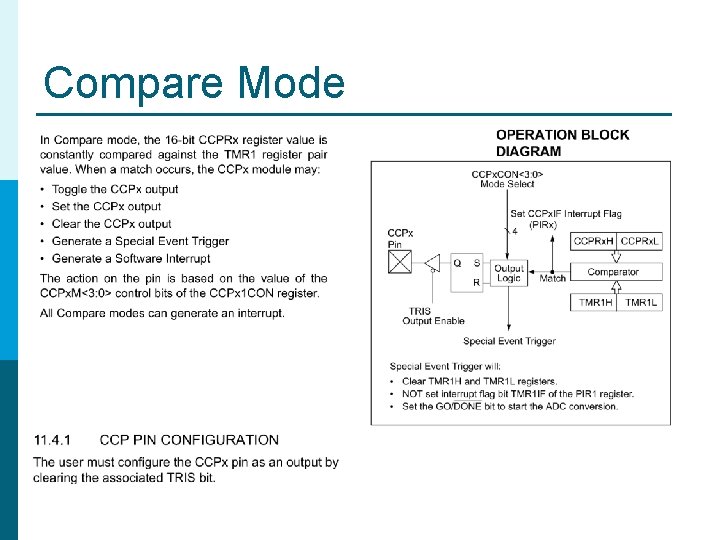
Compare Mode
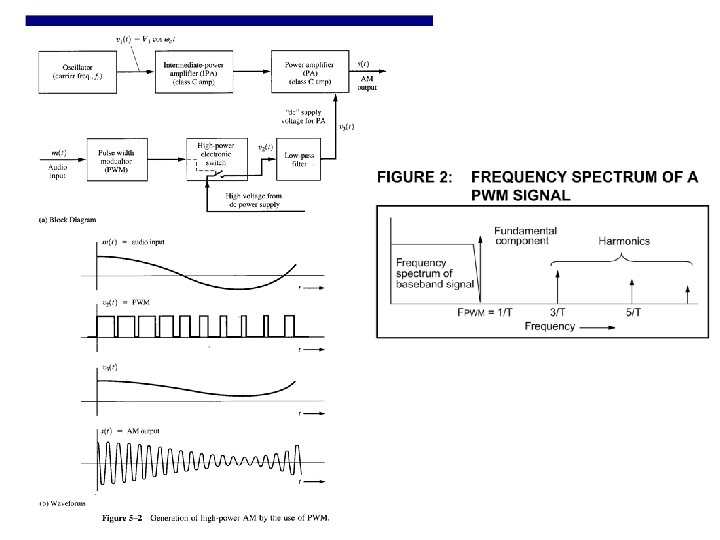
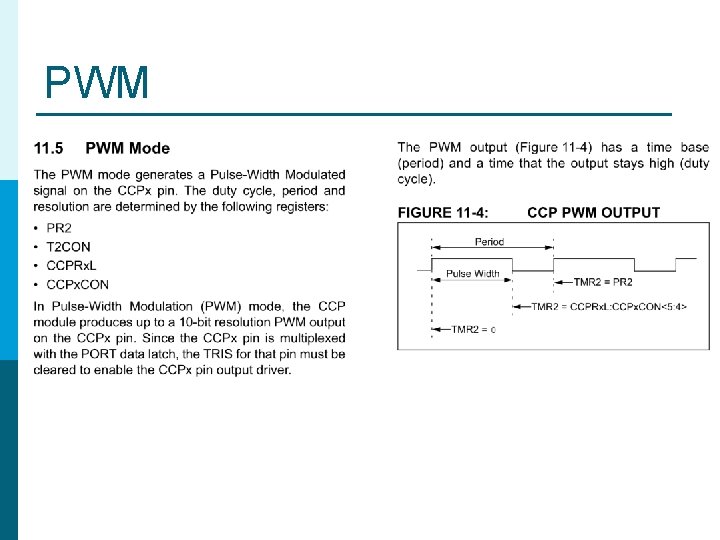
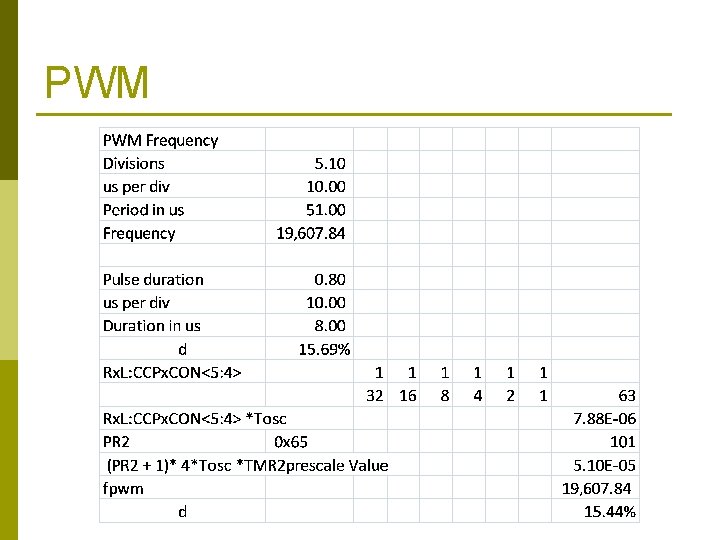
PWM
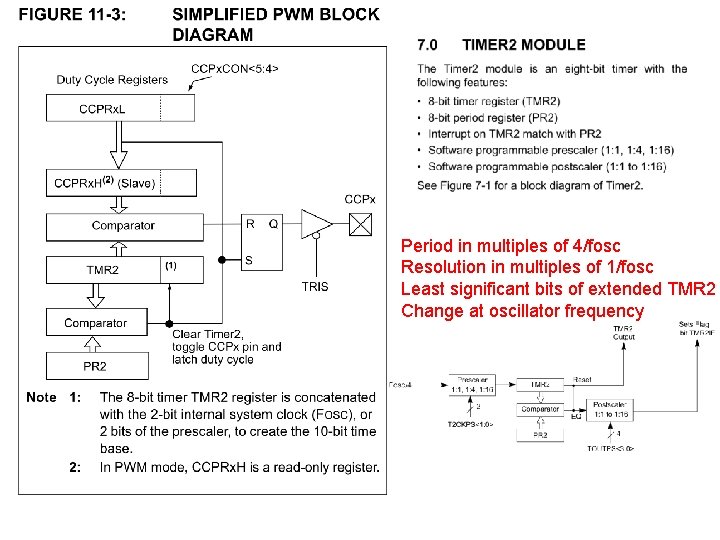
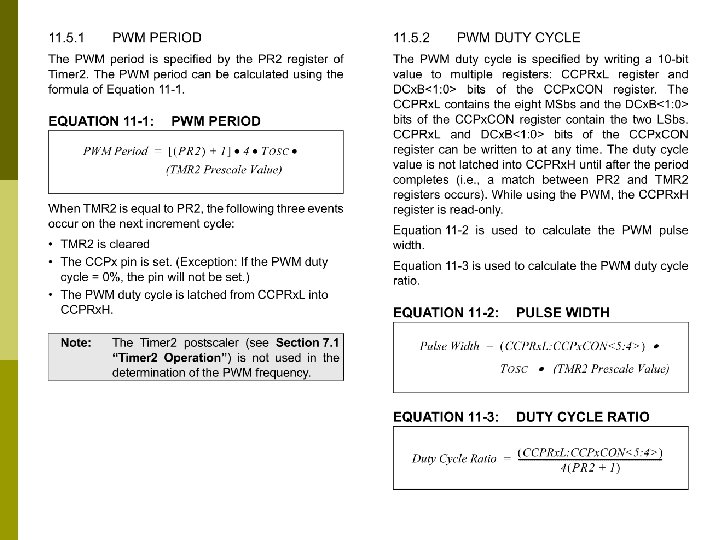
Period in multiples of 4/fosc Resolution in multiples of 1/fosc Least significant bits of extended TMR 2 Change at oscillator frequency
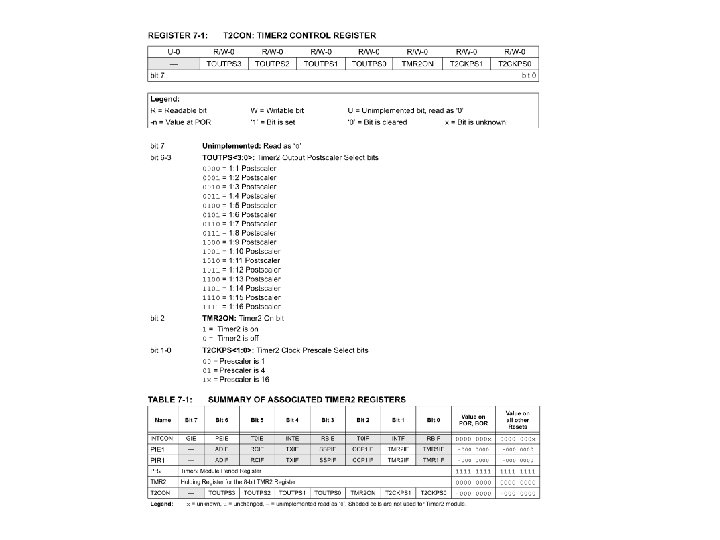
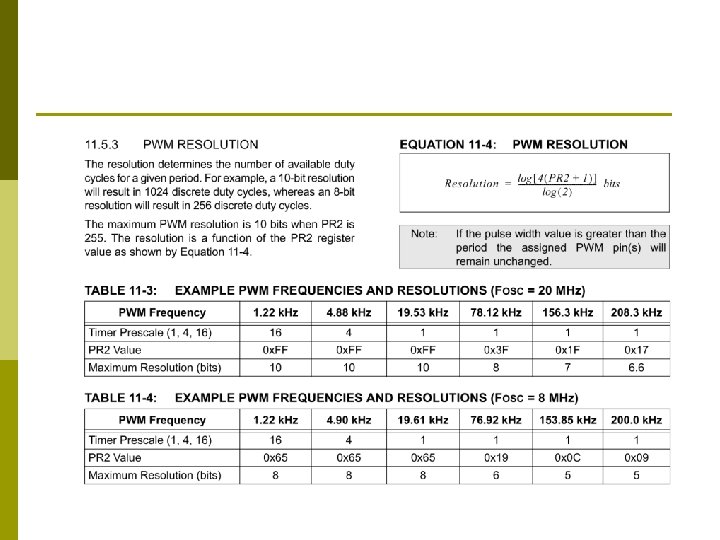
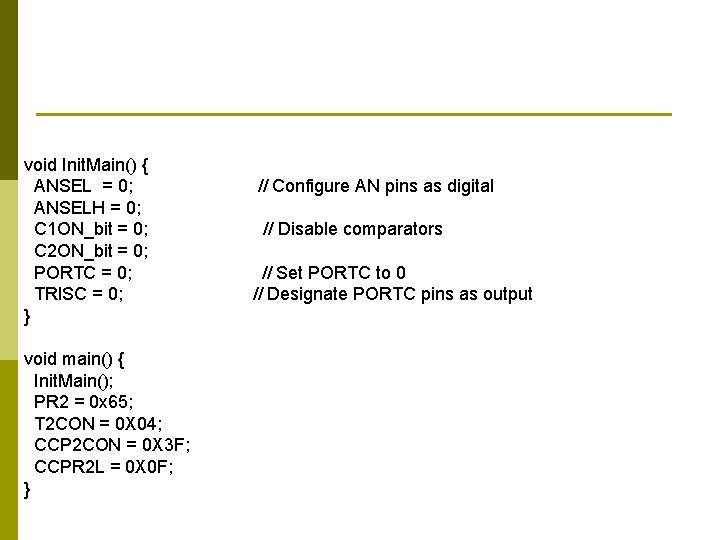
void Init. Main() { ANSEL = 0; ANSELH = 0; C 1 ON_bit = 0; C 2 ON_bit = 0; PORTC = 0; TRISC = 0; } void main() { Init. Main(); PR 2 = 0 x 65; T 2 CON = 0 X 04; CCP 2 CON = 0 X 3 F; CCPR 2 L = 0 X 0 F; } // Configure AN pins as digital // Disable comparators // Set PORTC to 0 // Designate PORTC pins as output
PWM