How to GITify Your Changes the Easy Peasy







- Slides: 25
How to GITify Your Changes: the Easy Peasy Lemon Squeezy Way Melissa Lefebvre mlefebvre@biblio. org Bibliomation Inc.
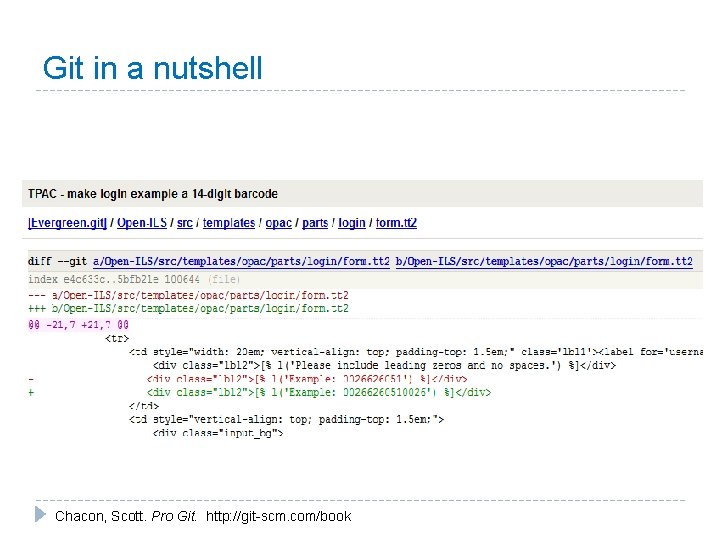
Git in a nutshell “Git is basically a snapshot of your mini file system (aka cloned repository) that you’ve set up locally. Every time you commit your project in git, it takes a picture of what all your files look like at that moment and stores a reference to that snapshot. It will only look at the changed files. ” - Scott Chacon, Scott. Pro Git. http: //git-scm. com/book
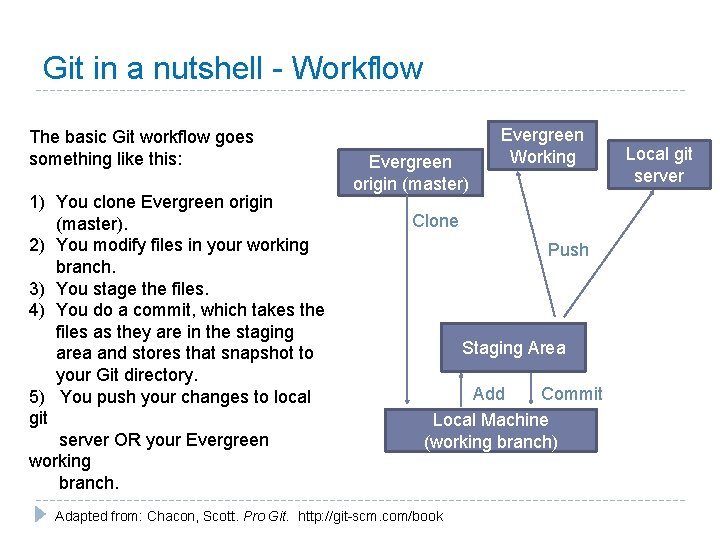
Git in a nutshell - Workflow The basic Git workflow goes something like this: 1) You clone Evergreen origin (master). 2) You modify files in your working branch. 3) You stage the files. 4) You do a commit, which takes the files as they are in the staging area and stores that snapshot to your Git directory. 5) You push your changes to local git server OR your Evergreen working branch. Evergreen origin (master) Evergreen Working Clone Push Staging Area Add Commit Local Machine (working branch) Adapted from: Chacon, Scott. Pro Git. http: //git-scm. com/book Local git server
Why on earth are you using Windows when all the cool kids are on Linux? Photo by Ben Shum
Some git programs for Windows
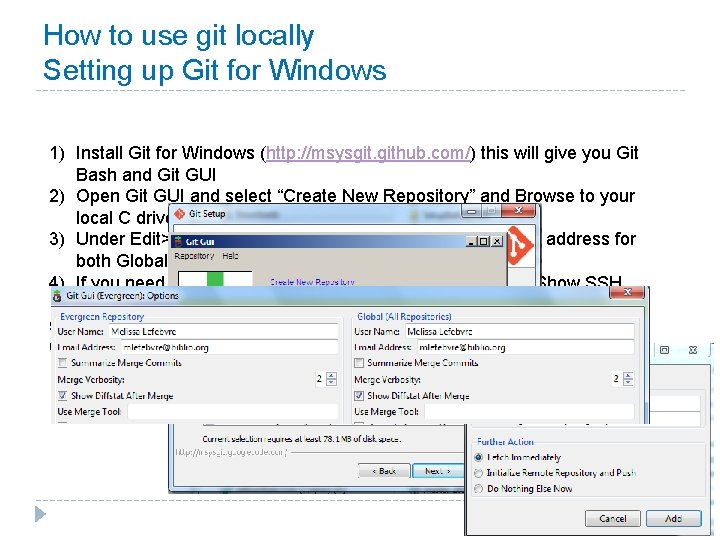
How to use git locally Setting up Git for Windows 1) Install Git for Windows (http: //msysgit. github. com/) this will give you Git Bash and Git GUI 2) Open Git GUI and select “Create New Repository” and Browse to your local C drive and create a folder 3) Under Edit>Options you’ll want to add your name an email address for both Global and local repos. 4) If you need an SSH key, you can generate one via Help>Show SSH Key 5) Go to Remote and Add 6) Name this repository and then enter the path of the remote repository. Check with your sys admin for access information
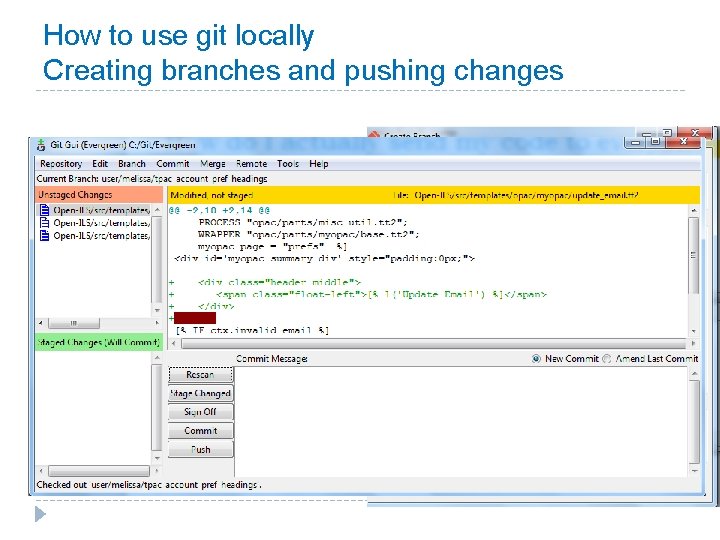
How to use git locally Creating branches and pushing changes 1) Go to Branch>Create 2) Add your files from your production server that you’ve already edited to the folder you set up previously 3) Scan for file changes 4) Stage the changes 5) Write the commit statement
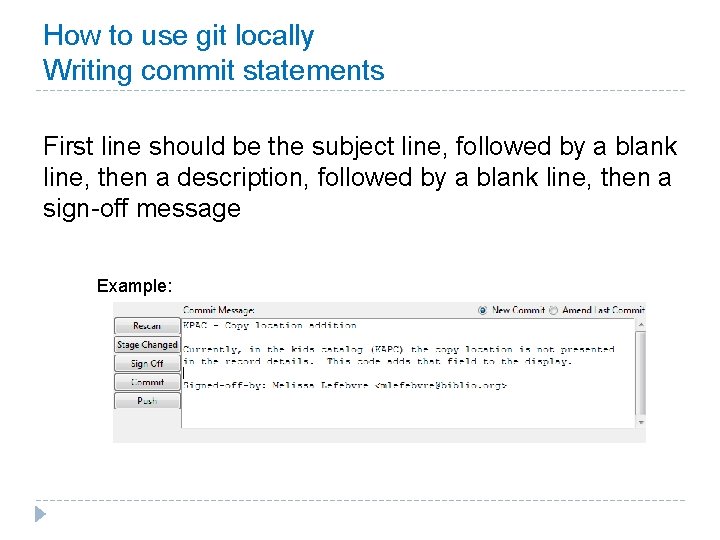
How to use git locally Writing commit statements First line should be the subject line, followed by a blank line, then a description, followed by a blank line, then a sign-off message Example:
How to use git locally Creating branches and pushing changes (con’t) 5) Sign off 6) Commit 7) Push
Is it that easy? Not just easy but “Easy peasy lemon squeezy”
How to use git locally Upgrading and not loosing your changes Image source: http: //www. dinodigusa. com/images/Magic 1. gif
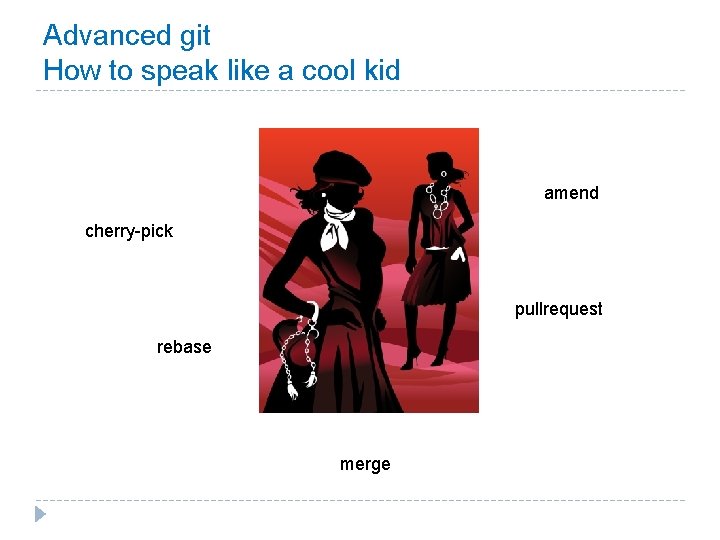
Advanced git How to speak like a cool kid amend cherry-pick pullrequest rebase merge
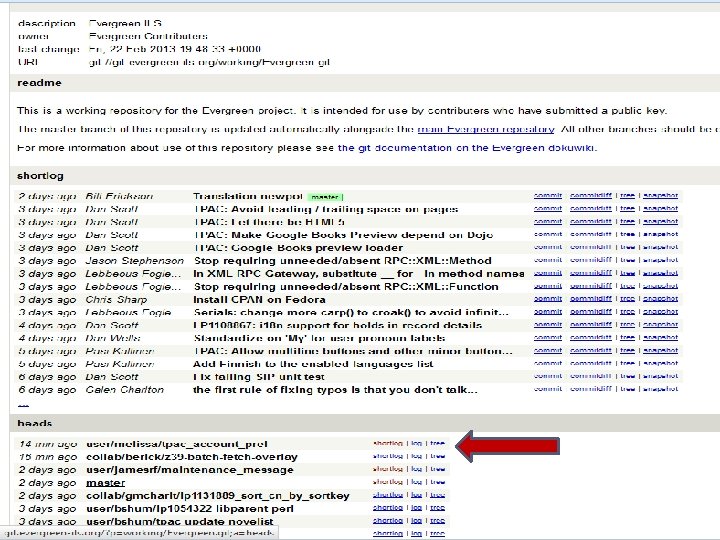
How to contribute to the community using git 1) Create an SSH key via Pu. TTYgen (if you don’t already have a key) 2) Send your SSH key to the Evergreen administrators (gitadmin@evergreen-ils. org ) with a request for permission to an Evergreen “working” branch 3) Set up git gui to connect to Evergreen repository
How do I connect to Evergreen repository If you didn’t clone the Evergreen repo back when we were setting up git gui open git gui and Clone Existing Repository Go to http: //evergreenils. org/dokuwiki/doku. php? id=dev: git for a good guide on git
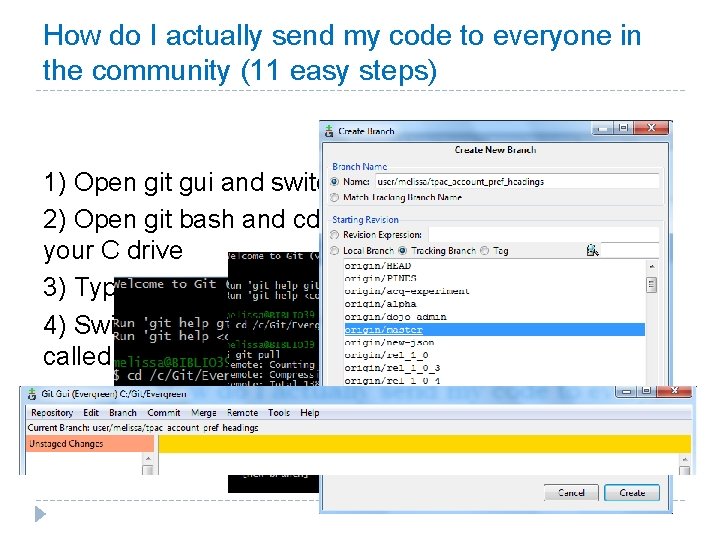
How do I actually send my code to everyone in the community (11 easy steps) 1) Open git gui and switch branches to ‘master’ 2) Open git bash and cd to your working repository on your C drive 3) Type git pull 4) Switch back to git gui and create a new branch called user/name you were given/module description
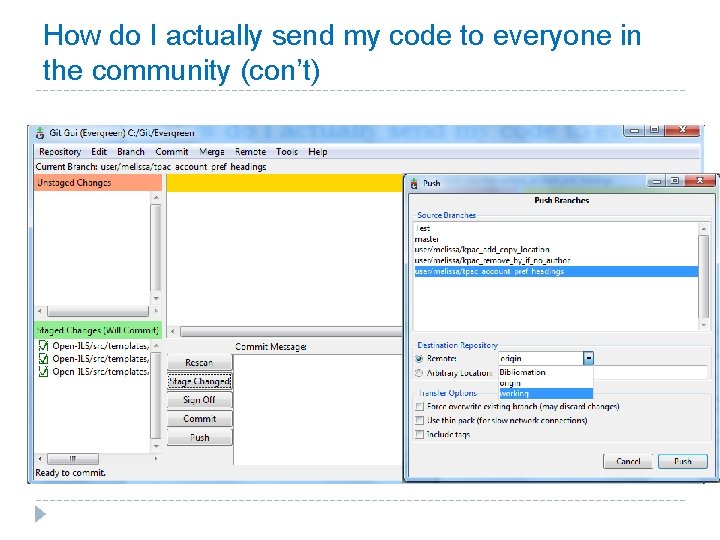
How do I actually send my code to everyone in the community (con’t) 5) Edit the file (s) in Note. Pad ++ 6) Rescan 7) Stage your change 8) Write your commit message 9) Sign off 10) Commit 11) Push to your working branch
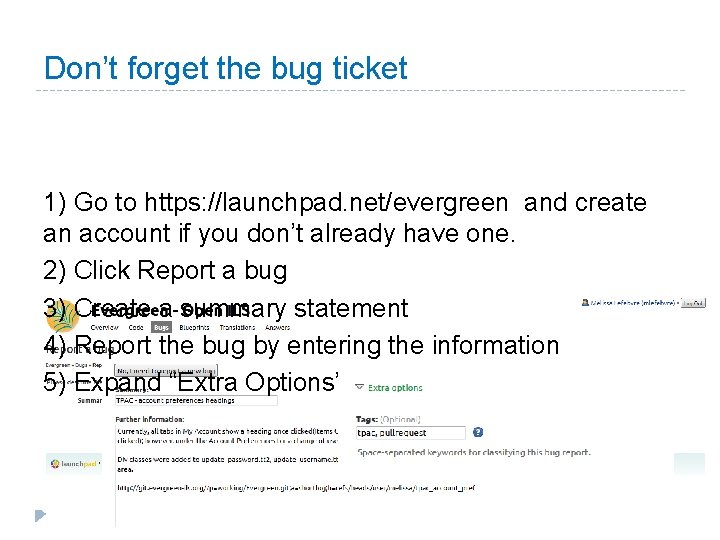
Don’t forget the bug ticket 1) Go to https: //launchpad. net/evergreen and create an account if you don’t already have one. 2) Click Report a bug 3) Create a summary statement 4) Report the bug by entering the information 5) Expand “Extra Options”
Is it that easy? Not just easy but “Easy peasy lemon squeezy” © Poundland Limited
How do I pull code from others Not easily via git gui You will need to cherry-pick the commit via the command line.
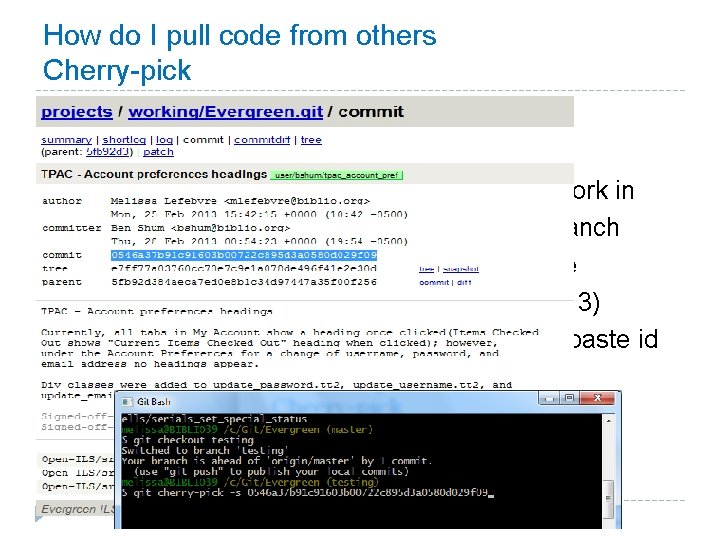
How do I pull code from others Cherry-pick 1) 2) 3) 4) 5) 6) 7) Find the commit you want to test Copy the commit ID Open git gui and create a new branch to work in Open git bash and navigate to “master” branch Type git fetch --all or git fetch branch name Type git checkout (branch name from step 3) Type git cherry-pick –s (click Insert key to paste id # of commit message)
I cherry-picked the code now what? Testing and pushing 1) 2) 3) Test the code Push that branch back to working branch Update bug ticket
Is it that easy? Not just easy but “Easy peasy lemon squeezy” © Papercut Writer
Helpful git resources � Illustrated guide to Git on Windows (http: //nathanj. github. com/gitguide/tour. html) � Top 10 Git tutorials for Beginners (http: //sixrevisions. com/resources/git-tutorialsbeginners/) � Pro Git by Scott Chacon (available online at http: //gitscm. com/book) � Git – The simple guide (http: //rogerdudler. github. com/git-guide) � Understanding Git Conceptually (http: //www. sbf 5. com/~cduan/technical/git/)
Image Sources � Slide 10: http: //www. aabooks. co. nz/store/cooking-&drink-celebrity-chefs-easy-peasy-lemon-squeezyseagar-p-501. html � Slide 19: http: //www. poundland. co. uk/productrange/a-z/assorted-easy-peasy-lemon-squeezy/ � Slide 23: http: //www. giftwrappedandgorgeous. co. uk/product%27 Easy_Peasy_Lemon_Squeezy%27_Mini_Paper cut-10158. htm#prod. Desc