Field Trip a tool for GUIless exploration of
![Using functions in an analysis protocol preprocessing cfg = [ ] cfg. dataset =](https://slidetodoc.com/presentation_image/0a9f26c4bc1c9de2363616a7c18faea3/image-10.jpg "Using functions in an analysis protocol preprocessing cfg = [ ] cfg. dataset =")
![Example use in scripts cfg = [] cfg. dataset = ‘Subject 01. ds’ cfg.](https://slidetodoc.com/presentation_image/0a9f26c4bc1c9de2363616a7c18faea3/image-18.jpg "Example use in scripts cfg = [] cfg. dataset = ‘Subject 01. ds’ cfg.")
![Example use in scripts cfg = [] cfg. dataset = ‘Subject 01. ds’ cfg.](https://slidetodoc.com/presentation_image/0a9f26c4bc1c9de2363616a7c18faea3/image-19.jpg "Example use in scripts cfg = [] cfg. dataset = ‘Subject 01. ds’ cfg.")
![Example use in scripts cfg = [] cfg. dataset = ‘Subject 01. ds’ cfg.](https://slidetodoc.com/presentation_image/0a9f26c4bc1c9de2363616a7c18faea3/image-20.jpg "Example use in scripts cfg = [] cfg. dataset = ‘Subject 01. ds’ cfg.")
![Example use in scripts cfg = [] cfg. dataset = ‘Subject 01. ds’ cfg.](https://slidetodoc.com/presentation_image/0a9f26c4bc1c9de2363616a7c18faea3/image-21.jpg "Example use in scripts cfg = [] cfg. dataset = ‘Subject 01. ds’ cfg.")
![Example use in scripts cfg = [] cfg. dataset = ‘Subject 01. ds’ cfg.](https://slidetodoc.com/presentation_image/0a9f26c4bc1c9de2363616a7c18faea3/image-22.jpg "Example use in scripts cfg = [] cfg. dataset = ‘Subject 01. ds’ cfg.")
- Slides: 41
Field. Trip, a tool for GUI-less exploration of brain dynamics Jan-Mathijs Schoffelen Powered by: j. schoffelen@donders. ru. nl
Purpose of this talk Advertisement • of Field. Trip • of some of the scientific work done with Field. Trip
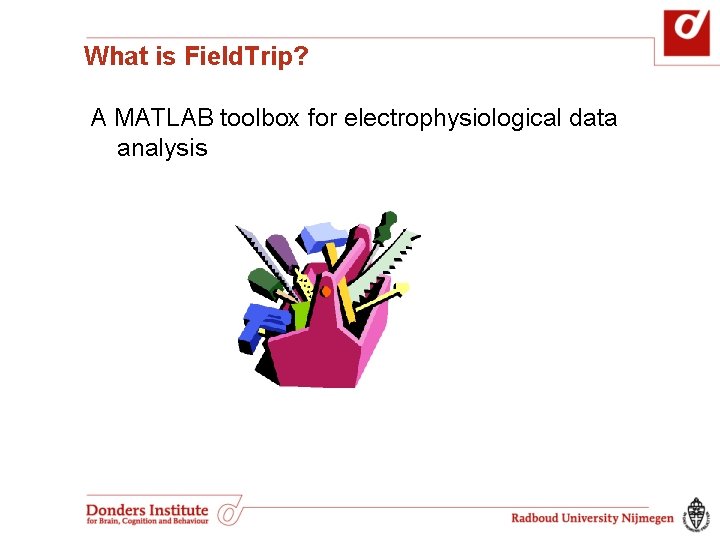
What is Field. Trip? A MATLAB toolbox for electrophysiological data analysis
Features: high-level functions for electrophysiological data analysis Data reading all commercial MEG systems, many different EEG systems Preprocessing filtering, segmenting Time-locked ERF analysis Frequency and time-frequency analysis multitapers, wavelets, welch, hilbert, parametric spectral estimates
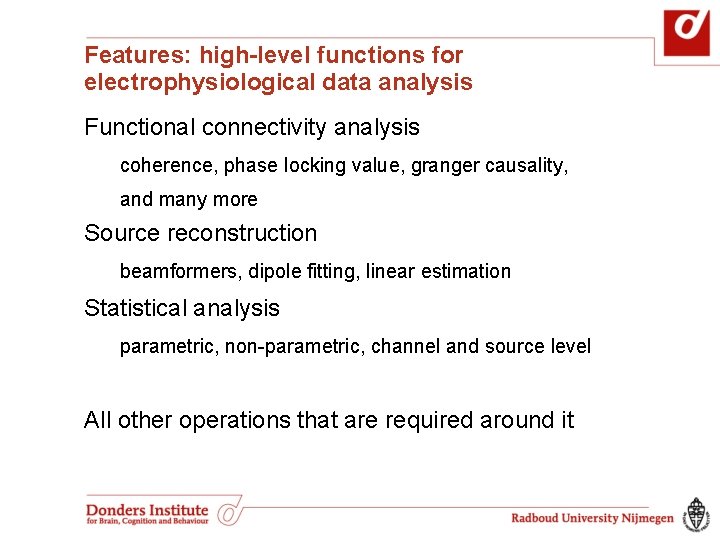
Features: high-level functions for electrophysiological data analysis Functional connectivity analysis coherence, phase locking value, granger causality, and many more Source reconstruction beamformers, dipole fitting, linear estimation Statistical analysis parametric, non-parametric, channel and source level All other operations that are required around it
But… X
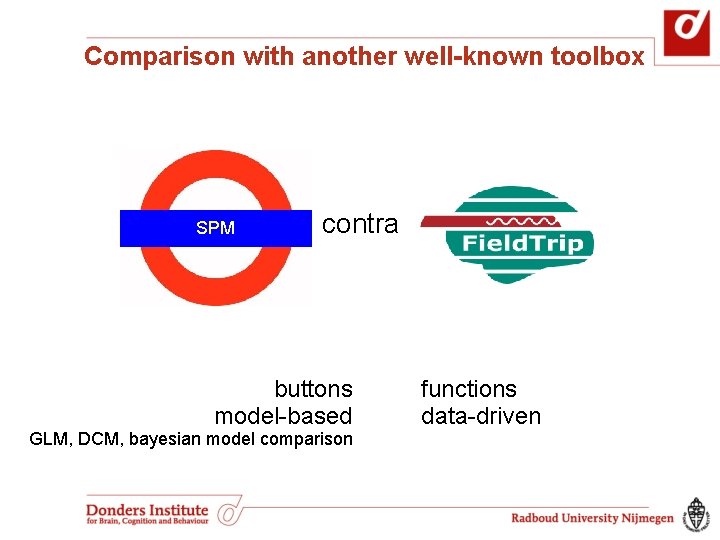
Comparison with another well-known toolbox SPM contra buttons model-based GLM, DCM, bayesian model comparison functions data-driven
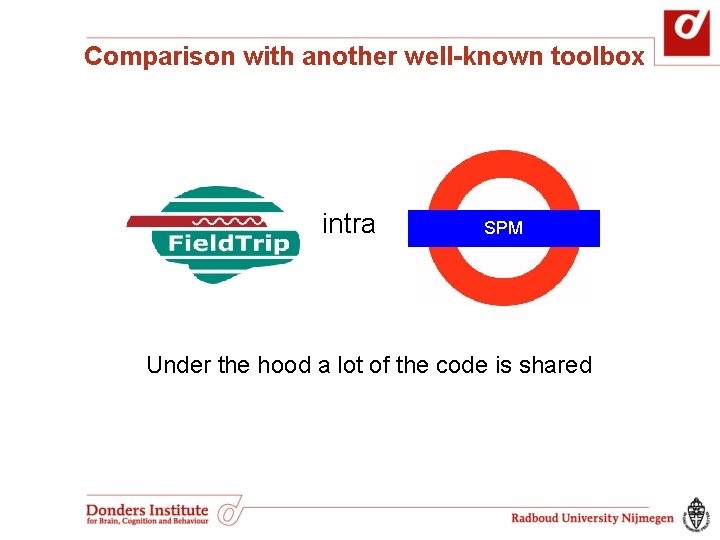
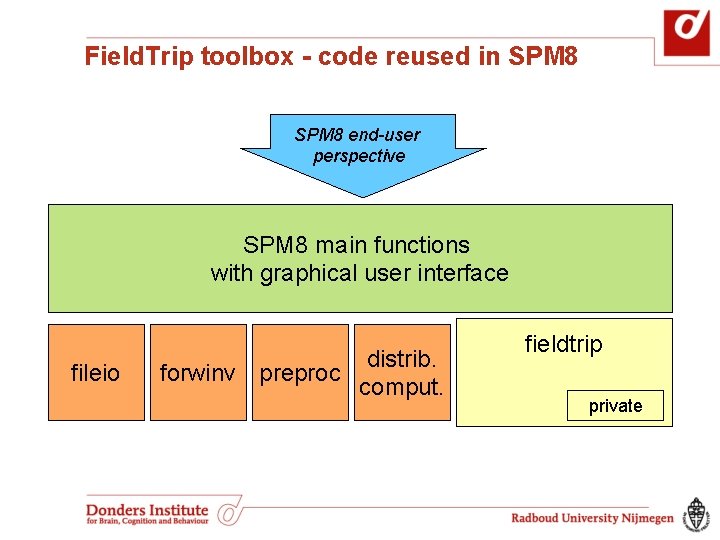
Comparison with another well-known toolbox intra SPM Under the hood a lot of the code is shared
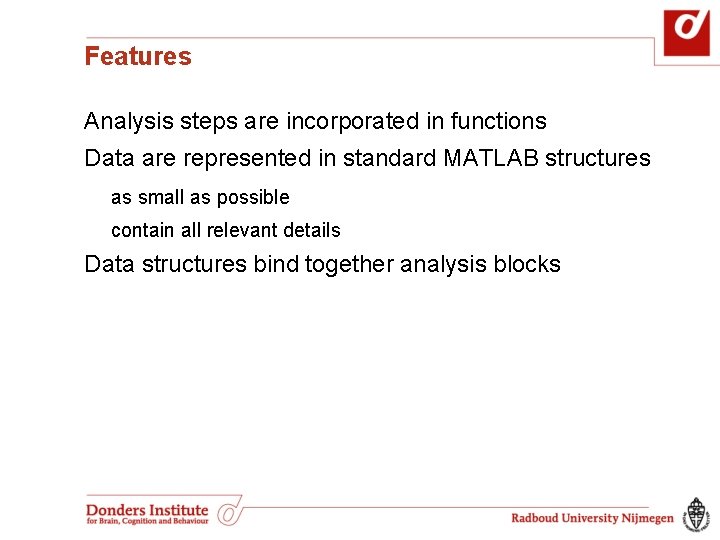
Features Analysis steps are incorporated in functions
Using functions in an analysis protocol preprocessing cfg = [ ] cfg. dataset = ‘Subject 01. ds’ rejectartifactcfg. bpfilter = [0. 01 150]. . . rawdata = preprocessing(cfg) freqanalysis multiplot. TFR freqstatistics multiplot. TFR
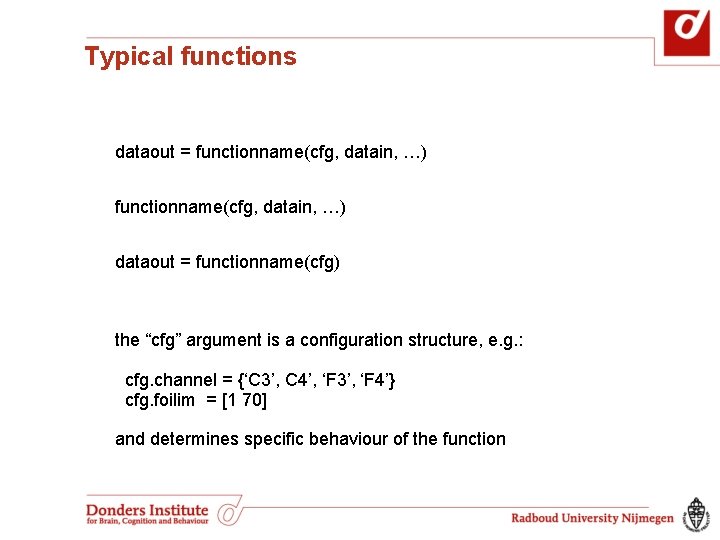
Typical functions dataout = functionname(cfg, datain, …) dataout = functionname(cfg) the “cfg” argument is a configuration structure, e. g. : cfg. channel = {‘C 3’, C 4’, ‘F 3’, ‘F 4’} cfg. foilim = [1 70] and determines specific behaviour of the function
Features Analysis steps are incorporated in functions Data are represented in standard MATLAB structures as small as possible contain all relevant details
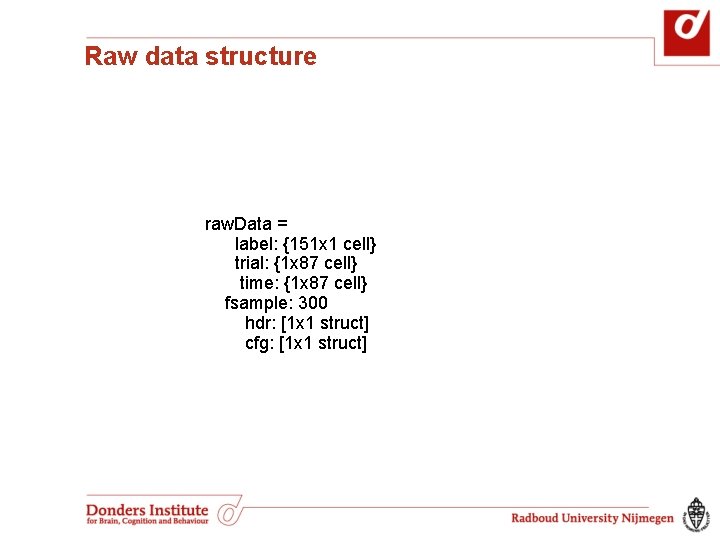
Raw data structure raw. Data = label: {151 x 1 cell} trial: {1 x 87 cell} time: {1 x 87 cell} fsample: 300 hdr: [1 x 1 struct] cfg: [1 x 1 struct]
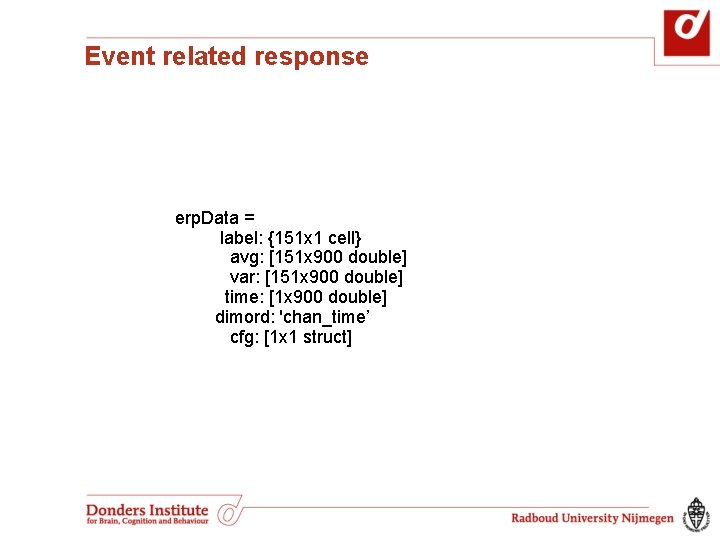
Event related response erp. Data = label: {151 x 1 cell} avg: [151 x 900 double] var: [151 x 900 double] time: [1 x 900 double] dimord: 'chan_time’ cfg: [1 x 1 struct]
Features Analysis steps are incorporated in functions Data are represented in standard MATLAB structures as small as possible contain all relevant details Data structures bind together analysis blocks
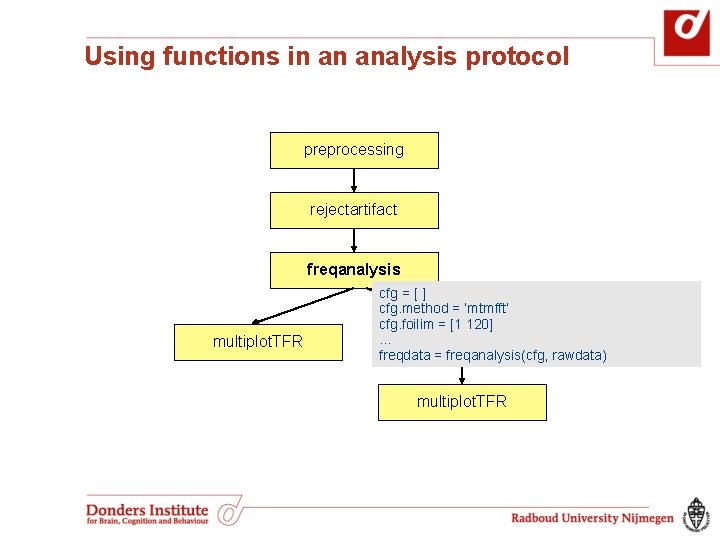
Using functions in an analysis protocol preprocessing rejectartifact freqanalysis multiplot. TFR cfg = [ ] cfg. method = ‘mtmfft’ cfg. foilim = [1 120]. . . freqstatistics freqdata = freqanalysis(cfg, rawdata) multiplot. TFR
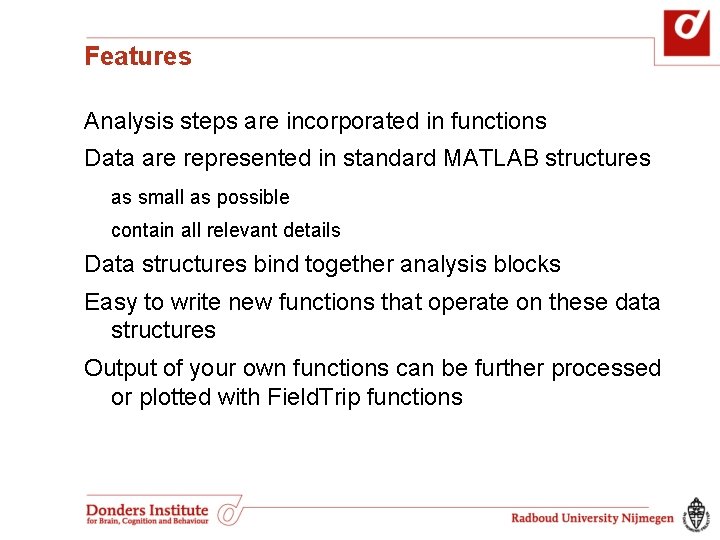
Features Analysis steps are incorporated in functions Data are represented in standard MATLAB structures as small as possible contain all relevant details Data structures bind together analysis blocks Easy to write new functions that operate on these data structures Output of your own functions can be further processed or plotted with Field. Trip functions
Example use in scripts cfg = [] cfg. dataset = ‘Subject 01. ds’ cfg. bpfilter = [0. 01 150]. . . rawdata = ft_preprocessing(cfg) … cfg = [] cfg. method = ‘mtmfft’ cfg. foilim = [1 120]. . . freqdata = ft_freqanalysis(cfg, rawdata) cfg = [] cfg. method = ‘montecarlo’ cfg. statistic = ‘indepsamples. T’ cfg. design = [1 2 2 1 1 2. . . ]. . . freqstat = ft_freqstatistics(cfg, freqdata)
Example use in scripts cfg = [] cfg. dataset = ‘Subject 01. ds’ cfg. bpfilter = [0. 01 150]. . . rawdata = ft_preprocessing(cfg) … cfg = [] cfg. method = ‘mtmfft’ cfg. foilim = [1 120]. . . freqdata = ft_freqanalysis(cfg, rawdata) cfg = [] cfg. method = ‘montecarlo’ cfg. statistic = ‘indepsamples. T’ cfg. design = [1 2 2 1 1 2. . . ]. . . freqstat = ft_freqstatistics(cfg, freqdata)
Example use in scripts cfg = [] cfg. dataset = ‘Subject 01. ds’ cfg. bpfilter = [0. 01 150]. . . rawdata = ft_preprocessing(cfg) … cfg = [] cfg. method = ‘mtmfft’ cfg. foilim = [1 120]. . . freqdata = ft_freqanalysis(cfg, rawdata) cfg = [] cfg. method = ‘montecarlo’ cfg. statistic = ‘indepsamples. T’ cfg. design = [1 2 2 1 1 2. . . ]. . . freqstat = ft_freqstatistics(cfg, freqdata)
Example use in scripts cfg = [] cfg. dataset = ‘Subject 01. ds’ cfg. bpfilter = [0. 01 150]. . . rawdata = ft_preprocessing(cfg) cfg = [] cfg. method = ‘mtmfft’ cfg. foilim = [1 120]. . . freqdata = ft_freqanalysis(cfg, rawdata) cfg = [] cfg. method = ‘montecarlo’ cfg. statistic = ‘indepsamples. T’ cfg. design = [1 2 2 1 1 2. . . ]. . . freqstat = ft_freqstatistics(cfg, freqdata)
Example use in scripts cfg = [] cfg. dataset = ‘Subject 01. ds’ cfg. bpfilter = [0. 01 150]. . . rawdata = ft_preprocessing(cfg) cfg = [] cfg. method = ‘mtmfft’ cfg. foilim = [1 120]. . . freqdata = ft_freqanalysis(cfg, rawdata) cfg = [] cfg. method = ‘montecarlo’ cfg. statistic = ‘indepsamples. T’ cfg. design = [1 2 2 1 1 2. . . ]. . . freqstat = ft_freqstatistics(cfg, freqdata)
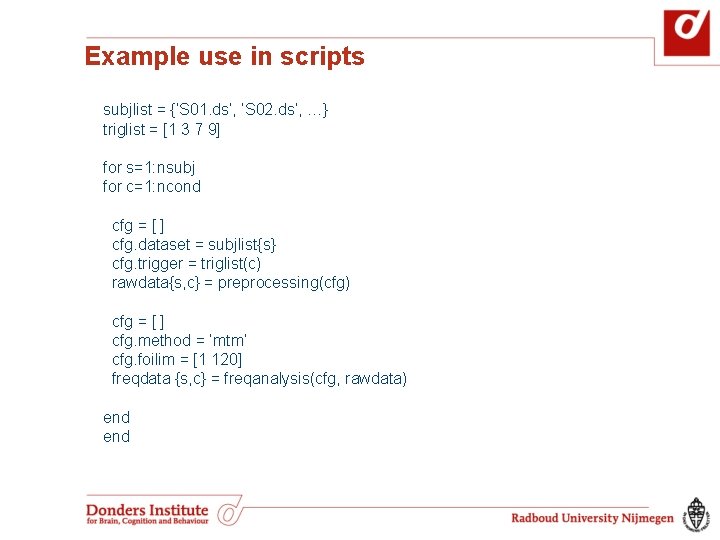
Example use in scripts subjlist = {‘S 01. ds’, ‘S 02. ds’, …} triglist = [1 3 7 9] for s=1: nsubj for c=1: ncond cfg = [ ] cfg. dataset = subjlist{s} cfg. trigger = triglist(c) rawdata{s, c} = preprocessing(cfg) cfg = [ ] cfg. method = ‘mtm’ cfg. foilim = [1 120] freqdata {s, c} = freqanalysis(cfg, rawdata) end
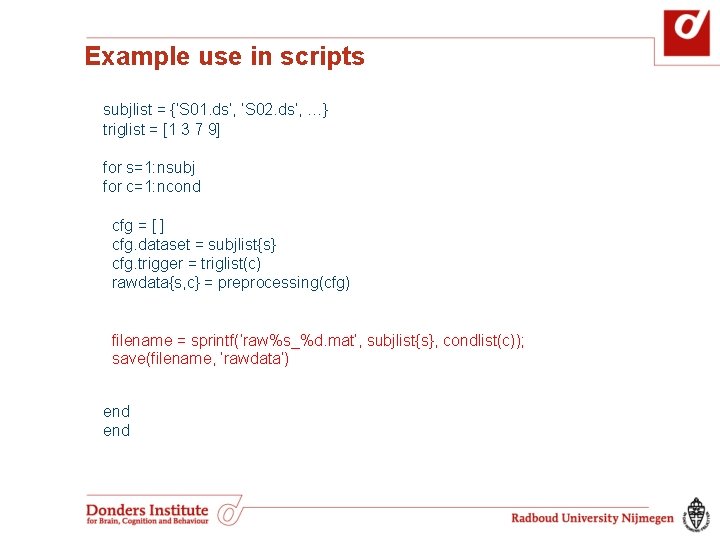
Example use in scripts subjlist = {‘S 01. ds’, ‘S 02. ds’, …} triglist = [1 3 7 9] for s=1: nsubj for c=1: ncond cfg = [ ] cfg. dataset = subjlist{s} cfg. trigger = triglist(c) rawdata{s, c} = preprocessing(cfg) filename = sprintf(‘raw%s_%d. mat’, subjlist{s}, condlist(c)); save(filename, ‘rawdata’) end
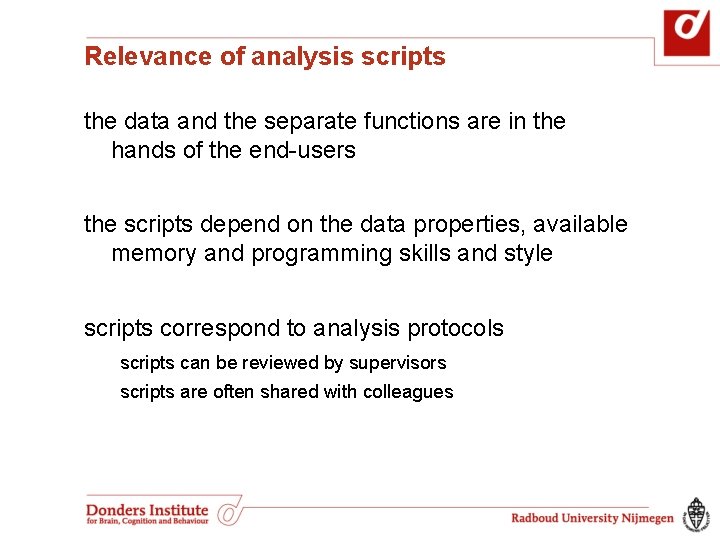
Relevance of analysis scripts the data and the separate functions are in the hands of the end-users the scripts depend on the data properties, available memory and programming skills and style scripts correspond to analysis protocols scripts can be reviewed by supervisors scripts are often shared with colleagues
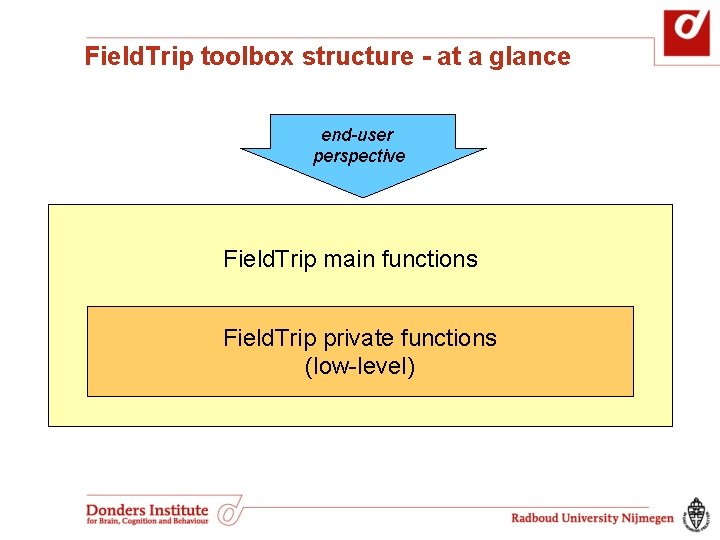
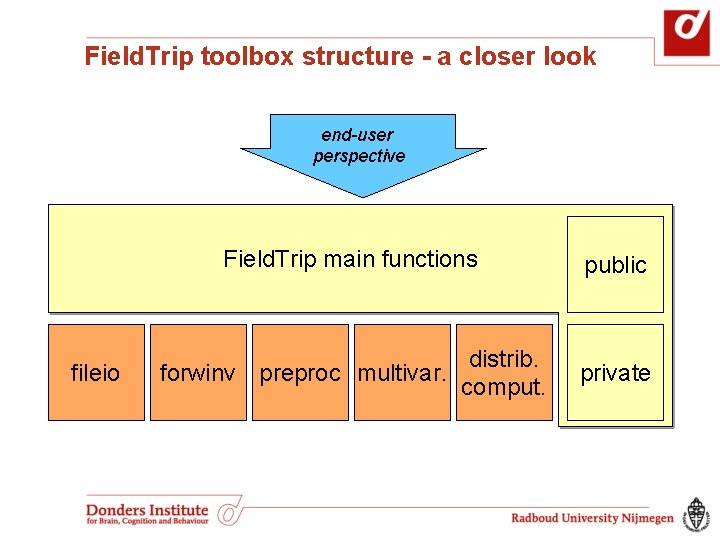
Field. Trip toolbox structure - at a glance end-user perspective Field. Trip main functions Field. Trip private functions (low-level)
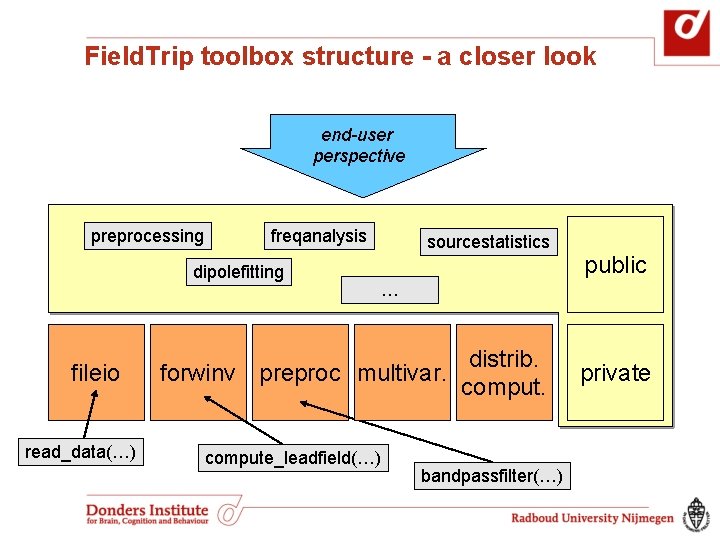
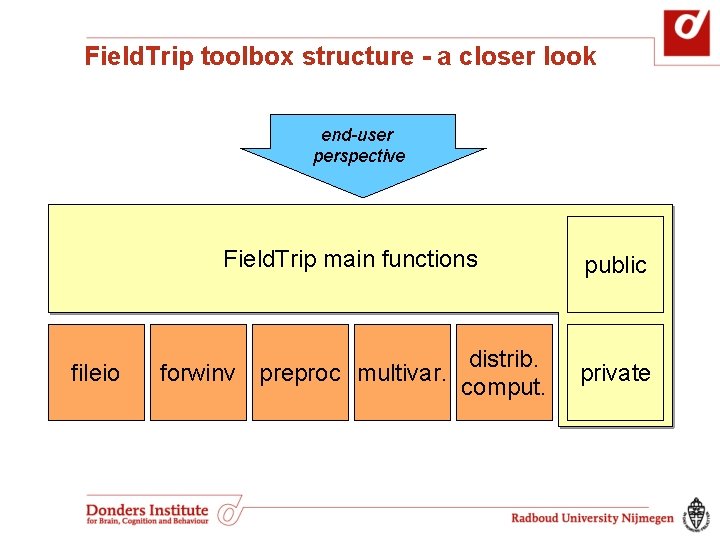
Field. Trip toolbox structure - a closer look end-user perspective fileio Field. Trip main functions public distrib. forwinv preproc multivar. comput. private
Field. Trip toolbox structure - a closer look end-user perspective preprocessing freqanalysis dipolefitting fileio read_data(…) sourcestatistics public … distrib. forwinv preproc multivar. compute_leadfield(…) bandpassfilter(…) private
Field. Trip toolbox structure - a closer look end-user perspective fileio Field. Trip main functions public distrib. forwinv preproc multivar. comput. private
Field. Trip toolbox - code reused in SPM 8 end-user perspective SPM 8 main functions with graphical user interface fileio distrib. forwinv preproc comput. public fieldtrip private
Why use Field. Trip? contains many algorithms demonstrated to be an effective tool for analyzing electrophysiological data active user community new methods contributed by others collaboration with other packages expertise from developers made accessible expertise from other users made available
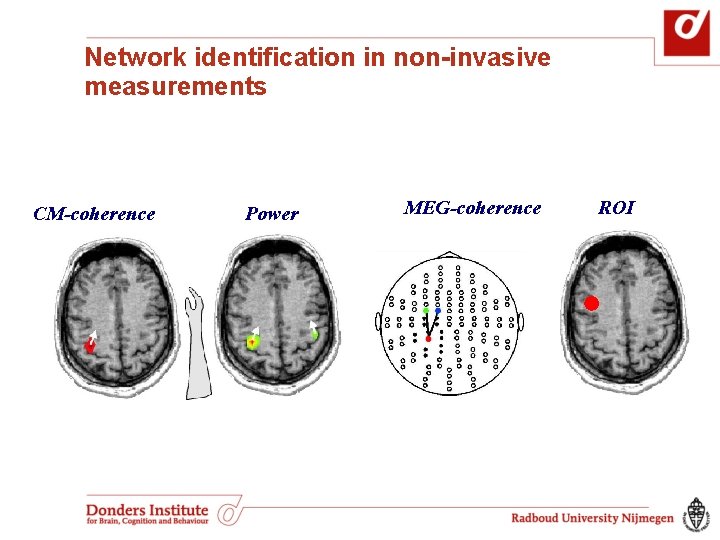
Network identification in non-invasive measurements CM-coherence Power MEG-coherence ROI
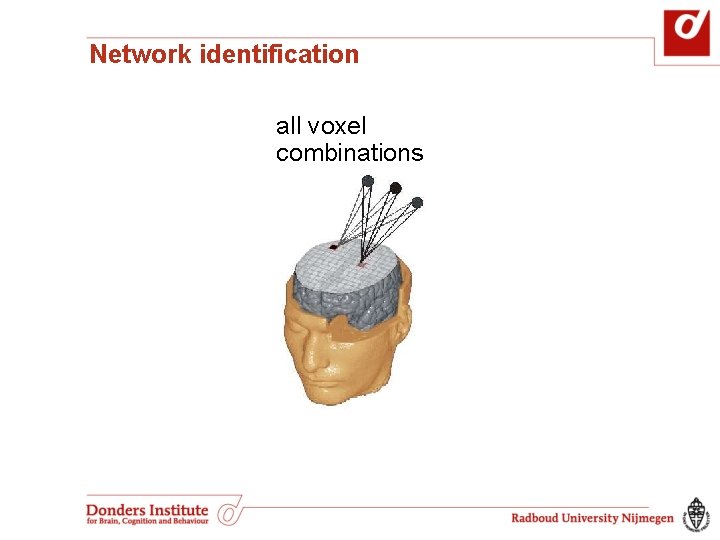
Network identification all voxel combinations
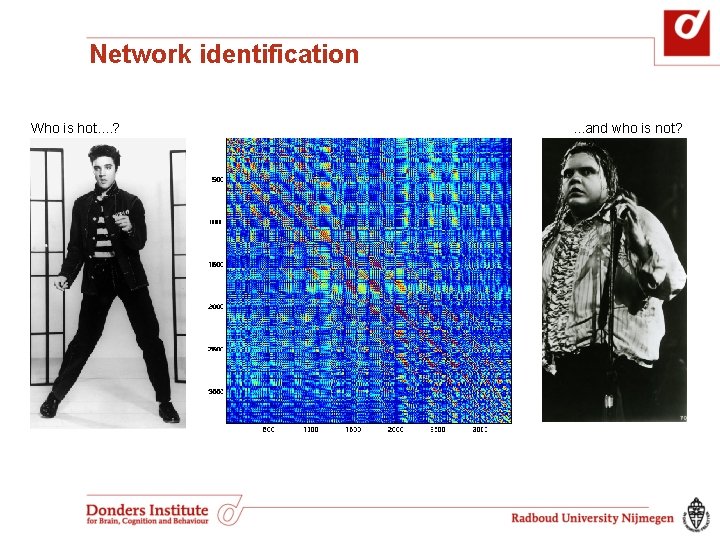
Network identification Who is hot. . ? . . . and who is not?
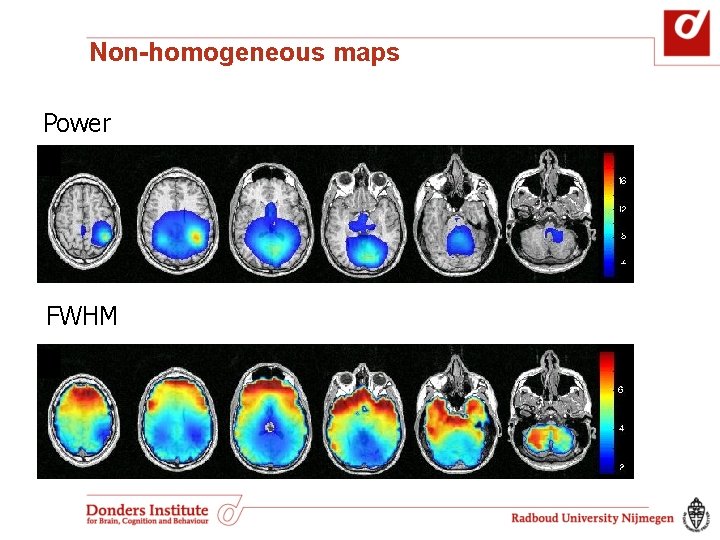
Non-homogeneous maps Power FWHM
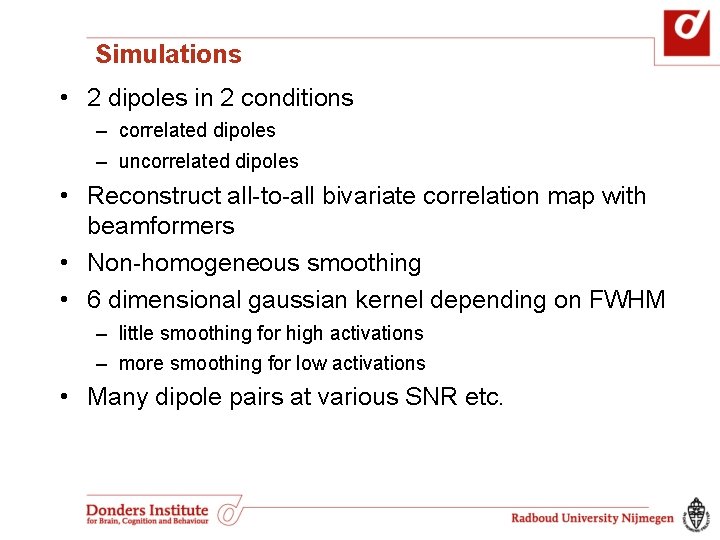
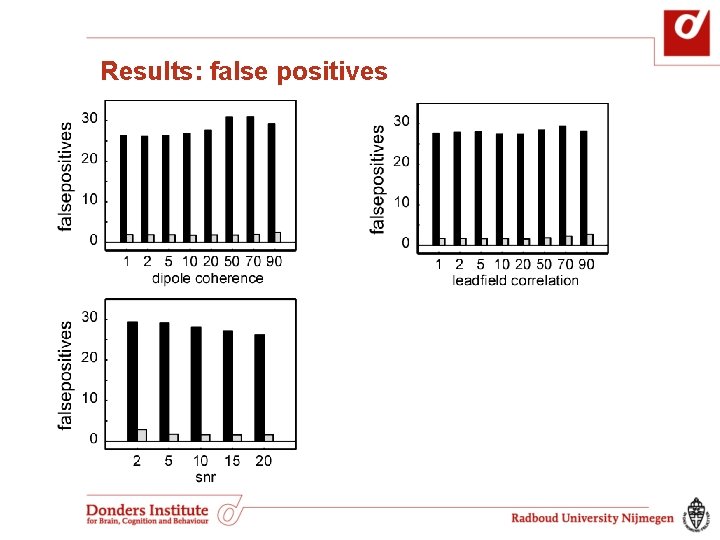
Simulations • 2 dipoles in 2 conditions – correlated dipoles – uncorrelated dipoles • Reconstruct all-to-all bivariate correlation map with beamformers • Non-homogeneous smoothing • 6 dimensional gaussian kernel depending on FWHM – little smoothing for high activations – more smoothing for low activations • Many dipole pairs at various SNR etc.
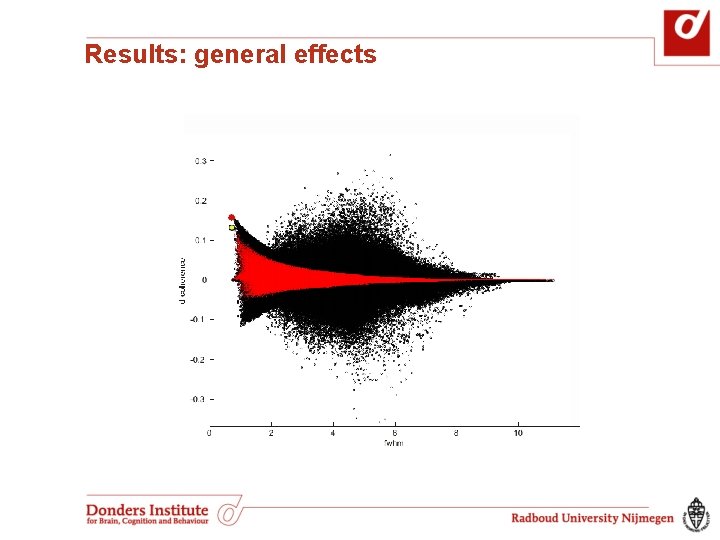
Results: general effects
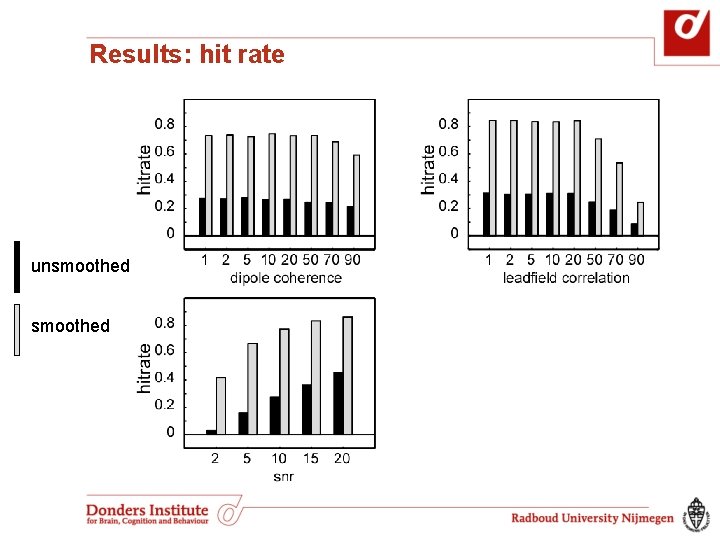
Results: hit rate unsmoothed
Results: false positives
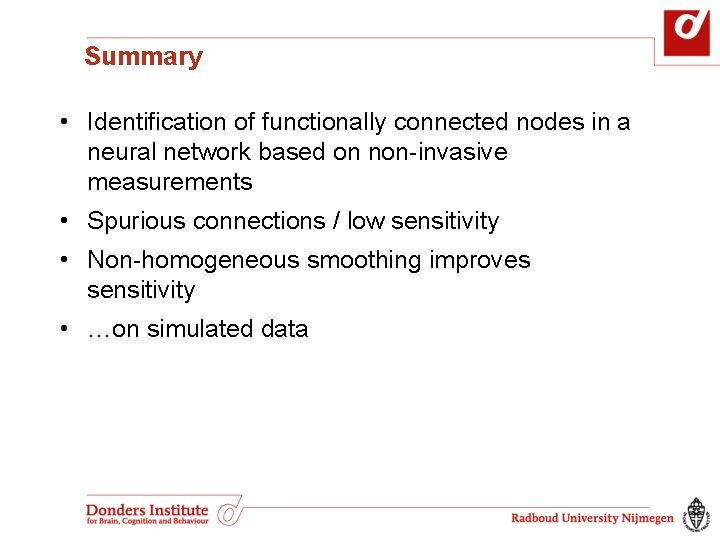
Summary • Identification of functionally connected nodes in a neural network based on non-invasive measurements • Spurious connections / low sensitivity • Non-homogeneous smoothing improves sensitivity • …on simulated data
Do you want to give it a try yourself? http: //fieldtrip. fcdonders. nl/ Acknowledgements: Monkey stuff -Conrado Bosman -Andre Bastos -Robert Oostenveld -Pascal Fries Non-homogeneous smoothing -Joachim Gross