92 G Credentialing Program American Culinary Federation Apprenticeship
- Slides: 70
92 G Credentialing Program & American Culinary Federation Apprenticeship Portal 1
Portal Website https: //culinaryprofessionals. org/ 2
Training NCO Orientation and Training: Online Portal 3
The Training NCO will have the ability and responsibility to do the following; • Periodically access the Logbook to view, verify and approve Soldier hours and tasks • Be able to check their Soldier tasks daily and pull reports • Be responsible for releasing tests to Soldier 4
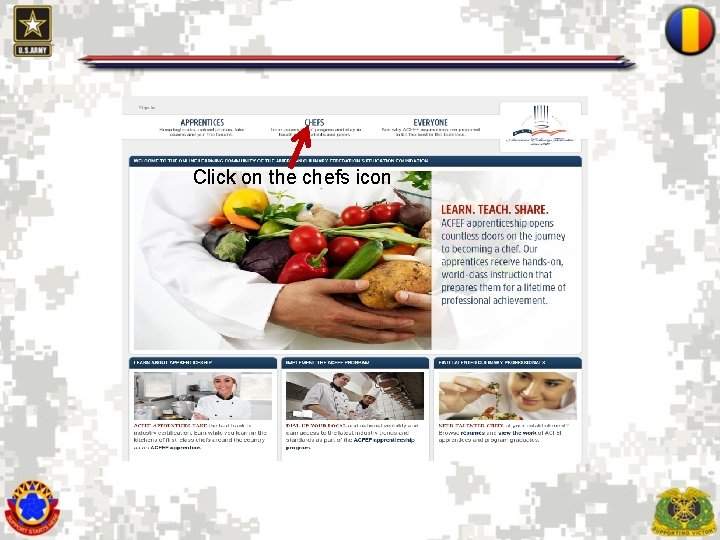
Click on the chefs icon 5
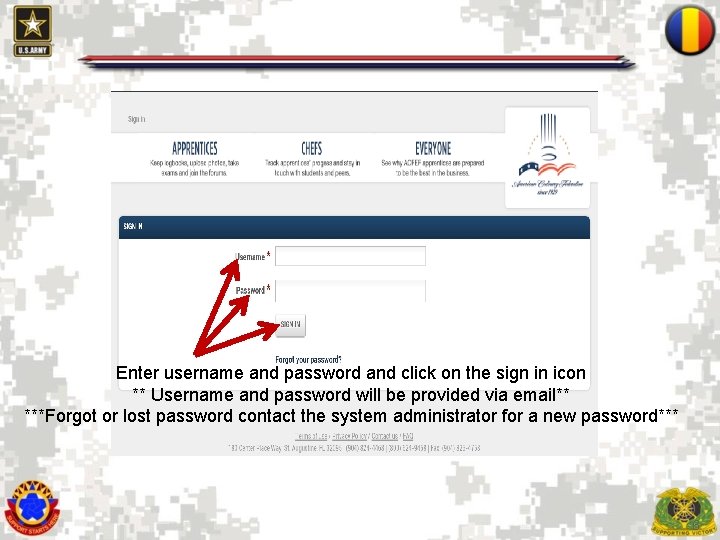
Enter username and password and click on the sign in icon ** Username and password will be provided via email** ***Forgot or lost password contact the system administrator for a new password*** 6
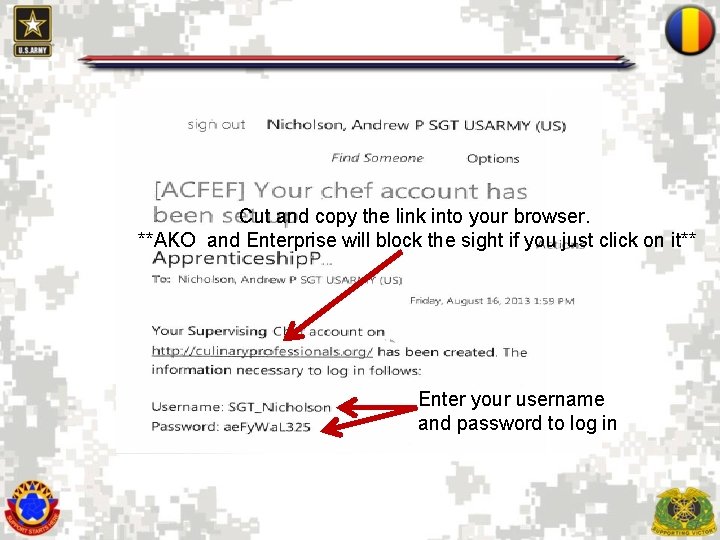
Cut and copy the link into your browser. **AKO and Enterprise will block the sight if you just click on it** Enter your username and password to log in 7
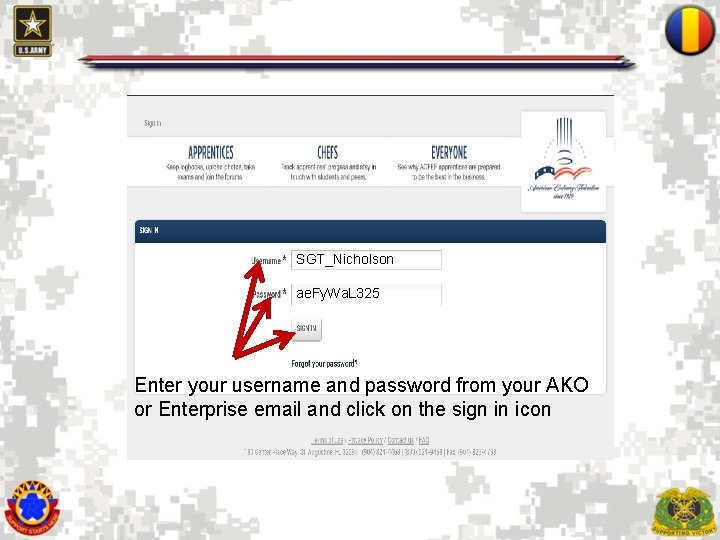
SGT_Nicholson ae. Fy. Wa. L 325 Enter your username and password from your AKO or Enterprise email and click on the sign in icon 8
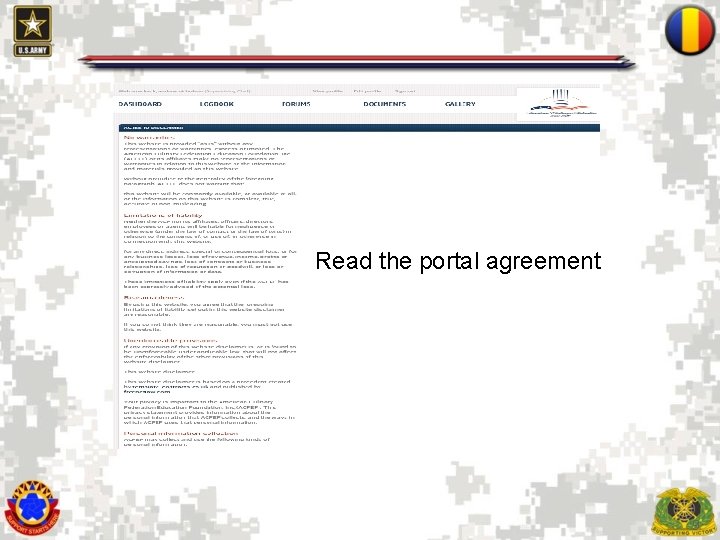
Read the portal agreement 9
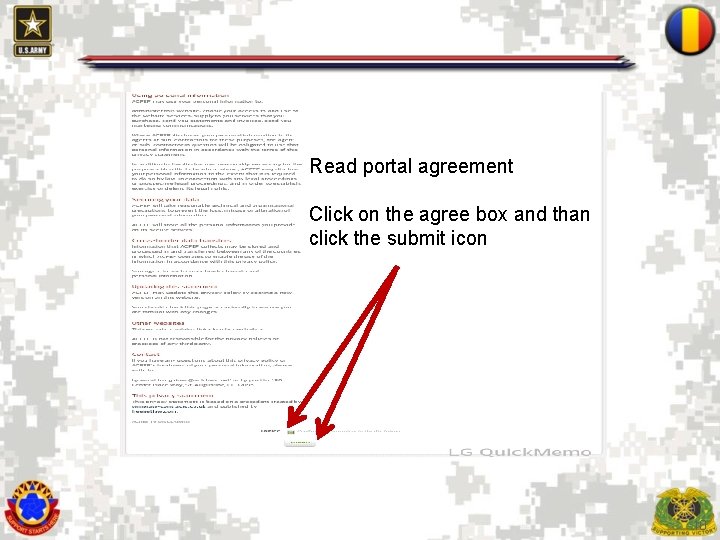
Read portal agreement Click on the agree box and than click the submit icon 10
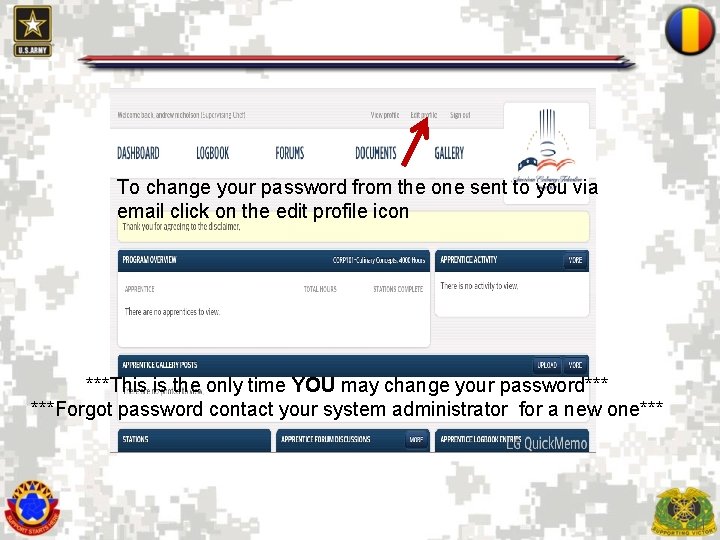
To change your password from the one sent to you via email click on the edit profile icon ***This is the only time YOU may change your password*** ***Forgot password contact your system administrator for a new one*** 11
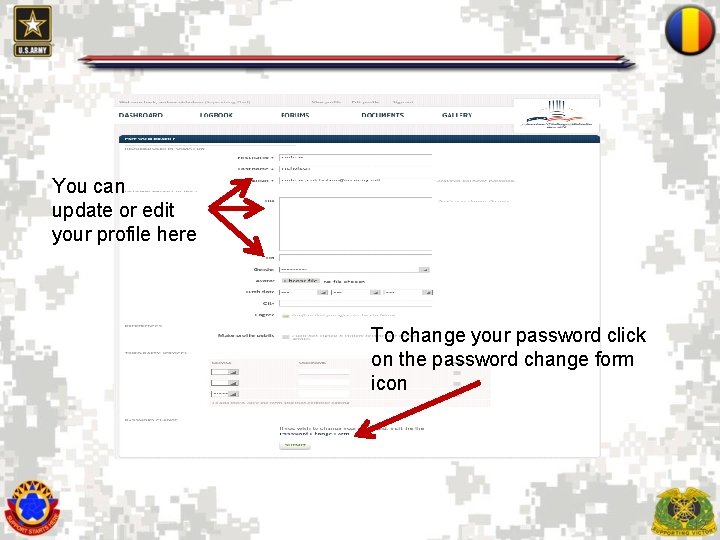
You can update or edit your profile here To change your password click on the password change form icon 12
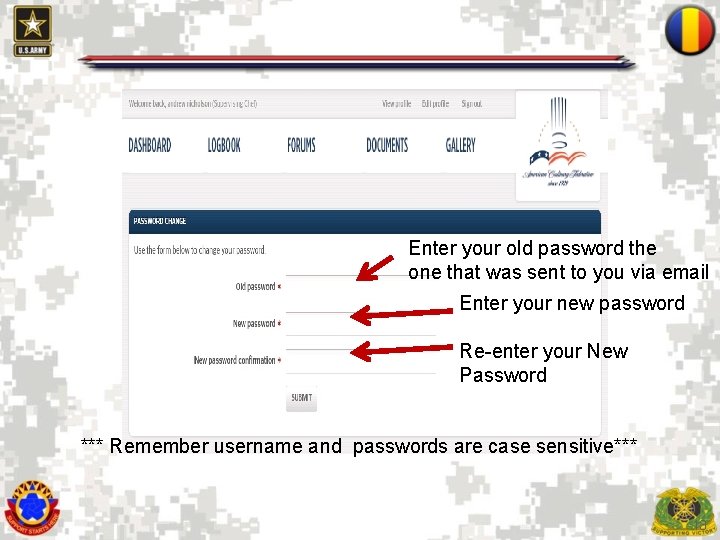
Enter your old password the one that was sent to you via email Enter your new password Re-enter your New Password *** Remember username and passwords are case sensitive*** 13
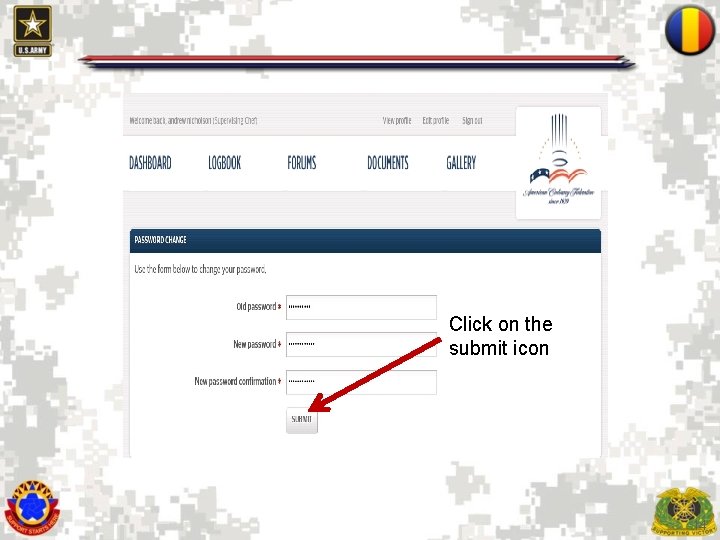
Click on the submit icon 14
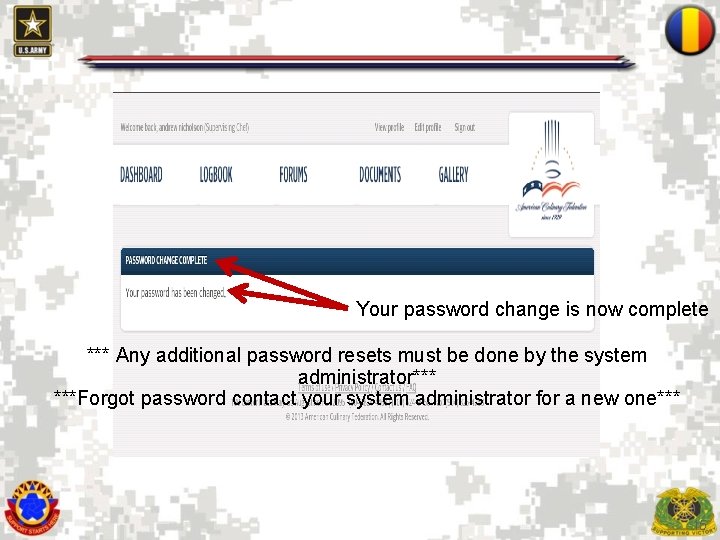
Your password change is now complete *** Any additional password resets must be done by the system administrator*** ***Forgot password contact your system administrator for a new one*** 15
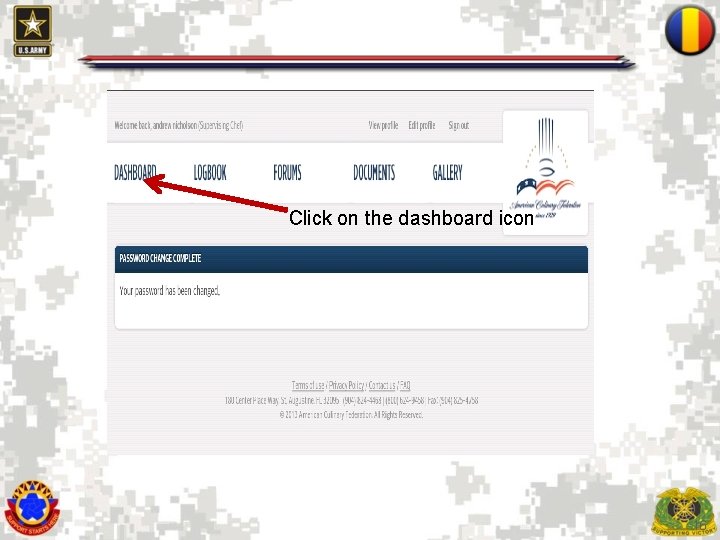
Click on the dashboard icon 16
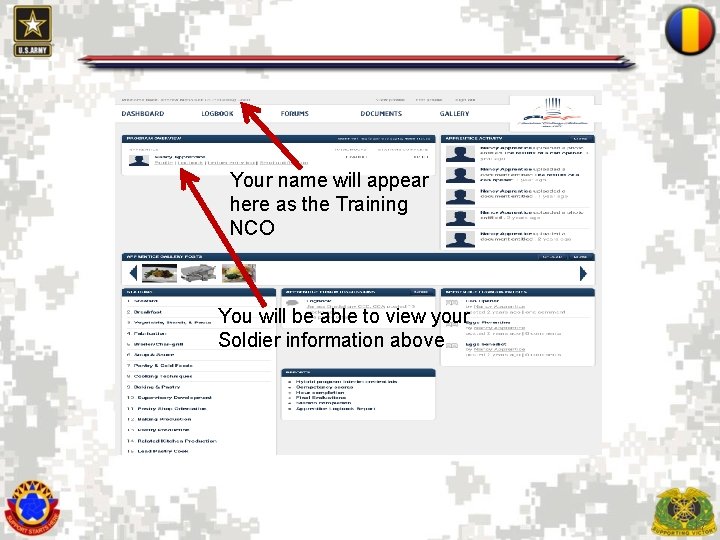
Your name will appear here as the Training NCO You will be able to view your Soldier information above 17
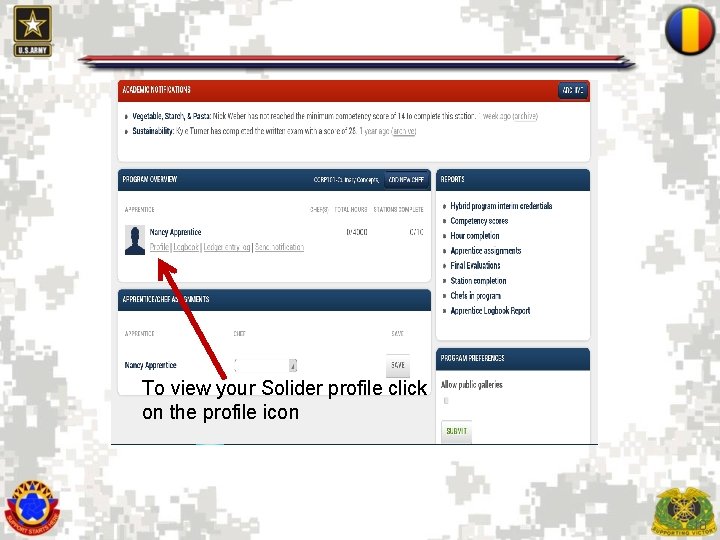
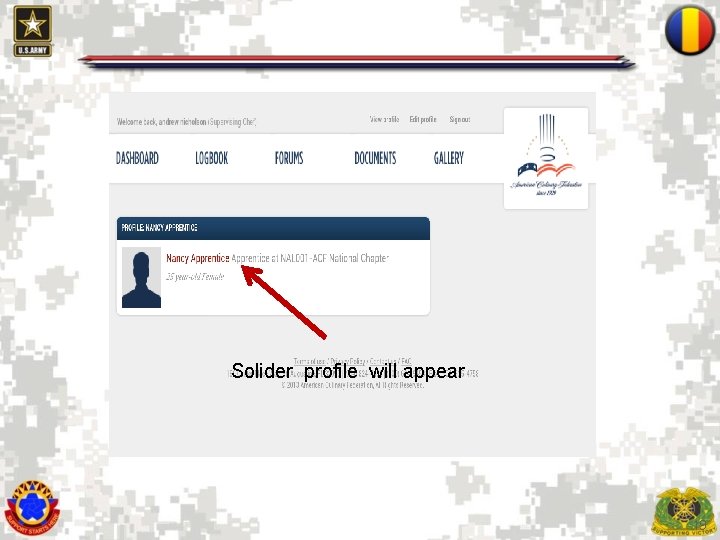
To view your Solider profile click on the profile icon 18
Solider profile will appear 19
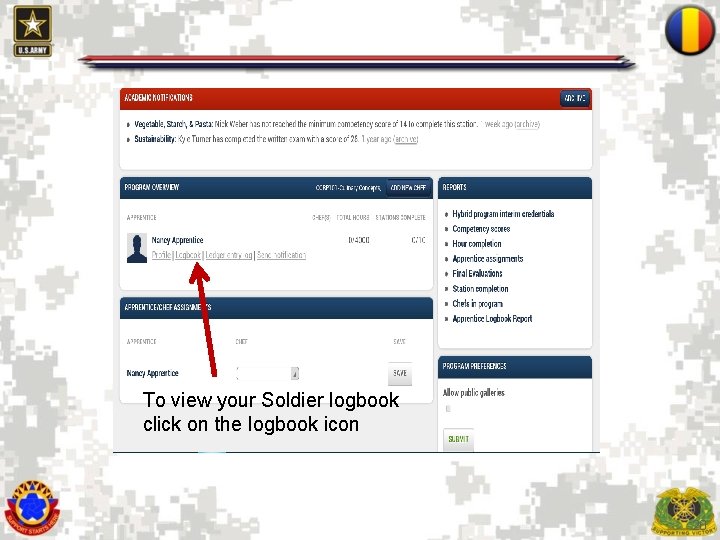
To view your Soldier logbook click on the logbook icon 20
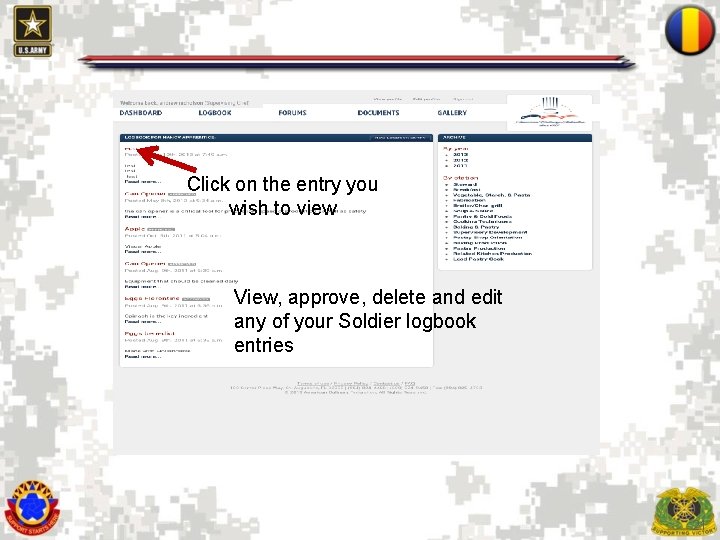
Click on the entry you wish to view View, approve, delete and edit any of your Soldier logbook entries 21
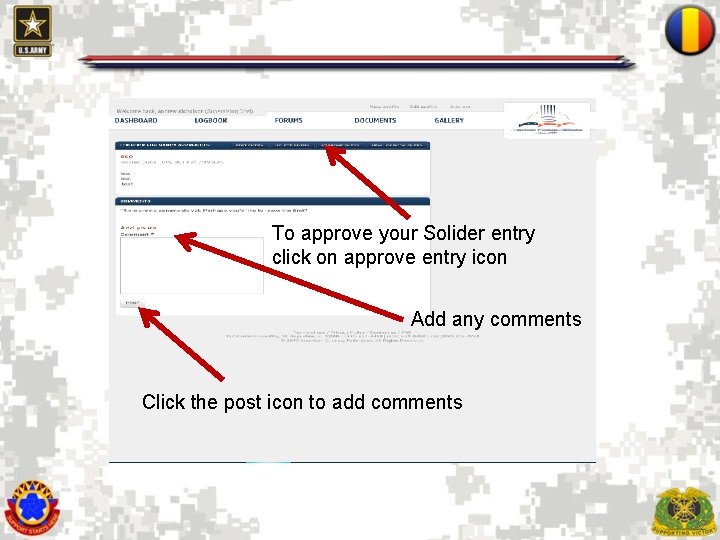
To approve your Solider entry click on approve entry icon Add any comments Click the post icon to add comments 22
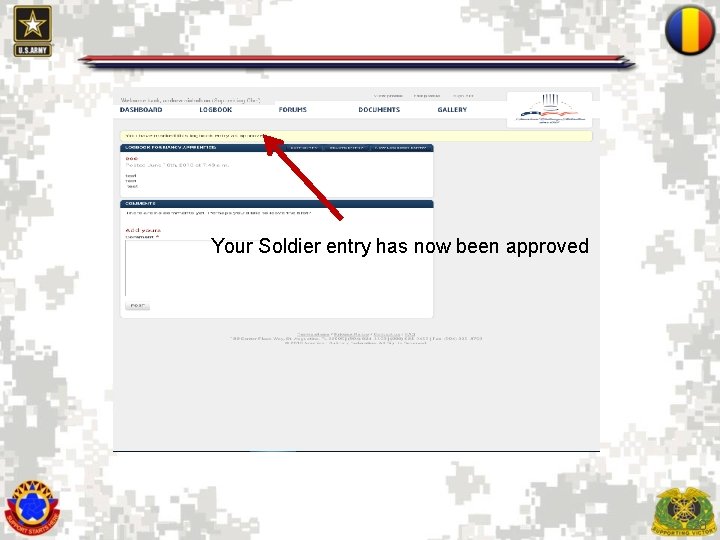
Your Soldier entry has now been approved 23
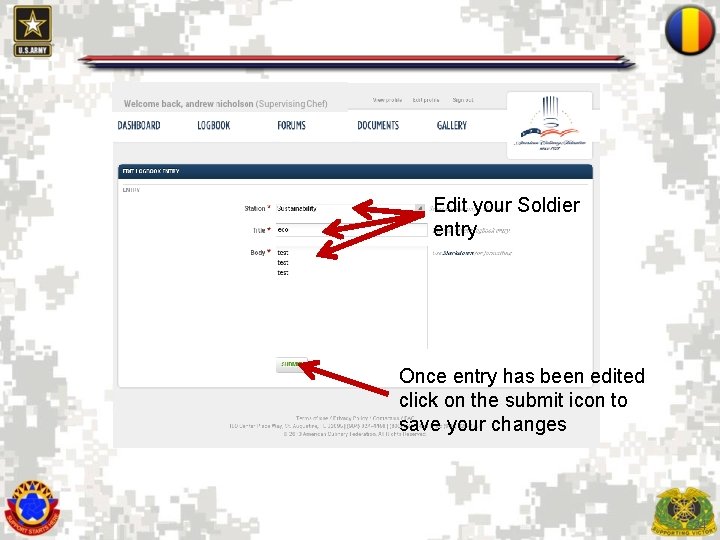
Edit your Soldier entry Once entry has been edited click on the submit icon to save your changes 24
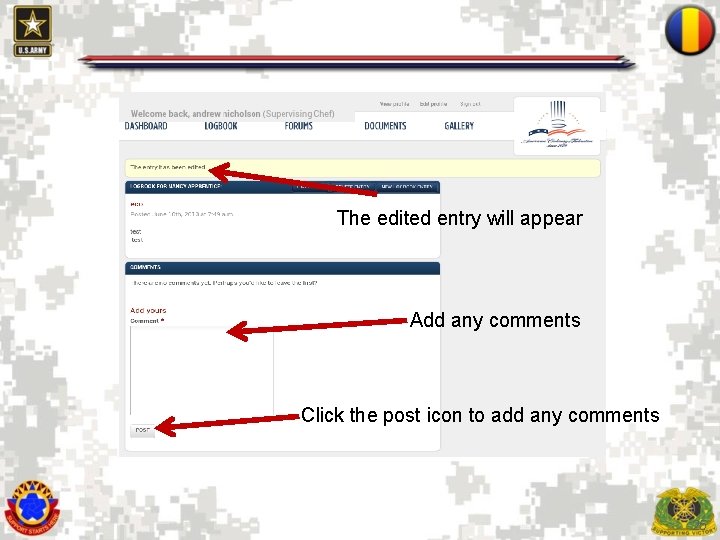
The edited entry will appear Add any comments Click the post icon to add any comments 25
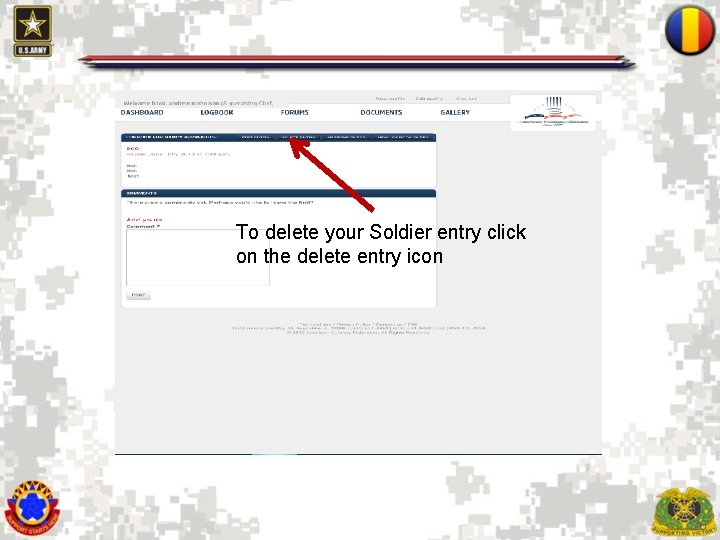
To delete your Soldier entry click on the delete entry icon 26
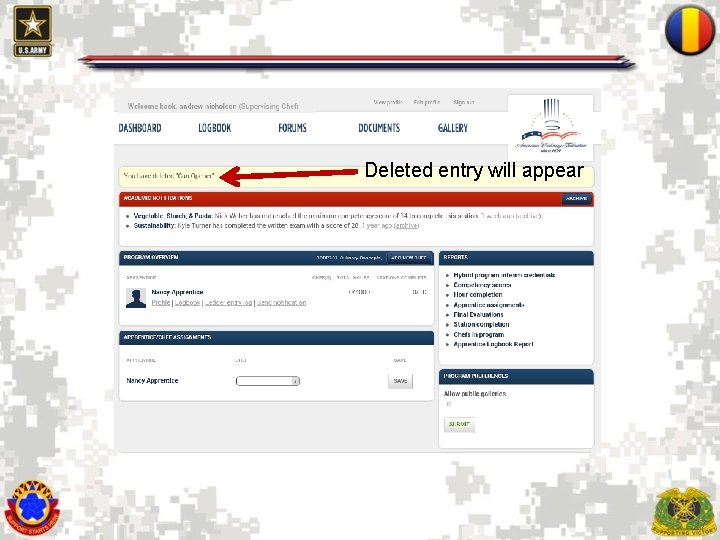
Deleted entry will appear 27
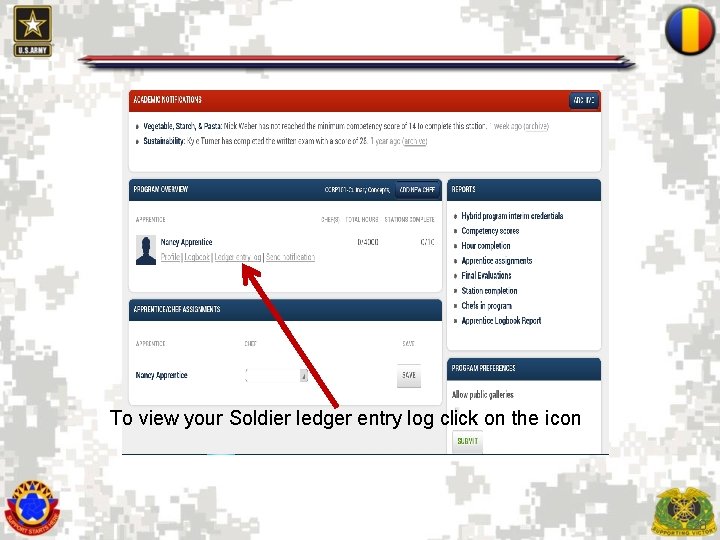
To view your Soldier ledger entry log click on the icon 28
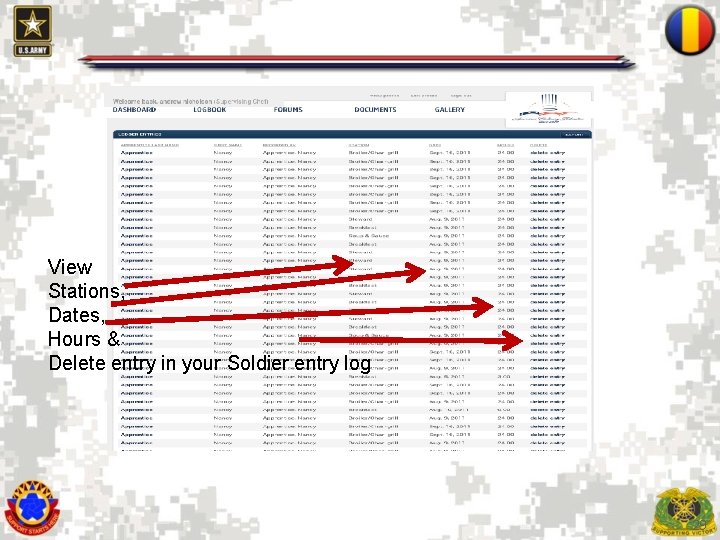
View Stations, Dates, Hours & Delete entry in your Soldier entry log 29
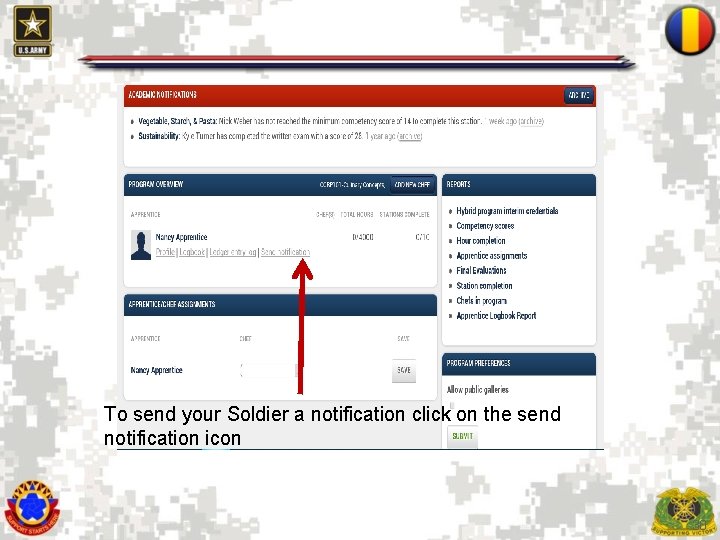
To send your Soldier a notification click on the send notification icon 30
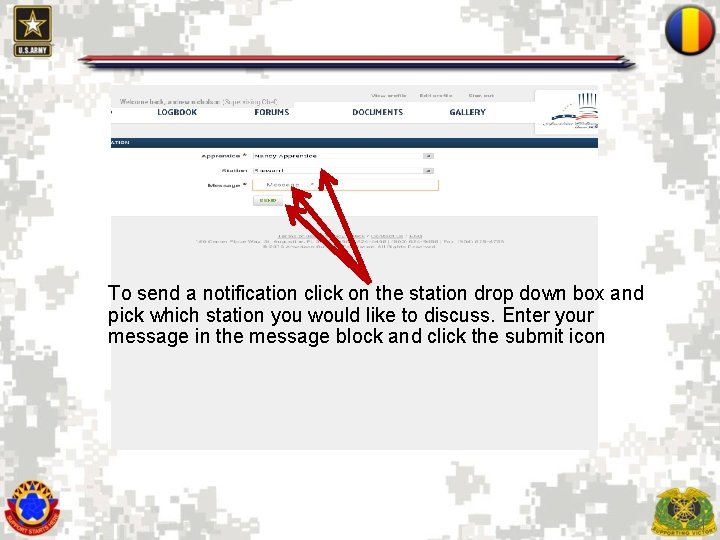
To send a notification click on the station drop down box and pick which station you would like to discuss. Enter your message in the message block and click the submit icon 31
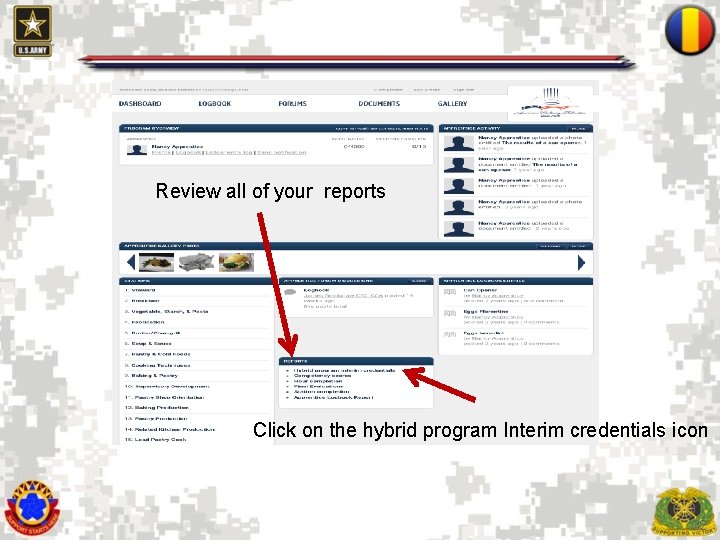
Review all of your reports Click on the hybrid program Interim credentials icon 32
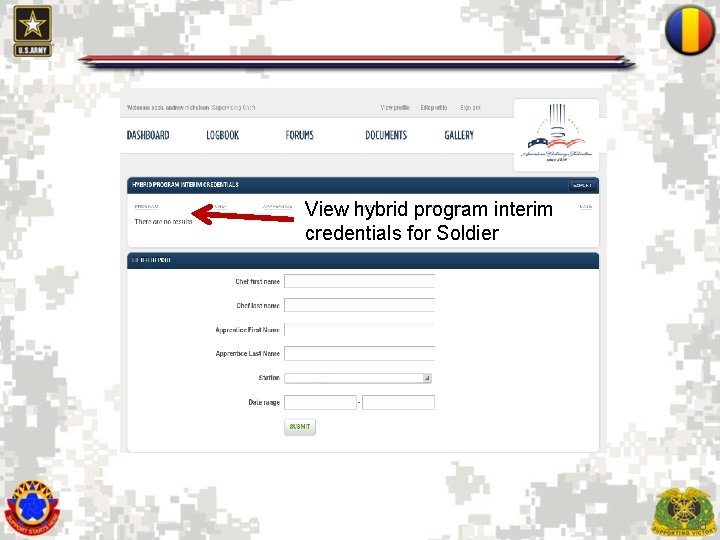
View hybrid program interim credentials for Soldier 33
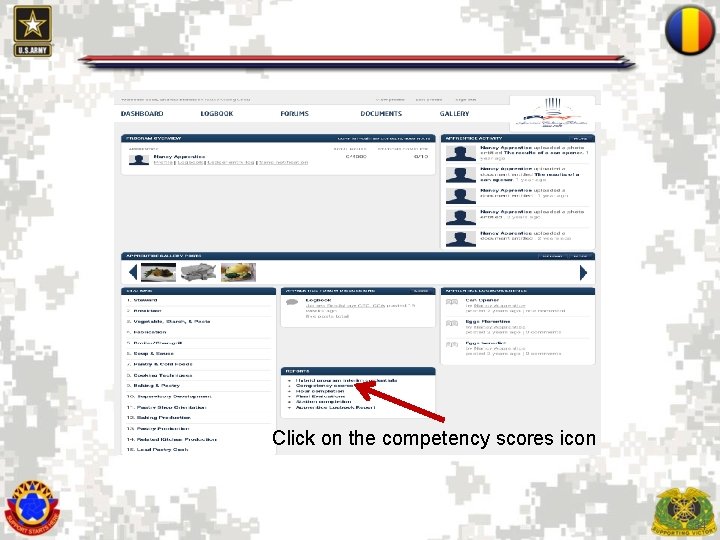
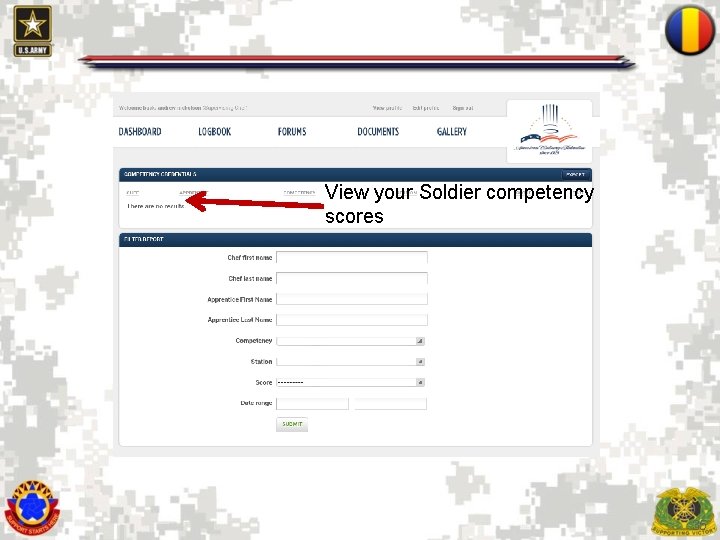
Click on the competency scores icon 34
View your Soldier competency scores 35
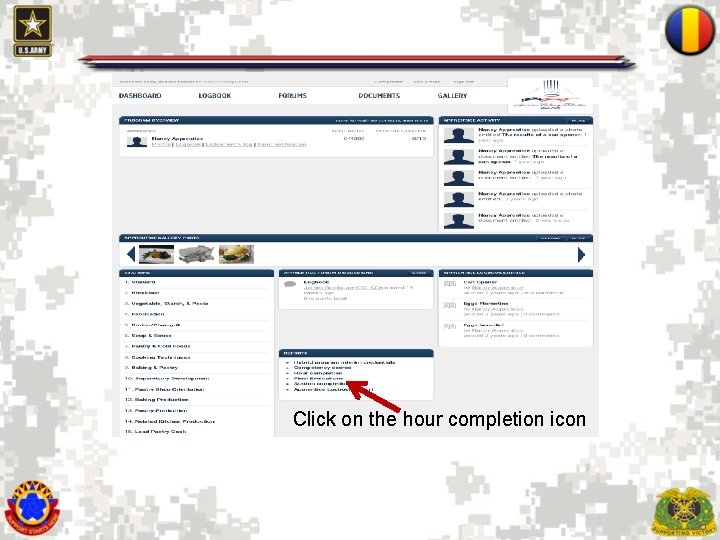
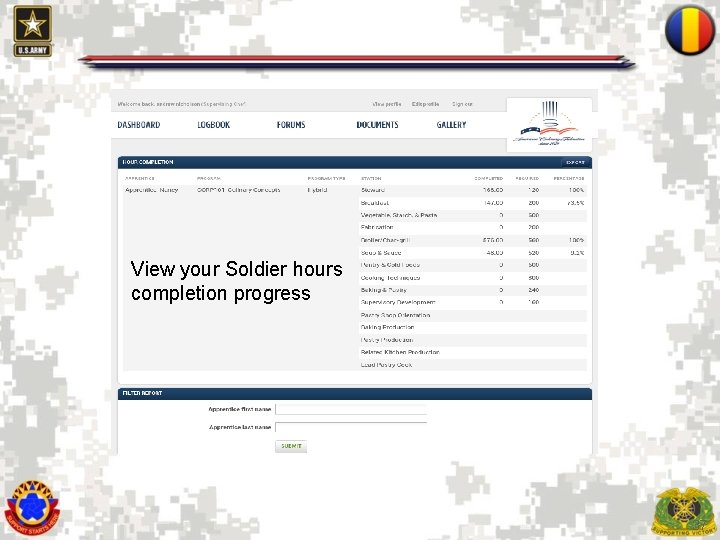
Click on the hour completion icon 36
View your Soldier hours completion progress 37
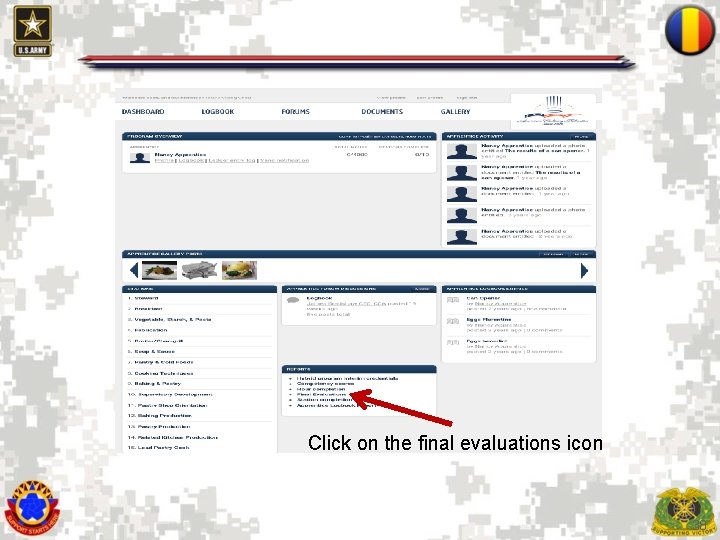
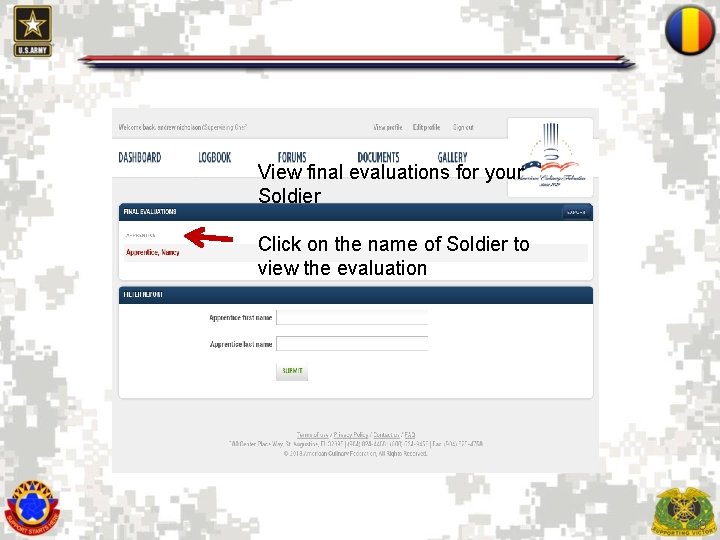
Click on the final evaluations icon 38
View final evaluations for your Soldier Click on the name of Soldier to view the evaluation 39
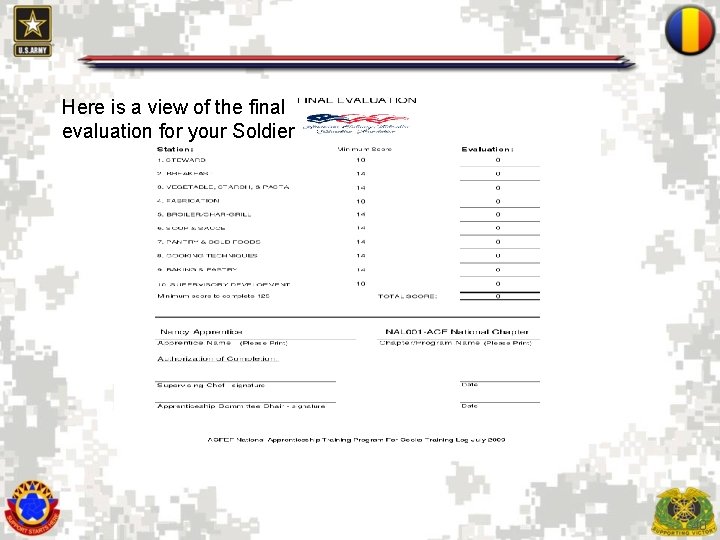
Here is a view of the final evaluation for your Soldier 40
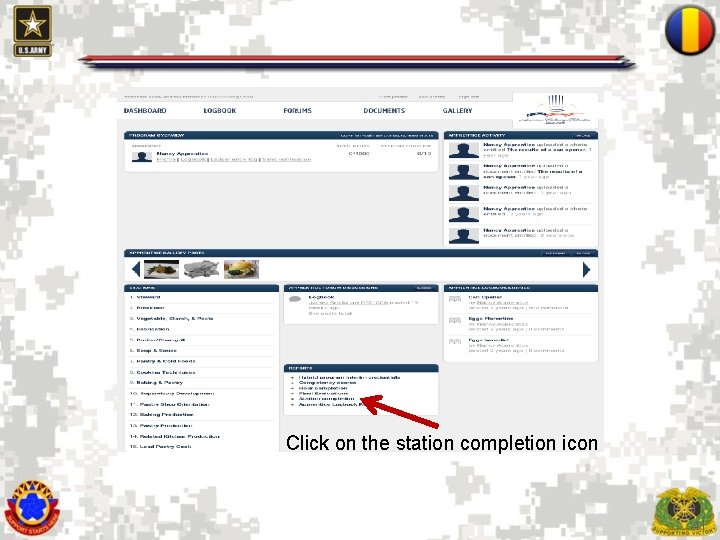
Click on the station completion icon 41
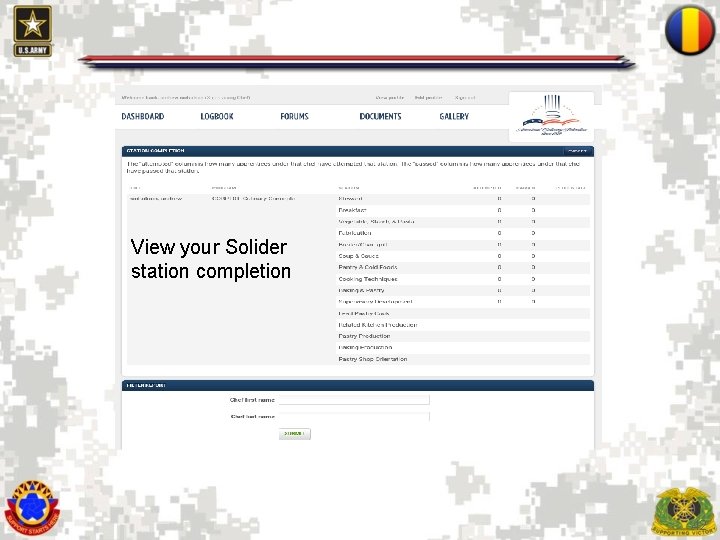
View your Solider station completion 42
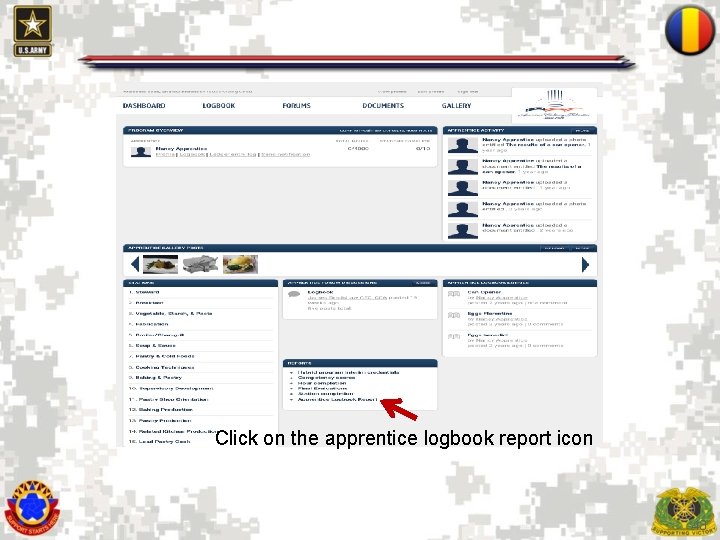
Click on the apprentice logbook report icon 43
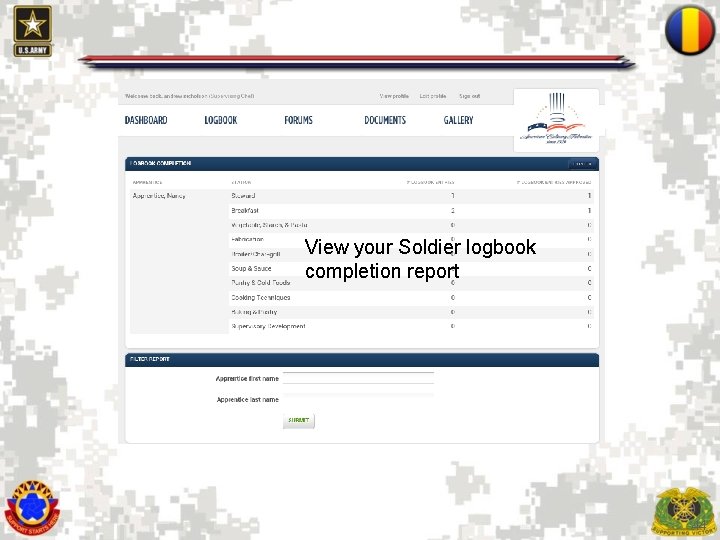
View your Soldier logbook completion report 44
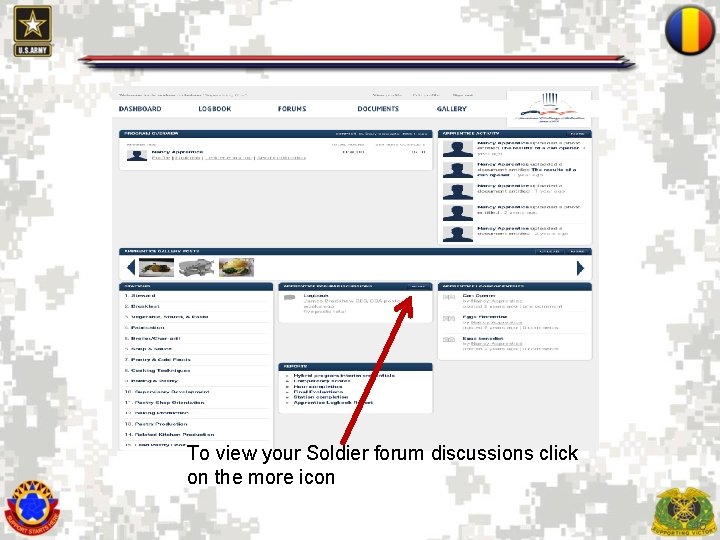
To view your Soldier forum discussions click on the more icon 45
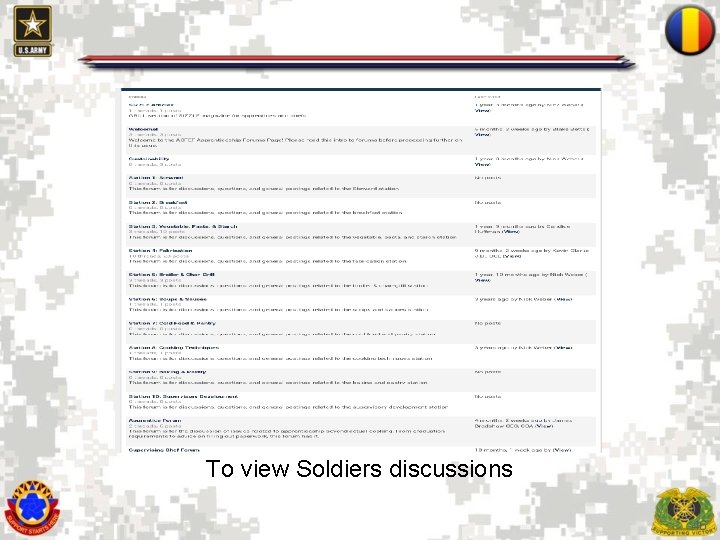
To view Soldiers discussions 46
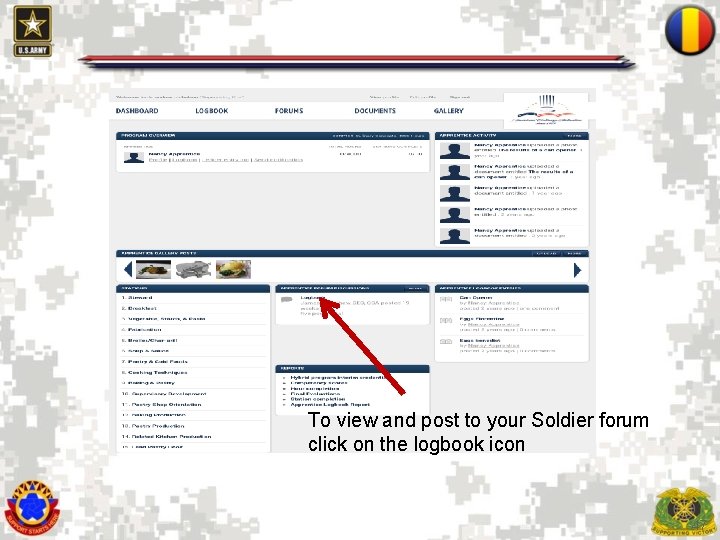
To view and post to your Soldier forum click on the logbook icon 47
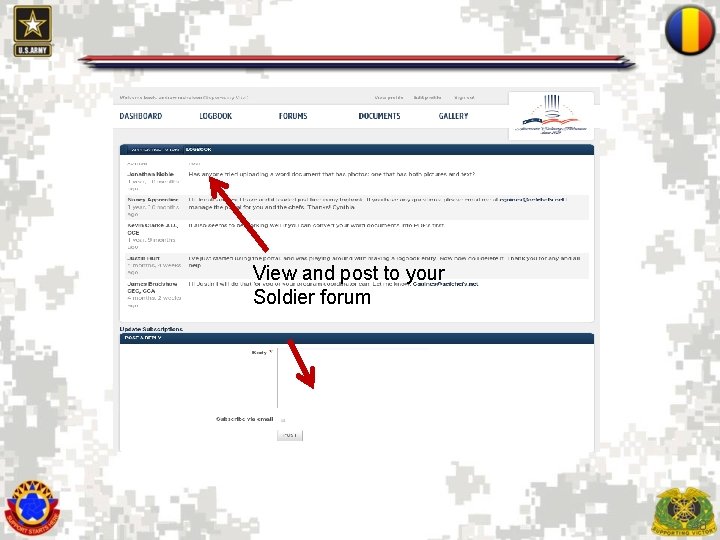
View and post to your Soldier forum 48
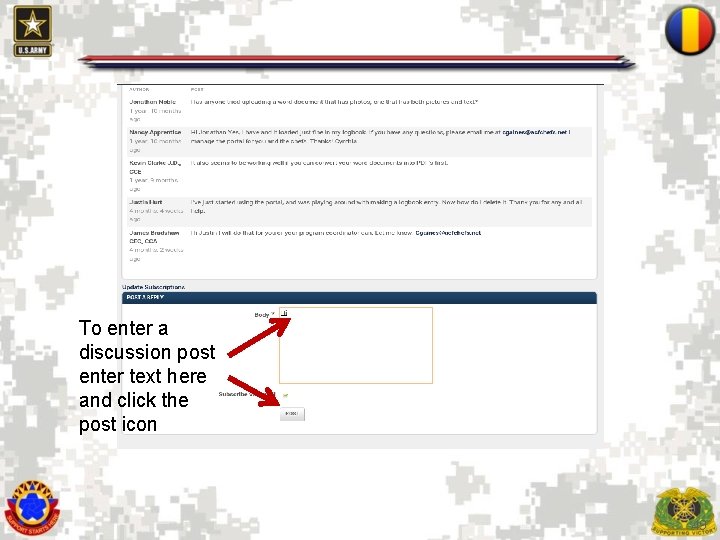
To enter a discussion post enter text here and click the post icon 49
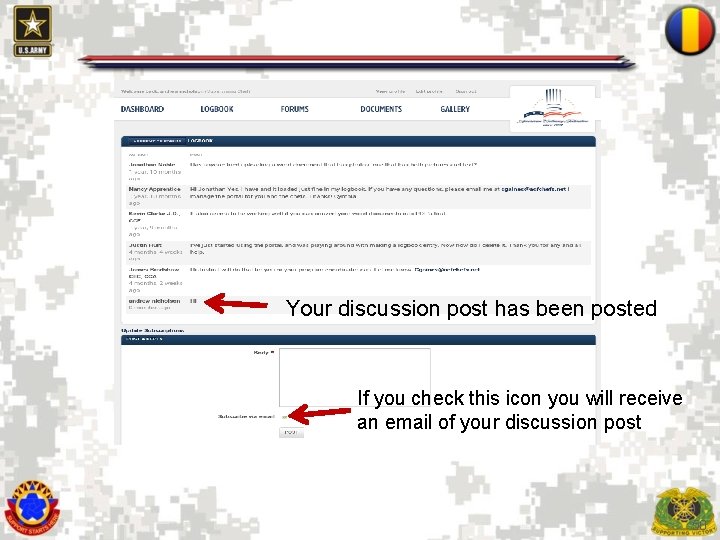
Your discussion post has been posted If you check this icon you will receive an email of your discussion post 50
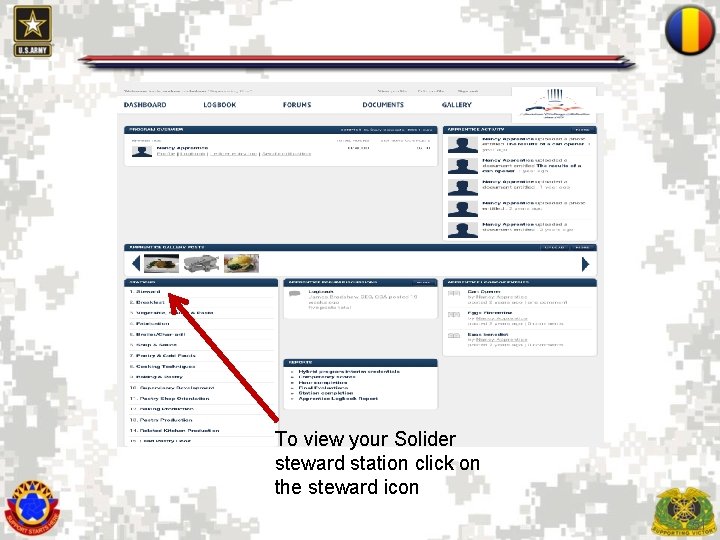
To view your Solider steward station click on the steward icon 51
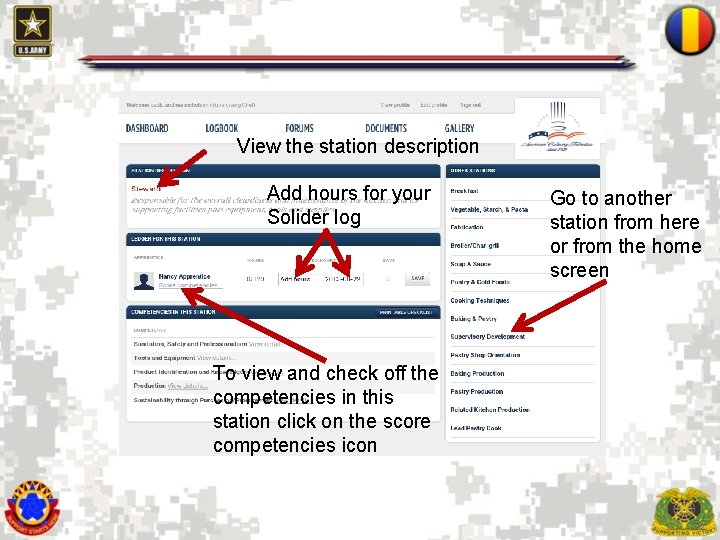
View the station description Add hours for your Solider log Go to another station from here or from the home screen To view and check off the competencies in this station click on the score competencies icon 52
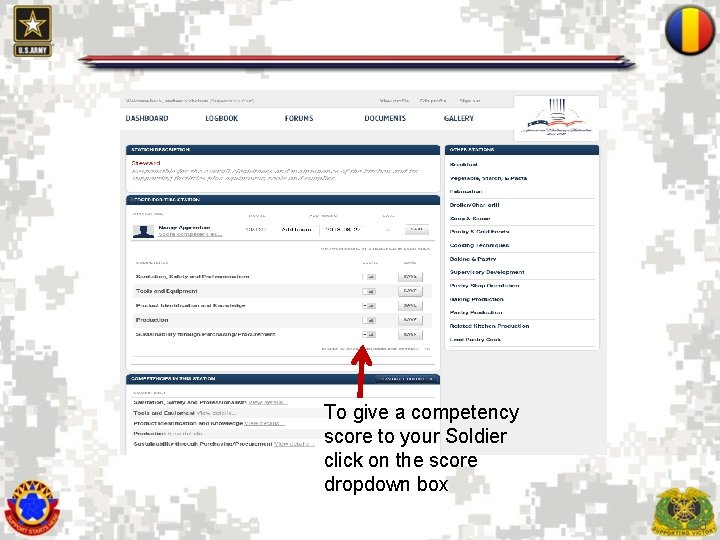
To give a competency score to your Soldier click on the score dropdown box 53
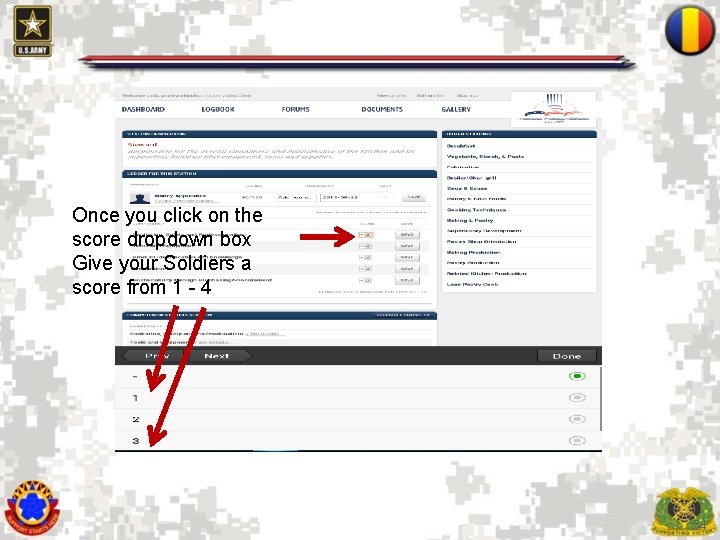
Once you click on the score dropdown box Give your Soldiers a score from 1 - 4 54
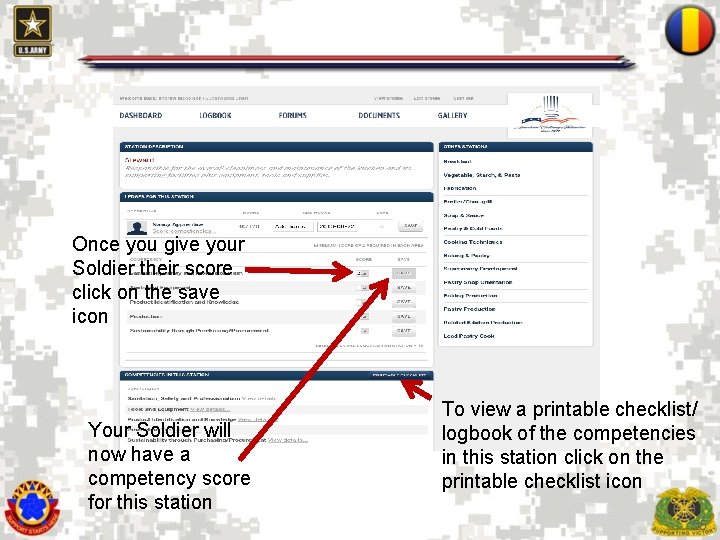
Once you give your Soldier their score click on the save icon Your Soldier will now have a competency score for this station To view a printable checklist/ logbook of the competencies in this station click on the printable checklist icon 55
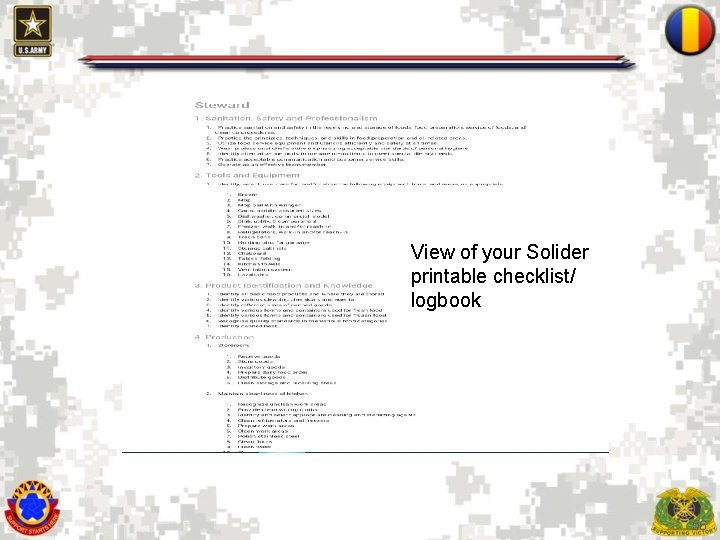
View of your Solider printable checklist/ logbook 56
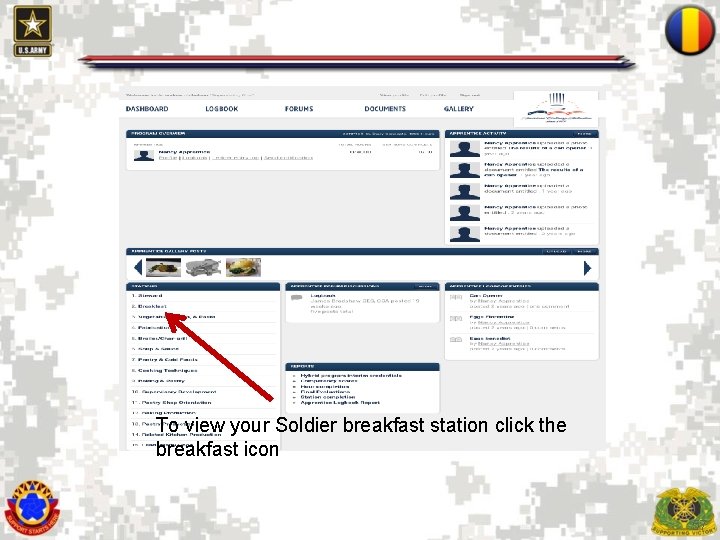
To view your Soldier breakfast station click the breakfast icon 57
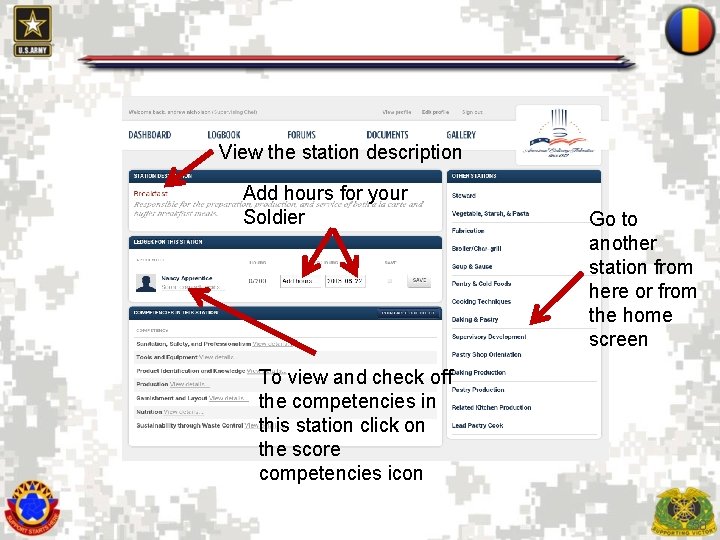
View the station description Add hours for your Soldier Go to another station from here or from the home screen To view and check off the competencies in this station click on the score competencies icon 58
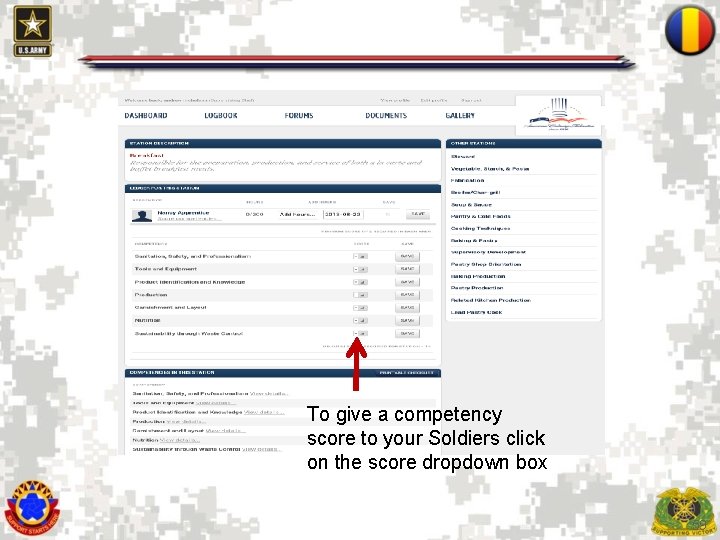
To give a competency score to your Soldiers click on the score dropdown box 59
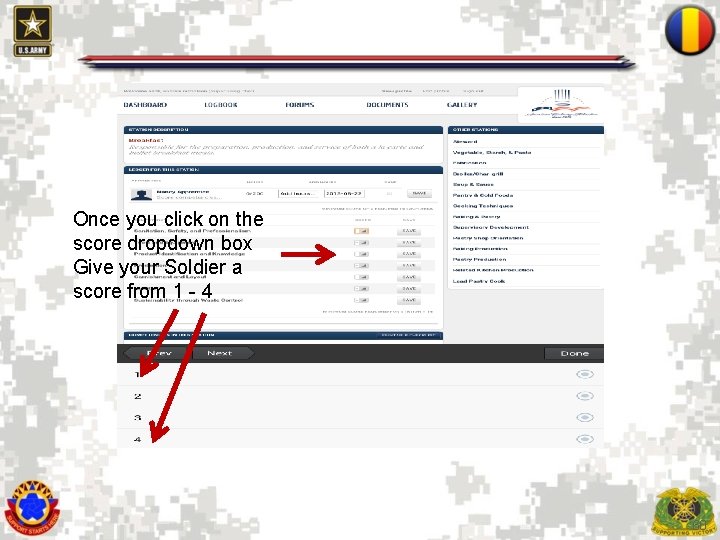
Once you click on the score dropdown box Give your Soldier a score from 1 - 4 60
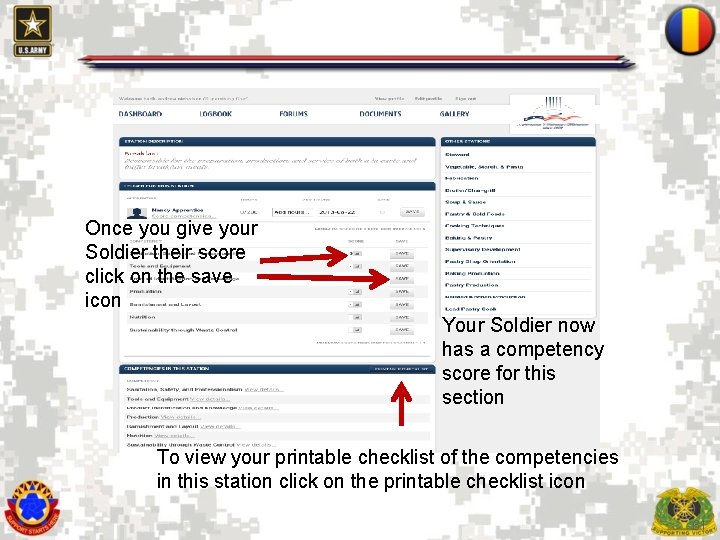
Once you give your Soldier their score click on the save icon Your Soldier now has a competency score for this section To view your printable checklist of the competencies in this station click on the printable checklist icon 61
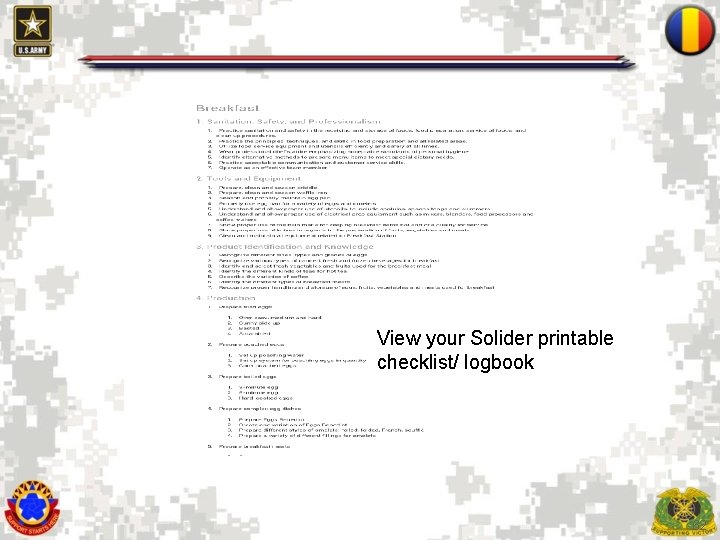
View your Solider printable checklist/ logbook 62
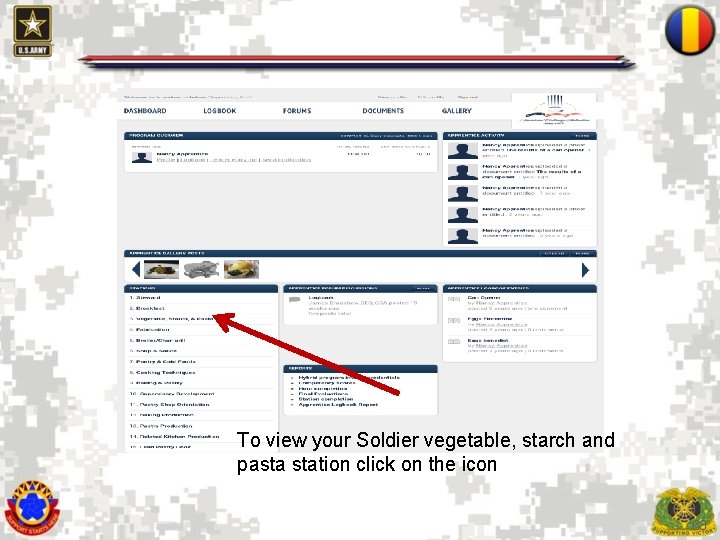
To view your Soldier vegetable, starch and pasta station click on the icon 63
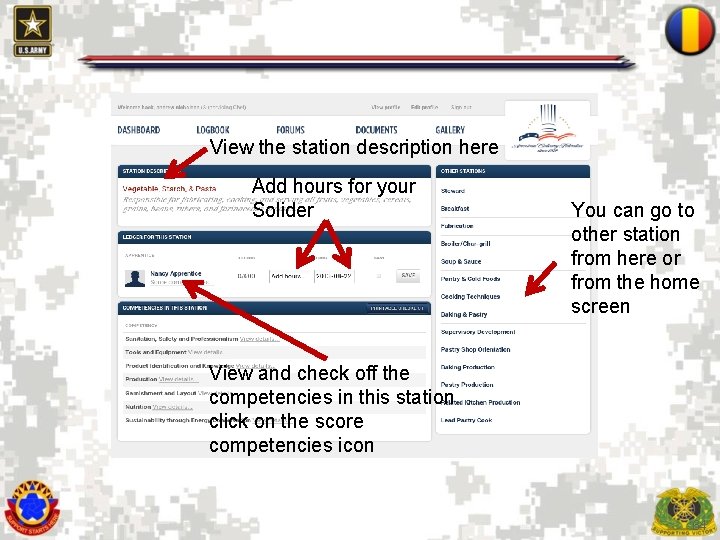
View the station description here Add hours for your Solider You can go to other station from here or from the home screen View and check off the competencies in this station click on the score competencies icon 64
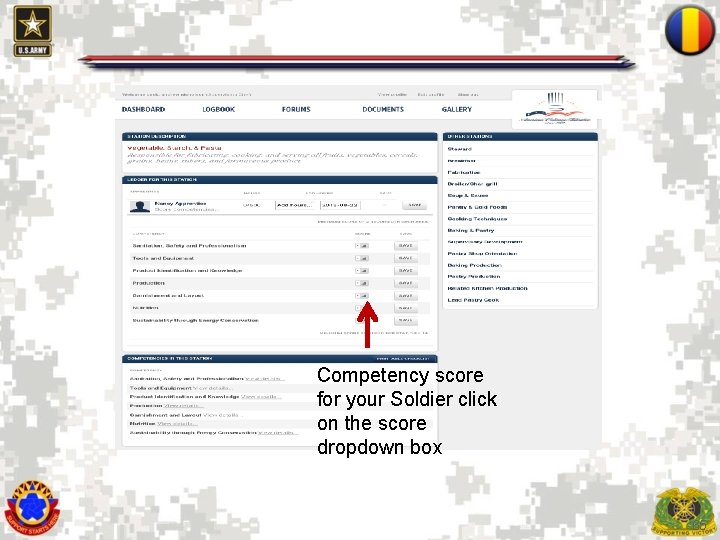
Competency score for your Soldier click on the score dropdown box 65
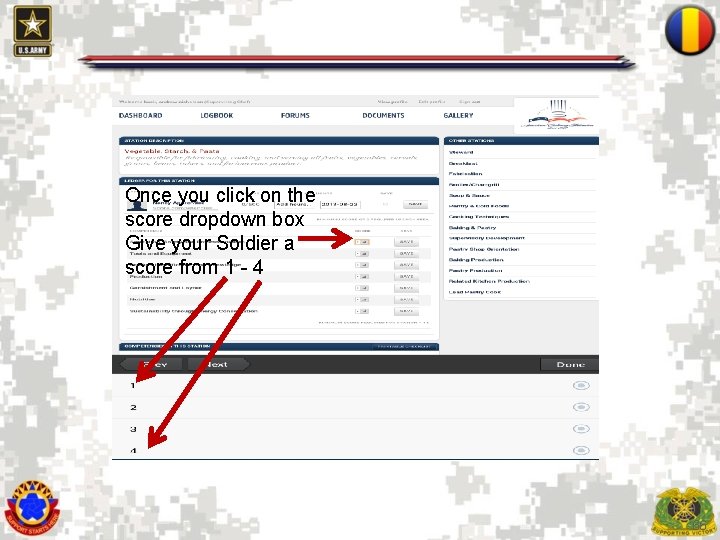
Once you click on the score dropdown box Give your Soldier a score from 1 - 4 66
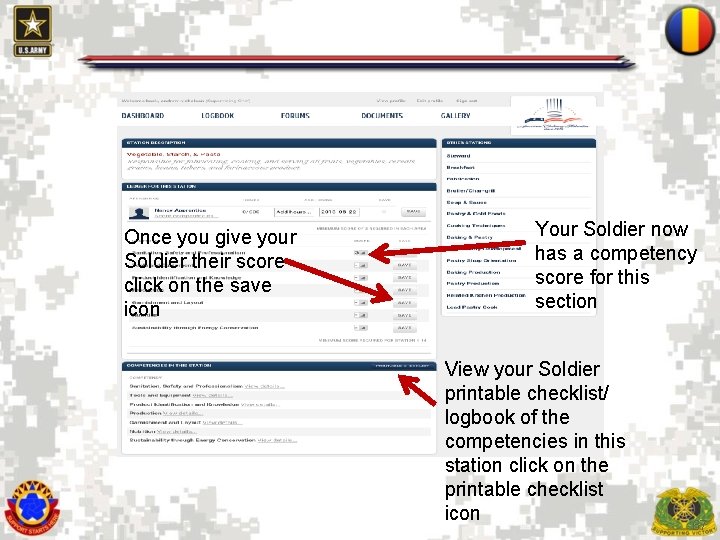
Once you give your Soldier their score click on the save icon Your Soldier now has a competency score for this section View your Soldier printable checklist/ logbook of the competencies in this station click on the printable checklist icon 67
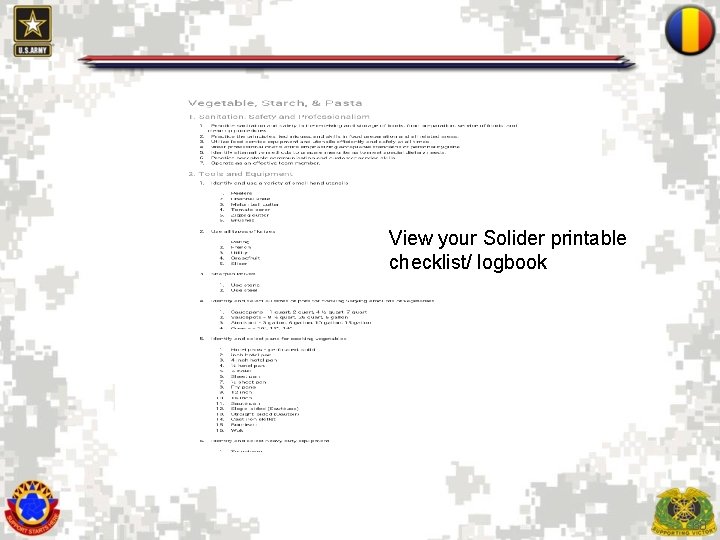
View your Solider printable checklist/ logbook 68
To review stations 3 through 10 go back to the instructions in the steward stations and repeat steps 69
Questions 70