PLT 206 Microcontroller Systems PIC 16 Timer Programming
- Slides: 46
PLT 206 Microcontroller Systems PIC 16 Timer Programming in Hitech-C
Today’s Lecture o List the CCP module/s of PIC 16 and their associated registers. o Describe the various modes of the PIC 16 CCP module. o Program the PIC 16 CCP module in ‘Hitech C’. 2
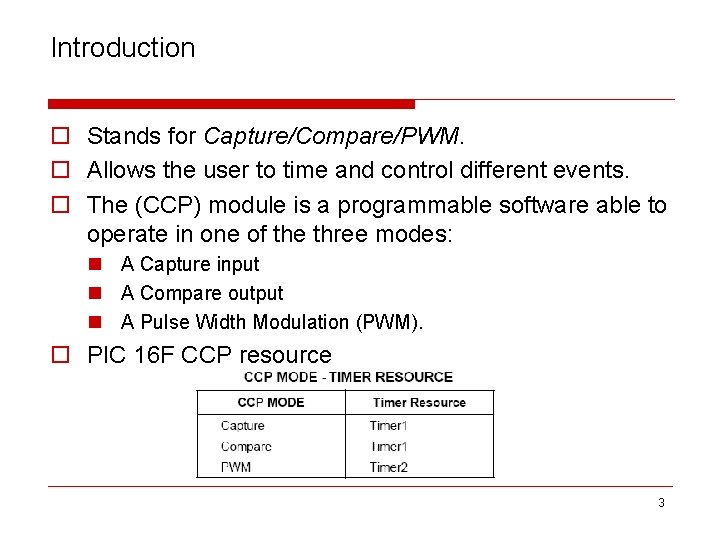
Introduction o Stands for Capture/Compare/PWM. o Allows the user to time and control different events. o The (CCP) module is a programmable software able to operate in one of the three modes: n A Capture input n A Compare output n A Pulse Width Modulation (PWM). o PIC 16 F CCP resource 3
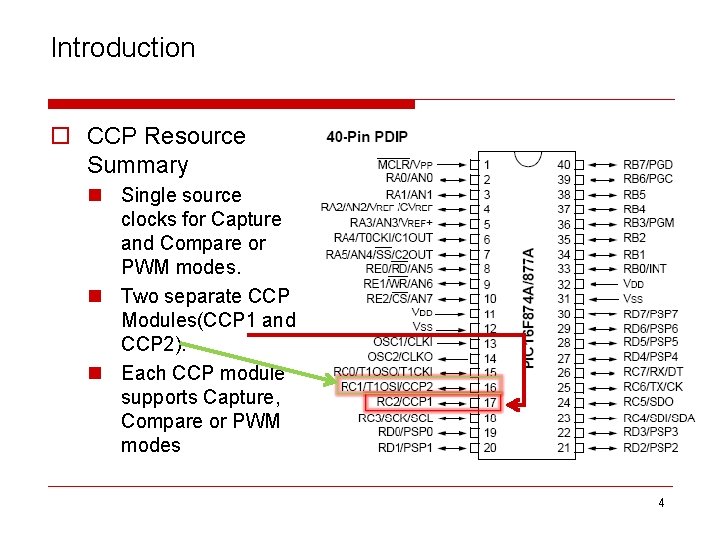
Introduction o CCP Resource Summary n Single source clocks for Capture and Compare or PWM modes. n Two separate CCP Modules(CCP 1 and CCP 2). n Each CCP module supports Capture, Compare or PWM modes 4
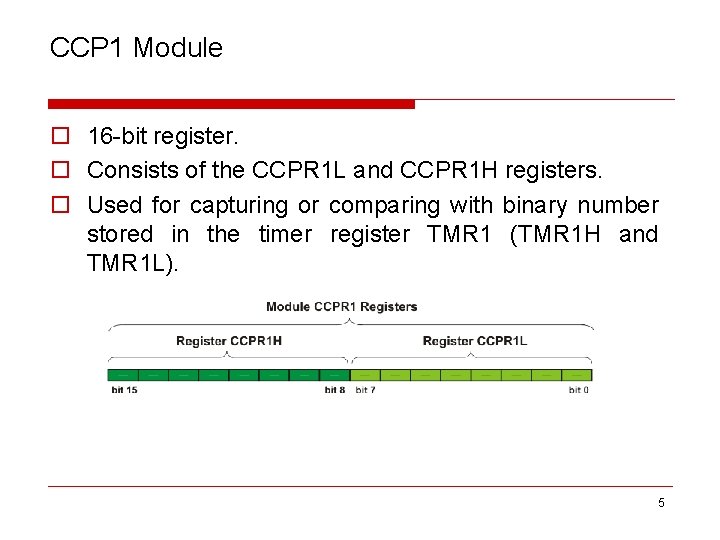
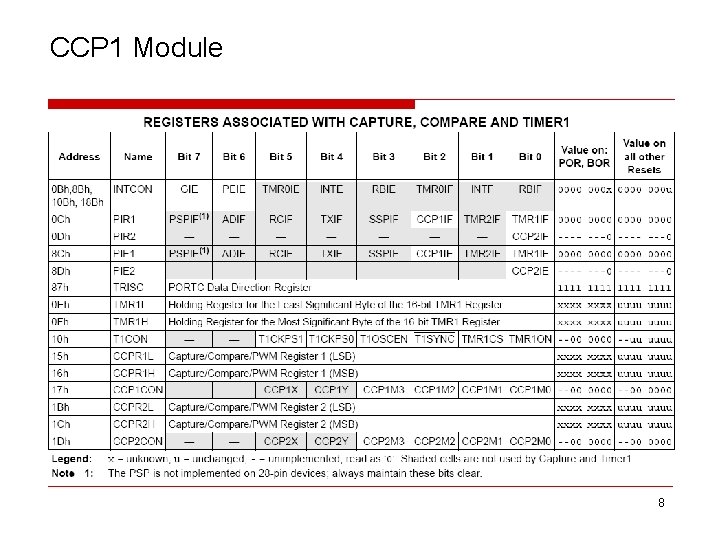
CCP 1 Module o 16 -bit register. o Consists of the CCPR 1 L and CCPR 1 H registers. o Used for capturing or comparing with binary number stored in the timer register TMR 1 (TMR 1 H and TMR 1 L). 5
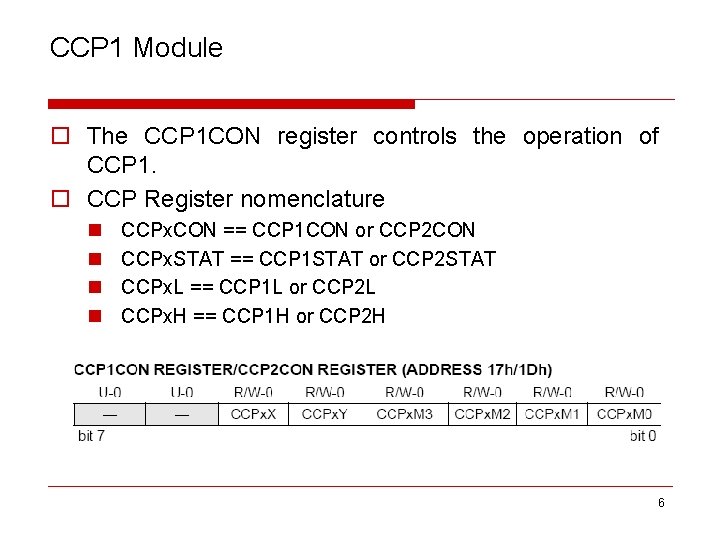
CCP 1 Module o The CCP 1 CON register controls the operation of CCP 1. o CCP Register nomenclature n n CCPx. CON == CCP 1 CON or CCP 2 CON CCPx. STAT == CCP 1 STAT or CCP 2 STAT CCPx. L == CCP 1 L or CCP 2 L CCPx. H == CCP 1 H or CCP 2 H 6
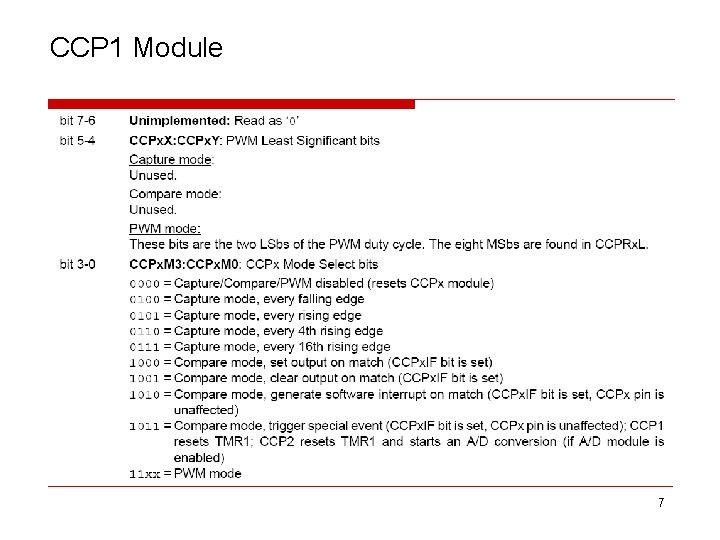
CCP 1 Module 7
CCP 1 Module 8
CCP 2 Module o CCP 1 and CCP 2 modules are identical in operation. o Difference exist when CCP 2 operates in Compare mode. o Timer 1 reset signal will automatically start A/D conversion (if enabled). 9
CCP 2 Module 10
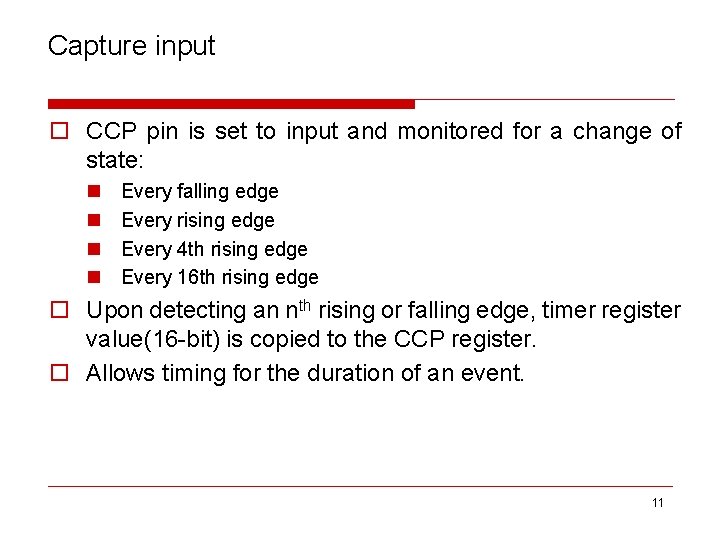
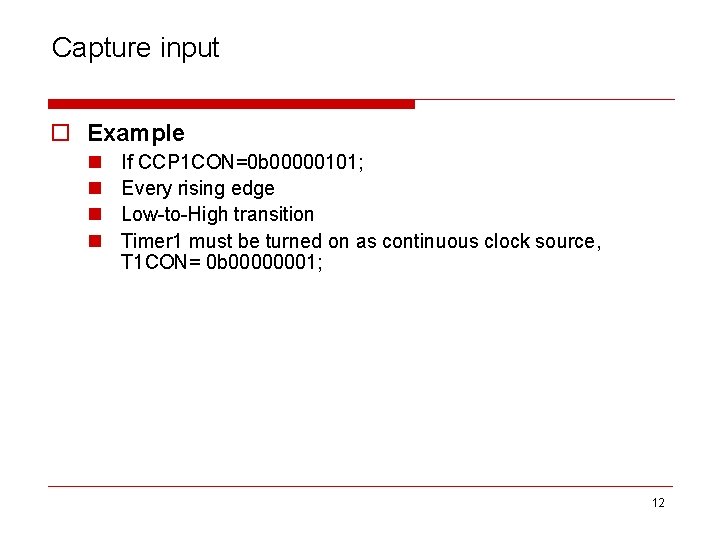
Capture input o CCP pin is set to input and monitored for a change of state: n n Every falling edge Every rising edge Every 4 th rising edge Every 16 th rising edge o Upon detecting an nth rising or falling edge, timer register value(16 -bit) is copied to the CCP register. o Allows timing for the duration of an event. 11
Capture input o Example n n If CCP 1 CON=0 b 00000101; Every rising edge Low-to-High transition Timer 1 must be turned on as continuous clock source, T 1 CON= 0 b 00000001; 12
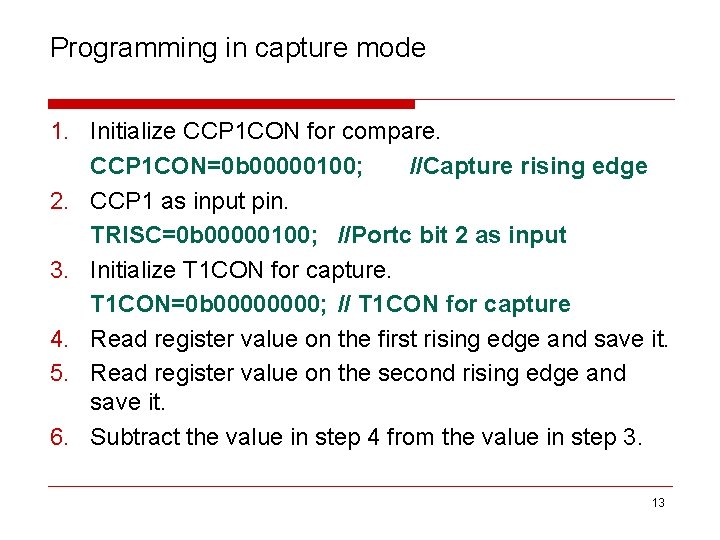
Programming in capture mode 1. Initialize CCP 1 CON for compare. CCP 1 CON=0 b 00000100; //Capture rising edge 2. CCP 1 as input pin. TRISC=0 b 00000100; //Portc bit 2 as input 3. Initialize T 1 CON for capture. T 1 CON=0 b 0000; // T 1 CON for capture 4. Read register value on the first rising edge and save it. 5. Read register value on the second rising edge and save it. 6. Subtract the value in step 4 from the value in step 3. 13
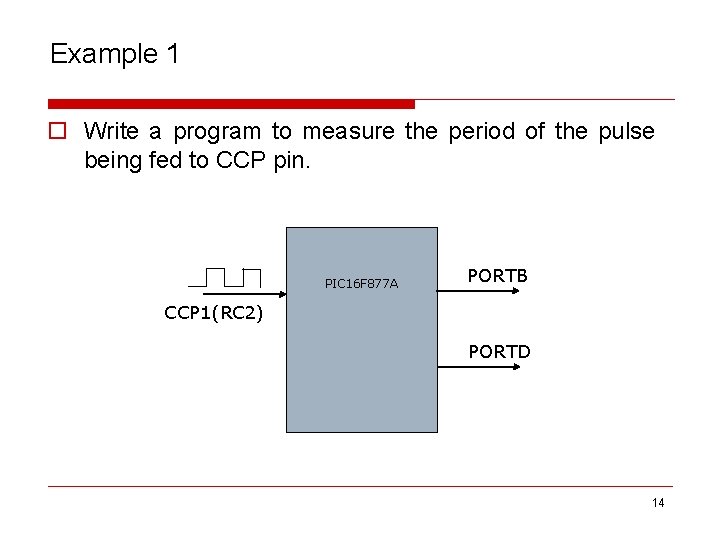
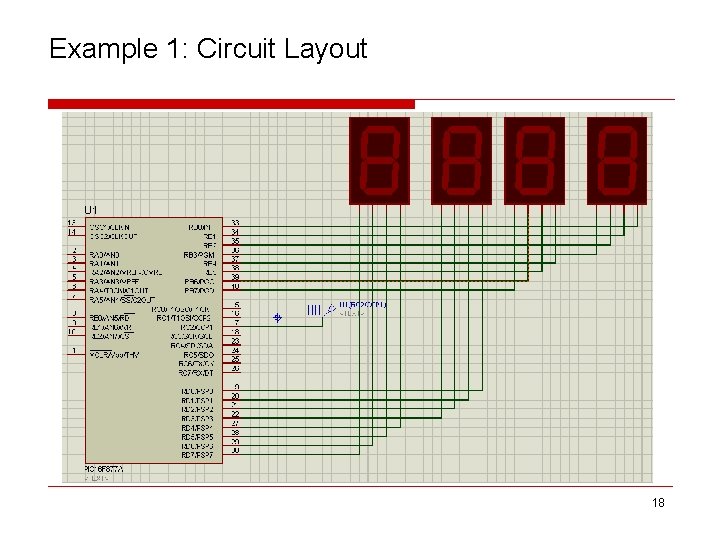
Example 1 o Write a program to measure the period of the pulse being fed to CCP pin. PIC 16 F 877 A PORTB CCP 1(RC 2) PORTD 14
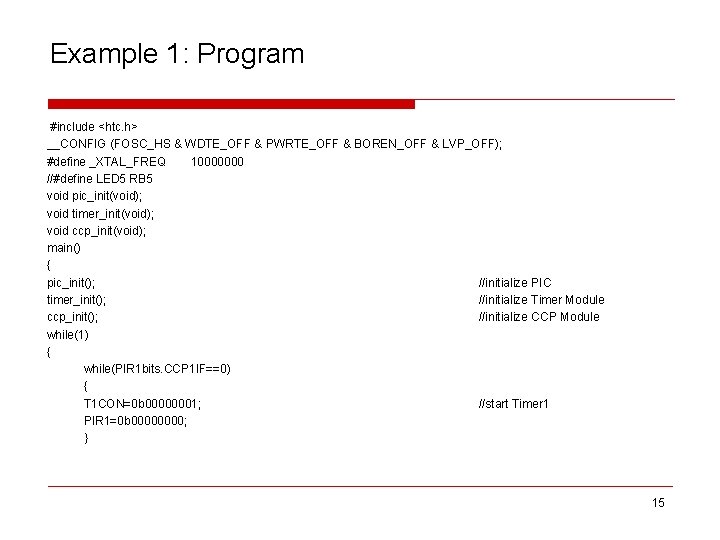
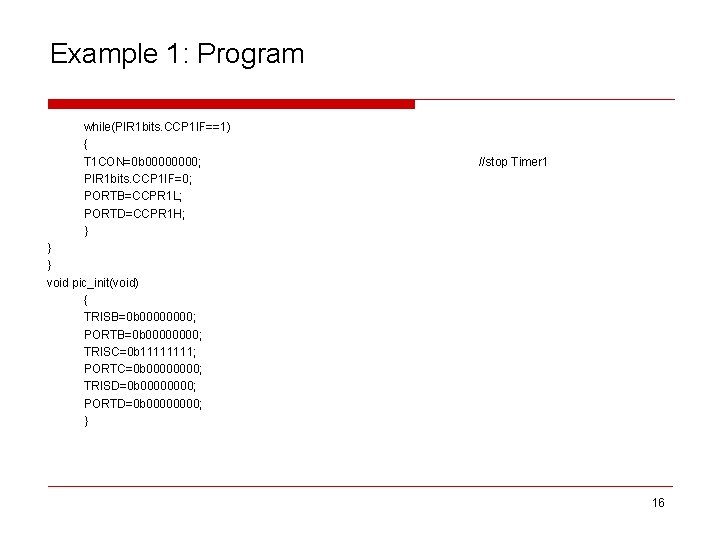
Example 1: Program #include <htc. h> __CONFIG (FOSC_HS & WDTE_OFF & PWRTE_OFF & BOREN_OFF & LVP_OFF); #define _XTAL_FREQ 10000000 //#define LED 5 RB 5 void pic_init(void); void timer_init(void); void ccp_init(void); main() { pic_init(); //initialize PIC timer_init(); //initialize Timer Module ccp_init(); //initialize CCP Module while(1) { while(PIR 1 bits. CCP 1 IF==0) { T 1 CON=0 b 00000001; //start Timer 1 PIR 1=0 b 0000; } 15
Example 1: Program while(PIR 1 bits. CCP 1 IF==1) { T 1 CON=0 b 0000; PIR 1 bits. CCP 1 IF=0; PORTB=CCPR 1 L; PORTD=CCPR 1 H; } //stop Timer 1 } } void pic_init(void) { TRISB=0 b 0000; PORTB=0 b 0000; TRISC=0 b 1111; PORTC=0 b 0000; TRISD=0 b 0000; PORTD=0 b 0000; } 16
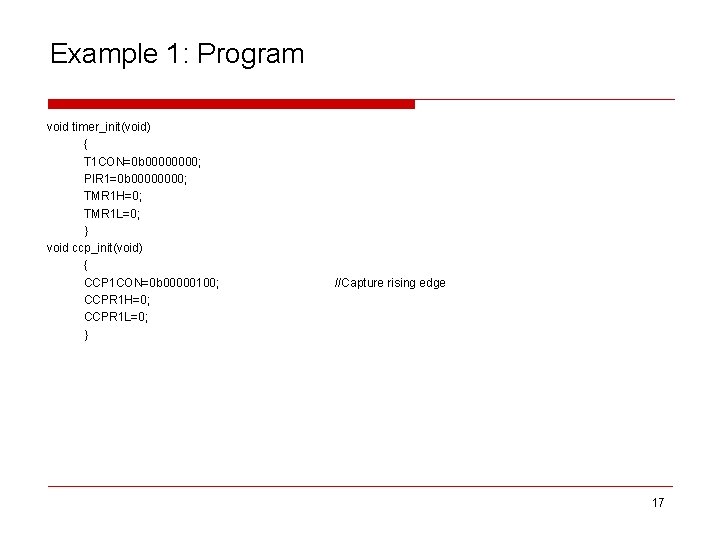
Example 1: Program void timer_init(void) { T 1 CON=0 b 0000; PIR 1=0 b 0000; TMR 1 H=0; TMR 1 L=0; } void ccp_init(void) { CCP 1 CON=0 b 00000100; CCPR 1 H=0; CCPR 1 L=0; } //Capture rising edge 17
Example 1: Circuit Layout 18
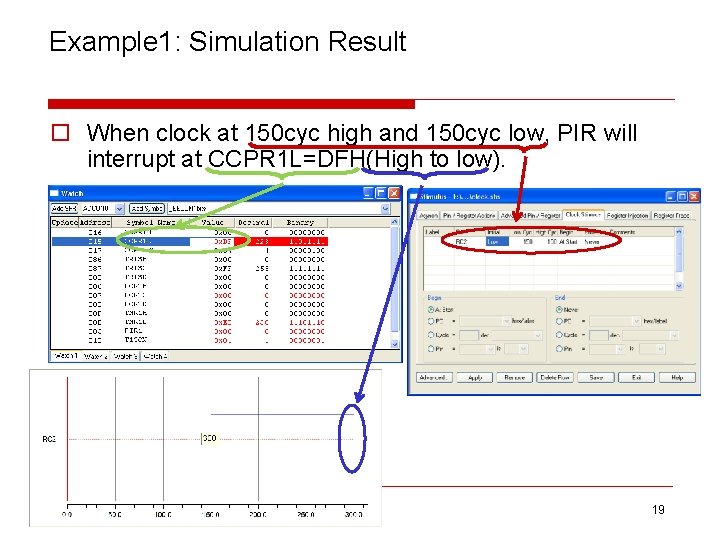
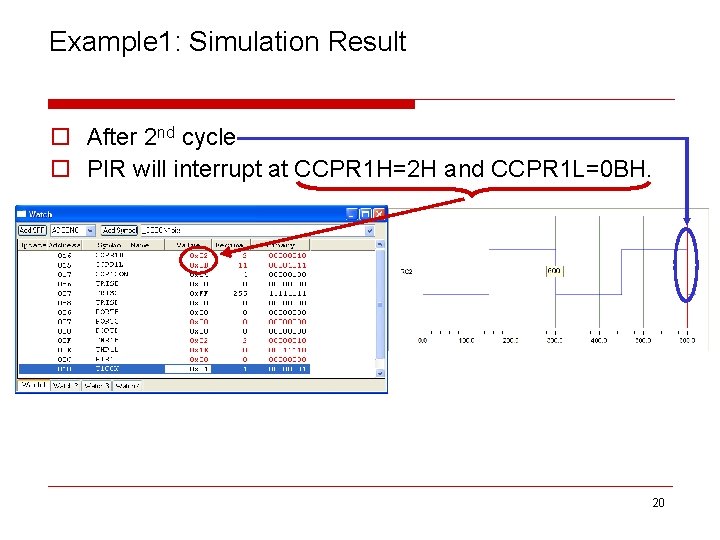
Example 1: Simulation Result o When clock at 150 cyc high and 150 cyc low, PIR will interrupt at CCPR 1 L=DFH(High to low). 19
Example 1: Simulation Result o After 2 nd cycle o PIR will interrupt at CCPR 1 H=2 H and CCPR 1 L=0 BH. 20
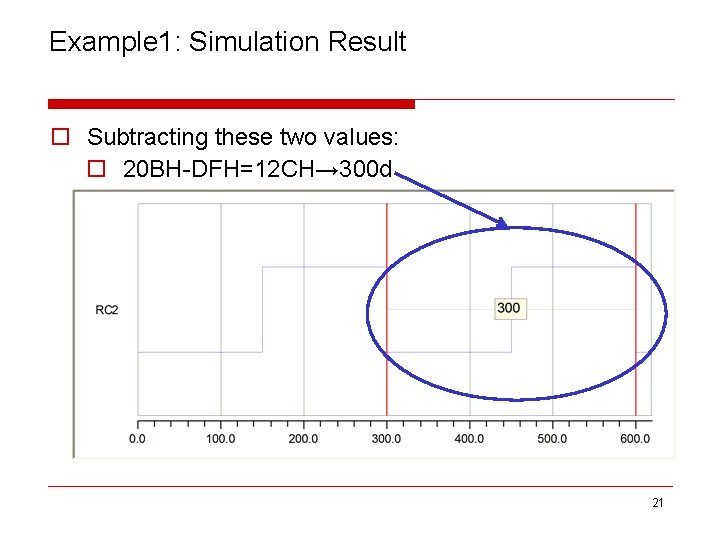
Example 1: Simulation Result o Subtracting these two values: o 20 BH-DFH=12 CH→ 300 d 21
Compare input o Generate an interrupt, or change on output pin, when Timer 1 matches a pre-set comparison value. o Load initial values to Timer 1(TMR 1 H: TMR 1 L) and CCPRx. H: CCPRx. L. o Timer 1(TMR 1 H: TMR 1 L) value counts up and constantly compared with CCPRx. H: CCPRx. L. o When match occurs CCP will perform(Event trigger Options): n n Low to High Transition High to Low Transitions Interrupt Request Without Pin Change Trigger Special Event 22
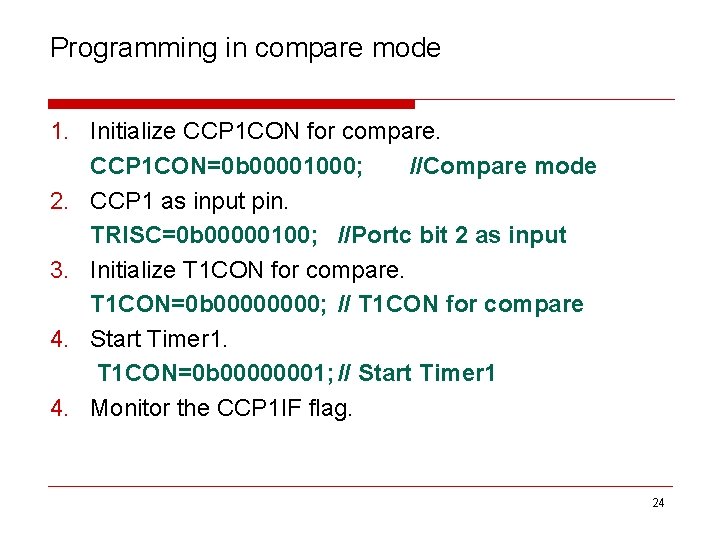
Compare input o Example n n If CCP 1 CON=0 b 00001000; Compare mode Set output (CCP 1 IF bit is set) upon match. Timer 1 must be turned on as continuous clock source, T 1 CON= 0 b 00000001; 23
Programming in compare mode 1. Initialize CCP 1 CON for compare. CCP 1 CON=0 b 00001000; //Compare mode 2. CCP 1 as input pin. TRISC=0 b 00000100; //Portc bit 2 as input 3. Initialize T 1 CON for compare. T 1 CON=0 b 0000; // T 1 CON for compare 4. Start Timer 1. T 1 CON=0 b 00000001; // Start Timer 1 4. Monitor the CCP 1 IF flag. 24
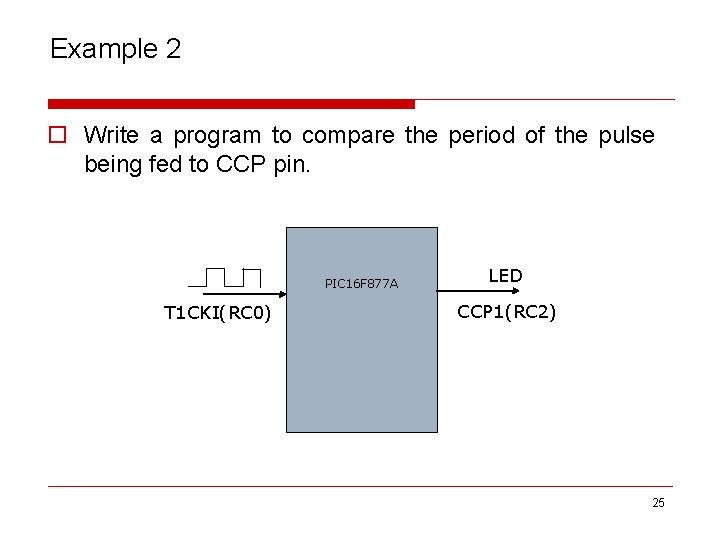
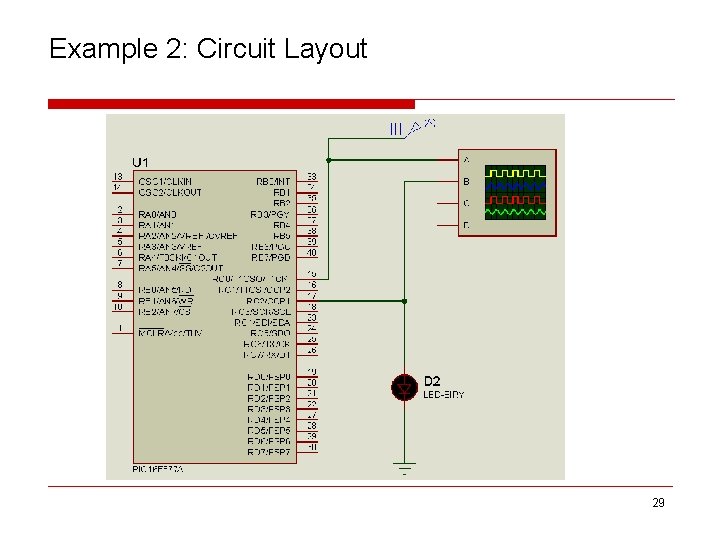
Example 2 o Write a program to compare the period of the pulse being fed to CCP pin. PIC 16 F 877 A T 1 CKI(RC 0) LED CCP 1(RC 2) 25
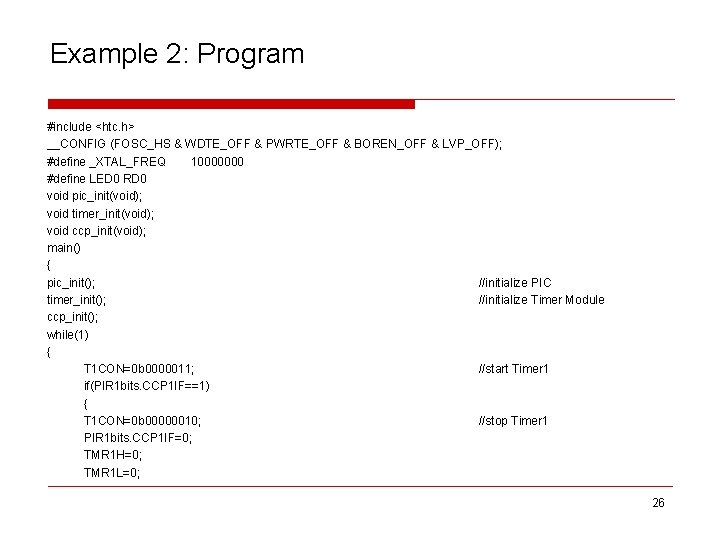
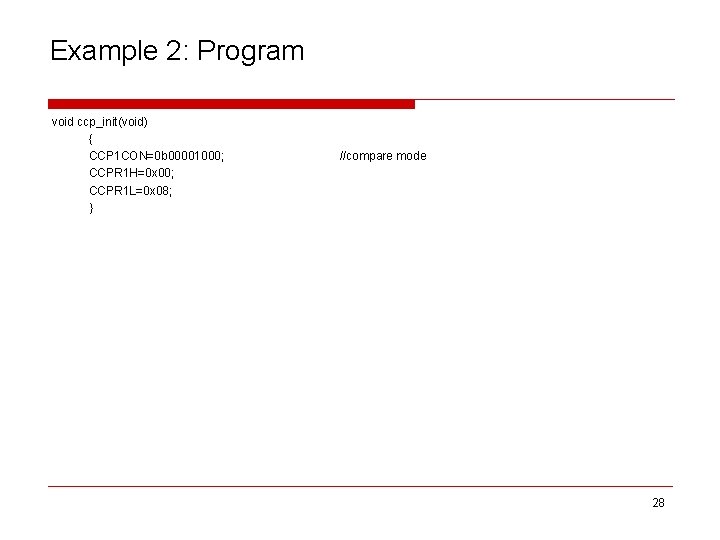
Example 2: Program #include <htc. h> __CONFIG (FOSC_HS & WDTE_OFF & PWRTE_OFF & BOREN_OFF & LVP_OFF); #define _XTAL_FREQ 10000000 #define LED 0 RD 0 void pic_init(void); void timer_init(void); void ccp_init(void); main() { pic_init(); //initialize PIC timer_init(); //initialize Timer Module ccp_init(); while(1) { T 1 CON=0 b 0000011; //start Timer 1 if(PIR 1 bits. CCP 1 IF==1) { T 1 CON=0 b 00000010; //stop Timer 1 PIR 1 bits. CCP 1 IF=0; TMR 1 H=0; TMR 1 L=0; 26
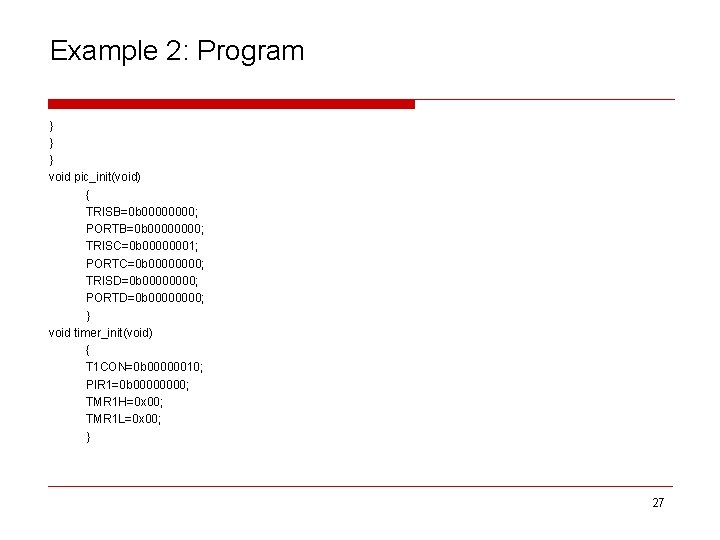
Example 2: Program } } } void pic_init(void) { TRISB=0 b 0000; PORTB=0 b 0000; TRISC=0 b 00000001; PORTC=0 b 0000; TRISD=0 b 0000; PORTD=0 b 0000; } void timer_init(void) { T 1 CON=0 b 00000010; PIR 1=0 b 0000; TMR 1 H=0 x 00; TMR 1 L=0 x 00; } 27
Example 2: Program void ccp_init(void) { CCP 1 CON=0 b 00001000; CCPR 1 H=0 x 00; CCPR 1 L=0 x 08; } //compare mode 28
Example 2: Circuit Layout 29
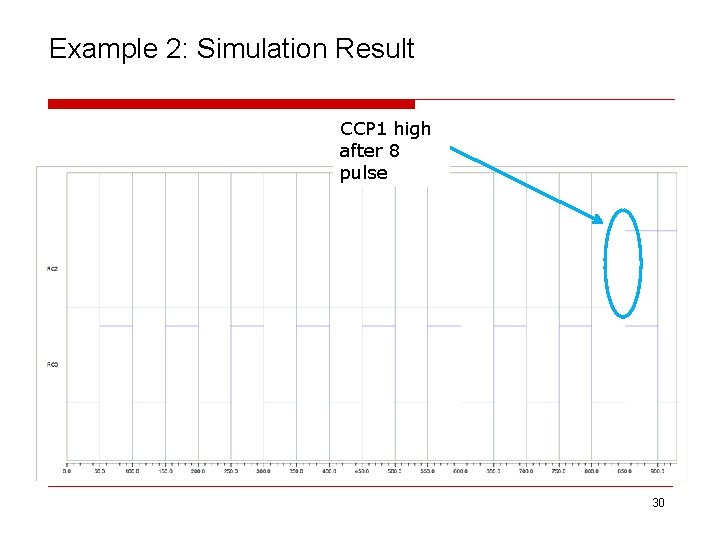
Example 2: Simulation Result CCP 1 high after 8 pulse 30
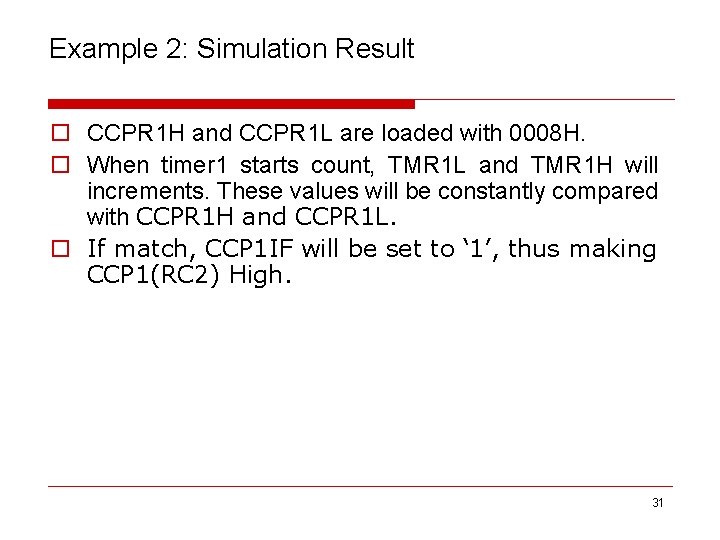
Example 2: Simulation Result o CCPR 1 H and CCPR 1 L are loaded with 0008 H. o When timer 1 starts count, TMR 1 L and TMR 1 H will increments. These values will be constantly compared with CCPR 1 H and CCPR 1 L. o If match, CCP 1 IF will be set to ‘ 1’, thus making CCP 1(RC 2) High. 31
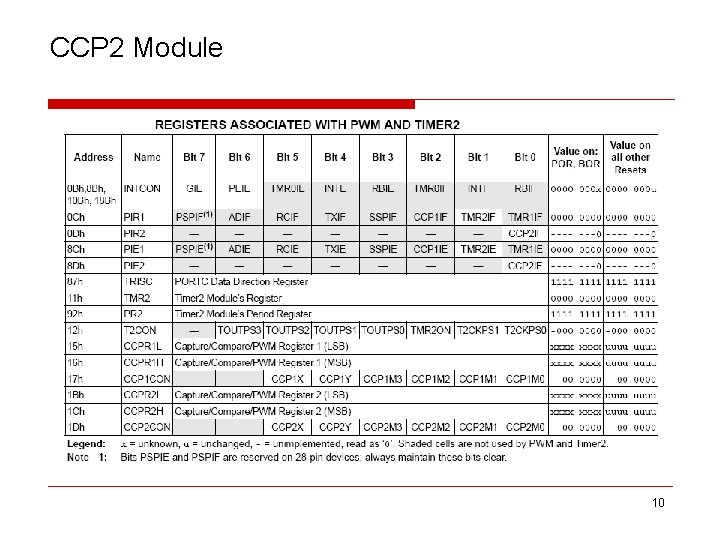
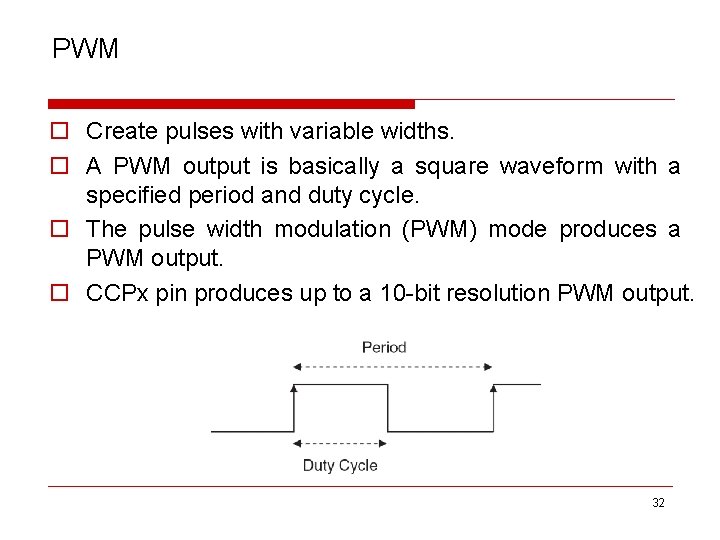
PWM o Create pulses with variable widths. o A PWM output is basically a square waveform with a specified period and duty cycle. o The pulse width modulation (PWM) mode produces a PWM output. o CCPx pin produces up to a 10 -bit resolution PWM output. 32
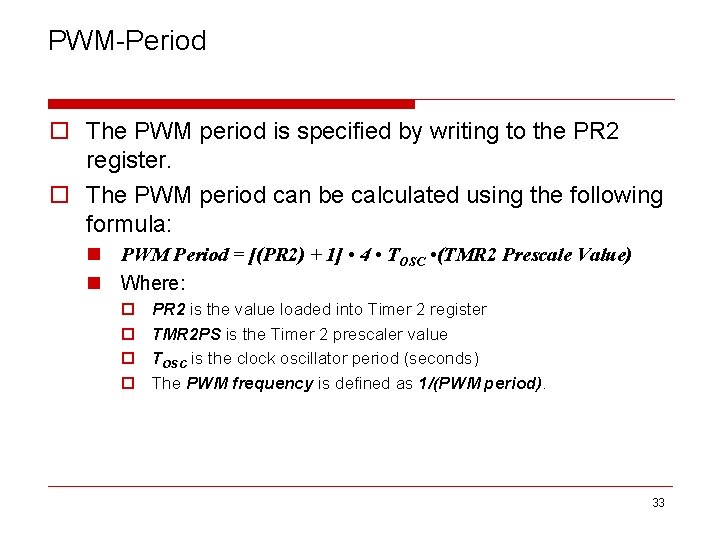
PWM-Period o The PWM period is specified by writing to the PR 2 register. o The PWM period can be calculated using the following formula: n PWM Period = [(PR 2) + 1] • 4 • TOSC • (TMR 2 Prescale Value) n Where: o o PR 2 is the value loaded into Timer 2 register TMR 2 PS is the Timer 2 prescaler value TOSC is the clock oscillator period (seconds) The PWM frequency is defined as 1/(PWM period). 33
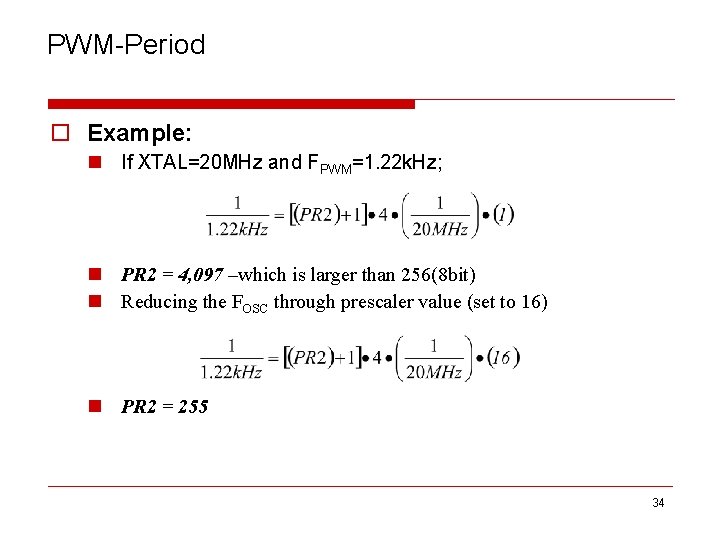
PWM-Period o Example: n If XTAL=20 MHz and FPWM=1. 22 k. Hz; n PR 2 = 4, 097 –which is larger than 256(8 bit) n Reducing the FOSC through prescaler value (set to 16) n PR 2 = 255 34
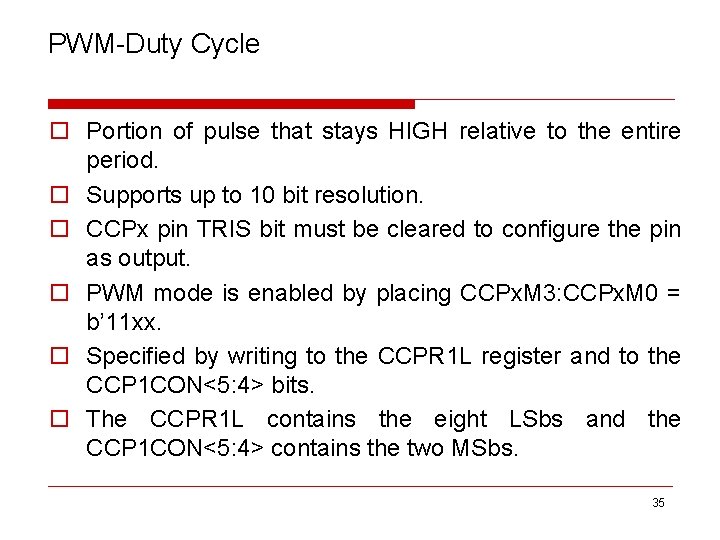
PWM-Duty Cycle o Portion of pulse that stays HIGH relative to the entire period. o Supports up to 10 bit resolution. o CCPx pin TRIS bit must be cleared to configure the pin as output. o PWM mode is enabled by placing CCPx. M 3: CCPx. M 0 = b’ 11 xx. o Specified by writing to the CCPR 1 L register and to the CCP 1 CON<5: 4> bits. o The CCPR 1 L contains the eight LSbs and the CCP 1 CON<5: 4> contains the two MSbs. 35
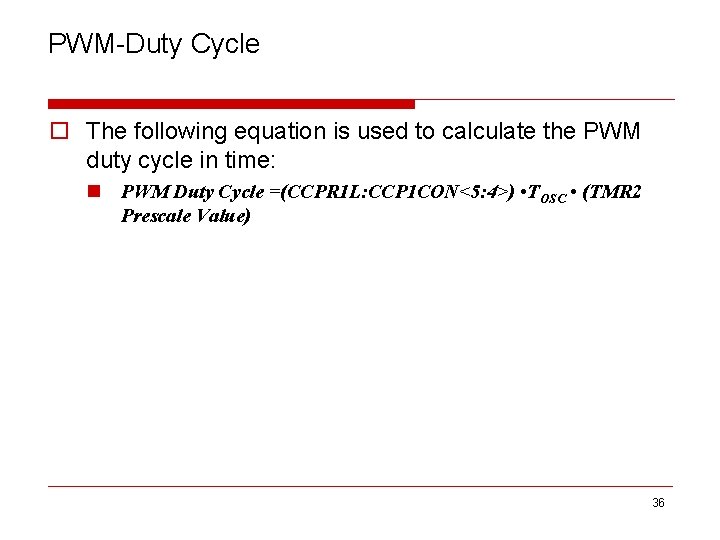
PWM-Duty Cycle o The following equation is used to calculate the PWM duty cycle in time: n PWM Duty Cycle =(CCPR 1 L: CCP 1 CON<5: 4>) • TOSC • (TMR 2 Prescale Value) 36
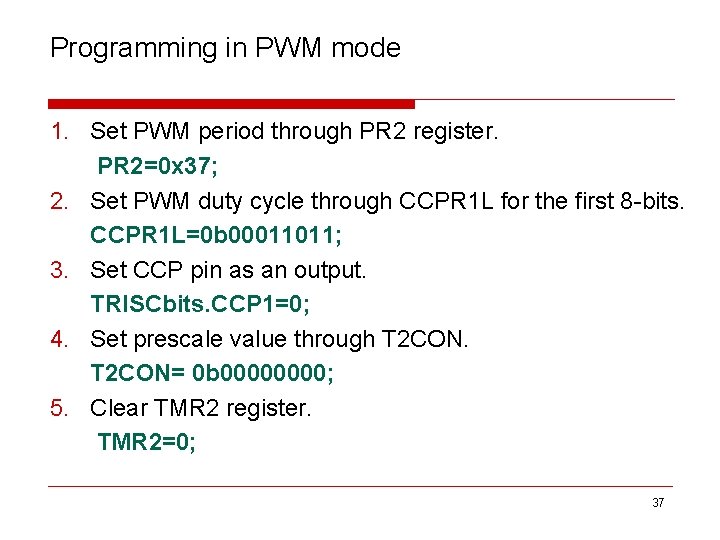
Programming in PWM mode 1. Set PWM period through PR 2 register. PR 2=0 x 37; 2. Set PWM duty cycle through CCPR 1 L for the first 8 -bits. CCPR 1 L=0 b 00011011; 3. Set CCP pin as an output. TRISCbits. CCP 1=0; 4. Set prescale value through T 2 CON= 0 b 0000; 5. Clear TMR 2 register. TMR 2=0; 37
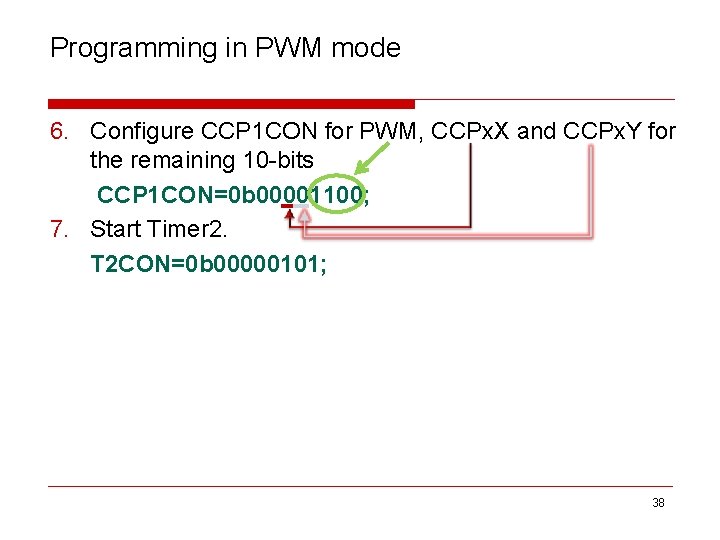
Programming in PWM mode 6. Configure CCP 1 CON for PWM, CCPx. X and CCPx. Y for the remaining 10 -bits CCP 1 CON=0 b 00001100; 7. Start Timer 2. T 2 CON=0 b 00000101; 38
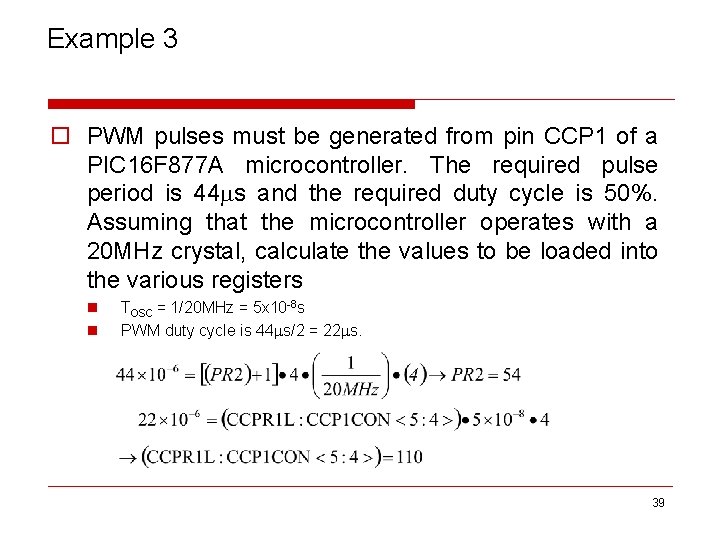
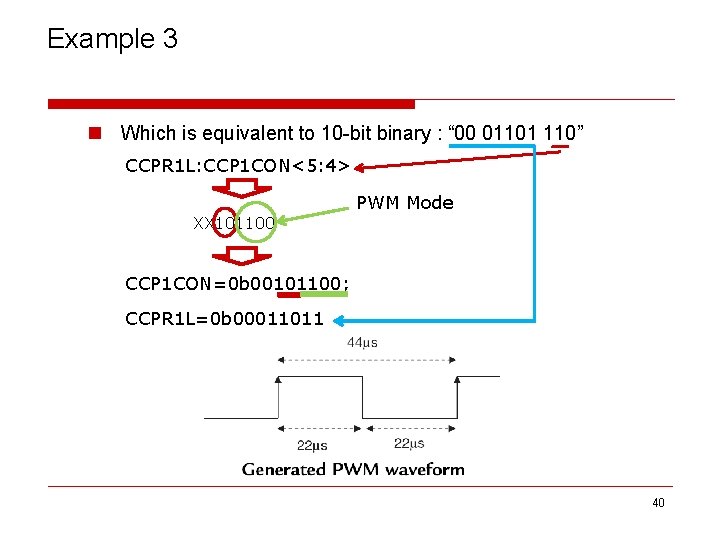
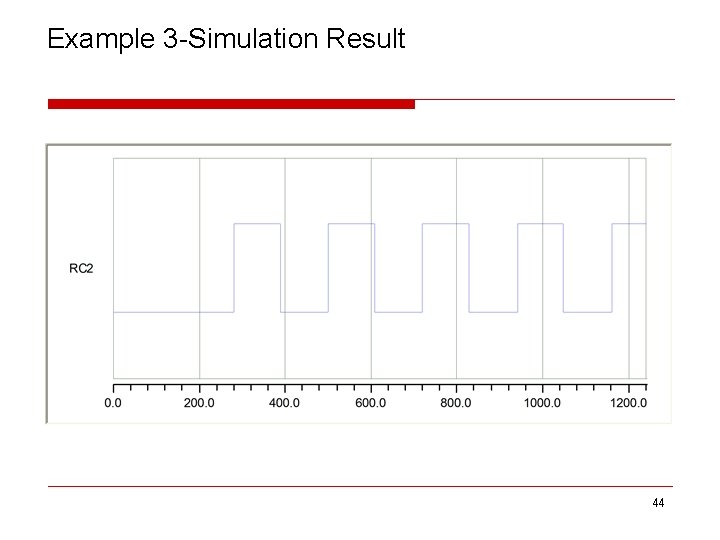
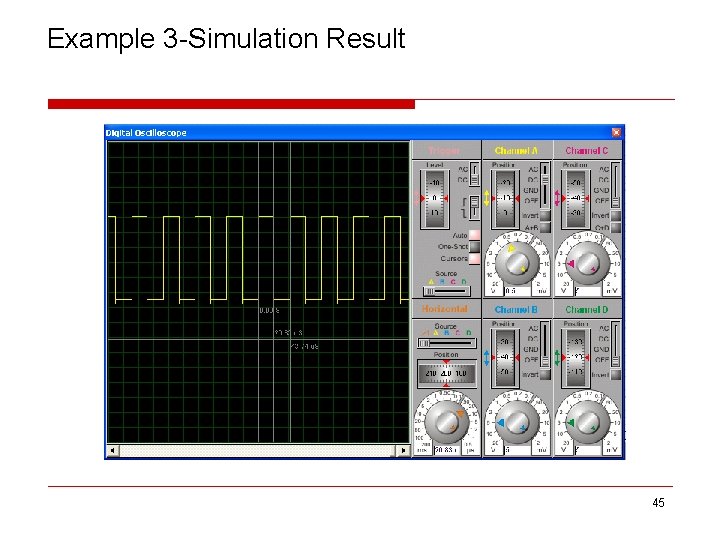
Example 3 o PWM pulses must be generated from pin CCP 1 of a PIC 16 F 877 A microcontroller. The required pulse period is 44 s and the required duty cycle is 50%. Assuming that the microcontroller operates with a 20 MHz crystal, calculate the values to be loaded into the various registers n n TOSC = 1/20 MHz = 5 x 10 -8 s PWM duty cycle is 44 s/2 = 22 s. 39
Example 3 n Which is equivalent to 10 -bit binary : “ 00 01101 110” CCPR 1 L: CCP 1 CON<5: 4> PWM Mode XX 101100 CCP 1 CON=0 b 00101100; CCPR 1 L=0 b 00011011 40
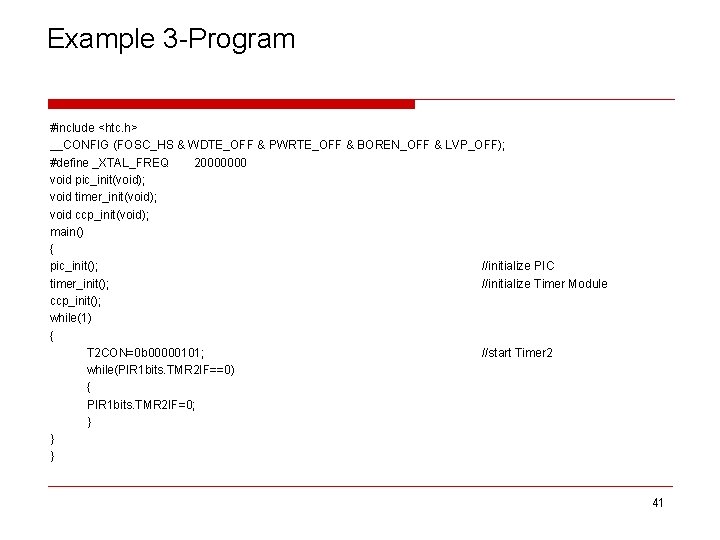
Example 3 -Program #include <htc. h> __CONFIG (FOSC_HS & WDTE_OFF & PWRTE_OFF & BOREN_OFF & LVP_OFF); #define _XTAL_FREQ 20000000 void pic_init(void); void timer_init(void); void ccp_init(void); main() { pic_init(); //initialize PIC timer_init(); //initialize Timer Module ccp_init(); while(1) { T 2 CON=0 b 00000101; //start Timer 2 while(PIR 1 bits. TMR 2 IF==0) { PIR 1 bits. TMR 2 IF=0; } } } 41
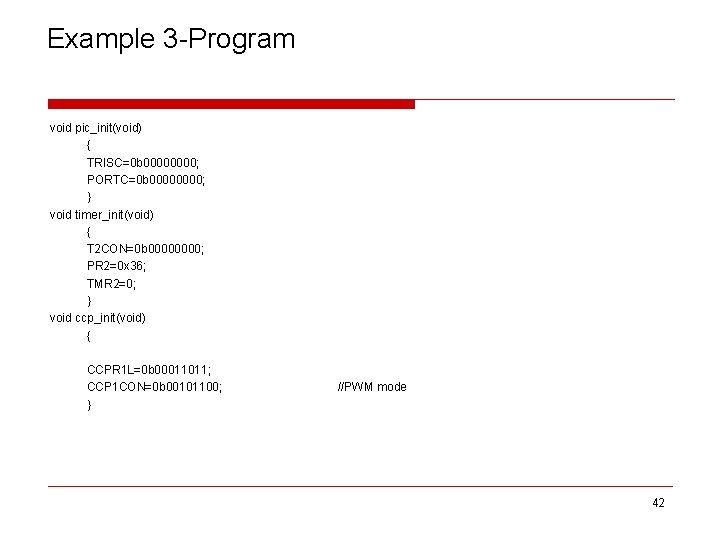
Example 3 -Program void pic_init(void) { TRISC=0 b 0000; PORTC=0 b 0000; } void timer_init(void) { T 2 CON=0 b 0000; PR 2=0 x 36; TMR 2=0; } void ccp_init(void) { CCPR 1 L=0 b 00011011; CCP 1 CON=0 b 00101100; } //PWM mode 42
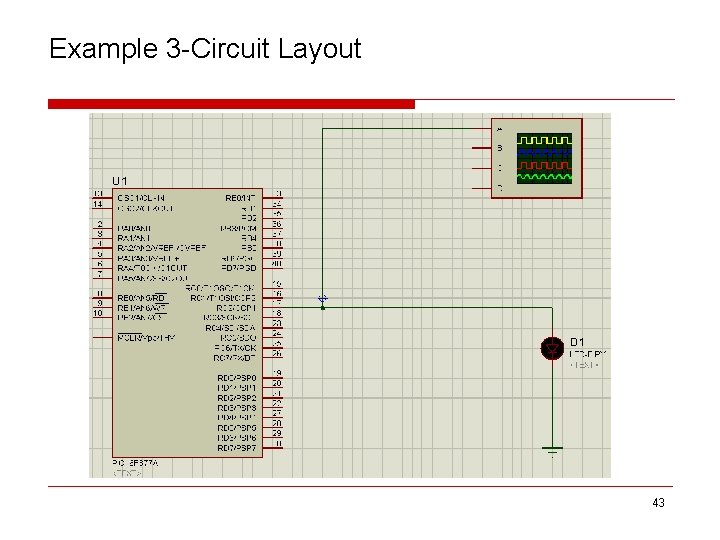
Example 3 -Circuit Layout 43
Example 3 -Simulation Result 44
Example 3 -Simulation Result 45
References o PIC 16 F 87 XA Data Sheet, Microchip Technology Incorporated, 2003. o PIC Microcontroller And Embedded Systems: using Assembly and C for PIC 18, M. Mazidi, R. Mc. Kinlay and D. Causey, Prentice Fall, 2008. o Advanced Pic Micro Controller Projects in c: From Usb to Rtos With the Pic 18 f Series, Dogan Ibrahim, Elsevier Ltd, 2008. 46