Information Security Lecture no 7 Jeffy Mwakalinga 1
- Slides: 47
Information Security: Lecture no 7 Jeffy Mwakalinga 1
Information Security Outline m Introduction m Security Services m How do you provide Confidentiality? m How do you Provide Integrity? m How do you Provide Non-repudiation? m How do you provide Access Control? m How do you Provide Authentication m Summary 2
Information Security 3 Introduction Information security is defined as methods and technologies for deterrence (scaring away hackers), protection, detection, response, recovery and extended functionalities
Information Security Why do we need Information Security m Importance of Information Security • Protect data from theft • Prevent loss of productivity • Curb theft of intellectual property • Ensure compliance with law and avoid legal consequences • Privacy • Protect personal identity theft • Counter cyberterrorism 4
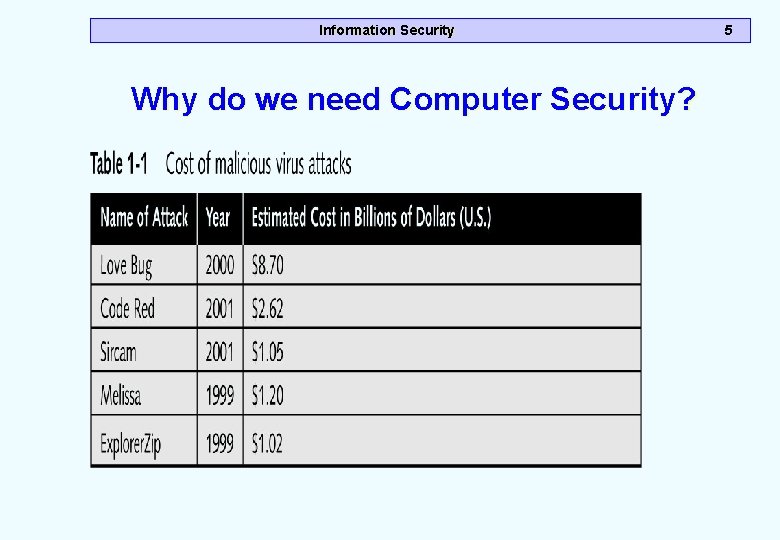
Information Security Why do we need Computer Security? 5
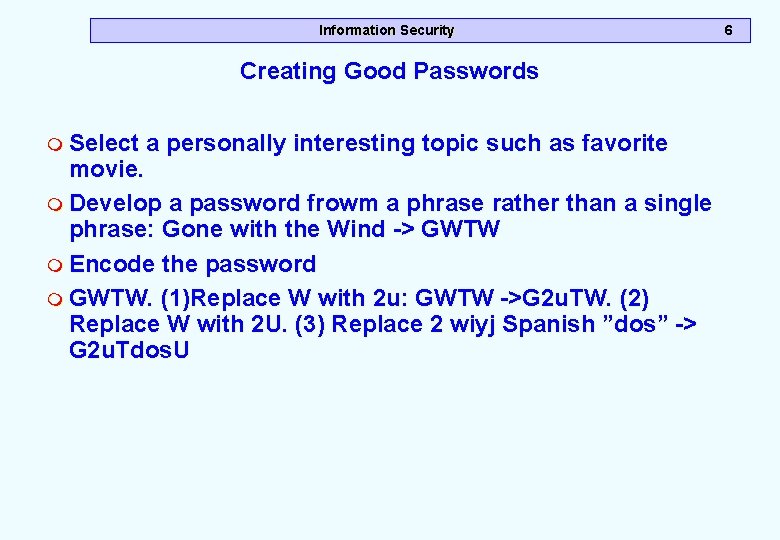
Information Security Creating Good Passwords m Select a personally interesting topic such as favorite movie. m Develop a password frowm a phrase rather than a single phrase: Gone with the Wind -> GWTW m Encode the password m GWTW. (1)Replace W with 2 u: GWTW ->G 2 u. TW. (2) Replace W with 2 U. (3) Replace 2 wiyj Spanish ”dos” -> G 2 u. Tdos. U 6
Information Security 7 Viruses, Trojans and Worms m A virus is a program that infects another program by putting a copy of itself to the program. When the infected program runs the virus also runs. It attaches itself to files like message. zip, message. exe m A worm is an independent program that makes copies of itselft from one computer to another. The worm moves across networks on its own. m A trojan program takes its name from the Greek legend Trojan Horse. It is a program that hides itself inside another useful program and it performs operations that the user in unaware
Information Security 8 Privacy m Privacy is the right of people to choose freely under what circumstances and to what extent they will reveal themselves, their attitude and their behavior to others. m Many transactions can link purchase to customers: paying by check, credit card, debit card; purchasing through mail order; buying products that be registered; m Threats to privacy: (1)Government – spying on her citizens (2) busisness –surveillance of employees; and use of business related information (3) private – data mining to sell customers information to the other parties
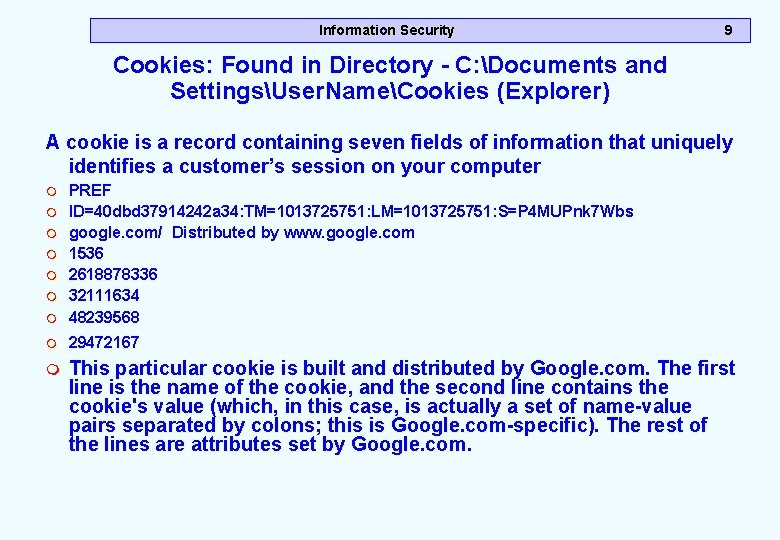
Information Security 9 Cookies: Found in Directory - C: Documents and SettingsUser. NameCookies (Explorer) A cookie is a record containing seven fields of information that uniquely identifies a customer’s session on your computer m PREF ID=40 dbd 37914242 a 34: TM=1013725751: LM=1013725751: S=P 4 MUPnk 7 Wbs google. com/ Distributed by www. google. com 1536 2618878336 32111634 48239568 m 29472167 m m m m This particular cookie is built and distributed by Google. com. The first line is the name of the cookie, and the second line contains the cookie's value (which, in this case, is actually a set of name-value pairs separated by colons; this is Google. com-specific). The rest of the lines are attributes set by Google. com.
Information Security 10 Fields in the HTTPCookie m Name - The name of the cookie m ID Value -The individual value m Expires -The exact time of expiration. After this time, client browsers will stop sending this cookie when requested. m Path -The path under which this cookie is relevant. m Domain - The domain associated with this cookie. The default is the creation domain. m Secure (True/False ) Whether or not should be transmitted using SSL (that is, across the HTTPS port)
Information Security Outline m Introduction m Security Services m How do you provide Confidentiality? m How do you Provide Integrity? m How do you Provide Non-repudiation? m How do you provide Access Control? m How do you Provide Authentication m Summary 11
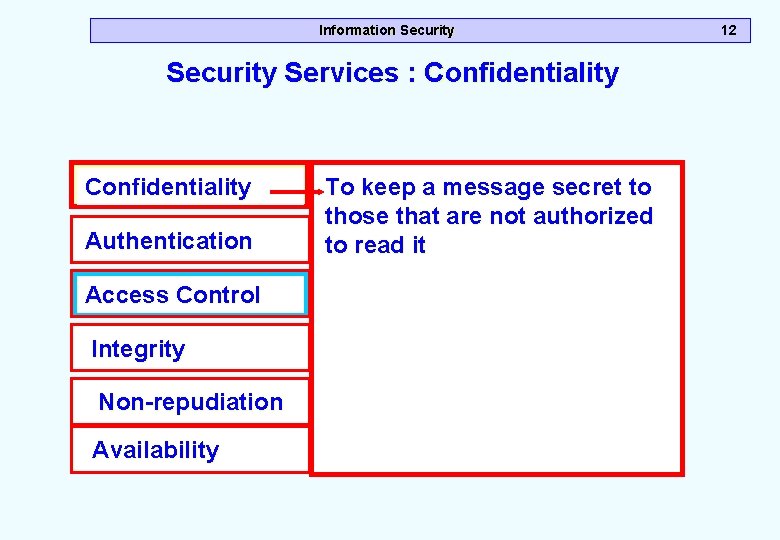
Information Security Services : Confidentiality Authentication Access Control Integrity Non-repudiation Availability To keep a message secret to those that are not authorized to read it 12
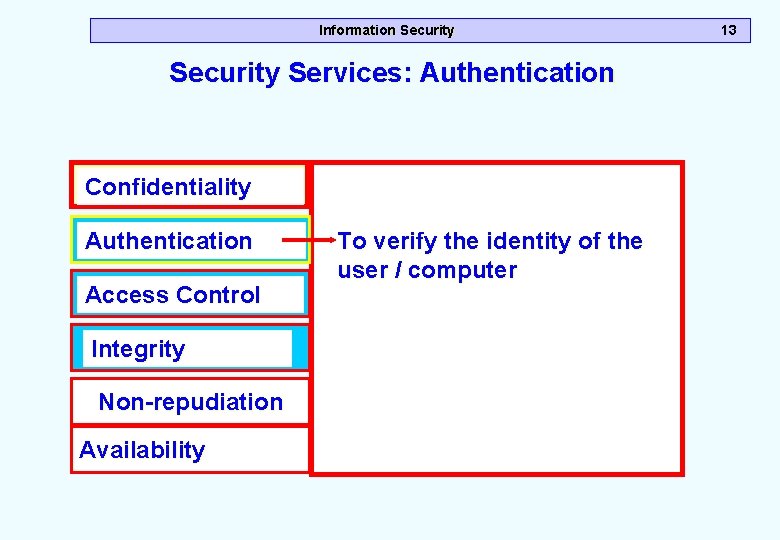
Information Security Services: Authentication Confidentiality Authentication Access Control Integrity Non-repudiation Availability To verify the identity of the user / computer 13
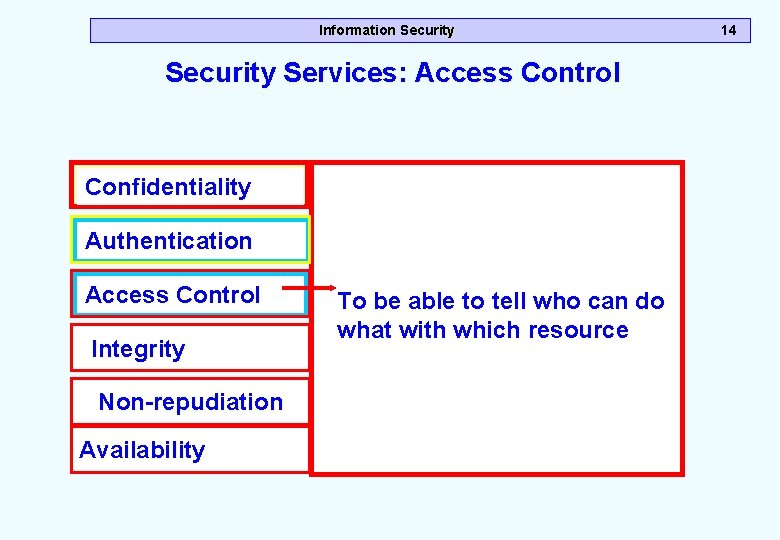
Information Security Services: Access Control Confidentiality Authentication Access Control Integrity Non-repudiation Availability To be able to tell who can do what with which resource 14
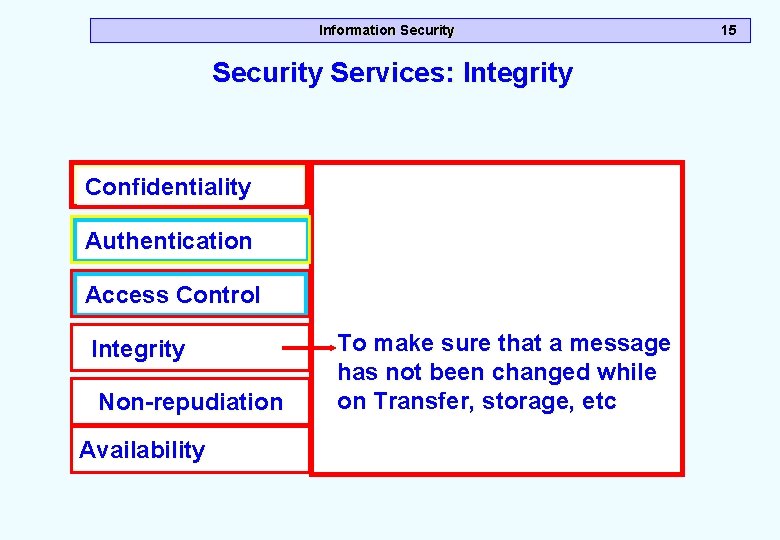
Information Security Services: Integrity Confidentiality Authentication Access Control Integrity Non-repudiation Availability To make sure that a message has not been changed while on Transfer, storage, etc 15
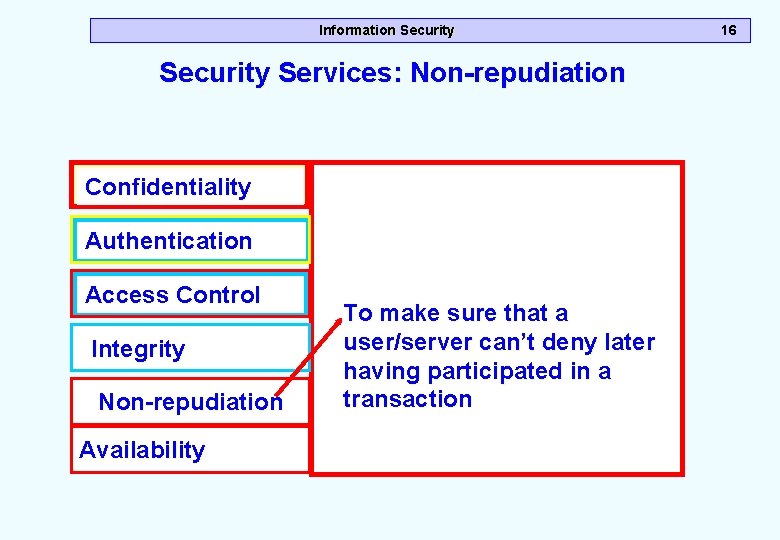
Information Security Services: Non-repudiation Confidentiality Authentication Access Control Integrity Non-repudiation Availability To make sure that a user/server can’t deny later having participated in a transaction 16
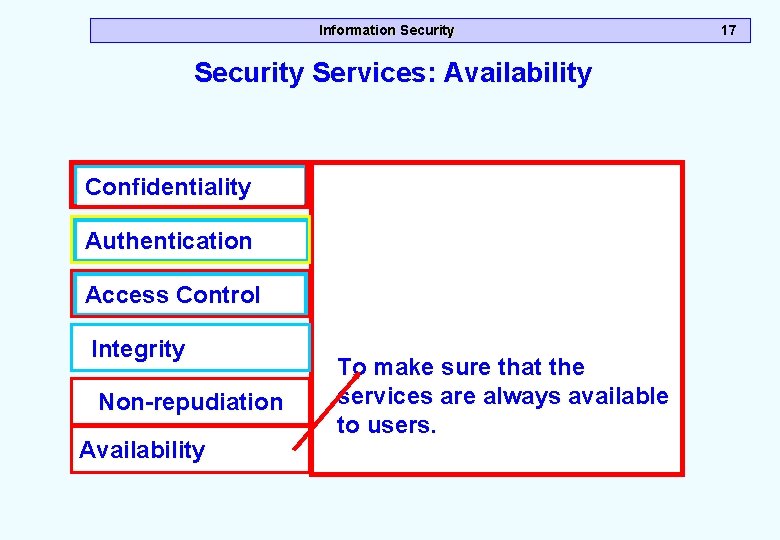
Information Security Services: Availability Confidentiality Authentication Access Control Integrity Non-repudiation Availability To make sure that the services are always available to users. 17
Information Security Outline m Introduction m Security Services m How do you provide Confidentiality? m How do you Provide Integrity? m How do you Provide Non-repudiation? m How do you provide Access Control? m How do you Provide Authentication m Summary 18
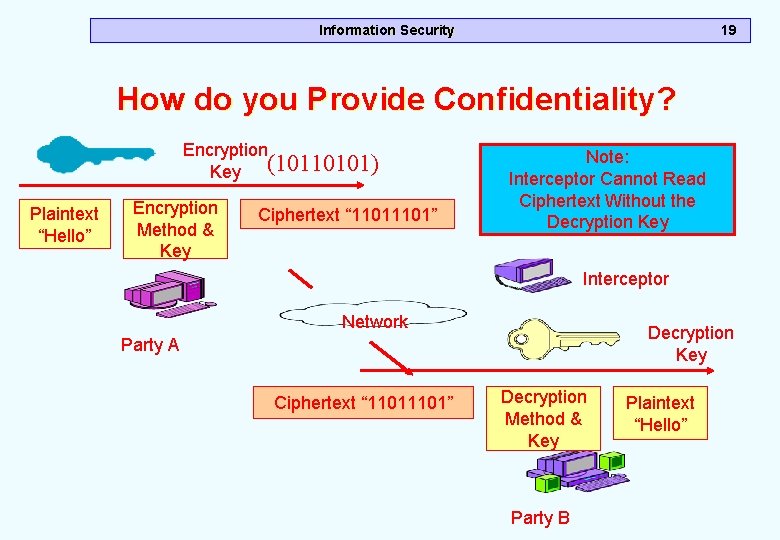
Information Security 19 How do you Provide Confidentiality? Encryption Key (10110101) Plaintext “Hello” Encryption Method & Key Ciphertext “ 1101” Note: Interceptor Cannot Read Ciphertext Without the Decryption Key Interceptor Network Decryption Key Party A Ciphertext “ 1101” Decryption Method & Key Party B Plaintext “Hello”
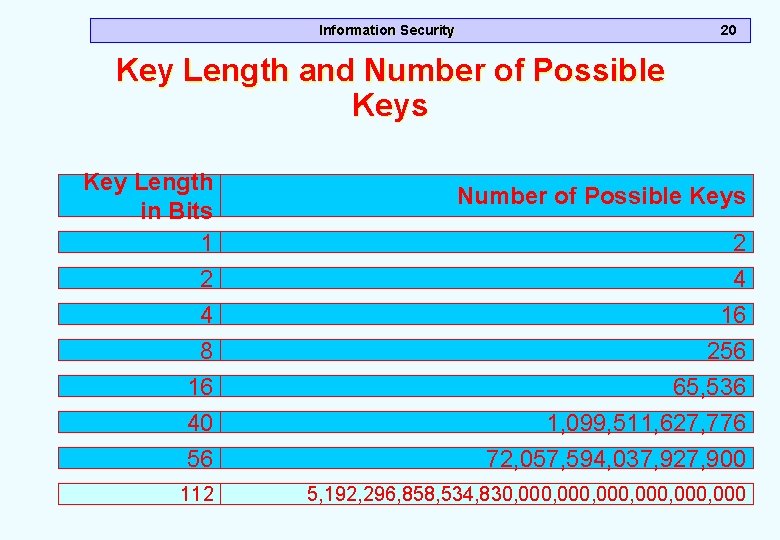
Information Security 20 Key Length and Number of Possible Keys Key Length in Bits 1 2 4 8 16 40 56 112 Number of Possible Keys 2 4 16 256 65, 536 1, 099, 511, 627, 776 72, 057, 594, 037, 927, 900 5, 192, 296, 858, 534, 830, 000, 000
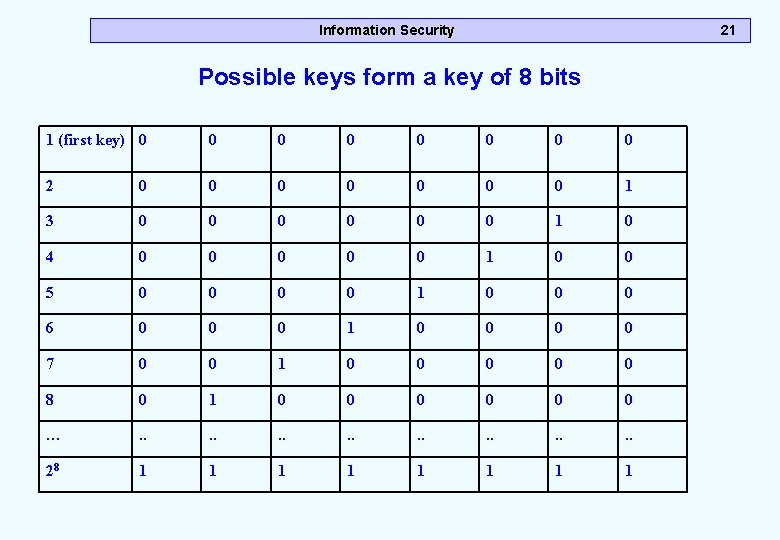
Information Security 21 Possible keys form a key of 8 bits 1 (first key) 0 0 0 0 2 0 0 0 0 1 3 0 0 0 1 0 4 0 0 0 1 0 0 5 0 0 1 0 0 0 6 0 0 0 1 0 0 7 0 0 1 0 0 0 8 0 1 0 0 0 … . . . . 28 1 1 1 1
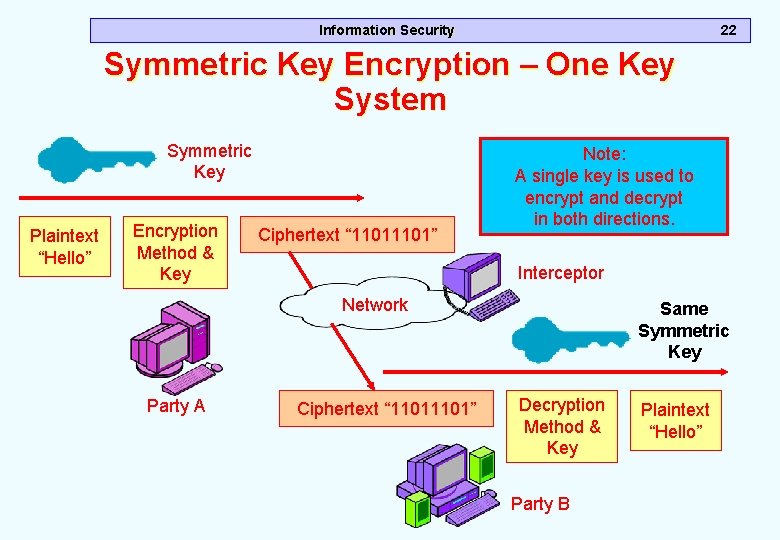
Information Security 22 Symmetric Key Encryption – One Key System Symmetric Key Plaintext “Hello” Encryption Method & Key Ciphertext “ 1101” Note: A single key is used to encrypt and decrypt in both directions. Interceptor Network Party A Ciphertext “ 1101” Same Symmetric Key Decryption Method & Key Party B Plaintext “Hello”
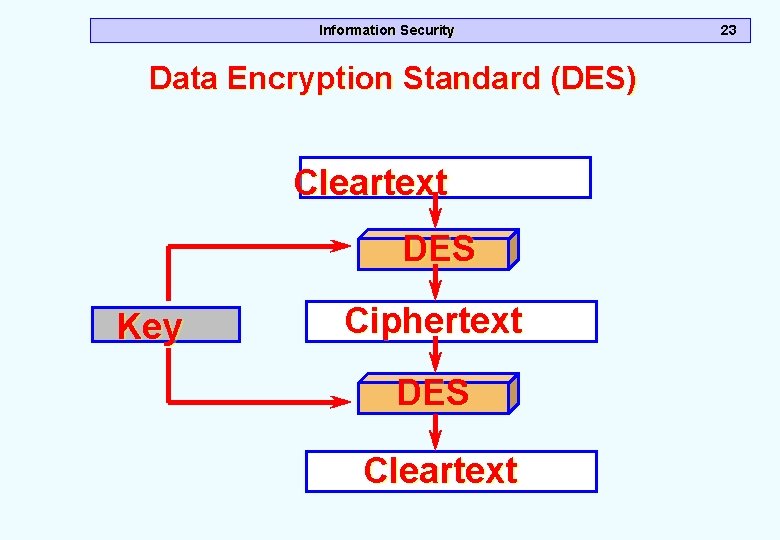
Information Security Data Encryption Standard (DES) Cleartext DES Key Ciphertext DES Cleartext 23
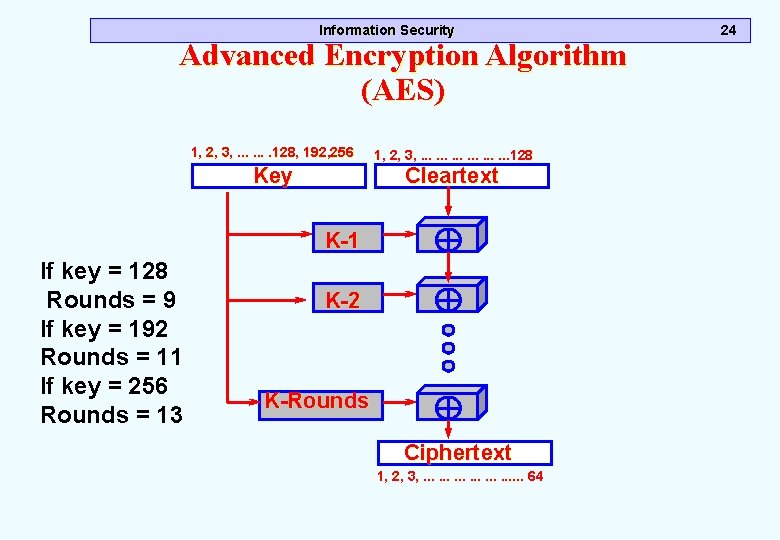
Information Security Advanced Encryption Algorithm (AES) 1, 2, 3, . . . . 128, 192, 256 1, 2, 3, . . . . 128 Key Cleartext K-1 If key = 128 Rounds = 9 If key = 192 Rounds = 11 If key = 256 Rounds = 13 K-2 K-Rounds Ciphertext 1, 2, 3, . . 64 24
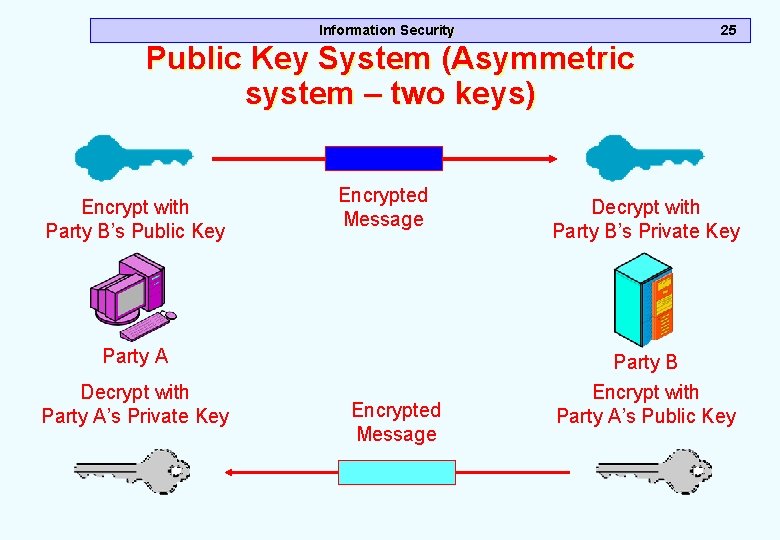
Information Security 25 Public Key System (Asymmetric system – two keys) Encrypt with Party B’s Public Key Encrypted Message Decrypt with Party B’s Private Key Party A Party B Decrypt with Party A’s Private Key Encrypt with Party A’s Public Key Encrypted Message
Information Security Outline m Introduction m Security Services m How do you provide Confidentiality? m How do you Provide Integrity? m How do you Provide Non-repudiation? m How do you provide Access Control? m How do you Provide Authentication m Summary 26
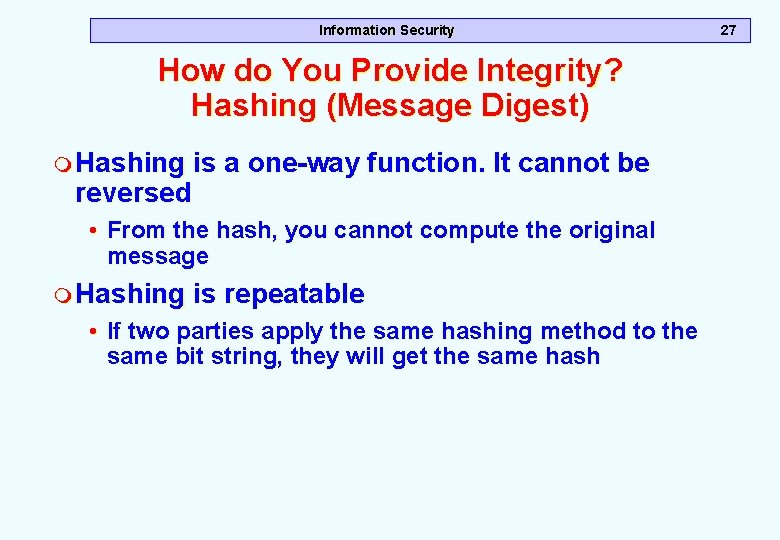
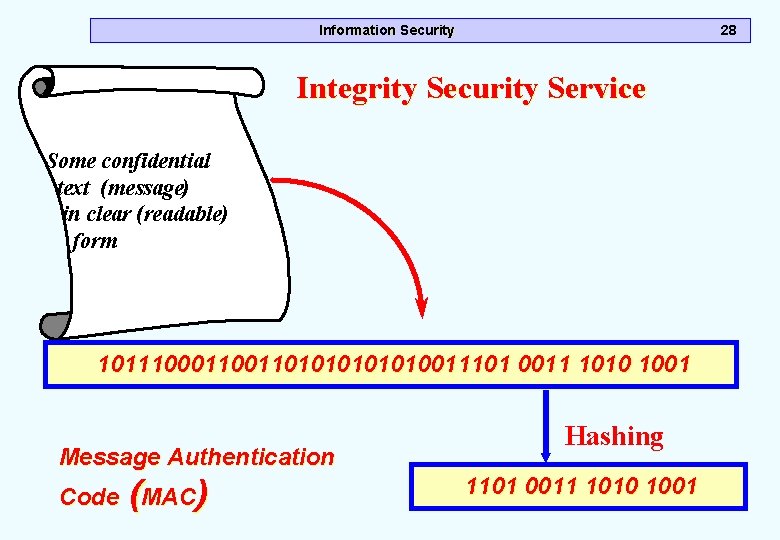
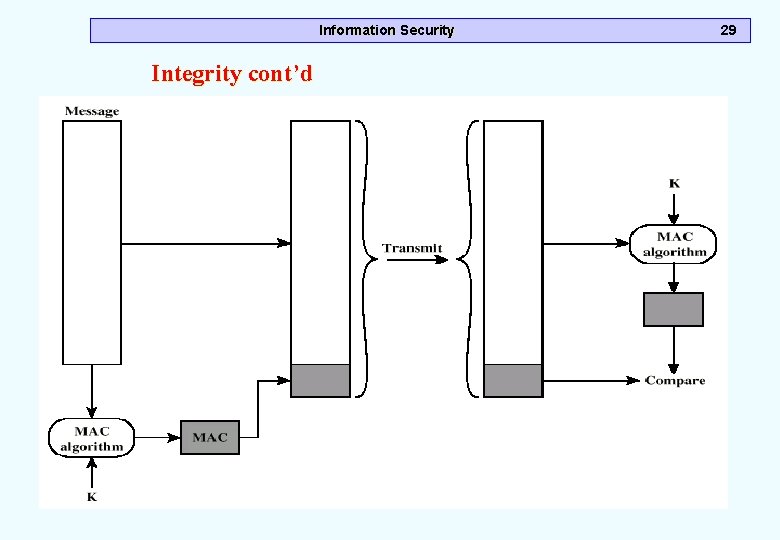
Information Security How do You Provide Integrity? Hashing (Message Digest) m Hashing is a one-way function. It cannot be reversed • From the hash, you cannot compute the original message m Hashing is repeatable • If two parties apply the same hashing method to the same bit string, they will get the same hash 27
Information Security 28 Integrity Security Service Some confidential text (message) in clear (readable) form 10111000110101010011101 0011 1010 1001 Message Authentication Code (MAC) Hashing 1101 0011 1010 1001
Information Security Integrity cont’d 29
Information Security Outline m Introduction m Security Services m How do you provide Confidentiality? m How do you Provide Integrity? m How do you Provide Non-repudiation? m How do you provide Access Control? m How do you Provide Authentication m Summary 30
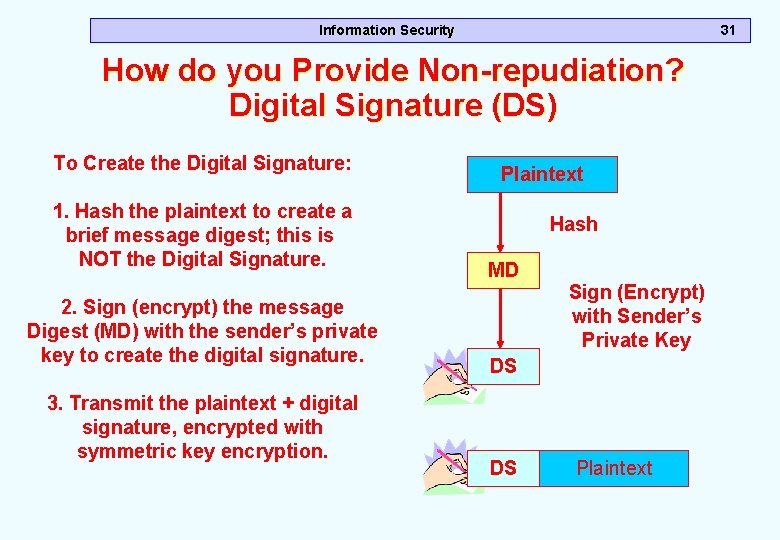
Information Security 31 How do you Provide Non-repudiation? Digital Signature (DS) To Create the Digital Signature: 1. Hash the plaintext to create a brief message digest; this is NOT the Digital Signature. 2. Sign (encrypt) the message Digest (MD) with the sender’s private key to create the digital signature. 3. Transmit the plaintext + digital signature, encrypted with symmetric key encryption. Plaintext Hash MD Sign (Encrypt) with Sender’s Private Key DS DS Plaintext
Information Security Outline m Introduction m Security Services m How do you provide Confidentiality? m How do you Provide Integrity? m How do you Provide Non-repudiation? m How do you provide Access Control? m How do you Provide Authentication m Summary 32
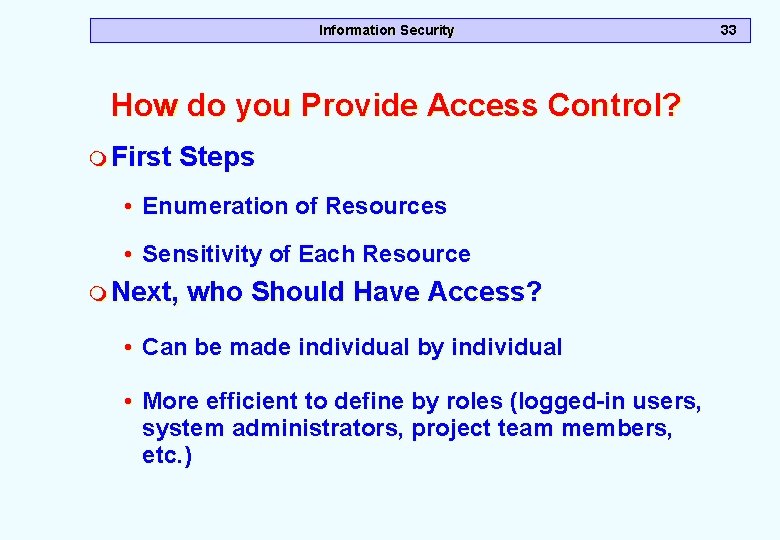
Information Security How do you Provide Access Control? m First Steps • Enumeration of Resources • Sensitivity of Each Resource m Next, who Should Have Access? • Can be made individual by individual • More efficient to define by roles (logged-in users, system administrators, project team members, etc. ) 33
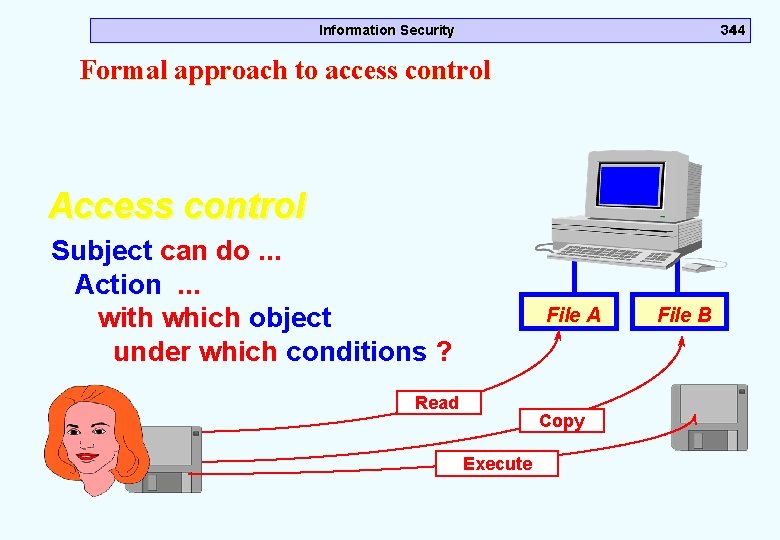
Information Security 3444 Formal approach to access control Access control Subject can do. . . Action . . . with which object under which conditions ? File A Read Copy Execute File B
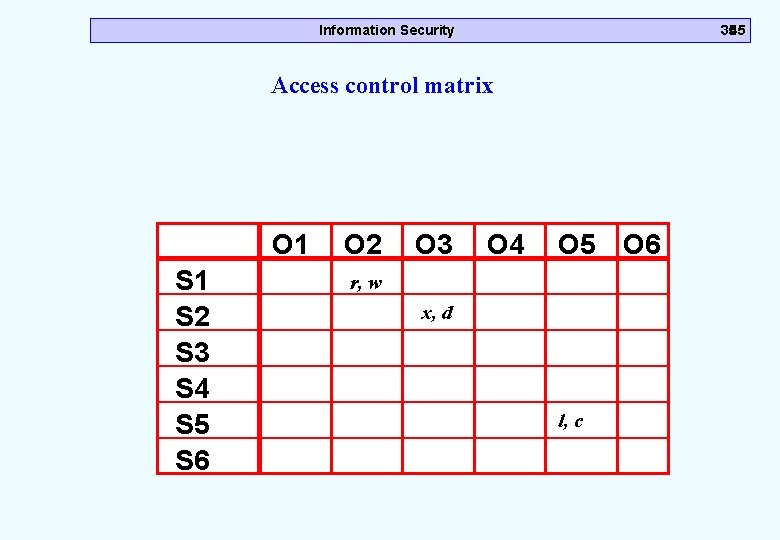
Information Security 3545 Access control matrix O 1 S 2 S 3 S 4 S 5 S 6 O 2 O 3 O 4 O 5 O 6 r, w x, d l, c
Information Security Outline m Introduction m Security Services m How do you provide Confidentiality? m How do you Provide Integrity? m How do you Provide Non-repudiation? m How do you provide Access Control? m How do you Provide Authentication m Summary 36
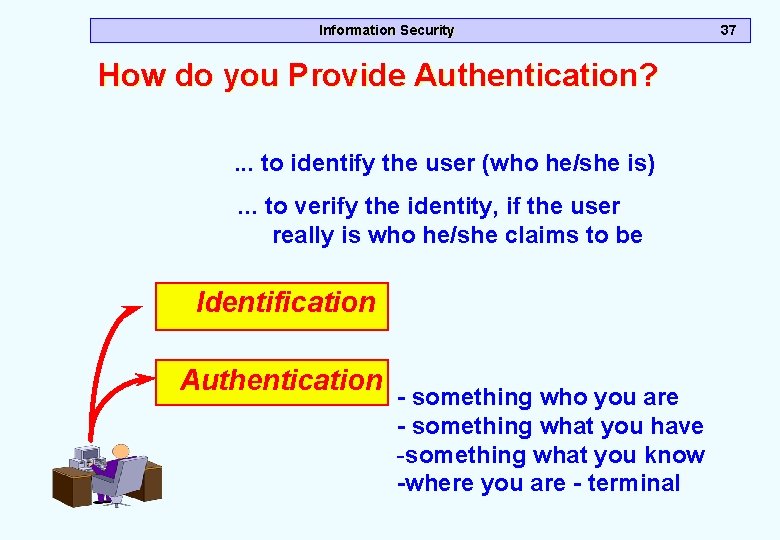
Information Security How do you Provide Authentication? . . . to identify the user (who he/she is) . . . to verify the identity, if the user really is who he/she claims to be Identification Authentication - something who you are - something what you have -something what you know -where you are - terminal 37
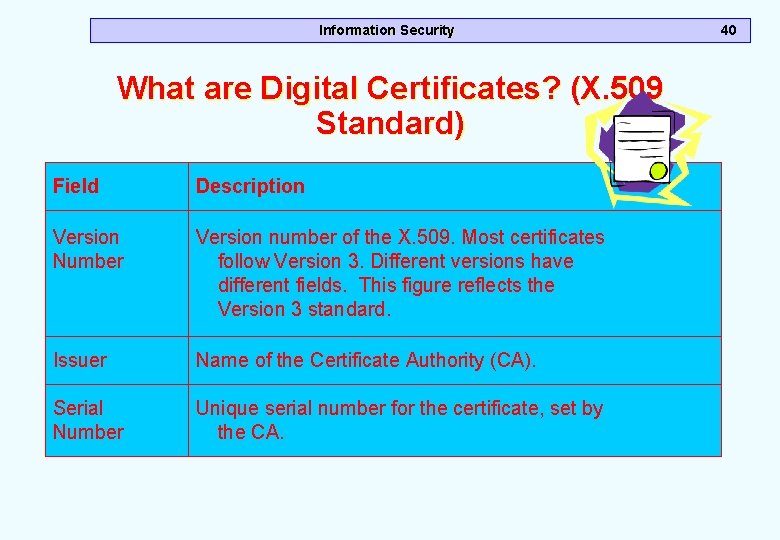
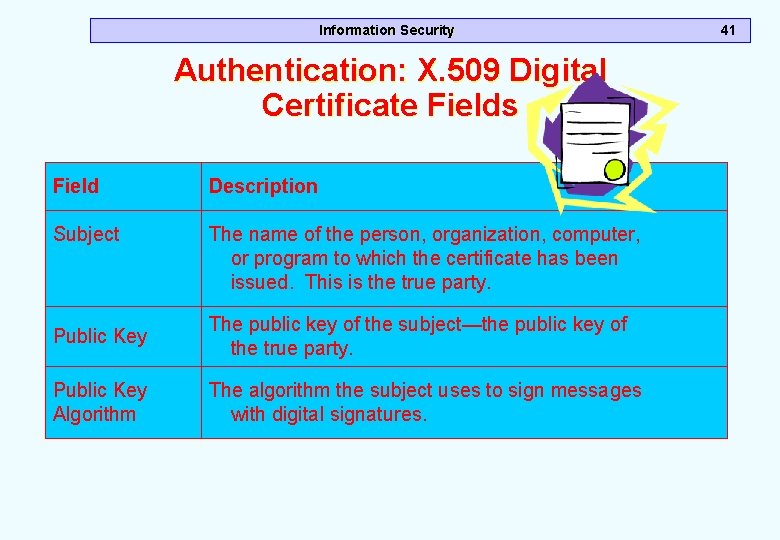
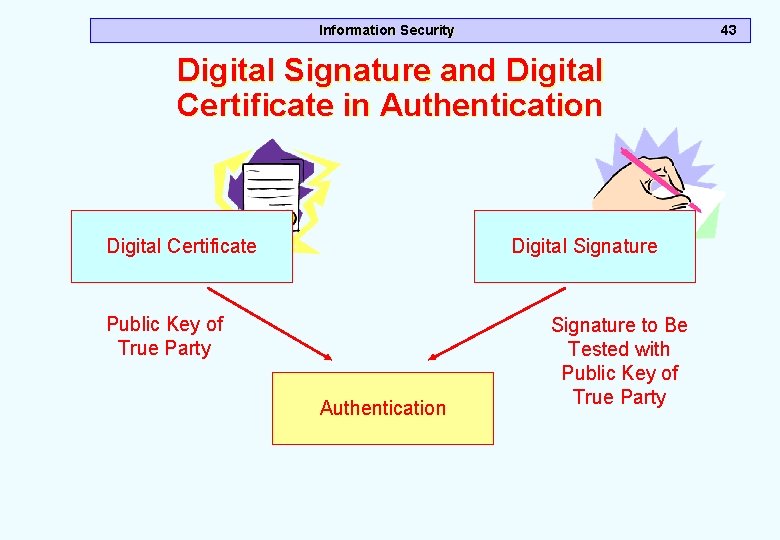
Information Security 38 Types of Authentication m Simple authentication – using passwords, challenge-response, PINS m Strong authentication – using public key system, digital certificates m What are digital certificates? – it is an object that binds an identity of a person or machine to her public key and this object is used for electronic authentication before transactions in the open networks.
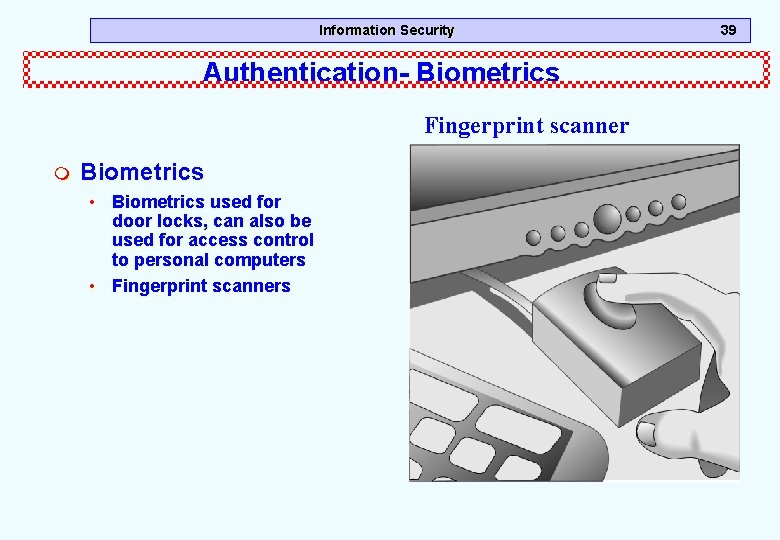
Information Security Authentication- Biometrics Fingerprint scanner m Biometrics • Biometrics used for door locks, can also be used for access control to personal computers • Fingerprint scanners 39
Information Security What are Digital Certificates? (X. 509 Standard) Field Description Version Number Version number of the X. 509. Most certificates follow Version 3. Different versions have different fields. This figure reflects the Version 3 standard. Issuer Name of the Certificate Authority (CA). Serial Number Unique serial number for the certificate, set by the CA. 40
Information Security Authentication: X. 509 Digital Certificate Fields Field Description Subject The name of the person, organization, computer, or program to which the certificate has been issued. This is the true party. Public Key The public key of the subject—the public key of the true party. Public Key Algorithm The algorithm the subject uses to sign messages with digital signatures. 41
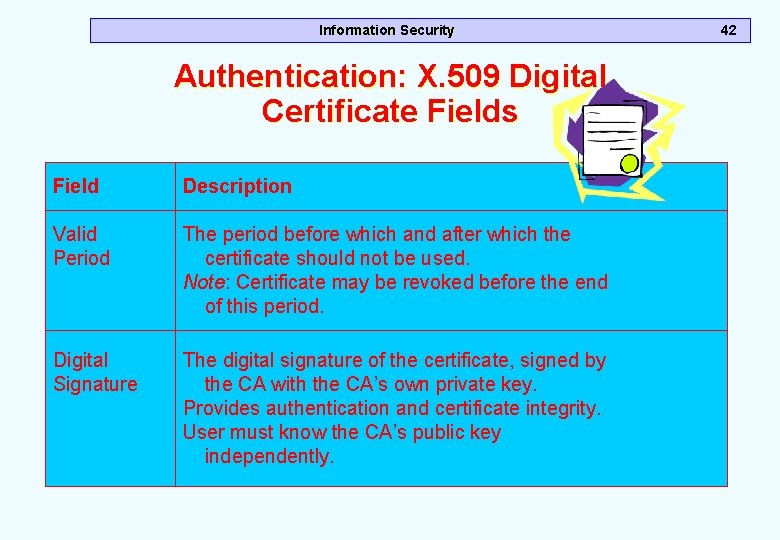
Information Security Authentication: X. 509 Digital Certificate Fields Field Description Valid Period The period before which and after which the certificate should not be used. Note: Certificate may be revoked before the end of this period. Digital Signature The digital signature of the certificate, signed by the CA with the CA’s own private key. Provides authentication and certificate integrity. User must know the CA’s public key independently. 42
Information Security 43 Digital Signature and Digital Certificate in Authentication Digital Certificate Digital Signature Public Key of True Party Authentication Signature to Be Tested with Public Key of True Party
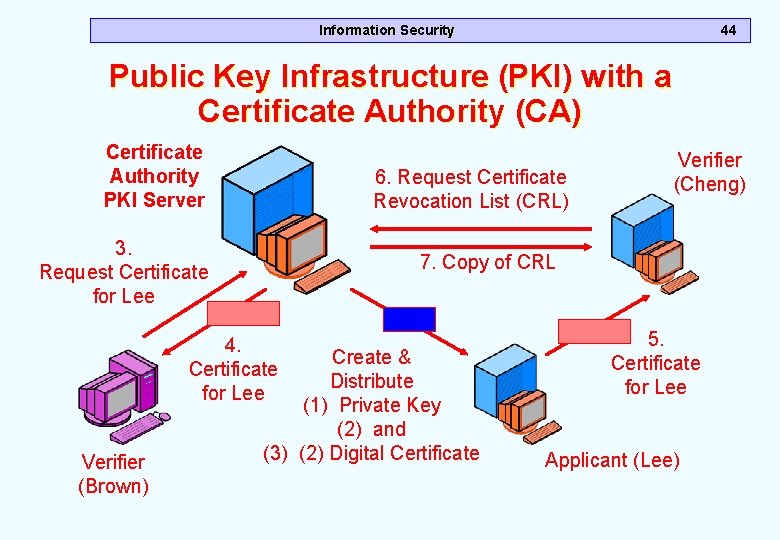
Information Security 44 Public Key Infrastructure (PKI) with a Certificate Authority (CA) Certificate Authority PKI Server 6. Request Certificate Revocation List (CRL) 3. Request Certificate for Lee 7. Copy of CRL 4. Certificate for Lee Verifier (Brown) Verifier (Cheng) Create & Distribute (1) Private Key (2) and (3) (2) Digital Certificate 5. Certificate for Lee Applicant (Lee)
Information Security Certificate Authority (CA) m CAs are not regulated in any country today • • • Anyone can be a CA Even an organized crime syndicate Some, such as Veri. Sign, are widely trusted m Companies can be their own CAs • Assign keys and certificates to their internal computers • This gets around the need to trust public CAs 45
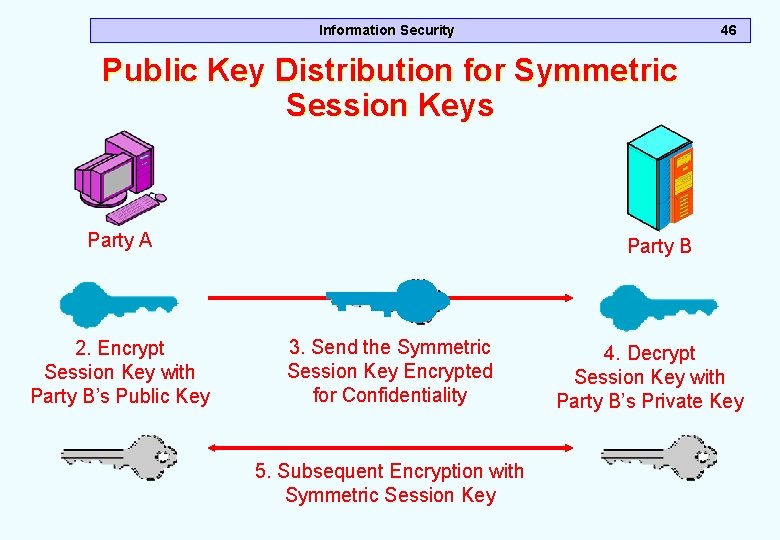
Information Security 46 Public Key Distribution for Symmetric Session Keys Party A 2. Encrypt Session Key with Party B’s Public Key Party B 3. Send the Symmetric Session Key Encrypted for Confidentiality 5. Subsequent Encryption with Symmetric Session Key 4. Decrypt Session Key with Party B’s Private Key
Information Security Summary m Introduction m Security Services m How do you provide Confidentiality? m How do you Provide Integrity? m How do you Provide Non-repudiation? m How do you provide Access Control? m How do you Provide Authentication m Summary 47