Information Security Demo of Some Security Tools Jeffy
- Slides: 29
Information Security: Demo of Some Security Tools Jeffy Mwakalinga 1
Information Security outline m. Firewall m. Intrusion Detection System m. Ad-Aware m. Anti-Spyware m. Anti Spam Technology m. Overview of Existing Security Tools 2
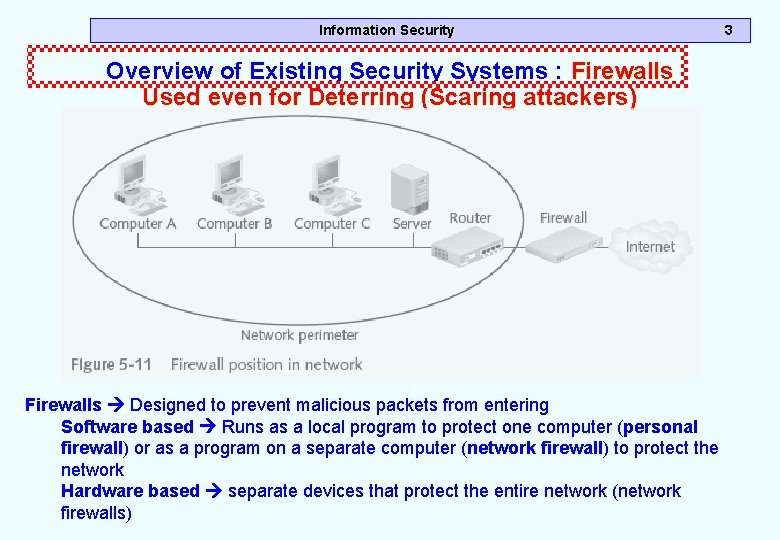
Information Security Overview of Existing Security Systems : Firewalls Used even for Deterring (Scaring attackers) Firewalls Designed to prevent malicious packets from entering Software based Runs as a local program to protect one computer (personal firewall) or as a program on a separate computer (network firewall) to protect the network Hardware based separate devices that protect the entire network (network firewalls) 3
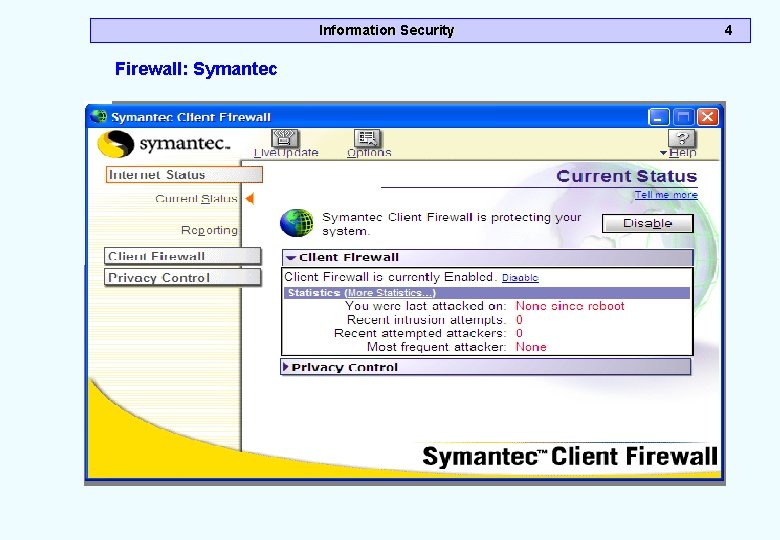
Information Security Firewall: Symantec 4
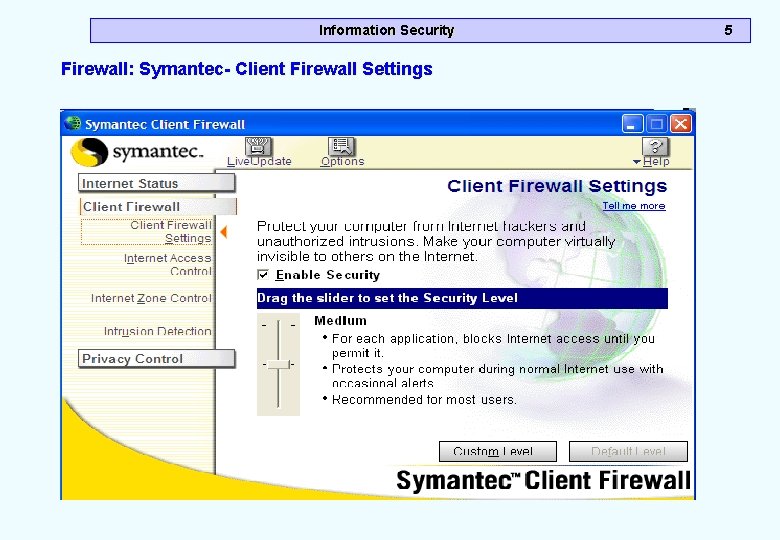
Information Security Firewall: Symantec- Client Firewall Settings 5
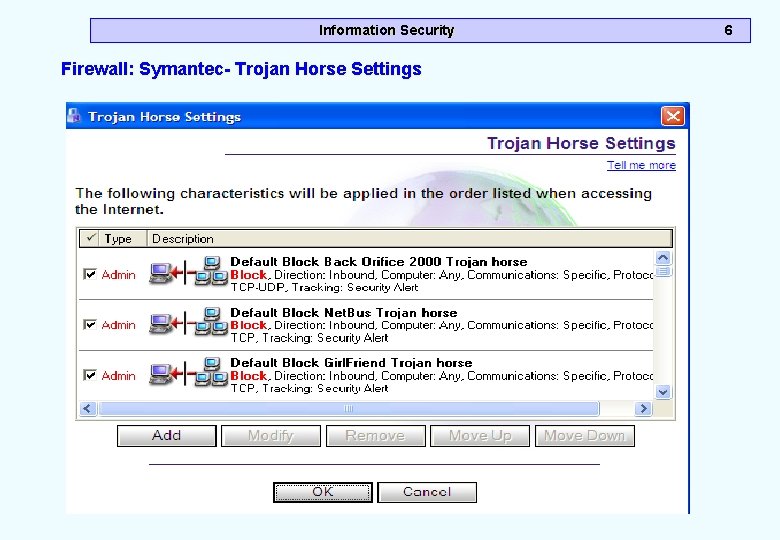
Information Security Firewall: Symantec- Trojan Horse Settings 6
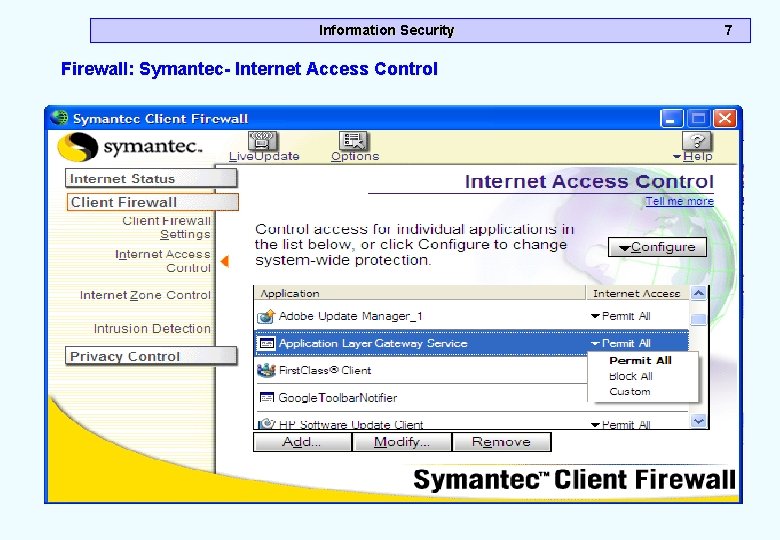
Information Security Firewall: Symantec- Internet Access Control 7
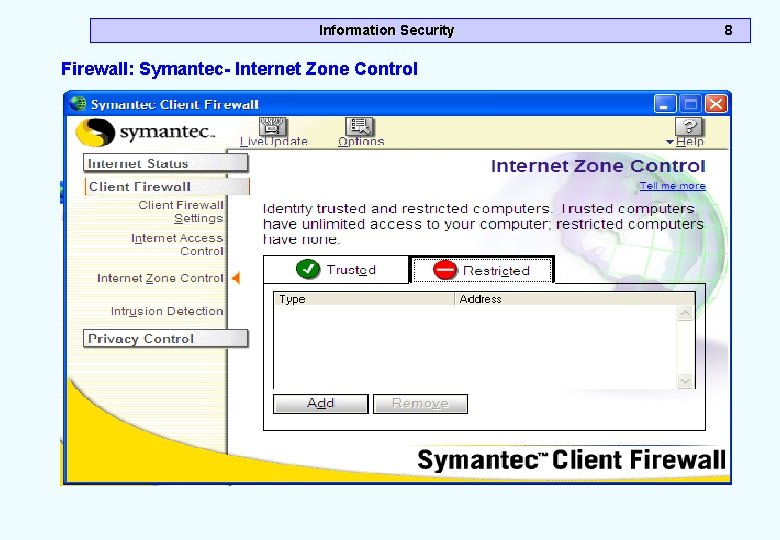
Information Security Firewall: Symantec- Internet Zone Control 8
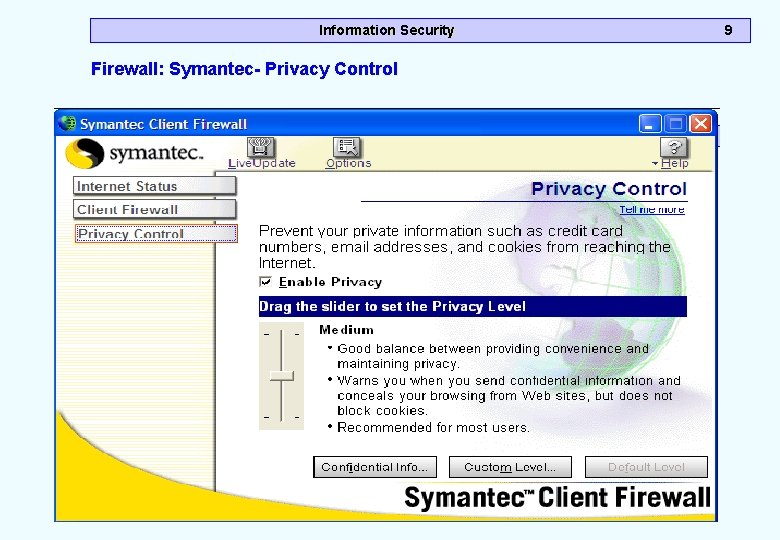
Information Security Firewall: Symantec- Privacy Control 9
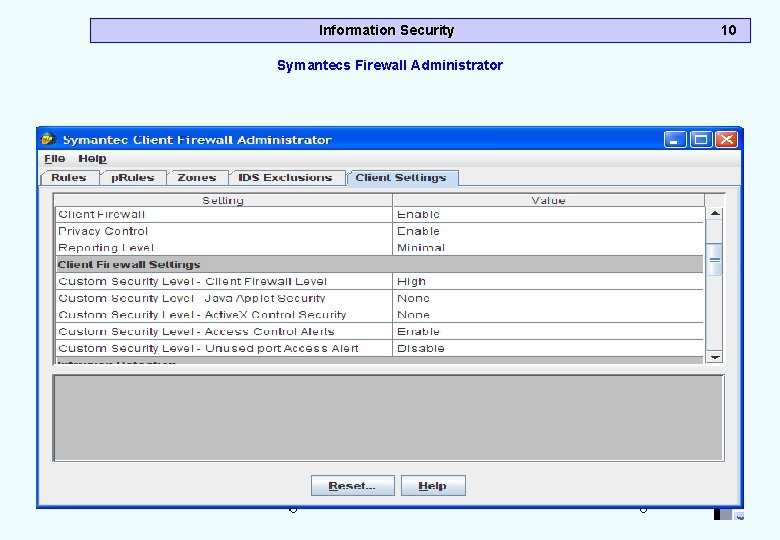
Information Security Symantecs Firewall Administrator 10
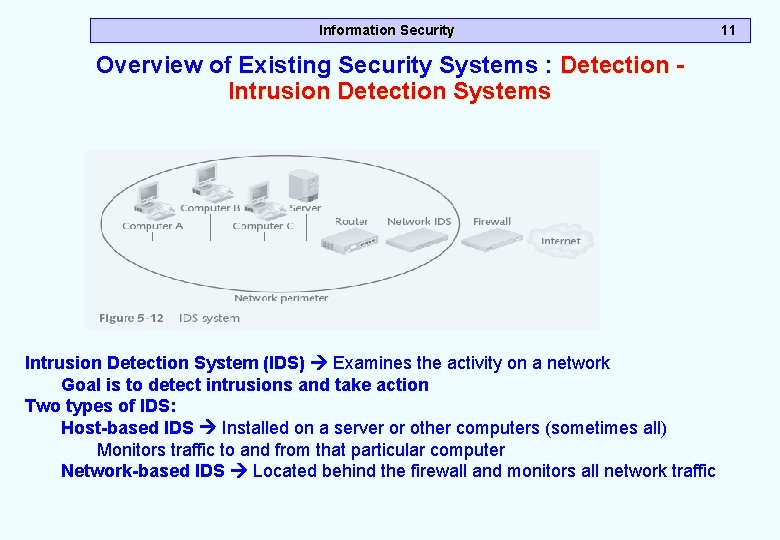
Information Security Overview of Existing Security Systems : Detection Intrusion Detection Systems Intrusion Detection System (IDS) Examines the activity on a network Goal is to detect intrusions and take action Two types of IDS: Host-based IDS Installed on a server or other computers (sometimes all) Monitors traffic to and from that particular computer Network-based IDS Located behind the firewall and monitors all network traffic 11
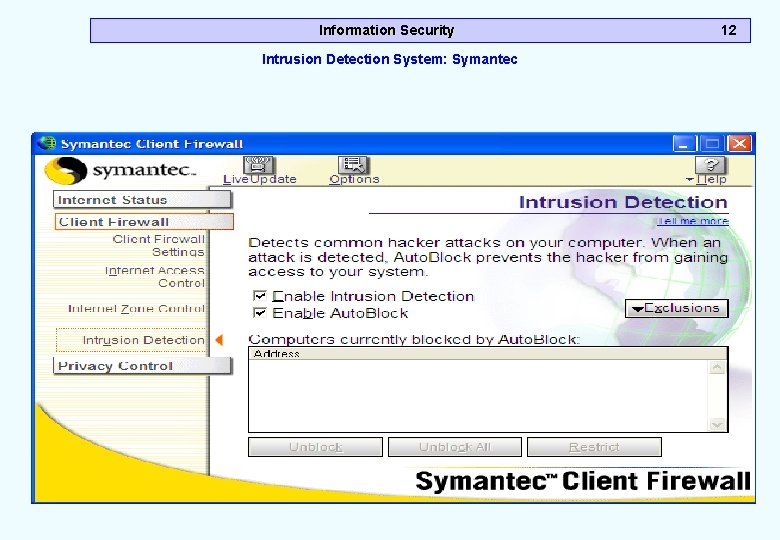
Information Security Intrusion Detection System: Symantec 12
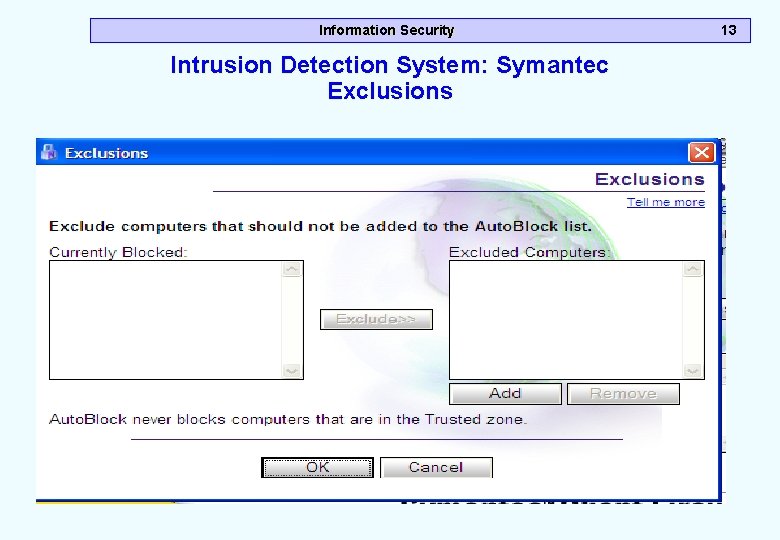
Information Security Intrusion Detection System: Symantec Exclusions 13
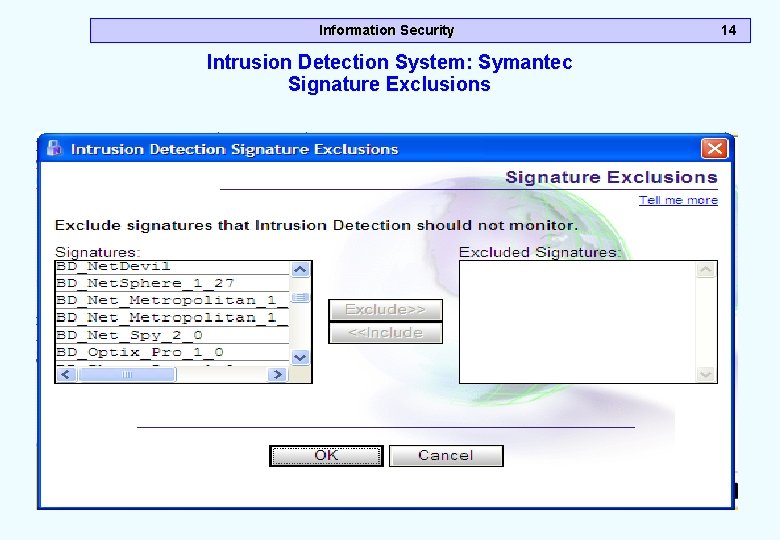
Information Security Intrusion Detection System: Symantec Signature Exclusions 14
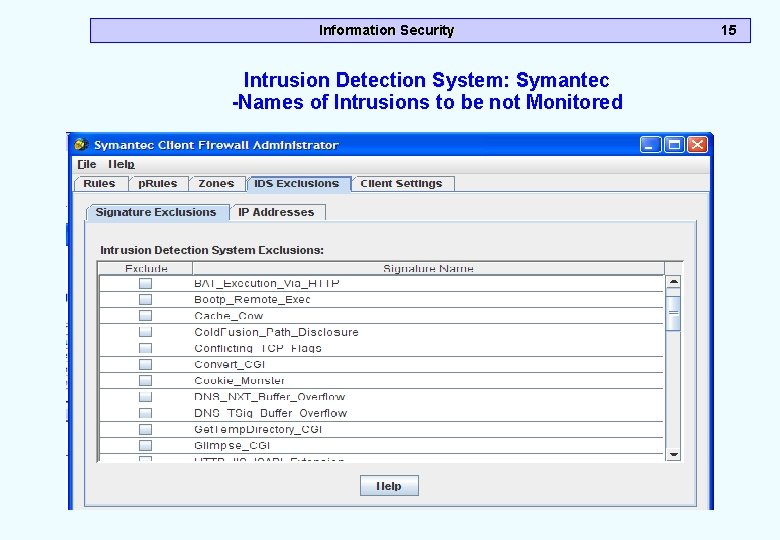
Information Security Intrusion Detection System: Symantec -Names of Intrusions to be not Monitored 15
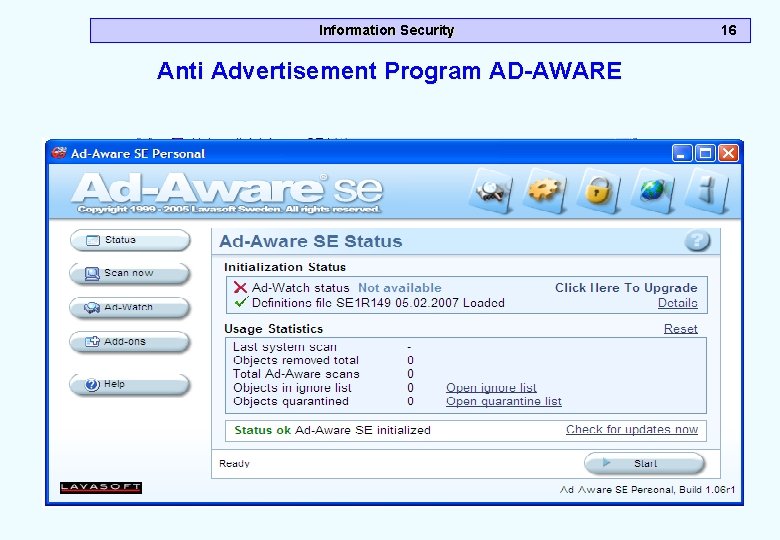
Information Security Anti Advertisement Program AD-AWARE 16
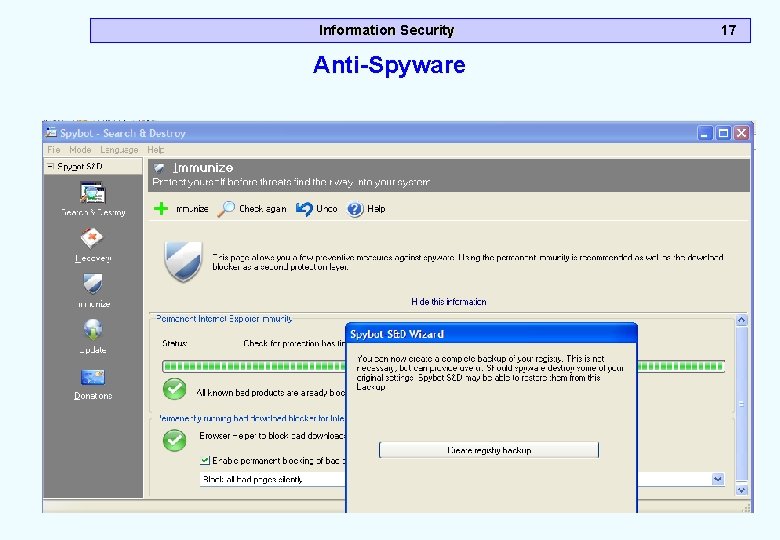
Information Security Anti-Spyware 17
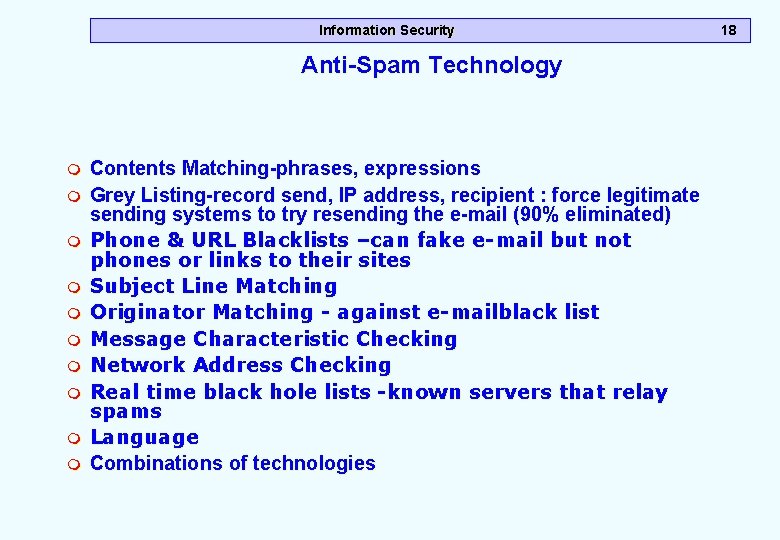
Information Security Anti-Spam Technology m m m m m Contents Matching-phrases, expressions Grey Listing-record send, IP address, recipient : force legitimate sending systems to try resending the e-mail (90% eliminated) Phone & URL Blacklists –can fake e-mail but not phones or links to their sites Subject Line Matching Originator Matching - against e-mailblack list Message Characteristic Checking Network Address Checking Real time black hole lists -known servers that relay spams Language Combinations of technologies 18
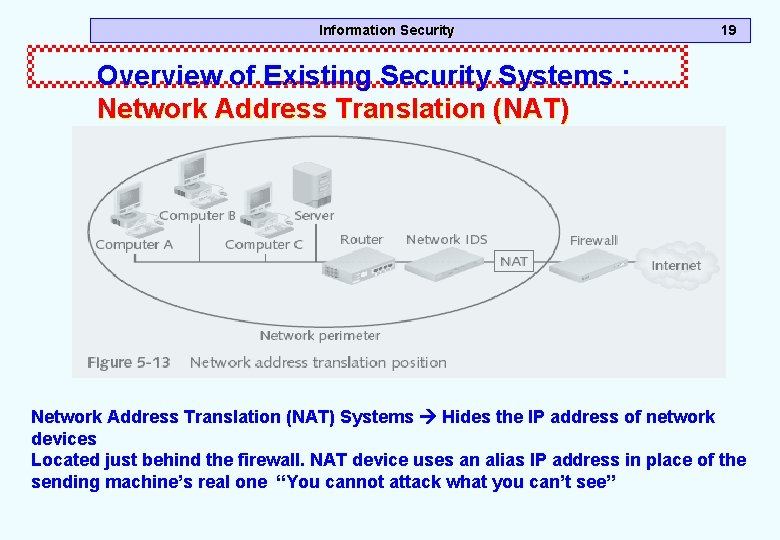
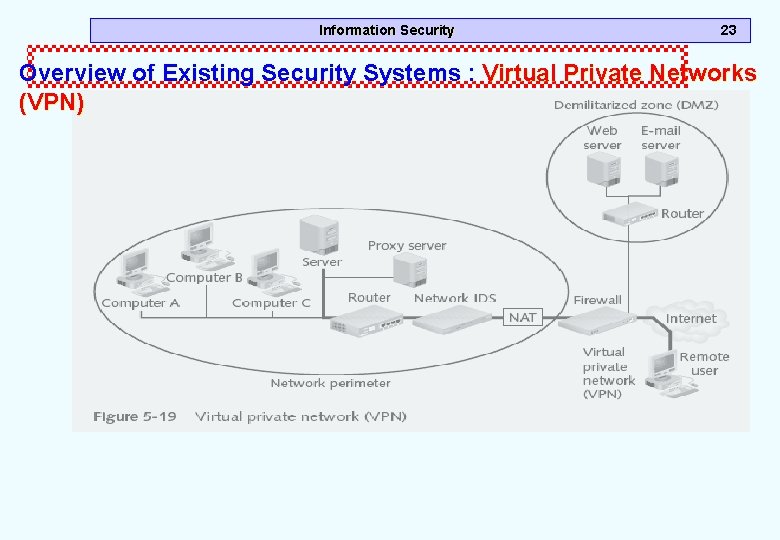
Information Security 19 Overview of Existing Security Systems : Network Address Translation (NAT) Systems Hides the IP address of network devices Located just behind the firewall. NAT device uses an alias IP address in place of the sending machine’s real one “You cannot attack what you can’t see”
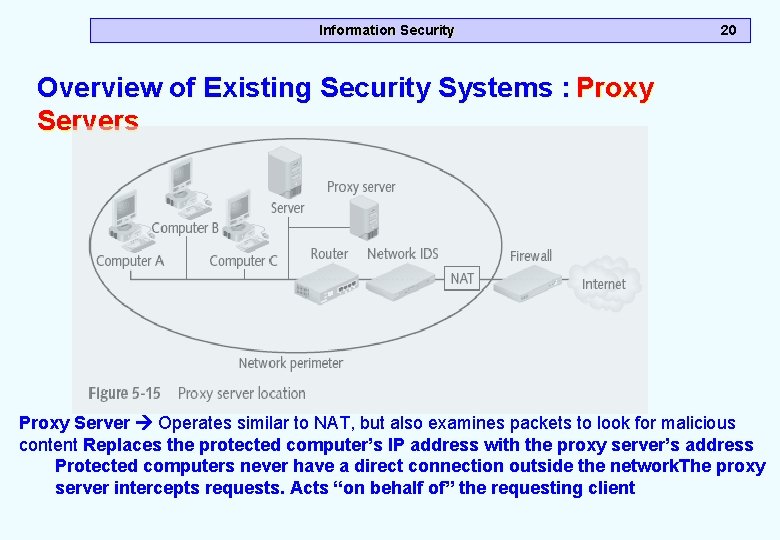
Information Security 20 Overview of Existing Security Systems : Proxy Servers Proxy Server Operates similar to NAT, but also examines packets to look for malicious content Replaces the protected computer’s IP address with the proxy server’s address Protected computers never have a direct connection outside the network. The proxy server intercepts requests. Acts “on behalf of” the requesting client
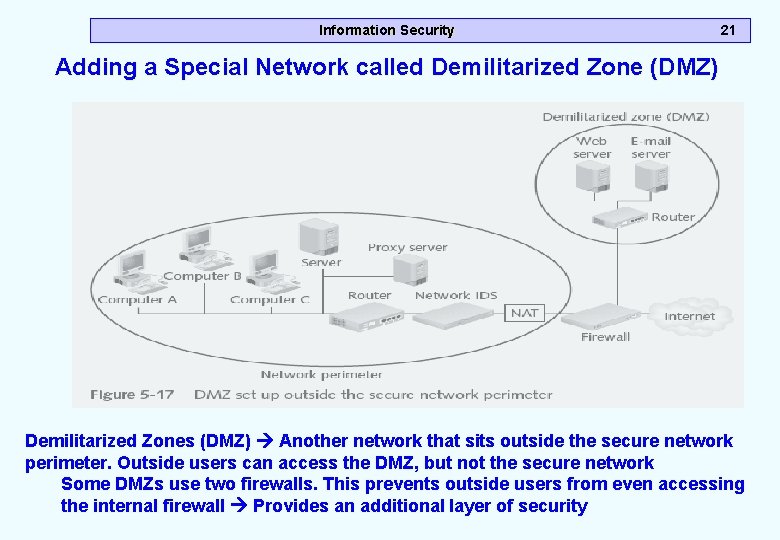
Information Security 21 Adding a Special Network called Demilitarized Zone (DMZ) Demilitarized Zones (DMZ) Another network that sits outside the secure network perimeter. Outside users can access the DMZ, but not the secure network Some DMZs use two firewalls. This prevents outside users from even accessing the internal firewall Provides an additional layer of security
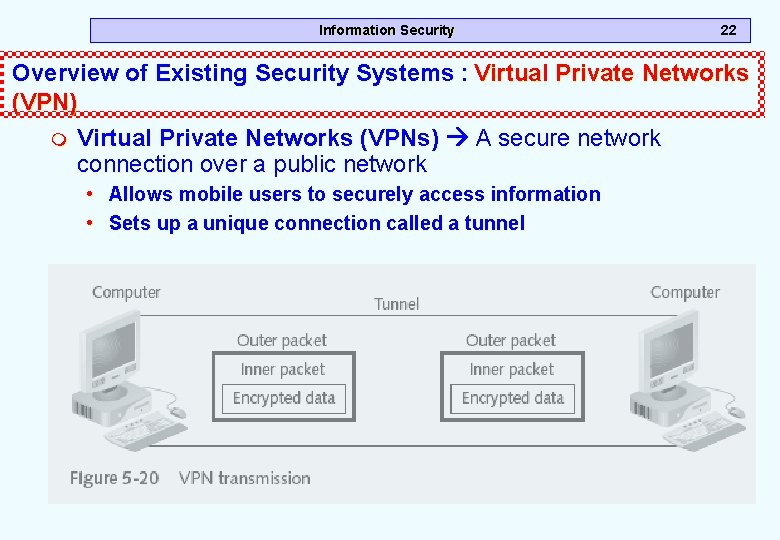
Information Security 22 Overview of Existing Security Systems : Virtual Private Networks (VPN) m Virtual Private Networks (VPNs) A secure network connection over a public network • Allows mobile users to securely access information • Sets up a unique connection called a tunnel
Information Security 23 Overview of Existing Security Systems : Virtual Private Networks (VPN)
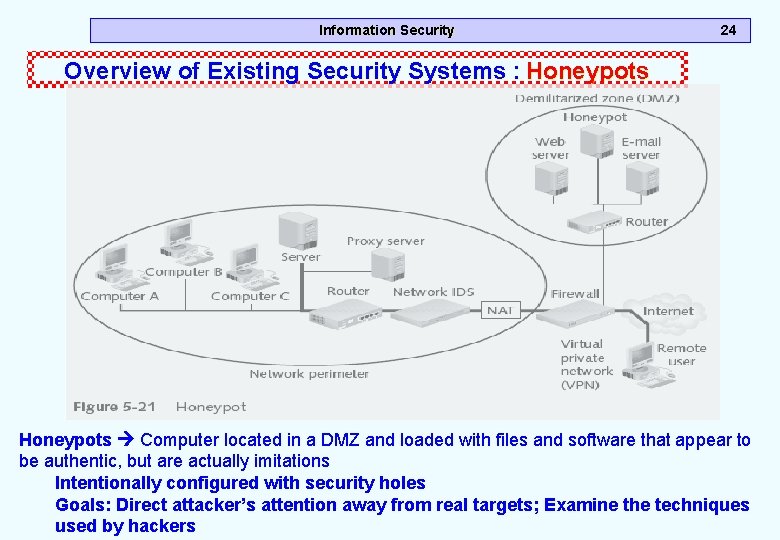
Information Security 24 Overview of Existing Security Systems : Honeypots Computer located in a DMZ and loaded with files and software that appear to be authentic, but are actually imitations Intentionally configured with security holes Goals: Direct attacker’s attention away from real targets; Examine the techniques used by hackers
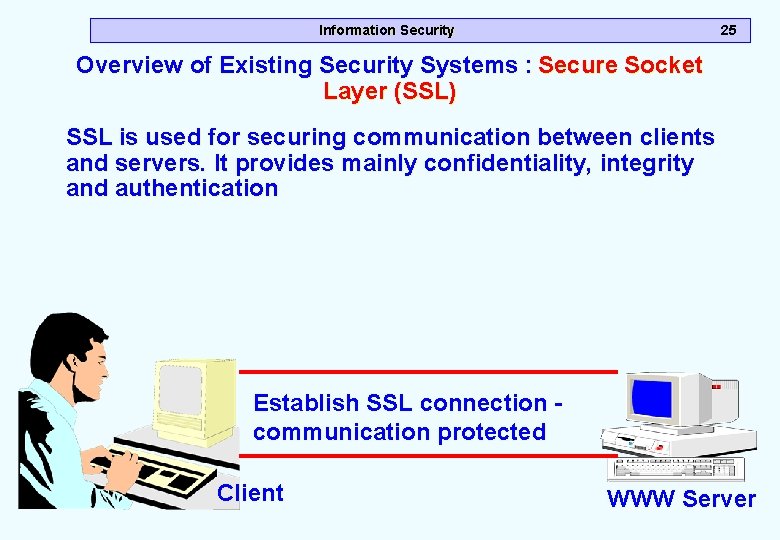
Information Security 25 Overview of Existing Security Systems : Secure Socket Layer (SSL) SSL is used for securing communication between clients and servers. It provides mainly confidentiality, integrity and authentication Establish SSL connection communication protected Client WWW Server
Information Security Protecting one Computer m Operating system hardening is the process of making a PC operating system more secure • • Patch management Antivirus software – to protect your pc from viruses Antispyware software Firewalls – to deter (scare), protect Setting correct permissions for shares Intrusion detection Systems – to detect intrusions Cryptographic systems 26
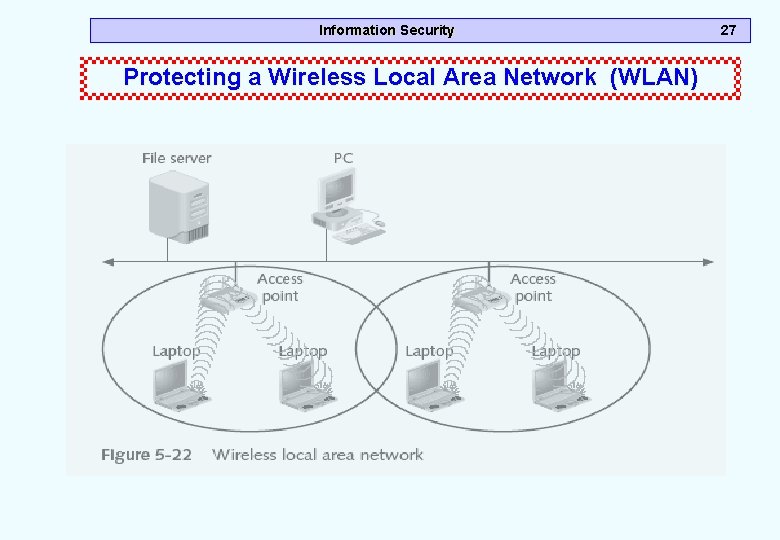
Information Security Protecting a Wireless Local Area Network (WLAN) 27
Information Security in a Wireless LAN m WLANs include a different set of security issues m Steps to secure: • • • Turn off broadcast information MAC address filtering Encryption Password protect the access point Physically secure the access point Use enhanced WLAN security standards whenever possible • Use cryptographic systems 28
Information Security Summary m. Firewall m. Intrusion Detection System m. Ad-Aware m. Anti-Spyware m. Anti Spam Technology m. Overview of Existing Security Tools 29