
1 Information Security Chapter 4 Program Security Lecture
- Slides: 46
1 Information Security Chapter 4: Program Security Lecture #1 -Week 4 Dr. Khalid Dr. Mohannad CIT 460 Information Security Dr. Khalid Dr. Mohannad
2 Security VS Safety Security: We must protect our computers and data in the same way that we secure the doors to our homes. Safety: We must behave in ways that protect us against risks and threats that come with technology. CIT 460 Information Security Dr. Khalid Dr. Mohannad
3 Threats against programs Malicious programs Social Engineering Phishing Man In the Middle Attack Rootkits Botnets / Zombies CIT 460 Information Security Dr. Khalid Dr. Mohannad
4 Viruses and Other Malicious Code When was the last time you saw a bit? Do you know in what form a document file is stored? Can you find where a document resides on a disk? Can you tell if a game program does anything in addition to its expected interaction with you? Which files are modified by a word processor when you create a document? CIT 460 Information Security Dr. Khalid Dr. Mohannad
5 Viruses and Other Malicious Code Malicious code has been around since the ’ 70 s How can malicious code take control of a system? How can it lodge in a system? How does malicious code spread? How can it be recognized? How can it be detected? How can it be stopped? How can it be prevented? CIT 460 Information Security Dr. Khalid Dr. Mohannad
6 Kinds of Malicious Code Virus – code that attaches to another program and copies itself to other programs Transient virus – life depends on life of its host Resident virus – locates inside memory Trojan Horse – malicious effect is hidden from user Logic bomb – triggered by an event Time bomb – triggered by a time or date Trapdoor (backdoor) – feature that allows access to program other than through normal channels Worm – program that spreads copies of itself through a network Rabbit – virus/worm that self-replicates without bound CIT 460 Information Security Dr. Khalid Dr. Mohannad
7 How Viruses Attack A virus is attached to a “program” The virus is activated by executing the program Most common viruses today are attached to e-mail; when the attachment is opened, virus is active CIT 460 Information Security Dr. Khalid Dr. Mohannad
8 Ways Viruses are attached Appended Viruses virus code is inserted before first instruction, last virus instruction points to first program instruction Virus surrounds program : 2 nd part of virus cleans up evidence Integrated Viruses and Replacements CIT 460 Information Security Dr. Khalid Dr. Mohannad
9 Types of Viruses Boot Sector Virus – virus is part of the bootstrap program (many earlier viruses) Memory-Resident Virus – most program viruses stay in the memory when program is first run Document (Macro) Virus – virus is part of the macro associated with a document CIT 460 Information Security Dr. Khalid Dr. Mohannad
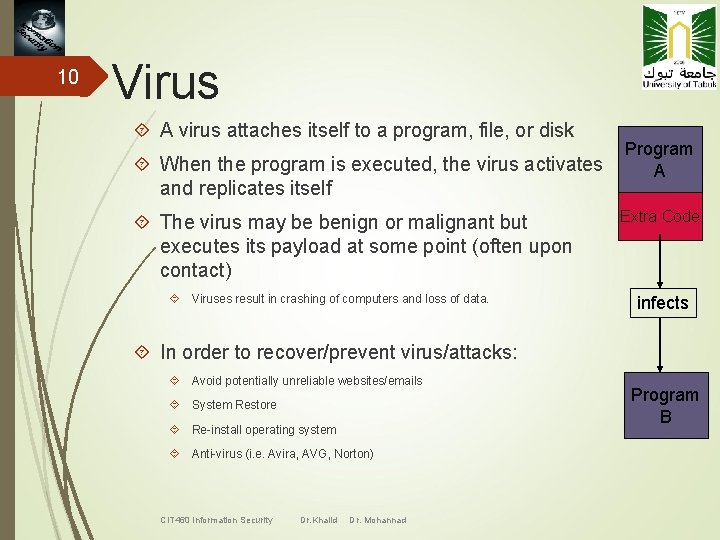
10 Virus A virus attaches itself to a program, file, or disk Program When the program is executed, the virus activates A and replicates itself The virus may be benign or malignant but executes its payload at some point (often upon contact) Viruses result in crashing of computers and loss of data. Extra Code infects In order to recover/prevent virus/attacks: Avoid potentially unreliable websites/emails System Restore Re-install operating system Anti-virus (i. e. Avira, AVG, Norton) CIT 460 Information Security Dr. Khalid Dr. Mohannad Program B
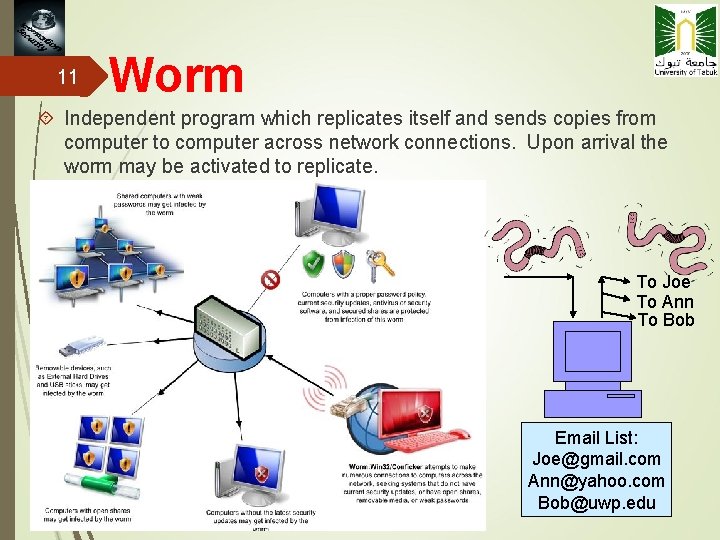
11 Worm Independent program which replicates itself and sends copies from computer to computer across network connections. Upon arrival the worm may be activated to replicate. To Joe To Ann To Bob Email List: Joe@gmail. com Ann@yahoo. com Bob@uwp. edu
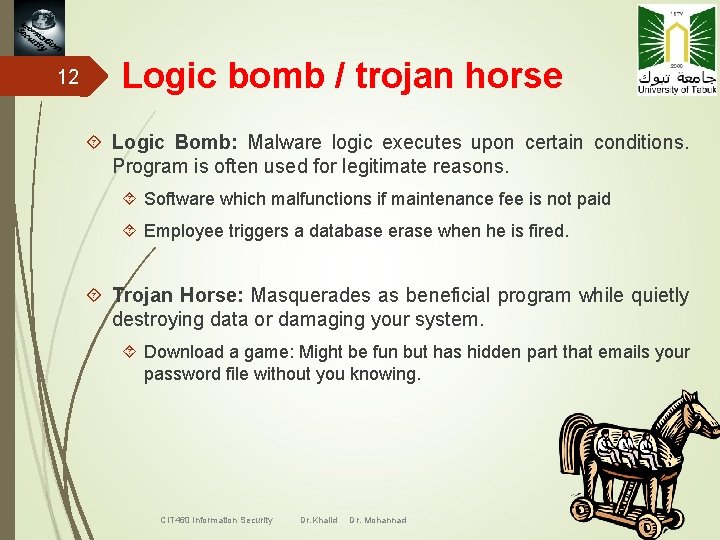
12 Logic bomb / trojan horse Logic Bomb: Malware logic executes upon certain conditions. Program is often used for legitimate reasons. Software which malfunctions if maintenance fee is not paid Employee triggers a database erase when he is fired. Trojan Horse: Masquerades as beneficial program while quietly destroying data or damaging your system. Download a game: Might be fun but has hidden part that emails your password file without you knowing. CIT 460 Information Security Dr. Khalid Dr. Mohannad
13 Prevention against Viruses Use only commercial software acquired from reliable, well-established vendors Test all new software on an isolated computer Open attachments only when you know them to be safe Make a recoverable system image and store it safely Make and retain backup copies of executable system files. Use virus detectors daily and update them regularly CIT 460 Information Security Dr. Khalid Dr. Mohannad
14 Misconceptions about viruses Viruses can infect only Microsoft Windows systems – FALSE Viruses can modify “hidden” or “read-only” files – TRUE Viruses can appear only in data files, or only in Word documents, or only in programs – FALSE Viruses spread only on disks or only in e-mail – FALSE Viruses cannot remain in memory after a COLD BOOT – TRUE Viruses cannot infect hardware – TRUE Viruses can be malevolent, benign, or benevolent - TRUE CIT 460 Information Security Dr. Khalid Dr. Mohannad
15 Targeted Malicious Code Trapdoor – undocumented entry point to a module Salami Attack (Ex. Interest computation) Covert Channels: programs that leak information (Ex. Hide data in output) Storage Channels – pass information by using presence or absence of objects in storage Timing Channels – pass information using the speed at which things happen CIT 460 Information Security Dr. Khalid Dr. Mohannad
16 Information Security Chapter 4: Program Security Lecture #2 -Week 4 Dr. Khalid Dr. Mohannad CIT 460 Information Security Dr. Khalid Dr. Mohannad
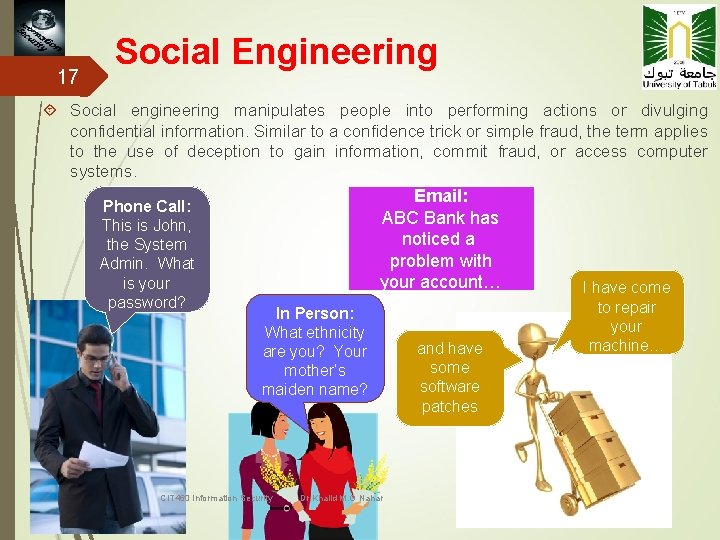
17 Social Engineering Social engineering manipulates people into performing actions or divulging confidential information. Similar to a confidence trick or simple fraud, the term applies to the use of deception to gain information, commit fraud, or access computer systems. Email: Phone Call: ABC Bank has This is John, noticed a the System problem with Admin. What your account… is your I have come password? In Person: What ethnicity are you? Your mother’s maiden name? CIT 460 Information Security Dr. Khalid M. O Nahar and have some software patches to repair your machine…
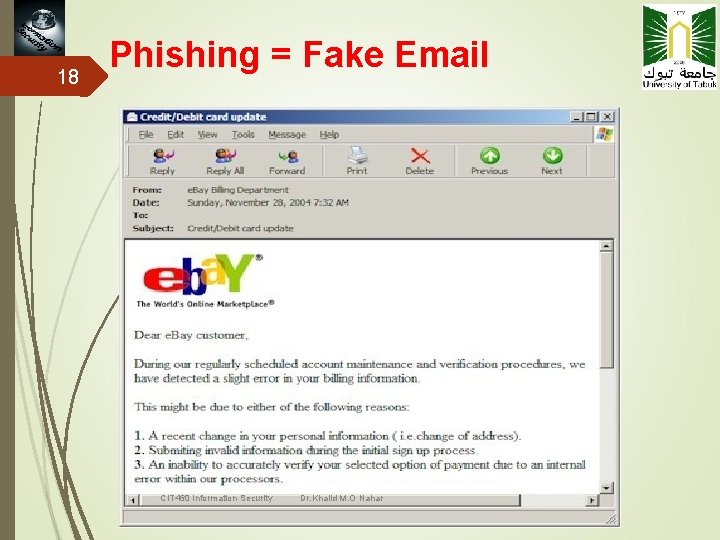
18 Phishing = Fake Email CIT 460 Information Security Dr. Khalid M. O Nahar
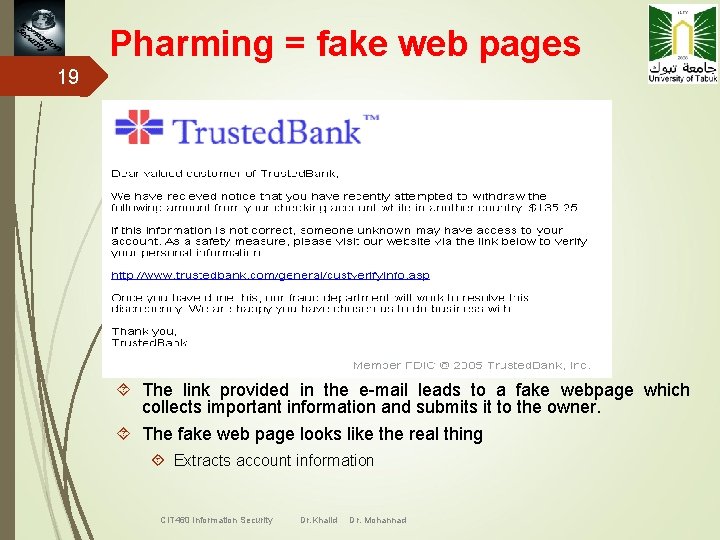
Pharming = fake web pages 19 The link provided in the e-mail leads to a fake webpage which collects important information and submits it to the owner. The fake web page looks like the real thing Extracts account information CIT 460 Information Security Dr. Khalid Dr. Mohannad
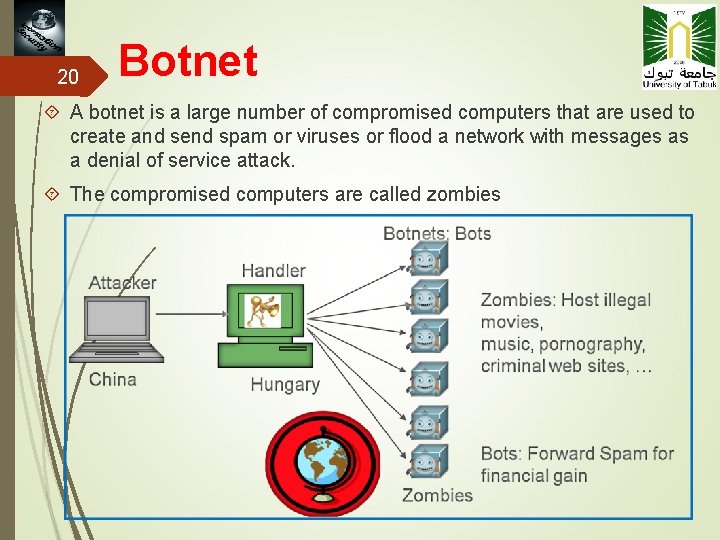
20 Botnet A botnet is a large number of compromised computers that are used to create and send spam or viruses or flood a network with messages as a denial of service attack. The compromised computers are called zombies
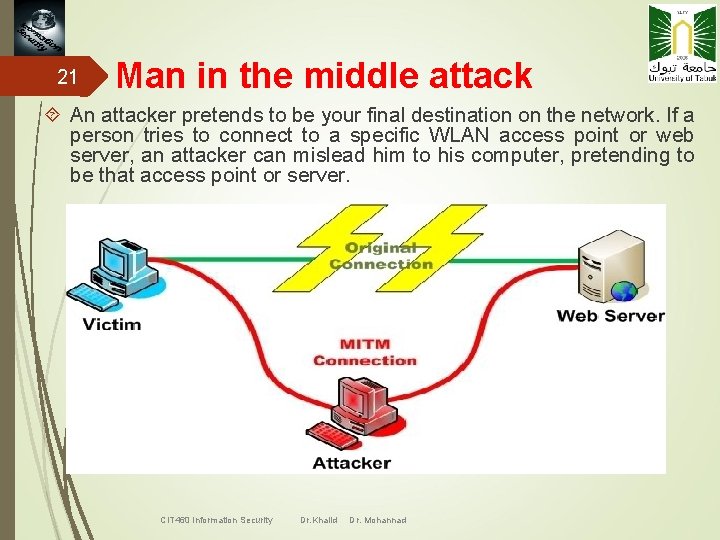
21 Man in the middle attack An attacker pretends to be your final destination on the network. If a person tries to connect to a specific WLAN access point or web server, an attacker can mislead him to his computer, pretending to be that access point or server. CIT 460 Information Security Dr. Khalid Dr. Mohannad
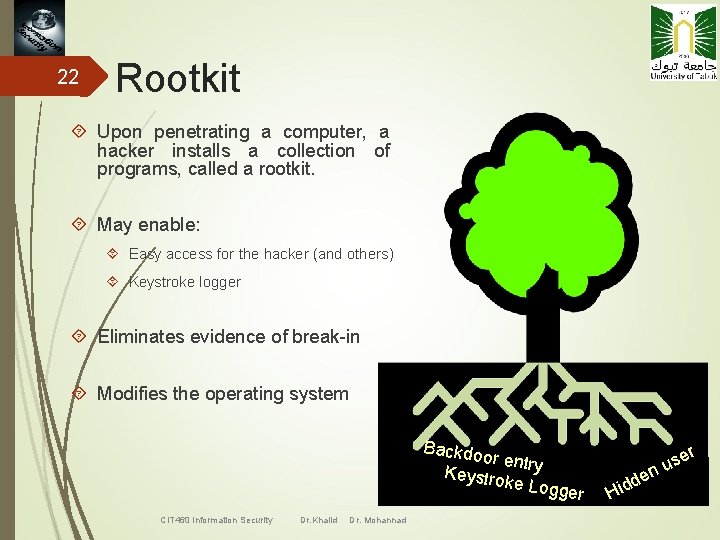
22 Rootkit Upon penetrating a computer, a hacker installs a collection of programs, called a rootkit. May enable: Easy access for the hacker (and others) Keystroke logger Eliminates evidence of break-in Modifies the operating system Backdo or Keys entry troke Lo gger CIT 460 Information Security Dr. Khalid Dr. Mohannad r Hid se u n de
23 Recognizing a break-in or compromise Symptoms: Antivirus software detects a problem Pop-ups suddenly appear (may sell security software) Disk space disappears Files or transactions appear that should not be there System slows down to a crawl Unusual messages, sounds, or displays on your monitor Stolen laptop (1 in 10 stolen in laptop lifetime) Your mouse moves by itself Your computer shuts down and powers off by itself Often not recognized CIT 460 Information Security Dr. Khalid Dr. Mohannad
24 Malware detection Spyware symptoms: Change to your browser homepage/start page Ending up on a strange site when conducting a search System-based firewall is turned off automatically Lots of network activity while not particularly active Excessive pop-up windows New icons, programs, favorites which you did not add Frequent firewall alerts about unknown programs trying to access the Internet Bad/slow system performance CIT 460 Information Security Dr. Khalid Dr. Mohannad
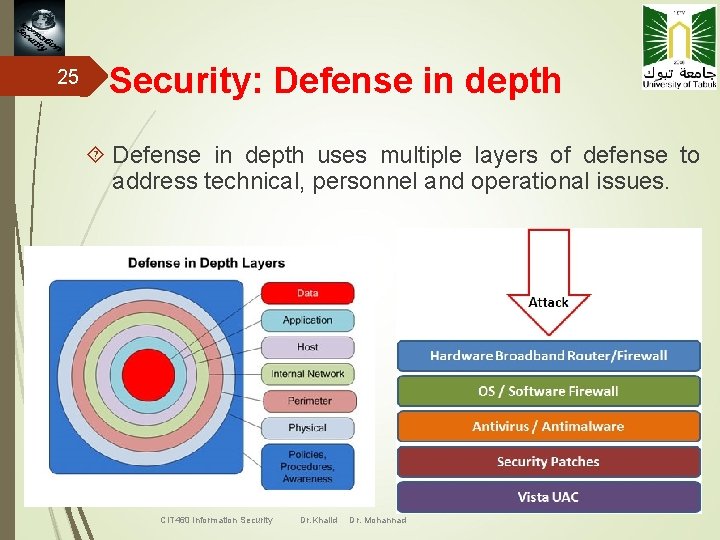
25 Security: Defense in depth uses multiple layers of defense to address technical, personnel and operational issues. CIT 460 Information Security Dr. Khalid Dr. Mohannad
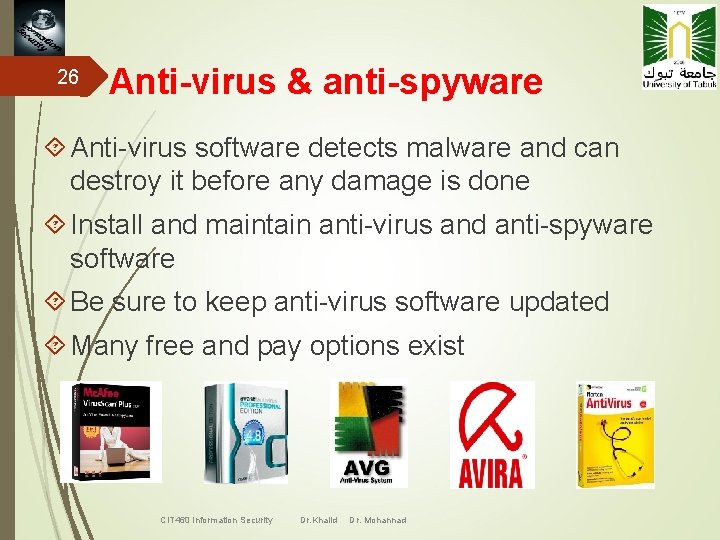
26 Anti-virus & anti-spyware Anti-virus software detects malware and can destroy it before any damage is done Install and maintain anti-virus and anti-spyware software Be sure to keep anti-virus software updated Many free and pay options exist CIT 460 Information Security Dr. Khalid Dr. Mohannad
27 Antivirus Software Virus Signature (virus scanner looks for signatures) Storage Patterns (virus scanner looks for suspicious patterns) Execution Patterns Transmission Patterns Polymorphic Viruses CIT 460 Information Security Dr. Khalid Dr. Mohannad
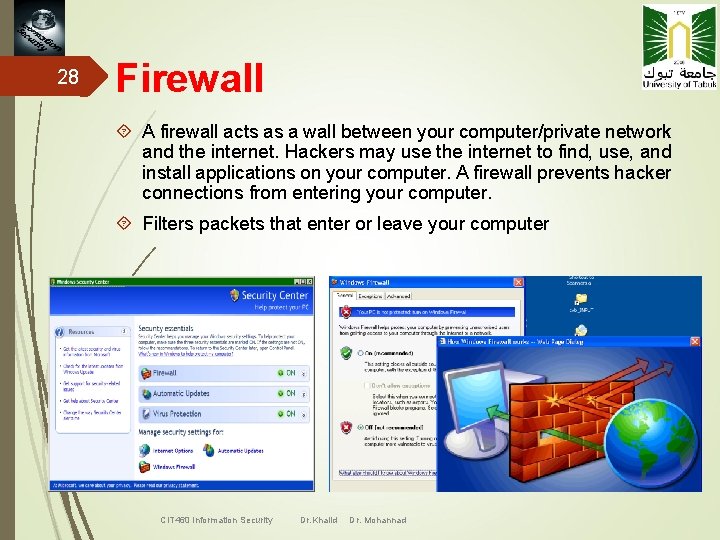
28 Firewall A firewall acts as a wall between your computer/private network and the internet. Hackers may use the internet to find, use, and install applications on your computer. A firewall prevents hacker connections from entering your computer. Filters packets that enter or leave your computer CIT 460 Information Security Dr. Khalid Dr. Mohannad
29 Information Security Chapter 4: Program Security Lecture #3 -Week 4 Dr. Khalid Dr. Mohannad CIT 460 Information Security Dr. Khalid Dr. Mohannad
30 Creating a good password Never use ‘admin’ or ‘root’ or ‘administrator’ as a login for the admin A good password is: private: it is used and known by one person only secret: it does not appear in clear text in any file or program or on a piece of paper pinned to the terminal easily remembered: so there is no need to write it down at least 8 characters, complex: a mixture of at least 3 of the following: upper case letters, lower case letters, digits and punctuation not guessable by any program in a reasonable time, for instance less than one week. changed regularly: a good change policy is every 3 months Beware that someone may see you typing it. If you accidentally type your password instead of your login name, it may appear in system log files CIT 460 Information Security Dr. Khalid Dr. Mohannad
31 Strong passwords have the following characteristics: The power of the alphabet in which password is written Contain both upper and lower case characters (e. g. , a-z, A-Z) Have digits and punctuation characters as well as letters e. g. , 0 -9, !@#$%^&*()_+|~-=`{}[]: "; '<>? , . /) Length of the password Are at least eight alphanumeric characters long. The complexity of the passwords (not to make known ones) Are not a word in any language, slang, dialect, jargon, etc. Are not based on personal information, names of family, etc. For OTP ways of generation is a very import. The algorithm on OTP passwords must have avery high complexity. CIT 460 Information Security Dr. Khalid Dr. Mohannad
32 Some standards for password protection Don't write password on any paper or store it in anyway Don't reveal a password over the phone or fax to ANYONE Don't reveal a password in any electronic way like email Don't reveal a password to the secretary, friends or boss Don't talk about a password in front of others Don't hint at the format of a password (e. g. , "my family name") Don't reveal a password on any kind of questionnaires or security forms Don't share a password with family members CIT 460 Information Security Dr. Khalid Dr. Mohannad
33 Some tandards for software developers: Software should support authentication of individual users, not groups. Do not store passwords in clear text or in any easily reversible form in the software or software database. Do not use back doors in the software. Do not make the possibility for the management to take over the functions of another user account without his knoledge. Software should support different kinds of security protocols: RADIUS and/or X. 509, wherever possible. CIT 460 Information Security Dr. Khalid Dr. Mohannad
34 Information Security Chapter 4: Program Security Lecture #1 -Week 5 Dr. Khalid Dr. Mohannad CIT 460 Information Security Dr. Khalid Dr. Mohannad
35 Program Security Programming errors with security implications-buffer overflows, incomplete access control Malicious code-viruses, worms, Trojan horses Program development controls against malicious code and vulnerabilities-software engineering principles and practices Controls to protect against program flaws in execution-operating system support and administrative controls CIT 460 Information Security Dr. Khalid M. O Nahar CIT 460 Information Security Dr. Khalid Dr. Mohannad
36 Program Security How do we keep programs free from flaws? How do we protect computing resources against programs that contain flaws? Presented with a finished product, for example, a commercial software package, how can you tell how secure it is or how to use it in its most secure way? CIT 460 Information Security Dr. Khalid M. O Nahar CIT 460 Information Security Dr. Khalid Dr. Mohannad
37 Program Flaws ( ) ﺍﻟﻌﻴﻮﺏ A software Flaw is an error, bug, failure, or fault in a computer program or system that causes it to produce an incorrect or unexpected result, or to behave in unintended ways. Most bugs arise from mistakes and errors made by people in either a program's source code or its design, or in frameworks and operating systems used by such programs, and a few are caused by compilers producing incorrect code Taxonomy of flaws: how (genesis) when (time) where (location) CIT 460 Information Security Dr. Khalid M. O Nahar CIT 460 Information Security Dr. Khalid Dr. Mohannad
38 Time During development Requirement/specification/design Source code Object code During maintenance During operation CIT 460 Information Security Dr. Khalid Dr. Mohannad
39 Location Software Operating system: system initialization, memory management, process management, device management, file management, identification/authentication, other Support tools: privileged utilities, unprivileged utilities Application Hardware CIT 460 Information Security Dr. Khalid Dr. Mohannad
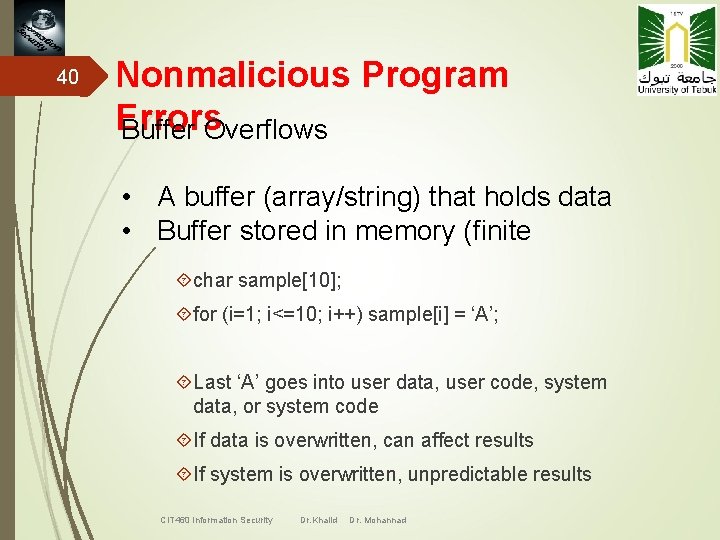
40 Nonmalicious Program Errors Buffer Overflows • A buffer (array/string) that holds data • Buffer stored in memory (finite char sample[10]; for (i=1; i<=10; i++) sample[i] = ‘A’; Last ‘A’ goes into user data, user code, system data, or system code If data is overwritten, can affect results If system is overwritten, unpredictable results CIT 460 Information Security Dr. Khalid Dr. Mohannad
41 Nonmalicious Program Errors Buffer Overflows Security Implication Attacker replaces code in the system space and takes control back from the operating system Attacker uses the stack pointer or return register to execute other code How to write buffer overflows Smashing the Stack for Fun and Profit CIT 460 Information Security Dr. Khalid Dr. Mohannad
42 Nonmalicious Program Errors Incomplete Mediation (data checking) http: //www. somesite. com/subpage/data&parm 1=(808)5551212&parm 2=2004 Jan 01 What if parm 2 is 1800 Jan 01 or 2004 Feb 30… Use dropdown lists to force the input, test ranges Even then, the user could send incorrect data to the server Security Implication Easy to exploit – Things, Inc. example CIT 460 Information Security Dr. Khalid Dr. Mohannad
43 Software Security Requirements Ø Confidentiality v Disclosure of information to only intended parties Ø Integrity v Determine whether the information is correct or not Ø Data Security v Privacy v Data Protection v Controlled Access Ø Authentication v Access to Authorized People Ø Availability v Ready for Use when expected Ø Non Repudiation v Information Exchange with proof CIT 460 Information Security Dr. Khalid Dr. Mohannad
44 Software Security types Ø Security of Operating System Ø Security of Client Software Ø Security of Application Software Ø Security of System Software Ø Security of Database Software Ø Security of Software Data Ø Security of Client Data Ø Security of System Data Ø Security of Server Software Ø Security of Network Software CIT 460 Information Security Dr. Khalid Dr. Mohannad
45 Ø Security Testing Techniques OS Hardening Ø Vulnerability Scanning Ø Penetration Testing Ø Port Scanning and Service Mapping Ø Firewall Rule Testing Ø Denial of Service Testing Ø Network Scanning Ø Password Cracking Ø Ethical Hacking Ø File Integrity Testing Ø Buffer Overflow Testing Ø Session Hijacking Ø Phishing Ø IP Spoofing Ø Packet Sniffing Ø Social Engineering CIT 460 Information Security Dr. Khalid Dr. Mohannad
46 Conclusion Ø Analyze potential Threat and its Impact Ø Complete Security Testing may not be Feasible Ø Collect Information to Secure Business Environment Ø Should be done as early as possible in the Dev. . Cycle Ø Should be able to identify the Security Requirements Ø Have Specific understanding of the Various Processes Ø Should provide Recommendations to overcome Weakness CIT 460 Information Security Dr. Khalid Dr. Mohannad