ILLiad and Alma and Primo Oh my AKA
- Slides: 52
ILLiad and Alma and Primo! Oh my! AKA “Alma/ILLiad Integration” Kourtney Blackburn - St. John Fisher College | Ben Hogben - Ithaca College | Christine Sisak - Nazareth College
3 different institutions, 3 different set-ups ● Ithaca: Alma_NCIP Client addon for borrowing, separate addon for lending, and server addon for borrowing renewals ● Naz: Alma_NCIP Client addon with borrowing and lending config ● Fisher: Alma_NCIP Client addon with borrowing commented out in config file
Agenda 1. 2. 3. 4. 5. Part One: Addons & Logic Part Two: Integrating into Workflows Part Three: Pitfalls, Tips and Tricks Part Four: Future of Alma & ILLiad & Tipasa Part Five: ROTA Partners
Part One: Addons & Logic 1) 2) Alma/ILLiad/Primo Addons a) Where & which ones i) Set-up in Alma (1) Resource Sharing Partner (2) TOUs (3) Item Policy (4) Location ii) Set-up in ILLiad iii) Problems IDS Logic Set-up a) Barcode import
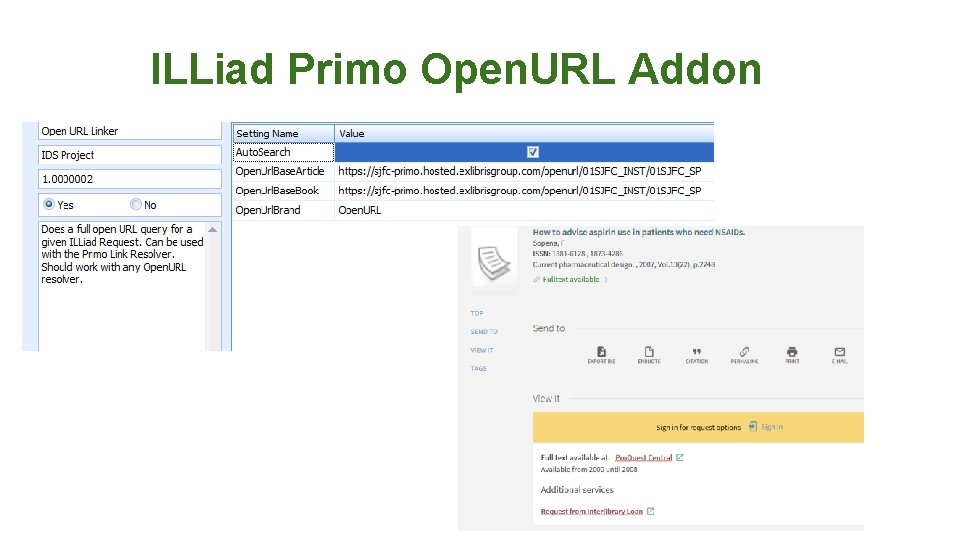
Where & Which Ones? Where 1) ILLiad Addon Directory a) https: //prometheus. atlas-sys. com/display/ILLiad. Addons/ILLiad+Addon+Directory Which Ones? 1) 2) Helpful Tip! Install one Addon at a time and get it working correctly before installing the next!! For Alma Functionality a) ILLiad Alma NCIP Client Addon b) ILLiad NCIP Lending Only Addon c) ILLiad Alma NCIP Borrowing Renewal d) Other For Primo Searching a) ILLiad Primo New UI Addon b) Open. URL addon
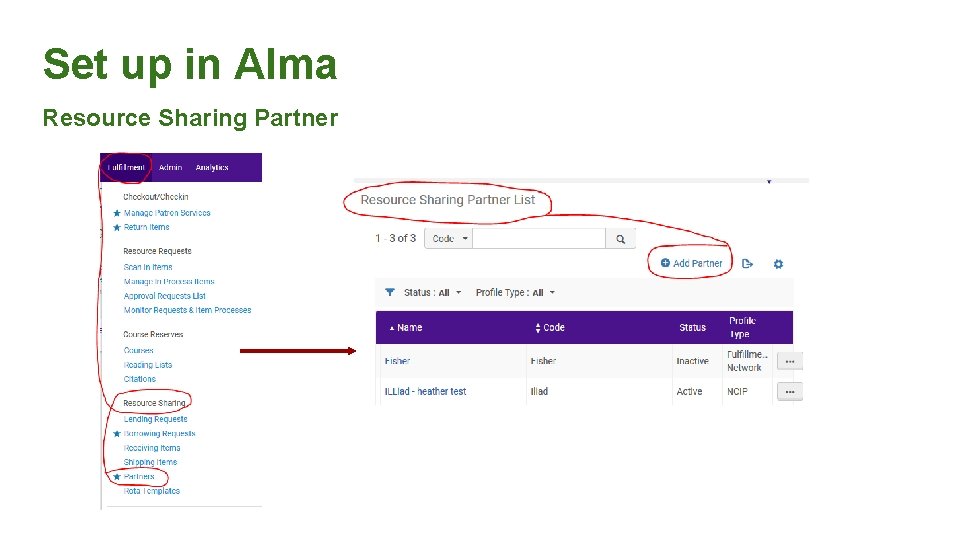
Set up in Alma Resource Sharing Partner
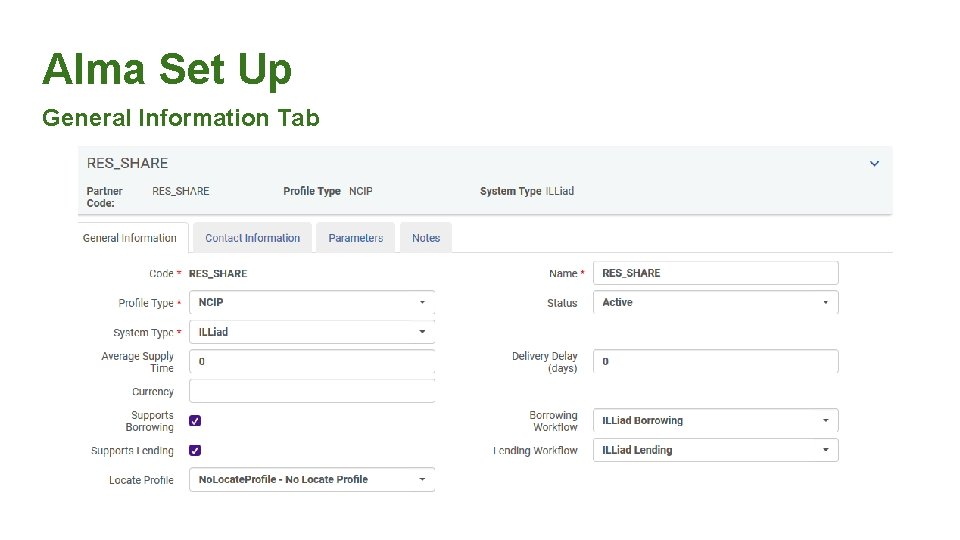
Alma Set Up General Information Tab
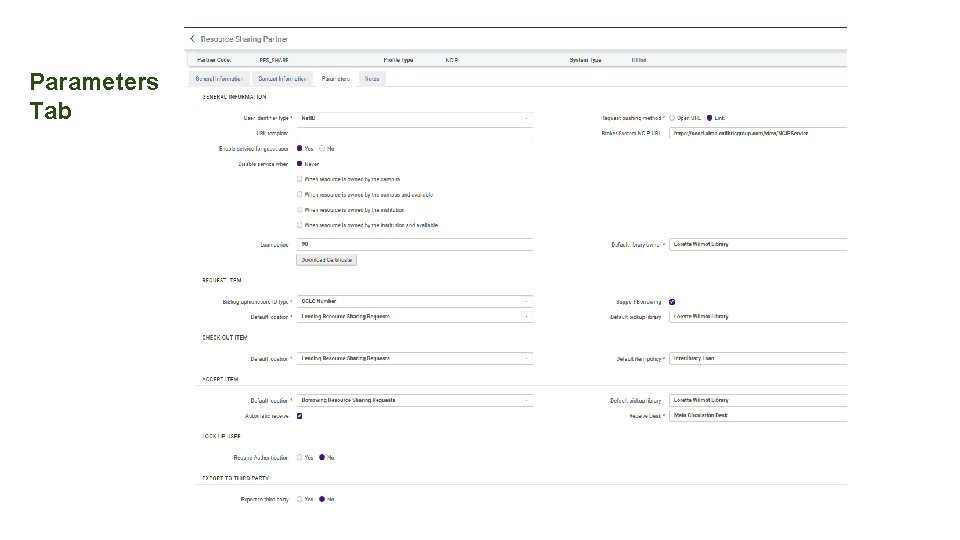
Set-up in Alma - Parameters Tab
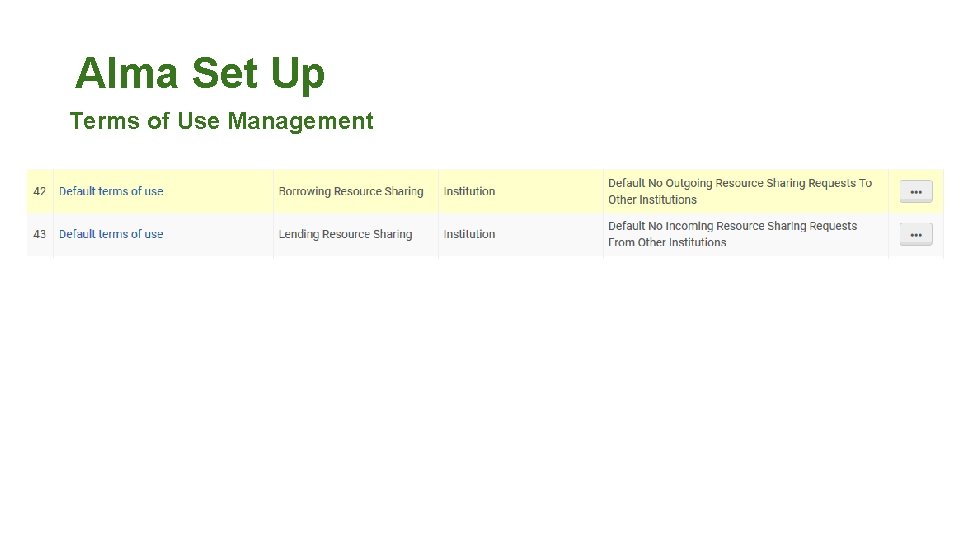
Alma Set Up Terms of Use Management
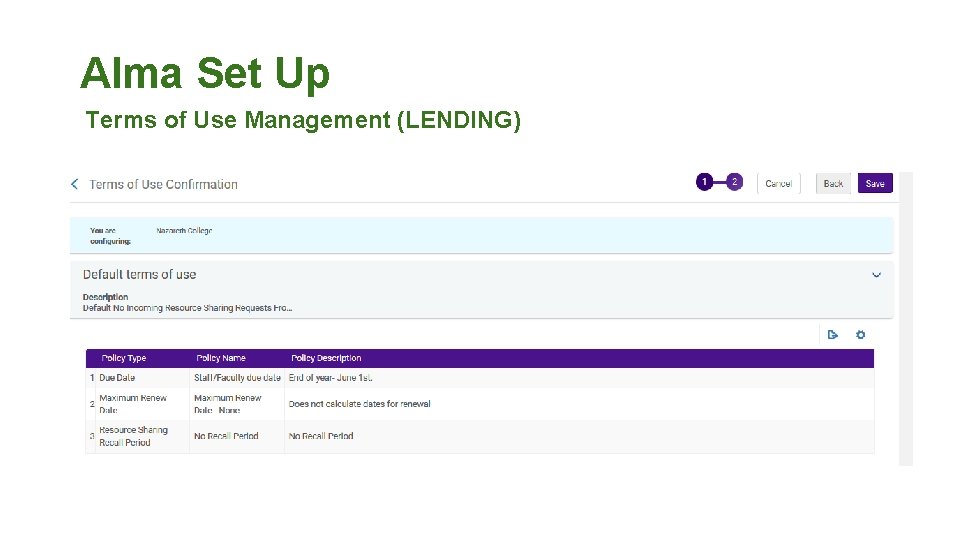
Alma Set Up Terms of Use Management (LENDING)
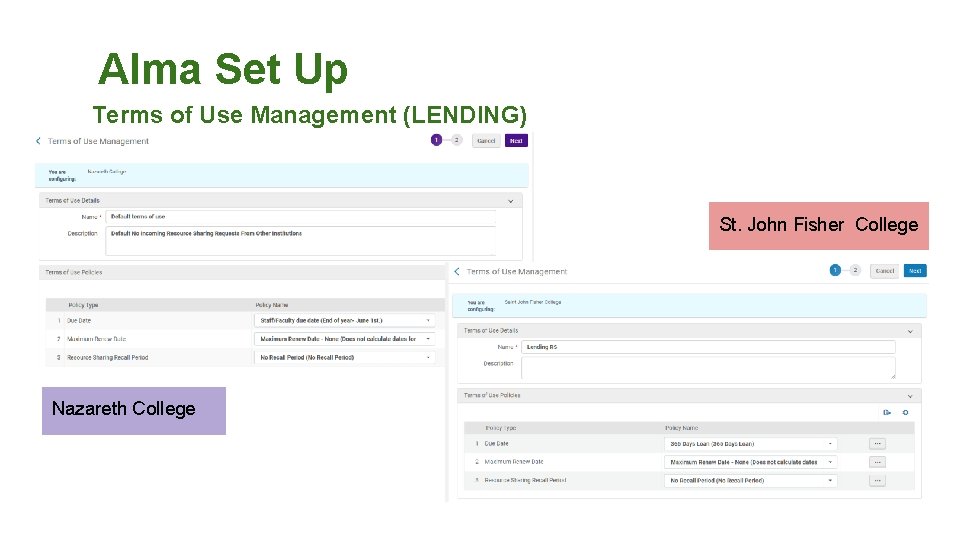
Alma Set Up Terms of Use Management (LENDING) St. John Fisher College Nazareth College
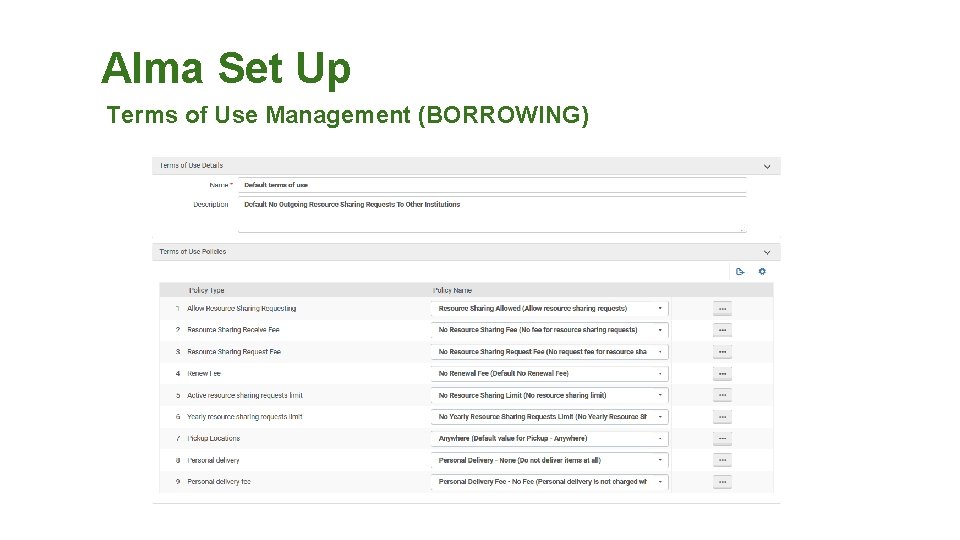
Alma Set Up Terms of Use Management (BORROWING)
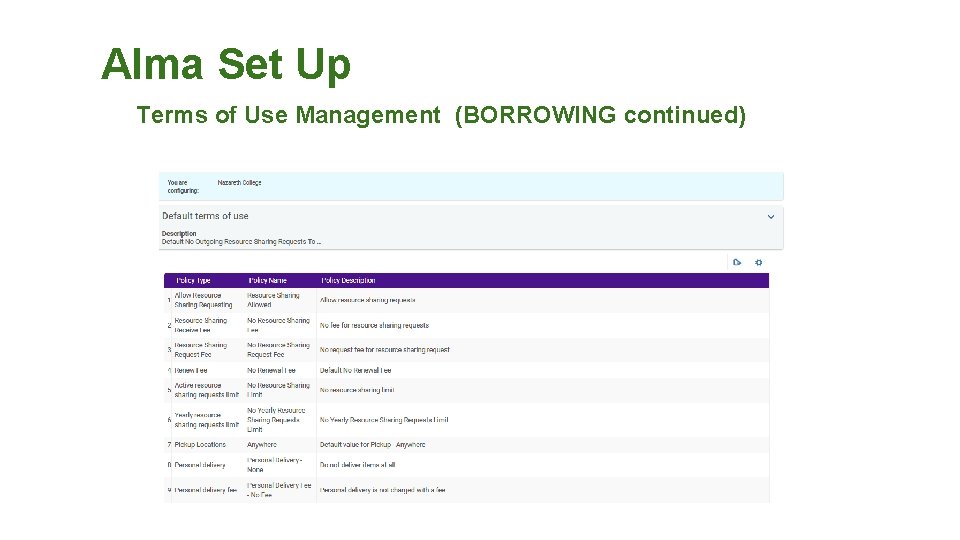
Alma Set Up Terms of Use Management (BORROWING continued)
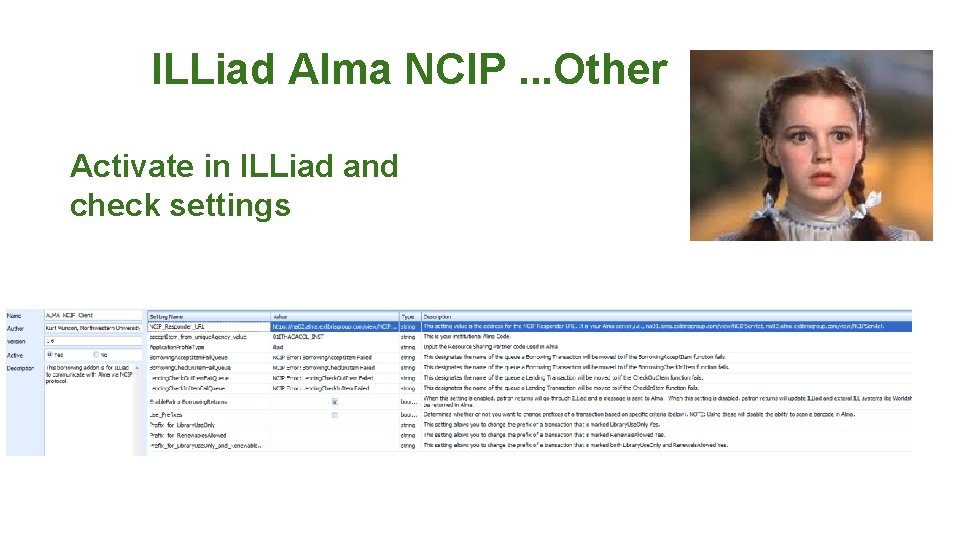
ILLiad Alma NCIP. . . Other Activate in ILLiad and check settings
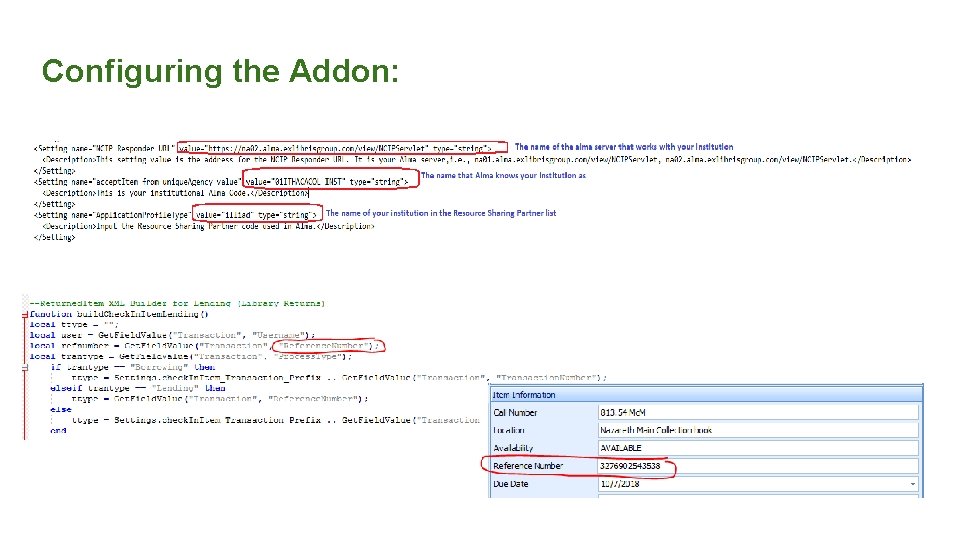
Configuring the Addon:
ILLiad Alma NCIP Set up Tips! NOTE!! Configurations that work for one institution may not work for another…. Work on only one Addon at a time! Get it working. Go to the next!
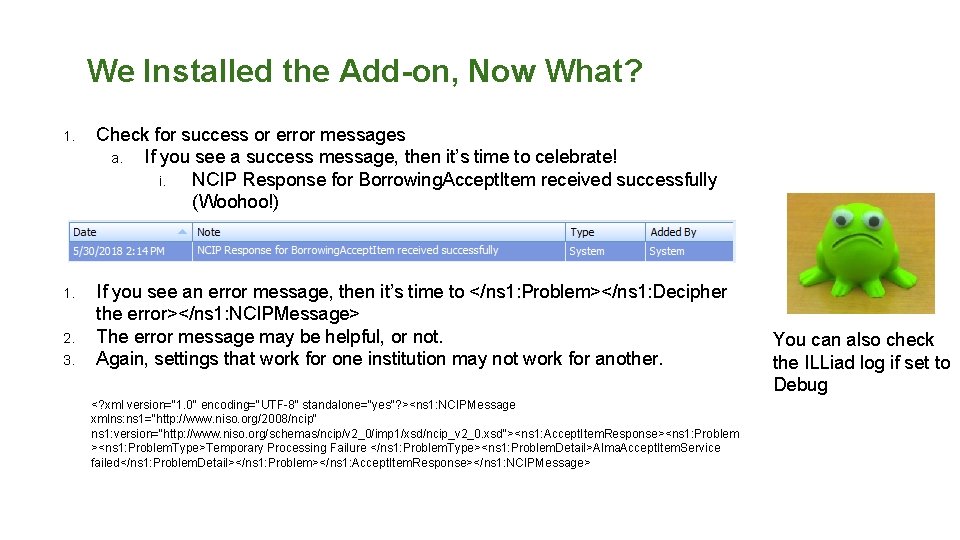
We Installed the Add-on, Now What? 1. Check for success or error messages a. If you see a success message, then it’s time to celebrate! i. NCIP Response for Borrowing. Accept. Item received successfully (Woohoo!) 1. If you see an error message, then it’s time to </ns 1: Problem></ns 1: Decipher the error></ns 1: NCIPMessage> The error message may be helpful, or not. Again, settings that work for one institution may not work for another. 2. 3. <? xml version="1. 0" encoding="UTF-8" standalone="yes"? ><ns 1: NCIPMessage xmlns: ns 1="http: //www. niso. org/2008/ncip" ns 1: version="http: //www. niso. org/schemas/ncip/v 2_0/imp 1/xsd/ncip_v 2_0. xsd"><ns 1: Accept. Item. Response><ns 1: Problem. Type>Temporary Processing Failure </ns 1: Problem. Type><ns 1: Problem. Detail>Alma. Accept. Item. Service failed</ns 1: Problem. Detail></ns 1: Problem></ns 1: Accept. Item. Response></ns 1: NCIPMessage> You can also check the ILLiad log if set to Debug
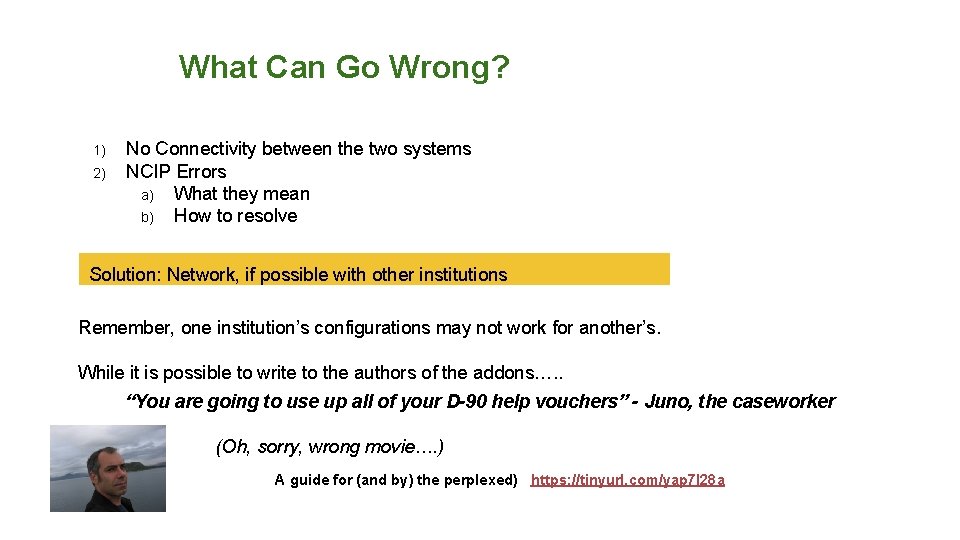
What Can Go Wrong? 1) 2) No Connectivity between the two systems NCIP Errors a) What they mean b) How to resolve Solution: Network, if possible with other institutions Remember, one institution’s configurations may not work for another’s. While it is possible to write to the authors of the addons…. . “You are going to use up all of your D-90 help vouchers” - Juno, the caseworker (Oh, sorry, wrong movie…. ) A guide for (and by) the perplexed) https: //tinyurl. com/yap 7 l 28 a
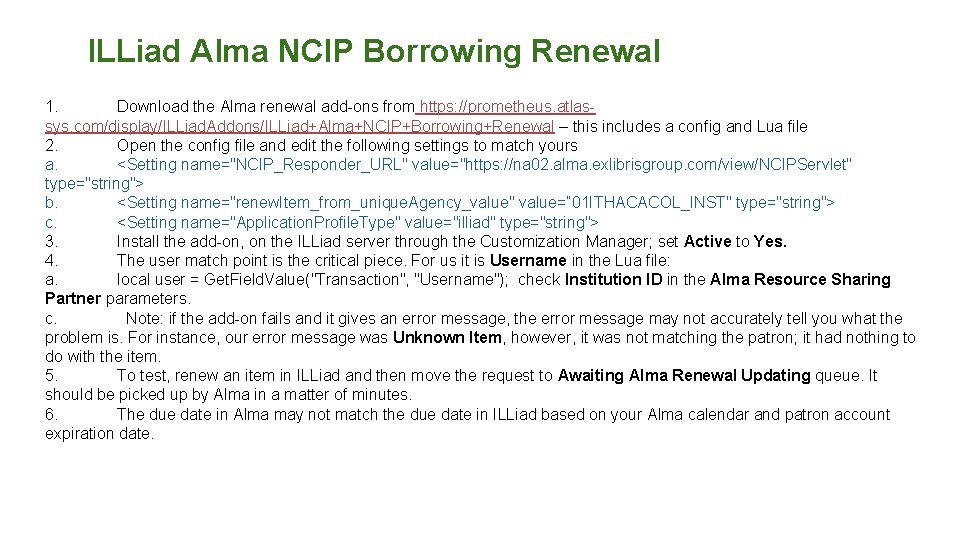
ILLiad Alma NCIP Borrowing Renewal 1. Download the Alma renewal add-ons from https: //prometheus. atlassys. com/display/ILLiad. Addons/ILLiad+Alma+NCIP+Borrowing+Renewal – this includes a config and Lua file 2. Open the config file and edit the following settings to match yours a. <Setting name="NCIP_Responder_URL" value="https: //na 02. alma. exlibrisgroup. com/view/NCIPServlet" type="string"> b. <Setting name="renew. Item_from_unique. Agency_value" value=” 01 ITHACACOL_INST" type="string"> c. <Setting name="Application. Profile. Type" value="illiad" type="string"> 3. Install the add-on, on the ILLiad server through the Customization Manager; set Active to Yes. 4. The user match point is the critical piece. For us it is Username in the Lua file: a. local user = Get. Field. Value("Transaction", "Username"); check Institution ID in the Alma Resource Sharing Partner parameters. c. Note: if the add-on fails and it gives an error message, the error message may not accurately tell you what the problem is. For instance, our error message was Unknown Item, however, it was not matching the patron; it had nothing to do with the item. 5. To test, renew an item in ILLiad and then move the request to Awaiting Alma Renewal Updating queue. It should be picked up by Alma in a matter of minutes. 6. The due date in Alma may not match the due date in ILLiad based on your Alma calendar and patron account expiration date.
ILLiad Primo Open. URL Addon
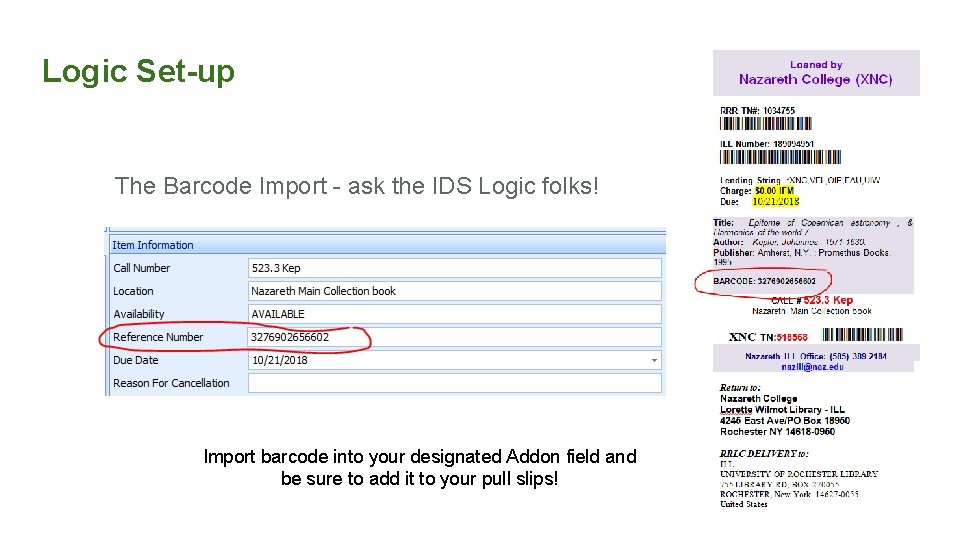
Logic Set-up The Barcode Import - ask the IDS Logic folks! Import barcode into your designated Addon field and be sure to add it to your pull slips!
Part Two: Integrating into Workflows a) b) c) d) e) Paradox of notices Lending Borrowing To Check out or not Overdues (where and how)
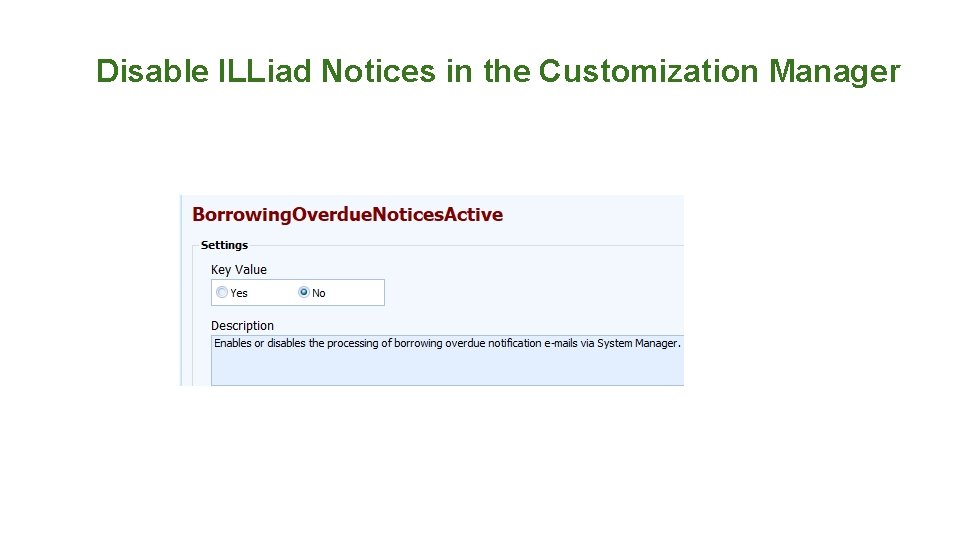
A) Paradox of Notices If using the borrowing addon: ● ● ● Alma will send notices to the patron any time that the due date is changed with the ILL item The due date in ILLiad and the due date in Alma will likely not be the same, due to the patron record expiration date in Alma, and the calendar Consider stopping the ILLiad overdue/renewal notices, to avoid patron confusion Considerations with Alma notices: ● ● Ease of configuration ○ XML ○ Number of notices Notices are for both ILL & Circ items ○ Must be on same page!
Disable ILLiad Notices in the Customization Manager
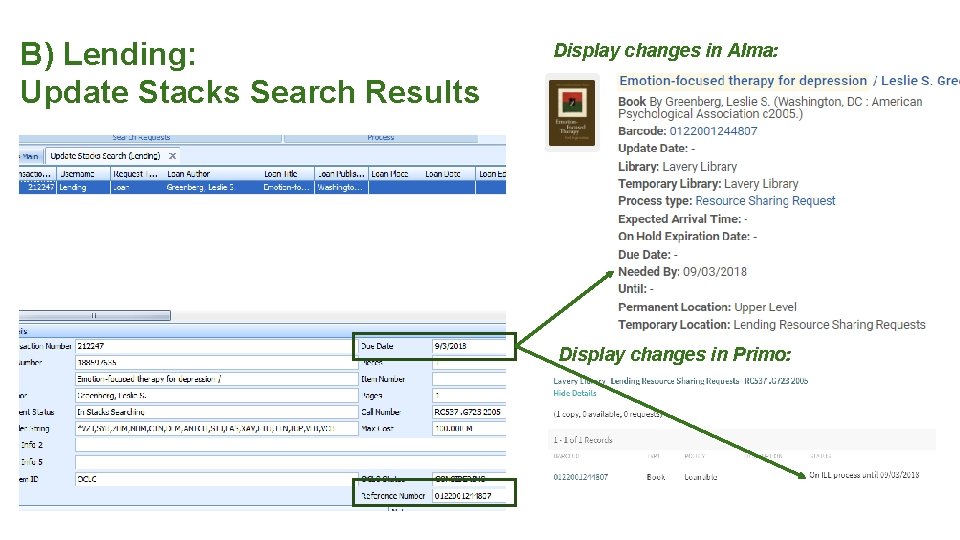
B) Lending: Update Stacks Search Results Display changes in Alma: Display changes in Primo:
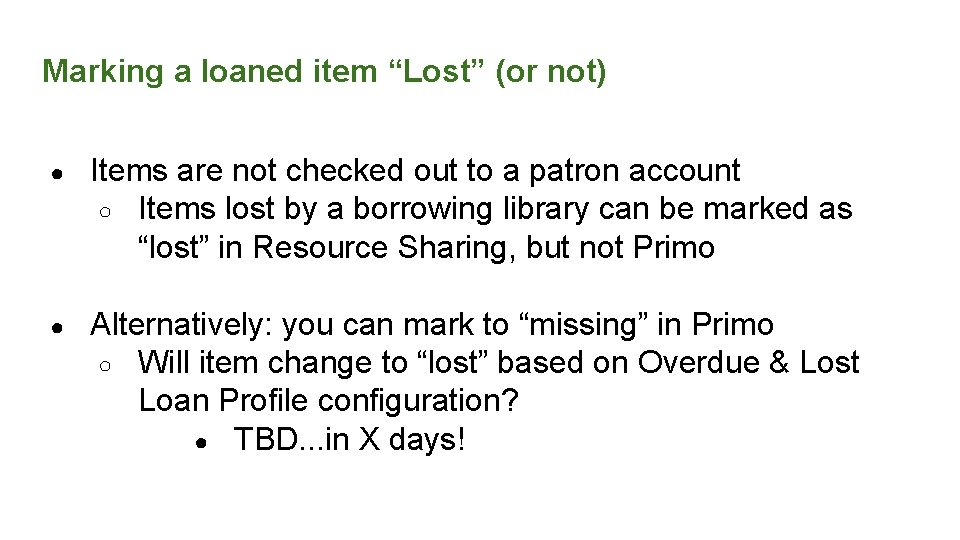
Marking a loaned item “Lost” (or not) ● Items are not checked out to a patron account ○ Items lost by a borrowing library can be marked as “lost” in Resource Sharing, but not Primo ● Alternatively: you can mark to “missing” in Primo ○ Will item change to “lost” based on Overdue & Lost Loan Profile configuration? ● TBD. . . in X days!
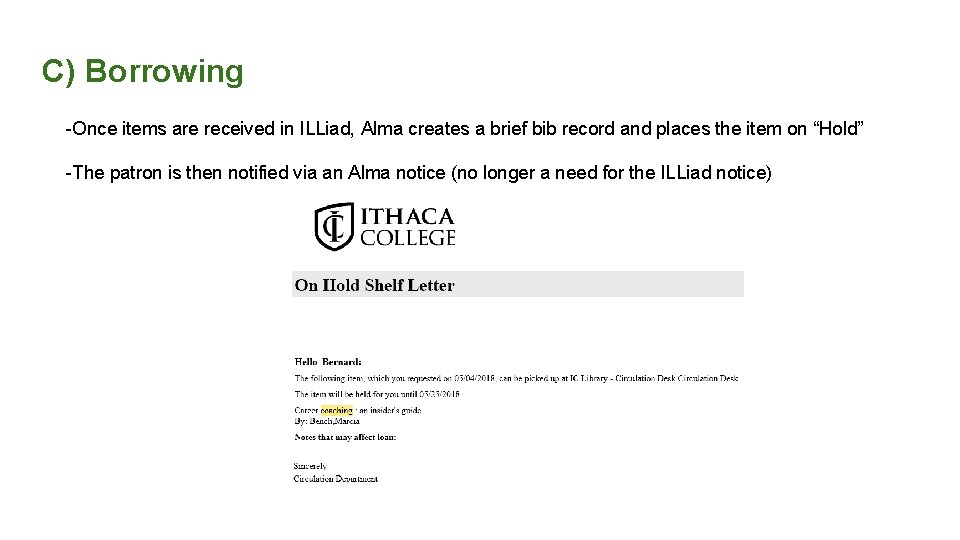
C) Borrowing -Once items are received in ILLiad, Alma creates a brief bib record and places the item on “Hold” -The patron is then notified via an Alma notice (no longer a need for the ILLiad notice)
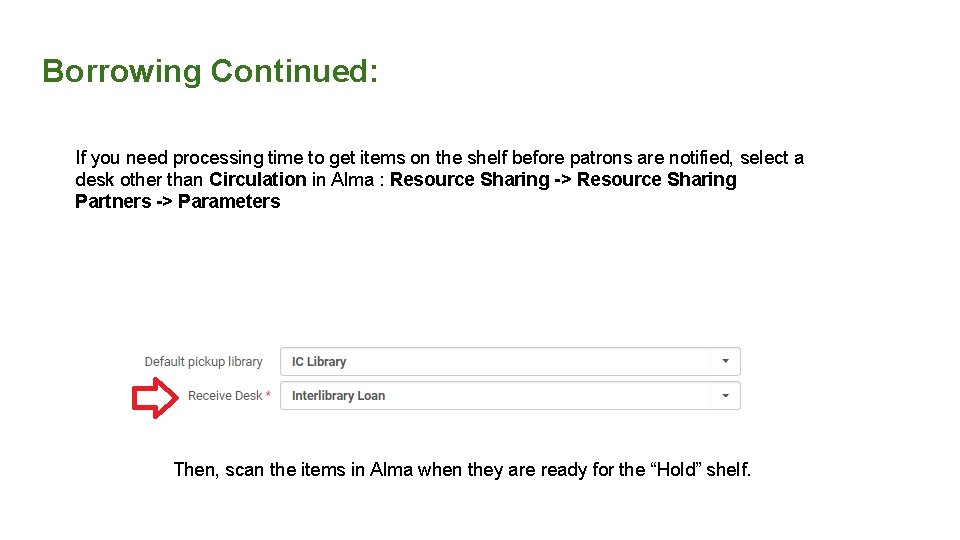
Borrowing Continued: If you need processing time to get items on the shelf before patrons are notified, select a desk other than Circulation in Alma : Resource Sharing -> Resource Sharing Partners -> Parameters Then, scan the items in Alma when they are ready for the “Hold” shelf.
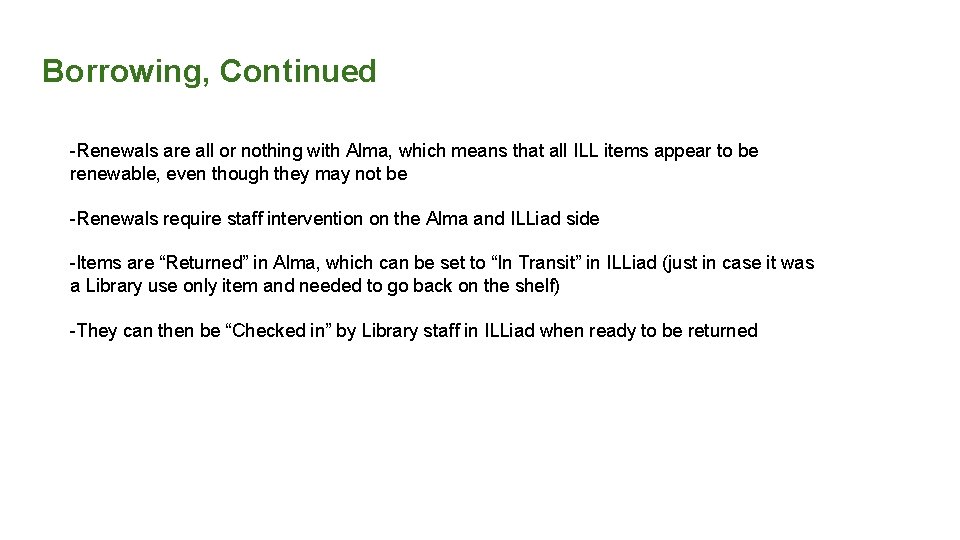
Borrowing, Continued -Renewals are all or nothing with Alma, which means that all ILL items appear to be renewable, even though they may not be -Renewals require staff intervention on the Alma and ILLiad side -Items are “Returned” in Alma, which can be set to “In Transit” in ILLiad (just in case it was a Library use only item and needed to go back on the shelf) -They can then be “Checked in” by Library staff in ILLiad when ready to be returned
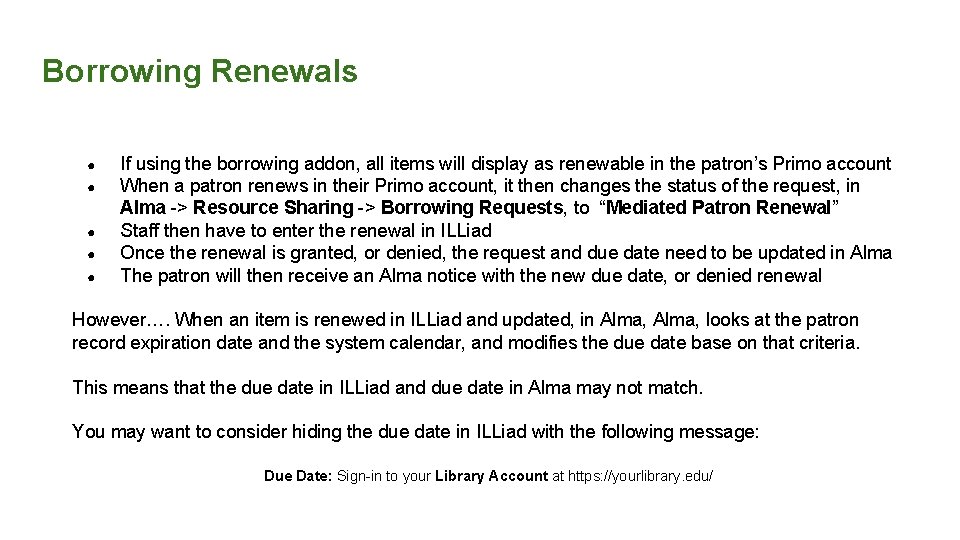
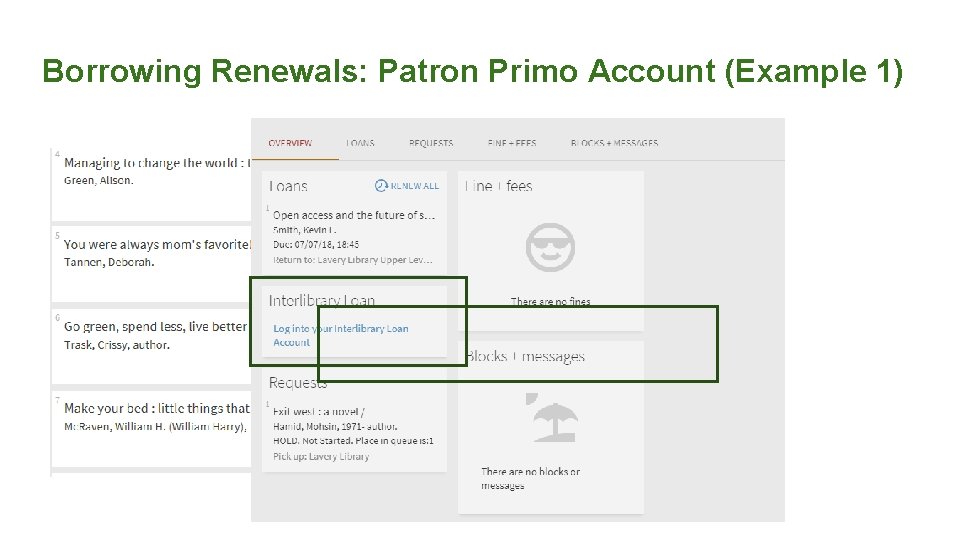
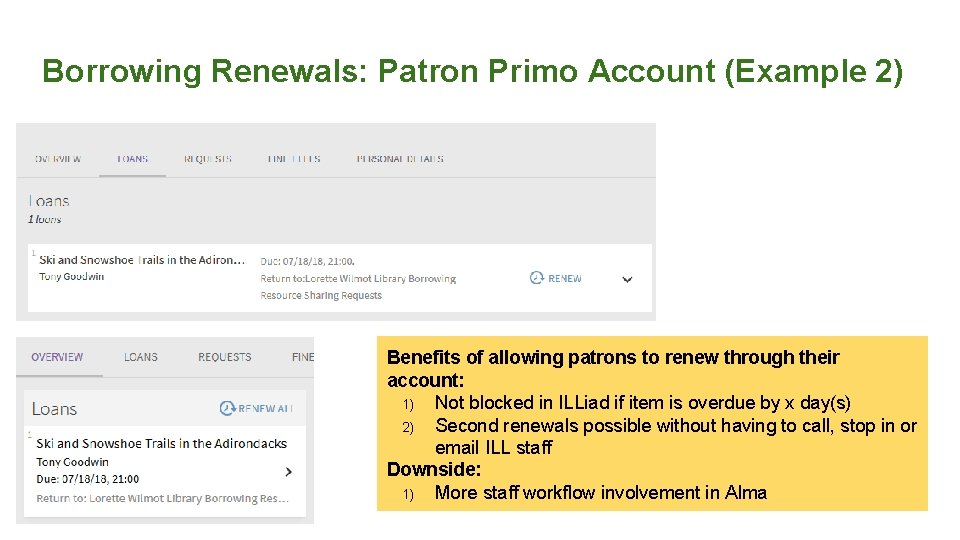
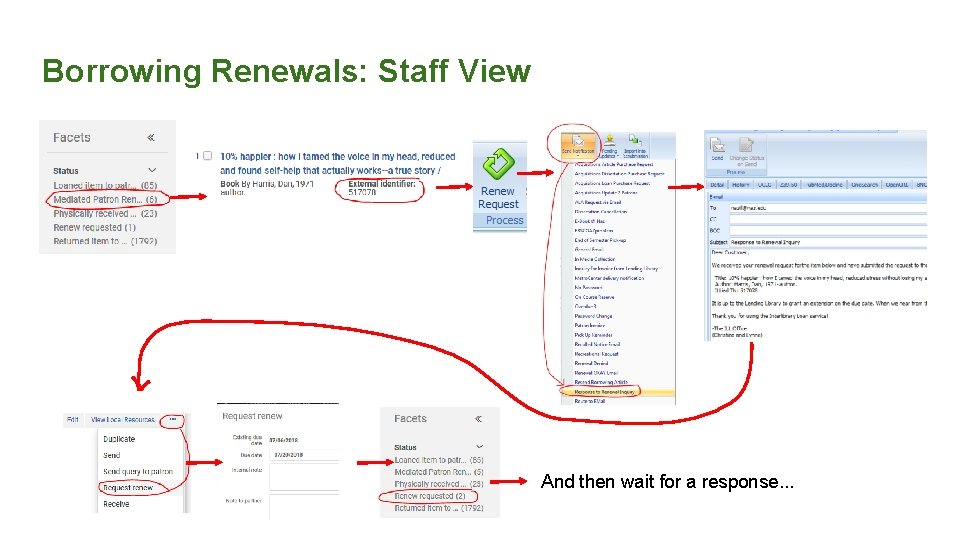
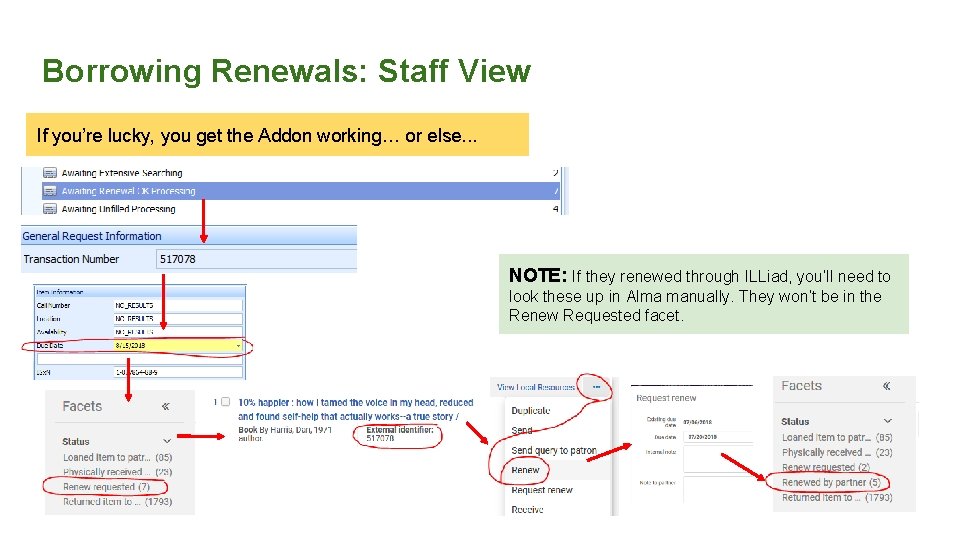
Borrowing Renewals ● ● ● If using the borrowing addon, all items will display as renewable in the patron’s Primo account When a patron renews in their Primo account, it then changes the status of the request, in Alma -> Resource Sharing -> Borrowing Requests, to “Mediated Patron Renewal” Staff then have to enter the renewal in ILLiad Once the renewal is granted, or denied, the request and due date need to be updated in Alma The patron will then receive an Alma notice with the new due date, or denied renewal However…. When an item is renewed in ILLiad and updated, in Alma, looks at the patron record expiration date and the system calendar, and modifies the due date base on that criteria. This means that the due date in ILLiad and due date in Alma may not match. You may want to consider hiding the due date in ILLiad with the following message: Due Date: Sign-in to your Library Account at https: //yourlibrary. edu/
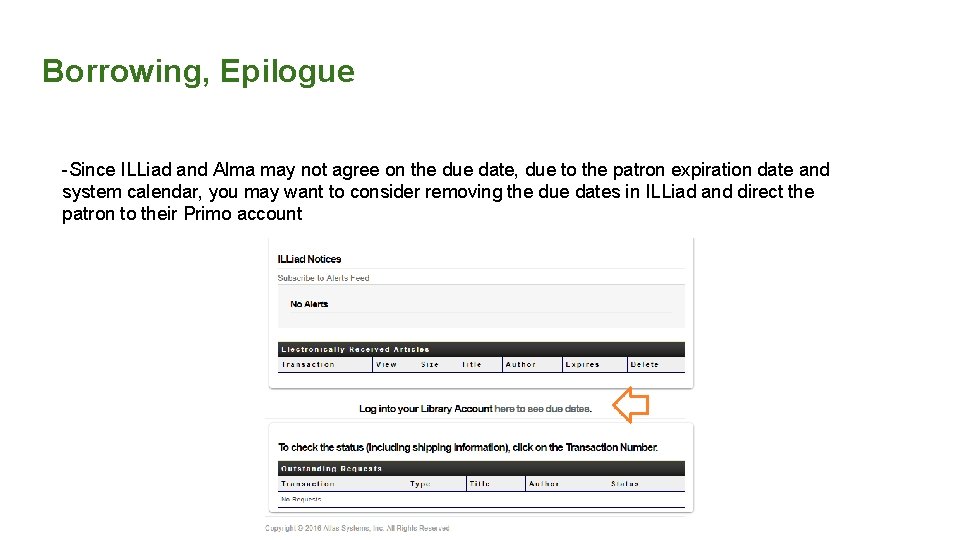
Borrowing, Epilogue -Since ILLiad and Alma may not agree on the due date, due to the patron expiration date and system calendar, you may want to consider removing the due dates in ILLiad and direct the patron to their Primo account
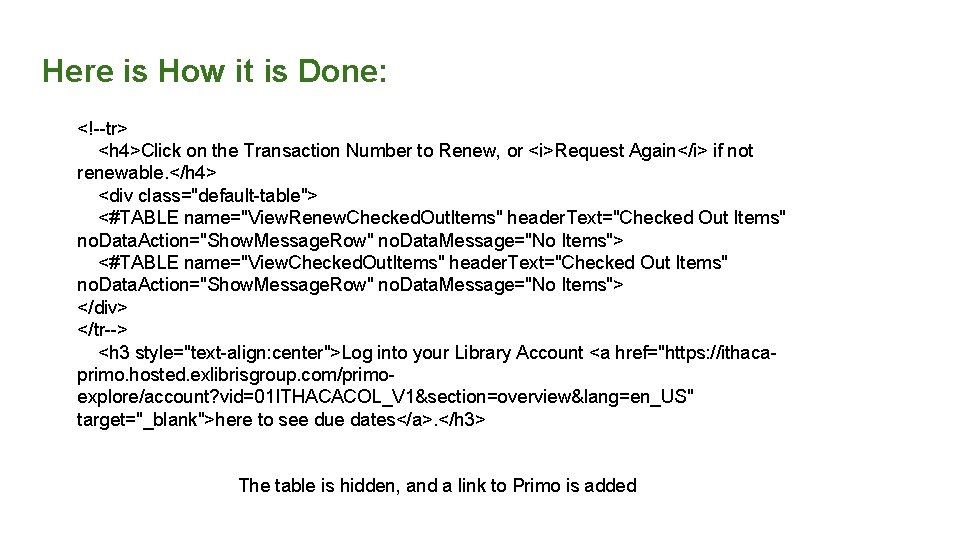
Here is How it is Done: <!--tr> <h 4>Click on the Transaction Number to Renew, or <i>Request Again</i> if not renewable. </h 4> <div class="default-table"> <#TABLE name="View. Renew. Checked. Out. Items" header. Text="Checked Out Items" no. Data. Action="Show. Message. Row" no. Data. Message="No Items"> <#TABLE name="View. Checked. Out. Items" header. Text="Checked Out Items" no. Data. Action="Show. Message. Row" no. Data. Message="No Items"> </div> </tr--> <h 3 style="text-align: center">Log into your Library Account <a href="https: //ithacaprimo. hosted. exlibrisgroup. com/primoexplore/account? vid=01 ITHACACOL_V 1§ion=overview&lang=en_US" target="_blank">here to see due dates</a>. </h 3> The table is hidden, and a link to Primo is added
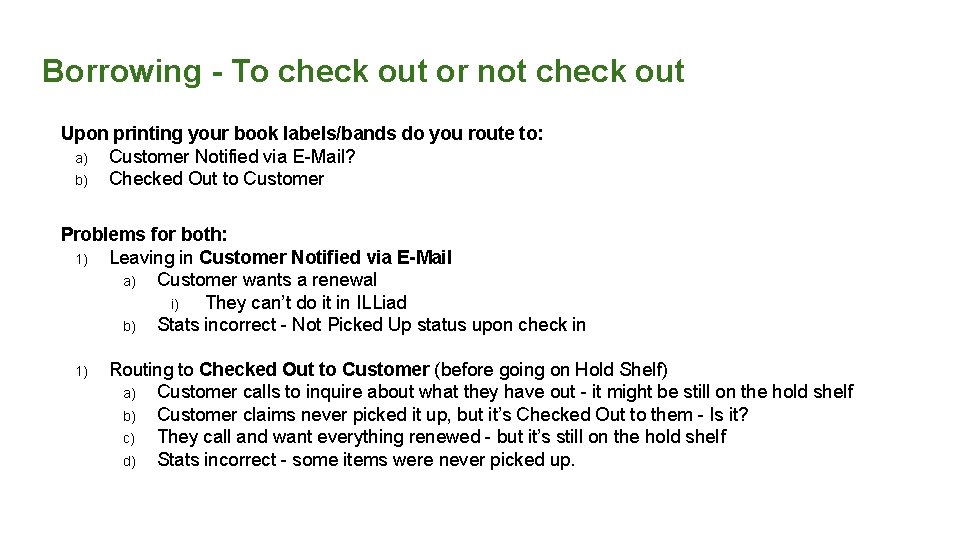
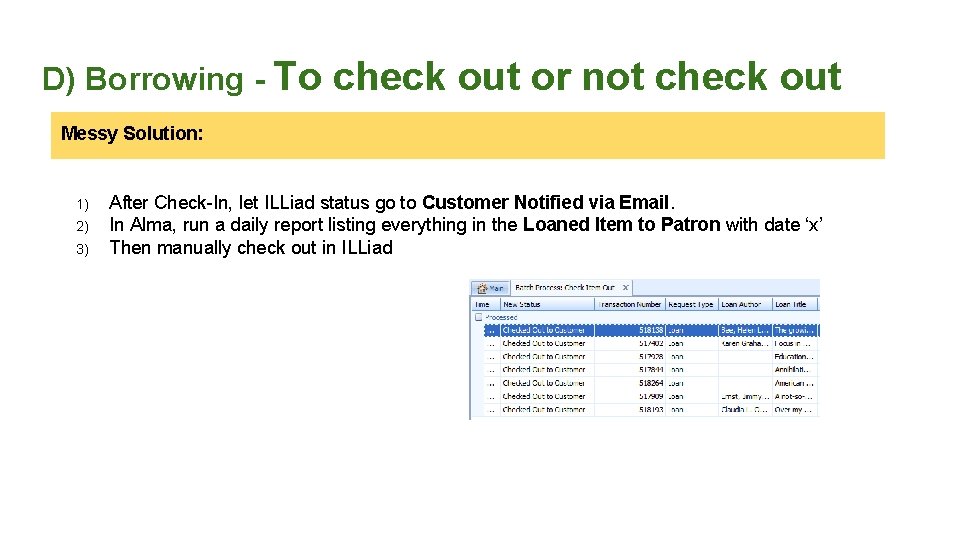
Borrowing - To check out or not check out Upon printing your book labels/bands do you route to: a) Customer Notified via E-Mail? b) Checked Out to Customer Problems for both: 1) Leaving in Customer Notified via E-Mail a) Customer wants a renewal i) They can’t do it in ILLiad b) Stats incorrect - Not Picked Up status upon check in 1) Routing to Checked Out to Customer (before going on Hold Shelf) a) Customer calls to inquire about what they have out - it might be still on the hold shelf b) Customer claims never picked it up, but it’s Checked Out to them - Is it? c) They call and want everything renewed - but it’s still on the hold shelf d) Stats incorrect - some items were never picked up.
D) Borrowing - To check out or not check out Messy Solution: 1) 2) 3) After Check-In, let ILLiad status go to Customer Notified via Email. In Alma, run a daily report listing everything in the Loaned Item to Patron with date ‘x’ Then manually check out in ILLiad
Borrowing Renewals: Patron Primo Account (Example 1)
Borrowing Renewals: Patron Primo Account (Example 2) Benefits of allowing patrons to renew through their account: 1) Not blocked in ILLiad if item is overdue by x day(s) 2) Second renewals possible without having to call, stop in or email ILL staff Downside: 1) More staff workflow involvement in Alma
Borrowing Renewals: Staff View And then wait for a response. . .
Borrowing Renewals: Staff View If you’re lucky, you get the Addon working… or else. . . NOTE: If they renewed through ILLiad, you’ll need to look these up in Alma manually. They won’t be in the Renew Requested facet.
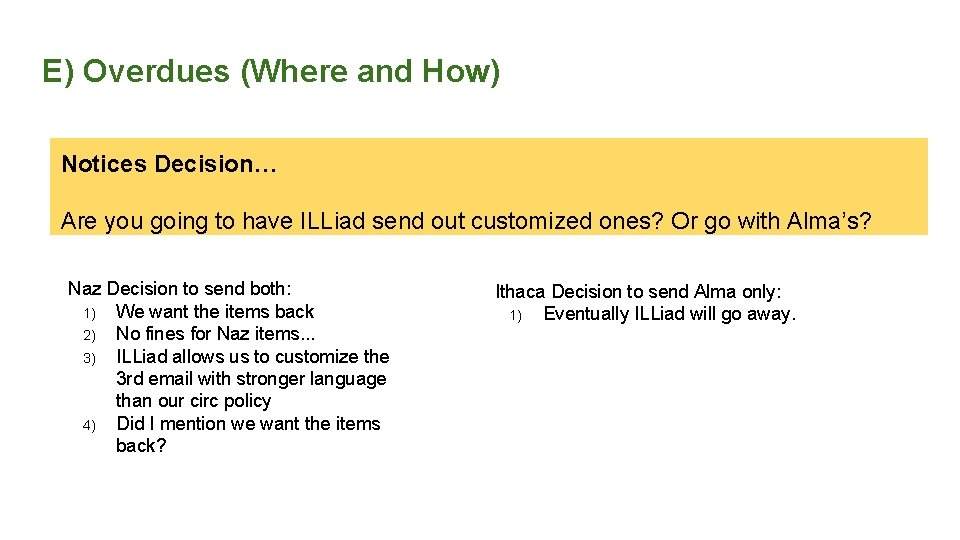
E) Overdues (Where and How) Notices Decision… Are you going to have ILLiad send out customized ones? Or go with Alma’s? Naz Decision to send both: 1) We want the items back 2) No fines for Naz items. . . 3) ILLiad allows us to customize the 3 rd email with stronger language than our circ policy 4) Did I mention we want the items back? Ithaca Decision to send Alma only: 1) Eventually ILLiad will go away.
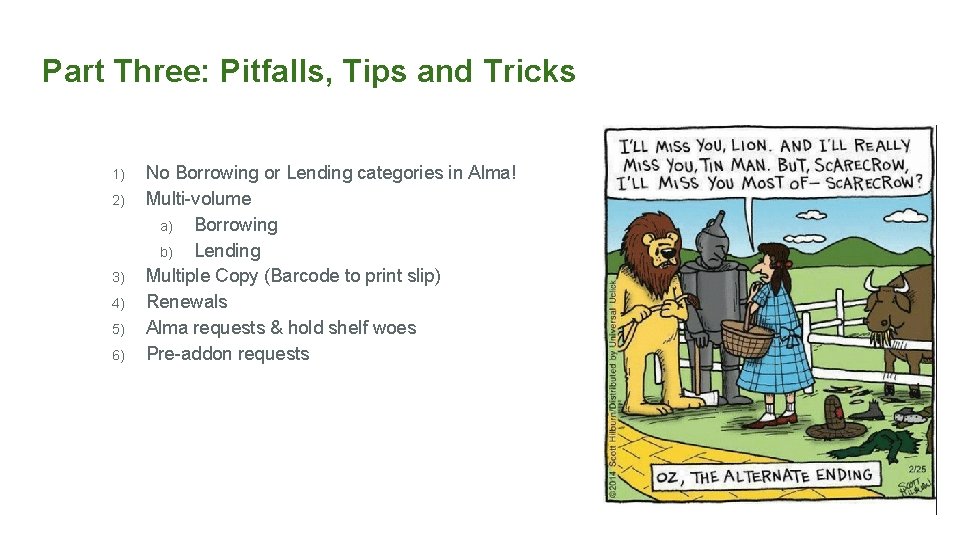
Part Three: Pitfalls, Tips and Tricks 1) 2) 3) 4) 5) 6) No Borrowing or Lending categories in Alma! Multi-volume a) Borrowing b) Lending Multiple Copy (Barcode to print slip) Renewals Alma requests & hold shelf woes Pre-addon requests
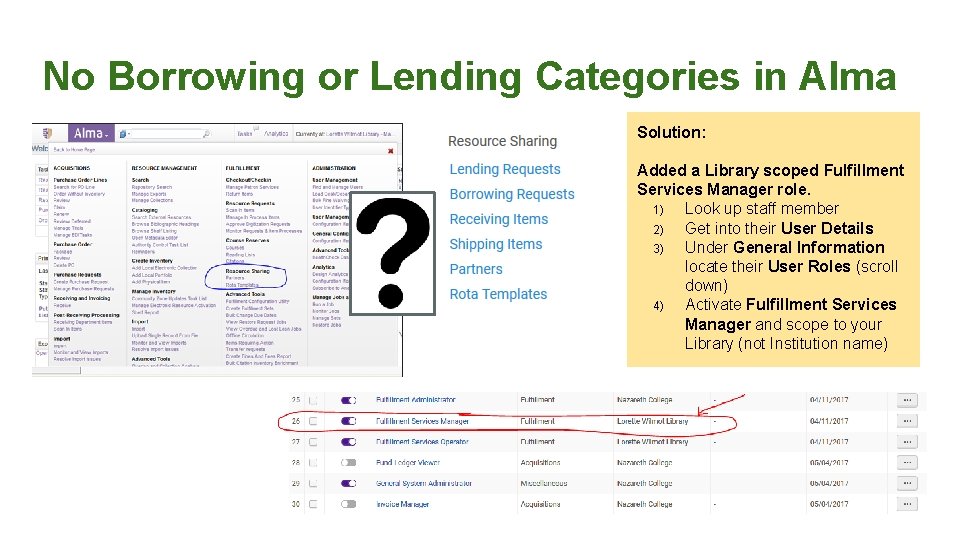
No Borrowing or Lending Categories in Alma Solution: Added a Library scoped Fulfillment Services Manager role. 1) Look up staff member 2) Get into their User Details 3) Under General Information locate their User Roles (scroll down) 4) Activate Fulfillment Services Manager and scope to your Library (not Institution name)
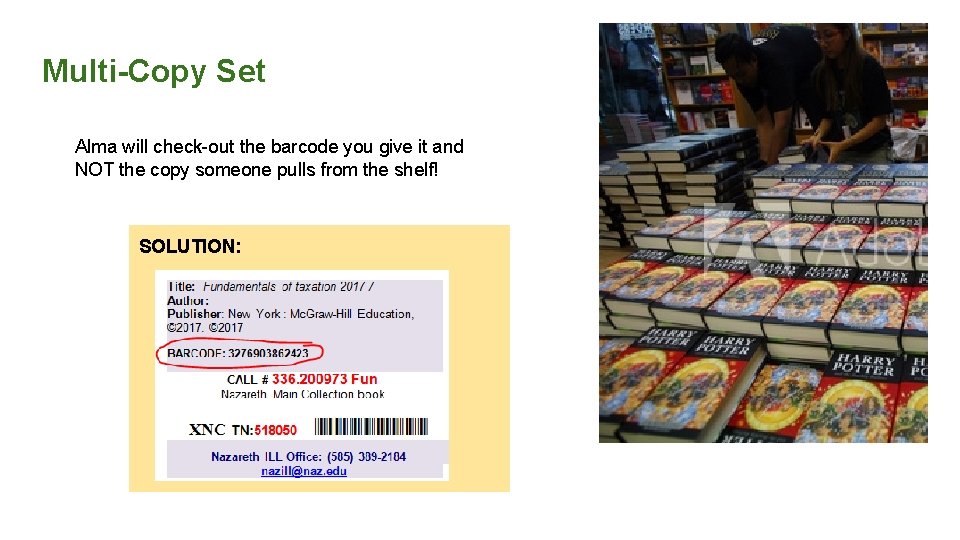
Multi-Copy Set Alma will check-out the barcode you give it and NOT the copy someone pulls from the shelf! SOLUTION:
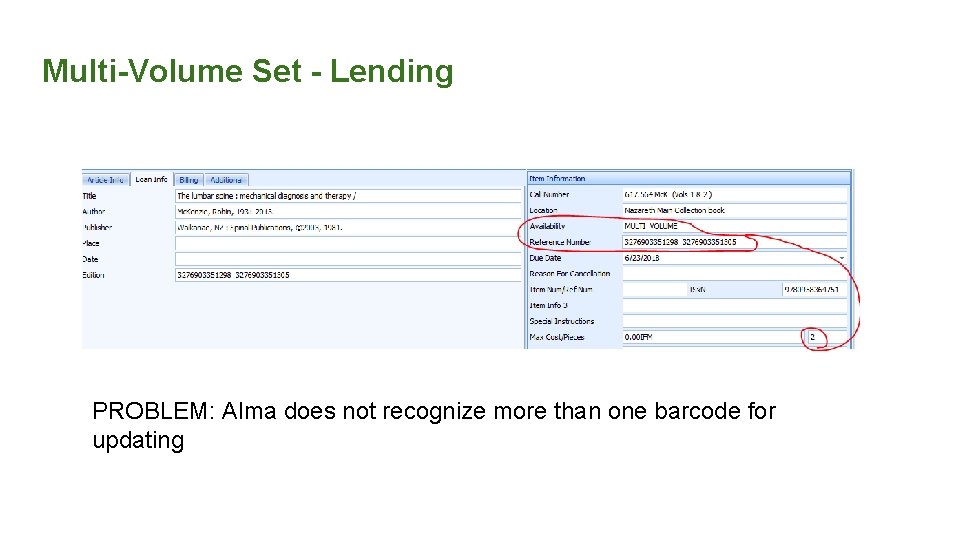
Multi-Volume Set - Lending PROBLEM: Alma does not recognize more than one barcode for updating
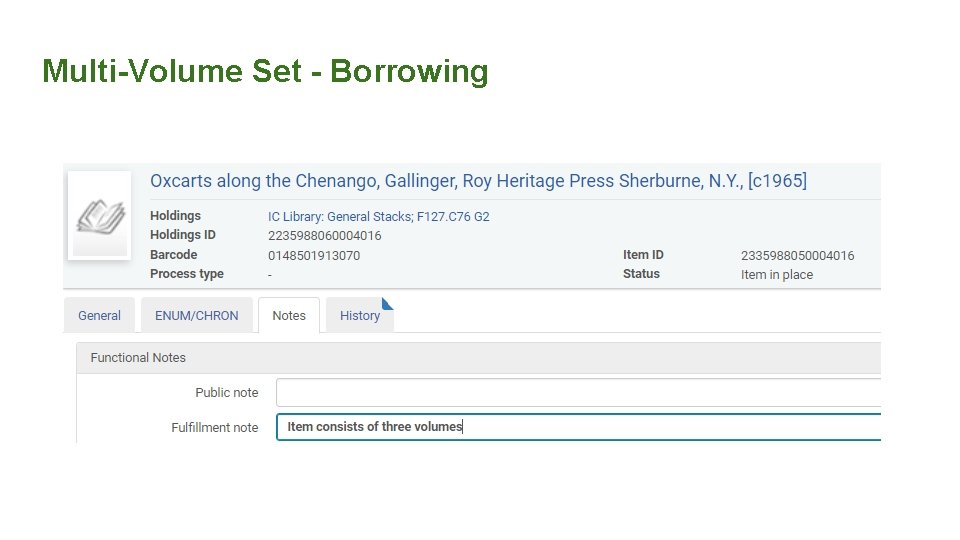
Multi-Volume Set - Borrowing
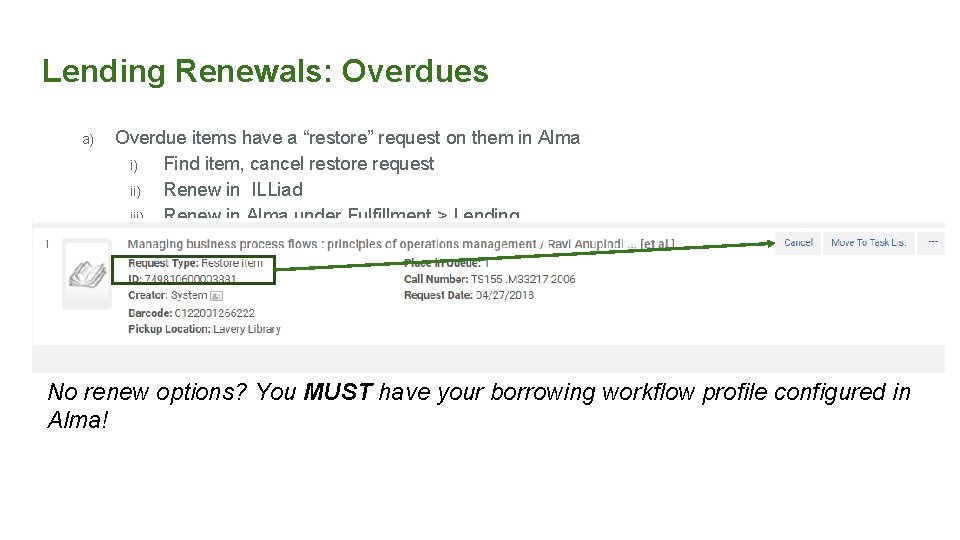
Lending Renewals: Overdues a) Overdue items have a “restore” request on them in Alma i) Find item, cancel restore request ii) Renew in ILLiad iii) Renew in Alma under Fulfillment > Lending No renew options? You MUST have your borrowing workflow profile configured in Alma!
Lending, Primo Requests, & Hold Shelf Woes 1. 2. 3. 4. Local patron places an Primo request on an item out via ILL Item is eventually returned with NCIP addon Item moves to “available” in Alma regardless of request by local patron Patron is told to come pick up item a. Circ staff are never notified via email or “Pick from Shelf” in Alma, so the book gets reshelved. Possible, sticky solution: staff “scan in items” without registering in-house in Alma to see next steps
Pre-addon lending requests: things to consider How do you handle currently shipped lending requests once returned? ■ ■ If you use an ILL Patron account to check out lending requests in your ILS If you have one staff member using addon for testing and documentation before rolling out to other staff members (putting on server) ● Error message will display in ILLiad: route to request finished
Pre-addon requests: borrowing For borrowing, some items will be checked out in Alma, and some won’t. Either: 1) Check all current items out in Alma by re-receiving with the addon (patrons will receive a notice when this happens; it may be a good idea to notify them ahead of time), you will also see connection errors Or 1) “Return” all items in Alma regardless of if they were checked out in Alma or not, and update in ILLiad as needed You may want to use the “Mark in transit” function to ensure that items are properly returned in ILLiad, as needed
Part Four: Future of Alma & ILLiad & Tipasa
Part Five: ROTA Partners
Questions…. Please feel free to contact us during lunch, in the halls, at dinner, via emails! Kourtney Blackburn: kblackburn@sjfc. edu Ben Hogben: bhogben@ithaca. edu Christine Sisak: csisak 5@naz. edu