
Release Channel Ring An official production build which
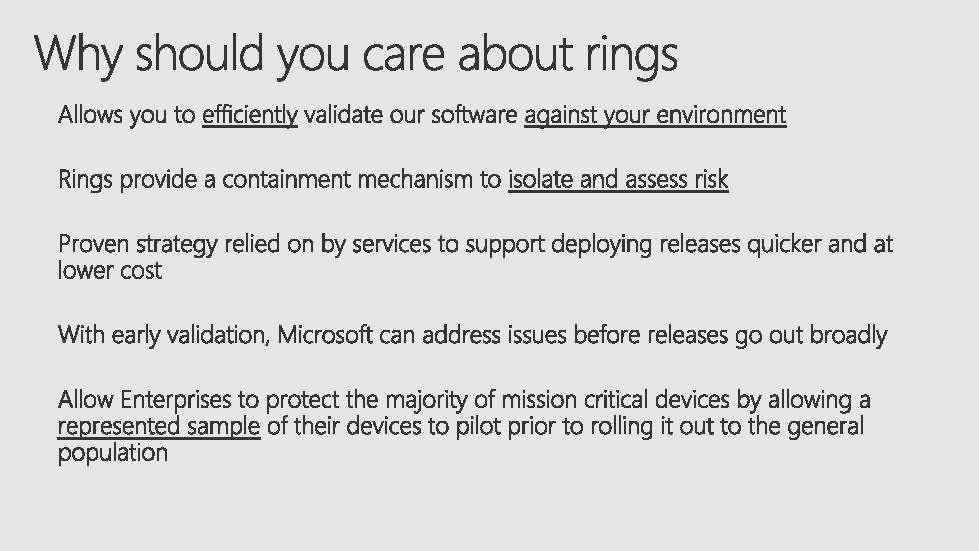
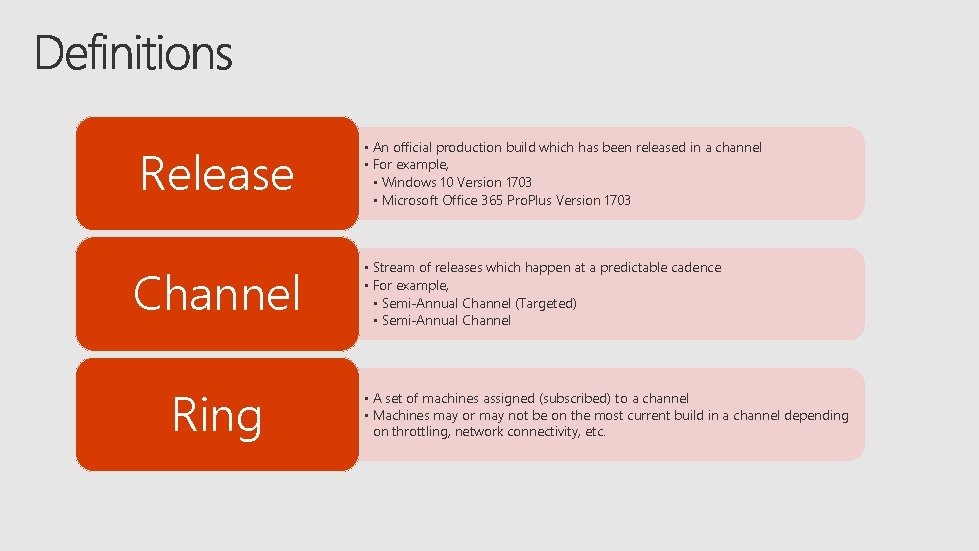
Release Channel Ring • An official production build which has been released in a channel • For example, • Windows 10 Version 1703 • Microsoft Office 365 Pro. Plus Version 1703 • Stream of releases which happen at a predictable cadence • For example, • Semi-Annual Channel (Targeted) • Semi-Annual Channel • A set of machines assigned (subscribed) to a channel • Machines may or may not be on the most current build in a channel depending on throttling, network connectivity, etc.
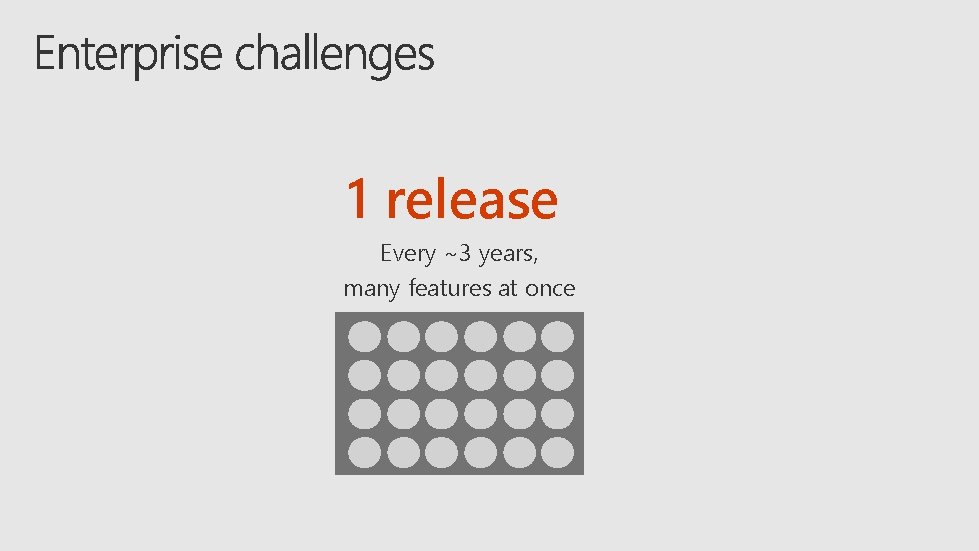
1 release Every ~3 years, many features at once
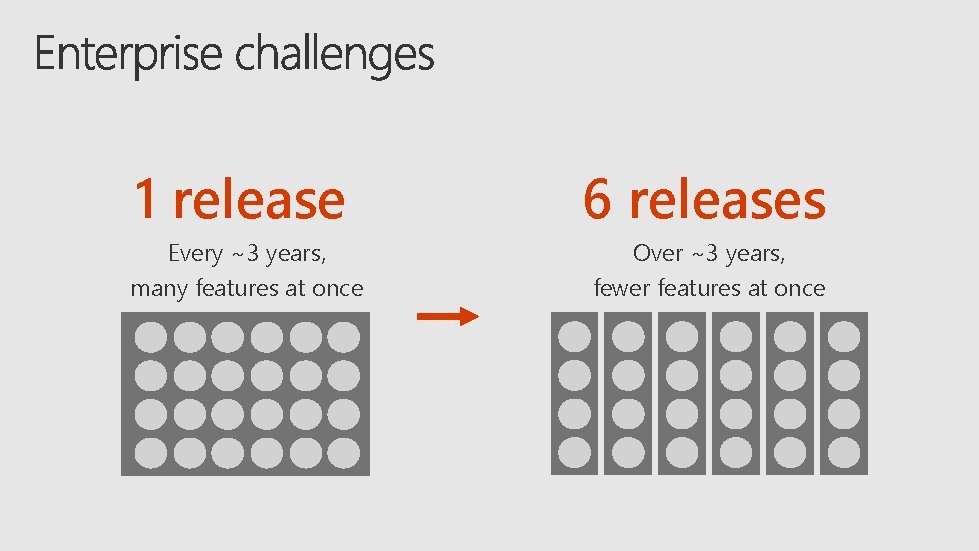
1 release 6 releases Every ~3 years, many features at once Over ~3 years, fewer features at once
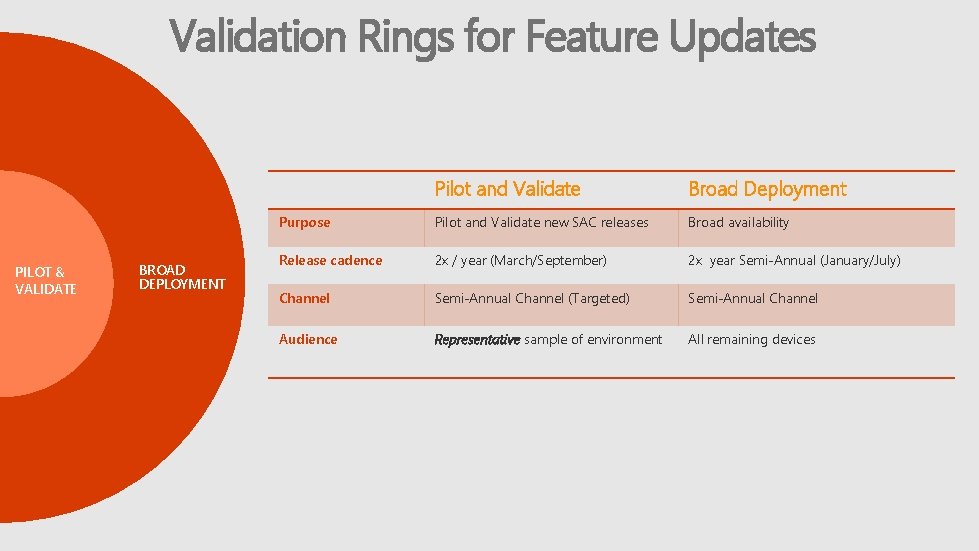
Validation Rings for Feature Updates PILOT & VALIDATE BROAD DEPLOYMENT Pilot and Validate Broad Deployment Purpose Pilot and Validate new SAC releases Broad availability Release cadence 2 x / year (March/September) 2 x year Semi-Annual (January/July) Channel Semi-Annual Channel (Targeted) Semi-Annual Channel Audience Representative sample of environment All remaining devices
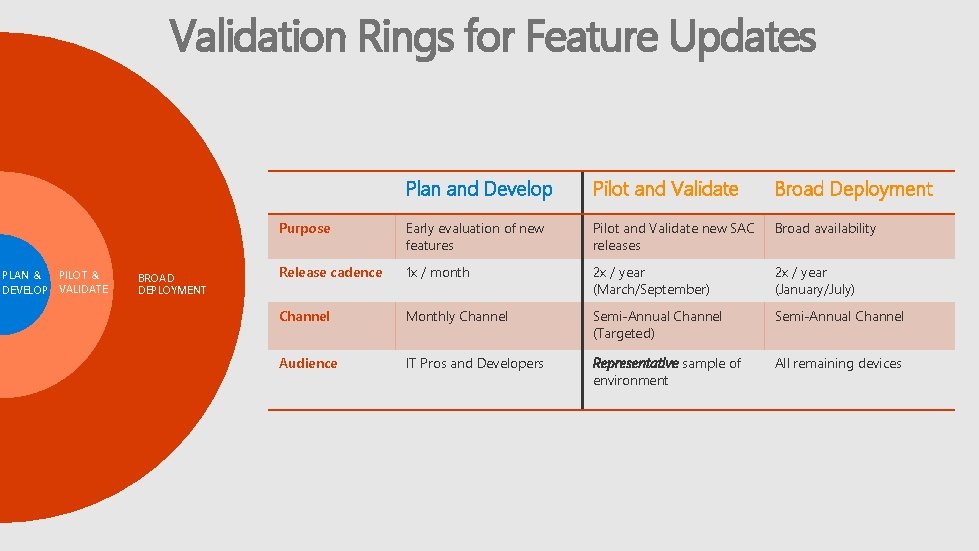
Validation Rings for Feature Updates PILOT & PLAN & DEVELOP VALIDATE BROAD DEPLOYMENT Plan and Develop Pilot and Validate Broad Deployment Purpose Early evaluation of new features Pilot and Validate new SAC releases Broad availability Release cadence 1 x / month 2 x / year (March/September) 2 x / year (January/July) Channel Monthly Channel Semi-Annual Channel (Targeted) Semi-Annual Channel Audience IT Pros and Developers Representative sample of environment All remaining devices

Feature Servicing Models Office Monthly Channel Office Semi-Annual Channel (Targeted) 1 March September 2 March Office Semi-Annual Channel July January 1 Feature updates are also released in March and September to the Office Semi-Annual Channel (Targeted). The updates include feature updates from the Monthly Channel. 2 Four months after the Office update is released to the Semi. Annual Channel (Targeted), it is released to the standard Semi. Annual Channel.
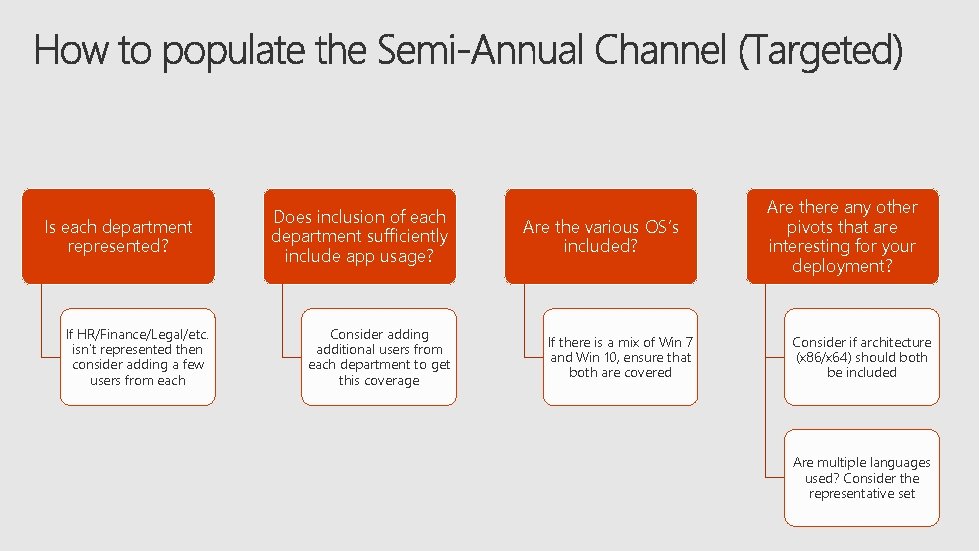
Is each department represented? If HR/Finance/Legal/etc. isn’t represented then consider adding a few users from each Does inclusion of each department sufficiently include app usage? Consider adding additional users from each department to get this coverage Are the various OS’s included? If there is a mix of Win 7 and Win 10, ensure that both are covered Are there any other pivots that are interesting for your deployment? Consider if architecture (x 86/x 64) should both be included Are multiple languages used? Consider the representative set
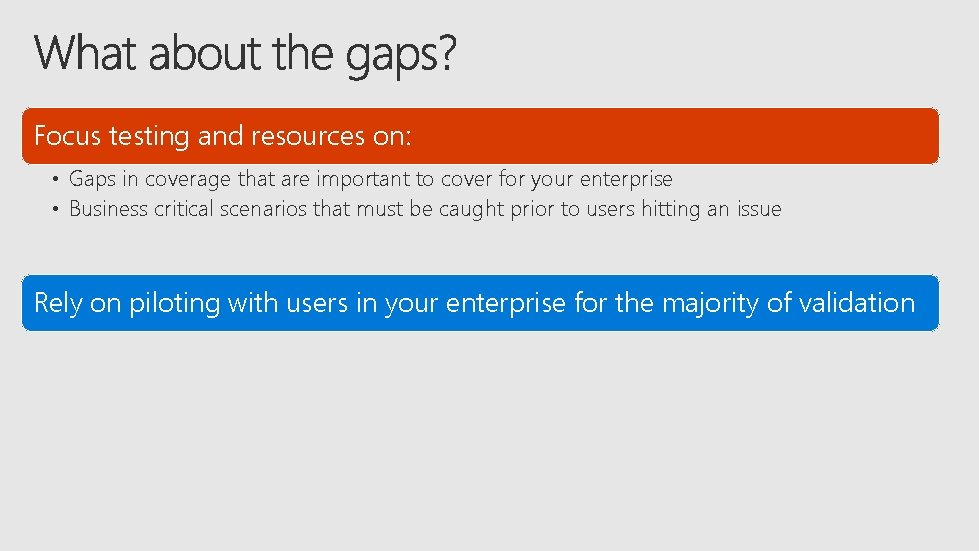
Focus testing and resources on: • Gaps in coverage that are important to cover for your enterprise • Business critical scenarios that must be caught prior to users hitting an issue Rely on piloting with users in your enterprise for the majority of validation
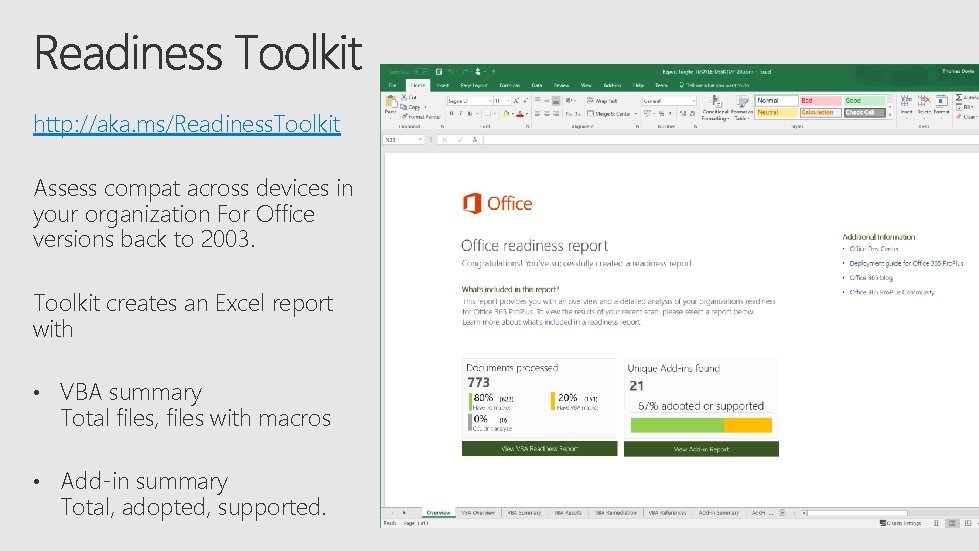
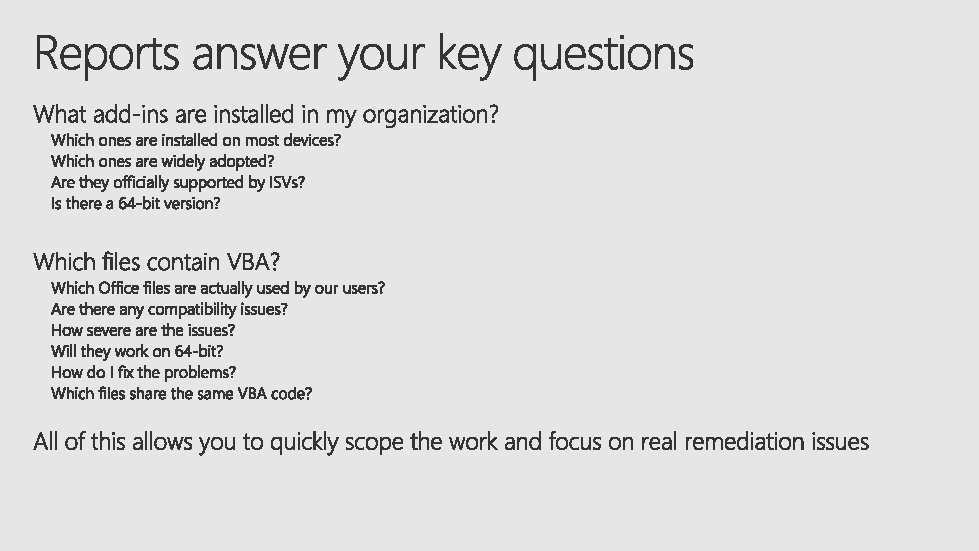
http: //aka. ms/Readiness. Toolkit Assess compat across devices in your organization For Office versions back to 2003. Toolkit creates an Excel report with • VBA summary Total files, files with macros • Add-in summary Total, adopted, supported.
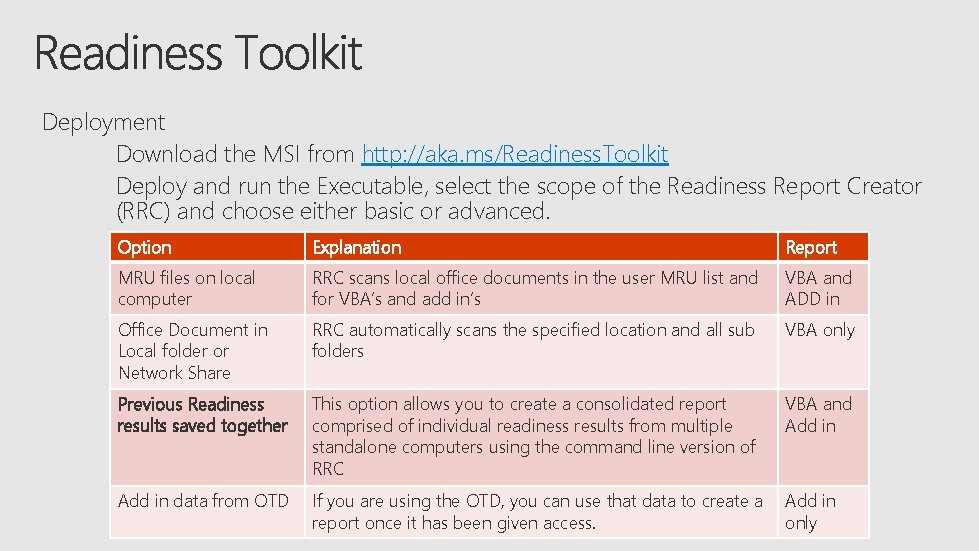
Deployment Download the MSI from http: //aka. ms/Readiness. Toolkit Deploy and run the Executable, select the scope of the Readiness Report Creator (RRC) and choose either basic or advanced. Option Explanation Report MRU files on local computer RRC scans local office documents in the user MRU list and for VBA’s and add in’s VBA and ADD in Office Document in Local folder or Network Share RRC automatically scans the specified location and all sub folders VBA only Previous Readiness results saved together This option allows you to create a consolidated report comprised of individual readiness results from multiple standalone computers using the command line version of RRC VBA and Add in data from OTD Choose either a If you are using the OTD, you can use that data to create a Add in basic or once advanced report is recommended) report it has been given(advanced access. only
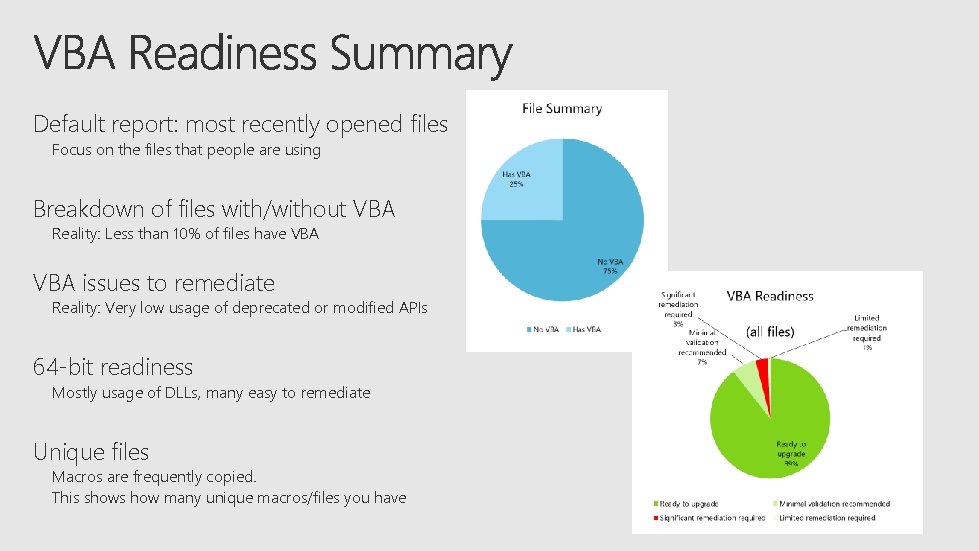
Default report: most recently opened files Focus on the files that people are using Breakdown of files with/without VBA Reality: Less than 10% of files have VBA issues to remediate Reality: Very low usage of deprecated or modified APIs 64 -bit readiness Mostly usage of DLLs, many easy to remediate Unique files Macros are frequently copied. This shows how many unique macros/files you have
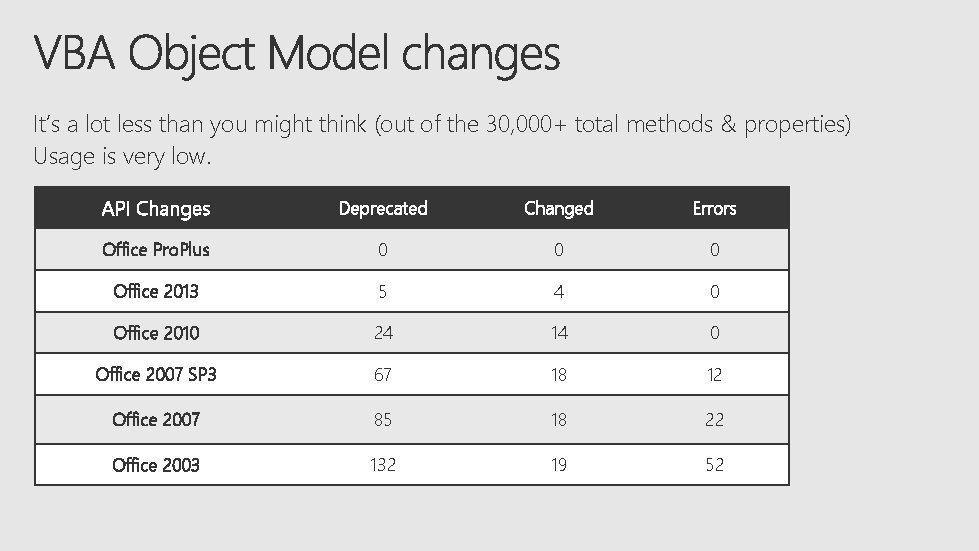
It’s a lot less than you might think (out of the 30, 000+ total methods & properties) Usage is very low. API Changes Deprecated Changed Errors Office Pro. Plus 0 0 0 Office 2013 5 4 0 Office 2010 24 14 0 Office 2007 SP 3 67 18 12 Office 2007 85 18 22 Office 2003 132 19 52
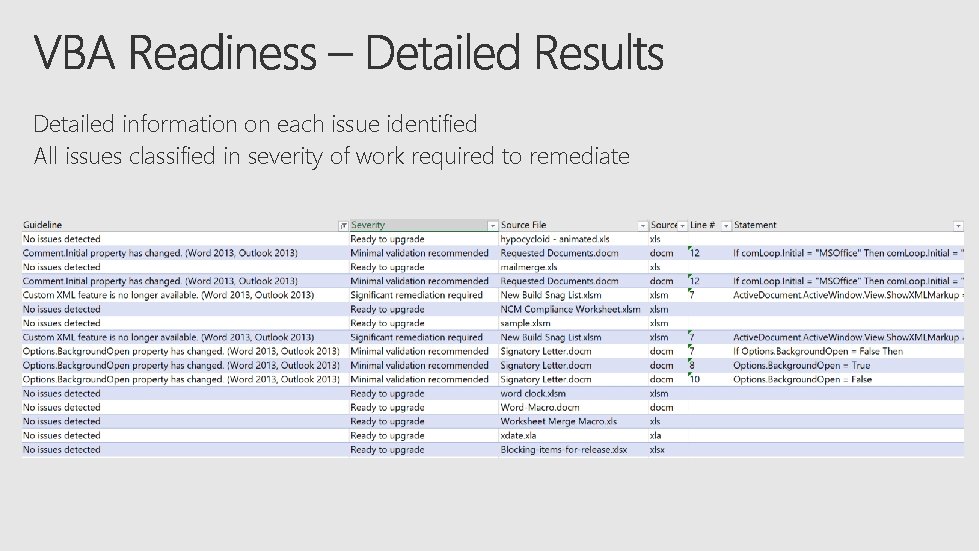
Detailed information on each issue identified All issues classified in severity of work required to remediate
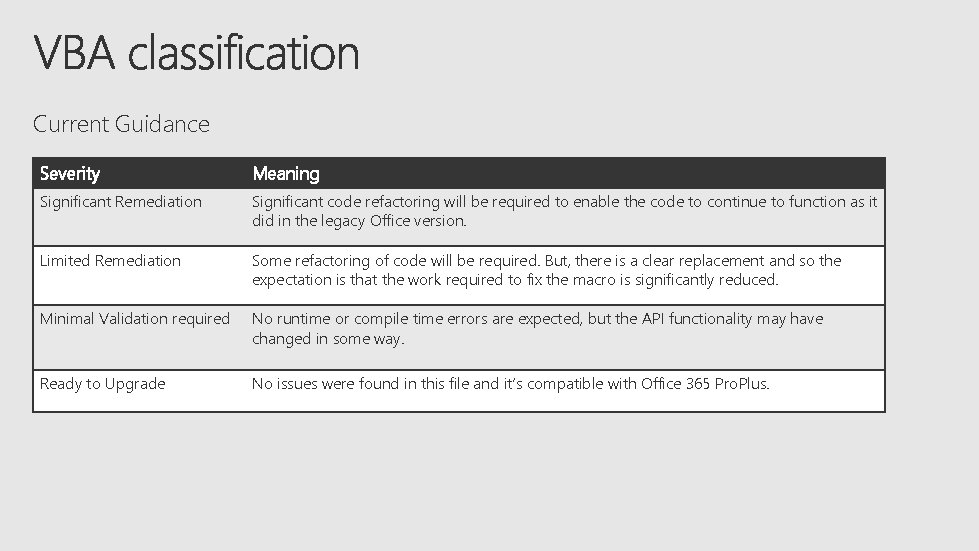
Current Guidance Severity Meaning Significant Remediation Significant code refactoring will be required to enable the code to continue to function as it did in the legacy Office version. Limited Remediation Some refactoring of code will be required. But, there is a clear replacement and so the expectation is that the work required to fix the macro is significantly reduced. Minimal Validation required No runtime or compile time errors are expected, but the API functionality may have changed in some way. Ready to Upgrade No issues were found in this file and it’s compatible with Office 365 Pro. Plus.
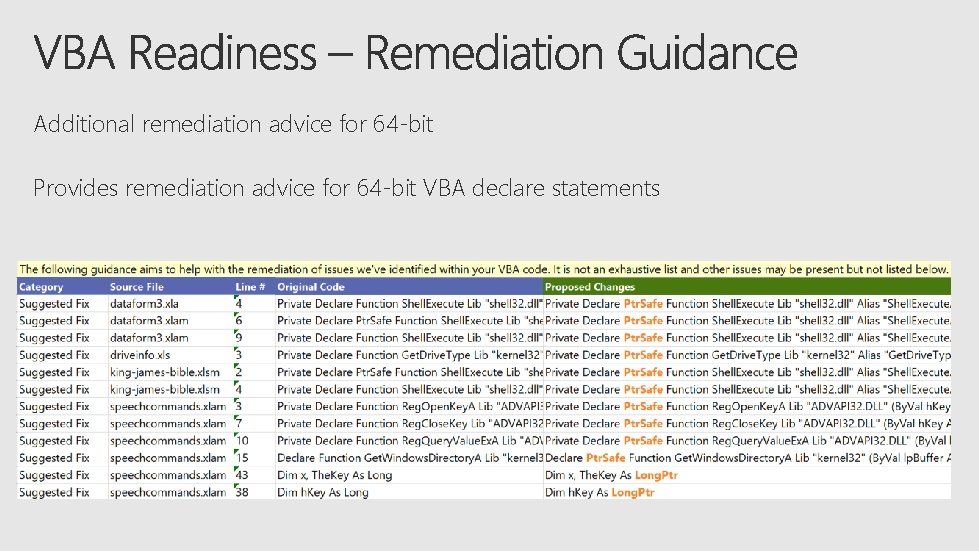
Additional remediation advice for 64 -bit Provides remediation advice for 64 -bit VBA declare statements
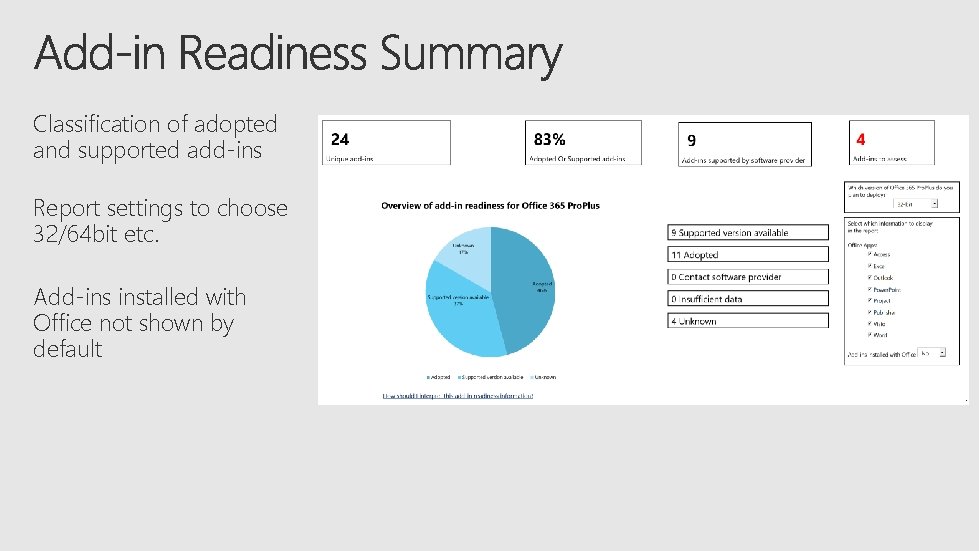
Classification of adopted and supported add-ins Report settings to choose 32/64 bit etc. Add-ins installed with Office not shown by default
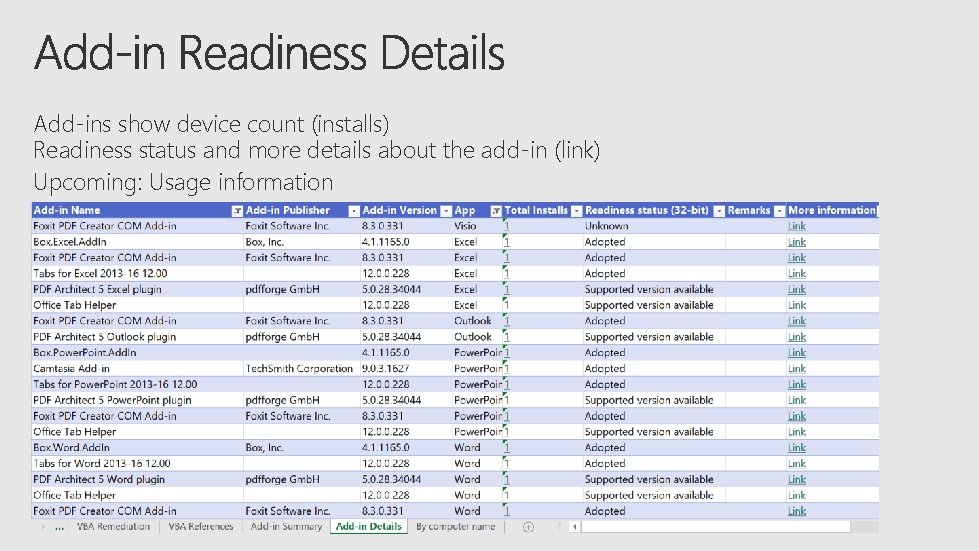
Add-ins show device count (installs) Readiness status and more details about the add-in (link) Upcoming: Usage information
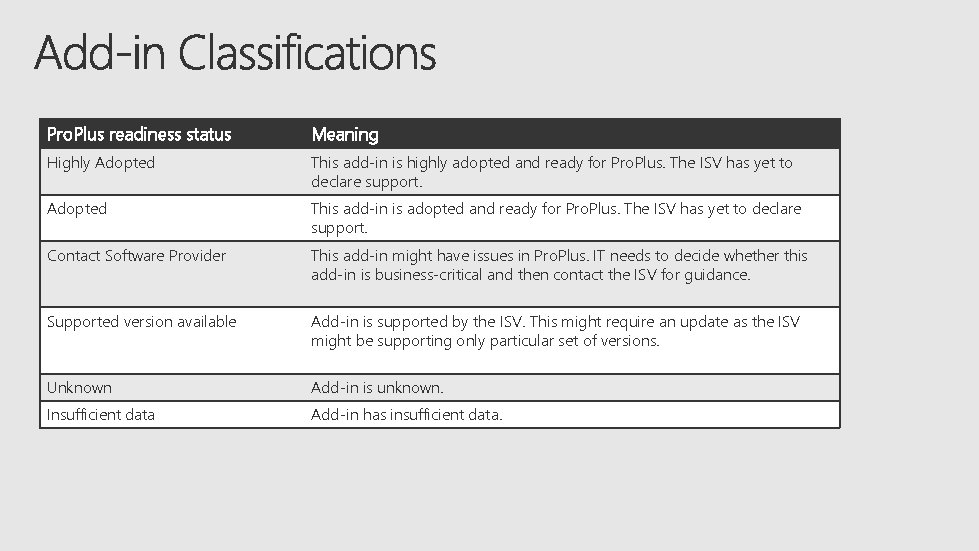
Pro. Plus readiness status Meaning Highly Adopted This add-in is highly adopted and ready for Pro. Plus. The ISV has yet to declare support. Adopted This add-in is adopted and ready for Pro. Plus. The ISV has yet to declare support. Contact Software Provider This add-in might have issues in Pro. Plus. IT needs to decide whether this add-in is business-critical and then contact the ISV for guidance. Supported version available Add-in is supported by the ISV. This might require an update as the ISV might be supporting only particular set of versions. Unknown Add-in is unknown. Insufficient data Add-in has insufficient data.
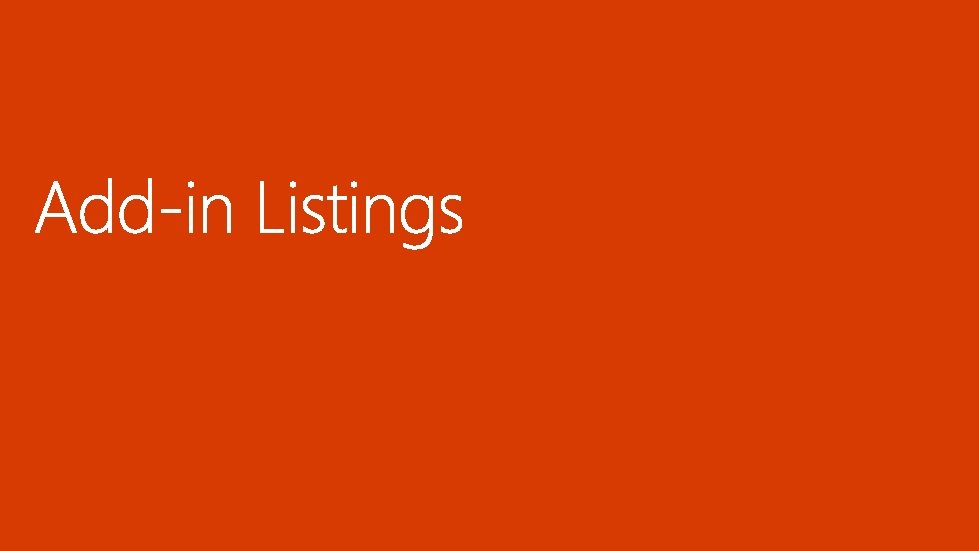
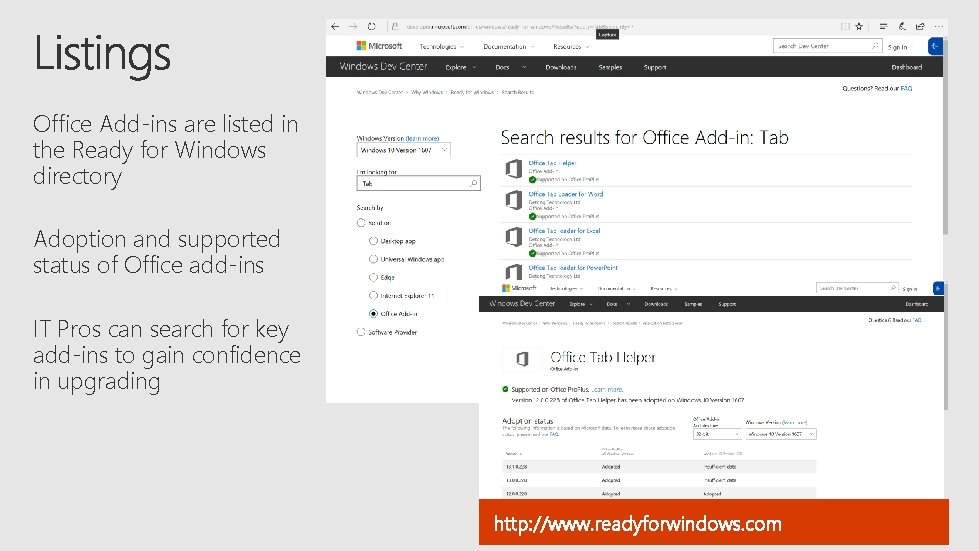
Office Add-ins are listed in the Ready for Windows directory Adoption and supported status of Office add-ins IT Pros can search for key add-ins to gain confidence in upgrading http: //www. readyforwindows. com
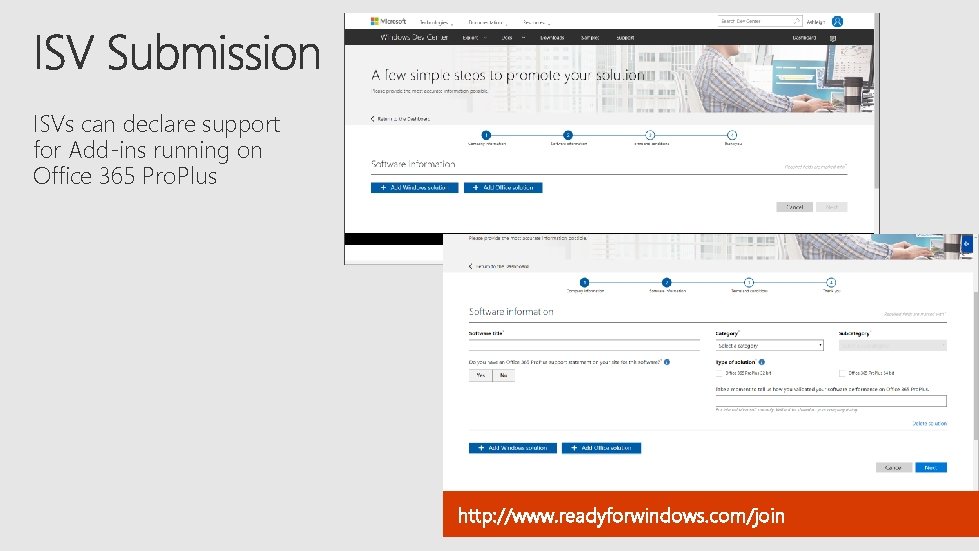
ISVs can declare support for Add-ins running on Office 365 Pro. Plus http: //www. readyforwindows. com/join
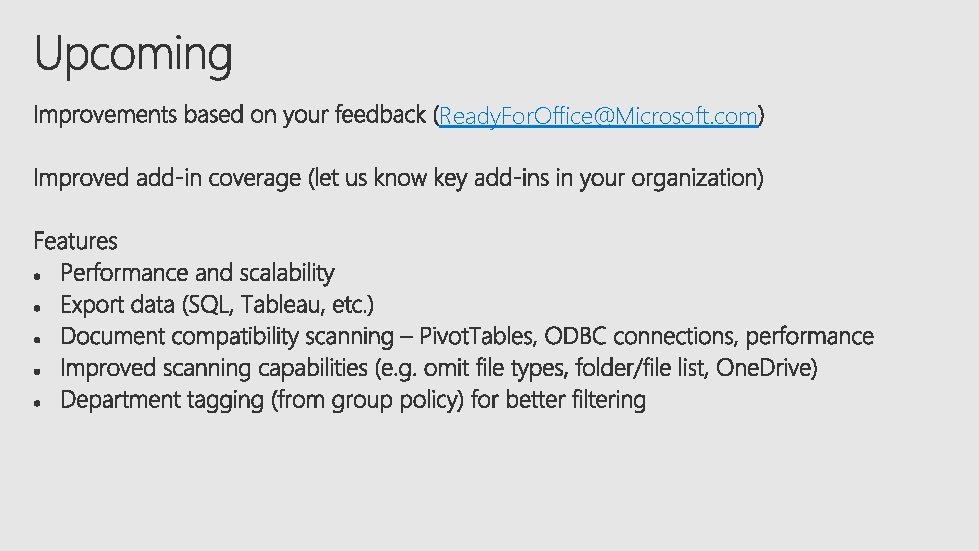
Ready. For. Office@Microsoft. com

https: //aka. ms/Readiness. Toolkit. For. Office Readyfor. Office@microsoft. com www. readyforwindows. com

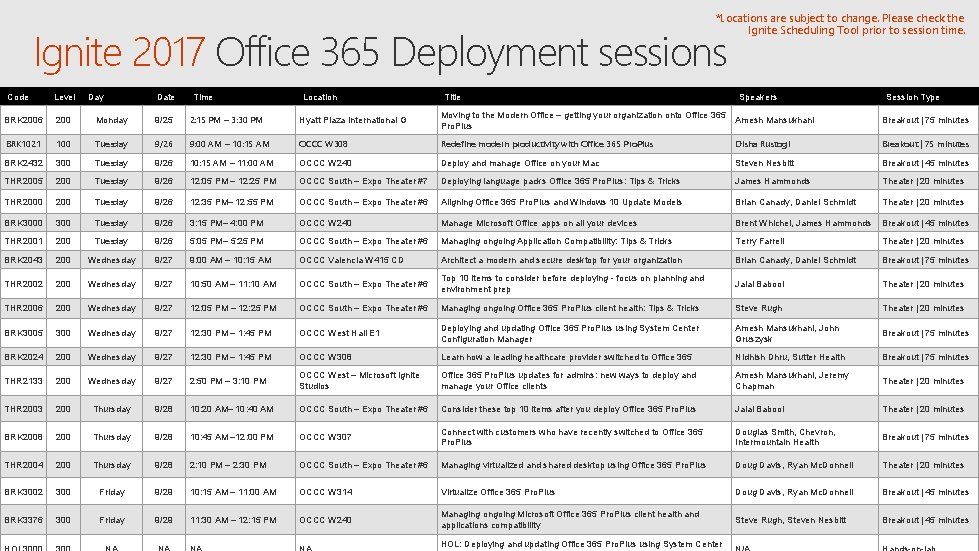
*Locations are subject to change. Please check the Ignite Scheduling Tool prior to session time. Ignite 2017 Office 365 Deployment sessions Code Level Day Date Time Location Title Speakers Session Type BRK 2006 200 Monday 9/25 2: 15 PM – 3: 30 PM Hyatt Plaza International G Moving to the Modern Office – getting your organization onto Office 365 Pro. Plus Amesh Mansukhani Breakout | 75 minutes BRK 1021 100 Tuesday 9/26 9: 00 AM – 10: 15 AM OCCC W 308 Redefine modern productivity with Office 365 Pro. Plus Disha Rustogi Breakout | 75 minutes BRK 2432 300 Tuesday 9/26 10: 15 AM – 11: 00 AM OCCC W 240 Deploy and manage Office on your Mac Steven Nesbitt Breakout | 45 minutes THR 2005 200 Tuesday 9/26 12: 05 PM – 12: 25 PM OCCC South – Expo Theater #7 Deploying language packs Office 365 Pro. Plus: Tips & Tricks James Hammonds Theater | 20 minutes THR 2000 200 Tuesday 9/26 12: 35 PM– 12: 55 PM OCCC South – Expo Theater #6 Aligning Office 365 Pro. Plus and Windows 10 Update Models Brian Canady, Daniel Schmidt Theater | 20 minutes BRK 3000 300 Tuesday 9/26 3: 15 PM– 4: 00 PM OCCC W 240 Manage Microsoft Office apps on all your devices Brent Whichel, James Hammonds Breakout | 45 minutes THR 2001 200 Tuesday 9/26 5: 05 PM– 5: 25 PM OCCC South – Expo Theater #6 Managing ongoing Application Compatibility: Tips & Tricks Terry Farrell Theater | 20 minutes BRK 2043 200 Wednesday 9/27 9: 00 AM – 10: 15 AM OCCC Valencia W 415 CD Architect a modern and secure desktop for your organization Brian Canady, Daniel Schmidt Breakout | 75 minutes THR 2002 200 Wednesday 9/27 10: 50 AM – 11: 10 AM OCCC South – Expo Theater #6 Top 10 items to consider before deploying - focus on planning and environment prep Jalal Babool Theater | 20 minutes THR 2006 200 Wednesday 9/27 12: 05 PM – 12: 25 PM OCCC South – Expo Theater #6 Managing ongoing Office 365 Pro. Plus client health: Tips & Tricks Steve Rugh Theater | 20 minutes BRK 3005 300 Wednesday 9/27 12: 30 PM – 1: 45 PM OCCC West Hall E 1 Deploying and updating Office 365 Pro. Plus using System Center Configuration Manager Amesh Mansukhani, John Gruszysk Breakout | 75 minutes BRK 2024 200 Wednesday 9/27 12: 30 PM – 1: 45 PM OCCC W 308 Learn how a leading healthcare provider switched to Office 365 Nidhish Dhru, Sutter Health Breakout | 75 minutes THR 2133 200 Wednesday 9/27 2: 50 PM – 3: 10 PM OCCC West – Microsoft Ignite Studios Office 365 Pro. Plus updates for admins: new ways to deploy and manage your Office clients Amesh Mansukhani, Jeremy Chapman Theater | 20 minutes THR 2003 200 Thursday 9/28 10: 20 AM– 10: 40 AM OCCC South – Expo Theater #6 Consider these top 10 items after you deploy Office 365 Pro. Plus Jalal Babool Theater | 20 minutes BRK 2008 200 Thursday 9/28 10: 45 AM – 12: 00 PM OCCC W 307 Connect with customers who have recently switched to Office 365 Pro. Plus Douglas Smith, Chevron, Intermountain Health Breakout | 75 minutes THR 2004 200 Thursday 9/28 2: 10 PM – 2: 30 PM OCCC South – Expo Theater #6 Managing virtualized and shared desktop using Office 365 Pro. Plus Doug Davis, Ryan Mc. Donnell Theater | 20 minutes BRK 3002 300 Friday 9/29 10: 15 AM – 11: 00 AM OCCC W 314 Virtualize Office 365 Pro. Plus Doug Davis, Ryan Mc. Donnell Breakout | 45 minutes BRK 3376 300 Friday 9/29 11: 30 AM – 12: 15 PM OCCC W 240 Managing ongoing Microsoft Office 365 Pro. Plus client health and applications compatibility Steve Rugh, Steven Nesbitt Breakout | 45 minutes HOL: Deploying and updating Office 365 Pro. Plus using System Center
https: //myignite. microsoft. com/evaluations https: //aka. ms/ignite. mobileapp


- Slides: 41