e Grants Funding Tenders Portal Identity and access













- Slides: 36
e. Grants Funding & Tenders Portal Identity and access management Giuseppina Lauritano Giuseppina. Lauritano@ec. europa. eu Common Implementation Centre – Business Processes DG RTD B. 3
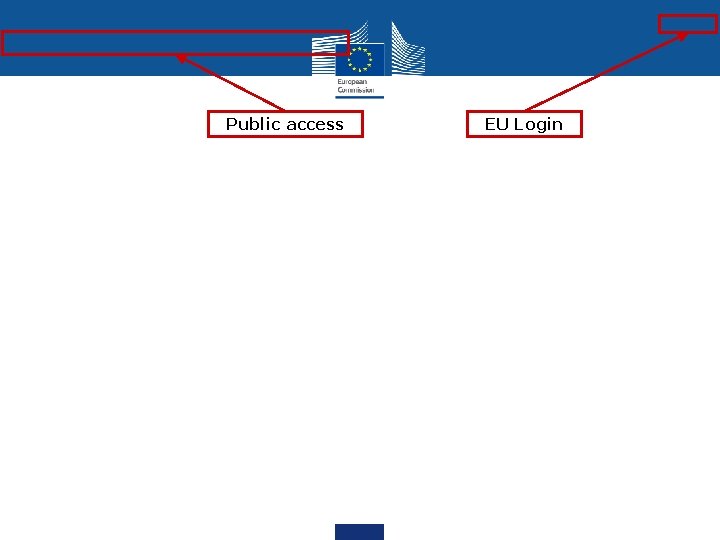
Public access EU Login
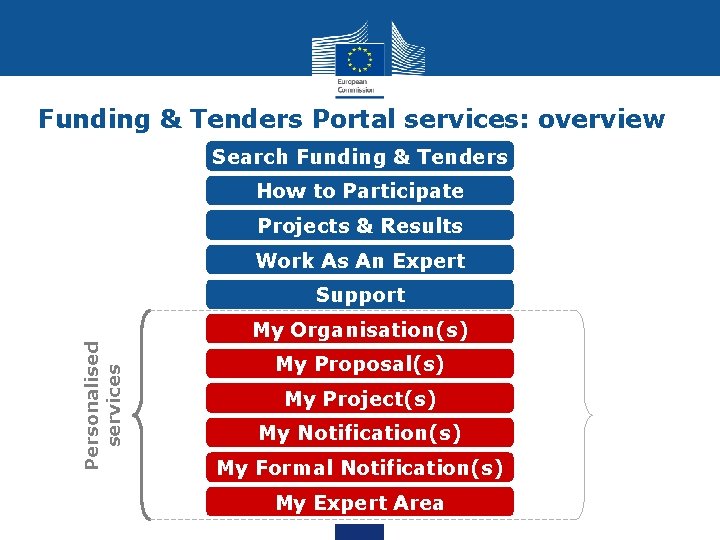
Funding & Tenders Portal services: overview Search Funding & Tenders How to Participate Projects & Results Work As An Expert Support Personalised services My Organisation(s) My Proposal(s) My Project(s) My Notification(s) My Formal Notification(s) My Expert Area
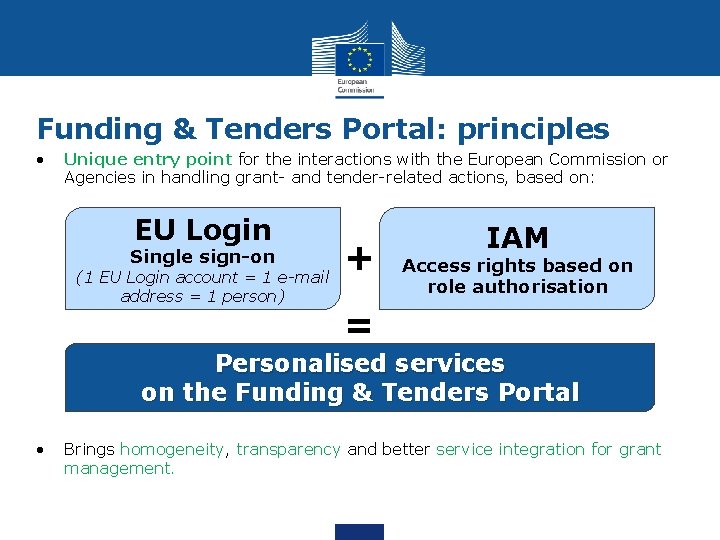
Funding & Tenders Portal: principles • Unique entry point for the interactions with the European Commission or Agencies in handling grant- and tender-related actions, based on: EU Login Single sign-on (1 EU Login account = 1 e-mail address = 1 person) + IAM Access rights based on role authorisation = Personalised services on the Funding & Tenders Portal • Brings homogeneity, transparency and better service integration for grant management.
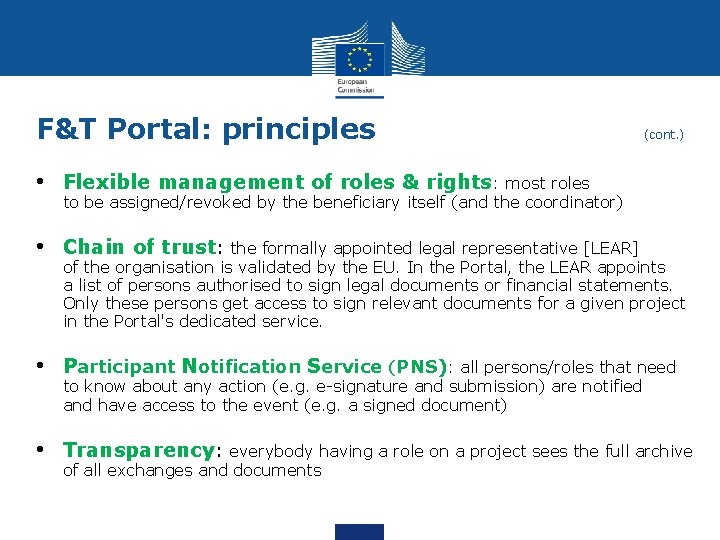
F&T Portal: principles (cont. ) • Flexible management of roles & rights: most roles to be assigned/revoked by the beneficiary itself (and the coordinator) • Chain of trust: the formally appointed legal representative [LEAR] of the organisation is validated by the EU. In the Portal, the LEAR appoints a list of persons authorised to sign legal documents or financial statements. Only these persons get access to sign relevant documents for a given project in the Portal's dedicated service. • Participant Notification Service (PNS): all persons/roles that need to know about any action (e. g. e-signature and submission) are notified and have access to the event (e. g. a signed document) • Transparency: everybody having a role on a project sees the full archive of all exchanges and documents
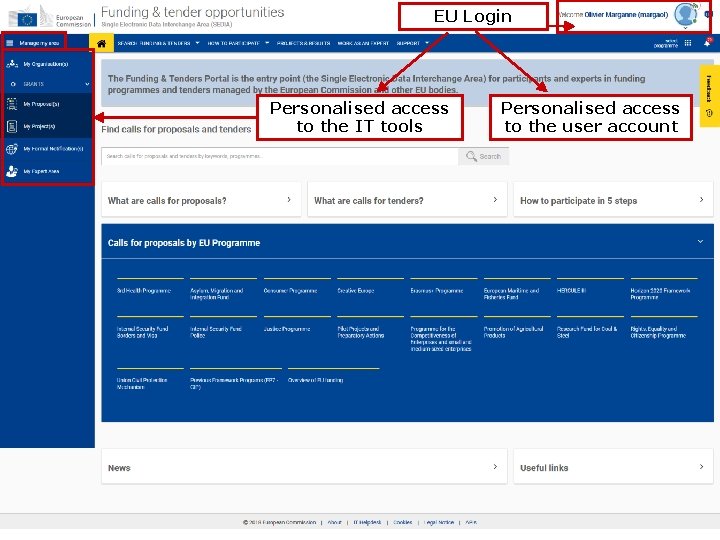
EU Login Personalised access to the IT tools Personalised access to the user account
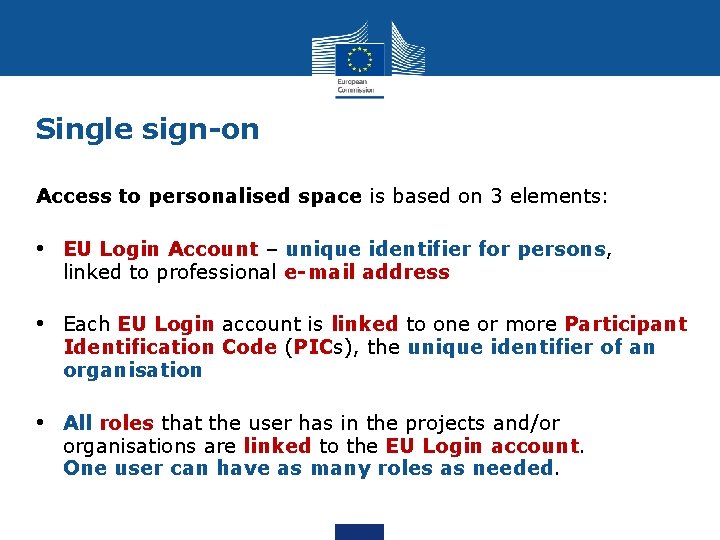
Single sign-on Access to personalised space is based on 3 elements: • EU Login Account – unique identifier for persons, linked to professional e-mail address • Each EU Login account is linked to one or more Participant Identification Code (PICs), the unique identifier of an organisation • All roles that the user has in the projects and/or organisations are linked to the EU Login account. One user can have as many roles as needed.
The Identity and Access Management (IAM) Roles - Overview Organisation roles Project roles Coordinating beneficiary PCo. Co Participating beneficiary Pa. Co T a Ma T e Me PLSIGN PFSIGN LSIGN FSIGN LEAR Acc. Ad
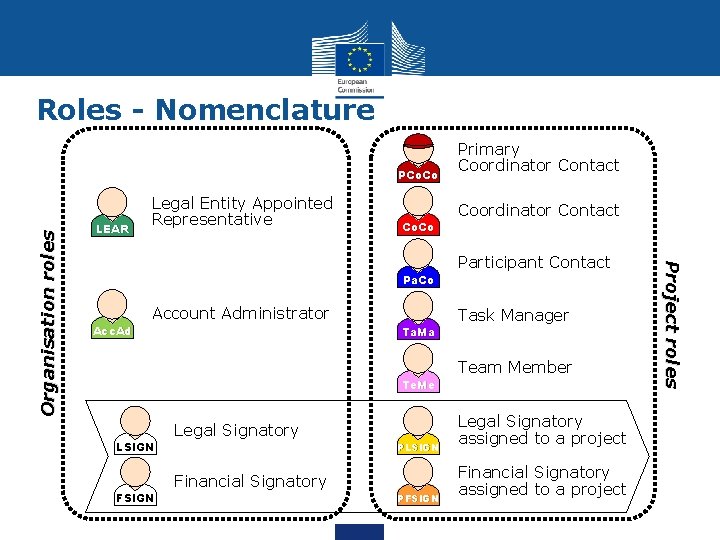
Roles - Nomenclature LEAR Legal Entity Appointed Representative Coordinator Contact Co. Co Participant Contact Pa. Co Account Administrator Acc. Ad Task Manager T a Ma Team Member T e Me Legal Signatory LSIGN PLSIGN Financial Signatory FSIGN PFSIGN Legal Signatory assigned to a project Financial Signatory assigned to a project Project roles Organisation roles PCo. Co Primary Coordinator Contact
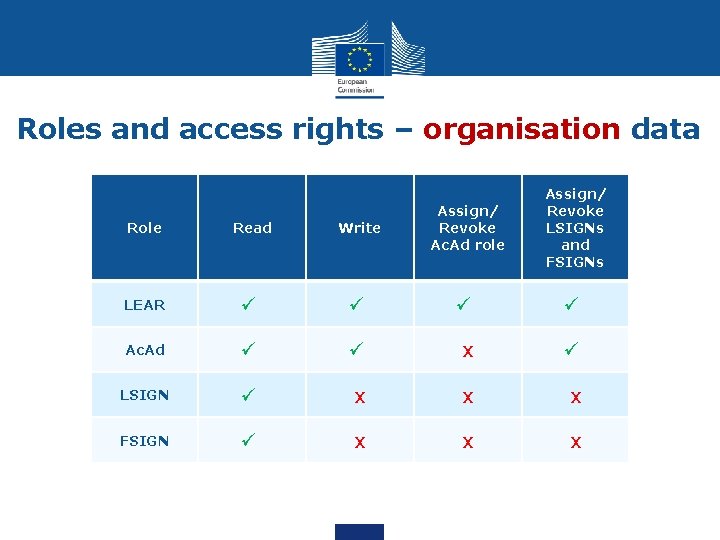
Roles and access rights – organisation data Assign/ Revoke LSIGNs and FSIGNs Role Read Write Assign/ Revoke Ac. Ad role LEAR ü ü Ac. Ad ü ü x ü LSIGN ü x x x FSIGN ü x x x
Roles and access rights – project data Submit to Coordinator Submit to EU service SIGN GA Financial statements Assign/ revoke access to project Role Read Write/ Save Co. Co ü ü x x ü Pa. Co ü ü ü x x x ü Ta. Ma ü ü x x x Te. Me ü x x x PLSIGN ü ü x x PFSIGN ü ü x x x ü x
Important remarks • No Commission intervention in defining the roles (except for the LEAR and Primary Coordinator Contact) • The minimum configuration of a consortium is: ü The Primary Coordinator Contact ü 1 Participant Contact per beneficiary ü 1 LEAR per organisation ü 1 Legal Signatory per organisation ü 1 Financial Signatory per organisation • One person (= 1 EU Login account) can have as many roles as necessary at the same time (e. g. the owner of a one-person SME can be Pa. Co, LEAR, PLSIGN and PFSIGN)
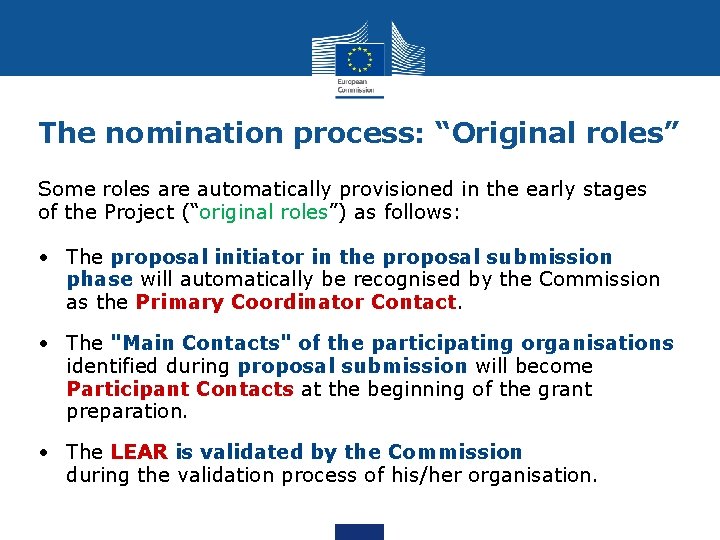
The nomination process: “Original roles” Some roles are automatically provisioned in the early stages of the Project (“original roles”) as follows: • The proposal initiator in the proposal submission phase will automatically be recognised by the Commission as the Primary Coordinator Contact. • The "Main Contacts" of the participating organisations identified during proposal submission will become Participant Contacts at the beginning of the grant preparation. • The LEAR is validated by the Commission during the validation process of his/her organisation.
The nomination/revocation process Organisation level Project level Who can appoint and revoke project roles? PCo. Co Pa. Co LEAR Acc. Ad LSIGN T a Ma LSIGN FSIGN T e Me FSIGN in own organisation, + PLSIGN PFSIGN in own organisation Pa. Co
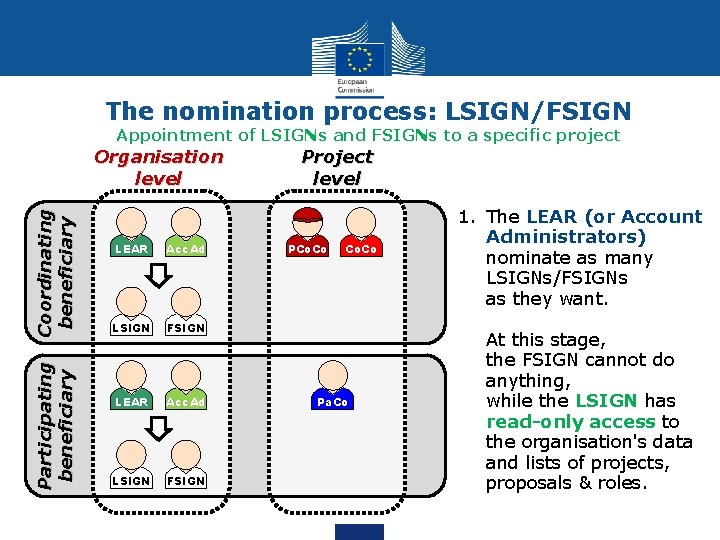
The nomination process: LSIGN/FSIGN Appointment of LSIGNs and FSIGNs to a specific project Participating beneficiary Coordinating beneficiary Organisation level LEAR Acc. Ad LSIGN FSIGN Project level PCo. Co Pa. Co 1. The LEAR (or Account Administrators) nominate as many LSIGNs/FSIGNs as they want. At this stage, the FSIGN cannot do anything, while the LSIGN has read-only access to the organisation's data and lists of projects, proposals & roles.
The nomination process: LSIGN/FSIGN Appointment of LSIGNs and FSIGNs to a specific project Participating beneficiary Coordinating beneficiary Organisation level Project level LEAR Acc. Ad PCo. Co LSIGN FSIGN PLSIGN PFSIGN LEAR Acc. Ad LSIGN FSIGN Pa. Co PLSIGN PFSIGN 2. The (Primary) Coordinator Contacts / Participant Contacts need to assign to their project as many LSIGNs/FSIGNs for their own organisation as needed. The PLSIGN and PFSIGN now have their own access to the tools.
The nomination/revocation process: how to nominate/revoke someone? To grant a role: ü the e-mail address of the "new user" will have to be filled in ü this e-mail address should be the same as the one used for the EU Login account of the "new user". ü If this "new user" has no EU Login account, he/she will automatically receive an invitation to create his/her EU Login account.
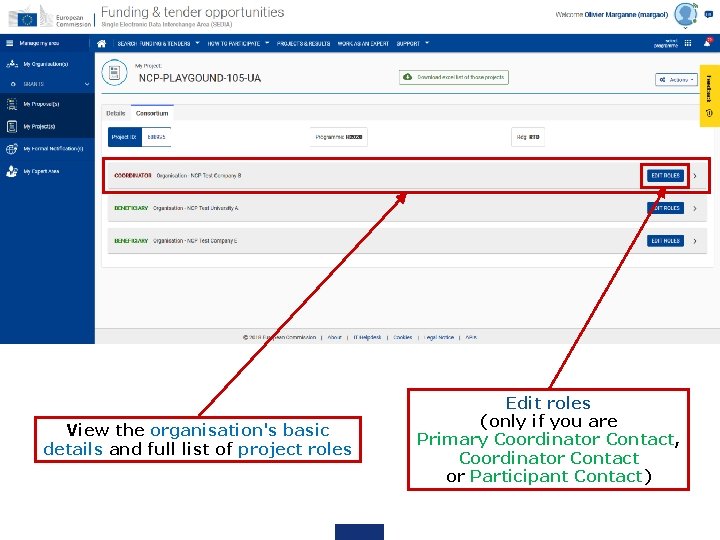
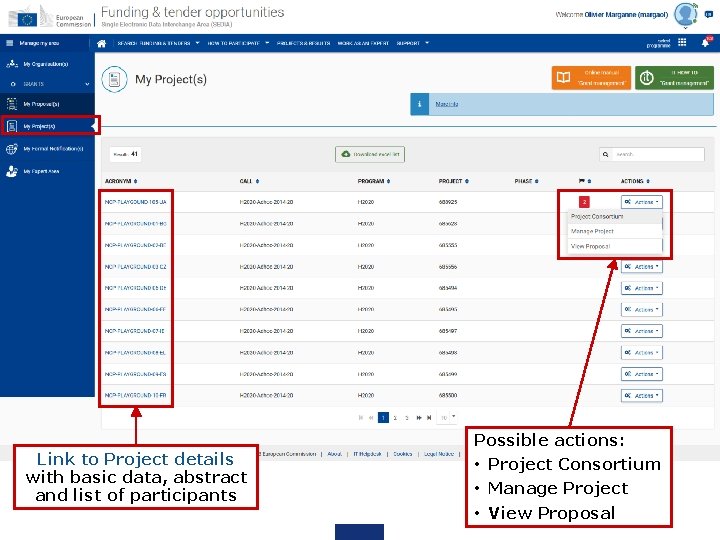
"Project Consortium" Project roles can be granted/revoked in the "My Projects" section
View the organisation's basic details and full list of project roles Edit roles (only if you are Primary Coordinator Contact, Coordinator Contact or Participant Contact)
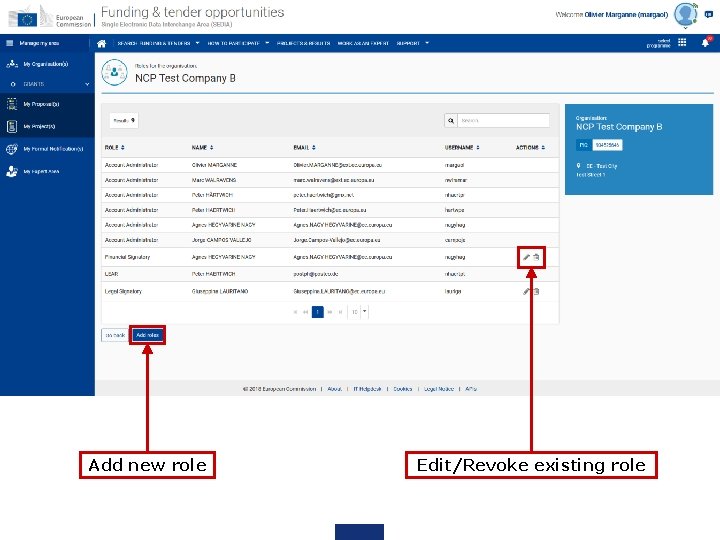
Add new role Edit/Revoke existing role
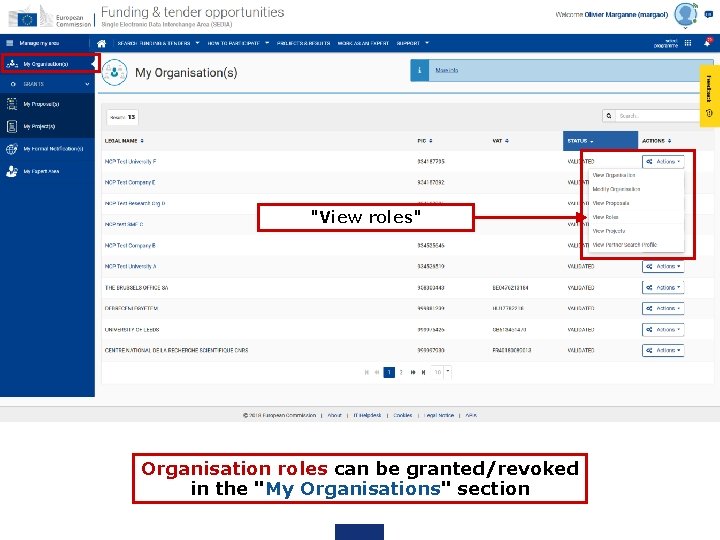
"View roles" Organisation roles can be granted/revoked in the "My Organisations" section
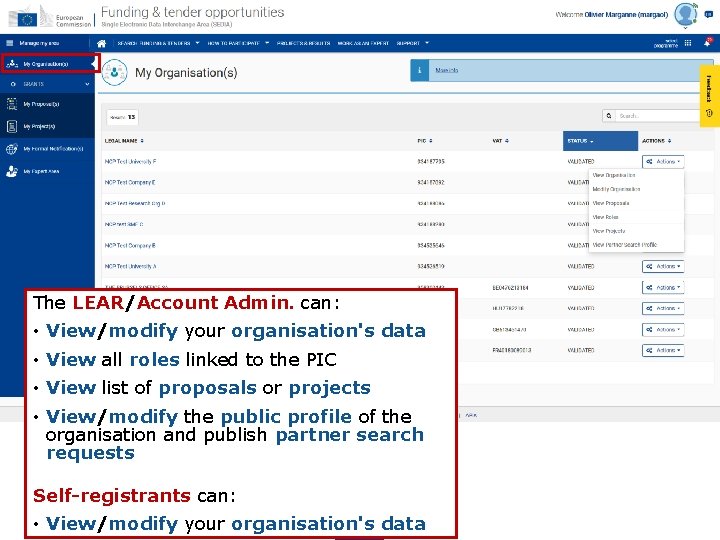
Edit Organisation Roles (only if you are LEAR or Account Administrator)
The LEAR/Account Admin. can: • View/modify your organisation's data • View all roles linked to the PIC • View list of proposals or projects • View/modify the public profile of the organisation and publish partner search requests Self-registrants can: • View/modify your organisation's data
Link to Project details with basic data, abstract and list of participants Possible actions: • Project Consortium • Manage Project • View Proposal
Roles and access rights – Chain of trust • LEAR is formally nominated by the legal representative of the organisation • LEAR appoints a list of persons authorised to sign legal documents (LSIGN) and financial statements (FSIGN) • Only these persons get access to sign relevant documents after Co. Cos/Pa. Cos have appointed them to a given project • "Sign and submit" triggers the creation of an e. Receipt (digitally-signed PDF document: time stamp, EU Login credentials of submitter are digitally sealed) • Any attempt to modify the content of the e. Receipt will lead to a break of the integrity of the electronic signature • All persons that need to know about signature are notified and have access to the signed documents • Full audit trail of all electronic transactions
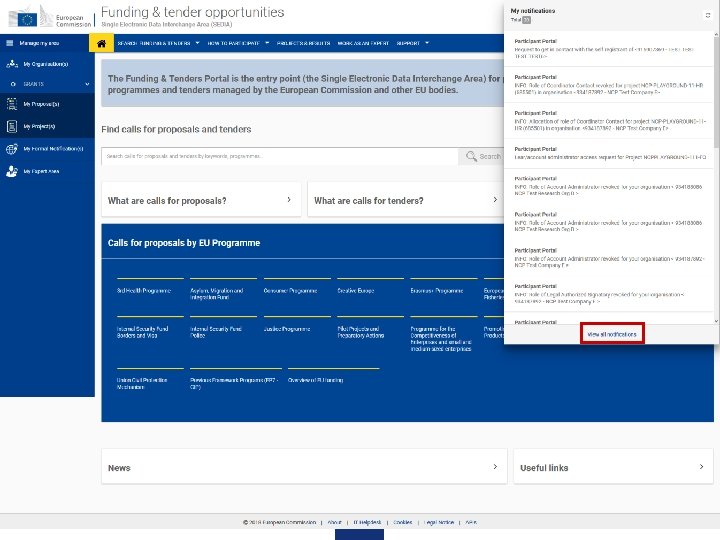
View your notifications
Funding & Tenders Portal services: after login My Formal Notification(s) 1. View all formal notifications for the services of the Funding & Tenders Portal • Can be used ONLY for correspondence requiring acknowledgement of receipt Examples: termination of a grant, etc.
I have an EU Login but no access to any proposals, projects or organisation data – what should I do? Ask persons having access to the respective data for granting you access: • Proposals – person who created the proposal • Projects – any of your organisation's Participant Contacts or Coordinator Contacts • Organisation data – the LEAR of your organisation
My roles
Terms of use
Where to find help? Online Manual: online guide divided by business processes. Provides full information on the process & reference documents, and links to the relevant IT How To sections http: //ec. europa. eu/research/participants/docs/h 2020 -funding-guide/index_en. htm IT How To wiki: screens & step-by-step guidance on the tools, including videos https: //webgate. ec. europa. eu/fpfis/wikis/display/ECResearch. GMS/IT+How+To FAQ database – searchable by categories and keywords https: //ec. europa. eu/info/funding-tenders/opportunities/portal/screen/support/faq
The nomination process for LEARs – documents • LEAR appointment letter: http: //ec. europa. eu/research/participants/data/ref/h 2020/grants_manual/lev/ h 2020 -lear-applet_en. doc • LEAR role and tasks: http: //ec. europa. eu/research/participants/data/ref/h 2020/grants_manual/lev/ h 2020 -lear-roltas_en. doc • Terms and conditions of use of the electronic exchange system: http: //ec. europa. eu/research/participants/data/ref/h 2020/grants_manual/lev/ h 2020 -lev-terms-of-use_en. pdf • Declaration of consent to the terms and conditions of use: http: //ec. europa. eu/research/participants/data/ref/h 2020/grants_manual/lev/ h 2020 -lev-declaration-consent_en. doc
Thank you! Giuseppina Lauritano Giuseppina. Lauritano@ec. europa. eu Common Support Centre – Business Processes RTD B. 3