Copyediting vs Proofreading Most information from Rude Carolyn
![• Brackets • word • [word] • Be sure to square the lines](https://slidetodoc.com/presentation_image_h/849376788e1d8186d29767b3cdf8e899/image-40.jpg "• Brackets • word • [word] • Be sure to square the lines")
- Slides: 61
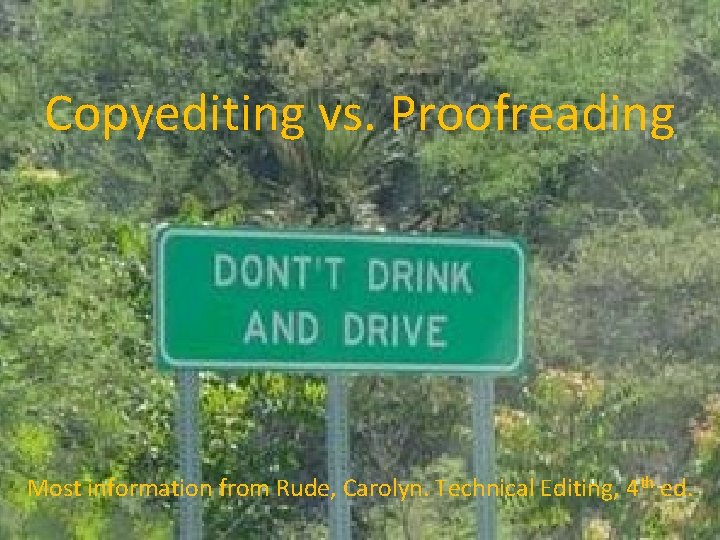
Copyediting vs. Proofreading Most information from Rude, Carolyn. Technical Editing, 4 th ed.
Proofreading: • • Verifies copyediting changes Addresses overlooked errors Compares “dead” copy to current copy Looks for accuracy in spelling, numbers, and consistency
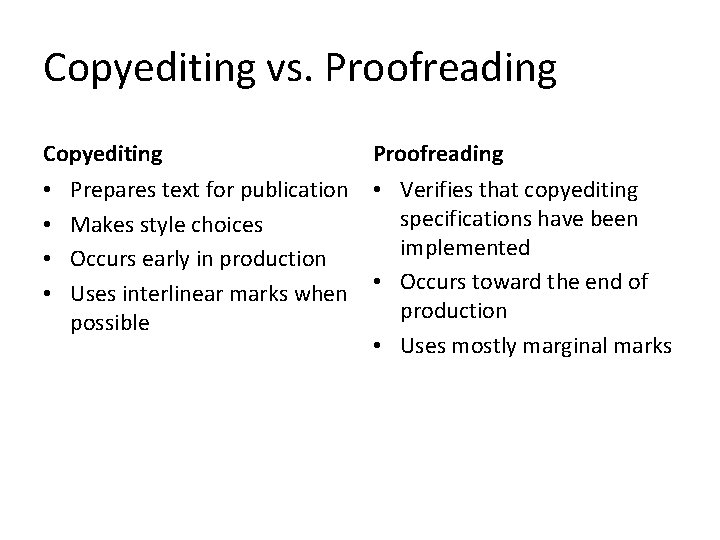
Copyediting vs. Proofreading Copyediting • • Prepares text for publication Makes style choices Occurs early in production Uses interlinear marks when possible Proofreading • Verifies that copyediting specifications have been implemented • Occurs toward the end of production • Uses mostly marginal marks
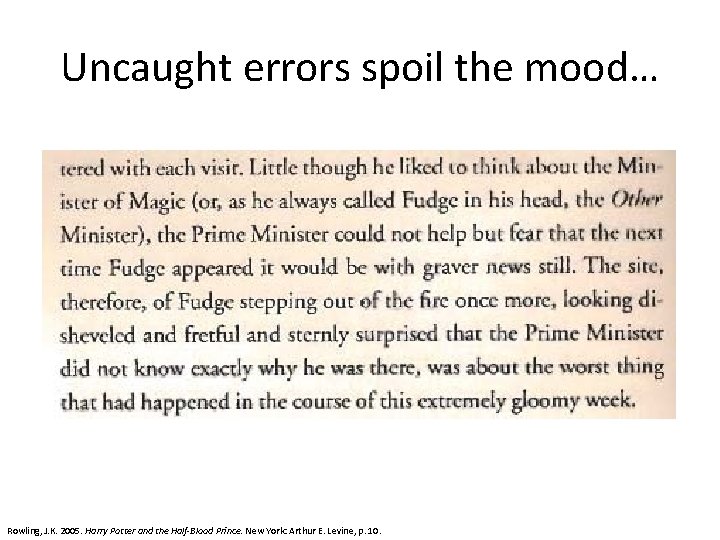
Uncaught errors spoil the mood… Rowling, J. K. 2005. Harry Potter and the Half-Blood Prince. New York: Arthur E. Levine, p. 10.
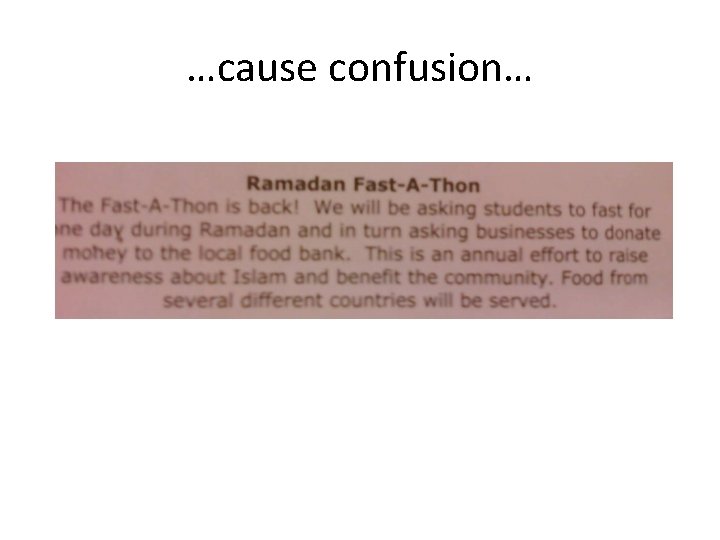
…cause confusion…
…or ruin careers. “Career break in 1999 to renovate my horse” “ 1990 – 1997: Stewardess – Royal Air Force” Hobbies: “enjoy cooking Chinese and Italians” “Service for old man to check they are still alive or not. ” Cleaning skills: “bleaching, pot washing, window cleaning, mopping, e. t. c” “Job involved…counselling clientele on accidental insurance policies available” • “ 2001 summer Voluntary work for taking care of the elderly and vegetable people” • “I’m intrested to here more about that. I’m working today in a furniture factory as a drawer” • • • From 150 funniest résumé mistakes, bloopers, and blunders ever Book Errata
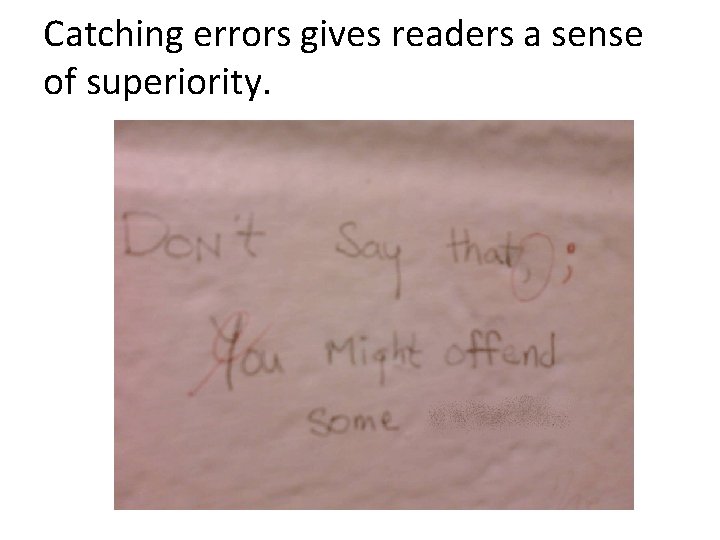
Catching errors gives readers a sense of superiority.
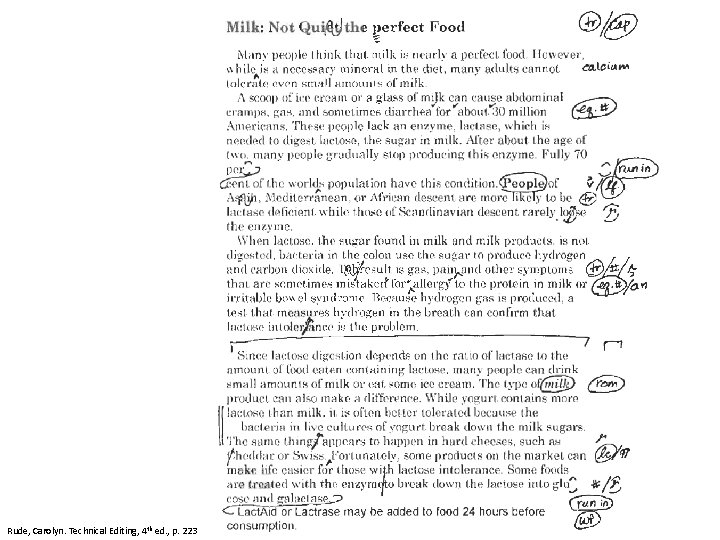
Proofing marks are somewhat different from copyediting marks • Mistakes in a line may be listed left to right with a slash between corrections • Marginal marks should be in the margin closest to the mistake • Corrected versions may be written out in margin
Rude, Carolyn. Technical Editing, 4 th ed. , p. 223
Helpful Editing Tips • Check original copy & editing marks when possible • Pay attention to text other than body copy • If you find one error, look for more • Review text purely on a visual basis at least once • Check hyphenation • Use techniques to force slow reading • Use multiple proofreaders • Don’t proofread when tired
Editorial Markup • Editorial markup consists of directions for the development and production of the document.
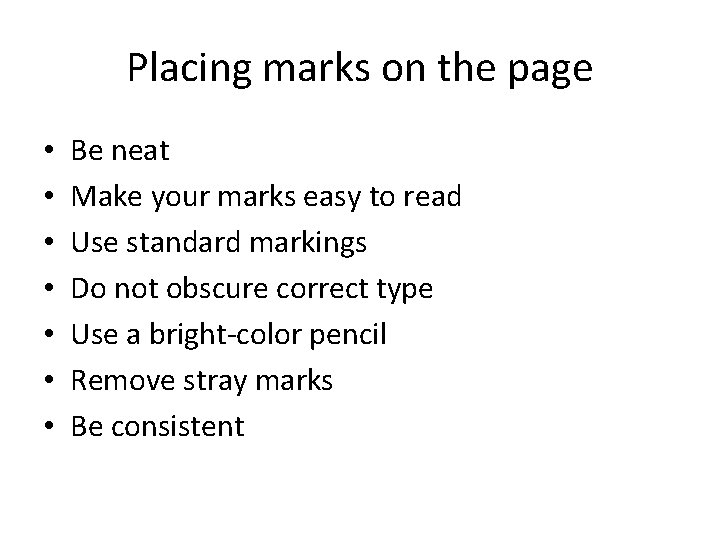
Placing marks on the page • • Be neat Make your marks easy to read Use standard markings Do not obscure correct type Use a bright-color pencil Remove stray marks Be consistent
Markup Symbols WORDS AND LETTERS
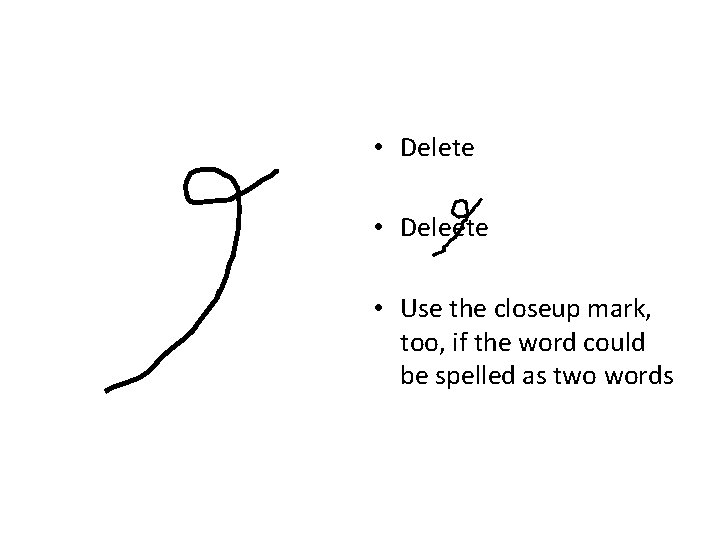
• Delete • Deleete • Use the closeup mark, too, if the word could be spelled as two words
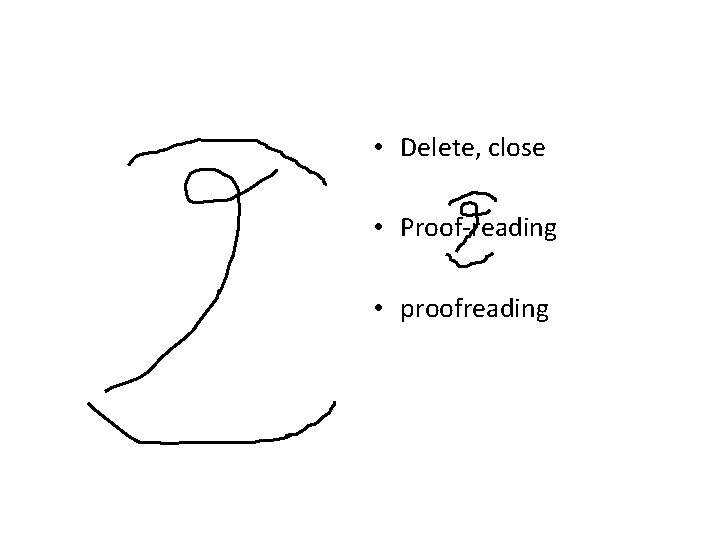
• Delete, close • Proof-reading • proofreading
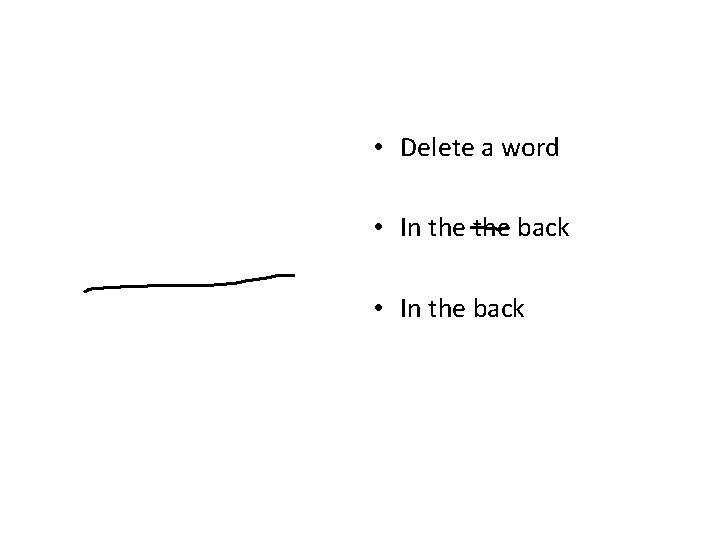
• Delete a word • In the back
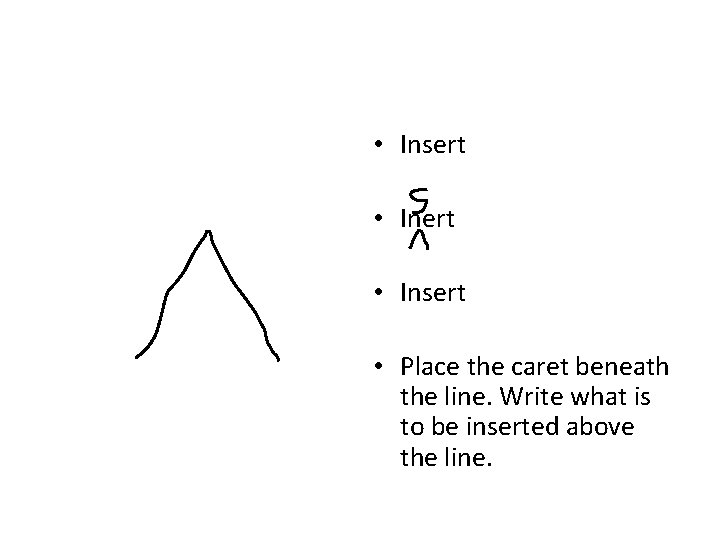
• Insert • Place the caret beneath the line. Write what is to be inserted above the line.
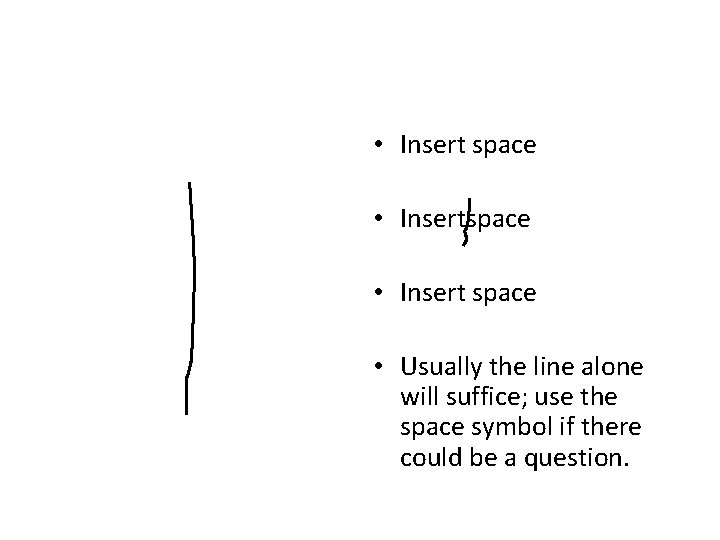
• Insert space • Usually the line alone will suffice; use the space symbol if there could be a question.
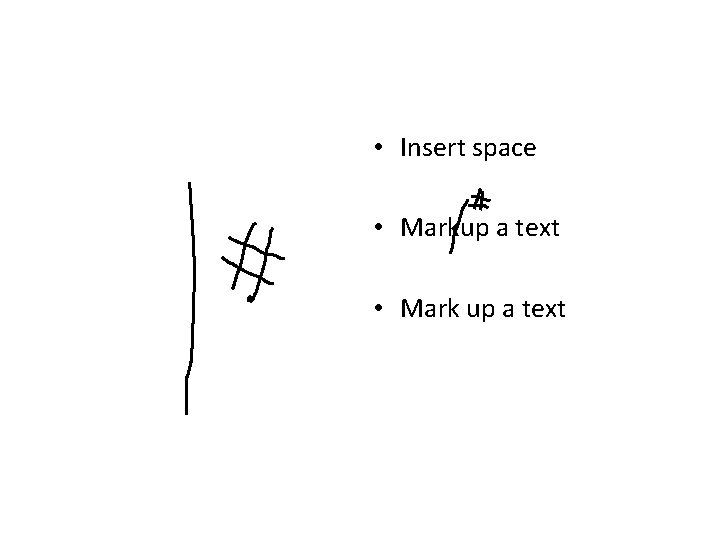
• Insert space • Markup a text • Mark up a text
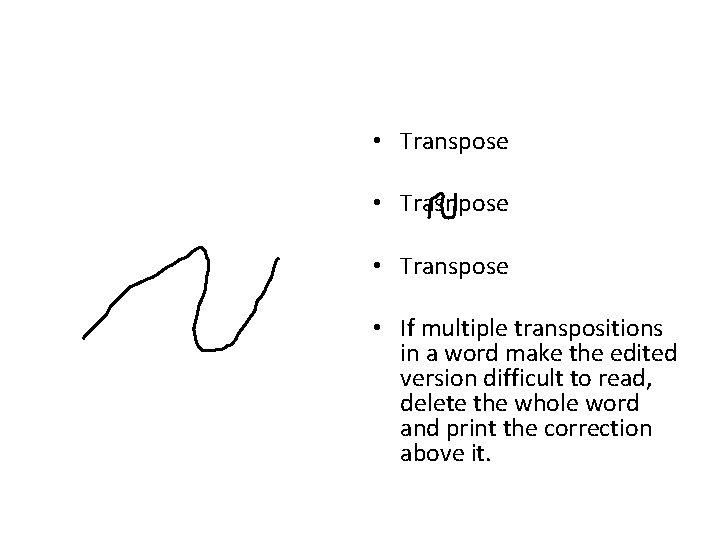
• Transpose • Trasnpose • Transpose • If multiple transpositions in a word make the edited version difficult to read, delete the whole word and print the correction above it.
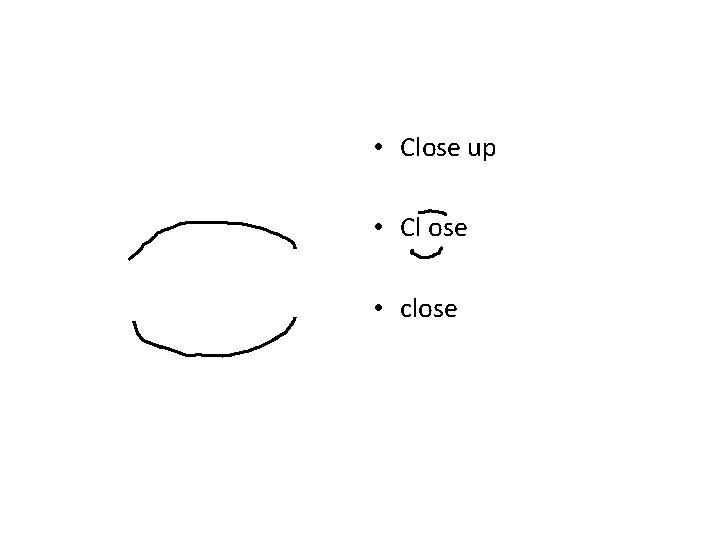
• Close up • Cl ose • close
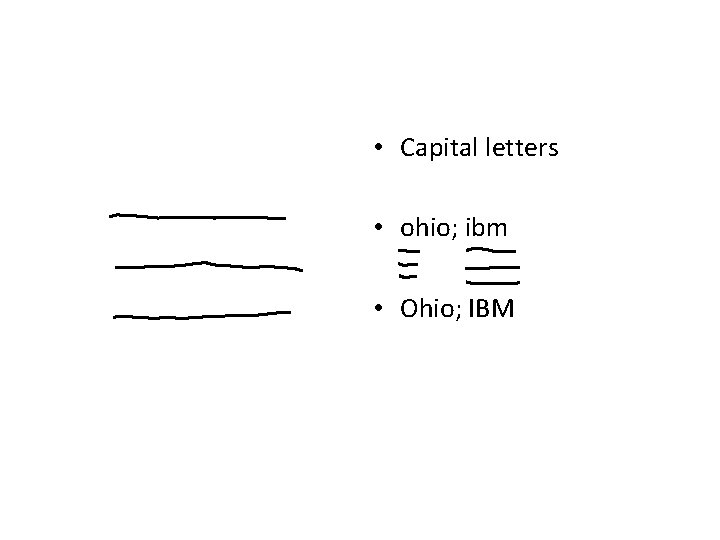
• Capital letters • ohio; ibm • Ohio; IBM
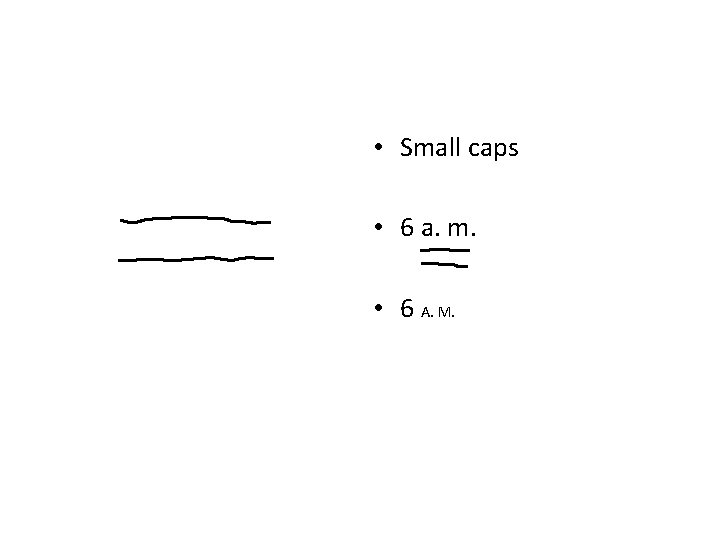
• Small caps • 6 a. m. • 6 A. M.
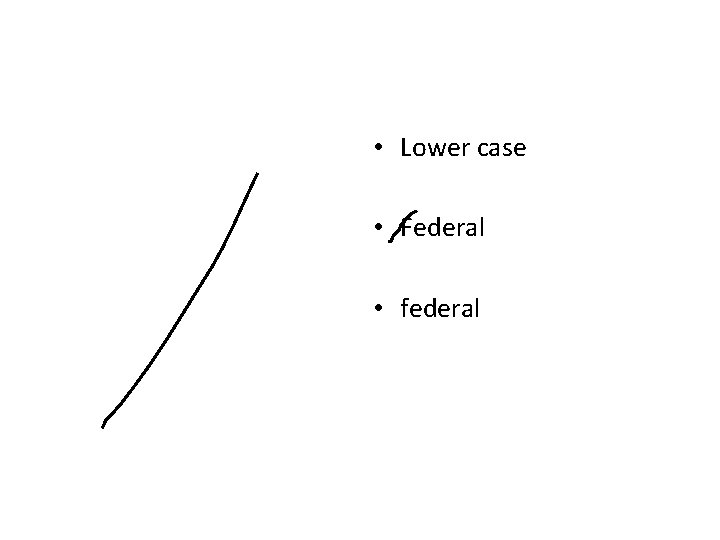
• Lower case • Federal • federal
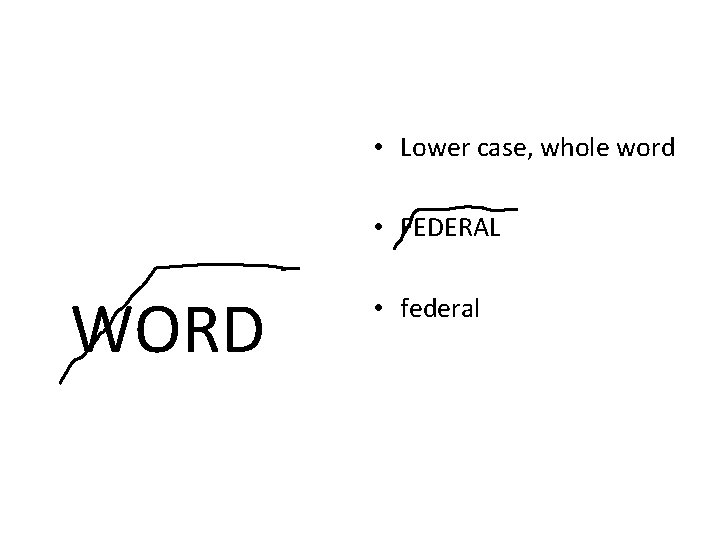
• Lower case, whole word • FEDERAL WORD • federal
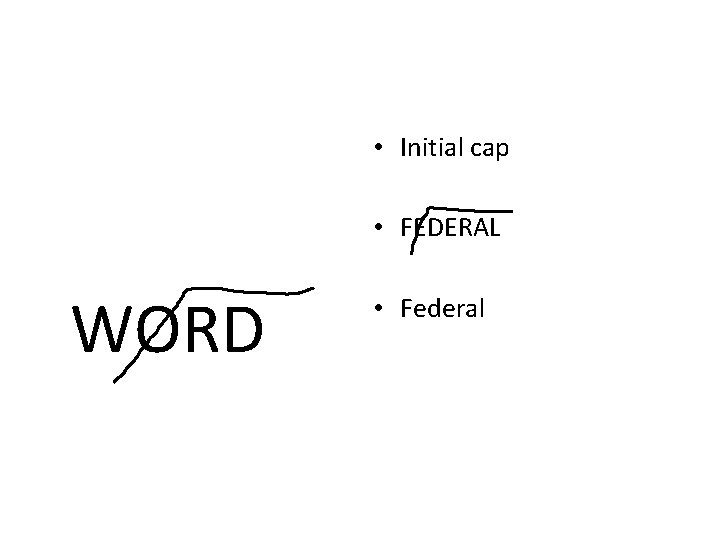
• Initial cap • FEDERAL WORD • Federal
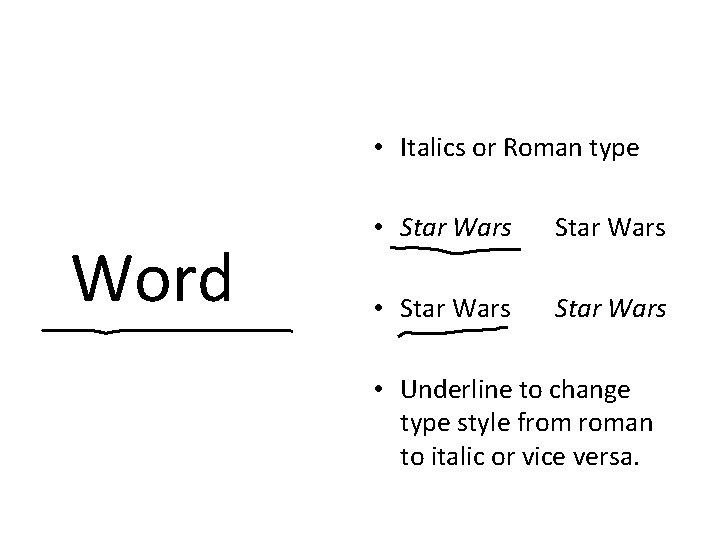
• Italics or Roman type Word • Star Wars • Underline to change type style from roman to italic or vice versa.
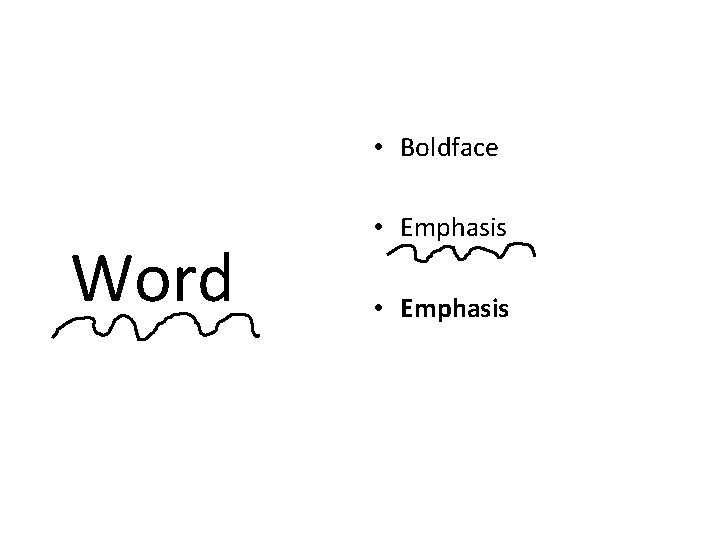
• Boldface Word • Emphasis
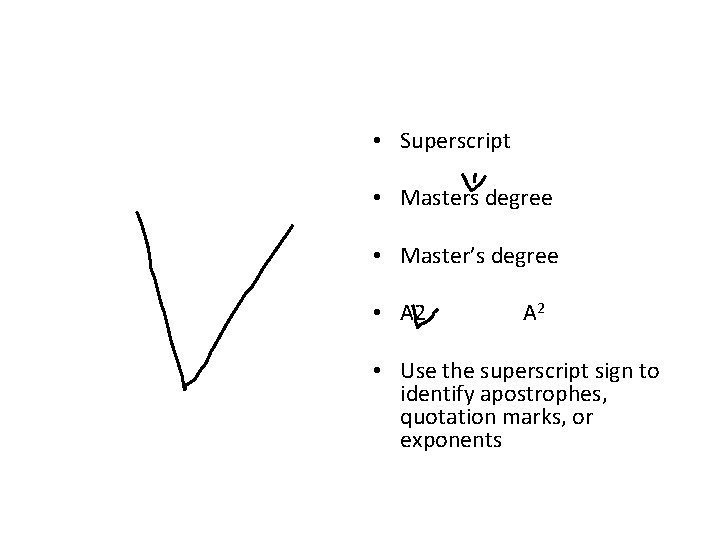
• Superscript • Masters degree • Master’s degree • A 2 • Use the superscript sign to identify apostrophes, quotation marks, or exponents
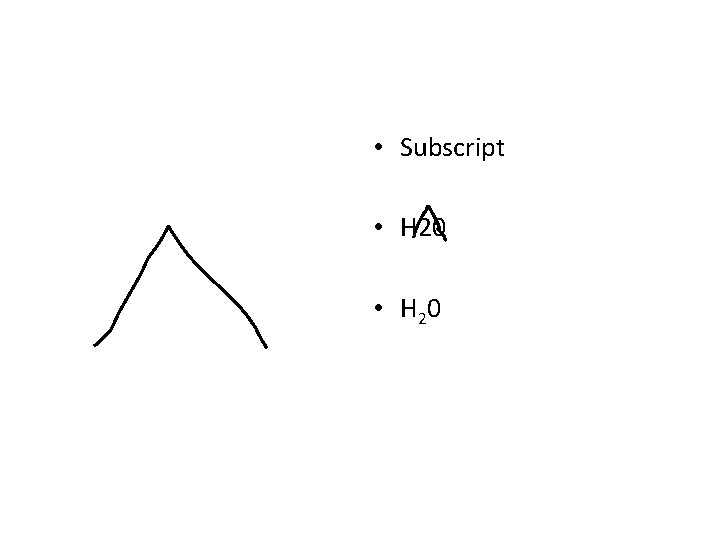
• Subscript • H 20 • H 2 0
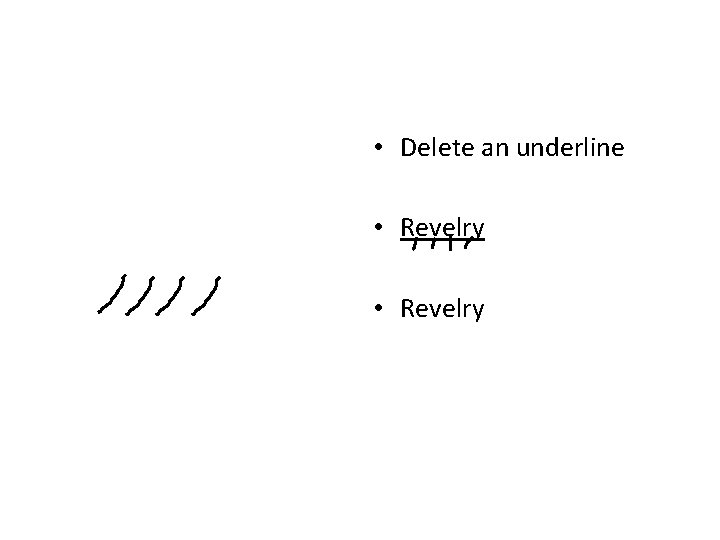
• Delete an underline • Revelry
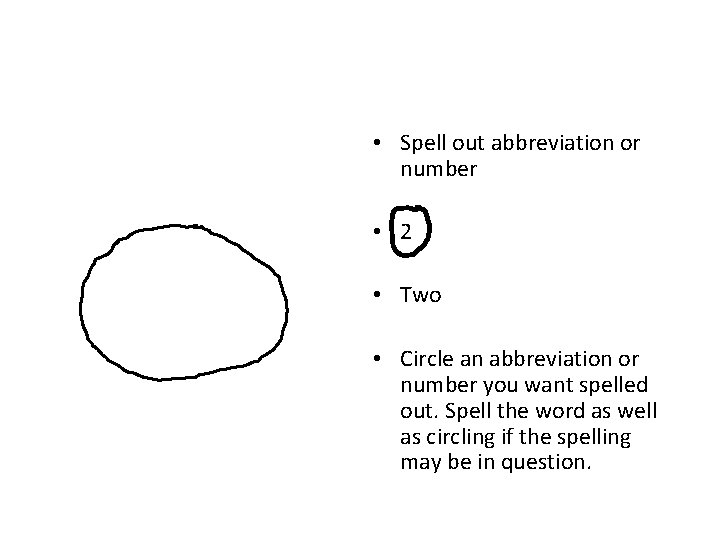
• Spell out abbreviation or number • 2 • Two • Circle an abbreviation or number you want spelled out. Spell the word as well as circling if the spelling may be in question.
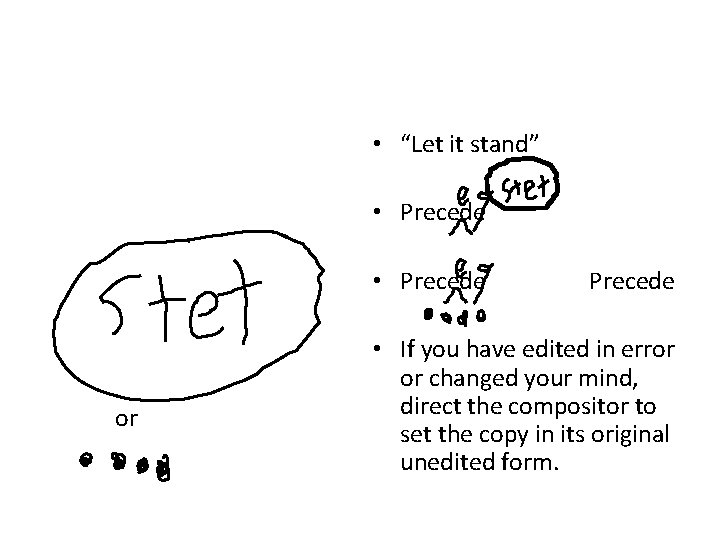
• “Let it stand” • Precede or Precede • If you have edited in error or changed your mind, direct the compositor to set the copy in its original unedited form.
Markup Symbols PUNCTUATION
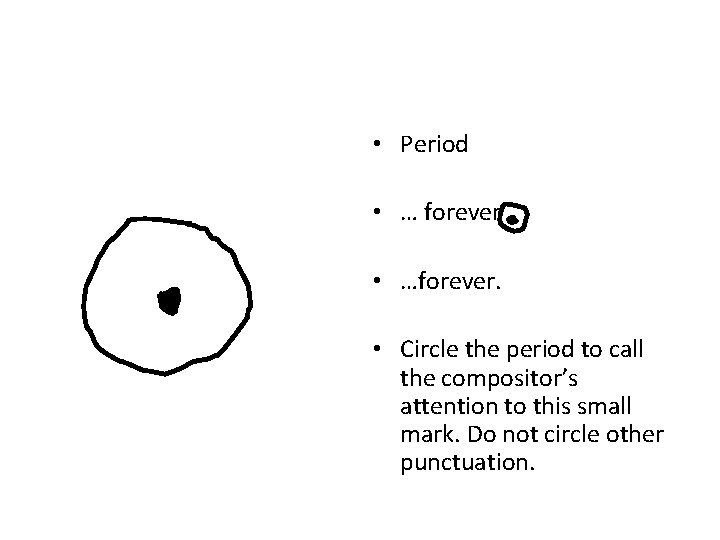
• Period • … forever • …forever. • Circle the period to call the compositor’s attention to this small mark. Do not circle other punctuation.
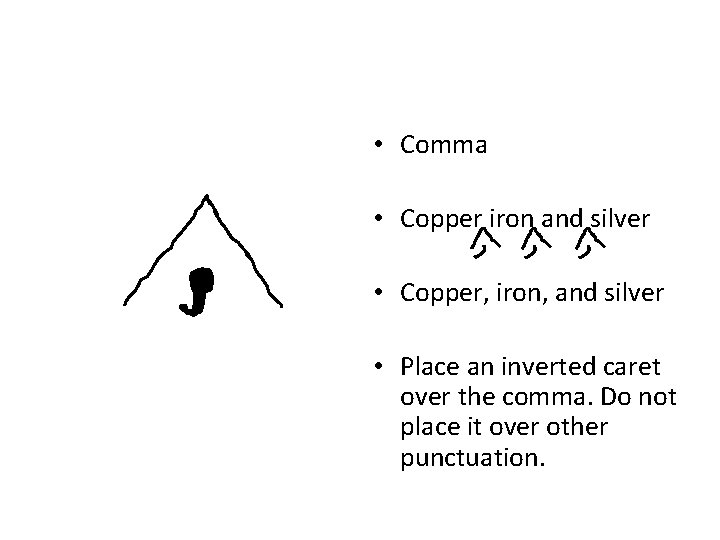
• Comma • Copper iron and silver • Copper, iron, and silver • Place an inverted caret over the comma. Do not place it over other punctuation.
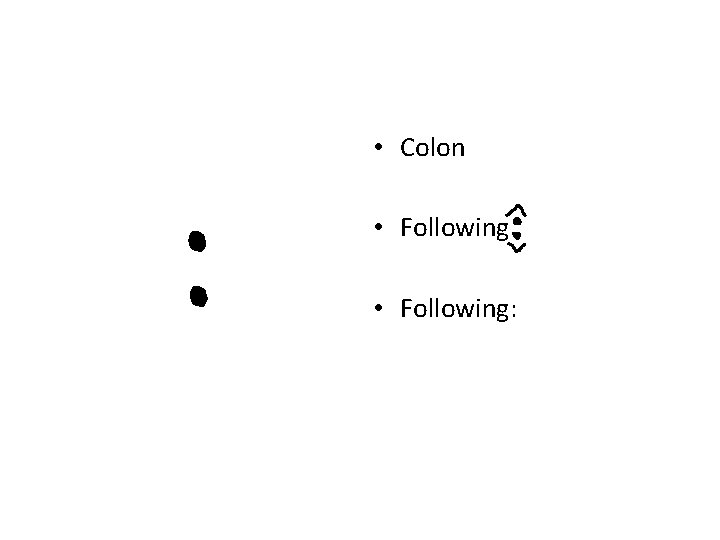
• Colon • Following:
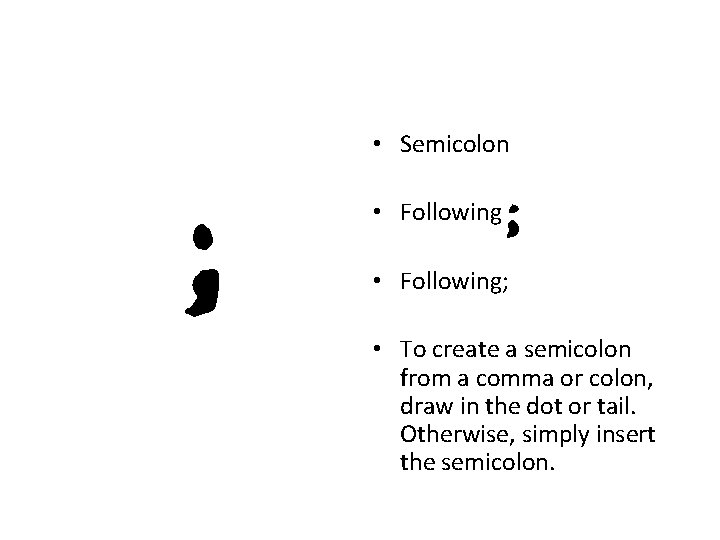
• Semicolon • Following; • To create a semicolon from a comma or colon, draw in the dot or tail. Otherwise, simply insert the semicolon.
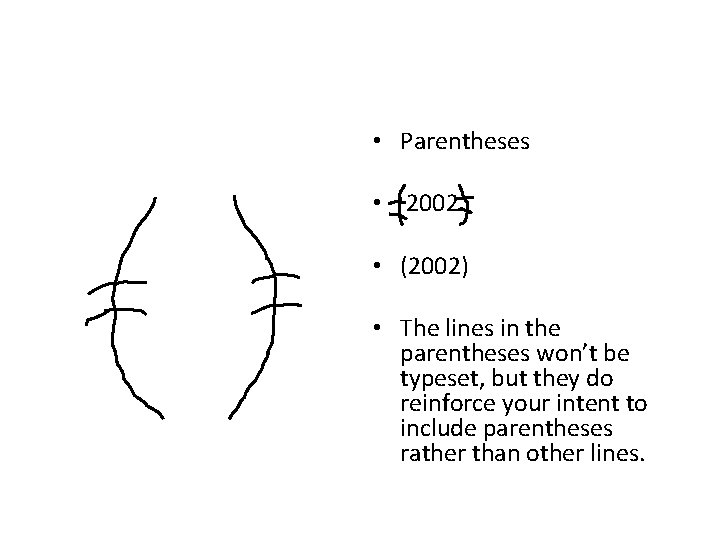
• Parentheses • 2002 • (2002) • The lines in the parentheses won’t be typeset, but they do reinforce your intent to include parentheses rather than other lines.
• Brackets • word • [word] • Be sure to square the lines if the writer has used parenthesis.
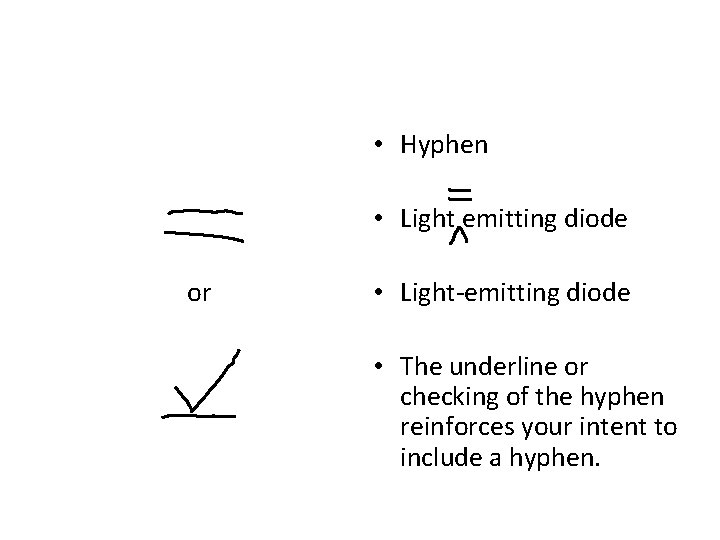
• Hyphen • Light emitting diode or • Light-emitting diode • The underline or checking of the hyphen reinforces your intent to include a hyphen.
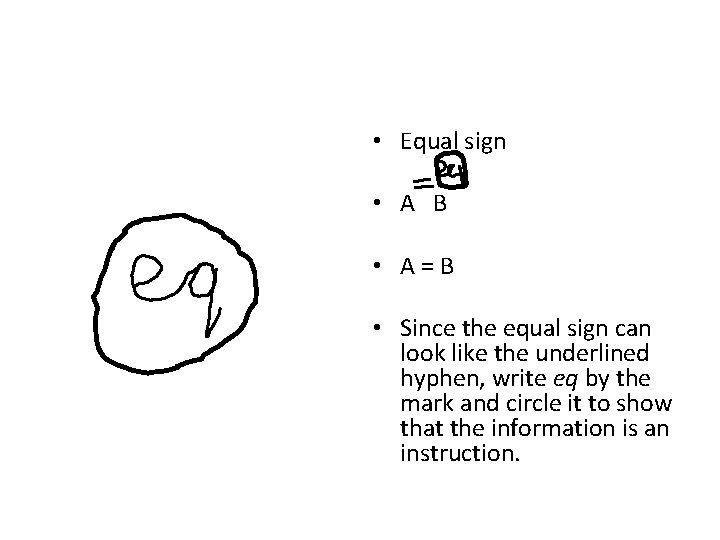
• Equal sign • A B • A=B • Since the equal sign can look like the underlined hyphen, write eq by the mark and circle it to show that the information is an instruction.
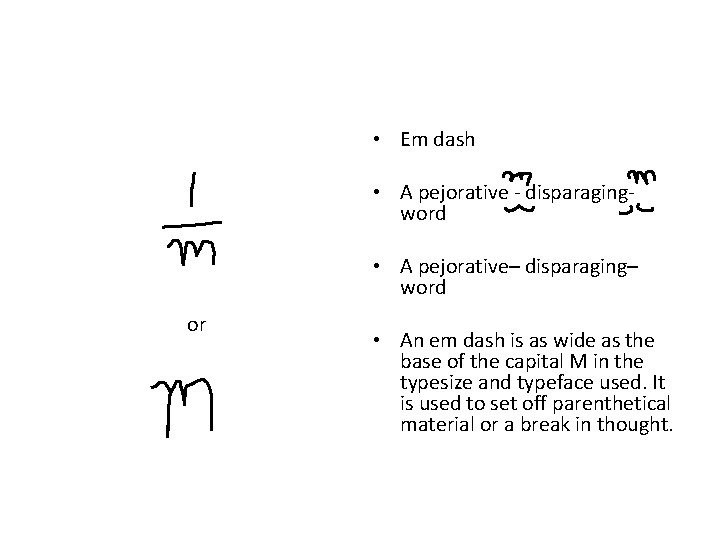
• Em dash • A pejorative - disparagingword • A pejorative– disparaging– word or • An em dash is as wide as the base of the capital M in the typesize and typeface used. It is used to set off parenthetical material or a break in thought.
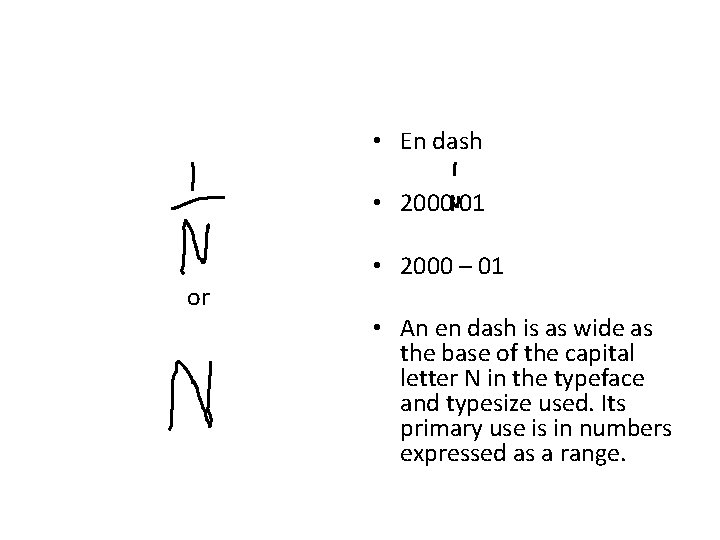
• En dash • 2000 01 or • 2000 – 01 • An en dash is as wide as the base of the capital letter N in the typeface and typesize used. Its primary use is in numbers expressed as a range.
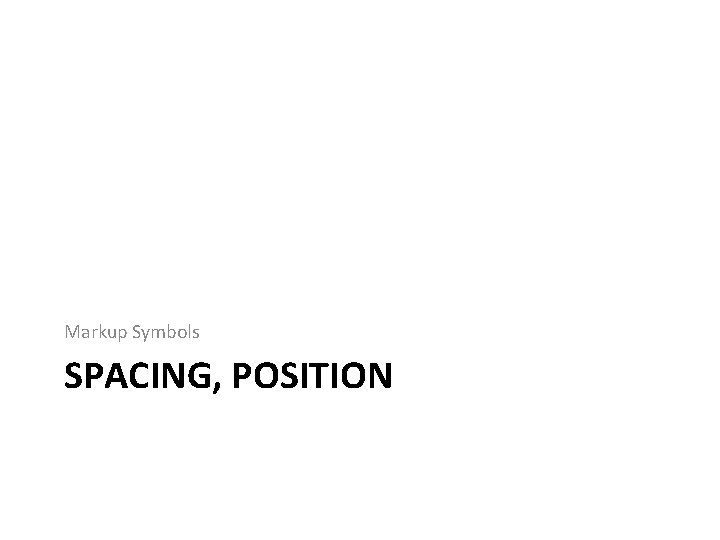
Markup Symbols SPACING, POSITION
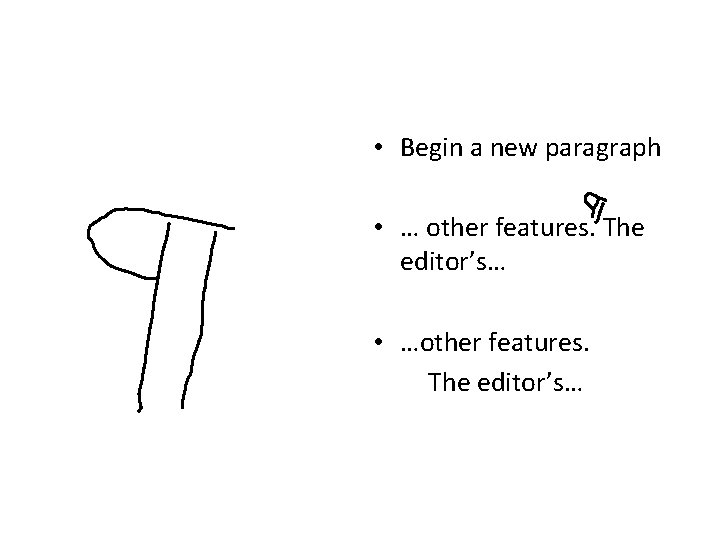
• Begin a new paragraph • … other features. The editor’s… • …other features. The editor’s…
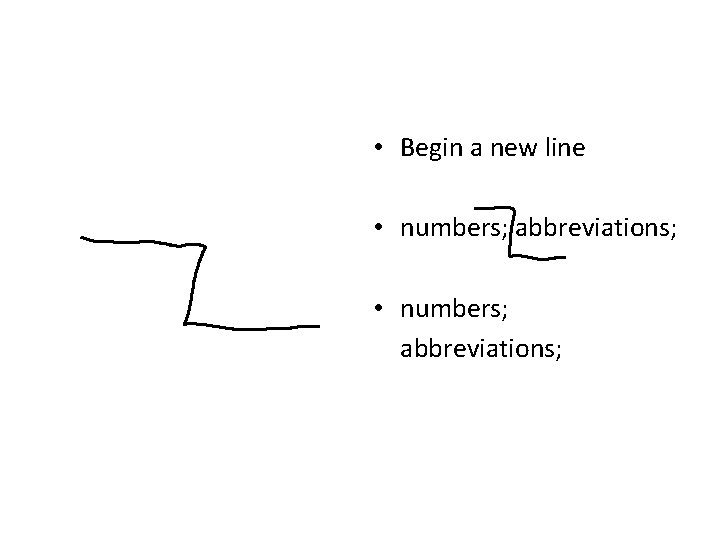
• Begin a new line • numbers; abbreviations;
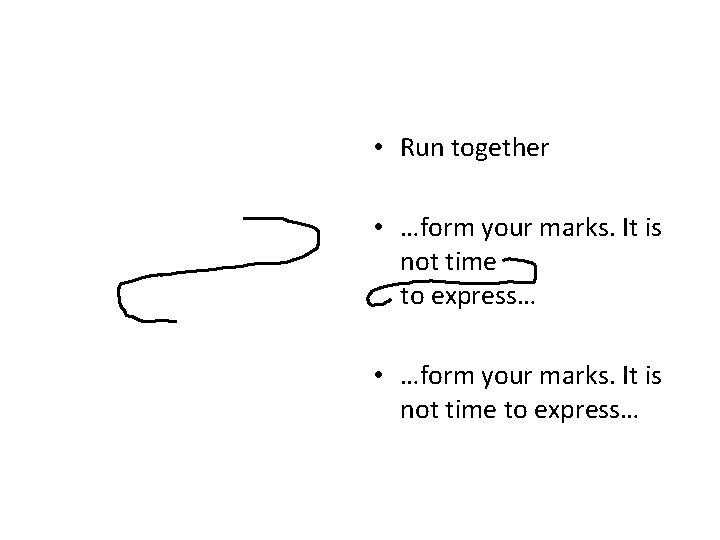
• Run together • …form your marks. It is not time to express…
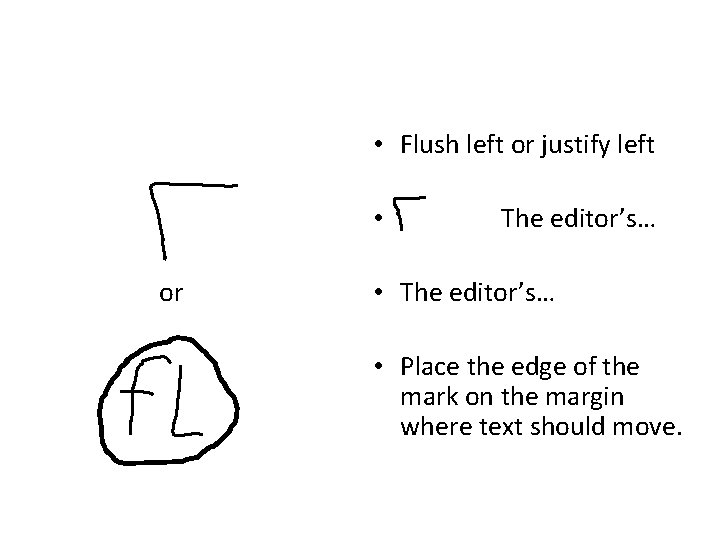
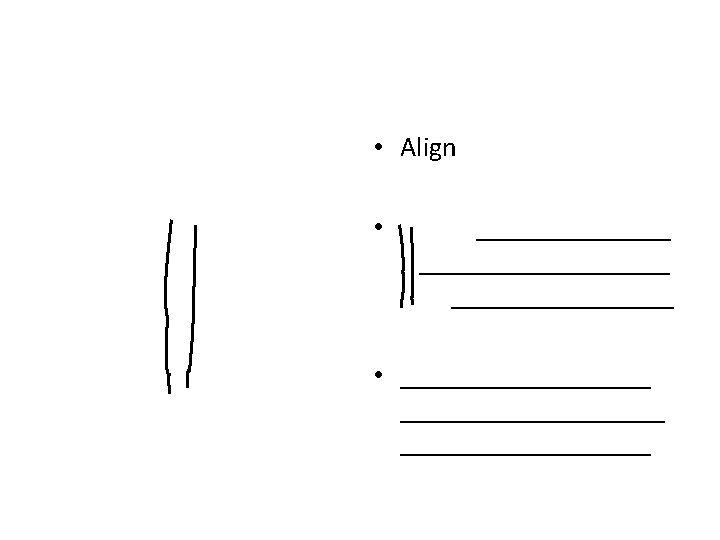
• Flush left or justify left • or The editor’s… • The editor’s… • Place the edge of the mark on the margin where text should move.
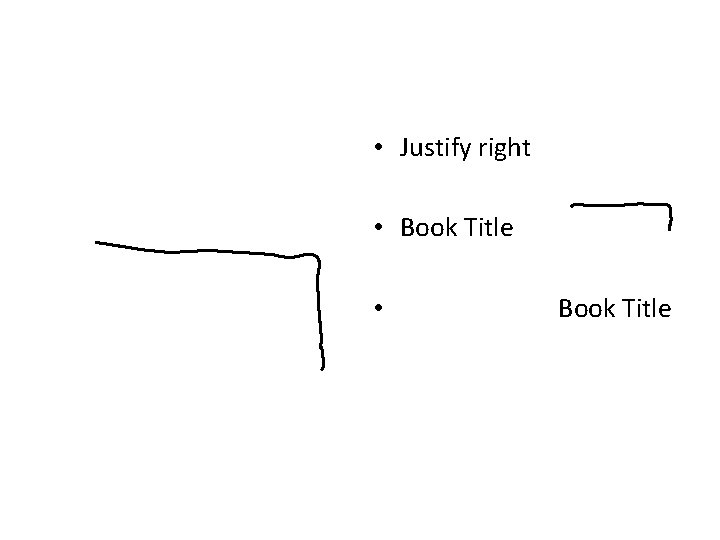
• Justify right • Book Title • Book Title
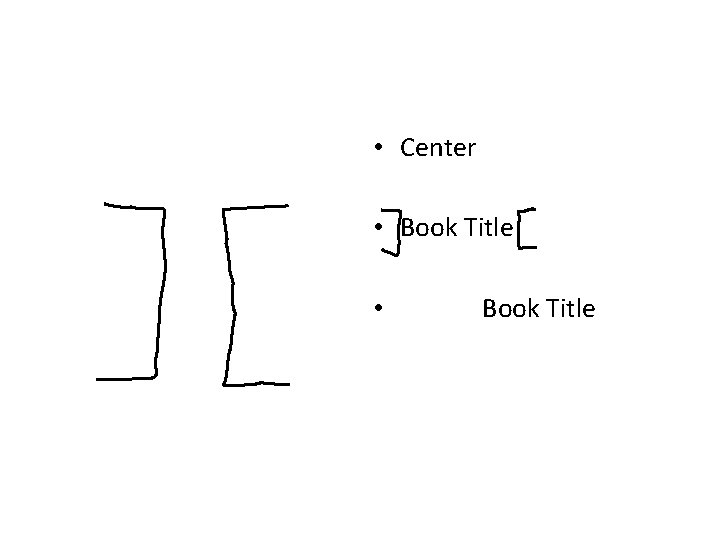
• Center • Book Title • Book Title
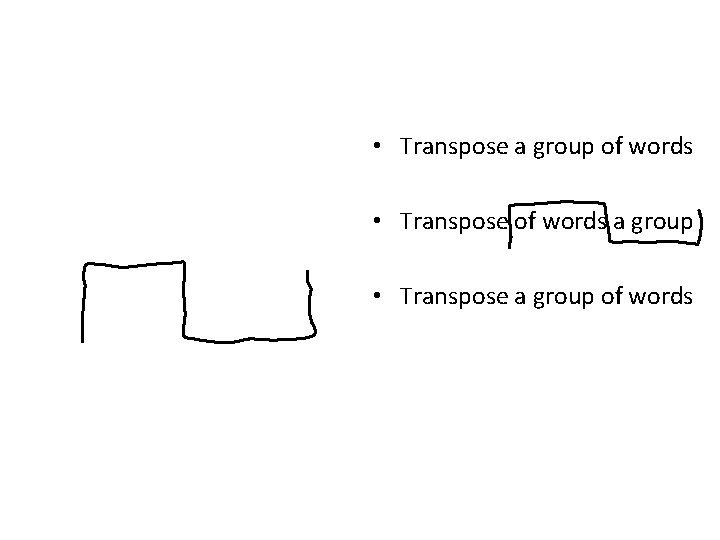
• Transpose a group of words • Transpose of words a group • Transpose a group of words
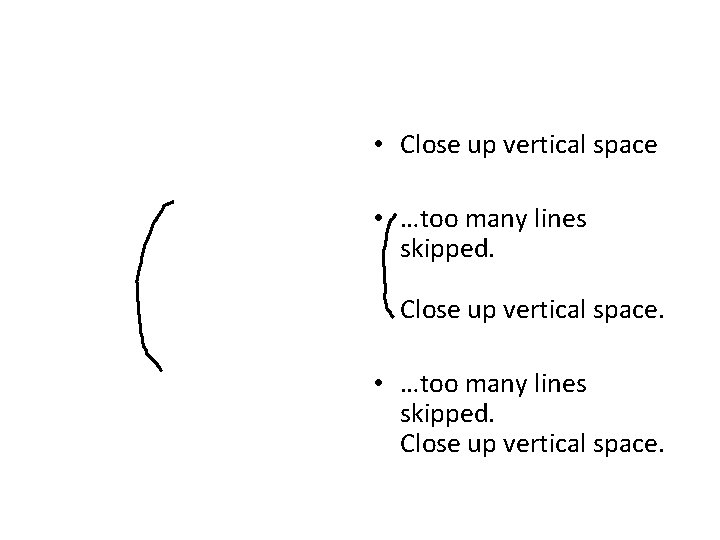
• Close up vertical space • …too many lines skipped. Close up vertical space.
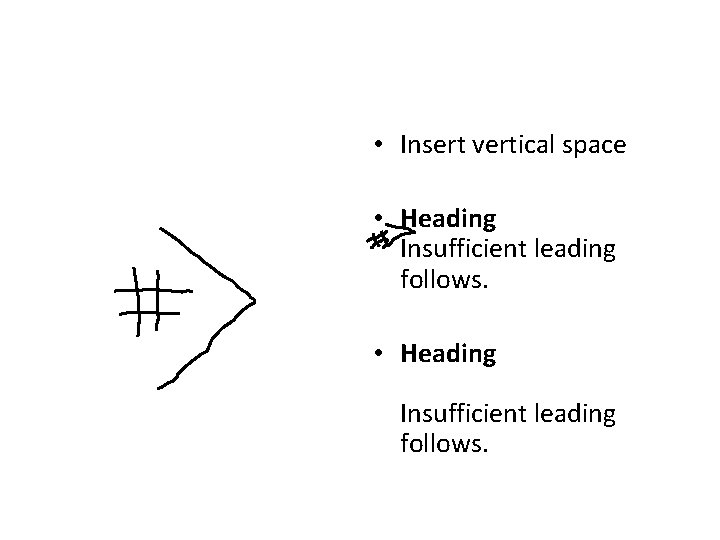
• Insert vertical space • Heading Insufficient leading follows.
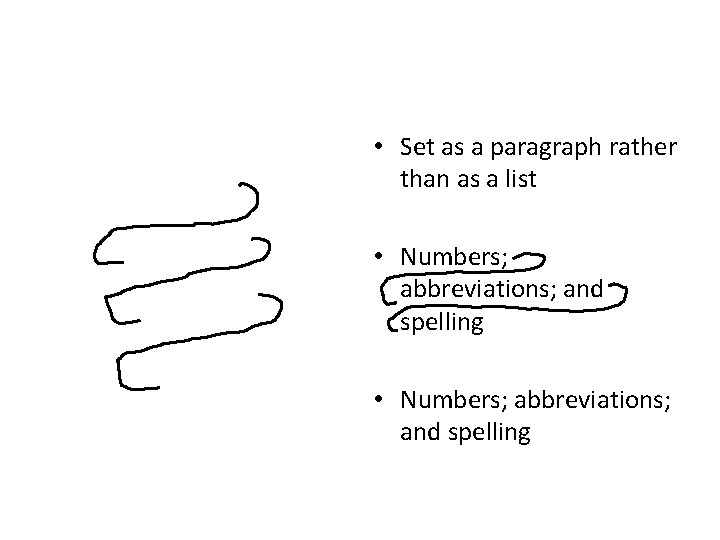
• Set as a paragraph rather than as a list • Numbers; abbreviations; and spelling
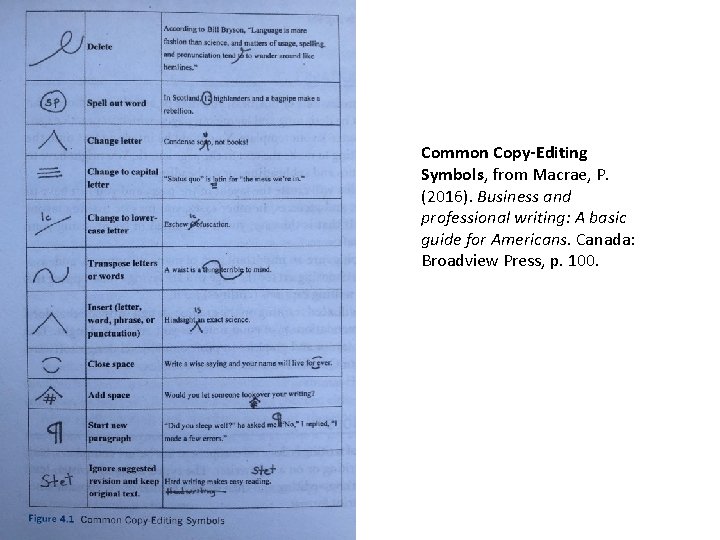
Common Copy-Editing Symbols, from Macrae, P. (2016). Business and professional writing: A basic guide for Americans. Canada: Broadview Press, p. 100.