X 1 X 2 Pin 1 and Pin

- Slides: 36
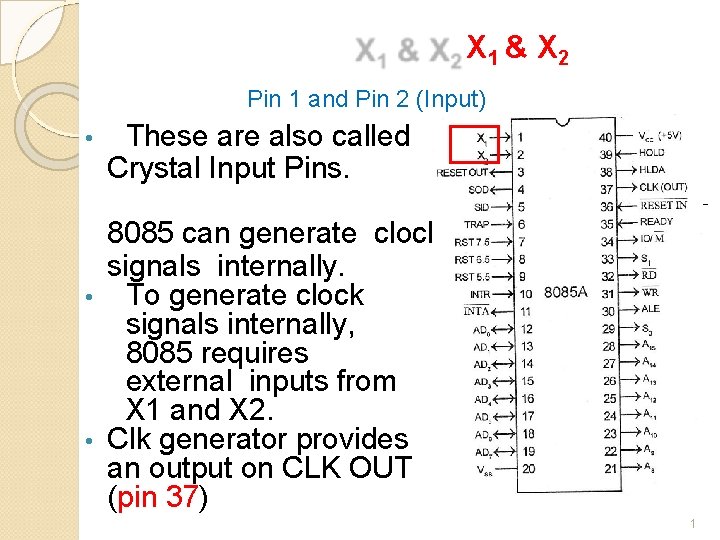
X 1 & X 2 Pin 1 and Pin 2 (Input) • These are also called Crystal Input Pins. 8085 can generate clock signals internally. • To generate clock signals internally, 8085 requires external inputs from X 1 and X 2. • Clk generator provides an output on CLK OUT (pin 37) 1
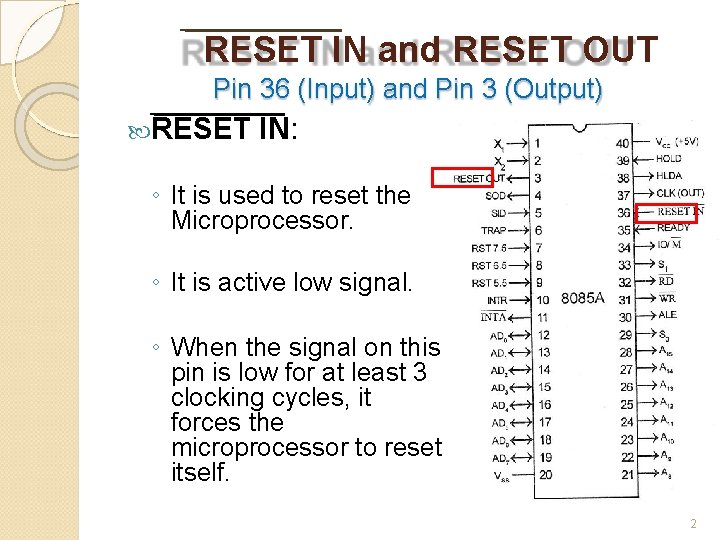
RESET IN and RESET OUT Pin 36 (Input) and Pin 3 (Output) RESET IN: ◦ It is used to reset the Microprocessor. ◦ It is active low signal. ◦ When the signal on this pin is low for at least 3 clocking cycles, it forces the microprocessor to reset itself. 2
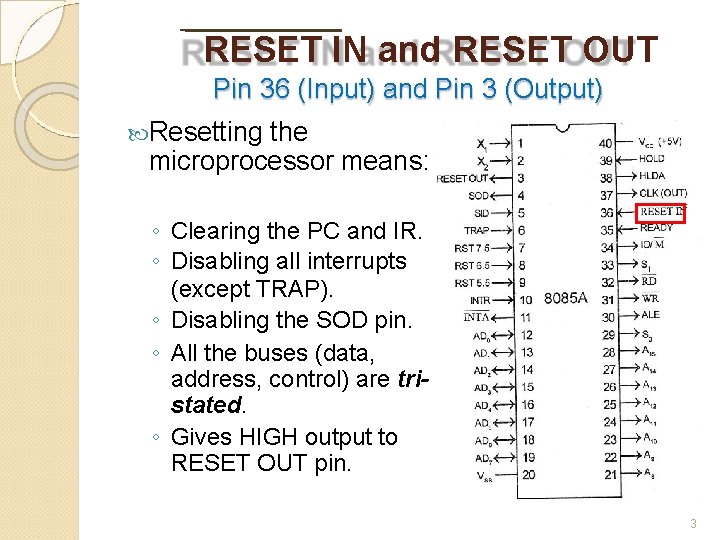
RESET IN and RESET OUT Pin 36 (Input) and Pin 3 (Output) Resetting the microprocessor means: ◦ Clearing the PC and IR. ◦ Disabling all interrupts (except TRAP). ◦ Disabling the SOD pin. ◦ All the buses (data, address, control) are tristated. ◦ Gives HIGH output to RESET OUT pin. 3
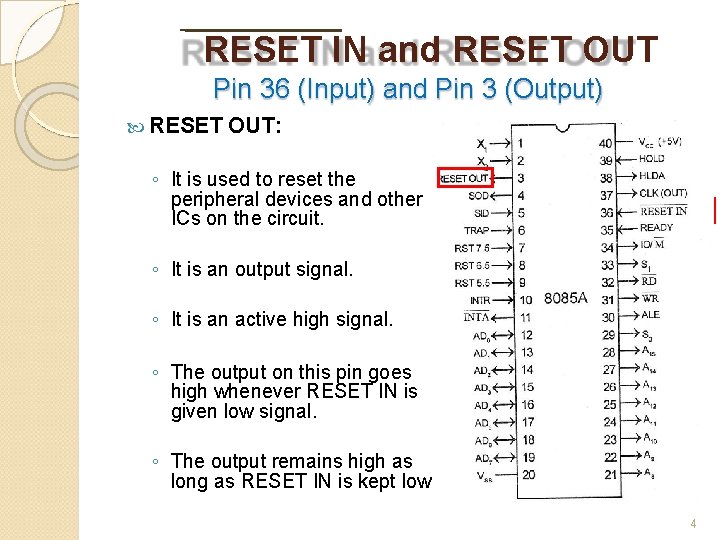
RESET IN and RESET OUT Pin 36 (Input) and Pin 3 (Output) RESET OUT: ◦ It is used to reset the peripheral devices and other ICs on the circuit. ◦ It is an output signal. ◦ It is an active high signal. ◦ The output on this pin goes high whenever RESET IN is given low signal. ◦ The output remains high as long as RESET IN is kept low. 4
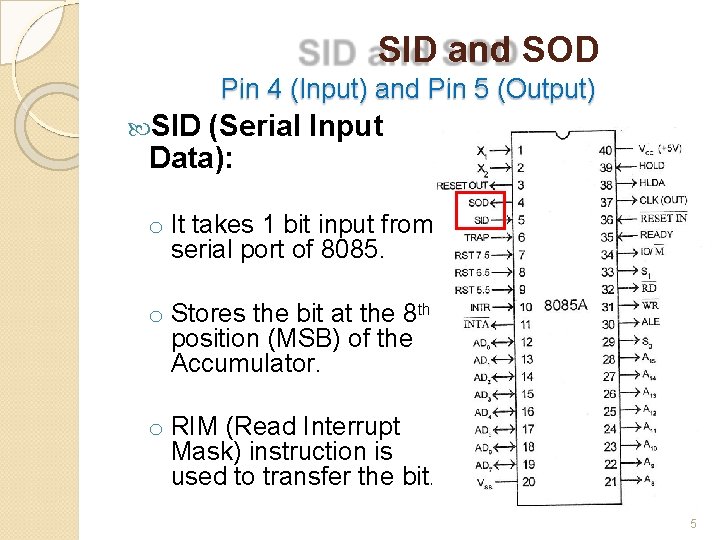
SID and SOD Pin 4 (Input) and Pin 5 (Output) SID (Serial Input Data): o It takes 1 bit input from serial port of 8085. o Stores the bit at the 8 th position (MSB) of the Accumulator. o RIM (Read Interrupt Mask) instruction is used to transfer the bit. 5
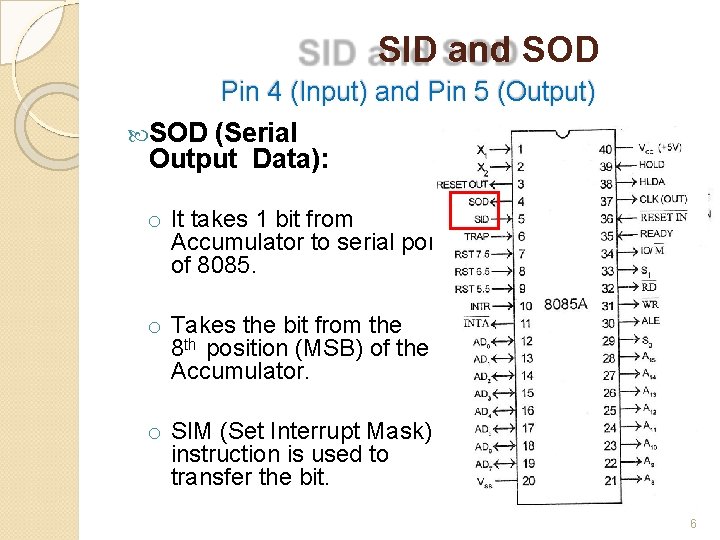
SID and SOD Pin 4 (Input) and Pin 5 (Output) SOD (Serial Output Data): o It takes 1 bit from Accumulator to serial port of 8085. o Takes the bit from the 8 th position (MSB) of the Accumulator. o SIM (Set Interrupt Mask) instruction is used to transfer the bit. 6
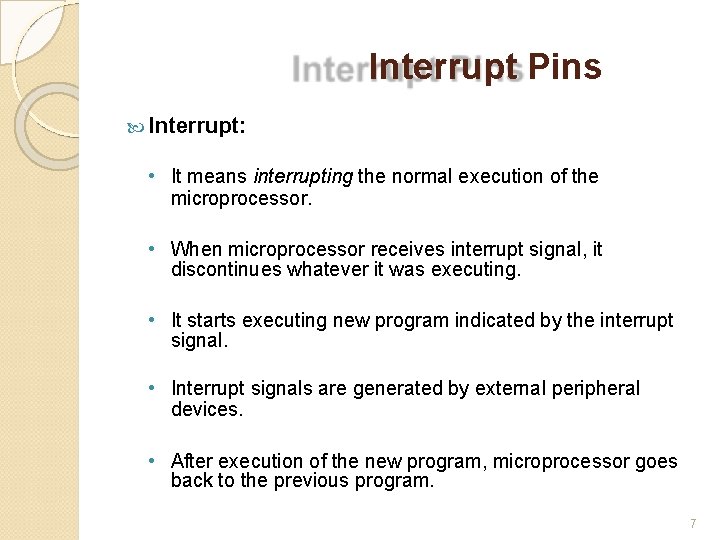
Interrupt Pins Interrupt: • It means interrupting the normal execution of the microprocessor. • When microprocessor receives interrupt signal, it discontinues whatever it was executing. • It starts executing new program indicated by the interrupt signal. • Interrupt signals are generated by external peripheral devices. • After execution of the new program, microprocessor goes back to the previous program. 7
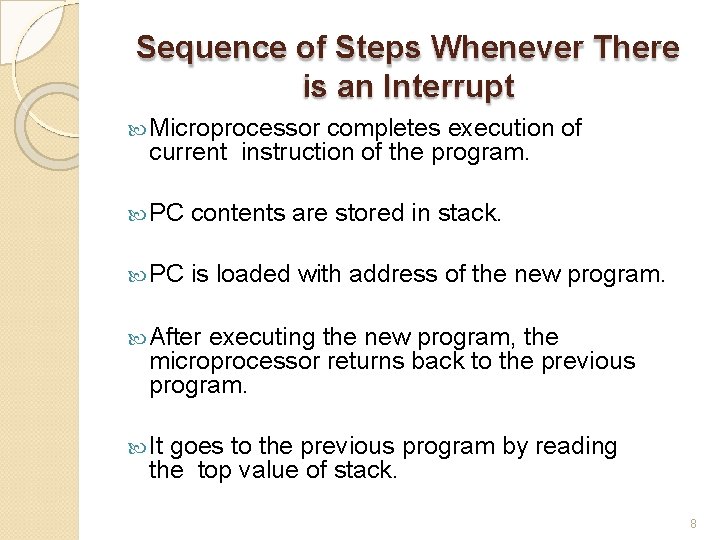
Sequence of Steps Whenever There is an Interrupt Microprocessor completes execution of current instruction of the program. PC contents are stored in stack. PC is loaded with address of the new program. After executing the new program, the microprocessor returns back to the previous program. It goes to the previous program by reading the top value of stack. 8
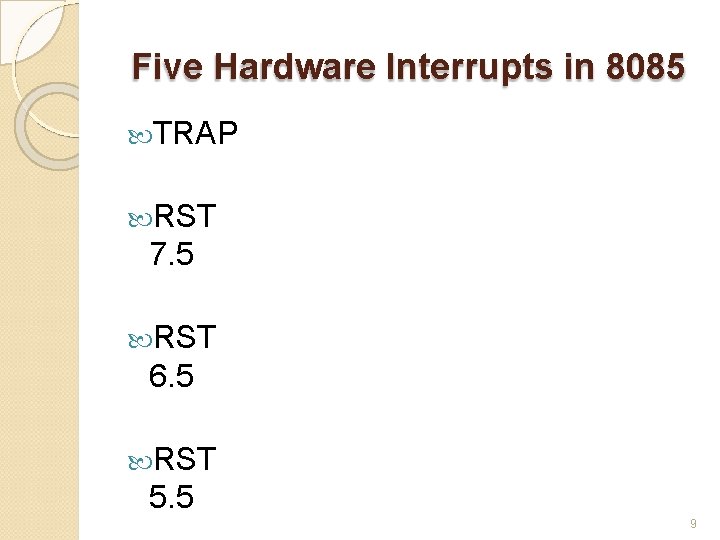
Five Hardware Interrupts in 8085 TRAP RST 7. 5 RST 6. 5 RST 5. 5 9
Classification of Interrupts Maskable and Non-Maskable 10
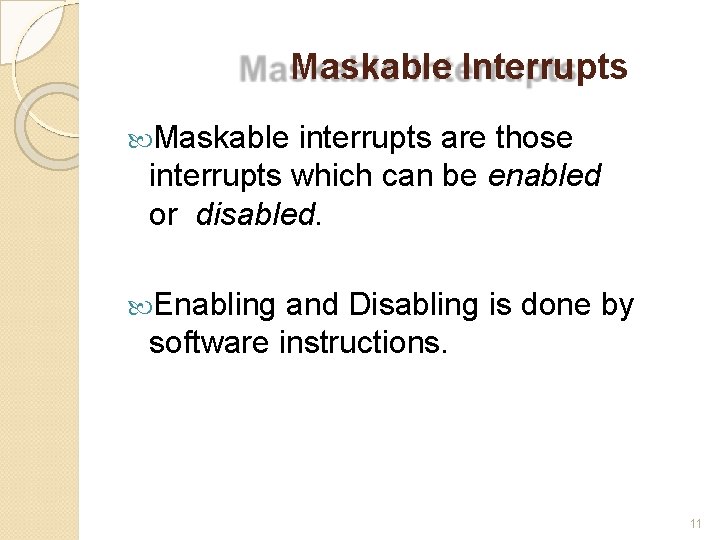
Maskable Interrupts Maskable interrupts are those interrupts which can be enabled or disabled. Enabling and Disabling is done by software instructions. 11
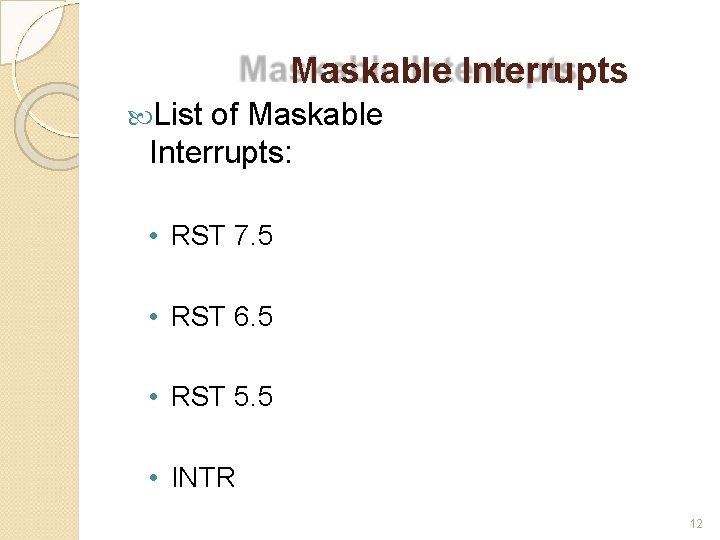
Maskable Interrupts List of Maskable Interrupts: • RST 7. 5 • RST 6. 5 • RST 5. 5 • INTR 12
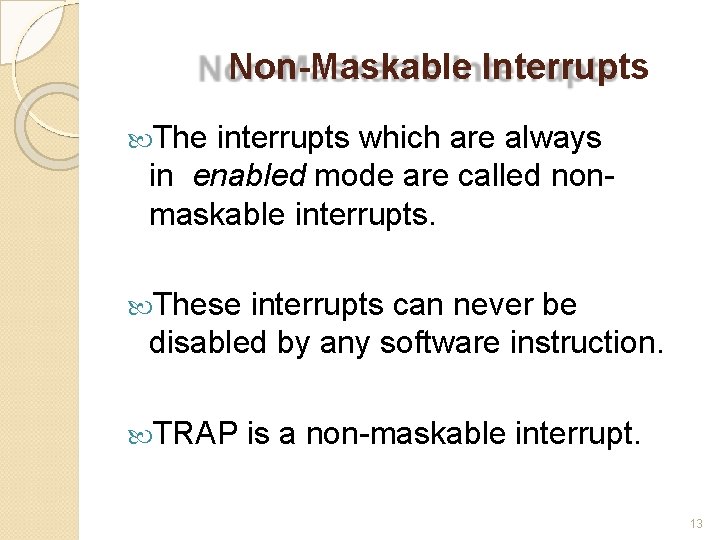
Non-Maskable Interrupts The interrupts which are always in enabled mode are called nonmaskable interrupts. These interrupts can never be disabled by any software instruction. TRAP is a non-maskable interrupt. 13
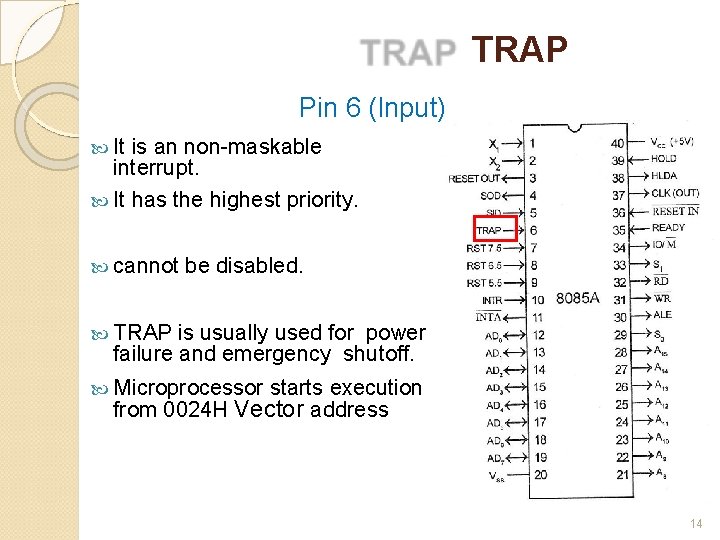
TRAP Pin 6 (Input) It is an non-maskable interrupt. It has the highest priority. cannot be disabled. TRAP is usually used for power failure and emergency shutoff. Microprocessor starts execution from 0024 H Vector address 14
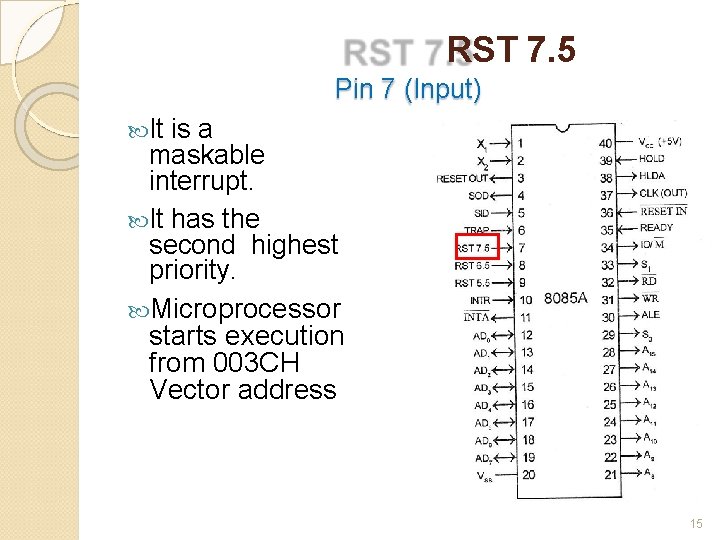
RST 7. 5 Pin 7 (Input) It is a maskable interrupt. It has the second highest priority. Microprocessor starts execution from 003 CH Vector address 15
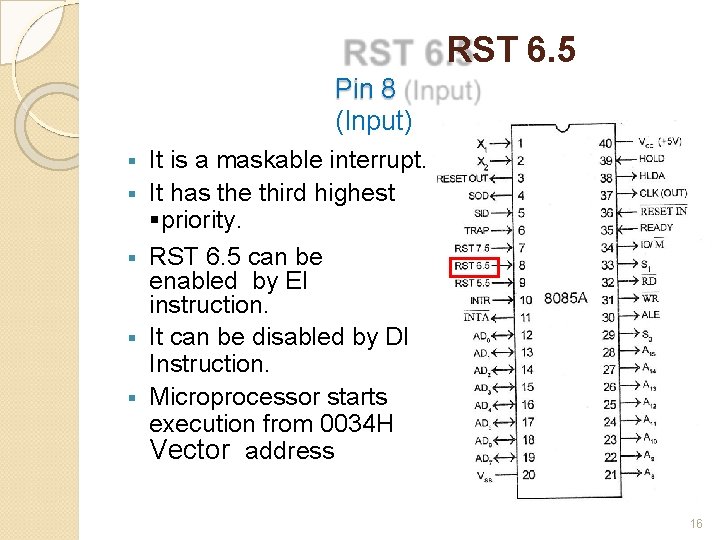
RST 6. 5 Pin 8 (Input) § § § It is a maskable interrupt. It has the third highest §priority. RST 6. 5 can be enabled by EI instruction. It can be disabled by DI Instruction. Microprocessor starts execution from 0034 H Vector address 16
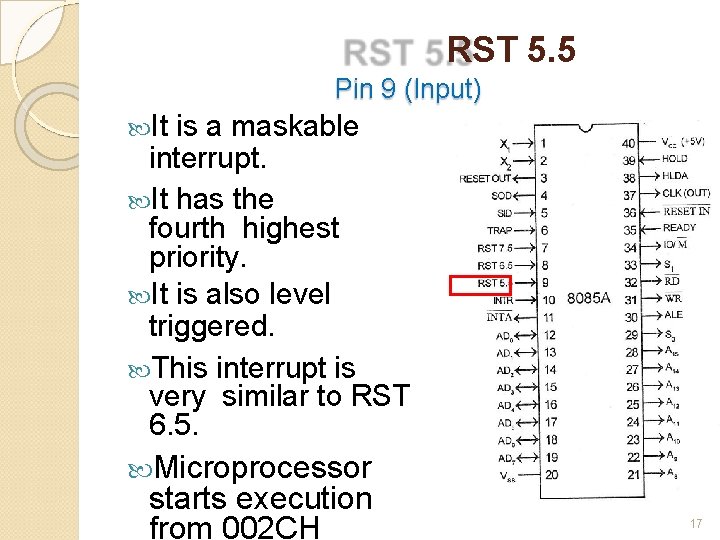
RST 5. 5 Pin 9 (Input) It is a maskable interrupt. It has the fourth highest priority. It is also level triggered. This interrupt is very similar to RST 6. 5. Microprocessor starts execution from 002 CH 17
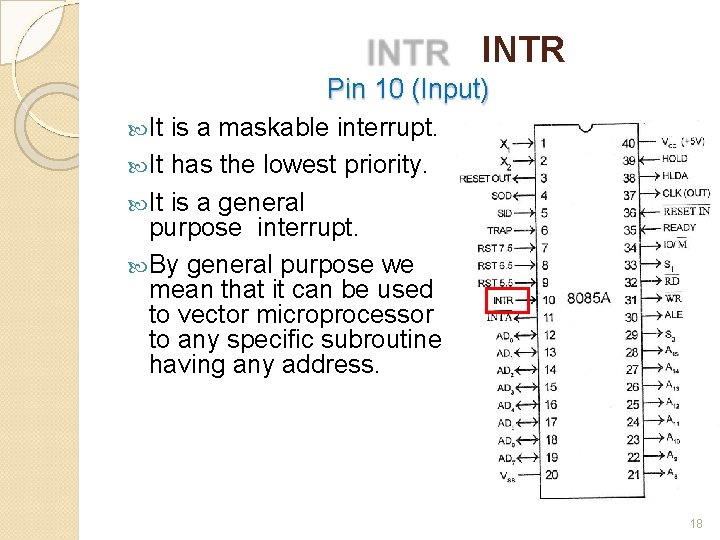
INTR Pin 10 (Input) It is a maskable interrupt. It has the lowest priority. It is a general purpose interrupt. By general purpose we mean that it can be used to vector microprocessor to any specific subroutine having any address. 18
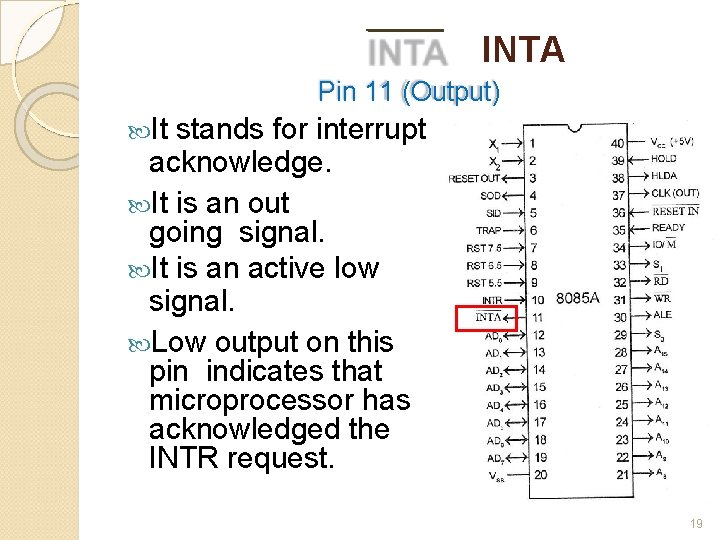
INTA Pin 11 (Output) It stands for interrupt acknowledge. It is an out going signal. It is an active low signal. Low output on this pin indicates that microprocessor has acknowledged the INTR request. 19
Address and Data Pins 20
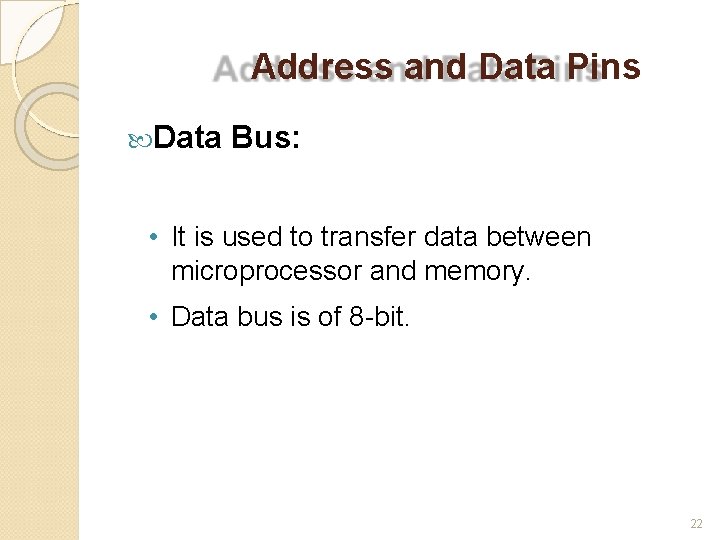
Address and Data Pins Address Bus: • The address bus is used to send address to memory. • It selects one of the many locations in memory. • Its size is 16 -bit. 21
Address and Data Pins Data Bus: • It is used to transfer data between microprocessor and memory. • Data bus is of 8 -bit. 22
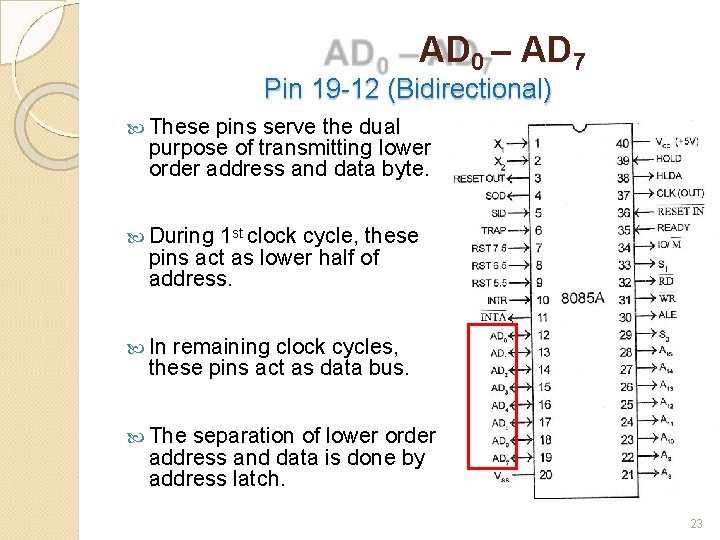
AD 0 – AD 7 Pin 19 -12 (Bidirectional) These pins serve the dual purpose of transmitting lower order address and data byte. During 1 st clock cycle, these pins act as lower half of address. In remaining clock cycles, these pins act as data bus. The separation of lower order address and data is done by address latch. 23
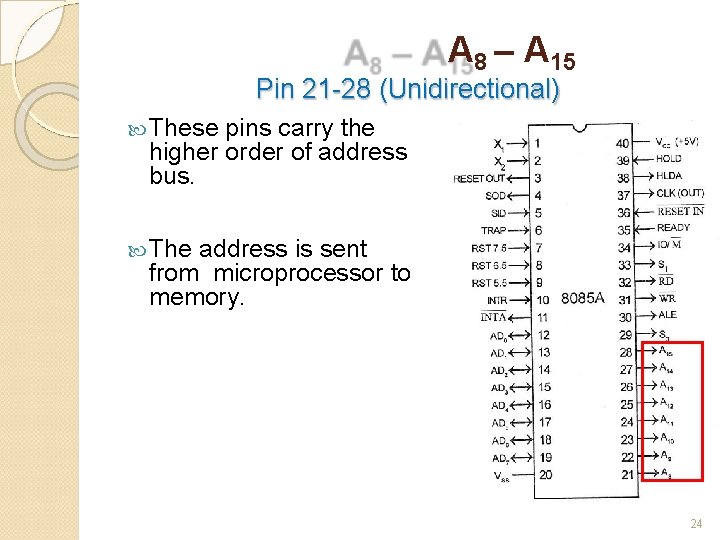
A 8 – A 15 Pin 21 -28 (Unidirectional) These pins carry the higher order of address bus. The address is sent from microprocessor to memory. 24
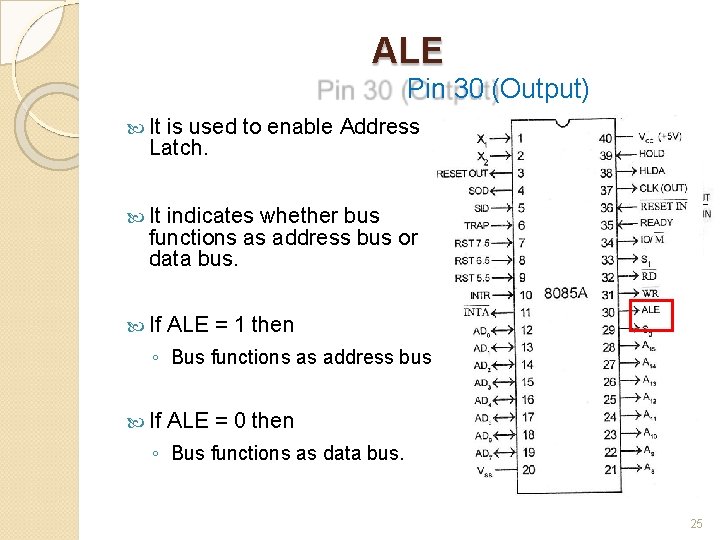
ALE Pin 30 (Output) It is used to enable Address Latch. It indicates whether bus functions as address bus or data bus. If ALE = 1 then ◦ Bus functions as address bus. If ALE = 0 then ◦ Bus functions as data bus. 25
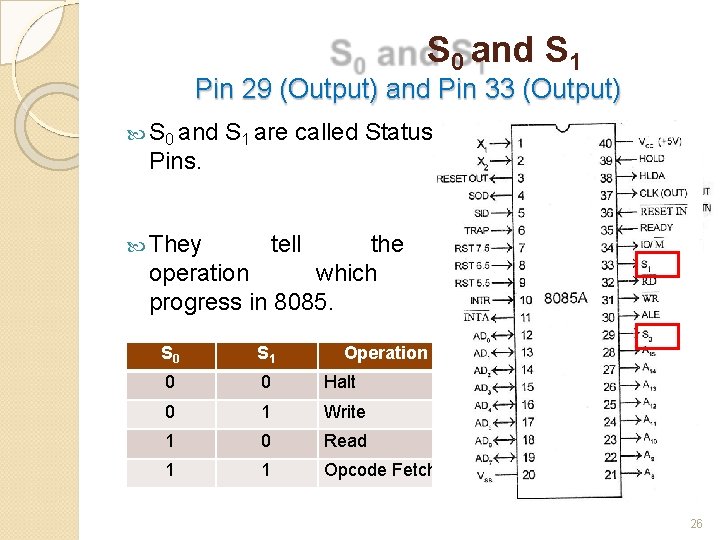
S 0 and S 1 Pin 29 (Output) and Pin 33 (Output) S 0 and Pins. They S 1 are called Status tell the operation which progress in 8085. S 0 S 1 0 0 Halt 0 1 Write 1 0 Read 1 1 Opcode Fetch current is in Operation 26
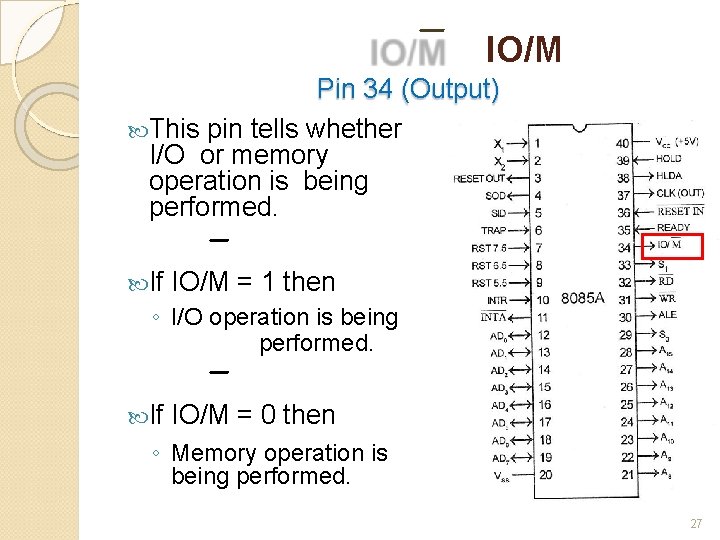
IO/M Pin 34 (Output) This pin tells whether I/O or memory operation is being performed. If IO/M = 1 then ◦ I/O operation is being performed. If IO/M = 0 then ◦ Memory operation is being performed. 27
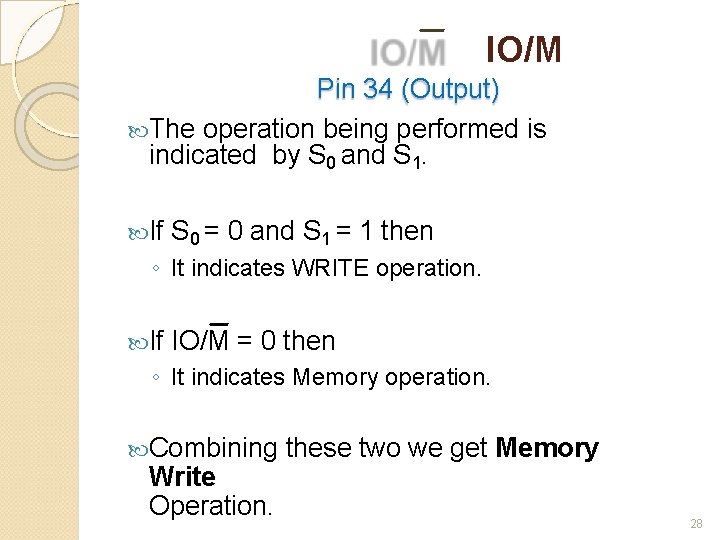
IO/M Pin 34 (Output) The operation being performed is indicated by S 0 and S 1. If S 0 = 0 and S 1 = 1 then ◦ It indicates WRITE operation. If IO/M = 0 then ◦ It indicates Memory operation. Combining Write Operation. these two we get Memory 28
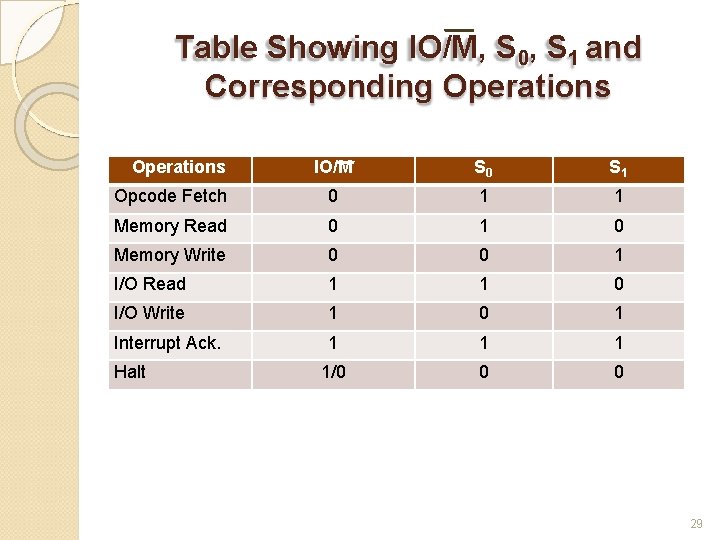
Table Showing IO/M, S 0, S 1 and Corresponding Operations IO/M S 0 S 1 Opcode Fetch 0 1 1 Memory Read 0 1 0 Memory Write 0 0 1 I/O Read 1 1 0 I/O Write 1 0 1 Interrupt Ack. 1 1/0 0 0 Halt 29
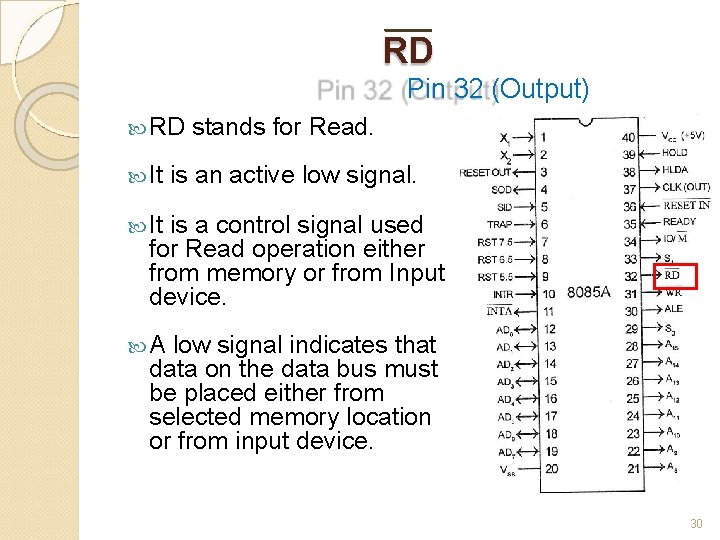
RD Pin 32 (Output) RD It stands for Read. is an active low signal. It is a control signal used for Read operation either from memory or from Input device. A low signal indicates that data on the data bus must be placed either from selected memory location or from input device. 30
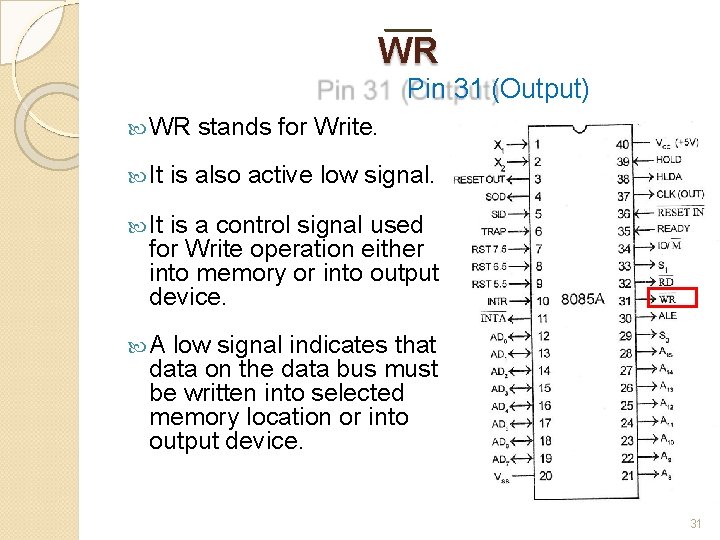
WR Pin 31 (Output) WR It stands for Write. is also active low signal. It is a control signal used for Write operation either into memory or into output device. A low signal indicates that data on the data bus must be written into selected memory location or into output device. 31
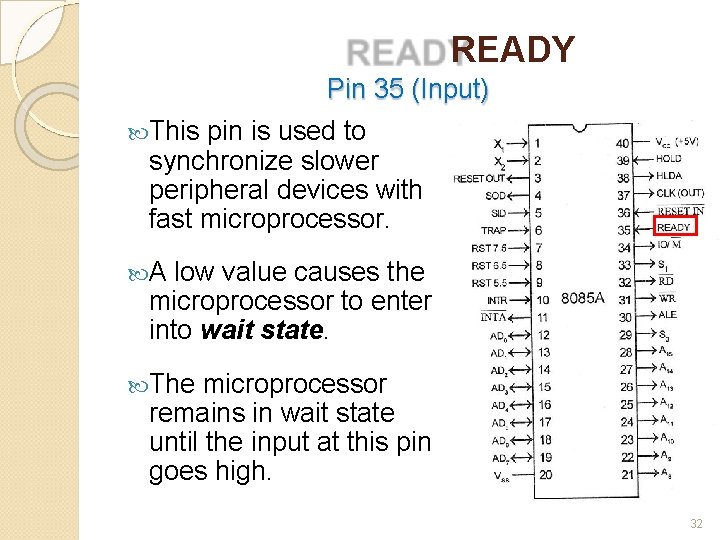
READY Pin 35 (Input) This pin is used to synchronize slower peripheral devices with fast microprocessor. A low value causes the microprocessor to enter into wait state. The microprocessor remains in wait state until the input at this pin goes high. 32
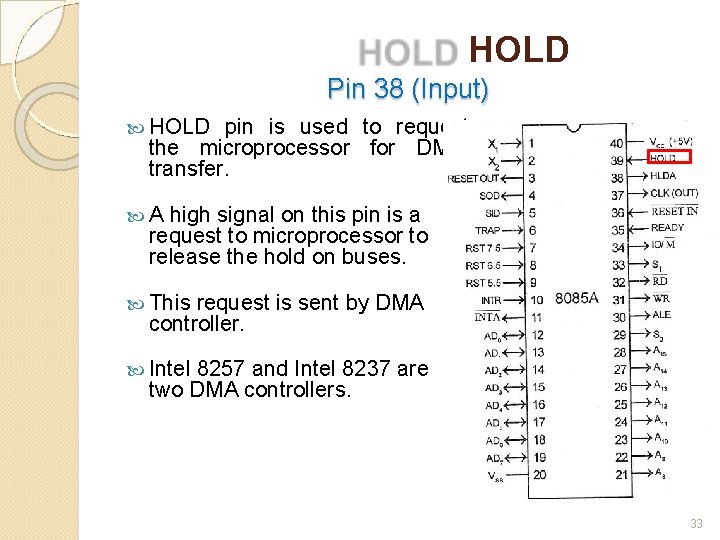
HOLD Pin 38 (Input) HOLD pin is used to request the microprocessor for DMA transfer. A high signal on this pin is a request to microprocessor to release the hold on buses. This request is sent by DMA controller. Intel 8257 and Intel 8237 are two DMA controllers. 33
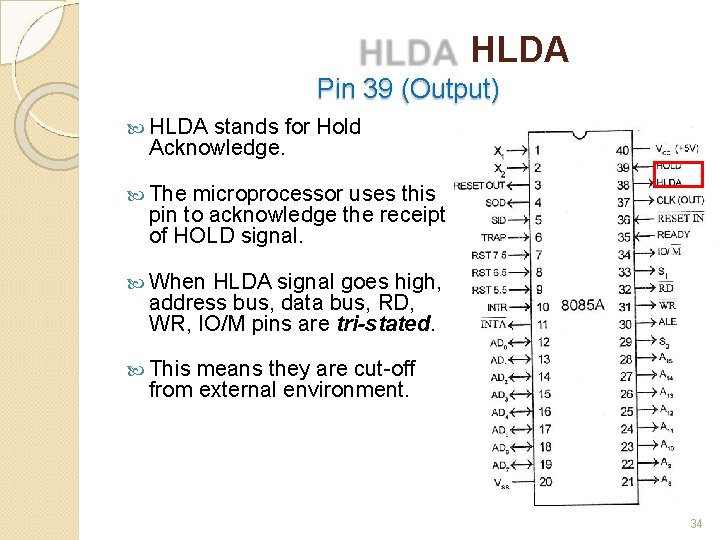
HLDA Pin 39 (Output) HLDA stands for Hold Acknowledge. The microprocessor uses this pin to acknowledge the receipt of HOLD signal. When HLDA signal goes high, address bus, data bus, RD, WR, IO/M pins are tri-stated. This means they are cut-off from external environment. 34
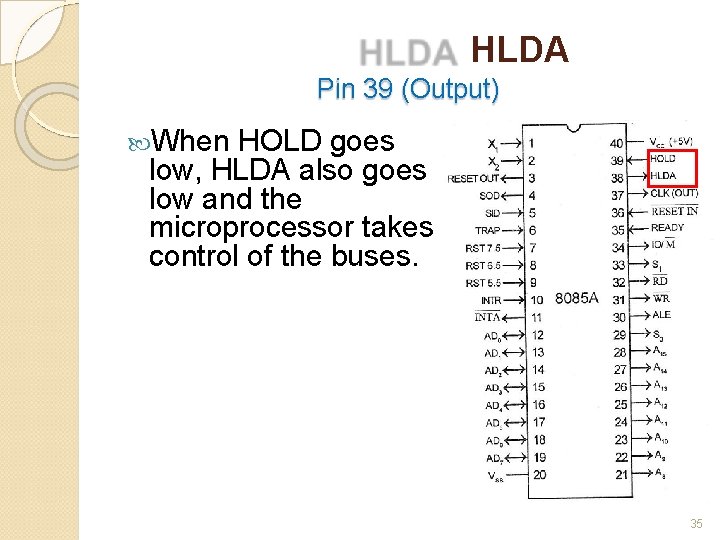
HLDA Pin 39 (Output) When HOLD goes low, HLDA also goes low and the microprocessor takes control of the buses. 35
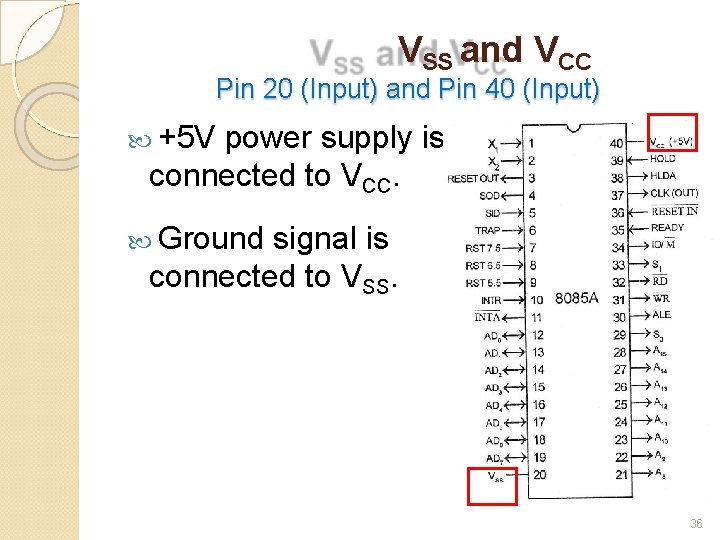
VSS and VCC Pin 20 (Input) and Pin 40 (Input) +5 V power supply is connected to VCC. Ground signal is connected to VSS. 36