Tutorial 23 GEF In Depth Randy Hudson Pratik
- Slides: 68
Tutorial #23 GEF In Depth Randy Hudson Pratik Shah IBM Rational Software Research Triangle Park, NC © 2005 by International Business Machines; made available under the EPL v 1. 0 | February 28, 2005 |
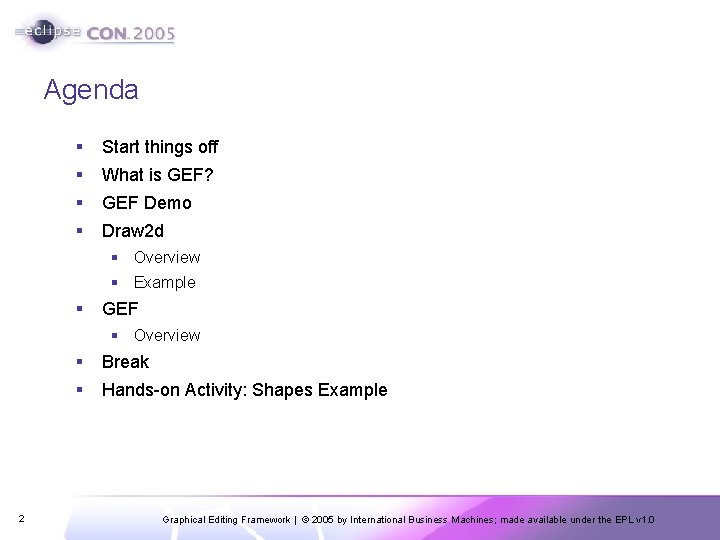
Agenda § Start things off § What is GEF? § GEF Demo § Draw 2 d § Overview § Example § GEF § Overview 2 § Break § Hands-on Activity: Shapes Example Graphical Editing Framework | © 2005 by International Business Machines; made available under the EPL v 1. 0
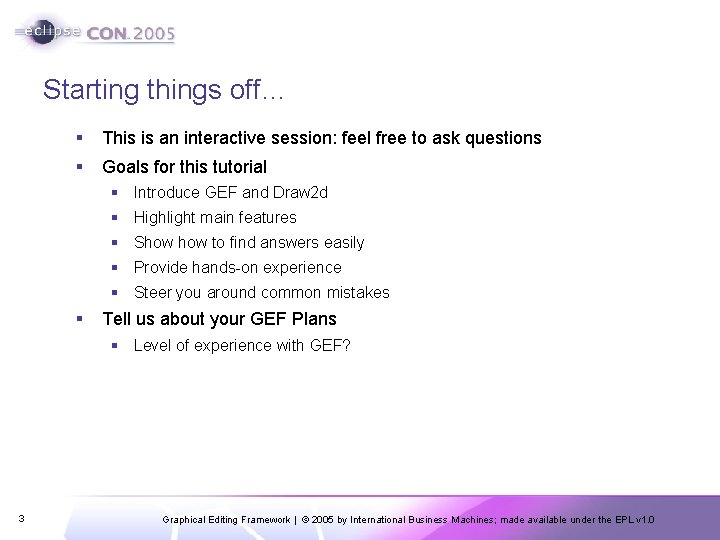
Starting things off… § This is an interactive session: feel free to ask questions § Goals for this tutorial § Introduce GEF and Draw 2 d § Highlight main features § Show to find answers easily § Provide hands-on experience § Steer you around common mistakes § Tell us about your GEF Plans § Level of experience with GEF? 3 Graphical Editing Framework | © 2005 by International Business Machines; made available under the EPL v 1. 0
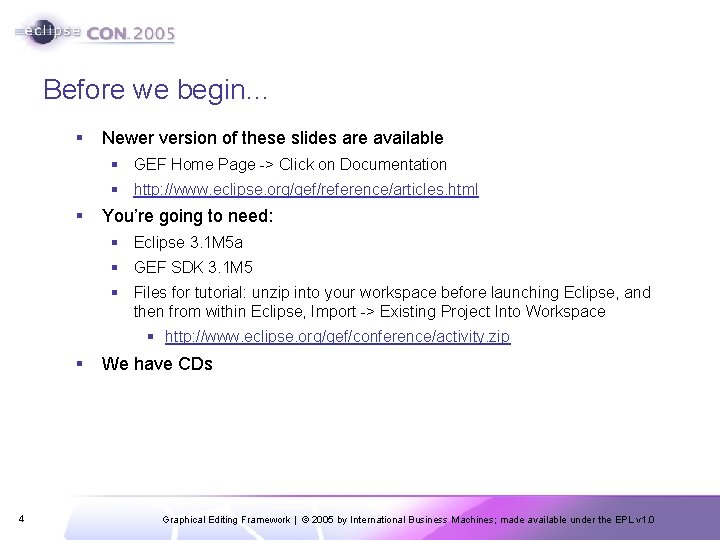
Before we begin… § Newer version of these slides are available § GEF Home Page -> Click on Documentation § http: //www. eclipse. org/gef/reference/articles. html § You’re going to need: § Eclipse 3. 1 M 5 a § GEF SDK 3. 1 M 5 § Files for tutorial: unzip into your workspace before launching Eclipse, and then from within Eclipse, Import -> Existing Project Into Workspace § http: //www. eclipse. org/gef/conference/activity. zip § 4 We have CDs Graphical Editing Framework | © 2005 by International Business Machines; made available under the EPL v 1. 0
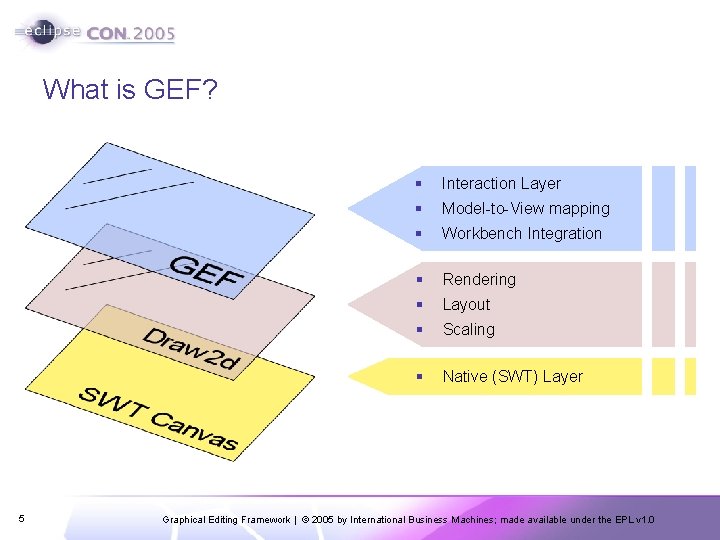
What is GEF? 5 § Interaction Layer § Model-to-View mapping § Workbench Integration § Rendering § Layout § Scaling § Native (SWT) Layer Graphical Editing Framework | © 2005 by International Business Machines; made available under the EPL v 1. 0
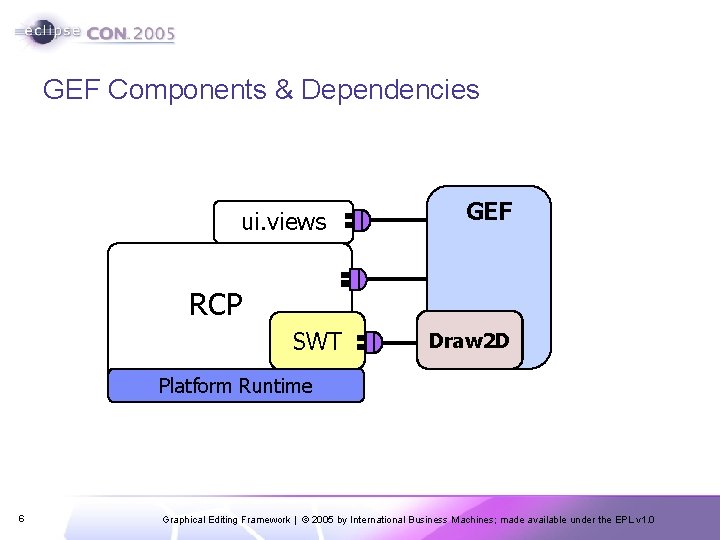
GEF Components & Dependencies ui. views GEF RCP SWT Draw 2 D Platform Runtime 6 Graphical Editing Framework | © 2005 by International Business Machines; made available under the EPL v 1. 0
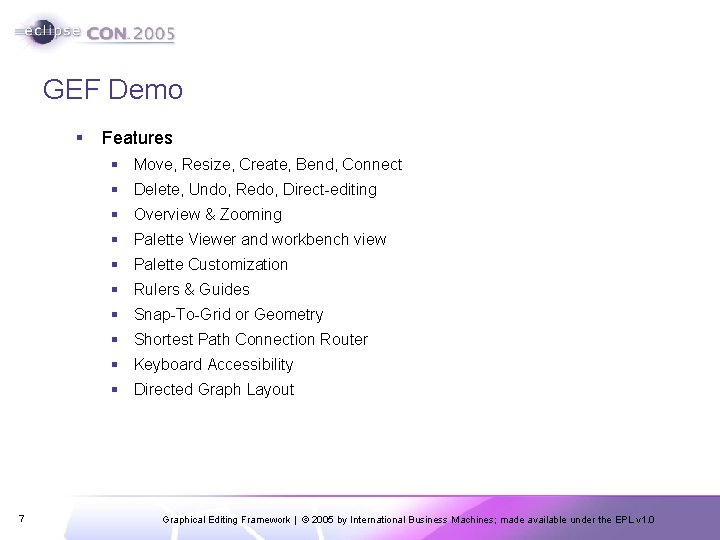
GEF Demo § Features § Move, Resize, Create, Bend, Connect § Delete, Undo, Redo, Direct-editing § Overview & Zooming § Palette Viewer and workbench view § Palette Customization § Rulers & Guides § Snap-To-Grid or Geometry § Shortest Path Connection Router § Keyboard Accessibility § Directed Graph Layout 7 Graphical Editing Framework | © 2005 by International Business Machines; made available under the EPL v 1. 0
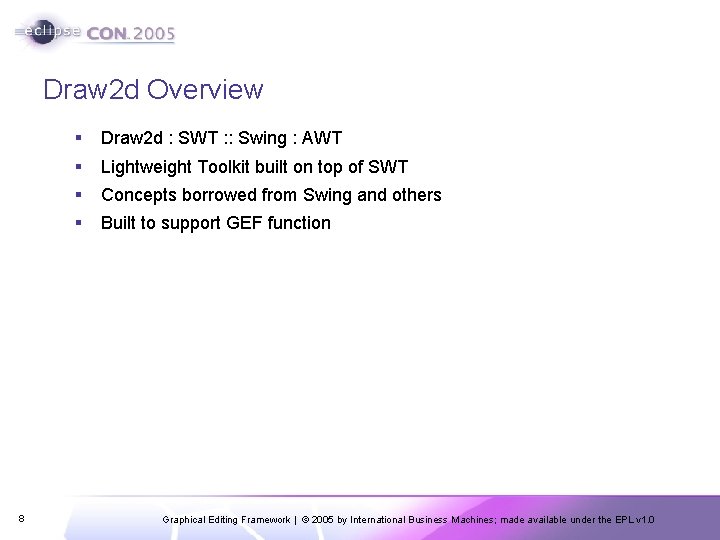
Draw 2 d Overview 8 § Draw 2 d : SWT : : Swing : AWT § Lightweight Toolkit built on top of SWT § Concepts borrowed from Swing and others § Built to support GEF function Graphical Editing Framework | © 2005 by International Business Machines; made available under the EPL v 1. 0
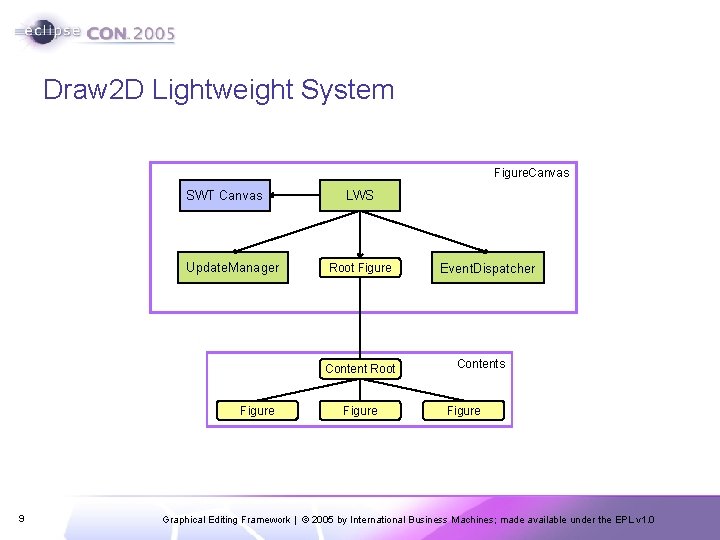
Draw 2 D Lightweight System Figure. Canvas SWT Canvas Update. Manager LWS Root Figure Content Root Figure 9 Figure Event. Dispatcher Contents Figure Graphical Editing Framework | © 2005 by International Business Machines; made available under the EPL v 1. 0
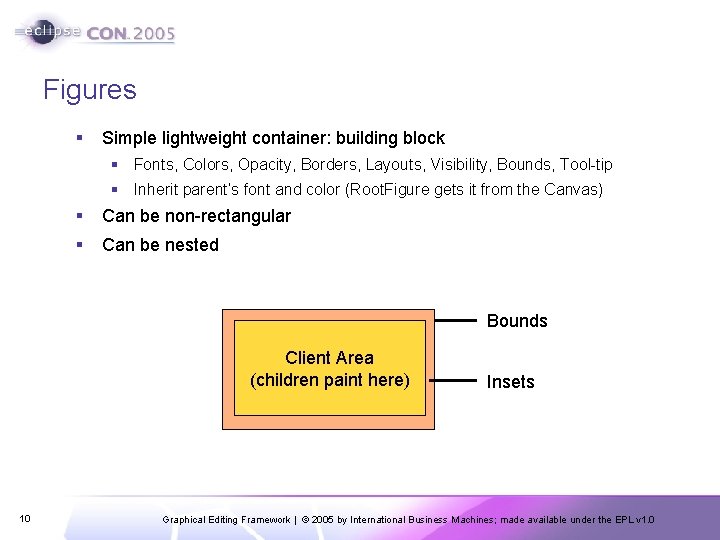
Figures § Simple lightweight container: building block § Fonts, Colors, Opacity, Borders, Layouts, Visibility, Bounds, Tool-tip § Inherit parent’s font and color (Root. Figure gets it from the Canvas) § Can be non-rectangular § Can be nested Bounds Client Area (children paint here) 10 Insets Graphical Editing Framework | © 2005 by International Business Machines; made available under the EPL v 1. 0
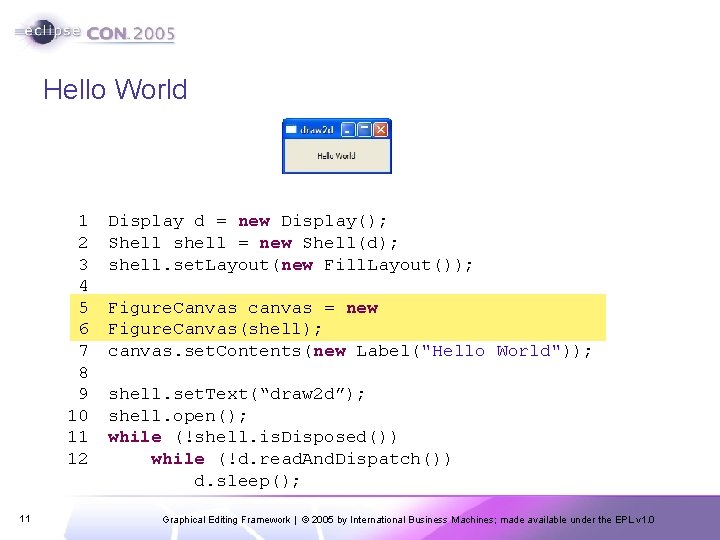
Hello World 1 2 3 4 5 6 7 8 9 10 11 12 11 Display d = new Display(); Shell shell = new Shell(d); shell. set. Layout(new Fill. Layout()); Figure. Canvas canvas = new Figure. Canvas(shell); canvas. set. Contents(new Label("Hello World")); shell. set. Text(“draw 2 d”); shell. open(); while (!shell. is. Disposed()) while (!d. read. And. Dispatch()) d. sleep(); Graphical Editing Framework | © 2005 by International Business Machines; made available under the EPL v 1. 0
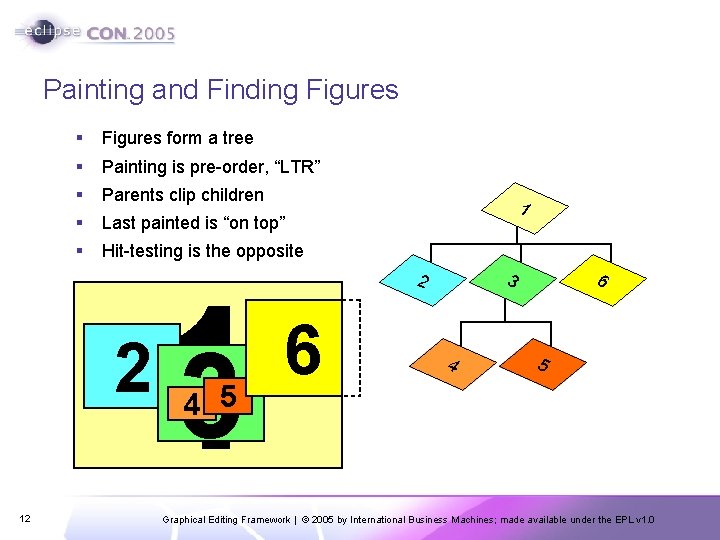
Painting and Finding Figures § Figures form a tree § Painting is pre-order, “LTR” § Parents clip children § Last painted is “on top” § Hit-testing is the opposite 2 12 13 4 5 1 2 6 6 3 4 5 Graphical Editing Framework | © 2005 by International Business Machines; made available under the EPL v 1. 0
Painting continued § Override paint. Figure(), not paint() § You don’t have to worry about maintaining the state of the Graphics object; change settings as you please § Order of painting: parent figure, children figures, parent’s border 13 § Request repaint() when any property that affects the appearance is changed § Double-buffered painting (no flicker) Graphical Editing Framework | © 2005 by International Business Machines; made available under the EPL v 1. 0
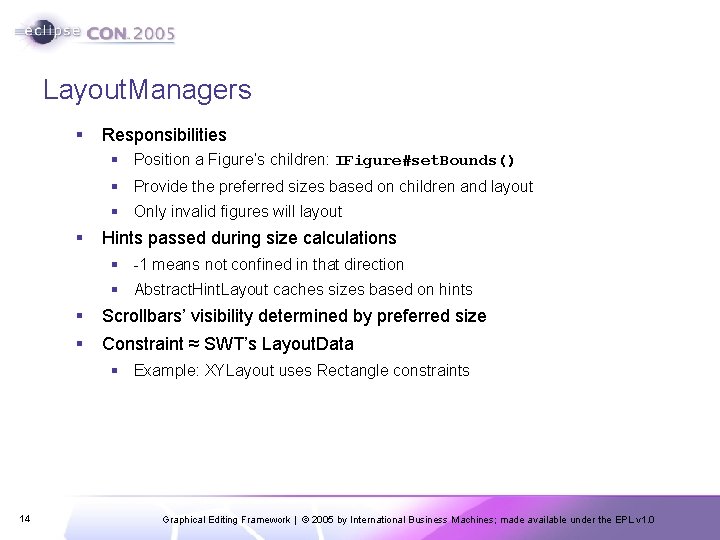
Layout. Managers § Responsibilities § Position a Figure’s children: IFigure#set. Bounds() § Provide the preferred sizes based on children and layout § Only invalid figures will layout § Hints passed during size calculations § -1 means not confined in that direction § Abstract. Hint. Layout caches sizes based on hints § Scrollbars’ visibility determined by preferred size § Constraint ≈ SWT’s Layout. Data § Example: XYLayout uses Rectangle constraints 14 Graphical Editing Framework | © 2005 by International Business Machines; made available under the EPL v 1. 0
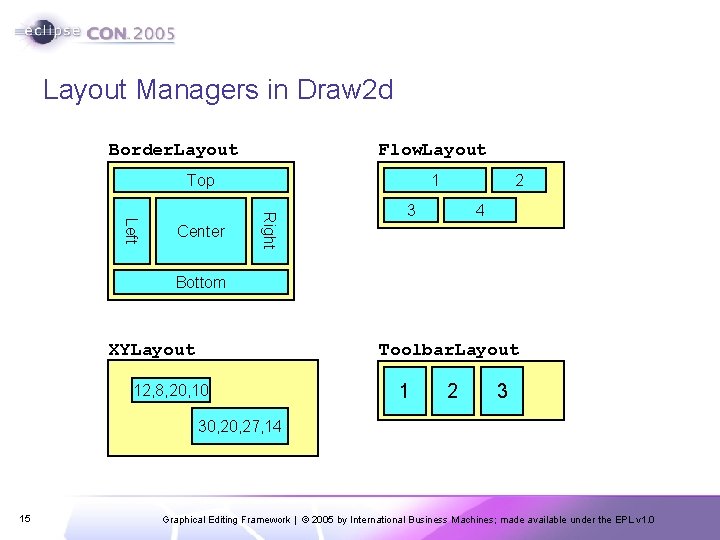
Layout Managers in Draw 2 d Border. Layout Flow. Layout Top Right Left Center 1 2 3 4 Bottom XYLayout Toolbar. Layout 12, 8, 20, 10 1 2 3 30, 27, 14 15 Graphical Editing Framework | © 2005 by International Business Machines; made available under the EPL v 1. 0
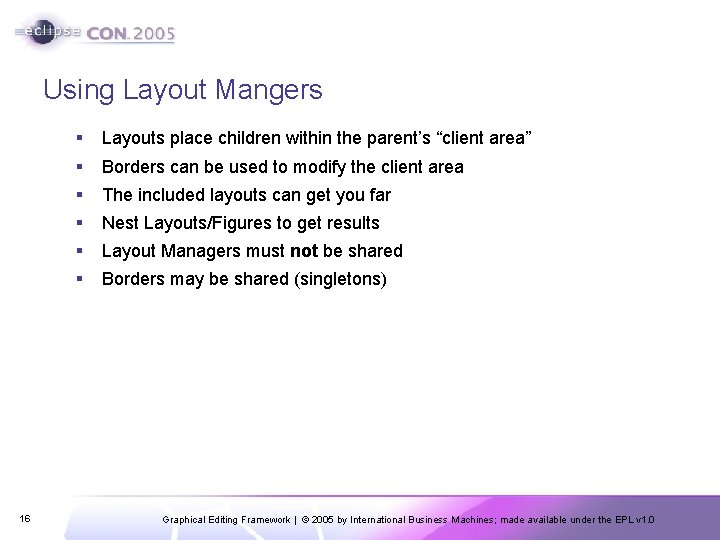
Using Layout Mangers 16 § Layouts place children within the parent’s “client area” § Borders can be used to modify the client area § The included layouts can get you far § Nest Layouts/Figures to get results § Layout Managers must not be shared § Borders may be shared (singletons) Graphical Editing Framework | © 2005 by International Business Machines; made available under the EPL v 1. 0
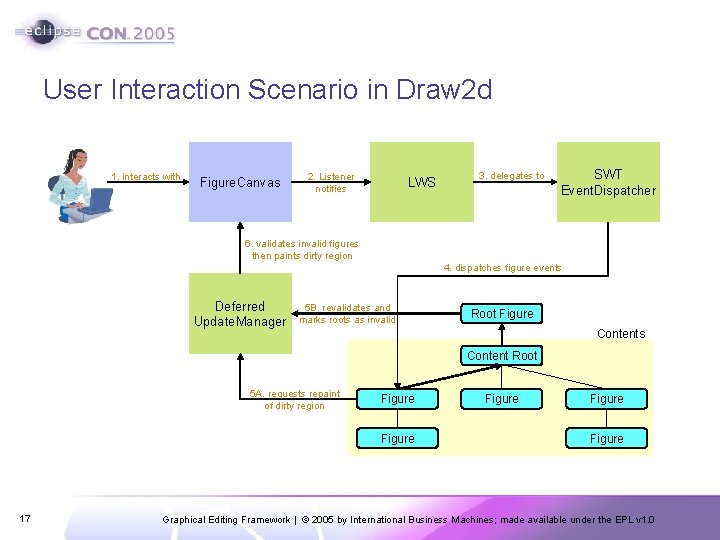
User Interaction Scenario in Draw 2 d 1. interacts with Figure. Canvas 2. Listener notifies LWS 3. delegates to SWT Event. Dispatcher 6. validates invalid figures then paints dirty region 4. dispatches figure events Deferred Update. Manager 5 B. revalidates and marks roots as invalid Root Figure Contents Content Root 5 A. requests repaint of dirty region Figure 17 Figure Graphical Editing Framework | © 2005 by International Business Machines; made available under the EPL v 1. 0
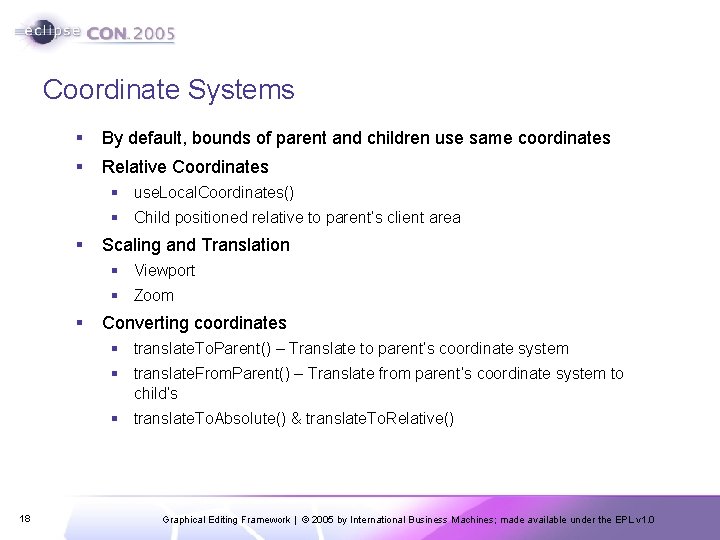
Coordinate Systems § By default, bounds of parent and children use same coordinates § Relative Coordinates § use. Local. Coordinates() § Child positioned relative to parent’s client area § Scaling and Translation § Viewport § Zoom § Converting coordinates § translate. To. Parent() – Translate to parent’s coordinate system § translate. From. Parent() – Translate from parent’s coordinate system to child’s § translate. To. Absolute() & translate. To. Relative() 18 Graphical Editing Framework | © 2005 by International Business Machines; made available under the EPL v 1. 0
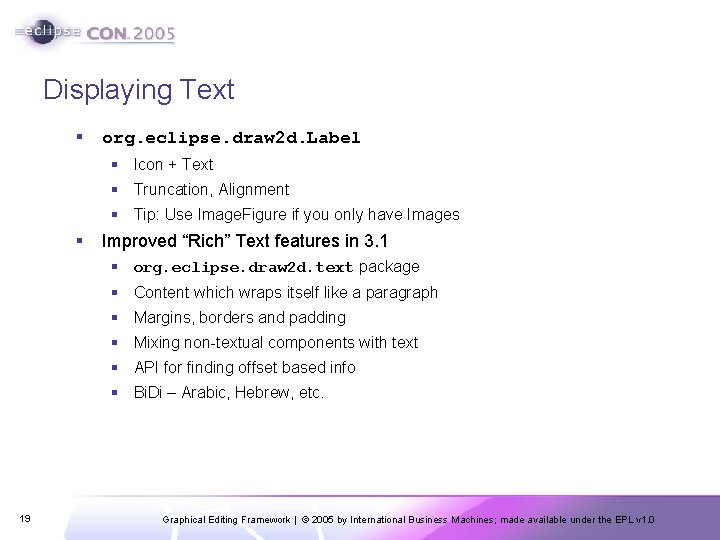
Displaying Text § org. eclipse. draw 2 d. Label § Icon + Text § Truncation, Alignment § Tip: Use Image. Figure if you only have Images § Improved “Rich” Text features in 3. 1 § org. eclipse. draw 2 d. text package § Content which wraps itself like a paragraph § Margins, borders and padding § Mixing non-textual components with text § API for finding offset based info § Bi. Di – Arabic, Hebrew, etc. 19 Graphical Editing Framework | © 2005 by International Business Machines; made available under the EPL v 1. 0
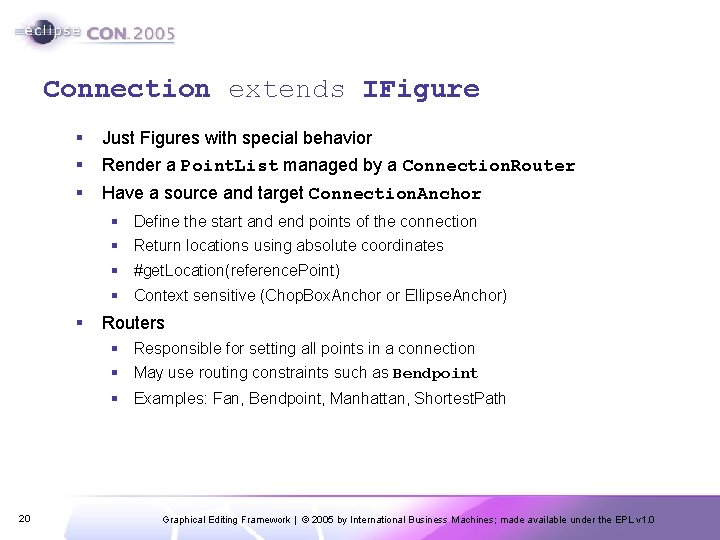
Connection extends IFigure § § Just Figures with special behavior Render a Point. List managed by a Connection. Router § Have a source and target Connection. Anchor § Define the start and end points of the connection § Return locations using absolute coordinates § #get. Location(reference. Point) § Context sensitive (Chop. Box. Anchor or Ellipse. Anchor) § Routers § Responsible for setting all points in a connection § May use routing constraints such as Bendpoint § Examples: Fan, Bendpoint, Manhattan, Shortest. Path 20 Graphical Editing Framework | © 2005 by International Business Machines; made available under the EPL v 1. 0
Connections continued § Connection can have children too § Arrowheads, Labels, etc. § Delegating. Layout § Locator constraints position each child § Connections set their own bounds after validating § Do not call set. Bounds() on connections 21 Graphical Editing Framework | © 2005 by International Business Machines; made available under the EPL v 1. 0
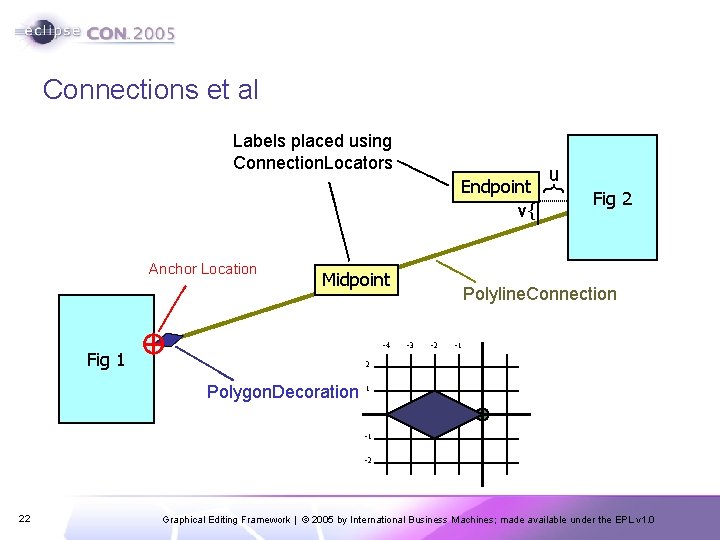
Connections et al Endpoint v{ Anchor Location Midpoint -4 Fig 1 u } Labels placed using Connection. Locators Fig 2 Polyline. Connection -3 -2 -1 2 Polygon. Decoration 1 -1 -2 22 Graphical Editing Framework | © 2005 by International Business Machines; made available under the EPL v 1. 0
Avoiding Common Mistakes 23 § Do not modify Objects returned by reference (e. g. , bounds) § § Use revalidate() and repaint() appropriately Polyline is not a regular Shape § Know your coordinate systems § Use Line. Border as a debugging tool § Can’t ask for preferred sizes without Fonts § news: //news. eclipse. org Graphical Editing Framework | © 2005 by International Business Machines; made available under the EPL v 1. 0
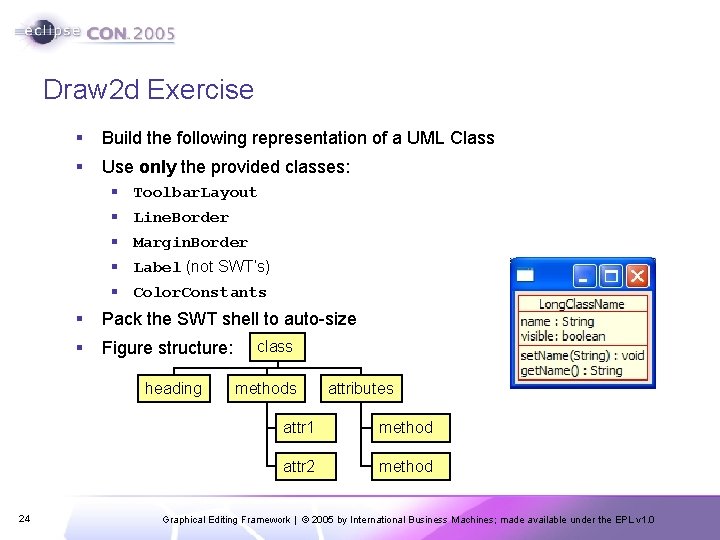
Draw 2 d Exercise § Build the following representation of a UML Class § Use only the provided classes: § Toolbar. Layout § Line. Border § Margin. Border § Label (not SWT’s) § Color. Constants § Pack the SWT shell to auto-size § Figure structure: heading 24 class methods attributes attr 1 method attr 2 method Graphical Editing Framework | © 2005 by International Business Machines; made available under the EPL v 1. 0
The Solution 25 Graphical Editing Framework | © 2005 by International Business Machines; made available under the EPL v 1. 0
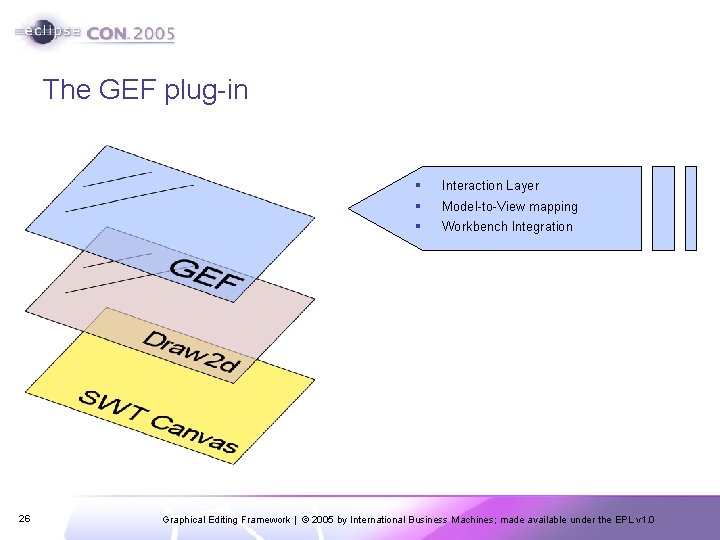
The GEF plug-in 26 § Interaction Layer § Model-to-View mapping § Workbench Integration Graphical Editing Framework | © 2005 by International Business Machines; made available under the EPL v 1. 0
What Problems does GEF Solve? § Display a Model graphically § Allow the User to interact with that model § Process user input from Mouse & Keyboard § Interpret that input § Provide hooks for updating the model § Make it undo/redo-able § Provide useful Workbench function § Actions and Menus § Toolbars, Contributions § Keybindings § Where Can I use GEF? § Editor. Parts, Views § Anywhere in the Workbench 27 Graphical Editing Framework | © 2005 by International Business Machines; made available under the EPL v 1. 0
Displaying a Model Graphically § Figures are not your model § Lots of models to choose from (EMF, DOM) § GEF works with any model § Model requirements: § Notification mechanism § Persist and restore state § Commands which operate on the model 28 Graphical Editing Framework | © 2005 by International Business Machines; made available under the EPL v 1. 0
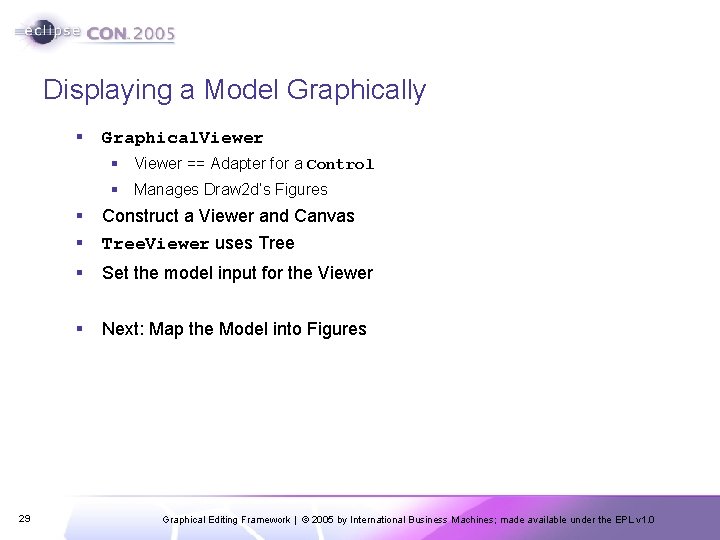
Displaying a Model Graphically § Graphical. Viewer § Viewer == Adapter for a Control § Manages Draw 2 d’s Figures 29 § § Construct a Viewer and Canvas Tree. Viewer uses Tree § Set the model input for the Viewer § Next: Map the Model into Figures Graphical Editing Framework | © 2005 by International Business Machines; made available under the EPL v 1. 0
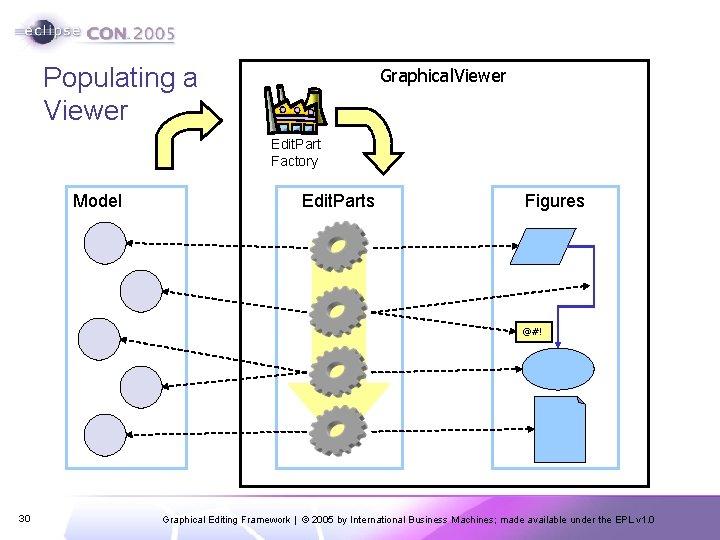
Populating a Viewer Graphical. Viewer Edit. Part Factory Model Edit. Parts Figures @#! 30 Graphical Editing Framework | © 2005 by International Business Machines; made available under the EPL v 1. 0
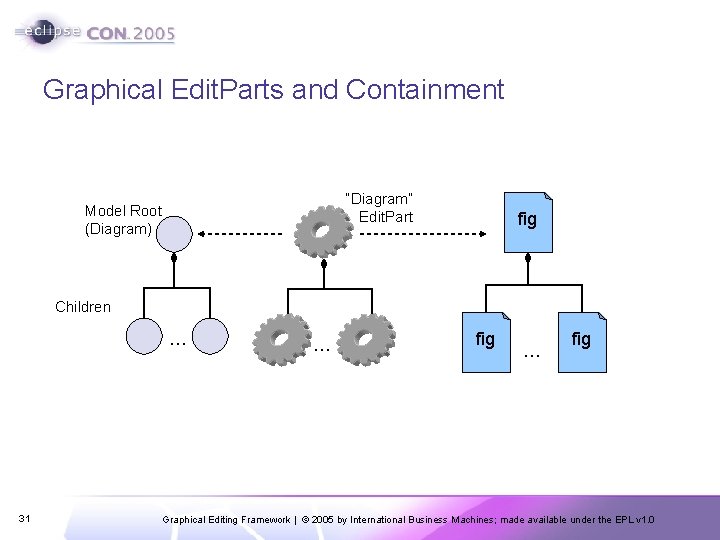
Graphical Edit. Parts and Containment “Diagram” Edit. Part Model Root (Diagram) fig Children … 31 … fig Graphical Editing Framework | © 2005 by International Business Machines; made available under the EPL v 1. 0
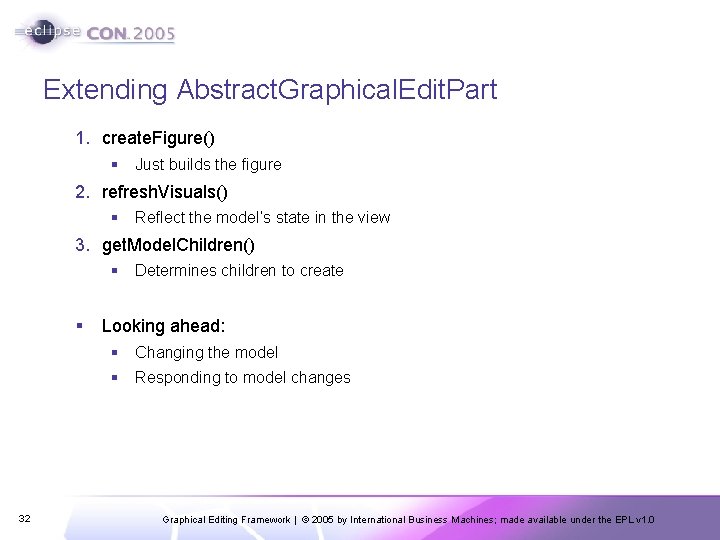
Extending Abstract. Graphical. Edit. Part 1. create. Figure() § Just builds the figure 2. refresh. Visuals() § Reflect the model’s state in the view 3. get. Model. Children() § Determines children to create § Looking ahead: § Changing the model § Responding to model changes 32 Graphical Editing Framework | © 2005 by International Business Machines; made available under the EPL v 1. 0
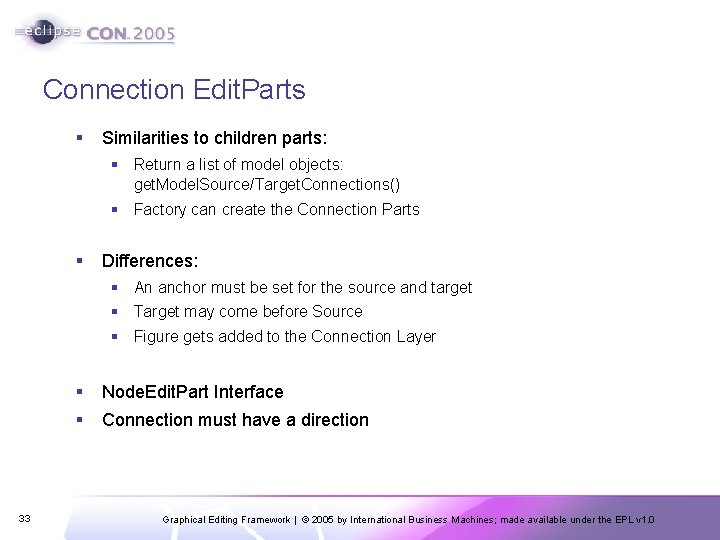
Connection Edit. Parts § Similarities to children parts: § Return a list of model objects: get. Model. Source/Target. Connections() § Factory can create the Connection Parts § Differences: § An anchor must be set for the source and target § Target may come before Source § Figure gets added to the Connection Layer 33 § Node. Edit. Part Interface § Connection must have a direction Graphical Editing Framework | © 2005 by International Business Machines; made available under the EPL v 1. 0
More about Edit. Parts § Deciding on Model Edit. Part mapping § Unit of “interaction” § Selection is comprised of Edit. Parts § Can it be deleted? § Graphical vs. Tree Viewers § 34 The Root Edit. Part Graphical Editing Framework | © 2005 by International Business Machines; made available under the EPL v 1. 0
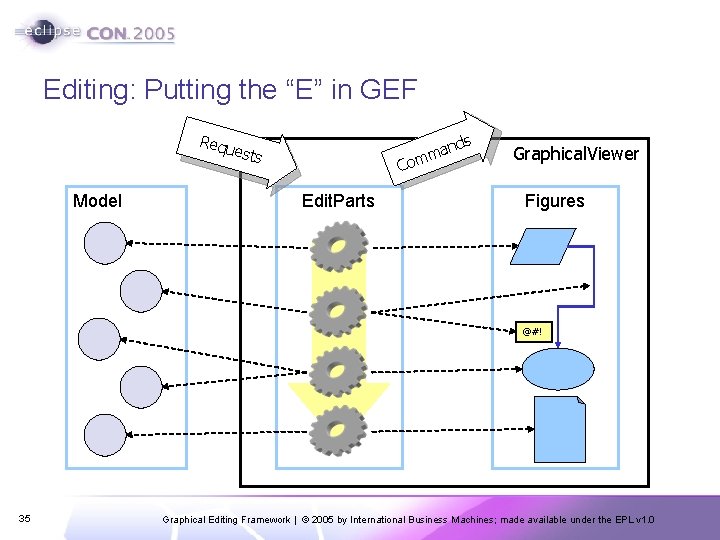
Editing: Putting the “E” in GEF Requ ests Model and m Com Edit. Parts s Graphical. Viewer Figures @#! 35 Graphical Editing Framework | © 2005 by International Business Machines; made available under the EPL v 1. 0
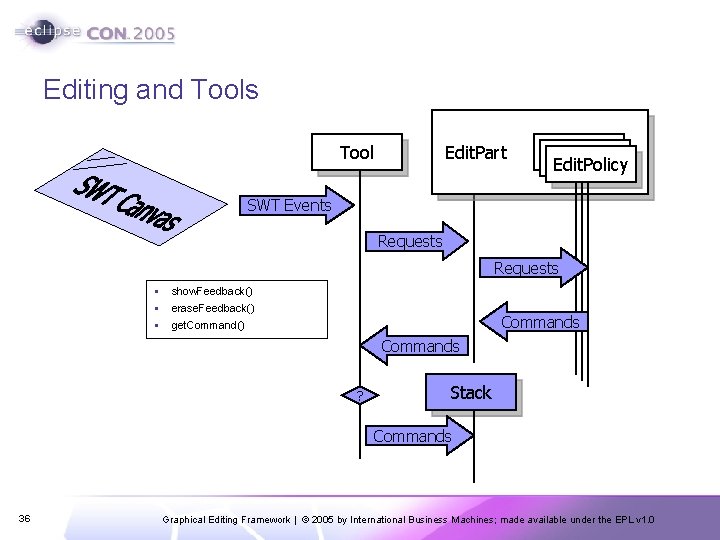
Editing and Tools Edit. Part Tool Edit. Policy SWT Events Requests § § § show. Feedback() erase. Feedback() Commands get. Command() Commands ? Stack Commands 36 Graphical Editing Framework | © 2005 by International Business Machines; made available under the EPL v 1. 0
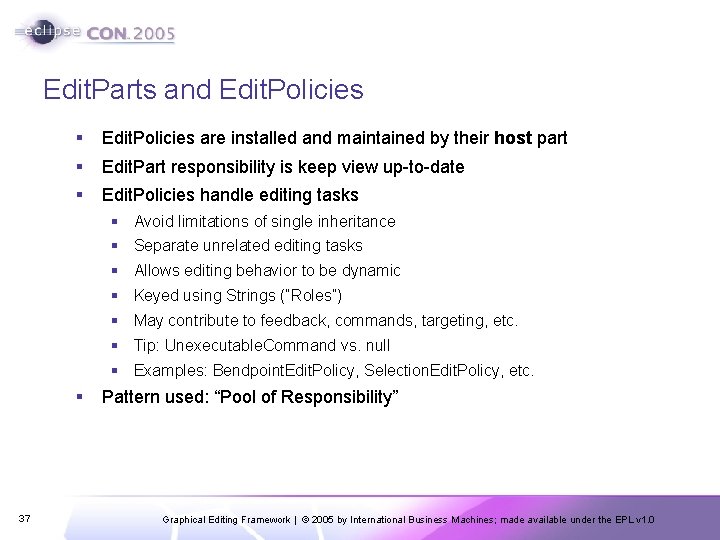
Edit. Parts and Edit. Policies § Edit. Policies are installed and maintained by their host part § Edit. Part responsibility is keep view up-to-date § Edit. Policies handle editing tasks § Avoid limitations of single inheritance § Separate unrelated editing tasks § Allows editing behavior to be dynamic § Keyed using Strings (“Roles”) § May contribute to feedback, commands, targeting, etc. § Tip: Unexecutable. Command vs. null § Examples: Bendpoint. Edit. Policy, Selection. Edit. Policy, etc. § 37 Pattern used: “Pool of Responsibility” Graphical Editing Framework | © 2005 by International Business Machines; made available under the EPL v 1. 0
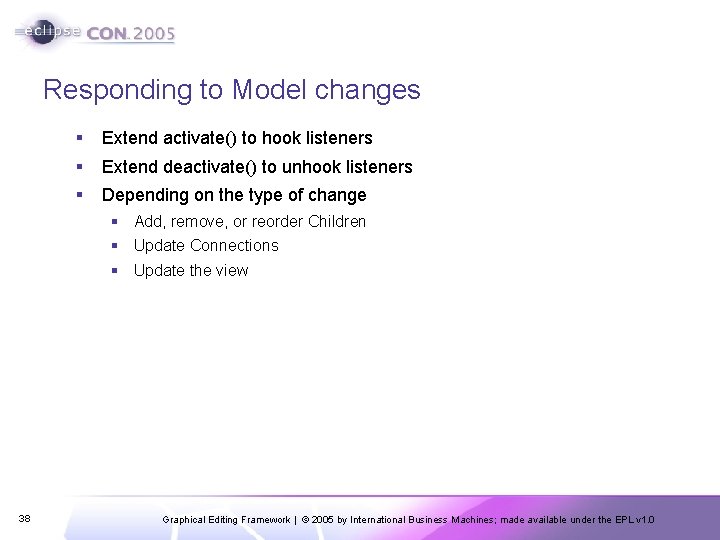
Responding to Model changes § Extend activate() to hook listeners § Extend deactivate() to unhook listeners § Depending on the type of change § Add, remove, or reorder Children § Update Connections § Update the view 38 Graphical Editing Framework | © 2005 by International Business Machines; made available under the EPL v 1. 0
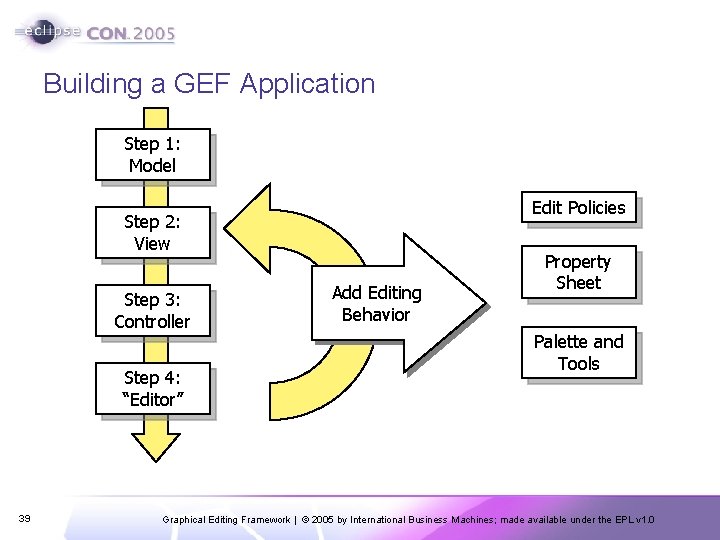
Building a GEF Application Step 1: Model Edit Policies Step 2: View Step 3: Controller Step 4: “Editor” 39 Add Editing Behavior Property Sheet Palette and Tools Graphical Editing Framework | © 2005 by International Business Machines; made available under the EPL v 1. 0
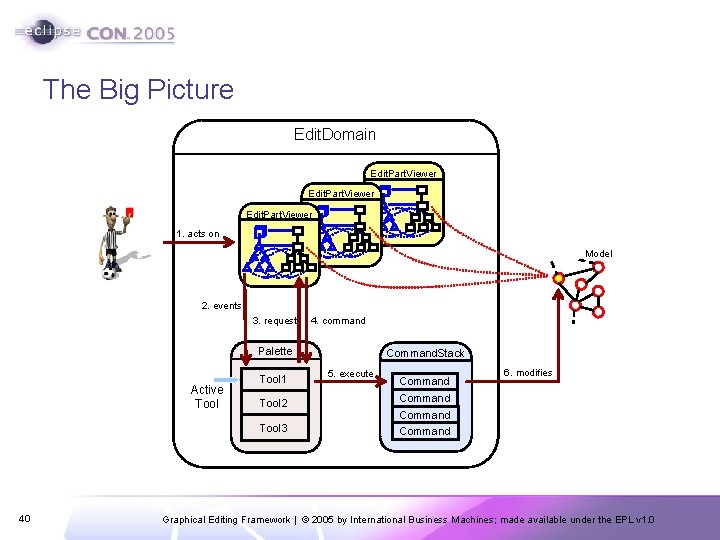
The Big Picture Edit. Domain Edit. Part. Viewer 1. acts on Model 2. events 3. request 4. command Palette Active Tool 1 Tool 2 Tool 3 40 Command. Stack 5. execute Command 6. modifies Command Graphical Editing Framework | © 2005 by International Business Machines; made available under the EPL v 1. 0
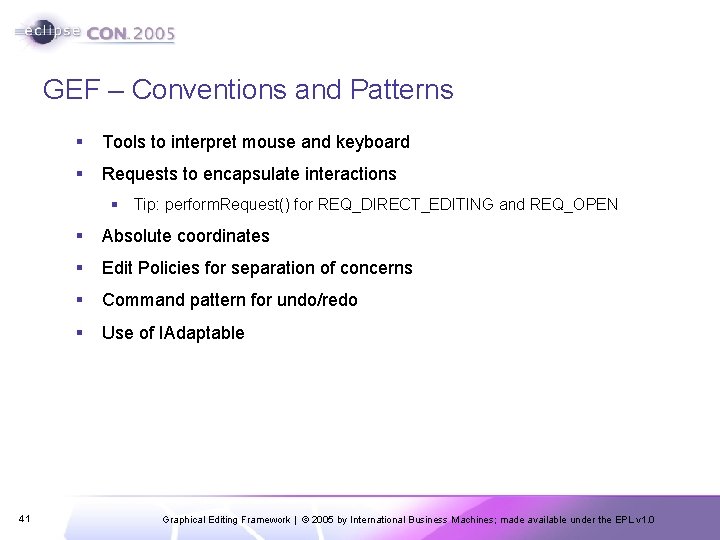
GEF – Conventions and Patterns § Tools to interpret mouse and keyboard § Requests to encapsulate interactions § Tip: perform. Request() for REQ_DIRECT_EDITING and REQ_OPEN 41 § Absolute coordinates § Edit Policies for separation of concerns § Command pattern for undo/redo § Use of IAdaptable Graphical Editing Framework | © 2005 by International Business Machines; made available under the EPL v 1. 0
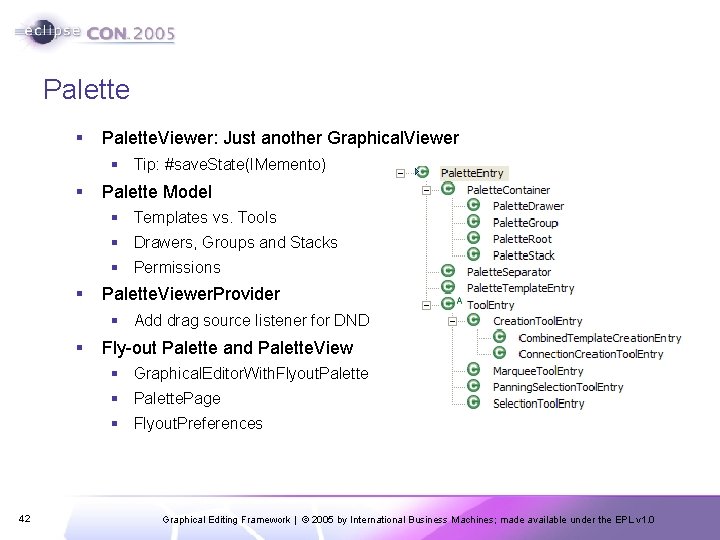
Palette § Palette. Viewer: Just another Graphical. Viewer § Tip: #save. State(IMemento) § Palette Model § Templates vs. Tools § Drawers, Groups and Stacks § Permissions § Palette. Viewer. Provider § Add drag source listener for DND § Fly-out Palette and Palette. View § Graphical. Editor. With. Flyout. Palette § Palette. Page § Flyout. Preferences 42 Graphical Editing Framework | © 2005 by International Business Machines; made available under the EPL v 1. 0
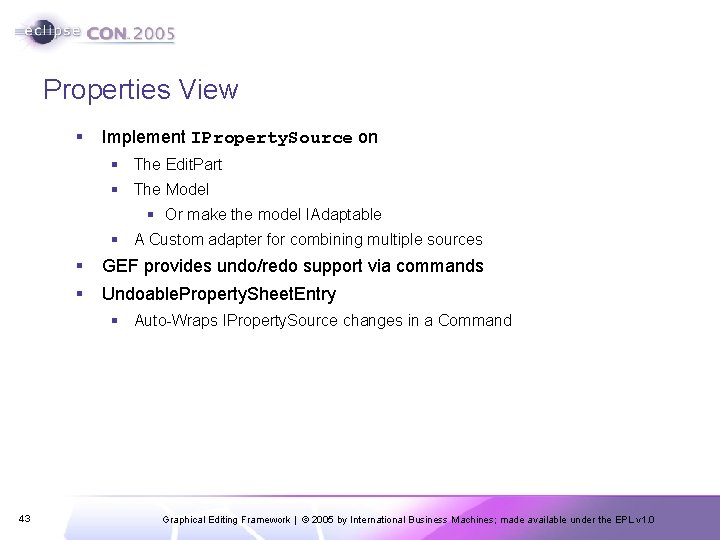
Properties View § Implement IProperty. Source on § The Edit. Part § The Model § Or make the model IAdaptable § A Custom adapter for combining multiple sources § GEF provides undo/redo support via commands § Undoable. Property. Sheet. Entry § Auto-Wraps IProperty. Source changes in a Command 43 Graphical Editing Framework | © 2005 by International Business Machines; made available under the EPL v 1. 0
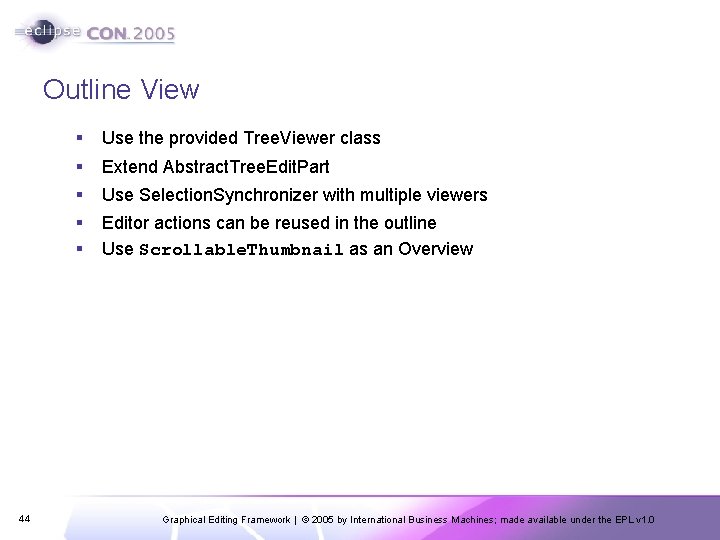
Outline View 44 § Use the provided Tree. Viewer class § Extend Abstract. Tree. Edit. Part § Use Selection. Synchronizer with multiple viewers § § Editor actions can be reused in the outline Use Scrollable. Thumbnail as an Overview Graphical Editing Framework | © 2005 by International Business Machines; made available under the EPL v 1. 0
Actions § Editor’s Action. Registry § Actions updated as needed § Editor does the listening, not the actions § It’s just a Map § Action. Bar. Contributor § One for all editor instances § Declared in plugin. xml § Use Retarget. Actions 45 Graphical Editing Framework | © 2005 by International Business Machines; made available under the EPL v 1. 0
Accessibility § Eclipse is accessible § GEF is accessible § IAdaptable#get. Adapter(Class) § Accessible. Edit. Part § Magnifier and Screen reader API 46 § Focus indication (Selection Edit Policies) § Default keyboard handlers § Accessible Tools § Accessible. Anchor. Provider § Accessible. Handle. Provider Graphical Editing Framework | © 2005 by International Business Machines; made available under the EPL v 1. 0
Auto-Scrolling § During drag operations, including native DND § Search from target part upwards § Auto. Expose. Helper § #detect(Point) § #step(Point) § Not just for scrolling § Expanding § Page-flipping § Related: Expose. Helper § Programmatically “reveal” an Edit. Part 47 Graphical Editing Framework | © 2005 by International Business Machines; made available under the EPL v 1. 0
Zooming § Zoom. Manager § Use a Scalable Root. Edit. Part § Tip: available as a property on the viewer § Action Contributions § Zoom-In & Zoom-Out Actions § Zoom. Combo. Contribution. Item § Ctrl + Mouse. Wheel (in 3. 1) § Mouse. Wheel. Zoom. Handler 48 Graphical Editing Framework | © 2005 by International Business Machines; made available under the EPL v 1. 0
BREAK 10 minutes 49 Graphical Editing Framework | © 2005 by International Business Machines; made available under the EPL v 1. 0
Set-up § Install Eclipse 3. 1 M 5 a and GEF SDK 3. 1 M 5 § Start with a clean workspace § Unzip activity. zip into your workspace before launching Eclipse, and then from within Eclipse, Import -> Existing Project Into Workspace § http: //www. eclipse. org/gef/conference/activity. zip § 50 Switch to the Java Perspective Graphical Editing Framework | © 2005 by International Business Machines; made available under the EPL v 1. 0
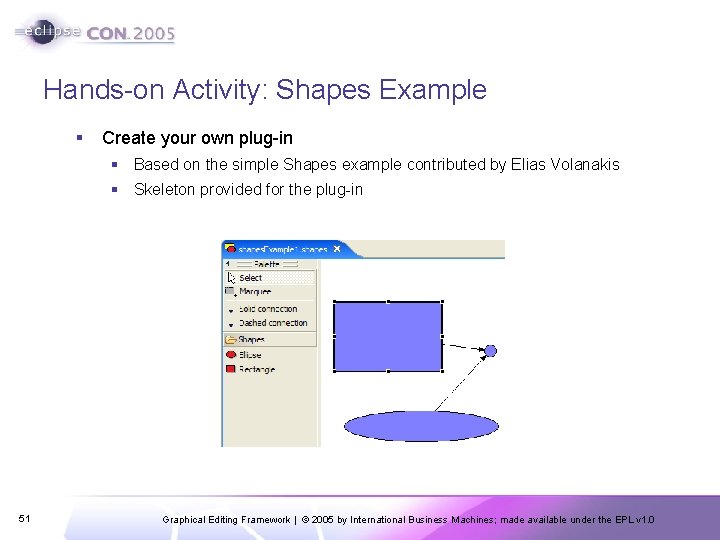
Hands-on Activity: Shapes Example § Create your own plug-in § Based on the simple Shapes example contributed by Elias Volanakis § Skeleton provided for the plug-in 51 Graphical Editing Framework | © 2005 by International Business Machines; made available under the EPL v 1. 0
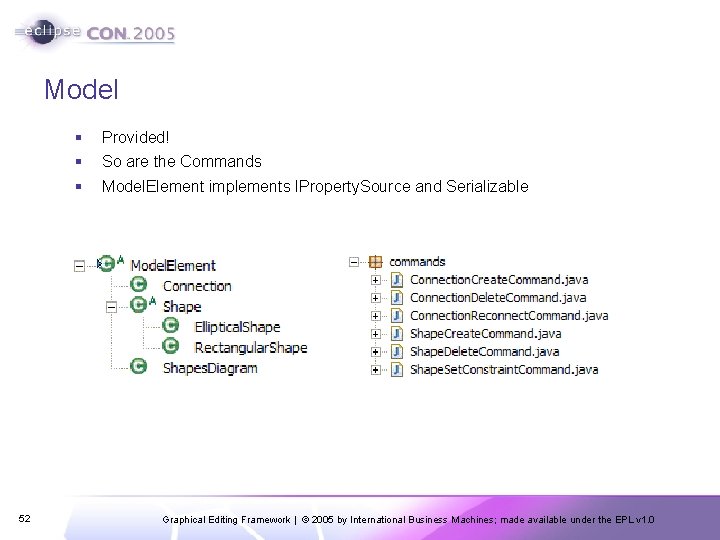
Model 52 § Provided! § So are the Commands § Model. Element implements IProperty. Source and Serializable Graphical Editing Framework | © 2005 by International Business Machines; made available under the EPL v 1. 0
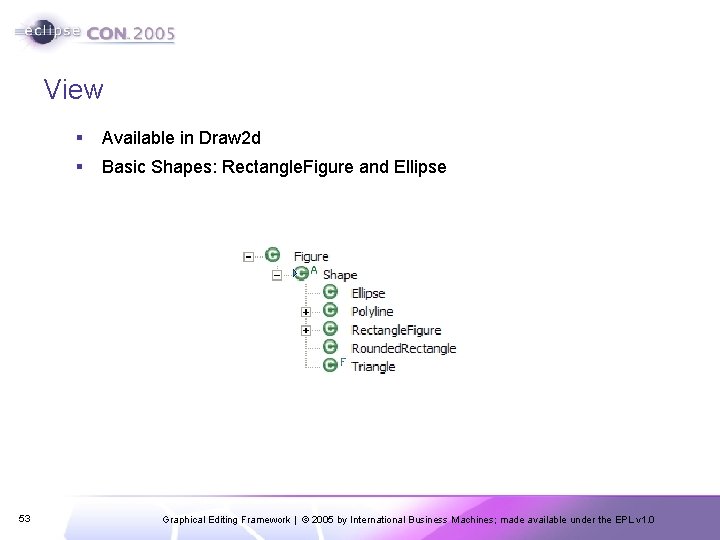
View 53 § Available in Draw 2 d § Basic Shapes: Rectangle. Figure and Ellipse Graphical Editing Framework | © 2005 by International Business Machines; made available under the EPL v 1. 0
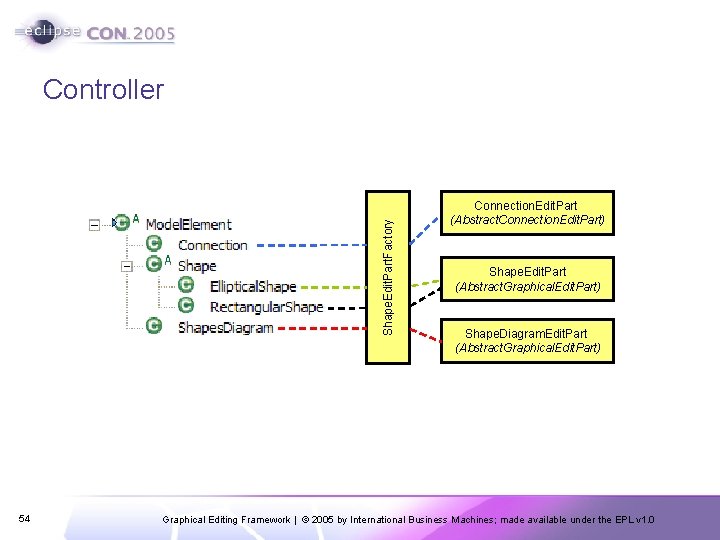
Shape. Edit. Part. Factory Controller 54 Connection. Edit. Part (Abstract. Connection. Edit. Part) Shape. Edit. Part (Abstract. Graphical. Edit. Part) Shape. Diagram. Edit. Part (Abstract. Graphical. Edit. Part) Graphical Editing Framework | © 2005 by International Business Machines; made available under the EPL v 1. 0
Shape. Diagram. Edit. Part § Listen to the model only when the Edit. Part is active § activate() § deactivate() § property. Change() § create. Figure() § Freeform. Layer with Freeform. Layout if you want to scroll into negative coordinates; Figure with XYLayout otherwise § get. Model. Children() § create. Edit. Policies() § COMPONENT_ROLE: Root. Component. Edit. Policy (provided by GEF) to prevent deletion of the content Edit. Part § LAYOUT_ROLE: Subclass XYLayout. Edit. Policy § For creating, moving and resizing children § create. Child. Edit. Policy() : default will do 55 Graphical Editing Framework | © 2005 by International Business Machines; made available under the EPL v 1. 0
Shape. Edit. Part § Listen to the model for changes § Create Rectangle. Figure or Ellipse based on the model instance § Implement Node. Edit. Part to support connections § Chopbox. Anchor or Ellipse. Anchor (return the same anchor in all methods) § Edit Policies § COMPONENT_ROLE: Sub-class Component. Edit. Policy to provide delete support § GRAPHICAL_NODE_ROLE: Sub-class Graphical. Node. Edit. Policy § get. Model. Source. Connections() and get. Model. Target. Connections() § refresh. Visuals() § ((Graphical. Edit. Part)get. Parent()). set. Layout. Constraint(…) 56 Graphical Editing Framework | © 2005 by International Business Machines; made available under the EPL v 1. 0
Connection. Edit. Part § Listen to model for changes § Create figure § Polyline. Connection with a target decoration and proper line. Style § Edit Policies § CONNECTION_ENDPOINTS_ROLE: Connection. Endpoint. Edit. Policy (provided by GEF) to select the connection’s endpoints § CONNECTION_ROLE: Sub-class Connection. Edit. Policy to support delete 57 Graphical Editing Framework | © 2005 by International Business Machines; made available under the EPL v 1. 0
Bring It All Together - Shapes. Editor § Functionality not related to GEF is provided § We’ve added TODO: Tutorial to mark missing functionality § Constructor: Provide a new Default. Edit. Domain § configure. Graphical. Viewer() § Root. Edit. Part § Edit. Part. Factory § initialize. Graphical. Viewer() § Set the viewer’s contents § Palette § get. Palette. Root() and get. Palette. Preferences() § Delegate to Shapes. Editor. Palette. Factory 58 Graphical Editing Framework | © 2005 by International Business Machines; made available under the EPL v 1. 0
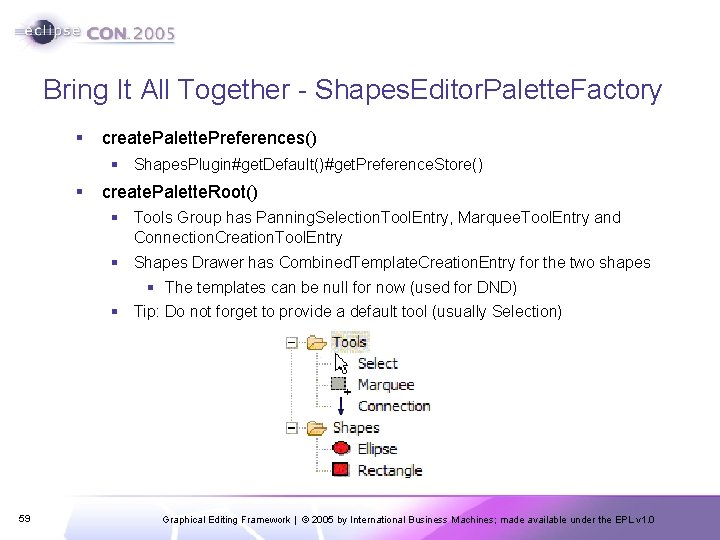
Bring It All Together - Shapes. Editor. Palette. Factory § create. Palette. Preferences() § Shapes. Plugin#get. Default()#get. Preference. Store() § create. Palette. Root() § Tools Group has Panning. Selection. Tool. Entry, Marquee. Tool. Entry and Connection. Creation. Tool. Entry § Shapes Drawer has Combined. Template. Creation. Entry for the two shapes § The templates can be null for now (used for DND) § Tip: Do not forget to provide a default tool (usually Selection) 59 Graphical Editing Framework | © 2005 by International Business Machines; made available under the EPL v 1. 0
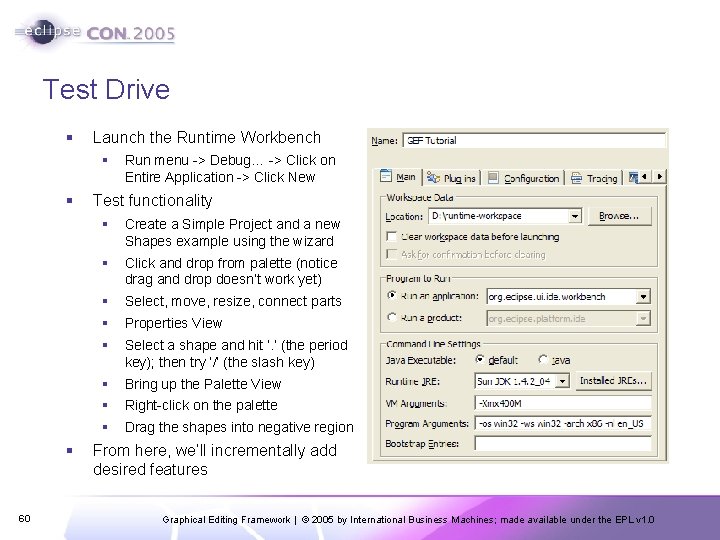
Test Drive § Launch the Runtime Workbench § § § 60 Run menu -> Debug… -> Click on Entire Application -> Click New Test functionality § Create a Simple Project and a new Shapes example using the wizard § Click and drop from palette (notice drag and drop doesn’t work yet) § Select, move, resize, connect parts § Properties View § Select a shape and hit ‘. ’ (the period key); then try ‘/’ (the slash key) § Bring up the Palette View § Right-click on the palette § Drag the shapes into negative region From here, we’ll incrementally add desired features Graphical Editing Framework | © 2005 by International Business Machines; made available under the EPL v 1. 0
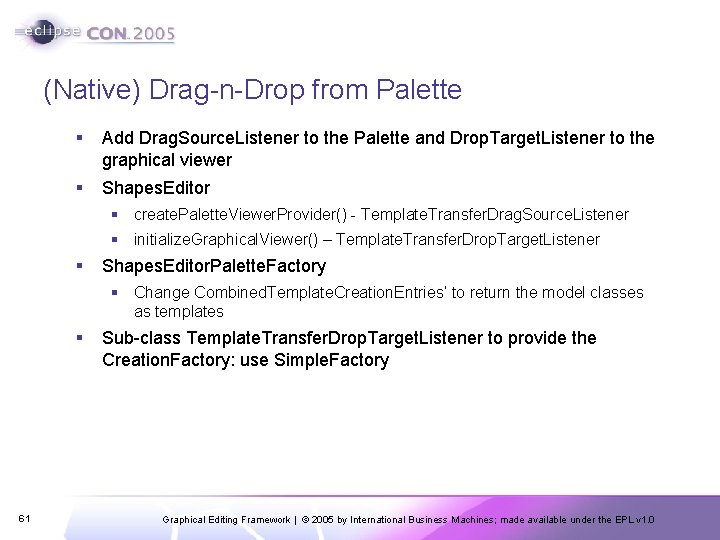
(Native) Drag-n-Drop from Palette § Add Drag. Source. Listener to the Palette and Drop. Target. Listener to the graphical viewer § Shapes. Editor § create. Palette. Viewer. Provider() - Template. Transfer. Drag. Source. Listener § initialize. Graphical. Viewer() – Template. Transfer. Drop. Target. Listener § Shapes. Editor. Palette. Factory § Change Combined. Template. Creation. Entries’ to return the model classes as templates § 61 Sub-class Template. Transfer. Drop. Target. Listener to provide the Creation. Factory: use Simple. Factory Graphical Editing Framework | © 2005 by International Business Machines; made available under the EPL v 1. 0
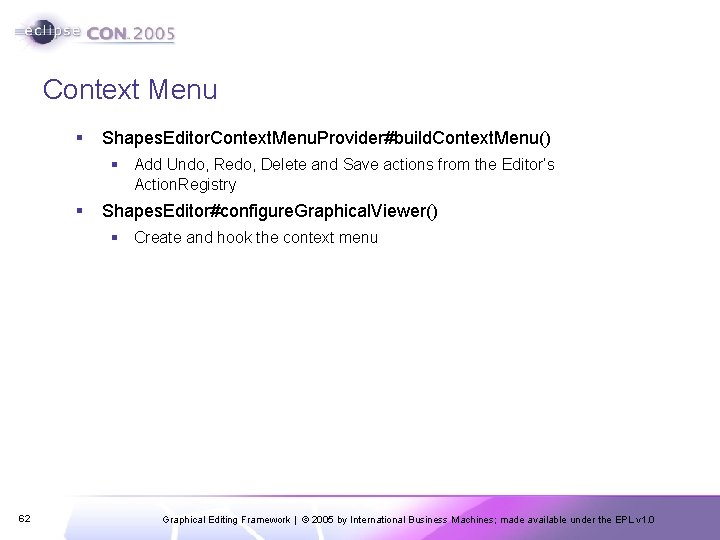
Context Menu § Shapes. Editor. Context. Menu. Provider#build. Context. Menu() § Add Undo, Redo, Delete and Save actions from the Editor’s Action. Registry § Shapes. Editor#configure. Graphical. Viewer() § Create and hook the context menu 62 Graphical Editing Framework | © 2005 by International Business Machines; made available under the EPL v 1. 0
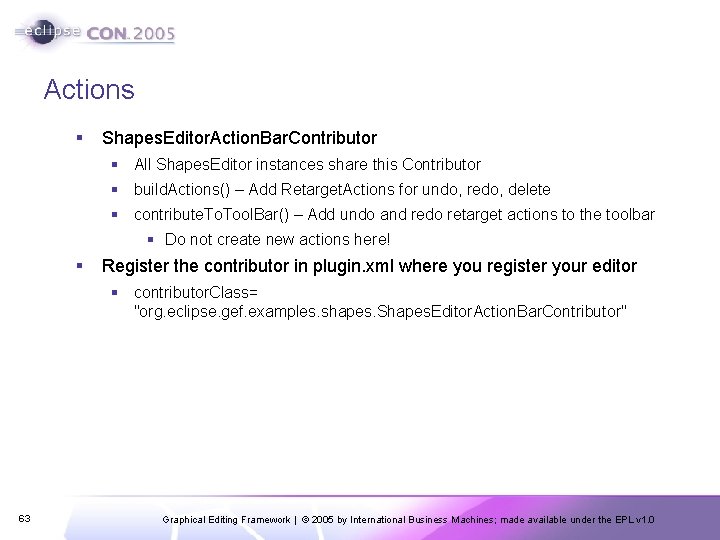
Actions § Shapes. Editor. Action. Bar. Contributor § All Shapes. Editor instances share this Contributor § build. Actions() – Add Retarget. Actions for undo, redo, delete § contribute. Tool. Bar() – Add undo and redo retarget actions to the toolbar § Do not create new actions here! § Register the contributor in plugin. xml where you register your editor § contributor. Class= "org. eclipse. gef. examples. shapes. Shapes. Editor. Action. Bar. Contributor" 63 Graphical Editing Framework | © 2005 by International Business Machines; made available under the EPL v 1. 0
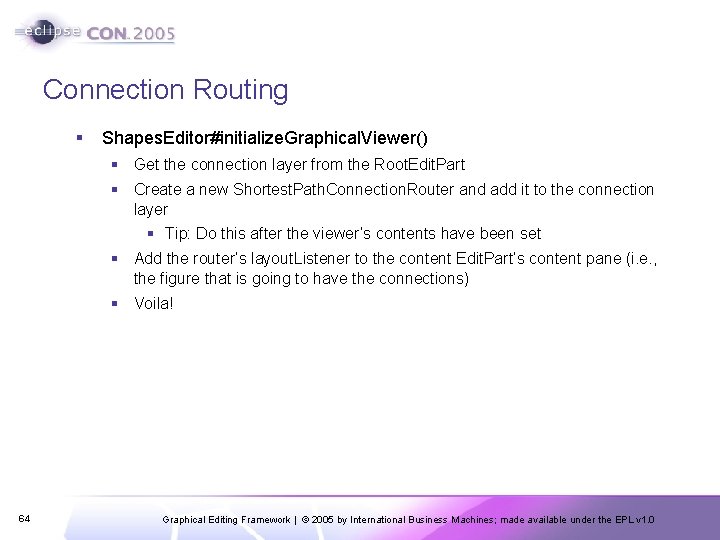
Connection Routing § Shapes. Editor#initialize. Graphical. Viewer() § Get the connection layer from the Root. Edit. Part § Create a new Shortest. Path. Connection. Router and add it to the connection layer § Tip: Do this after the viewer’s contents have been set § Add the router’s layout. Listener to the content Edit. Part’s content pane (i. e. , the figure that is going to have the connections) § Voila! 64 Graphical Editing Framework | © 2005 by International Business Machines; made available under the EPL v 1. 0
Outline § Shapes. Outline. Page extends Content. Outline. Page § Set-up as inner class in Shapes. Editor since it shares a few things with it § Use the GEF Tree. Viewer § Since we’re creating a new viewer, we’ll need to define a new Edit. Part. Factory and new Edit. Parts § Edit. Part § Extend Abstract. Tree. Edit. Part § Much simpler than earlier ones § No Edit Policies needed since we’re only supporting selection § Listen to the model for changes § We do not show connections in the outline, so no need to worry about those § Override get. Image() and get. Text() 65 Graphical Editing Framework | © 2005 by International Business Machines; made available under the EPL v 1. 0
Shapes. Outline. Page § Override create. Control() § Outline viewer should share Edit. Domain/Command. Stack with the Editor’s viewer § Provide the Edit. Part. Factory § Register the context menu for this viewer § Register viewer with the Selection. Synchronizer § Tip: Don’t forget to remove the viewer from the Selection. Synchronizer when the outline page is disposed – override dispose() § Set the contents § Override init() § Register Editor’s actions as Global. Action. Handlers (undo, redo, delete) § page. Site. get. Action. Bars(). set. Global. Action. Handler(…) § Hook with the Editor § Shapes. Editor#get. Adapter() 66 Graphical Editing Framework | © 2005 by International Business Machines; made available under the EPL v 1. 0
Other Features 67 § Customizer for the Palette § Zooming (already supported, but no means to manipulate it) § Grid § Snap To Geometry § Rulers & Guides Graphical Editing Framework | © 2005 by International Business Machines; made available under the EPL v 1. 0
That’s All, Folks! § Feedback Questionnaire § Upcoming GEF session on Wednesday § Shortest. Path. Connection. Router § New EMF-Based Example § WYSIWYG Text Editing § For further help with GEF § http: //www. eclipse. org/gef § Newsgroup (Do not use the Mailing List) § Documentation § FAQs § Tip: Look at GEF examples to see how they handle similar problems 68 Graphical Editing Framework | © 2005 by International Business Machines; made available under the EPL v 1. 0