Storing and Organizing Data Why Do I Need
- Slides: 67
Storing and Organizing Data
Why Do I Need to Understand How Data Is Represented? • In order to install, program, maintain, and troubleshoot today’s PLCs, you must understand the different methods by which internal data is represented.
Objectives • Identify the commonly used number systems used in PLCs. • Convert binary data to decimal. • Examine how data is stored in PLC data tables. • Describe how BCD field devices interface.
PLC Words • One measure of a computer’s capabilities is the length of the data words on which it can operate. • Many current PLCs use 16 -bit words. • Many newer PLCs use 32 -bit words. • SLC 500 and PLC 5 family PLCs are 16 -bit computers. • Control Logix is a 32 -bit computer.
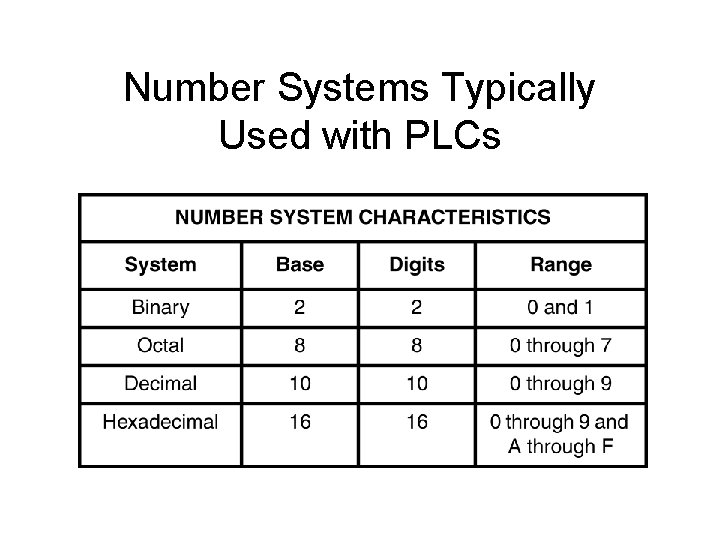
Number Systems Typically Used with PLCs
We Use Words to Represent Information • Our words are groups of characters grouped together to represent something. • The words we use are of different lengths. – Controller – The – Monday
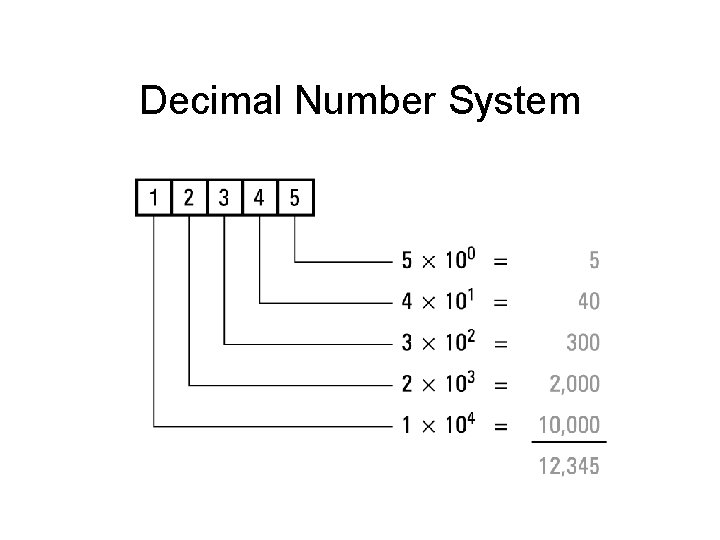
We Use Symbols Called Numbers to Represent Data • Everyday numbers are decimal. 12, 345
Computers Do Not Understand • Computers do not understand the words and numbers humans use. • Computers have their own language called binary.
Binary Concept • Two-state devices are described as either discrete or digital devices. – Discrete or digital devices are simply either on or off. – Binary is based on two states, on or off.
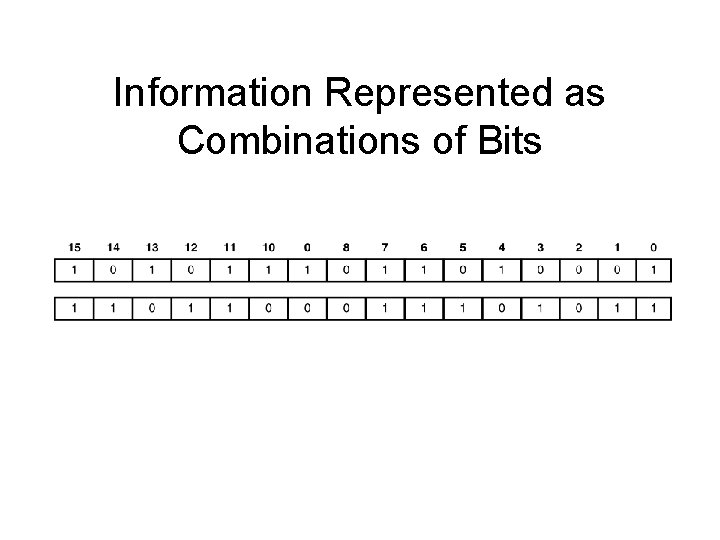
Binary Language • Binary information is also represented in groups of characters. • A group of binary digits called bits can be organized into words. • Binary bits consist of only two characters – 1 and 0
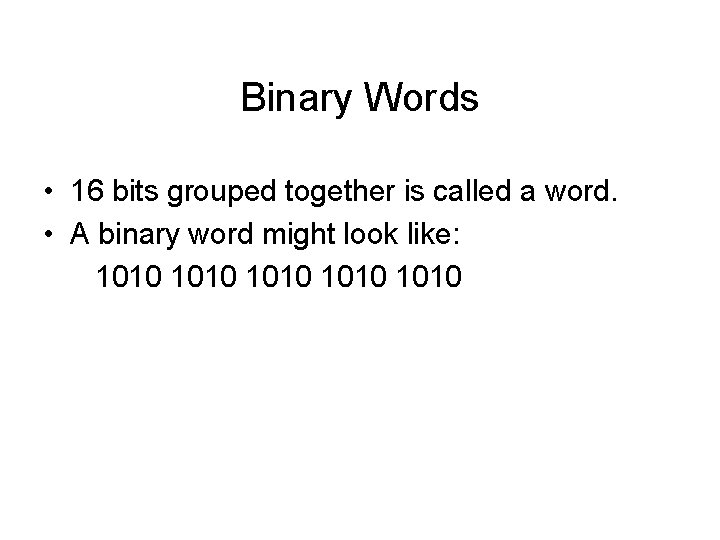
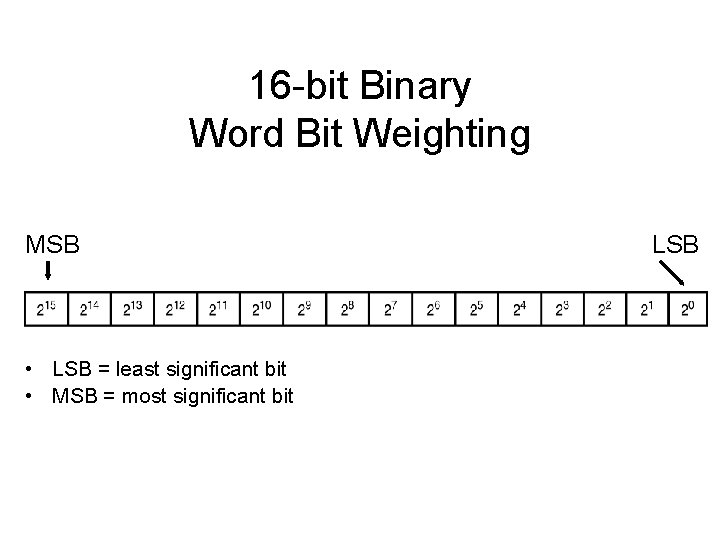
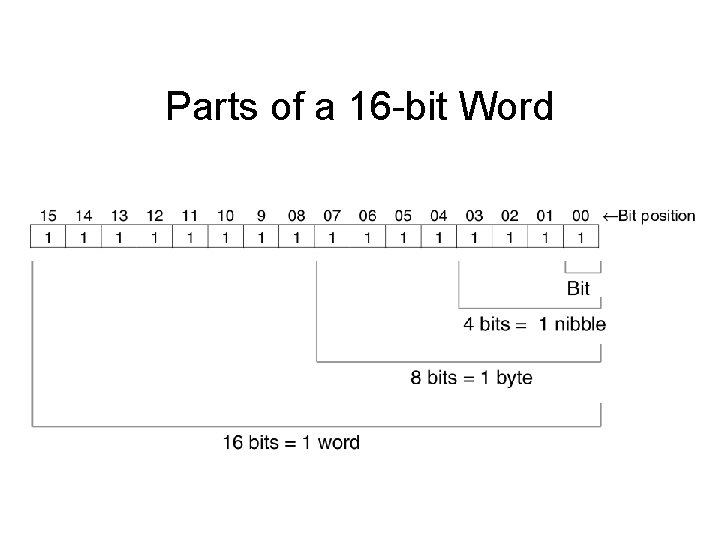
Binary Words • 16 bits grouped together is called a word. • A binary word might look like: 1010 1010
Information Represented as Combinations of Bits
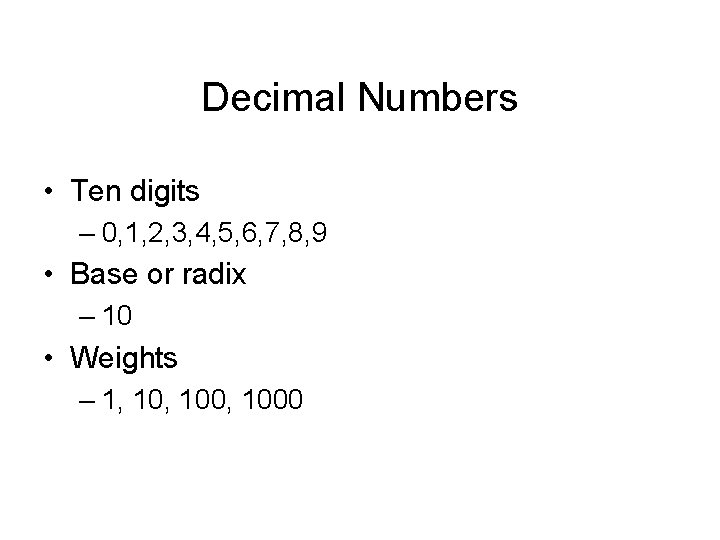
Decimal Numbers • Ten digits – 0, 1, 2, 3, 4, 5, 6, 7, 8, 9 • Base or radix – 10 • Weights – 1, 100, 1000
Decimal Number System
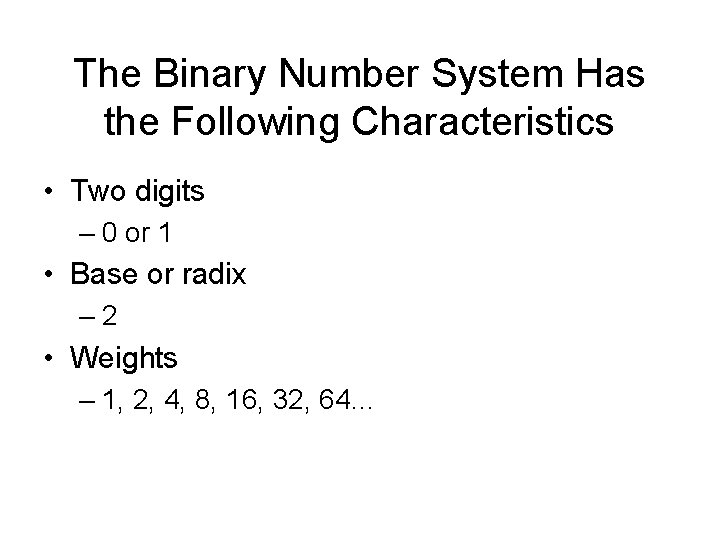
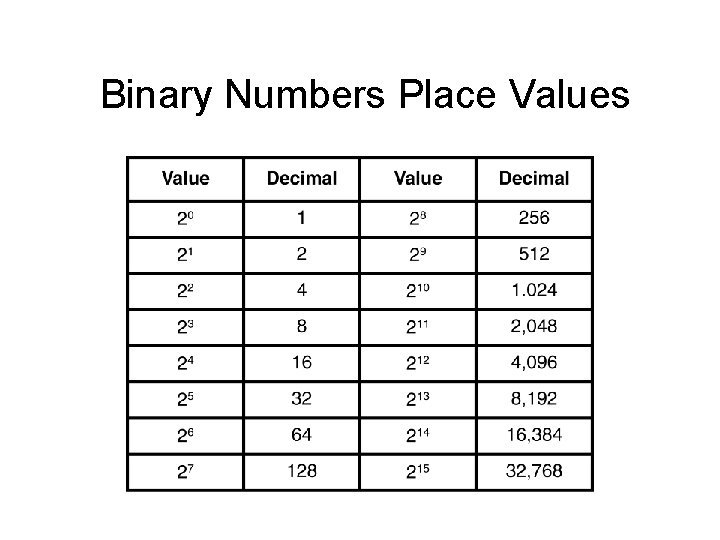
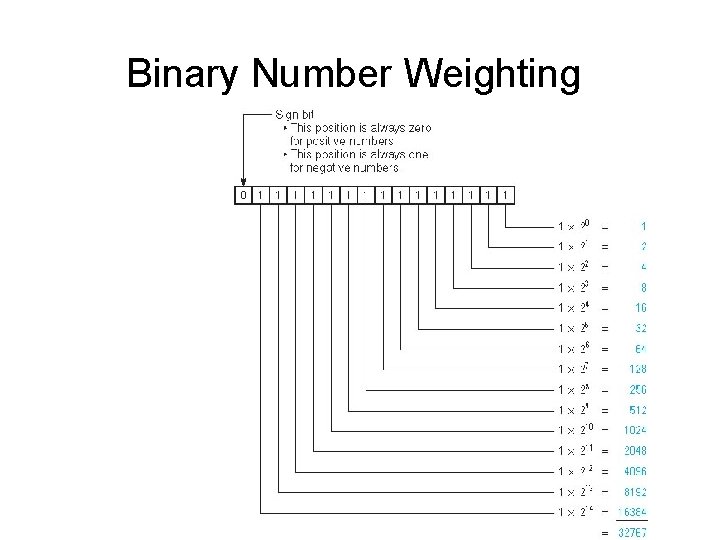
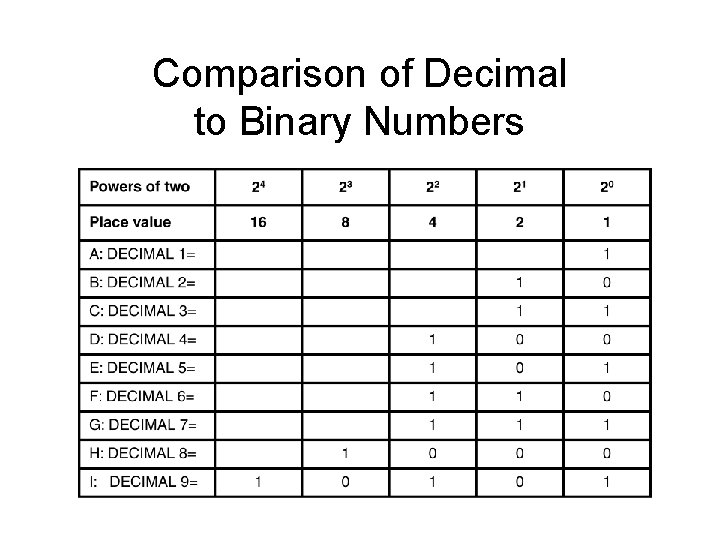
The Binary Number System Has the Following Characteristics • Two digits – 0 or 1 • Base or radix – 2 • Weights – 1, 2, 4, 8, 16, 32, 64…
16 -bit Binary Word Bit Weighting MSB • LSB = least significant bit • MSB = most significant bit LSB
Binary Numbers Place Values
Binary Number Weighting
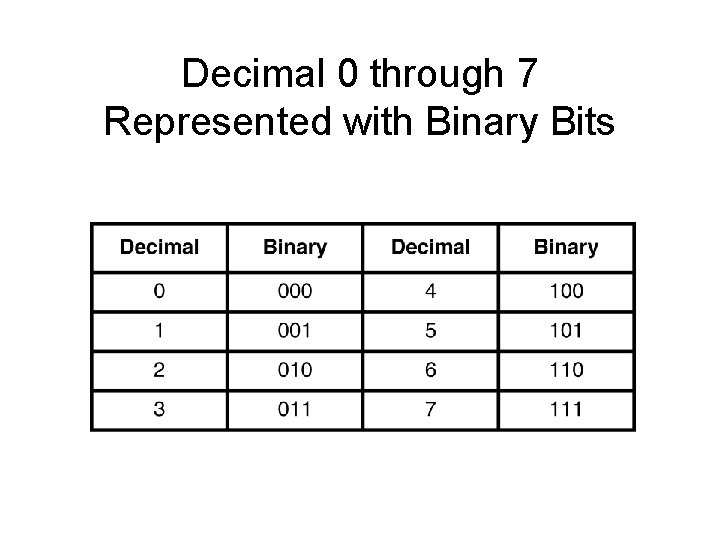
Decimal 0 through 7 Represented with Binary Bits
Comparison of Decimal to Binary Numbers
Parts of a 16 -bit Word
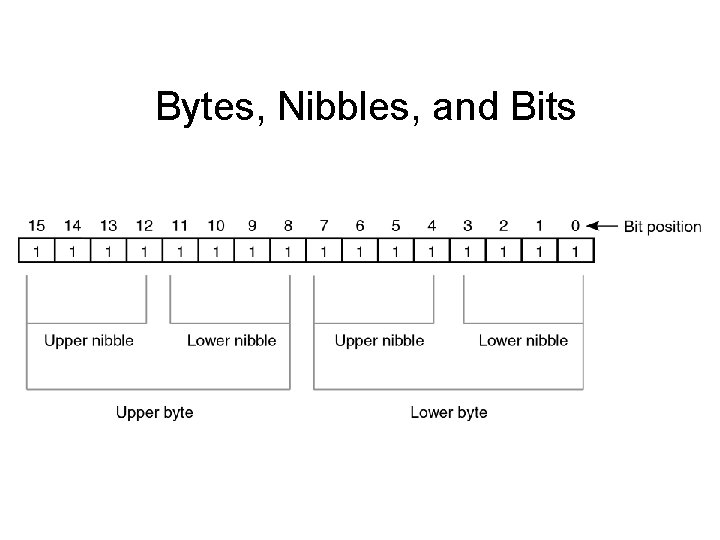
Bytes, Nibbles, and Bits
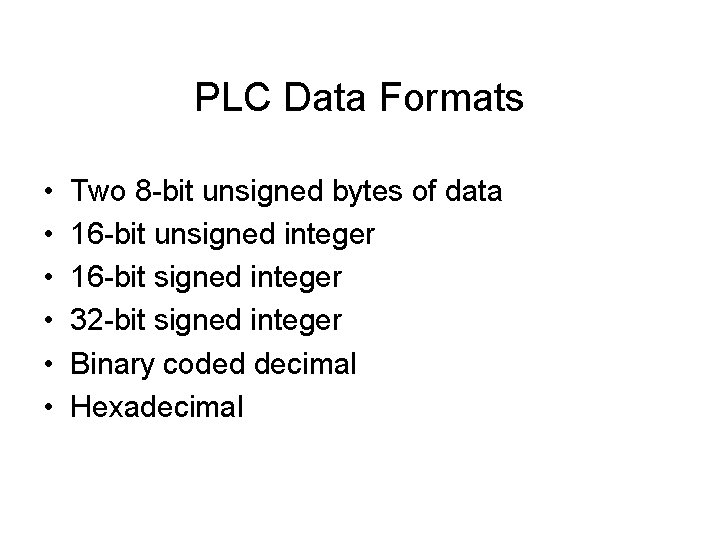
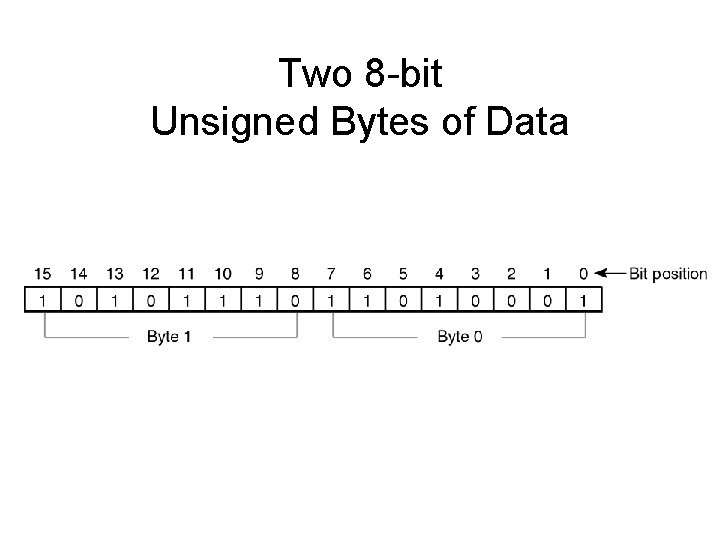
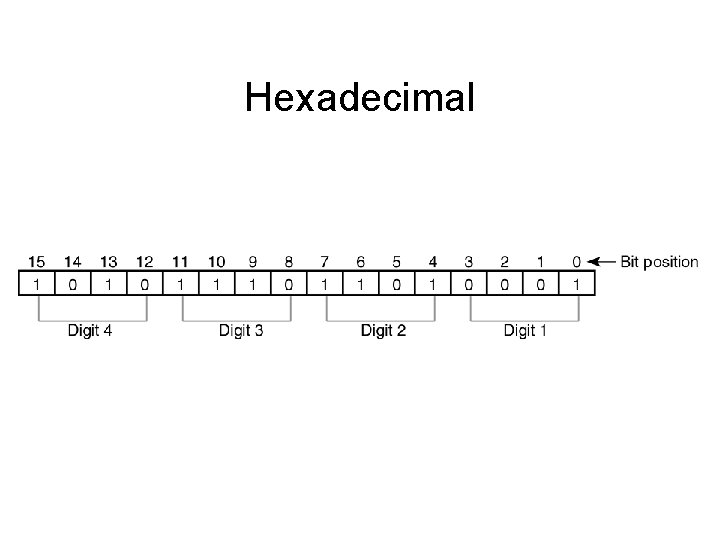
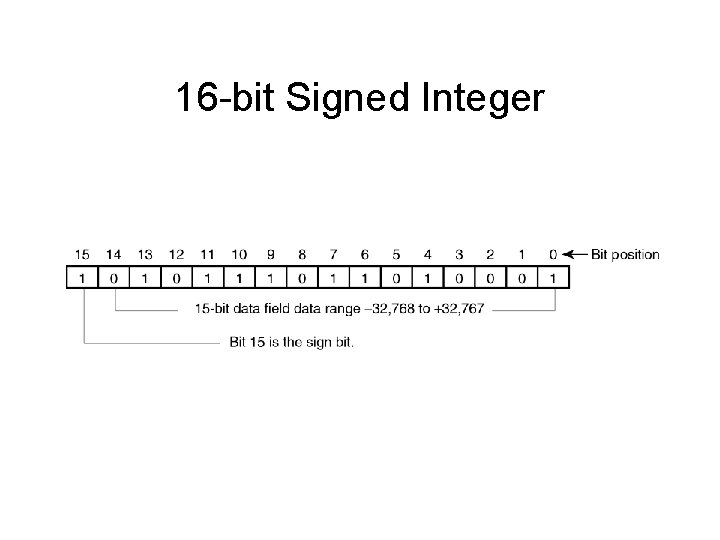
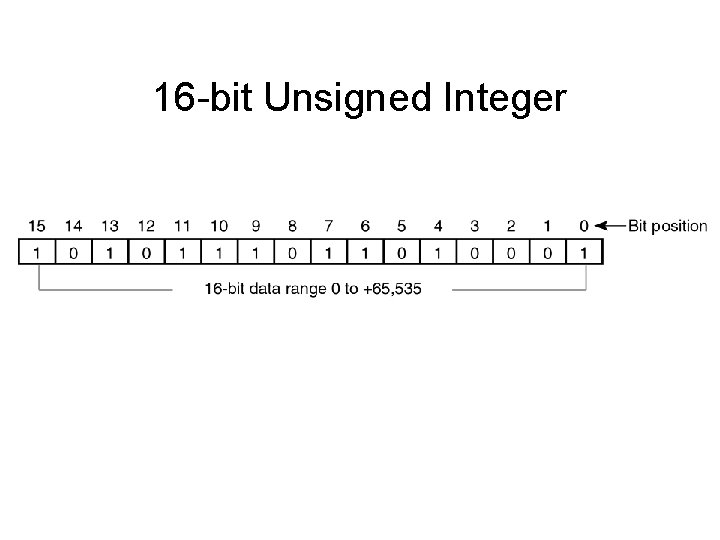
PLC Data Formats • • • Two 8 -bit unsigned bytes of data 16 -bit unsigned integer 16 -bit signed integer 32 -bit signed integer Binary coded decimal Hexadecimal
Two 8 -bit Unsigned Bytes of Data
Hexadecimal
16 -bit Signed Integer
16 -bit Unsigned Integer
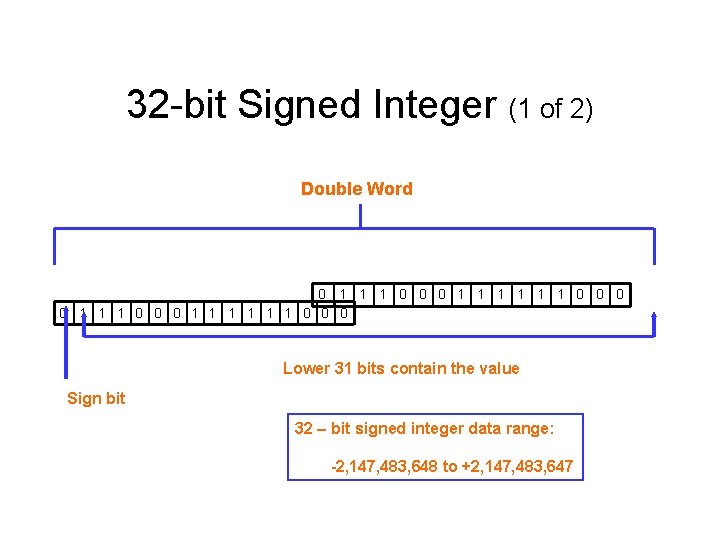
32 -bit Signed Integer (1 of 2) Double Word 0 1 1 1 0 0 0 1 1 1 0 0 0 Lower 31 bits contain the value Sign bit 32 – bit signed integer data range: -2, 147, 483, 648 to +2, 147, 483, 647
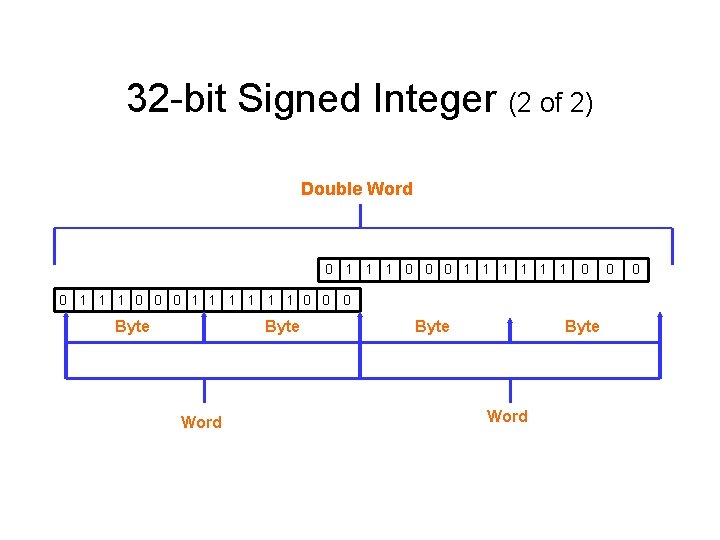
32 -bit Signed Integer (2 of 2) Double Word 0 0 1 1 1 0 0 0 1 1 1 0 0 Byte Word 0 0
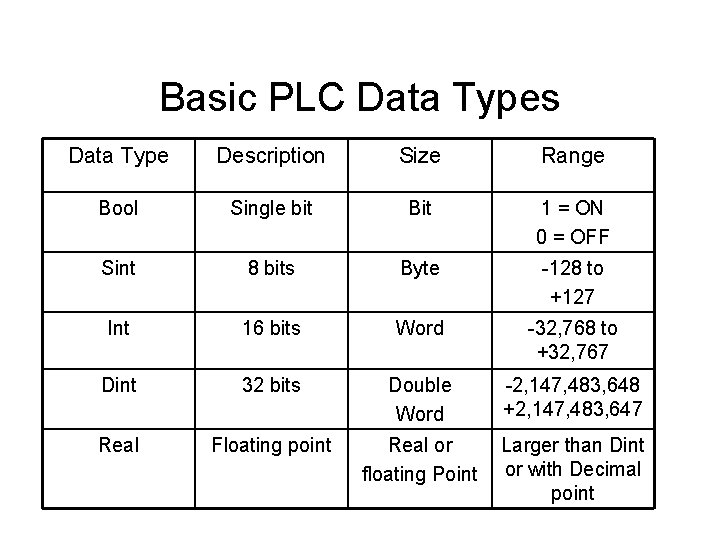
Basic PLC Data Types Data Type Description Size Range Bool Single bit Bit 1 = ON 0 = OFF Sint 8 bits Byte -128 to +127 Int 16 bits Word -32, 768 to +32, 767 Dint 32 bits Double Word -2, 147, 483, 648 +2, 147, 483, 647 Real Floating point Real or floating Point Larger than Dint or with Decimal point
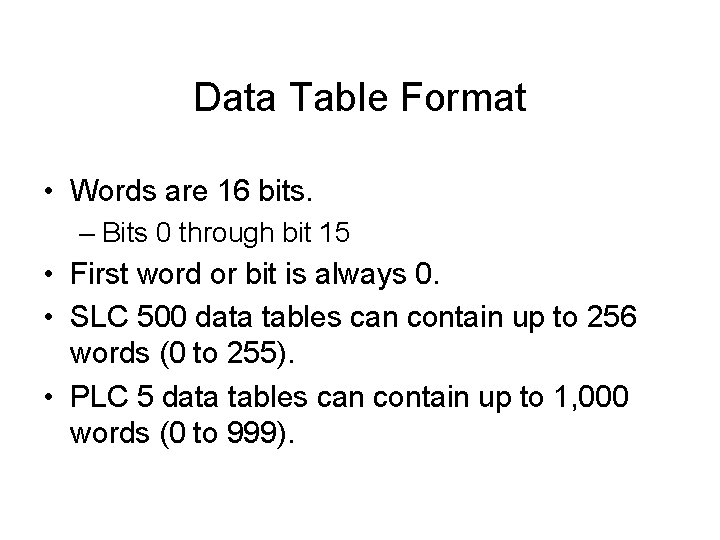
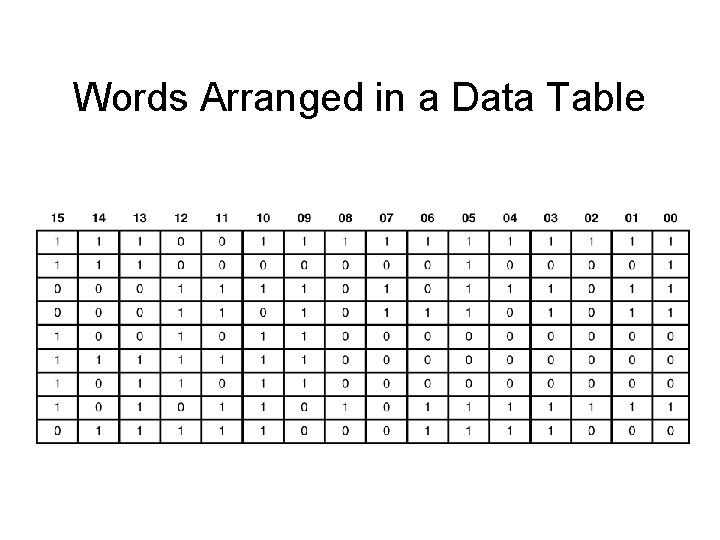
Data Table Format • Words are 16 bits. – Bits 0 through bit 15 • First word or bit is always 0. • SLC 500 data tables can contain up to 256 words (0 to 255). • PLC 5 data tables can contain up to 1, 000 words (0 to 999).
Words Arranged in a Data Table
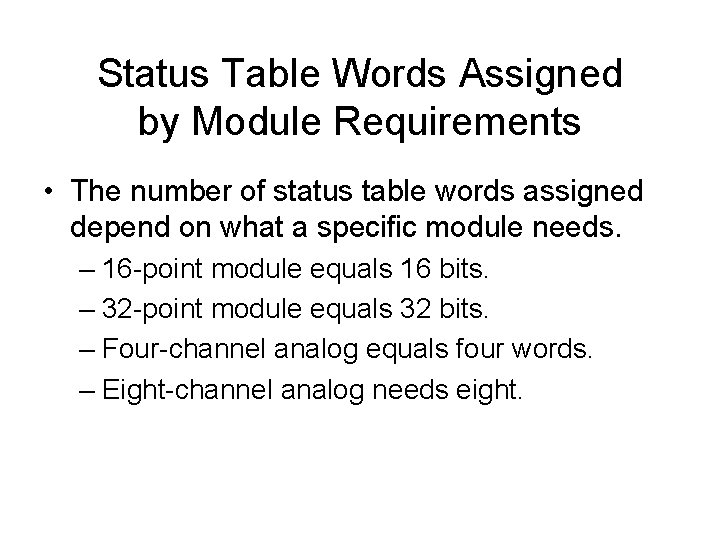
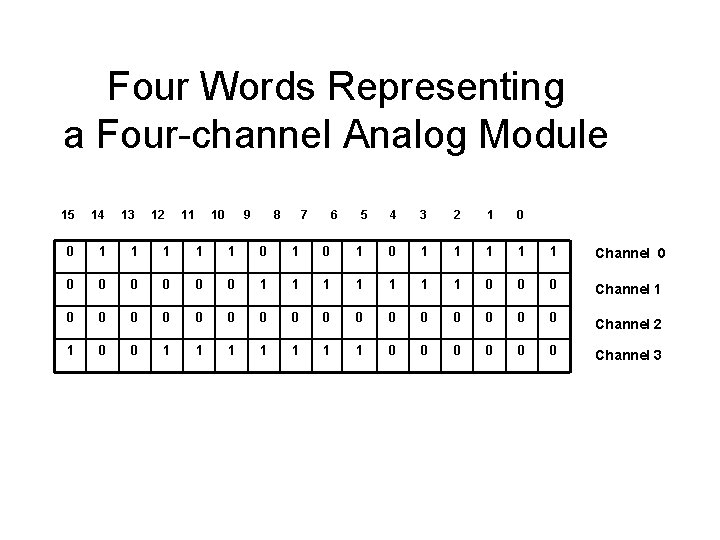
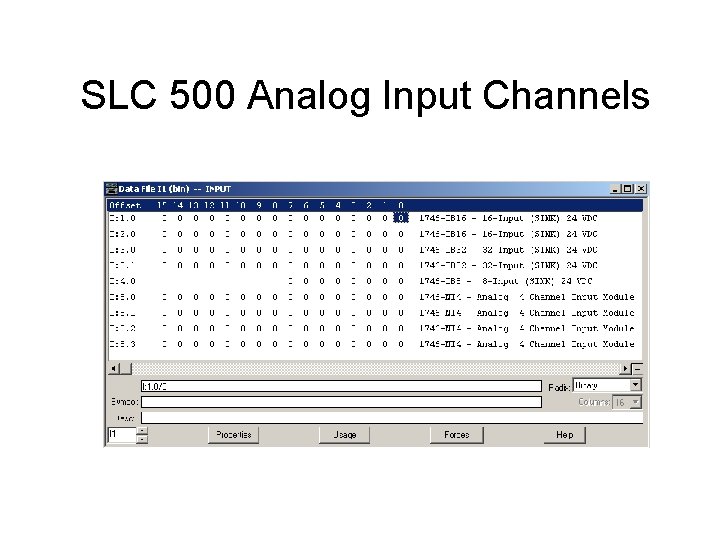
Status Table Words Assigned by Module Requirements • The number of status table words assigned depend on what a specific module needs. – 16 -point module equals 16 bits. – 32 -point module equals 32 bits. – Four-channel analog equals four words. – Eight-channel analog needs eight.
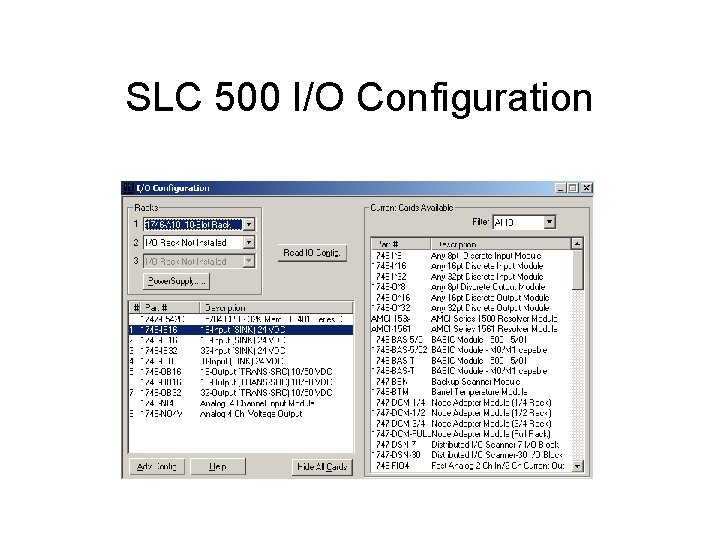
SLC 500 I/O Configuration
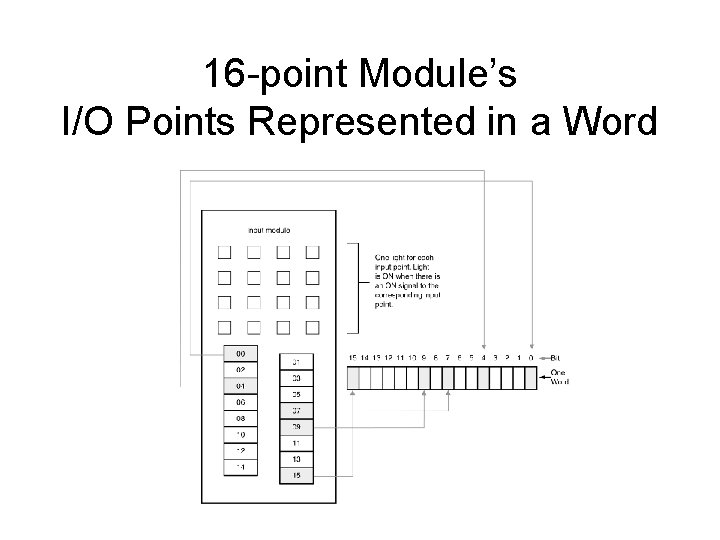
16 -point Module’s I/O Points Represented in a Word
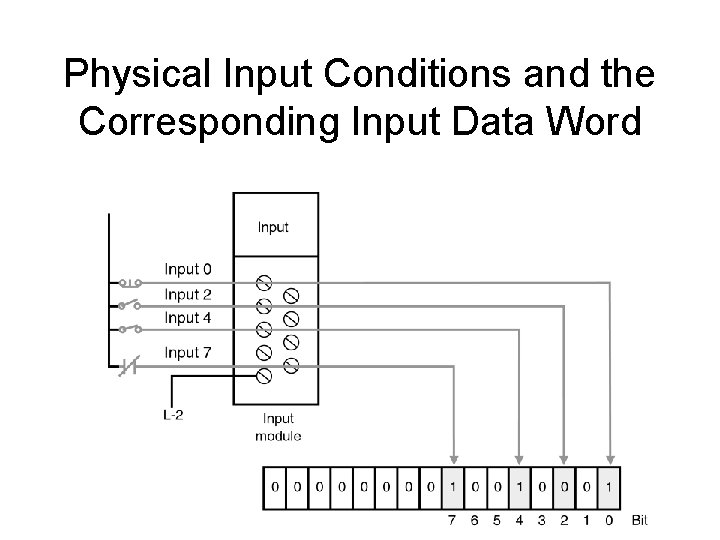
Physical Input Conditions and the Corresponding Input Data Word
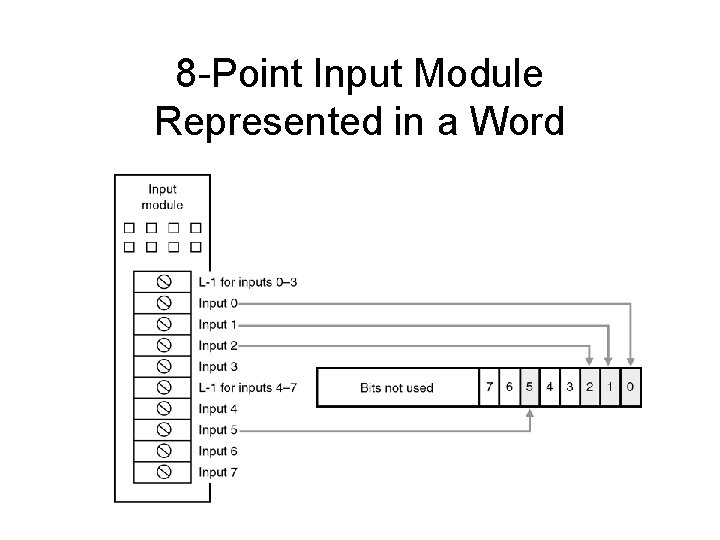
8 -Point Input Module Represented in a Word
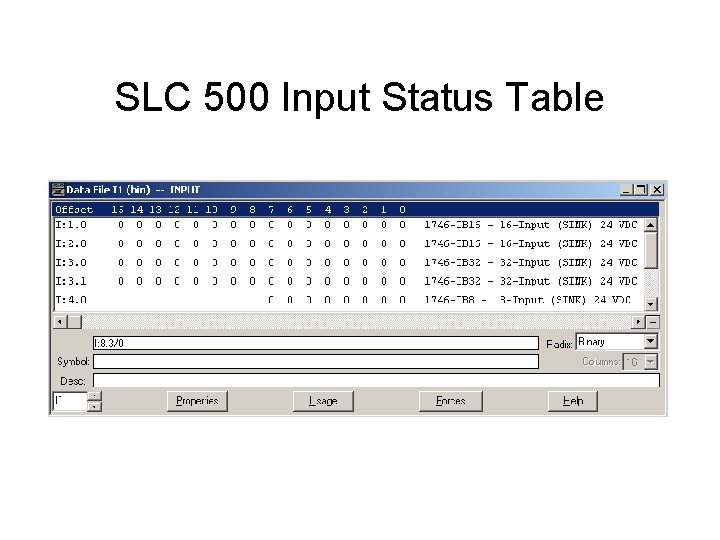
SLC 500 Input Status Table
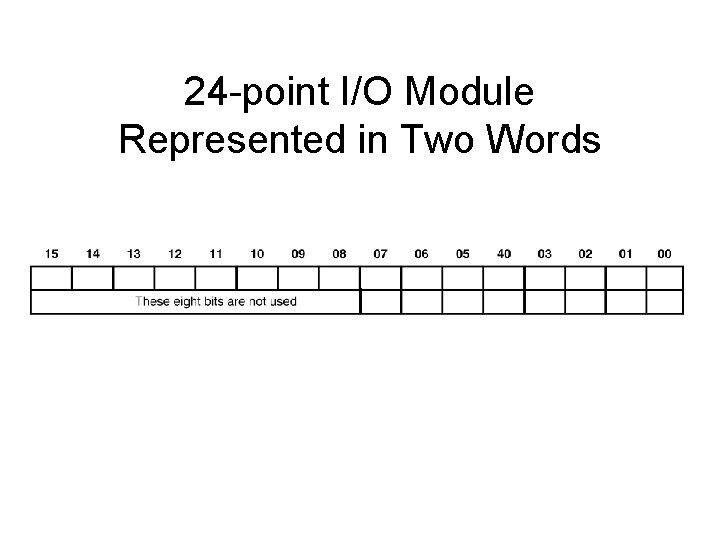
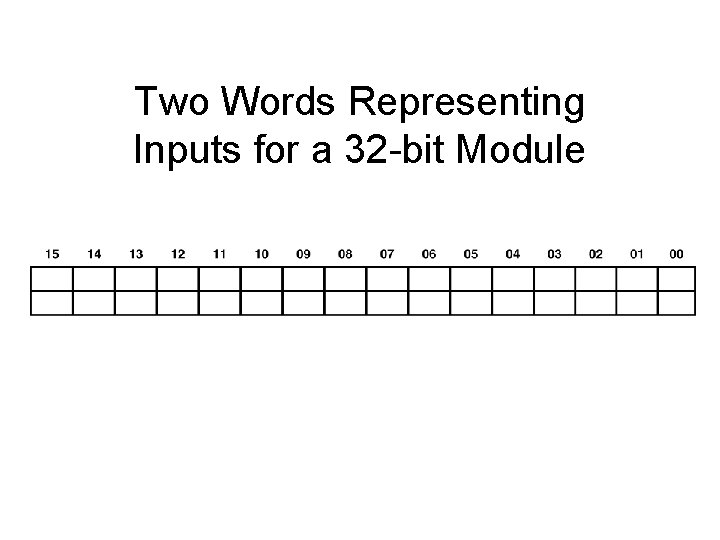
24 -point I/O Module Represented in Two Words
Two Words Representing Inputs for a 32 -bit Module
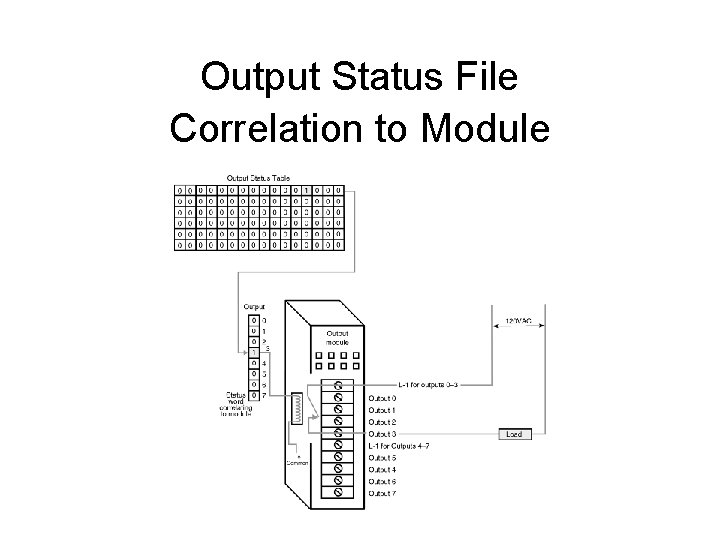
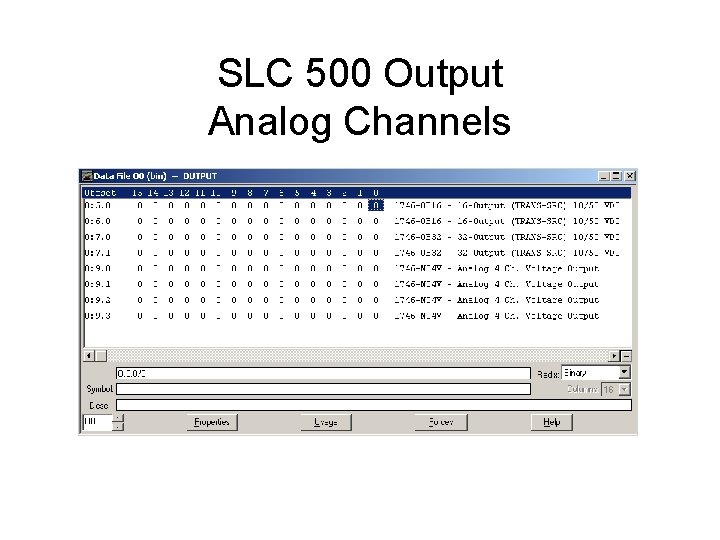
Output Status File Correlation to Module
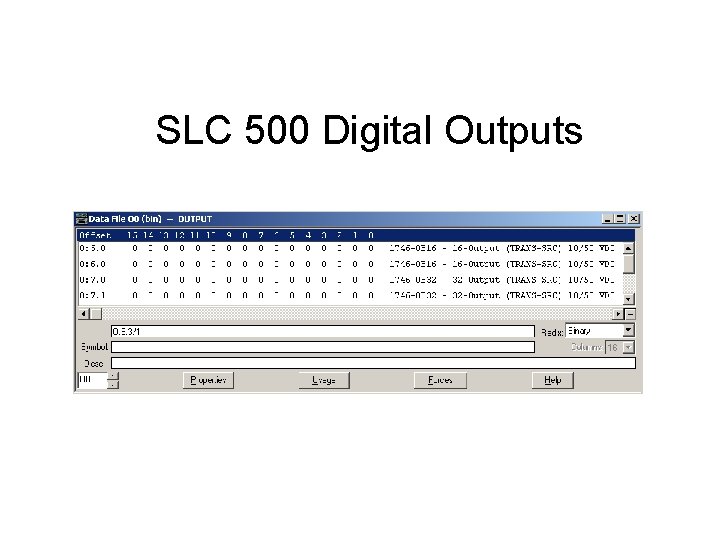
SLC 500 Digital Outputs
Four Words Representing a Four-channel Analog Module 15 14 13 12 11 10 9 8 7 6 0 1 1 1 0 0 0 0 1 0 0 1 1 5 4 3 2 1 0 1 1 1 Channel 0 1 1 1 0 0 0 Channel 1 0 0 0 0 0 Channel 2 1 1 1 0 0 0 Channel 3
SLC 500 Analog Input Channels
SLC 500 Output Analog Channels
So, What’s in It for ME? ? • I need to be able to work with different number systems. – – PLC configuration PLC troubleshooting Program interpretation Error code interpretation – Data conversion to different hardware
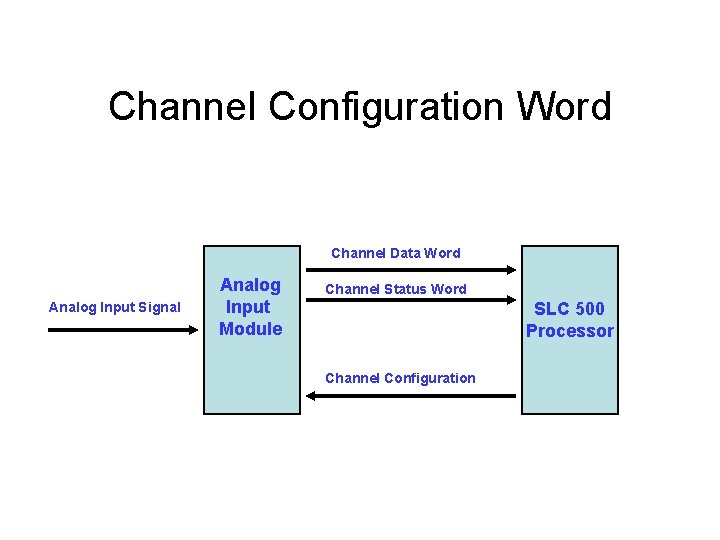
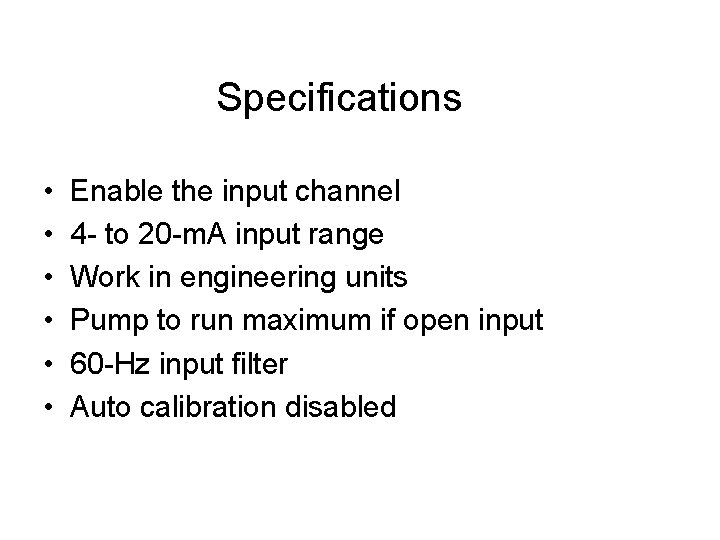
SLC 500 Analog Input Module Configuration • You need to configure a 1747 sc-INI 4 i analog input module. • Module configuration specifications are listed below.
Channel Configuration Word Channel Data Word Analog Input Signal Analog Input Module Channel Status Word SLC 500 Processor Channel Configuration
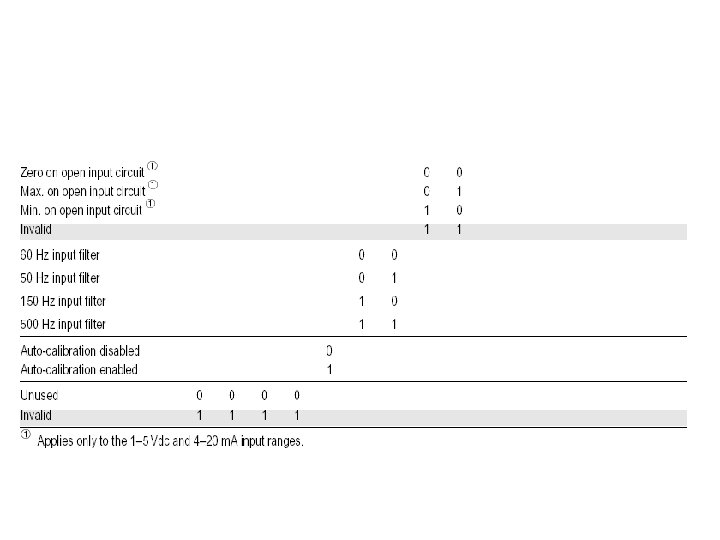
Specifications • • • Enable the input channel 4 - to 20 -m. A input range Work in engineering units Pump to run maximum if open input 60 -Hz input filter Auto calibration disabled
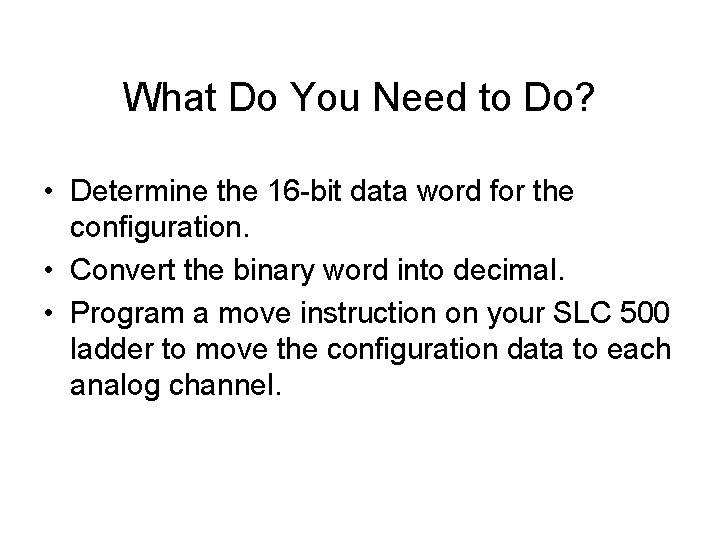
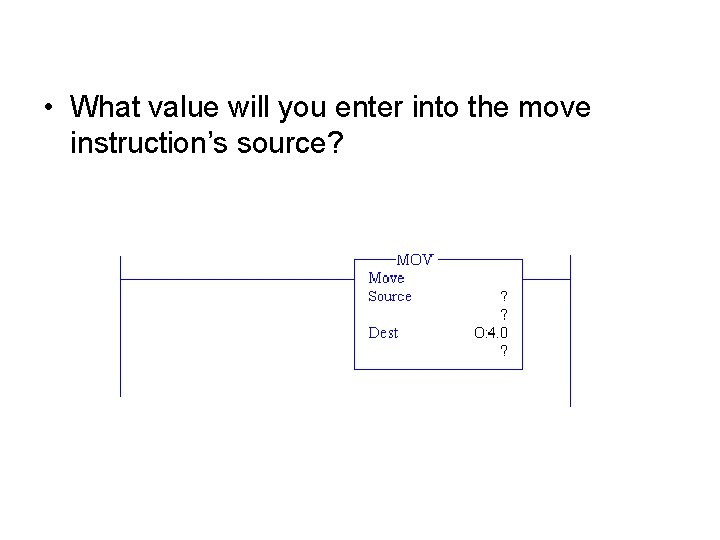
What Do You Need to Do? • Determine the 16 -bit data word for the configuration. • Convert the binary word into decimal. • Program a move instruction on your SLC 500 ladder to move the configuration data to each analog channel.
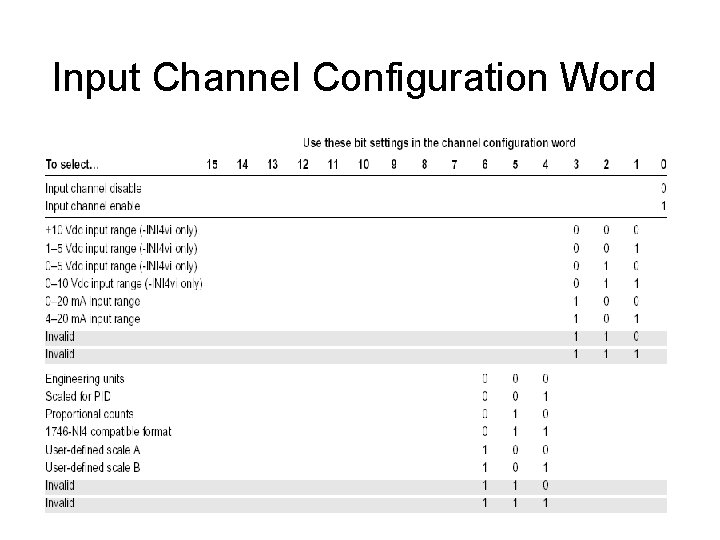
Input Channel Configuration Word
• What value will you enter into the move instruction’s source?
Understanding Binary Coded Decimal (BCD)
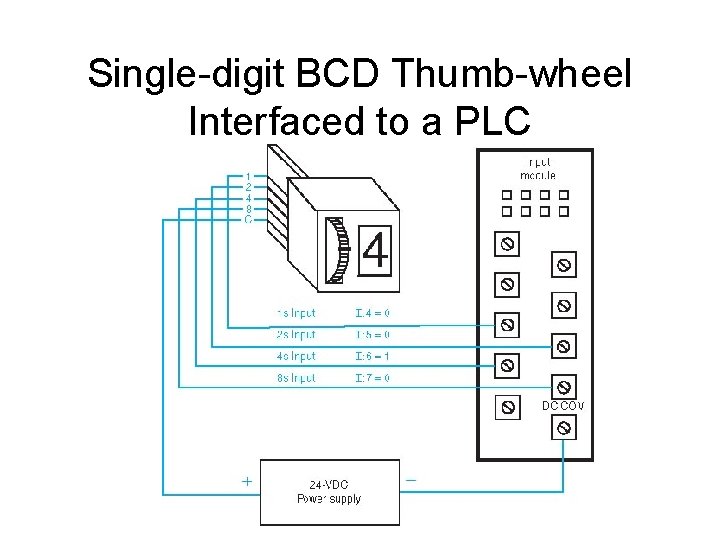
Single-digit BCD Thumb-wheel Interfaced to a PLC
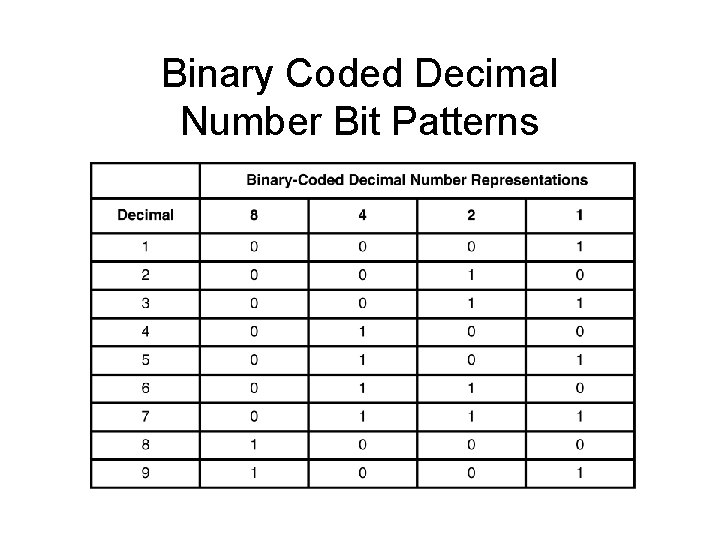
Binary Coded Decimal Number Bit Patterns
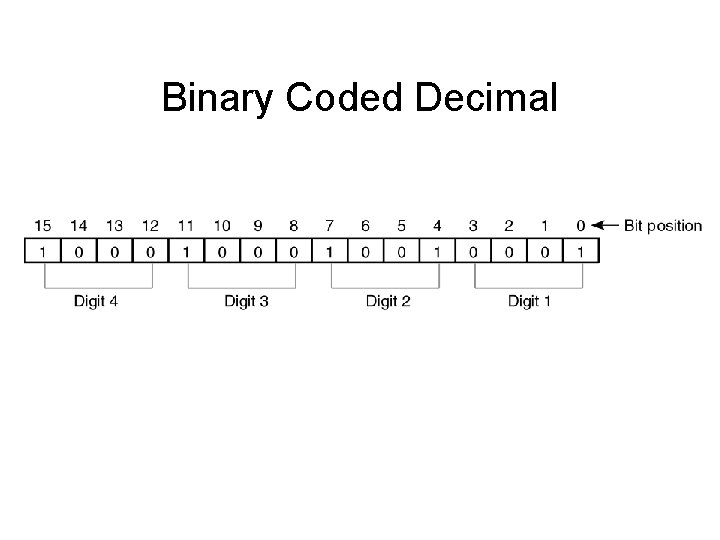
Binary Coded Decimal
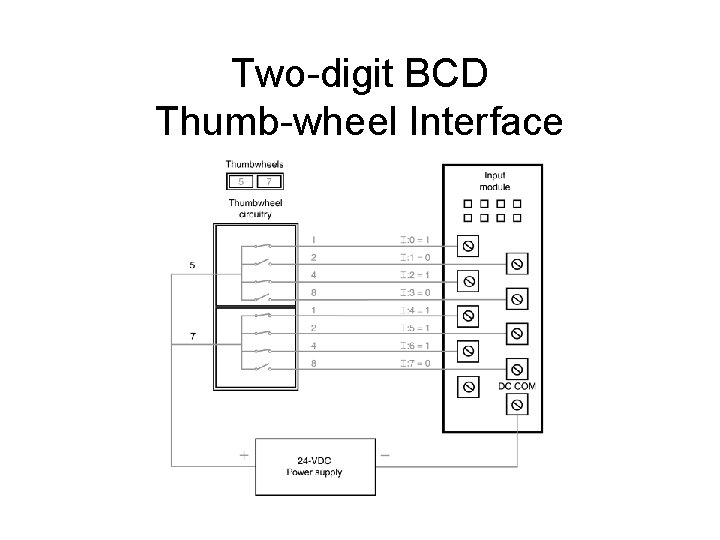
Two-digit BCD Thumb-wheel Interface
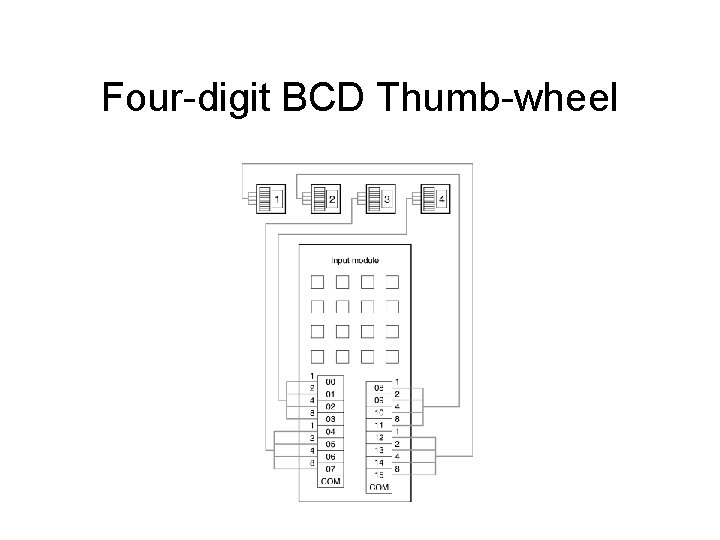
Four-digit BCD Thumb-wheel
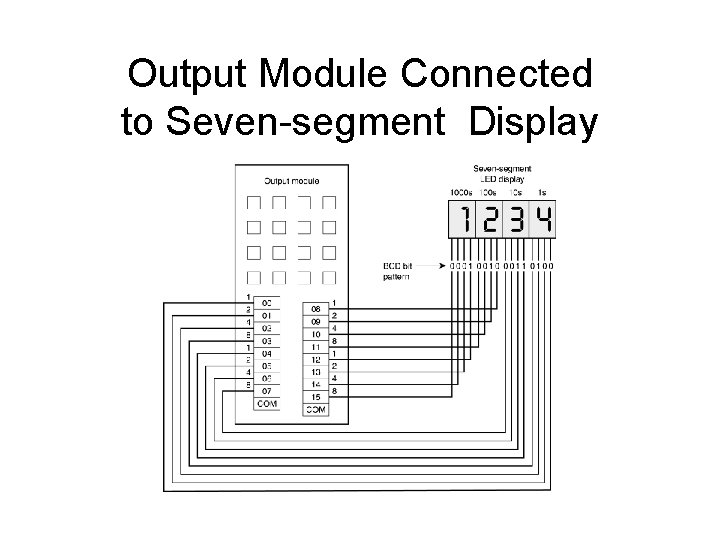
Output Module Connected to Seven-segment Display
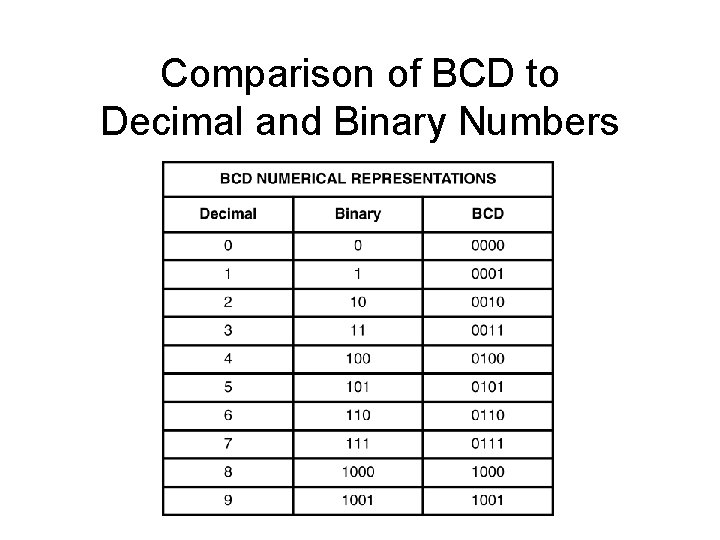
Comparison of BCD to Decimal and Binary Numbers
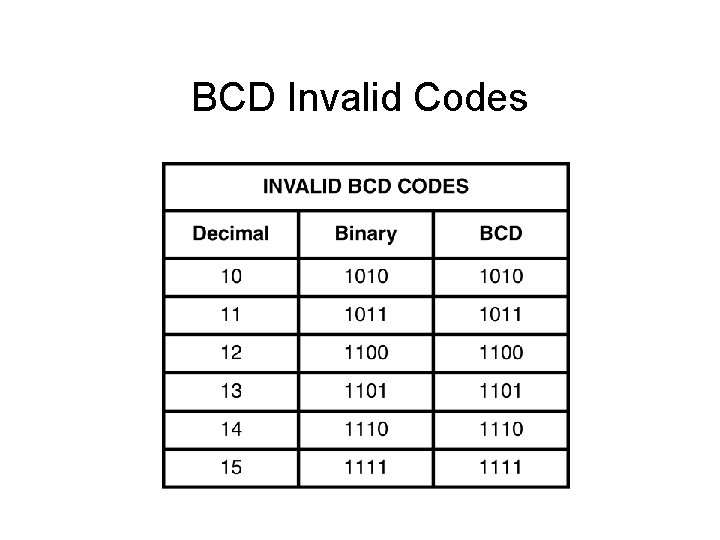
BCD Invalid Codes
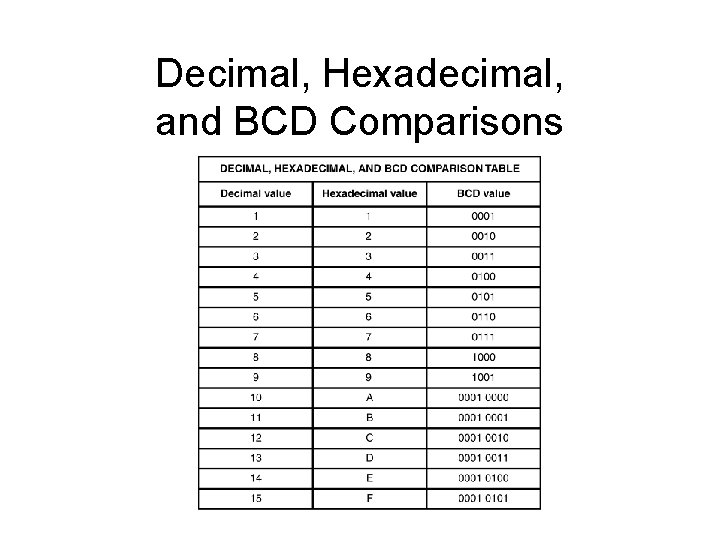
Decimal, Hexadecimal, and BCD Comparisons
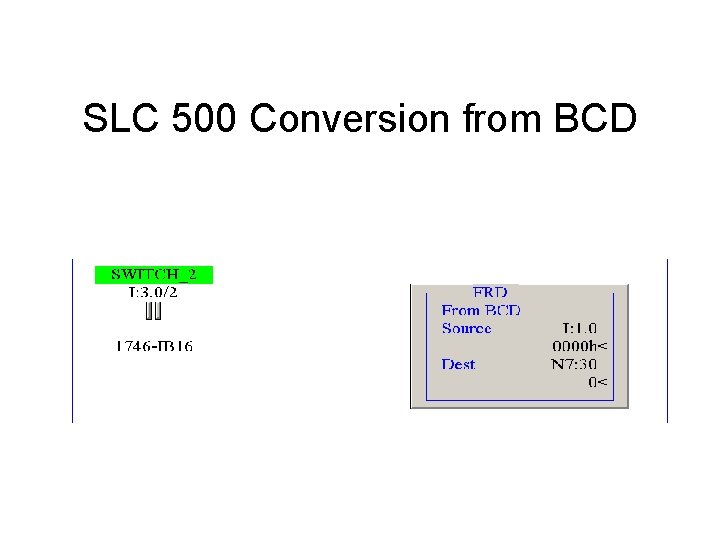
SLC 500 Conversion from BCD
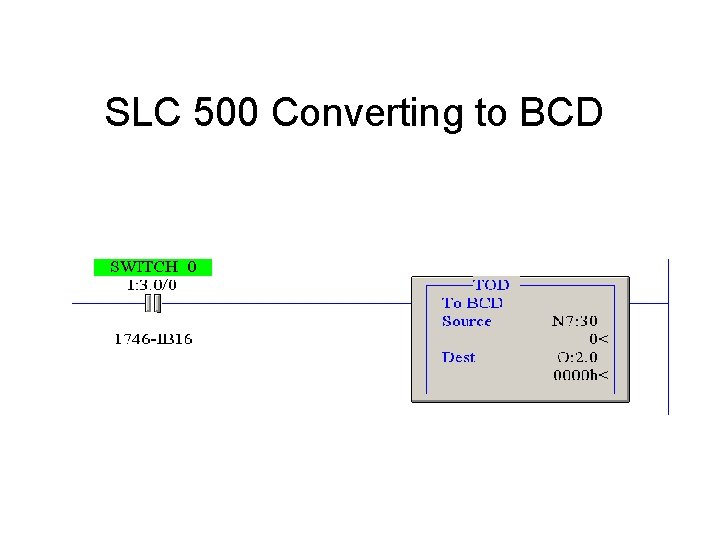
SLC 500 Converting to BCD
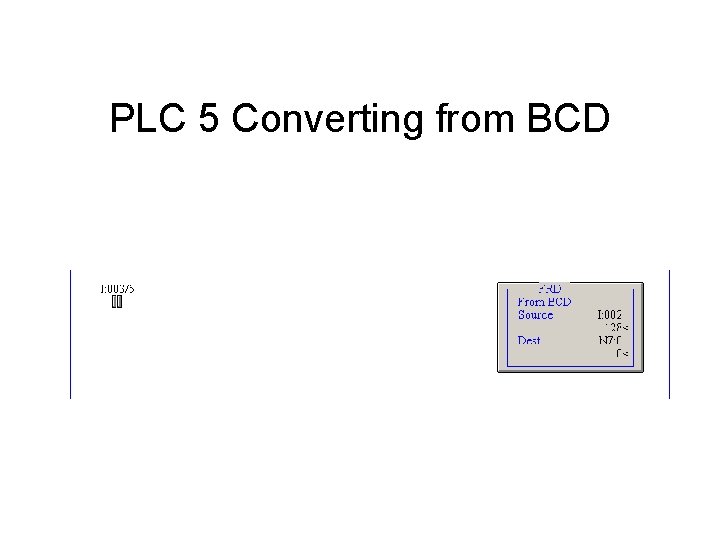
PLC 5 Converting from BCD
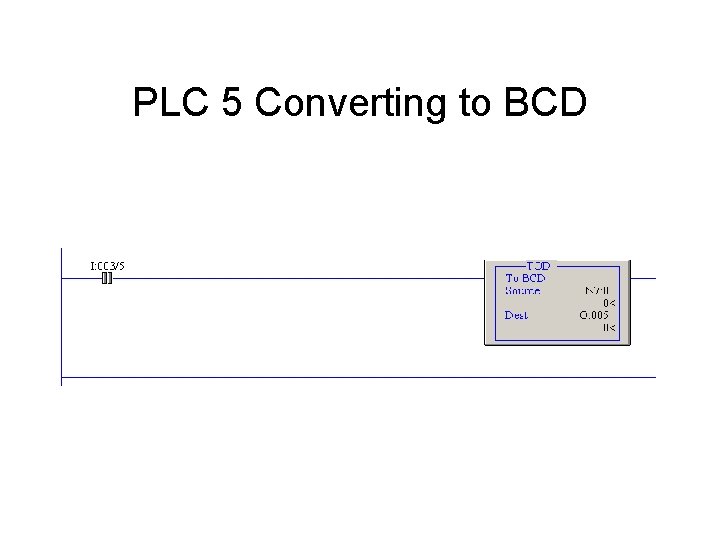
PLC 5 Converting to BCD